Fears and
Fulfillment with
Today’s IT security
David Strom, david@strom.com
MnCCC annual security conference
Oct 2019
Agenda
• Current state of IT security
• Typical multi-stage cyber
infection chain:
• Phishing probe
• Ransomware and data theft
• Lateral movement with
fileless malware
• Recommendations for
improving your security
posture
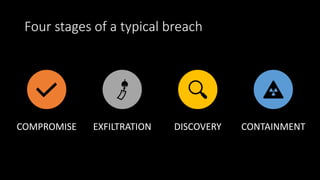
Four stages of a typical breach
COMPROMISE EXFILTRATION DISCOVERY CONTAINMENT
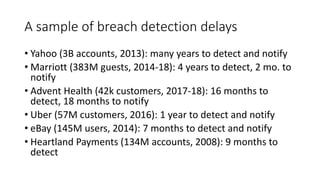
A sample of breach detection delays
• Yahoo (3B accounts, 2013): many years to detect and notify
• Marriott (383M guests, 2014-18): 4 years to detect, 2 mo. to
notify
• Advent Health (42k customers, 2017-18): 16 months to
detect, 18 months to notify
• Uber (57M customers, 2016): 1 year to detect and notify
• eBay (145M users, 2014): 7 months to detect and notify
• Heartland Payments (134M accounts, 2008): 9 months to
detect
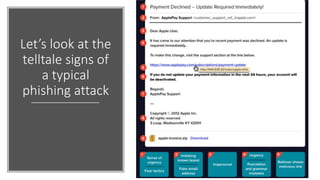
Let’s look at the
telltale signs of
a typical
phishing attack
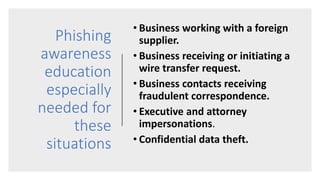
Phishing
awareness
education
especially
needed for
these
situations
• Business working with a foreign
supplier.
• Business receiving or initiating a
wire transfer request.
• Business contacts receiving
fraudulent correspondence.
• Executive and attorney
impersonations.
• Confidential data theft.
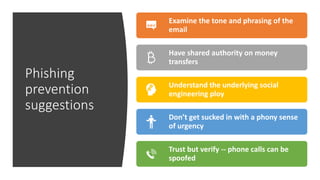
Phishing
prevention
suggestions
Examine the tone and phrasing of the
email
Have shared authority on money
transfers
Understand the underlying social
engineering ploy
Don’t get sucked in with a phony sense
of urgency
Trust but verify -- phone calls can be
spoofed
Spread and
prevention of
ransomware
Don’t become
Georgia!
• City of Atlanta
• State Department of Public
Safety
• State and local court systems
• City hospitals
• County governments
• Small city police departments
Behind the Texas
local government
August attacks
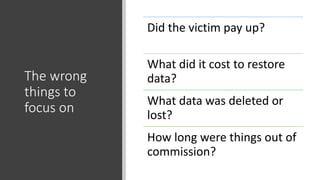
The wrong
things to
focus on
Did the victim pay up?
What did it cost to restore
data?
What data was deleted or
lost?
How long were things out of
commission?
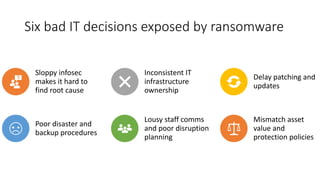
Six bad IT decisions exposed by ransomware
Sloppy infosec
makes it hard to
find root cause
Inconsistent IT
infrastructure
ownership
Delay patching and
updates
Poor disaster and
backup procedures
Lousy staff comms
and poor disruption
planning
Mismatch asset
value and
protection policies
Three general types
of attacks:
•Return-object
programming
•Scripting-based
•Polymorphic
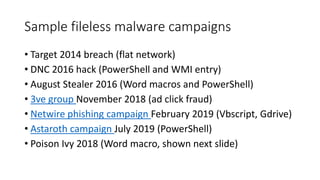
Sample fileless malware campaigns
• Target 2014 breach (flat network)
• DNC 2016 hack (PowerShell and WMI entry)
• August Stealer 2016 (Word macros and PowerShell)
• 3ve group November 2018 (ad click fraud)
• Netwire phishing campaign February 2019 (Vbscript, Gdrive)
• Astaroth campaign July 2019 (PowerShell)
• Poison Ivy 2018 (Word macro, shown next slide)
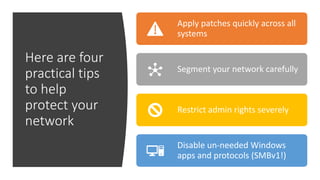
Here are four
practical tips
to help
protect your
network
Apply patches quickly across all
systems
Segment your network carefully
Restrict admin rights severely
Disable un-needed Windows
apps and protocols (SMBv1!)
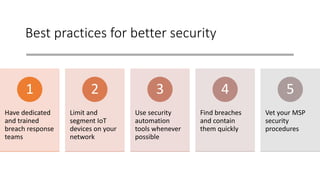
Best practices for better security
Have dedicated
and trained
breach response
teams
1
Limit and
segment IoT
devices on your
network
2
Use security
automation
tools whenever
possible
3
Find breaches
and contain
them quickly
4
Vet your MSP
security
procedures
5
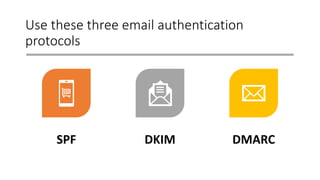
Use these three email authentication
protocols
SPF DKIM DMARC
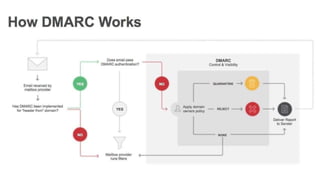
DMARC, SPF, and other email security tech
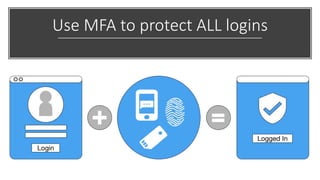
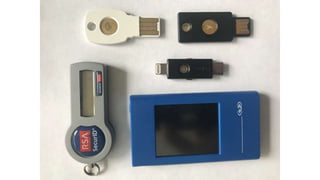
Use MFA to protect ALL logins
Questions,
connections
• My website:
blog.strom.com
• Twitter: @dstrom
• Email: david@strom.com
• Slide copies can be found
here:
slideshare.net/davidstrom

Fears and fulfillment with IT security

  • 1.
    Fears and Fulfillment with Today’sIT security David Strom, david@strom.com MnCCC annual security conference Oct 2019
  • 2.
    Agenda • Current stateof IT security • Typical multi-stage cyber infection chain: • Phishing probe • Ransomware and data theft • Lateral movement with fileless malware • Recommendations for improving your security posture
  • 6.
    Four stages ofa typical breach COMPROMISE EXFILTRATION DISCOVERY CONTAINMENT
  • 7.
    A sample ofbreach detection delays • Yahoo (3B accounts, 2013): many years to detect and notify • Marriott (383M guests, 2014-18): 4 years to detect, 2 mo. to notify • Advent Health (42k customers, 2017-18): 16 months to detect, 18 months to notify • Uber (57M customers, 2016): 1 year to detect and notify • eBay (145M users, 2014): 7 months to detect and notify • Heartland Payments (134M accounts, 2008): 9 months to detect
  • 10.
    Let’s look atthe telltale signs of a typical phishing attack
  • 11.
    Phishing awareness education especially needed for these situations • Businessworking with a foreign supplier. • Business receiving or initiating a wire transfer request. • Business contacts receiving fraudulent correspondence. • Executive and attorney impersonations. • Confidential data theft.
  • 12.
    Phishing prevention suggestions Examine the toneand phrasing of the email Have shared authority on money transfers Understand the underlying social engineering ploy Don’t get sucked in with a phony sense of urgency Trust but verify -- phone calls can be spoofed
  • 15.
  • 16.
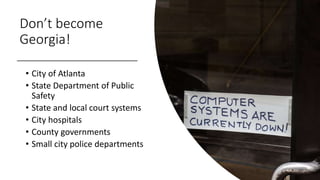
    Don’t become Georgia! • Cityof Atlanta • State Department of Public Safety • State and local court systems • City hospitals • County governments • Small city police departments
  • 17.
    Behind the Texas localgovernment August attacks
  • 19.
    The wrong things to focuson Did the victim pay up? What did it cost to restore data? What data was deleted or lost? How long were things out of commission?
  • 20.
    Six bad ITdecisions exposed by ransomware Sloppy infosec makes it hard to find root cause Inconsistent IT infrastructure ownership Delay patching and updates Poor disaster and backup procedures Lousy staff comms and poor disruption planning Mismatch asset value and protection policies
  • 21.
    Three general types ofattacks: •Return-object programming •Scripting-based •Polymorphic
  • 23.
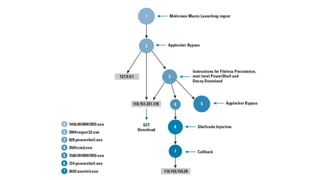
    Sample fileless malwarecampaigns • Target 2014 breach (flat network) • DNC 2016 hack (PowerShell and WMI entry) • August Stealer 2016 (Word macros and PowerShell) • 3ve group November 2018 (ad click fraud) • Netwire phishing campaign February 2019 (Vbscript, Gdrive) • Astaroth campaign July 2019 (PowerShell) • Poison Ivy 2018 (Word macro, shown next slide)
  • 27.
    Here are four practicaltips to help protect your network Apply patches quickly across all systems Segment your network carefully Restrict admin rights severely Disable un-needed Windows apps and protocols (SMBv1!)
  • 28.
    Best practices forbetter security Have dedicated and trained breach response teams 1 Limit and segment IoT devices on your network 2 Use security automation tools whenever possible 3 Find breaches and contain them quickly 4 Vet your MSP security procedures 5
  • 29.
    Use these threeemail authentication protocols SPF DKIM DMARC
  • 30.
    DMARC, SPF, andother email security tech
  • 31.
    Use MFA toprotect ALL logins
  • 33.
    Questions, connections • My website: blog.strom.com •Twitter: @dstrom • Email: david@strom.com • Slide copies can be found here: slideshare.net/davidstrom

Editor's Notes

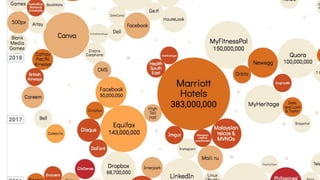
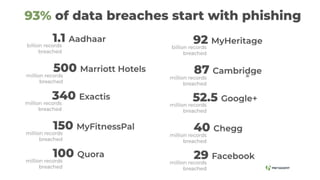
  • #4 https://www.informationisbeautiful.net/visualizations/worlds-biggest-data-breaches-hacks/
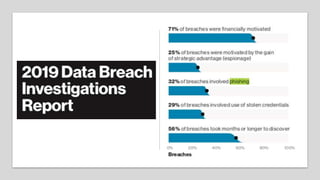
  • #5 Some somerbing stats from the Verizon 2019 report And phishing and emails were the most common entry points for attackers.
  • #7 Compromises happen in minutes, discoveries in months. One report found that The average number of days between the breach discovery and reporting has gone back up, from 38 days in Q1 2018 to 54 days in Q1 2019. However, this average obscures one important fact: breaches that were reported by external sources (such as researchers or law enforcement) were found faster (43 days) versus internally (74 days).  (Risk Based Security 1q2019 report)
  • #8 A Ponemon study in 2018 found it took US co’s an average of 200 days to detect. https://www.csoonline.com/article/2130877/the-biggest-data-breaches-of-the-21st-century.html
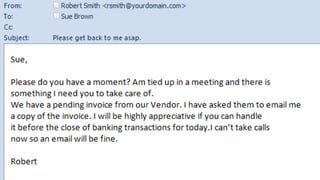
  • #10 Then add in this CEO impersonation attack to pay an invoice to a new bank account
  • #11 Sense of urgency, using fear tactics, brand imitation with a fake email address, impersonal “dear user” More urgency with “required immediately” language and malicious link in the rollover URL More scare tactics -- “deactivation”, Impersonal signature Old copyright date and odd location in KY An attached ZIP file is icing on the cake From https://www.varonis.com/blog/spot-phishing-scam/
  • #13 Email thread https://www.trustwave.com/en-us/resources/blogs/trustwave-blog/here-is-an-email-thread-of-an-actual-ceo-fraud-attack/
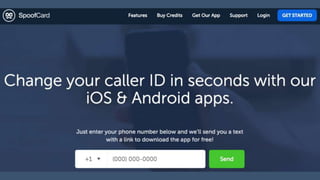
  • #14 Now add in criminal spoofing services such as this one to create more confusion
  • #15 Use security awareness training regularly, not just once
  • #16 The city of Baltimore has become everyone’s favorite ransomware poster child. The city IT infrastructure experienced a series of ransom attacks over the past 15 months. The first two occurred in March and April of 2018; the others began almost a year later. The city refused to pay, despite repeated attacks of both SamSam and RobbinHood strains.
  • #17 All of these government entities were hacked in the past year. The note is from an office in Baltimore city hall.
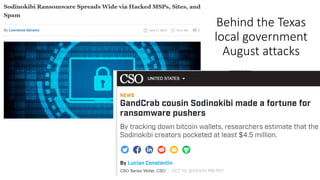
  • #18 This particular ransomware strain hit more than 20 different city government agencies in Texas in August happened through a vulnerability in remote desktop services that was used by an MSP running a managed endpoint protection agent.
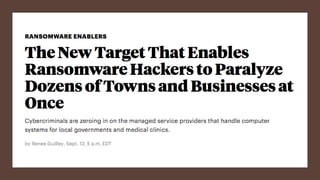
  • #19 This story in Pro Publica talks about how MSPs are becoming richer targets because hackers can hit multiple entities at once, such as what happened in Texas and elsewhere. Instead of targeting local government agencies, hackers are looking for vulnerabilities in the software supply chain, including managed email and backup services, ERP and accounting systems. This enables them to hit multiple targets with one exploit. MSPs are profitable because these agencies are more motivated to pay the ransoms to get back online and continue to serve their constituents. This article in ProPublica has a screencast video that shows how a hacker can disable AV and install the ransomware using a remote desktop program. https://www.propublica.org/article/the-new-target-that-enables-ransomware-hackers-to-paralyze-dozens-of-towns-and-businesses-at-once
  • #21 https://www.hpe.com/us/en/insights/articles/6-easy-ways-to-expose-your-business-to-ransomware-1906.html
  • #22 Lets move to the third stage of a typical attack, fileless malware. Its goal is to not leave any evidence behind that defenders can find. There are three general methods. ROP is the classic attack method and typically executes a DLL that can compromise a target PC. It could include code from your web browser or a desktop app routine that the malware piggybacks on to run. Scripting attacks uses built-in tools from MS Office or PowerShell or HTML Application Host and hook particular processes to run. If your detection routines don’t understand the details about script execution, they could easily miss these cues. These attacks are on the rise because there are so many scripts included in a modern endpoint. Then there is polymorphic, which adapt to changing conditions and try to evade your scanners and endpoint prevention tools. These can shift signatures and methods, look to see if they are running inside a VM for example.
  • #23 “Live off the land” – leverage existing Windows OS tools, typically powershell but there are increasing other pieces of code that fileless can leverage. Back in the early days of the Internet, most blocking routines looked for certain signatures, either as the name of one of the running programs on your computer or specific patterns of behavior across your network. These worked until the malware authors got better at hiding their signature moves.
  • #25 Poison Ivy infects PCs by creating a remote-access connection to log keystrokes and capture screens and videos from the PC. also tried to evade detection by Microsoft’s AppLocker protection system by inserting a reference to itself in AppLocker’s whitelisted applications using a series of Windows programs and scripts. It also created a series of decoy documents to make its operations seem benign to the infected user. As you can see, this software is very complex, with several different stages and methods to find its way into a user’s PC.
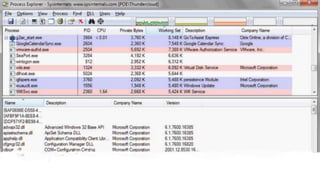
  • #26 Because fileless attacks mimic legit Windows processes and executables, you have to get better at figuring out what these hijacked processes are actually doing. Something like this tool can help visualize the logic flows and point out when the malware is doing something odd.
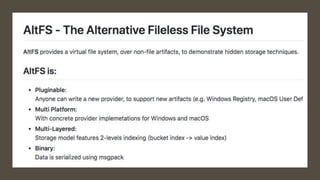
  • #27 Another technique is to use a tool such as AltFS, which can detonate a piece of malware in safety and show what happens in both Windows and Mac environments, to see where a piece of malware is hiding its artifacts. https://github.com/SafeBreach-Labs/AltFS
  • #28 So let’s look at a few practical suggestions on how to improve your cyber security. Make sure your patches are deployed for remote users too: one of the city-based ransomware attacks this year happened because of an employee who missed one of the updates because he was on the road and clicked on a phishing link.
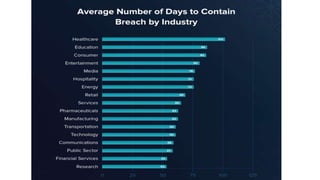
  • #29 https://www.varonis.com/blog/data-breach-response-times/
  • #30 Sender Policy Framework (SPF) hardens your DNS servers and restricts who can send emails from your domain DomainKeys Identified Mail (DKIM) ensures that the content of your emails remains trusted and hasn’t been tampered with or compromised Domain-based Message Authentication, Reporting and Conformance (DMARC) ties the first two protocols together with a consistent set of policies https://www.csoonline.com/article/3254234/mastering-email-security-with-dmarc-spf-and-dkim.html?nsdr=true