
Introduction To
OpenGLES in Android
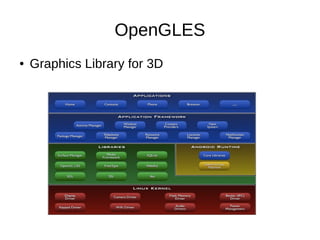
OpenGLES
●

Graphics Library for 3D
OpenGLES Terms
●

●

●

OpenGLES : Graphics API for doing 3D
operations on GPU / CPU
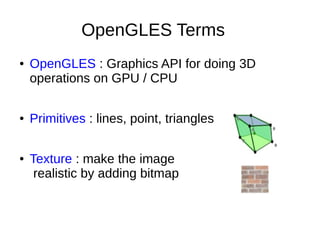
Primitives : lines, point, triangles
Texture : make the image
realistic by adding bitmap
CPU versus GPU
●

CPU
–
–

●

good at executing sequential code
Handles branches well

GPU
–
–

Same code, multiple data
Parallelism (ideal for image rendering)
Android Graphics
●

●

The View class handles display and
interaction with the user
GLSurfaceView class provides the glue to
connect OpenGLES to View system and
activity lifecycle
View
●

●

Manages the memory that can be composited
into the Android view system
Renders display in a separate thread,
decoupling from UI thread
Renderer
●

The renderer is responsible for making
OpenGL calls to render a frame.
Two Steps
GLSurfaceView
GLSurfaceView.Renderer
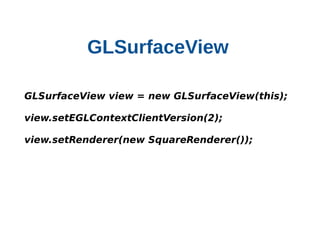
GLSurfaceView
    

    GLSurfaceView view = new GLSurfaceView(this);
    view.setEGLContextClientVersion(2);
    view.setRenderer(new SquareRenderer());
GLSurfaceView.Renderer
●

The renderer is responsible for making
OpenGL calls to render a frame.
–

onDrawFrame() responsible for drawing the
current frame

–

OnSurfaceChanged() called when surface size
changes

–

OnSurfaceCreated() called when surface is
created
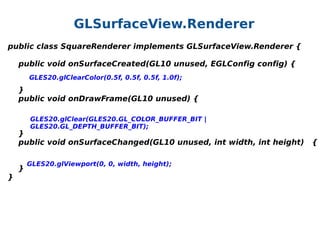
GLSurfaceView.Renderer
public class SquareRenderer implements GLSurfaceView.Renderer {
    public void onSurfaceCreated(GL10 unused, EGLConfig config) {
   
 GLES20.glClearColor(0.5f, 0.5f, 0.5f, 1.0f);
    
    }
    public void onDrawFrame(GL10 unused) {
GLES20.glClear(GLES20.GL_COLOR_BUFFER_BIT |
GLES20.GL_DEPTH_BUFFER_BIT);

    }
    public void onSurfaceChanged(GL10 unused, int width, int height)   {
    
GLES20.glViewport(0, 0, width, height);
    }
}
Make sure to add this!
Drawing a Basic
Shape
Define a Square
• All the 2D/ 3D objects needs to be defined using
Primitives.
• Vertex - A vertex is a point where two or more
edges meet
• Edges - A vertex (vertices in plural) is the smallest
building block of 3D model. A vertex is a point
where two or more edges meet
• Face is a triangle. Face is a surface between three
corner vertices and three surrounding edges.
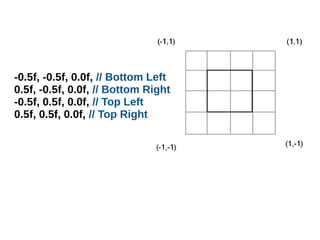
-0.5f, -0.5f, 0.0f, // Bottom Left
0.5f, -0.5f, 0.0f, // Bottom Right
-0.5f, 0.5f, 0.0f, // Top Left
0.5f, 0.5f, 0.0f, // Top Right
private void initShapes(){
 float squareCoords[] = {
   //The coordinates   
  };
  // initialize vertex Buffer for square
 ByteBuffer vbb =
ByteBuffer.allocateDirect(squareCoords.length * 4);
  vbb.order(ByteOrder.nativeOrder());
  squareVB = vbb.asFloatBuffer(); 
  squareVB.put(squareCoords); 
  squareVB.position(0);
}
Draw a square
Draw Methods
o

glDrawArrays()

o

glDrawElements()

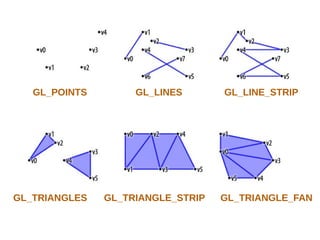
Available Primitives in OpenGL ES
•
•
•
•
•
•
•

GL_POINTS
GL_LINE_STRIP
GL_LINE_LOOP
GL_LINES
GL_TRIANGLES
GL_TRIANGLE_STRIP
GL_TRIANGLE_FAN
GL_POINTS

GL_TRIANGLES

GL_LINES

GL_TRIANGLE_STRIP

GL_LINE_STRIP

GL_TRIANGLE_FAN
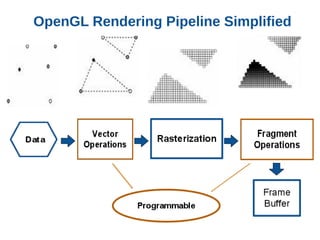
OpenGL Rendering Pipeline Simplified
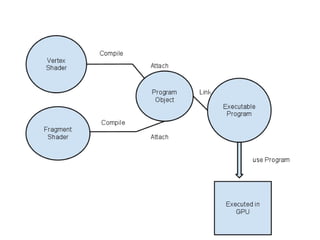
Shader Programs
•
•
•
•
•

Vertex Shader
Fragment Shader
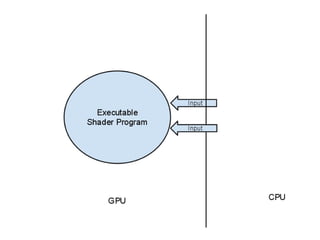
Loading the shader objects
Attaching the Shader objects to Shader program
Linking the program to create executable shader
program
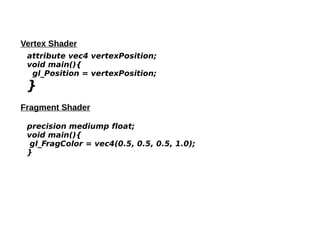
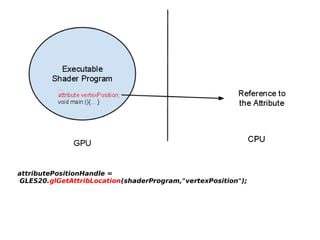
Vertex Shader
attribute vec4 vertexPosition;
void main(){
     gl_Position = vertexPosition;
 

}

Fragment Shader
precision mediump float;
void main(){
  
 gl_FragColor = vec4(0.5, 0.5, 0.5, 1.0);
}
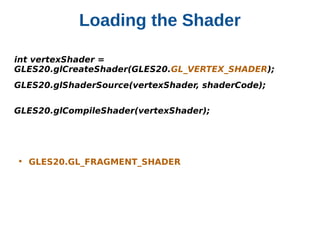
Loading the Shader
int vertexShader =          
GLES20.glCreateShader(GLES20.GL_VERTEX_SHADER);
GLES20.glShaderSource(vertexShader, shaderCode);
GLES20.glCompileShader(vertexShader);

• GLES20.GL_FRAGMENT_SHADER
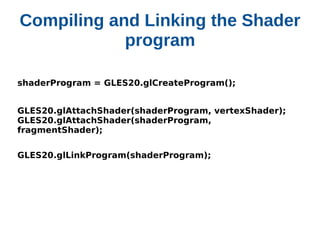
Compiling and Linking the Shader
program
shaderProgram = GLES20.glCreateProgram();
GLES20.glAttachShader(shaderProgram, vertexShader); 
GLES20.glAttachShader(shaderProgram,
fragmentShader);
GLES20.glLinkProgram(shaderProgram);
attributePositionHandle =   
 GLES20.glGetAttribLocation(shaderProgram,"vertexPosition");
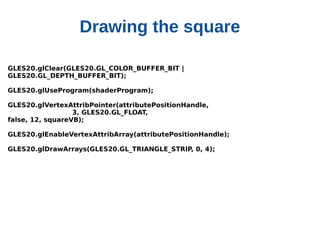
Drawing the square
GLES20.glClear(GLES20.GL_COLOR_BUFFER_BIT | 
GLES20.GL_DEPTH_BUFFER_BIT);
GLES20.glUseProgram(shaderProgram);
GLES20.glVertexAttribPointer(attributePositionHandle, 
                             3, GLES20.GL_FLOAT, 
false, 12, squareVB);
GLES20.glEnableVertexAttribArray(attributePositionHandle);
GLES20.glDrawArrays(GLES20.GL_TRIANGLE_STRIP, 0, 4);

OpenGLES Android Graphics