How to setup How to setup 
your Linux Serveryour Linux Server
Marian HackMan MarinovMarian HackMan Marinov
<mm@siteground.com><mm@siteground.com>
Chief System ArchitectChief System Architect
SiteGroundSiteGround
Who am I?Who am I?Who am I?Who am I?
❖ Chief System Architect of Siteground.com
❖ Sysadmin since 1996
❖ Organizer of OpenFest, BG Perl Workshops,
LUG-BG and similar :)
❖ Teaching Network Security and Linux System
Administration at Sofia University
❖ Storage - pics, docs, music and movies
You DO NEED home ServerYou DO NEED home Server
❖ Storage - pics, docs, music and movies
❖ If you are a network nerd, maybe for a
Router and a good Firewall
You DO NEED home ServerYou DO NEED home Server
❖ Storage - pics, docs, music and movies
❖ If you are a network nerd, maybe for a
Router and a good Firewall
❖ For load-balancing and failover of multiple
ISPs
You DO NEED home ServerYou DO NEED home Server
❖ Storage - pics, docs, music and movies
❖ If you are a network nerd, maybe for a
Router and a good Firewall
❖ For load-balancing and failover of multiple
ISPs
❖ For hosting your home projects
❖ For home automation and statistics
You DO NEED home ServerYou DO NEED home Server
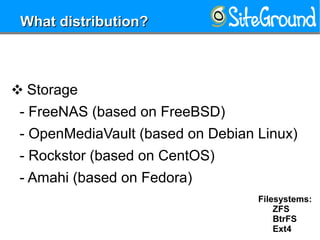
❖ Storage
- FreeNAS (based on FreeBSD)
- OpenMediaVault (based on Debian Linux)
- Rockstor (based on CentOS)
- Amahi (based on Fedora)
What distribution?What distribution?
Filesystems:
ZFS
BtrFS
Ext4
❖ Router
- FreeBSD
- Debian Stable
- CentOS
- Ubuntu LTS
What distribution?What distribution?
Note: Run the Linuxes with kernels newer then 4.5
❖ General Purpose
- Debian Stable
- CentOS
- Ubuntu LTS
What distribution?What distribution?
Note: Run the Linuxes with kernels newer then 4.5
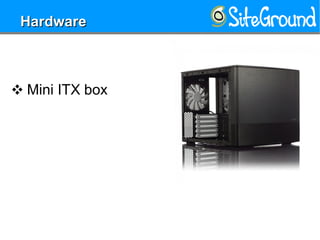
❖ Mini ITX box
HardwareHardware
❖ Mini ITX box
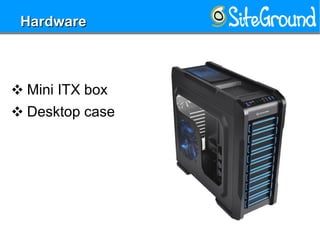
❖ Desktop case
HardwareHardware
❖ Mini ITX box
❖ Desktop case
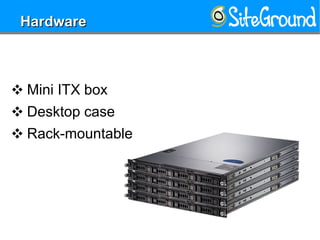
❖ Rack-mountable
HardwareHardware
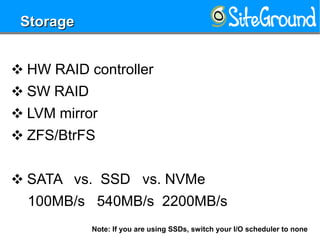
❖ HW RAID controller
❖ SW RAID
❖ LVM mirror
❖ ZFS/BtrFS
❖ SATA vs. SSD vs. NVMe
100MB/s 540MB/s 2200MB/s
StorageStorage
Note: If you are using SSDs, switch your I/O scheduler to none
❖ Separate HW RAID devices
❖ Separate SW RAID devices
❖ All disks are Physical Volumes(LVM)
PartitioningPartitioning
❖ Single partition for boot
- usually around 300-400MB
❖ Separate partition for the OS
- around 100-150GB
❖ One partition for important stuff
❖ One partition for everything else
PartitioningPartitioning
❖ Should you encrypt all disks?
❖ Should you encrypt only some partitions?
❖ Should you encrypt only certain dirs?
❖ How to remotely input your passwords,
when the server is rebooted?
EncryptionEncryption
LUKS vs. eCryptfs
❖ Should you encrypt all disks?
❖ Should you encrypt only some partitions?
❖ Should you encrypt only certain dirs?
❖ How to remotely input your passwords, when
the server is rebooted?
- put SSHD with your key in the initrd
EncryptionEncryption
LUKS vs. eCryptfs
❖ Default installations always have a lot of
installed and running services
❖ Remove everything that you are not going
to use immediately
❖ Disable the services that you don't need on
boot
Disable servicesDisable services
❖ Remove all software that will not be used
initially on this machine
❖ it is strange for a server to have bluetooth
or WiFi
❖ Reducing the software, reduces the attack
surface that the machine has
❖ Upgrade to the latest possible kernel
SoftwareSoftware
❖ If the distribution allows, enable auto update
for security updates ONLY
❖ Add all additional repositories that I will
generally need (EPEL/PPA type repos)
SoftwareSoftware
❖ Configure logs for debugging your services
❖ Configure logrotate for all logs
❖ This ensures that you will not fill up your
drives with logs
Logs & logrotateLogs & logrotate
❖ If you have a big machine, try to separate
services in different VMs/Containers
❖ Follow the security guidelines for any
service that you are running on the machine
SecuritySecurity
❖ Firewall the machine from the Internet
❖ Allow only traffic to local services that you
trust
❖ Allow incoming traffic that was requested
(related connections)
❖ Allow outgoing traffic only to services that
you have configured (this way you protect the
Internet from your self)
NetworkNetwork
❖ Disable forwarding if the machine will not be
a router
❖ If it is a router:
❖ allow forwarding only to/from your own
network
❖ add MAC filters per-client (so you will know
which machine is abusing your network)
❖ install network monitoring software like IP
audit and arpwatch
NetworkNetwork
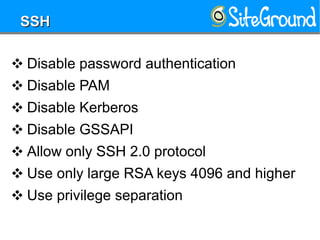
❖ Disable password authentication
❖ Disable PAM
❖ Disable Kerberos
❖ Disable GSSAPI
❖ Allow only SSH 2.0 protocol
❖ Use only large RSA keys 4096 and higher
❖ Use privilege separation
SSHSSH
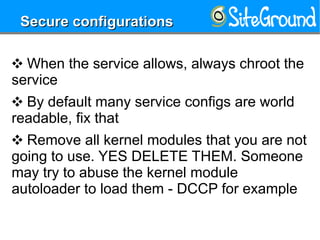
❖ When the service allows, always chroot the
service
❖ By default many service configs are world
readable, fix that
❖ Remove all kernel modules that you are not
going to use. YES DELETE THEM. Someone
may try to abuse the kernel module
autoloader to load them - DCCP for example
Secure configurationsSecure configurations
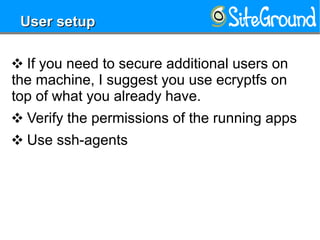
❖ If you need to secure additional users on
the machine, I suggest you use ecryptfs on
top of what you already have.
❖ Verify the permissions of the running apps
❖ Use ssh-agents
User setupUser setup
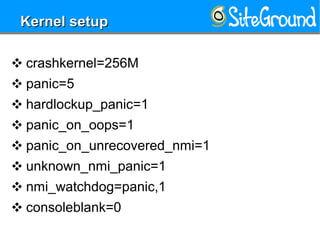
❖ crashkernel=256M
❖ panic=5
❖ hardlockup_panic=1
❖ panic_on_oops=1
❖ panic_on_unrecovered_nmi=1
❖ unknown_nmi_panic=1
❖ nmi_watchdog=panic,1
❖ consoleblank=0
Kernel setupKernel setup
THANK YOUTHANK YOUTHANK YOUTHANK YOU
Marian HackMan Marinov
<mm@siteground.com>

How to setup your linux server

  • 1.
    How to setup How to setup  your Linux Serveryour Linux Server Marian HackMan MarinovMarianHackMan Marinov <mm@siteground.com><mm@siteground.com> Chief System ArchitectChief System Architect SiteGroundSiteGround
  • 2.
    Who am I?Whoam I?Who am I?Who am I? ❖ Chief System Architect of Siteground.com ❖ Sysadmin since 1996 ❖ Organizer of OpenFest, BG Perl Workshops, LUG-BG and similar :) ❖ Teaching Network Security and Linux System Administration at Sofia University
  • 3.
    ❖ Storage -pics, docs, music and movies You DO NEED home ServerYou DO NEED home Server
  • 4.
    ❖ Storage -pics, docs, music and movies ❖ If you are a network nerd, maybe for a Router and a good Firewall You DO NEED home ServerYou DO NEED home Server
  • 5.
    ❖ Storage -pics, docs, music and movies ❖ If you are a network nerd, maybe for a Router and a good Firewall ❖ For load-balancing and failover of multiple ISPs You DO NEED home ServerYou DO NEED home Server
  • 6.
    ❖ Storage -pics, docs, music and movies ❖ If you are a network nerd, maybe for a Router and a good Firewall ❖ For load-balancing and failover of multiple ISPs ❖ For hosting your home projects ❖ For home automation and statistics You DO NEED home ServerYou DO NEED home Server
  • 7.
    ❖ Storage - FreeNAS(based on FreeBSD) - OpenMediaVault (based on Debian Linux) - Rockstor (based on CentOS) - Amahi (based on Fedora) What distribution?What distribution? Filesystems: ZFS BtrFS Ext4
  • 8.
    ❖ Router - FreeBSD -Debian Stable - CentOS - Ubuntu LTS What distribution?What distribution? Note: Run the Linuxes with kernels newer then 4.5
  • 9.
    ❖ General Purpose -Debian Stable - CentOS - Ubuntu LTS What distribution?What distribution? Note: Run the Linuxes with kernels newer then 4.5
  • 10.
    ❖ Mini ITXbox HardwareHardware
  • 11.
    ❖ Mini ITXbox ❖ Desktop case HardwareHardware
  • 12.
    ❖ Mini ITXbox ❖ Desktop case ❖ Rack-mountable HardwareHardware
  • 13.
    ❖ HW RAIDcontroller ❖ SW RAID ❖ LVM mirror ❖ ZFS/BtrFS ❖ SATA vs. SSD vs. NVMe 100MB/s 540MB/s 2200MB/s StorageStorage Note: If you are using SSDs, switch your I/O scheduler to none
  • 14.
    ❖ Separate HWRAID devices ❖ Separate SW RAID devices ❖ All disks are Physical Volumes(LVM) PartitioningPartitioning
  • 15.
    ❖ Single partitionfor boot - usually around 300-400MB ❖ Separate partition for the OS - around 100-150GB ❖ One partition for important stuff ❖ One partition for everything else PartitioningPartitioning
  • 16.
    ❖ Should youencrypt all disks? ❖ Should you encrypt only some partitions? ❖ Should you encrypt only certain dirs? ❖ How to remotely input your passwords, when the server is rebooted? EncryptionEncryption LUKS vs. eCryptfs
  • 17.
    ❖ Should youencrypt all disks? ❖ Should you encrypt only some partitions? ❖ Should you encrypt only certain dirs? ❖ How to remotely input your passwords, when the server is rebooted? - put SSHD with your key in the initrd EncryptionEncryption LUKS vs. eCryptfs
  • 18.
    ❖ Default installationsalways have a lot of installed and running services ❖ Remove everything that you are not going to use immediately ❖ Disable the services that you don't need on boot Disable servicesDisable services
  • 19.
    ❖ Remove allsoftware that will not be used initially on this machine ❖ it is strange for a server to have bluetooth or WiFi ❖ Reducing the software, reduces the attack surface that the machine has ❖ Upgrade to the latest possible kernel SoftwareSoftware
  • 20.
    ❖ If thedistribution allows, enable auto update for security updates ONLY ❖ Add all additional repositories that I will generally need (EPEL/PPA type repos) SoftwareSoftware
  • 21.
    ❖ Configure logsfor debugging your services ❖ Configure logrotate for all logs ❖ This ensures that you will not fill up your drives with logs Logs & logrotateLogs & logrotate
  • 22.
    ❖ If youhave a big machine, try to separate services in different VMs/Containers ❖ Follow the security guidelines for any service that you are running on the machine SecuritySecurity
  • 23.
    ❖ Firewall themachine from the Internet ❖ Allow only traffic to local services that you trust ❖ Allow incoming traffic that was requested (related connections) ❖ Allow outgoing traffic only to services that you have configured (this way you protect the Internet from your self) NetworkNetwork
  • 24.
    ❖ Disable forwardingif the machine will not be a router ❖ If it is a router: ❖ allow forwarding only to/from your own network ❖ add MAC filters per-client (so you will know which machine is abusing your network) ❖ install network monitoring software like IP audit and arpwatch NetworkNetwork
  • 25.
    ❖ Disable passwordauthentication ❖ Disable PAM ❖ Disable Kerberos ❖ Disable GSSAPI ❖ Allow only SSH 2.0 protocol ❖ Use only large RSA keys 4096 and higher ❖ Use privilege separation SSHSSH
  • 26.
    ❖ When theservice allows, always chroot the service ❖ By default many service configs are world readable, fix that ❖ Remove all kernel modules that you are not going to use. YES DELETE THEM. Someone may try to abuse the kernel module autoloader to load them - DCCP for example Secure configurationsSecure configurations
  • 27.
    ❖ If youneed to secure additional users on the machine, I suggest you use ecryptfs on top of what you already have. ❖ Verify the permissions of the running apps ❖ Use ssh-agents User setupUser setup
  • 28.
    ❖ crashkernel=256M ❖ panic=5 ❖hardlockup_panic=1 ❖ panic_on_oops=1 ❖ panic_on_unrecovered_nmi=1 ❖ unknown_nmi_panic=1 ❖ nmi_watchdog=panic,1 ❖ consoleblank=0 Kernel setupKernel setup
  • 29.
    THANK YOUTHANK YOUTHANKYOUTHANK YOU Marian HackMan Marinov <mm@siteground.com>