PowerPoint for
English Language
Teaching
Computer Assisted Language
Learning
UNINDRA – R.6D, 2014
Group 3
Abdul Rosid 201112500550
Chandra Lijaya 201112500567
Muhammad Abdurrahman 201112500576
Muhammad Vikri Pradana 201112500577
Yulia Eolia Putri 201112500635
Introduction
PowerPoint has been in existance in
many years, it has begun to spread to
school and ESL classroom.
PowerPoint is a type of presentation
software that allows one to show
coloured text and images with simple
animation and sound.
Why PowerPoint?
PowerPoint presentation is a great aid in
teaching.
The file is easy to create and can be e-
mailed as attachment.
It comes bundled with microsoft packages.
Can be posted on or downloaded from
website, and can be converted to html web
pages.
Classroom uses of
PowerPoint
1. Initial Teaching
PowerPoint can be used to teach new
ideas and concepts to students. In
theory this sounds very good; however,
in practice this can be tricky.
Classroom uses of
PowerPoint
2. Practice and Drill
To do this it is necessary to have the type
of material, which can be repeated many
times. Types of materials can be
repeated on a weekly or biweekly basis.
Classroom uses of
PowerPoint
3. Games
Teachers can use PowerPoint to create
their own games to use in the classroom.
Once a game has been created, it can
be reused by the author or shared with
other teachers.
Classroom uses of
PowerPoint
4. Review
PowerPoint presentations are great for
reviewing ideas which have already been
taught. It is also a good way to check and
see if they have mastered a concept.
Classroom uses of
PowerPoint
5. Test
Place pictures of items on slides to be
shown at preset intervals (set the timer
for a reasonable number of seconds for
each slide), the students then write down
the name of each item.
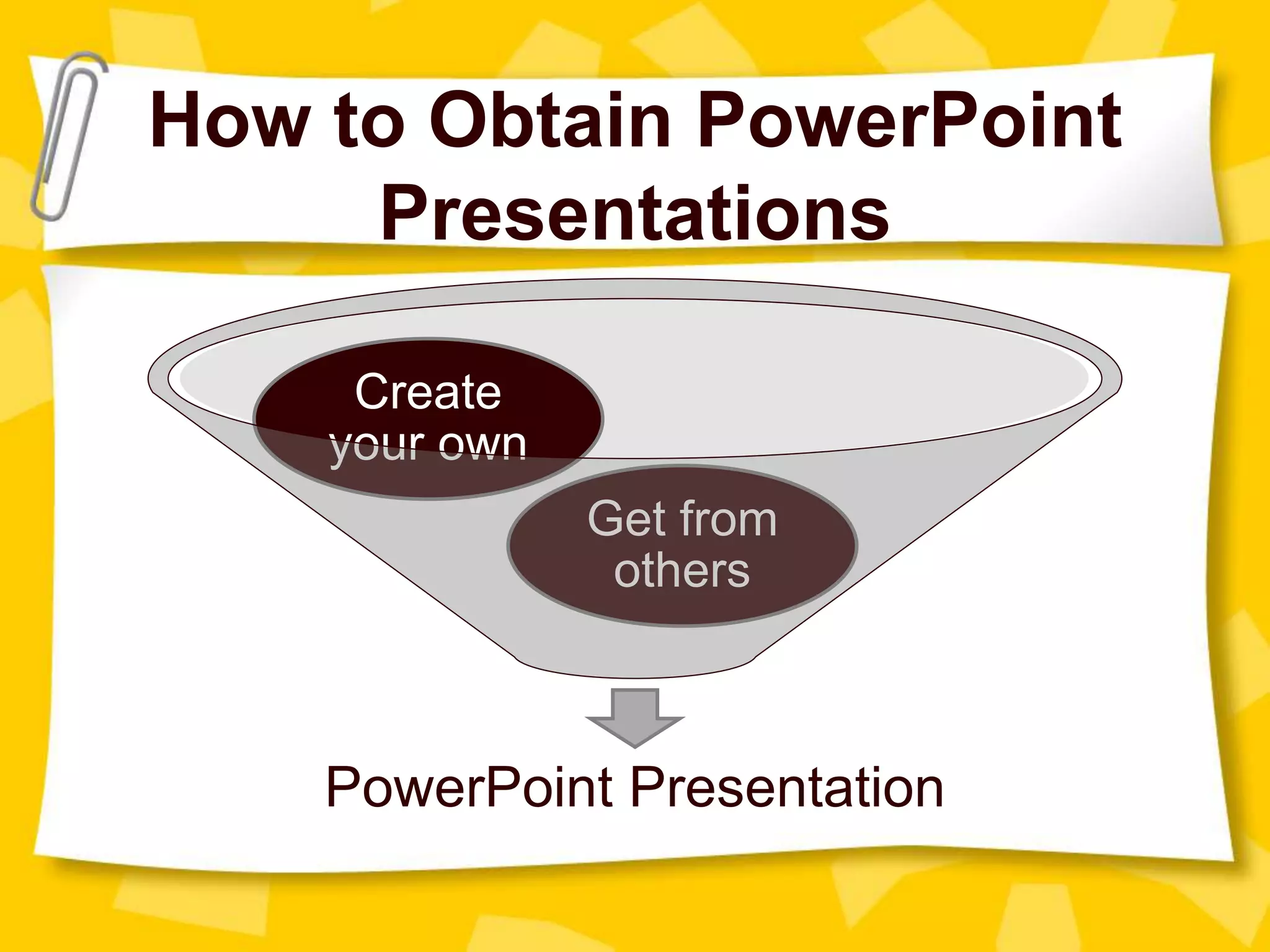
How to Obtain PowerPoint
Presentations
PowerPoint Presentation
Get from
others
Create
your own
Technical Considerations
A regular computer monitor.
An ordinary television set.
A special projector.
Benefits of PowerPoint for
Teacher
To enhance the effectiveness of classroom
instruction.
Can modify lessons and use them over and
over again.
Can enrich the information in a lesson, and
make the presentation more organized and
flexible.
PowerPoint can be used for content review.
This format is attractive to students, and it
appeals to students' diverse learning styles
PowerPoint assists collaborative learning in
group projects by involving every student in the
learning and teaching processes.
It has a spell-check function, which
blackboards do not have.
Benefits of PowerPoint for
Student
Drawbacks and Limitations of
PowerPoint
PowerPoint Paralysis (PPP)
Equipment limitations
Training limitations
Tips for Using PowerPoint in
the Classroom:
Teachers need to set up a clear set of
objectives for the lesson;
There should never be too much text nor too
many images on a slide;
Slides need to reinforce the key points
The contrast between the background and the
letters/images needs to be sharp;
Always have a back-up plan.
Let’s Conclude ..
PowerPoint presentations are easy to
obtain, modify, and create. Good
presentation may take time to produce or
adapt, but they can be shared and used
year after year. They can be used for
whole class presentations and reviews,
for drills or for individual work.
GOOD
LUCK!

Power point for English Language Teaching

  • 1.
    PowerPoint for English Language Teaching ComputerAssisted Language Learning UNINDRA – R.6D, 2014
  • 2.
    Group 3 Abdul Rosid201112500550 Chandra Lijaya 201112500567 Muhammad Abdurrahman 201112500576 Muhammad Vikri Pradana 201112500577 Yulia Eolia Putri 201112500635
  • 3.
    Introduction PowerPoint has beenin existance in many years, it has begun to spread to school and ESL classroom. PowerPoint is a type of presentation software that allows one to show coloured text and images with simple animation and sound.
  • 4.
    Why PowerPoint? PowerPoint presentationis a great aid in teaching. The file is easy to create and can be e- mailed as attachment. It comes bundled with microsoft packages. Can be posted on or downloaded from website, and can be converted to html web pages.
  • 5.
    Classroom uses of PowerPoint 1.Initial Teaching PowerPoint can be used to teach new ideas and concepts to students. In theory this sounds very good; however, in practice this can be tricky.
  • 6.
    Classroom uses of PowerPoint 2.Practice and Drill To do this it is necessary to have the type of material, which can be repeated many times. Types of materials can be repeated on a weekly or biweekly basis.
  • 7.
    Classroom uses of PowerPoint 3.Games Teachers can use PowerPoint to create their own games to use in the classroom. Once a game has been created, it can be reused by the author or shared with other teachers.
  • 8.
    Classroom uses of PowerPoint 4.Review PowerPoint presentations are great for reviewing ideas which have already been taught. It is also a good way to check and see if they have mastered a concept.
  • 9.
    Classroom uses of PowerPoint 5.Test Place pictures of items on slides to be shown at preset intervals (set the timer for a reasonable number of seconds for each slide), the students then write down the name of each item.
  • 10.
    How to ObtainPowerPoint Presentations PowerPoint Presentation Get from others Create your own
  • 11.
    Technical Considerations A regularcomputer monitor. An ordinary television set. A special projector.
  • 12.
    Benefits of PowerPointfor Teacher To enhance the effectiveness of classroom instruction. Can modify lessons and use them over and over again. Can enrich the information in a lesson, and make the presentation more organized and flexible. PowerPoint can be used for content review.
  • 13.
    This format isattractive to students, and it appeals to students' diverse learning styles PowerPoint assists collaborative learning in group projects by involving every student in the learning and teaching processes. It has a spell-check function, which blackboards do not have. Benefits of PowerPoint for Student
  • 14.
    Drawbacks and Limitationsof PowerPoint PowerPoint Paralysis (PPP) Equipment limitations Training limitations
  • 15.
    Tips for UsingPowerPoint in the Classroom: Teachers need to set up a clear set of objectives for the lesson; There should never be too much text nor too many images on a slide; Slides need to reinforce the key points The contrast between the background and the letters/images needs to be sharp; Always have a back-up plan.
  • 16.
    Let’s Conclude .. PowerPointpresentations are easy to obtain, modify, and create. Good presentation may take time to produce or adapt, but they can be shared and used year after year. They can be used for whole class presentations and reviews, for drills or for individual work.
  • 17.