Do You Know These?
A11y
ADA
DoJ
OCR
Section 504
Section 508
Section 508 refresh
UDL
WCAG 2.0 AA
Excellence in Online Learning
The Year of Access in Online
Education
Raymond Rose
Rose & Smith Associates
Slides available at http://Slideshare.Net/RaymondRose
Background
• K-12 educator
• Civil Rights Specialist with Mass Dept of Education
• Civil Rights Specialist/Manager New England equity assistance center
• Virtual High School designer/manager
• 1st virtual school special needs policy
• 2007 1st publication access and equity in online education
• Faculty, Instructional Technology and Distance Learning Coordinator,
Huston-Tillotson U.
• Technical Working Group, Center on Online Learning and Students with
Disabilities
• Access and Equity for All Learners in Blended and Online Education
What makes this the year
of access in online
learning?
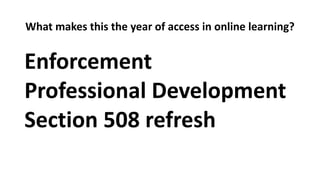
What makes this the year of access in online learning?
Enforcement
Professional Development
Section 508 refresh
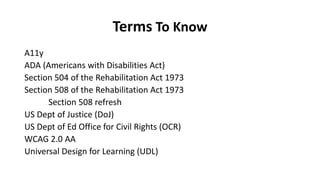
Terms To Know
A11y
ADA (Americans with Disabilities Act)
Section 504 of the Rehabilitation Act 1973
Section 508 of the Rehabilitation Act 1973
Section 508 refresh
US Dept of Justice (DoJ)
US Dept of Ed Office for Civil Rights (OCR)
WCAG 2.0 AA
Universal Design for Learning (UDL)
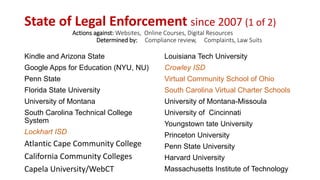
State of Legal Enforcement since 2007 (1 of 2)
Actions against: Websites, Online Courses, Digital Resources
Determined by: Compliance review, Complaints, Law Suits
Kindle and Arizona State
Google Apps for Education (NYU, NU)
Penn State
Florida State University
University of Montana
South Carolina Technical College
System
Lockhart ISD
Atlantic Cape Community College
California Community Colleges
Capela University/WebCT
Louisiana Tech University
Crowley ISD
Virtual Community School of Ohio
South Carolina Virtual Charter Schools
University of Montana-Missoula
University of Cincinnati
Youngstown tate University
Princeton University
Penn State University
Harvard University
Massachusetts Institute of Technology
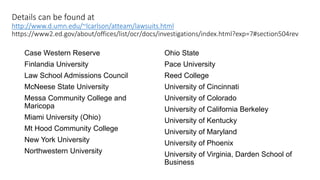
Details can be found at
http://www.d.umn.edu/~lcarlson/atteam/lawsuits.html
https://www2.ed.gov/about/offices/list/ocr/docs/investigations/index.html?exp=7#section504rev
Case Western Reserve
Finlandia University
Law School Admissions Council
McNeese State University
Messa Community College and
Maricopa
Miami University (Ohio)
Mt Hood Community College
New York University
Northwestern University
Ohio State
Pace University
Reed College
University of Cincinnati
University of Colorado
University of California Berkeley
University of Kentucky
University of Maryland
University of Phoenix
University of Virginia, Darden School of
Business
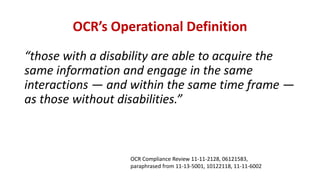
OCR’s Operational Definition
“those with a disability are able to acquire the
same information and engage in the same
interactions — and within the same time frame —
as those without disabilities.”
OCR Compliance Review 11-11-2128, 06121583,
paraphrased from 11-13-5001, 10122118, 11-11-6002
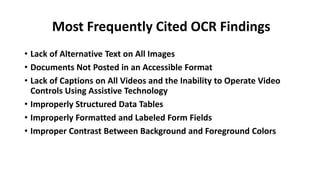
Most Frequently Cited OCR Findings
• Lack of Alternative Text on All Images
• Documents Not Posted in an Accessible Format
• Lack of Captions on All Videos and the Inability to Operate Video
Controls Using Assistive Technology
• Improperly Structured Data Tables
• Improperly Formatted and Labeled Form Fields
• Improper Contrast Between Background and Foreground Colors
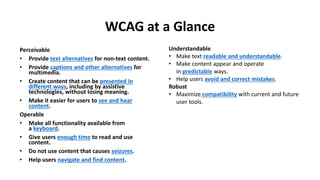
WCAG at a Glance
Perceivable
• Provide text alternatives for non-text content.
• Provide captions and other alternatives for
multimedia.
• Create content that can be presented in
different ways, including by assistive
technologies, without losing meaning.
• Make it easier for users to see and hear
content.
Operable
• Make all functionality available from
a keyboard.
• Give users enough time to read and use
content.
• Do not use content that causes seizures.
• Help users navigate and find content.
Understandable
• Make text readable and understandable.
• Make content appear and operate
in predictable ways.
• Help users avoid and correct mistakes.
Robust
• Maximize compatibility with current and future
user tools.
What is Universal Design?
Universal Design for Learning (UDL)
• Principle I: Provide Multiple Means of Representation (the “what”
of learning)
• Principle II: Provide Multiple Means of Action and Expression (the
“how” of learning)
• Principle III: Provide Multiple Means of Engagement (the “why” of
learning)
National Center on UDL
http://www.udlcenter.org/
13
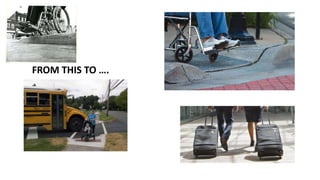
FROM THIS TO ….
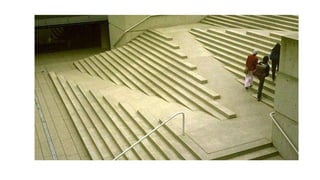
UDL Helps All Students
Why Universal Design for Learning?
Universal Design for Learning can mean the
difference between a student struggling
through a course or being able to learn the
material with "lower" barriers or no barriers
at all.
Legal Definition from the Higher Education
Opportunity Act of 2008 -
"The term ‘universal design for learning’ means a scientifically
valid framework for guiding educational practice that (A)
provides flexibility in the ways information is presented, in
the ways students respond or demonstrate knowledge and
skills, and in the ways students are engaged; and (B) reduces
barriers in instruction, provides appropriate accommodations,
supports, and challenges, and maintains high achievement
expectations for all students, including students with
disabilities and students who are limited English proficient.’’
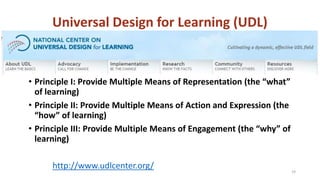
Universal Design for Learning (UDL)
• Principle I: Provide Multiple Means of Representation (the “what”
of learning)
• Principle II: Provide Multiple Means of Action and Expression (the
“how” of learning)
• Principle III: Provide Multiple Means of Engagement (the “why” of
learning)
http://www.udlcenter.org/ 19
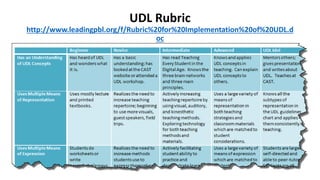
UDL Rubric
http://www.leadingpbl.org/f/Rubric%20for%20Implementation%20of%20UDL.d
oc
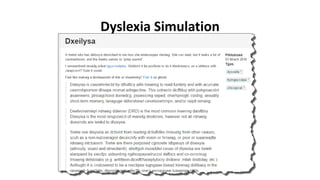
Dyslexia Simulation
Contact Information
Raymond Rose
Ray@rose-smith.com
Copies of slides are available at:
http://Slideshare.net/RaymondRose
And my blog:
http://rmrose.blogspot.com
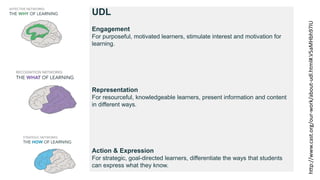
UDL
Engagement
For purposeful, motivated learners, stimulate interest and motivation for
learning.
Representation
For resourceful, knowledgeable learners, present information and content
in different ways.
Action & Expression
For strategic, goal-directed learners, differentiate the ways that students
can express what they know.
http://www.cast.org/our-work/about-udl.html#.V5aMHbh97IU
Dyslexia Simulations
• http://www.dailymail.co.uk/sciencetech/article-3480257/What-s-
REALLY-like-read-dyslexia-Simulator-reveals-letters-words-appear-
people-condition.html
• http://webaim.org/simulations/dyslexia
• http://geon.github.io/programming/2016/03/03/dsxyliea
Resource
Color Blindness Simulator
http://www.seewald.at/en/2012/01/color_blindness_corre
ction_and_simulator
See through the eyes of your red, green or blue colorblind
student.
Android only
25
Web Content Accessibility Guidelines 2.0
• http://webaim.org/standards/wcag/WCAG2Checklist.pdf
• https://www.w3.org/WAI/WCAG20/glance/
Resources
PDF Information: Adobe and Accessibility website
www.adobe.com/accessibility.html
http://www.adobe.com/content/dam/Adobe/en/accessibility/products
/acrobat/pdfs/acrobat-xi-accessibility-checker.pdf
http://webaim.org/techniques/acrobat/acrobat
Creating Accessible Tables and Data Tables
http://webaim.org/techniques/tables/
http://webaim.org/techniques/tables/data
27
Resources
10 Free Screen Readers
http://usabilitygeek.com/10-free-screen-
reader-blind-visually-impaired-users/
28
Resource
FREE Screen Reader
NVDA
http://www.nvaccess.org/
NVDA (NonVisual Desktop Access) is a free “screen reader”
which enables blind and vision impaired people to use
computers. It reads the text on the screen in a computerized
voice. You can control what is read to you by moving the cursor
to the relevant area of text with a mouse or the arrows on your
keyboard.
29
Texas Administrative Code
TITLE 1 ADMINISTRATION
PART 10 DEPARTMENT OF INFORMATION RESOURCES
CHAPTER 206 STATE WEBSITES
SUBCHAPTER C INSTITUTION OF HIGHER EDUCATION WEBSITES
RULE §206.70 Accessibility
(a) Effective September 1, 2006, unless an exception is approved by the agency head or an exemption has been made for specific technologies pursuant
to §213.37 of this title, all new or changed web pages must comply with:
(1) the standards described in Section 508 Subpart B §1194.22, paragraphs (a) through (p), excluding paragraphs (b) and (k);
(2) the standards and specifications described in this section; and
(3) the standards and specifications applicable to an institution of higher education's accessibility policy described in §213.41 of this title.
(b) Based on a request for accommodation of a webcast of a live/real time open meeting (Open Meetings Act, Texas Government Code, Chapter 551) or
training and informational video productions which support the institution of higher education's mission, each institution of higher education must
consider alternative forms of accommodation. Refer to §206.1 of this chapter for definitions for Alternate Formats and Alternate Methods.
(c) An alternative version page, with equivalent information or functionality, must be provided to make a website comply with the provisions of this
section, when compliance cannot be accomplished in any other way. The content of the alternative page must be updated whenever the primary page
changes.
(d) Effective September 1, 2006, unless an exception is approved by the agency head or an exemption has been made for specific technologies pursuant
to §213.37 of this title, all new or changed web page/site designs must be tested by the institution of higher education using one or more Section 508
compliance tools in conjunction with manual procedures to validate compliance with this chapter.
(e) An institution of higher education must establish an accessibility policy as described in §213.41 of this title which must include criteria for
monitoring its website for compliance with the standards and specifications of this chapter. Additional information about testing tools and resources
are available on the Department's website.
(f) Each state website should be designed with consideration for current and emerging Internet connection technologies available to the general public.

Excellence in Online Learning

  • 1.
    Do You KnowThese? A11y ADA DoJ OCR Section 504 Section 508 Section 508 refresh UDL WCAG 2.0 AA
  • 2.
    Excellence in OnlineLearning The Year of Access in Online Education Raymond Rose Rose & Smith Associates Slides available at http://Slideshare.Net/RaymondRose
  • 3.
    Background • K-12 educator •Civil Rights Specialist with Mass Dept of Education • Civil Rights Specialist/Manager New England equity assistance center • Virtual High School designer/manager • 1st virtual school special needs policy • 2007 1st publication access and equity in online education • Faculty, Instructional Technology and Distance Learning Coordinator, Huston-Tillotson U. • Technical Working Group, Center on Online Learning and Students with Disabilities • Access and Equity for All Learners in Blended and Online Education
  • 4.
    What makes thisthe year of access in online learning?
  • 5.
    What makes thisthe year of access in online learning? Enforcement Professional Development Section 508 refresh
  • 6.
    Terms To Know A11y ADA(Americans with Disabilities Act) Section 504 of the Rehabilitation Act 1973 Section 508 of the Rehabilitation Act 1973 Section 508 refresh US Dept of Justice (DoJ) US Dept of Ed Office for Civil Rights (OCR) WCAG 2.0 AA Universal Design for Learning (UDL)
  • 7.
    State of LegalEnforcement since 2007 (1 of 2) Actions against: Websites, Online Courses, Digital Resources Determined by: Compliance review, Complaints, Law Suits Kindle and Arizona State Google Apps for Education (NYU, NU) Penn State Florida State University University of Montana South Carolina Technical College System Lockhart ISD Atlantic Cape Community College California Community Colleges Capela University/WebCT Louisiana Tech University Crowley ISD Virtual Community School of Ohio South Carolina Virtual Charter Schools University of Montana-Missoula University of Cincinnati Youngstown tate University Princeton University Penn State University Harvard University Massachusetts Institute of Technology
  • 8.
    Details can befound at http://www.d.umn.edu/~lcarlson/atteam/lawsuits.html https://www2.ed.gov/about/offices/list/ocr/docs/investigations/index.html?exp=7#section504rev Case Western Reserve Finlandia University Law School Admissions Council McNeese State University Messa Community College and Maricopa Miami University (Ohio) Mt Hood Community College New York University Northwestern University Ohio State Pace University Reed College University of Cincinnati University of Colorado University of California Berkeley University of Kentucky University of Maryland University of Phoenix University of Virginia, Darden School of Business
  • 9.
    OCR’s Operational Definition “thosewith a disability are able to acquire the same information and engage in the same interactions — and within the same time frame — as those without disabilities.” OCR Compliance Review 11-11-2128, 06121583, paraphrased from 11-13-5001, 10122118, 11-11-6002
  • 10.
    Most Frequently CitedOCR Findings • Lack of Alternative Text on All Images • Documents Not Posted in an Accessible Format • Lack of Captions on All Videos and the Inability to Operate Video Controls Using Assistive Technology • Improperly Structured Data Tables • Improperly Formatted and Labeled Form Fields • Improper Contrast Between Background and Foreground Colors
  • 11.
    WCAG at aGlance Perceivable • Provide text alternatives for non-text content. • Provide captions and other alternatives for multimedia. • Create content that can be presented in different ways, including by assistive technologies, without losing meaning. • Make it easier for users to see and hear content. Operable • Make all functionality available from a keyboard. • Give users enough time to read and use content. • Do not use content that causes seizures. • Help users navigate and find content. Understandable • Make text readable and understandable. • Make content appear and operate in predictable ways. • Help users avoid and correct mistakes. Robust • Maximize compatibility with current and future user tools.
  • 12.
  • 13.
    Universal Design forLearning (UDL) • Principle I: Provide Multiple Means of Representation (the “what” of learning) • Principle II: Provide Multiple Means of Action and Expression (the “how” of learning) • Principle III: Provide Multiple Means of Engagement (the “why” of learning) National Center on UDL http://www.udlcenter.org/ 13
  • 14.
  • 16.
    UDL Helps AllStudents
  • 17.
    Why Universal Designfor Learning? Universal Design for Learning can mean the difference between a student struggling through a course or being able to learn the material with "lower" barriers or no barriers at all.
  • 18.
    Legal Definition fromthe Higher Education Opportunity Act of 2008 - "The term ‘universal design for learning’ means a scientifically valid framework for guiding educational practice that (A) provides flexibility in the ways information is presented, in the ways students respond or demonstrate knowledge and skills, and in the ways students are engaged; and (B) reduces barriers in instruction, provides appropriate accommodations, supports, and challenges, and maintains high achievement expectations for all students, including students with disabilities and students who are limited English proficient.’’
  • 19.
    Universal Design forLearning (UDL) • Principle I: Provide Multiple Means of Representation (the “what” of learning) • Principle II: Provide Multiple Means of Action and Expression (the “how” of learning) • Principle III: Provide Multiple Means of Engagement (the “why” of learning) http://www.udlcenter.org/ 19
  • 20.
  • 21.
  • 22.
    Contact Information Raymond Rose Ray@rose-smith.com Copiesof slides are available at: http://Slideshare.net/RaymondRose And my blog: http://rmrose.blogspot.com
  • 23.
    UDL Engagement For purposeful, motivatedlearners, stimulate interest and motivation for learning. Representation For resourceful, knowledgeable learners, present information and content in different ways. Action & Expression For strategic, goal-directed learners, differentiate the ways that students can express what they know. http://www.cast.org/our-work/about-udl.html#.V5aMHbh97IU
  • 24.
  • 25.
    Resource Color Blindness Simulator http://www.seewald.at/en/2012/01/color_blindness_corre ction_and_simulator Seethrough the eyes of your red, green or blue colorblind student. Android only 25
  • 26.
    Web Content AccessibilityGuidelines 2.0 • http://webaim.org/standards/wcag/WCAG2Checklist.pdf • https://www.w3.org/WAI/WCAG20/glance/
  • 27.
    Resources PDF Information: Adobeand Accessibility website www.adobe.com/accessibility.html http://www.adobe.com/content/dam/Adobe/en/accessibility/products /acrobat/pdfs/acrobat-xi-accessibility-checker.pdf http://webaim.org/techniques/acrobat/acrobat Creating Accessible Tables and Data Tables http://webaim.org/techniques/tables/ http://webaim.org/techniques/tables/data 27
  • 28.
    Resources 10 Free ScreenReaders http://usabilitygeek.com/10-free-screen- reader-blind-visually-impaired-users/ 28
  • 29.
    Resource FREE Screen Reader NVDA http://www.nvaccess.org/ NVDA(NonVisual Desktop Access) is a free “screen reader” which enables blind and vision impaired people to use computers. It reads the text on the screen in a computerized voice. You can control what is read to you by moving the cursor to the relevant area of text with a mouse or the arrows on your keyboard. 29
  • 30.
    Texas Administrative Code TITLE1 ADMINISTRATION PART 10 DEPARTMENT OF INFORMATION RESOURCES CHAPTER 206 STATE WEBSITES SUBCHAPTER C INSTITUTION OF HIGHER EDUCATION WEBSITES RULE §206.70 Accessibility (a) Effective September 1, 2006, unless an exception is approved by the agency head or an exemption has been made for specific technologies pursuant to §213.37 of this title, all new or changed web pages must comply with: (1) the standards described in Section 508 Subpart B §1194.22, paragraphs (a) through (p), excluding paragraphs (b) and (k); (2) the standards and specifications described in this section; and (3) the standards and specifications applicable to an institution of higher education's accessibility policy described in §213.41 of this title. (b) Based on a request for accommodation of a webcast of a live/real time open meeting (Open Meetings Act, Texas Government Code, Chapter 551) or training and informational video productions which support the institution of higher education's mission, each institution of higher education must consider alternative forms of accommodation. Refer to §206.1 of this chapter for definitions for Alternate Formats and Alternate Methods. (c) An alternative version page, with equivalent information or functionality, must be provided to make a website comply with the provisions of this section, when compliance cannot be accomplished in any other way. The content of the alternative page must be updated whenever the primary page changes. (d) Effective September 1, 2006, unless an exception is approved by the agency head or an exemption has been made for specific technologies pursuant to §213.37 of this title, all new or changed web page/site designs must be tested by the institution of higher education using one or more Section 508 compliance tools in conjunction with manual procedures to validate compliance with this chapter. (e) An institution of higher education must establish an accessibility policy as described in §213.41 of this title which must include criteria for monitoring its website for compliance with the standards and specifications of this chapter. Additional information about testing tools and resources are available on the Department's website. (f) Each state website should be designed with consideration for current and emerging Internet connection technologies available to the general public.

Editor's Notes

  • #12 Web Content Accessibility Guidelines
  • #17 Implementing the principles of UDL can help not only those students with official accommodations but also those who have not registered as having an accessibility need. Additionally, UDL helps all students in that using UDL principles allows all students to learn in ways more closely aligned with their learning preferences.