WCAG, Simplified What is it and what do I have to do?
Topics What is WCAG? Is it a law? Changes from WCAG 1 to version 2 Examples Accessibility vs. Usability Easy First Steps WCAG 2.0 Basics
What is WCAG? Guidelines vs. Laws
Country Laws Australia Canada Denmark European Union Finland France Germany Hong Kong India Ireland Israel Italy Japan New Zealand Portugal Spain Switzerland United Kingdom United States of America
USA Section 255 of the Telecommunications Act Rehabilitation Act, Section 504 Rehabilitation Act Amendments of 1998, Section 508 Americans with Disabilities Act (ADA) Individuals with Disabilities Education Act (IDEA)  New Freedom Initiative + State Laws http://www.webaim.org/articles/laws/usa/
Example: Kentucky Additional Kentucky state laws regarding  accessibility of digital content AIT – Accessible Information Technology Statute stating state information, technology, equipment and software must be accessible to employees and the general public. Textbook Act – publishers must provide an accessible digital version within 15 days of request.
What is WCAG? Web Content Accessibility Guidelines www.w3.org/TR/WCAG20/   Other WAI Guidelines ATAG  -  Authoring Tool Accessibility Guidelines EARL -  Evaluation and Report Language UAAG -  User Agent Accessibility Guidelines  WAI ARIA -  Accessible Rich Internet Applications Suite
The World Wide Web Consortium (W3C) is an international consortium where Member organizations, a full-time staff, and the public work together to develop Web standards. W3C's mission is: To lead the World Wide Web to its full potential by developing protocols and guidelines that ensure long-term growth for the Web. WAI, in coordination with organizations around the world, pursues accessibility of the Web through four primary areas of work: technology, tools, education and outreach, and research and development. Who develops WCAG?
The W3C Web Accessibility Initiative (WAI) develops... guidelines widely regarded as the international standard for Web accessibility support materials to help understand and implement Web accessibility resources, through international collaboration WAI welcomes... participation from around the world (price prohibitive) volunteers to review, implement, and promote guidelines dedicated participants in working groups Who develops WCAG?
The WCAG guidelines are widely regarded as the  voluntary  international standard for web accessibility
Technology Changes In 1999… HTML,  PDF, Javascript Static, information  pages Desktop, laptop IE, Netscape In 2009… XHTML, CSS, Flash, PDF, Javascript, AJAX Dynamic, interactive, social networking + phones, pdas, gps, car, tv, fridge… + Opera, Safari, Firefox…
Changes in WCAG 2.0 Adding testable criteria, principles, and understanding
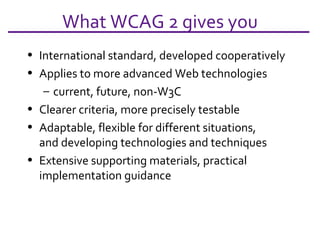
What WCAG 2 gives you International standard, developed cooperatively Applies to more advanced Web technologies current, future, non-W3C Clearer criteria, more precisely testable Adaptable, flexible for different situations, and developing technologies and techniques Extensive supporting materials, practical implementation guidance
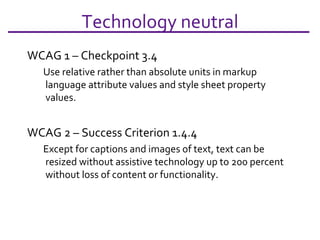
Technology neutral WCAG 1 – Checkpoint 3.4 Use relative rather than absolute units in markup language attribute values and style sheet property values.  WCAG 2 – Success Criterion 1.4.4 Except for captions and images of text, text can be resized without assistive technology up to 200 percent without loss of content or functionality.
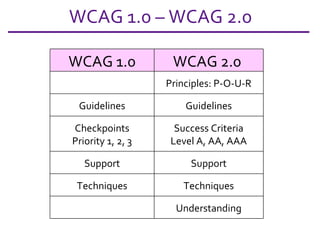
WCAG 1.0 – WCAG 2.0 WCAG 1.0 WCAG 2.0  Principles: P-O-U-R Guidelines Guidelines Checkpoints Priority 1, 2, 3 Success Criteria Level A, AA, AAA Support Support Techniques Techniques Understanding
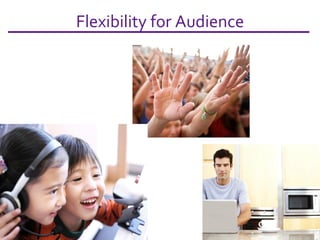
Flexibility for Audience
Scripting allowed Back in 1999, screen readers and other assistive technology did not support scripting. Scripted websites were inaccessible under Perceivable and Operable Principles. Now major browsers and assistive technologies support scripting and it can be used to enhance accessibility if the proper techniques are used.
Examples CAPTCHAs, Animation, etc.
More design flexibility WCAG 1.0 7.1 Until user agents allow users to control flickering, avoid causing the screen to flicker. WCAG 2.0 allows more movement within defined parameters (for instance) Three Flashes or Below Threshold: 2.3.1 Web pages do not contain anything that flashes more than three times in any one second period, or the flash is below the general flash and red flash thresholds.  (Level A)
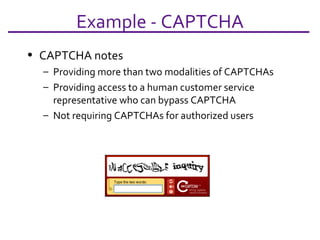
Example - CAPTCHA CAPTCHA notes Providing more than two modalities of CAPTCHAs Providing access to a human customer service representative who can bypass CAPTCHA Not requiring CAPTCHAs for authorized users
Example: Contrast WCAG 1.0 Checkpoint 2.2  Ensure that foreground and background color combinations provide sufficient contrast when viewed by someone having color deficits or when viewed on a black and white screen.
WCAG 2.0 Success Criteria 1.4.3  Contrast (Minimum):  The visual presentation of text and images of text has a  contrast ratio of at least 5:1 , except for the following: Large Text:  Large-scale text and images of large-scale text have a  contrast ratio of at least 3:1 ; Incidental:  Text or images of text that are part of an inactive user interface component, that are pure decoration, that are not visible to anyone, or that are part of a picture that contains significant other visual content, have no contrast requirement. Logotypes:  Text that is part of a logo or brand name has no minimum contrast requirement. (from the Dec 2008 Draft) Example: Contrast
Example: Navigation WCAG 1 -  Provide clear and consistent navigation mechanisms -- orientation information, navigation bars, a site map, etc. -- to increase the likelihood that a person will find what they are looking for at a site. WCAG 2 -  Provide ways to help users navigate, find content and determine where they are. 2.4.1 Bypass Blocks 2.4.2 Page Titled 2.4.3 Focus Order 2.4.4 Link Purpose
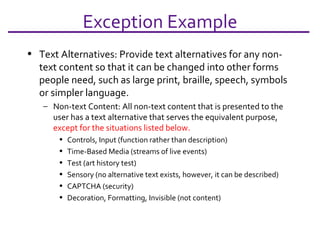
Exception Example Text Alternatives: Provide text alternatives for any non-text content so that it can be changed into other forms people need, such as large print, braille, speech, symbols or simpler language. Non-text Content: All non-text content that is presented to the user has a text alternative that serves the equivalent purpose,  except for the situations listed below.  Controls, Input (function rather than description) Time-Based Media (streams of live events) Test (art history test) Sensory (no alternative text exists, however, it can be described) CAPTCHA (security) Decoration, Formatting, Invisible (not content)
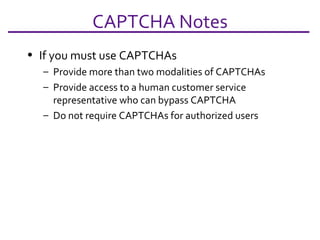
CAPTCHA Notes If you must use CAPTCHAs Provide more than two modalities of CAPTCHAs Provide access to a human customer service representative who can bypass CAPTCHA Do not require CAPTCHAs for authorized users
Sufficient Technique Example WCAG 2 – Success Criterion 1.4.4 [Resize text] Sufficient Technique example Ensuring that text containers resize when the text resizes  AND  using measurements that are relative to other measurements in the content by using one or more of the following techniques: Techniques for relative measurements C12: Using percent for font sizes (CSS)  C13: Using named font sizes (CSS)  C14: Using em units for font sizes (CSS)  Techniques for text container resizing Calculating size and position in a way that scales with text size (Scripting)  G146: Using liquid layout
Accessibility vs. Usability Your website can be accessible yet unusable
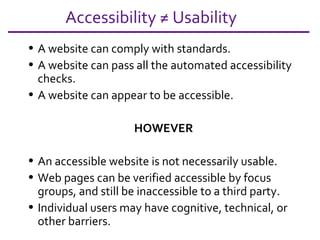
Accessibility ≠ Usability A website can comply with standards. A website can pass all the automated accessibility checks. A website can appear to be accessible.  HOWEVER An accessible website is not necessarily usable. Web pages can be verified accessible by focus groups, and still be inaccessible to a third party. Individual users may have cognitive, technical, or other barriers.
Assume failure by someone Offer content in alternative formats Provide phone, email, and other contact information
Closure…  WCAG 2.0 More generic More testable Doesn’t claim to meet everyone’s need May need to be supplemented with other guidelines/standards/advisory techniques, and laws User testing is still important Understand your users, the technologies, and where these guidelines fit into the toolbox.
Easy First Steps You  have already begun!
Fix the easy stuff first Alt text Alternative formats Correctly labeled links Best practices for web development (Usability) Simplify pages (language, design, navigation) Resizable, clear font face Reduce links, and link throughs (three click rule) Consistent navigation Contact info Quick loading pages Verify code, hyperlinks, spelling, CSS
Other Commons Sense Ideas Use templates Policy to respond quickly to complaints Give contact info for complaints Disability statements Use checklists or automated checkers
WGAC 2.0 Basics Digging in to the Guidelines
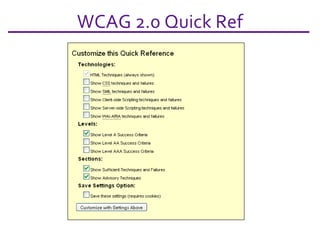
WCAG 2.0 Quick Ref
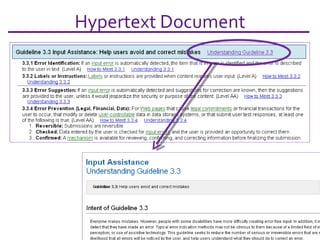
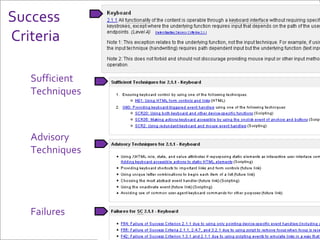
Guidance Hypertext Principles  - POUR Guidelines  - Under the POUR principles are twelve basic goals to make content more accessible. Success Criteria  - For each Guideline, testable success criteria are provided. Conformance is defined by A (lowest), AA, and AAA (highest).  Sufficient and Advisory Techniques  - For each of the Guidelines and Success Criteria, documentation includes techniques and explanations on why the guideline is necessary.
Hypertext Document
POUR Principles Perceivable Operable Understandable Robust
POUR Principles Perceivable Provide text alternatives for any non-text content Provide alternatives for time-based media Separate content from style Make it easier for users to see and hear content
Operable Make all functionality available from a keyboard Provide users enough time to read and use content Do not design content known to cause seizures Provide ways to help users navigate, find content and determine where they are  POUR Principles
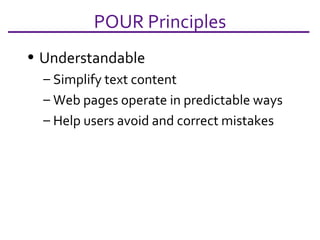
Understandable Simplify text content Web pages operate in predictable ways Help users avoid and correct mistakes  POUR Principles
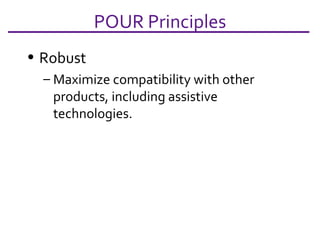
Robust Maximize compatibility with other products, including assistive technologies. POUR Principles
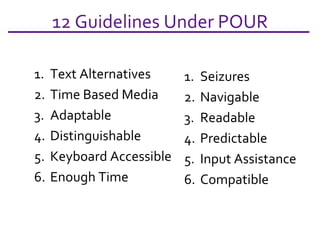
12 Guidelines Under POUR Text Alternatives Time Based Media Adaptable Distinguishable Keyboard Accessible Enough Time Seizures Navigable Readable Predictable Input Assistance Compatible
Success  Criteria Sufficient  Techniques Advisory  Techniques Failures
Source Material  www.w3.org/TR/WCAG20/   www.w3.org/WAI / www.WebAim.org   www.w3.org/WAI/Resources/Overview www.uiaccess.com/understanding.html www.w3.org/WAI/presentations/WCAG20_about/
Parker Owens, parker.owens@eku.edu Eastern Kentucky University, USA, 2009 Feel free to use this presentation. Please credit.

WCAG 2.0, Simplified

  • 1.
    WCAG, Simplified Whatis it and what do I have to do?
  • 2.
    Topics What isWCAG? Is it a law? Changes from WCAG 1 to version 2 Examples Accessibility vs. Usability Easy First Steps WCAG 2.0 Basics
  • 3.
    What is WCAG?Guidelines vs. Laws
  • 4.
    Country Laws AustraliaCanada Denmark European Union Finland France Germany Hong Kong India Ireland Israel Italy Japan New Zealand Portugal Spain Switzerland United Kingdom United States of America
  • 5.
    USA Section 255of the Telecommunications Act Rehabilitation Act, Section 504 Rehabilitation Act Amendments of 1998, Section 508 Americans with Disabilities Act (ADA) Individuals with Disabilities Education Act (IDEA) New Freedom Initiative + State Laws http://www.webaim.org/articles/laws/usa/
  • 6.
    Example: Kentucky AdditionalKentucky state laws regarding accessibility of digital content AIT – Accessible Information Technology Statute stating state information, technology, equipment and software must be accessible to employees and the general public. Textbook Act – publishers must provide an accessible digital version within 15 days of request.
  • 7.
    What is WCAG?Web Content Accessibility Guidelines www.w3.org/TR/WCAG20/ Other WAI Guidelines ATAG - Authoring Tool Accessibility Guidelines EARL - Evaluation and Report Language UAAG - User Agent Accessibility Guidelines WAI ARIA - Accessible Rich Internet Applications Suite
  • 8.
    The World WideWeb Consortium (W3C) is an international consortium where Member organizations, a full-time staff, and the public work together to develop Web standards. W3C's mission is: To lead the World Wide Web to its full potential by developing protocols and guidelines that ensure long-term growth for the Web. WAI, in coordination with organizations around the world, pursues accessibility of the Web through four primary areas of work: technology, tools, education and outreach, and research and development. Who develops WCAG?
  • 9.
    The W3C WebAccessibility Initiative (WAI) develops... guidelines widely regarded as the international standard for Web accessibility support materials to help understand and implement Web accessibility resources, through international collaboration WAI welcomes... participation from around the world (price prohibitive) volunteers to review, implement, and promote guidelines dedicated participants in working groups Who develops WCAG?
  • 10.
    The WCAG guidelinesare widely regarded as the voluntary international standard for web accessibility
  • 11.
    Technology Changes In1999… HTML, PDF, Javascript Static, information pages Desktop, laptop IE, Netscape In 2009… XHTML, CSS, Flash, PDF, Javascript, AJAX Dynamic, interactive, social networking + phones, pdas, gps, car, tv, fridge… + Opera, Safari, Firefox…
  • 12.
    Changes in WCAG2.0 Adding testable criteria, principles, and understanding
  • 13.
    What WCAG 2gives you International standard, developed cooperatively Applies to more advanced Web technologies current, future, non-W3C Clearer criteria, more precisely testable Adaptable, flexible for different situations, and developing technologies and techniques Extensive supporting materials, practical implementation guidance
  • 14.
    Technology neutral WCAG1 – Checkpoint 3.4 Use relative rather than absolute units in markup language attribute values and style sheet property values. WCAG 2 – Success Criterion 1.4.4 Except for captions and images of text, text can be resized without assistive technology up to 200 percent without loss of content or functionality.
  • 15.
    WCAG 1.0 –WCAG 2.0 WCAG 1.0 WCAG 2.0 Principles: P-O-U-R Guidelines Guidelines Checkpoints Priority 1, 2, 3 Success Criteria Level A, AA, AAA Support Support Techniques Techniques Understanding
  • 16.
  • 17.
    Scripting allowed Backin 1999, screen readers and other assistive technology did not support scripting. Scripted websites were inaccessible under Perceivable and Operable Principles. Now major browsers and assistive technologies support scripting and it can be used to enhance accessibility if the proper techniques are used.
  • 18.
  • 19.
    More design flexibilityWCAG 1.0 7.1 Until user agents allow users to control flickering, avoid causing the screen to flicker. WCAG 2.0 allows more movement within defined parameters (for instance) Three Flashes or Below Threshold: 2.3.1 Web pages do not contain anything that flashes more than three times in any one second period, or the flash is below the general flash and red flash thresholds. (Level A)
  • 20.
    Example - CAPTCHACAPTCHA notes Providing more than two modalities of CAPTCHAs Providing access to a human customer service representative who can bypass CAPTCHA Not requiring CAPTCHAs for authorized users
  • 21.
    Example: Contrast WCAG1.0 Checkpoint 2.2 Ensure that foreground and background color combinations provide sufficient contrast when viewed by someone having color deficits or when viewed on a black and white screen.
  • 22.
    WCAG 2.0 SuccessCriteria 1.4.3 Contrast (Minimum): The visual presentation of text and images of text has a contrast ratio of at least 5:1 , except for the following: Large Text: Large-scale text and images of large-scale text have a contrast ratio of at least 3:1 ; Incidental: Text or images of text that are part of an inactive user interface component, that are pure decoration, that are not visible to anyone, or that are part of a picture that contains significant other visual content, have no contrast requirement. Logotypes: Text that is part of a logo or brand name has no minimum contrast requirement. (from the Dec 2008 Draft) Example: Contrast
  • 23.
    Example: Navigation WCAG1 - Provide clear and consistent navigation mechanisms -- orientation information, navigation bars, a site map, etc. -- to increase the likelihood that a person will find what they are looking for at a site. WCAG 2 - Provide ways to help users navigate, find content and determine where they are. 2.4.1 Bypass Blocks 2.4.2 Page Titled 2.4.3 Focus Order 2.4.4 Link Purpose
  • 24.
    Exception Example TextAlternatives: Provide text alternatives for any non-text content so that it can be changed into other forms people need, such as large print, braille, speech, symbols or simpler language. Non-text Content: All non-text content that is presented to the user has a text alternative that serves the equivalent purpose, except for the situations listed below. Controls, Input (function rather than description) Time-Based Media (streams of live events) Test (art history test) Sensory (no alternative text exists, however, it can be described) CAPTCHA (security) Decoration, Formatting, Invisible (not content)
  • 25.
    CAPTCHA Notes Ifyou must use CAPTCHAs Provide more than two modalities of CAPTCHAs Provide access to a human customer service representative who can bypass CAPTCHA Do not require CAPTCHAs for authorized users
  • 26.
    Sufficient Technique ExampleWCAG 2 – Success Criterion 1.4.4 [Resize text] Sufficient Technique example Ensuring that text containers resize when the text resizes AND using measurements that are relative to other measurements in the content by using one or more of the following techniques: Techniques for relative measurements C12: Using percent for font sizes (CSS) C13: Using named font sizes (CSS) C14: Using em units for font sizes (CSS) Techniques for text container resizing Calculating size and position in a way that scales with text size (Scripting) G146: Using liquid layout
  • 27.
    Accessibility vs. UsabilityYour website can be accessible yet unusable
  • 28.
    Accessibility ≠ UsabilityA website can comply with standards. A website can pass all the automated accessibility checks. A website can appear to be accessible. HOWEVER An accessible website is not necessarily usable. Web pages can be verified accessible by focus groups, and still be inaccessible to a third party. Individual users may have cognitive, technical, or other barriers.
  • 29.
    Assume failure bysomeone Offer content in alternative formats Provide phone, email, and other contact information
  • 30.
    Closure… WCAG2.0 More generic More testable Doesn’t claim to meet everyone’s need May need to be supplemented with other guidelines/standards/advisory techniques, and laws User testing is still important Understand your users, the technologies, and where these guidelines fit into the toolbox.
  • 31.
    Easy First StepsYou have already begun!
  • 32.
    Fix the easystuff first Alt text Alternative formats Correctly labeled links Best practices for web development (Usability) Simplify pages (language, design, navigation) Resizable, clear font face Reduce links, and link throughs (three click rule) Consistent navigation Contact info Quick loading pages Verify code, hyperlinks, spelling, CSS
  • 33.
    Other Commons SenseIdeas Use templates Policy to respond quickly to complaints Give contact info for complaints Disability statements Use checklists or automated checkers
  • 34.
    WGAC 2.0 BasicsDigging in to the Guidelines
  • 35.
  • 36.
    Guidance Hypertext Principles - POUR Guidelines - Under the POUR principles are twelve basic goals to make content more accessible. Success Criteria - For each Guideline, testable success criteria are provided. Conformance is defined by A (lowest), AA, and AAA (highest). Sufficient and Advisory Techniques - For each of the Guidelines and Success Criteria, documentation includes techniques and explanations on why the guideline is necessary.
  • 37.
  • 38.
    POUR Principles PerceivableOperable Understandable Robust
  • 39.
    POUR Principles PerceivableProvide text alternatives for any non-text content Provide alternatives for time-based media Separate content from style Make it easier for users to see and hear content
  • 40.
    Operable Make allfunctionality available from a keyboard Provide users enough time to read and use content Do not design content known to cause seizures Provide ways to help users navigate, find content and determine where they are POUR Principles
  • 41.
    Understandable Simplify textcontent Web pages operate in predictable ways Help users avoid and correct mistakes POUR Principles
  • 42.
    Robust Maximize compatibilitywith other products, including assistive technologies. POUR Principles
  • 43.
    12 Guidelines UnderPOUR Text Alternatives Time Based Media Adaptable Distinguishable Keyboard Accessible Enough Time Seizures Navigable Readable Predictable Input Assistance Compatible
  • 44.
    Success CriteriaSufficient Techniques Advisory Techniques Failures
  • 45.
    Source Material www.w3.org/TR/WCAG20/ www.w3.org/WAI / www.WebAim.org www.w3.org/WAI/Resources/Overview www.uiaccess.com/understanding.html www.w3.org/WAI/presentations/WCAG20_about/
  • 46.
    Parker Owens, parker.owens@eku.eduEastern Kentucky University, USA, 2009 Feel free to use this presentation. Please credit.