Chapter 9: Morphological
Image Processing
Digital Image Processing
2
Mathematic Morphology
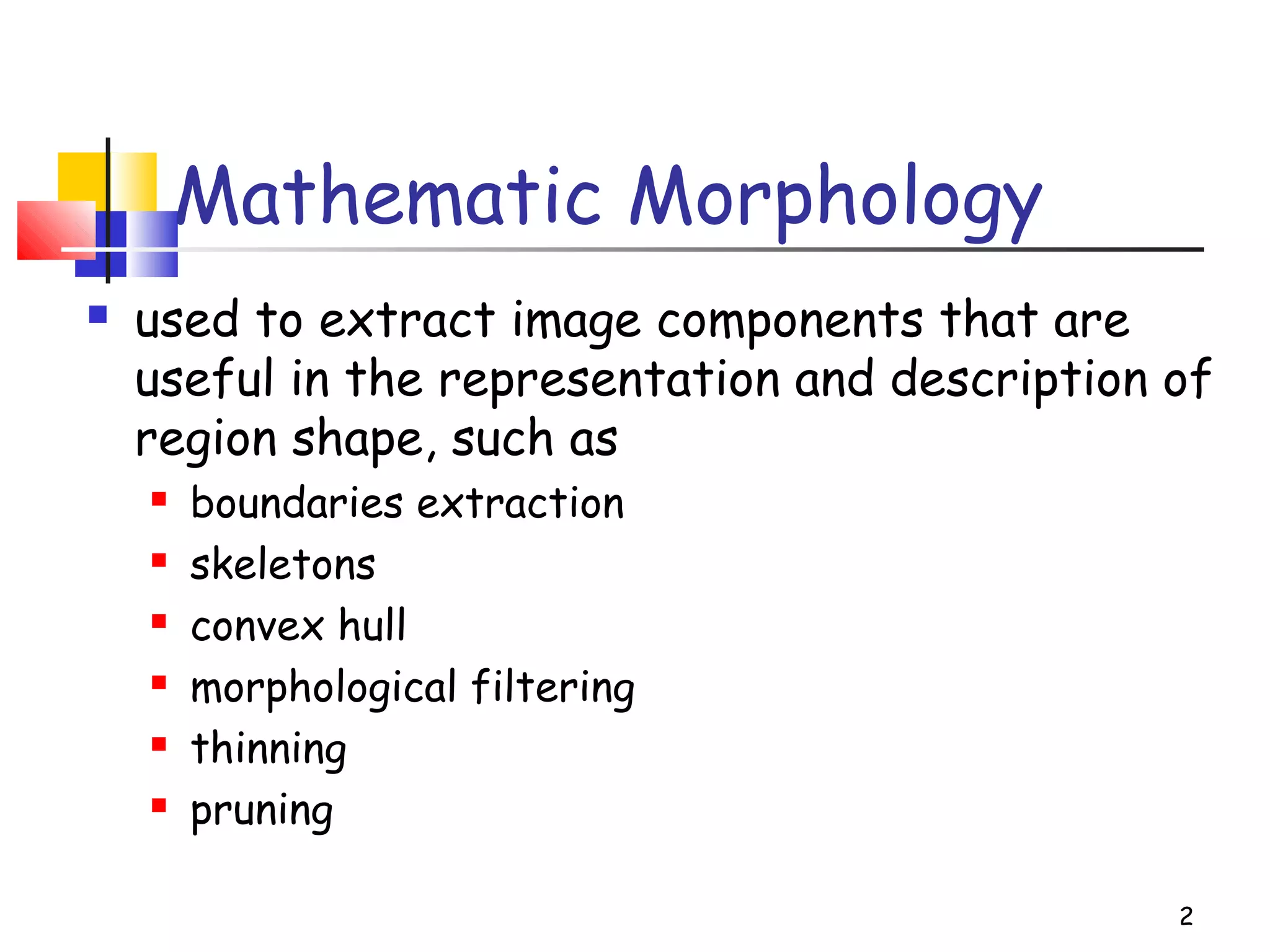
 used to extract image components that are
useful in the representation and description of
region shape, such as
 boundaries extraction
 skeletons
 convex hull
 morphological filtering
 thinning
 pruning
3
Mathematic Morphology
mathematical framework used for:
 pre-processing
 noise filtering, shape simplification, ...
 enhancing object structure
 skeletonization, convex hull...
 Segmentation
 watershed,…
 quantitative description
 area, perimeter, ...
4
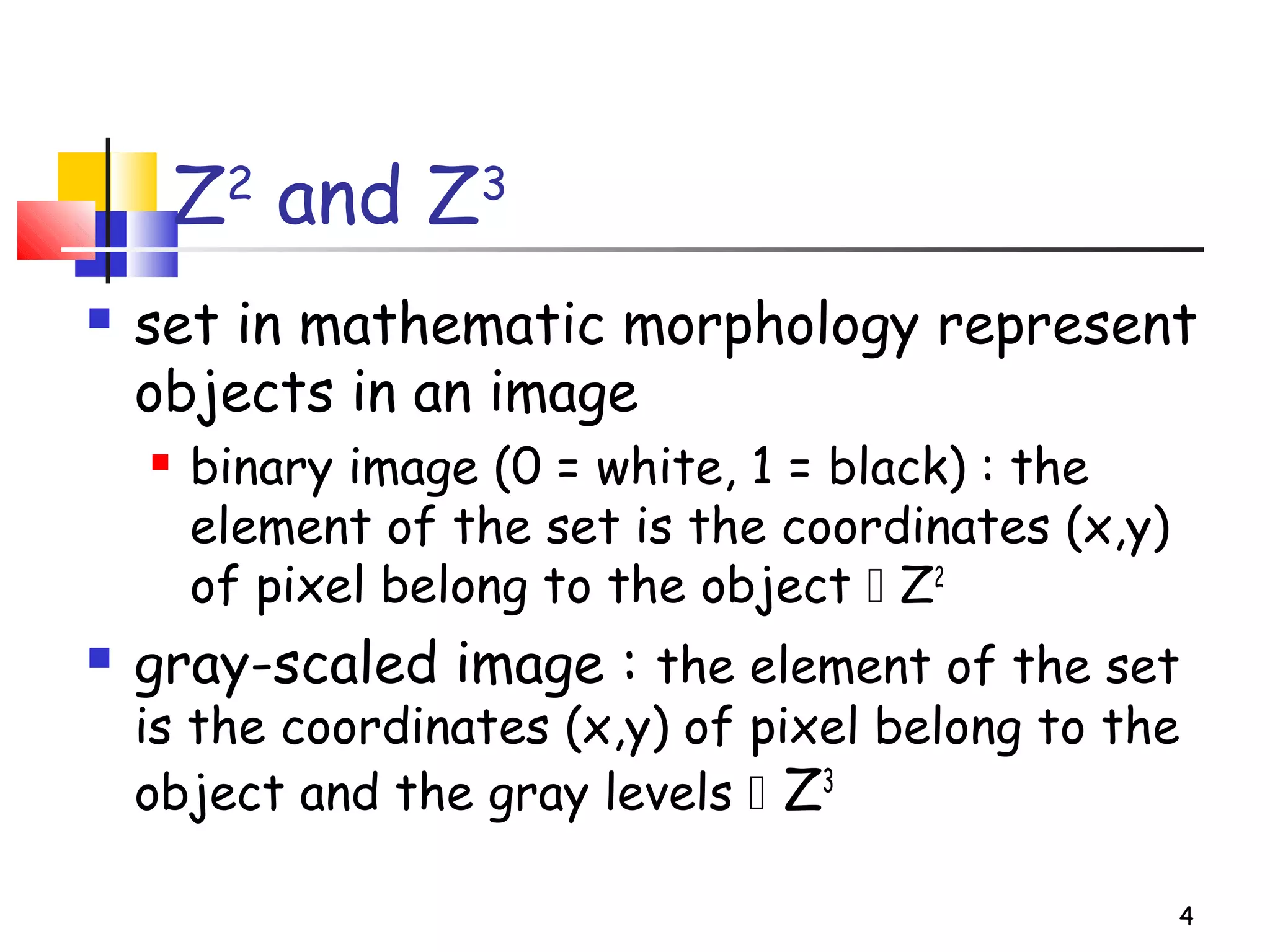
Z2
and Z3
 set in mathematic morphology represent
objects in an image
 binary image (0 = white, 1 = black) : the
element of the set is the coordinates (x,y)
of pixel belong to the object  Z2
 gray-scaled image : the element of the set
is the coordinates (x,y) of pixel belong to the
object and the gray levels  Z3
5
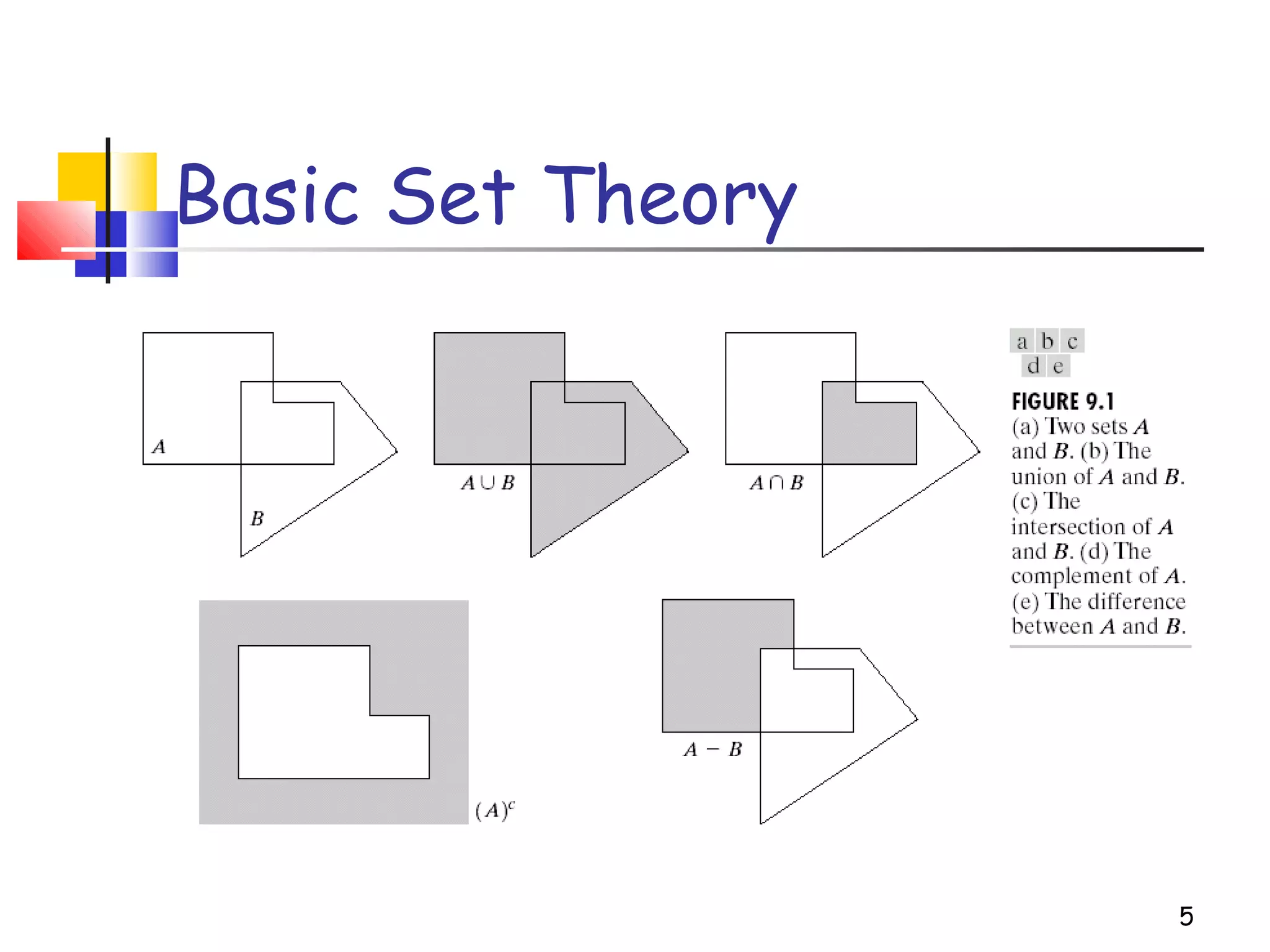
Basic Set Theory
6
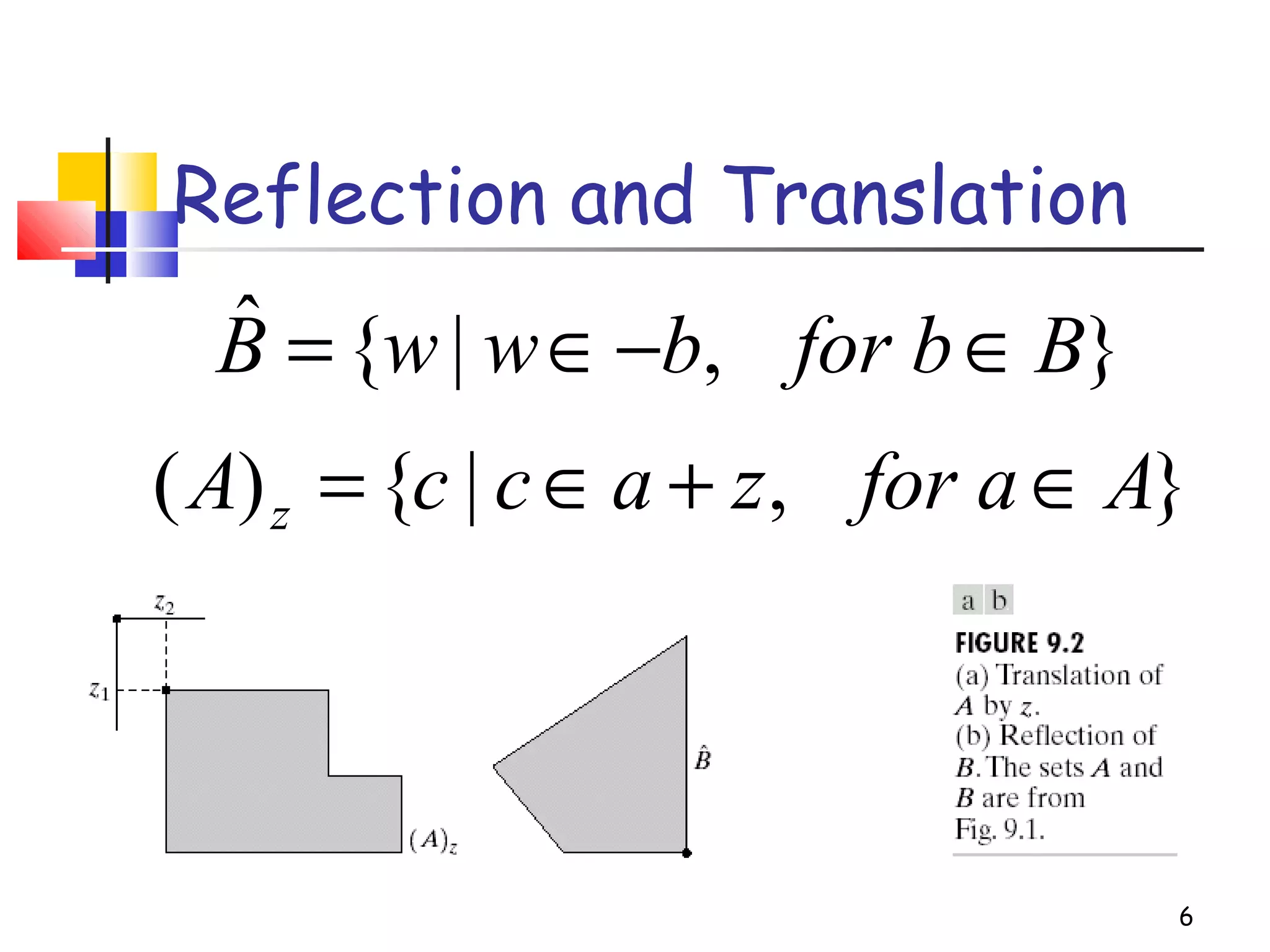
Reflection and Translation
},|{ˆ Bfor bbwwB ∈−∈=
},|{)( Afor azaccA z ∈+∈=
7
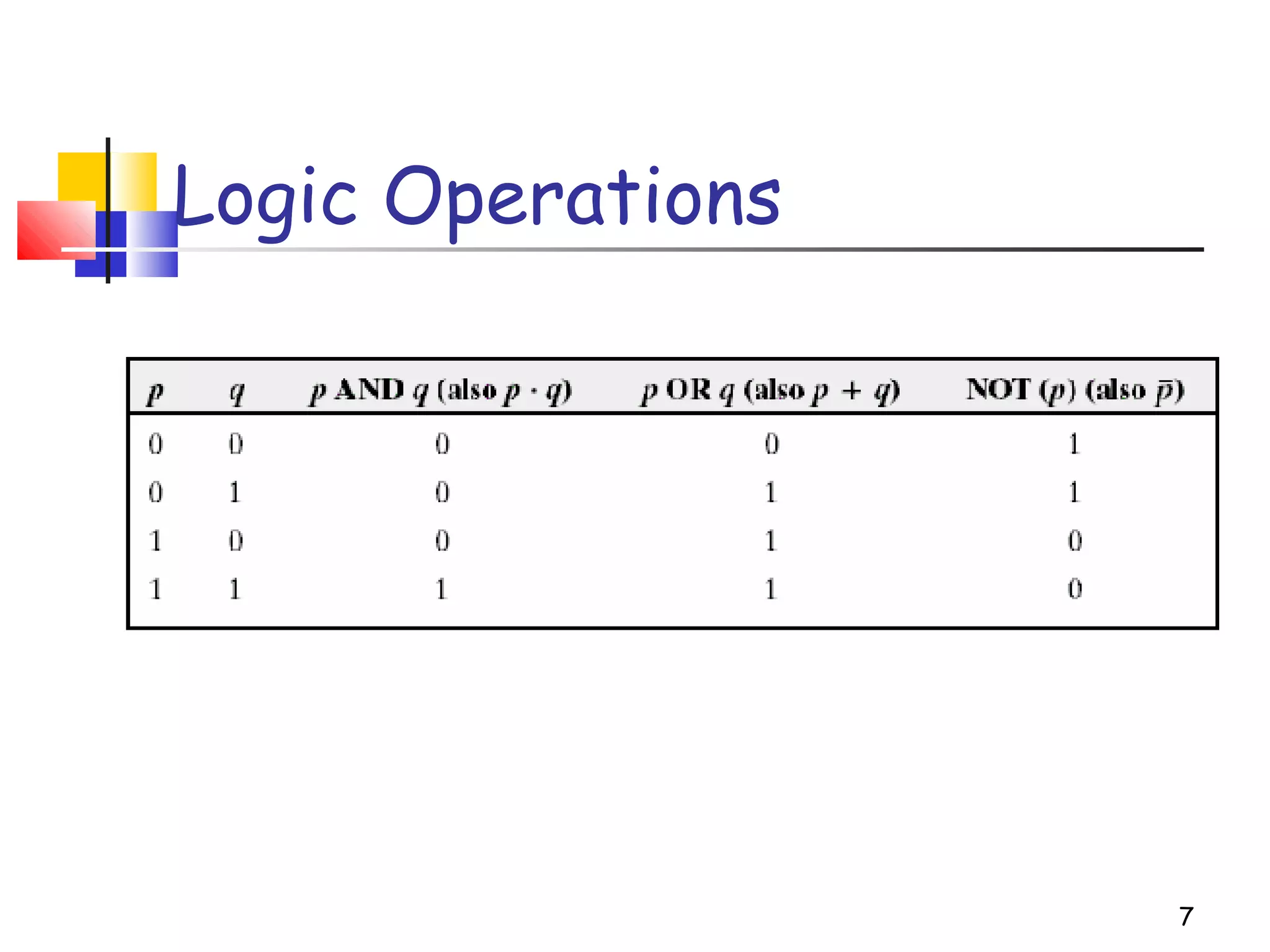
Logic Operations
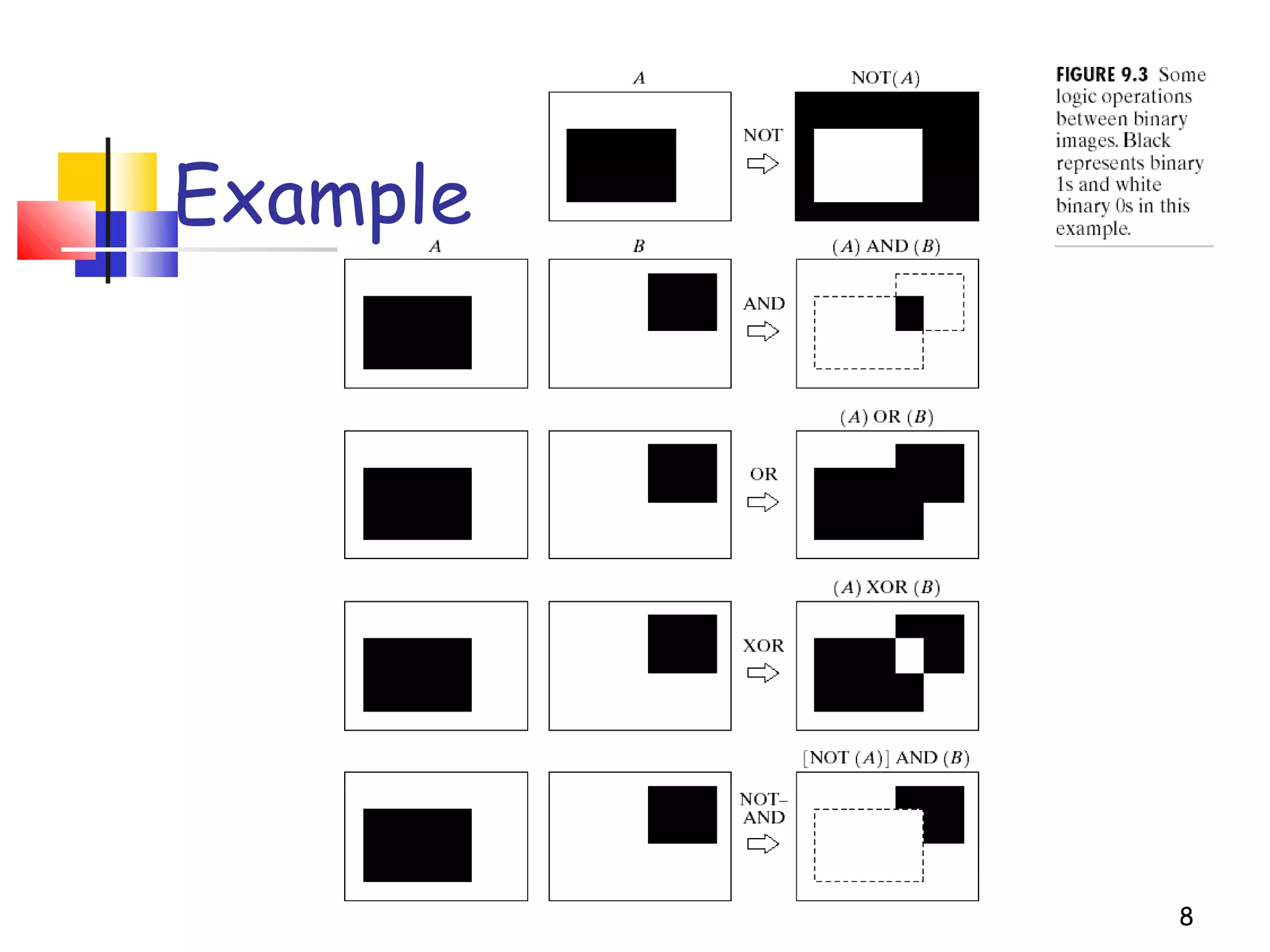
8
Example
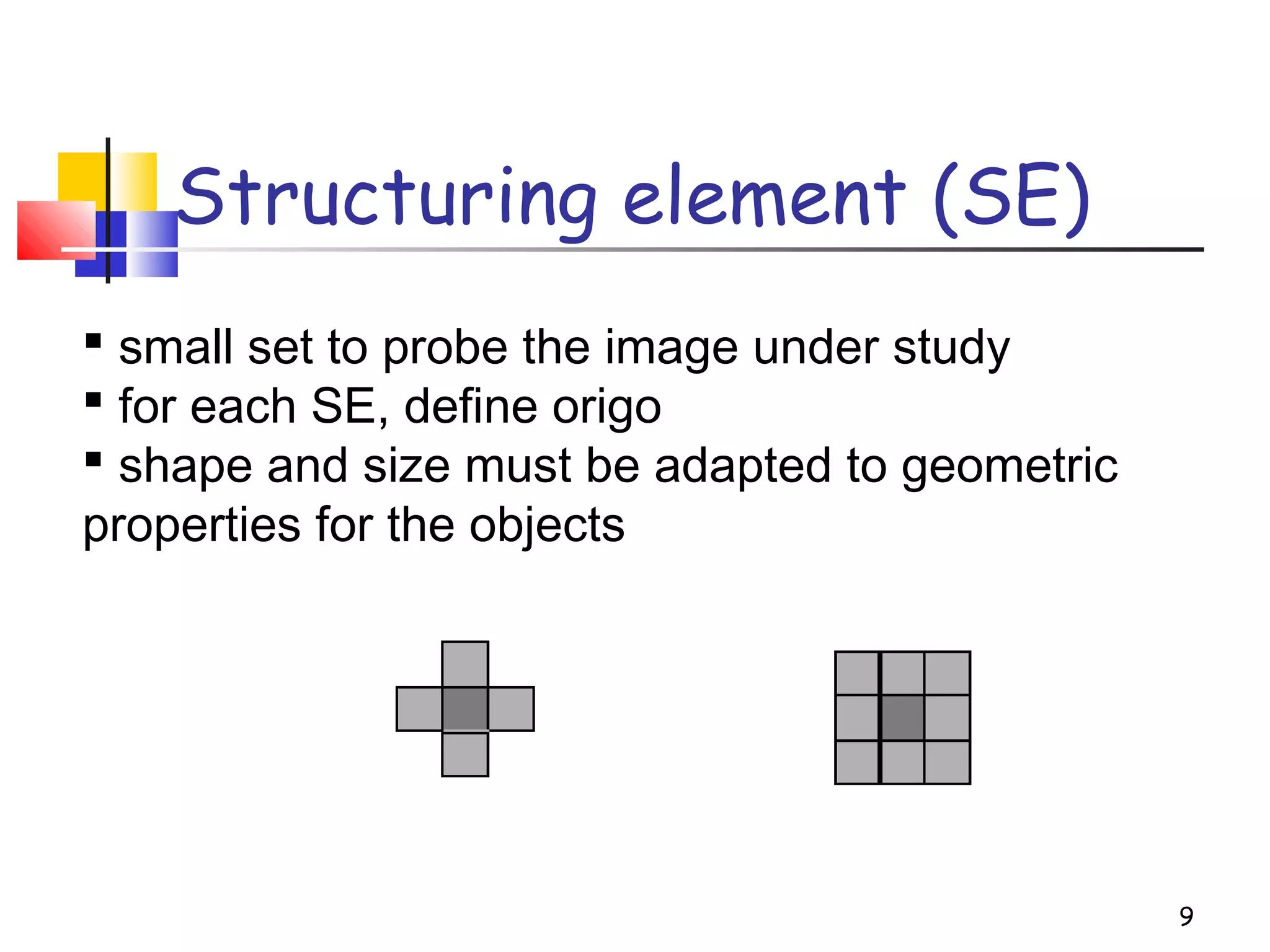
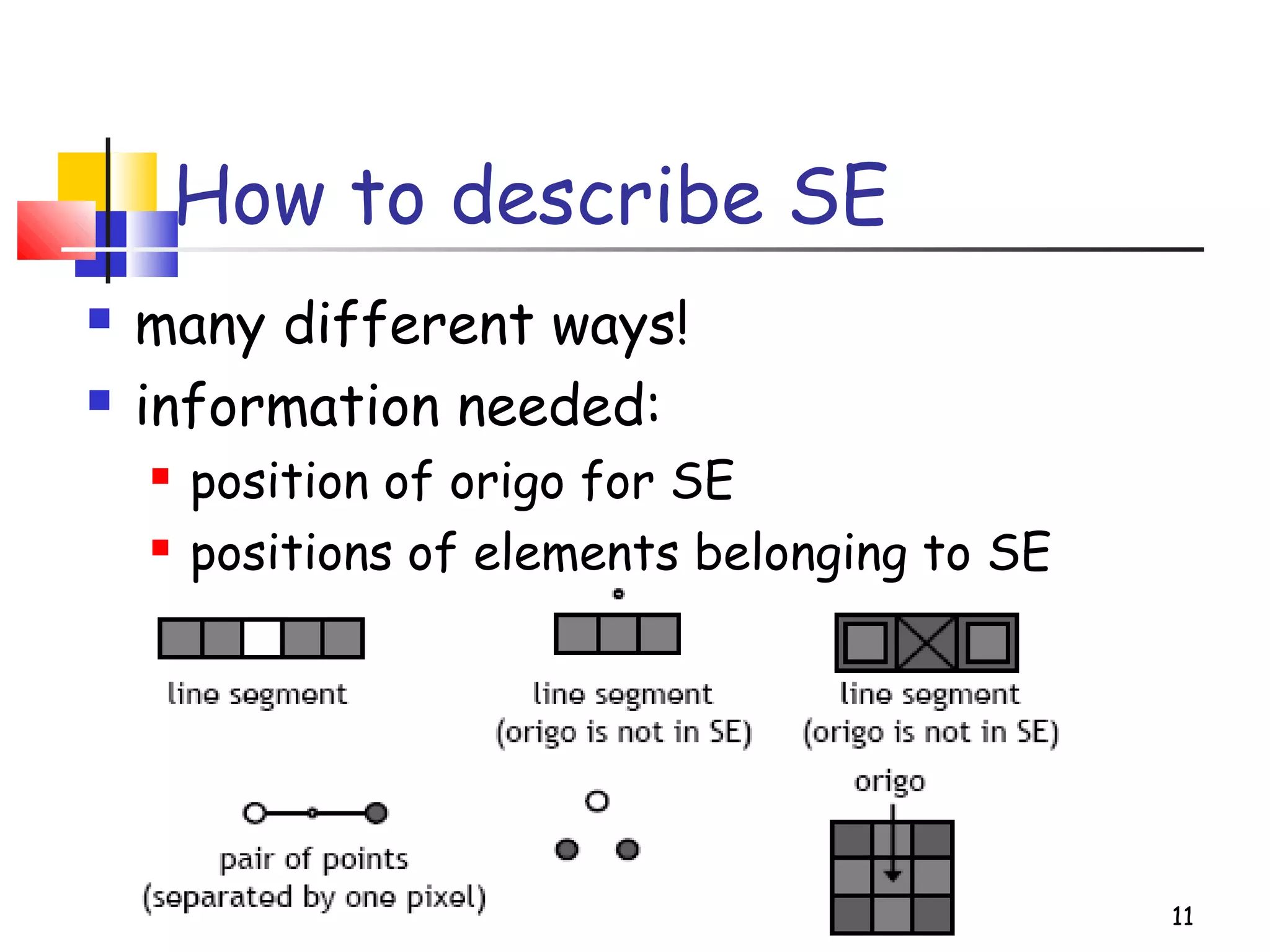
Structuring element (SE)
9
 small set to probe the image under study
 for each SE, define origo
 shape and size must be adapted to geometric
properties for the objects
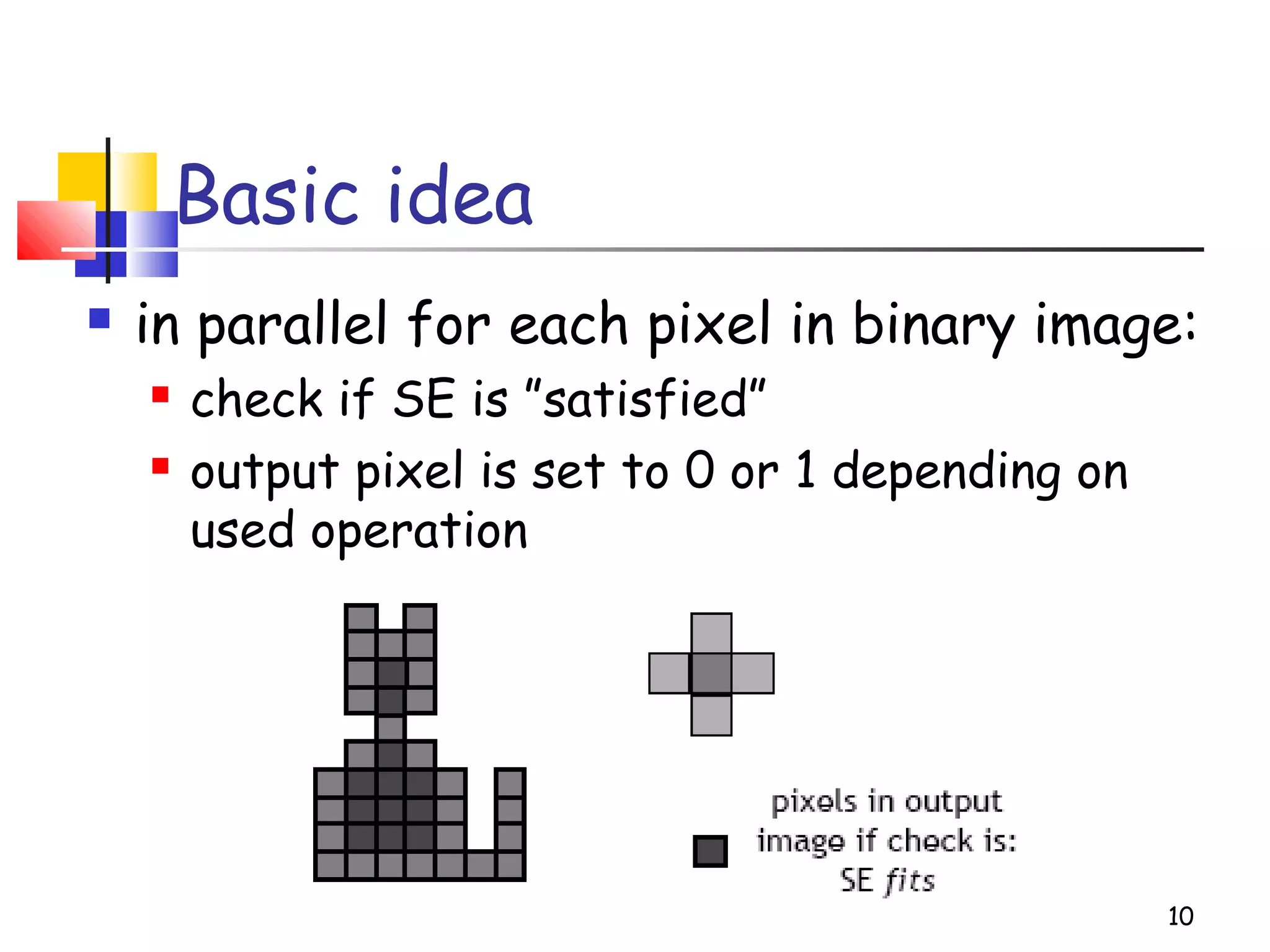
Basic idea
 in parallel for each pixel in binary image:
 check if SE is ”satisfied”
 output pixel is set to 0 or 1 depending on
used operation
10
How to describe SE
 many different ways!
 information needed:
 position of origo for SE
 positions of elements belonging to SE
11
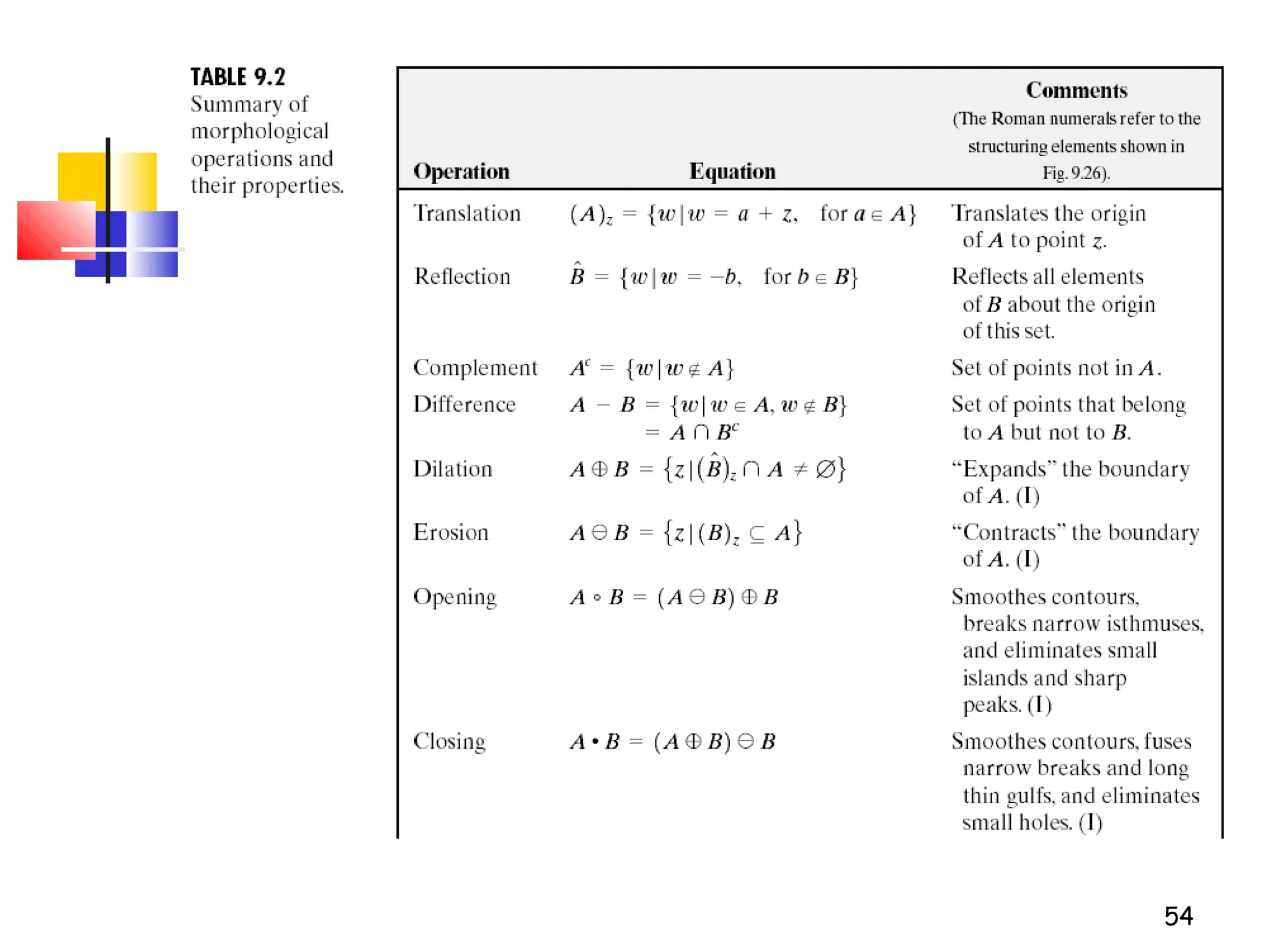
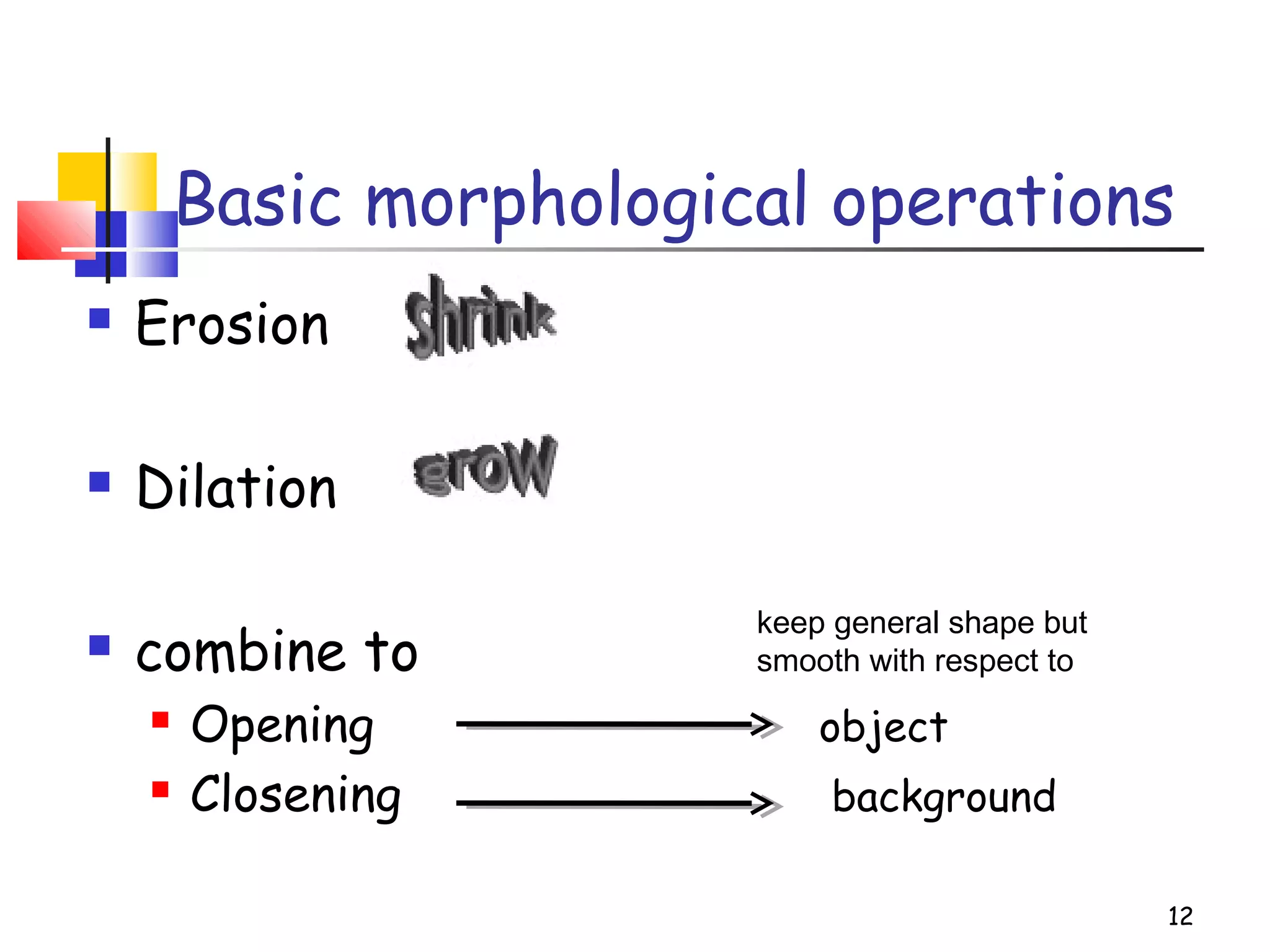
Basic morphological operations
 Erosion
 Dilation
 combine to
 Opening object
 Closening background
12
keep general shape but
smooth with respect to
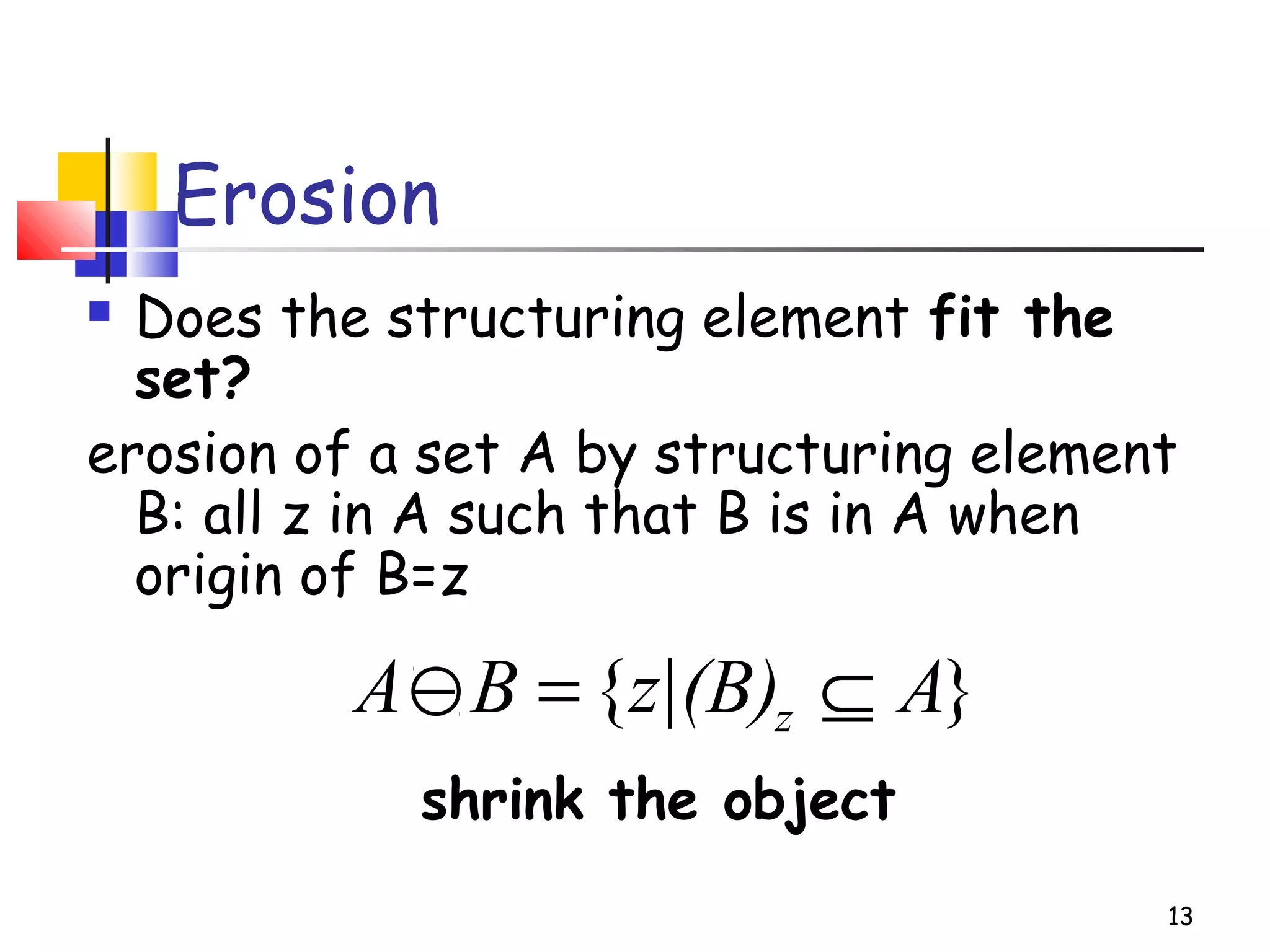
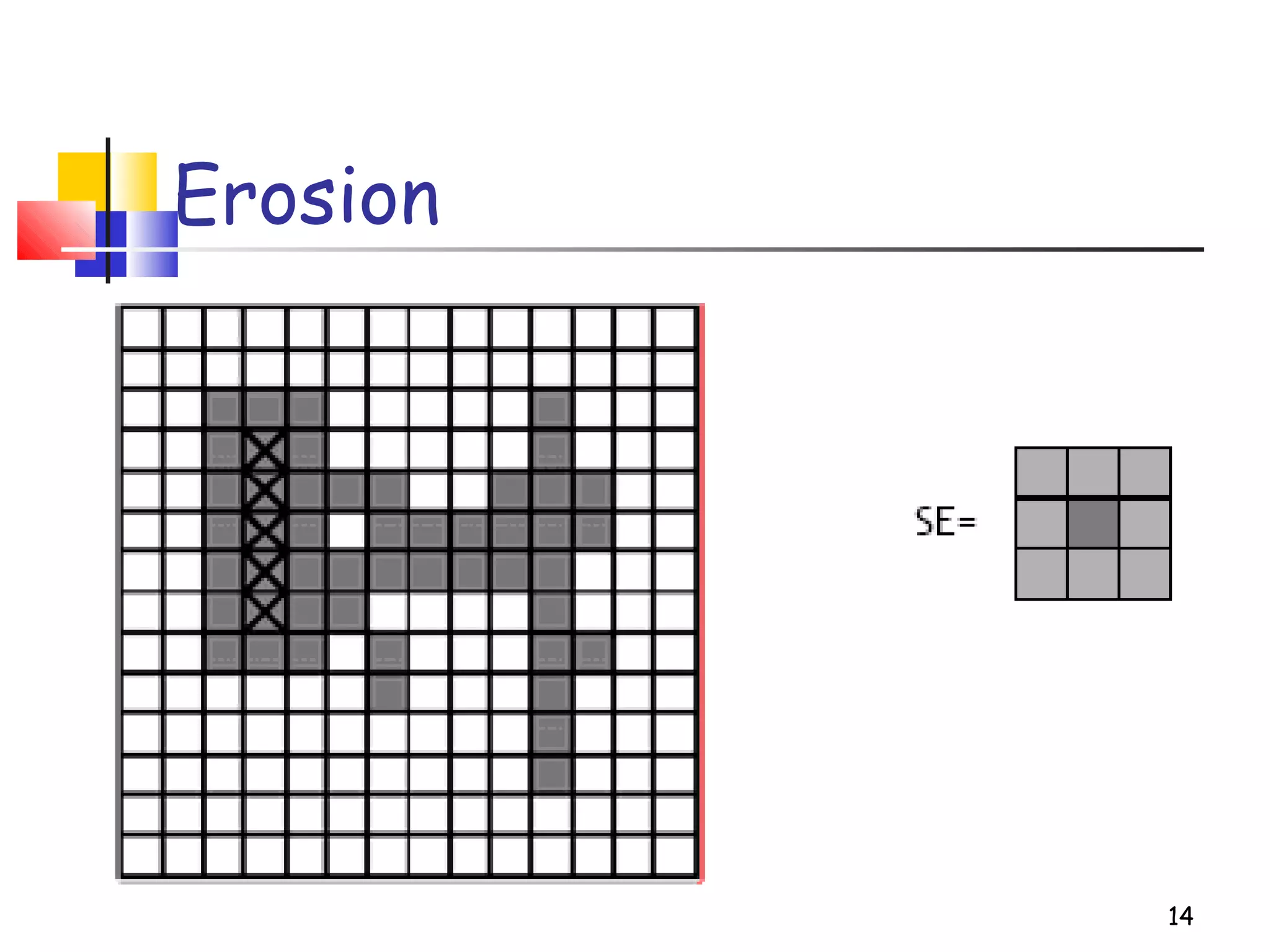
Erosion
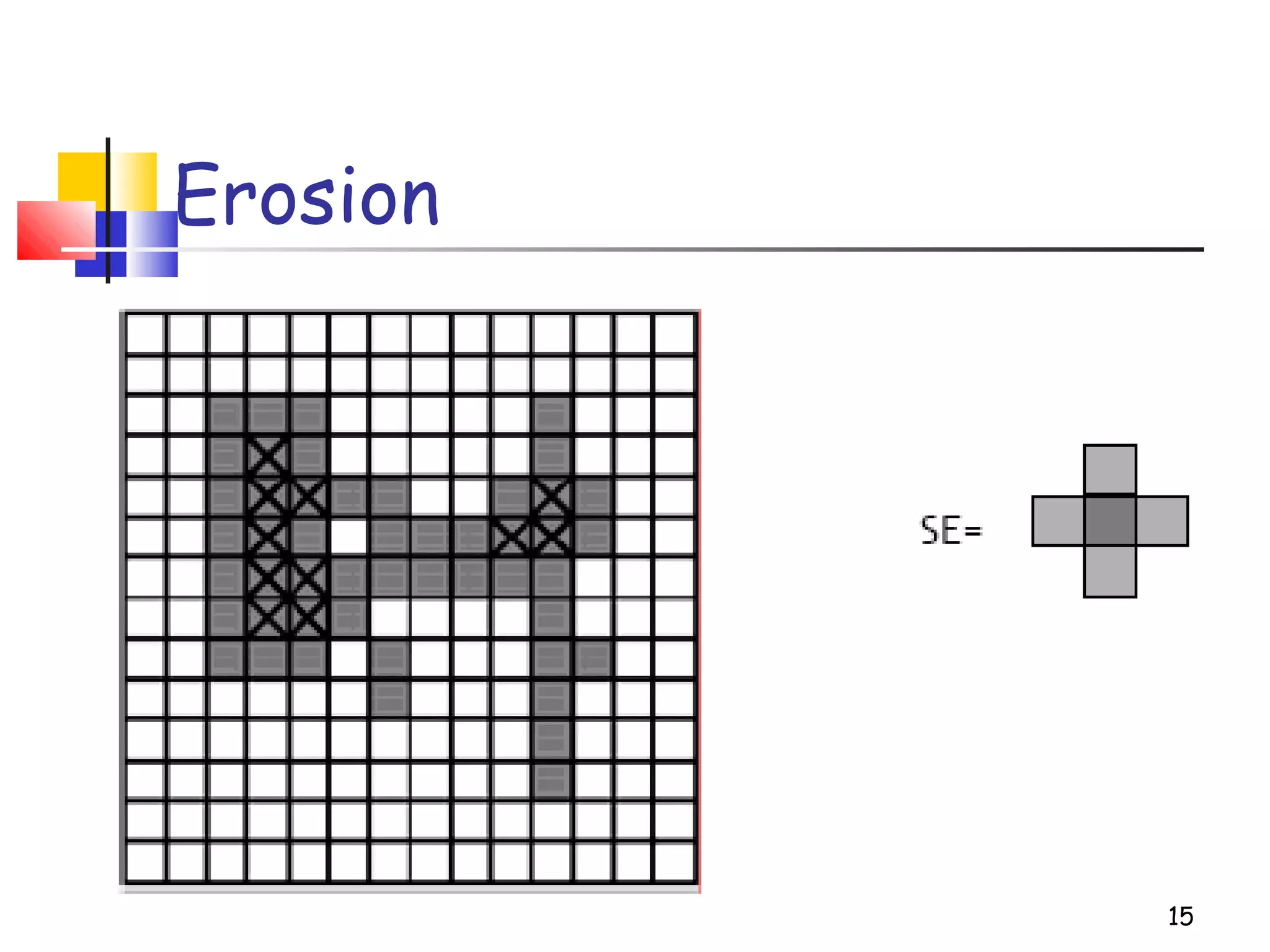
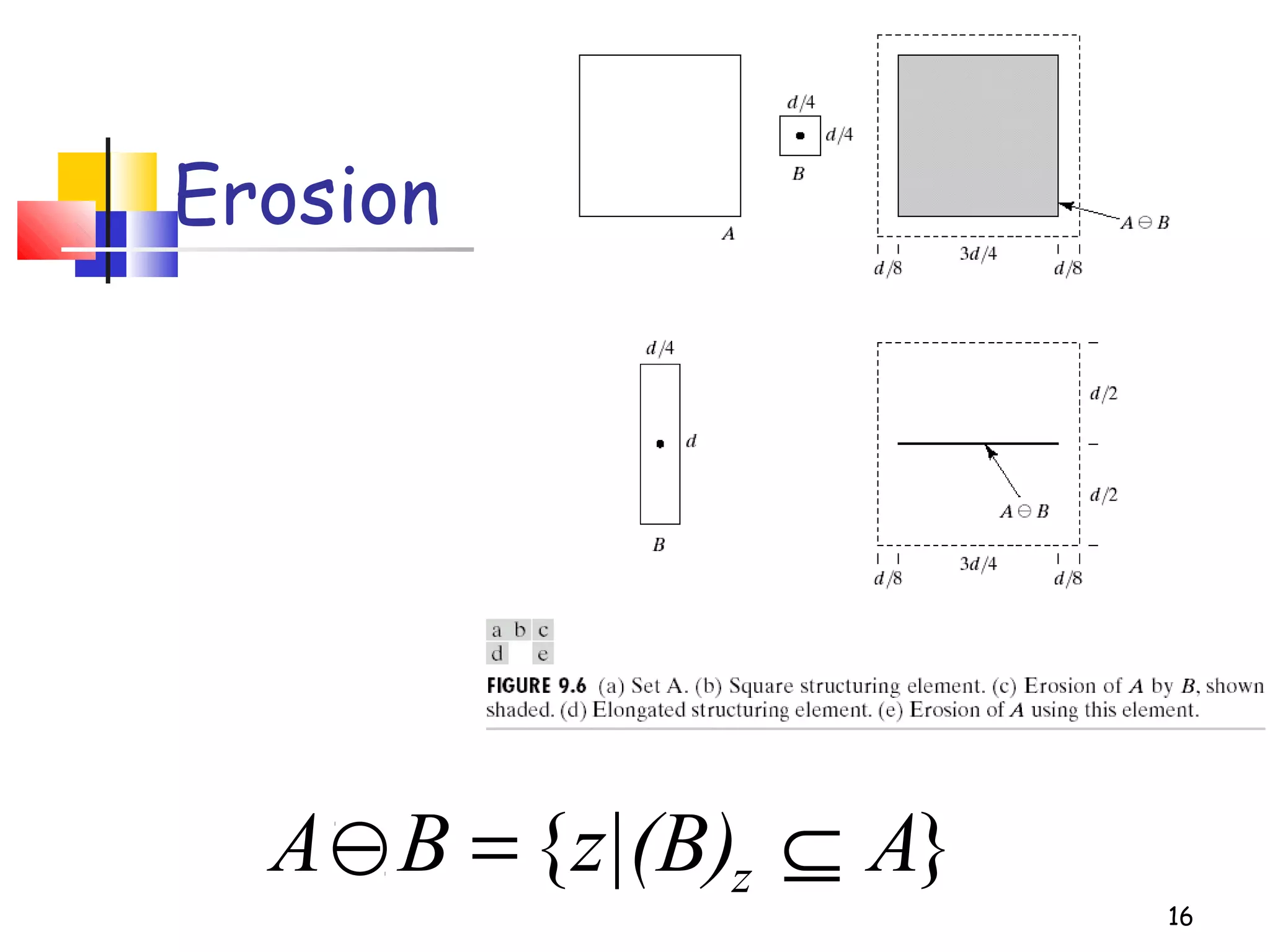
 Does the structuring element fit the
set?
erosion of a set A by structuring element
B: all z in A such that B is in A when
origin of B=z
shrink the object
13
}{ Az|(B)BA z ⊆=−
Erosion
14
Erosion
15
16
Erosion
}{ Az|(B)BA z ⊆=−
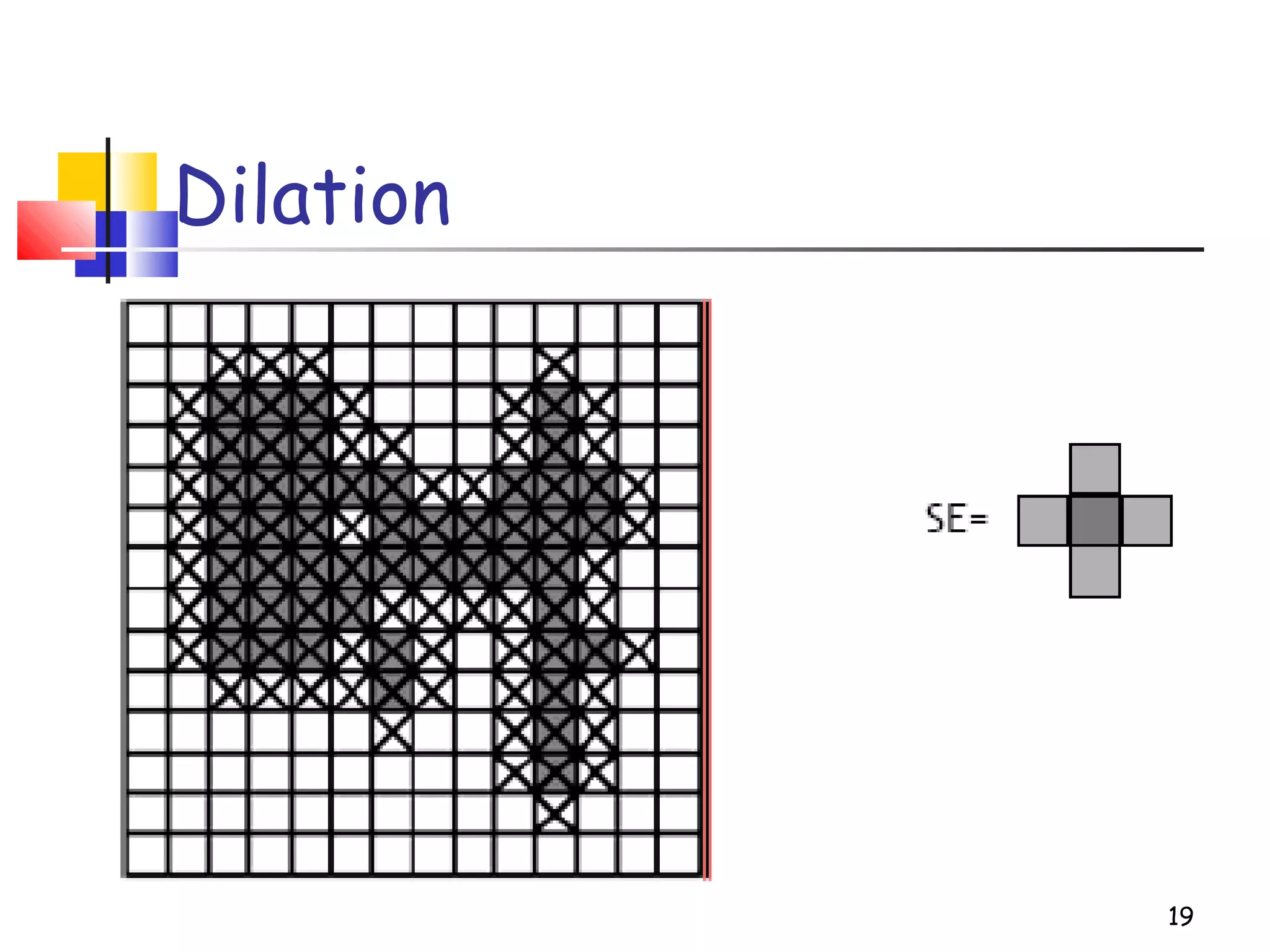
Dilation
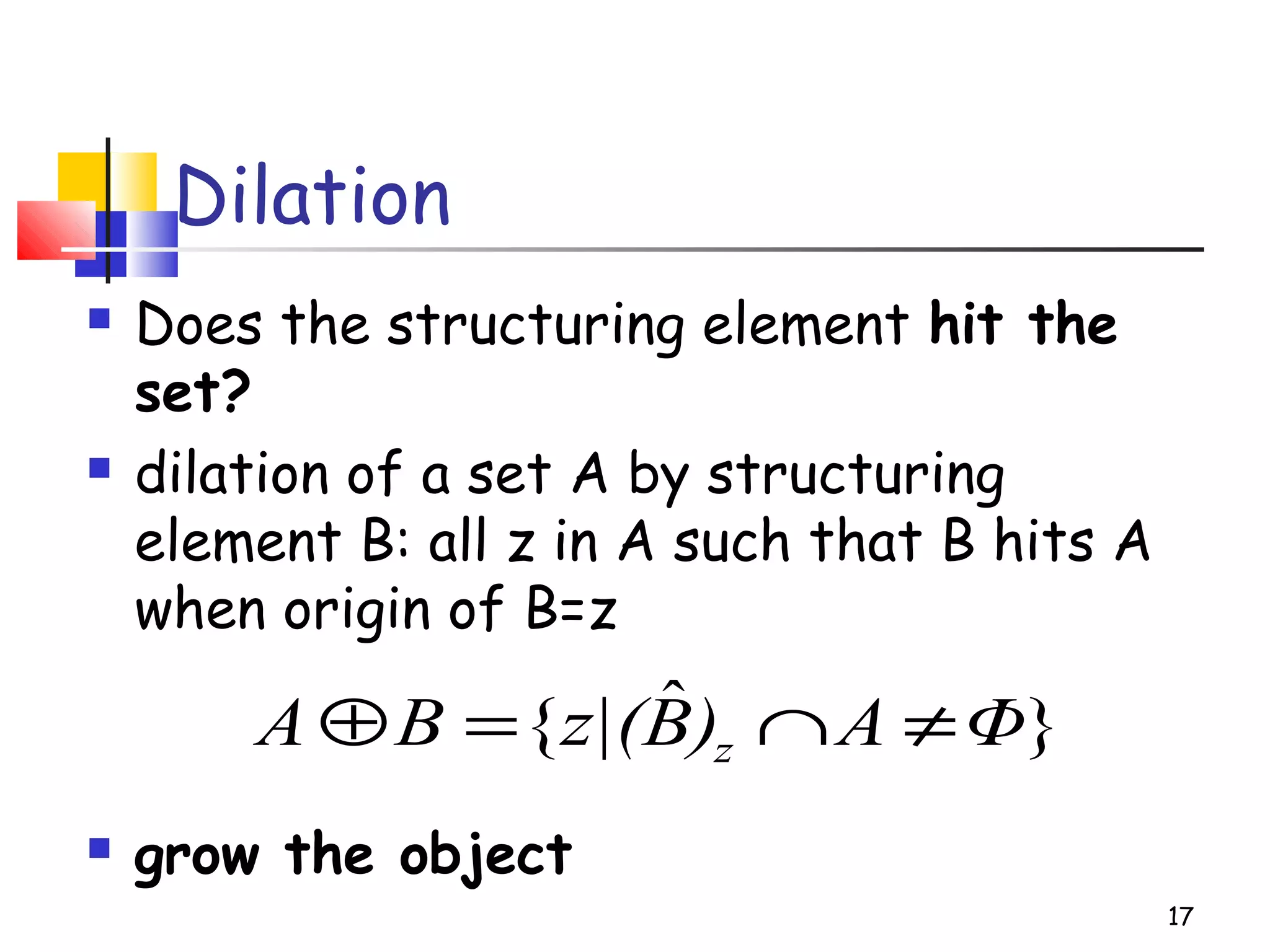
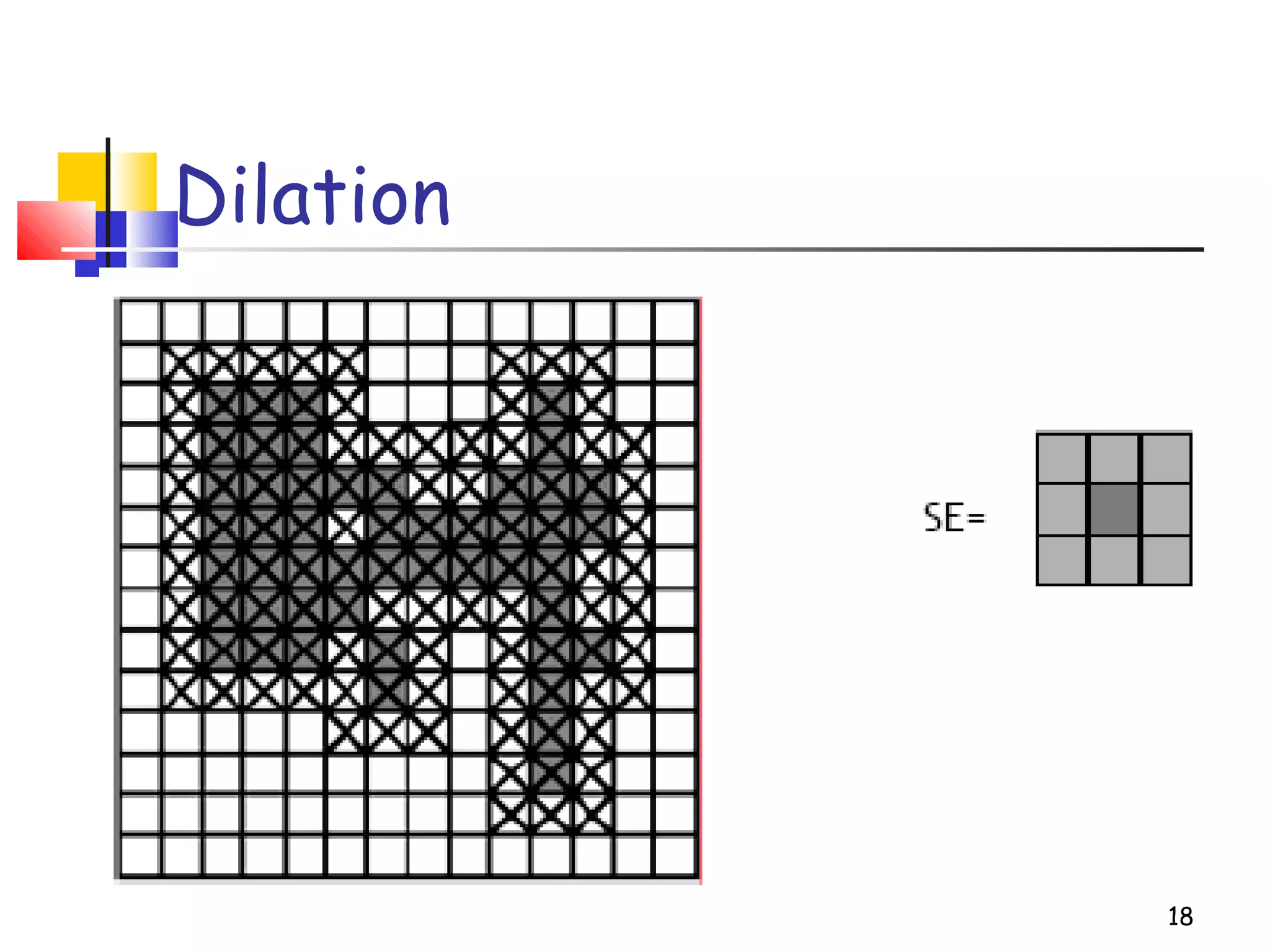
 Does the structuring element hit the
set?
 dilation of a set A by structuring
element B: all z in A such that B hits A
when origin of B=z
 grow the object
17
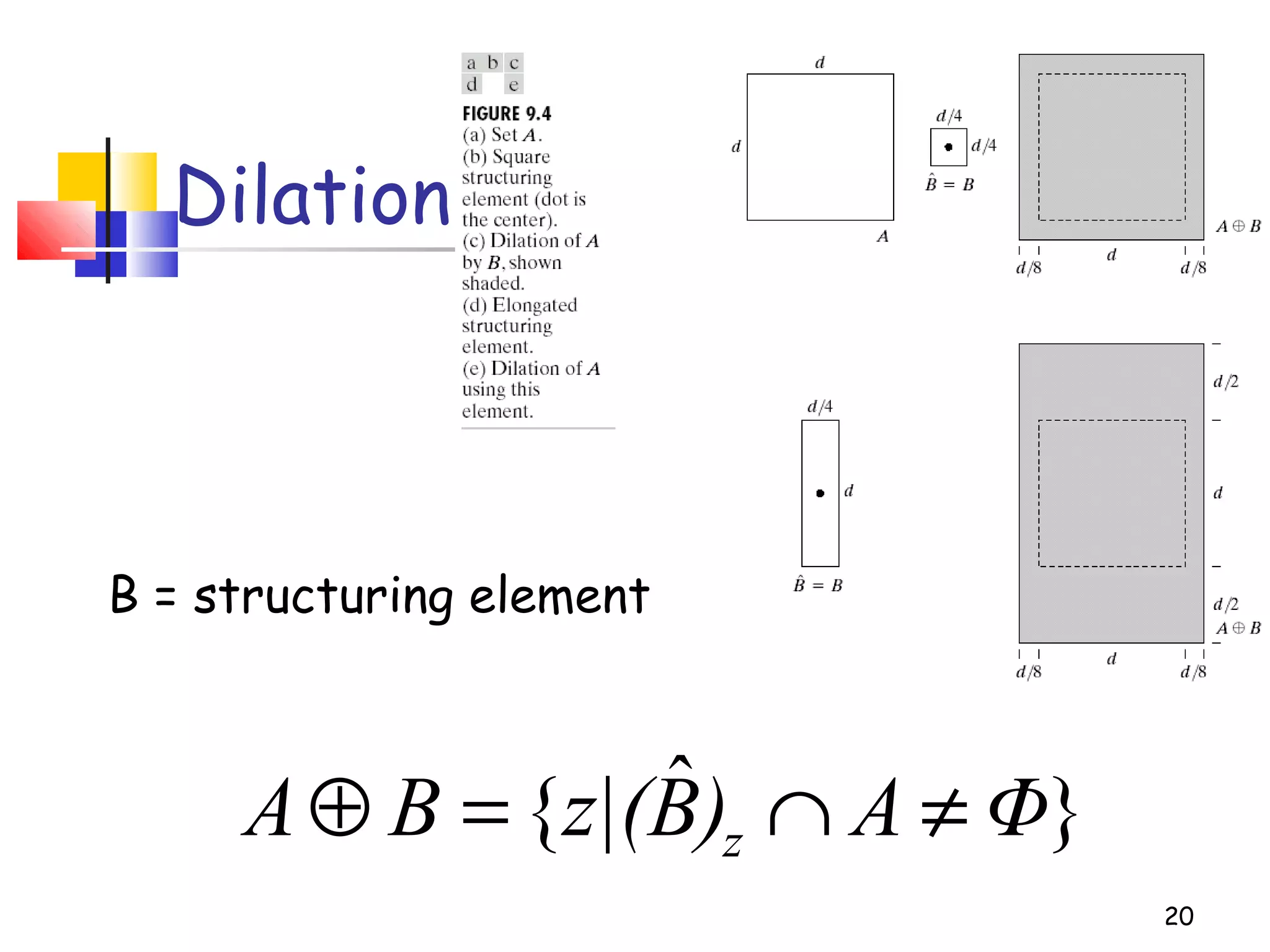
}ˆ{ ΦA)Bz|(BA z ≠∩=⊕
Dilation
18
Dilation
19
20
Dilation
}ˆ{ ΦA)Bz|(BA z ≠∩=⊕
B = structuring element
21
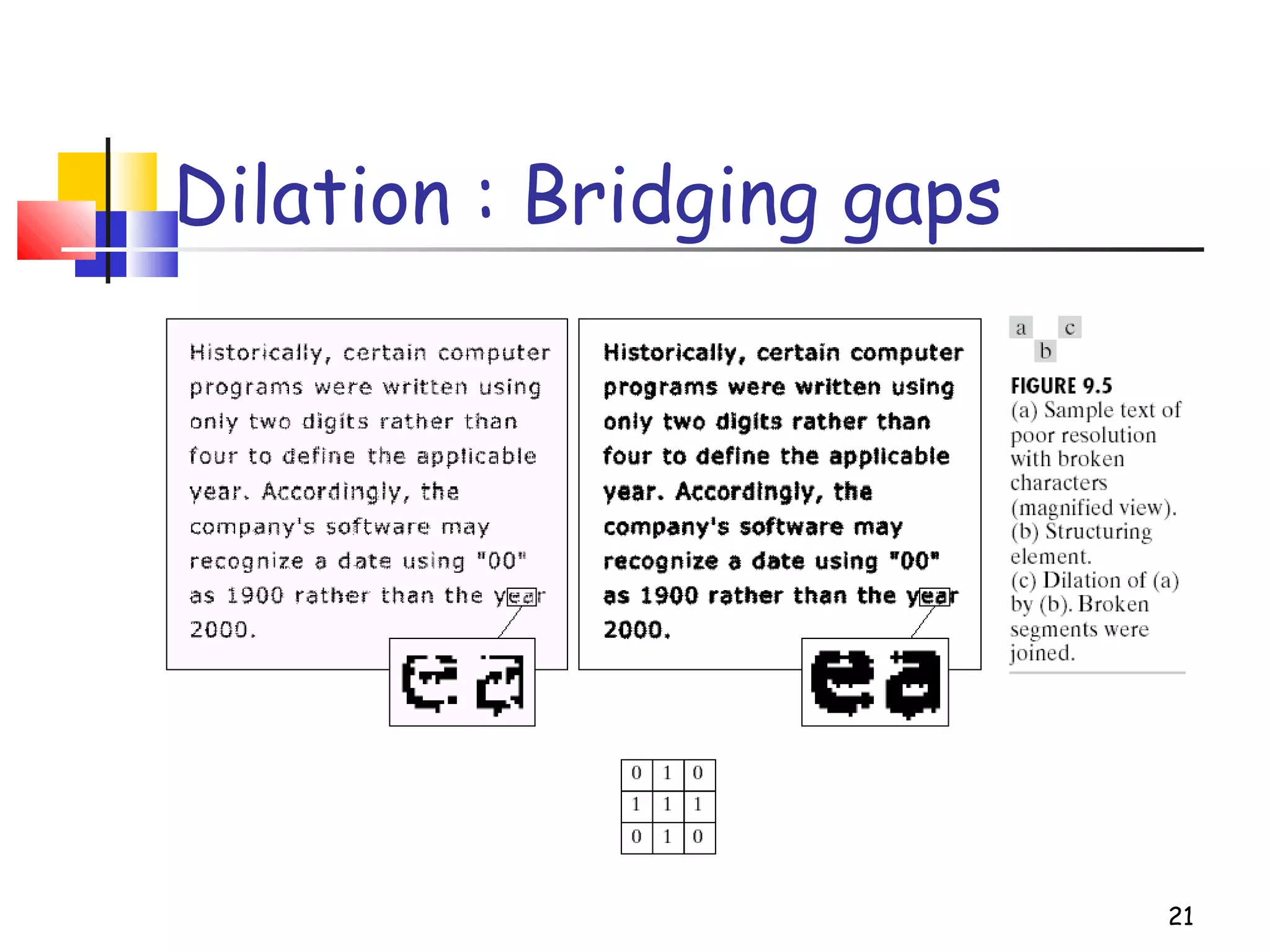
Dilation : Bridging gaps
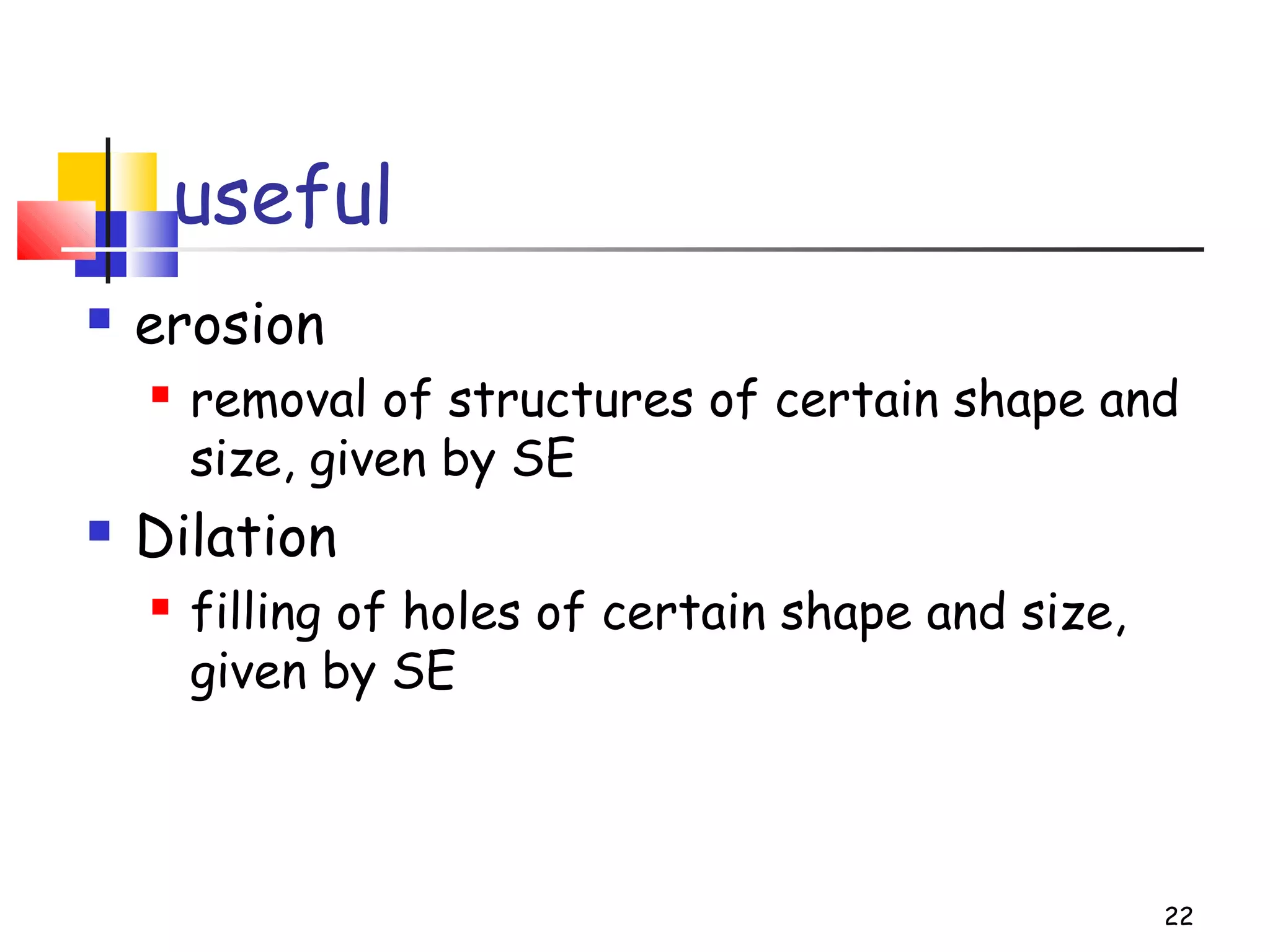
useful
 erosion
 removal of structures of certain shape and
size, given by SE
 Dilation
 filling of holes of certain shape and size,
given by SE
22
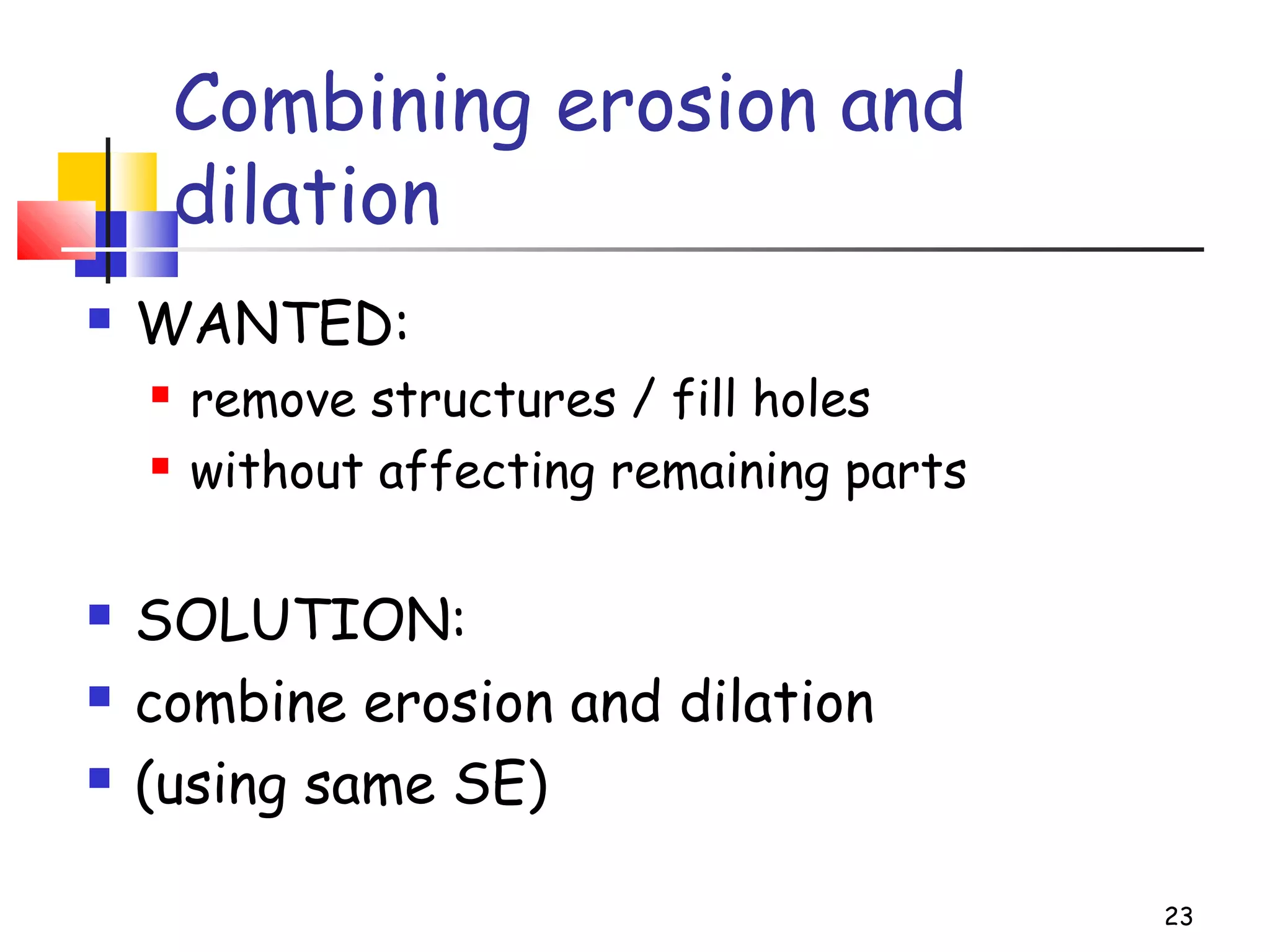
Combining erosion and
dilation
 WANTED:
 remove structures / fill holes
 without affecting remaining parts
 SOLUTION:
 combine erosion and dilation
 (using same SE)
23
24
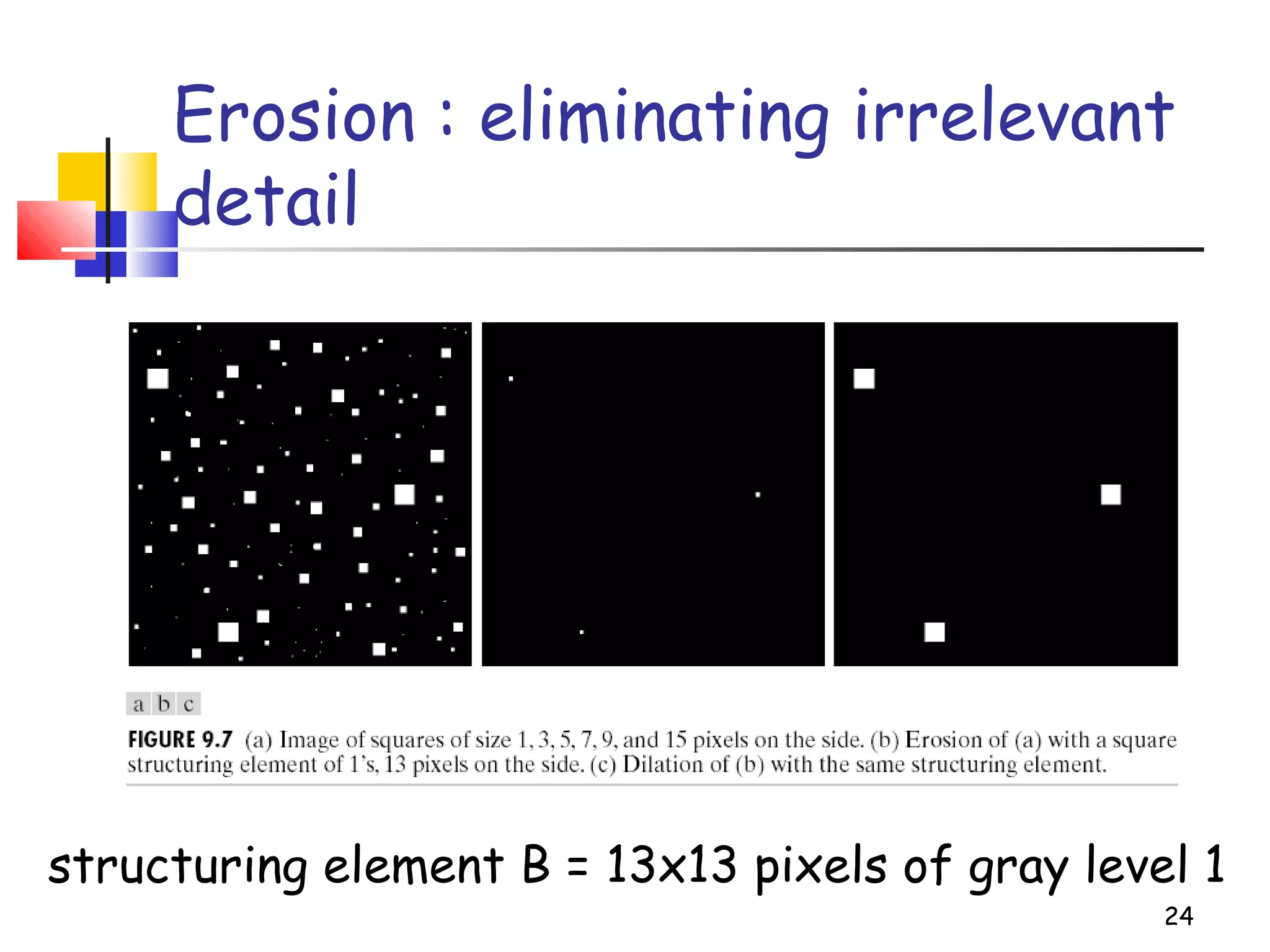
Erosion : eliminating irrelevant
detail
structuring element B = 13x13 pixels of gray level 1
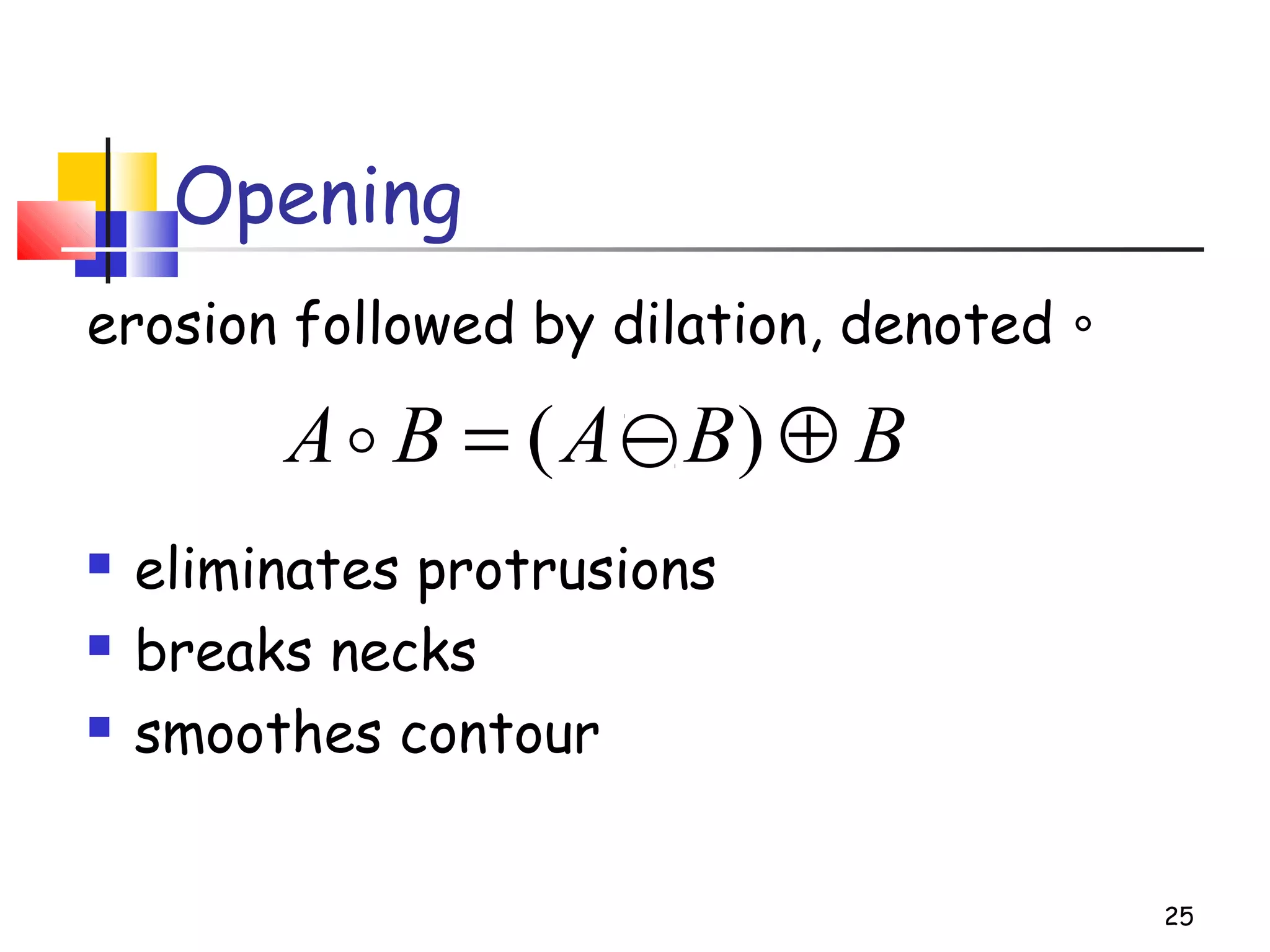
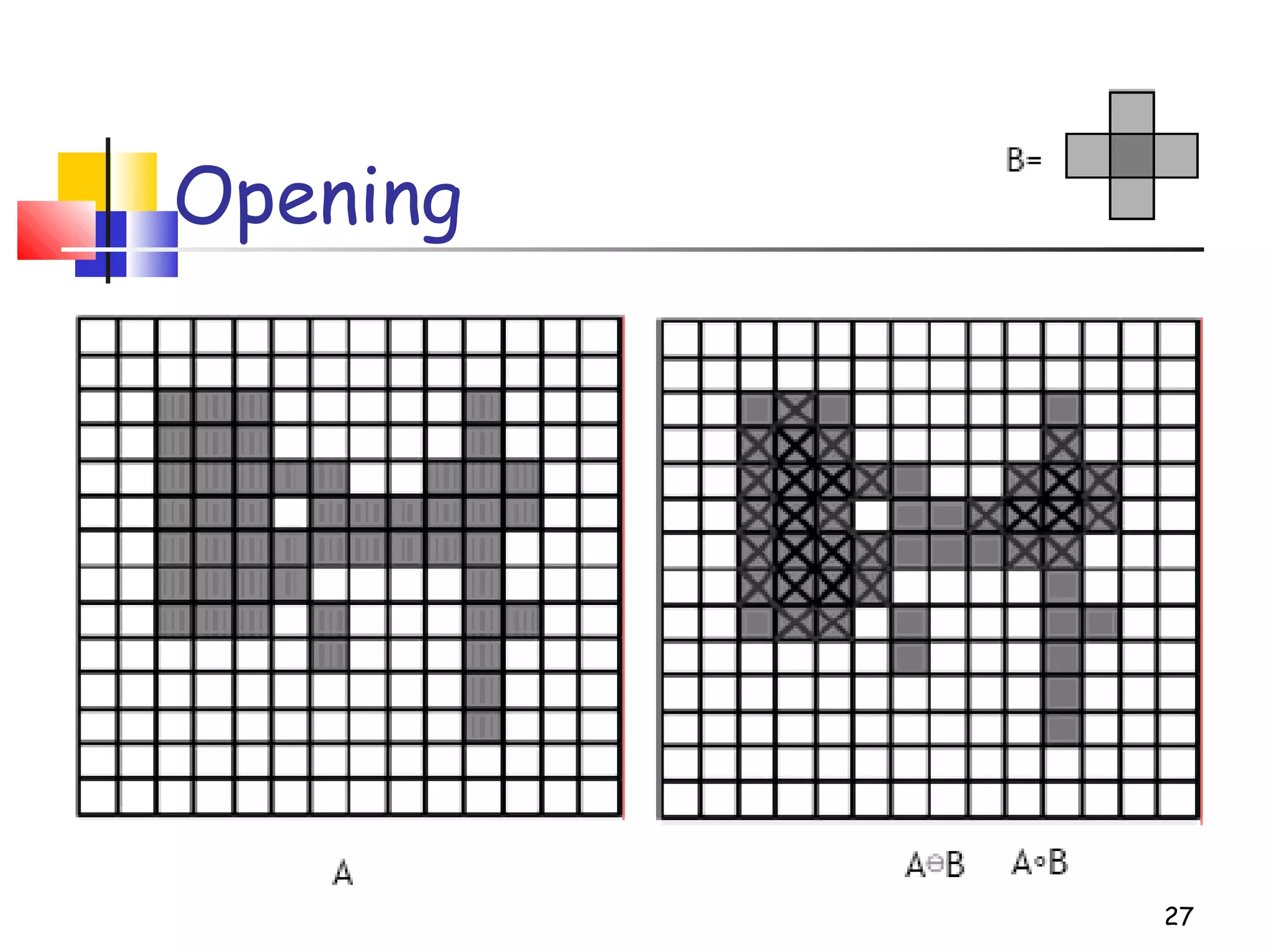
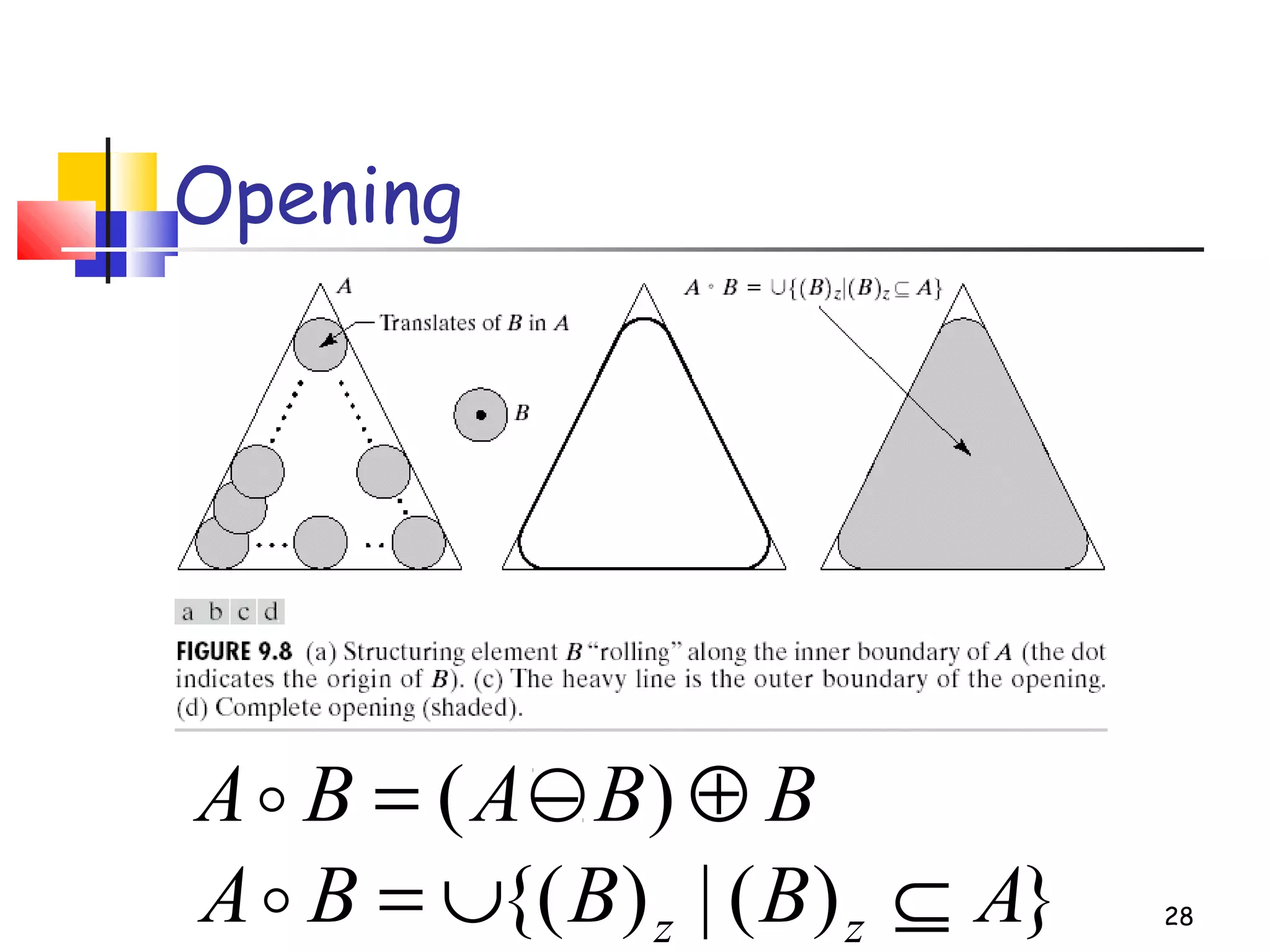
Opening
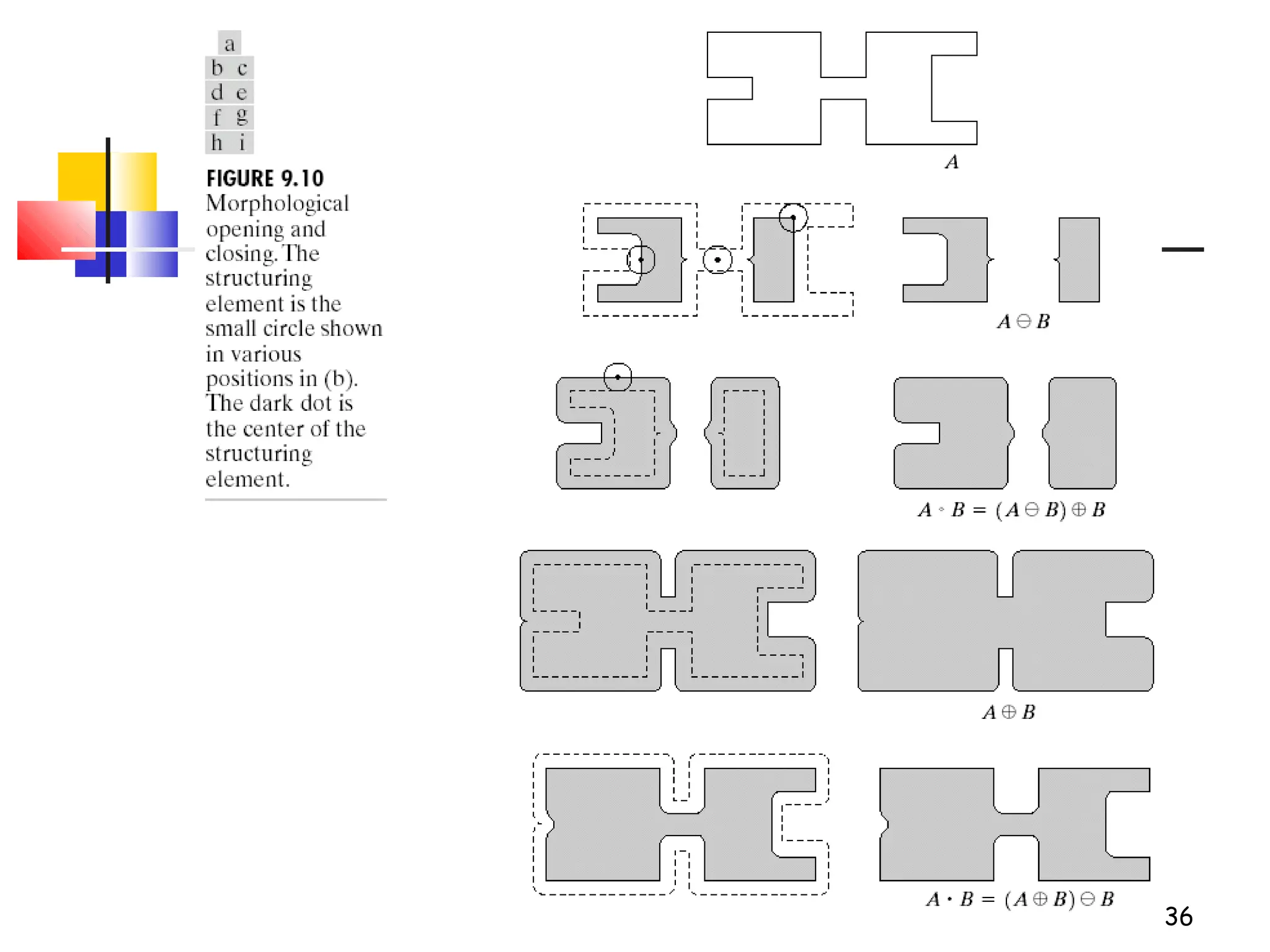
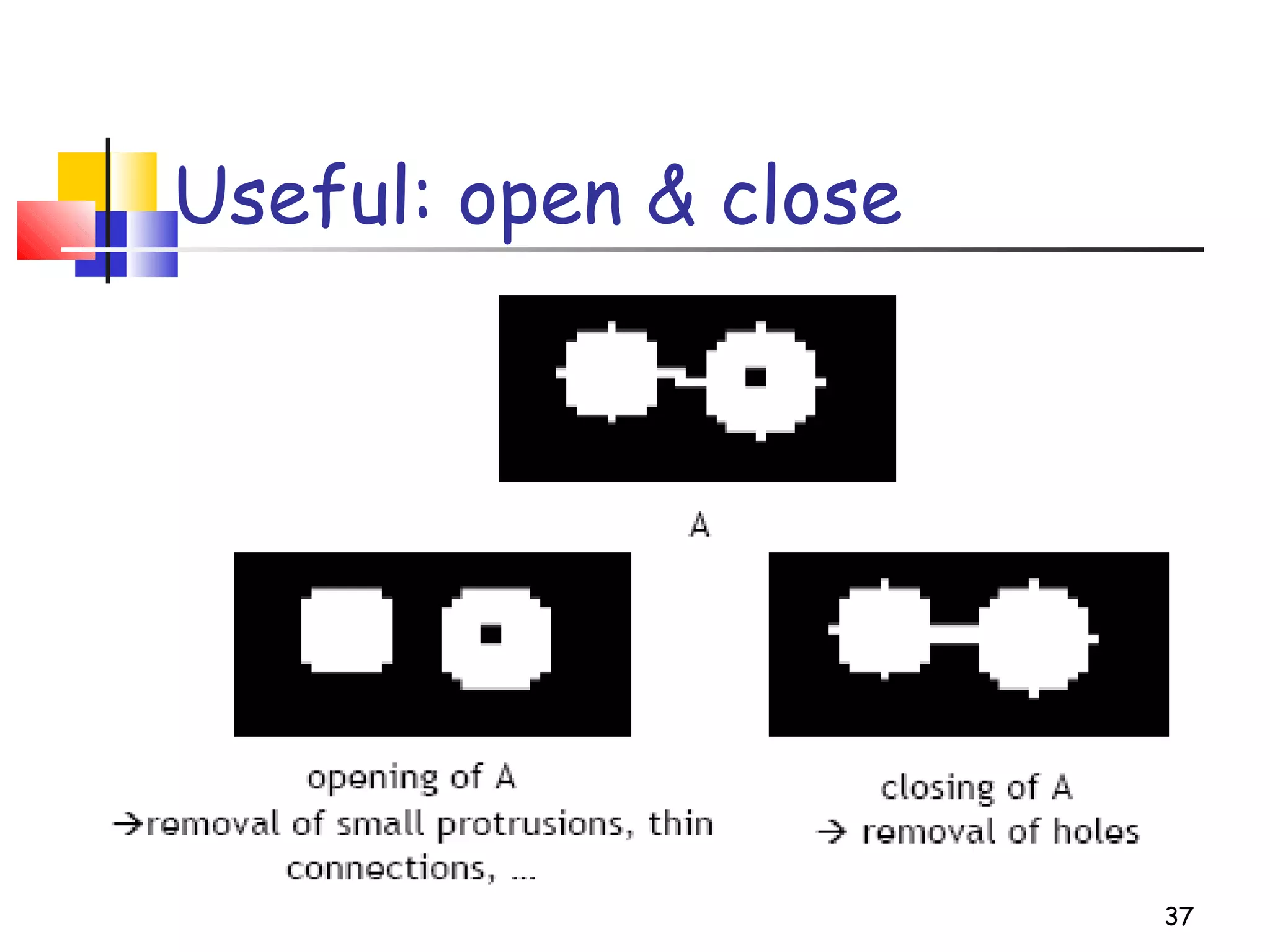
erosion followed by dilation, denoted ∘
 eliminates protrusions
 breaks necks
 smoothes contour
25
BBABA ⊕−= )(
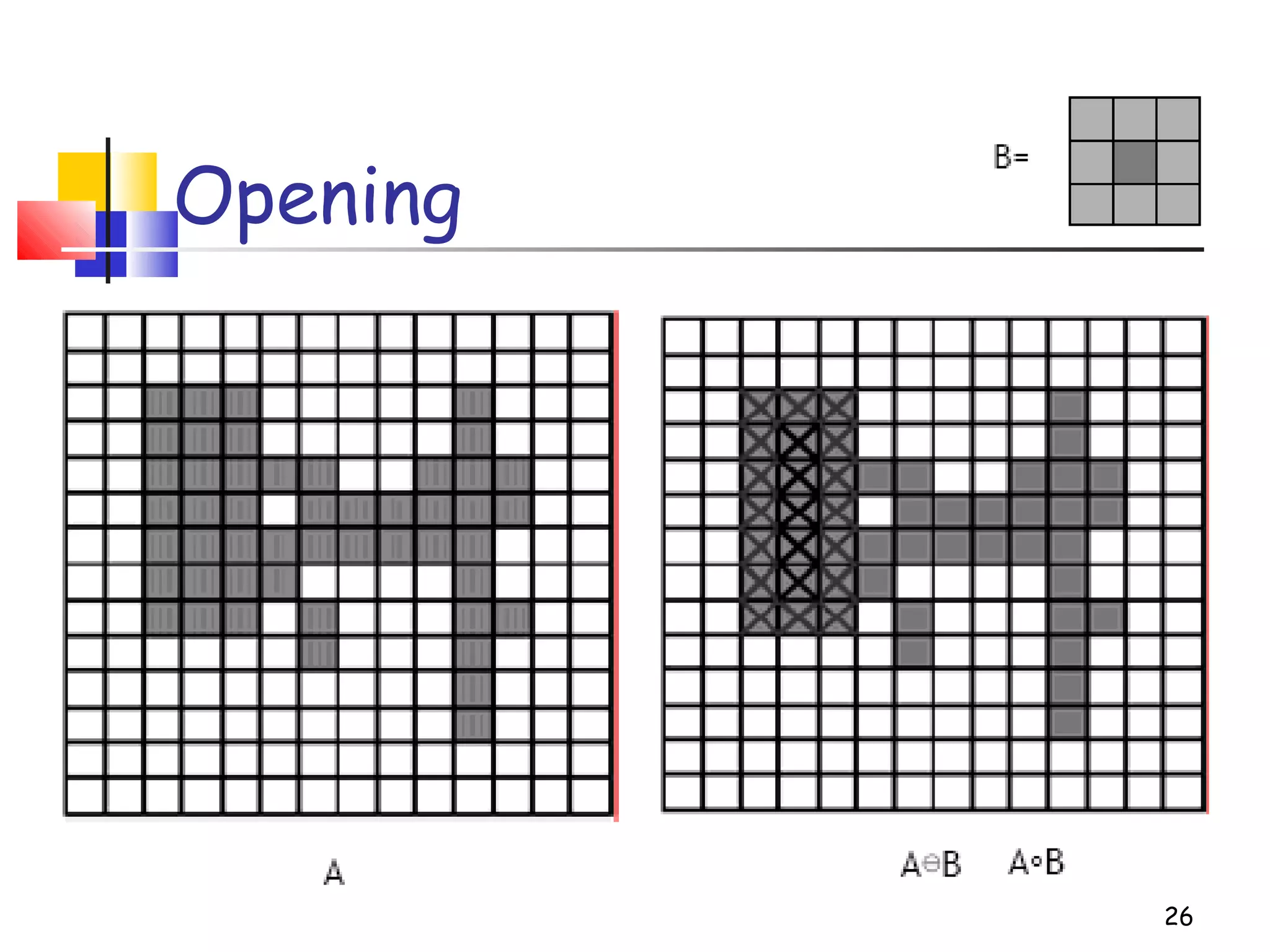
Opening
26
Opening
27
28
Opening
BBABA ⊕−= )(
})(|){( ABBBA zz ⊆∪=
Closing
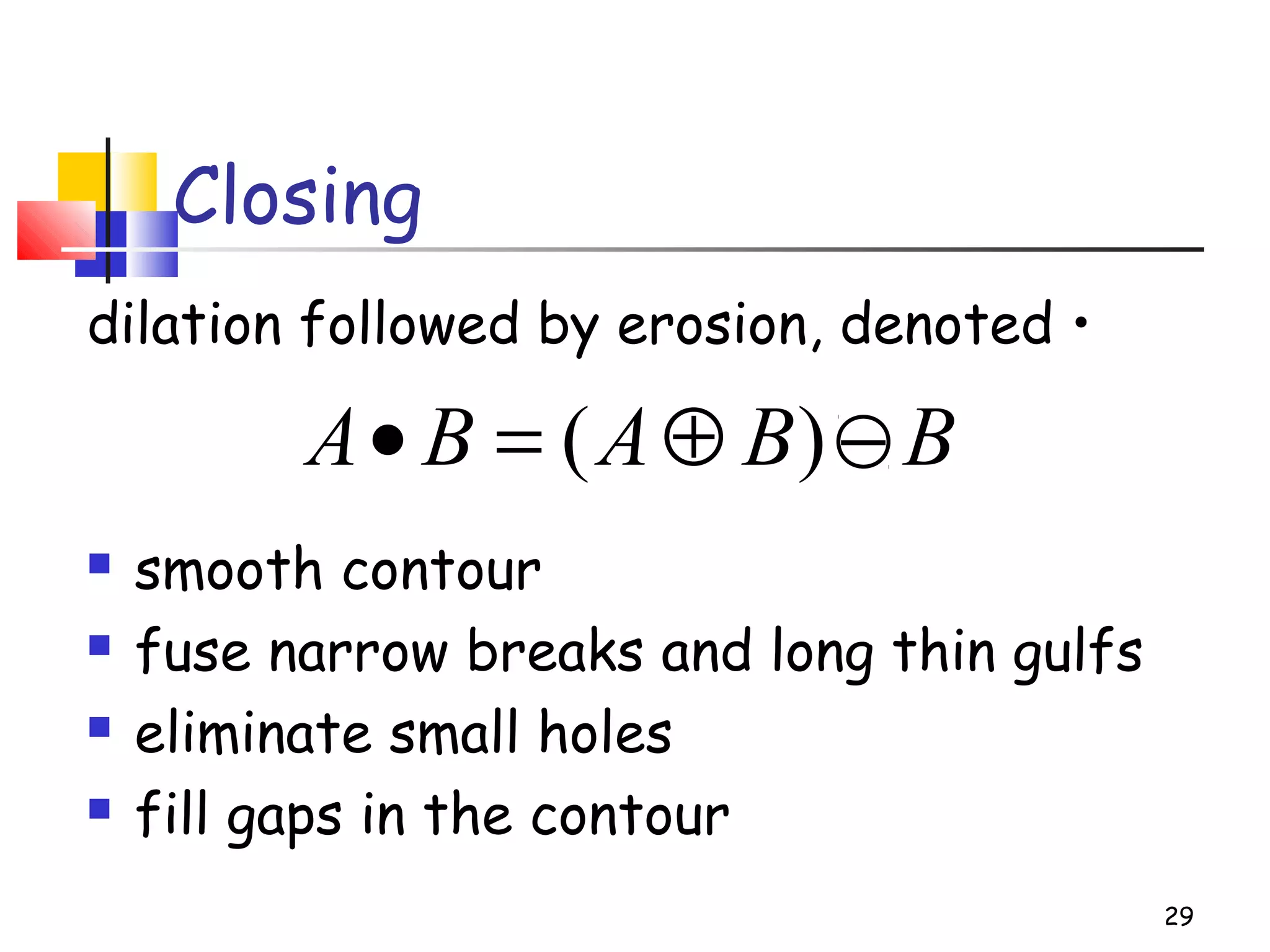
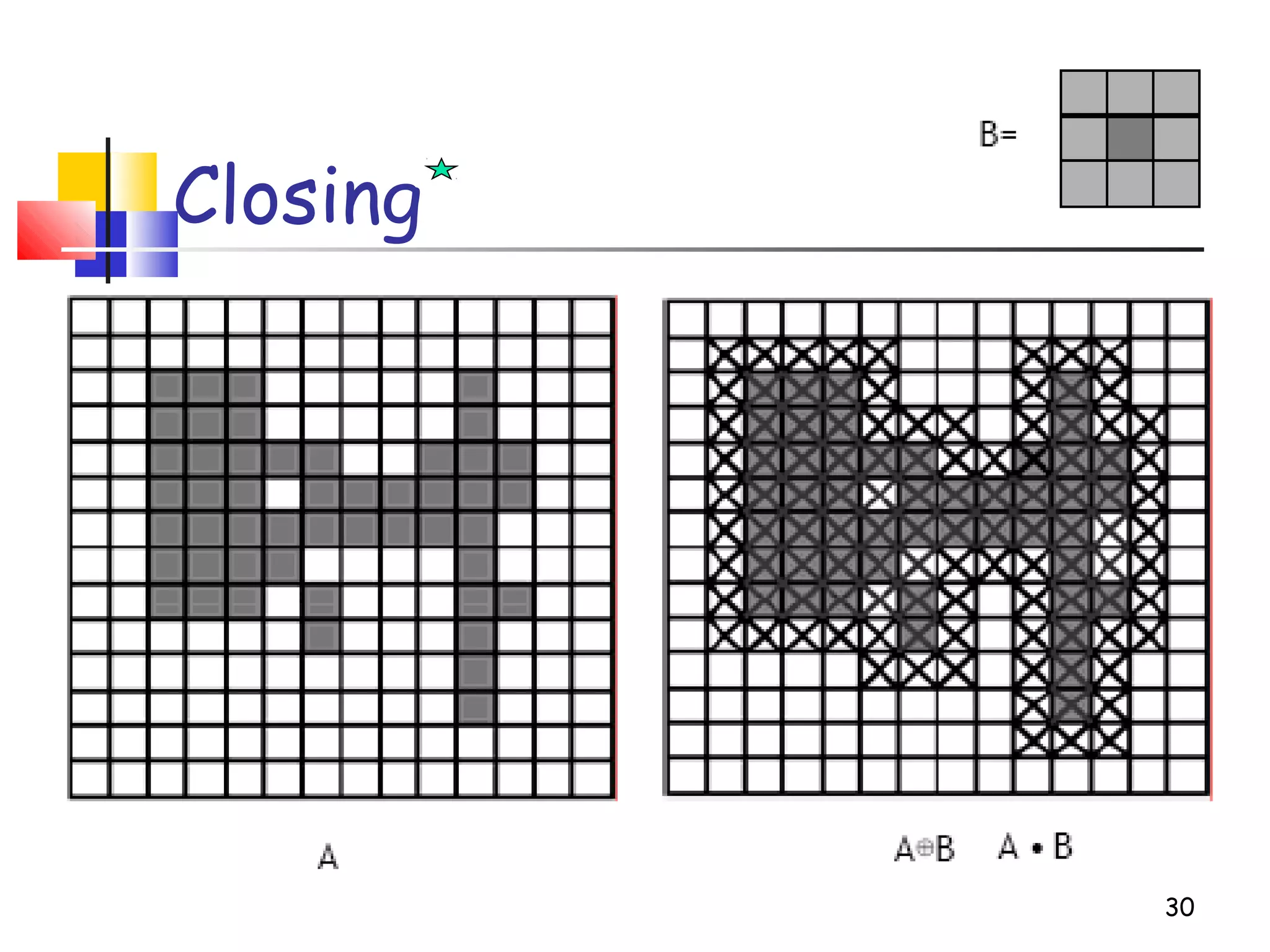
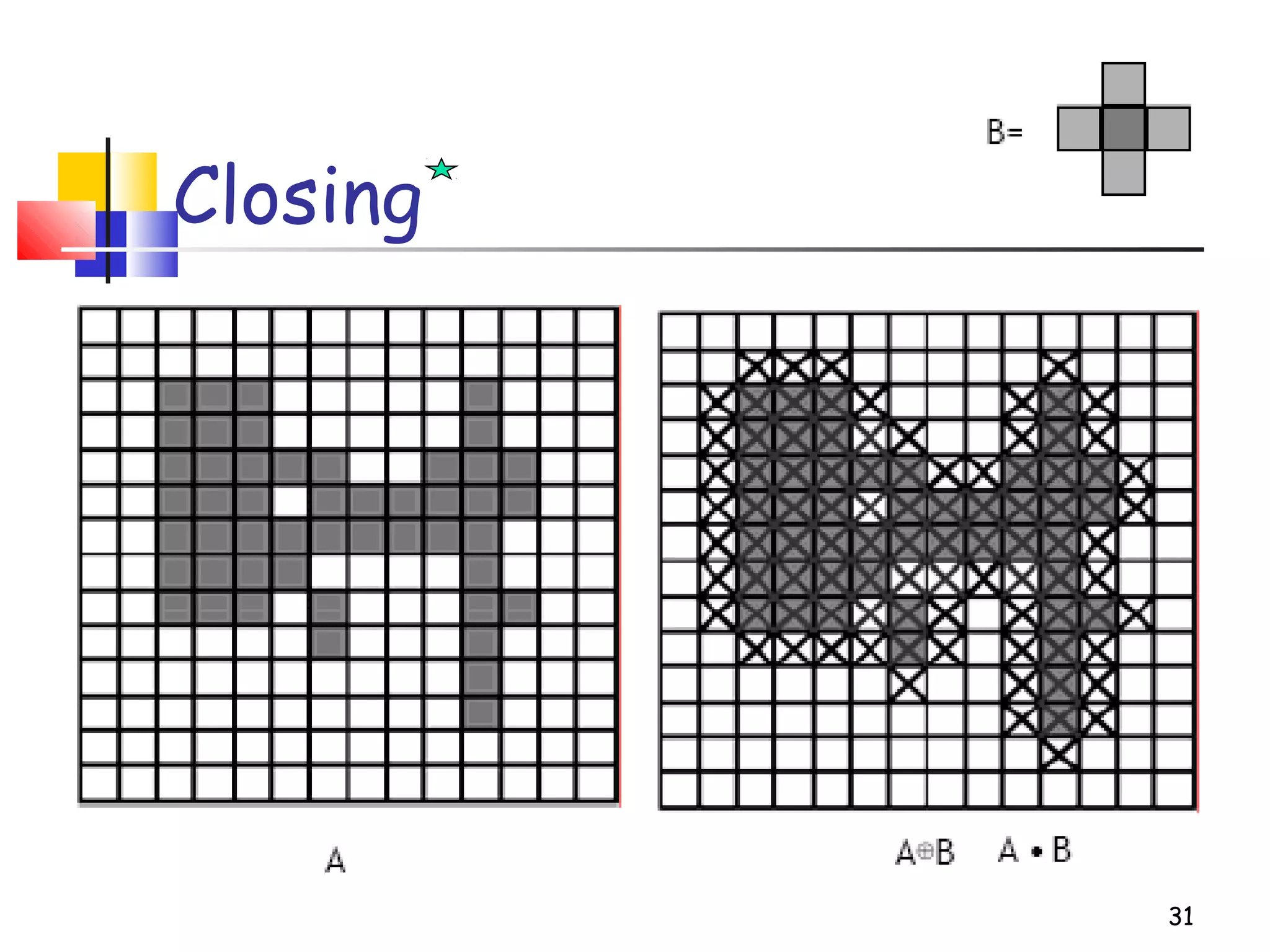
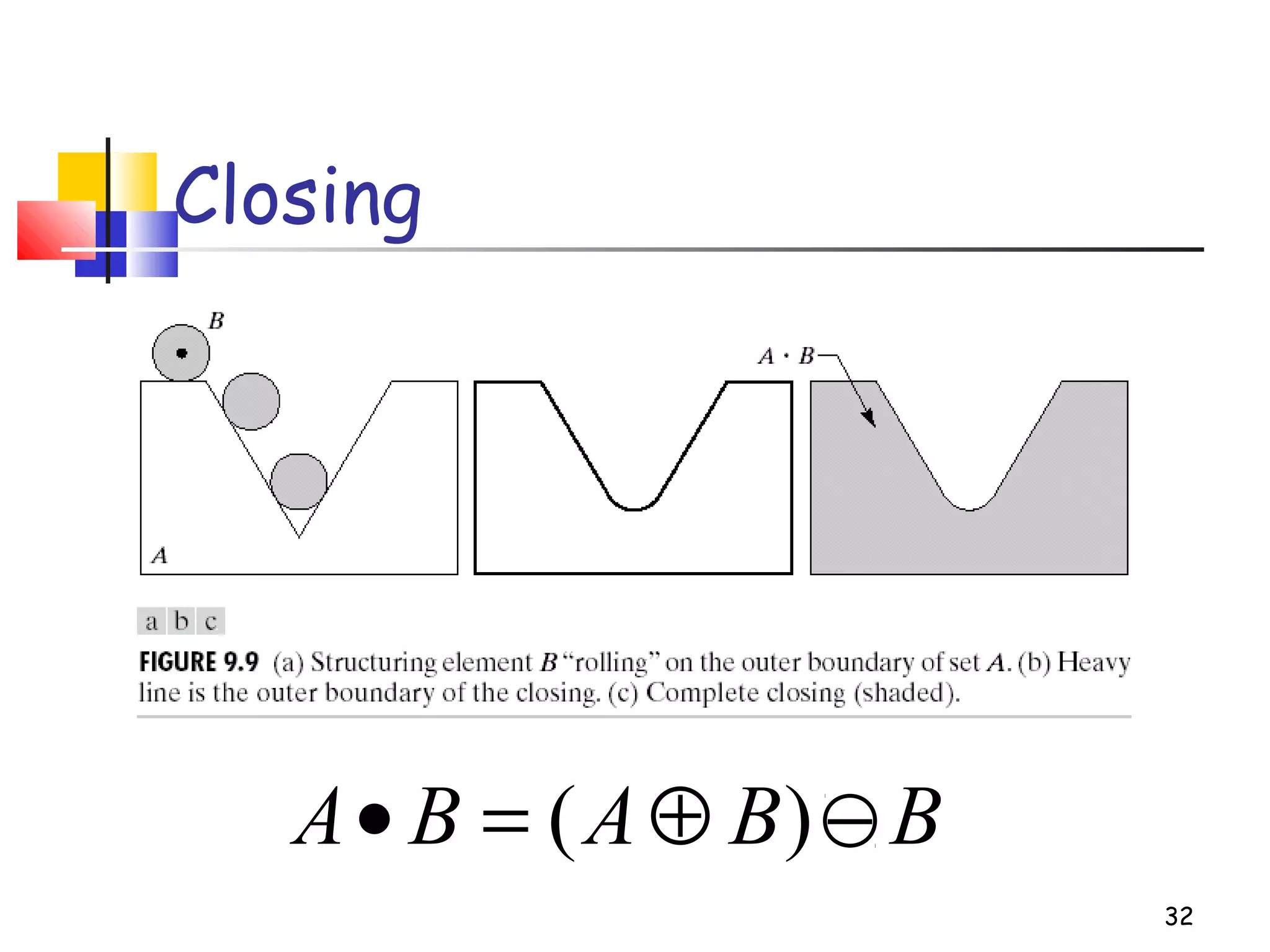
dilation followed by erosion, denoted •
 smooth contour
 fuse narrow breaks and long thin gulfs
 eliminate small holes
 fill gaps in the contour
29
BBABA −⊕=• )(
Closing
30
Closing
31
32
Closing
BBABA −⊕=• )(
33
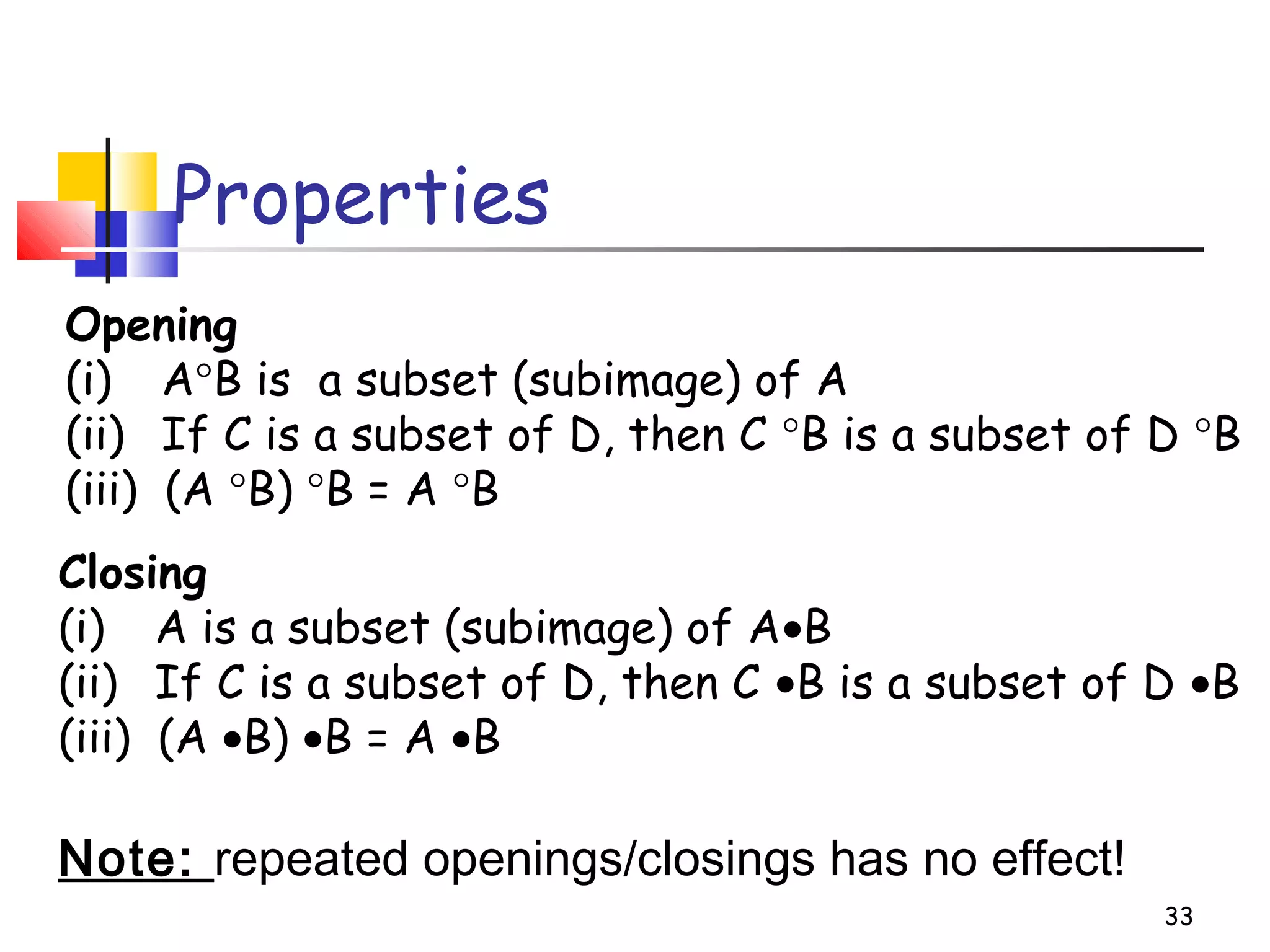
Properties
Opening
(i) A°B is a subset (subimage) of A
(ii) If C is a subset of D, then C °B is a subset of D °B
(iii) (A °B) °B = A °B
Closing
(i) A is a subset (subimage) of A•B
(ii) If C is a subset of D, then C •B is a subset of D •B
(iii) (A •B) •B = A •B
Note: repeated openings/closings has no effect!
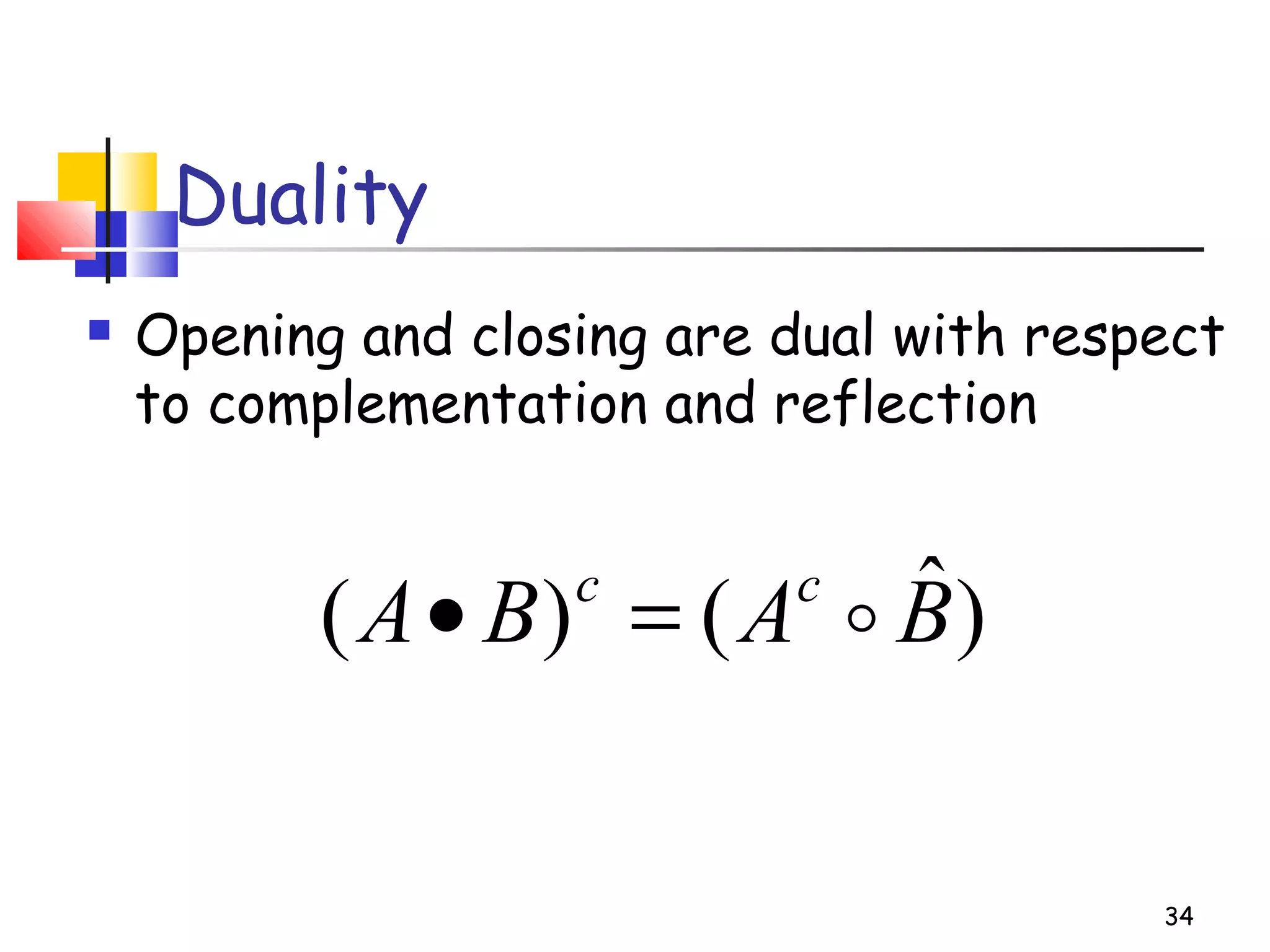
Duality
 Opening and closing are dual with respect
to complementation and reflection
34
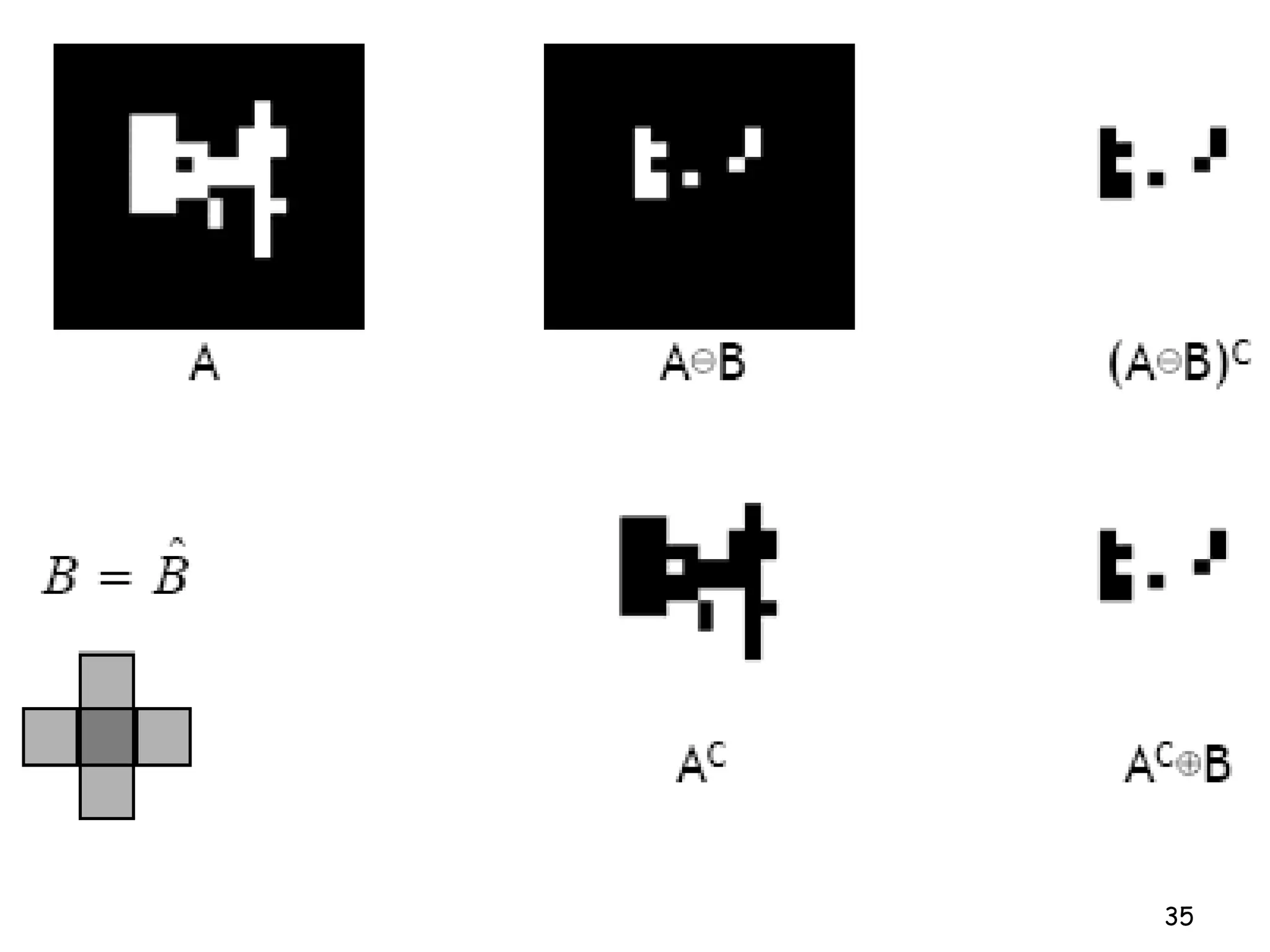
)ˆ()( BABA cc
=•
35
36
Useful: open & close
37
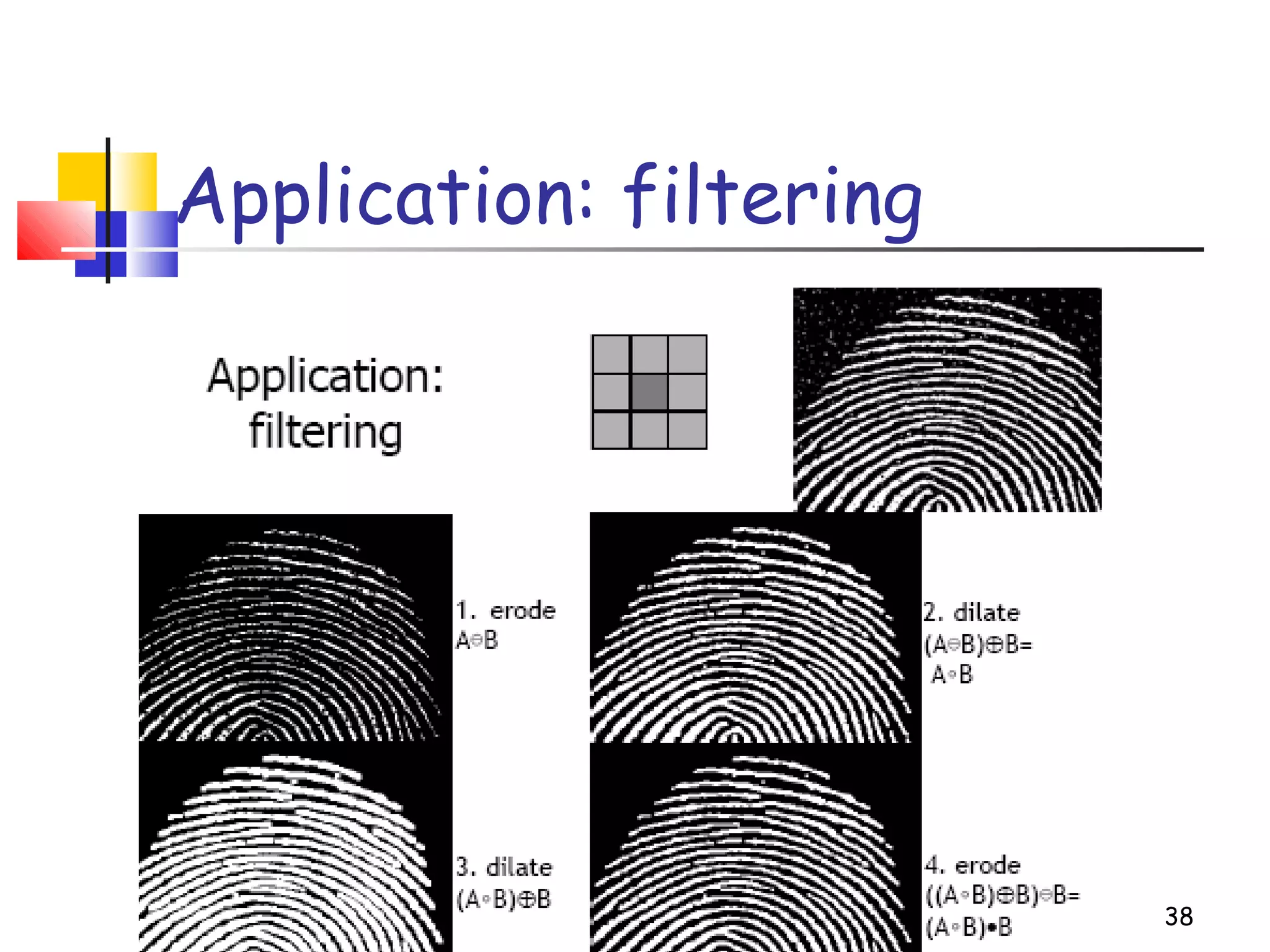
Application: filtering
38
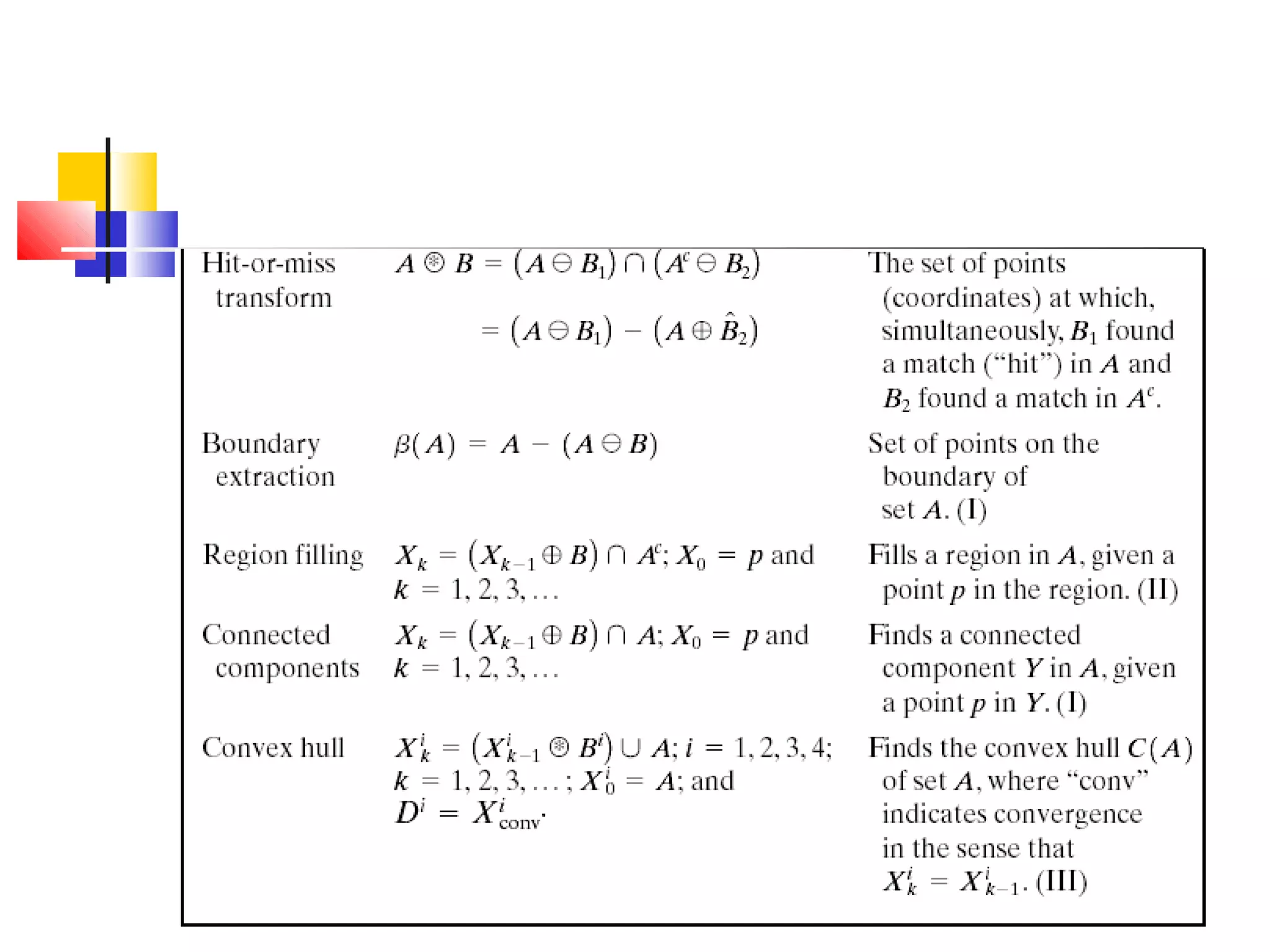
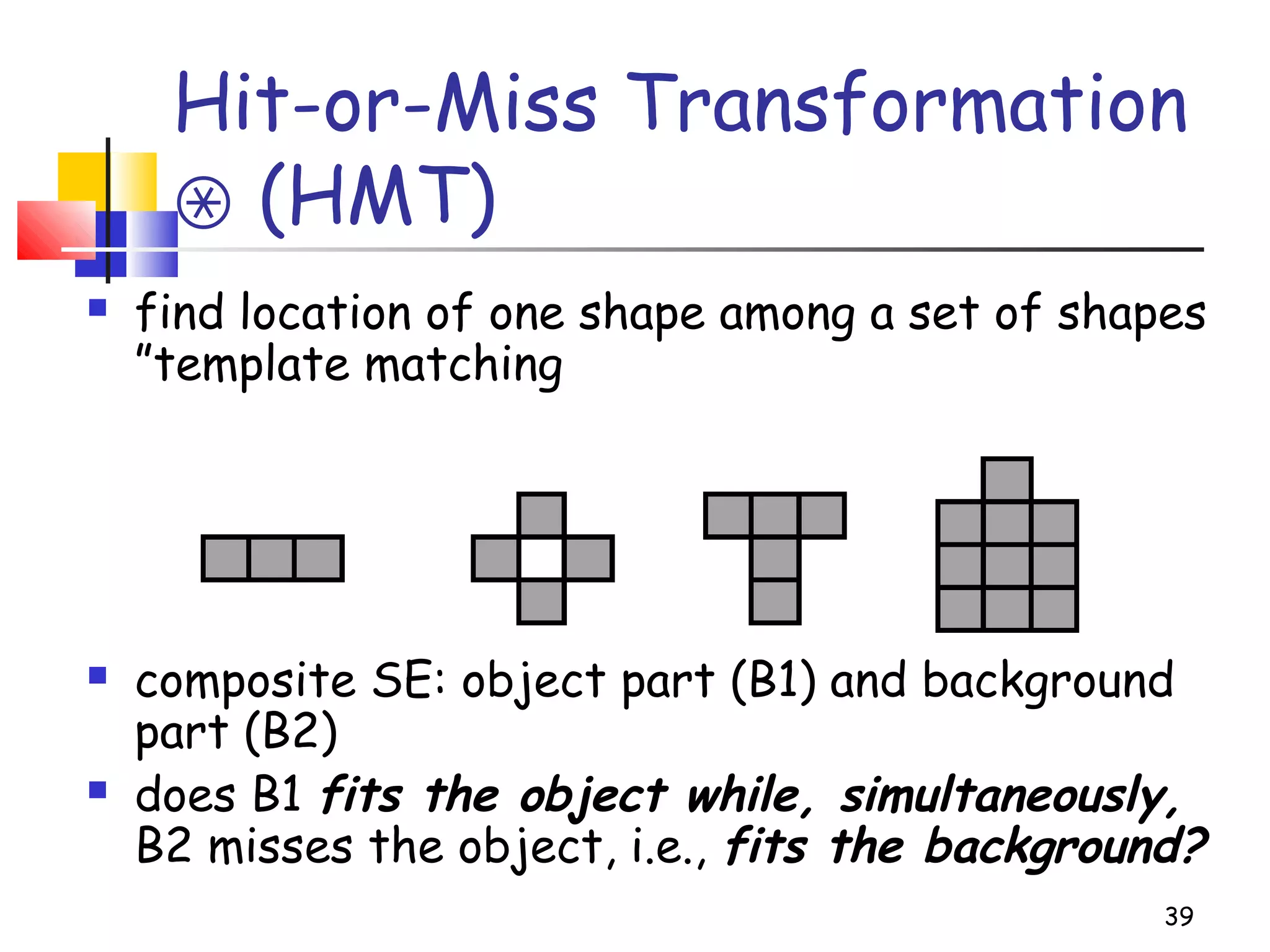
Hit-or-Miss Transformation
(HMT)⊛
 find location of one shape among a set of shapes
”template matching
 composite SE: object part (B1) and background
part (B2)
 does B1 fits the object while, simultaneously,
B2 misses the object, i.e., fits the background?
39
40
Hit-or-Miss Transformation
)]([)( XWAXABA c
−−∩−=∗
41
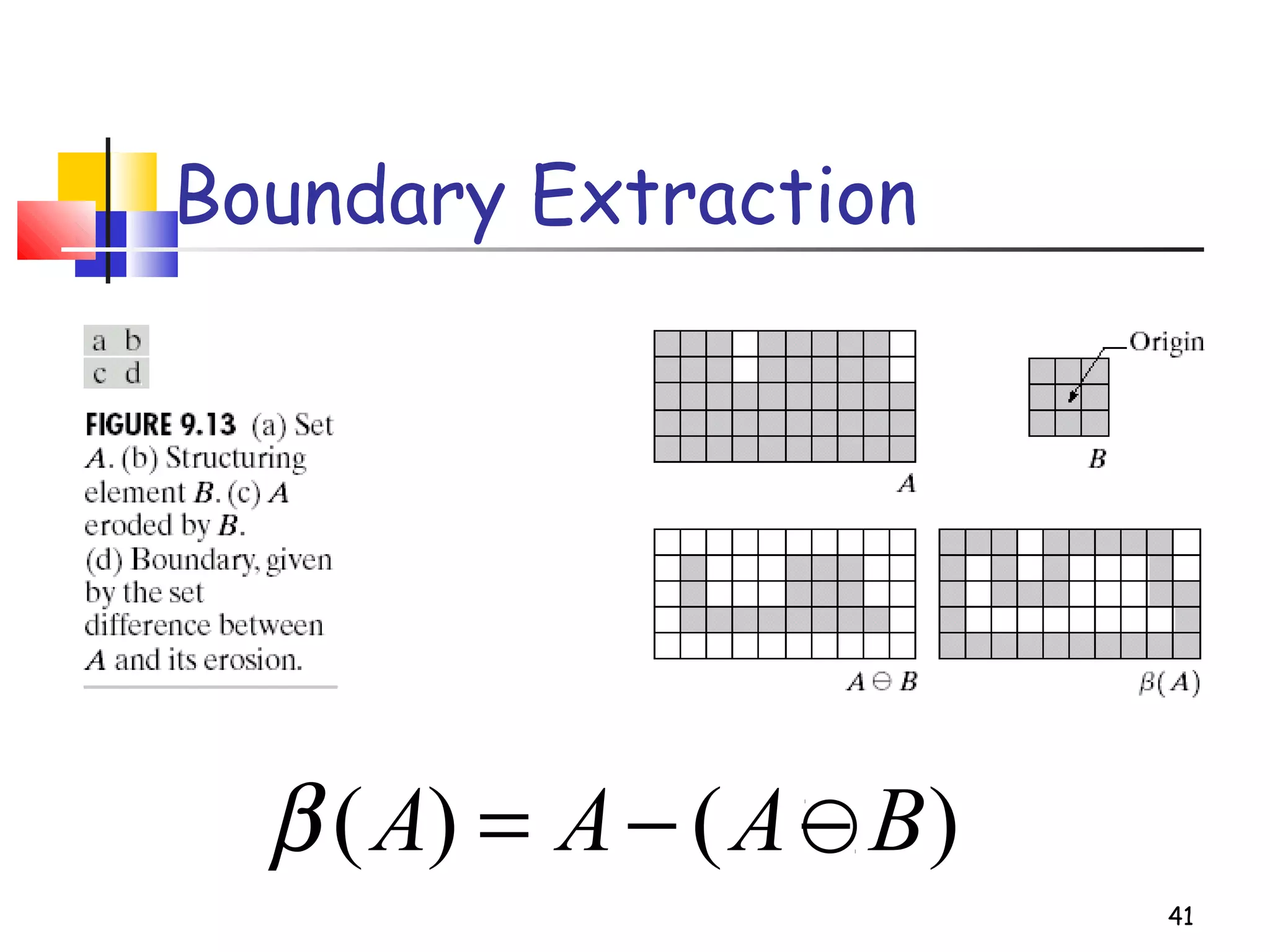
Boundary Extraction
)()( BAAA −−=β
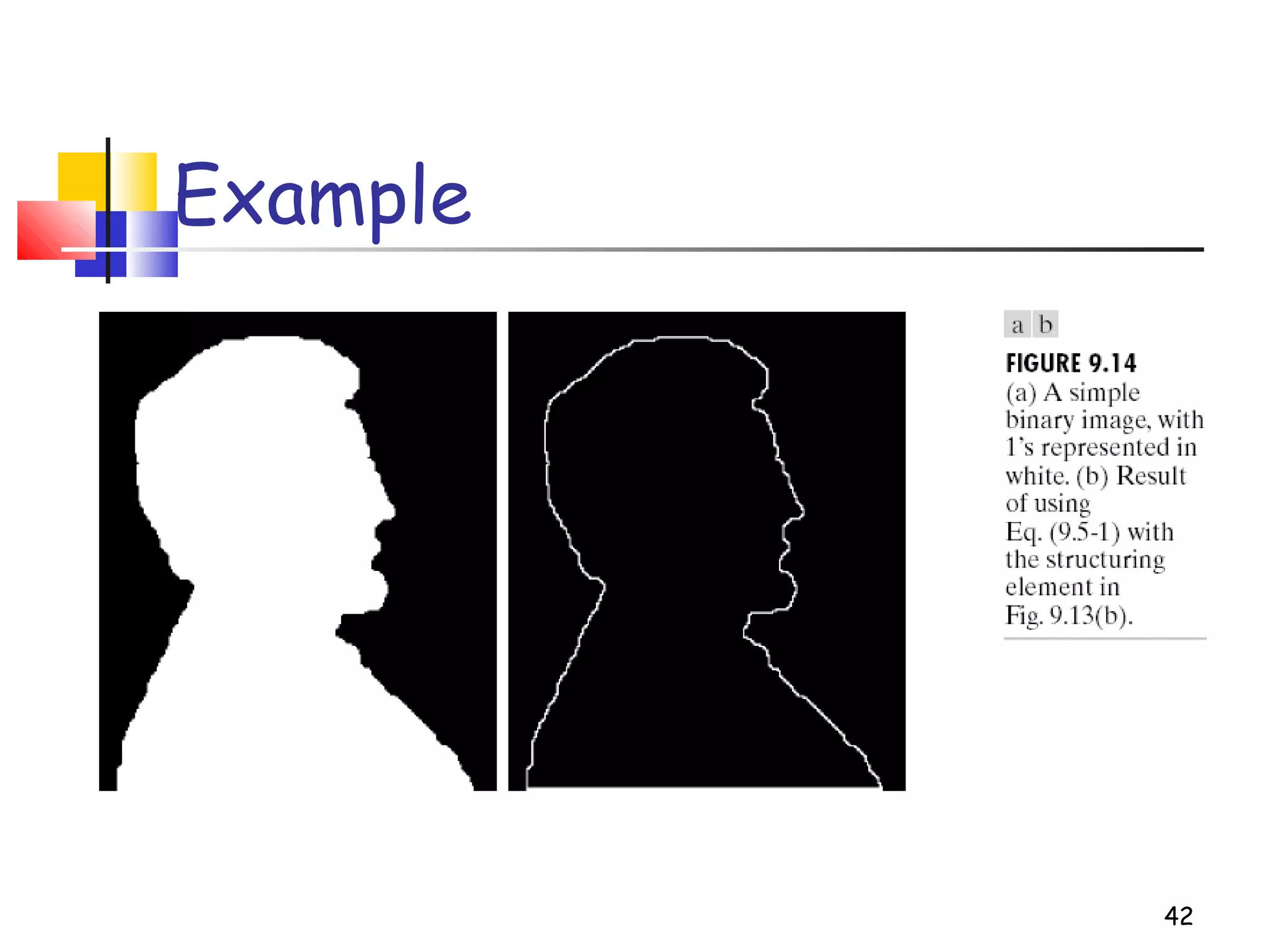
42
Example
43
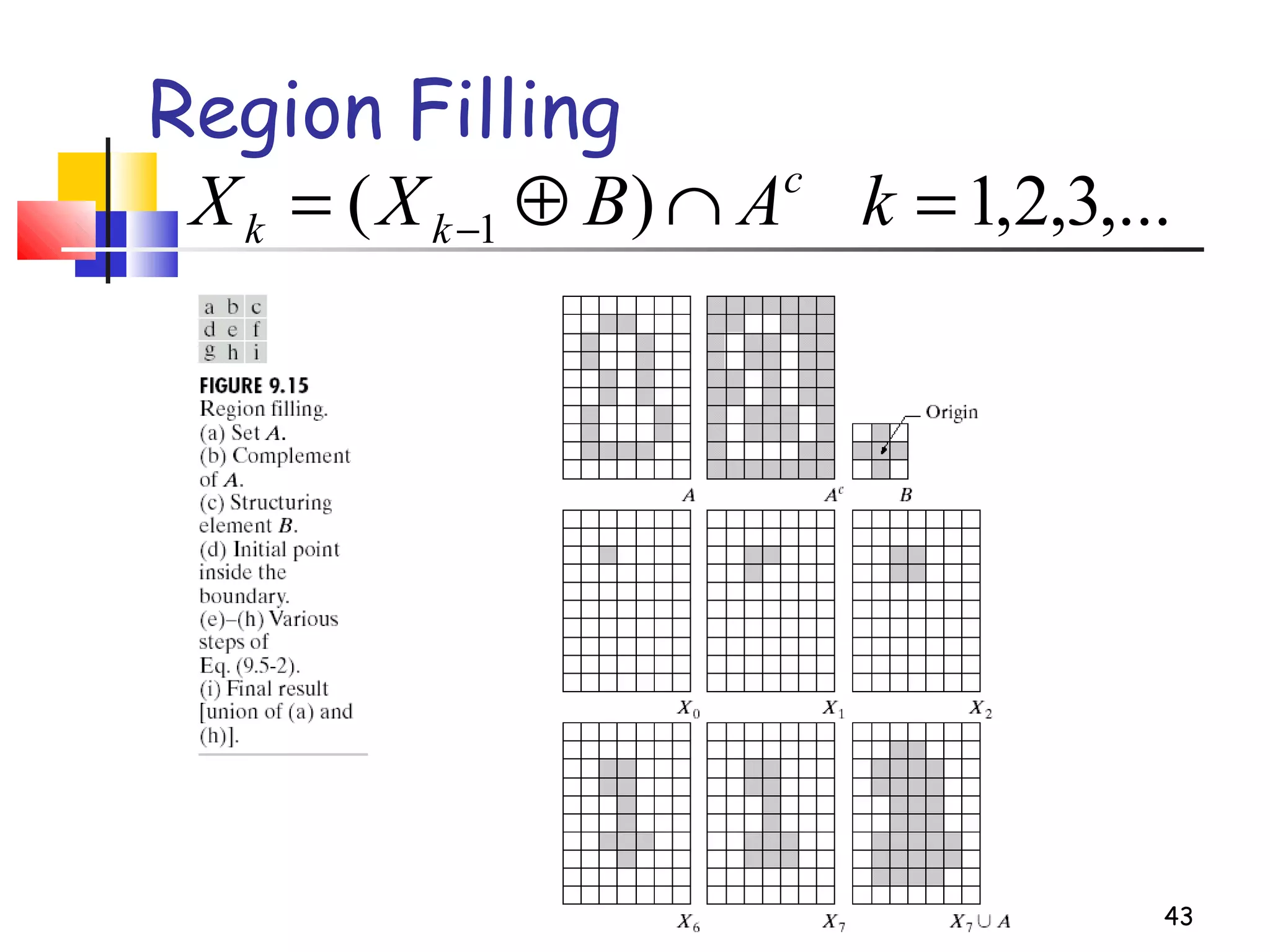
Region Filling
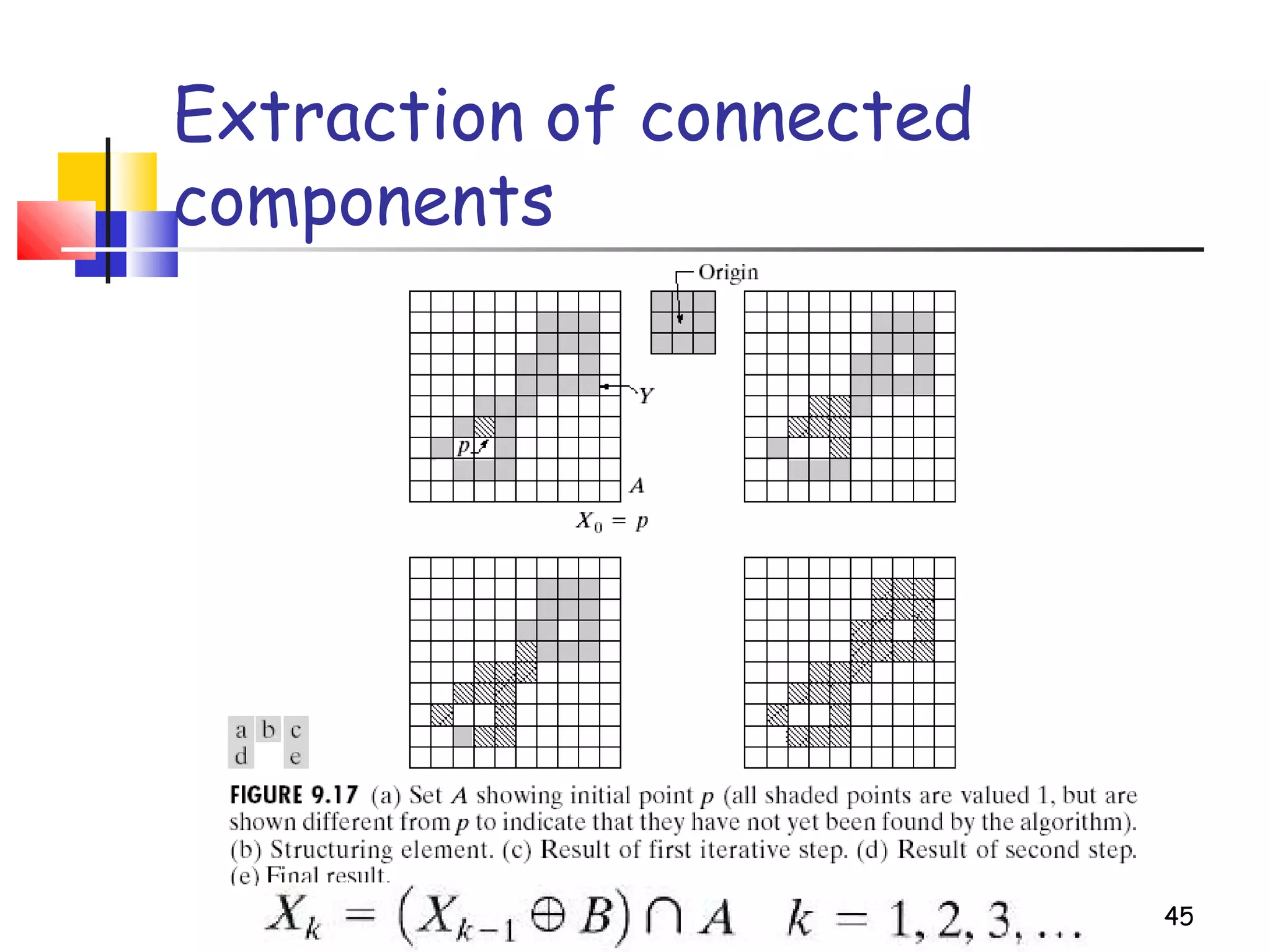
,...3,2,1)( 1 =∩⊕= − kABXX c
kk
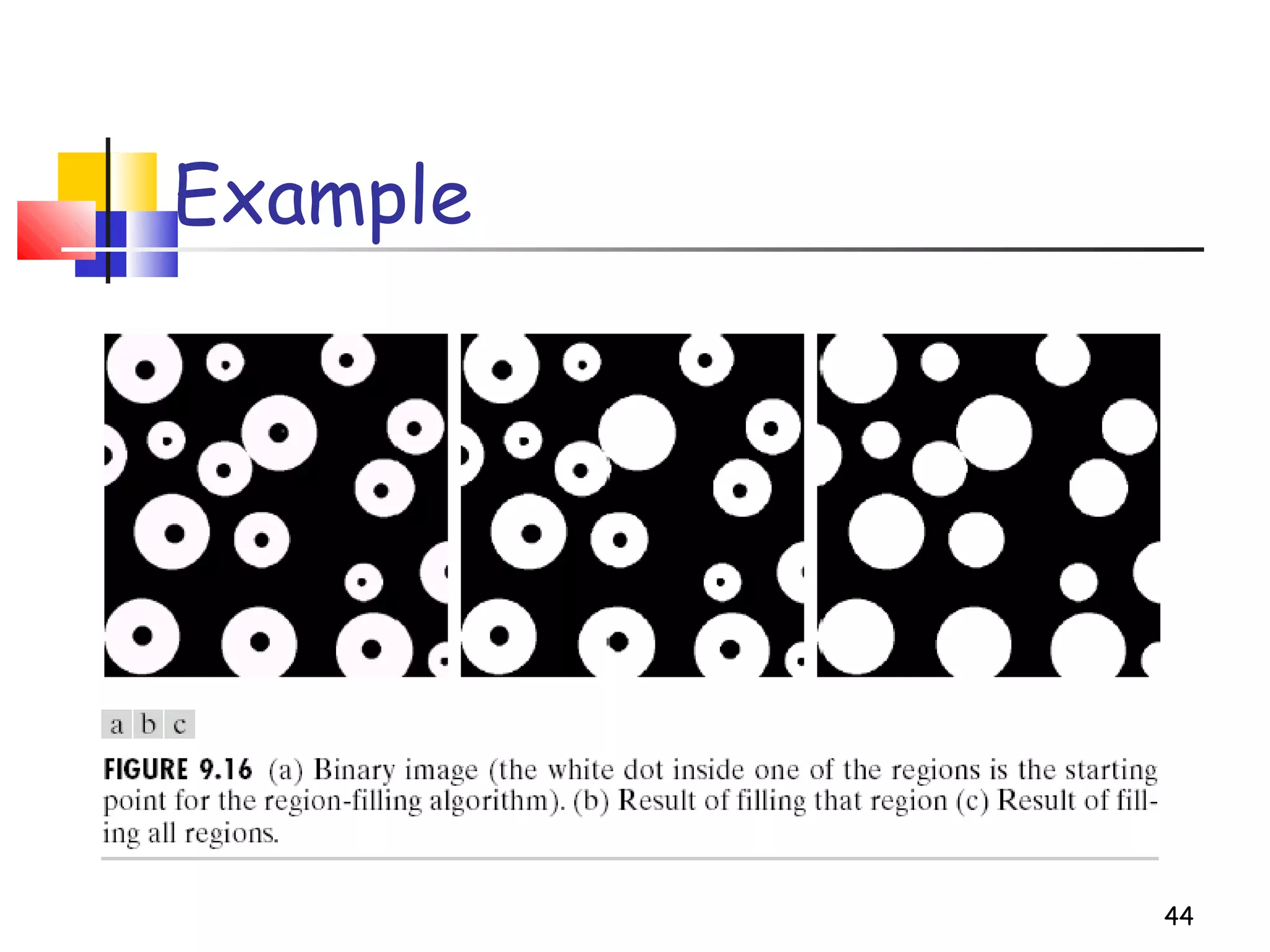
44
Example
45
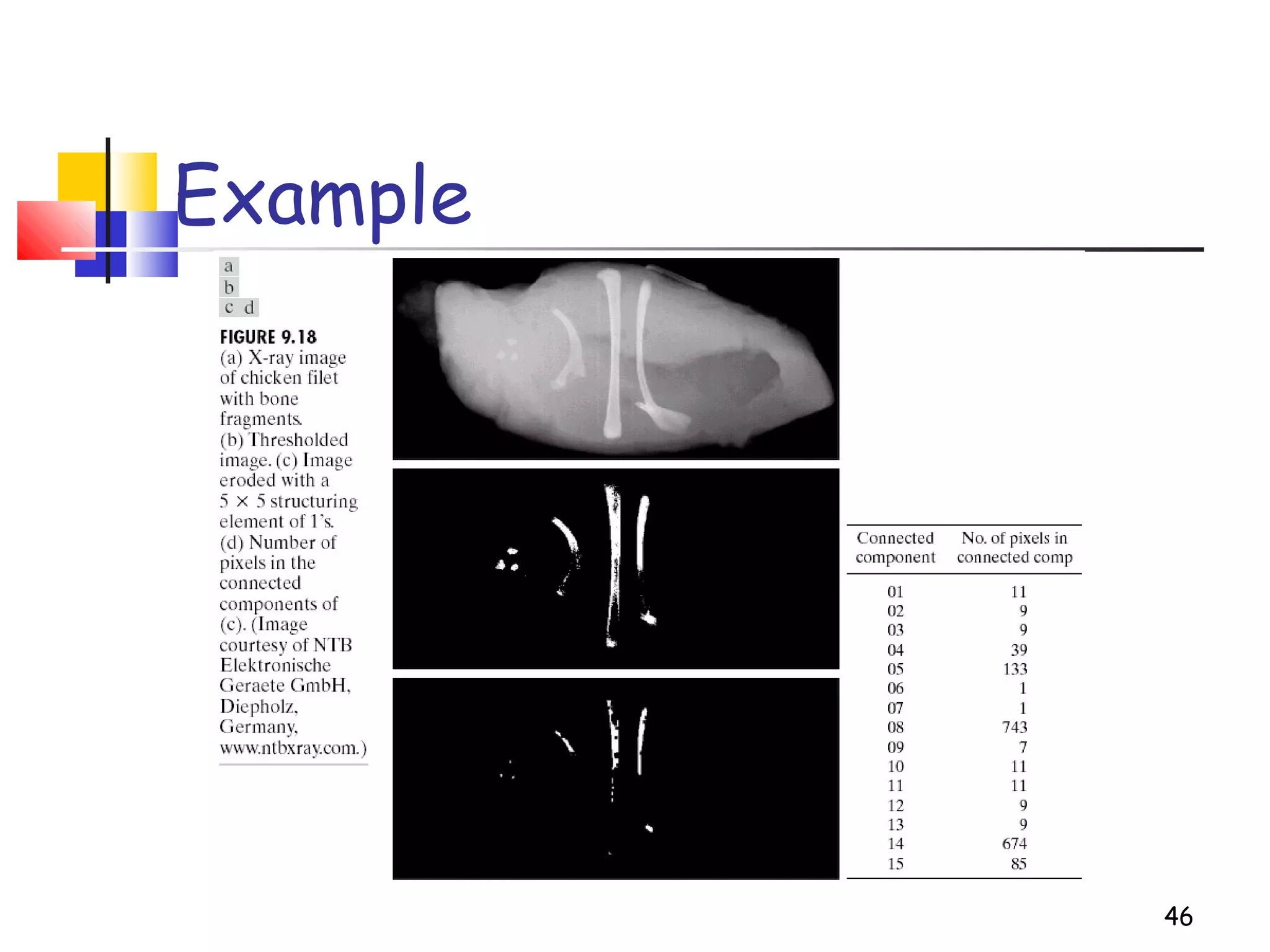
Extraction of connected
components
46
Example
Convex hull
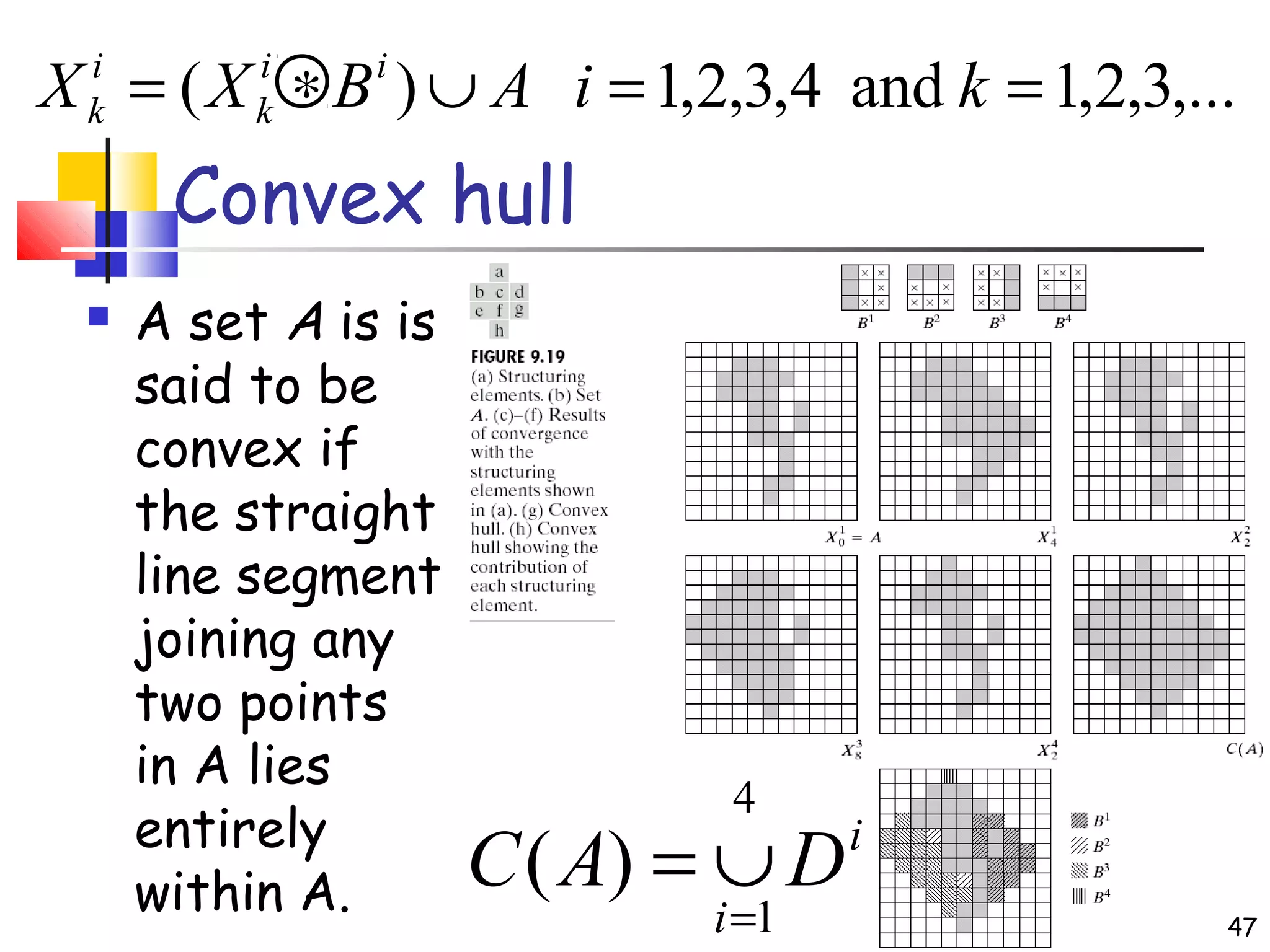
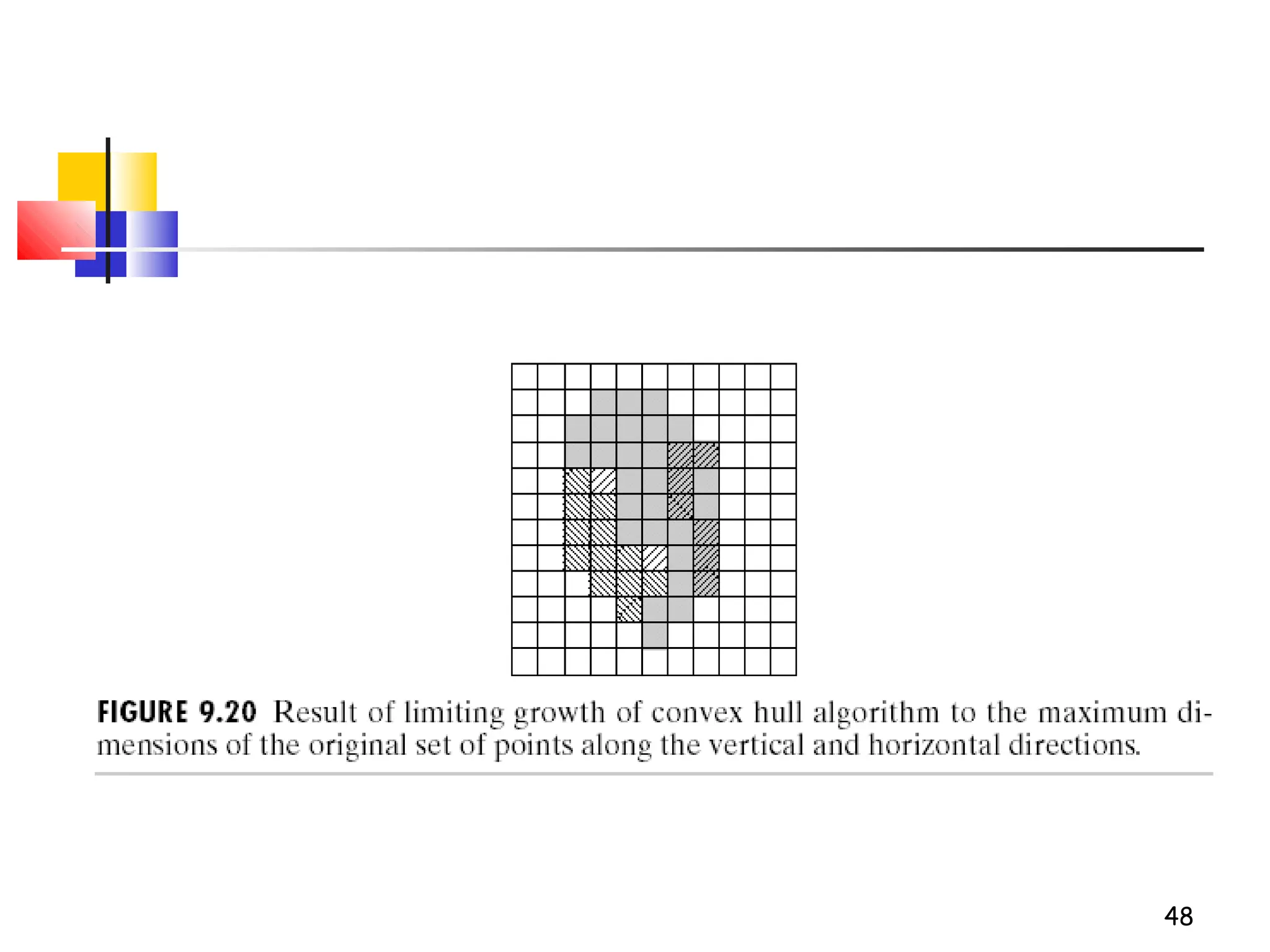
 A set A is is
said to be
convex if
the straight
line segment
joining any
two points
in A lies
entirely
within A.
i
i
DAC
4
1
)(
=
∪=
,...3,2,1and4,3,2,1)( ==∪∗= kiABXX ii
k
i
k
47
48
49
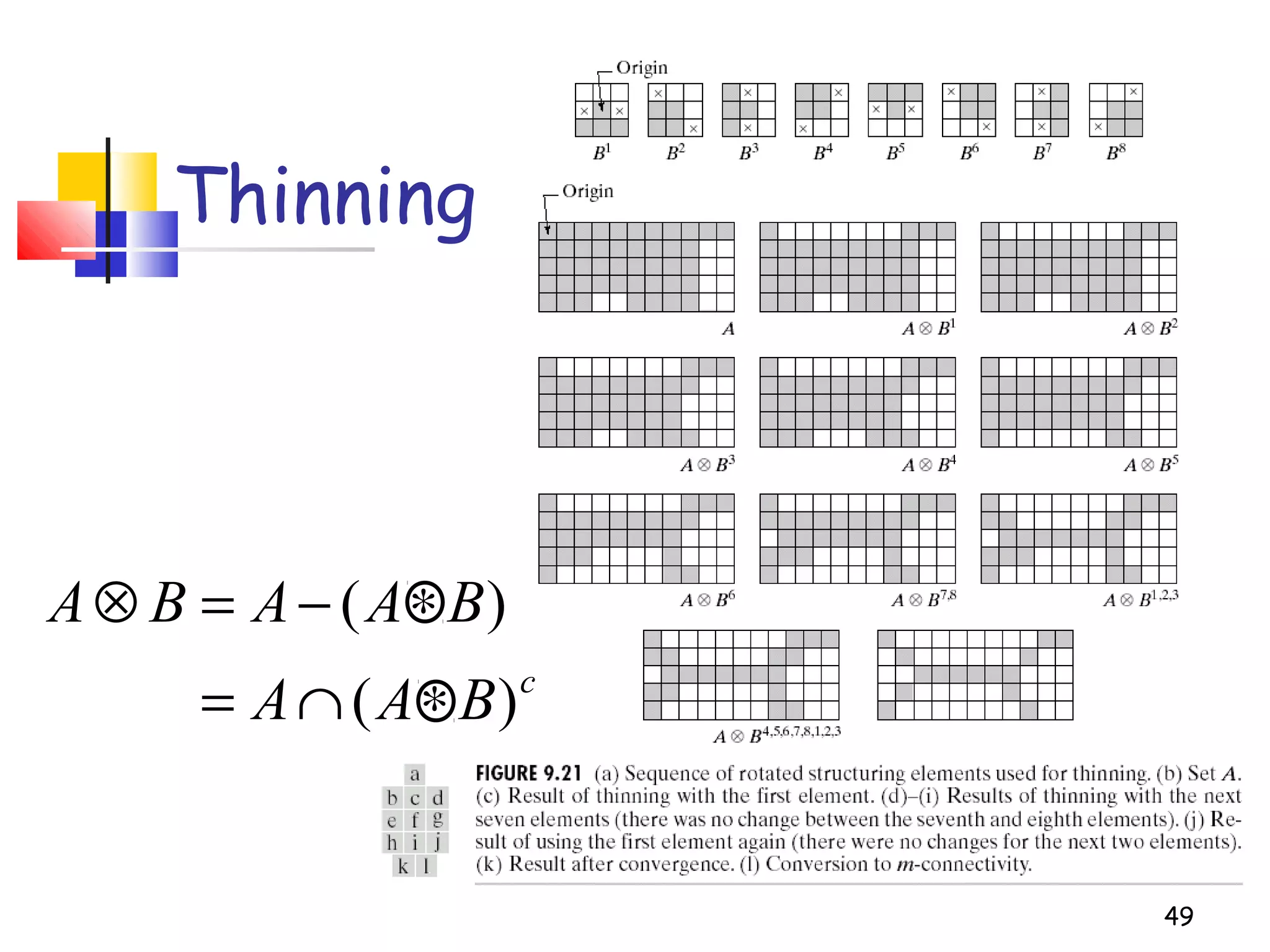
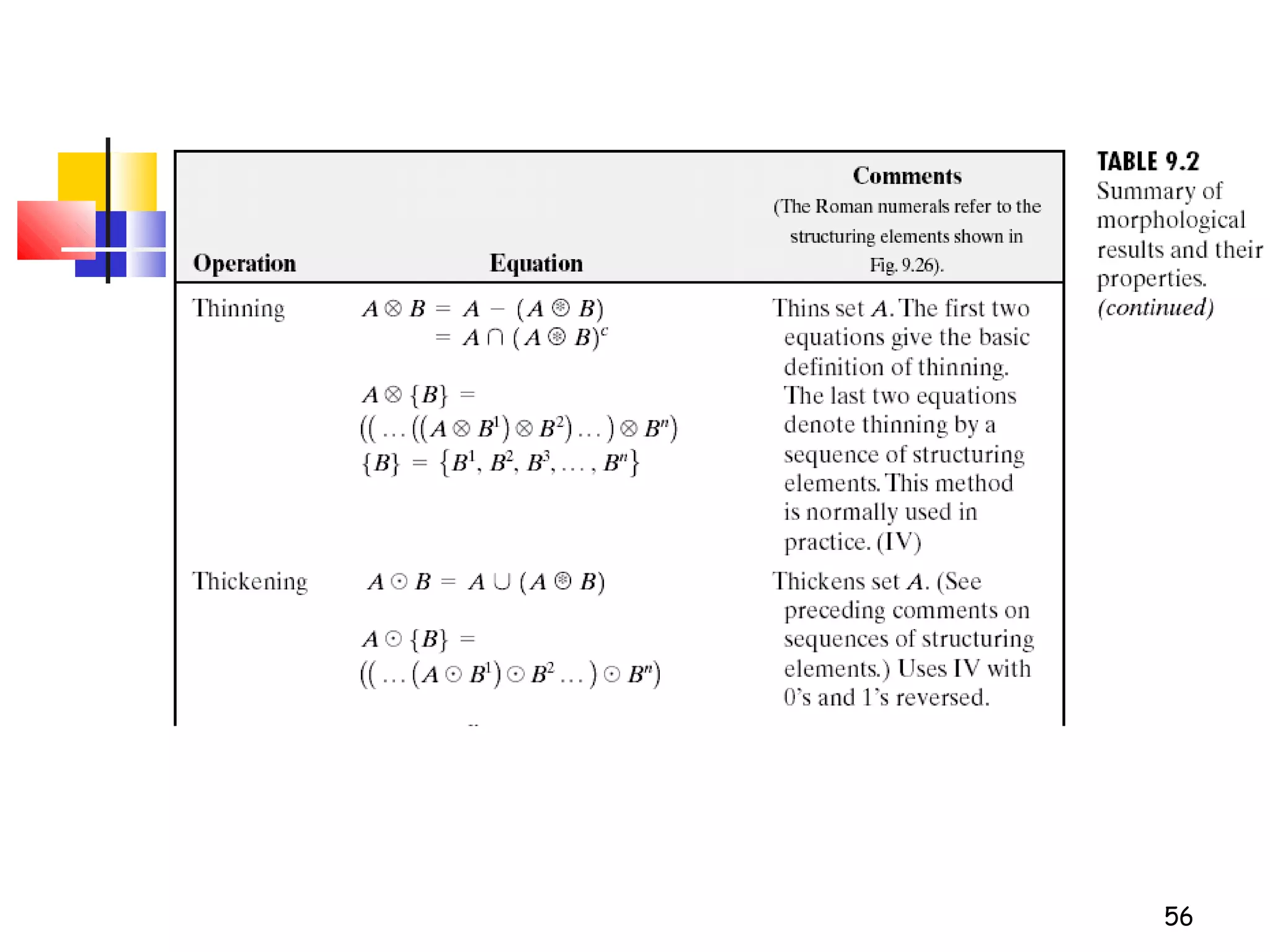
Thinning
c
BAA
BAABA
)(
)(
∗∩=
∗−=⊗
50
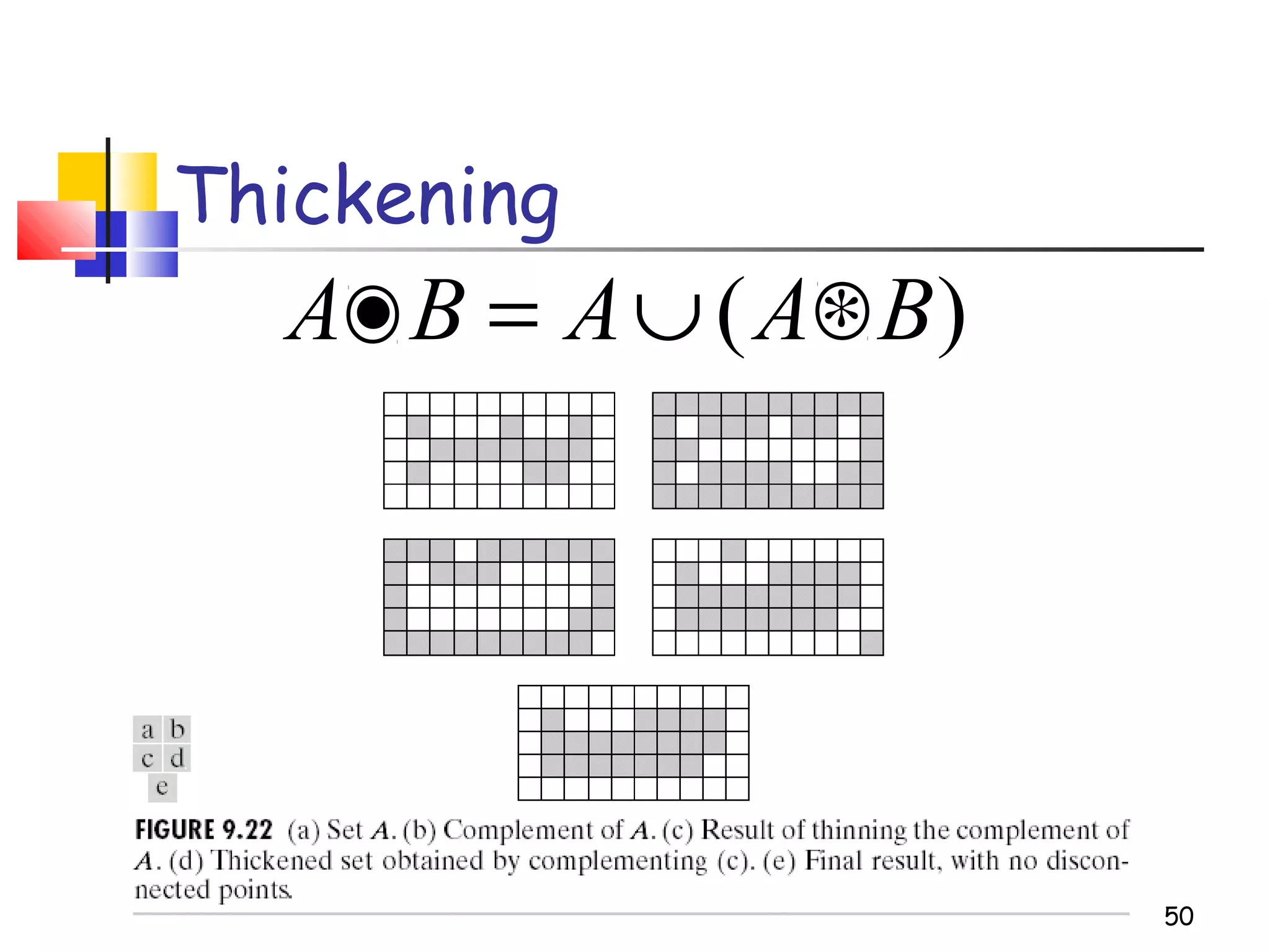
Thickening
)( BAABA ∗∪=•
51
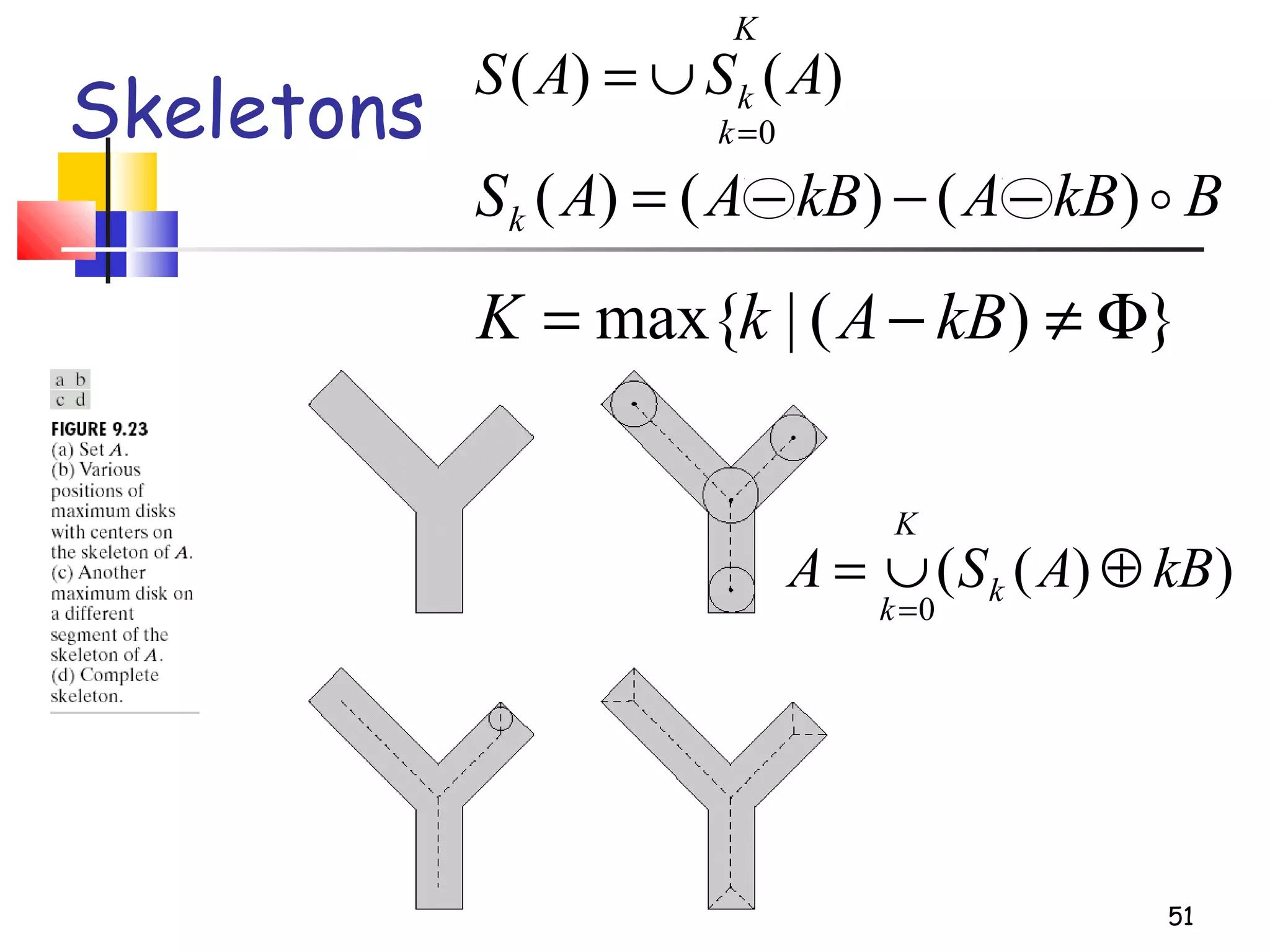
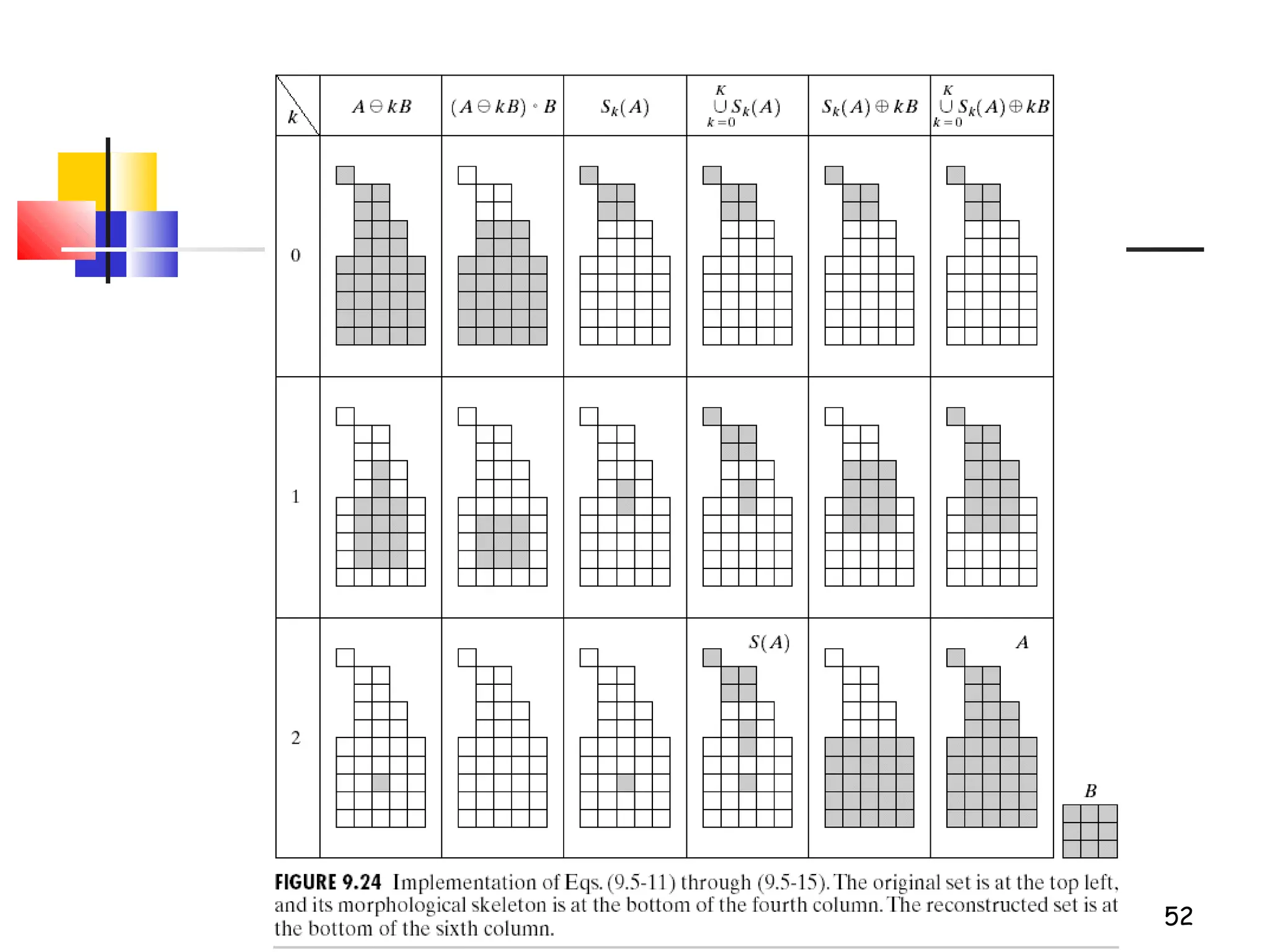
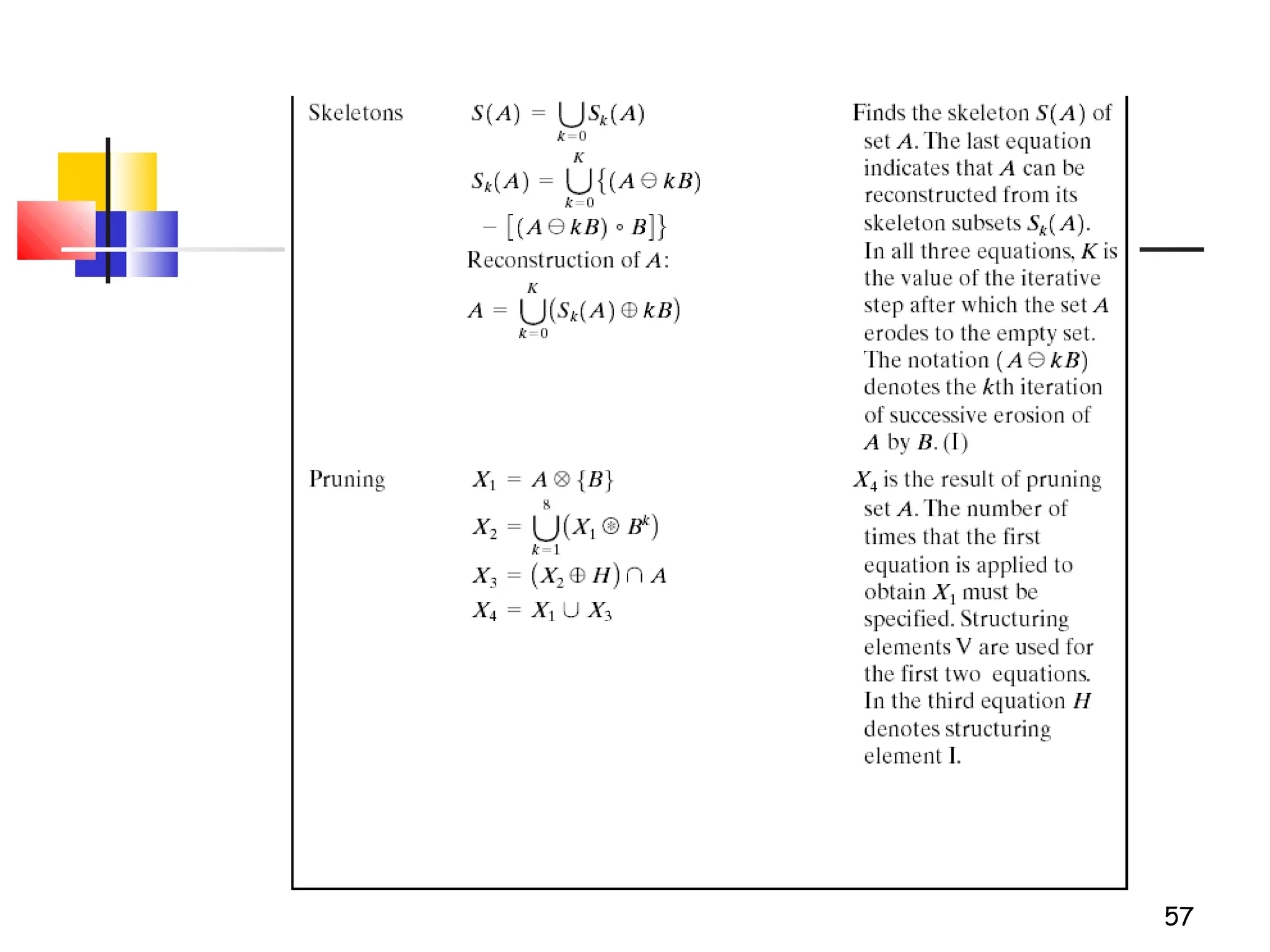
Skeletons
K
k
k ASAS
0
)()(
=
∪=
BkBAkBAASk )()()( −−−=
})(|max{ Φ≠−= kBAkK
))((
0
kBASA k
K
k
⊕∪=
=
52
53
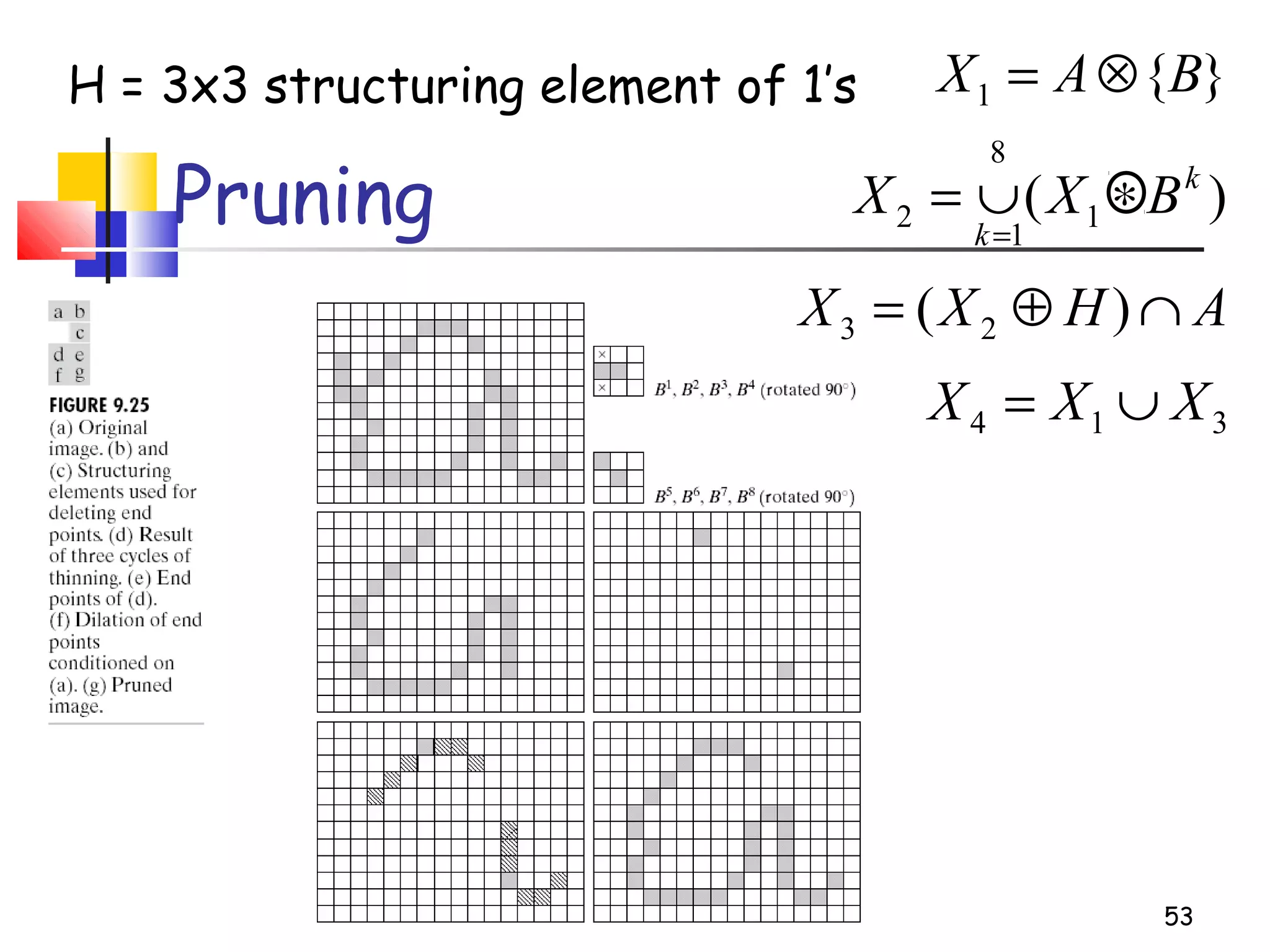
Pruning
}{1 BAX ⊗=
AHXX ∩⊕= )( 23
314 XXX ∪=
H = 3x3 structuring element of 1’s
)( 1
8
1
2
k
k
BXX ∗∪=
=
54
55
56
57
58
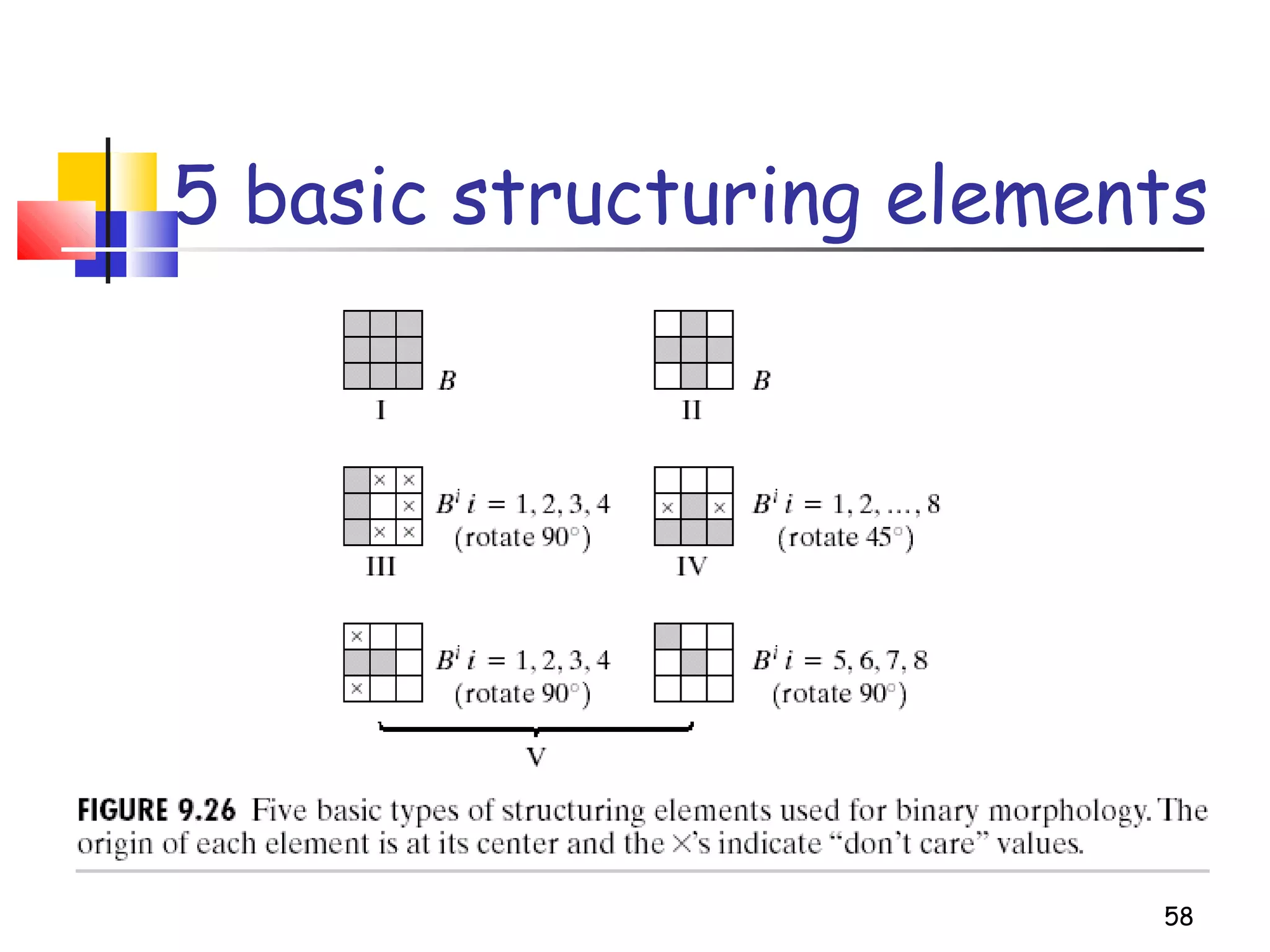
5 basic structuring elements

morphological image processing

Editor's Notes

  • #2 Department of Computer Engineering, CMU