Modern Technical SEO
WILL CRITCHLOW
Best practice says you
should remove all
parameters from your URLs
That kind of
“recommendation” doesn’t
get things done
Jeff Bezos insists on
recommendations written in prose
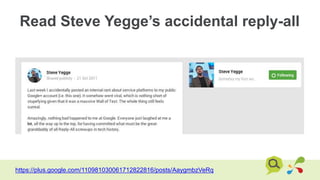
Read Steve Yegge’s accidental reply-all
https://plus.google.com/110981030061712822816/posts/AaygmbzVeRq
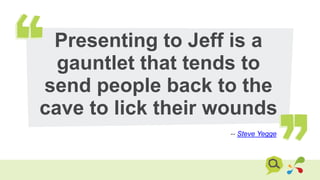
Presenting to Jeff is a
gauntlet that tends to
send people back to the
cave to lick their wounds
-- Steve Yegge
Imagine you’ve done all that
– now be prepared to be
asked “WHY?”
Site speed
You know why you care about speed
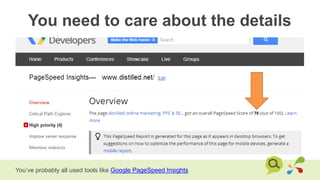
You need to care about the details
You’ve probably all used tools like Google PageSpeed Insights
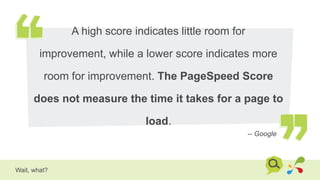
A high score indicates little room for
improvement, while a lower score indicates more
room for improvement. The PageSpeed Score
does not measure the time it takes for a page to
load.
-- Google
Wait, what?
Why?
Checking boxes doesn’t
delight users
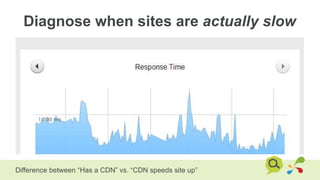
Diagnose when sites are actually slow
Difference between “Has a CDN” vs. “CDN speeds site up”
How?
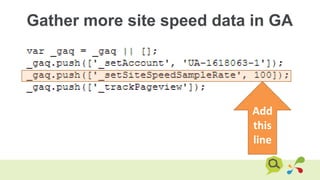
Gather more site speed data in GA
Add
this
line
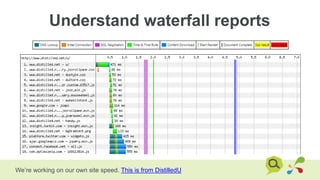
Understand waterfall reports
We’re working on our own site speed. This is from DistilledU
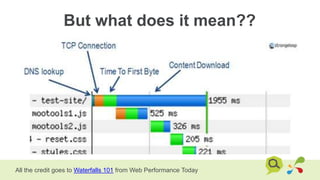
But what does it mean??
All the credit goes to Waterfalls 101 from Web Performance Today
Loads of rows?
Combine assets
(CSS, JS, images)

All the credit goes to Waterfalls 101 from Web Performance Today
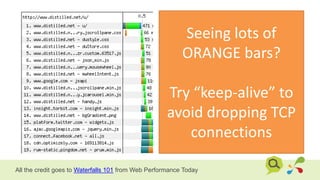
Seeing lots of
ORANGE bars?
Try “keep-alive” to
avoid dropping TCP
connections
All the credit goes to Waterfalls 101 from Web Performance Today
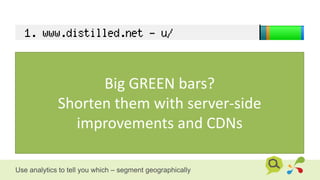
Big GREEN bars?
Shorten them with server-side
improvements and CDNs
Use analytics to tell you which – segment geographically
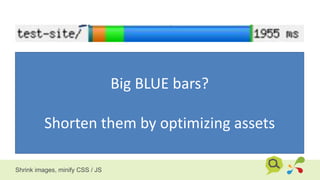
Big BLUE bars?
Shorten them by optimizing assets
Shrink images, minify CSS / JS
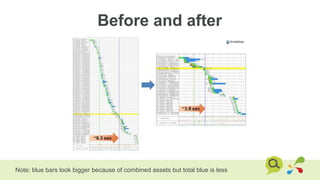
Before and after
Note: blue bars look bigger because of combined assets but total blue is less
SEGWAYSEGUE
Robots.txt
Why?
It’s amazing how often this
gets screwed up
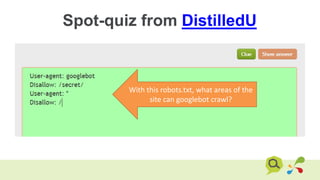
Spot-quiz from DistilledU
With this robots.txt, what areas of the
site can googlebot crawl?
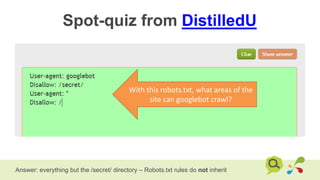
Spot-quiz from DistilledU
Answer: everything but the /secret/ directory – Robots.txt rules do not inherit
With this robots.txt, what areas of the
site can googlebot crawl?
Set alerts for changes to Robots.txt
I use Server Density [disclaimer: we’re investors] – see how here
SEGWAYSEGUE
Mobile and International
have similar technical
challenges
m.
t.
www.
.co.uk
.de
.es
.fr
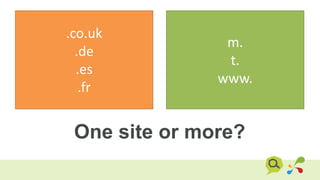
One site or more?
Sets of
international
sites group
with hreflang
.co.uk
.de
.es
.fr
HREFLANG
Sets of mobile
sites group
with alternate
m.
t.
www.
ALTERNATE
rel=alternate
Why?
Declare a canonical page
and a mobile version
Do a search
like this on
the mobile
When you
click
through, you
end up on
the mobile
version
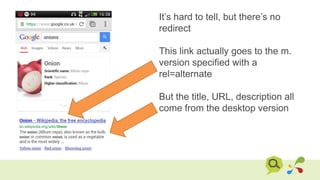
It’s hard to tell, but there’s no
redirect
This link actually goes to the m.
version specified with a
rel=alternate
But the title, URL, description all
come from the desktop version
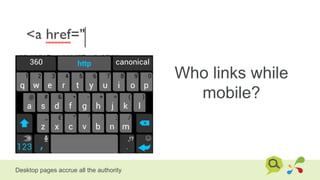
Who links while
mobile?
Desktop pages accrue all the authority
Check all of this with Chrome mobile
emulation
Settings  Developer Tools  cog (bottom right)  Overrides
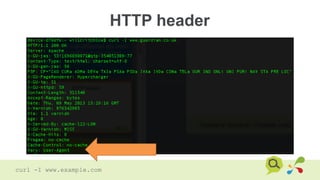
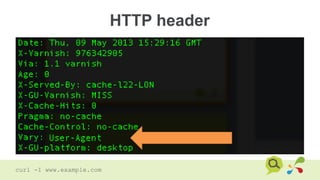
“Vary” header
Why?
Change your page based on
user-agent without worrying
about cloaking
RESS – REsponsive with Server Side
HTTP header
curl -I www.example.com
HTTP header
curl -I www.example.com
Modern meta information
Why?
Control how your pages
look when shared
Do better than this kind of share
Actually, I checked and WSJ does have og: tags – specifying that image so maybe it’s
deliberate branding
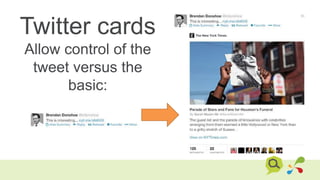
Twitter cards
Allow control of the
tweet versus the
basic:
Twitter cards
Allow control of the
tweet versus the
basic:
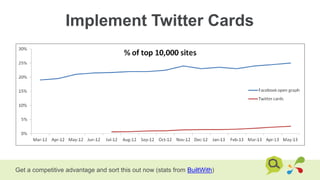
Implement Twitter Cards
Get a competitive advantage and sort this out now (stats from BuiltWith)
SEGWAYSEGUE
JavaScript
Why?
The days of “googlebot
can’t execute JS so I don’t
need to understand it” are
gone
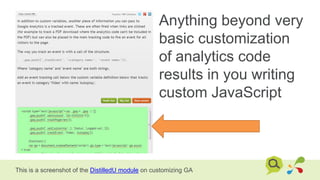
Anything beyond very
basic customization
of analytics code
results in you writing
custom JavaScript
This is a screenshot of the DistilledU module on customizing GA
Sidenote: not all Google Analytics
has to be JavaScript-based
We were toying with pushing Googlebot visits to GA via a server-side call
You can also use a GET request by constructing URLs like this:
http://www.google-analytics.com/collect?v=1&tid=UA-
1618063-1&cid=122303&t=pageview&dp=%2FTest-
Page&dt=Hi%20I'm%20the%20Googlebot&dh=distilled.net&cd
1*=192.168.1.1&cs=googlebot
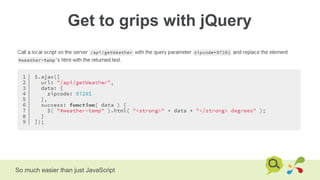
Get to grips with jQuery
So much easier than just JavaScript
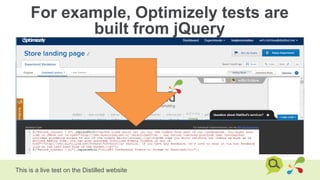
For example, Optimizely tests are
built from jQuery
This is a live test on the Distilled website
Luckily, learning is easier
than ever
Debugging
Chrome ships with some powerful debugging tools
CTRL+SHIFT+J
But alert() and console.log() are
your friends
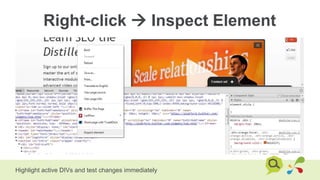
Right-click  Inspect Element
Highlight active DIVs and test changes immediately
You can even edit pages here to
mock things up
Obviously there are more useful things to do with this super power
AJAX and PushState
These buttons switch stories
URL
changed
without
the page
reloading
Content
changed
via AJAX
It can be hard for JS and server to
work together
Node.js on the server?
Why?
You’re going to recommend
it or encounter it in a site
audit
And, incidentally, you
should – it’s great to
separate content from
presentation
How do you audit AJAX?
URLs load content
Spot-check with a browser + disabled js. Test with a crawler
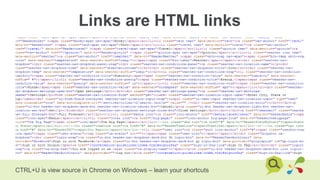
Links are HTML links
CTRL+U is view source in Chrome on Windows – learn your shortcuts
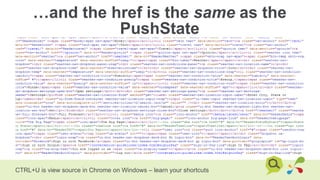
…and the href is the same as the
PushState
CTRL+U is view source in Chrome on Windows – learn your shortcuts
For an idea of the
complexity…
Here’s an example of a beautiful site
Fast CoEXIST
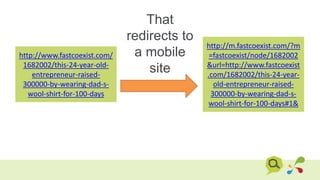
That
redirects to
a mobile
site
http://www.fastcoexist.com/
1682002/this-24-year-old-
entrepreneur-raised-
300000-by-wearing-dad-s-
wool-shirt-for-100-days
http://m.fastcoexist.com/?m
=fastcoexist/node/1682002
&url=http://www.fastcoexist
.com/1682002/this-24-year-
old-entrepreneur-raised-
300000-by-wearing-dad-s-
wool-shirt-for-100-days#1&
That loads
content via
AJAX
Empty
HTML

Infinite Scroll
This is what a mashable
page looks like when you
load it
When you keep scrolling more
loads under your mouse
When you keep scrolling more
loads under your mouse
Why?
You’re going to encounter it
in a site audit
How do you audit infinite
scroll?
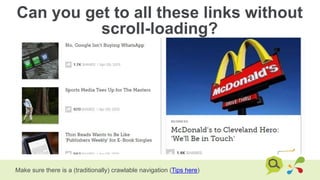
Can you get to all these links without
scroll-loading?
Make sure there is a (traditionally) crawlable navigation (Tips here)
Can you see all the important
content without the scroll-loading?
Or at least check that it’s getting indexed
The state of
JavaScript indexation
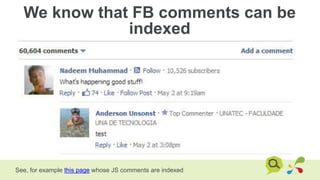
We know that FB comments can be
indexed
See, for example this page whose JS comments are indexed
Is it worth it though?
TechCrunch admits that
using Facebook comments
drove away most of their
commenters
-- techdirt [original TC article]
We have seen a few mis-steps from FB on the comment front
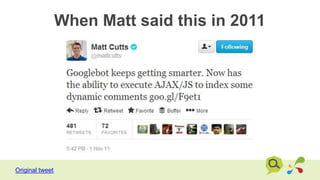
When Matt said this in 2011
Original tweet
This gives Google …the ability to
read comments in AJAX or
JavaScript, such as Facebook
comments or Disqus comments
-- SearchEngineLand [emphasis mine]
Much of the coverage was similar to this
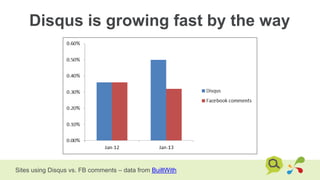
Disqus is growing fast by the way
Sites using Disqus vs. FB comments – data from BuiltWith
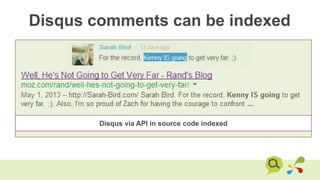
Disqus comments can be indexed
Disqus via API in source code indexed
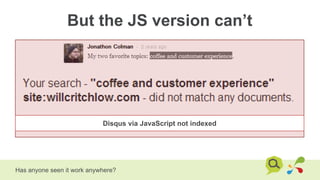
But the JS version can’t
Has anyone seen it work anywhere?
Disqus via JavaScript not indexed
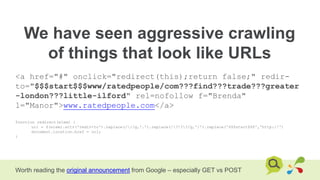
We have seen aggressive crawling
of things that look like URLs
<a href="#" onclick="redirect(this);return false;" redir-
to="$$$start$$$www/ratedpeople/com???find???trade???greater
-london???little-ilford" rel=nofollow f="Brenda"
l="Manor">www.ratedpeople.com</a>
function redirect(elem) {
url = $(elem).attr('redir-to').replace(///g,'.').replace(/???/g,'/').replace('$$$start$$$','http://')
document.location.href = url;
}
Worth reading the original announcement from Google – especially GET vs POST
It doesn’t look like arbitrary
JavaScript execution
I would always specify that
all content and all links can
be found without JavaScript
When you’re specifying
something, you can be as prescriptive
as you like
When you are auditing, you should be
more cautious of the cost of changes
If an audit shows content
being pulled in via JS
but it’s getting indexed
I’d leave well enough alone
If links are only accessible
via JS, I would suggest
fixing that even if pages are
being discovered
Go write technical recommendations
like you’re presenting to this guy
Thanks.
Any questions?
WILL CRITCHLOW
will.critchlow@distilled.net
@willcritchlow
Image credits:
http://kilocopter.deviantart.com/art/Birthday-Unicorns-166578859
http://www.flickr.com/photos/dachis/5536760790/
http://www.flickr.com/photos/matthigh/3687338082/
http://www.flickr.com/photos/dudaphoto/5582847355/
http://www.flickr.com/photos/jurvetson/5129303018/

SearchLove Boston 2013_Will Critchlow_Technical SEO

Editor's Notes

  • #2 I know what you’re thinking