CONFIDENTIAL
© Copyright 2014. Aruba Networks, Inc. All rights
reserved
Access Management with Aruba ClearPass
Seth Fiermonti
June 2014
CONFIDENTIAL © Copyright 2014. Aruba Networks, Inc. All rights reserved
Agenda
• Introductions & Expectations
• What is ClearPass
• ClearPass – Policy Model
• Authorization – What and Why
• Profile – How does it work
• Clustering & Deployment
• Q & A
ClearPass Overview
CONFIDENTIAL © Copyright 2014. Aruba Networks, Inc. All rights reserved
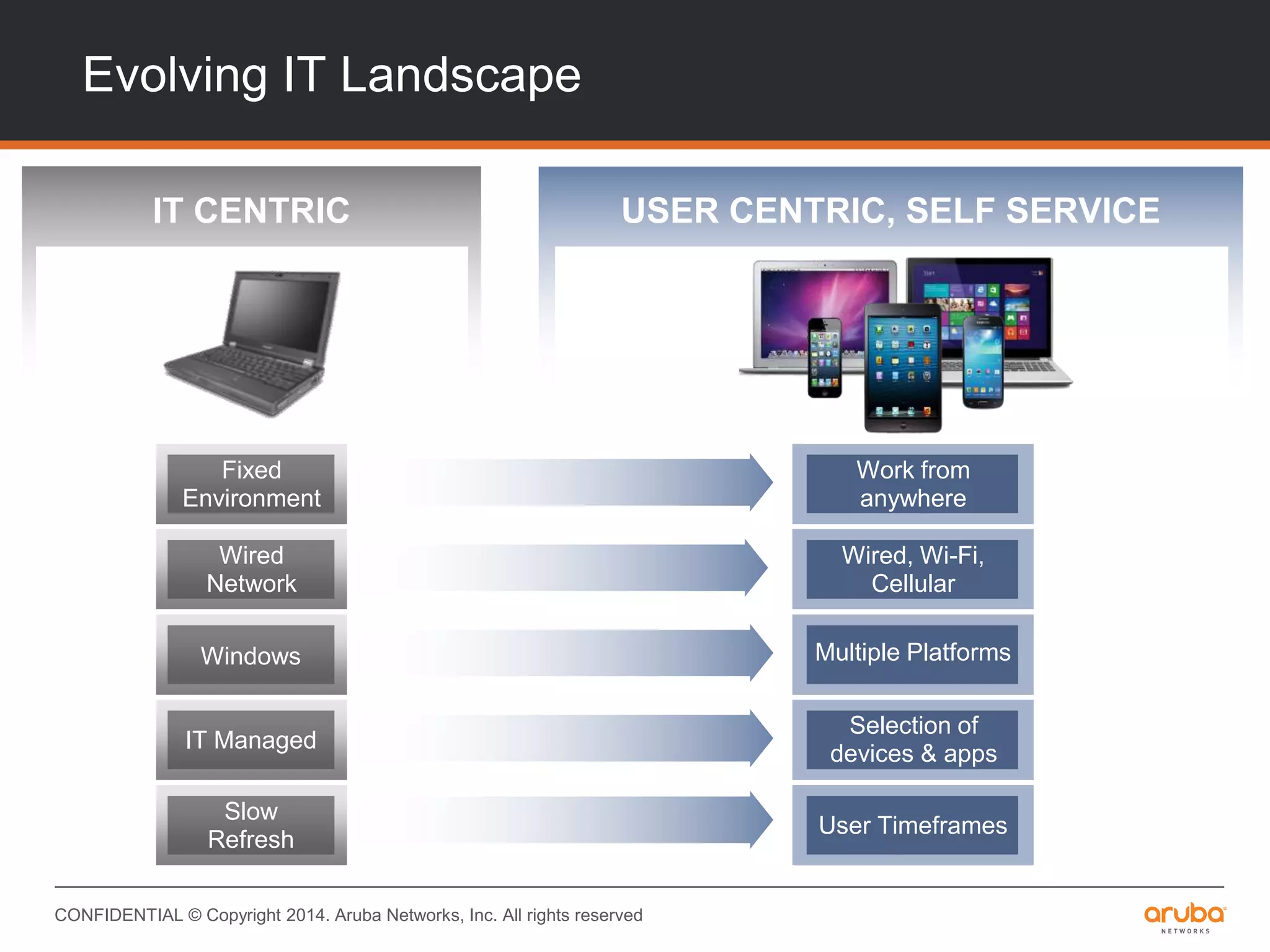
Evolving IT Landscape
USER CENTRIC, SELF SERVICEIT CENTRIC
Windows
Fixed
Environment
Wired
Network
IT Managed
Slow
Refresh
Multiple Platforms
Work from
anywhere
Wired, Wi-Fi,
Cellular
Selection of
devices & apps
User Timeframes
CONFIDENTIAL © Copyright 2014. Aruba Networks, Inc. All rights reserved
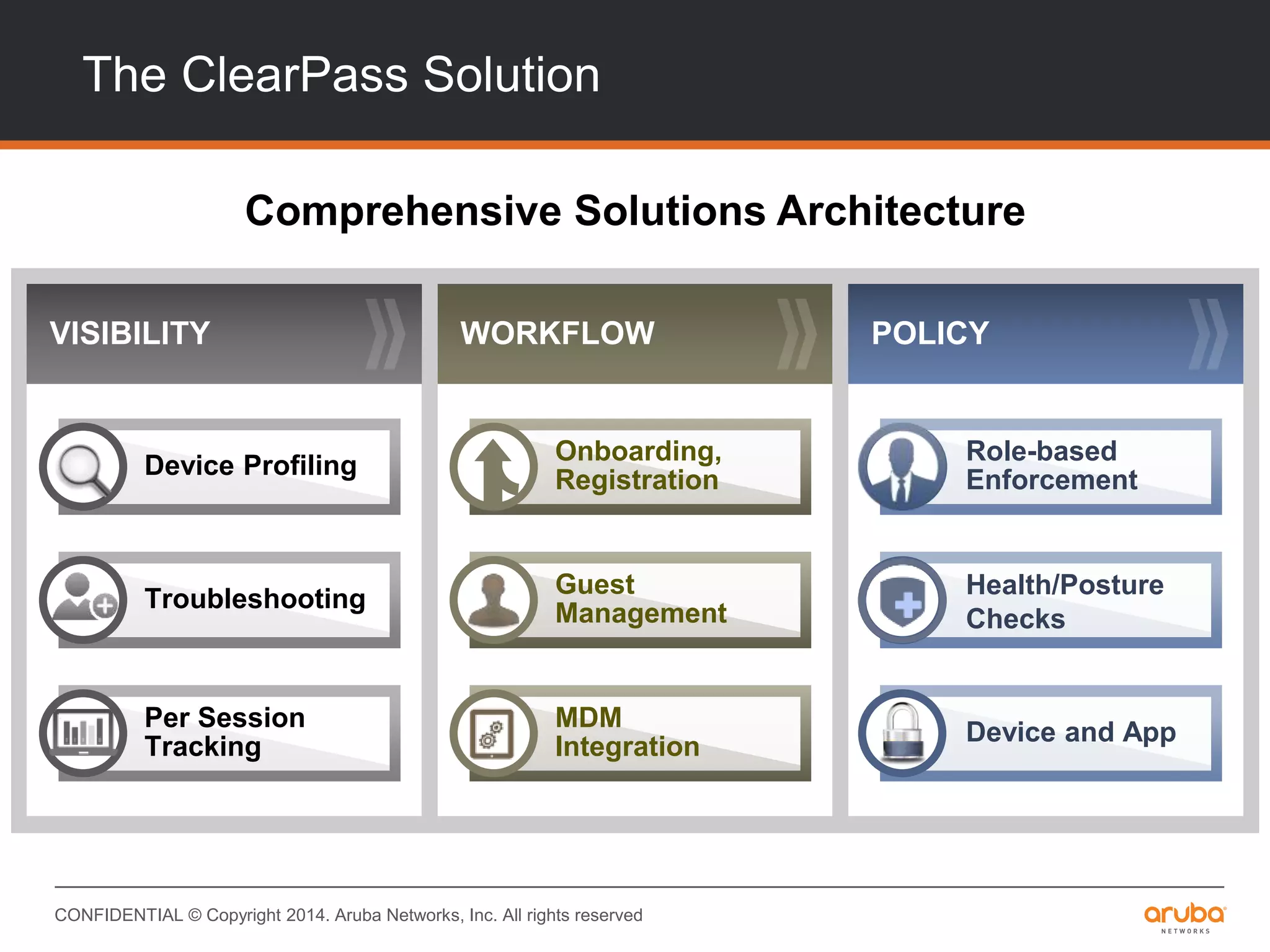
The ClearPass Solution
Comprehensive Solutions Architecture
WORKFLOW POLICYVISIBILITY
Role-based
Enforcement
Health/Posture
Checks
Device and App
Device Profiling
Troubleshooting
Per Session
Tracking
Onboarding,
Registration
Guest
Management
MDM
Integration
CONFIDENTIAL © Copyright 2014. Aruba Networks, Inc. All rights reserved
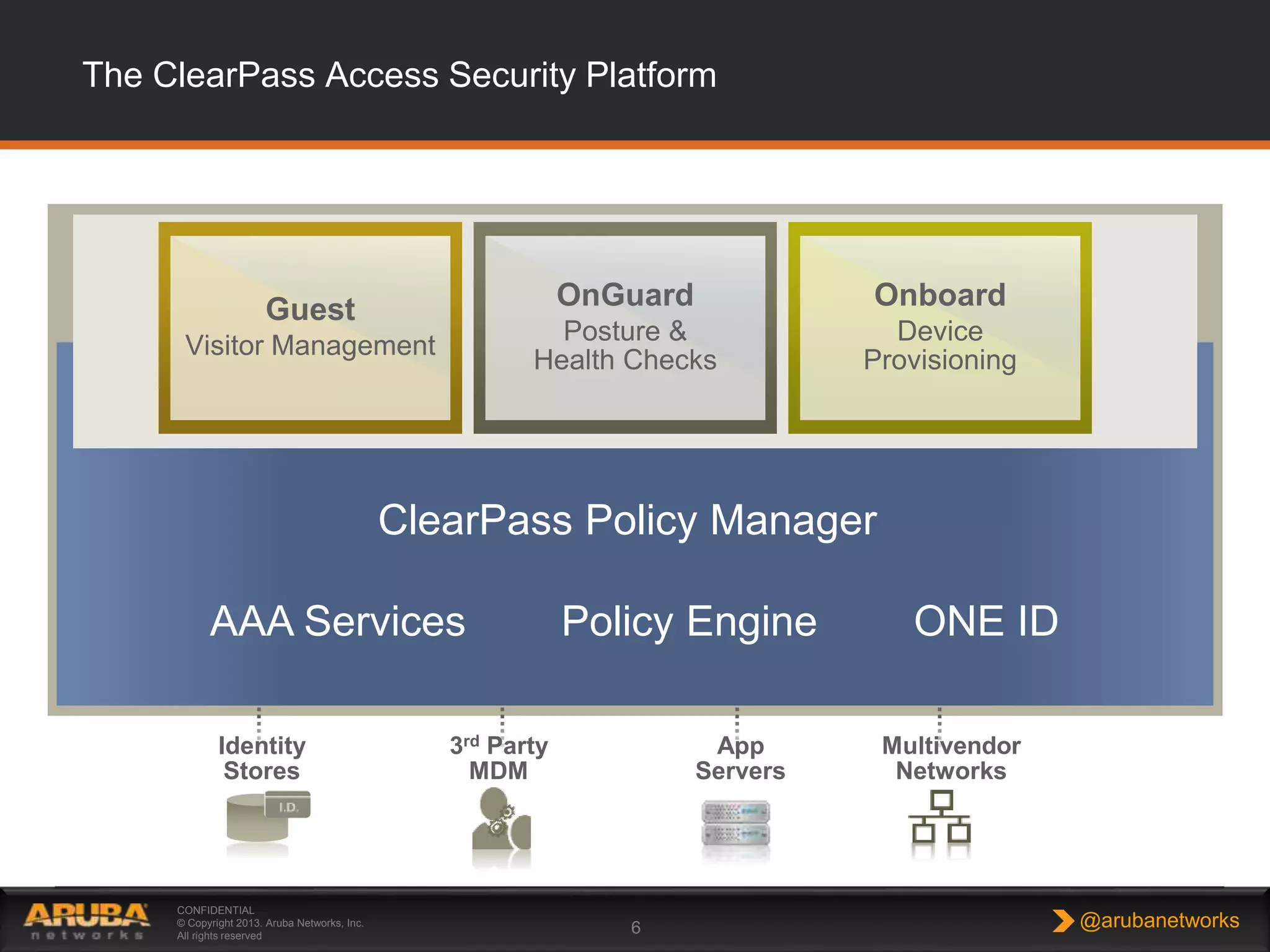
The ClearPass Access Security Platform
CONFIDENTIAL
© Copyright 2013. Aruba Networks, Inc.
All rights reserved
6 @arubanetworks
Policy Services
Identity
Stores
3rd Party
MDM
App
Servers
DIFFERENTIATED
ACCESS
UNIFIED
POLICIES
DEVICE
VISIBILITY
GUEST EMPLOYEE
POLICY SERVICES
ENTERPRISE-CLASS AAA
RADIUS, TACACS+
VPN
OnGuard
Posture &
Health Checks
Onboard
Device
Provisioning
Guest
Visitor Management
Multivendor
Networks
ClearPass Policy Manager
AAA Services ONE IDPolicy Engine
CONFIDENTIAL © Copyright 2014. Aruba Networks, Inc. All rights reserved
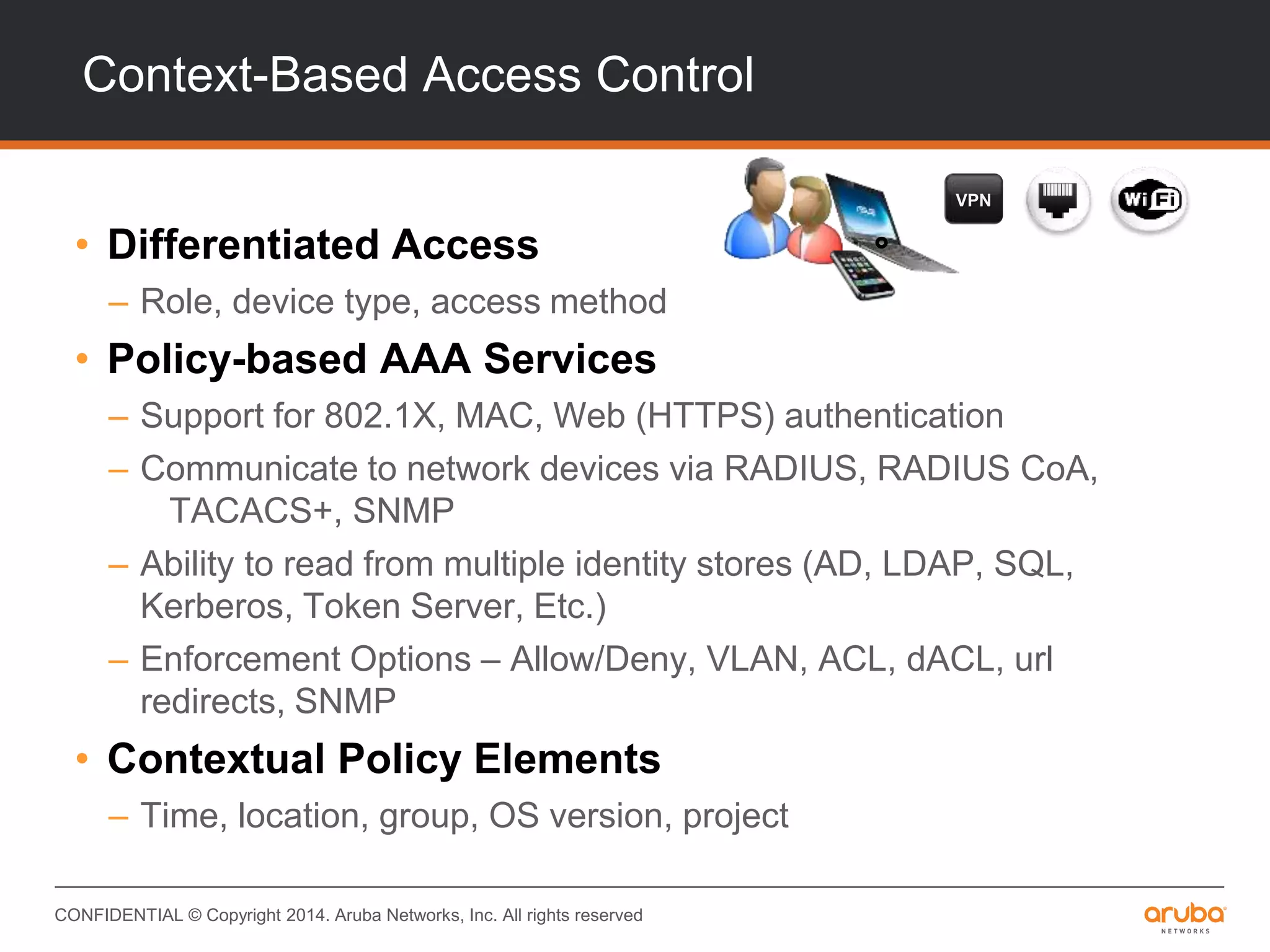
Context-Based Access Control
• Differentiated Access
– Role, device type, access method
• Policy-based AAA Services
– Support for 802.1X, MAC, Web (HTTPS) authentication
– Communicate to network devices via RADIUS, RADIUS CoA,
TACACS+, SNMP
– Ability to read from multiple identity stores (AD, LDAP, SQL,
Kerberos, Token Server, Etc.)
– Enforcement Options – Allow/Deny, VLAN, ACL, dACL, url
redirects, SNMP
• Contextual Policy Elements
– Time, location, group, OS version, project
VPN
CONFIDENTIAL © Copyright 2014. Aruba Networks, Inc. All rights reserved
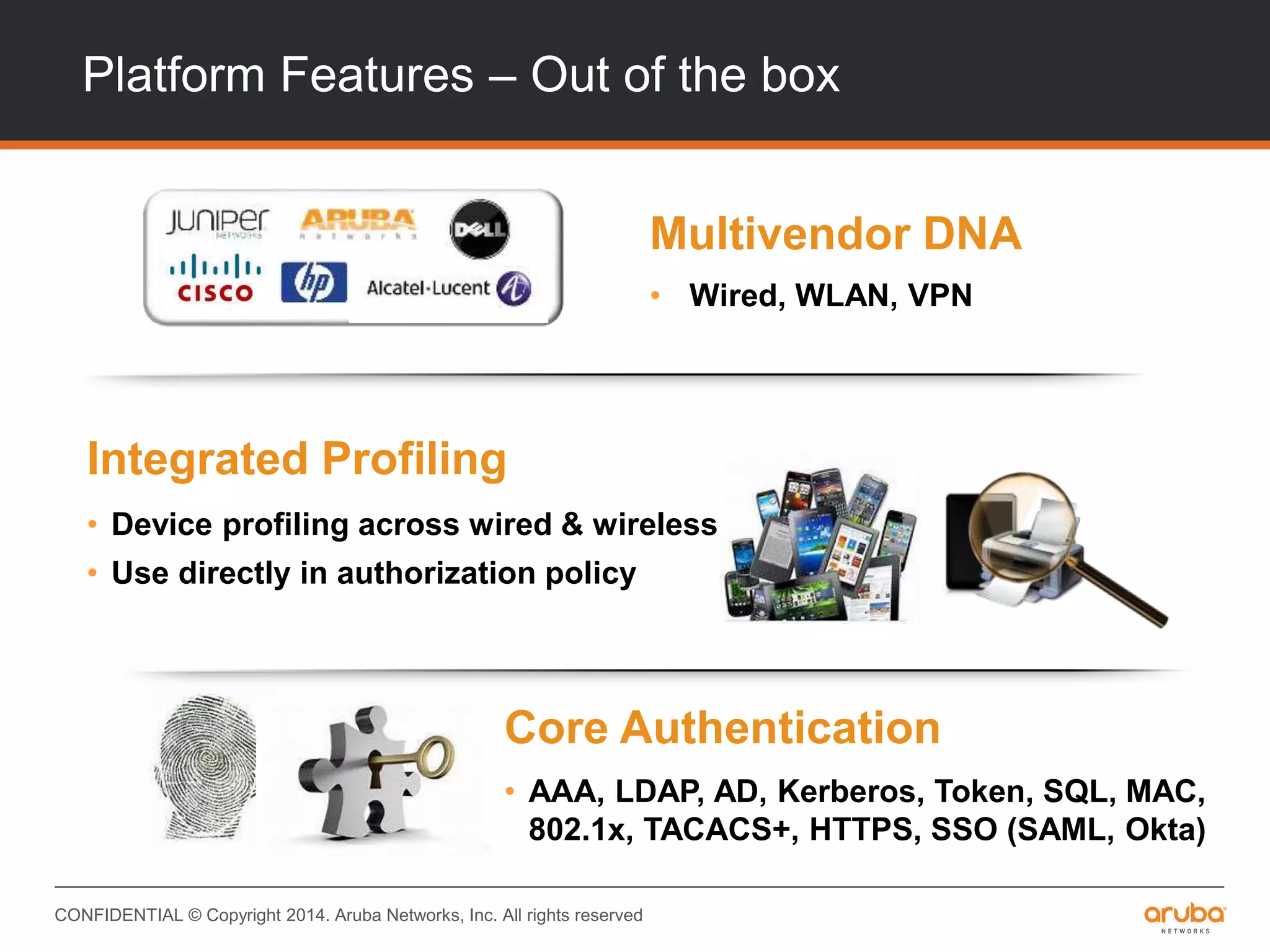
Platform Features – Out of the box
Multivendor DNA
• Wired, WLAN, VPN
Core Authentication
• AAA, LDAP, AD, Kerberos, Token, SQL, MAC,
802.1x, TACACS+, HTTPS, SSO (SAML, Okta)
Integrated Profiling
• Device profiling across wired & wireless
• Use directly in authorization policy
CONFIDENTIAL © Copyright 2014. Aruba Networks, Inc. All rights reserved
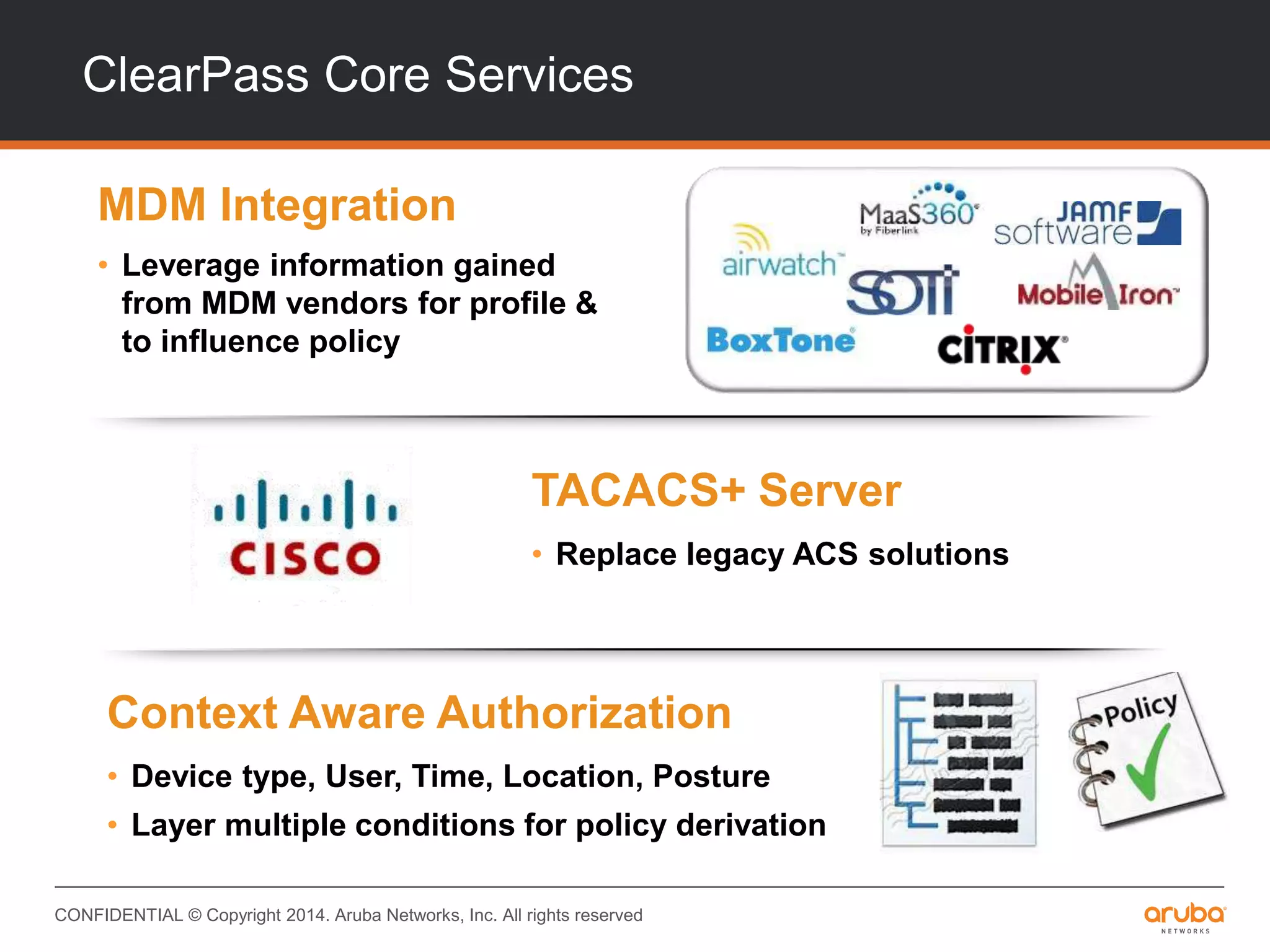
ClearPass Core Services
MDM Integration
• Leverage information gained
from MDM vendors for profile &
to influence policy
TACACS+ Server
• Replace legacy ACS solutions
Context Aware Authorization
• Device type, User, Time, Location, Posture
• Layer multiple conditions for policy derivation
CONFIDENTIAL © Copyright 2014. Aruba Networks, Inc. All rights reserved
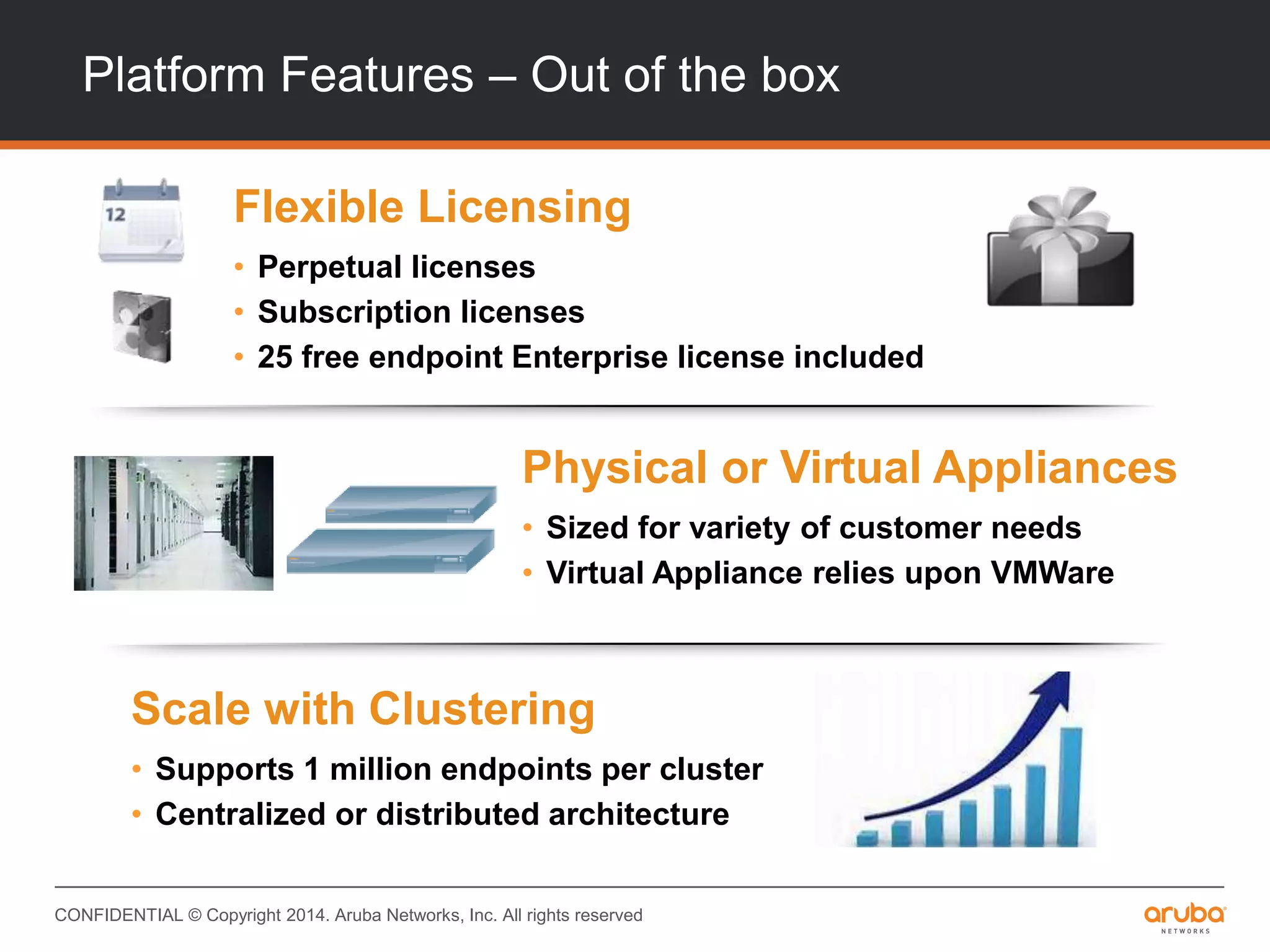
Platform Features – Out of the box
Scale with Clustering
• Supports 1 million endpoints per cluster
• Centralized or distributed architecture
Flexible Licensing
• Perpetual licenses
• Subscription licenses
• 25 free endpoint Enterprise license included
Physical or Virtual Appliances
• Sized for variety of customer needs
• Virtual Appliance relies upon VMWare
CONFIDENTIAL © Copyright 2014. Aruba Networks, Inc. All rights reserved
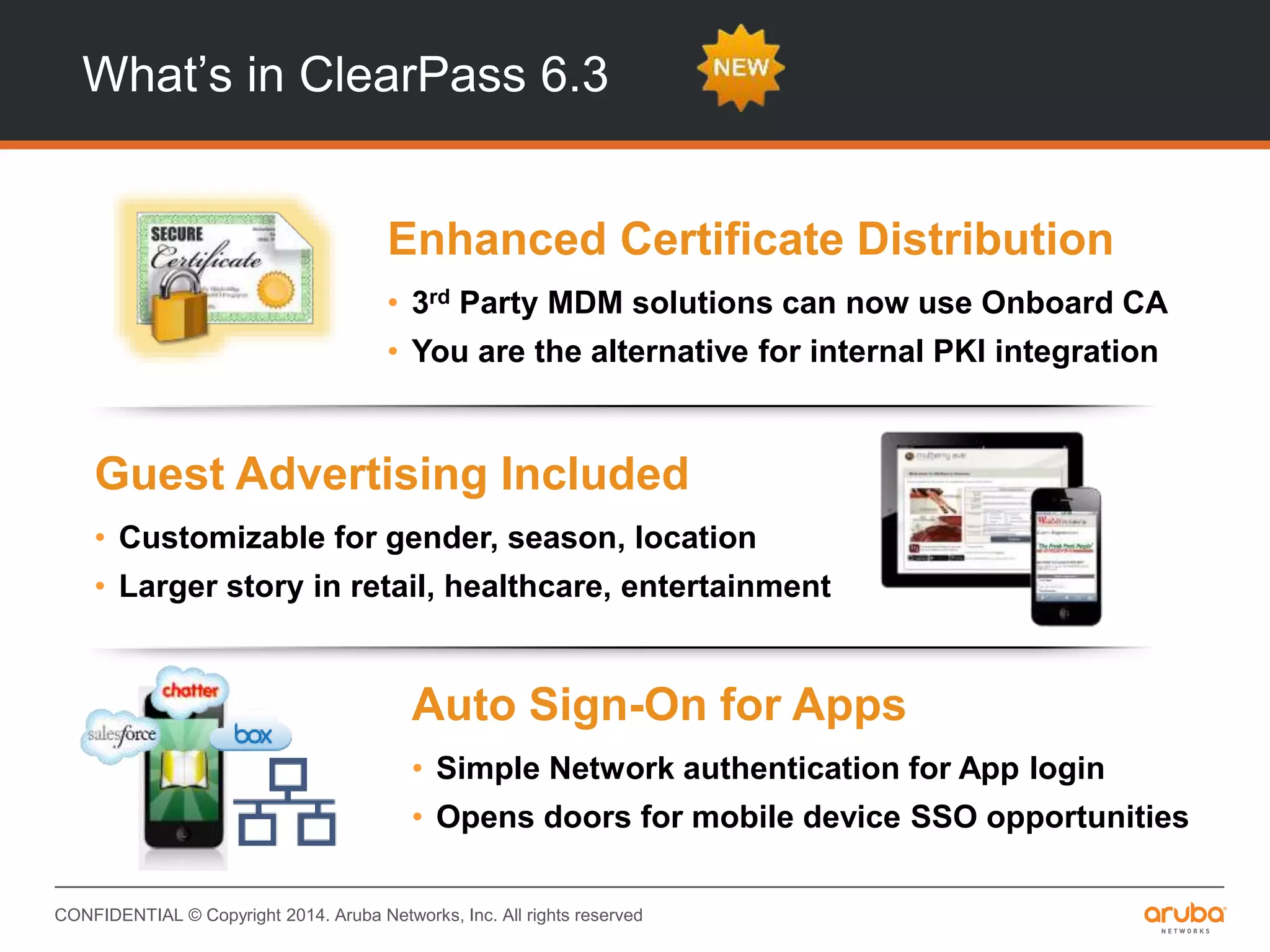
What’s in ClearPass 6.3
INTEGRATIONINTEROPERABILITY
Auto Sign-On for Apps
• Simple Network authentication for App login
• Opens doors for mobile device SSO opportunities
Guest Advertising Included
• Customizable for gender, season, location
• Larger story in retail, healthcare, entertainment
Enhanced Certificate Distribution
• 3rd Party MDM solutions can now use Onboard CA
• You are the alternative for internal PKI integration
CONFIDENTIAL © Copyright 2014. Aruba Networks, Inc. All rights reserved
INTEGRATIONINTEROPERABILITY
Remote Support
• Setup secure TAC session with a simple click
• Customer support because you asked for it
SPAN Port Profiling
• Any device addressed via DHCP gets profiled
• You get the big picture faster, from one port
Exchange
• Built-in tools for integration of third-party systems
• Data exchange with MDM, helpdesk, SIEM apps
made easy
What’s in ClearPass 6.3
CONFIDENTIAL © Copyright 2014. Aruba Networks, Inc. All rights reserved
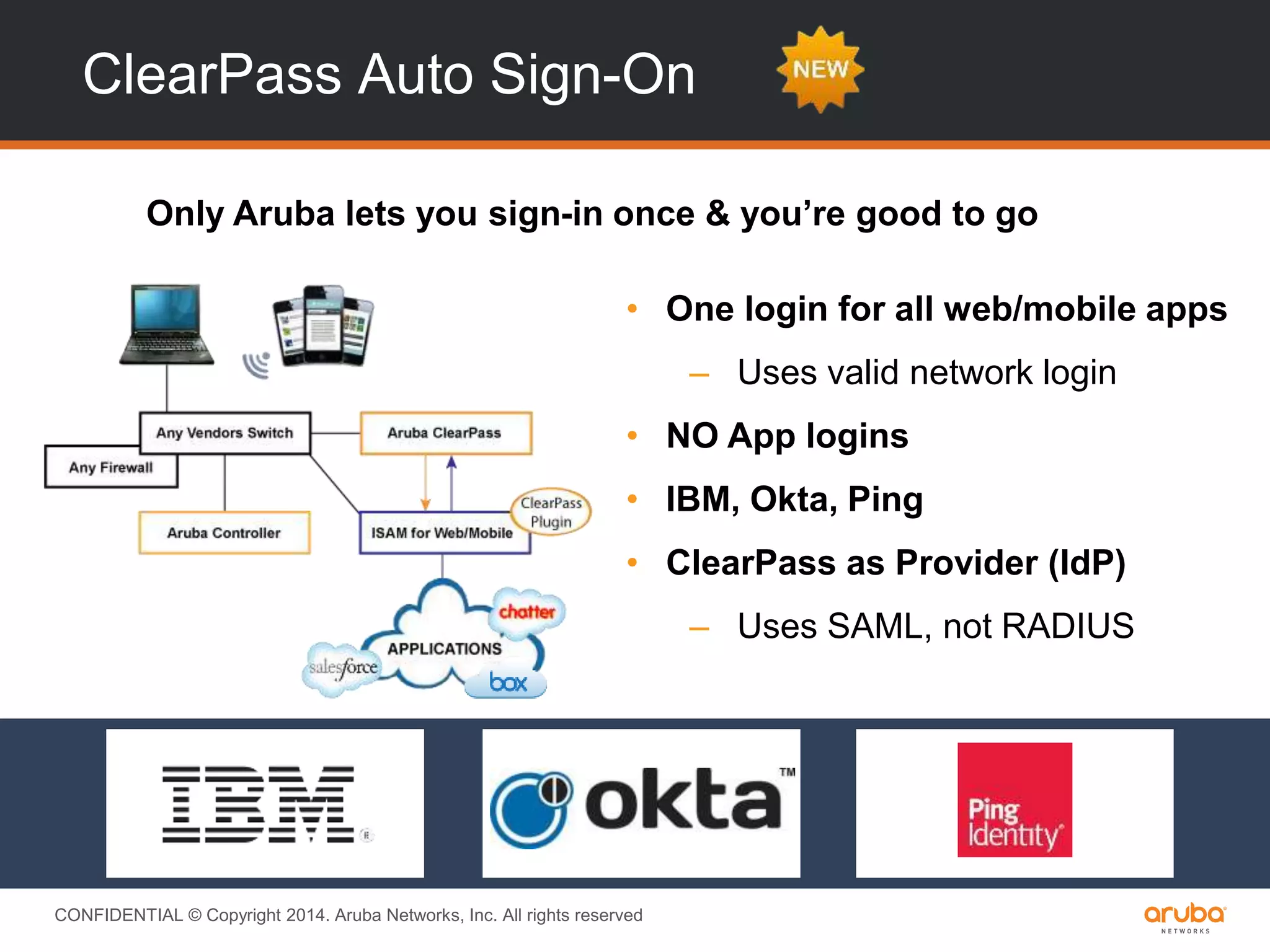
ClearPass Auto Sign-On
Only Aruba lets you sign-in once & you’re good to go
• One login for all web/mobile apps
– Uses valid network login
• NO App logins
• IBM, Okta, Ping
• ClearPass as Provider (IdP)
– Uses SAML, not RADIUS
CONFIDENTIAL © Copyright 2014. Aruba Networks, Inc. All rights reserved
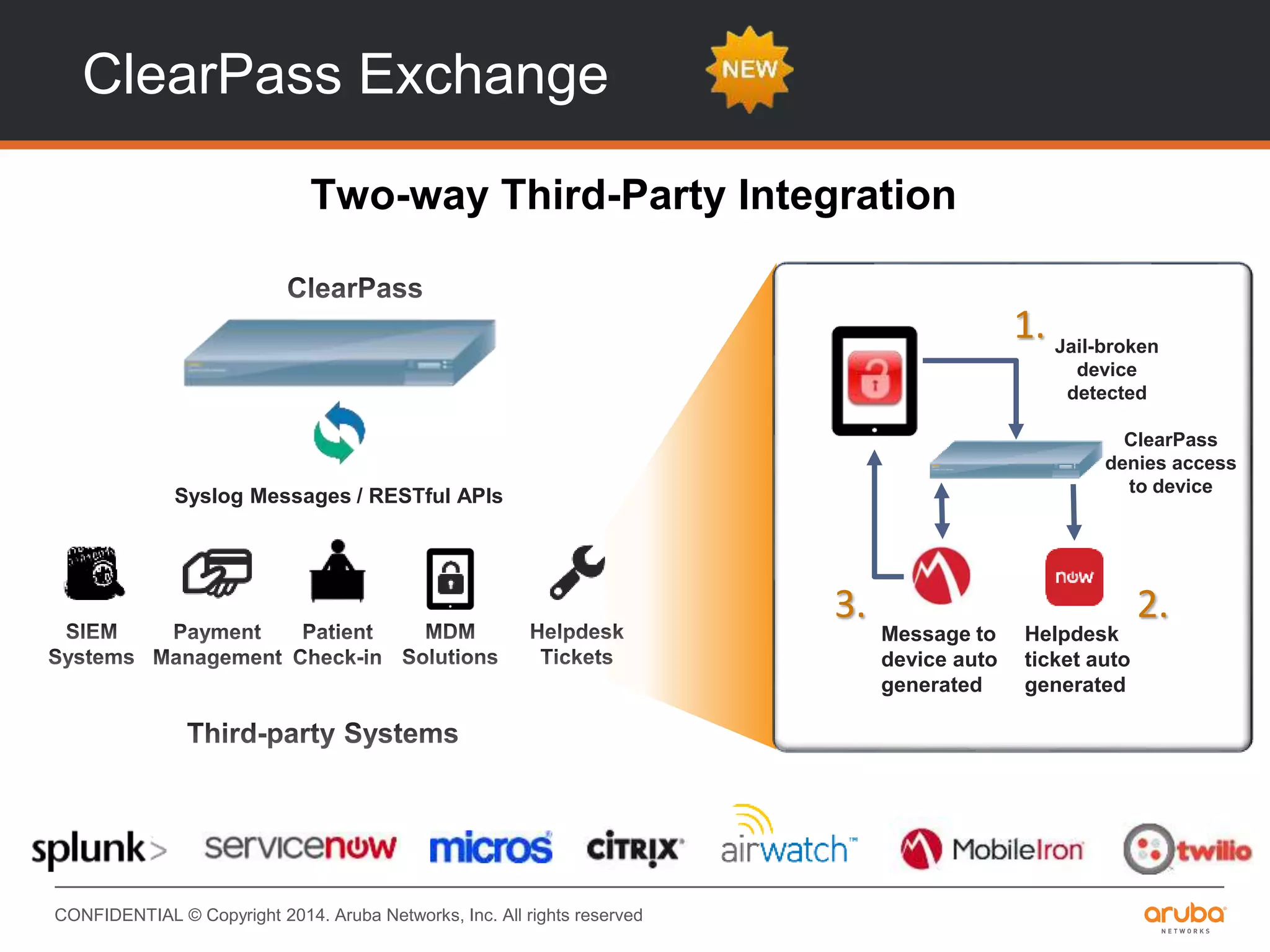
ClearPass Exchange
Two-way Third-Party Integration
Syslog Messages / RESTful APIs
Jail-broken
device
detected
Helpdesk
ticket auto
generated
Message to
device auto
generated
1.
2.3.
ClearPass
denies access
to device
ClearPass Policy Model
CONFIDENTIAL © Copyright 2014. Aruba Networks, Inc. All rights reserved
ClearPass Policy Model
• What constitutes the policy model?
• How does it work?
• What are the interactions between various
components?
• How does the policy model affect configuration
& deployment?
CONFIDENTIAL © Copyright 2014. Aruba Networks, Inc. All rights reserved
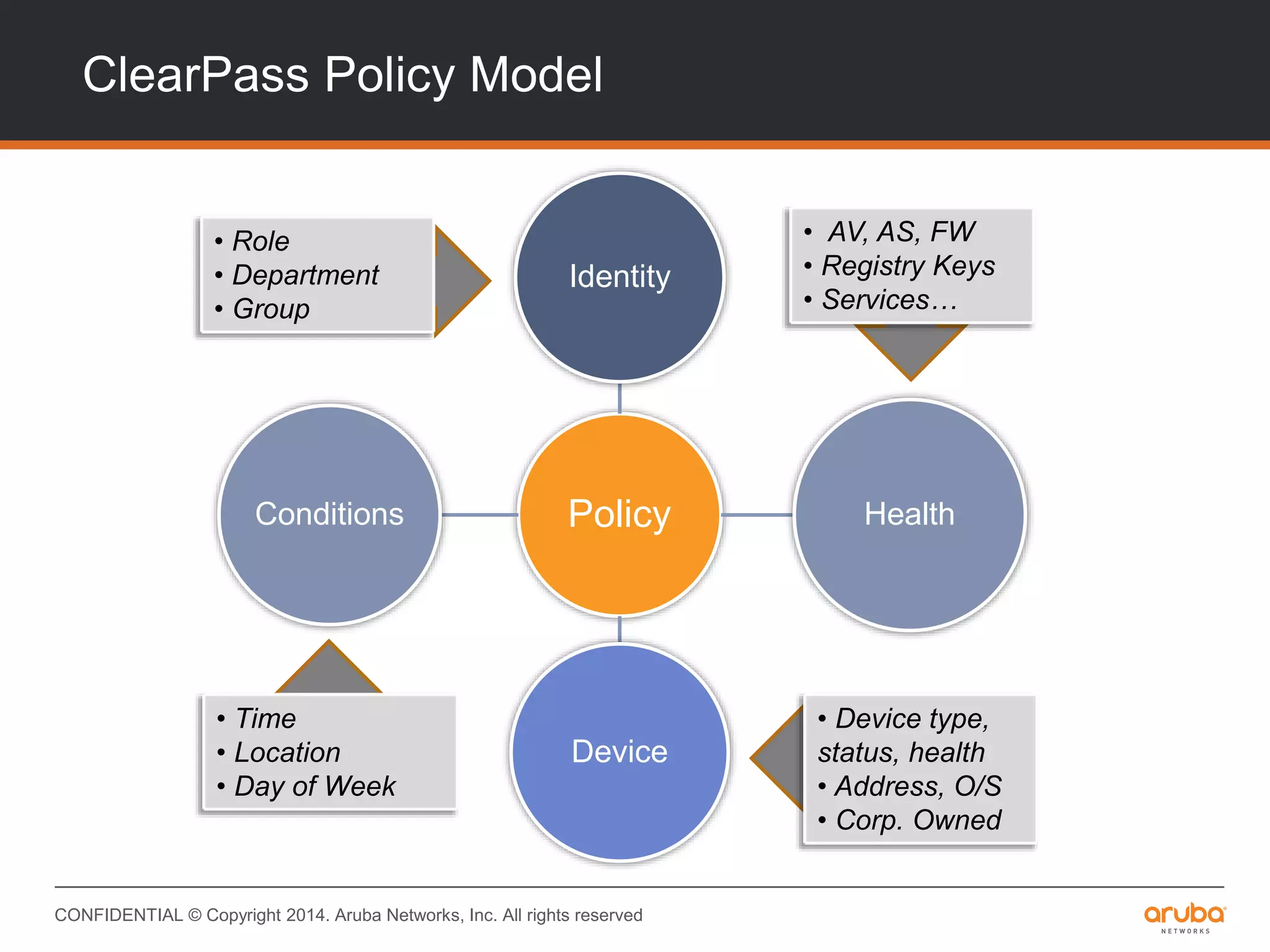
ClearPass Policy Model
Policy
Identity
Health
Device
Conditions
• Role
• Department
• Group
• AV, AS, FW
• Registry Keys
• Services…
• Device type,
status, health
• Address, O/S
• Corp. Owned
• Time
• Location
• Day of Week
CONFIDENTIAL © Copyright 2014. Aruba Networks, Inc. All rights reserved
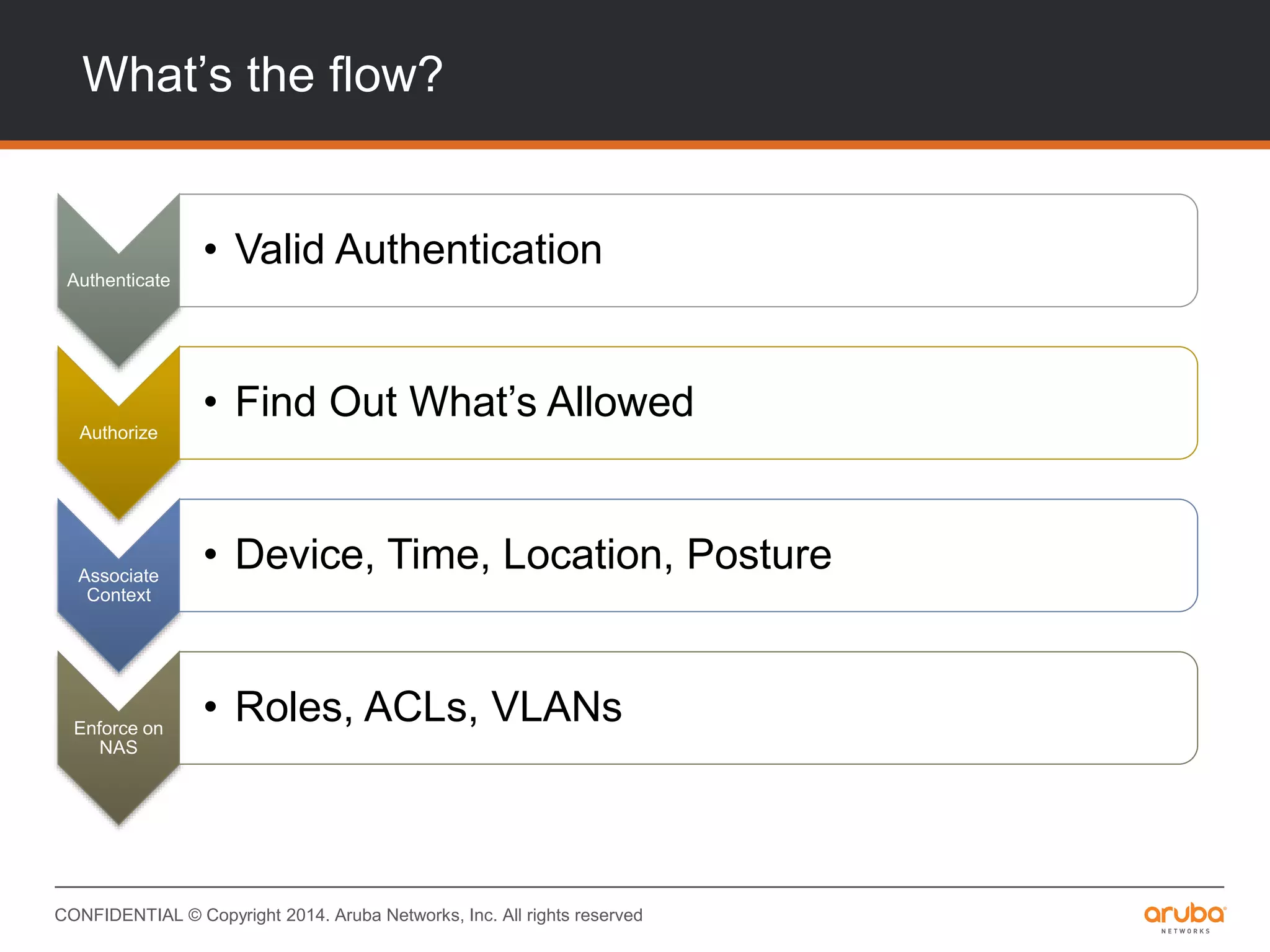
What’s the flow?
Authenticate
• Valid Authentication
Authorize
• Find Out What’s Allowed
Associate
Context
• Device, Time, Location, Posture
Enforce on
NAS
• Roles, ACLs, VLANs
CONFIDENTIAL © Copyright 2014. Aruba Networks, Inc. All rights reserved
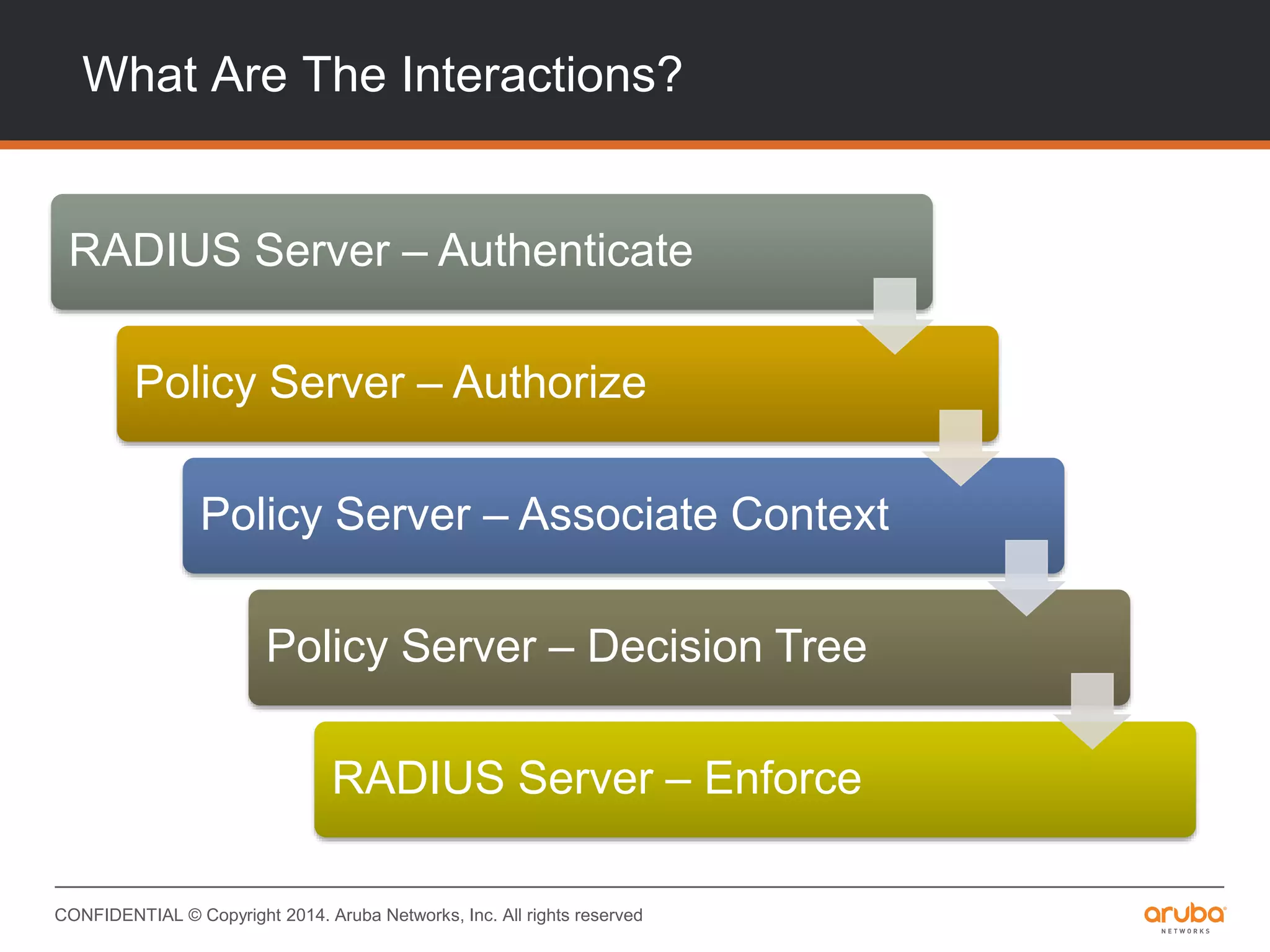
What Are The Interactions?
RADIUS Server – Authenticate
Policy Server – Authorize
Policy Server – Associate Context
Policy Server – Decision Tree
RADIUS Server – Enforce
CONFIDENTIAL © Copyright 2014. Aruba Networks, Inc. All rights reserved
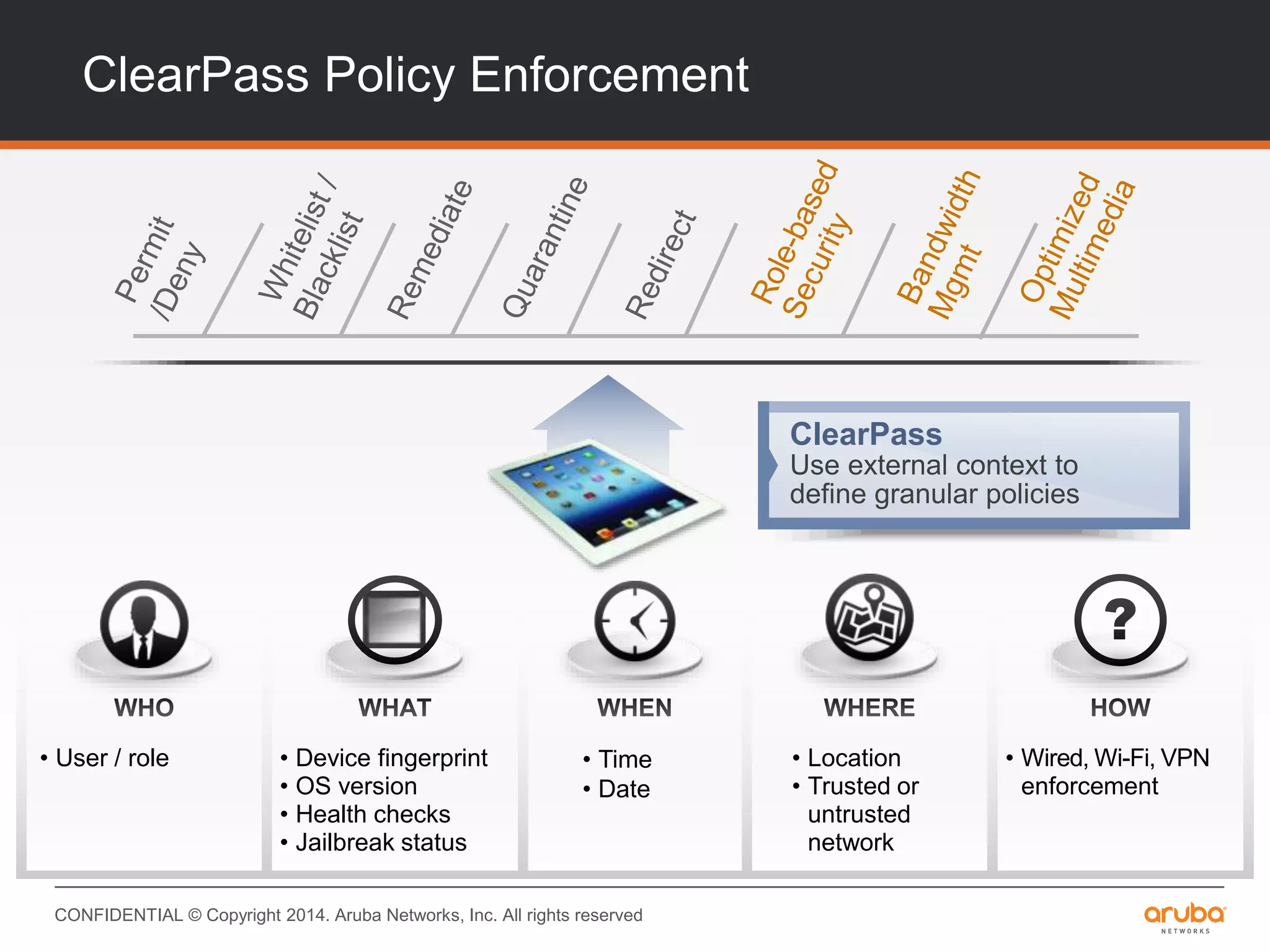
ClearPass Policy Enforcement
ClearPass
Use external context to
define granular policies
• User / role • Device fingerprint
• OS version
• Health checks
• Jailbreak status
• Location
• Trusted or
untrusted
network
• Time
• Date
• Wired, Wi-Fi, VPN
enforcement
CONFIDENTIAL © Copyright 2014. Aruba Networks, Inc. All rights reserved
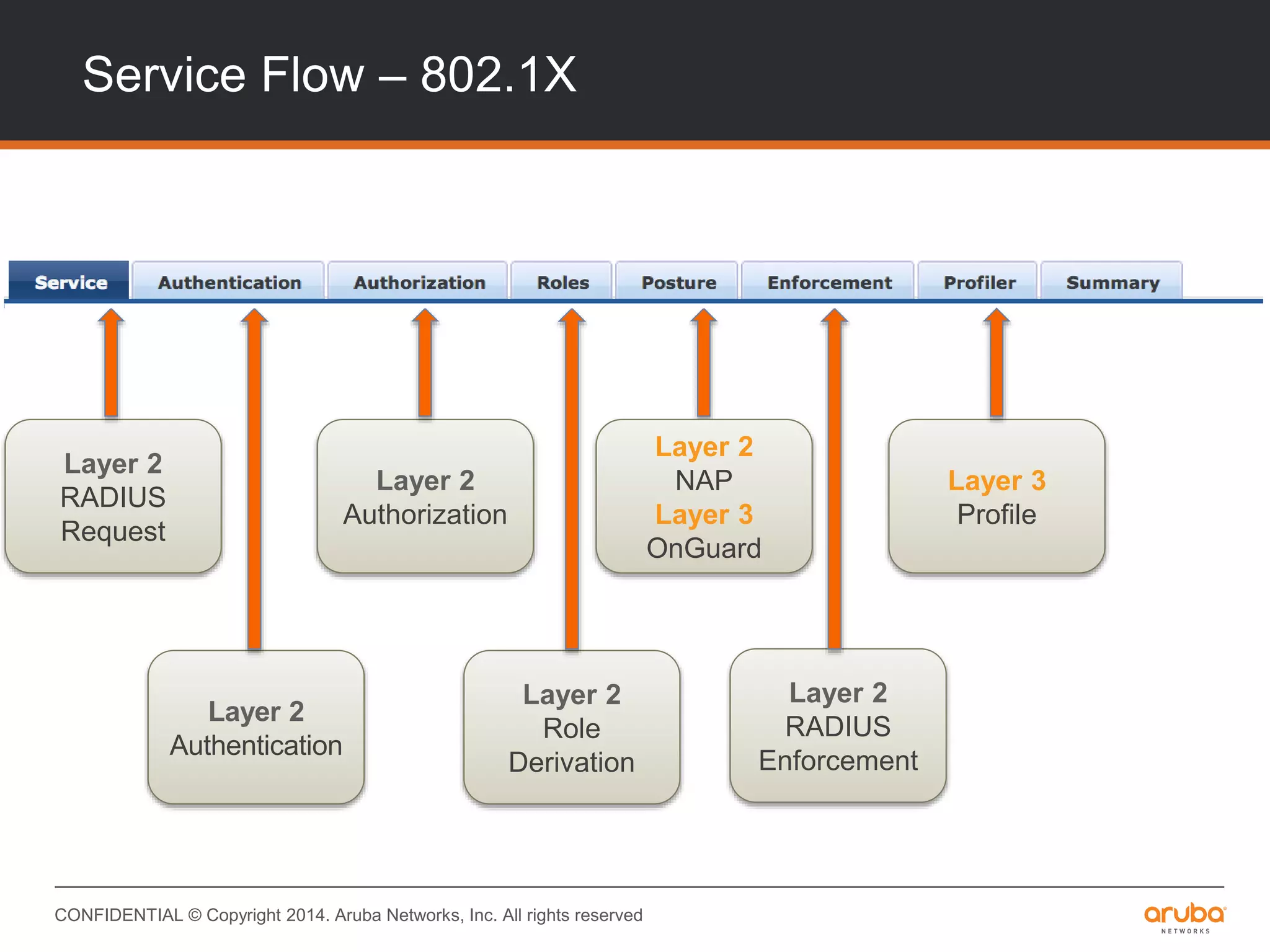
Service Flow – 802.1X
Layer 2
RADIUS
Request
Layer 2
Authentication
Layer 2
Authorization
Layer 2
Role
Derivation
Layer 2
RADIUS
Enforcement
Layer 3
Profile
Layer 2
NAP
Layer 3
OnGuard
CONFIDENTIAL © Copyright 2014. Aruba Networks, Inc. All rights reserved
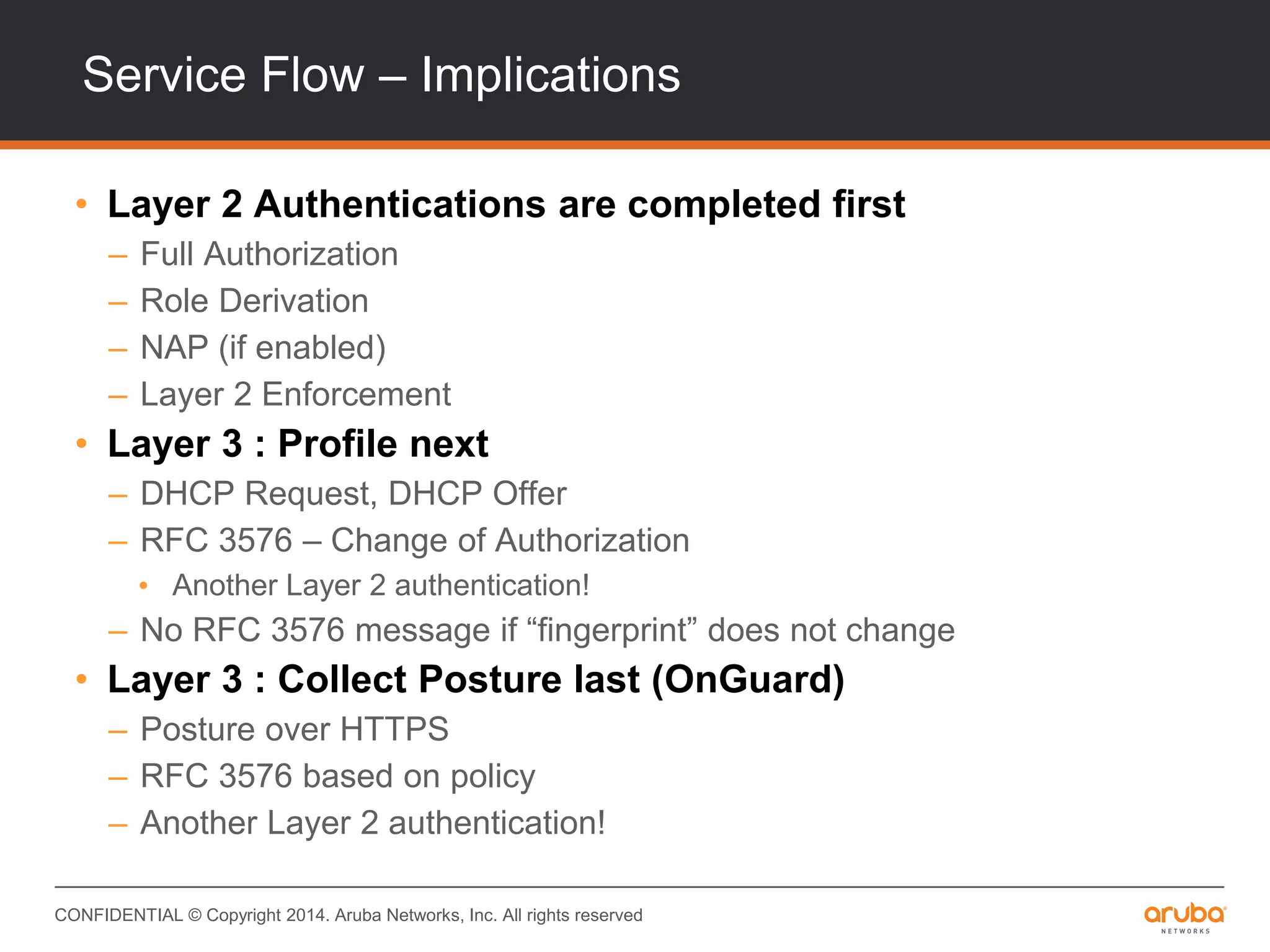
Service Flow – Implications
• Layer 2 Authentications are completed first
– Full Authorization
– Role Derivation
– NAP (if enabled)
– Layer 2 Enforcement
• Layer 3 : Profile next
– DHCP Request, DHCP Offer
– RFC 3576 – Change of Authorization
• Another Layer 2 authentication!
– No RFC 3576 message if “fingerprint” does not change
• Layer 3 : Collect Posture last (OnGuard)
– Posture over HTTPS
– RFC 3576 based on policy
– Another Layer 2 authentication!
Authorization – What and Why
CONFIDENTIAL © Copyright 2014. Aruba Networks, Inc. All rights reserved
Authorization – What and Why?
• Authentication vs. Authorization
• Authorization & ClearPass
• Use Cases
CONFIDENTIAL © Copyright 2014. Aruba Networks, Inc. All rights reserved
Authorization & ClearPass
• “Authorization” Sources in ClearPass
– Where do I find them?
– How do I use them?
– How often does ClearPass talk to an authorization source?
– What happens in case something goes wrong?
CONFIDENTIAL © Copyright 2014. Aruba Networks, Inc. All rights reserved
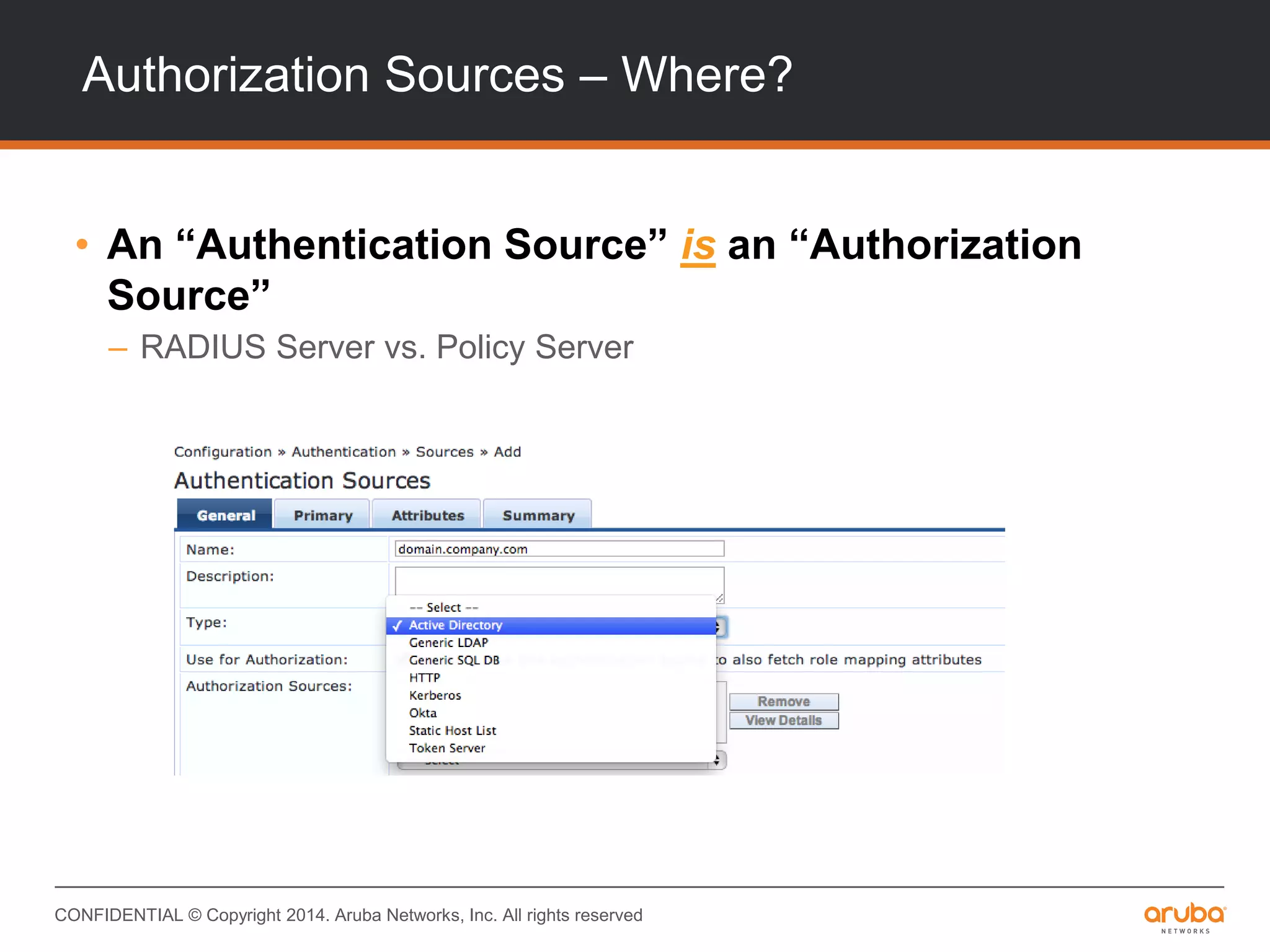
Authorization Sources – Where?
• An “Authentication Source” is an “Authorization
Source”
– RADIUS Server vs. Policy Server
CONFIDENTIAL © Copyright 2014. Aruba Networks, Inc. All rights reserved
Authorization Sources – How?
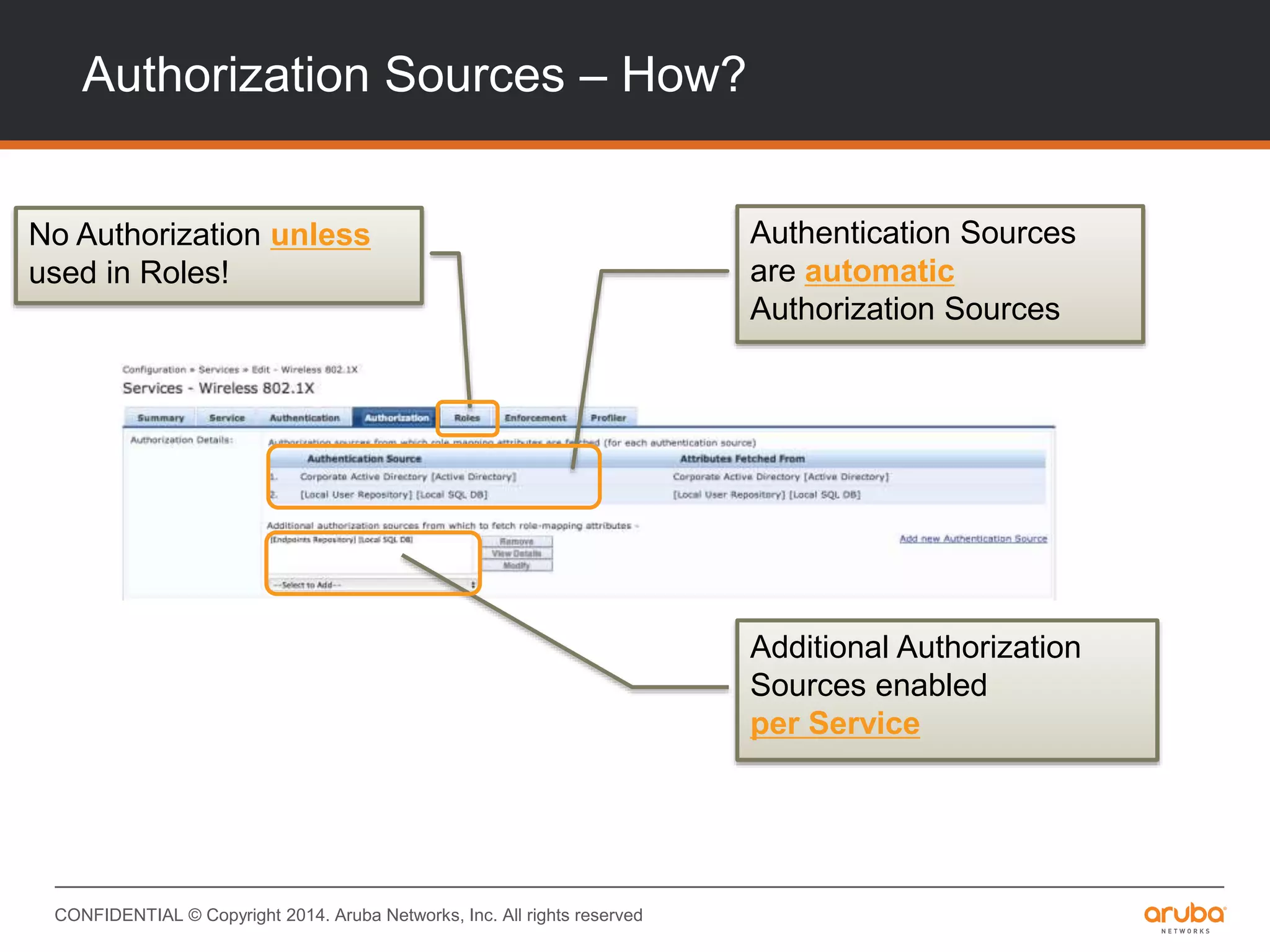
Authentication Sources
are automatic
Authorization Sources
Additional Authorization
Sources enabled
per Service
No Authorization unless
used in Roles!
CONFIDENTIAL © Copyright 2014. Aruba Networks, Inc. All rights reserved
Authorization Sources – How?
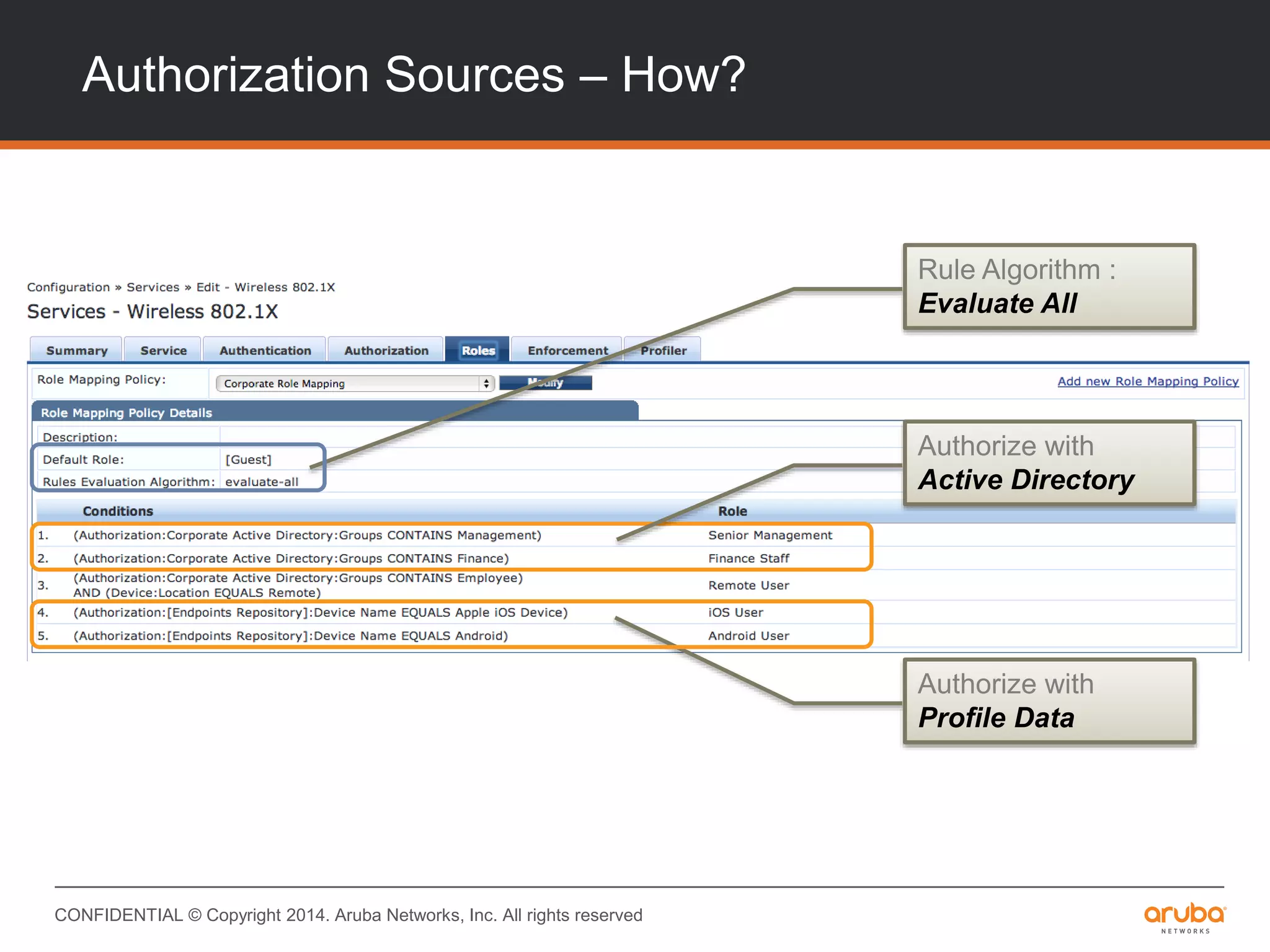
Authorize with
Active Directory
Authorize with
Profile Data
Rule Algorithm :
Evaluate All
CONFIDENTIAL © Copyright 2014. Aruba Networks, Inc. All rights reserved
Authorization – How?
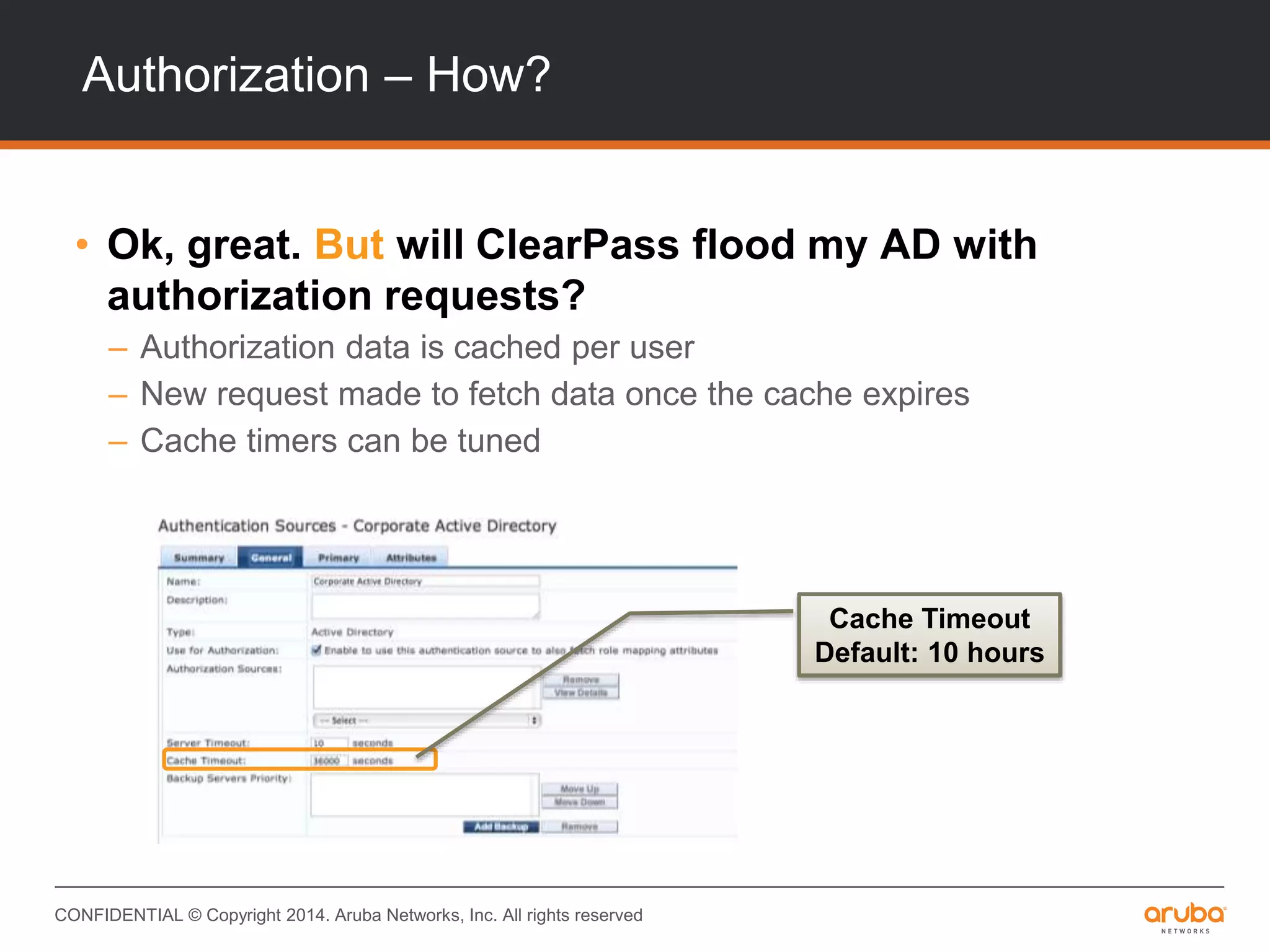
• Ok, great. But will ClearPass flood my AD with
authorization requests?
– Authorization data is cached per user
– New request made to fetch data once the cache expires
– Cache timers can be tuned
Cache Timeout
Default: 10 hours
CONFIDENTIAL © Copyright 2014. Aruba Networks, Inc. All rights reserved
Authorization – How?
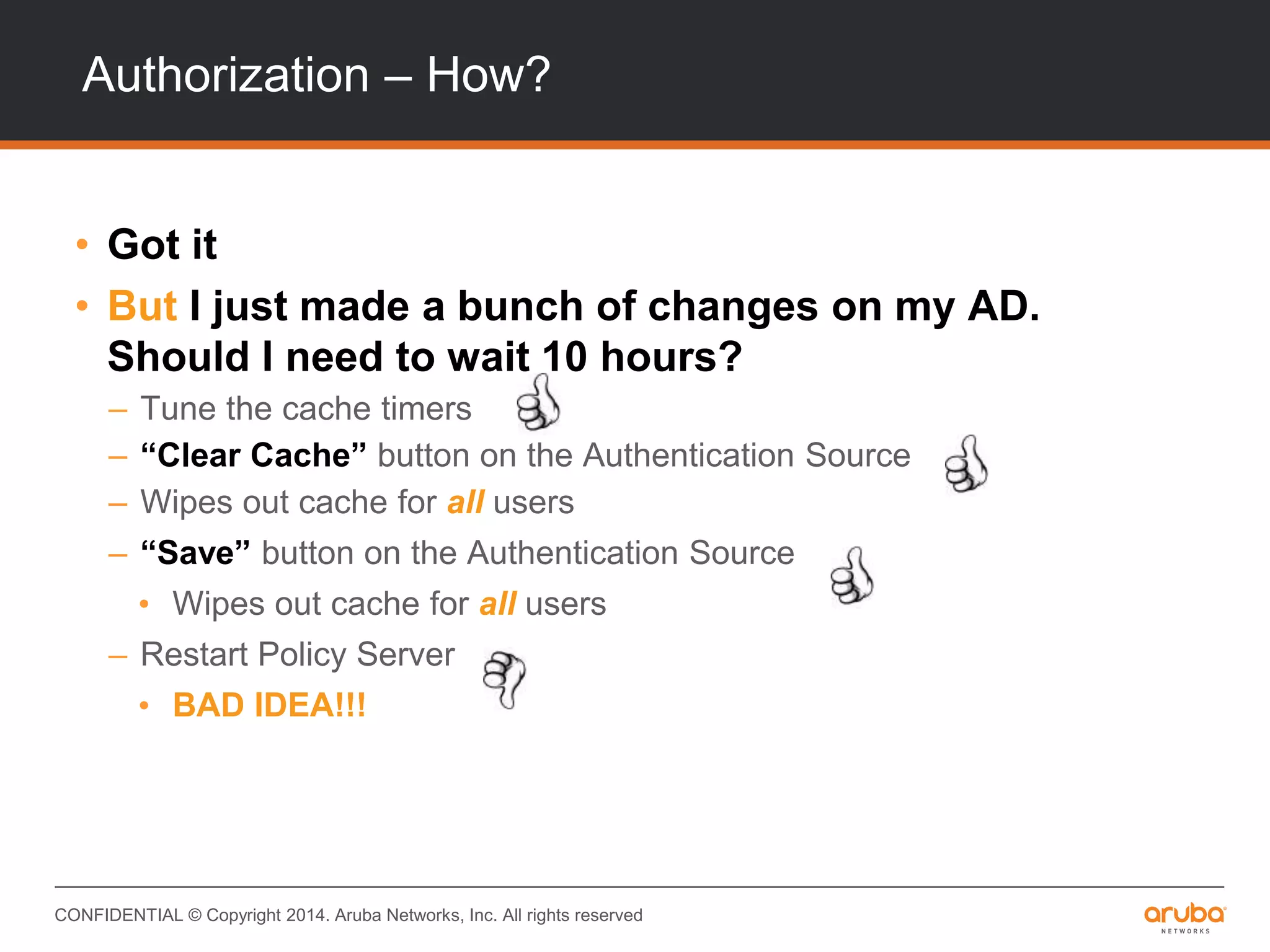
• Got it
• But I just made a bunch of changes on my AD.
Should I need to wait 10 hours?
– Tune the cache timers
– “Clear Cache” button on the Authentication Source
– Wipes out cache for all users
– “Save” button on the Authentication Source
• Wipes out cache for all users
– Restart Policy Server
• BAD IDEA!!!
CONFIDENTIAL © Copyright 2014. Aruba Networks, Inc. All rights reserved
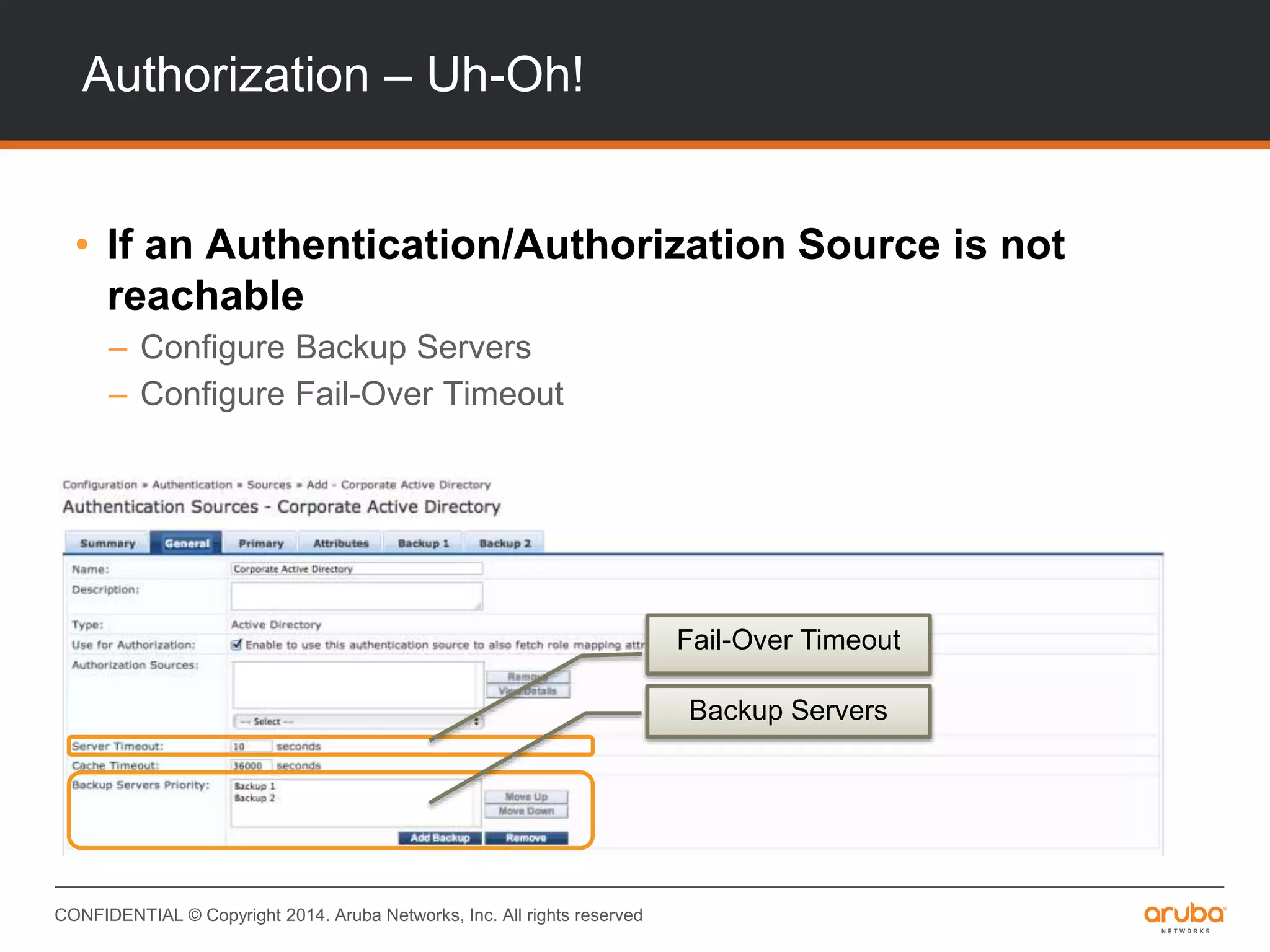
Authorization – Uh-Oh!
• If an Authentication/Authorization Source is not
reachable
– Configure Backup Servers
– Configure Fail-Over Timeout
Fail-Over Timeout
Backup Servers
CONFIDENTIAL © Copyright 2014. Aruba Networks, Inc. All rights reserved
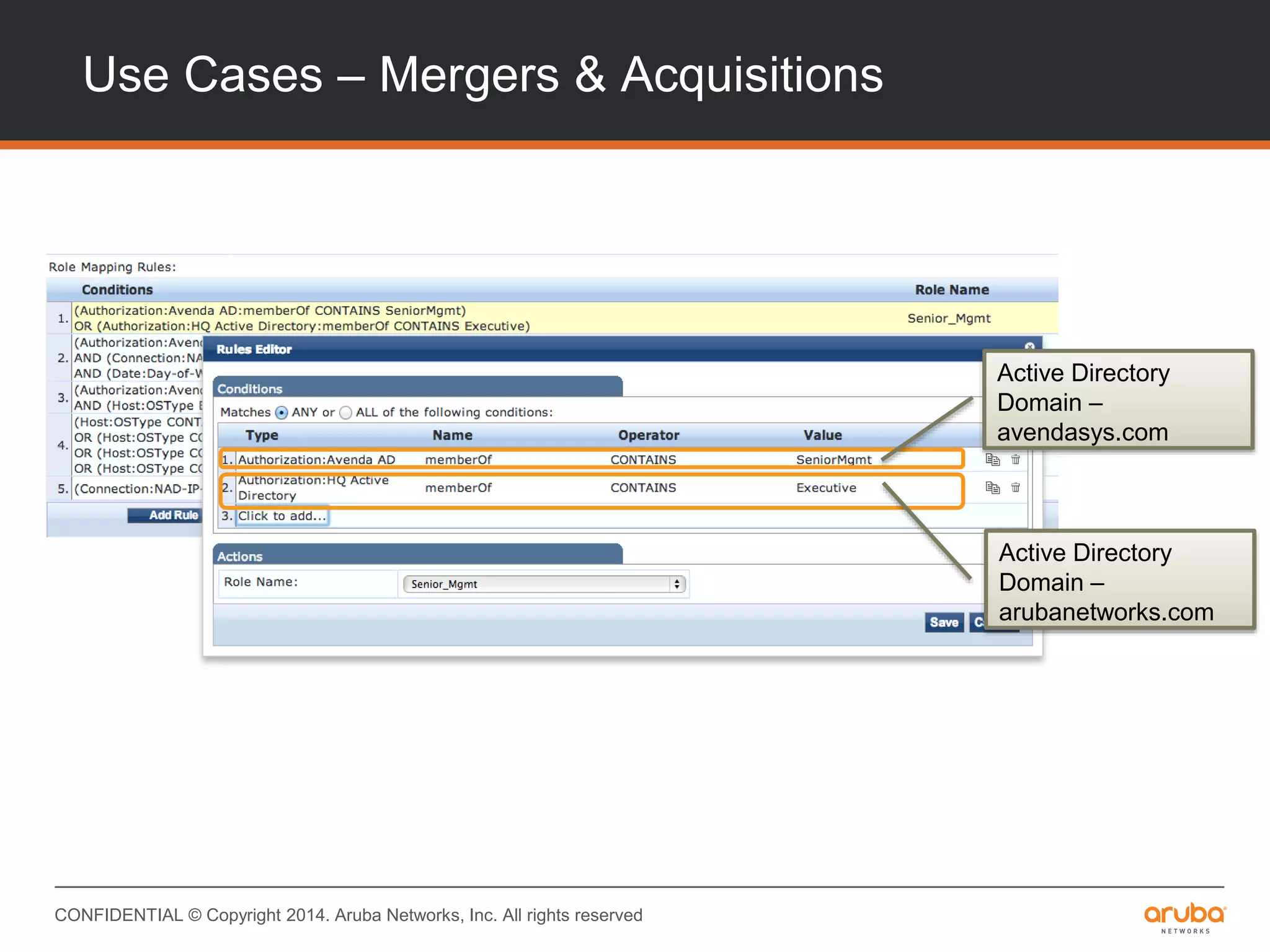
Use Cases – Mergers & Acquisitions
Active Directory
Domain –
avendasys.com
Active Directory
Domain –
arubanetworks.com
CONFIDENTIAL © Copyright 2014. Aruba Networks, Inc. All rights reserved
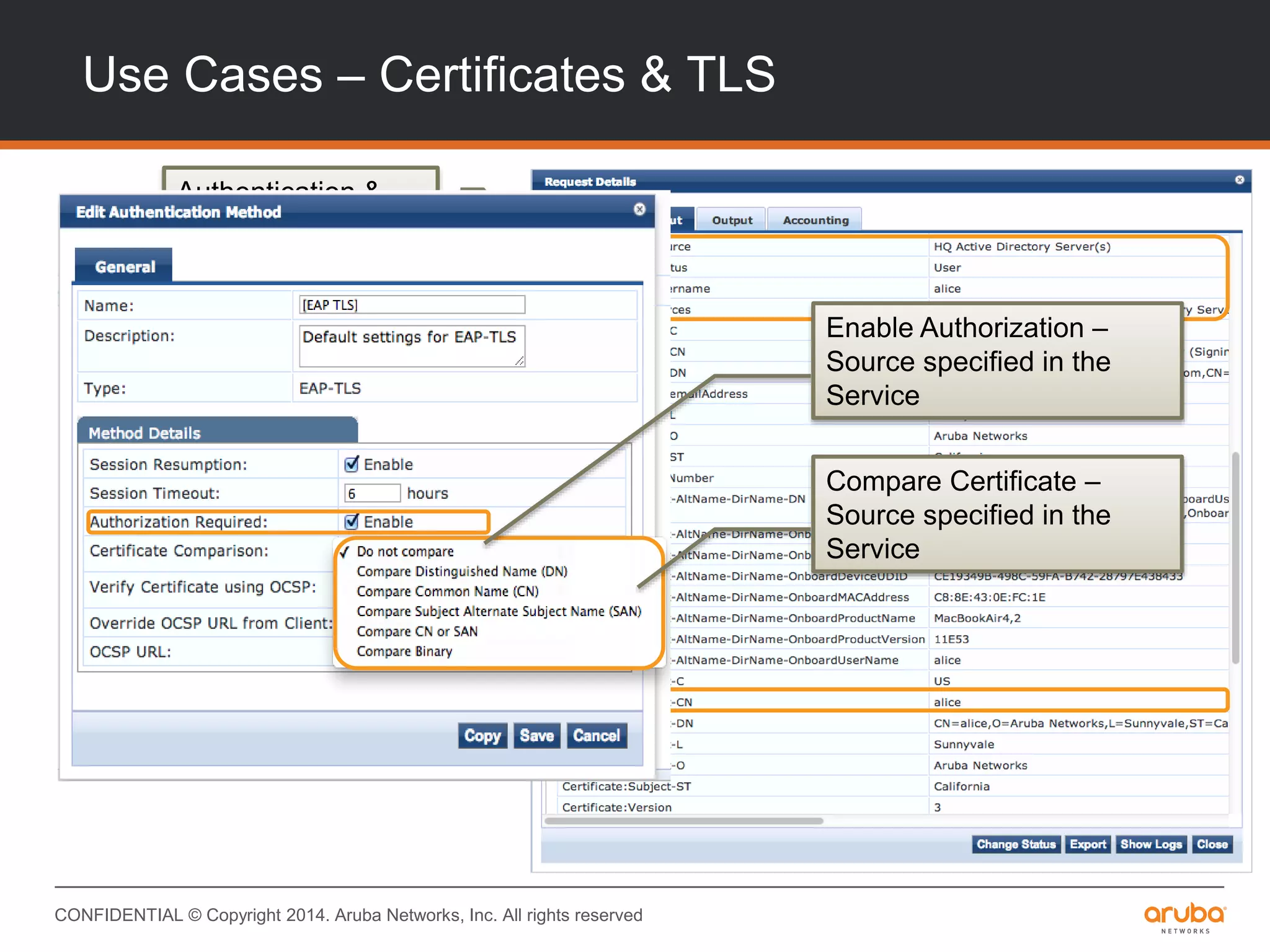
Authentication &
Authorization
Sources for TLS
Certificate Details
used for
Authorization
Enable Authorization –
Source specified in the
Service
Compare Certificate –
Source specified in the
Service
Use Cases – Certificates & TLS
CONFIDENTIAL © Copyright 2014. Aruba Networks, Inc. All rights reserved
Use Cases – Asset Databases
• LDAP/SQL Interface to Asset Databases
– Key : MAC Address
– Authorization Attributes
• Ownership – Corporate vs. Personal
• Compliance Status – In/Out of compliance
– Identify corporate-owned non-Windows devices
Profile – How Does It Work?
CONFIDENTIAL © Copyright 2014. Aruba Networks, Inc. All rights reserved
Profile – How does it work?
• Profile & Network Data
• Automatic Profile “upgrades”
• Using Profile data in policy
• Configuring Profile
– DHCP? HTTP? SNMP?
• Use Cases
CONFIDENTIAL © Copyright 2014. Aruba Networks, Inc. All rights reserved
Profile & Network Data
What does ClearPass use to profile?
– MAC OUIs
– DHCP Request, DHCP Offer
– HTTP User-Agent
– MDM Fingerprints
– Device Interrogation
– SNMP/CDP/LLDP Data
CONFIDENTIAL © Copyright 2014. Aruba Networks, Inc. All rights reserved
Fingerprint Updates
• Subscribe to Fingerprint Updates
– Automatic reclassification
– Updated frequently
• Tell Aruba!
– Create policy exceptions
– Grab fingerprints from UI
– Send fingerprints to Aruba
– Crowd-sourced, community oriented
CONFIDENTIAL © Copyright 2014. Aruba Networks, Inc. All rights reserved
Using Profile data in policy
• Automatic 3-level categorization
– Device Category, OS Family, Device Name
• Using raw profile data
– DHCP Data, HTTP User-Agent, SNMP Data
• Role Mapping
– What should I use?
• Enforcement
– How do I enforce?
– What are the benefits?
CONFIDENTIAL © Copyright 2014. Aruba Networks, Inc. All rights reserved
Configuring Profile – Network Considerations
• DHCP Relay
– Where should I setup DHCP relays?
• Captive Portal Configuration
– Is there a knob for this?
• Reading SNMP Data
– CDP
– LLDP
– HR MIB
– SysDescr MIB
CONFIDENTIAL © Copyright 2014. Aruba Networks, Inc. All rights reserved
Use Cases
• Policy – CEOs & iPads
• Policy – “Headless” Devices
• Visibility – Demystifying BYODs
CONFIDENTIAL © Copyright 2014. Aruba Networks, Inc. All rights reserved
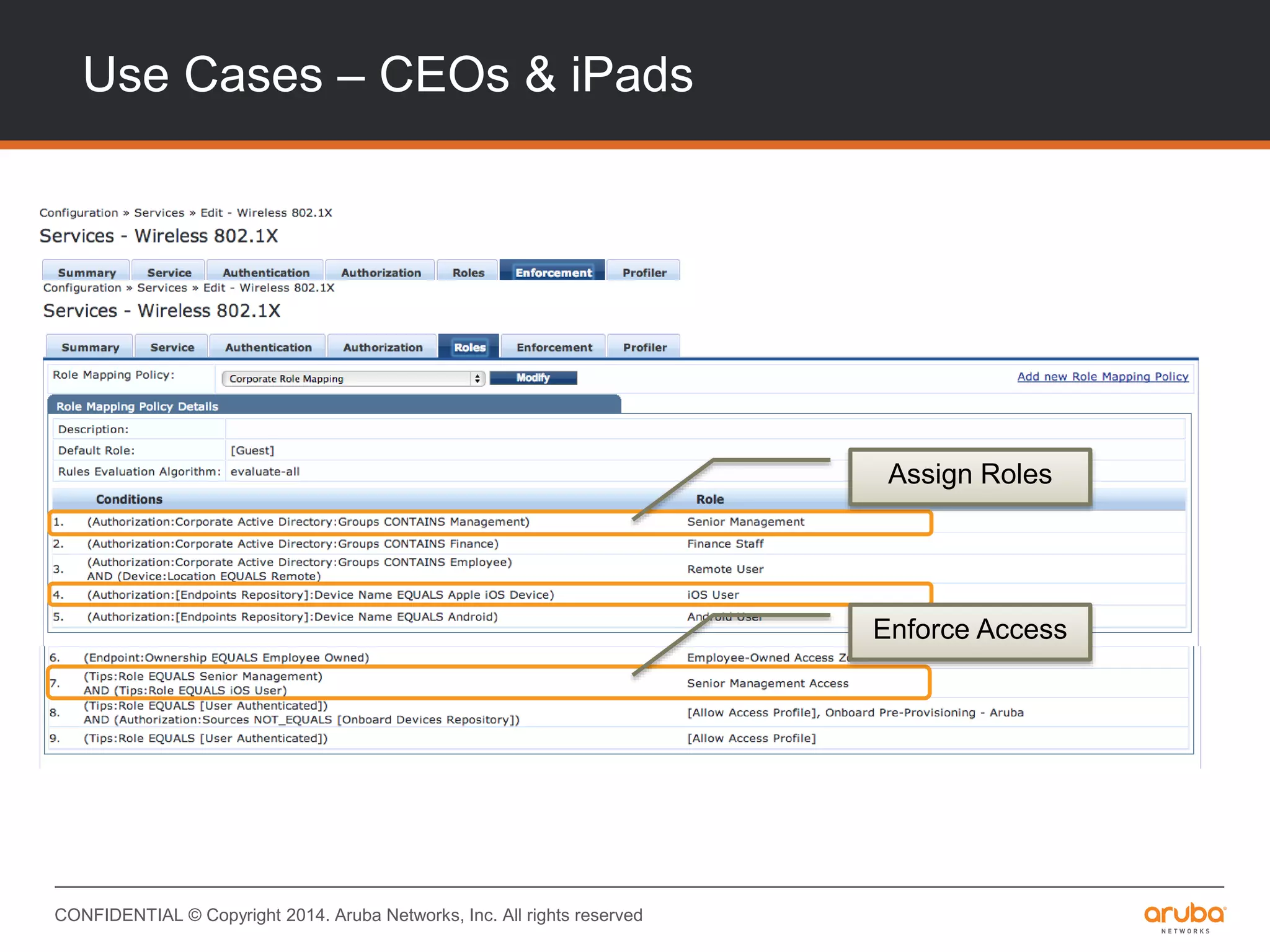
Use Cases – CEOs & iPads
Assign Roles
Enforce Access
CONFIDENTIAL © Copyright 2014. Aruba Networks, Inc. All rights reserved
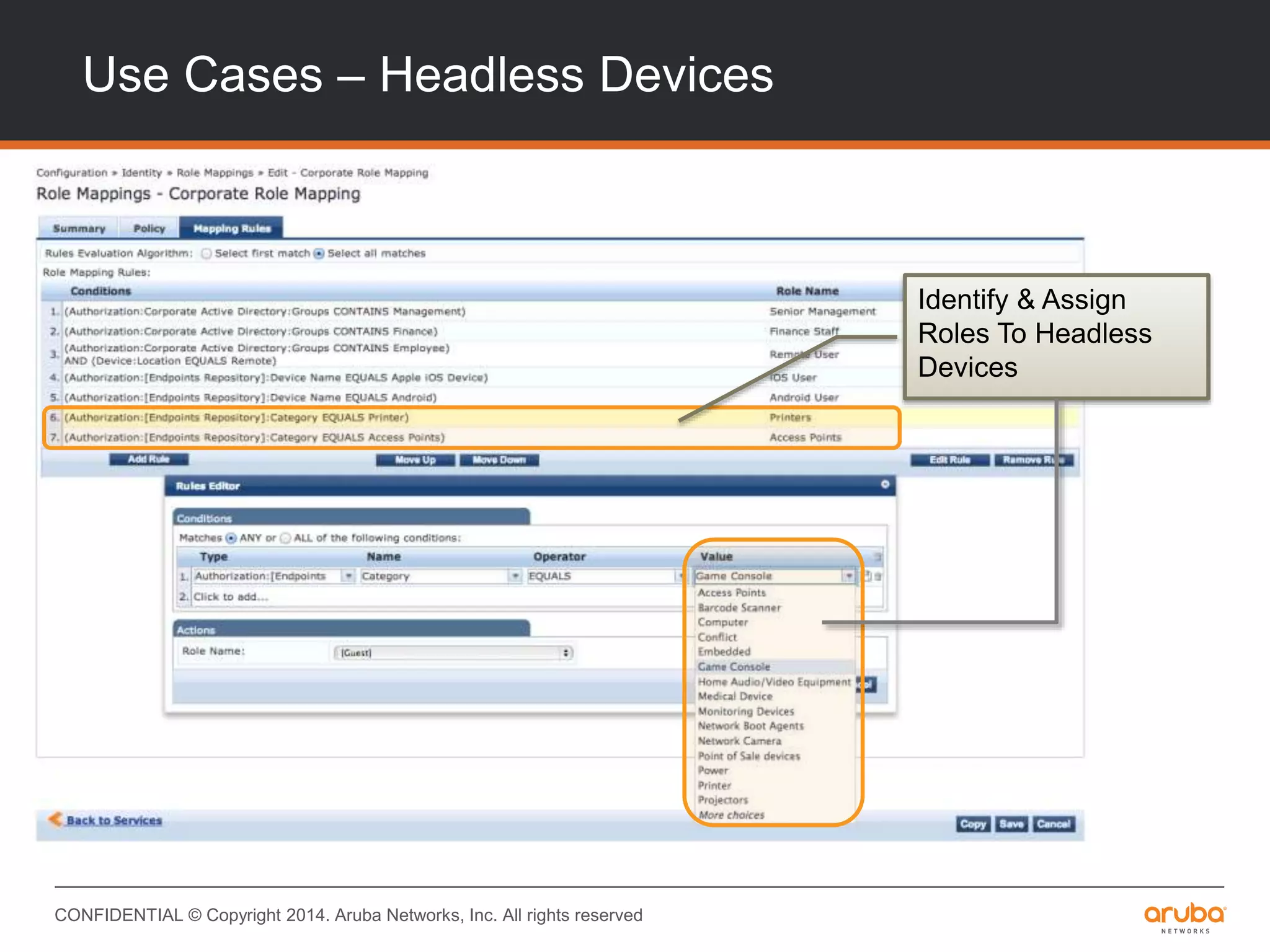
Use Cases – Headless Devices
Identify & Assign
Roles To Headless
Devices
CONFIDENTIAL © Copyright 2014. Aruba Networks, Inc. All rights reserved
Use Cases – Visibility
Clustering & Deployment
CONFIDENTIAL © Copyright 2014. Aruba Networks, Inc. All rights reserved
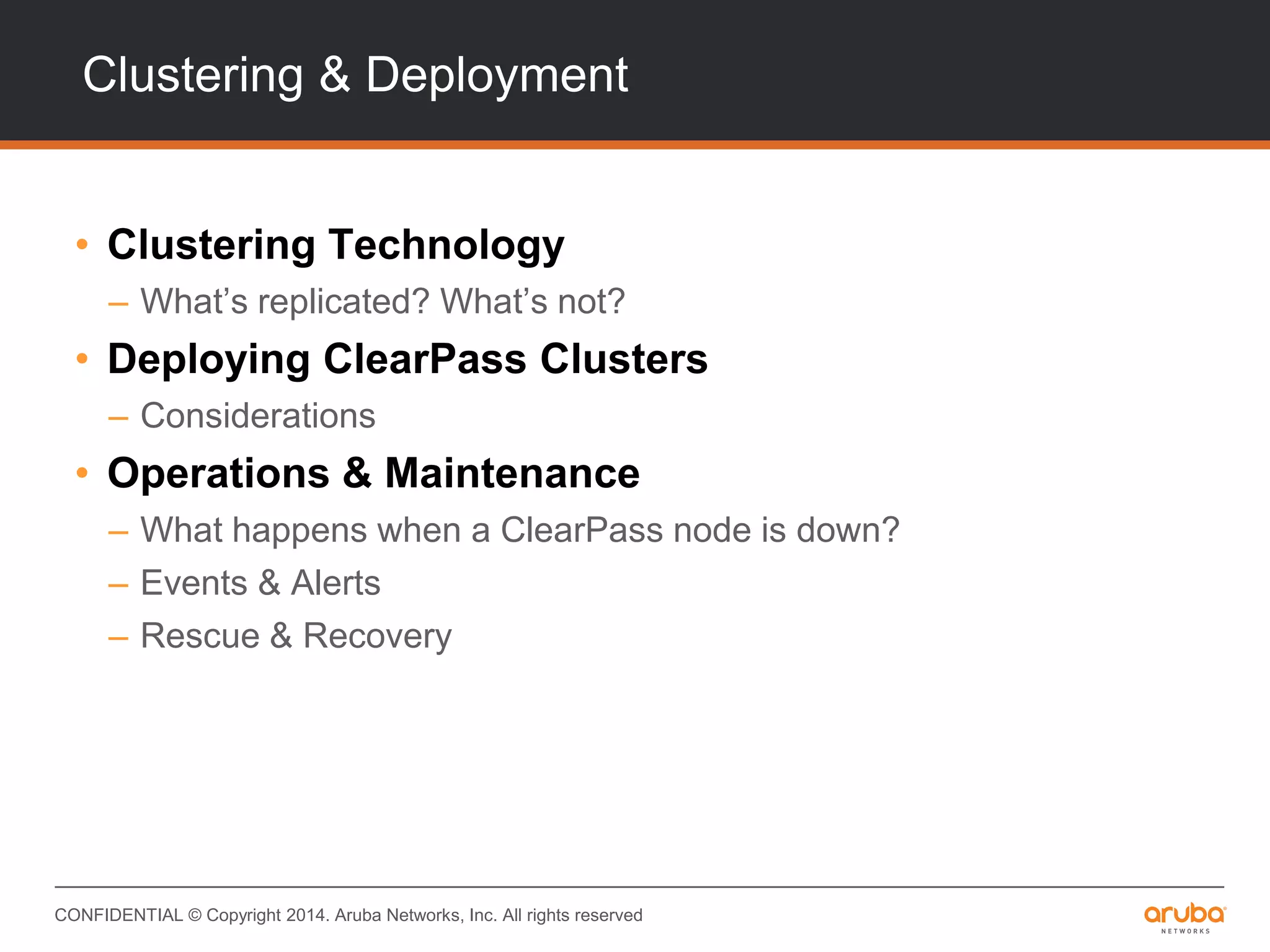
Clustering & Deployment
• Clustering Technology
– What’s replicated? What’s not?
• Deploying ClearPass Clusters
– Considerations
• Operations & Maintenance
– What happens when a ClearPass node is down?
– Events & Alerts
– Rescue & Recovery
CONFIDENTIAL © Copyright 2014. Aruba Networks, Inc. All rights reserved
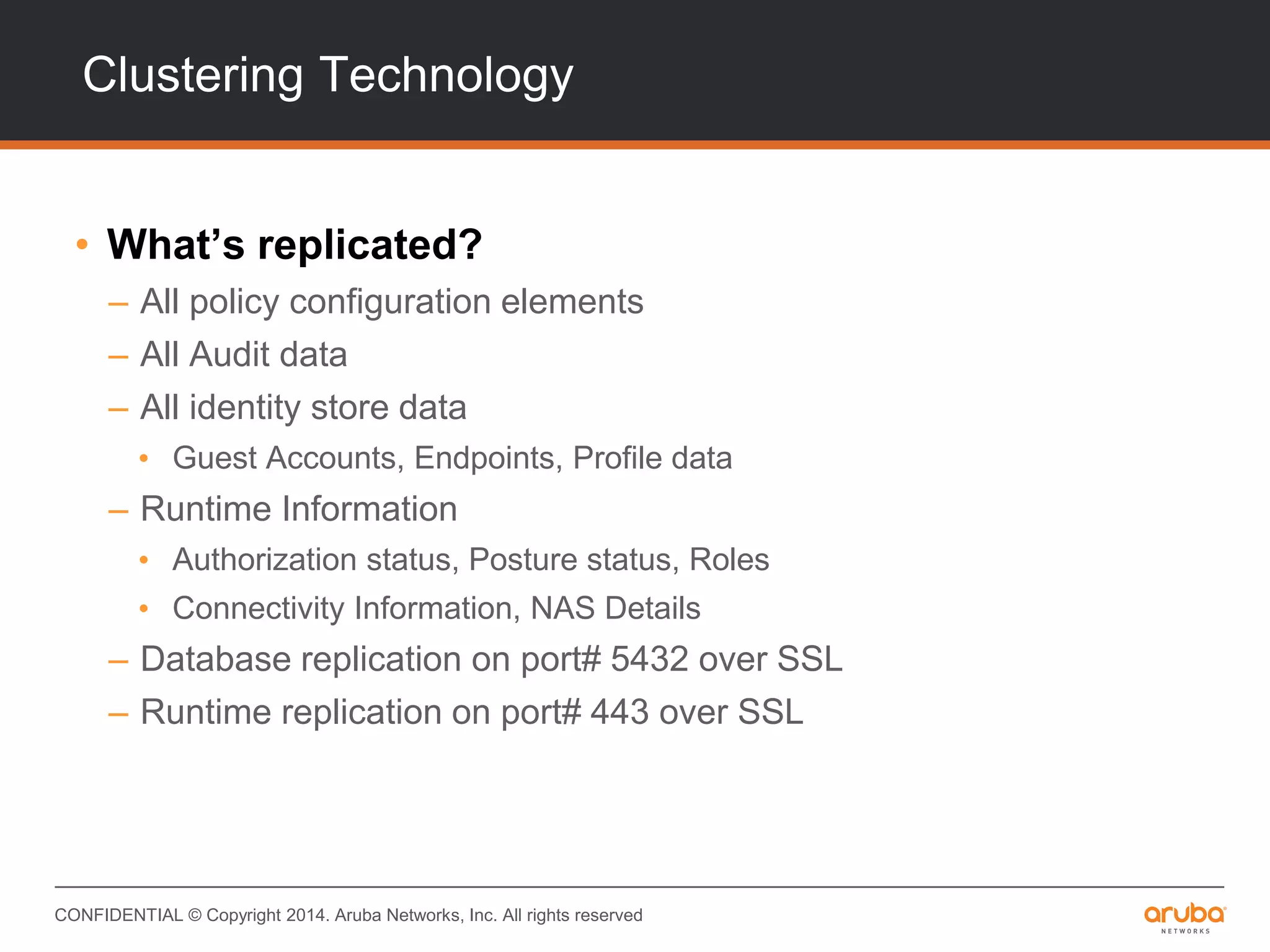
Clustering Technology
• What’s replicated?
– All policy configuration elements
– All Audit data
– All identity store data
• Guest Accounts, Endpoints, Profile data
– Runtime Information
• Authorization status, Posture status, Roles
• Connectivity Information, NAS Details
– Database replication on port# 5432 over SSL
– Runtime replication on port# 443 over SSL
CONFIDENTIAL © Copyright 2014. Aruba Networks, Inc. All rights reserved
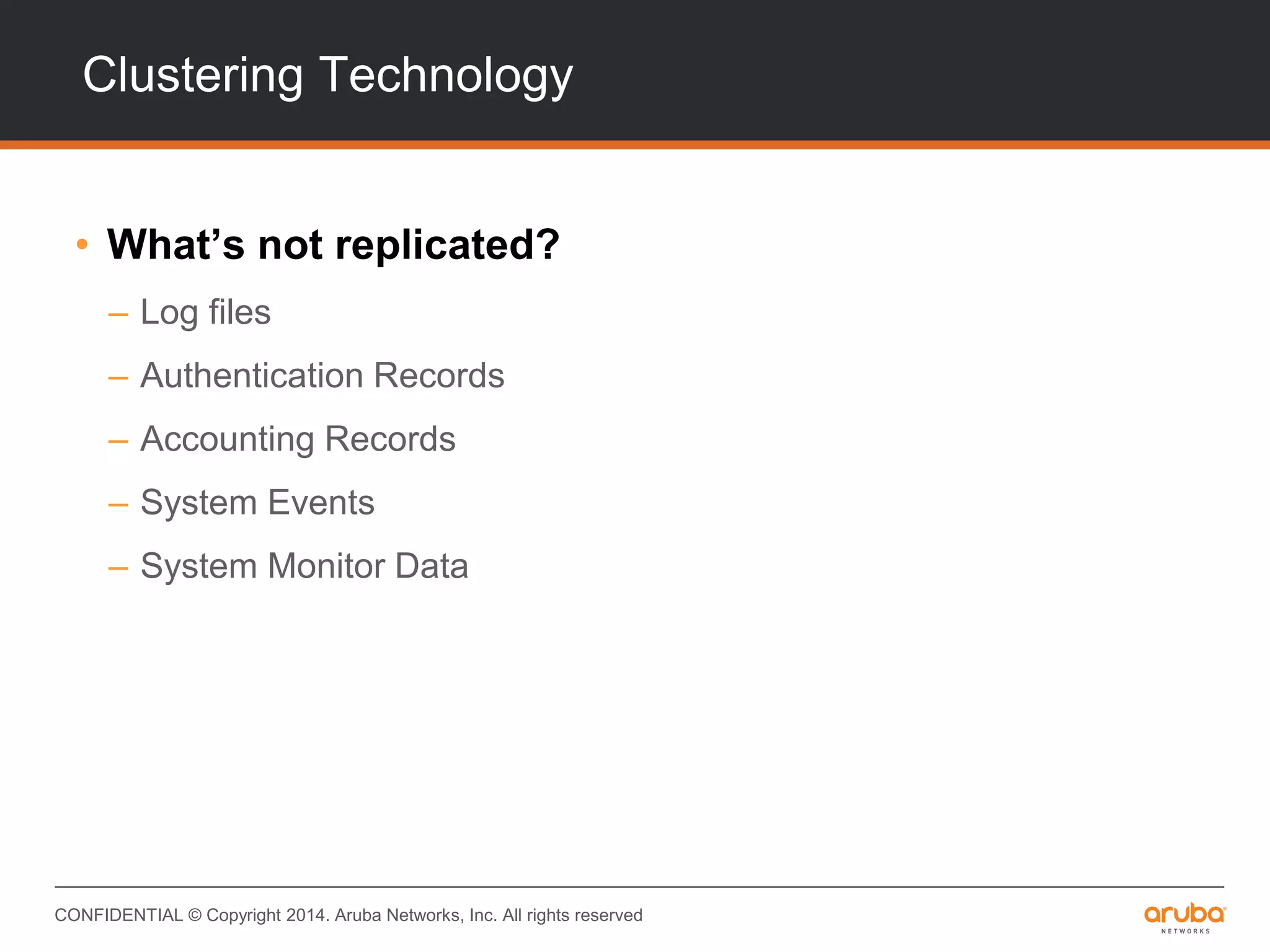
Clustering Technology
• What’s not replicated?
– Log files
– Authentication Records
– Accounting Records
– System Events
– System Monitor Data
CONFIDENTIAL © Copyright 2014. Aruba Networks, Inc. All rights reserved
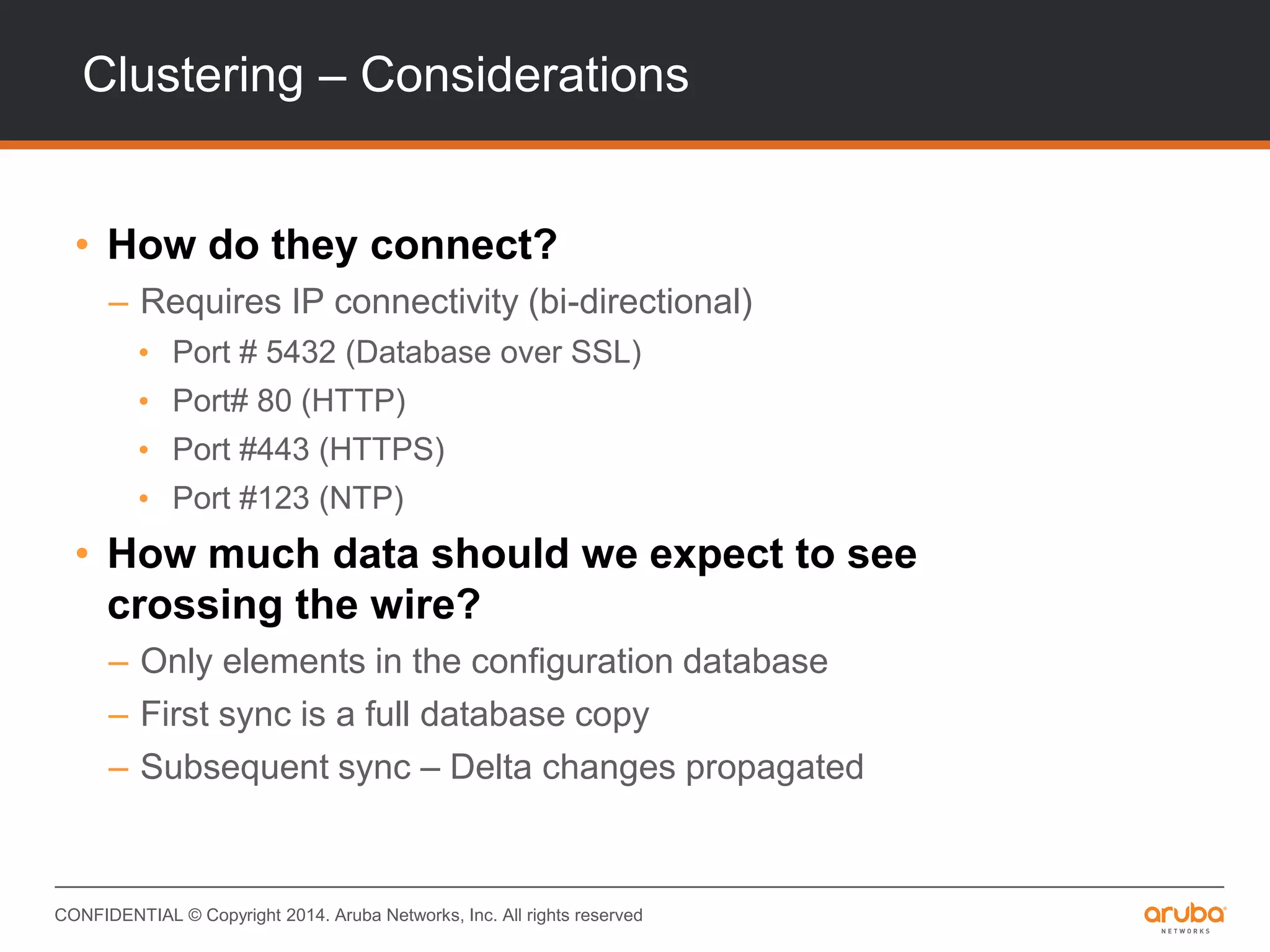
Clustering – Considerations
• How do they connect?
– Requires IP connectivity (bi-directional)
• Port # 5432 (Database over SSL)
• Port# 80 (HTTP)
• Port #443 (HTTPS)
• Port #123 (NTP)
• How much data should we expect to see
crossing the wire?
– Only elements in the configuration database
– First sync is a full database copy
– Subsequent sync – Delta changes propagated
CONFIDENTIAL © Copyright 2014. Aruba Networks, Inc. All rights reserved
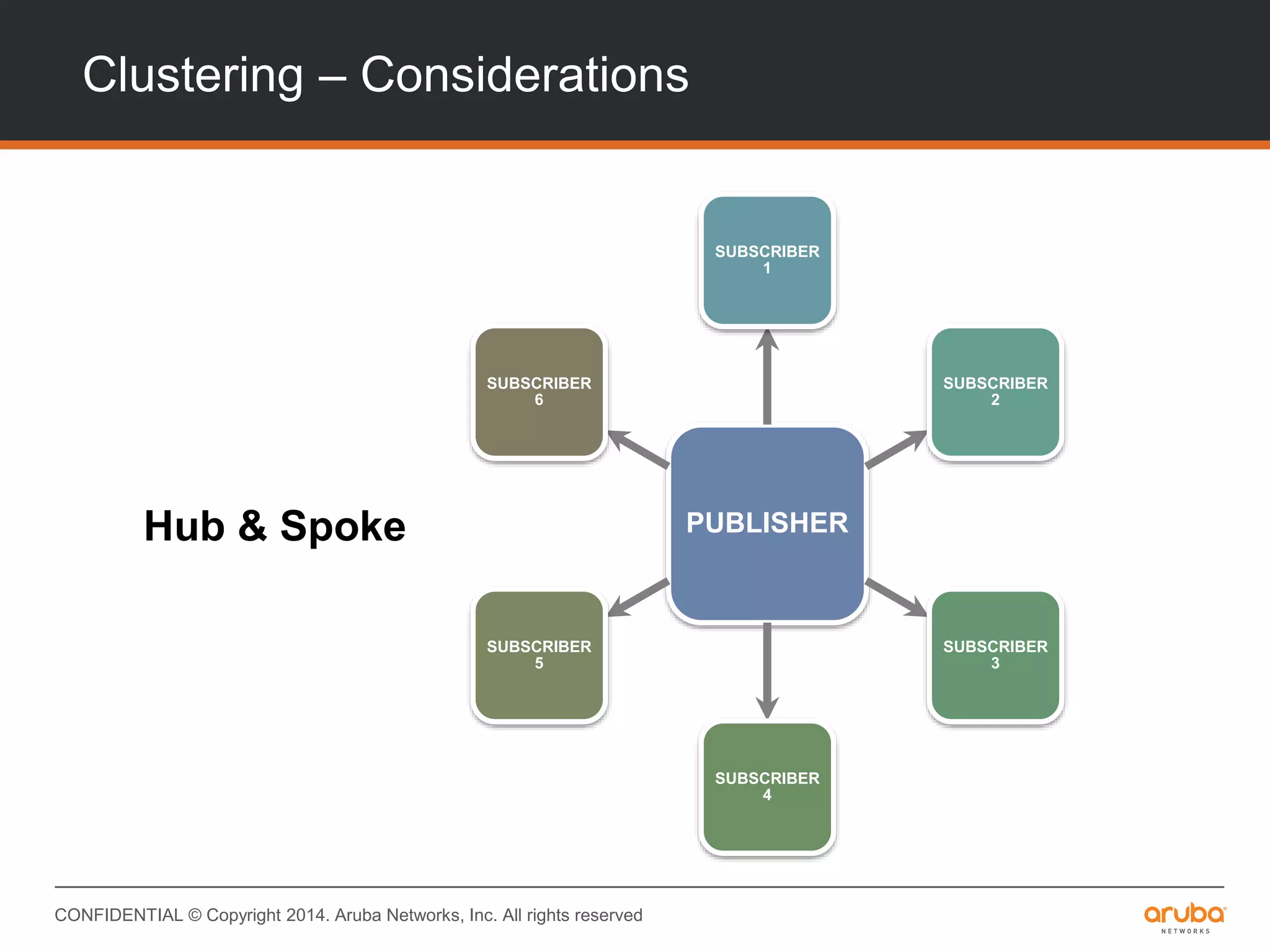
Clustering – Considerations
Hub & Spoke PUBLISHER
SUBSCRIBER
1
SUBSCRIBER
2
SUBSCRIBER
3
SUBSCRIBER
4
SUBSCRIBER
5
SUBSCRIBER
6
CONFIDENTIAL © Copyright 2014. Aruba Networks, Inc. All rights reserved
Clustering – Considerations
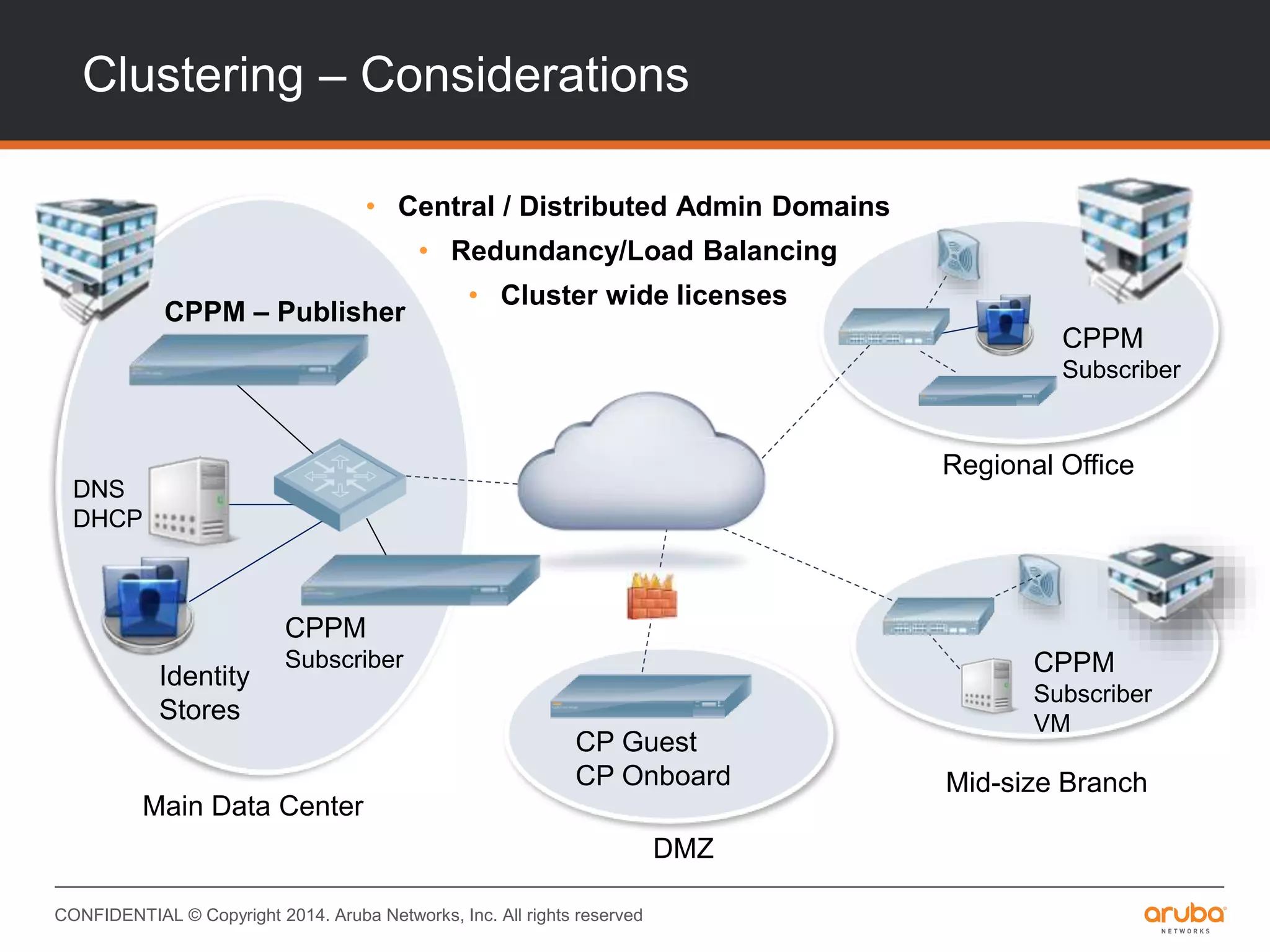
• Central / Distributed Admin Domains
• Redundancy/Load Balancing
• Cluster wide licenses
CPPM – Publisher
DNS
DHCP
Identity
Stores
Main Data Center
Mid-size Branch
Regional Office
DMZ
CPPM
Subscriber
VM
CP Guest
CP Onboard
CPPM
Subscriber
CPPM
Subscriber
CONFIDENTIAL © Copyright 2014. Aruba Networks, Inc. All rights reserved
Operations & Maintenance
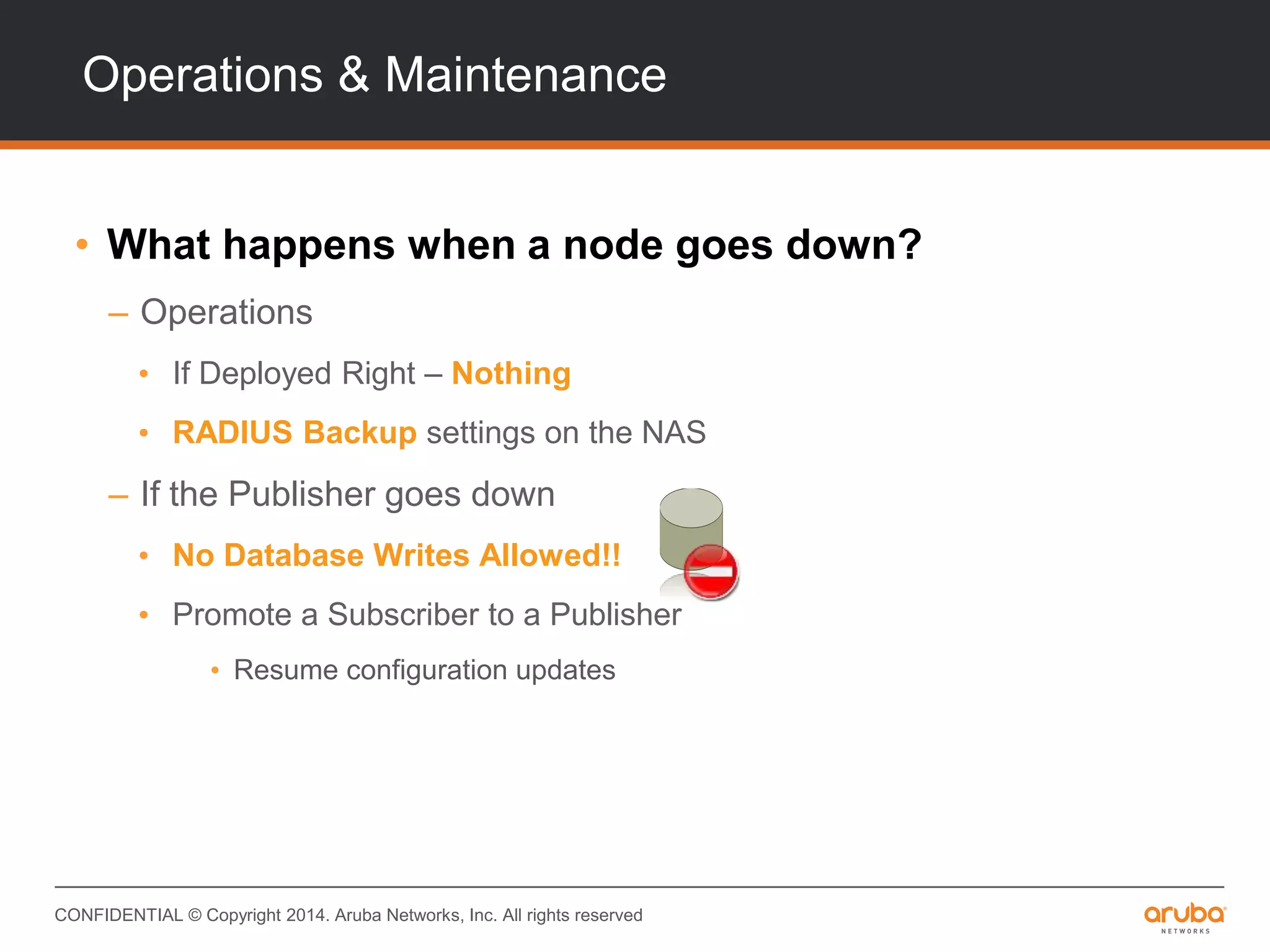
• What happens when a node goes down?
– Operations
• If Deployed Right – Nothing
• RADIUS Backup settings on the NAS
– If the Publisher goes down
• No Database Writes Allowed!!
• Promote a Subscriber to a Publisher
• Resume configuration updates
CONFIDENTIAL © Copyright 2014. Aruba Networks, Inc. All rights reserved
Events & Alerts
• How long before ClearPass figures out
something’s wrong?
– 24 hours before it automatically “drops” a node from the
cluster
– Cluster Synchronization Warnings
• 1 event every hour x 24 hours = 24 events
– CPU/Memory Usage Warnings Every 2 Minutes
– Server Certificate Warnings Every 24 Hours
– Service Alerts Immediate
• Email/SMS Alerts using Insight, Syslog & SNMP
CONFIDENTIAL © Copyright 2014. Aruba Networks, Inc. All rights reserved
Operations & Maintenance
• Rescue & Recovery
– Establish cluster connectivity
• Database sync will ensue. Watch for “Last Sync Time”
– Restore certificates
• Server Certificates are not installed as a part of the sync
– Restore log entries (If necessary)
• Caveat : High disk activity for an extended period of time
– Verify fail-back on the NAS
• NAS fail-back timers should kick in
#AirheadsLocal

Access Management with Aruba ClearPass

  • 1.
    CONFIDENTIAL © Copyright 2014.Aruba Networks, Inc. All rights reserved Access Management with Aruba ClearPass Seth Fiermonti June 2014
  • 2.
    CONFIDENTIAL © Copyright2014. Aruba Networks, Inc. All rights reserved Agenda • Introductions & Expectations • What is ClearPass • ClearPass – Policy Model • Authorization – What and Why • Profile – How does it work • Clustering & Deployment • Q & A
  • 3.
  • 4.
    CONFIDENTIAL © Copyright2014. Aruba Networks, Inc. All rights reserved Evolving IT Landscape USER CENTRIC, SELF SERVICEIT CENTRIC Windows Fixed Environment Wired Network IT Managed Slow Refresh Multiple Platforms Work from anywhere Wired, Wi-Fi, Cellular Selection of devices & apps User Timeframes
  • 5.
    CONFIDENTIAL © Copyright2014. Aruba Networks, Inc. All rights reserved The ClearPass Solution Comprehensive Solutions Architecture WORKFLOW POLICYVISIBILITY Role-based Enforcement Health/Posture Checks Device and App Device Profiling Troubleshooting Per Session Tracking Onboarding, Registration Guest Management MDM Integration
  • 6.
    CONFIDENTIAL © Copyright2014. Aruba Networks, Inc. All rights reserved The ClearPass Access Security Platform CONFIDENTIAL © Copyright 2013. Aruba Networks, Inc. All rights reserved 6 @arubanetworks Policy Services Identity Stores 3rd Party MDM App Servers DIFFERENTIATED ACCESS UNIFIED POLICIES DEVICE VISIBILITY GUEST EMPLOYEE POLICY SERVICES ENTERPRISE-CLASS AAA RADIUS, TACACS+ VPN OnGuard Posture & Health Checks Onboard Device Provisioning Guest Visitor Management Multivendor Networks ClearPass Policy Manager AAA Services ONE IDPolicy Engine
  • 7.
    CONFIDENTIAL © Copyright2014. Aruba Networks, Inc. All rights reserved Context-Based Access Control • Differentiated Access – Role, device type, access method • Policy-based AAA Services – Support for 802.1X, MAC, Web (HTTPS) authentication – Communicate to network devices via RADIUS, RADIUS CoA, TACACS+, SNMP – Ability to read from multiple identity stores (AD, LDAP, SQL, Kerberos, Token Server, Etc.) – Enforcement Options – Allow/Deny, VLAN, ACL, dACL, url redirects, SNMP • Contextual Policy Elements – Time, location, group, OS version, project VPN
  • 8.
    CONFIDENTIAL © Copyright2014. Aruba Networks, Inc. All rights reserved Platform Features – Out of the box Multivendor DNA • Wired, WLAN, VPN Core Authentication • AAA, LDAP, AD, Kerberos, Token, SQL, MAC, 802.1x, TACACS+, HTTPS, SSO (SAML, Okta) Integrated Profiling • Device profiling across wired & wireless • Use directly in authorization policy
  • 9.
    CONFIDENTIAL © Copyright2014. Aruba Networks, Inc. All rights reserved ClearPass Core Services MDM Integration • Leverage information gained from MDM vendors for profile & to influence policy TACACS+ Server • Replace legacy ACS solutions Context Aware Authorization • Device type, User, Time, Location, Posture • Layer multiple conditions for policy derivation
  • 10.
    CONFIDENTIAL © Copyright2014. Aruba Networks, Inc. All rights reserved Platform Features – Out of the box Scale with Clustering • Supports 1 million endpoints per cluster • Centralized or distributed architecture Flexible Licensing • Perpetual licenses • Subscription licenses • 25 free endpoint Enterprise license included Physical or Virtual Appliances • Sized for variety of customer needs • Virtual Appliance relies upon VMWare
  • 11.
    CONFIDENTIAL © Copyright2014. Aruba Networks, Inc. All rights reserved What’s in ClearPass 6.3 INTEGRATIONINTEROPERABILITY Auto Sign-On for Apps • Simple Network authentication for App login • Opens doors for mobile device SSO opportunities Guest Advertising Included • Customizable for gender, season, location • Larger story in retail, healthcare, entertainment Enhanced Certificate Distribution • 3rd Party MDM solutions can now use Onboard CA • You are the alternative for internal PKI integration
  • 12.
    CONFIDENTIAL © Copyright2014. Aruba Networks, Inc. All rights reserved INTEGRATIONINTEROPERABILITY Remote Support • Setup secure TAC session with a simple click • Customer support because you asked for it SPAN Port Profiling • Any device addressed via DHCP gets profiled • You get the big picture faster, from one port Exchange • Built-in tools for integration of third-party systems • Data exchange with MDM, helpdesk, SIEM apps made easy What’s in ClearPass 6.3
  • 13.
    CONFIDENTIAL © Copyright2014. Aruba Networks, Inc. All rights reserved ClearPass Auto Sign-On Only Aruba lets you sign-in once & you’re good to go • One login for all web/mobile apps – Uses valid network login • NO App logins • IBM, Okta, Ping • ClearPass as Provider (IdP) – Uses SAML, not RADIUS
  • 14.
    CONFIDENTIAL © Copyright2014. Aruba Networks, Inc. All rights reserved ClearPass Exchange Two-way Third-Party Integration Syslog Messages / RESTful APIs Jail-broken device detected Helpdesk ticket auto generated Message to device auto generated 1. 2.3. ClearPass denies access to device
  • 15.
  • 16.
    CONFIDENTIAL © Copyright2014. Aruba Networks, Inc. All rights reserved ClearPass Policy Model • What constitutes the policy model? • How does it work? • What are the interactions between various components? • How does the policy model affect configuration & deployment?
  • 17.
    CONFIDENTIAL © Copyright2014. Aruba Networks, Inc. All rights reserved ClearPass Policy Model Policy Identity Health Device Conditions • Role • Department • Group • AV, AS, FW • Registry Keys • Services… • Device type, status, health • Address, O/S • Corp. Owned • Time • Location • Day of Week
  • 18.
    CONFIDENTIAL © Copyright2014. Aruba Networks, Inc. All rights reserved What’s the flow? Authenticate • Valid Authentication Authorize • Find Out What’s Allowed Associate Context • Device, Time, Location, Posture Enforce on NAS • Roles, ACLs, VLANs
  • 19.
    CONFIDENTIAL © Copyright2014. Aruba Networks, Inc. All rights reserved What Are The Interactions? RADIUS Server – Authenticate Policy Server – Authorize Policy Server – Associate Context Policy Server – Decision Tree RADIUS Server – Enforce
  • 20.
    CONFIDENTIAL © Copyright2014. Aruba Networks, Inc. All rights reserved ClearPass Policy Enforcement ClearPass Use external context to define granular policies • User / role • Device fingerprint • OS version • Health checks • Jailbreak status • Location • Trusted or untrusted network • Time • Date • Wired, Wi-Fi, VPN enforcement
  • 21.
    CONFIDENTIAL © Copyright2014. Aruba Networks, Inc. All rights reserved Service Flow – 802.1X Layer 2 RADIUS Request Layer 2 Authentication Layer 2 Authorization Layer 2 Role Derivation Layer 2 RADIUS Enforcement Layer 3 Profile Layer 2 NAP Layer 3 OnGuard
  • 22.
    CONFIDENTIAL © Copyright2014. Aruba Networks, Inc. All rights reserved Service Flow – Implications • Layer 2 Authentications are completed first – Full Authorization – Role Derivation – NAP (if enabled) – Layer 2 Enforcement • Layer 3 : Profile next – DHCP Request, DHCP Offer – RFC 3576 – Change of Authorization • Another Layer 2 authentication! – No RFC 3576 message if “fingerprint” does not change • Layer 3 : Collect Posture last (OnGuard) – Posture over HTTPS – RFC 3576 based on policy – Another Layer 2 authentication!
  • 23.
  • 24.
    CONFIDENTIAL © Copyright2014. Aruba Networks, Inc. All rights reserved Authorization – What and Why? • Authentication vs. Authorization • Authorization & ClearPass • Use Cases
  • 25.
    CONFIDENTIAL © Copyright2014. Aruba Networks, Inc. All rights reserved Authorization & ClearPass • “Authorization” Sources in ClearPass – Where do I find them? – How do I use them? – How often does ClearPass talk to an authorization source? – What happens in case something goes wrong?
  • 26.
    CONFIDENTIAL © Copyright2014. Aruba Networks, Inc. All rights reserved Authorization Sources – Where? • An “Authentication Source” is an “Authorization Source” – RADIUS Server vs. Policy Server
  • 27.
    CONFIDENTIAL © Copyright2014. Aruba Networks, Inc. All rights reserved Authorization Sources – How? Authentication Sources are automatic Authorization Sources Additional Authorization Sources enabled per Service No Authorization unless used in Roles!
  • 28.
    CONFIDENTIAL © Copyright2014. Aruba Networks, Inc. All rights reserved Authorization Sources – How? Authorize with Active Directory Authorize with Profile Data Rule Algorithm : Evaluate All
  • 29.
    CONFIDENTIAL © Copyright2014. Aruba Networks, Inc. All rights reserved Authorization – How? • Ok, great. But will ClearPass flood my AD with authorization requests? – Authorization data is cached per user – New request made to fetch data once the cache expires – Cache timers can be tuned Cache Timeout Default: 10 hours
  • 30.
    CONFIDENTIAL © Copyright2014. Aruba Networks, Inc. All rights reserved Authorization – How? • Got it • But I just made a bunch of changes on my AD. Should I need to wait 10 hours? – Tune the cache timers – “Clear Cache” button on the Authentication Source – Wipes out cache for all users – “Save” button on the Authentication Source • Wipes out cache for all users – Restart Policy Server • BAD IDEA!!!
  • 31.
    CONFIDENTIAL © Copyright2014. Aruba Networks, Inc. All rights reserved Authorization – Uh-Oh! • If an Authentication/Authorization Source is not reachable – Configure Backup Servers – Configure Fail-Over Timeout Fail-Over Timeout Backup Servers
  • 32.
    CONFIDENTIAL © Copyright2014. Aruba Networks, Inc. All rights reserved Use Cases – Mergers & Acquisitions Active Directory Domain – avendasys.com Active Directory Domain – arubanetworks.com
  • 33.
    CONFIDENTIAL © Copyright2014. Aruba Networks, Inc. All rights reserved Authentication & Authorization Sources for TLS Certificate Details used for Authorization Enable Authorization – Source specified in the Service Compare Certificate – Source specified in the Service Use Cases – Certificates & TLS
  • 34.
    CONFIDENTIAL © Copyright2014. Aruba Networks, Inc. All rights reserved Use Cases – Asset Databases • LDAP/SQL Interface to Asset Databases – Key : MAC Address – Authorization Attributes • Ownership – Corporate vs. Personal • Compliance Status – In/Out of compliance – Identify corporate-owned non-Windows devices
  • 35.
    Profile – HowDoes It Work?
  • 36.
    CONFIDENTIAL © Copyright2014. Aruba Networks, Inc. All rights reserved Profile – How does it work? • Profile & Network Data • Automatic Profile “upgrades” • Using Profile data in policy • Configuring Profile – DHCP? HTTP? SNMP? • Use Cases
  • 37.
    CONFIDENTIAL © Copyright2014. Aruba Networks, Inc. All rights reserved Profile & Network Data What does ClearPass use to profile? – MAC OUIs – DHCP Request, DHCP Offer – HTTP User-Agent – MDM Fingerprints – Device Interrogation – SNMP/CDP/LLDP Data
  • 38.
    CONFIDENTIAL © Copyright2014. Aruba Networks, Inc. All rights reserved Fingerprint Updates • Subscribe to Fingerprint Updates – Automatic reclassification – Updated frequently • Tell Aruba! – Create policy exceptions – Grab fingerprints from UI – Send fingerprints to Aruba – Crowd-sourced, community oriented
  • 39.
    CONFIDENTIAL © Copyright2014. Aruba Networks, Inc. All rights reserved Using Profile data in policy • Automatic 3-level categorization – Device Category, OS Family, Device Name • Using raw profile data – DHCP Data, HTTP User-Agent, SNMP Data • Role Mapping – What should I use? • Enforcement – How do I enforce? – What are the benefits?
  • 40.
    CONFIDENTIAL © Copyright2014. Aruba Networks, Inc. All rights reserved Configuring Profile – Network Considerations • DHCP Relay – Where should I setup DHCP relays? • Captive Portal Configuration – Is there a knob for this? • Reading SNMP Data – CDP – LLDP – HR MIB – SysDescr MIB
  • 41.
    CONFIDENTIAL © Copyright2014. Aruba Networks, Inc. All rights reserved Use Cases • Policy – CEOs & iPads • Policy – “Headless” Devices • Visibility – Demystifying BYODs
  • 42.
    CONFIDENTIAL © Copyright2014. Aruba Networks, Inc. All rights reserved Use Cases – CEOs & iPads Assign Roles Enforce Access
  • 43.
    CONFIDENTIAL © Copyright2014. Aruba Networks, Inc. All rights reserved Use Cases – Headless Devices Identify & Assign Roles To Headless Devices
  • 44.
    CONFIDENTIAL © Copyright2014. Aruba Networks, Inc. All rights reserved Use Cases – Visibility
  • 45.
  • 46.
    CONFIDENTIAL © Copyright2014. Aruba Networks, Inc. All rights reserved Clustering & Deployment • Clustering Technology – What’s replicated? What’s not? • Deploying ClearPass Clusters – Considerations • Operations & Maintenance – What happens when a ClearPass node is down? – Events & Alerts – Rescue & Recovery
  • 47.
    CONFIDENTIAL © Copyright2014. Aruba Networks, Inc. All rights reserved Clustering Technology • What’s replicated? – All policy configuration elements – All Audit data – All identity store data • Guest Accounts, Endpoints, Profile data – Runtime Information • Authorization status, Posture status, Roles • Connectivity Information, NAS Details – Database replication on port# 5432 over SSL – Runtime replication on port# 443 over SSL
  • 48.
    CONFIDENTIAL © Copyright2014. Aruba Networks, Inc. All rights reserved Clustering Technology • What’s not replicated? – Log files – Authentication Records – Accounting Records – System Events – System Monitor Data
  • 49.
    CONFIDENTIAL © Copyright2014. Aruba Networks, Inc. All rights reserved Clustering – Considerations • How do they connect? – Requires IP connectivity (bi-directional) • Port # 5432 (Database over SSL) • Port# 80 (HTTP) • Port #443 (HTTPS) • Port #123 (NTP) • How much data should we expect to see crossing the wire? – Only elements in the configuration database – First sync is a full database copy – Subsequent sync – Delta changes propagated
  • 50.
    CONFIDENTIAL © Copyright2014. Aruba Networks, Inc. All rights reserved Clustering – Considerations Hub & Spoke PUBLISHER SUBSCRIBER 1 SUBSCRIBER 2 SUBSCRIBER 3 SUBSCRIBER 4 SUBSCRIBER 5 SUBSCRIBER 6
  • 51.
    CONFIDENTIAL © Copyright2014. Aruba Networks, Inc. All rights reserved Clustering – Considerations • Central / Distributed Admin Domains • Redundancy/Load Balancing • Cluster wide licenses CPPM – Publisher DNS DHCP Identity Stores Main Data Center Mid-size Branch Regional Office DMZ CPPM Subscriber VM CP Guest CP Onboard CPPM Subscriber CPPM Subscriber
  • 52.
    CONFIDENTIAL © Copyright2014. Aruba Networks, Inc. All rights reserved Operations & Maintenance • What happens when a node goes down? – Operations • If Deployed Right – Nothing • RADIUS Backup settings on the NAS – If the Publisher goes down • No Database Writes Allowed!! • Promote a Subscriber to a Publisher • Resume configuration updates
  • 53.
    CONFIDENTIAL © Copyright2014. Aruba Networks, Inc. All rights reserved Events & Alerts • How long before ClearPass figures out something’s wrong? – 24 hours before it automatically “drops” a node from the cluster – Cluster Synchronization Warnings • 1 event every hour x 24 hours = 24 events – CPU/Memory Usage Warnings Every 2 Minutes – Server Certificate Warnings Every 24 Hours – Service Alerts Immediate • Email/SMS Alerts using Insight, Syslog & SNMP
  • 54.
    CONFIDENTIAL © Copyright2014. Aruba Networks, Inc. All rights reserved Operations & Maintenance • Rescue & Recovery – Establish cluster connectivity • Database sync will ensue. Watch for “Last Sync Time” – Restore certificates • Server Certificates are not installed as a part of the sync – Restore log entries (If necessary) • Caveat : High disk activity for an extended period of time – Verify fail-back on the NAS • NAS fail-back timers should kick in
  • 55.

Editor's Notes

  • #5 The introduction of Wi-Fi enabled smart phones and tablets has changed the dynamics for rolling out new user devices and services. IT no longer has the ability to qualify which device a user receives, pre-configure them with work and security apps, and monitor their use. Personal devices are the new norm and successful deployments of new services like BYOD are gauged by days, not months. Other factors include the number of helpdesk calls and how happy the users are. With the speed in which devices are introduced, refreshed and replaced, lets look at some new IT issues that is faced with.
  • #6 To eliminate silos Aruba ClearPass is designed to deliver user and device visibility, automated workflow services and policy management enforcement all from a single platform. Built-in device profiling provides a comprehensive picture of what’s connecting to the network which makes it simple to differentiate access for BYOD and IT managed devices. Real-time troubleshooting tools help IT create policies that work and also solve connectivity issues. For example, an access dashboard and per session logs allow IT to easily see why a user had a problem without having to peruse lengthy log databases. To help off-load IT, ClearPass includes automated features that allow users to self-provision personal devices and register media sharing devices like an Apple TV or just a printer. ClearPass Guest lets visitors self-register or sponsors can create credentials that automatically expire. Device management services extend MDM capabilities with network control and enforcement. A built-in CA can be used to distribute and manage device specific certificates. User can even re-install or revoke certificates for lost or stolen devices. The policy component brings it all together by allowing organizations to create granular policies for Aruba and multivendor Wi-Fi, wired and VPN networks. A role-based model allows you to assign and differentiate access by user, device and other contextual attributes like location, job function and device ownership. All this from a single pane of glass.
  • #7 All of the features just described are delivered as hardware or virtual appliances that can authenticate up to 500, 5000 and 25000 unique devices per week. ClearPass is also unique in that the base appliance includes our entire feature set – RADIUS and TACACS services, policy engine, identity broker features, as well as each of the add-on modules in the form of a starter bundle for Guest, Onboard, OnGuard and WorkSpace. The add-on modules are expandable per use case which means that customers with 100 guests per week only need to license for that amount. The same goes for onboarding personal or BYO devices. They’re not required to purchase advanced licenses or features they won’t use. Other customer benefits include the ability to create policies that query multiple identity stores, connect multiple active directory domains, leverage external MDM solutions and work in Wi-Fi, wired and VPN environments. Again without purchasing special licensing.
  • #15 User authentication attempt with jail broken device ClearPass quarantines device via RADIUS Using RESTful API, ClearPass automatically creates trouble ticket in ServiceNow including: User ID MAC address Device type Location Email sent to helpdesk staff
  • #21 ClearPass provides added value as a combination of contextual attributes can be used to create very granular policies in networks where multivendor and Aruba Mobility Controllers are deployed. While permit/deny and VLAN enforcement is supported for non-Aruba equipment, ClearPass lets organizations create enforcement rules that take advantage of Aruba’s role-based enforcement features. Policies can be written that take advantage of per user firewalls and optimization for voice and video applications. Context can be used to differentiate employee access by device type and OS if needed. For example, Guest policies can be written that limit access to week days and not weekends. Or executives can be given full access for smart phones, while employees can be restricted to the Internet when using mobile devices.
  • #37 30:24 – 32:44
  • #47 30:24 – 32:44