CONFIGURING DIFFERENT APIS IN ARUBA 8.X
10:00 GMT | 11:00 CET | 13:00 GST
Oct 31st, 2017
Presenter: Anshul BHarthan
anshul.bharthan@hpe.com
2
Agenda
 Why API’s
 STRUCTURED DATA - SCHEMA & DATA
 Introduction to Configuration APIs in 8.0
 Types and uses:
a) Configuration APIs (REST API)
b) Context APIs (NBAPIs)
 Configuration API Usage
 Navigating the UI
 API calls via CLI
 Other Config API Usage
3
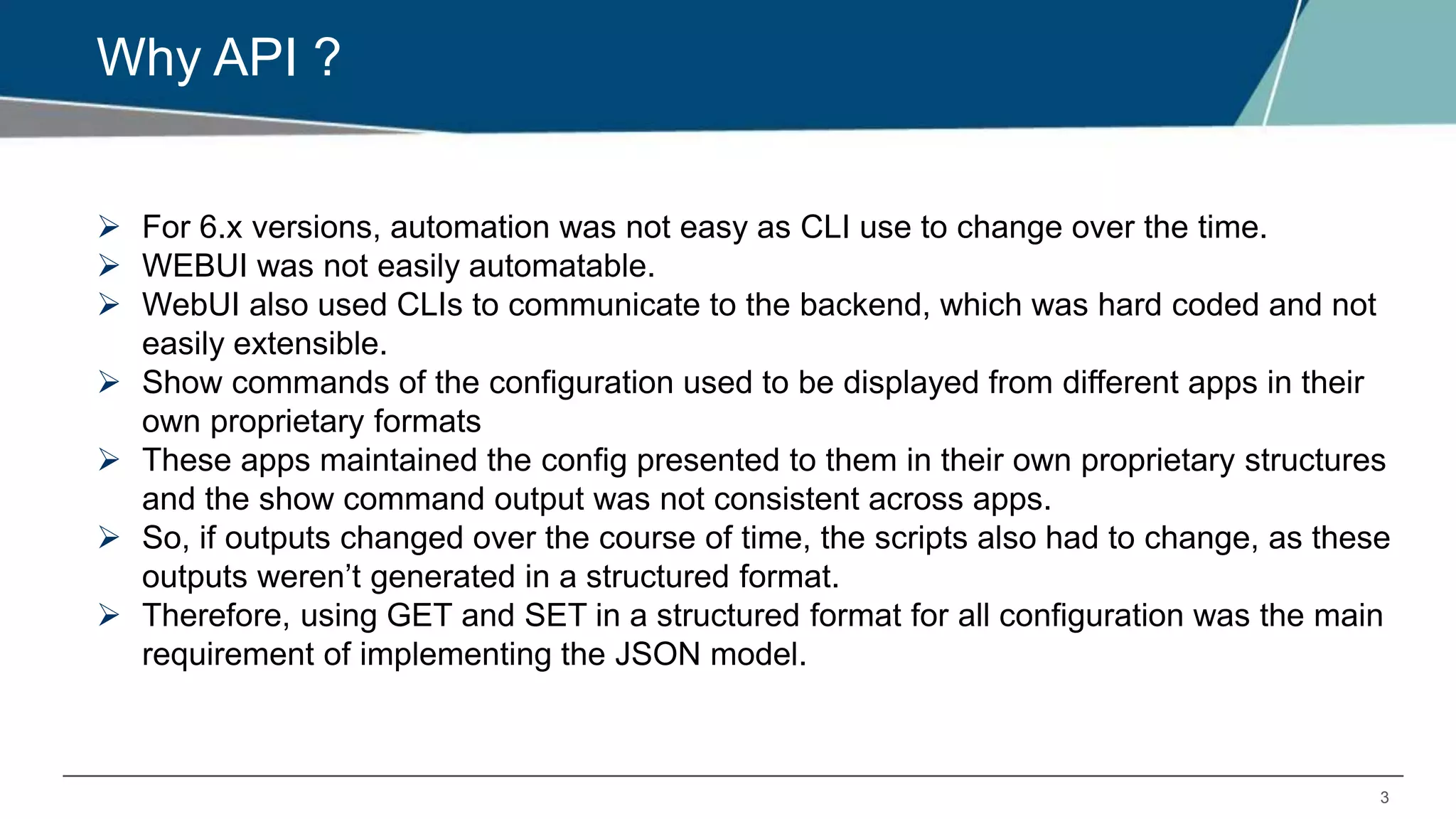
Why API ?
 For 6.x versions, automation was not easy as CLI use to change over the time.
 WEBUI was not easily automatable.
 WebUI also used CLIs to communicate to the backend, which was hard coded and not
easily extensible.
 Show commands of the configuration used to be displayed from different apps in their
own proprietary formats
 These apps maintained the config presented to them in their own proprietary structures
and the show command output was not consistent across apps.
 So, if outputs changed over the course of time, the scripts also had to change, as these
outputs weren’t generated in a structured format.
 Therefore, using GET and SET in a structured format for all configuration was the main
requirement of implementing the JSON model.
4
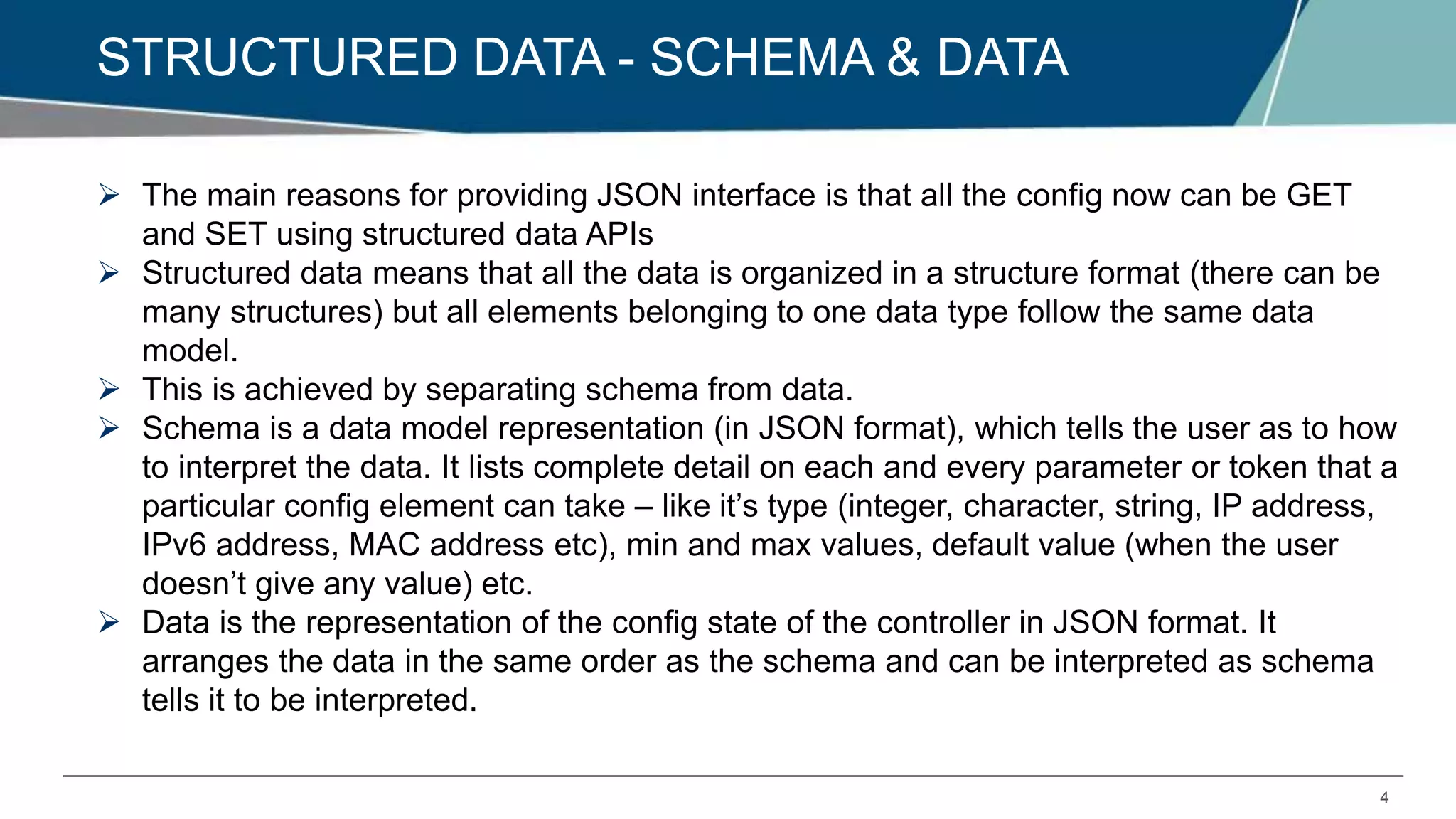
STRUCTURED DATA - SCHEMA & DATA
 The main reasons for providing JSON interface is that all the config now can be GET
and SET using structured data APIs
 Structured data means that all the data is organized in a structure format (there can be
many structures) but all elements belonging to one data type follow the same data
model.
 This is achieved by separating schema from data.
 Schema is a data model representation (in JSON format), which tells the user as to how
to interpret the data. It lists complete detail on each and every parameter or token that a
particular config element can take – like it’s type (integer, character, string, IP address,
IPv6 address, MAC address etc), min and max values, default value (when the user
doesn’t give any value) etc.
 Data is the representation of the config state of the controller in JSON format. It
arranges the data in the same order as the schema and can be interpreted as schema
tells it to be interpreted.
CONFIGURATION API’S – REST API
6
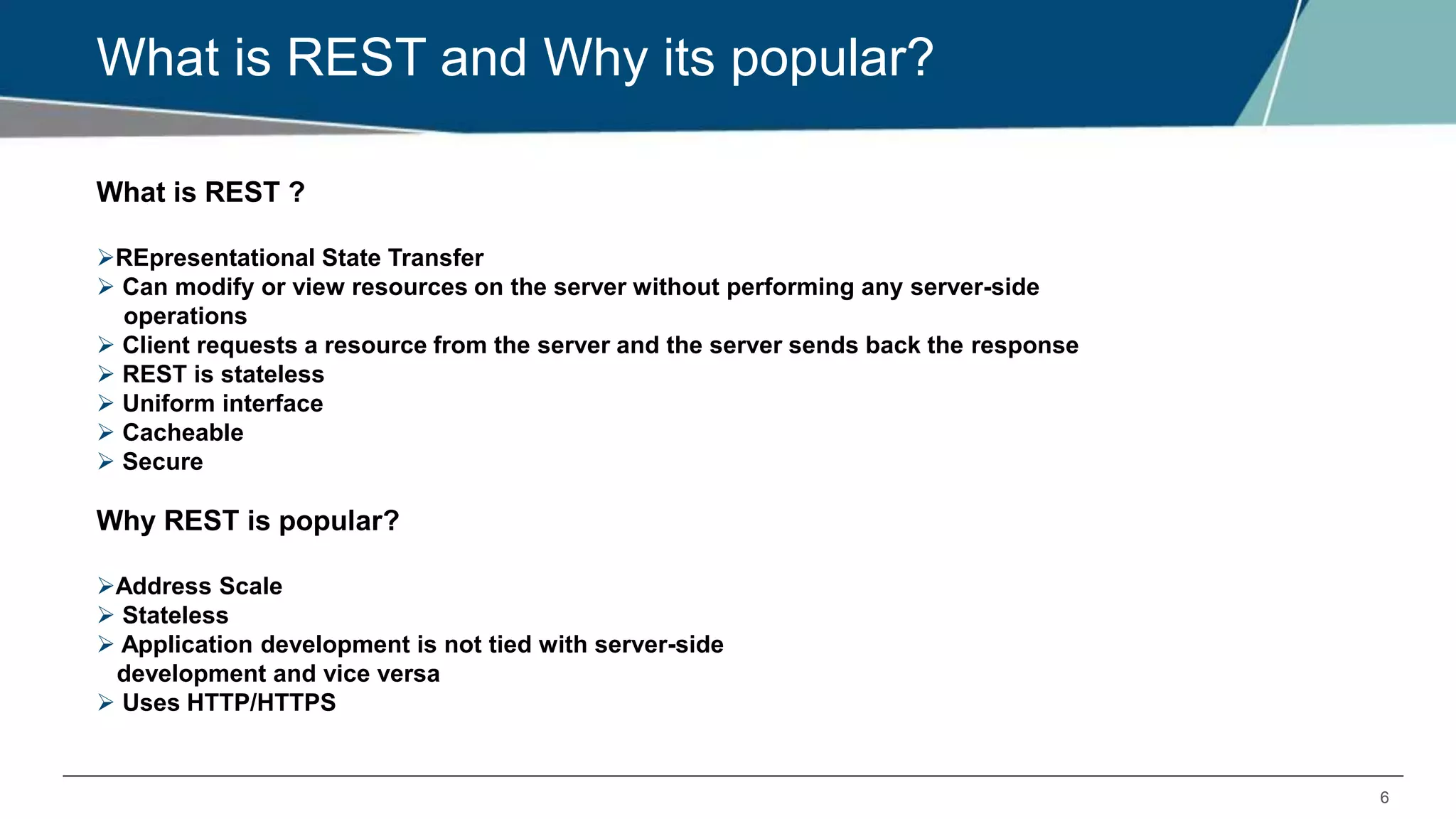
What is REST and Why its popular?
What is REST ?
REpresentational State Transfer
 Can modify or view resources on the server without performing any server-side
operations
 Client requests a resource from the server and the server sends back the response
 REST is stateless
 Uniform interface
 Cacheable
 Secure
Why REST is popular?
Address Scale
 Stateless
 Application development is not tied with server-side
development and vice versa
 Uses HTTP/HTTPS
7
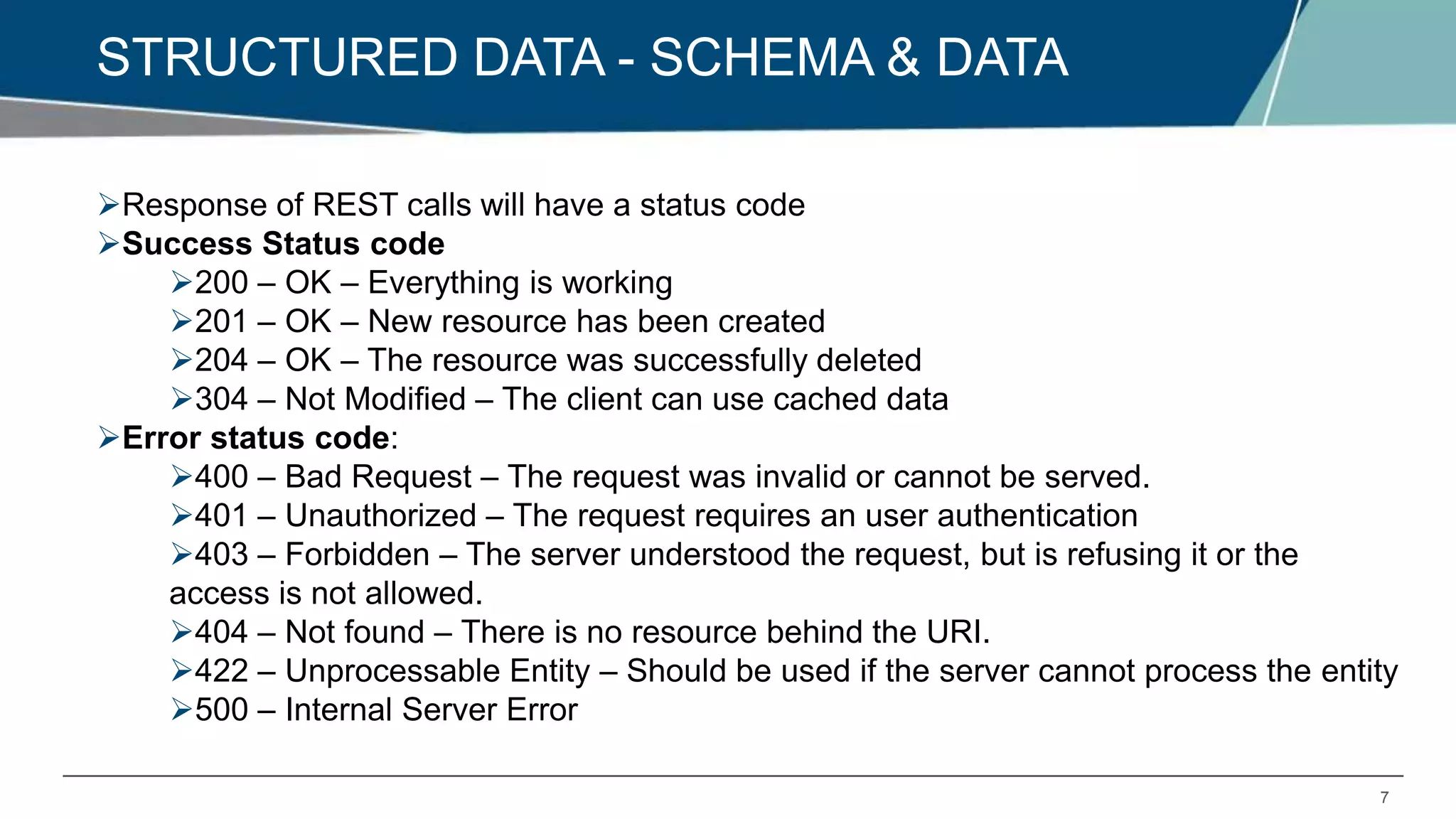
STRUCTURED DATA - SCHEMA & DATA
Response of REST calls will have a status code
Success Status code
200 – OK – Everything is working
201 – OK – New resource has been created
204 – OK – The resource was successfully deleted
304 – Not Modified – The client can use cached data
Error status code:
400 – Bad Request – The request was invalid or cannot be served.
401 – Unauthorized – The request requires an user authentication
403 – Forbidden – The server understood the request, but is refusing it or the
access is not allowed.
404 – Not found – There is no resource behind the URI.
422 – Unprocessable Entity – Should be used if the server cannot process the entity
500 – Internal Server Error
8
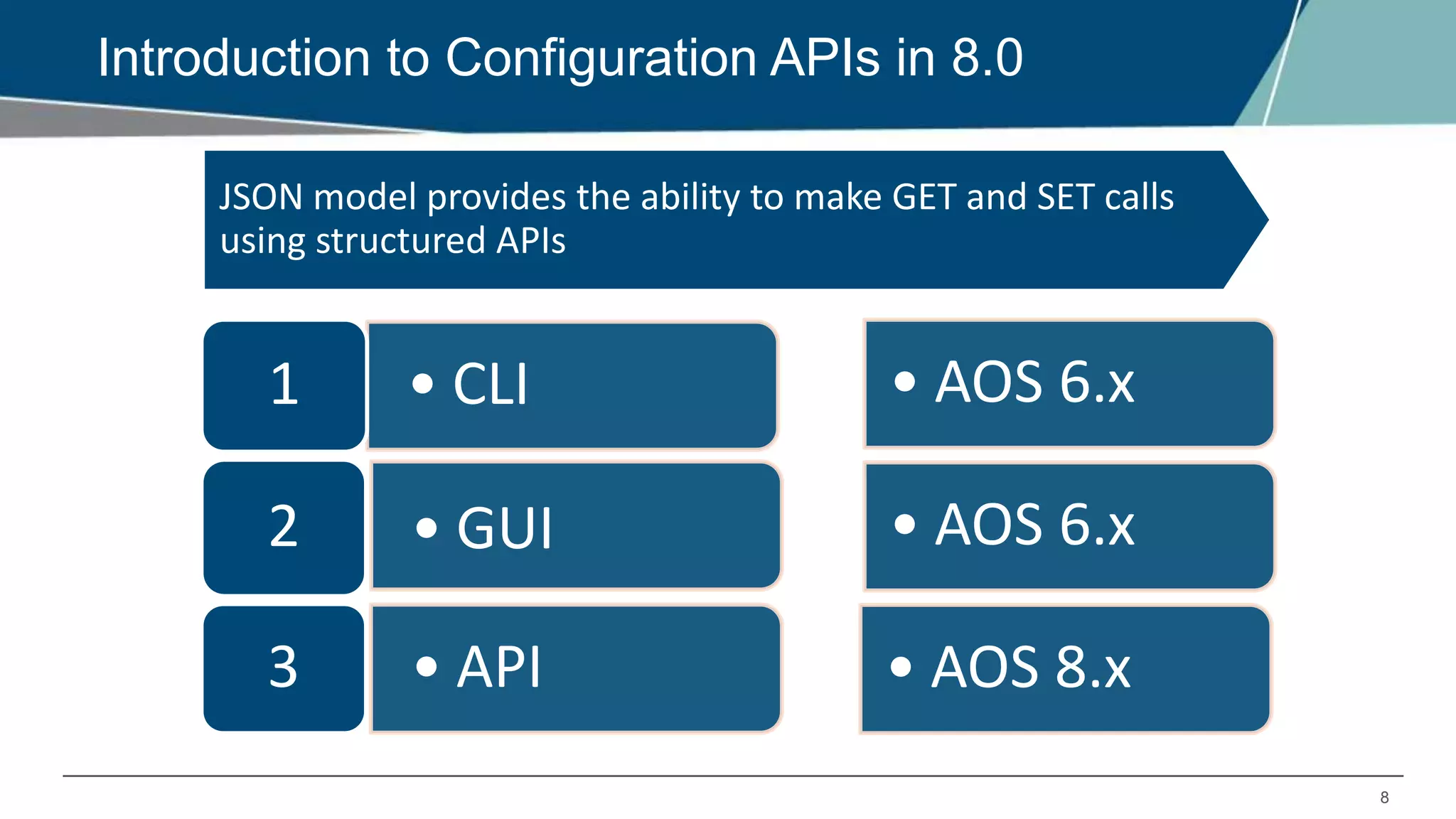
Introduction to Configuration APIs in 8.0
JSON model provides the ability to make GET and SET calls
using structured APIs
• CLI1
• GUI2
• API3
• AOS 6.x
• AOS 8.x
• AOS 6.x
9
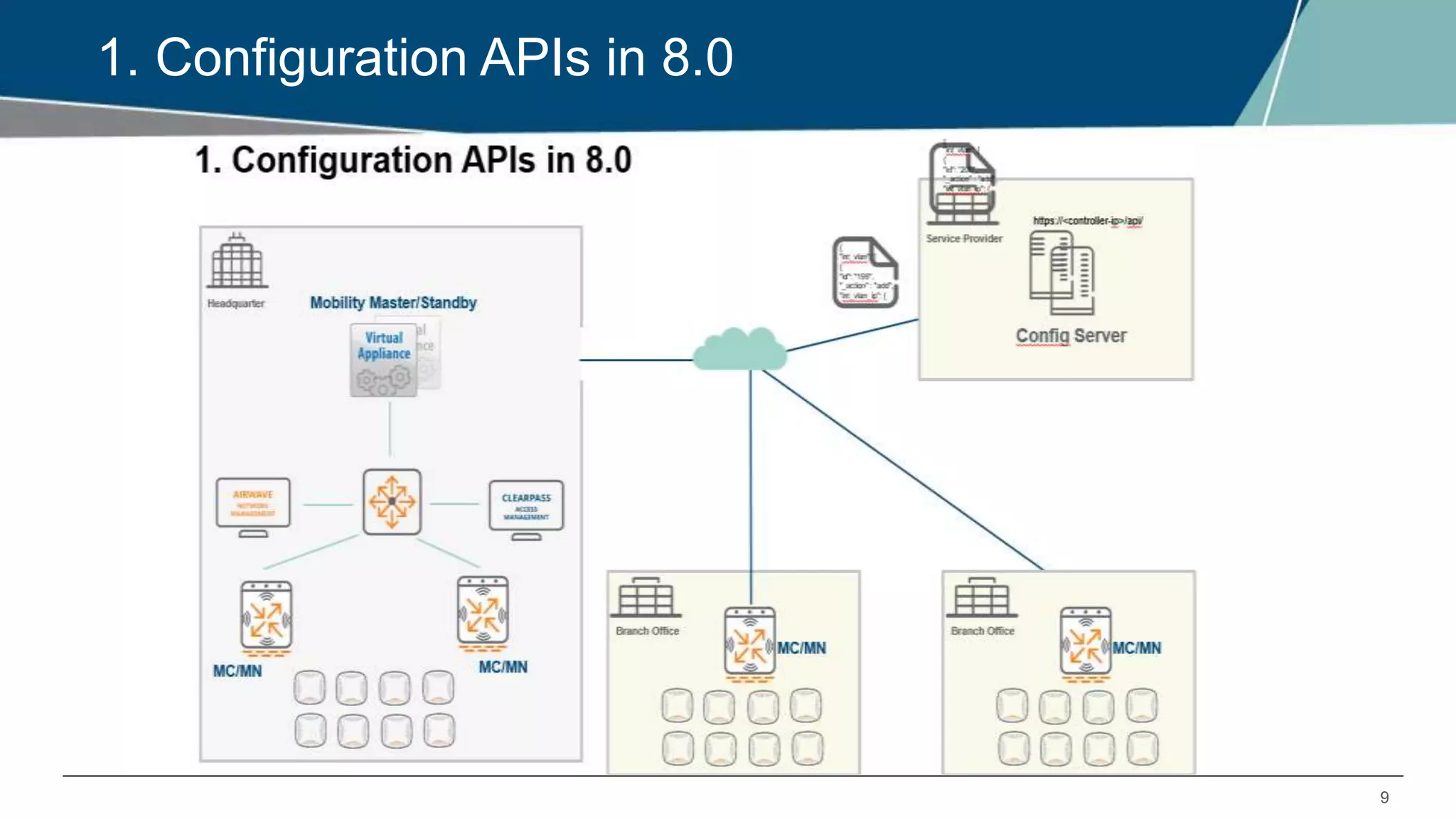
1. Configuration APIs in 8.0
10
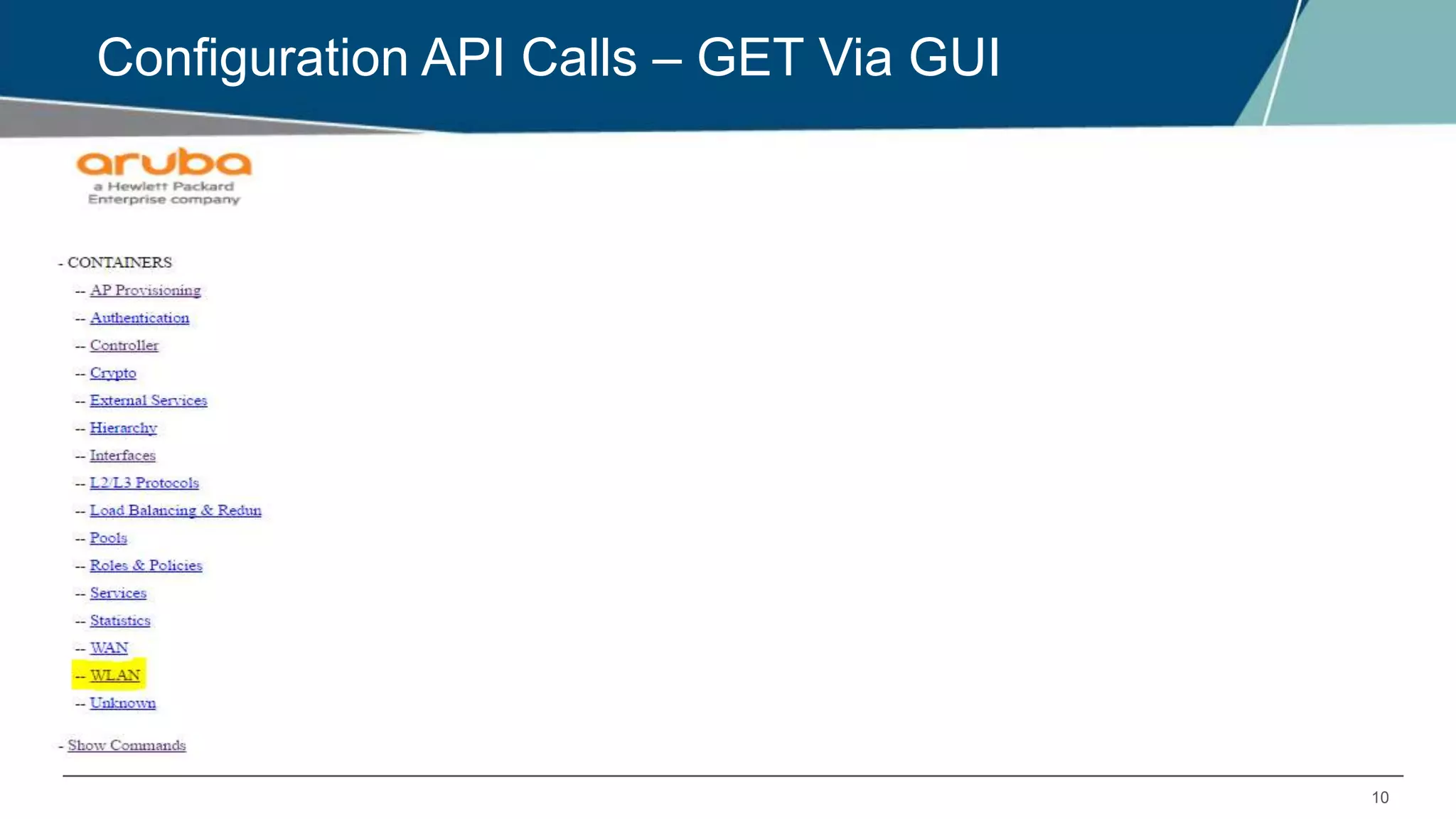
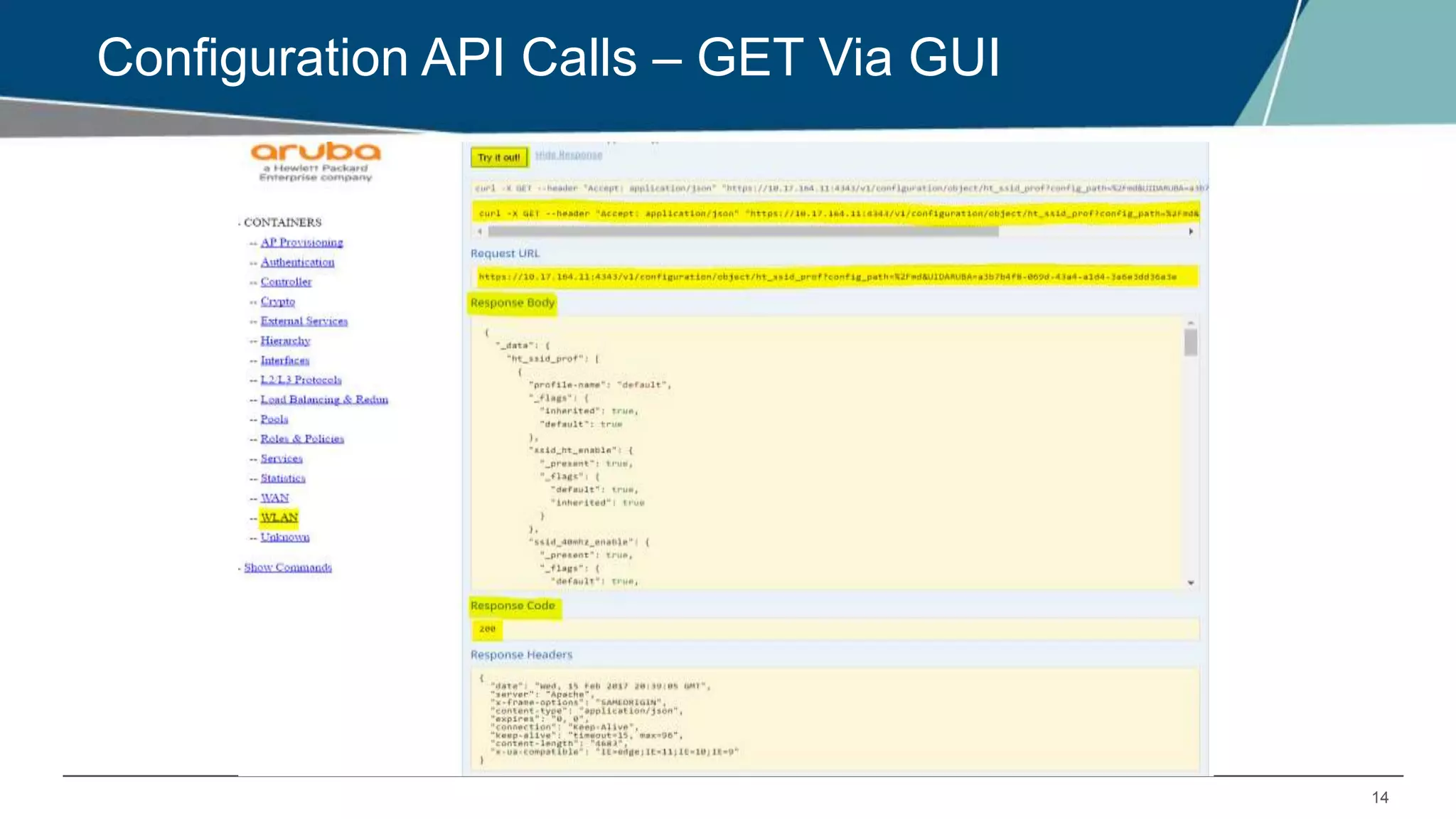
Configuration API Calls – GET Via GUI
11
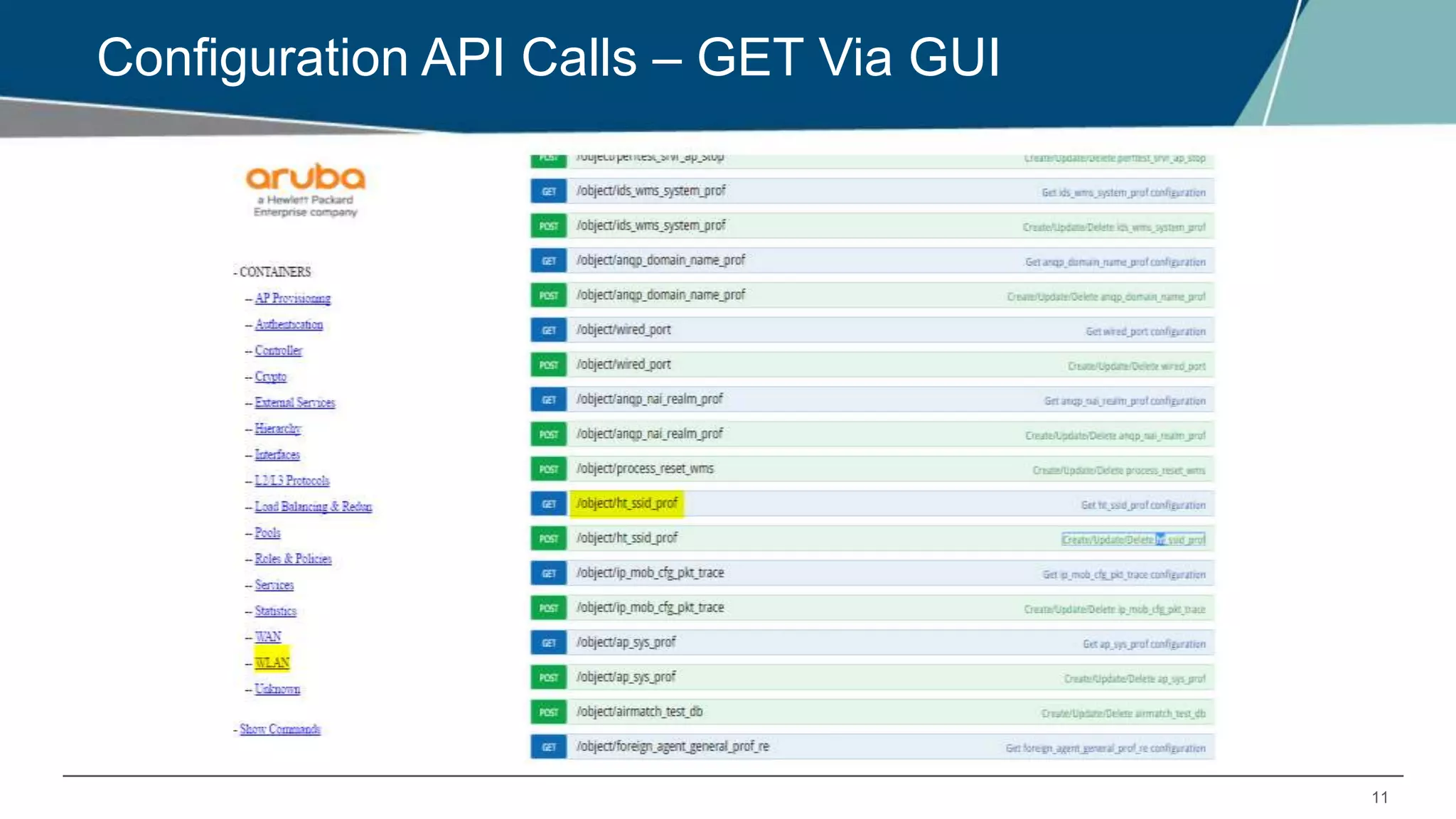
Configuration API Calls – GET Via GUI
12
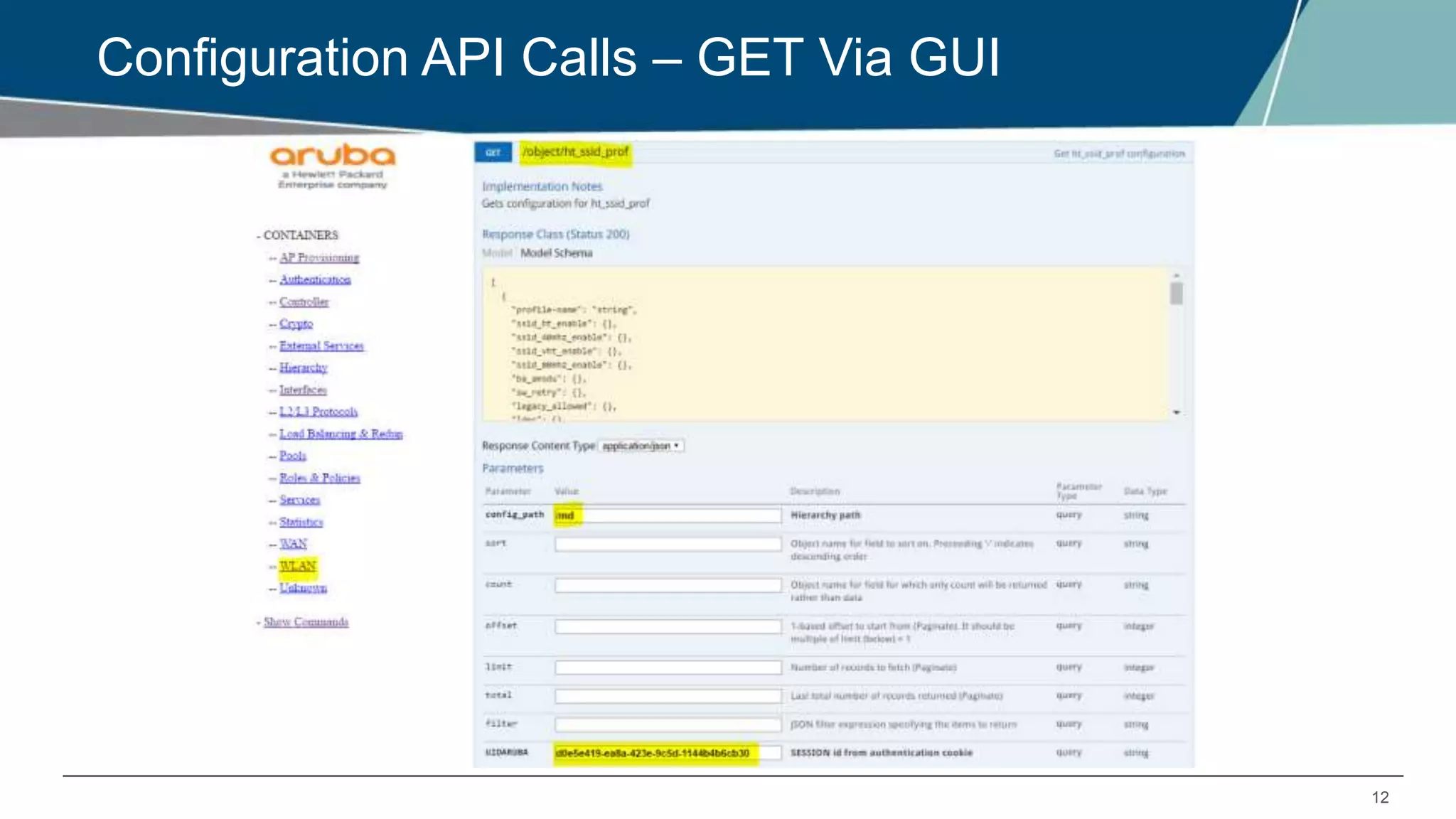
Configuration API Calls – GET Via GUI
13
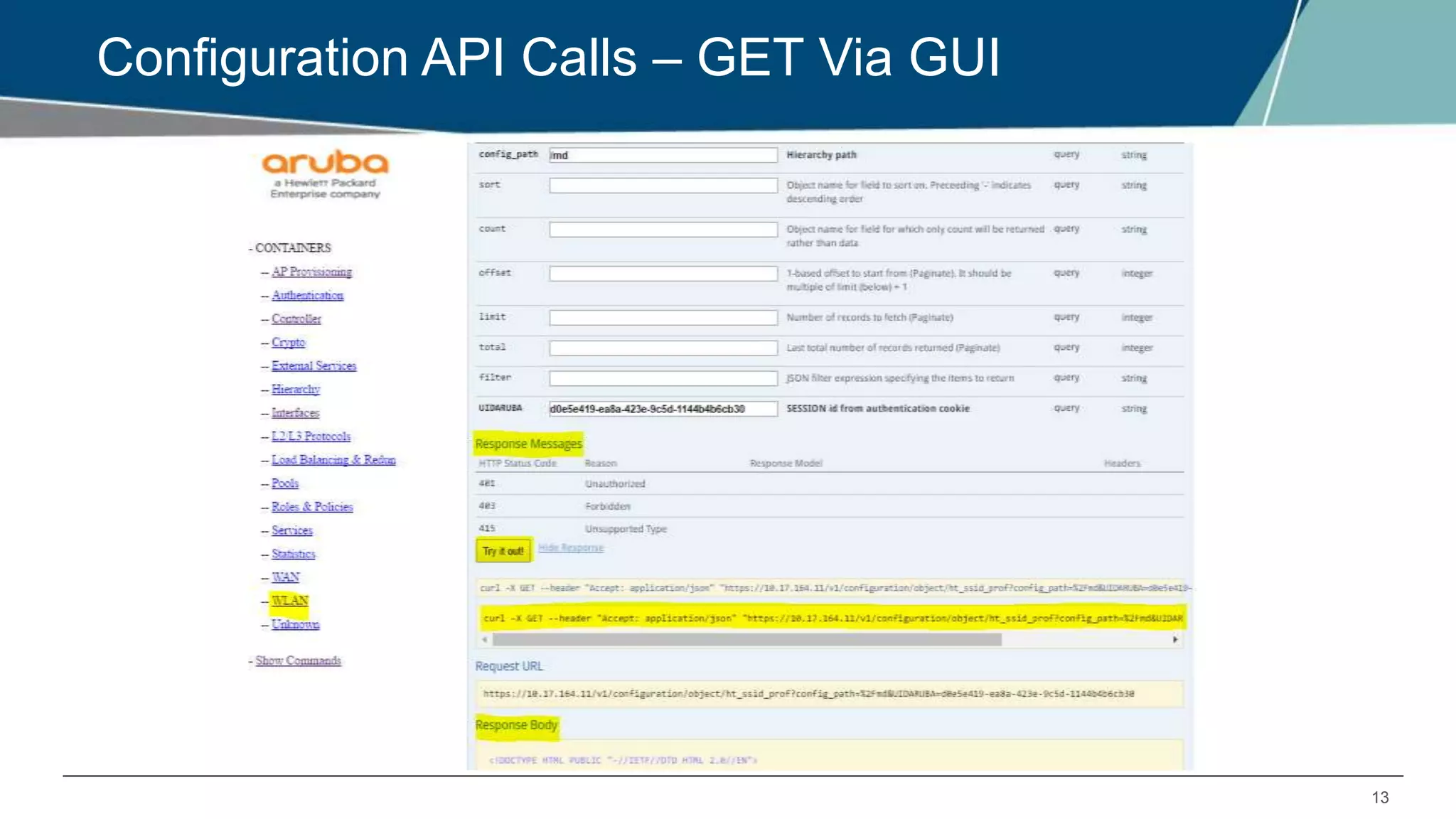
Configuration API Calls – GET Via GUI
14
Configuration API Calls – GET Via GUI
15
Configuration API Calls – cURL commands via CLI
GET:
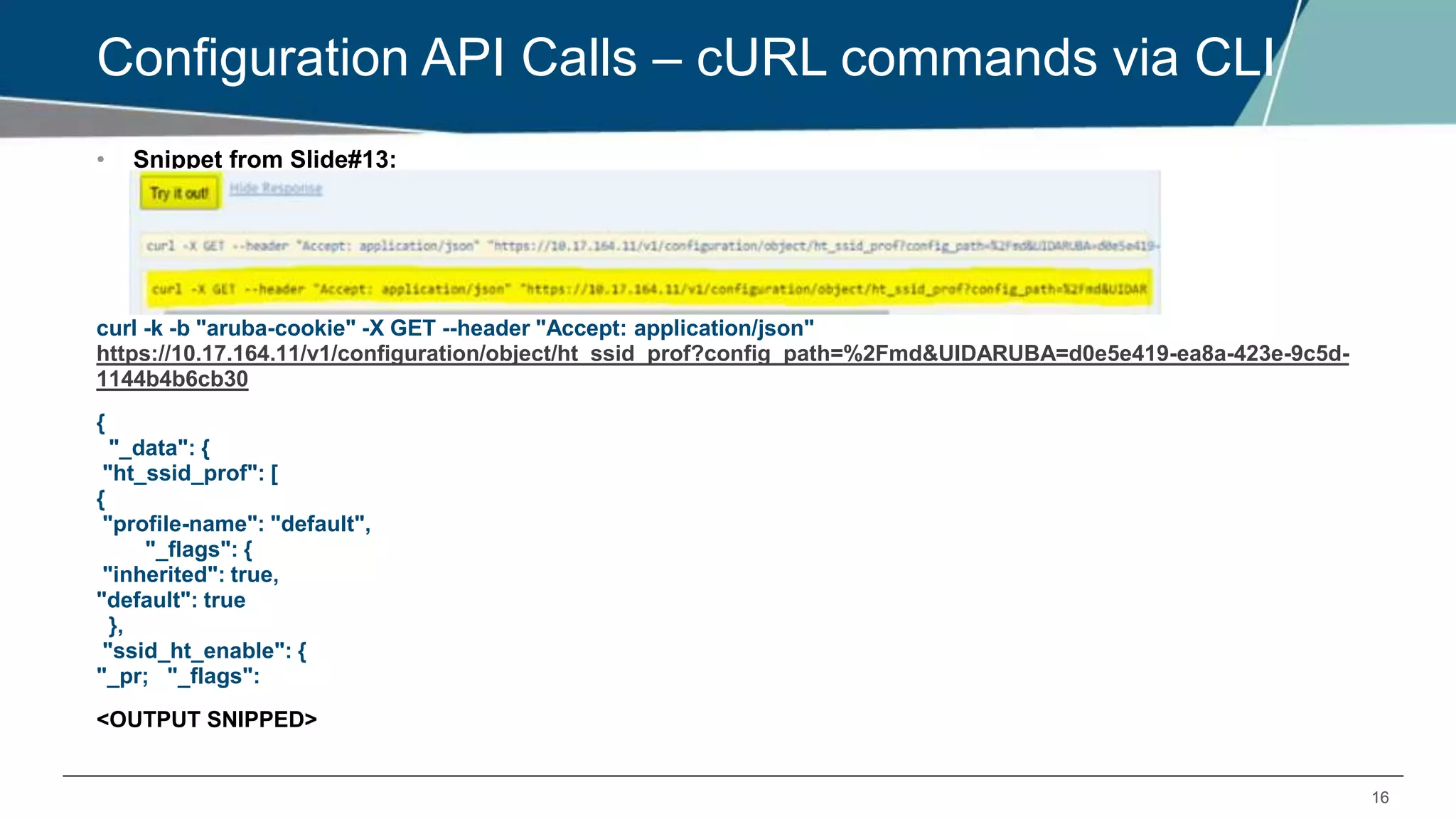
Now let’s check the same GET Option for an object (HT_SSID_PROF) using CLI
Before executing GET/SET commands, we need to login to the controller:
LOGIN:
[arubasupport@ANSHUL_CPPM_SRV ~]$curl --insecure -c "aruba-cookie" -d
"username=admin&password=aruba123" https://10.17.164.11:4343/v1/api/login
{"_global_result": {"status":"0", "status_str": "You've logged in successfully.", "UIDARUBA":"2bf89edb-
5208-48d9-b916-bb2fa759c26a"}}
LOGOUT:
[arubasupport@ANSHUL_CPPM_SRV ~]$ curl --insecure -c "aruba-cookie"
https://10.17.164.11:4343/v1/api/logout
{"_global_result": {"status":"0", "status_str": "You've been logged out successfully.", "UIDARUBA":"(null)"}}
 The --insecure (or -k) option can be used with the curl command if the certificate of the Mobility
Master cannot be validated.
16
Configuration API Calls – cURL commands via CLI
• Snippet from Slide#13:
curl -k -b "aruba-cookie" -X GET --header "Accept: application/json"
https://10.17.164.11/v1/configuration/object/ht_ssid_prof?config_path=%2Fmd&UIDARUBA=d0e5e419-ea8a-423e-9c5d-
1144b4b6cb30
{
"_data": {
"ht_ssid_prof": [
{
"profile-name": "default",
"_flags": {
"inherited": true,
"default": true
},
"ssid_ht_enable": {
"_pr; "_flags":
<OUTPUT SNIPPED>
17
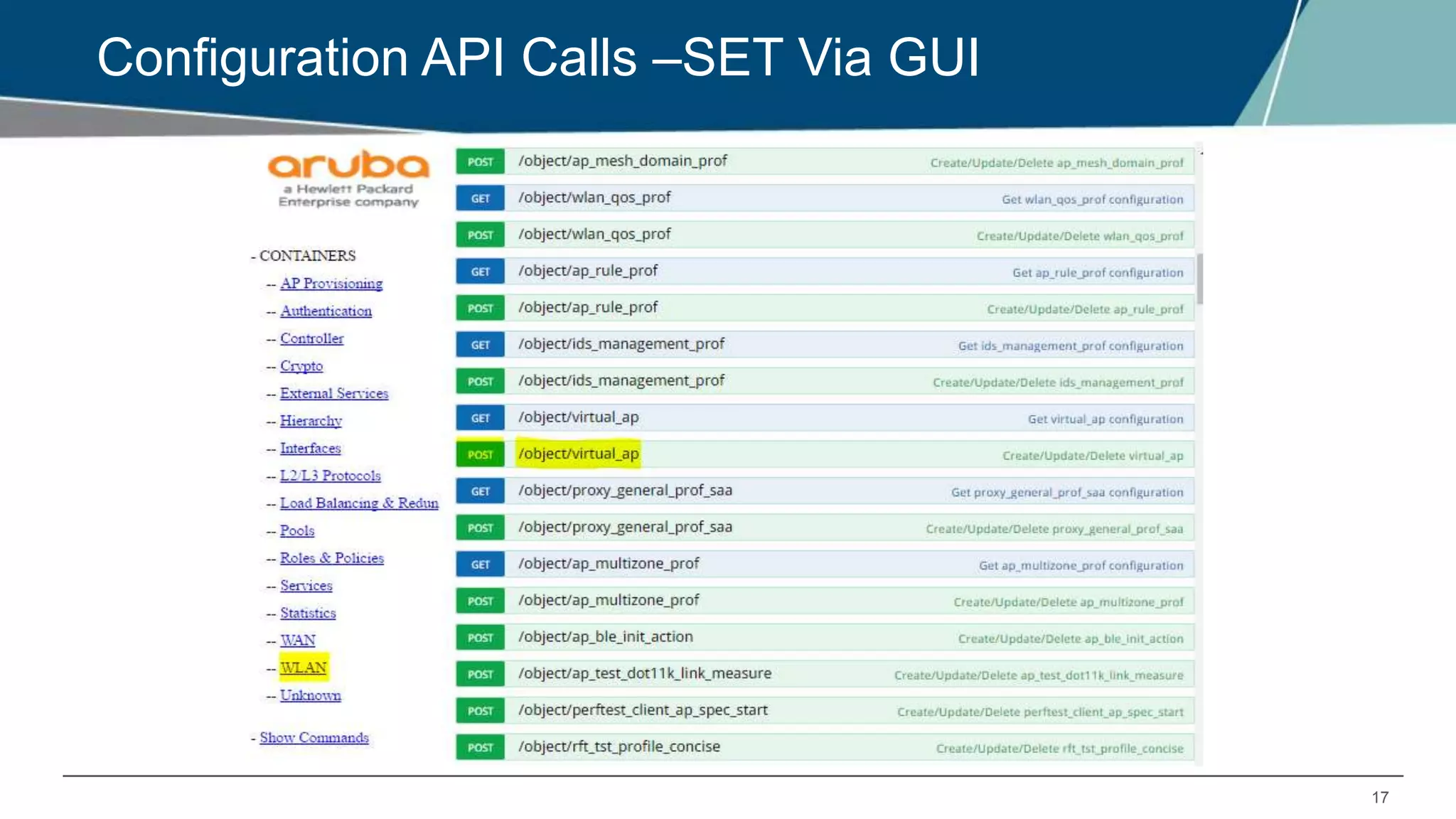
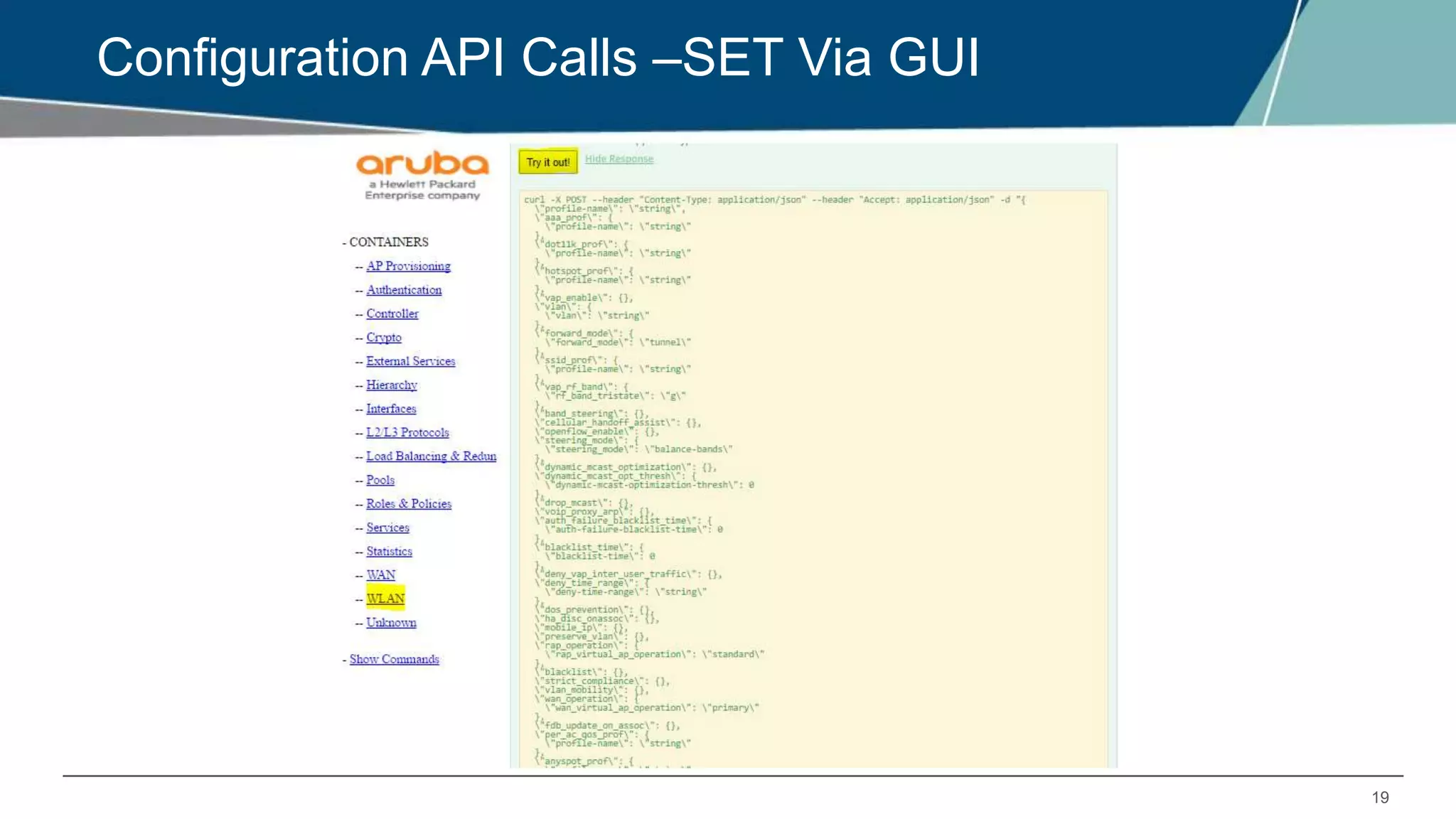
Configuration API Calls –SET Via GUI
18
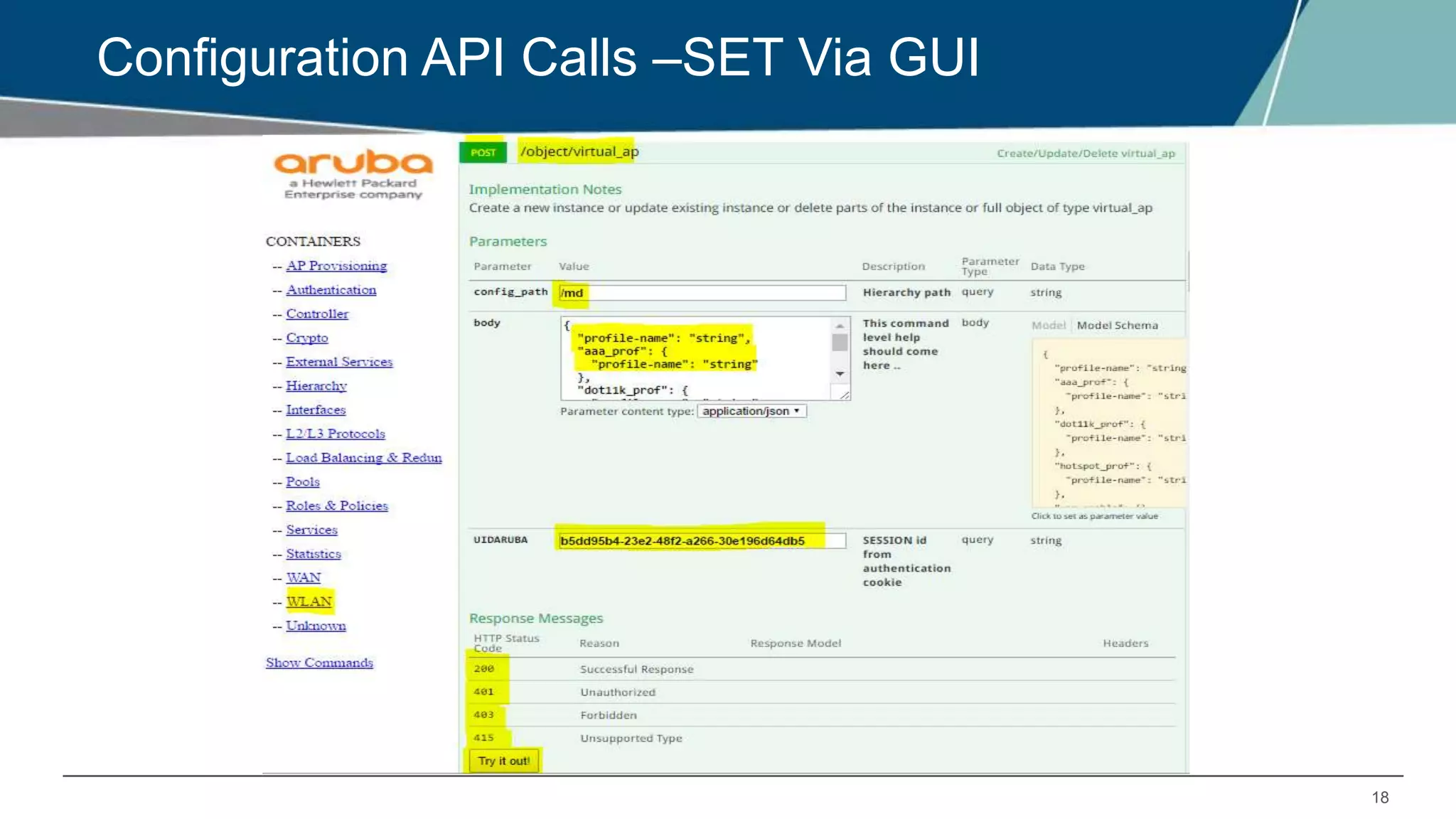
Configuration API Calls –SET Via GUI
19
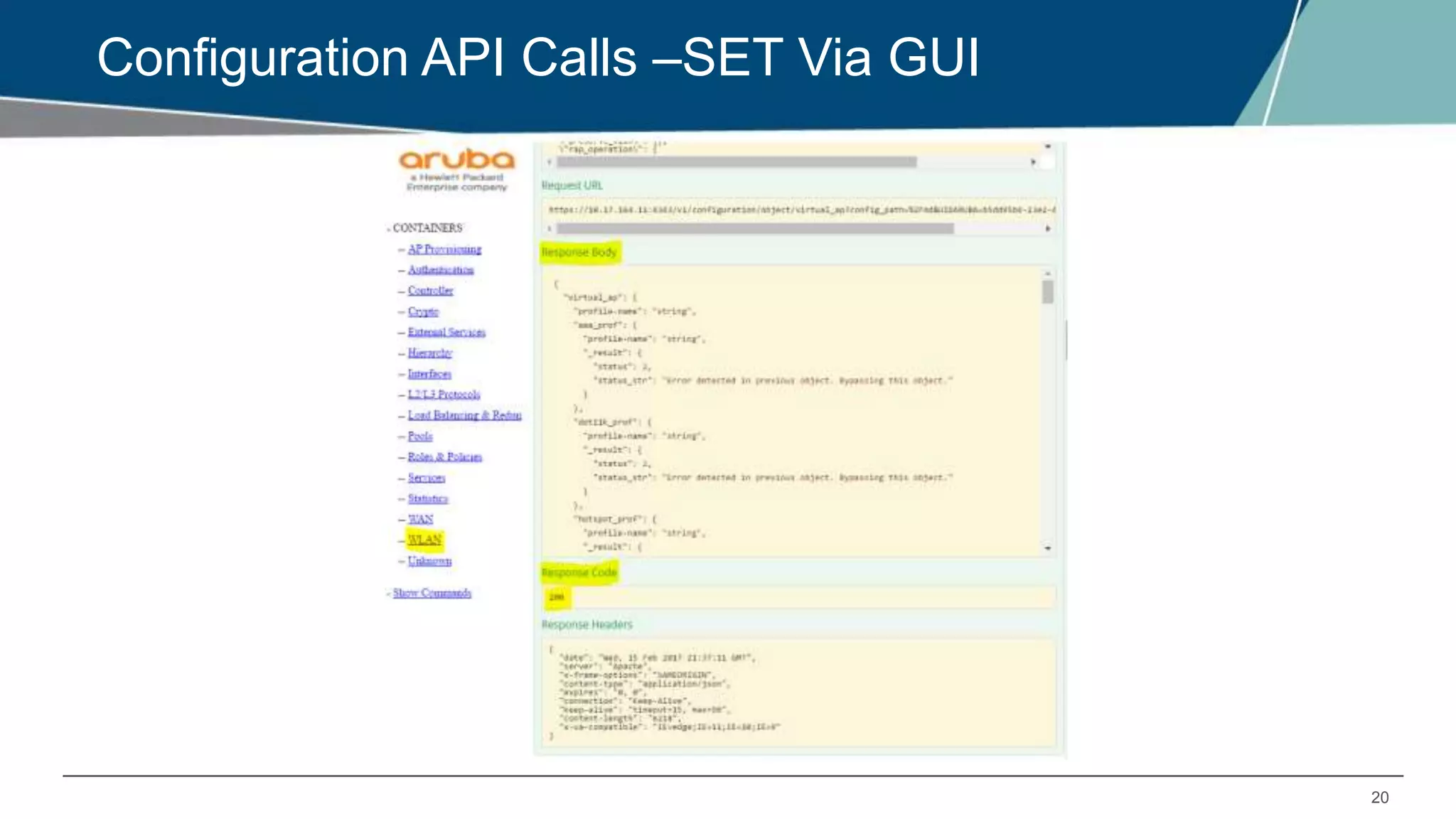
Configuration API Calls –SET Via GUI
20
Configuration API Calls –SET Via GUI
21
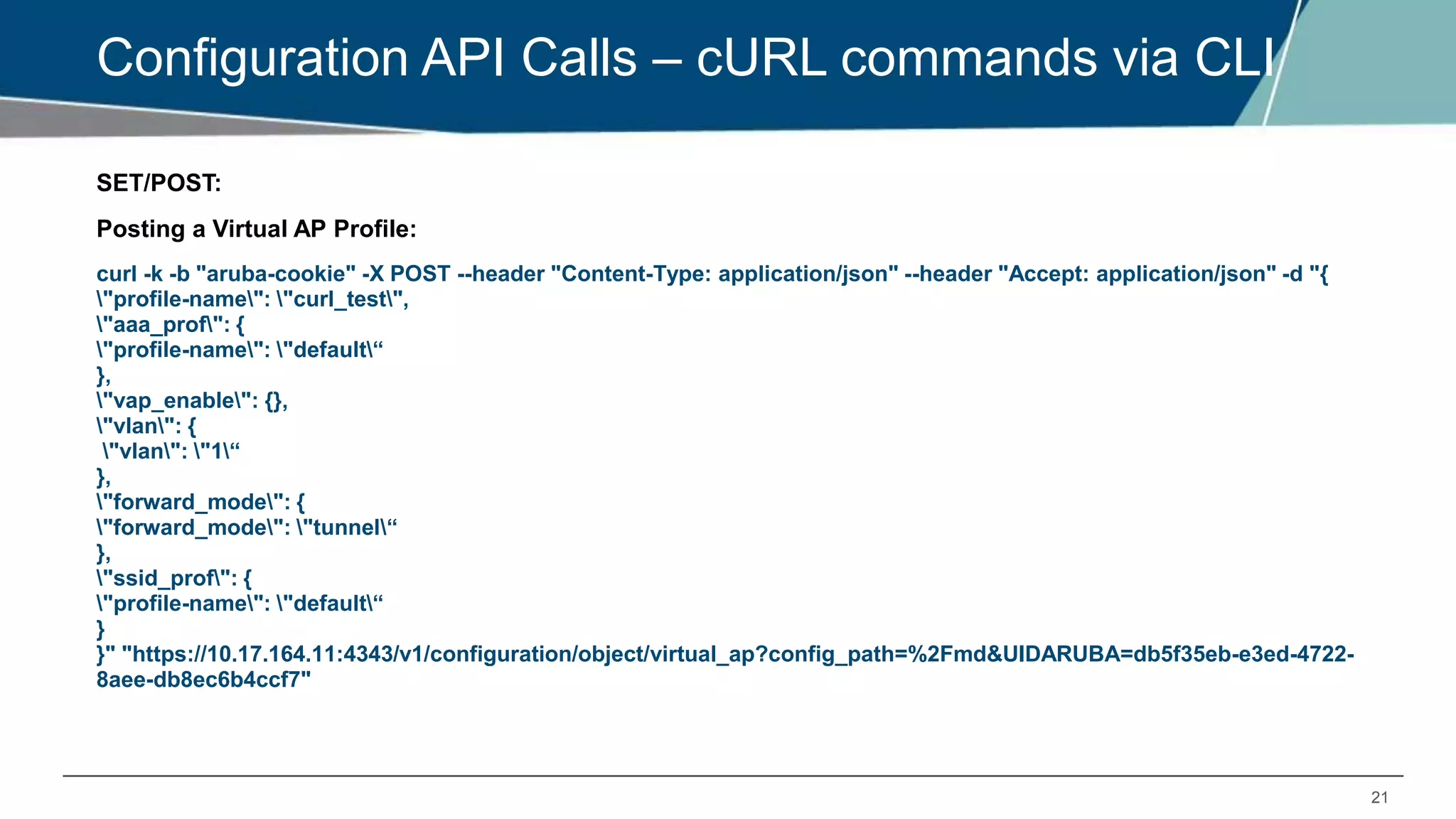
Configuration API Calls – cURL commands via CLI
SET/POST:
Posting a Virtual AP Profile:
curl -k -b "aruba-cookie" -X POST --header "Content-Type: application/json" --header "Accept: application/json" -d "{
"profile-name": "curl_test",
"aaa_prof": {
"profile-name": "default“
},
"vap_enable": {},
"vlan": {
"vlan": "1“
},
"forward_mode": {
"forward_mode": "tunnel“
},
"ssid_prof": {
"profile-name": "default“
}
}" "https://10.17.164.11:4343/v1/configuration/object/virtual_ap?config_path=%2Fmd&UIDARUBA=db5f35eb-e3ed-4722-
8aee-db8ec6b4ccf7"
22
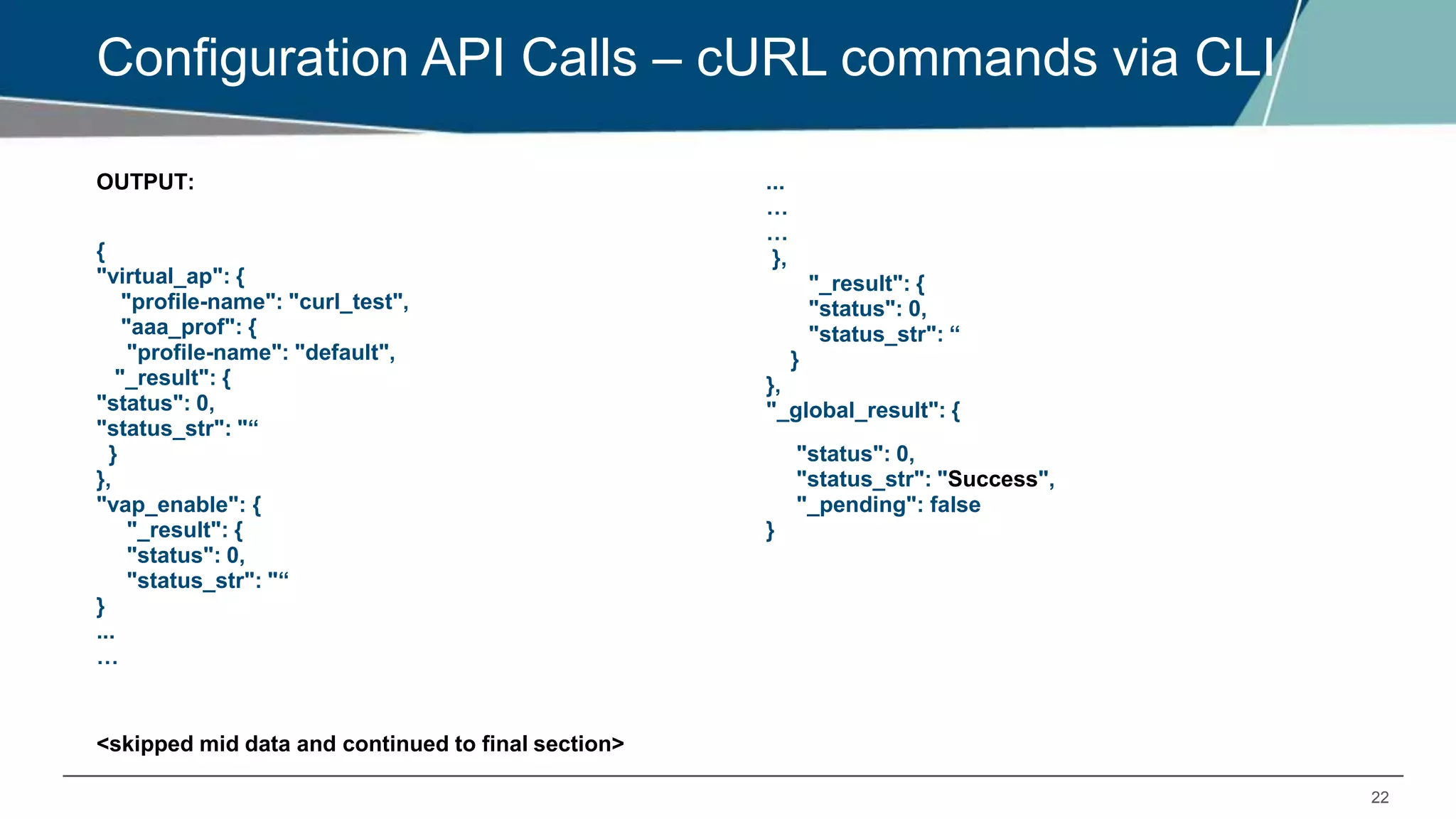
Configuration API Calls – cURL commands via CLI
OUTPUT:
{
"virtual_ap": {
"profile-name": "curl_test",
"aaa_prof": {
"profile-name": "default",
"_result": {
"status": 0,
"status_str": "“
}
},
"vap_enable": {
"_result": {
"status": 0,
"status_str": "“
}
...
…
<skipped mid data and continued to final section>
...
…
…
},
"_result": {
"status": 0,
"status_str": “
}
},
"_global_result": {
"status": 0,
"status_str": "Success",
"_pending": false
}
23
Configuration API Calls – cURL commands via CLI
Creating a new role using .TXT file:
We need to create a .txt file in linux and save it to the required path,
To create a .txt file,
[arubasupport@ANSHUL_CPPM_SRV ~]$ echo "{
"rname": "string",
"role__acl": {
"acl_type": "eth",
"pname": "string",
"loc": "string",
"prio": 0
},
"role__reauth": {
"seconds": true,
"reauthperiod": 0
}
}" > sample1.txt
We have ECHOED the ROLE INFO in a text file called sample1.txt
24
Configuration API Calls – cURL commands via CLI
Output:
[arubasupport@ANSHUL_CPPM_SRV ~]$ cat sample1.txt
{
"rname": "curltest",
"role__reauth": {
"seconds": true,
"reauthperiod": 20
},
"role__acl": [
{
"acl_type": "session",
"pname": "captiveportal“
},
{
"acl_type": "session",
"pname": "logon-control“
}
]
Here we can see the txt file is created
25
Configuration API Calls – cURL commands via CLI
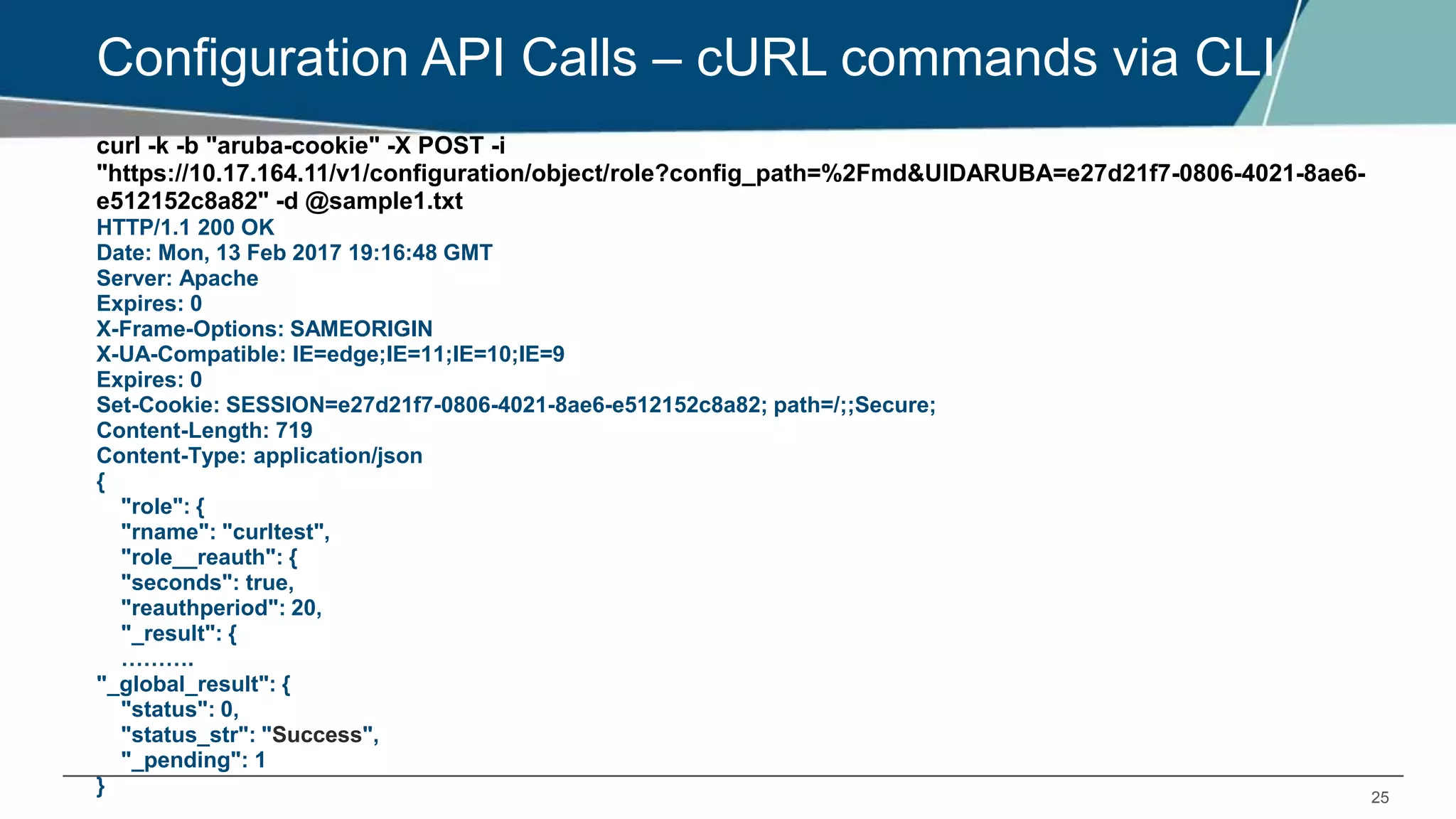
curl -k -b "aruba-cookie" -X POST -i
"https://10.17.164.11/v1/configuration/object/role?config_path=%2Fmd&UIDARUBA=e27d21f7-0806-4021-8ae6-
e512152c8a82" -d @sample1.txt
HTTP/1.1 200 OK
Date: Mon, 13 Feb 2017 19:16:48 GMT
Server: Apache
Expires: 0
X-Frame-Options: SAMEORIGIN
X-UA-Compatible: IE=edge;IE=11;IE=10;IE=9
Expires: 0
Set-Cookie: SESSION=e27d21f7-0806-4021-8ae6-e512152c8a82; path=/;;Secure;
Content-Length: 719
Content-Type: application/json
{
"role": {
"rname": "curltest",
"role__reauth": {
"seconds": true,
"reauthperiod": 20,
"_result": {
……….
"_global_result": {
"status": 0,
"status_str": "Success",
"_pending": 1
}
26
Configuration API Calls – cURL commands via CLI
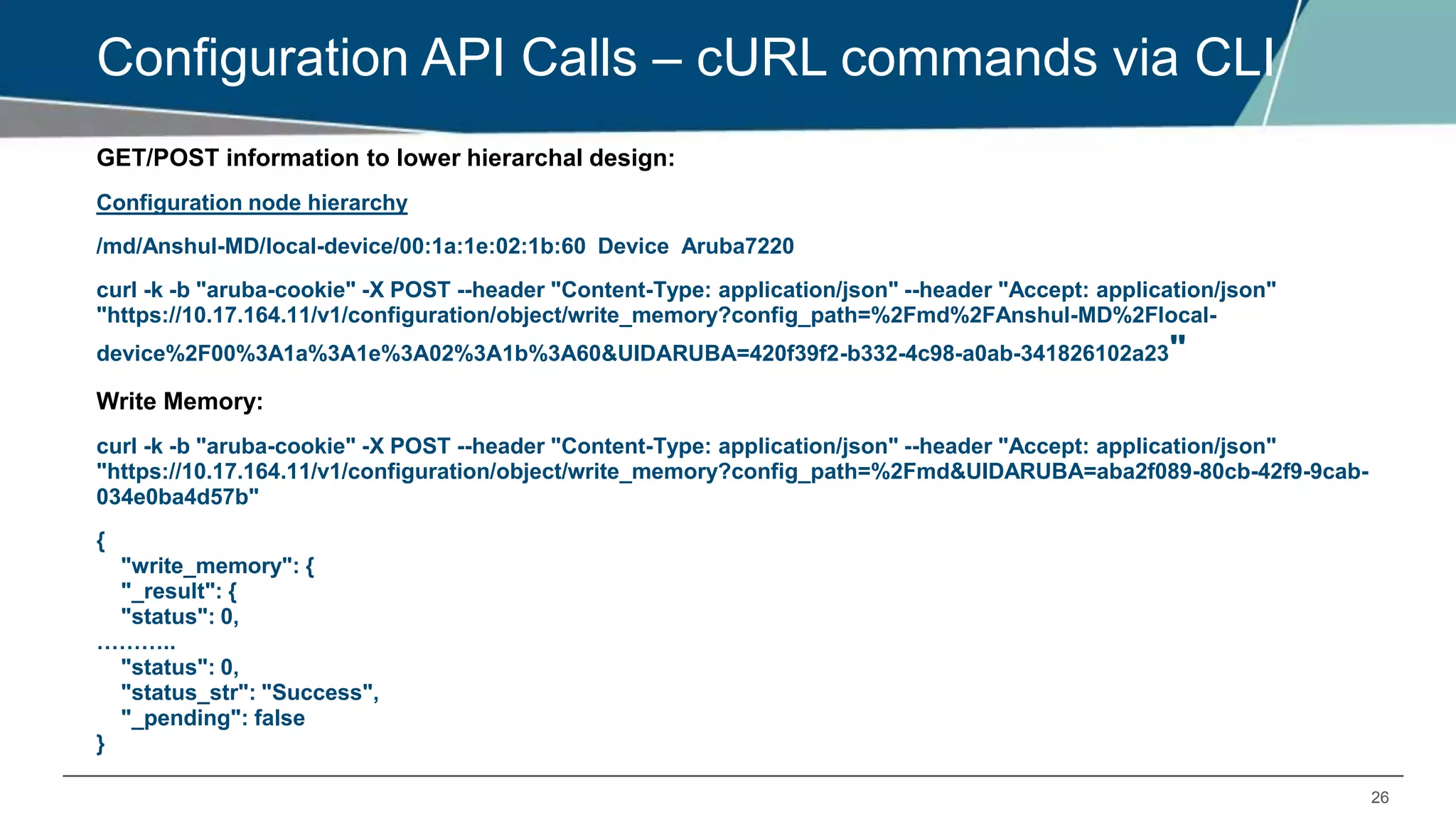
GET/POST information to lower hierarchal design:
Configuration node hierarchy
/md/Anshul-MD/local-device/00:1a:1e:02:1b:60 Device Aruba7220
curl -k -b "aruba-cookie" -X POST --header "Content-Type: application/json" --header "Accept: application/json"
"https://10.17.164.11/v1/configuration/object/write_memory?config_path=%2Fmd%2FAnshul-MD%2Flocal-
device%2F00%3A1a%3A1e%3A02%3A1b%3A60&UIDARUBA=420f39f2-b332-4c98-a0ab-341826102a23"
Write Memory:
curl -k -b "aruba-cookie" -X POST --header "Content-Type: application/json" --header "Accept: application/json"
"https://10.17.164.11/v1/configuration/object/write_memory?config_path=%2Fmd&UIDARUBA=aba2f089-80cb-42f9-9cab-
034e0ba4d57b"
{
"write_memory": {
"_result": {
"status": 0,
………..
"status": 0,
"status_str": "Success",
"_pending": false
}
27
Configuration API Calls – cURL commands via CLI
Using “show” command APIs:
SHOW AP DATABASE
HTTP/1.1 200 OK
Date: Wed, 15 Feb 2017 19:37:58 GMT
Server: Apache
Expires: 0
X-Frame-Options: SAMEORIGIN
X-UA-Compatible: IE=edge;IE=11;IE=10;IE=9
Expires: 0
Set-Cookie: SESSION=420f39f2-b332-4c98-a0ab-341826102a23;
path=/;;Secure;
Content-Length: 1240
Content-Type: application/json{
"AP Database": [
{
"AP Type": "225",
"Flags": null,
"Group": "New-Test-API",
"IP Address": "10.17.170.126",
"Name": "225-rep",
curl -k -b aruba-cookie -X GET -i
"https://10.17.164.11:4343/v1/configuration/showcommand?command=show+ap+database&UIDARUBA=420f39f2-b332
341826102a23" "Standby IP": "0.0.0.0",
"Status": "Up 8m:0s",
"Switch IP": "10.17.170.106"
},
{
"AP Type": "225",
"Flags": null,
"Group": "New-Test",
"IP Address": "10.17.170.125",
"Name": "225-test-MM",
"Standby IP": "0.0.0.0",
"Status": "Up 19d:11h:11m:1s",
"Switch IP": "10.17.170.106"
}
],
"_data": [
"Flags: U = Unprovisioned; N = Duplicate name; G = No such
group; L = Unlicensed",
<OUTPUT SNIPPED>
28
Configuration API Calls – cURL commands via CLI
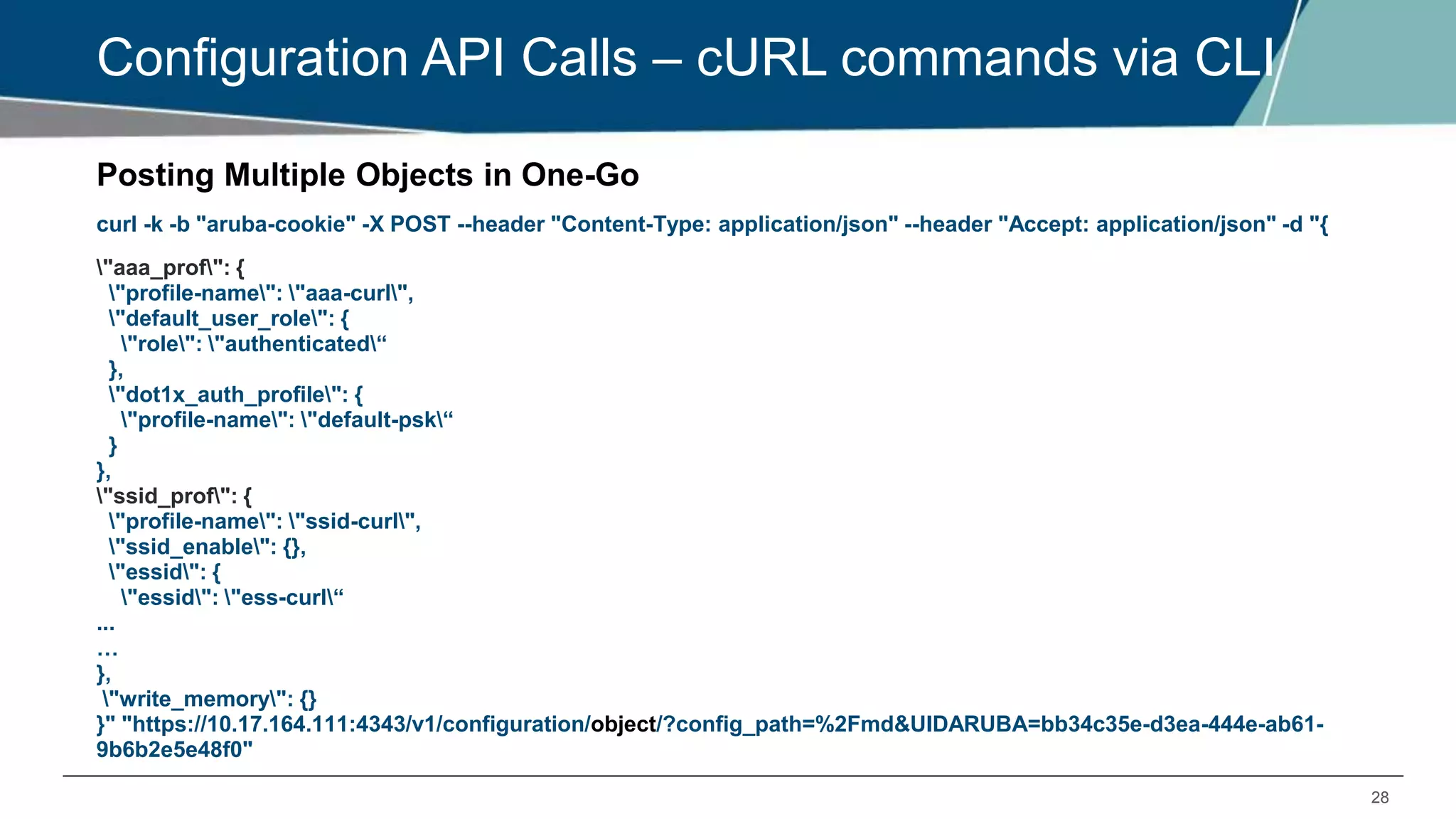
Posting Multiple Objects in One-Go
curl -k -b "aruba-cookie" -X POST --header "Content-Type: application/json" --header "Accept: application/json" -d "{
"aaa_prof": {
"profile-name": "aaa-curl",
"default_user_role": {
"role": "authenticated“
},
"dot1x_auth_profile": {
"profile-name": "default-psk“
}
},
"ssid_prof": {
"profile-name": "ssid-curl",
"ssid_enable": {},
"essid": {
"essid": "ess-curl“
...
…
},
"write_memory": {}
}" "https://10.17.164.111:4343/v1/configuration/object/?config_path=%2Fmd&UIDARUBA=bb34c35e-d3ea-444e-ab61-
9b6b2e5e48f0"
CONTEXT API’S - NBAPI
30
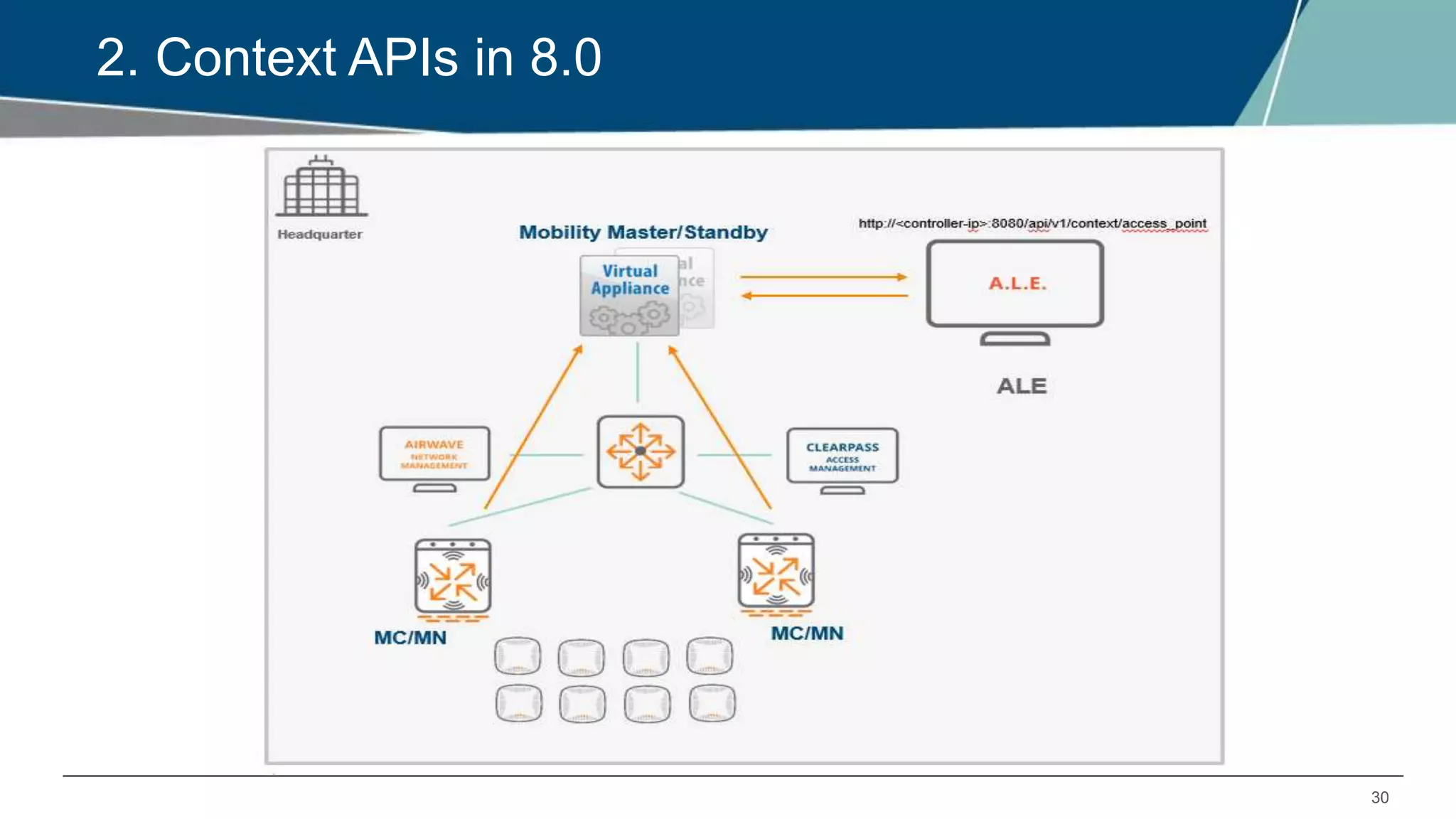
2. Context APIs in 8.0
31
NorthBound API Basics
NB API is part of ALE solution that is being integrated with Mobility Master and the helper
process aids the JVM process in the AOS Services controller.
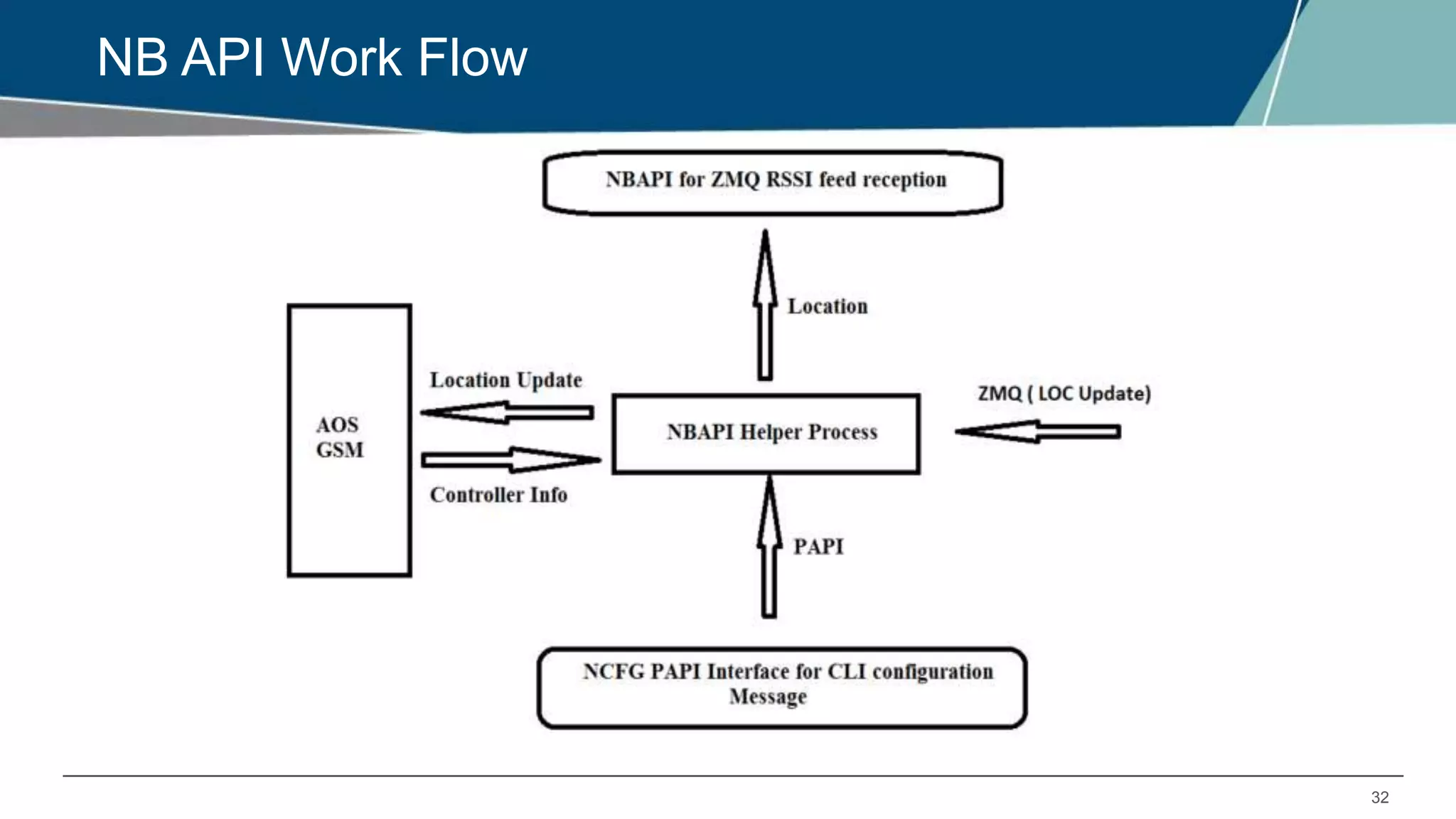
This process receives the protobuf encoded ZMQ ALE feed consisting of Geofence, Location
and Presence updates and makes them available to NBAPI JVM process as well as
publishing the feed to AOS GSM.
To configure nbapi_helper process to receive ZMQ feed from ALE, CLI can be used. The
maximum number of ALEs that can be configured is 5.
LC are also sending AMON feed to SC on port 9001. The JVM process grabs the AMON
feed coming in port 9001 and update the redis DB with all the context information.
The Analytics and Location Engine supports two types of APIs:
a polling-based REST API, and
a publish/subscribe API based on Google Protobuf and ZeroMQ.
32
NB API Work Flow
33
NBAPI Helper Process
 NBAPI helper process running on Services Controller is a multi-threaded process handling
following tasks.
• Listening to ZMQ Location, Presence and Geo-fence updates from ALE VM.
• Writing the above messages to GSM.
• Getting Controller information from GSM and updates of configuration file regulating the NBAPI
java process.
• NBAPI-helper process sends out a ZMQ feed. This feed contains context information like AP,
VAP, etc
• By default, ZMQ feed or REST API does not contain location, geofence and presence info. These
are only updated in the GSM.
• If location, presence and geo-fence information is required, the customer will have to subscribe
to ZMQ feed from individual ALEs.
34
Configuration
 ale-configuration
ale_sta_associated
anonymize
ip address 10.17.164.26 username admin password Aruba@p1
nbapi_publish
 The following command is used to configure an ALE IP address with login
information. A maximum of five ALE IP addresses can be configured on the
Mobility Master:
(host) [mynode] (config) #ale-configuration
(host) [mynode] (config-submode) # ip <IP address> username <username>
password <password>
35
Configuration (Contd.)
 The following command is used to configure anonymization on the Mobility
Master REST API:
(host) [mynode] (config) #ale-configuration
(host) [mynode] (config-submode) #anonymize
 The following command is used to enable REST APIs on the Mobility Master
to publish data available via ZMQ, including station, virtual AP, AP, radio,
RSSI, visibility record, destination. By default, this parameter is false.
(host) [mynode] (config) #ale-configuration
(host) [mynode] (config-submode) #nbapi_publish
THANK YOU!

EMEA Airheads - Configuring different APIs in Aruba 8.x

  • 1.
    CONFIGURING DIFFERENT APISIN ARUBA 8.X 10:00 GMT | 11:00 CET | 13:00 GST Oct 31st, 2017 Presenter: Anshul BHarthan anshul.bharthan@hpe.com
  • 2.
    2 Agenda  Why API’s STRUCTURED DATA - SCHEMA & DATA  Introduction to Configuration APIs in 8.0  Types and uses: a) Configuration APIs (REST API) b) Context APIs (NBAPIs)  Configuration API Usage  Navigating the UI  API calls via CLI  Other Config API Usage
  • 3.
    3 Why API ? For 6.x versions, automation was not easy as CLI use to change over the time.  WEBUI was not easily automatable.  WebUI also used CLIs to communicate to the backend, which was hard coded and not easily extensible.  Show commands of the configuration used to be displayed from different apps in their own proprietary formats  These apps maintained the config presented to them in their own proprietary structures and the show command output was not consistent across apps.  So, if outputs changed over the course of time, the scripts also had to change, as these outputs weren’t generated in a structured format.  Therefore, using GET and SET in a structured format for all configuration was the main requirement of implementing the JSON model.
  • 4.
    4 STRUCTURED DATA -SCHEMA & DATA  The main reasons for providing JSON interface is that all the config now can be GET and SET using structured data APIs  Structured data means that all the data is organized in a structure format (there can be many structures) but all elements belonging to one data type follow the same data model.  This is achieved by separating schema from data.  Schema is a data model representation (in JSON format), which tells the user as to how to interpret the data. It lists complete detail on each and every parameter or token that a particular config element can take – like it’s type (integer, character, string, IP address, IPv6 address, MAC address etc), min and max values, default value (when the user doesn’t give any value) etc.  Data is the representation of the config state of the controller in JSON format. It arranges the data in the same order as the schema and can be interpreted as schema tells it to be interpreted.
  • 5.
  • 6.
    6 What is RESTand Why its popular? What is REST ? REpresentational State Transfer  Can modify or view resources on the server without performing any server-side operations  Client requests a resource from the server and the server sends back the response  REST is stateless  Uniform interface  Cacheable  Secure Why REST is popular? Address Scale  Stateless  Application development is not tied with server-side development and vice versa  Uses HTTP/HTTPS
  • 7.
    7 STRUCTURED DATA -SCHEMA & DATA Response of REST calls will have a status code Success Status code 200 – OK – Everything is working 201 – OK – New resource has been created 204 – OK – The resource was successfully deleted 304 – Not Modified – The client can use cached data Error status code: 400 – Bad Request – The request was invalid or cannot be served. 401 – Unauthorized – The request requires an user authentication 403 – Forbidden – The server understood the request, but is refusing it or the access is not allowed. 404 – Not found – There is no resource behind the URI. 422 – Unprocessable Entity – Should be used if the server cannot process the entity 500 – Internal Server Error
  • 8.
    8 Introduction to ConfigurationAPIs in 8.0 JSON model provides the ability to make GET and SET calls using structured APIs • CLI1 • GUI2 • API3 • AOS 6.x • AOS 8.x • AOS 6.x
  • 9.
  • 10.
  • 11.
  • 12.
  • 13.
  • 14.
  • 15.
    15 Configuration API Calls– cURL commands via CLI GET: Now let’s check the same GET Option for an object (HT_SSID_PROF) using CLI Before executing GET/SET commands, we need to login to the controller: LOGIN: [arubasupport@ANSHUL_CPPM_SRV ~]$curl --insecure -c "aruba-cookie" -d "username=admin&password=aruba123" https://10.17.164.11:4343/v1/api/login {"_global_result": {"status":"0", "status_str": "You've logged in successfully.", "UIDARUBA":"2bf89edb- 5208-48d9-b916-bb2fa759c26a"}} LOGOUT: [arubasupport@ANSHUL_CPPM_SRV ~]$ curl --insecure -c "aruba-cookie" https://10.17.164.11:4343/v1/api/logout {"_global_result": {"status":"0", "status_str": "You've been logged out successfully.", "UIDARUBA":"(null)"}}  The --insecure (or -k) option can be used with the curl command if the certificate of the Mobility Master cannot be validated.
  • 16.
    16 Configuration API Calls– cURL commands via CLI • Snippet from Slide#13: curl -k -b "aruba-cookie" -X GET --header "Accept: application/json" https://10.17.164.11/v1/configuration/object/ht_ssid_prof?config_path=%2Fmd&UIDARUBA=d0e5e419-ea8a-423e-9c5d- 1144b4b6cb30 { "_data": { "ht_ssid_prof": [ { "profile-name": "default", "_flags": { "inherited": true, "default": true }, "ssid_ht_enable": { "_pr; "_flags": <OUTPUT SNIPPED>
  • 17.
  • 18.
  • 19.
  • 20.
  • 21.
    21 Configuration API Calls– cURL commands via CLI SET/POST: Posting a Virtual AP Profile: curl -k -b "aruba-cookie" -X POST --header "Content-Type: application/json" --header "Accept: application/json" -d "{ "profile-name": "curl_test", "aaa_prof": { "profile-name": "default“ }, "vap_enable": {}, "vlan": { "vlan": "1“ }, "forward_mode": { "forward_mode": "tunnel“ }, "ssid_prof": { "profile-name": "default“ } }" "https://10.17.164.11:4343/v1/configuration/object/virtual_ap?config_path=%2Fmd&UIDARUBA=db5f35eb-e3ed-4722- 8aee-db8ec6b4ccf7"
  • 22.
    22 Configuration API Calls– cURL commands via CLI OUTPUT: { "virtual_ap": { "profile-name": "curl_test", "aaa_prof": { "profile-name": "default", "_result": { "status": 0, "status_str": "“ } }, "vap_enable": { "_result": { "status": 0, "status_str": "“ } ... … <skipped mid data and continued to final section> ... … … }, "_result": { "status": 0, "status_str": “ } }, "_global_result": { "status": 0, "status_str": "Success", "_pending": false }
  • 23.
    23 Configuration API Calls– cURL commands via CLI Creating a new role using .TXT file: We need to create a .txt file in linux and save it to the required path, To create a .txt file, [arubasupport@ANSHUL_CPPM_SRV ~]$ echo "{ "rname": "string", "role__acl": { "acl_type": "eth", "pname": "string", "loc": "string", "prio": 0 }, "role__reauth": { "seconds": true, "reauthperiod": 0 } }" > sample1.txt We have ECHOED the ROLE INFO in a text file called sample1.txt
  • 24.
    24 Configuration API Calls– cURL commands via CLI Output: [arubasupport@ANSHUL_CPPM_SRV ~]$ cat sample1.txt { "rname": "curltest", "role__reauth": { "seconds": true, "reauthperiod": 20 }, "role__acl": [ { "acl_type": "session", "pname": "captiveportal“ }, { "acl_type": "session", "pname": "logon-control“ } ] Here we can see the txt file is created
  • 25.
    25 Configuration API Calls– cURL commands via CLI curl -k -b "aruba-cookie" -X POST -i "https://10.17.164.11/v1/configuration/object/role?config_path=%2Fmd&UIDARUBA=e27d21f7-0806-4021-8ae6- e512152c8a82" -d @sample1.txt HTTP/1.1 200 OK Date: Mon, 13 Feb 2017 19:16:48 GMT Server: Apache Expires: 0 X-Frame-Options: SAMEORIGIN X-UA-Compatible: IE=edge;IE=11;IE=10;IE=9 Expires: 0 Set-Cookie: SESSION=e27d21f7-0806-4021-8ae6-e512152c8a82; path=/;;Secure; Content-Length: 719 Content-Type: application/json { "role": { "rname": "curltest", "role__reauth": { "seconds": true, "reauthperiod": 20, "_result": { ………. "_global_result": { "status": 0, "status_str": "Success", "_pending": 1 }
  • 26.
    26 Configuration API Calls– cURL commands via CLI GET/POST information to lower hierarchal design: Configuration node hierarchy /md/Anshul-MD/local-device/00:1a:1e:02:1b:60 Device Aruba7220 curl -k -b "aruba-cookie" -X POST --header "Content-Type: application/json" --header "Accept: application/json" "https://10.17.164.11/v1/configuration/object/write_memory?config_path=%2Fmd%2FAnshul-MD%2Flocal- device%2F00%3A1a%3A1e%3A02%3A1b%3A60&UIDARUBA=420f39f2-b332-4c98-a0ab-341826102a23" Write Memory: curl -k -b "aruba-cookie" -X POST --header "Content-Type: application/json" --header "Accept: application/json" "https://10.17.164.11/v1/configuration/object/write_memory?config_path=%2Fmd&UIDARUBA=aba2f089-80cb-42f9-9cab- 034e0ba4d57b" { "write_memory": { "_result": { "status": 0, ……….. "status": 0, "status_str": "Success", "_pending": false }
  • 27.
    27 Configuration API Calls– cURL commands via CLI Using “show” command APIs: SHOW AP DATABASE HTTP/1.1 200 OK Date: Wed, 15 Feb 2017 19:37:58 GMT Server: Apache Expires: 0 X-Frame-Options: SAMEORIGIN X-UA-Compatible: IE=edge;IE=11;IE=10;IE=9 Expires: 0 Set-Cookie: SESSION=420f39f2-b332-4c98-a0ab-341826102a23; path=/;;Secure; Content-Length: 1240 Content-Type: application/json{ "AP Database": [ { "AP Type": "225", "Flags": null, "Group": "New-Test-API", "IP Address": "10.17.170.126", "Name": "225-rep", curl -k -b aruba-cookie -X GET -i "https://10.17.164.11:4343/v1/configuration/showcommand?command=show+ap+database&UIDARUBA=420f39f2-b332 341826102a23" "Standby IP": "0.0.0.0", "Status": "Up 8m:0s", "Switch IP": "10.17.170.106" }, { "AP Type": "225", "Flags": null, "Group": "New-Test", "IP Address": "10.17.170.125", "Name": "225-test-MM", "Standby IP": "0.0.0.0", "Status": "Up 19d:11h:11m:1s", "Switch IP": "10.17.170.106" } ], "_data": [ "Flags: U = Unprovisioned; N = Duplicate name; G = No such group; L = Unlicensed", <OUTPUT SNIPPED>
  • 28.
    28 Configuration API Calls– cURL commands via CLI Posting Multiple Objects in One-Go curl -k -b "aruba-cookie" -X POST --header "Content-Type: application/json" --header "Accept: application/json" -d "{ "aaa_prof": { "profile-name": "aaa-curl", "default_user_role": { "role": "authenticated“ }, "dot1x_auth_profile": { "profile-name": "default-psk“ } }, "ssid_prof": { "profile-name": "ssid-curl", "ssid_enable": {}, "essid": { "essid": "ess-curl“ ... … }, "write_memory": {} }" "https://10.17.164.111:4343/v1/configuration/object/?config_path=%2Fmd&UIDARUBA=bb34c35e-d3ea-444e-ab61- 9b6b2e5e48f0"
  • 29.
  • 30.
  • 31.
    31 NorthBound API Basics NBAPI is part of ALE solution that is being integrated with Mobility Master and the helper process aids the JVM process in the AOS Services controller. This process receives the protobuf encoded ZMQ ALE feed consisting of Geofence, Location and Presence updates and makes them available to NBAPI JVM process as well as publishing the feed to AOS GSM. To configure nbapi_helper process to receive ZMQ feed from ALE, CLI can be used. The maximum number of ALEs that can be configured is 5. LC are also sending AMON feed to SC on port 9001. The JVM process grabs the AMON feed coming in port 9001 and update the redis DB with all the context information. The Analytics and Location Engine supports two types of APIs: a polling-based REST API, and a publish/subscribe API based on Google Protobuf and ZeroMQ.
  • 32.
  • 33.
    33 NBAPI Helper Process NBAPI helper process running on Services Controller is a multi-threaded process handling following tasks. • Listening to ZMQ Location, Presence and Geo-fence updates from ALE VM. • Writing the above messages to GSM. • Getting Controller information from GSM and updates of configuration file regulating the NBAPI java process. • NBAPI-helper process sends out a ZMQ feed. This feed contains context information like AP, VAP, etc • By default, ZMQ feed or REST API does not contain location, geofence and presence info. These are only updated in the GSM. • If location, presence and geo-fence information is required, the customer will have to subscribe to ZMQ feed from individual ALEs.
  • 34.
    34 Configuration  ale-configuration ale_sta_associated anonymize ip address10.17.164.26 username admin password Aruba@p1 nbapi_publish  The following command is used to configure an ALE IP address with login information. A maximum of five ALE IP addresses can be configured on the Mobility Master: (host) [mynode] (config) #ale-configuration (host) [mynode] (config-submode) # ip <IP address> username <username> password <password>
  • 35.
    35 Configuration (Contd.)  Thefollowing command is used to configure anonymization on the Mobility Master REST API: (host) [mynode] (config) #ale-configuration (host) [mynode] (config-submode) #anonymize  The following command is used to enable REST APIs on the Mobility Master to publish data available via ZMQ, including station, virtual AP, AP, radio, RSSI, visibility record, destination. By default, this parameter is false. (host) [mynode] (config) #ale-configuration (host) [mynode] (config-submode) #nbapi_publish
  • 36.