 An IBM product
 An optional component of the security server
of Z/OS
 Controls what you can do on the system
 Provides the tools to control access to the
system resources
 Full industry support
Profiles – information record in RACF database
 User profiles
 Group profiles
 Dataset profiles
 Generic resource profiles
 Information about a user id in the RACF
database
 Contains a base (user id, password, owner,
default group) and an optional segment(TSO,
OMVS, CICS, DFP and so on) depending upon
the type of user going to be defined
 System-wide or group-wide
◦ SPECIAL
 ultimate authority
◦ OPERATIONS
 full access to all the DASD and TAPE datasets
◦ AUDITOR
 Responsible for auditing purposes
 REVOKE
◦ Prevents from entering the system
 CLAUTH
◦ Can define profiles in that class
 PROTECTED
◦ Used for started tasks
 WHEN
◦ Tells when the user has access
 NONE
◦ No special privileges
 ADDUSER - define a new USERID profile
Example: AU USR001 DFLTGRP(BCPSUPT)
OWNER(BCP) PASSWORD(XVCFR11)
 ALTUSER -modify a USERID profile
Example: ALU USR001 REVOKE
 LISTUSER -list USERID profile
Example: LU USR001
 DELUSER – delete the profile
Example: DU USR001
 CONNECT - connect a user id to a group
Example: CO USR001 GROUP(OSADMIN)
 REMOVE -remove a user id from a group
Example: RE USR001 GROUP(OSADMIN)
 Collection of users - group
 Contains a group id, owner, at least one
superior group and any number of sub
groups
 Approximately 5900 users can be connected
to a group
 Created to ease the administration work
 Provides decentralized control
 USE
◦ Least authority
 CREATE
◦ Allows to create group datasets and control who
can access them
 CONNECT
◦ Allows the users to connect the user ids to specified
group and can assign USE, CREATE or CONNECT
authority
 JOIN
◦ Define new users or groups and can assign group
authorities
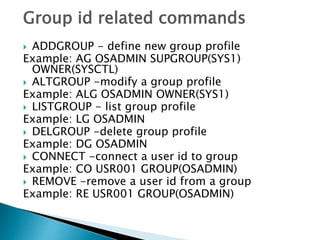
Group id related commands
 ADDGROUP - define new group profile
Example: AG OSADMIN SUPGROUP(SYS1)
OWNER(SYSCTL)
 ALTGROUP -modify a group profile
Example: ALG OSADMIN OWNER(SYS1)
 LISTGROUP - list group profile
Example: LG OSADMIN
 DELGROUP -delete group profile
Example: DG OSADMIN
 CONNECT -connect a user id to group
Example: CO USR001 GROUP(OSADMIN)
 REMOVE -remove a user id from a group
Example: RE USR001 GROUP(OSADMIN)
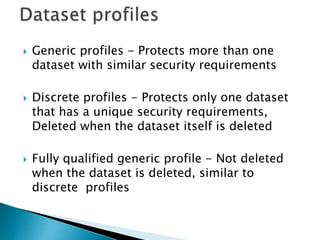
 Generic profiles - Protects more than one
dataset with similar security requirements
 Discrete profiles - Protects only one dataset
that has a unique security requirements,
Deleted when the dataset itself is deleted
 Fully qualified generic profile - Not deleted
when the dataset is deleted, similar to
discrete profiles
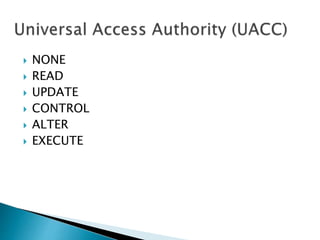
 NONE
 READ
 UPDATE
 CONTROL
 ALTER
 EXECUTE
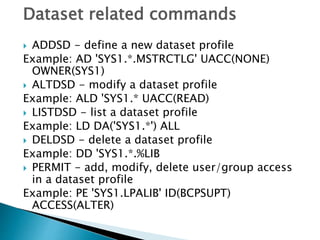
Dataset related commands
 ADDSD - define a new dataset profile
Example: AD 'SYS1.*.MSTRCTLG' UACC(NONE)
OWNER(SYS1)
 ALTDSD - modify a dataset profile
Example: ALD 'SYS1.* UACC(READ)
 LISTDSD - list a dataset profile
Example: LD DA('SYS1.*') ALL
 DELDSD - delete a dataset profile
Example: DD 'SYS1.*.%LIB
 PERMIT - add, modify, delete user/group access
in a dataset profile
Example: PE 'SYS1.LPALIB' ID(BCPSUPT)
ACCESS(ALTER)
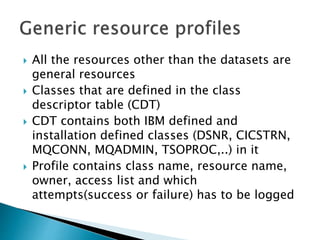
 All the resources other than the datasets are
general resources
 Classes that are defined in the class
descriptor table (CDT)
 CDT contains both IBM defined and
installation defined classes (DSNR, CICSTRN,
MQCONN, MQADMIN, TSOPROC,..) in it
 Profile contains class name, resource name,
owner, access list and which
attempts(success or failure) has to be logged
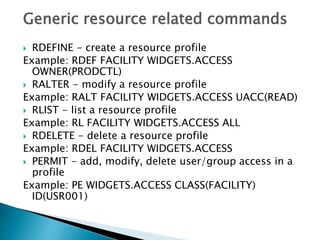
Generic resource related commands
 RDEFINE - create a resource profile
Example: RDEF FACILITY WIDGETS.ACCESS
OWNER(PRODCTL)
 RALTER - modify a resource profile
Example: RALT FACILITY WIDGETS.ACCESS UACC(READ)
 RLIST - list a resource profile
Example: RL FACILITY WIDGETS.ACCESS ALL
 RDELETE - delete a resource profile
Example: RDEL FACILITY WIDGETS.ACCESS
 PERMIT - add, modify, delete user/group access in a
profile
Example: PE WIDGETS.ACCESS CLASS(FACILITY)
ID(USR001)
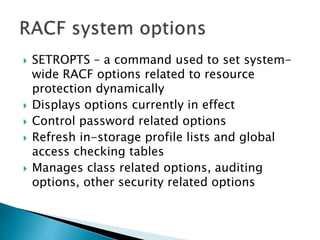
 SETROPTS – a command used to set system-
wide RACF options related to resource
protection dynamically
 Displays options currently in effect
 Control password related options
 Refresh in-storage profile lists and global
access checking tables
 Manages class related options, auditing
options, other security related options
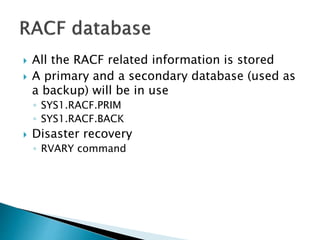
 All the RACF related information is stored
 A primary and a secondary database (used as
a backup) will be in use
◦ SYS1.RACF.PRIM
◦ SYS1.RACF.BACK
 Disaster recovery
◦ RVARY command
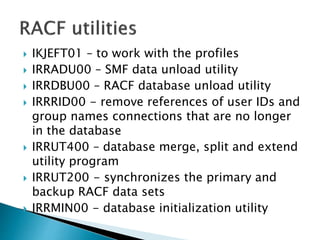
 IKJEFT01 – to work with the profiles
 IRRADU00 – SMF data unload utility
 IRRDBU00 – RACF database unload utility
 IRRRID00 - remove references of user IDs and
group names connections that are no longer
in the database
 IRRUT400 – database merge, split and extend
utility program
 IRRUT200 - synchronizes the primary and
backup RACF data sets
 IRRMIN00 - database initialization utility
THANK YOU
Aayush Singh
CSE- Mainframes

Resource Access Control Facility (RACF) in Mainframes

  • 2.
     An IBMproduct  An optional component of the security server of Z/OS  Controls what you can do on the system  Provides the tools to control access to the system resources  Full industry support
  • 5.
    Profiles – informationrecord in RACF database  User profiles  Group profiles  Dataset profiles  Generic resource profiles
  • 7.
     Information abouta user id in the RACF database  Contains a base (user id, password, owner, default group) and an optional segment(TSO, OMVS, CICS, DFP and so on) depending upon the type of user going to be defined
  • 8.
     System-wide orgroup-wide ◦ SPECIAL  ultimate authority ◦ OPERATIONS  full access to all the DASD and TAPE datasets ◦ AUDITOR  Responsible for auditing purposes
  • 9.
     REVOKE ◦ Preventsfrom entering the system  CLAUTH ◦ Can define profiles in that class  PROTECTED ◦ Used for started tasks  WHEN ◦ Tells when the user has access  NONE ◦ No special privileges
  • 10.
     ADDUSER -define a new USERID profile Example: AU USR001 DFLTGRP(BCPSUPT) OWNER(BCP) PASSWORD(XVCFR11)  ALTUSER -modify a USERID profile Example: ALU USR001 REVOKE  LISTUSER -list USERID profile Example: LU USR001  DELUSER – delete the profile Example: DU USR001  CONNECT - connect a user id to a group Example: CO USR001 GROUP(OSADMIN)  REMOVE -remove a user id from a group Example: RE USR001 GROUP(OSADMIN)
  • 11.
     Collection ofusers - group  Contains a group id, owner, at least one superior group and any number of sub groups  Approximately 5900 users can be connected to a group  Created to ease the administration work  Provides decentralized control
  • 12.
     USE ◦ Leastauthority  CREATE ◦ Allows to create group datasets and control who can access them  CONNECT ◦ Allows the users to connect the user ids to specified group and can assign USE, CREATE or CONNECT authority  JOIN ◦ Define new users or groups and can assign group authorities
  • 13.
    Group id relatedcommands  ADDGROUP - define new group profile Example: AG OSADMIN SUPGROUP(SYS1) OWNER(SYSCTL)  ALTGROUP -modify a group profile Example: ALG OSADMIN OWNER(SYS1)  LISTGROUP - list group profile Example: LG OSADMIN  DELGROUP -delete group profile Example: DG OSADMIN  CONNECT -connect a user id to group Example: CO USR001 GROUP(OSADMIN)  REMOVE -remove a user id from a group Example: RE USR001 GROUP(OSADMIN)
  • 14.
     Generic profiles- Protects more than one dataset with similar security requirements  Discrete profiles - Protects only one dataset that has a unique security requirements, Deleted when the dataset itself is deleted  Fully qualified generic profile - Not deleted when the dataset is deleted, similar to discrete profiles
  • 15.
     NONE  READ UPDATE  CONTROL  ALTER  EXECUTE
  • 16.
    Dataset related commands ADDSD - define a new dataset profile Example: AD 'SYS1.*.MSTRCTLG' UACC(NONE) OWNER(SYS1)  ALTDSD - modify a dataset profile Example: ALD 'SYS1.* UACC(READ)  LISTDSD - list a dataset profile Example: LD DA('SYS1.*') ALL  DELDSD - delete a dataset profile Example: DD 'SYS1.*.%LIB  PERMIT - add, modify, delete user/group access in a dataset profile Example: PE 'SYS1.LPALIB' ID(BCPSUPT) ACCESS(ALTER)
  • 17.
     All theresources other than the datasets are general resources  Classes that are defined in the class descriptor table (CDT)  CDT contains both IBM defined and installation defined classes (DSNR, CICSTRN, MQCONN, MQADMIN, TSOPROC,..) in it  Profile contains class name, resource name, owner, access list and which attempts(success or failure) has to be logged
  • 18.
    Generic resource relatedcommands  RDEFINE - create a resource profile Example: RDEF FACILITY WIDGETS.ACCESS OWNER(PRODCTL)  RALTER - modify a resource profile Example: RALT FACILITY WIDGETS.ACCESS UACC(READ)  RLIST - list a resource profile Example: RL FACILITY WIDGETS.ACCESS ALL  RDELETE - delete a resource profile Example: RDEL FACILITY WIDGETS.ACCESS  PERMIT - add, modify, delete user/group access in a profile Example: PE WIDGETS.ACCESS CLASS(FACILITY) ID(USR001)
  • 19.
     SETROPTS –a command used to set system- wide RACF options related to resource protection dynamically  Displays options currently in effect  Control password related options  Refresh in-storage profile lists and global access checking tables  Manages class related options, auditing options, other security related options
  • 21.
     All theRACF related information is stored  A primary and a secondary database (used as a backup) will be in use ◦ SYS1.RACF.PRIM ◦ SYS1.RACF.BACK  Disaster recovery ◦ RVARY command
  • 22.
     IKJEFT01 –to work with the profiles  IRRADU00 – SMF data unload utility  IRRDBU00 – RACF database unload utility  IRRRID00 - remove references of user IDs and group names connections that are no longer in the database  IRRUT400 – database merge, split and extend utility program  IRRUT200 - synchronizes the primary and backup RACF data sets  IRRMIN00 - database initialization utility
  • 23.