© 2010 IBM Corporation
ibm.com/db2/labchats
DB2 9.7 Security Primer
Feb 25, 2010 ibm.com/db2/labchats
2
IBM Software Group | Information Management Software
DB2 9.7 Security Primer | wrjaibi@ca.ibm.com
> Executive’s Message
Sal Vella
Vice President, Development,
Distributed Data Servers and Data Warehousing
IBM
3
IBM Software Group | Information Management Software
DB2 9.7 Security Primer | wrjaibi@ca.ibm.com
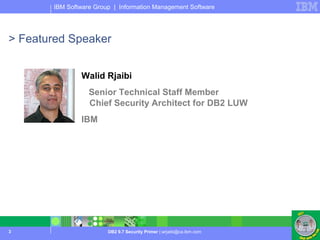
> Featured Speaker
Walid Rjaibi
Senior Technical Staff Member
Chief Security Architect for DB2 LUW
IBM
4
IBM Software Group | Information Management Software
DB2 9.7 Security Primer | wrjaibi@ca.ibm.com
Objectives
1. Refresh your understanding of DB2 9.5 Security
3. Learn how to vest security administration and database administration into two non
overlapping roles
5. Learn how to prevent database administrators from accessing table data
7. Learn how to avoid granting users more privileges than what they need to perform their
job tasks
9. Learn how to configure DB2 SSL to ensure the confidentiality and integrity of your data
communications
11.Learn how to make a successful transition to the DB2 9.7 authorization model.
5
IBM Software Group | Information Management Software
DB2 9.7 Security Primer | wrjaibi@ca.ibm.com
The bigger Security picture:
Putting things into context
6
IBM Software Group | Information Management Software
DB2 9.7 Security Primer | wrjaibi@ca.ibm.com
The IBM Security Framework
 Securing a business process requires controls
to manage risk across all IT security domains:
 Data and Information: Protect critical data in
transit or at rest across the lifecycle
 Systems Infrastructure: Stay ahead of emerging
threats across system components
 Applications: Ensure Application and Business
Services security
 Identity: Assure the right people have access to
the right assets at the right time
 Physical Security: Leverage increasing capability
for digital controls to secure events – on people or
things – in physical space
 IBM security solutions allow you to manage risk
across all IT domains
7
IBM Software Group | Information Management Software
DB2 9.7 Security Primer | wrjaibi@ca.ibm.com
Database Security Foundations
Discovery
Vulnerability Assessment
Authentication
Authorization
Data Masking
Auditing
Activity Monitoring
Security Governance, Risk Management
and Compliance
Separation of Duties and Least Privilege
 Database security requires implementing
controls to protect data across its lifecycle
 Discovery: Discovers databases and sensitive
data within databases
 Vulnerability Assessment: Ensures the
database is configured securely
 Authentication: Validates user identity
 Authorization: Ensures users have the
appropriate permissions to access data
 Data Masking: Ensures data is masked out for
non authorized users, e.g., when generating test
data
 Auditing: Holds users accountable for their
actions
 Activity Monitoring: Real-time monitoring of
database activities and alerting, e.g., when an
anomaly is detected
 Encryption: Keeps data confidential while it is in
storage or in transit
 IBM database security solutions allow you to
protect data across its lifecycle
Encryption
8
IBM Software Group | Information Management Software
DB2 9.7 Security Primer | wrjaibi@ca.ibm.com
Authentication
9
IBM Software Group | Information Management Software
DB2 9.7 Security Primer | wrjaibi@ca.ibm.com
Authentication Options
 Operating System
 User validation
 Group membership
 Kerberos
 User validation only
 LDAP
 User validation
 Group membership
 Central user and group membership management
Custom Plug-ins
 User validation (e.g. GSS API)
 Group membership
10
IBM Software Group | Information Management Software
DB2 9.7 Security Primer | wrjaibi@ca.ibm.com
DB2
Authentication - LDAP Options
 Requires separate LDAP configuration
 Requires all users to be defined in LDAP (cannot have some in OS and some in LDAP)
LDAP Security
Plugins LDAP
DB2
Default OS
Security Plugin LDAP
Operating
System (OS)
Transparent LDAP Authentication*
* Available in DB2 9.7 FP 1 and DB2 9.5 FP5
 Integrates with existing OS LDAP configurations
 Requires minimal DB2 Configuration (1 Parameter: DB2AUTH=OSAUTHDB)
LDAP Security Plug-in Authentication
11
IBM Software Group | Information Management Software
DB2 9.7 Security Primer | wrjaibi@ca.ibm.com
Authorization
12
IBM Software Group | Information Management Software
DB2 9.7 Security Primer | wrjaibi@ca.ibm.com
Database Roles
 What is a database role?
 A database object that may group together one or more privileges or database
authorities, and may be granted to users, groups, PUBLIC, or other roles
 What are the advantages of database roles?
 Simplification of the administration and management of privileges in a database
 When do roles take effect?
 All the roles assigned to a user are enabled when that user establishes a
connection
 All the privileges and database authorities associated with those roles are taken
into account when DB2 checks for authorization
13
IBM Software Group | Information Management Software
DB2 9.7 Security Primer | wrjaibi@ca.ibm.com
Database Roles (Cont.)
 What can be granted to a role?
 LBAC security labels and exemptions
 All database privileges
 All database authorities
 Role membership
 Managed by SECADM and could be delegated to others using the WITH ADMIN
option on role
14
IBM Software Group | Information Management Software
DB2 9.7 Security Primer | wrjaibi@ca.ibm.com
North14750.50
West13000.75
West11100.00
president Results
North10000.50
North12500.00
REGIONSALES_AMT
n_salesmgr (N_MGR)
president (EXECS)
North14750.50
n_salesmgr Results
North10000.50
North12500.00
REGIONSALES_AMT
LBAC: Row Level Authorization
N_SREPNorth14750.50
W_SREPWest13000.75
W_SREPWest11100.00
North
North
REGION
CORP.SALES Table (LBAC protected table)
N_SREP10000.50
N_SREP12500.00
SECLABELSALES_AMT
e_salesmgr (E_MGR)
e_salesmgr Results
REGIONSALES_AMT
SELECT sales_amt, region
FROM corp.sales
15
IBM Software Group | Information Management Software
DB2 9.7 Security Primer | wrjaibi@ca.ibm.com
LBAC: Row Level Authorization (Cont.)
When to use LBAC for row level authorization?
 Government applications that manage classified information
(intelligence, defense, etc.)
 Non government applications where:
 Data classification is known
 Data classification can be represented by one or more LBAC security
label components
 Authorization rules can be mapped to the security label component
rules
 If any of the above is not possible, then views are a better alternative
for row level authorization.
16
IBM Software Group | Information Management Software
DB2 9.7 Security Primer | wrjaibi@ca.ibm.com
M
F
M
GENDER
Zuzarte, Calisto
Bird, Paul
Paul, Nola
NAME
95656C03
worker1 Results
91212A01
93434B02
PHONEDEPT_ID
LBAC: Column Level Authorization
C03
B02
A01
DEPT_ID
M
F
M
GENDER
Zuzarte, Calisto
Bird, Paul
Paul, Nola
NAME
333-44-5555
222-33-4444
111-22-3333
SSN
95656
93434
91212
PHONE
9200.0089700.00
hrstaff_member1 Results
8500.0082500.00
7000.0086000.00
BONUSSALARY
M
F
M
GENDER
Zuzarte, Calisto
Bird, Paul
Paul, Nola
NAME
95656
93434
91212
PHONE
C03
B02
A01
DEPT_ID
9200.0089700.00
manager1 Results
8500.0082500.00
7000.0086000.00
BONUSSALARY
manager1 (CLASSIFIED)
hrstaff_member1 (CONFIDENTIAL)
worker1 (UNCLASSIFIED)
17
IBM Software Group | Information Management Software
DB2 9.7 Security Primer | wrjaibi@ca.ibm.com
LBAC: Column Level Authorization (Cont.)
When to use LBAC for column level authorization?
 Control access to a sensitive column (e.g., social security
number, credit card number, etc.)
 Protect the data in the table from access by table owner, or
DBAs
 Assign a security label to all columns in the table
 Assign that security label to a role
 Assign that role to all users who need access to the table
 Only users members in that role will be able to access data in that table
18
IBM Software Group | Information Management Software
DB2 9.7 Security Primer | wrjaibi@ca.ibm.com
Trusted Contexts
A specification of a trust relationship between the database and an
external application
A connection that matches a trust relationship is called a trusted
connection. There are 2 types:
 An implicit trusted connection
 An explicit trusted connection
 An implicit trusted connection allows a user to inherit a role that is not
available to them outside the scope of that trusted connection
 Allows customers to gain more control on when a privilege or an authority
can be exercised by a user
19
IBM Software Group | Information Management Software
DB2 9.7 Security Primer | wrjaibi@ca.ibm.com
Conditional Authorization Via Trusted Contexts
9.26.52.193 DB2 Database
CREATE ROLE DBA
GRANT DBADM ON DATABASE TO ROLE DBA
CREATE TRUSTED CTX1 BASED UPON CONNECTION
USING SYSTEM AUTHID MILLER
ATTRIBUTES (ADDRESS 9.26.52.193)
DEFAULT ROLE DBA
User: Miller
9.52.72.245
User: Miller
User Miller acquires the DBA role
User Miller does not acquire the DBA role
20
IBM Software Group | Information Management Software
DB2 9.7 Security Primer | wrjaibi@ca.ibm.com
Identity Propagation Challenges In Application Servers
(Cont.)
User1: privilege(p1) User2: privilege (p2) ………………. Usern: privilege (pn)
Middle-tier application server
Application server user
Privilege (p1,p2,…,pn)
DB2 Database
Who is connecting?
User1, User2, Usern?
21
IBM Software Group | Information Management Software
DB2 9.7 Security Primer | wrjaibi@ca.ibm.com
Trusted Contexts (Cont.)
 An explicit trusted connection allows a user to
switch the current user on the connection
 The user IDs to switch to are defined by the SECADM
 Switching can optionally require authentication
 An application server uses a trusted connection to
change the user id of the connection without re-
authenticating the new user at the database
22
IBM Software Group | Information Management Software
DB2 9.7 Security Primer | wrjaibi@ca.ibm.com
Application Servers With Trusted Contexts
User1: privilege(p1) User2: privilege (p2) ………………. Usern: privilege (pn)
Middle-tier application server
Trusted connection
AppServerTrustedID
No privileges
DB2 Database
- Offers a trusted connection as defined by SECADM
- Authorize switching users as defined by SECADM
SECADM
CREATE TRUSTED CTX1 BASED UPON CONNECTION
USING SYSTEM AUTHID AppServerTrustedID
ATTRIBUTES (ADDRESS 9.26.52.193)
WITH USE FOR USER1, USER2, USERN
23
IBM Software Group | Information Management Software
DB2 9.7 Security Primer | wrjaibi@ca.ibm.com
Auditing:
Native & Guardium
24
IBM Software Group | Information Management Software
DB2 9.7 Security Primer | wrjaibi@ca.ibm.com
Native Auditing
 Generates audit records for a series of
predefined events
 Audit records provide insight on who did
what, where, when and how
 Who: Authorization/User ID tracking
 What: SQL Statement text tracking
 Where: Application and IP address tracking
 When: Event timestamp tracking
 How: Authorization checks tracking
25
IBM Software Group | Information Management Software
DB2 9.7 Security Primer | wrjaibi@ca.ibm.com
Native Auditing Granularity
Audit policies can be associated with a number of database objects
to control what is audited
 The database itself
 Tables
 Authorities such as SYSADM, DBADM and SECADM
 Users and groups
 Roles
 Trusted Contexts
This granularity allows a narrowed focus on exactly what needs to
be audited
 Further reduction in amount of data that is logged
26
IBM Software Group | Information Management Software
DB2 9.7 Security Primer | wrjaibi@ca.ibm.com
Native Auditing Example: Capturing who is accessing
your sensitive table
Create an audit policy that captures EXECUTE audit events
CREATE AUDIT POLICY AUDITMYTABLEACCESS
CATEGORIES EXECUTE STATUS BOTH
ERROR TYPE AUDIT
Associate the audit policy with the table
AUDIT TABLE MYTABLE
USING POLICY AUDITMYTABLEACCESS
27
IBM Software Group | Information Management Software
DB2 9.7 Security Primer | wrjaibi@ca.ibm.com
Archived
Audit
Log File
Archived
Audit
Log File
Native Auditing Data Exploitation
DB2 Agent
Active
Audit
Log File
Archived
Audit
Log Files
Delimited
Audit
File
Report
(flat)
Audit
File
Archive
Command
Extract
Command
DB2 Server
Audit Tables
Load
28
IBM Software Group | Information Management Software
DB2 9.7 Security Primer | wrjaibi@ca.ibm.com
Auditing Using IBM Guardium
 Supports heterogeneous database environments – strategic direction
 Central management for all databases (DB2 and other vendors)
 No changes to databases
 Minimal overhead
 Customized reporting
 S-TAP: A lightweight (2-4% server impact), host-based
software probe to monitor network and local database traffic
 S-GATE: A host-based agent for blocking unauthorized access
to sensitive data by privileged users
 Collector: Collects data from S-TAP and performs real-time
analyses and creates audit trails to identify unauthorized activities
 Central Policy Manager: Provides single unified set of audit policies,
aggregates and normalizes audit information across all DBMS platforms,
applications and data centers for enterprise wide compliance reporting
29
IBM Software Group | Information Management Software
DB2 9.7 Security Primer | wrjaibi@ca.ibm.com
Data In Transit Encryption
30
IBM Software Group | Information Management Software
DB2 9.7 Security Primer | wrjaibi@ca.ibm.com
Data In Transit Encryption
 DB2 DRDA encryption
 Legacy
 DES with 56-bit keys
 Does not provide data integrity
 Secure Socket Level (SSL)
 Strategic direction
 AES, 3DES with 128-bit (or more) keys
 Provides both data encryption and data integrity
31
IBM Software Group | Information Management Software
DB2 9.7 Security Primer | wrjaibi@ca.ibm.com
How Does DB2 SSL Work?
DB2 ServerJCC Client
JCC Client Example
Digital
certificates
database
Signer
certificate
database
SSL (GSKit)SSL (JSSE)
TCP/IPTCP/IP
Encrypted communication
gsk8capicmd toolgsk8capicmd tool
32
IBM Software Group | Information Management Software
DB2 9.7 Security Primer | wrjaibi@ca.ibm.com
How Does DB2 SSL Work? (Cont.)
 The SSL handshake
 Client requests an SSL connection listing its SSL version and
supported cipher suites
 Server responds with a selected cipher suite
 Server sends its digital certificate to the client
 Client verifies the validity of the server's certificate (server
authentication)
 Client and server securely negotiate a session key
 Client and server securely exchange information using the key
selected above
33
IBM Software Group | Information Management Software
DB2 9.7 Security Primer | wrjaibi@ca.ibm.com
How Does DB2 SSL Work? (Cont.)
Certificate database configuration
 Server-side
 Use the gsk8capicmd tool (comes with GSKit) to create a certificate database
 Import the server digital certificate you purchased from a certificate authority
(CA) into the certificate database
 Client-side
 Use the gsk8capicmd tool to create a signer certificate database
 Import the public key of the certificate authority into the certificate database
34
IBM Software Group | Information Management Software
DB2 9.7 Security Primer | wrjaibi@ca.ibm.com
How Does DB2 SSL Work? (Cont.)
DB2 server configuration
 Set the following DBM configuration parameters
 SSL_SVR_KEYDB: Key database file
 SSL_SVR_STASH: Stash file
 SSL_SVCENAME: SSL port
 SSL_SVR_LABEL: Specific certificate to use
 Optionally, select a ciphers suite
 SSL_CIPHERSPECS: Allowed ciphers suite
 Enable SSL communication for the instance
 db2set DB2COMM=SSL or db2set DB2COMM=SSL,TCPIP
35
IBM Software Group | Information Management Software
DB2 9.7 Security Primer | wrjaibi@ca.ibm.com
How Does DB2 SSL Work? (Cont.)
DB2 client configuration
Java Example
…
properties.put("sslConnection", "true");
System.setProperty("javax.net.ssl.trustStore", "/home/wrjaibi/client.jks");
System.setProperty("javax.net.ssl.trustStorePassword", “xxxxxx");
……
con = java.sql.DriverManager.getConnection(url, properties);
36
IBM Software Group | Information Management Software
DB2 9.7 Security Primer | wrjaibi@ca.ibm.com
Data At Rest Encryption
37
IBM Software Group | Information Management Software
DB2 9.7 Security Primer | wrjaibi@ca.ibm.com
Encryption vs. Access Control
Disks &
Filesystems
DB2
Attack bypassing DB2
(user has no DB2 rights)
Attack through DB2
(user has legitimate database
rights but is accessing data they
should not be able to see)
38
IBM Software Group | Information Management Software
DB2 9.7 Security Primer | wrjaibi@ca.ibm.com
Encryption vs. Access Control (Cont.)
Disks &
Filesystems
DB2
Encryption
Access
control
X
X
Use DB2 Access Controls for
attacks through DB2
• Privileges/authorities
• Views/Packages/Roles
• LBAC/MLS
• Trusted Contexts
Use Encryption for attacks which
bypass DB2
• Stealing DB2 backups
• Directly accessing OS files
containing table data
39
IBM Software Group | Information Management Software
DB2 9.7 Security Primer | wrjaibi@ca.ibm.com
Data At Rest Encryption
 What are the requirements?
 Application transparency
 Database schema transparency
 Low performance overhead
 Protects both on-line and off-line data (e.g. backups)
 Addresses encryption key management issues
40
IBM Software Group | Information Management Software
DB2 9.7 Security Primer | wrjaibi@ca.ibm.com
IBM Database Encryption Expert Architecture
DB2 backup
EE DB2 Backup
Agent
Security
Server
Key, Policy,
Log Store
Encryption Expert
Web
Administration
soap/https
https
DB2
Server
EE FS Agent
online files
offline files
 Security Server

Key and Policy Management

Authenticates agent communication

Separation of duties
 EE Agents

Communicates with security server to
enforce policy

Encrypt data
41
IBM Software Group | Information Management Software
DB2 9.7 Security Primer | wrjaibi@ca.ibm.com
New in 9.7: Separation Of Duties &
Least Privilege Concepts
42
IBM Software Group | Information Management Software
DB2 9.7 Security Primer | wrjaibi@ca.ibm.com
Separation of Duties
 SYSADM no longer includes DBADM
 DBADM no longer includes the ability to do grants and revokes
 New ACCESSCTRL authority is needed
 SECADM scope has been extended to fully manage security
 Customers can now vest database administration and security
administration into 2 non overlapping roles
 GRANT DBADM WITHOUT ACCESSCTRL ON DATABASE TO USER JOE
 GRANT SECADM ON DATABASE TO USER MARY
43
IBM Software Group | Information Management Software
DB2 9.7 Security Primer | wrjaibi@ca.ibm.com
Least Privilege
 DBADM no longer includes the ability to access data
 New DATAACCESS authority is needed
 Customers can now set up a DBADM with no access to data
 GRANT DBADM WITHOUT DATAACCESS ON DATABASE TO USER ROB
 New EXPLAIN privilege to issue EXPLAIN statements
 No longer forced to grant actual table privileges, which allow data access
 New WLMADM authority to manage WLM objects
 No longer forced to grant DBADM, which gives other privileges
 New SQLADM authority to perform SQL tuning
 No longer forced to grant DBADM, which gives other privileges
 EXECUTE privilege is sufficient to run audit log management routines
 No longer forced to grant SECADM, which gives other privileges
44
IBM Software Group | Information Management Software
DB2 9.7 Security Primer | wrjaibi@ca.ibm.com
How do these changes affect you?
SYSADM no longer a DBADM
 Any application that relies on the SYSADM being a DBADM may start encountering
authorization errors. Solution? Grant DBADM to the appropriate SYSADM user
 Authorization errors will not happen for SYSADM users who create a database as they are
automatically given DBADM and SECADM on that new database
DBADM no longer includes data access and grant/revoke
 No effect on data access unless you explicitly specify WITHOUT DATAACCESS to remove
the ability to access data from DBADM
GRANT DBADM WITHOUT DATAACCESS ON DATABASE TO USER JOE
 No effect on grant/revoke unless you explicitly specify WITHOUT ACCESSCTRL to remove
the ability to do grants and revokes from DBADM
GRANT DBADM WITHOUT ACCESSCTRL ON DATABASE TO USER JOE
SYSADM no longer includes the ability to grant DBADM and SECADM
 This ability is now vested in SECADM only
45
IBM Software Group | Information Management Software
DB2 9.7 Security Primer | wrjaibi@ca.ibm.com
How will migration to 9.7 work?
 DB2 automatically grants DATAACCESS and ACCESSCTRL to
every authorization ID that holds DBADM upon migration
 DB2 automatically grants SECADM to the user ID doing the migration
if there is no authorization ID of type USER that holds SECADM in the
database
 DB2 automatically grants DBADM, DATAACCESS and
ACCESSCTRL to the SYSADM group upon migration
46 © 2010 IBM Corporation
> Questions
47 © 2010 IBM Corporation
Thank You!
ibm.com/db2/labchats
Thank
you
for attending!

Db2.security.slides

  • 1.
    © 2010 IBMCorporation ibm.com/db2/labchats DB2 9.7 Security Primer Feb 25, 2010 ibm.com/db2/labchats
  • 2.
    2 IBM Software Group| Information Management Software DB2 9.7 Security Primer | wrjaibi@ca.ibm.com > Executive’s Message Sal Vella Vice President, Development, Distributed Data Servers and Data Warehousing IBM
  • 3.
    3 IBM Software Group| Information Management Software DB2 9.7 Security Primer | wrjaibi@ca.ibm.com > Featured Speaker Walid Rjaibi Senior Technical Staff Member Chief Security Architect for DB2 LUW IBM
  • 4.
    4 IBM Software Group| Information Management Software DB2 9.7 Security Primer | wrjaibi@ca.ibm.com Objectives 1. Refresh your understanding of DB2 9.5 Security 3. Learn how to vest security administration and database administration into two non overlapping roles 5. Learn how to prevent database administrators from accessing table data 7. Learn how to avoid granting users more privileges than what they need to perform their job tasks 9. Learn how to configure DB2 SSL to ensure the confidentiality and integrity of your data communications 11.Learn how to make a successful transition to the DB2 9.7 authorization model.
  • 5.
    5 IBM Software Group| Information Management Software DB2 9.7 Security Primer | wrjaibi@ca.ibm.com The bigger Security picture: Putting things into context
  • 6.
    6 IBM Software Group| Information Management Software DB2 9.7 Security Primer | wrjaibi@ca.ibm.com The IBM Security Framework  Securing a business process requires controls to manage risk across all IT security domains:  Data and Information: Protect critical data in transit or at rest across the lifecycle  Systems Infrastructure: Stay ahead of emerging threats across system components  Applications: Ensure Application and Business Services security  Identity: Assure the right people have access to the right assets at the right time  Physical Security: Leverage increasing capability for digital controls to secure events – on people or things – in physical space  IBM security solutions allow you to manage risk across all IT domains
  • 7.
    7 IBM Software Group| Information Management Software DB2 9.7 Security Primer | wrjaibi@ca.ibm.com Database Security Foundations Discovery Vulnerability Assessment Authentication Authorization Data Masking Auditing Activity Monitoring Security Governance, Risk Management and Compliance Separation of Duties and Least Privilege  Database security requires implementing controls to protect data across its lifecycle  Discovery: Discovers databases and sensitive data within databases  Vulnerability Assessment: Ensures the database is configured securely  Authentication: Validates user identity  Authorization: Ensures users have the appropriate permissions to access data  Data Masking: Ensures data is masked out for non authorized users, e.g., when generating test data  Auditing: Holds users accountable for their actions  Activity Monitoring: Real-time monitoring of database activities and alerting, e.g., when an anomaly is detected  Encryption: Keeps data confidential while it is in storage or in transit  IBM database security solutions allow you to protect data across its lifecycle Encryption
  • 8.
    8 IBM Software Group| Information Management Software DB2 9.7 Security Primer | wrjaibi@ca.ibm.com Authentication
  • 9.
    9 IBM Software Group| Information Management Software DB2 9.7 Security Primer | wrjaibi@ca.ibm.com Authentication Options  Operating System  User validation  Group membership  Kerberos  User validation only  LDAP  User validation  Group membership  Central user and group membership management Custom Plug-ins  User validation (e.g. GSS API)  Group membership
  • 10.
    10 IBM Software Group| Information Management Software DB2 9.7 Security Primer | wrjaibi@ca.ibm.com DB2 Authentication - LDAP Options  Requires separate LDAP configuration  Requires all users to be defined in LDAP (cannot have some in OS and some in LDAP) LDAP Security Plugins LDAP DB2 Default OS Security Plugin LDAP Operating System (OS) Transparent LDAP Authentication* * Available in DB2 9.7 FP 1 and DB2 9.5 FP5  Integrates with existing OS LDAP configurations  Requires minimal DB2 Configuration (1 Parameter: DB2AUTH=OSAUTHDB) LDAP Security Plug-in Authentication
  • 11.
    11 IBM Software Group| Information Management Software DB2 9.7 Security Primer | wrjaibi@ca.ibm.com Authorization
  • 12.
    12 IBM Software Group| Information Management Software DB2 9.7 Security Primer | wrjaibi@ca.ibm.com Database Roles  What is a database role?  A database object that may group together one or more privileges or database authorities, and may be granted to users, groups, PUBLIC, or other roles  What are the advantages of database roles?  Simplification of the administration and management of privileges in a database  When do roles take effect?  All the roles assigned to a user are enabled when that user establishes a connection  All the privileges and database authorities associated with those roles are taken into account when DB2 checks for authorization
  • 13.
    13 IBM Software Group| Information Management Software DB2 9.7 Security Primer | wrjaibi@ca.ibm.com Database Roles (Cont.)  What can be granted to a role?  LBAC security labels and exemptions  All database privileges  All database authorities  Role membership  Managed by SECADM and could be delegated to others using the WITH ADMIN option on role
  • 14.
    14 IBM Software Group| Information Management Software DB2 9.7 Security Primer | wrjaibi@ca.ibm.com North14750.50 West13000.75 West11100.00 president Results North10000.50 North12500.00 REGIONSALES_AMT n_salesmgr (N_MGR) president (EXECS) North14750.50 n_salesmgr Results North10000.50 North12500.00 REGIONSALES_AMT LBAC: Row Level Authorization N_SREPNorth14750.50 W_SREPWest13000.75 W_SREPWest11100.00 North North REGION CORP.SALES Table (LBAC protected table) N_SREP10000.50 N_SREP12500.00 SECLABELSALES_AMT e_salesmgr (E_MGR) e_salesmgr Results REGIONSALES_AMT SELECT sales_amt, region FROM corp.sales
  • 15.
    15 IBM Software Group| Information Management Software DB2 9.7 Security Primer | wrjaibi@ca.ibm.com LBAC: Row Level Authorization (Cont.) When to use LBAC for row level authorization?  Government applications that manage classified information (intelligence, defense, etc.)  Non government applications where:  Data classification is known  Data classification can be represented by one or more LBAC security label components  Authorization rules can be mapped to the security label component rules  If any of the above is not possible, then views are a better alternative for row level authorization.
  • 16.
    16 IBM Software Group| Information Management Software DB2 9.7 Security Primer | wrjaibi@ca.ibm.com M F M GENDER Zuzarte, Calisto Bird, Paul Paul, Nola NAME 95656C03 worker1 Results 91212A01 93434B02 PHONEDEPT_ID LBAC: Column Level Authorization C03 B02 A01 DEPT_ID M F M GENDER Zuzarte, Calisto Bird, Paul Paul, Nola NAME 333-44-5555 222-33-4444 111-22-3333 SSN 95656 93434 91212 PHONE 9200.0089700.00 hrstaff_member1 Results 8500.0082500.00 7000.0086000.00 BONUSSALARY M F M GENDER Zuzarte, Calisto Bird, Paul Paul, Nola NAME 95656 93434 91212 PHONE C03 B02 A01 DEPT_ID 9200.0089700.00 manager1 Results 8500.0082500.00 7000.0086000.00 BONUSSALARY manager1 (CLASSIFIED) hrstaff_member1 (CONFIDENTIAL) worker1 (UNCLASSIFIED)
  • 17.
    17 IBM Software Group| Information Management Software DB2 9.7 Security Primer | wrjaibi@ca.ibm.com LBAC: Column Level Authorization (Cont.) When to use LBAC for column level authorization?  Control access to a sensitive column (e.g., social security number, credit card number, etc.)  Protect the data in the table from access by table owner, or DBAs  Assign a security label to all columns in the table  Assign that security label to a role  Assign that role to all users who need access to the table  Only users members in that role will be able to access data in that table
  • 18.
    18 IBM Software Group| Information Management Software DB2 9.7 Security Primer | wrjaibi@ca.ibm.com Trusted Contexts A specification of a trust relationship between the database and an external application A connection that matches a trust relationship is called a trusted connection. There are 2 types:  An implicit trusted connection  An explicit trusted connection  An implicit trusted connection allows a user to inherit a role that is not available to them outside the scope of that trusted connection  Allows customers to gain more control on when a privilege or an authority can be exercised by a user
  • 19.
    19 IBM Software Group| Information Management Software DB2 9.7 Security Primer | wrjaibi@ca.ibm.com Conditional Authorization Via Trusted Contexts 9.26.52.193 DB2 Database CREATE ROLE DBA GRANT DBADM ON DATABASE TO ROLE DBA CREATE TRUSTED CTX1 BASED UPON CONNECTION USING SYSTEM AUTHID MILLER ATTRIBUTES (ADDRESS 9.26.52.193) DEFAULT ROLE DBA User: Miller 9.52.72.245 User: Miller User Miller acquires the DBA role User Miller does not acquire the DBA role
  • 20.
    20 IBM Software Group| Information Management Software DB2 9.7 Security Primer | wrjaibi@ca.ibm.com Identity Propagation Challenges In Application Servers (Cont.) User1: privilege(p1) User2: privilege (p2) ………………. Usern: privilege (pn) Middle-tier application server Application server user Privilege (p1,p2,…,pn) DB2 Database Who is connecting? User1, User2, Usern?
  • 21.
    21 IBM Software Group| Information Management Software DB2 9.7 Security Primer | wrjaibi@ca.ibm.com Trusted Contexts (Cont.)  An explicit trusted connection allows a user to switch the current user on the connection  The user IDs to switch to are defined by the SECADM  Switching can optionally require authentication  An application server uses a trusted connection to change the user id of the connection without re- authenticating the new user at the database
  • 22.
    22 IBM Software Group| Information Management Software DB2 9.7 Security Primer | wrjaibi@ca.ibm.com Application Servers With Trusted Contexts User1: privilege(p1) User2: privilege (p2) ………………. Usern: privilege (pn) Middle-tier application server Trusted connection AppServerTrustedID No privileges DB2 Database - Offers a trusted connection as defined by SECADM - Authorize switching users as defined by SECADM SECADM CREATE TRUSTED CTX1 BASED UPON CONNECTION USING SYSTEM AUTHID AppServerTrustedID ATTRIBUTES (ADDRESS 9.26.52.193) WITH USE FOR USER1, USER2, USERN
  • 23.
    23 IBM Software Group| Information Management Software DB2 9.7 Security Primer | wrjaibi@ca.ibm.com Auditing: Native & Guardium
  • 24.
    24 IBM Software Group| Information Management Software DB2 9.7 Security Primer | wrjaibi@ca.ibm.com Native Auditing  Generates audit records for a series of predefined events  Audit records provide insight on who did what, where, when and how  Who: Authorization/User ID tracking  What: SQL Statement text tracking  Where: Application and IP address tracking  When: Event timestamp tracking  How: Authorization checks tracking
  • 25.
    25 IBM Software Group| Information Management Software DB2 9.7 Security Primer | wrjaibi@ca.ibm.com Native Auditing Granularity Audit policies can be associated with a number of database objects to control what is audited  The database itself  Tables  Authorities such as SYSADM, DBADM and SECADM  Users and groups  Roles  Trusted Contexts This granularity allows a narrowed focus on exactly what needs to be audited  Further reduction in amount of data that is logged
  • 26.
    26 IBM Software Group| Information Management Software DB2 9.7 Security Primer | wrjaibi@ca.ibm.com Native Auditing Example: Capturing who is accessing your sensitive table Create an audit policy that captures EXECUTE audit events CREATE AUDIT POLICY AUDITMYTABLEACCESS CATEGORIES EXECUTE STATUS BOTH ERROR TYPE AUDIT Associate the audit policy with the table AUDIT TABLE MYTABLE USING POLICY AUDITMYTABLEACCESS
  • 27.
    27 IBM Software Group| Information Management Software DB2 9.7 Security Primer | wrjaibi@ca.ibm.com Archived Audit Log File Archived Audit Log File Native Auditing Data Exploitation DB2 Agent Active Audit Log File Archived Audit Log Files Delimited Audit File Report (flat) Audit File Archive Command Extract Command DB2 Server Audit Tables Load
  • 28.
    28 IBM Software Group| Information Management Software DB2 9.7 Security Primer | wrjaibi@ca.ibm.com Auditing Using IBM Guardium  Supports heterogeneous database environments – strategic direction  Central management for all databases (DB2 and other vendors)  No changes to databases  Minimal overhead  Customized reporting  S-TAP: A lightweight (2-4% server impact), host-based software probe to monitor network and local database traffic  S-GATE: A host-based agent for blocking unauthorized access to sensitive data by privileged users  Collector: Collects data from S-TAP and performs real-time analyses and creates audit trails to identify unauthorized activities  Central Policy Manager: Provides single unified set of audit policies, aggregates and normalizes audit information across all DBMS platforms, applications and data centers for enterprise wide compliance reporting
  • 29.
    29 IBM Software Group| Information Management Software DB2 9.7 Security Primer | wrjaibi@ca.ibm.com Data In Transit Encryption
  • 30.
    30 IBM Software Group| Information Management Software DB2 9.7 Security Primer | wrjaibi@ca.ibm.com Data In Transit Encryption  DB2 DRDA encryption  Legacy  DES with 56-bit keys  Does not provide data integrity  Secure Socket Level (SSL)  Strategic direction  AES, 3DES with 128-bit (or more) keys  Provides both data encryption and data integrity
  • 31.
    31 IBM Software Group| Information Management Software DB2 9.7 Security Primer | wrjaibi@ca.ibm.com How Does DB2 SSL Work? DB2 ServerJCC Client JCC Client Example Digital certificates database Signer certificate database SSL (GSKit)SSL (JSSE) TCP/IPTCP/IP Encrypted communication gsk8capicmd toolgsk8capicmd tool
  • 32.
    32 IBM Software Group| Information Management Software DB2 9.7 Security Primer | wrjaibi@ca.ibm.com How Does DB2 SSL Work? (Cont.)  The SSL handshake  Client requests an SSL connection listing its SSL version and supported cipher suites  Server responds with a selected cipher suite  Server sends its digital certificate to the client  Client verifies the validity of the server's certificate (server authentication)  Client and server securely negotiate a session key  Client and server securely exchange information using the key selected above
  • 33.
    33 IBM Software Group| Information Management Software DB2 9.7 Security Primer | wrjaibi@ca.ibm.com How Does DB2 SSL Work? (Cont.) Certificate database configuration  Server-side  Use the gsk8capicmd tool (comes with GSKit) to create a certificate database  Import the server digital certificate you purchased from a certificate authority (CA) into the certificate database  Client-side  Use the gsk8capicmd tool to create a signer certificate database  Import the public key of the certificate authority into the certificate database
  • 34.
    34 IBM Software Group| Information Management Software DB2 9.7 Security Primer | wrjaibi@ca.ibm.com How Does DB2 SSL Work? (Cont.) DB2 server configuration  Set the following DBM configuration parameters  SSL_SVR_KEYDB: Key database file  SSL_SVR_STASH: Stash file  SSL_SVCENAME: SSL port  SSL_SVR_LABEL: Specific certificate to use  Optionally, select a ciphers suite  SSL_CIPHERSPECS: Allowed ciphers suite  Enable SSL communication for the instance  db2set DB2COMM=SSL or db2set DB2COMM=SSL,TCPIP
  • 35.
    35 IBM Software Group| Information Management Software DB2 9.7 Security Primer | wrjaibi@ca.ibm.com How Does DB2 SSL Work? (Cont.) DB2 client configuration Java Example … properties.put("sslConnection", "true"); System.setProperty("javax.net.ssl.trustStore", "/home/wrjaibi/client.jks"); System.setProperty("javax.net.ssl.trustStorePassword", “xxxxxx"); …… con = java.sql.DriverManager.getConnection(url, properties);
  • 36.
    36 IBM Software Group| Information Management Software DB2 9.7 Security Primer | wrjaibi@ca.ibm.com Data At Rest Encryption
  • 37.
    37 IBM Software Group| Information Management Software DB2 9.7 Security Primer | wrjaibi@ca.ibm.com Encryption vs. Access Control Disks & Filesystems DB2 Attack bypassing DB2 (user has no DB2 rights) Attack through DB2 (user has legitimate database rights but is accessing data they should not be able to see)
  • 38.
    38 IBM Software Group| Information Management Software DB2 9.7 Security Primer | wrjaibi@ca.ibm.com Encryption vs. Access Control (Cont.) Disks & Filesystems DB2 Encryption Access control X X Use DB2 Access Controls for attacks through DB2 • Privileges/authorities • Views/Packages/Roles • LBAC/MLS • Trusted Contexts Use Encryption for attacks which bypass DB2 • Stealing DB2 backups • Directly accessing OS files containing table data
  • 39.
    39 IBM Software Group| Information Management Software DB2 9.7 Security Primer | wrjaibi@ca.ibm.com Data At Rest Encryption  What are the requirements?  Application transparency  Database schema transparency  Low performance overhead  Protects both on-line and off-line data (e.g. backups)  Addresses encryption key management issues
  • 40.
    40 IBM Software Group| Information Management Software DB2 9.7 Security Primer | wrjaibi@ca.ibm.com IBM Database Encryption Expert Architecture DB2 backup EE DB2 Backup Agent Security Server Key, Policy, Log Store Encryption Expert Web Administration soap/https https DB2 Server EE FS Agent online files offline files  Security Server  Key and Policy Management  Authenticates agent communication  Separation of duties  EE Agents  Communicates with security server to enforce policy  Encrypt data
  • 41.
    41 IBM Software Group| Information Management Software DB2 9.7 Security Primer | wrjaibi@ca.ibm.com New in 9.7: Separation Of Duties & Least Privilege Concepts
  • 42.
    42 IBM Software Group| Information Management Software DB2 9.7 Security Primer | wrjaibi@ca.ibm.com Separation of Duties  SYSADM no longer includes DBADM  DBADM no longer includes the ability to do grants and revokes  New ACCESSCTRL authority is needed  SECADM scope has been extended to fully manage security  Customers can now vest database administration and security administration into 2 non overlapping roles  GRANT DBADM WITHOUT ACCESSCTRL ON DATABASE TO USER JOE  GRANT SECADM ON DATABASE TO USER MARY
  • 43.
    43 IBM Software Group| Information Management Software DB2 9.7 Security Primer | wrjaibi@ca.ibm.com Least Privilege  DBADM no longer includes the ability to access data  New DATAACCESS authority is needed  Customers can now set up a DBADM with no access to data  GRANT DBADM WITHOUT DATAACCESS ON DATABASE TO USER ROB  New EXPLAIN privilege to issue EXPLAIN statements  No longer forced to grant actual table privileges, which allow data access  New WLMADM authority to manage WLM objects  No longer forced to grant DBADM, which gives other privileges  New SQLADM authority to perform SQL tuning  No longer forced to grant DBADM, which gives other privileges  EXECUTE privilege is sufficient to run audit log management routines  No longer forced to grant SECADM, which gives other privileges
  • 44.
    44 IBM Software Group| Information Management Software DB2 9.7 Security Primer | wrjaibi@ca.ibm.com How do these changes affect you? SYSADM no longer a DBADM  Any application that relies on the SYSADM being a DBADM may start encountering authorization errors. Solution? Grant DBADM to the appropriate SYSADM user  Authorization errors will not happen for SYSADM users who create a database as they are automatically given DBADM and SECADM on that new database DBADM no longer includes data access and grant/revoke  No effect on data access unless you explicitly specify WITHOUT DATAACCESS to remove the ability to access data from DBADM GRANT DBADM WITHOUT DATAACCESS ON DATABASE TO USER JOE  No effect on grant/revoke unless you explicitly specify WITHOUT ACCESSCTRL to remove the ability to do grants and revokes from DBADM GRANT DBADM WITHOUT ACCESSCTRL ON DATABASE TO USER JOE SYSADM no longer includes the ability to grant DBADM and SECADM  This ability is now vested in SECADM only
  • 45.
    45 IBM Software Group| Information Management Software DB2 9.7 Security Primer | wrjaibi@ca.ibm.com How will migration to 9.7 work?  DB2 automatically grants DATAACCESS and ACCESSCTRL to every authorization ID that holds DBADM upon migration  DB2 automatically grants SECADM to the user ID doing the migration if there is no authorization ID of type USER that holds SECADM in the database  DB2 automatically grants DBADM, DATAACCESS and ACCESSCTRL to the SYSADM group upon migration
  • 46.
    46 © 2010IBM Corporation > Questions
  • 47.
    47 © 2010IBM Corporation Thank You! ibm.com/db2/labchats Thank you for attending!