
Tutorial Pacing
               Viqui Dill
Sales and Marketing Technical Communications
Who is the audience vs.
           who will review
• Who is the audience?
  • New
  • Alone
  • Bothered
• Who will review?
  • SMEs
  • Developers
  • Marketing
How fast is too fast?
• New folks need
  – Time to see
  – Time to read & hear
  – Time to reflect
  – Time to interact
  – To know what’s next

• Well paced material is “sticky”
How slow is too slow?
• Bored learners will
  – Click off
  – Multitask
  – Not come back

• Well paced material is engaging
Visual Pacing
• Visual tracking vs. visual focus
  – Tracking
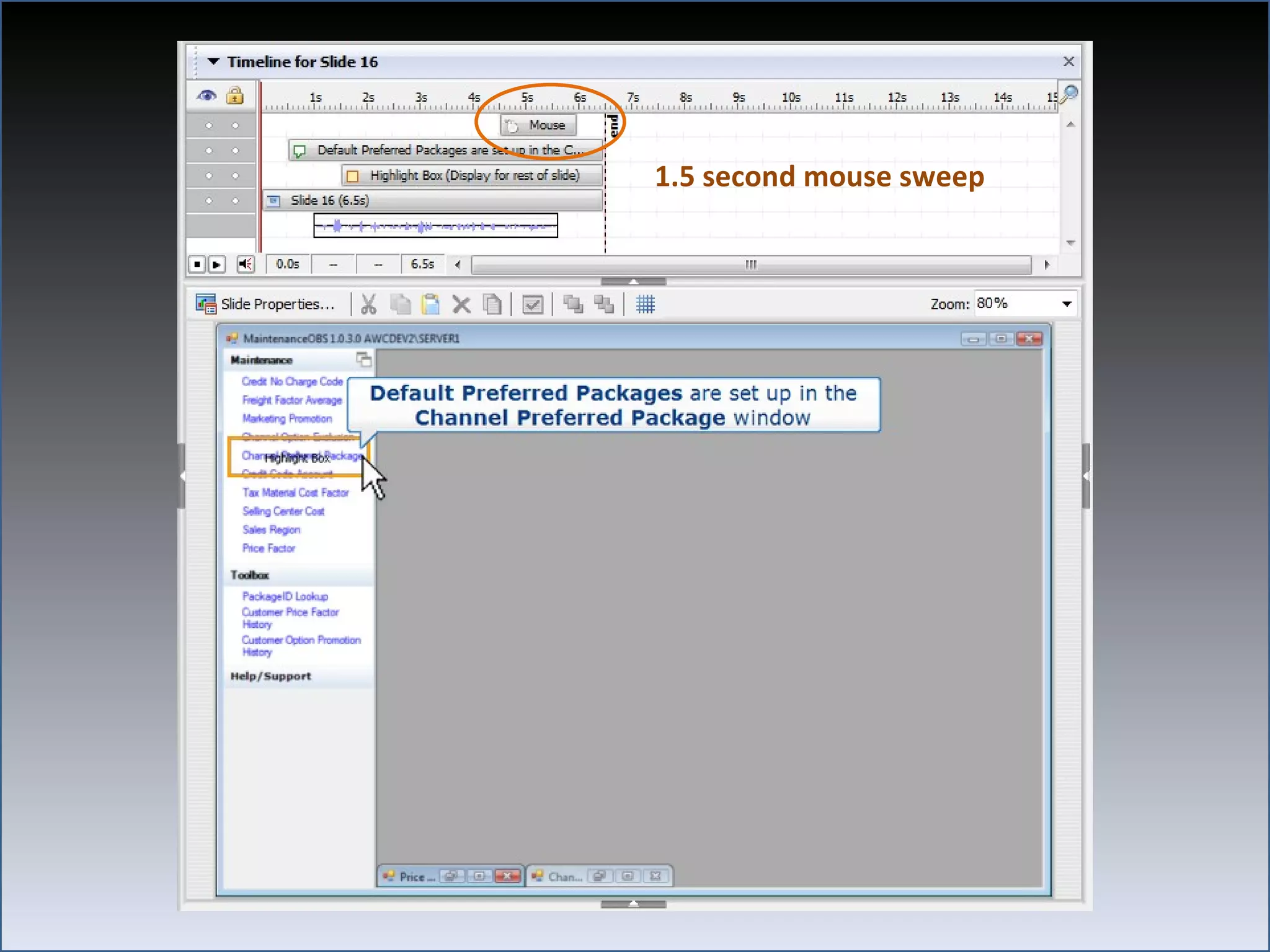
     • 1.5 second mouse sweep
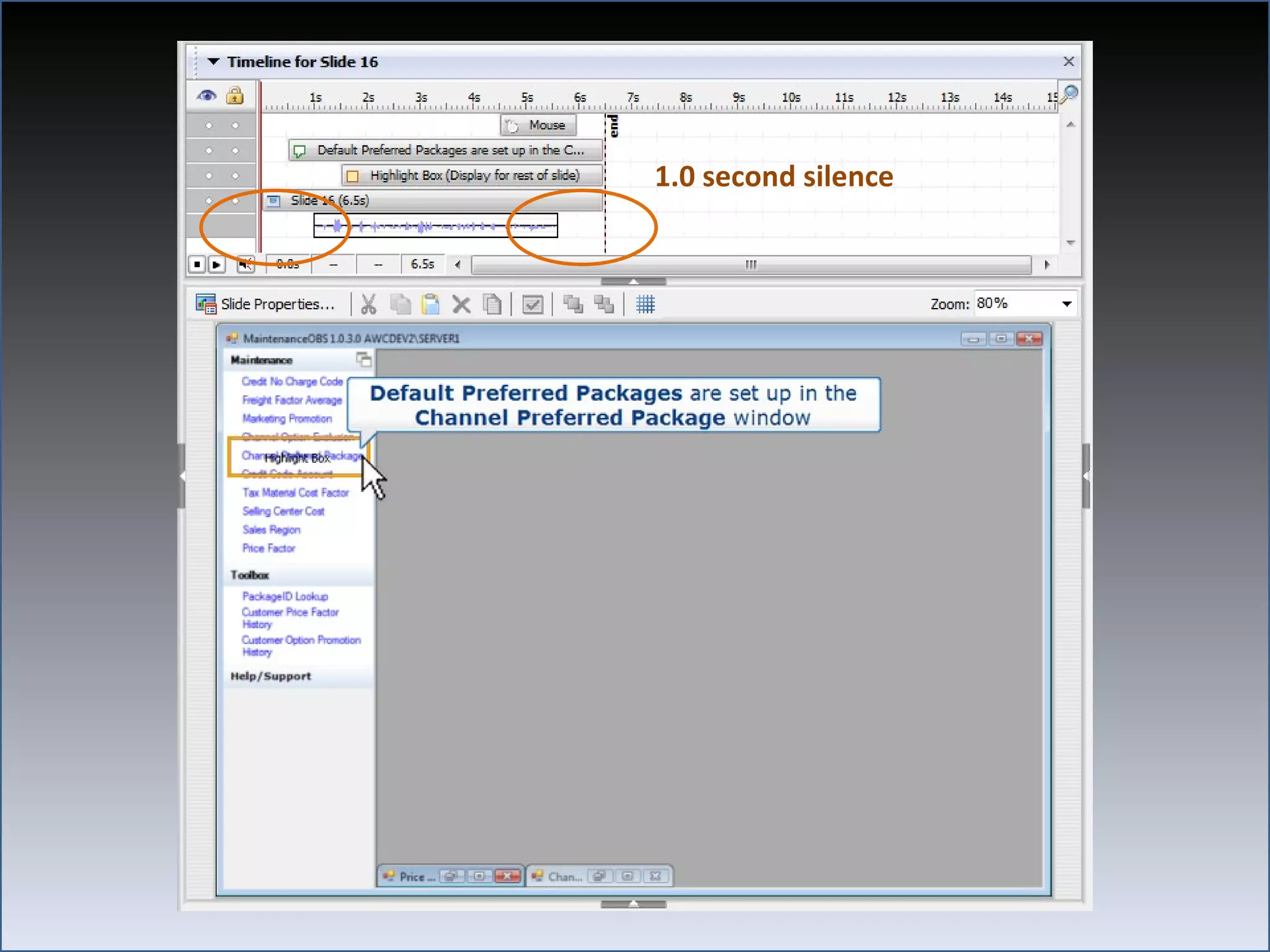
     • 1.0 second silence
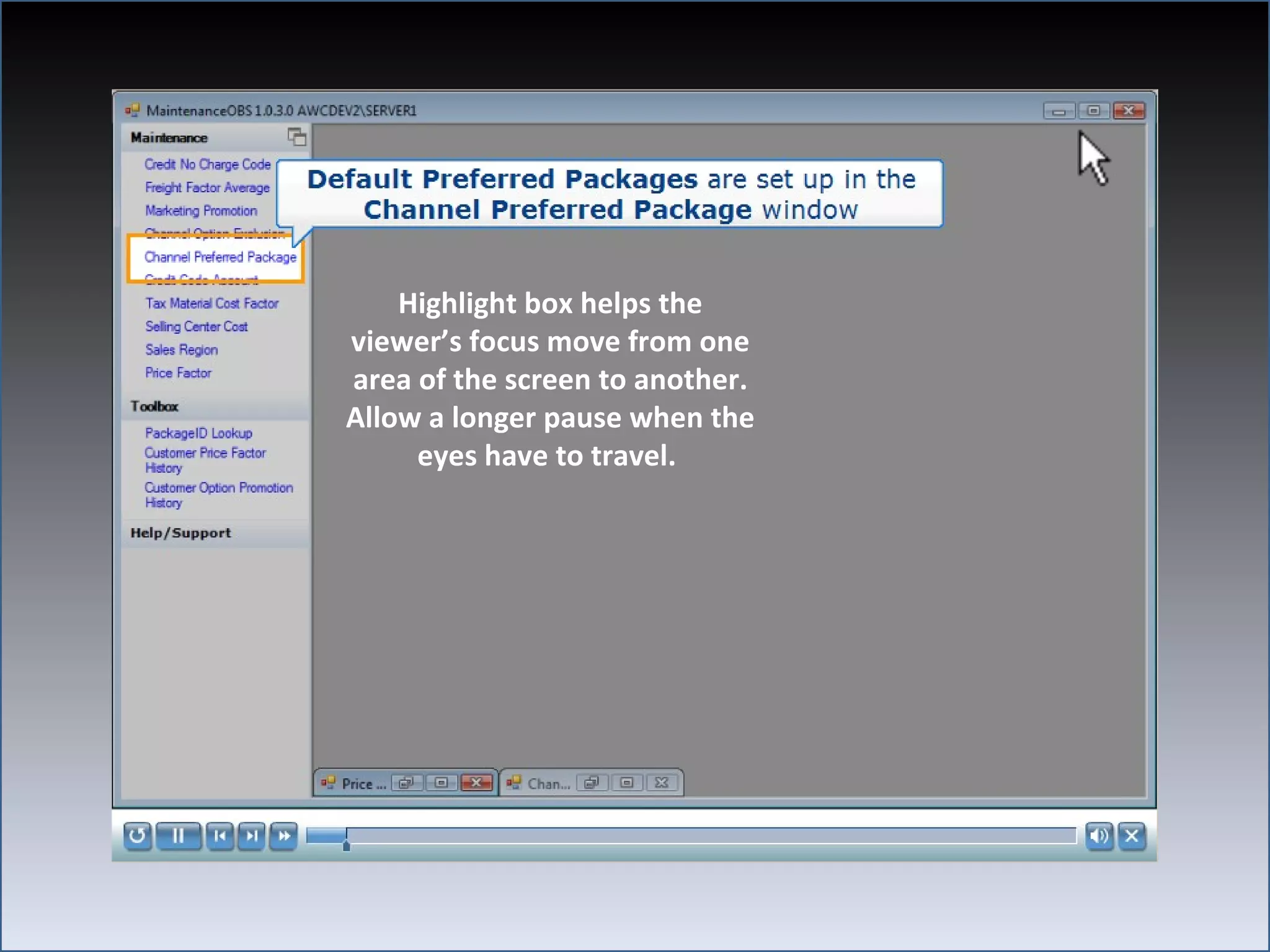
     • Highlight box
  – Focus
     • Highlight box or draw ovals
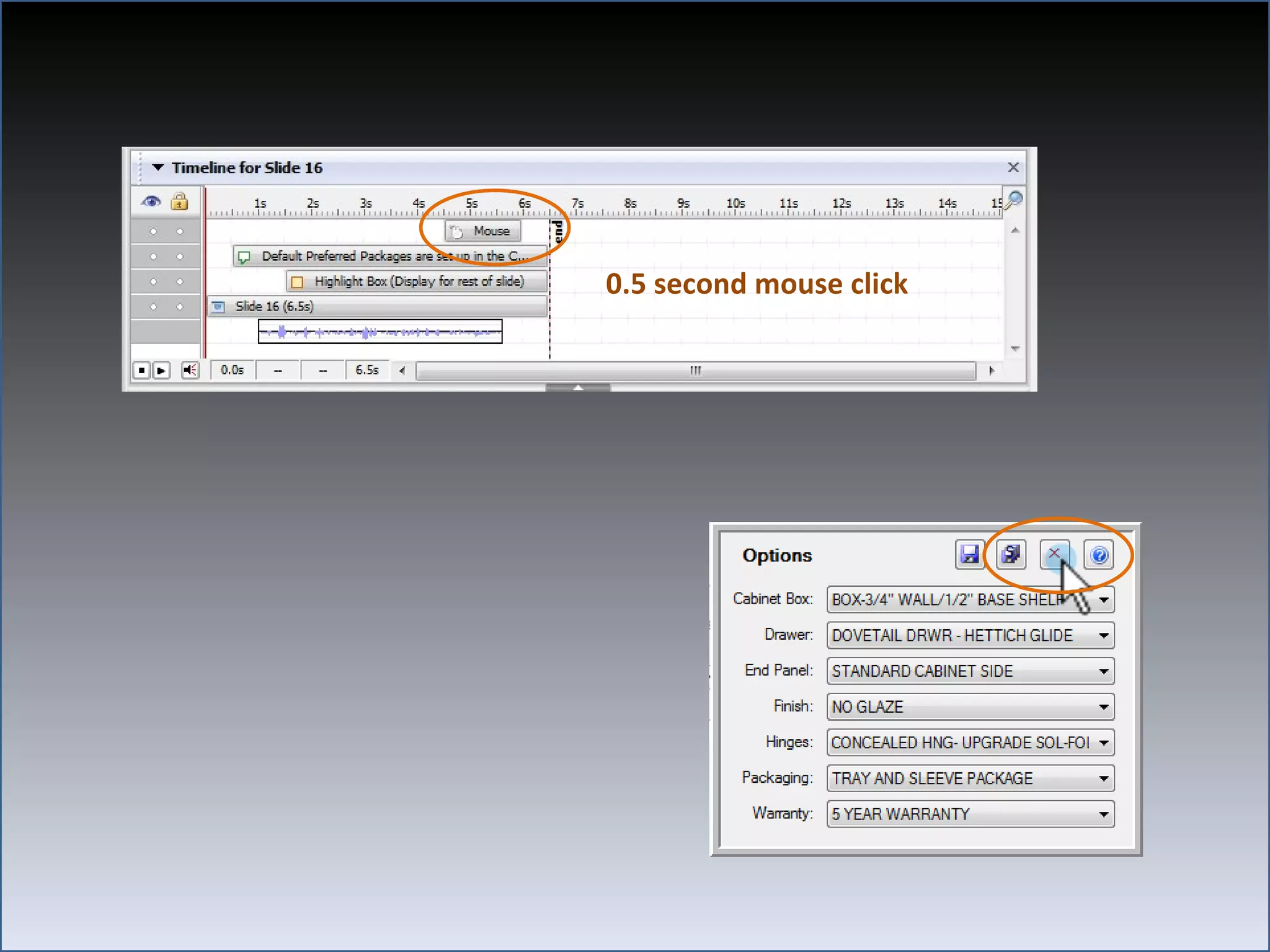
     • Show mouse click 0.5 seconds
1.5 second mouse sweep
1.0 second silence
Highlight box helps the
viewer’s focus move from one
area of the screen to another.
Allow a longer pause when the
     eyes have to travel.
0.5 second mouse click
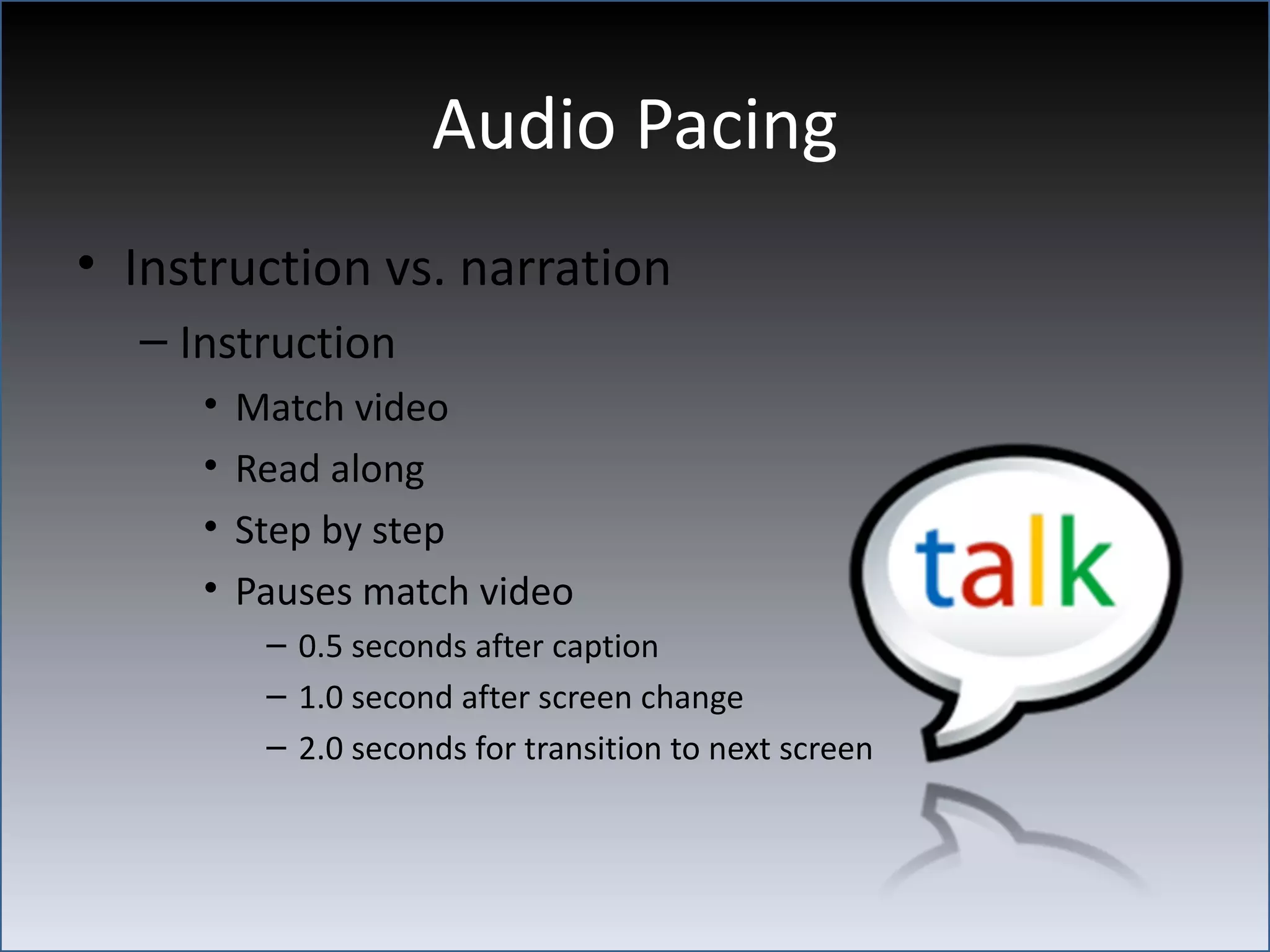
Audio Pacing
• Instruction vs. narration
  – Instruction
     •   Match video
     •   Read along
     •   Step by step
     •   Pauses match video
          – 0.5 seconds after caption
          – 1.0 second after screen change
          – 2.0 seconds for transition to next screen
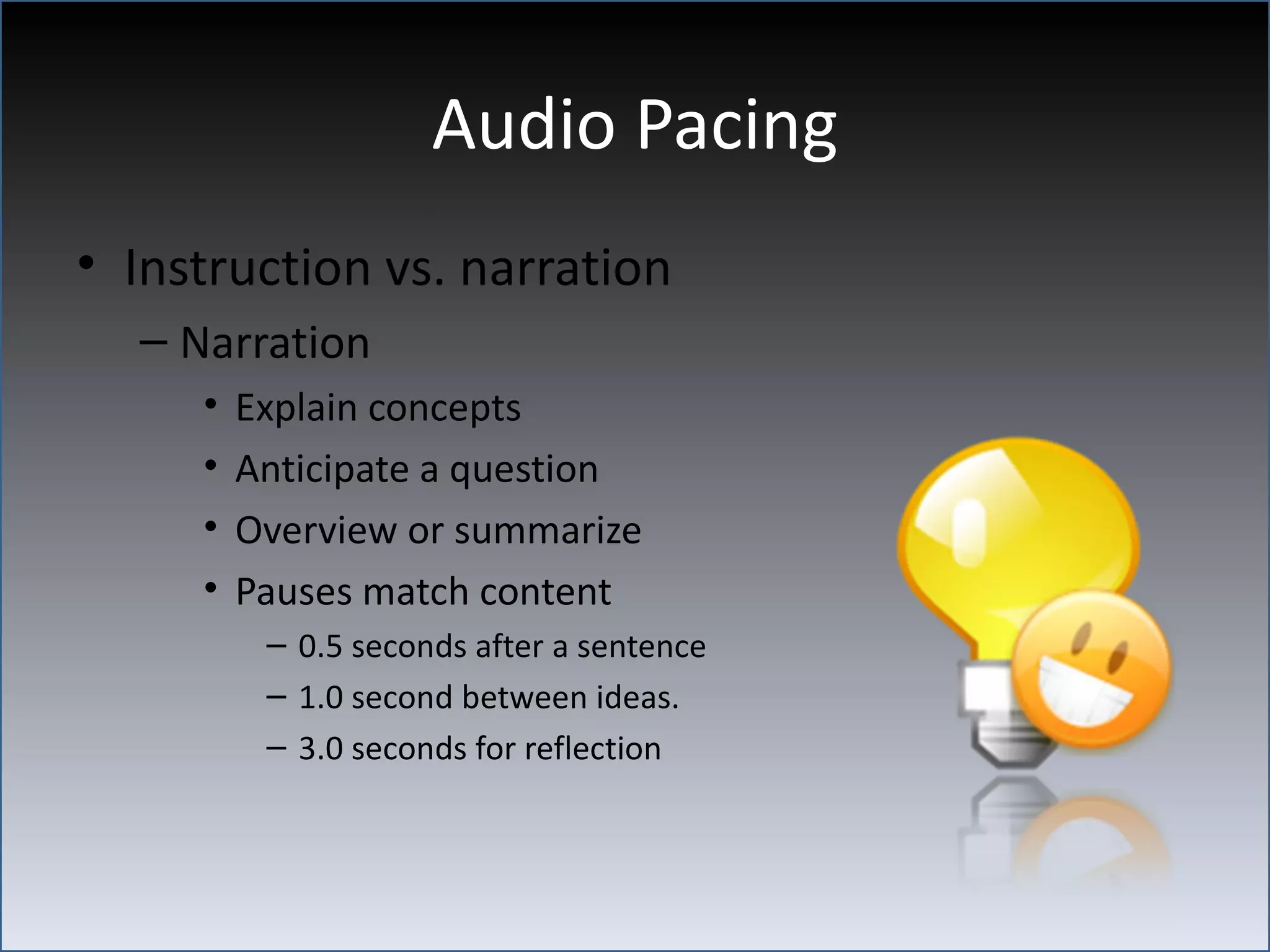
Audio Pacing
• Instruction vs. narration
  – Narration
     •   Explain concepts
     •   Anticipate a question
     •   Overview or summarize
     •   Pauses match content
          – 0.5 seconds after a sentence
          – 1.0 second between ideas.
          – 3.0 seconds for reflection
Audio Pacing
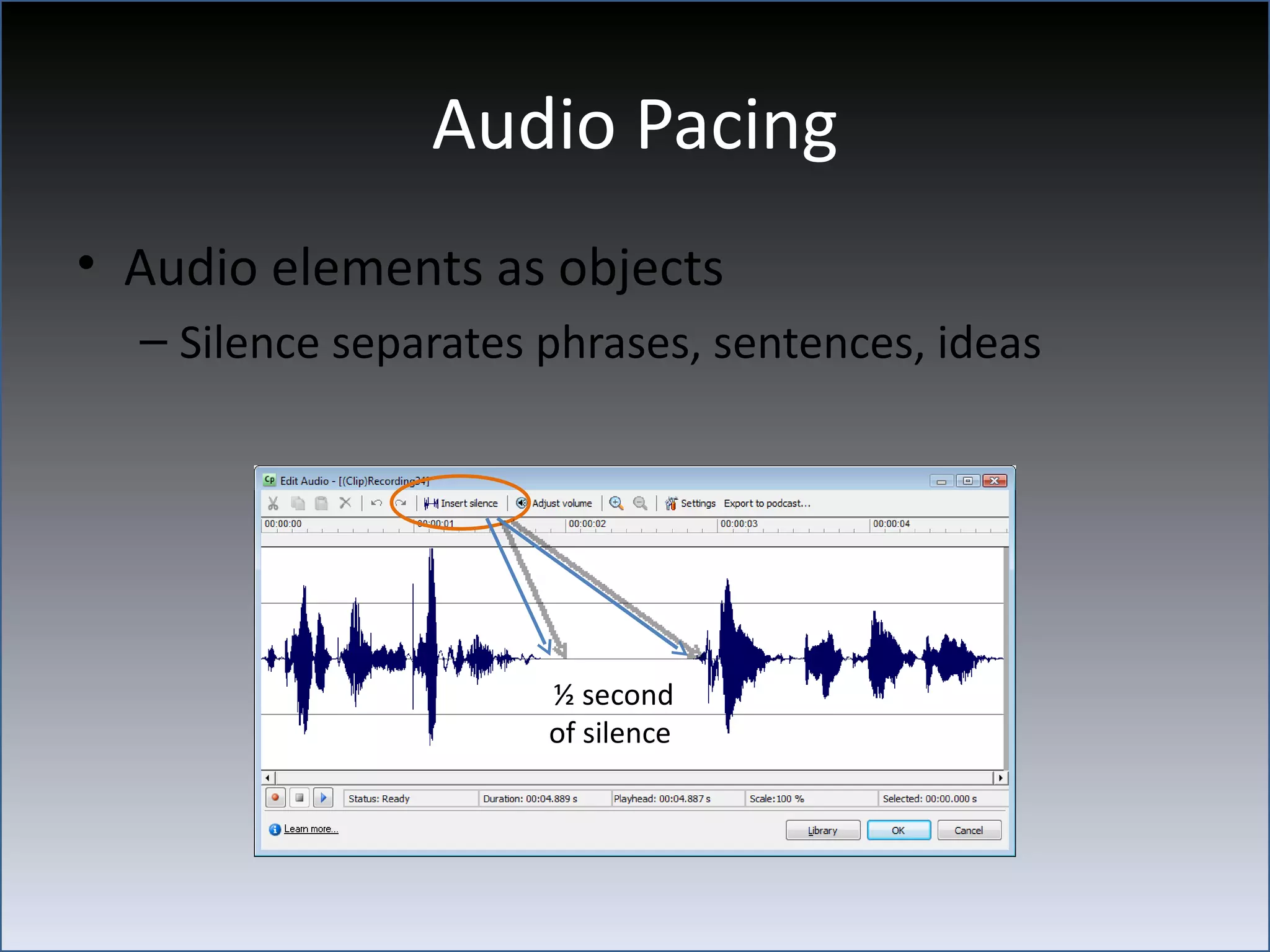
• Audio elements as objects
  – Silence separates phrases, sentences, ideas


                      ½ second
                      of silence
Audio Energy
• Too much vs. too little
  – High energy
     • Stimulating
     • Dynamic
     • Driven
  – Low energy
     • Calming
     • Confident
     • Contagious
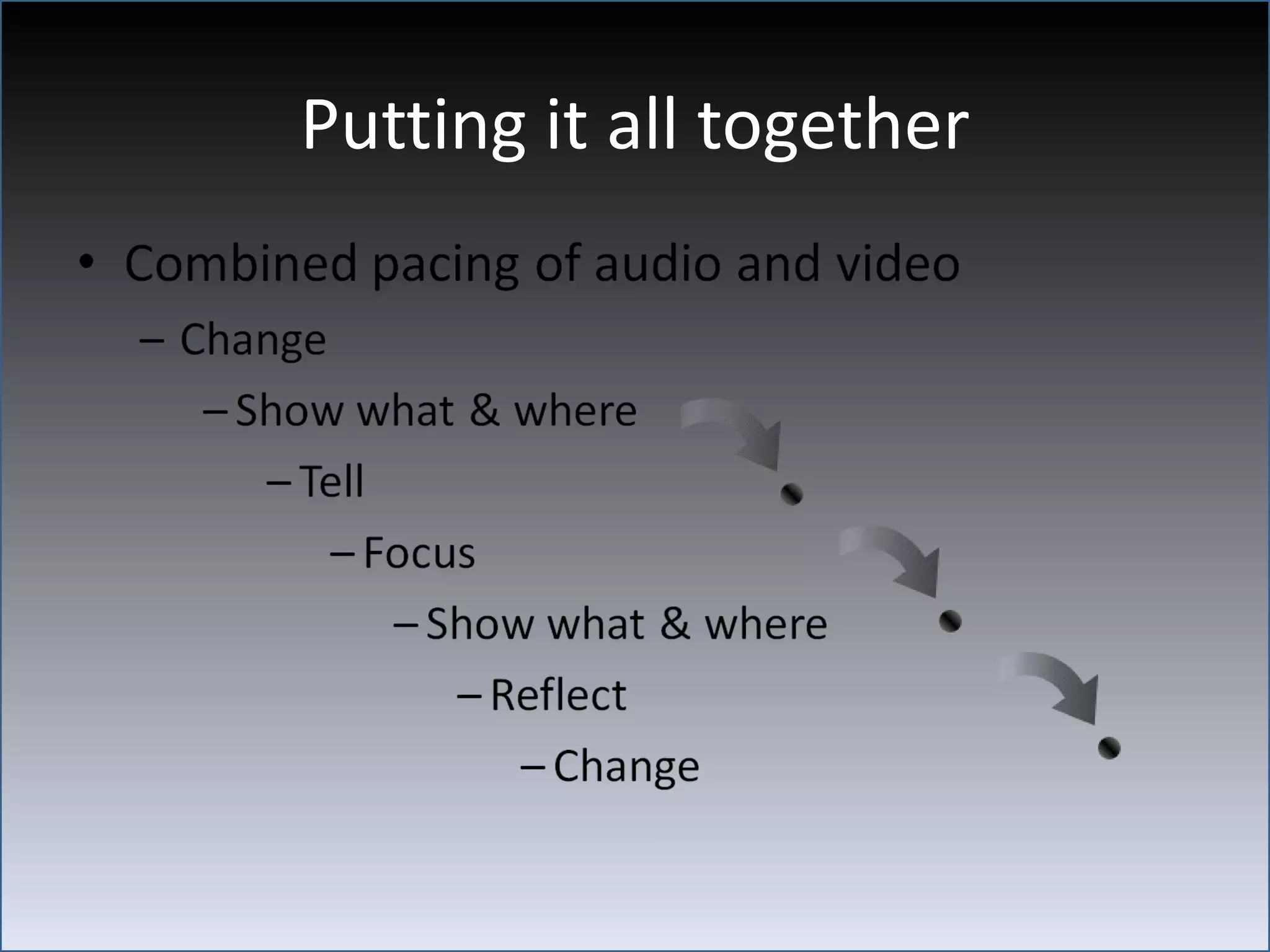
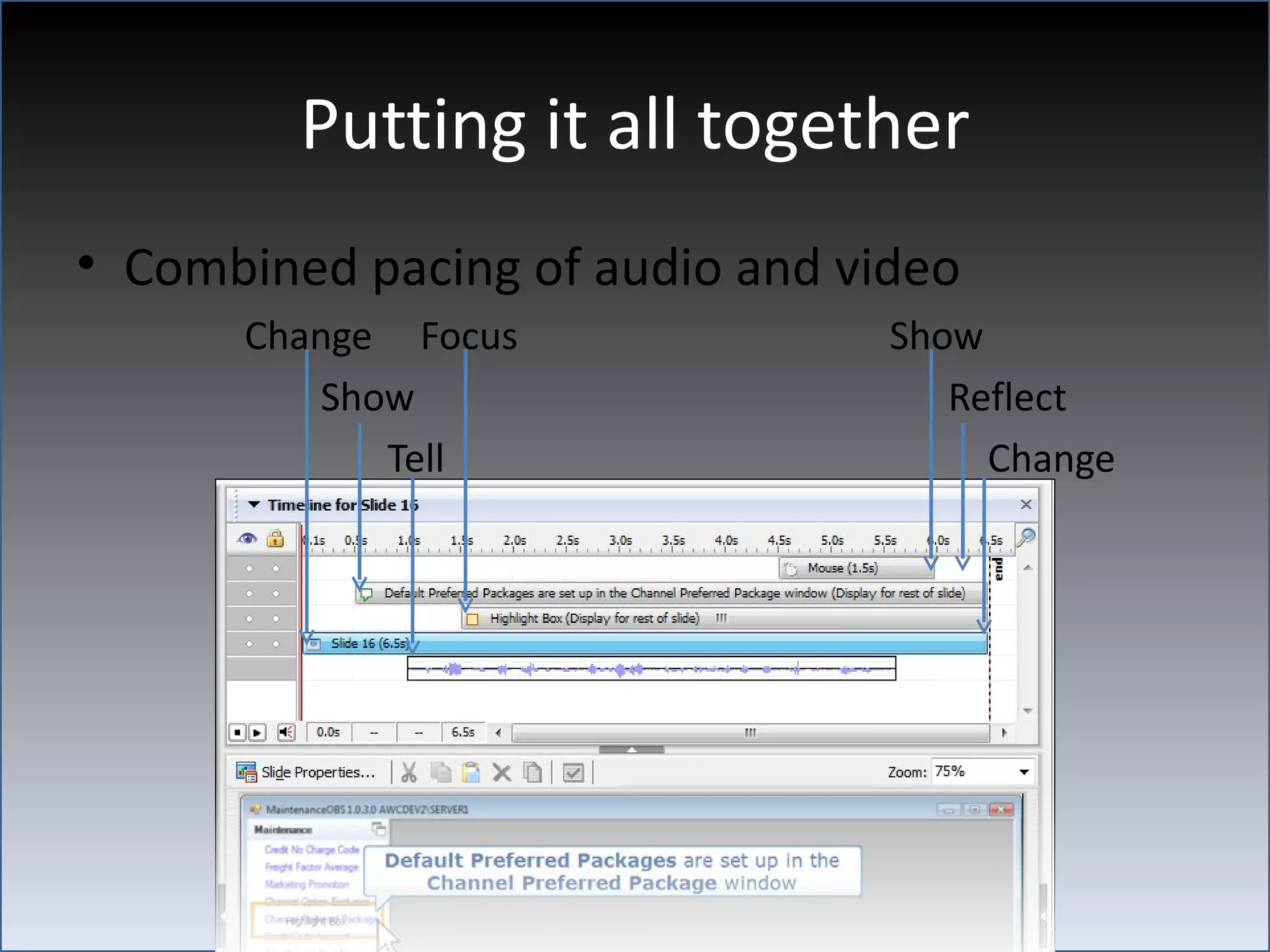
Putting it all together
• Combined pacing of audio and video
      Change Focus               Show
         Show                       Reflect
            Tell                      Change
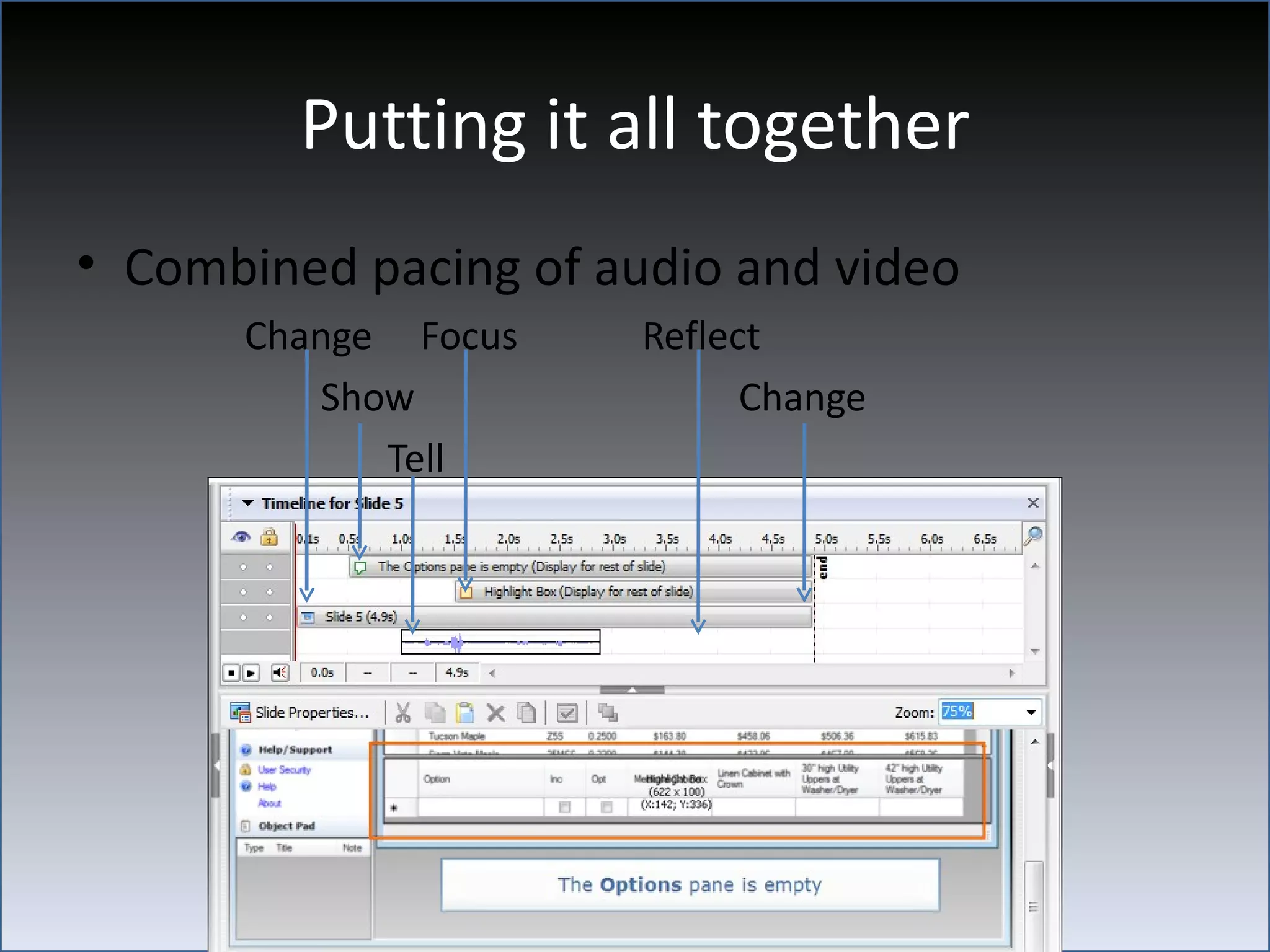
Putting it all together
• Combined pacing of audio and video
      Change Focus     Reflect
         Show                Change
            Tell
Interact
•   Skip intro
•   Clickable pacing
•   Roll over text
•   Roll over graphics
•   Review
What’s next?
• Last slide offers choices
  – Review old tutorials
  – Move ahead to new tutorials
  – Email
  – Online Help
  – External sites
Summary
• Design for audience
• Engaged students need
  – See/hear/touch
  – Time to reflect
  – To know what’s next

• Well paced material is “sticky”
Connect with me
Viqui Dill
  STC Washington DC – Metro Baltimore Chapter
  Social Media Manager & At-Large Director
  social_media@stcwdc.org
  American Woodmark Corporation
  Sales & Marketing Technical Communicator
  VDill@Woodmark.com
  My other life
  wife and mom, bass player, worship leader, happiest when folks
  sing along with me
  viqui_dill@yahoo.com
  @viqui_dill twitter
  540-303-0323 cell
  https://www.facebook.com/viqui.dill
Tutorial Pacing

Tutorial Pacing

  • 1.
    Tutorial Pacing Viqui Dill Sales and Marketing Technical Communications
  • 2.
    Who is theaudience vs. who will review • Who is the audience? • New • Alone • Bothered • Who will review? • SMEs • Developers • Marketing
  • 3.
    How fast istoo fast? • New folks need – Time to see – Time to read & hear – Time to reflect – Time to interact – To know what’s next • Well paced material is “sticky”
  • 4.
    How slow istoo slow? • Bored learners will – Click off – Multitask – Not come back • Well paced material is engaging
  • 5.
    Visual Pacing • Visualtracking vs. visual focus – Tracking • 1.5 second mouse sweep • 1.0 second silence • Highlight box – Focus • Highlight box or draw ovals • Show mouse click 0.5 seconds
  • 6.
  • 7.
  • 8.
    Highlight box helpsthe viewer’s focus move from one area of the screen to another. Allow a longer pause when the eyes have to travel.
  • 9.
  • 10.
    Audio Pacing • Instructionvs. narration – Instruction • Match video • Read along • Step by step • Pauses match video – 0.5 seconds after caption – 1.0 second after screen change – 2.0 seconds for transition to next screen
  • 11.
    Audio Pacing • Instructionvs. narration – Narration • Explain concepts • Anticipate a question • Overview or summarize • Pauses match content – 0.5 seconds after a sentence – 1.0 second between ideas. – 3.0 seconds for reflection
  • 12.
    Audio Pacing • Audioelements as objects – Silence separates phrases, sentences, ideas ½ second of silence
  • 13.
    Audio Energy • Toomuch vs. too little – High energy • Stimulating • Dynamic • Driven – Low energy • Calming • Confident • Contagious
  • 14.
  • 15.
    Putting it alltogether • Combined pacing of audio and video Change Focus Show Show Reflect Tell Change
  • 16.
    Putting it alltogether • Combined pacing of audio and video Change Focus Reflect Show Change Tell
  • 17.
    Interact • Skip intro • Clickable pacing • Roll over text • Roll over graphics • Review
  • 18.
    What’s next? • Lastslide offers choices – Review old tutorials – Move ahead to new tutorials – Email – Online Help – External sites
  • 19.
    Summary • Design foraudience • Engaged students need – See/hear/touch – Time to reflect – To know what’s next • Well paced material is “sticky”
  • 20.
    Connect with me ViquiDill STC Washington DC – Metro Baltimore Chapter Social Media Manager & At-Large Director social_media@stcwdc.org American Woodmark Corporation Sales & Marketing Technical Communicator VDill@Woodmark.com My other life wife and mom, bass player, worship leader, happiest when folks sing along with me viqui_dill@yahoo.com @viqui_dill twitter 540-303-0323 cell https://www.facebook.com/viqui.dill

Editor's Notes

  • #3 So you’re about to make a new tutorial for an audience of folks who want to learn how to use a brand new system. If you’re like me, you may never get to meet the actual users. My company makes kitchen cabinets, which you can buy online. It’s really hard to buy a whole kitchen worth of cabinets and if you make a mistake, it’s usually a very costly and sometimes embarrassing mistake. My users are kitchen designers who take the home owner’s input and measurements and turn the home owner’s dream into a design and a list of parts to order for the kitchen. They will need to order everything from the cabinets themselves on down to the decorative handles and functional accessories like the wine rack and slide out trash bin. I always assume that any user who is desperate enough to go to the online help is 3 things: New – they are new at the system and they want reassurance that it will be worth their time to use it. Alone – they are working alone at the moment, otherwise they would have just asked a coworker the question. Bothered – they are either angry, or scared, or both. Whatever I offer them in my tutorials and online help, I have to be complete and accurate. I have to gain the trust of my audience and reassure them that no matter what the task is, they can do it if they just hang in with me and follow my instructions. OK, so that’s who will do the learning and the watching and listening. Since these folks don’t work for my company, I have no prayer of ever meeting them. Who will I be working with while I’m creating the tutorial? Who will tell me what’s involved in each process? Who will give the final approval when I’m done? I will be working with the MIS folks who have designed the system for the designers to use. These guys and gals already know how to use the system. They will already know how to do each task. They will already know the answer to every question. They will be more concerned with accuracy and completeness of the content than with the effectiveness of the delivery. They will have very little patience for watching the tutorials teach them what they already know. So I have to be able to build a bridge from what the SMEs, Developers, and maybe even the Marketing folks tell me to the actual needs of the actual users of the system.
  • #4 So let’s talk about pacing. Well paced material is sticky , which means it sticks in your brain even after the tutorial is over. To get the material into somebody’s brain in the first place, we have to give the person enough time to see it, read it, hear it, and interact with it. These are separate events and each takes time. Time that will push you toward that magic maximum of 3 minutes per tutorial. Time that an SME will not need and might not appreciate. To add to the time of the pure sensory experience of seeing, hearing, and touching, we need to allow some time for reflection and context. The time for reflection will allow the audience a moment to understand “Aha, that’s how it works,” and to visualize themselves being able to do it on their own the next time. The time for context will allow the audience to fit the puzzle piece of the current task at hand into the mosaic of the overall process. Having an understanding of how we got to where we are now, and having an idea of where we’re going next will help the audience follow along with the material and the material will stick with them long after the tutorial is over.
  • #5 So what happens if the material is presented too slowly? The audience will become bored. Bored learners will try to multitask into another activity. They might even click off and not come back. Well paced material is engaging enough to keep the audience interested. So we have to find a balance that will be not too fast and not too slow.
  • #21 Viqui Dill STC Washington DC – Metro Baltimore Chapter Social Media Manager & At-Large Director [email_address] American Woodmark Corporation Sales & Marketing Technical Communicator [email_address]   My other life wife and mom, bass player, worship leader, happiest when folks sing along with me [email_address] @viqui_dill twitter 540-303-0323 cell https://www.facebook.com/viqui.dill
  • #22 Viqui Dill STC Washington DC – Metro Baltimore Chapter Social Media Manager & At-Large Director [email_address] American Woodmark Corporation Sales & Marketing Technical Communicator [email_address]   My other life wife and mom, bass player, worship leader, happiest when folks sing along with me [email_address] @viqui_dill twitter 540-303-0323 cell https://www.facebook.com/viqui.dill