Introduction to Apache Kafka
Chris Curtin
Head of Technical Research

Atlanta Java Users Group March 2013
About Me
• 20+ years in technology
• Head of Technical Research at Silverpop (12 + years at Silverpop)
• Built a SaaS platform before the term ‘SaaS’ was being used
• Prior to Silverpop: real-time control systems, factory automation
  and warehouse management
• Always looking for technologies and algorithms to help with our
  challenges
• Car nut


                                                                      2
Silverpop Open Positions
•   Senior Software Engineer (Java, Oracle, Spring, Hibernate, MongoDB)
•   Senior Software Engineer – MIS (.NET stack)
•   Software Engineer
•   Software Engineer – Integration Services (PHP, MySQL)
•   Delivery Manager – Engineering
•   Technical Lead – Engineering
•   Technical Project Manager – Integration Services
•   http://www.silverpop.com – Go to Careers under About


                                                                          3
Caveats
• We don’t use Kafka in production
• I don’t have any experience with Kafka in operations
• I am not an expert on messaging systems/JMS/MQSeries etc.


                                                              4
Apache Kafka – from Apache
• Apache Kafka is a distributed publish-subscribe messaging system.
  It is designed to support the following
   – Persistent messaging with O(1) disk structures that provide constant
     time performance even with many TB of stored messages.
   – High-throughput: even with very modest hardware Kafka can support
     hundreds of thousands of messages per second.
   – Explicit support for partitioning messages over Kafka servers and
     distributing consumption over a cluster of consumer machines while
     maintaining per-partition ordering semantics.
   – Support for parallel data load into Hadoop.

                                                                        5
Background
• LinkedIn product donated to Apache
• Most core developers are from LinkedIn
• Pretty good pickup outside of LinkedIn: Air BnB & Urban Airship for
  example
• Fun fact: no logo yet


                                                                    6
Why?


       Data Integration

                          7
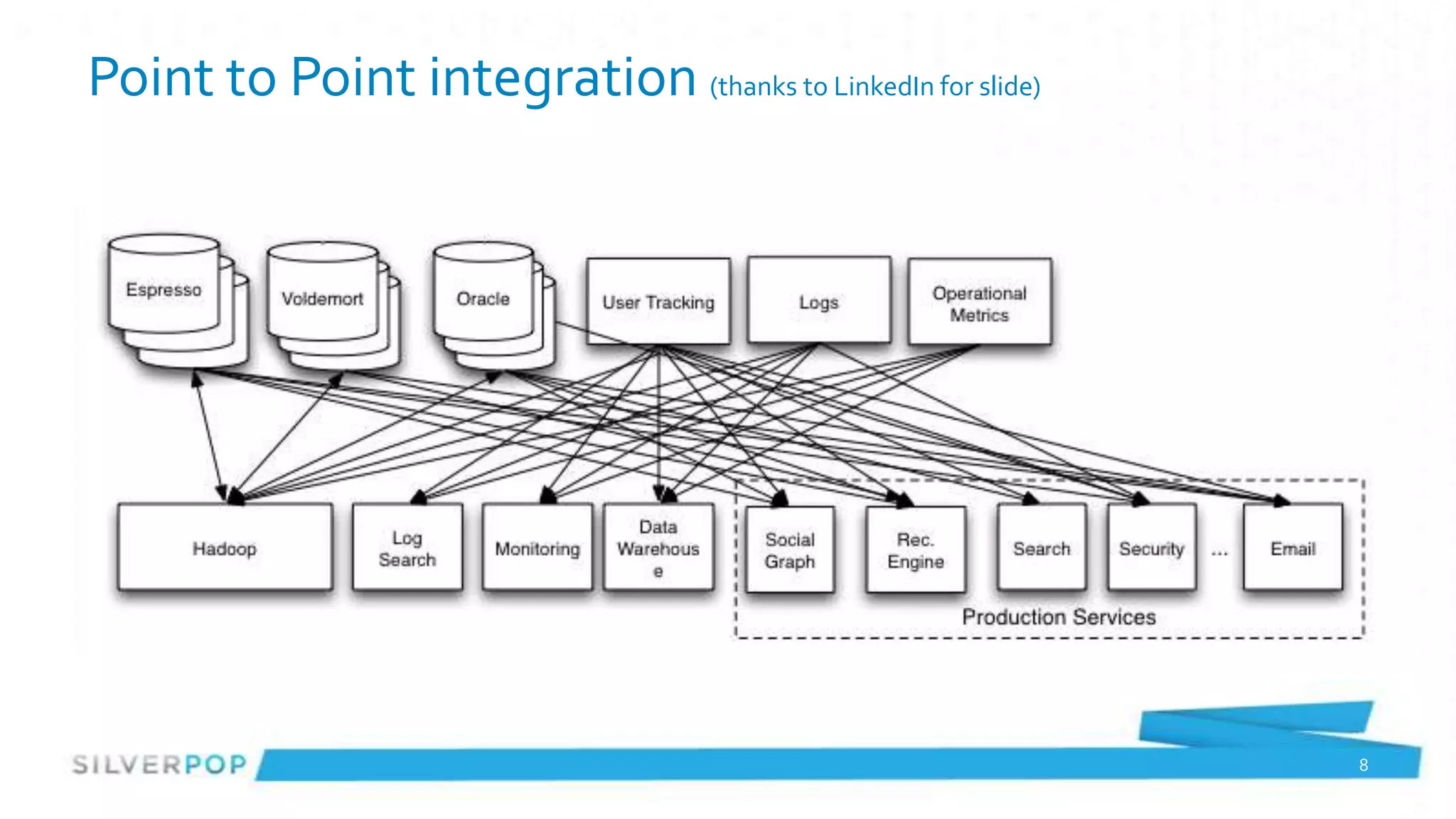
Point to Point integration (thanks to LinkedIn for slide)


                                                            8
9
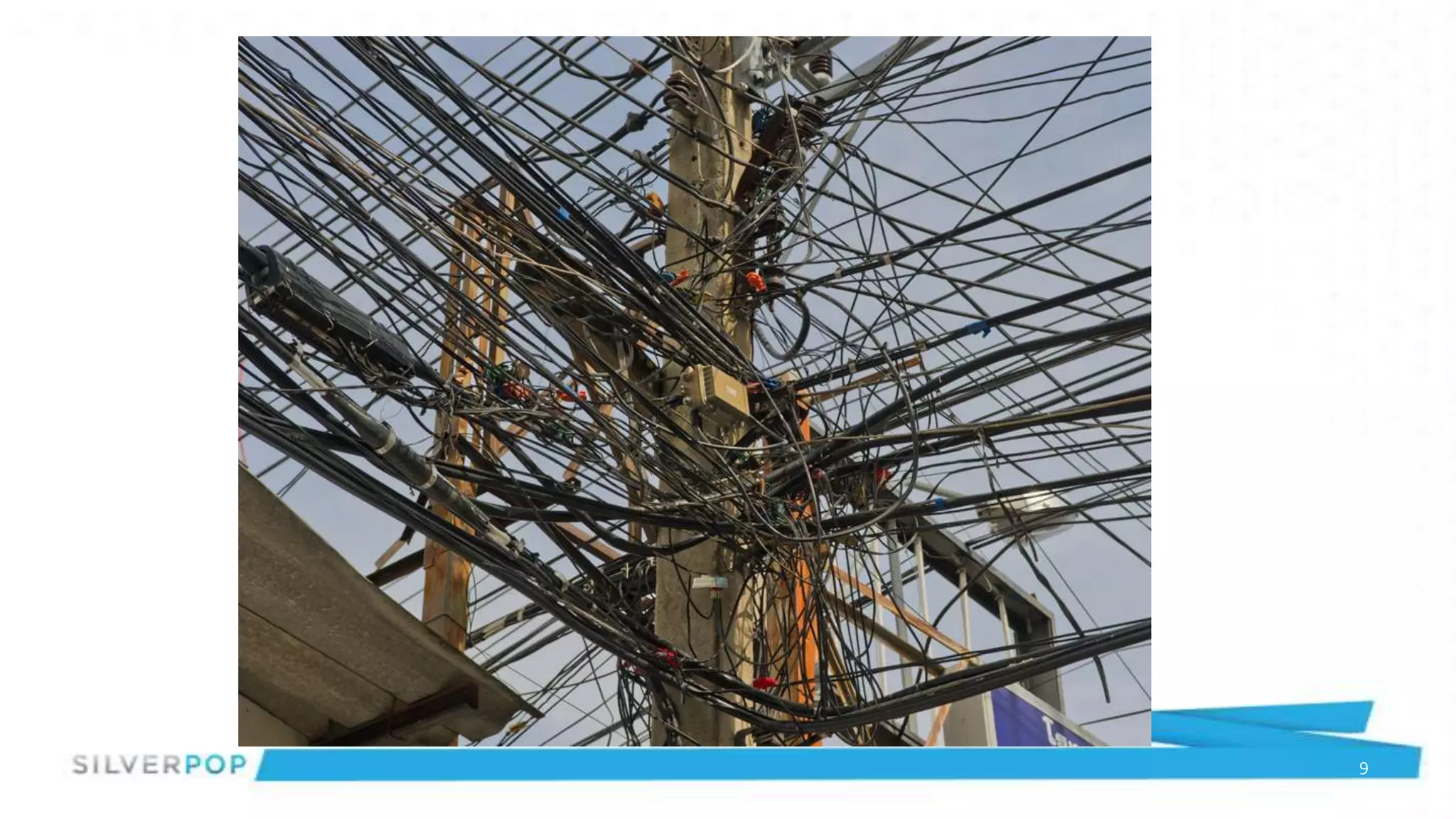
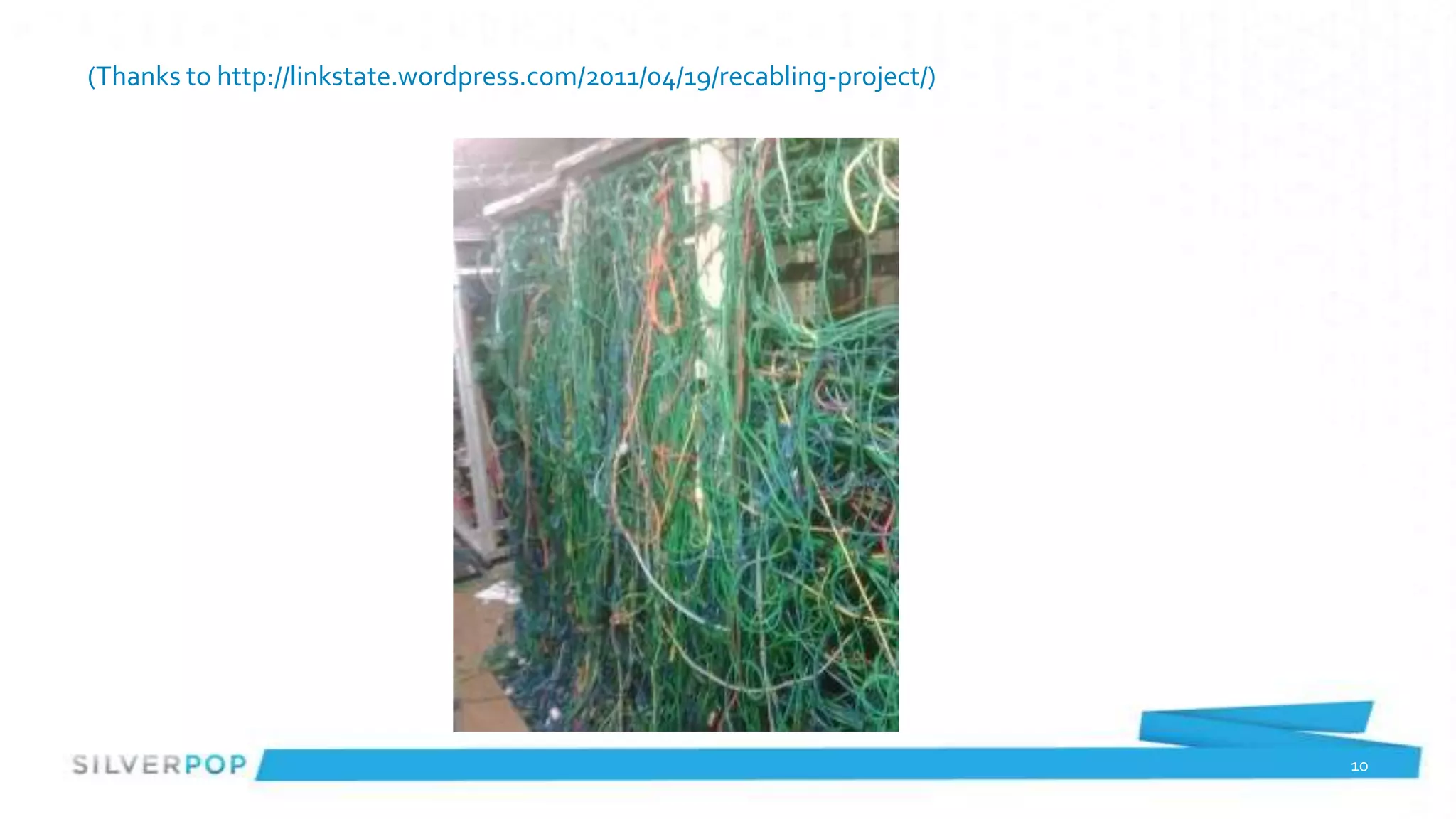
(Thanks to http://linkstate.wordpress.com/2011/04/19/recabling-project/)


                                                                           10
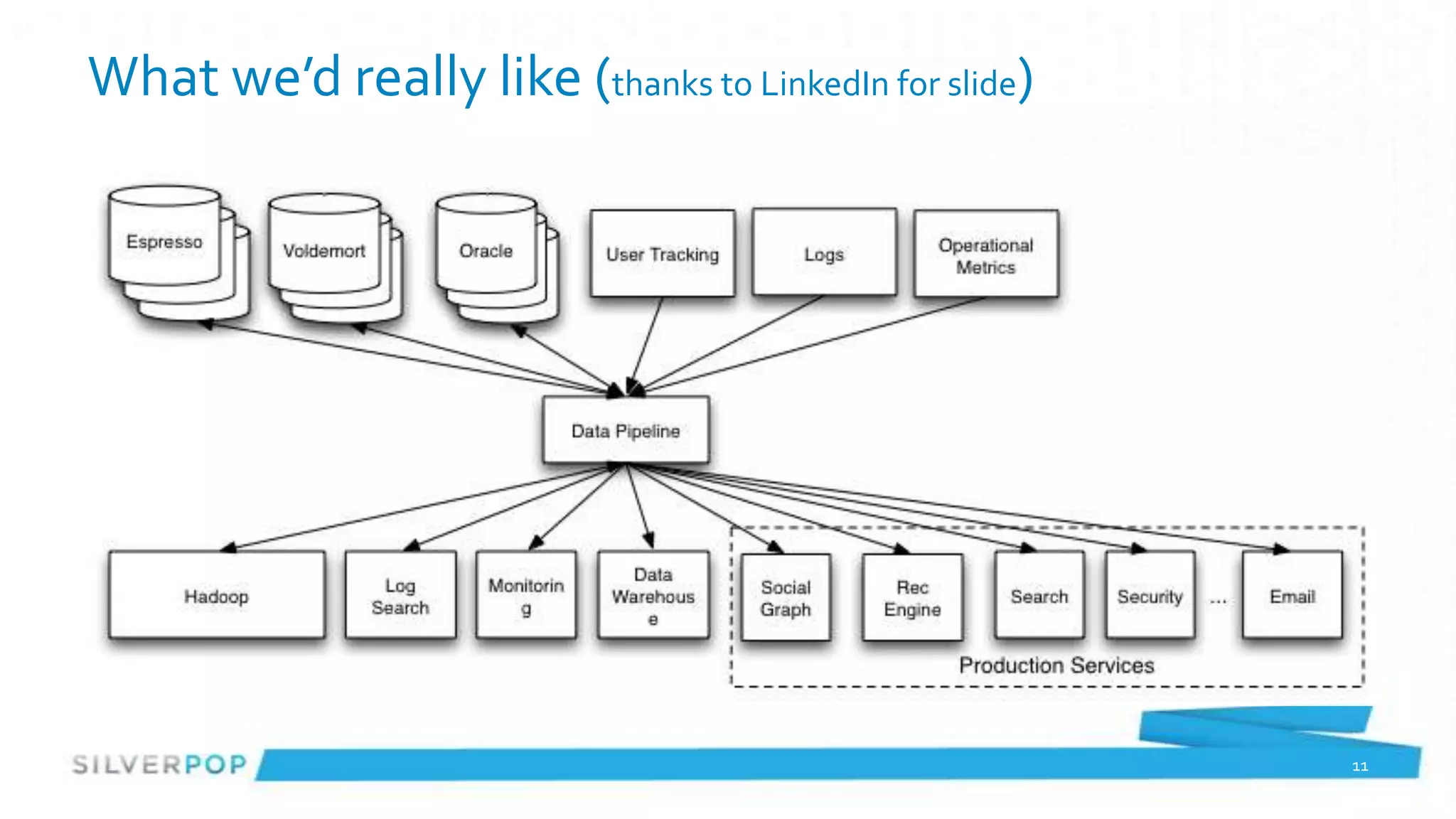
What we’d really like (thanks to LinkedIn for slide)


                                                       11
Looks Familiar: JMS to the rescue!


                                     12
Okay: Data warehouse to the rescue!


                                      13
Okay: CICS to the rescue!


                            14
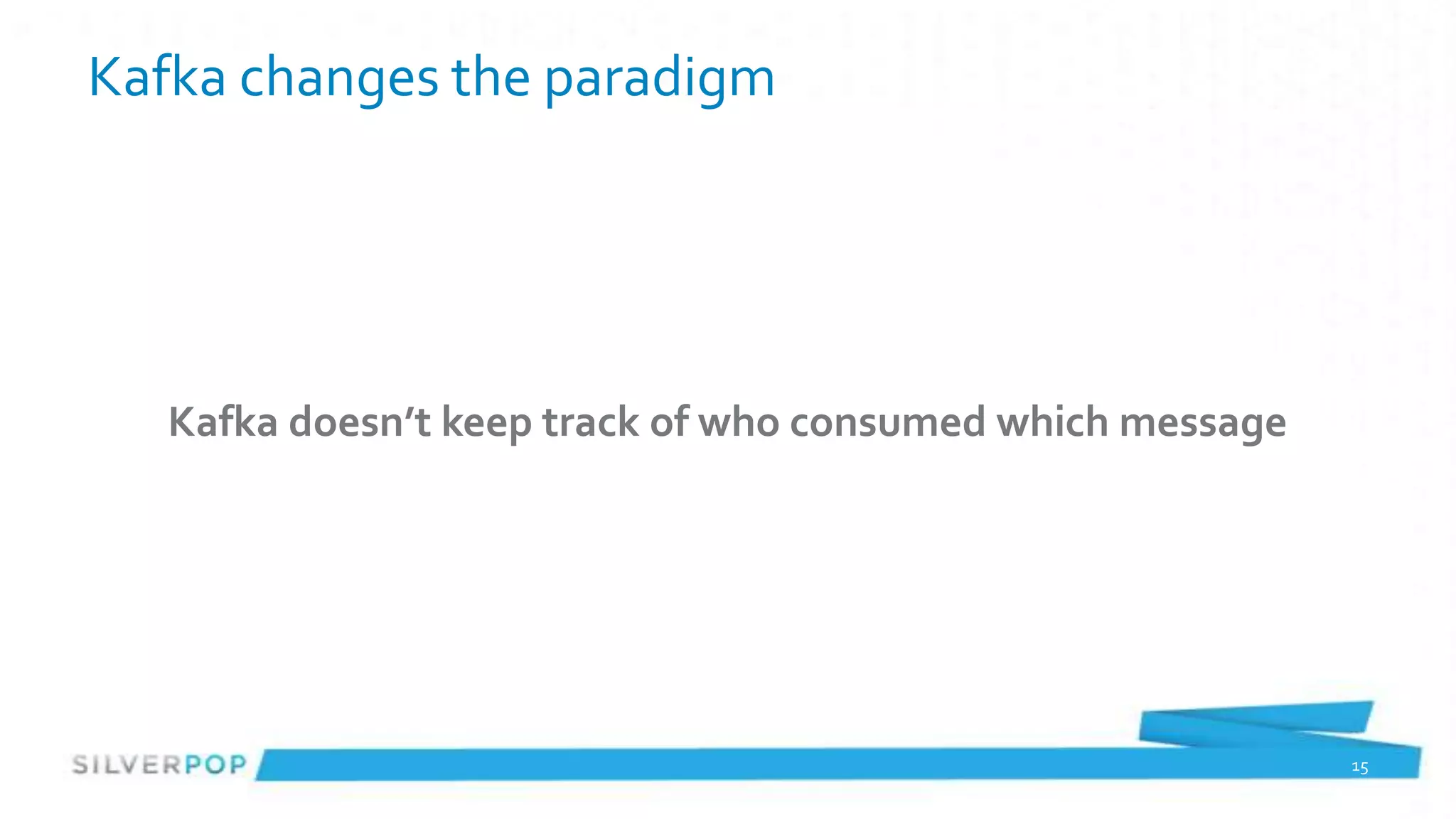
Kafka changes the paradigm


   Kafka doesn’t keep track of who consumed which message


                                                            15
Consumption Management
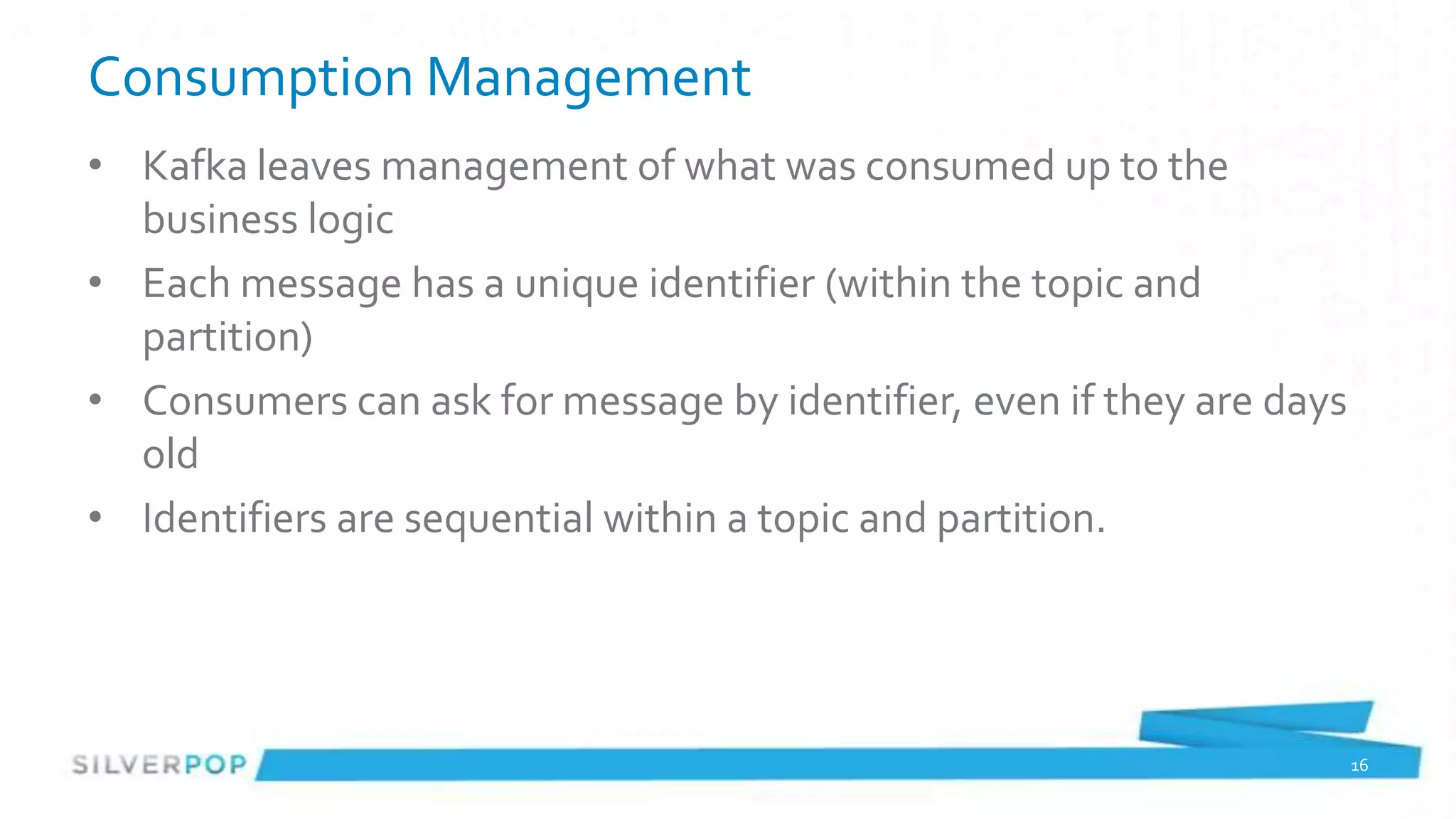
• Kafka leaves management of what was consumed up to the
  business logic
• Each message has a unique identifier (within the topic and
  partition)
• Consumers can ask for message by identifier, even if they are days
  old
• Identifiers are sequential within a topic and partition.


                                                                       16
Why is Kafka Interesting?


    Horizontally scalable messaging system


                                             17
Terminology
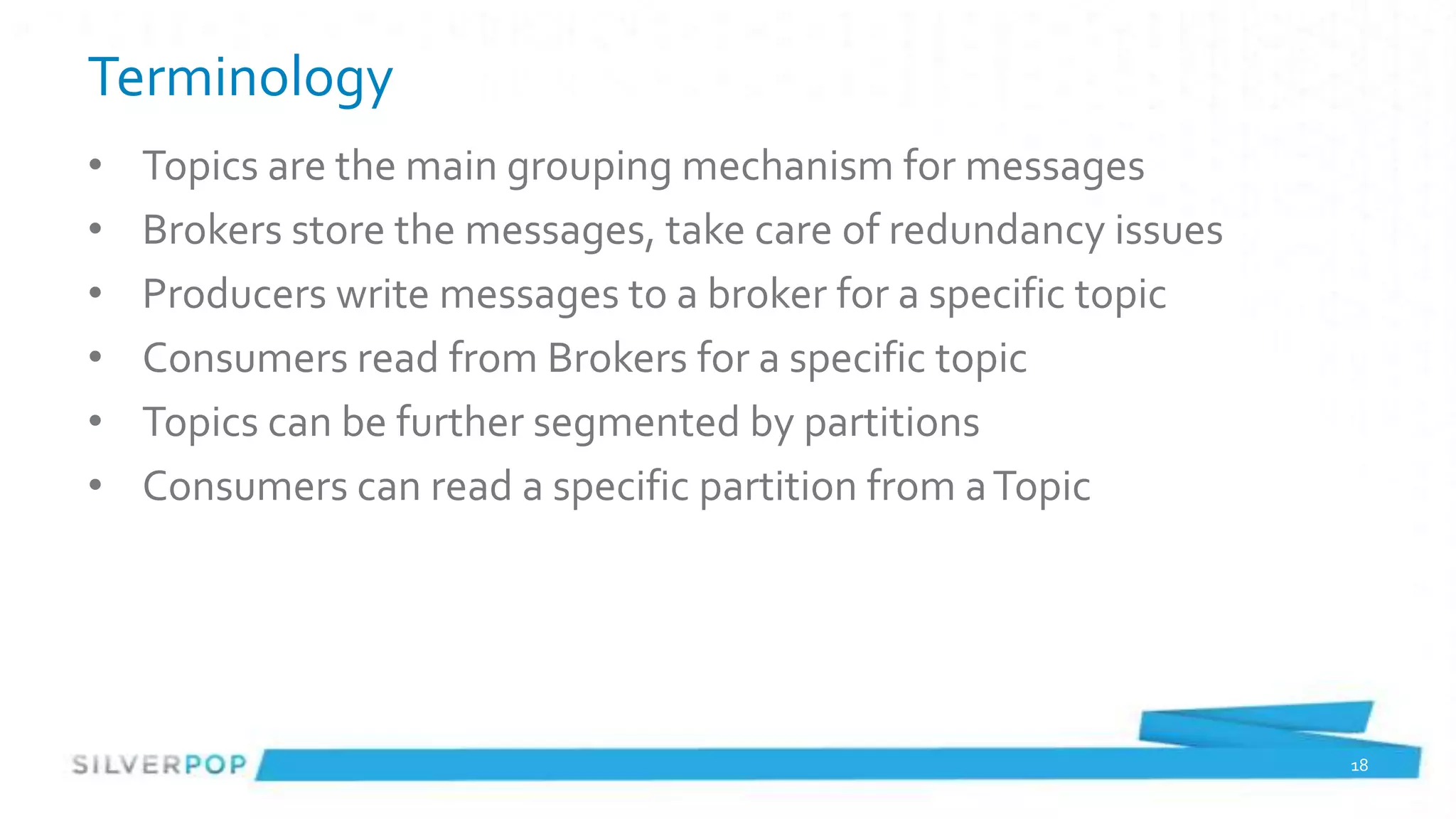
•   Topics are the main grouping mechanism for messages
•   Brokers store the messages, take care of redundancy issues
•   Producers write messages to a broker for a specific topic
•   Consumers read from Brokers for a specific topic
•   Topics can be further segmented by partitions
•   Consumers can read a specific partition from a Topic


                                                                 18
API (1 of 25) - Basics
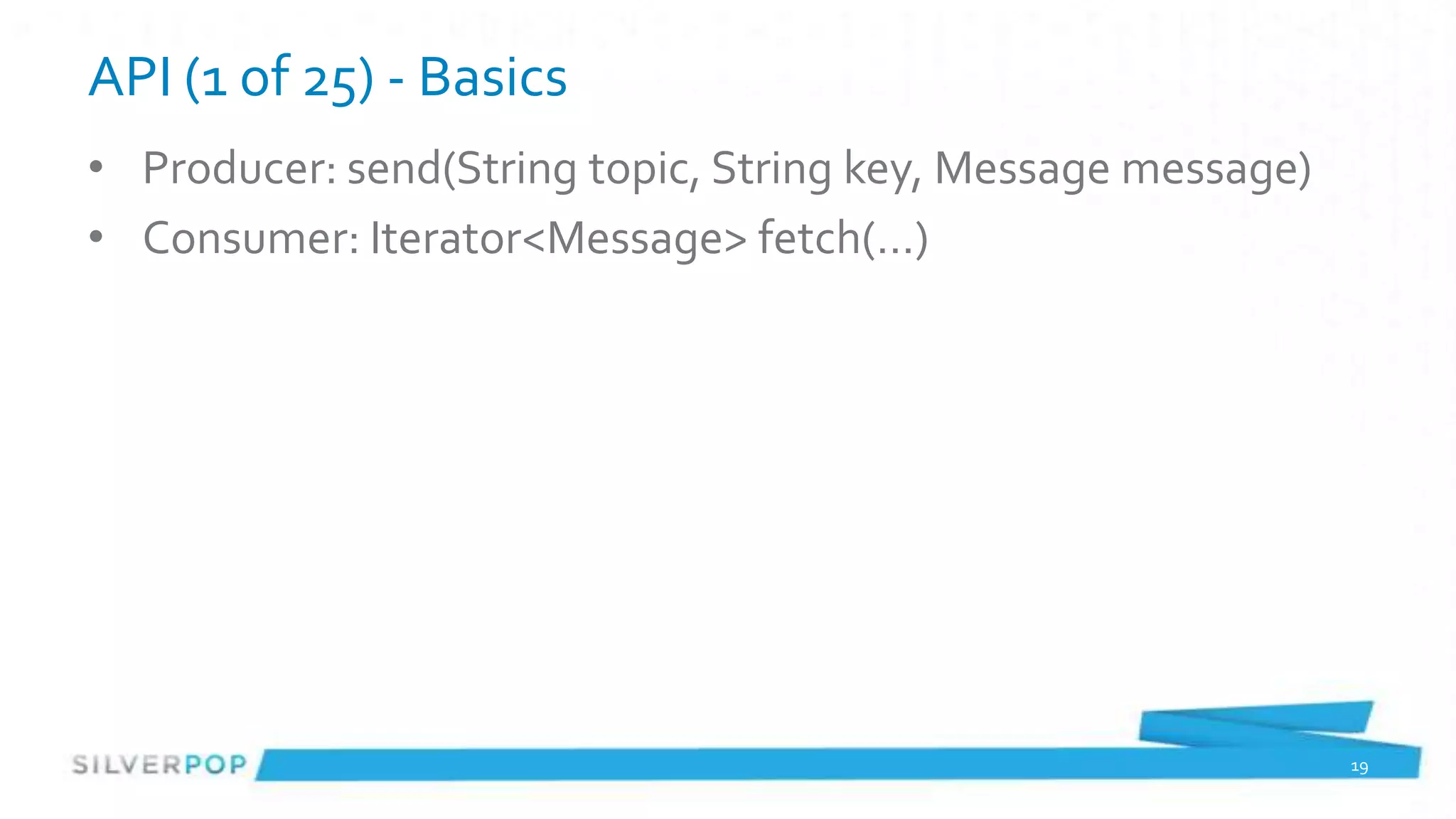
• Producer: send(String topic, String key, Message message)
• Consumer: Iterator<Message> fetch(…)


                                                              19
API
• Just kidding – that’s pretty much it for the API

• Minor variation on the consumer for ‘Simple’ consumers but that’s
  really it
• ‘under the covers’ functions to get current offsets or implement
  non-trivial consumers


                                                                      20
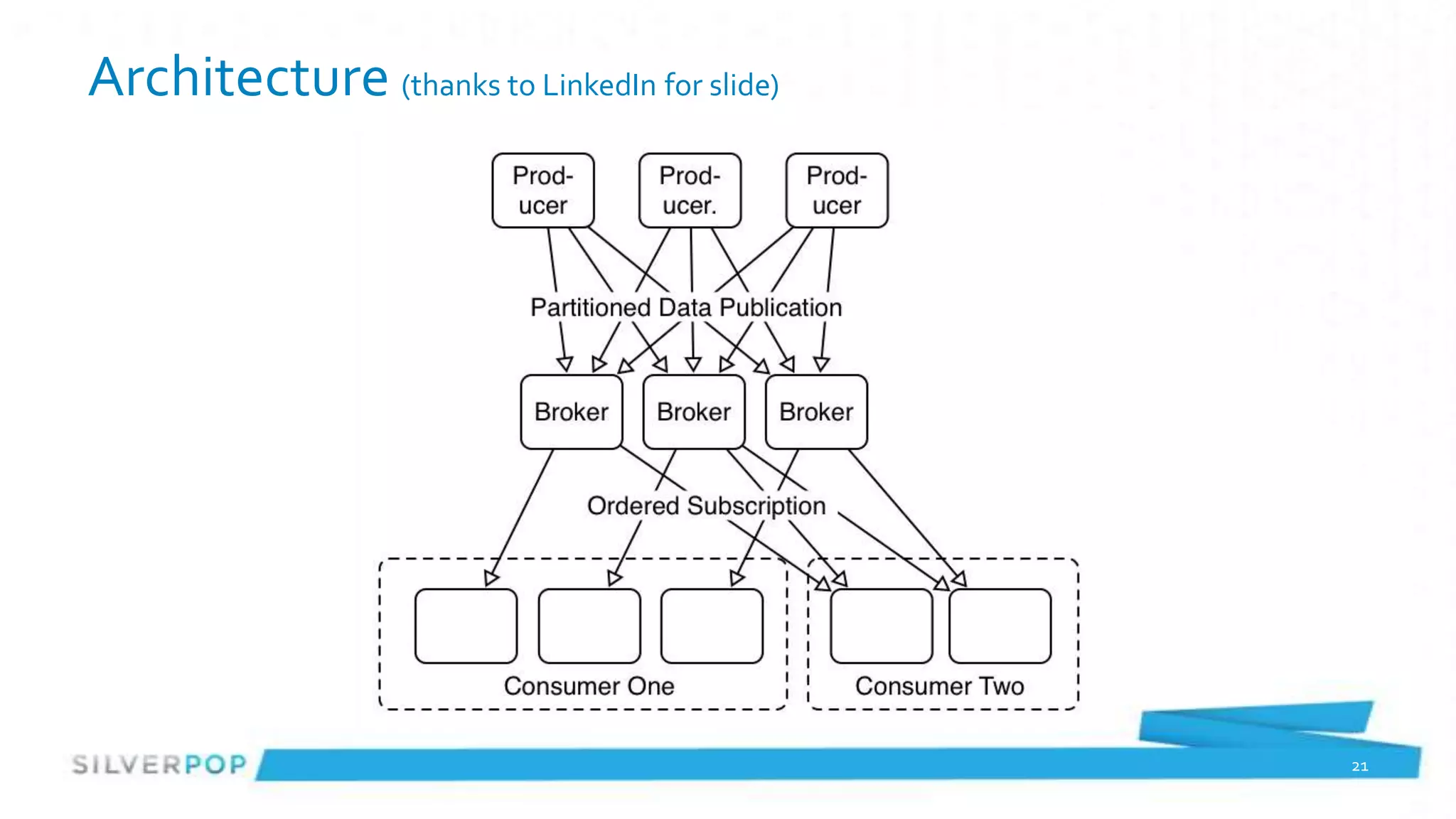
Architecture (thanks to LinkedIn for slide)


                                              21
Producers
• Pretty Basic API
• Partitioning is a little odd, requires Producers to know about
  partition scheme
• Producers DO NOT know about consumers


                                                                   22
Consumers: Consumer Groups
• Easiest to get started with
• Kafka makes sure only one thread in the group sees a message for
  a topic (or a message within a Partition)
• Uses Zookeeper to keep track of what messages were consumed in
  which topic/partitions
• No ‘once and only once’ delivery semantics here
• Rebalance may mean a message gets replayed


                                                                 23
Consumers: Simple Consumer
• Consumer subscribes to a specific topic and partition
• Consumer has to keep track of what message offset was last
  consumed
• A lot more error handling required if Brokers have issues
• But a lot more control over which messages are read. Does allow
  for ‘exactly once’ messaging


                                                                    24
Consumer Model Design
• Partition design impacts overall throughput
    – Producers know partitioning class
    – Producers write to single Broker ‘leader’ for a partition
• Offsets as only transaction identifier complicates consumer
    – ‘throw more hardware’ at the backlog is complicated
    – Consumer Groups == 1 thread per partition
        • If expensive operations can’t throw more threads at it
• Not a lot of ‘real world’ examples on balancing # of topics vs. # of
  partitions

                                                                         25
Why is Kafka Interesting?


            Memory Mapped Files


           Kernel-space processing
                                     26
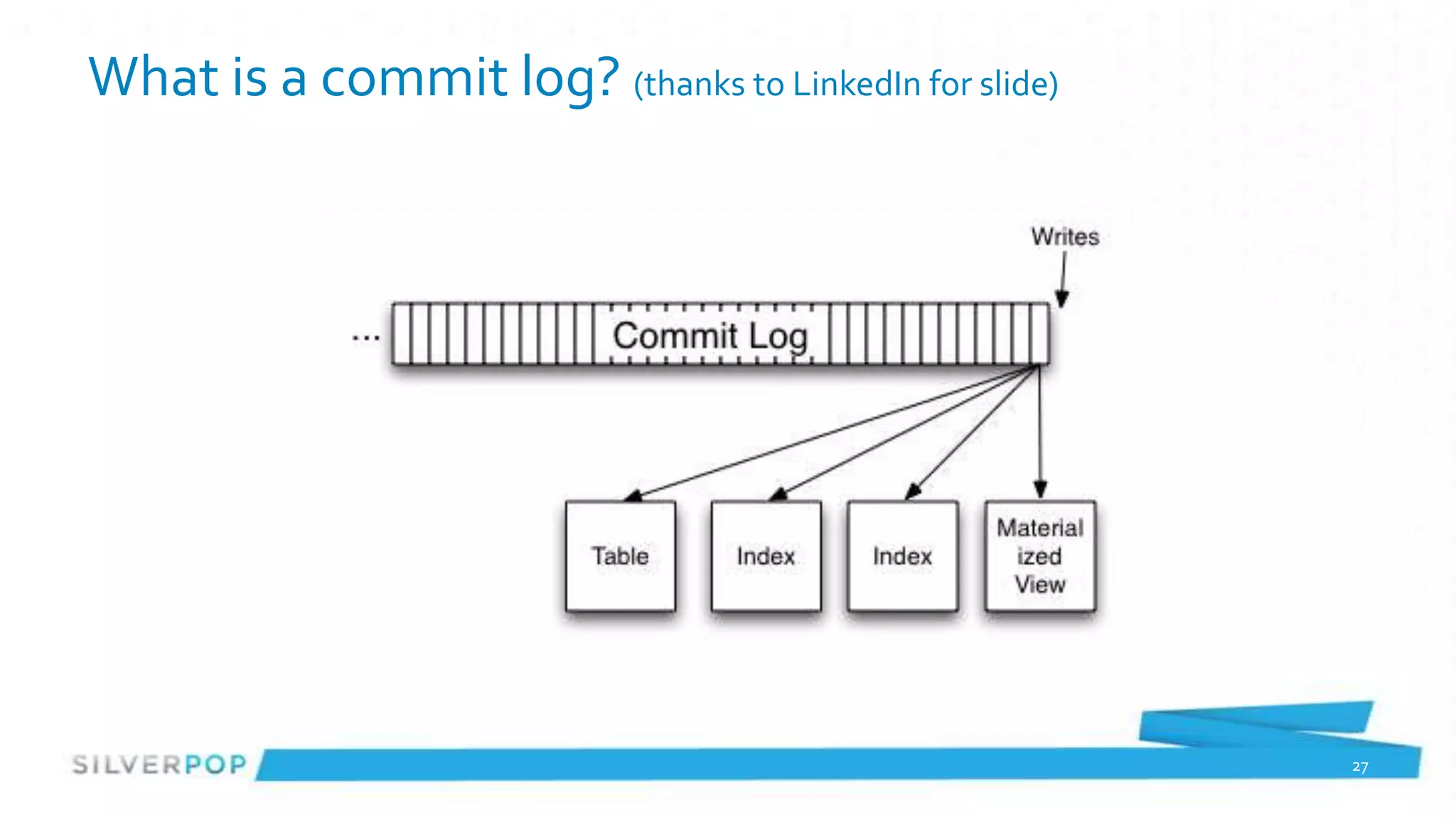
What is a commit log? (thanks to LinkedIn for slide)


                                                       27
Brokers
•   Lightweight, very fast message storing
•   Writes messages to disk using kernel space NOT JVM
•   Uses OS Pagecache
•   Data is stored in flat files on disk, directory per topic and partition
•   Handles the replication


                                                                              28
Brokers continued
• Very low memory utilization – almost nothing is held in memory
• (Remember, Broker doesn’t keep track of who has consumed a
  message)
• Handle TTL operations on data
• Drop a file when the data is too old


                                                                   29
Why is Kafka Interesting?

                 Stuff just works

 Producers and Consumers are about business
                   logic


                                              30
Consumer Use Case: batch loading
•   Consumers don’t have to be online all the time
•   Wake up every hour, ask Kafka for events since last request
•   Load into a database, push to external systems etc.
•   Load into Hadoop (Stream if using MapR)


                                                                  31
Consumer Use Case: Complex Event Processing
• Feed to Storm or similar CEP
• Partition on user id, subsystem, product etc. independent of
  Kafka’s partition
• Execute rules on the data
• Made a mistake? Replay the events and fix it


                                                                 32
Consumer Use Case: Operations Logs
• Load ‘old’ operational messages to debug problems
• Do it without impacting production systems
  (remember, consumers can start at any offset!)
• Have business logic write to different output store than
  production, but drive off production data


                                                             33
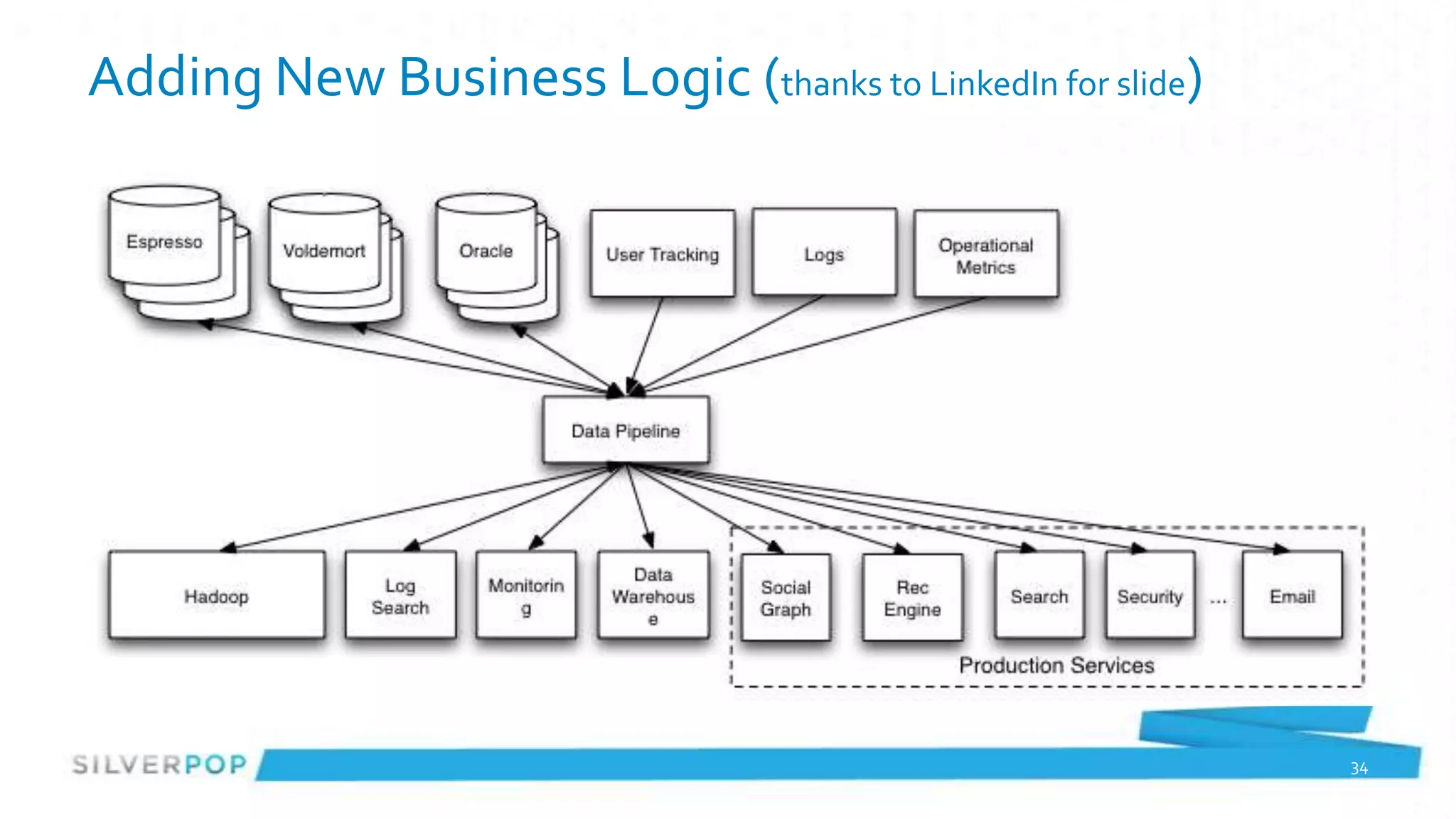
Adding New Business Logic (thanks to LinkedIn for slide)


                                                           34
Adding Producers
• Define Topics and # of partitions via Kafka tools
• (possibly tell Kafka to balance leaders across machines)
• Start producing


                                                             35
Adding Consumers
• Using Kafka adding consumers doesn’t impact producers
• Minor impact on Brokers (just keeping track of connections)


                                                                36
Producer Code
public class TestProducer {
 public static void main(String[] args) {
   long events = Long.parseLong(args[0]);
    long blocks = Long.parseLong(args[1]);
    Random rnd = new Random();

        Properties props = new Properties();
        props.put("broker.list", "vrd01.atlnp1:9092,vrd02.atlnp1:9092,vrd03.atlnp1:9092");
        props.put("serializer.class", "kafka.serializer.StringEncoder");
        props.put("partitioner.class", "com.silverpop.kafka.playproducer.OrganizationPartitioner");
        ProducerConfig config = new ProducerConfig(props);

        Producer<Integer, String> producer = new Producer<Integer, String>(config);
          for (long nBlocks = 0; nBlocks < blocks; nBlocks++) {
           for (long nEvents = 0; nEvents < events; nEvents++) {
             long runtime = new Date().getTime();
             String msg = runtime + "," + (50 + nBlocks) + "," + nEvents+ "," + rnd.nextInt(1000);
             String key = String.valueOf(orgId);
             KeyedMessage<Integer, String> data = new KeyedMessage<Integer, String>("test1", key, msg);
             producer.send(data);
           }
        }
        producer.close();
    }
}
                                                                                                          37
Simple Consumer Code
 String topic = "test1";
 int partition = 0;
 SimpleConsumer simpleConsumer = new SimpleConsumer("vrd01.atlnp1", 9092,100000, 64 * 1024, "test");
 boolean loop = true;
 long maxOffset = -1;
 while (loop) {
   FetchRequest req = new FetchRequestBuilder().clientId("randomClient")
        .addFetch(topic, partition, maxOffset+1, 100000)
        .build();
   FetchResponse fetchResponse = simpleConsumer.fetch(req);
   loop = false;
   for (MessageAndOffset messageAndOffset : fetchResponse.messageSet(topic, partition)) {
      loop = true;
      ByteBuffer payload = messageAndOffset.message().payload();
      maxOffset = messageAndOffset.offset();
      byte[] bytes = new byte[payload.limit()];
      payload.get(bytes);
      System.out.println(String.valueOf(maxOffset) + ": " + new String(bytes, "UTF-8"));
   }
 }
 simpleConsumer.close();


                                                                                                       38
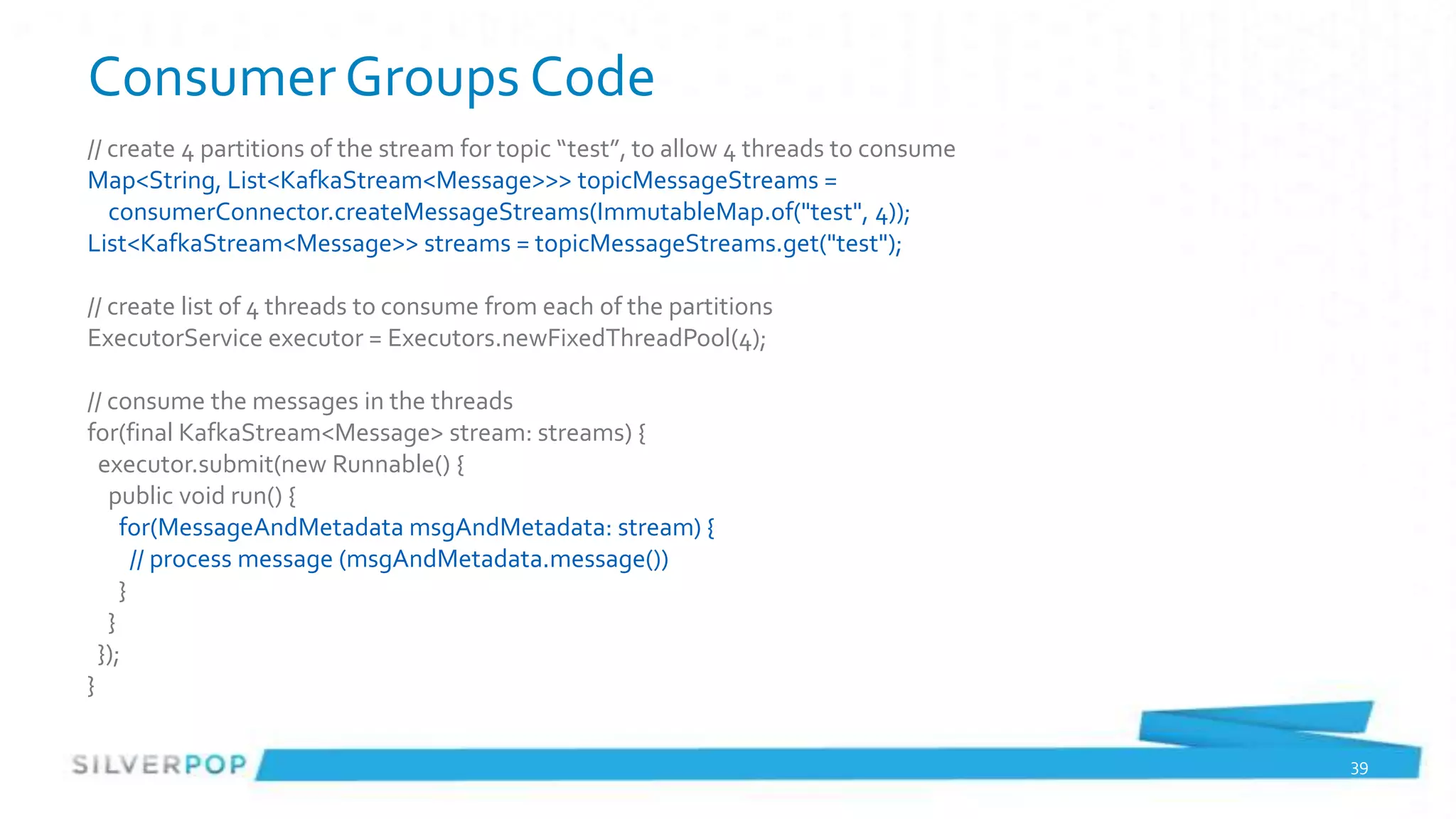
Consumer Groups Code
// create 4 partitions of the stream for topic “test”, to allow 4 threads to consume
Map<String, List<KafkaStream<Message>>> topicMessageStreams =
   consumerConnector.createMessageStreams(ImmutableMap.of("test", 4));
List<KafkaStream<Message>> streams = topicMessageStreams.get("test");

// create list of 4 threads to consume from each of the partitions
ExecutorService executor = Executors.newFixedThreadPool(4);

// consume the messages in the threads
for(final KafkaStream<Message> stream: streams) {
  executor.submit(new Runnable() {
   public void run() {
     for(MessageAndMetadata msgAndMetadata: stream) {
       // process message (msgAndMetadata.message())
     }
   }
  });
}

                                                                                       39
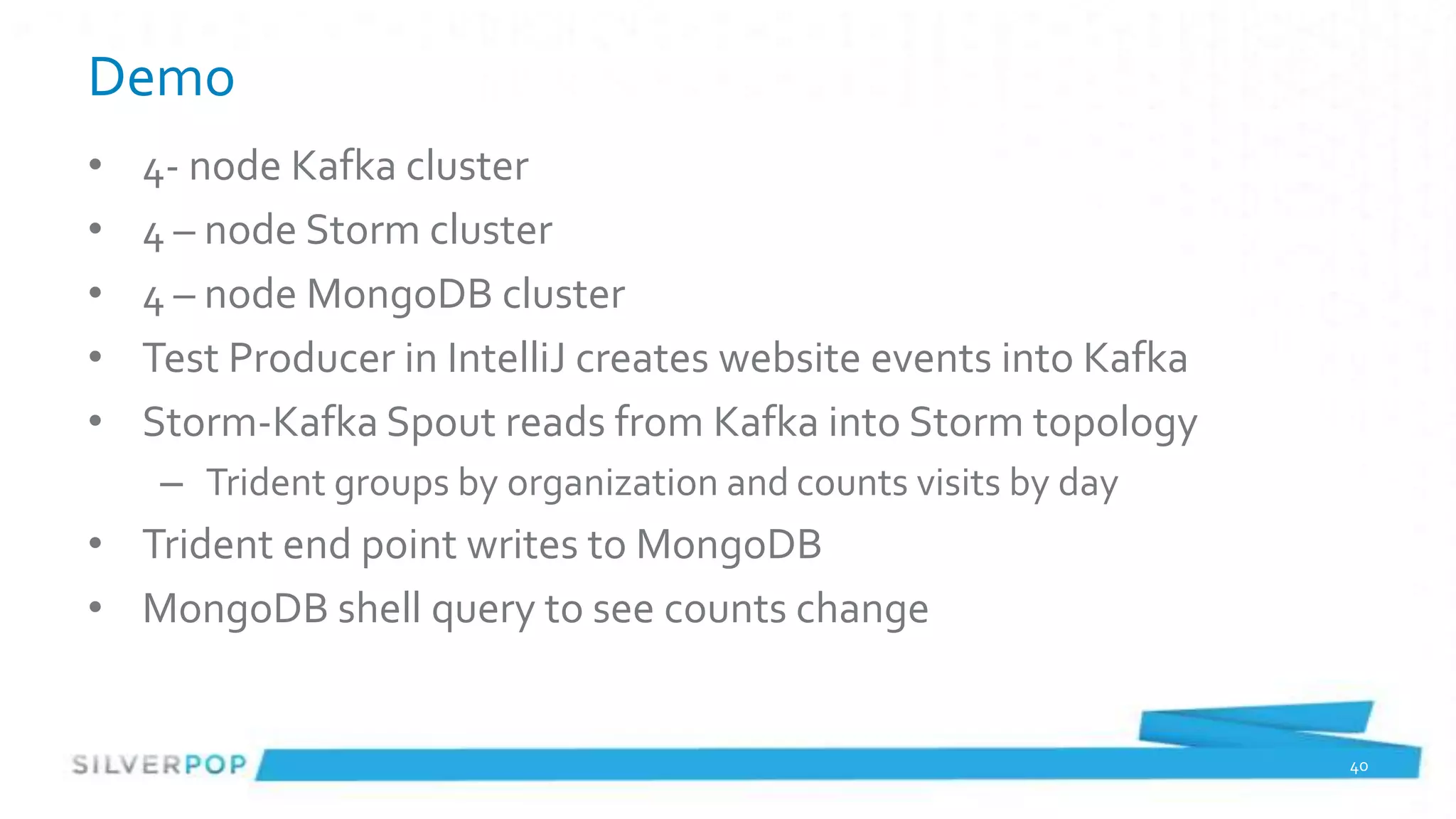
Demo
•   4- node Kafka cluster
•   4 – node Storm cluster
•   4 – node MongoDB cluster
•   Test Producer in IntelliJ creates website events into Kafka
•   Storm-Kafka Spout reads from Kafka into Storm topology
     – Trident groups by organization and counts visits by day
• Trident end point writes to MongoDB
• MongoDB shell query to see counts change


                                                                  40
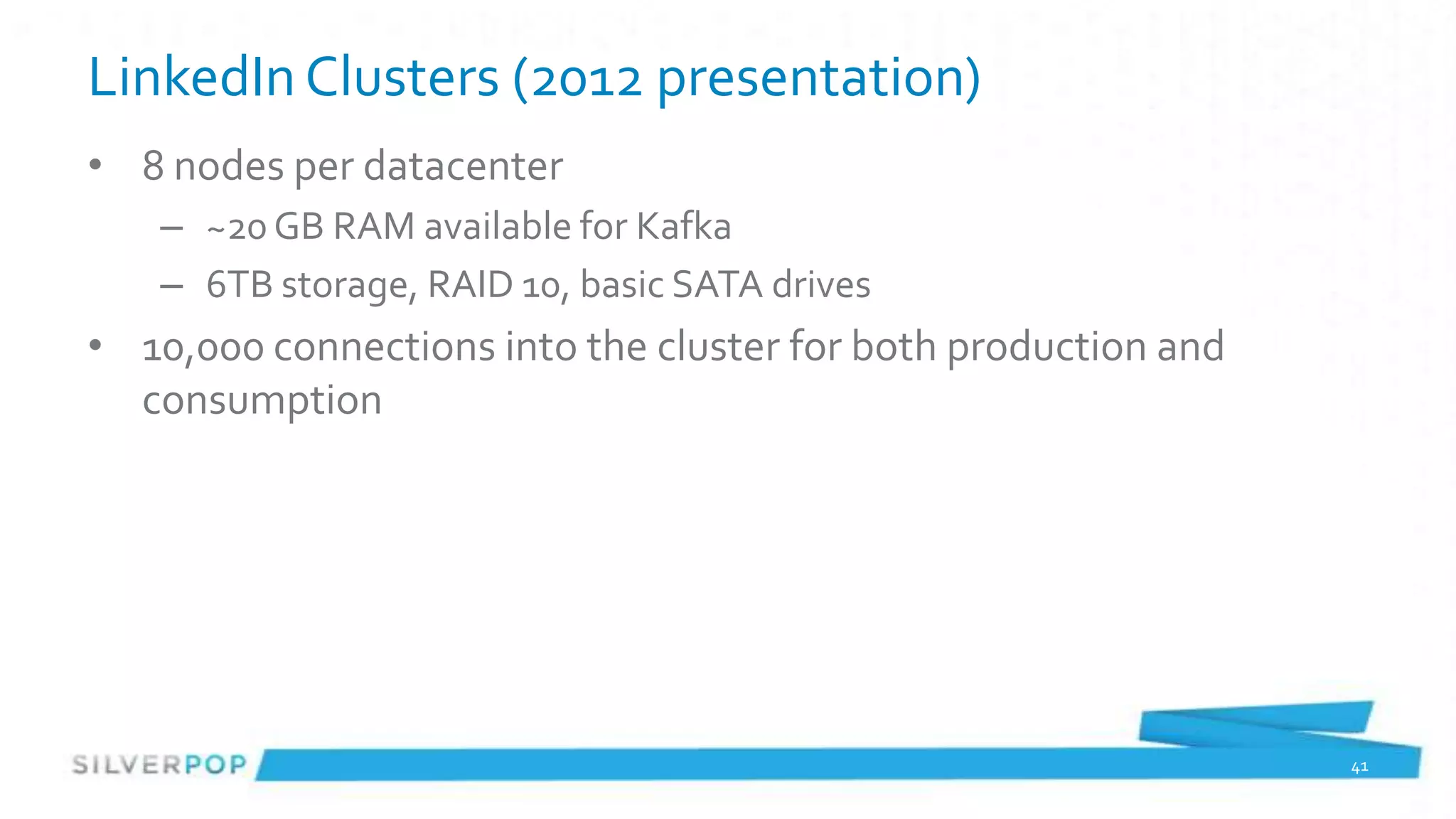
LinkedIn Clusters (2012 presentation)
• 8 nodes per datacenter
   – ~20 GB RAM available for Kafka
   – 6TB storage, RAID 10, basic SATA drives
• 10,000 connections into the cluster for both production and
  consumption


                                                                41
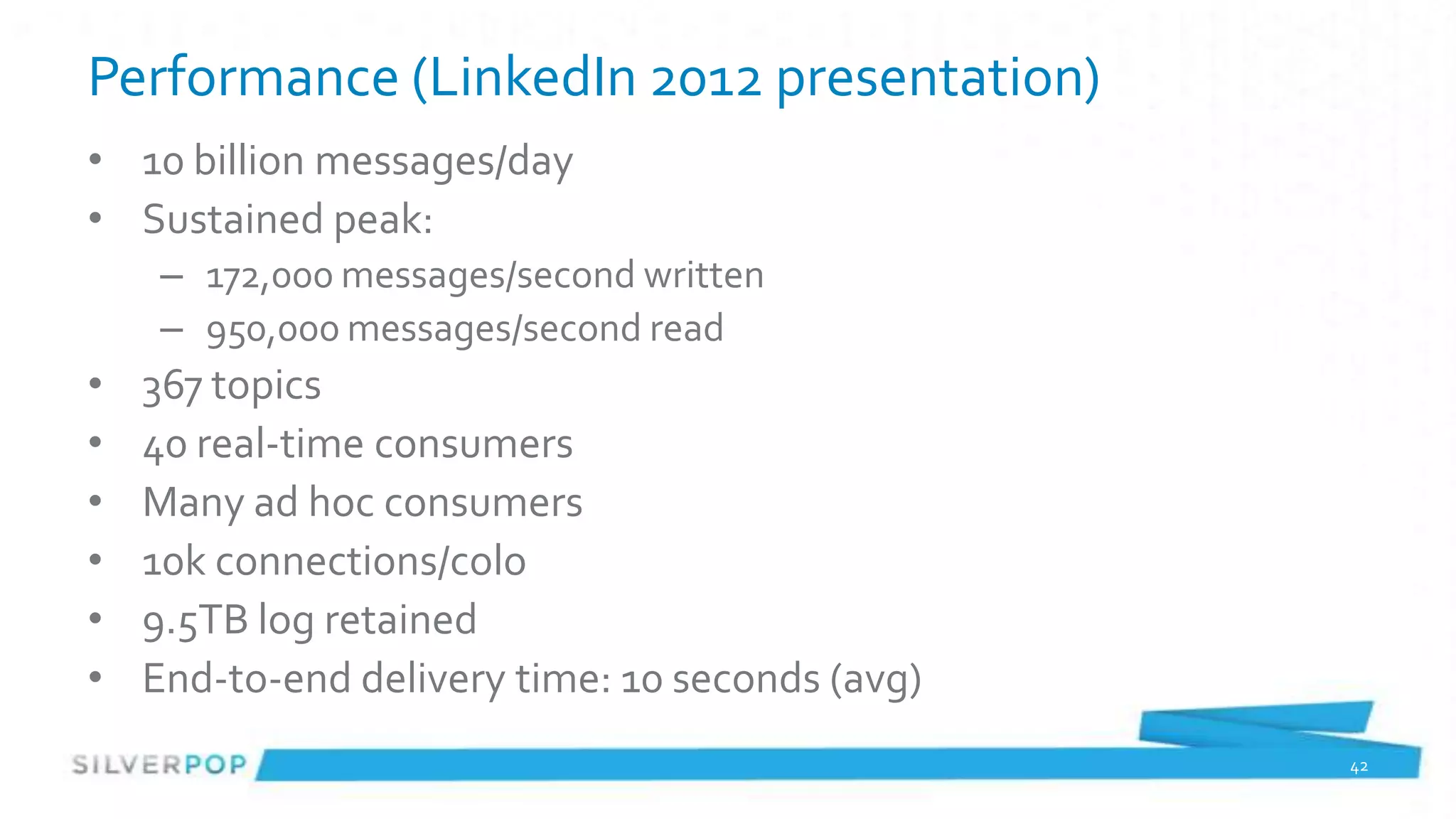
Performance (LinkedIn 2012 presentation)
• 10 billion messages/day
• Sustained peak:
    – 172,000 messages/second written
    – 950,000 messages/second read
•   367 topics
•   40 real-time consumers
•   Many ad hoc consumers
•   10k connections/colo
•   9.5TB log retained
•   End-to-end delivery time: 10 seconds (avg)
                                                 42
Questions so far?


                    43
Something completely Different
• Nathan Marz (twitter, BackType)
• Creator of Storm


                                    44
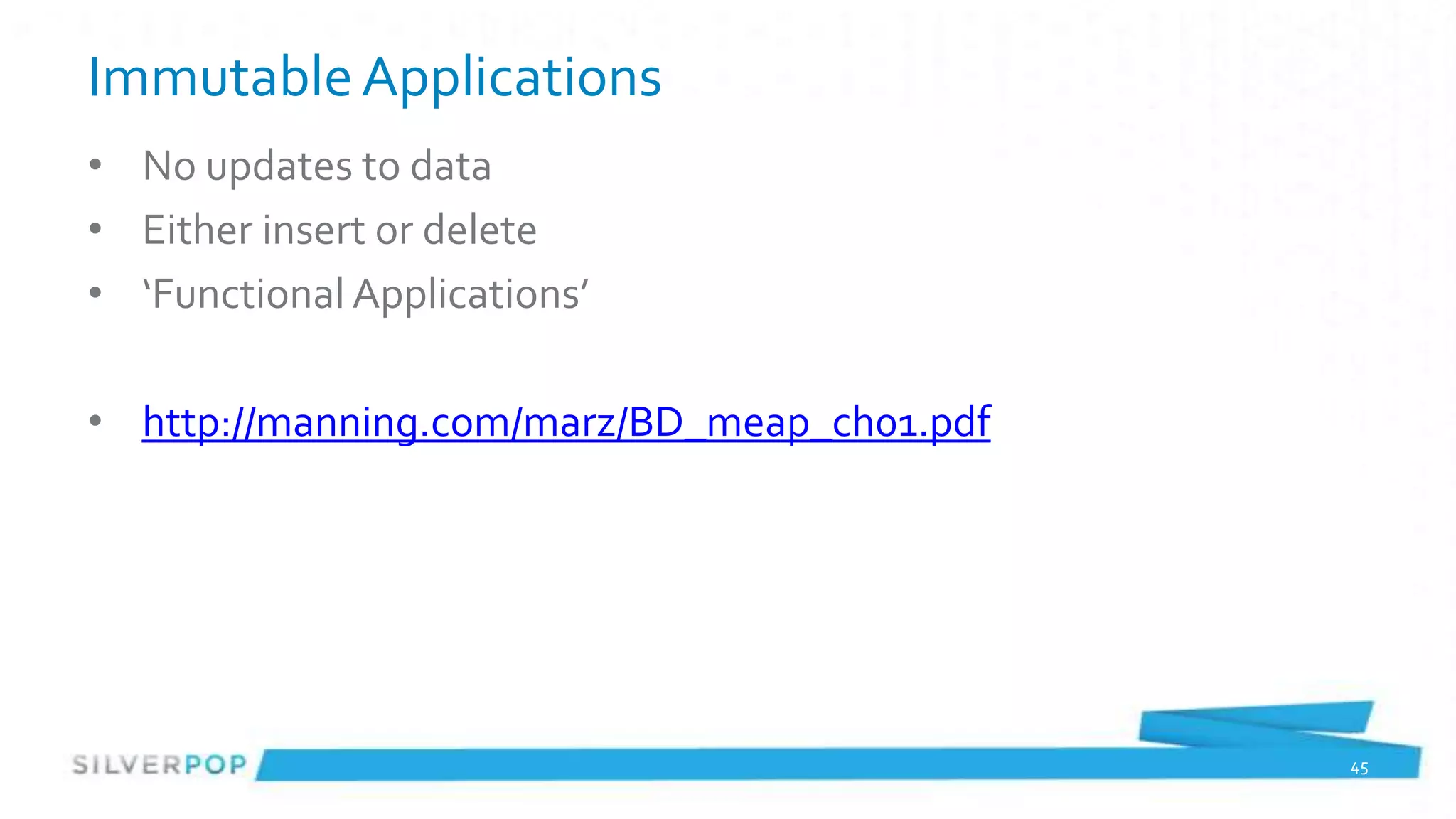
Immutable Applications
• No updates to data
• Either insert or delete
• ‘Functional Applications’

• http://manning.com/marz/BD_meap_ch01.pdf


                                             45
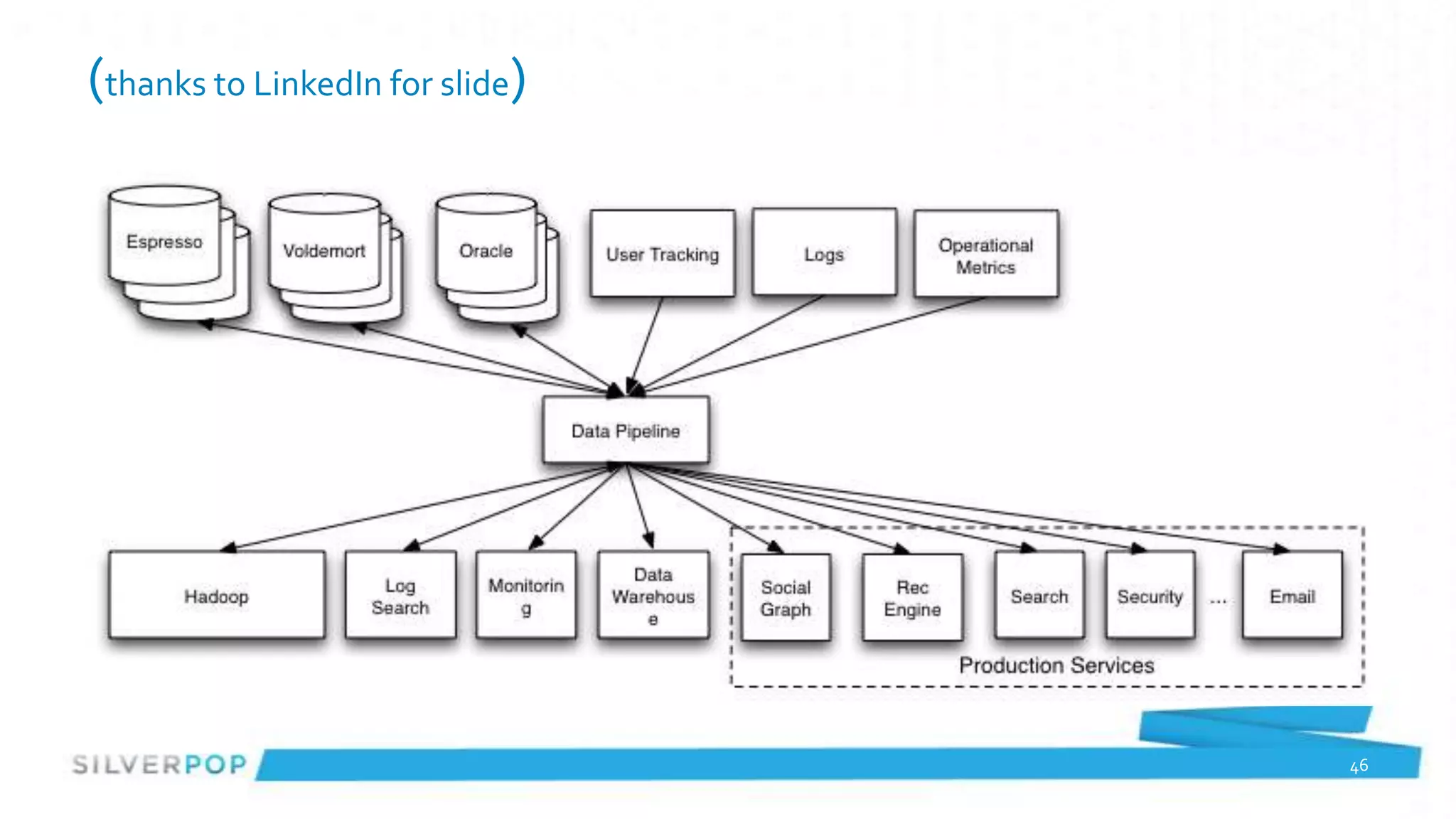
(thanks to LinkedIn for slide)


                                 46
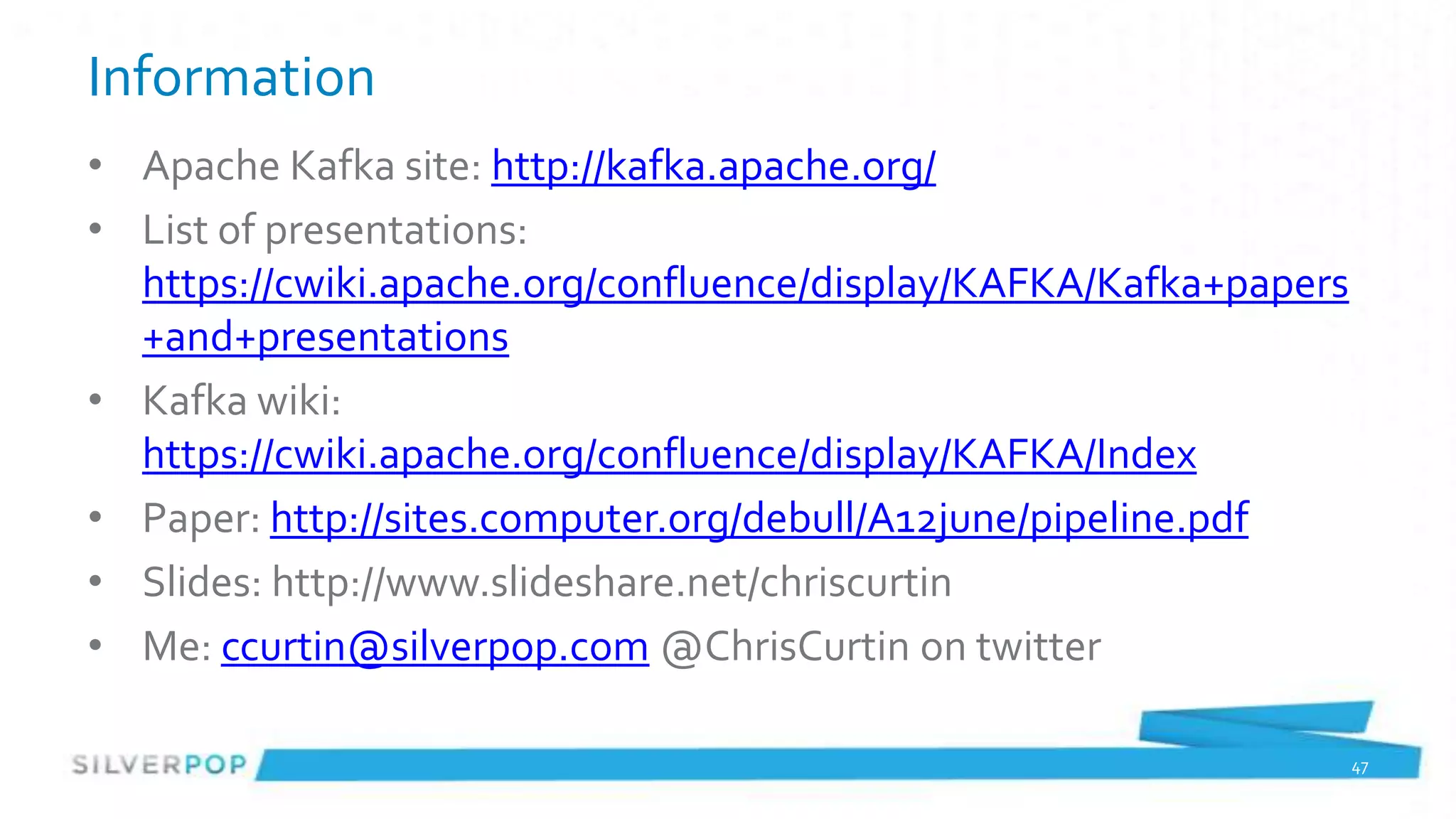
Information
• Apache Kafka site: http://kafka.apache.org/
• List of presentations:
  https://cwiki.apache.org/confluence/display/KAFKA/Kafka+papers
  +and+presentations
• Kafka wiki:
  https://cwiki.apache.org/confluence/display/KAFKA/Index
• Paper: http://sites.computer.org/debull/A12june/pipeline.pdf
• Slides: http://www.slideshare.net/chriscurtin
• Me: ccurtin@silverpop.com @ChrisCurtin on twitter

                                                                   47
Silverpop Open Positions
•   Senior Software Engineer (Java, Oracle, Spring, Hibernate, MongoDB)
•   Senior Software Engineer – MIS (.NET stack)
•   Software Engineer
•   Software Engineer – Integration Services (PHP, MySQL)
•   Delivery Manager – Engineering
•   Technical Lead – Engineering
•   Technical Project Manager – Integration Services
•   http://www.silverpop.com/marketing-company/careers/open-
    positions.html

                                                                          48

Kafka 0.8.0 Presentation to Atlanta Java User's Group March 2013

  • 1.
    Introduction to ApacheKafka Chris Curtin Head of Technical Research Atlanta Java Users Group March 2013
  • 2.
    About Me • 20+years in technology • Head of Technical Research at Silverpop (12 + years at Silverpop) • Built a SaaS platform before the term ‘SaaS’ was being used • Prior to Silverpop: real-time control systems, factory automation and warehouse management • Always looking for technologies and algorithms to help with our challenges • Car nut 2
  • 3.
    Silverpop Open Positions • Senior Software Engineer (Java, Oracle, Spring, Hibernate, MongoDB) • Senior Software Engineer – MIS (.NET stack) • Software Engineer • Software Engineer – Integration Services (PHP, MySQL) • Delivery Manager – Engineering • Technical Lead – Engineering • Technical Project Manager – Integration Services • http://www.silverpop.com – Go to Careers under About 3
  • 4.
    Caveats • We don’tuse Kafka in production • I don’t have any experience with Kafka in operations • I am not an expert on messaging systems/JMS/MQSeries etc. 4
  • 5.
    Apache Kafka –from Apache • Apache Kafka is a distributed publish-subscribe messaging system. It is designed to support the following – Persistent messaging with O(1) disk structures that provide constant time performance even with many TB of stored messages. – High-throughput: even with very modest hardware Kafka can support hundreds of thousands of messages per second. – Explicit support for partitioning messages over Kafka servers and distributing consumption over a cluster of consumer machines while maintaining per-partition ordering semantics. – Support for parallel data load into Hadoop. 5
  • 6.
    Background • LinkedIn productdonated to Apache • Most core developers are from LinkedIn • Pretty good pickup outside of LinkedIn: Air BnB & Urban Airship for example • Fun fact: no logo yet 6
  • 7.
    Why? Data Integration 7
  • 8.
    Point to Pointintegration (thanks to LinkedIn for slide) 8
  • 9.
  • 10.
  • 11.
    What we’d reallylike (thanks to LinkedIn for slide) 11
  • 12.
    Looks Familiar: JMSto the rescue! 12
  • 13.
    Okay: Data warehouseto the rescue! 13
  • 14.
    Okay: CICS tothe rescue! 14
  • 15.
    Kafka changes theparadigm Kafka doesn’t keep track of who consumed which message 15
  • 16.
    Consumption Management • Kafkaleaves management of what was consumed up to the business logic • Each message has a unique identifier (within the topic and partition) • Consumers can ask for message by identifier, even if they are days old • Identifiers are sequential within a topic and partition. 16
  • 17.
    Why is KafkaInteresting? Horizontally scalable messaging system 17
  • 18.
    Terminology • Topics are the main grouping mechanism for messages • Brokers store the messages, take care of redundancy issues • Producers write messages to a broker for a specific topic • Consumers read from Brokers for a specific topic • Topics can be further segmented by partitions • Consumers can read a specific partition from a Topic 18
  • 19.
    API (1 of25) - Basics • Producer: send(String topic, String key, Message message) • Consumer: Iterator<Message> fetch(…) 19
  • 20.
    API • Just kidding– that’s pretty much it for the API • Minor variation on the consumer for ‘Simple’ consumers but that’s really it • ‘under the covers’ functions to get current offsets or implement non-trivial consumers 20
  • 21.
    Architecture (thanks toLinkedIn for slide) 21
  • 22.
    Producers • Pretty BasicAPI • Partitioning is a little odd, requires Producers to know about partition scheme • Producers DO NOT know about consumers 22
  • 23.
    Consumers: Consumer Groups •Easiest to get started with • Kafka makes sure only one thread in the group sees a message for a topic (or a message within a Partition) • Uses Zookeeper to keep track of what messages were consumed in which topic/partitions • No ‘once and only once’ delivery semantics here • Rebalance may mean a message gets replayed 23
  • 24.
    Consumers: Simple Consumer •Consumer subscribes to a specific topic and partition • Consumer has to keep track of what message offset was last consumed • A lot more error handling required if Brokers have issues • But a lot more control over which messages are read. Does allow for ‘exactly once’ messaging 24
  • 25.
    Consumer Model Design •Partition design impacts overall throughput – Producers know partitioning class – Producers write to single Broker ‘leader’ for a partition • Offsets as only transaction identifier complicates consumer – ‘throw more hardware’ at the backlog is complicated – Consumer Groups == 1 thread per partition • If expensive operations can’t throw more threads at it • Not a lot of ‘real world’ examples on balancing # of topics vs. # of partitions 25
  • 26.
    Why is KafkaInteresting? Memory Mapped Files Kernel-space processing 26
  • 27.
    What is acommit log? (thanks to LinkedIn for slide) 27
  • 28.
    Brokers • Lightweight, very fast message storing • Writes messages to disk using kernel space NOT JVM • Uses OS Pagecache • Data is stored in flat files on disk, directory per topic and partition • Handles the replication 28
  • 29.
    Brokers continued • Verylow memory utilization – almost nothing is held in memory • (Remember, Broker doesn’t keep track of who has consumed a message) • Handle TTL operations on data • Drop a file when the data is too old 29
  • 30.
    Why is KafkaInteresting? Stuff just works Producers and Consumers are about business logic 30
  • 31.
    Consumer Use Case:batch loading • Consumers don’t have to be online all the time • Wake up every hour, ask Kafka for events since last request • Load into a database, push to external systems etc. • Load into Hadoop (Stream if using MapR) 31
  • 32.
    Consumer Use Case:Complex Event Processing • Feed to Storm or similar CEP • Partition on user id, subsystem, product etc. independent of Kafka’s partition • Execute rules on the data • Made a mistake? Replay the events and fix it 32
  • 33.
    Consumer Use Case:Operations Logs • Load ‘old’ operational messages to debug problems • Do it without impacting production systems (remember, consumers can start at any offset!) • Have business logic write to different output store than production, but drive off production data 33
  • 34.
    Adding New BusinessLogic (thanks to LinkedIn for slide) 34
  • 35.
    Adding Producers • DefineTopics and # of partitions via Kafka tools • (possibly tell Kafka to balance leaders across machines) • Start producing 35
  • 36.
    Adding Consumers • UsingKafka adding consumers doesn’t impact producers • Minor impact on Brokers (just keeping track of connections) 36
  • 37.
    Producer Code public classTestProducer { public static void main(String[] args) { long events = Long.parseLong(args[0]); long blocks = Long.parseLong(args[1]); Random rnd = new Random(); Properties props = new Properties(); props.put("broker.list", "vrd01.atlnp1:9092,vrd02.atlnp1:9092,vrd03.atlnp1:9092"); props.put("serializer.class", "kafka.serializer.StringEncoder"); props.put("partitioner.class", "com.silverpop.kafka.playproducer.OrganizationPartitioner"); ProducerConfig config = new ProducerConfig(props); Producer<Integer, String> producer = new Producer<Integer, String>(config); for (long nBlocks = 0; nBlocks < blocks; nBlocks++) { for (long nEvents = 0; nEvents < events; nEvents++) { long runtime = new Date().getTime(); String msg = runtime + "," + (50 + nBlocks) + "," + nEvents+ "," + rnd.nextInt(1000); String key = String.valueOf(orgId); KeyedMessage<Integer, String> data = new KeyedMessage<Integer, String>("test1", key, msg); producer.send(data); } } producer.close(); } } 37
  • 38.
    Simple Consumer Code String topic = "test1"; int partition = 0; SimpleConsumer simpleConsumer = new SimpleConsumer("vrd01.atlnp1", 9092,100000, 64 * 1024, "test"); boolean loop = true; long maxOffset = -1; while (loop) { FetchRequest req = new FetchRequestBuilder().clientId("randomClient") .addFetch(topic, partition, maxOffset+1, 100000) .build(); FetchResponse fetchResponse = simpleConsumer.fetch(req); loop = false; for (MessageAndOffset messageAndOffset : fetchResponse.messageSet(topic, partition)) { loop = true; ByteBuffer payload = messageAndOffset.message().payload(); maxOffset = messageAndOffset.offset(); byte[] bytes = new byte[payload.limit()]; payload.get(bytes); System.out.println(String.valueOf(maxOffset) + ": " + new String(bytes, "UTF-8")); } } simpleConsumer.close(); 38
  • 39.
    Consumer Groups Code //create 4 partitions of the stream for topic “test”, to allow 4 threads to consume Map<String, List<KafkaStream<Message>>> topicMessageStreams = consumerConnector.createMessageStreams(ImmutableMap.of("test", 4)); List<KafkaStream<Message>> streams = topicMessageStreams.get("test"); // create list of 4 threads to consume from each of the partitions ExecutorService executor = Executors.newFixedThreadPool(4); // consume the messages in the threads for(final KafkaStream<Message> stream: streams) { executor.submit(new Runnable() { public void run() { for(MessageAndMetadata msgAndMetadata: stream) { // process message (msgAndMetadata.message()) } } }); } 39
  • 40.
    Demo • 4- node Kafka cluster • 4 – node Storm cluster • 4 – node MongoDB cluster • Test Producer in IntelliJ creates website events into Kafka • Storm-Kafka Spout reads from Kafka into Storm topology – Trident groups by organization and counts visits by day • Trident end point writes to MongoDB • MongoDB shell query to see counts change 40
  • 41.
    LinkedIn Clusters (2012presentation) • 8 nodes per datacenter – ~20 GB RAM available for Kafka – 6TB storage, RAID 10, basic SATA drives • 10,000 connections into the cluster for both production and consumption 41
  • 42.
    Performance (LinkedIn 2012presentation) • 10 billion messages/day • Sustained peak: – 172,000 messages/second written – 950,000 messages/second read • 367 topics • 40 real-time consumers • Many ad hoc consumers • 10k connections/colo • 9.5TB log retained • End-to-end delivery time: 10 seconds (avg) 42
  • 43.
  • 44.
    Something completely Different •Nathan Marz (twitter, BackType) • Creator of Storm 44
  • 45.
    Immutable Applications • Noupdates to data • Either insert or delete • ‘Functional Applications’ • http://manning.com/marz/BD_meap_ch01.pdf 45
  • 46.
    (thanks to LinkedInfor slide) 46
  • 47.
    Information • Apache Kafkasite: http://kafka.apache.org/ • List of presentations: https://cwiki.apache.org/confluence/display/KAFKA/Kafka+papers +and+presentations • Kafka wiki: https://cwiki.apache.org/confluence/display/KAFKA/Index • Paper: http://sites.computer.org/debull/A12june/pipeline.pdf • Slides: http://www.slideshare.net/chriscurtin • Me: ccurtin@silverpop.com @ChrisCurtin on twitter 47
  • 48.
    Silverpop Open Positions • Senior Software Engineer (Java, Oracle, Spring, Hibernate, MongoDB) • Senior Software Engineer – MIS (.NET stack) • Software Engineer • Software Engineer – Integration Services (PHP, MySQL) • Delivery Manager – Engineering • Technical Lead – Engineering • Technical Project Manager – Integration Services • http://www.silverpop.com/marketing-company/careers/open- positions.html 48