Blazing Performance
with
Flame Graphs
Brendan Gregg
An Interactive Visualization for Stack Traces
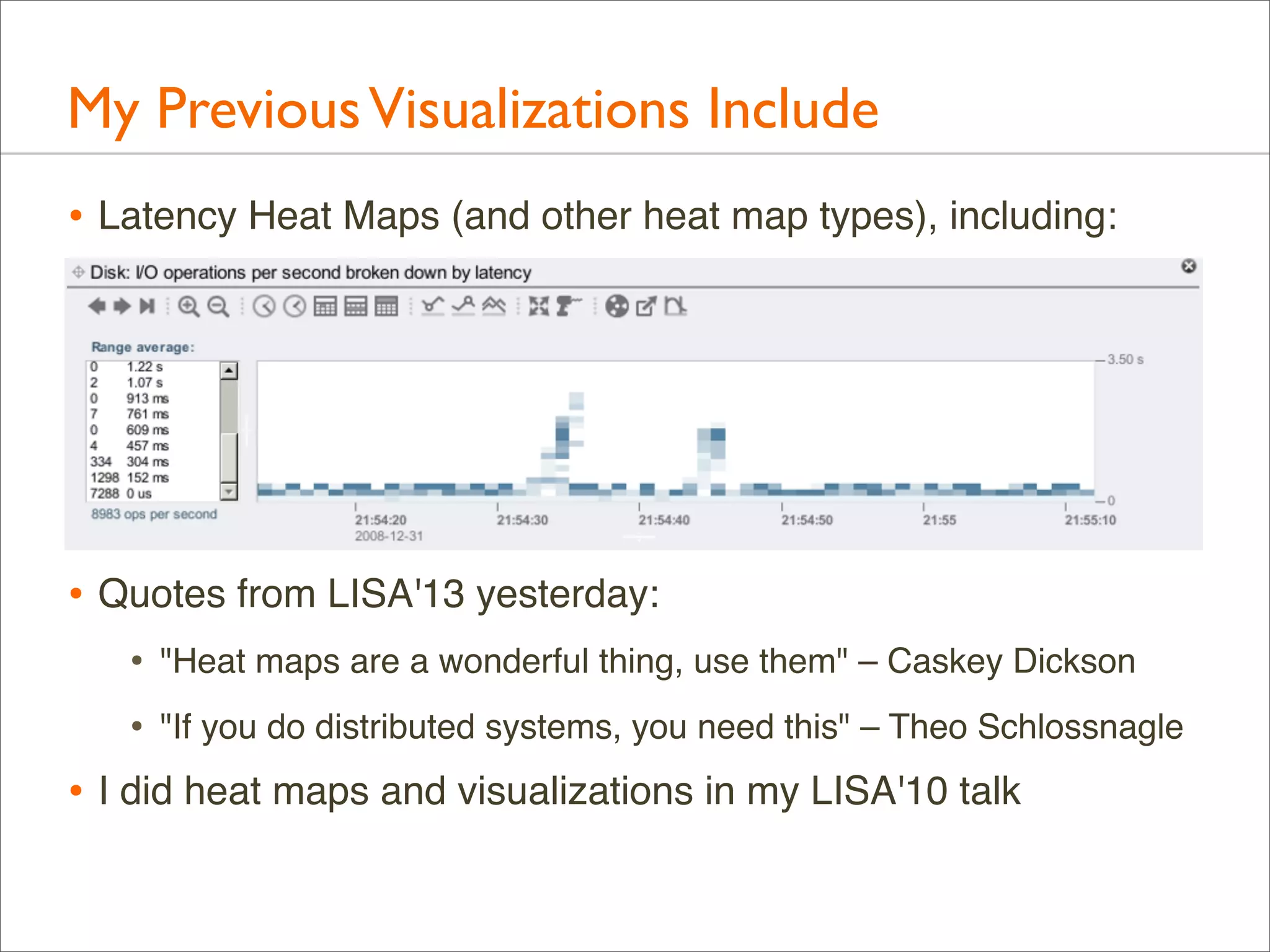
My Previous Visualizations Include
• Latency Heat Maps (and other heat map types), including:

• Quotes from LISA'13 yesterday:
•

"Heat maps are a wonderful thing, use them" – Caskey Dickson

•

"If you do distributed systems, you need this" – Theo Schlossnagle

• I did heat maps and visualizations in my LISA'10 talk
Audience
• This is for developers, sysadmins, support staff, and
performance engineers

• This is a skill-up for everyone: beginners to experts
• This helps analyze all software: kernels and applications
whoami
• G’Day, I’m Brendan
• Recipient of the LISA 2013 Award
for Outstanding Achievement
in System Administration!
(Thank you!)

• Work/Research: tools,
methodologies, visualizations

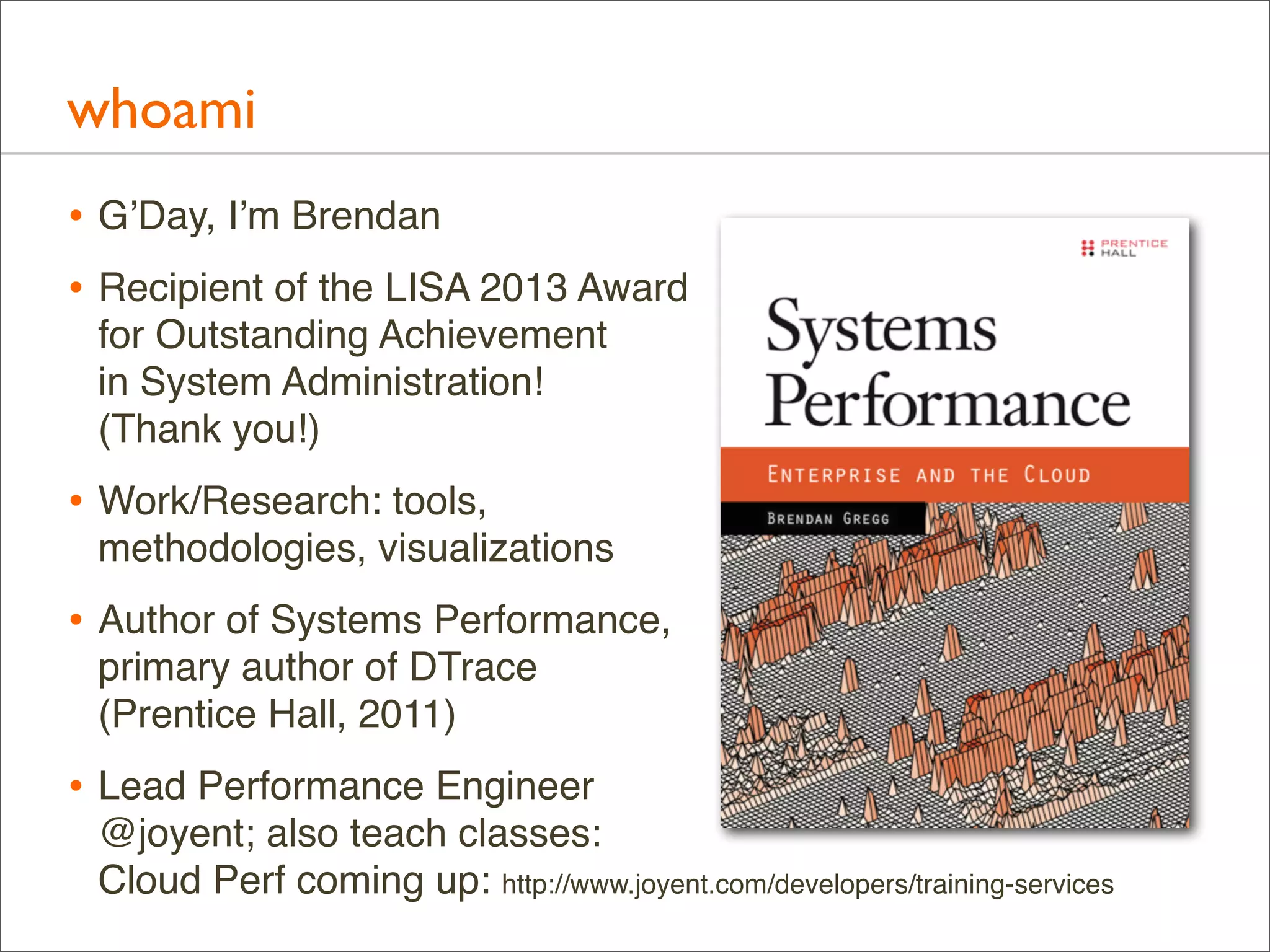
• Author of Systems Performance,
primary author of DTrace
(Prentice Hall, 2011)

• Lead Performance Engineer
@joyent; also teach classes:
Cloud Perf coming up: http://www.joyent.com/developers/training-services
Joyent
• High-Performance Cloud Infrastructure
• Public/private cloud provider
• OS-Virtualization for bare metal performance
• KVM for Linux guests
• Core developers of
SmartOS and node.js

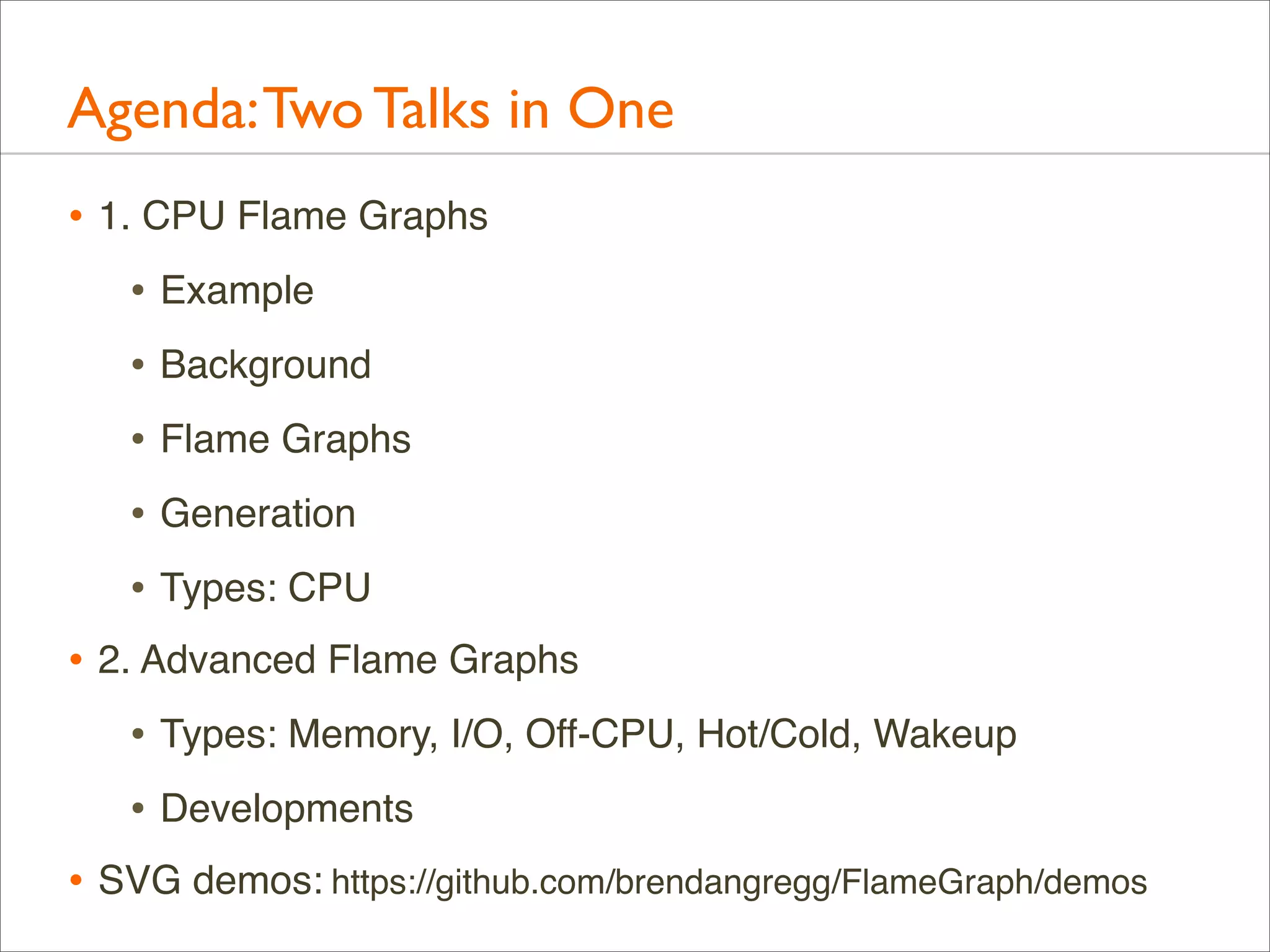
• Office walls decorated
with Flame Graphs:
Agenda: Two Talks in One
• 1. CPU Flame Graphs
• Example
• Background
• Flame Graphs
• Generation
• Types: CPU
• 2. Advanced Flame Graphs
• Types: Memory, I/O, Off-CPU, Hot/Cold, Wakeup
• Developments
• SVG demos: https://github.com/brendangregg/FlameGraph/demos
CPU Flame Graphs
Example
Example
• As a short example, I’ll describe the real world performance
issue that led me to create flame graphs

• Then I’ll explain them in detail
Example: The Problem
• A production MySQL database had poor performance
• It was a heavy CPU consumer, so I used a CPU profiler to see
why. It sampled stack traces at timed intervals

• The profiler condensed its output by only printing unique
stacks along with their occurrence counts, sorted by count

• The following shows the profiler command and the two most
frequently sampled stacks...
Example: CPU Profiling
# dtrace -x ustackframes=100 -n 'profile-997 /execname == "mysqld"/ {
@[ustack()] = count(); } tick-60s { exit(0); }'
dtrace: description 'profile-997 ' matched 2 probes
CPU
ID
FUNCTION:NAME
1 75195
:tick-60s
[...]
libc.so.1`__priocntlset+0xa
libc.so.1`getparam+0x83
libc.so.1`pthread_getschedparam+0x3c
libc.so.1`pthread_setschedprio+0x1f
mysqld`_Z16dispatch_command19enum_server_commandP3THDPcj+0x9ab
mysqld`_Z10do_commandP3THD+0x198
mysqld`handle_one_connection+0x1a6
libc.so.1`_thrp_setup+0x8d
libc.so.1`_lwp_start
4884
mysqld`_Z13add_to_statusP17system_status_varS0_+0x47
mysqld`_Z22calc_sum_of_all_statusP17system_status_var+0x67
mysqld`_Z16dispatch_command19enum_server_commandP3THDPcj+0x1222
mysqld`_Z10do_commandP3THD+0x198
mysqld`handle_one_connection+0x1a6
libc.so.1`_thrp_setup+0x8d
libc.so.1`_lwp_start
5530
Example: CPU Profiling
# dtrace -x ustackframes=100 -n 'profile-997 /execname == "mysqld"/ {
@[ustack()] = count(); } tick-60s { exit(0); }'
dtrace: description 'profile-997 ' matched 2 probes
CPU
ID
FUNCTION:NAME
Profiling
1 75195
:tick-60s
Command
[...]
libc.so.1`__priocntlset+0xa
(DTrace)
libc.so.1`getparam+0x83
libc.so.1`pthread_getschedparam+0x3c
libc.so.1`pthread_setschedprio+0x1f
mysqld`_Z16dispatch_command19enum_server_commandP3THDPcj+0x9ab
mysqld`_Z10do_commandP3THD+0x198
mysqld`handle_one_connection+0x1a6
libc.so.1`_thrp_setup+0x8d
libc.so.1`_lwp_start
4884

Stack
Trace

mysqld`_Z13add_to_statusP17system_status_varS0_+0x47
mysqld`_Z22calc_sum_of_all_statusP17system_status_var+0x67
mysqld`_Z16dispatch_command19enum_server_commandP3THDPcj+0x1222
mysqld`_Z10do_commandP3THD+0x198
mysqld`handle_one_connection+0x1a6
libc.so.1`_thrp_setup+0x8d
libc.so.1`_lwp_start
5530
# of occurrences
Example: Profile Data
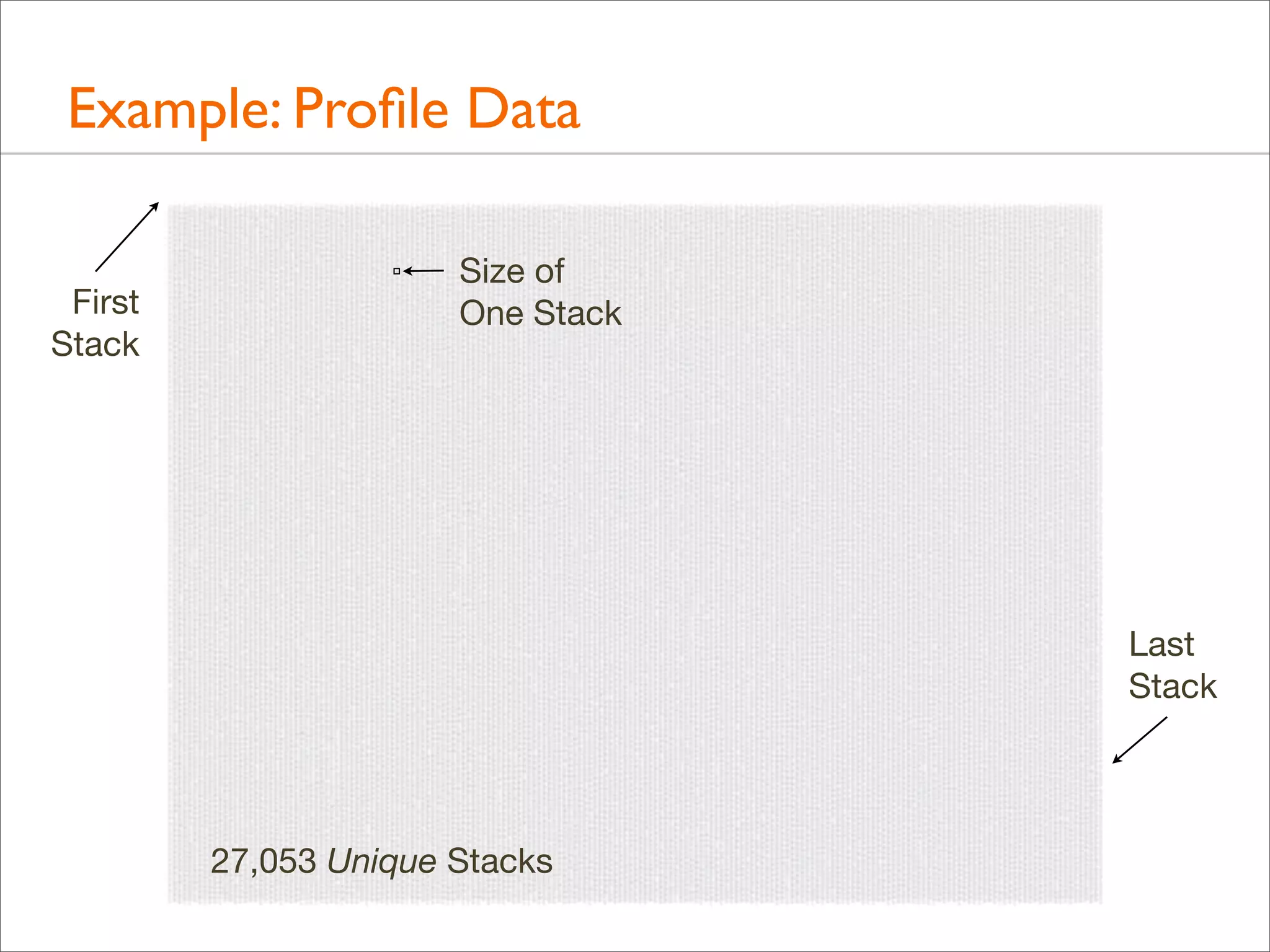
• Over 500,000 lines were elided from that output (“[...]”)
• Full output looks like this...
Example: Profile Data

60 seconds of on-CPU MySQL
Example: Profile Data
First
Stack

Size of
One Stack

Last
Stack

27,053 Unique Stacks MySQL
60 seconds of on-CPU
Example: Profile Data
• The most frequent stack, printed last, shows CPU usage in
add_to_status(), which is from the “show status” command.
Is that to blame?

• Hard to tell – it only accounts for < 2% of the samples
• I wanted a way to quickly understand stack trace profile data,
without browsing 500,000+ lines of output
Example:Visualizations
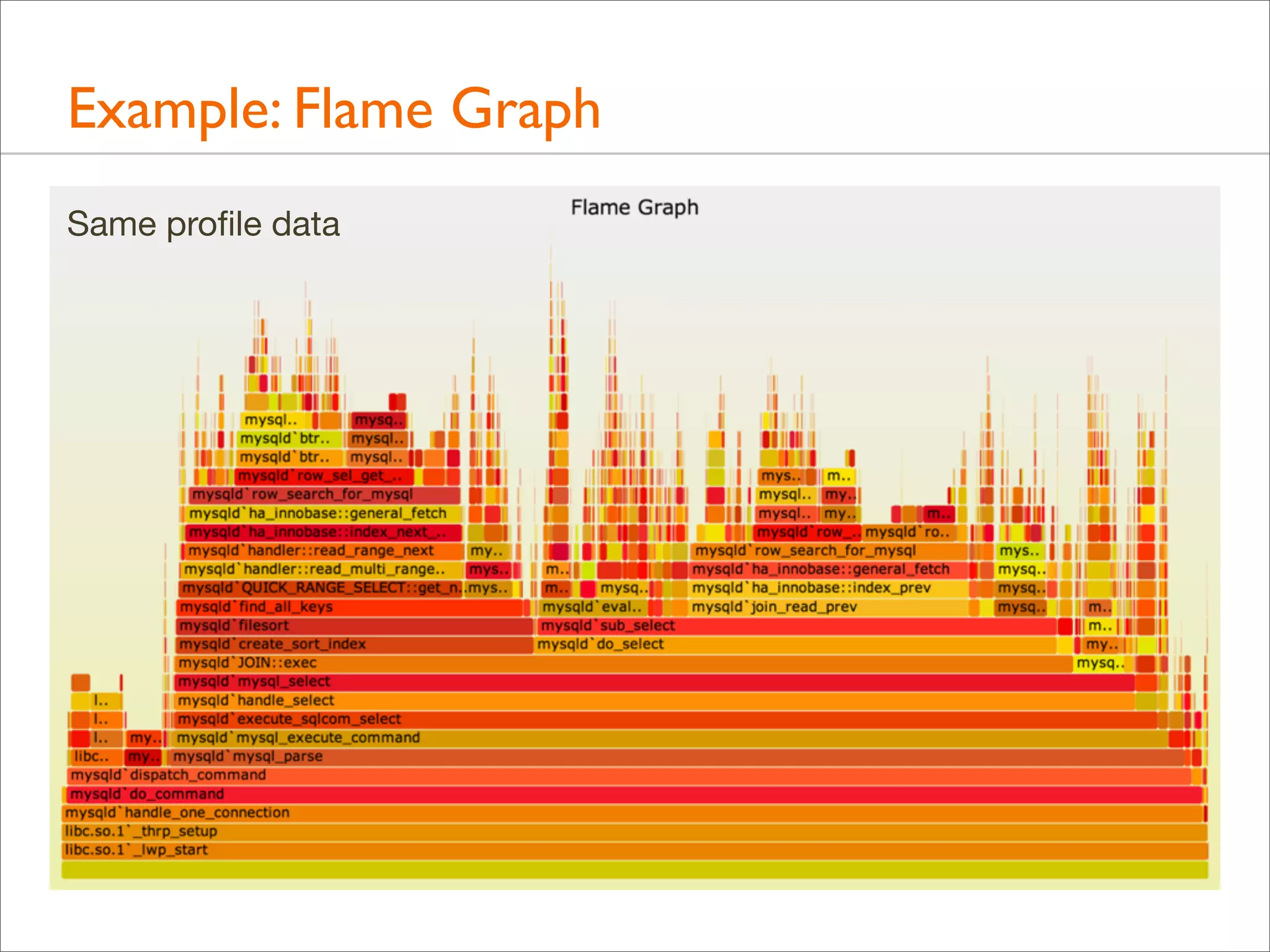
• To understand this profile data quickly, I created visualization
that worked very well, named “Flame Graph” for its
resemblance to fire (also as it was showing a “hot” CPU issue)

Profile Data.txt

Flame Graph.svg

some
Perl
Example: Flame Graph
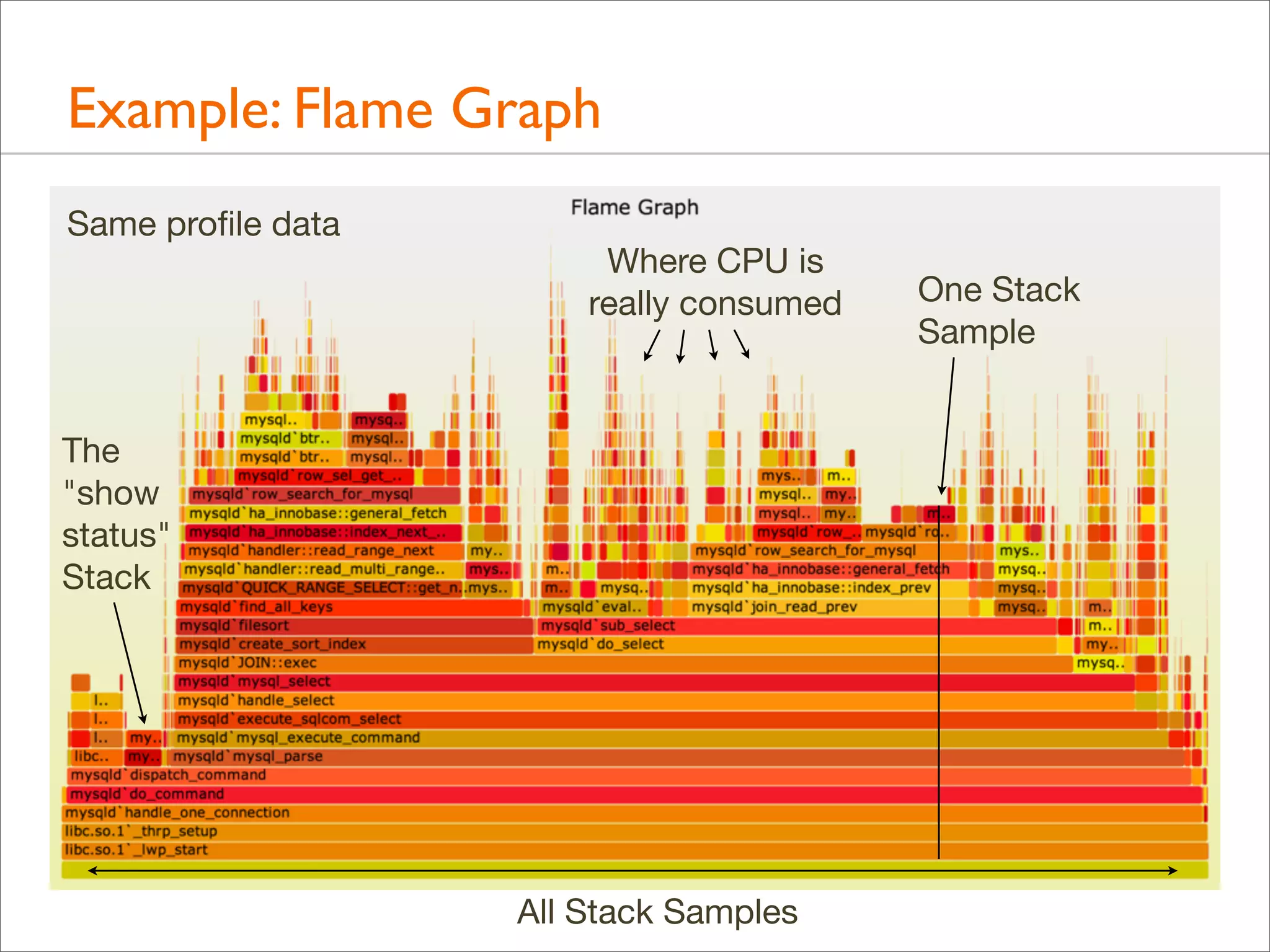
Same profile data
Example: Flame Graph
Same profile data

Where CPU is
really consumed

The
"show
status"
Stack

All Stack Samples

One Stack
Sample
Example: Flame Graph
• All data in one picture
• Interactive using JavaScript and a browser: mouse overs
• Stack elements that are frequent can be seen, read, and
compared visually. Frame width is relative to sample count

• CPU usage was now understood properly and quickly,
leading to a 40% performance win
Background
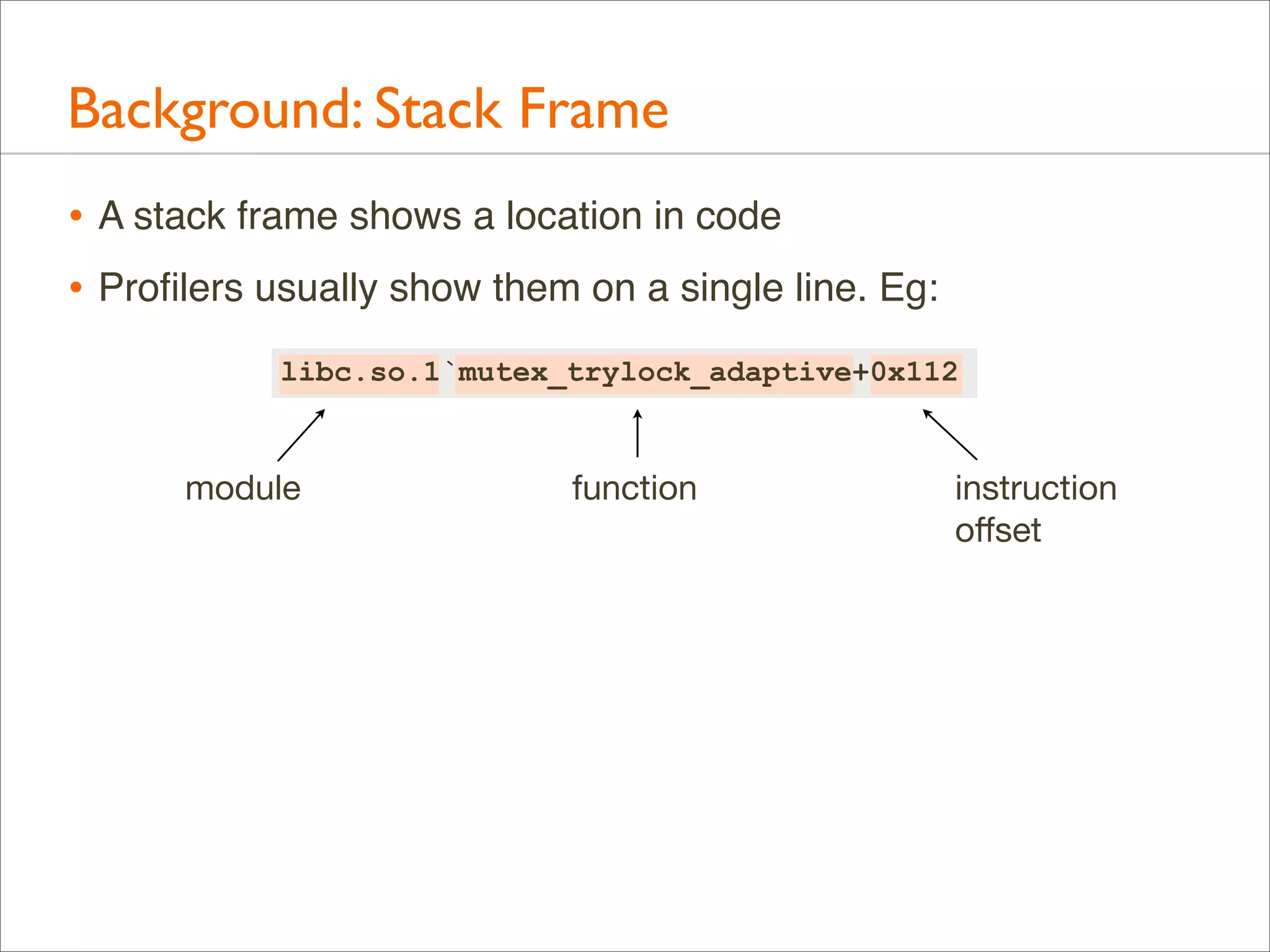
Background: Stack Frame
• A stack frame shows a location in code
• Profilers usually show them on a single line. Eg:
libc.so.1`mutex_trylock_adaptive+0x112

module

function

instruction
offset
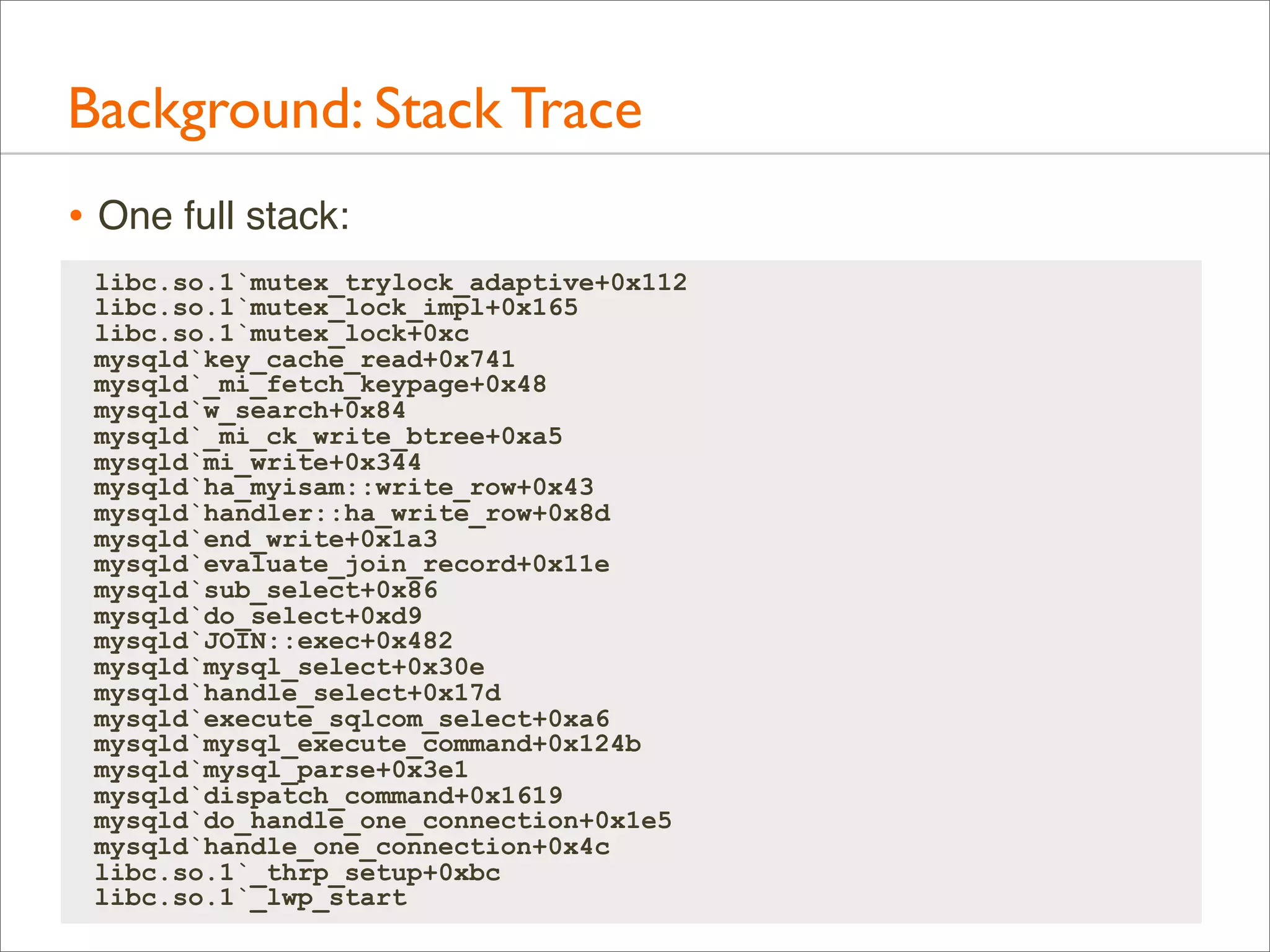
Background: Stack Trace
• A stack trace is a list of frames. Their index is the stack depth:
current

libc.so.1`mutex_trylock_adaptive+0x112 24

parent
parent

libc.so.1`mutex_lock_impl+0x165

23

parent
grand
parent

libc.so.1`mutex_lock+0xc

22
Stack
Depth

[...]
libc.so.1`_lwp_start

0
Background: Stack Trace
• One full stack:
libc.so.1`mutex_trylock_adaptive+0x112
libc.so.1`mutex_lock_impl+0x165
libc.so.1`mutex_lock+0xc
mysqld`key_cache_read+0x741
mysqld`_mi_fetch_keypage+0x48
mysqld`w_search+0x84
mysqld`_mi_ck_write_btree+0xa5
mysqld`mi_write+0x344
mysqld`ha_myisam::write_row+0x43
mysqld`handler::ha_write_row+0x8d
mysqld`end_write+0x1a3
mysqld`evaluate_join_record+0x11e
mysqld`sub_select+0x86
mysqld`do_select+0xd9
mysqld`JOIN::exec+0x482
mysqld`mysql_select+0x30e
mysqld`handle_select+0x17d
mysqld`execute_sqlcom_select+0xa6
mysqld`mysql_execute_command+0x124b
mysqld`mysql_parse+0x3e1
mysqld`dispatch_command+0x1619
mysqld`do_handle_one_connection+0x1e5
mysqld`handle_one_connection+0x4c
libc.so.1`_thrp_setup+0xbc
libc.so.1`_lwp_start
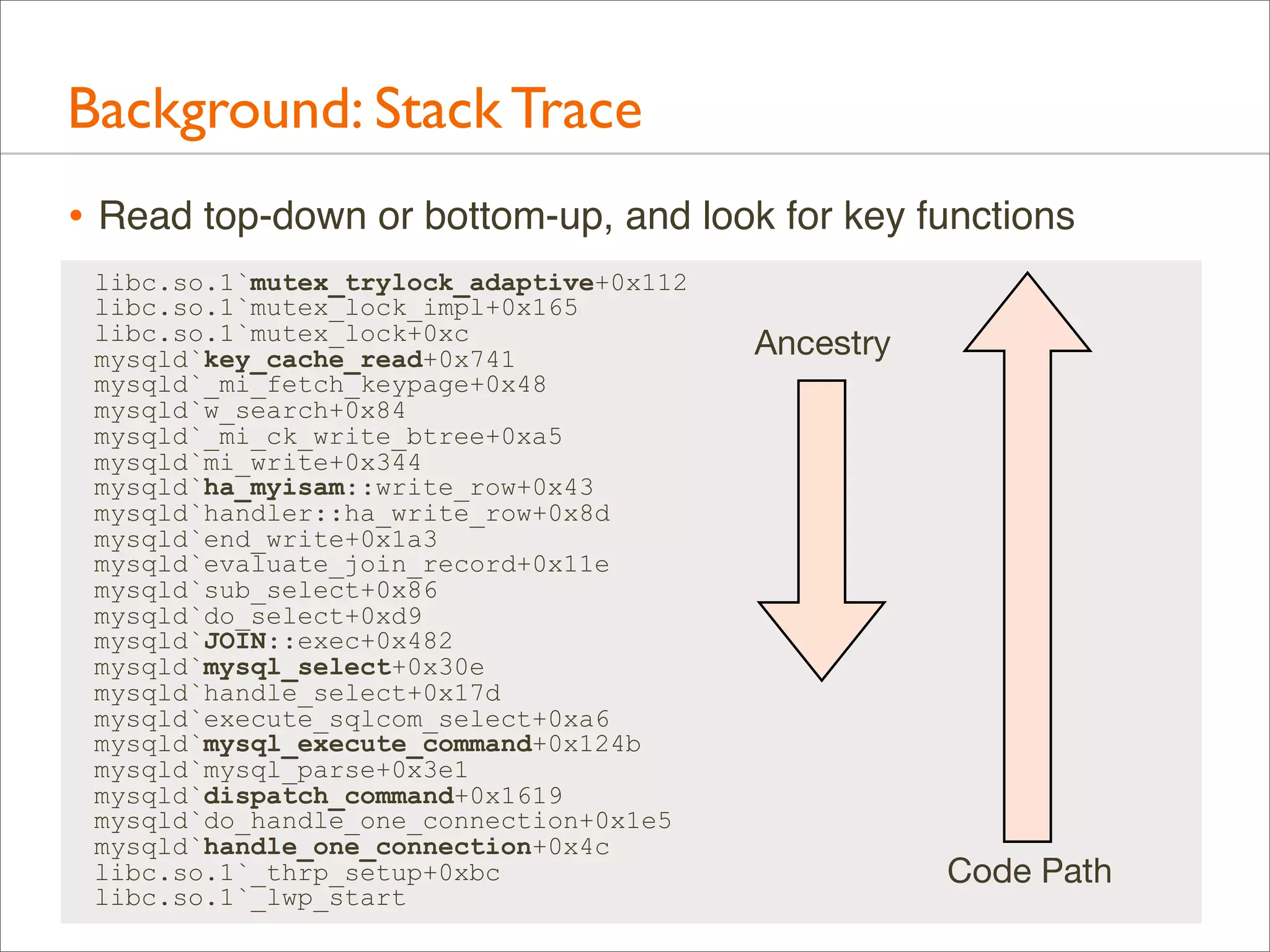
Background: Stack Trace
• Read top-down or bottom-up, and look for key functions
libc.so.1`mutex_trylock_adaptive+0x112
libc.so.1`mutex_lock_impl+0x165
libc.so.1`mutex_lock+0xc
mysqld`key_cache_read+0x741
mysqld`_mi_fetch_keypage+0x48
mysqld`w_search+0x84
mysqld`_mi_ck_write_btree+0xa5
mysqld`mi_write+0x344
mysqld`ha_myisam::write_row+0x43
mysqld`handler::ha_write_row+0x8d
mysqld`end_write+0x1a3
mysqld`evaluate_join_record+0x11e
mysqld`sub_select+0x86
mysqld`do_select+0xd9
mysqld`JOIN::exec+0x482
mysqld`mysql_select+0x30e
mysqld`handle_select+0x17d
mysqld`execute_sqlcom_select+0xa6
mysqld`mysql_execute_command+0x124b
mysqld`mysql_parse+0x3e1
mysqld`dispatch_command+0x1619
mysqld`do_handle_one_connection+0x1e5
mysqld`handle_one_connection+0x4c
libc.so.1`_thrp_setup+0xbc
libc.so.1`_lwp_start

Ancestry

Code Path
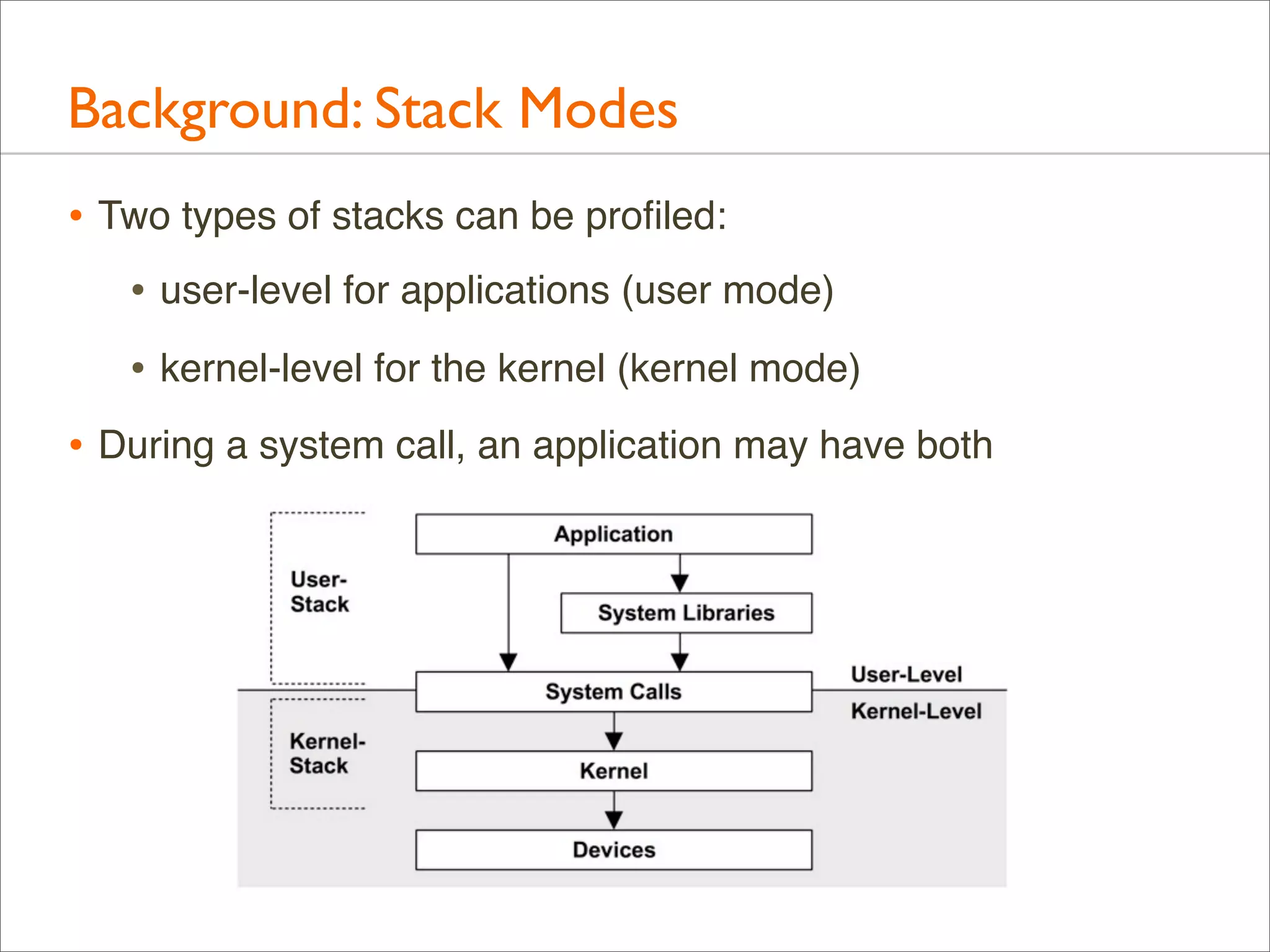
Background: Stack Modes
• Two types of stacks can be profiled:
• user-level for applications (user mode)
• kernel-level for the kernel (kernel mode)
• During a system call, an application may have both
Background: Software Internals
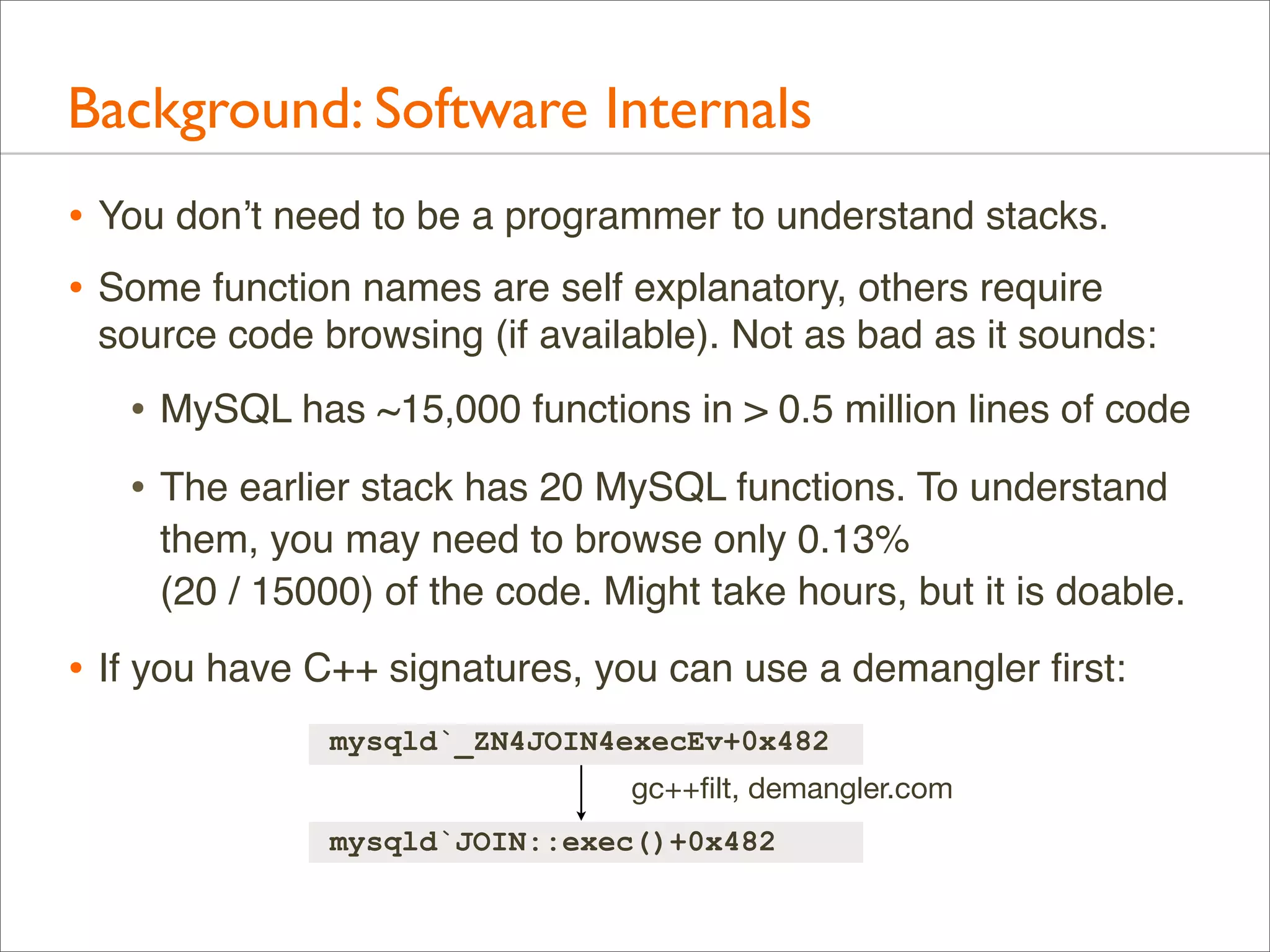
• You don’t need to be a programmer to understand stacks.
• Some function names are self explanatory, others require
source code browsing (if available). Not as bad as it sounds:

• MySQL has ~15,000 functions in > 0.5 million lines of code
• The earlier stack has 20 MySQL functions. To understand
them, you may need to browse only 0.13%
(20 / 15000) of the code. Might take hours, but it is doable.

• If you have C++ signatures, you can use a demangler first:
mysqld`_ZN4JOIN4execEv+0x482
gc++filt, demangler.com
mysqld`JOIN::exec()+0x482
Background: Stack Visualization
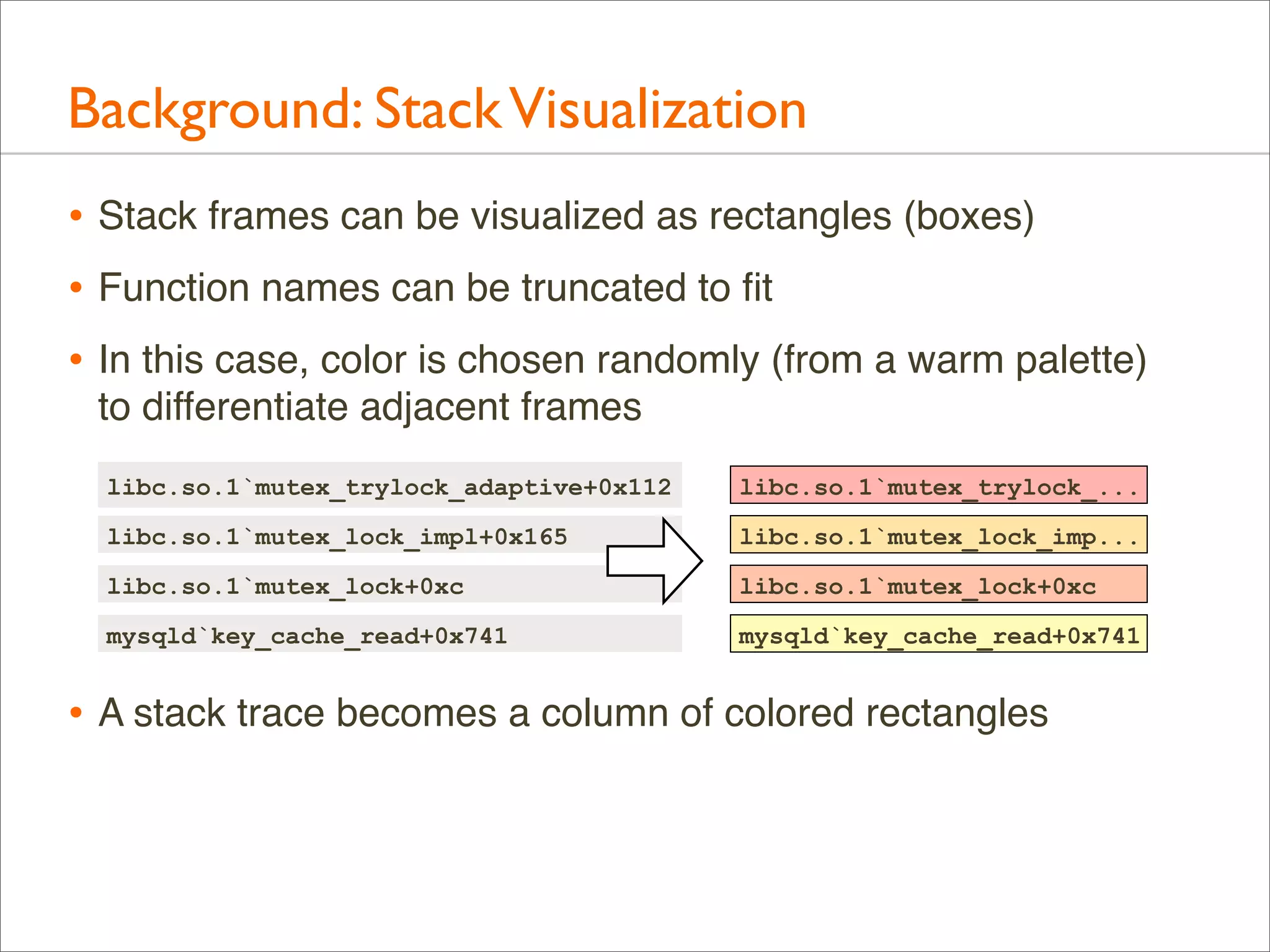
• Stack frames can be visualized as rectangles (boxes)
• Function names can be truncated to fit
• In this case, color is chosen randomly (from a warm palette)
to differentiate adjacent frames
libc.so.1`mutex_trylock_adaptive+0x112

libc.so.1`mutex_trylock_...

libc.so.1`mutex_lock_impl+0x165

libc.so.1`mutex_lock_imp...

libc.so.1`mutex_lock+0xc

libc.so.1`mutex_lock+0xc

mysqld`key_cache_read+0x741

mysqld`key_cache_read+0x741

• A stack trace becomes a column of colored rectangles
Background: Time Series Stacks
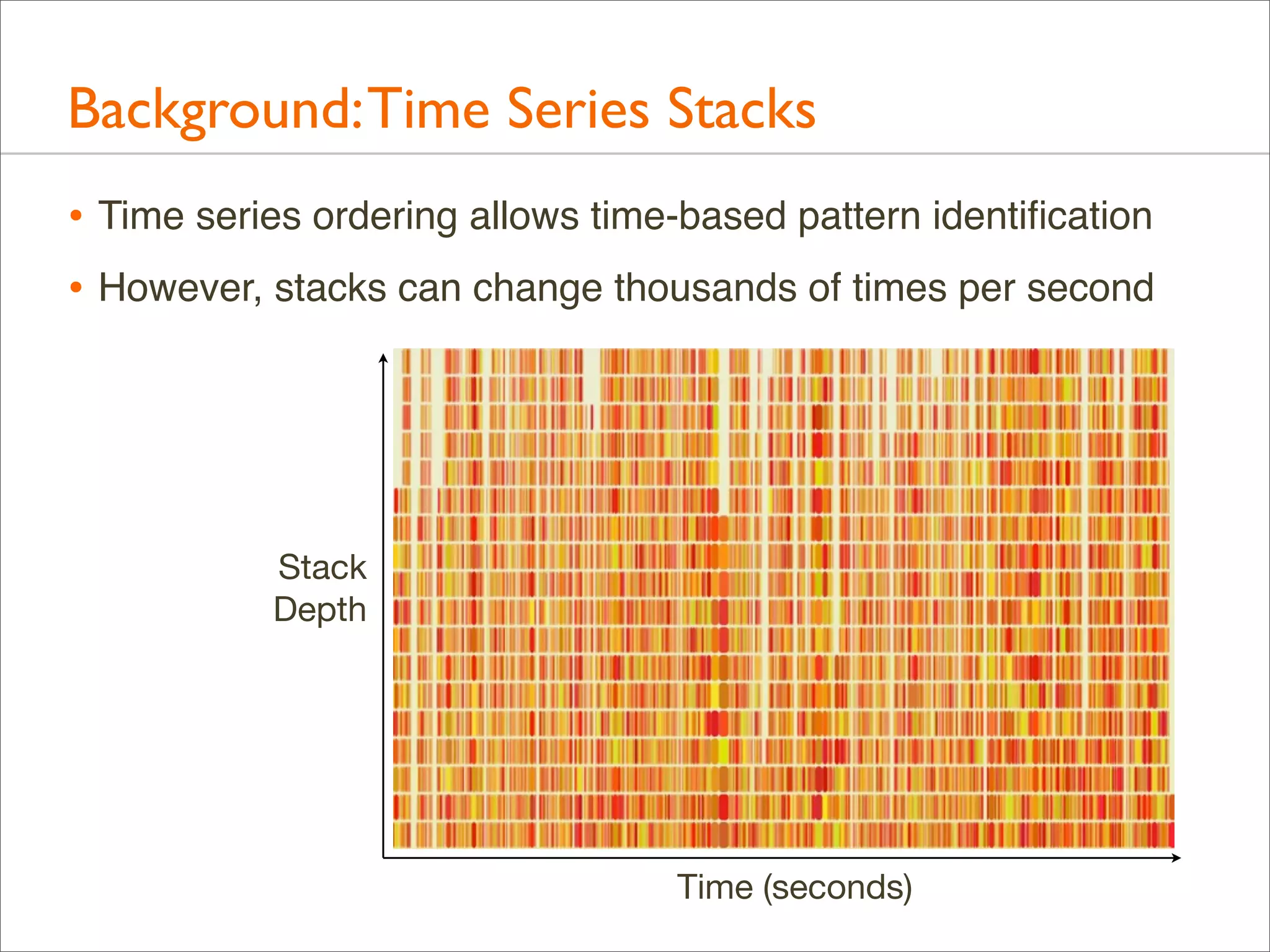
• Time series ordering allows time-based pattern identification
• However, stacks can change thousands of times per second

Stack
Depth

Time (seconds)
Background: Time Series Stacks
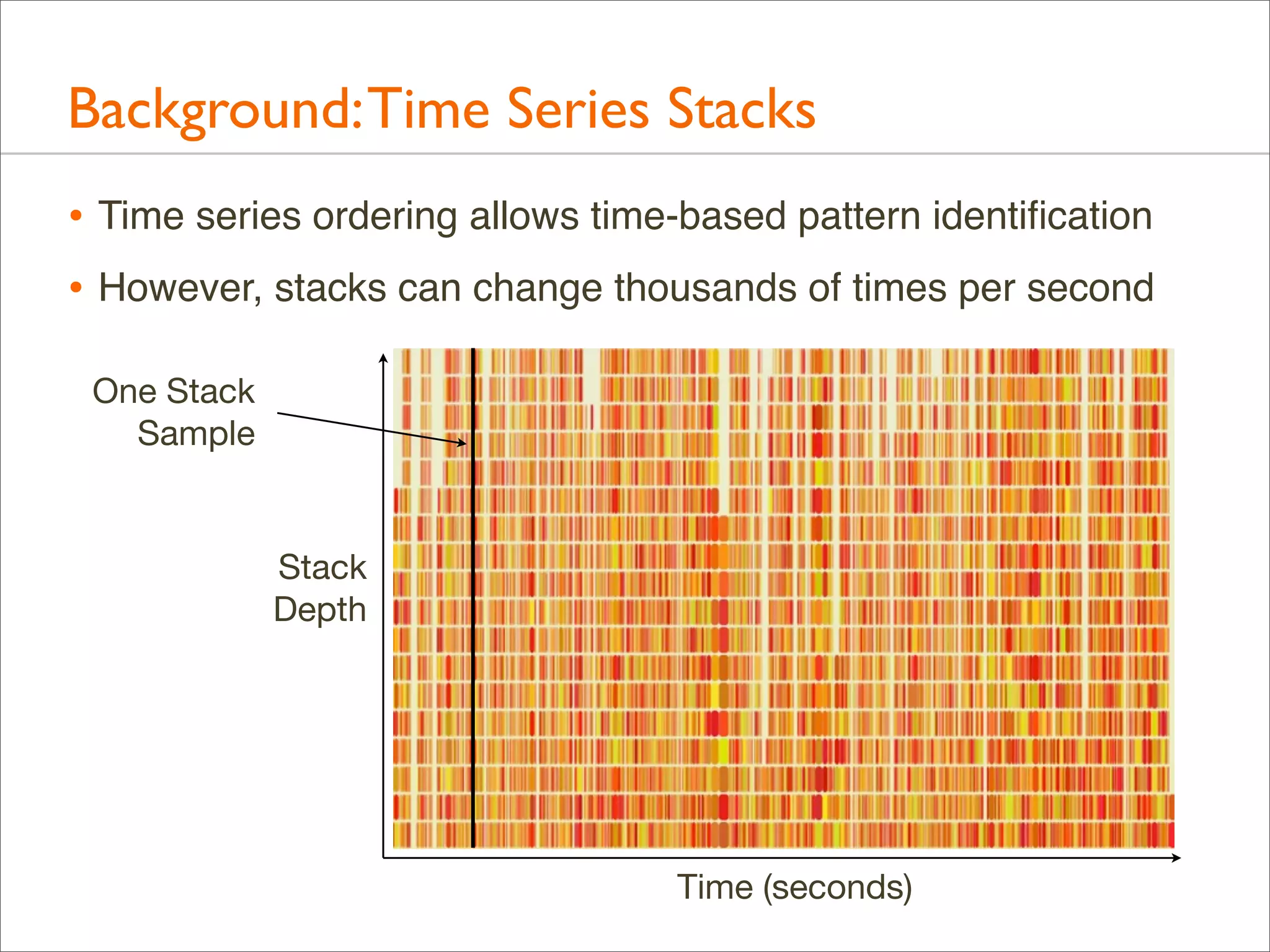
• Time series ordering allows time-based pattern identification
• However, stacks can change thousands of times per second
One Stack
Sample

Stack
Depth

Time (seconds)
Background: Frame Merging
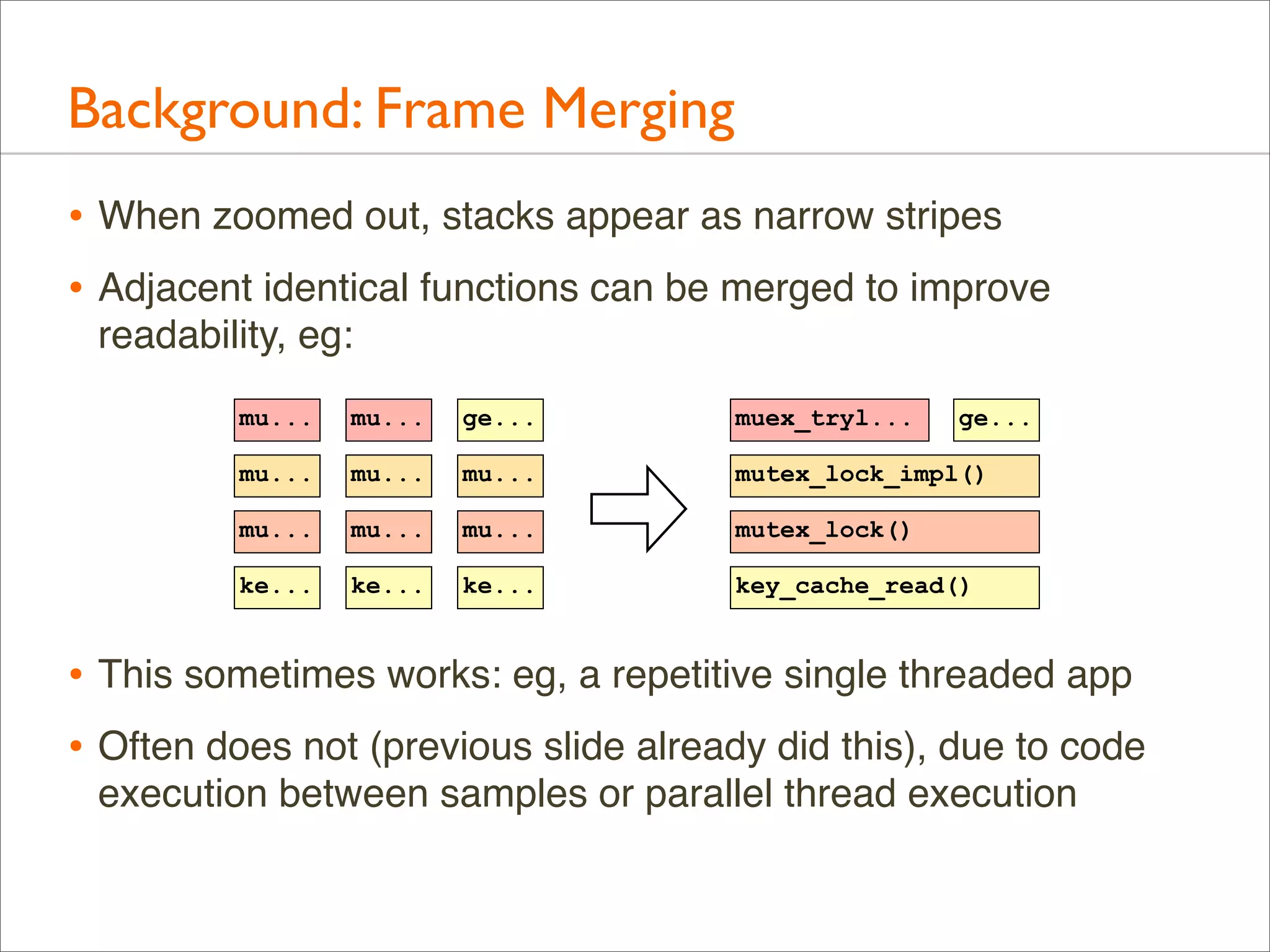
• When zoomed out, stacks appear as narrow stripes
• Adjacent identical functions can be merged to improve
readability, eg:
mu...

mu...

ge...

muex_tryl...

ge...

mu...

mu...

mu...

mutex_lock_impl()

mu...

mu...

mu...

mutex_lock()

ke...

ke...

ke...

key_cache_read()

• This sometimes works: eg, a repetitive single threaded app
• Often does not (previous slide already did this), due to code
execution between samples or parallel thread execution
Background: Frame Merging
• Time-series ordering isn’t necessary for the primary use case:
identify the most common (“hottest”) code path or paths

• By using a different x-axis sort order, frame merging can be
greatly improved...
Flame Graphs
Flame Graphs
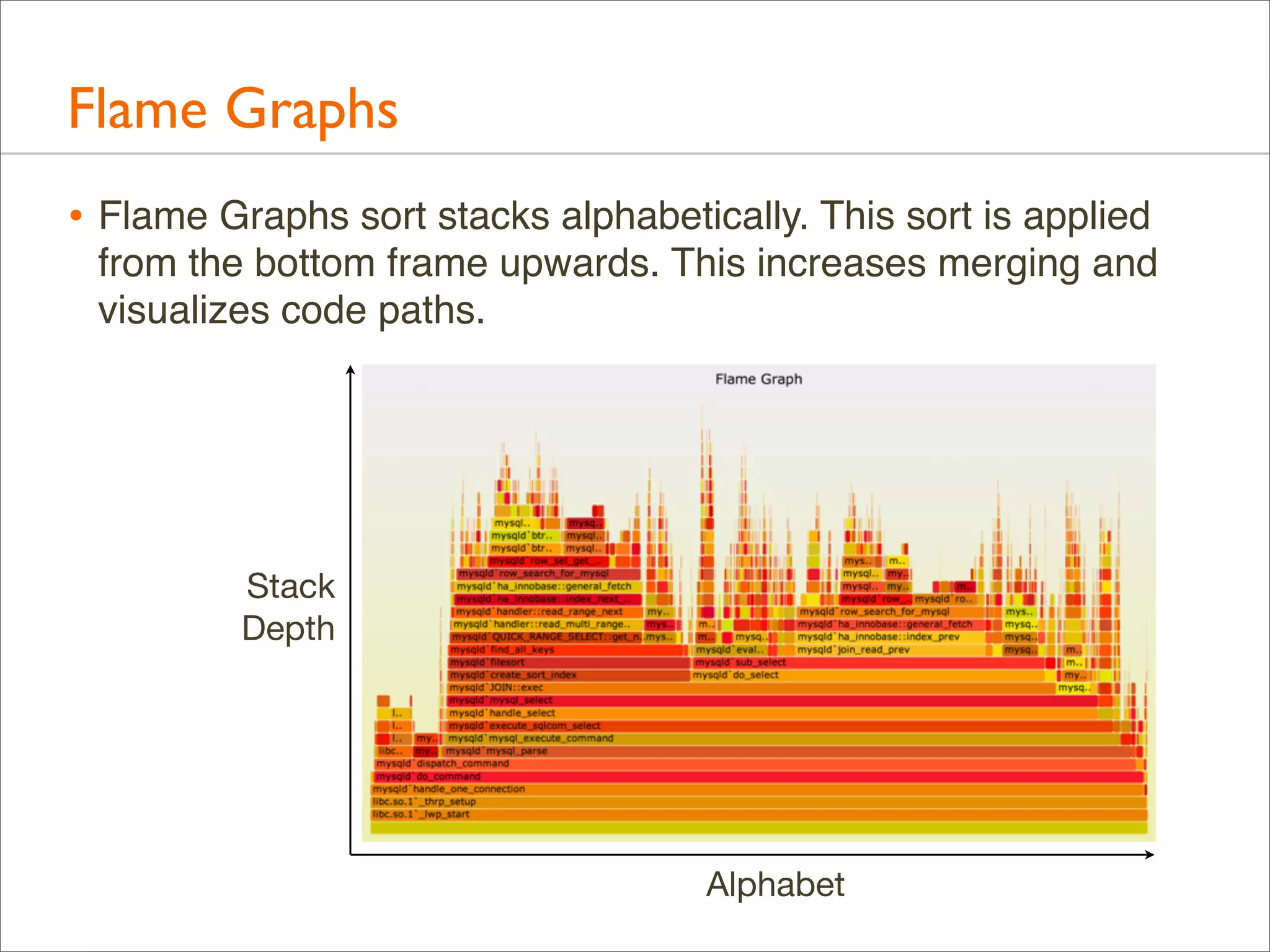
• Flame Graphs sort stacks alphabetically. This sort is applied
from the bottom frame upwards. This increases merging and
visualizes code paths.

Stack
Depth

Alphabet
Flame Graphs: Definition
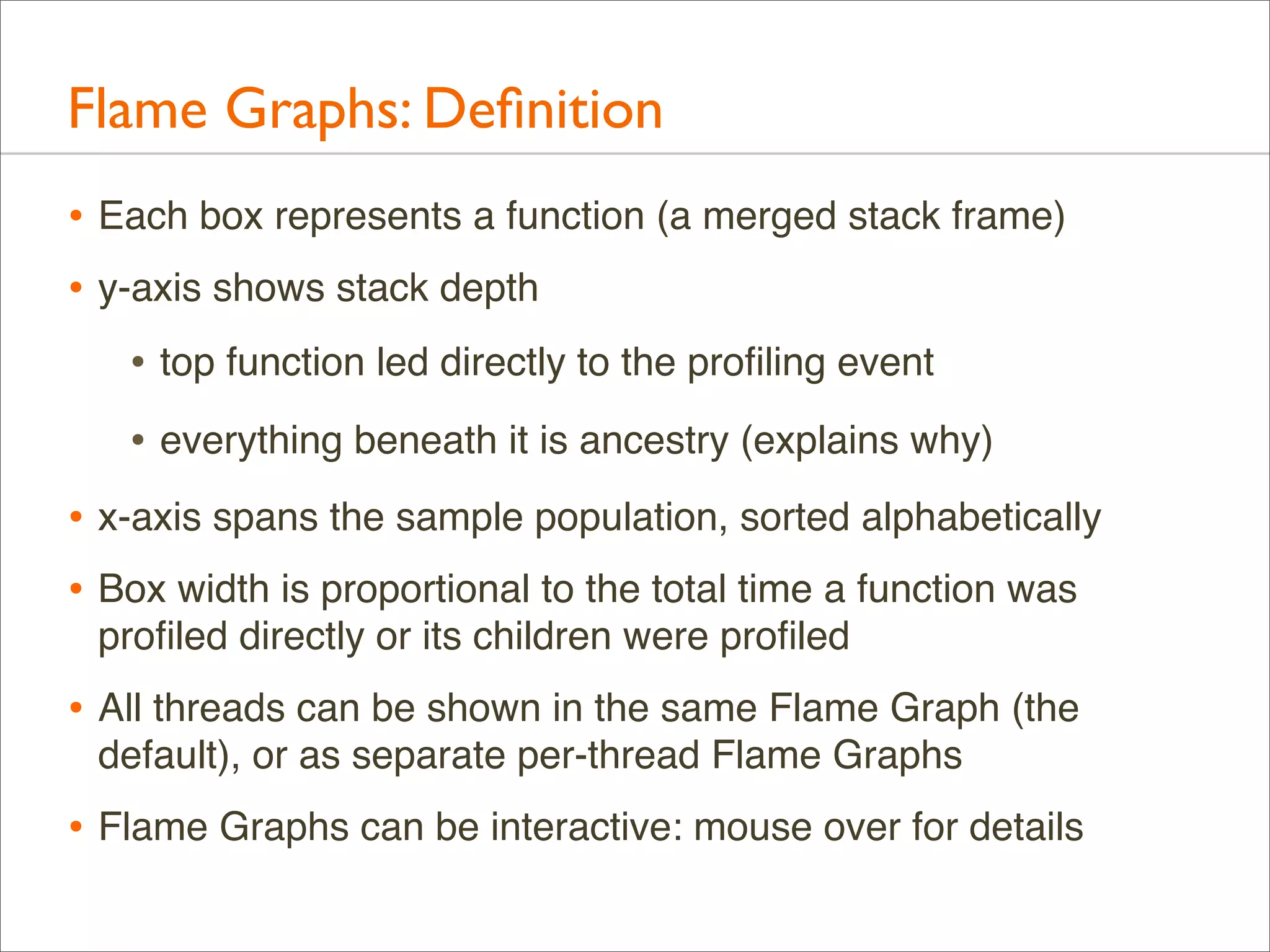
• Each box represents a function (a merged stack frame)
• y-axis shows stack depth
• top function led directly to the profiling event
• everything beneath it is ancestry (explains why)
• x-axis spans the sample population, sorted alphabetically
• Box width is proportional to the total time a function was
profiled directly or its children were profiled

• All threads can be shown in the same Flame Graph (the
default), or as separate per-thread Flame Graphs

• Flame Graphs can be interactive: mouse over for details
Flame Graphs:Variations
• Profile data can be anything: CPU, I/O, memory, ...
• Naming suggestion: [event] [units] Flame Graph
• Eg: "FS Latency Flame Graph"
• By default, Flame Graphs == CPU Sample Flame Graphs
• Colors can be used for another dimension
• by default, random colors are used to differentiate boxes
• --hash for hash-based on function name
• Distribution applications can be shown in the same Flame
Graph (merge samples from multiple systems)
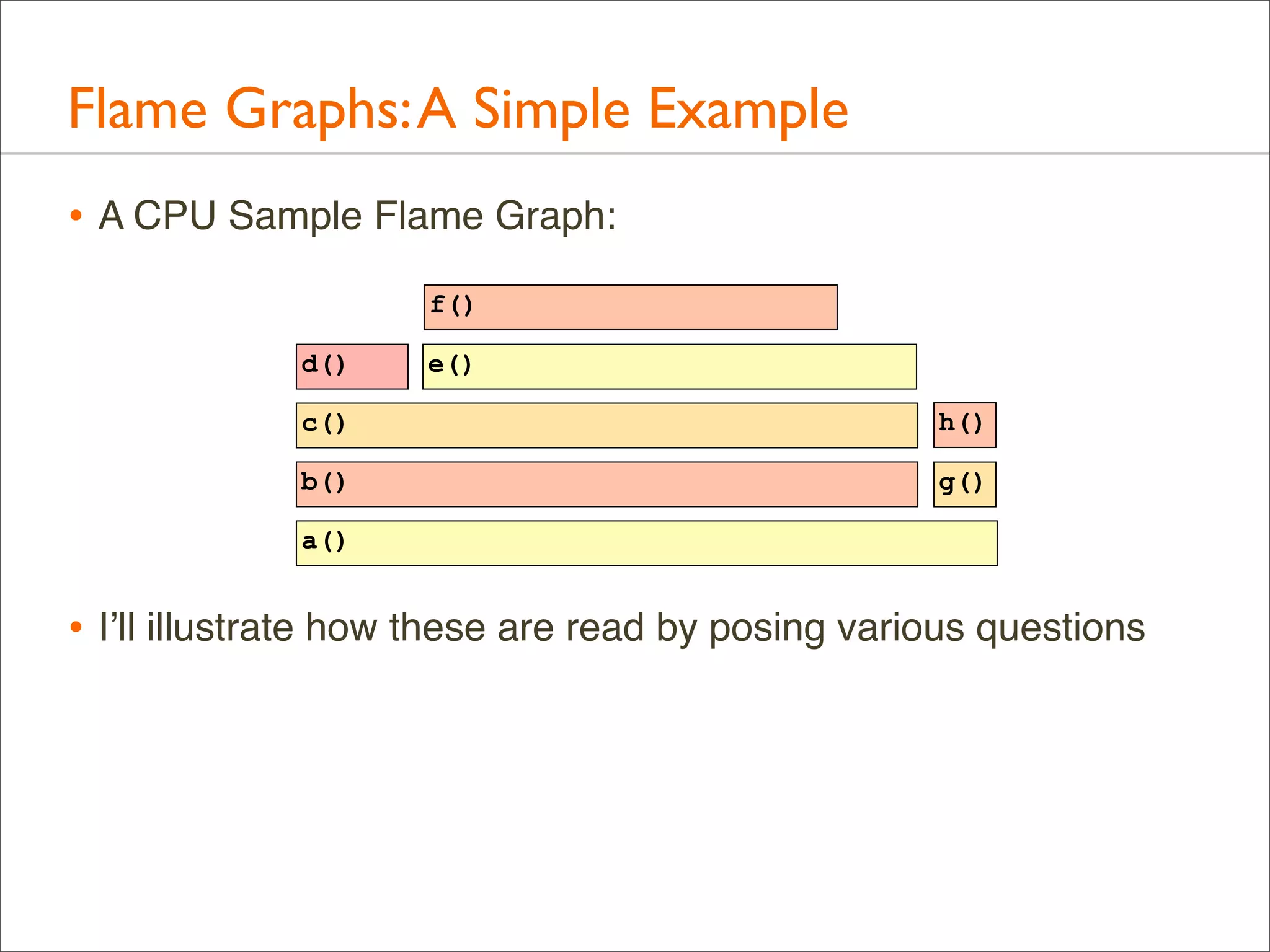
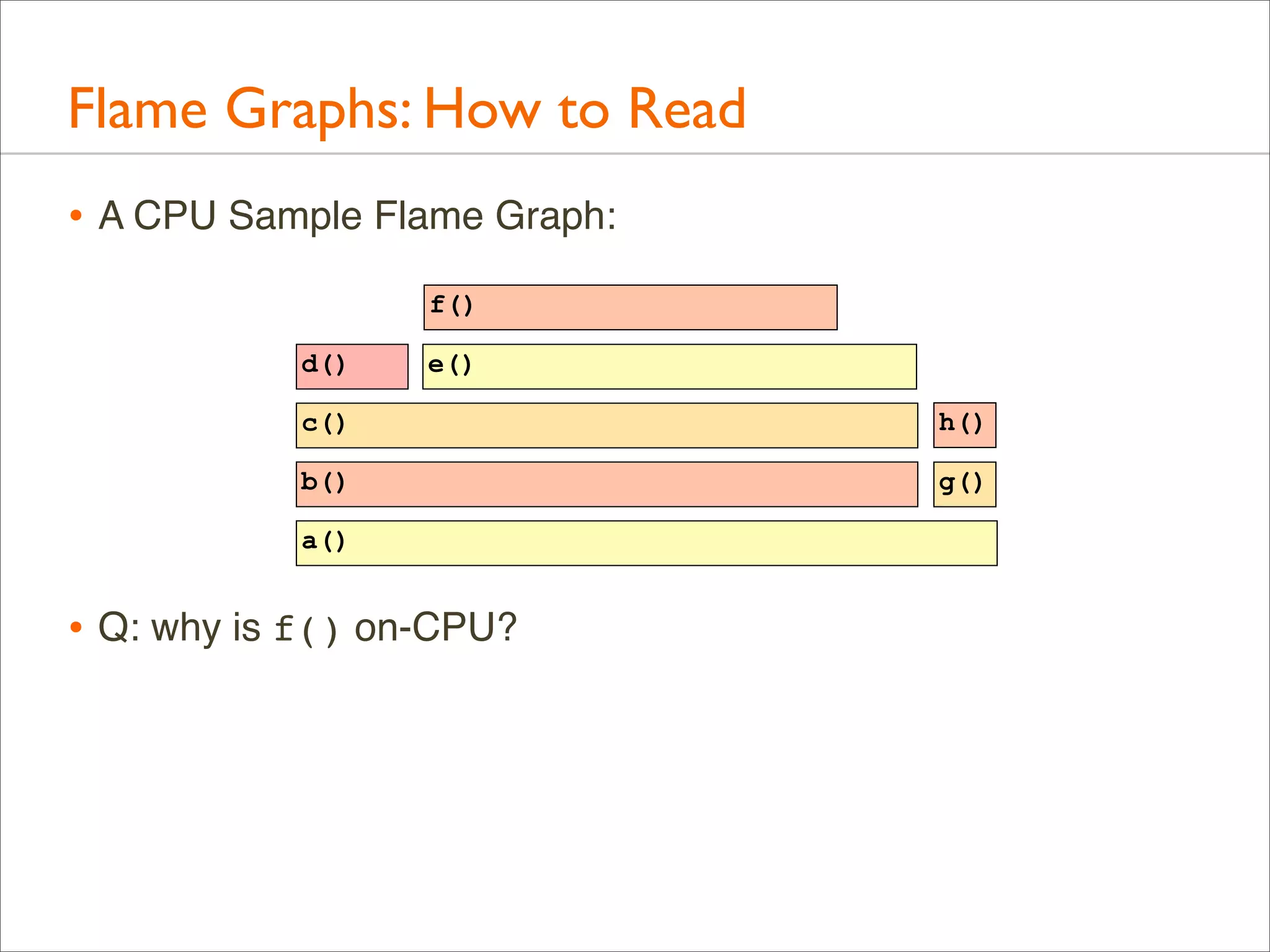
Flame Graphs: A Simple Example
• A CPU Sample Flame Graph:
f()
d()

e()

c()

h()

b()

g()

a()

• I’ll illustrate how these are read by posing various questions
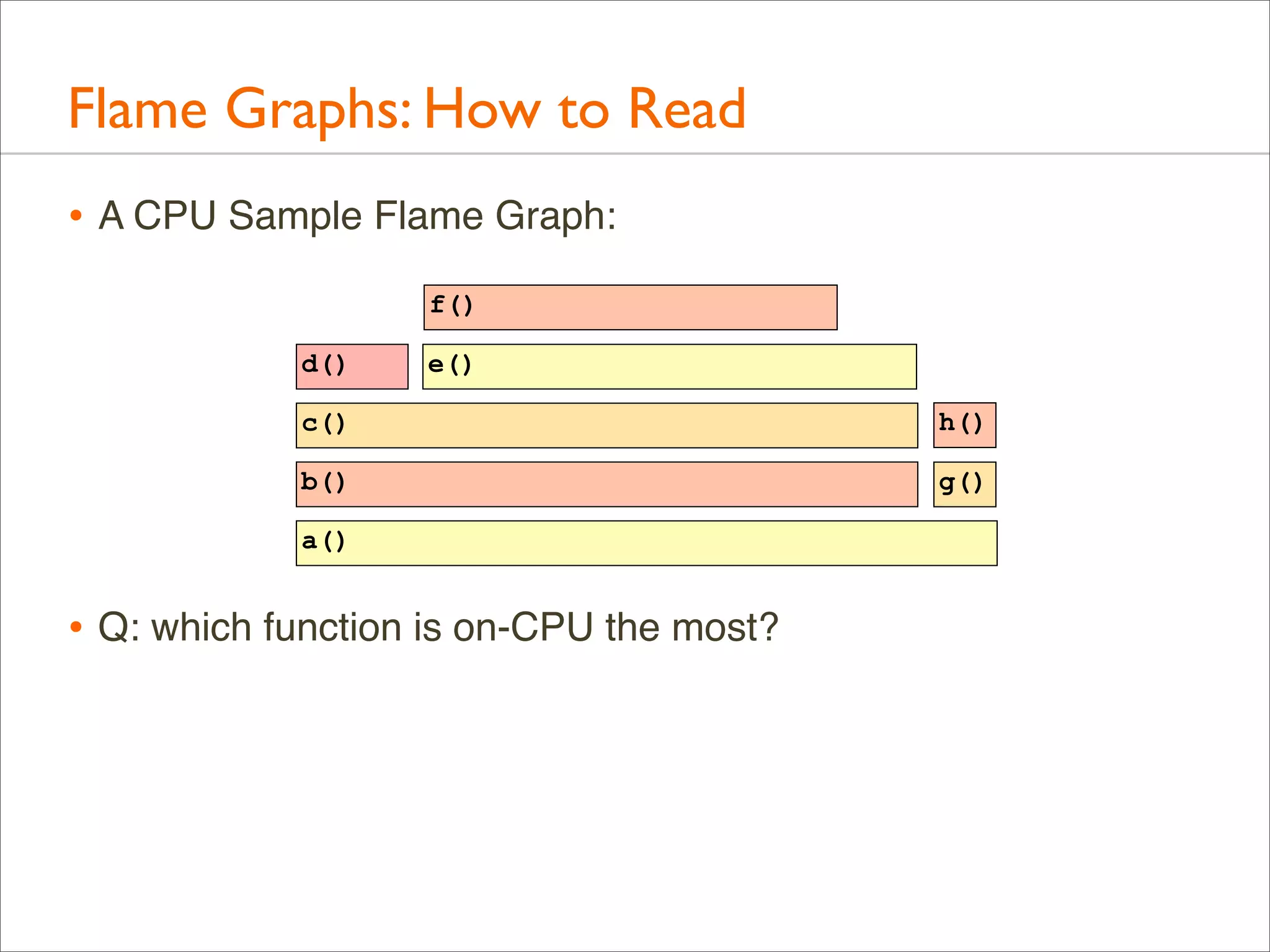
Flame Graphs: How to Read
• A CPU Sample Flame Graph:
f()
d()

e()

c()

h()

b()

g()

a()

• Q: which function is on-CPU the most?
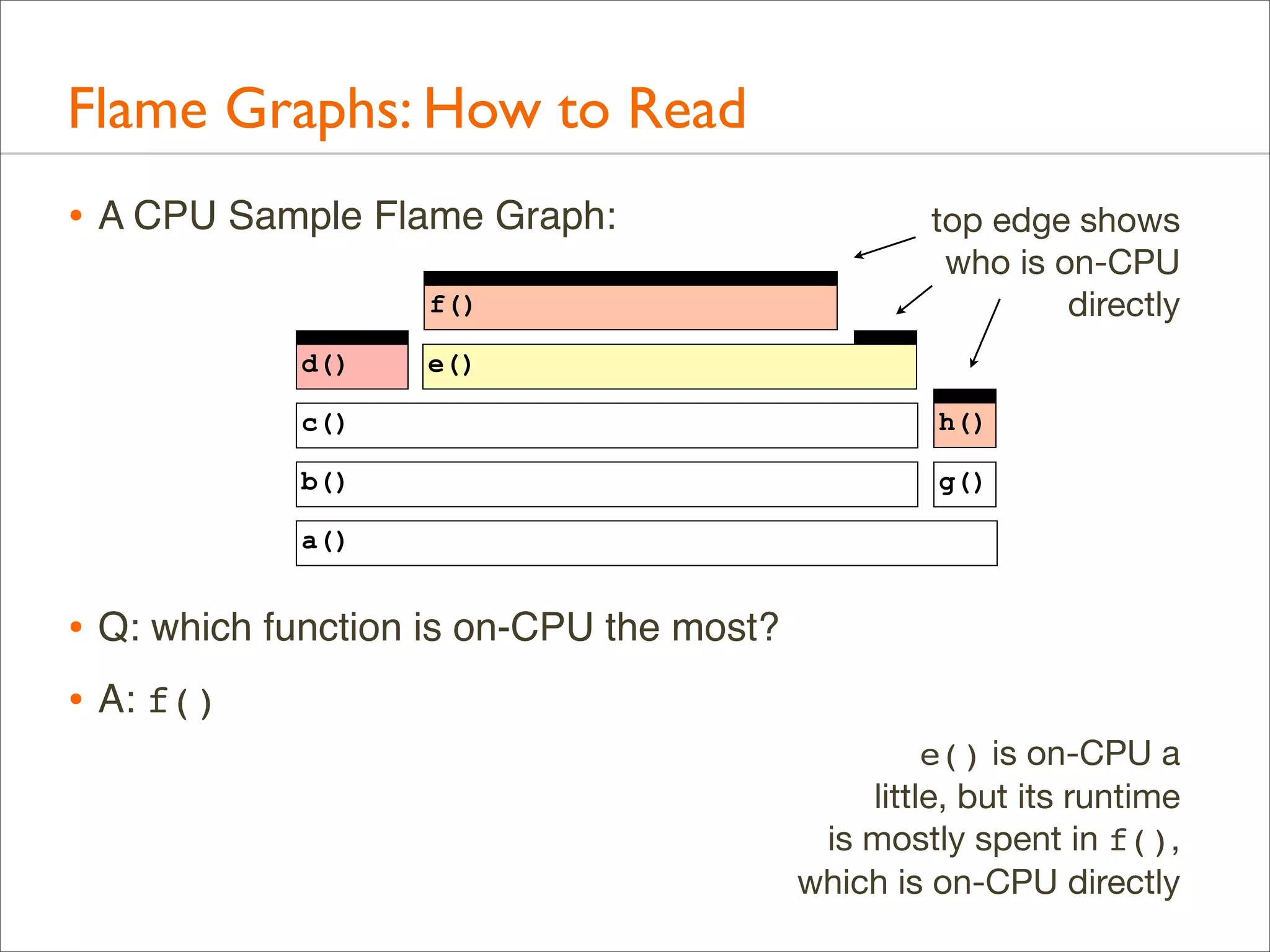
Flame Graphs: How to Read
• A CPU Sample Flame Graph:
f()
d()

top edge shows
who is on-CPU
directly

e()

c()

h()

b()

g()

a()

• Q: which function is on-CPU the most?
• A: f()
e() is on-CPU a
little, but its runtime
is mostly spent in f(),
which is on-CPU directly
Flame Graphs: How to Read
• A CPU Sample Flame Graph:
f()
d()

e()

c()

h()

b()

g()

a()

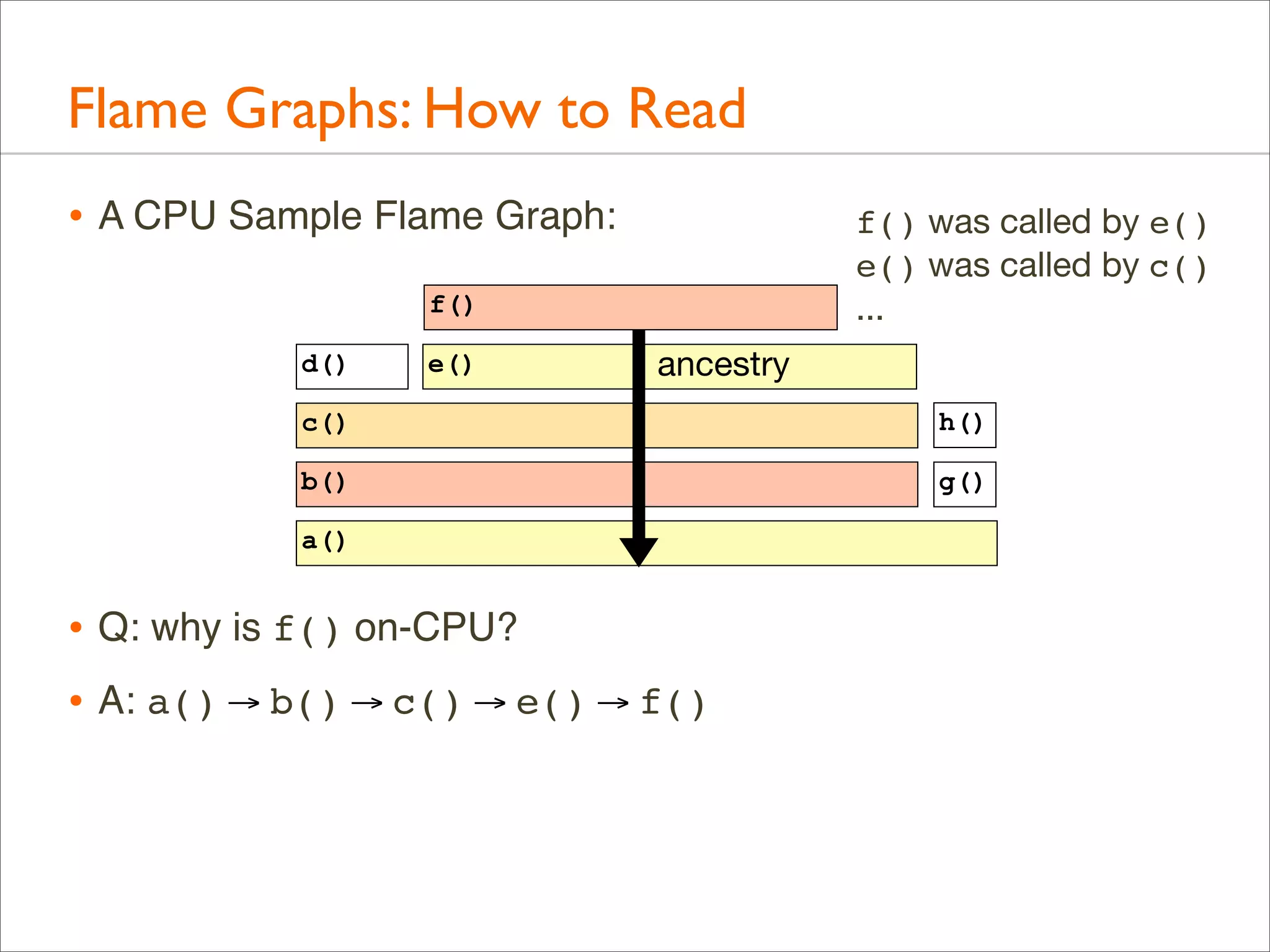
• Q: why is f() on-CPU?
Flame Graphs: How to Read
• A CPU Sample Flame Graph:

f() was called by e()
e() was called by c()
...

f()
d()

e()

ancestry

c()

h()

b()

g()

a()

• Q: why is f() on-CPU?
• A: a() → b() → c() → e() → f()
Flame Graphs: How to Read
• A CPU Sample Flame Graph:
f()
d()

e()

c()

h()

b()

g()

a()

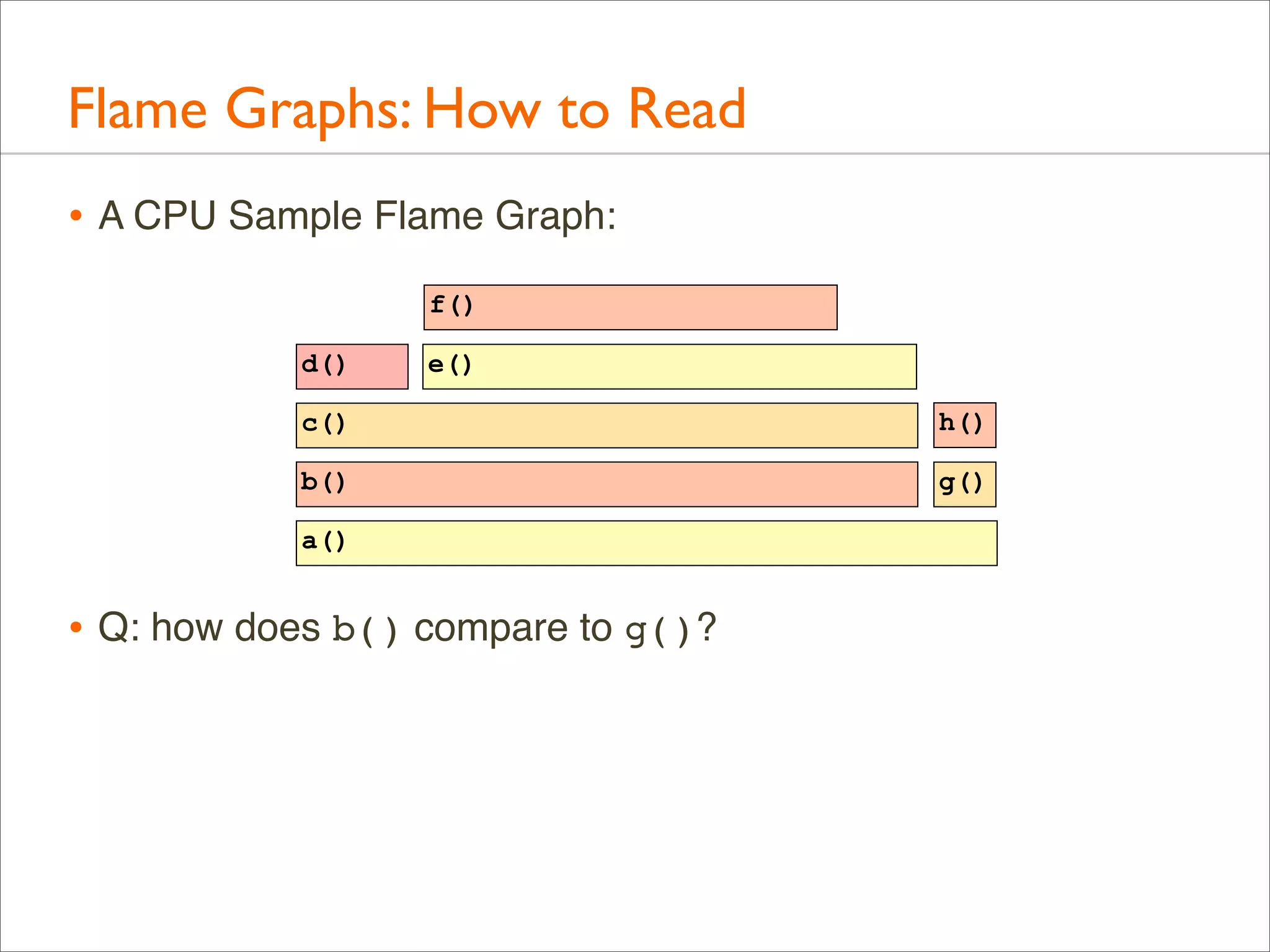
• Q: how does b() compare to g()?
Flame Graphs: How to Read
• A CPU Sample Flame Graph:

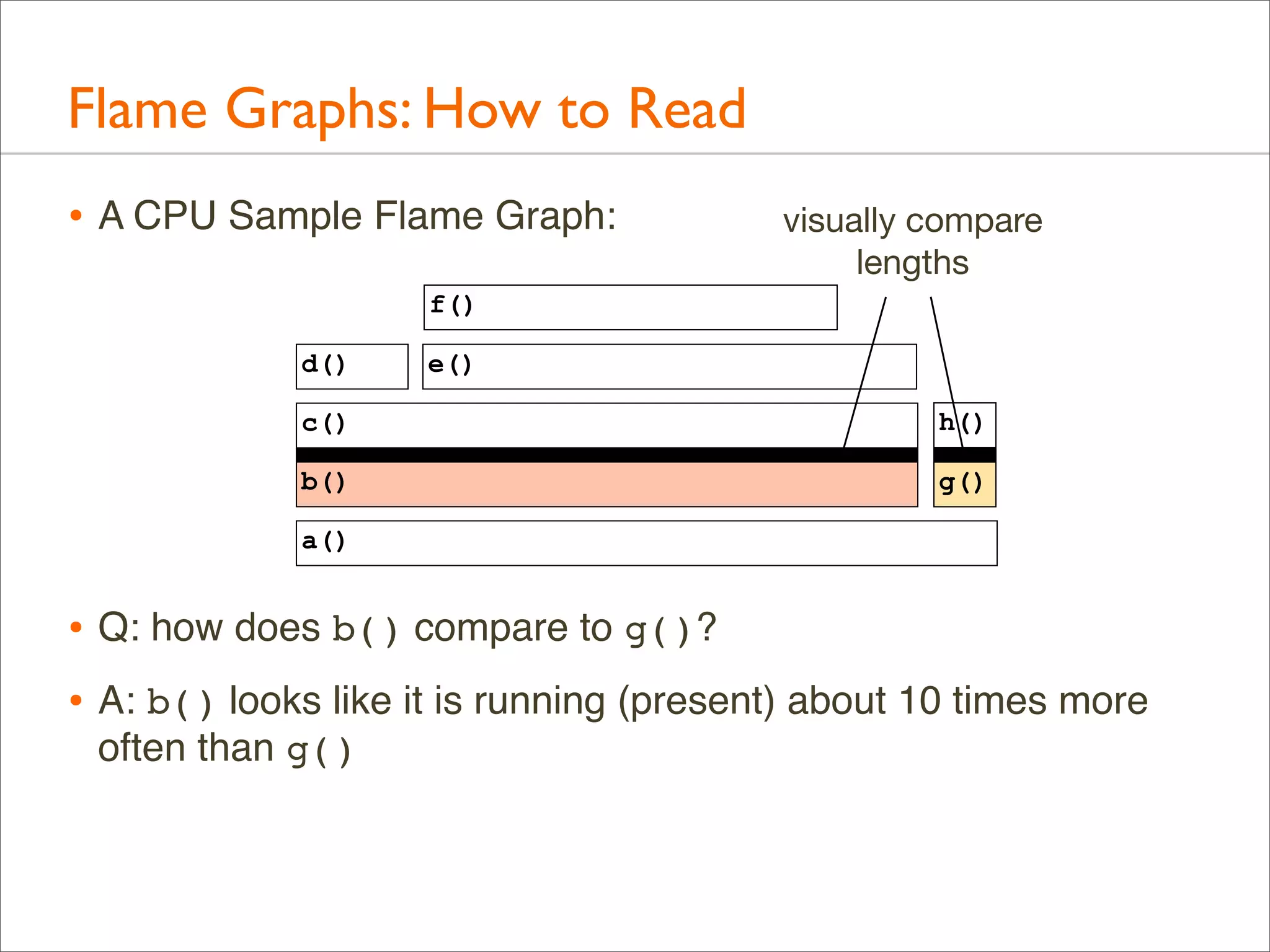
visually compare
lengths

f()
d()

e()

c()

h()

b()

g()

a()

• Q: how does b() compare to g()?
• A: b() looks like it is running (present) about 10 times more
often than g()
Flame Graphs: How to Read
• A CPU Sample Flame Graph:

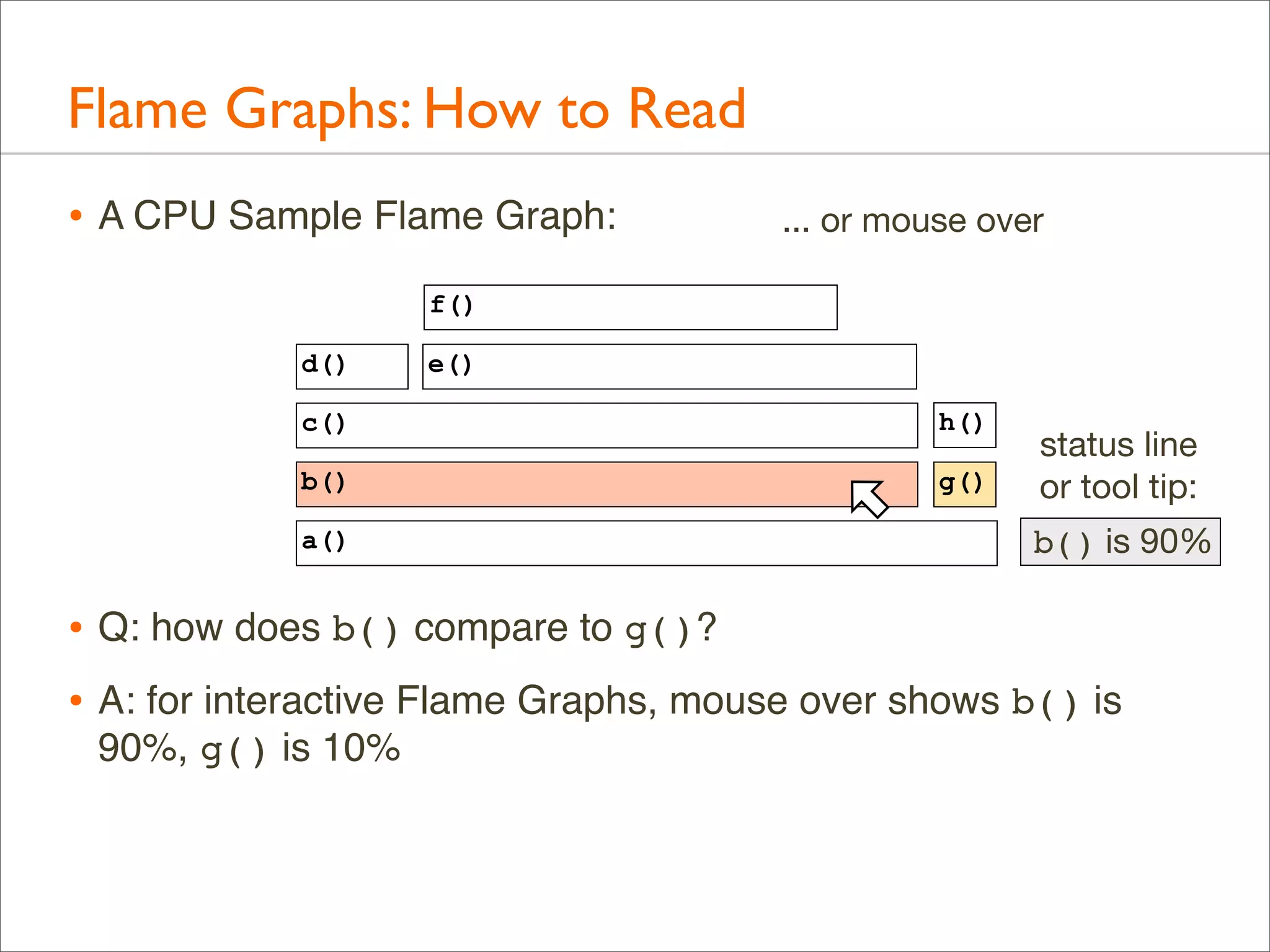
... or mouse over

f()
d()

e()

c()

h()

b()

g()

a()

status line
or tool tip:
b() is 90%

• Q: how does b() compare to g()?
• A: for interactive Flame Graphs, mouse over shows b() is
90%, g() is 10%
Flame Graphs: How to Read
• A CPU Sample Flame Graph:

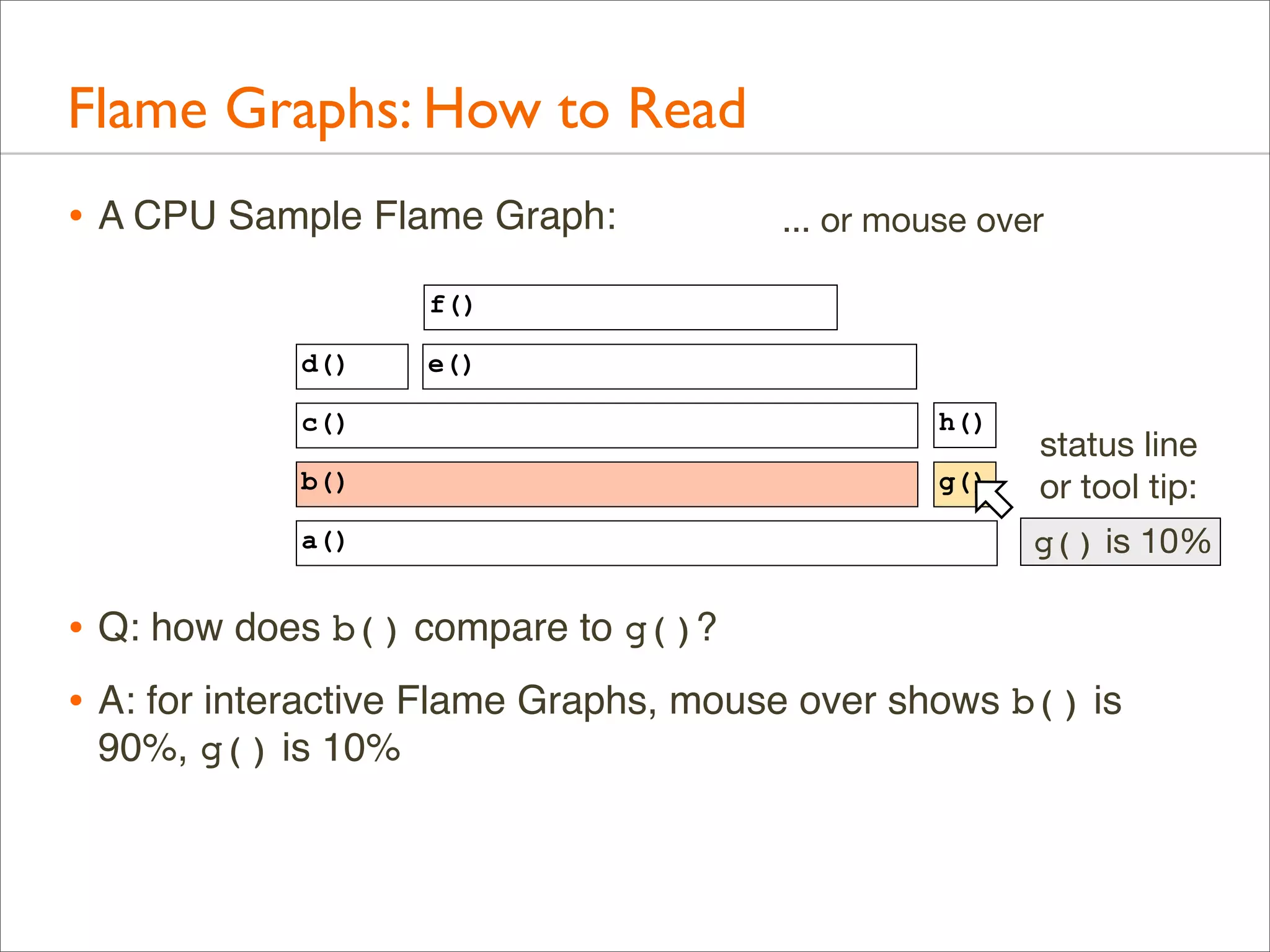
... or mouse over

f()
d()

e()

c()

h()

b()

g()

a()

status line
or tool tip:
g() is 10%

• Q: how does b() compare to g()?
• A: for interactive Flame Graphs, mouse over shows b() is
90%, g() is 10%
Flame Graphs: How to Read
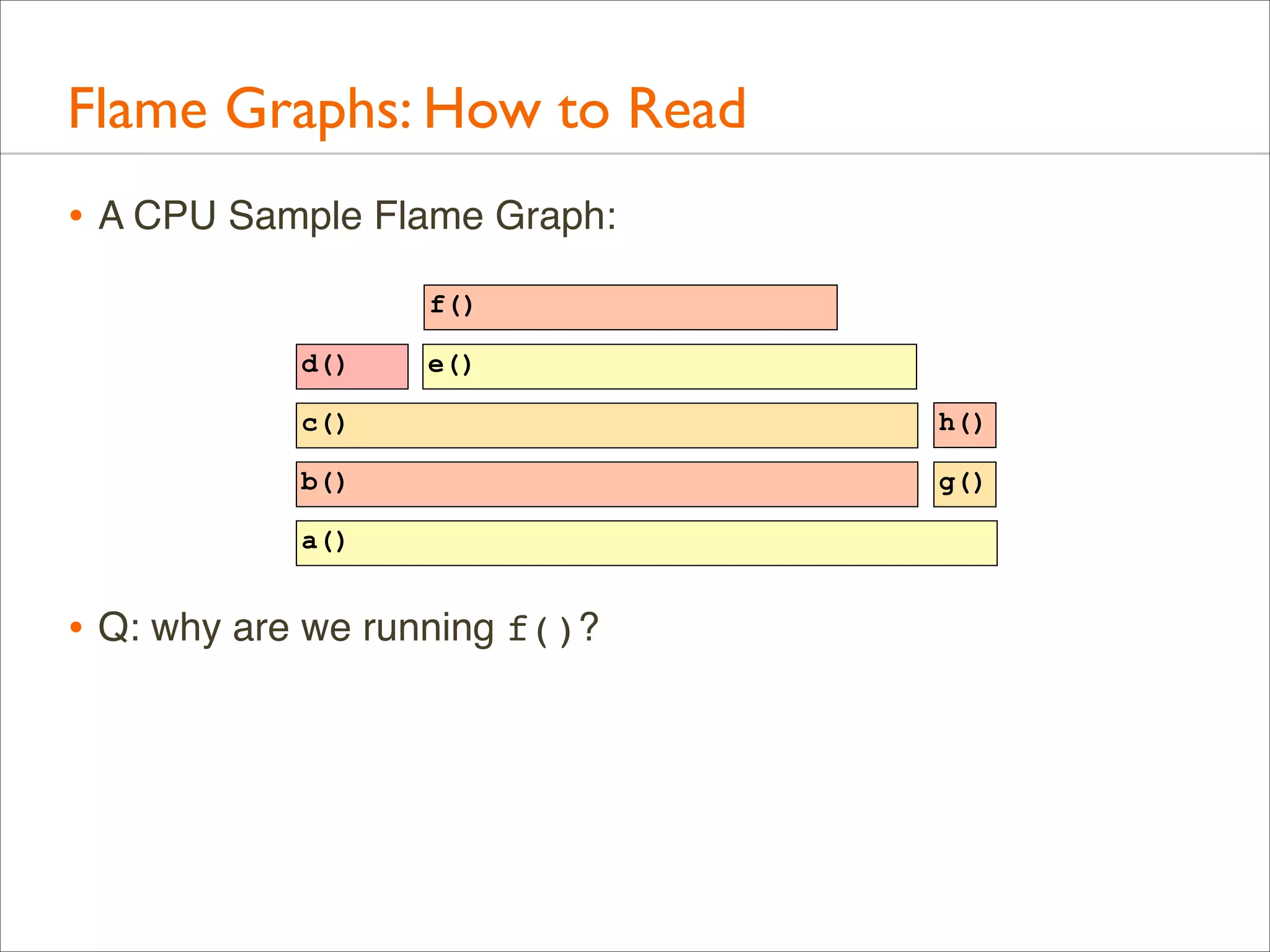
• A CPU Sample Flame Graph:
f()
d()

e()

c()

h()

b()

g()

a()

• Q: why are we running f()?
Flame Graphs: How to Read
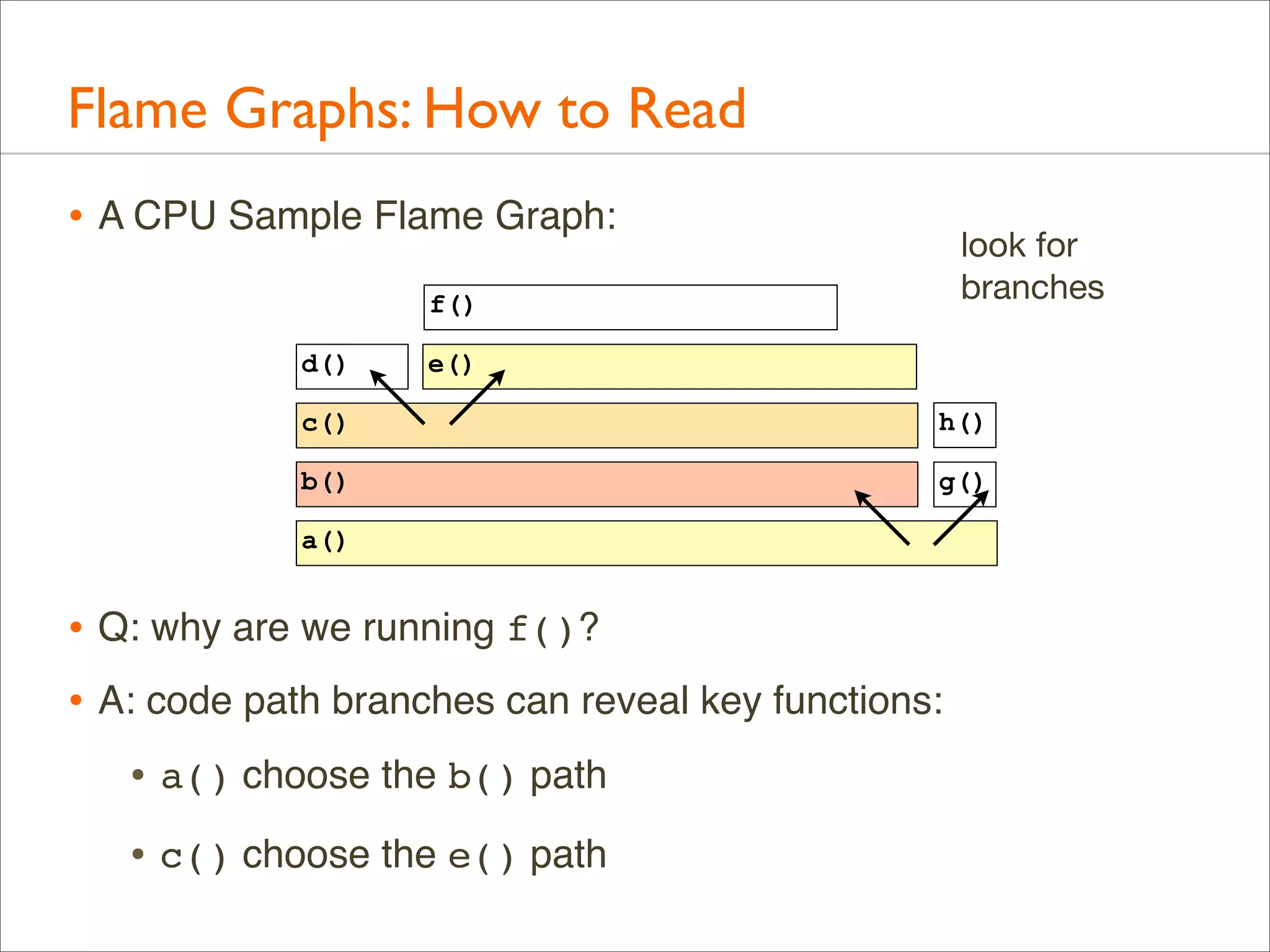
• A CPU Sample Flame Graph:

look for
branches

f()
d()

e()

c()

h()

b()

g()

a()

• Q: why are we running f()?
• A: code path branches can reveal key functions:
• a() choose the b() path
• c() choose the e() path
Flame Graphs: Example 1
• Customer alerting software periodically checks a log, however,
it is taking too long (minutes).

• It includes grep(1) of an ~18 Mbyte log file, which takes
around 10 minutes!

• grep(1) appears to be on-CPU for this time. Why?
Flame Graphs: Example 1
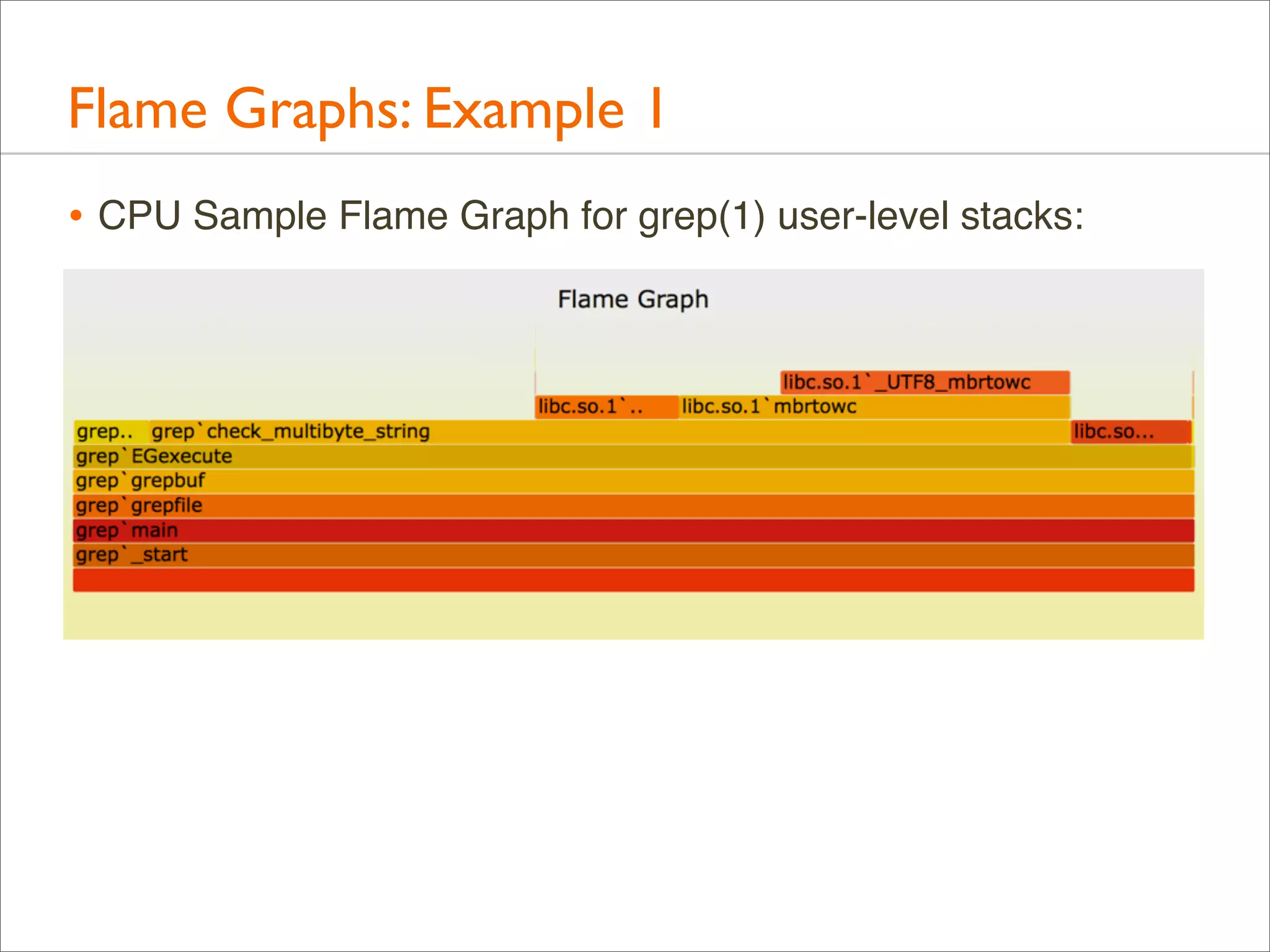
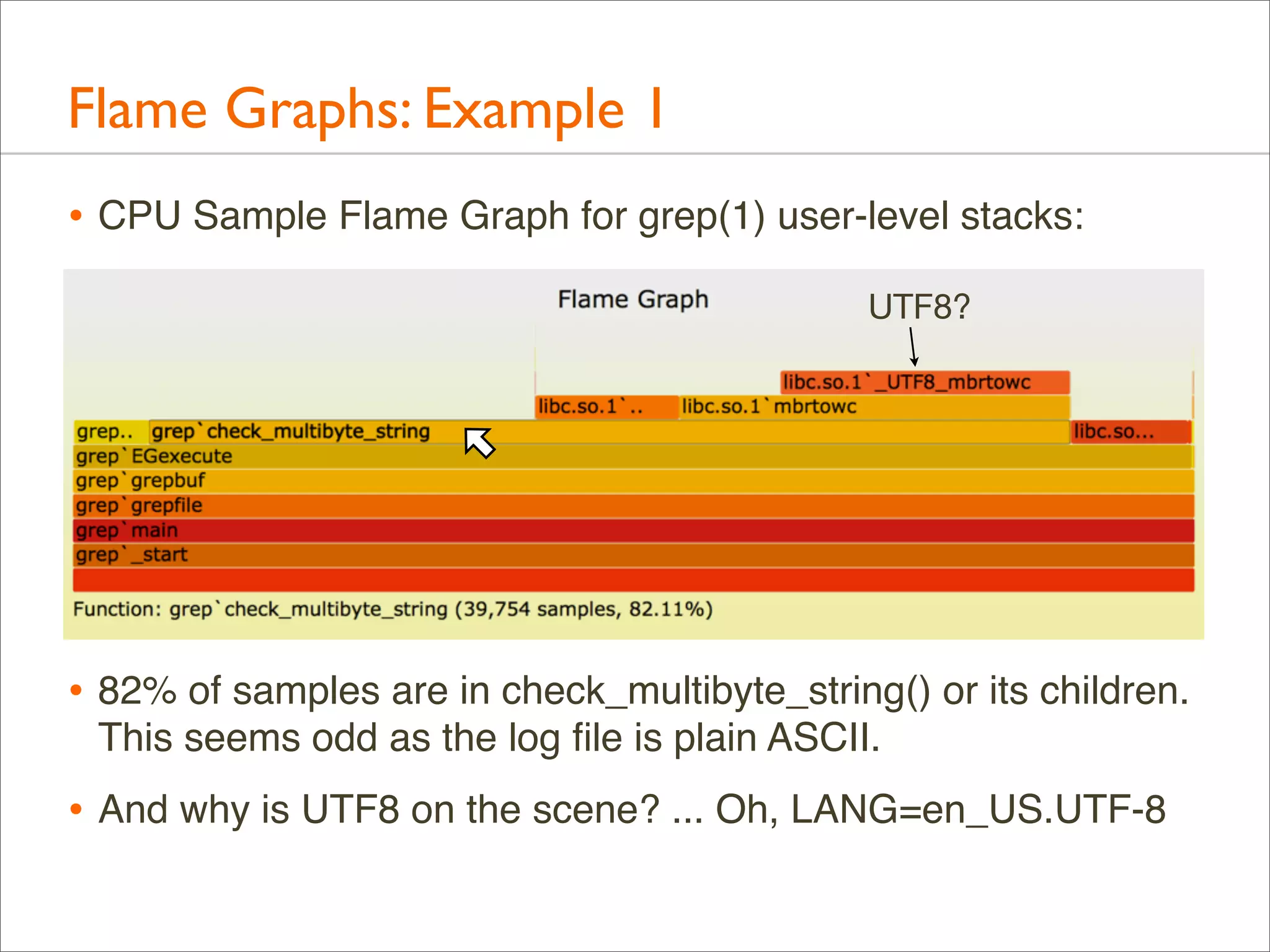
• CPU Sample Flame Graph for grep(1) user-level stacks:
Flame Graphs: Example 1
• CPU Sample Flame Graph for grep(1) user-level stacks:
UTF8?

• 82% of samples are in check_multibyte_string() or its children.
This seems odd as the log file is plain ASCII.

• And why is UTF8 on the scene? ... Oh, LANG=en_US.UTF-8
Flame Graphs: Example 1
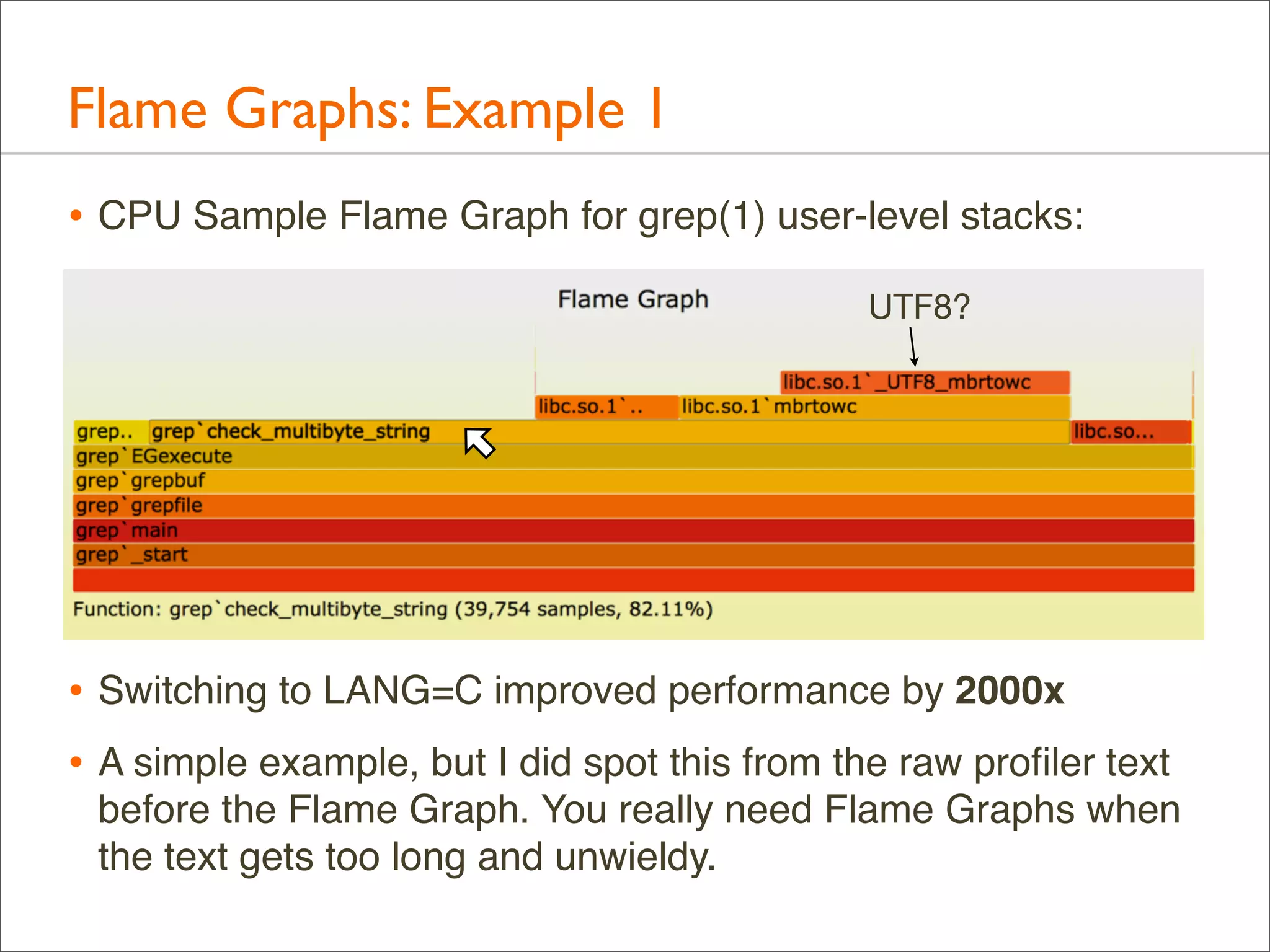
• CPU Sample Flame Graph for grep(1) user-level stacks:
UTF8?

• Switching to LANG=C improved performance by 2000x
• A simple example, but I did spot this from the raw profiler text
before the Flame Graph. You really need Flame Graphs when
the text gets too long and unwieldy.
Flame Graphs: Example 2
• A potential customer benchmarks disk I/O on a cloud instance.
The performance is not as fast as hoped.

• The host has new hardware and software. Issues with the new
type of disks is suspected.
Flame Graphs: Example 2
• A potential customer benchmarks disk I/O on a cloud instance.
The performance is not as fast as hoped.

• The host has new hardware and software. Issues with the new
type of disks is suspected.

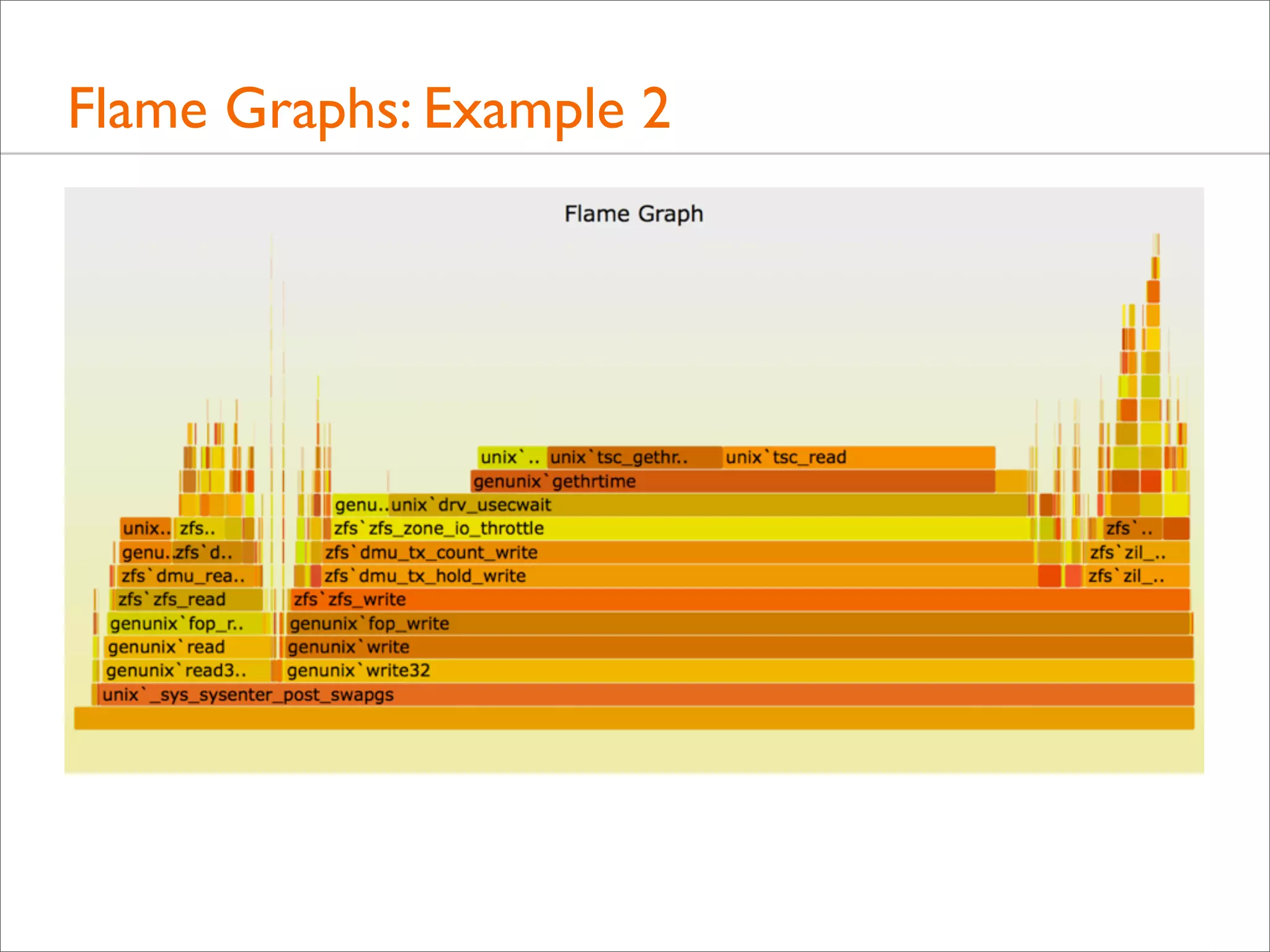
• I take a look, and notice CPU time in the kernel is modest.
• I’d normally assume this was I/O overheads and not profile it
yet, instead beginning with I/O latency analysis.

• But Flame Graphs make it easy, and it may be useful to see
what code paths (illumos kernel) are on the table.
Flame Graphs: Example 2

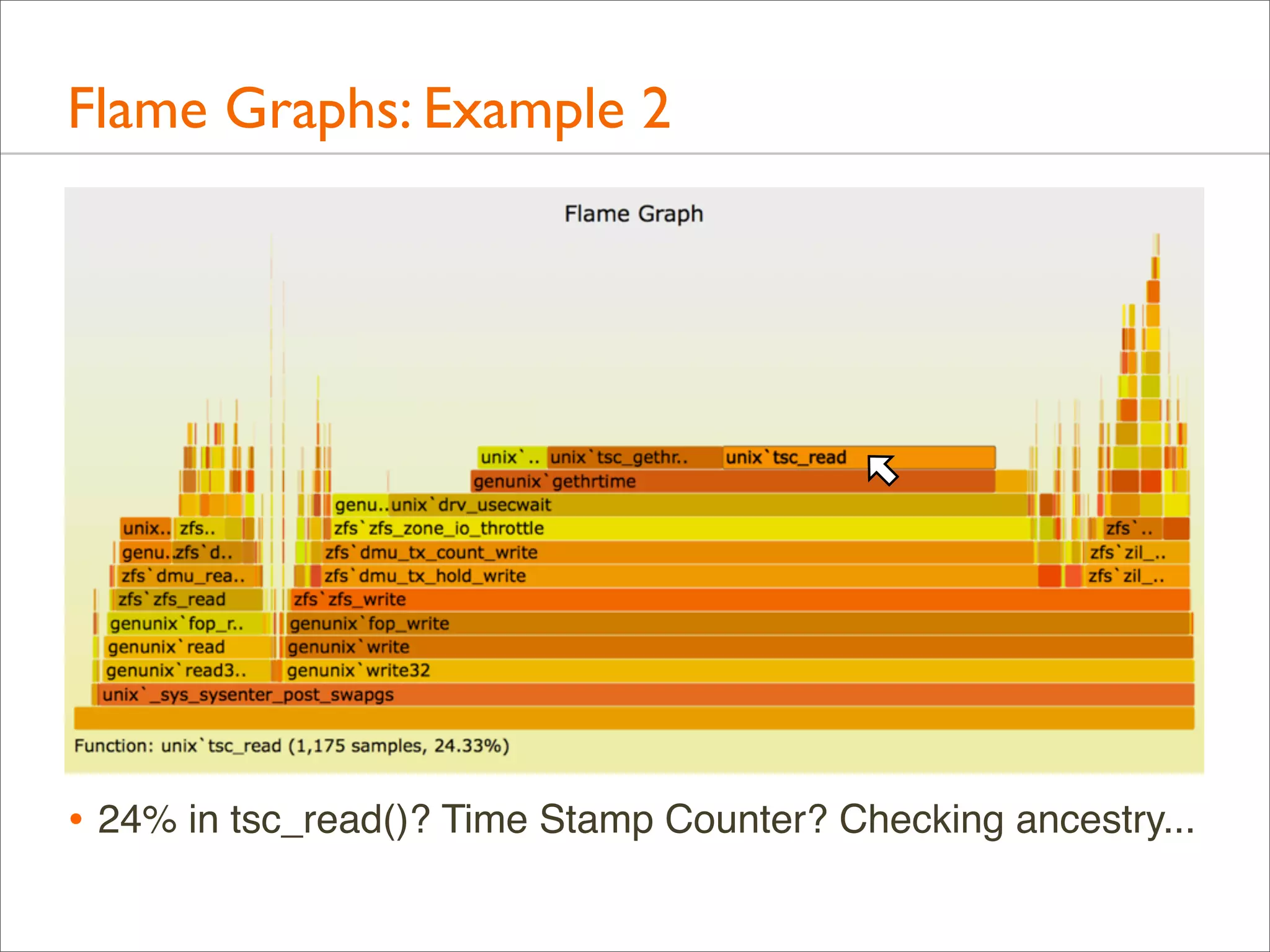
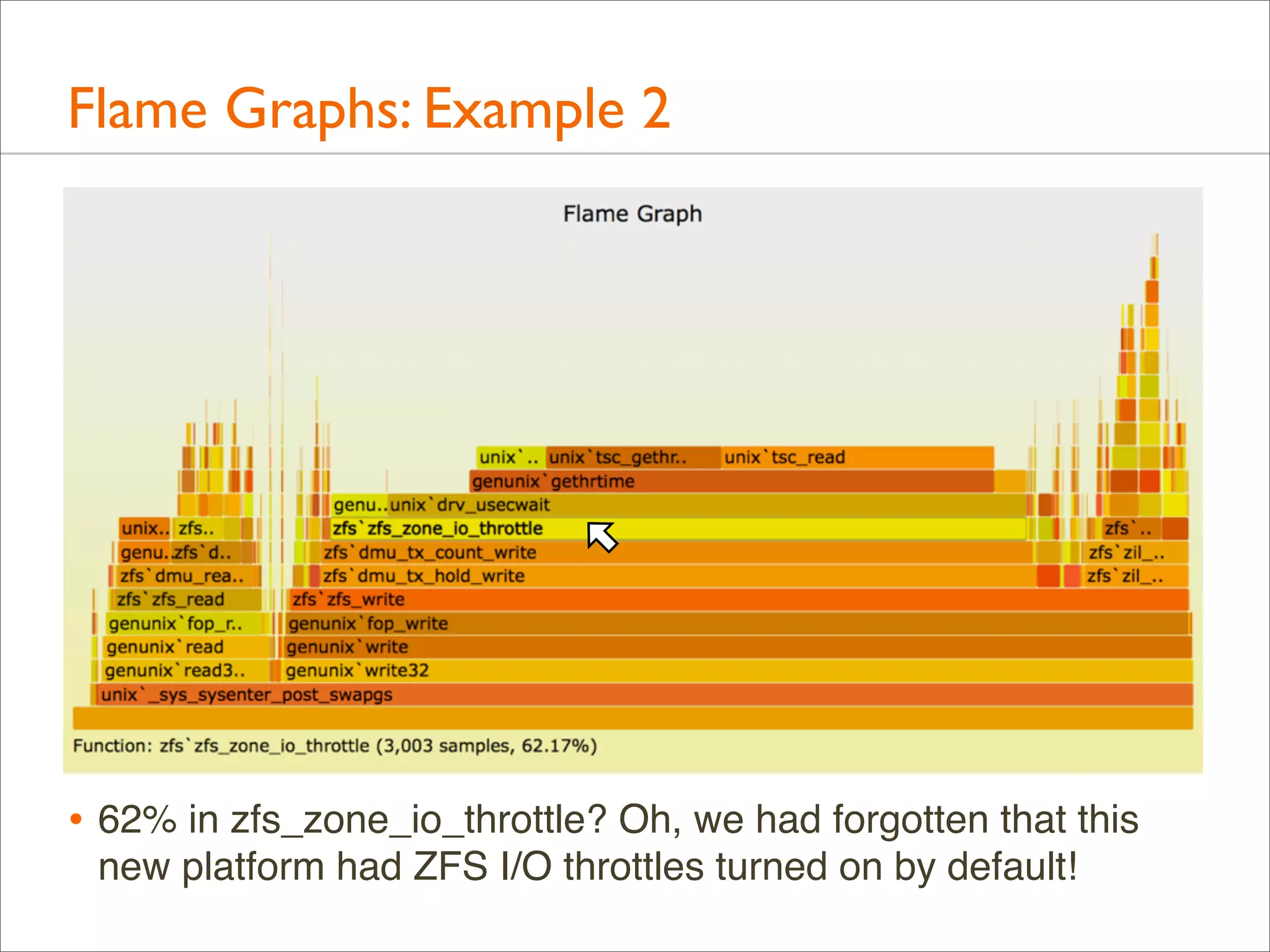
• 24% in tsc_read()? Time Stamp Counter? Checking ancestry...
Flame Graphs: Example 2

• 62% in zfs_zone_io_throttle? Oh, we had forgotten that this
new platform had ZFS I/O throttles turned on by default!
Flame Graphs: Example 3
• Application performance is about half that of a competitor
• Everything is believed identical (H/W, application, config,
workload) except for the OS and kernel

• Application is CPU busy, nearly 100% in user-mode. How can
the kernel cause a 2x delta when the app isn't in kernel-mode?

• Flame graphs on both platforms for user-mode were created:
• Linux, using perf
• SmartOS, using DTrace
• Added flamegraph.pl --hash option for consistent function
colors (not random), aiding comparisons
Flame Graphs: Example 3
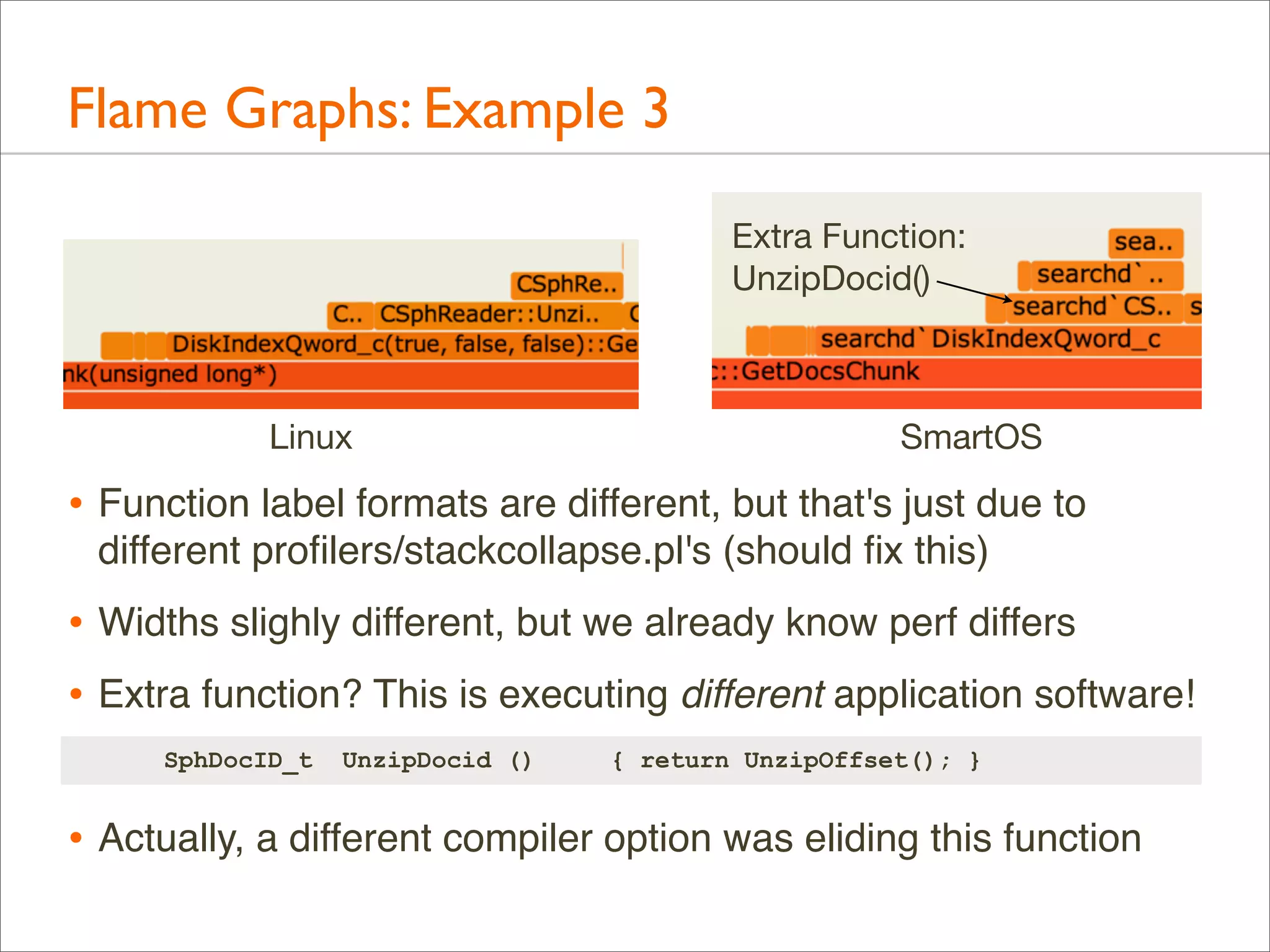
Extra Function:
UnzipDocid()

Linux

SmartOS

• Function label formats are different, but that's just due to
different profilers/stackcollapse.pl's (should fix this)

• Widths slighly different, but we already know perf differs
• Extra function? This is executing different application software!
SphDocID_t

UnzipDocid ()

{ return UnzipOffset(); }

• Actually, a different compiler option was eliding this function
Flame Graphs: More Examples
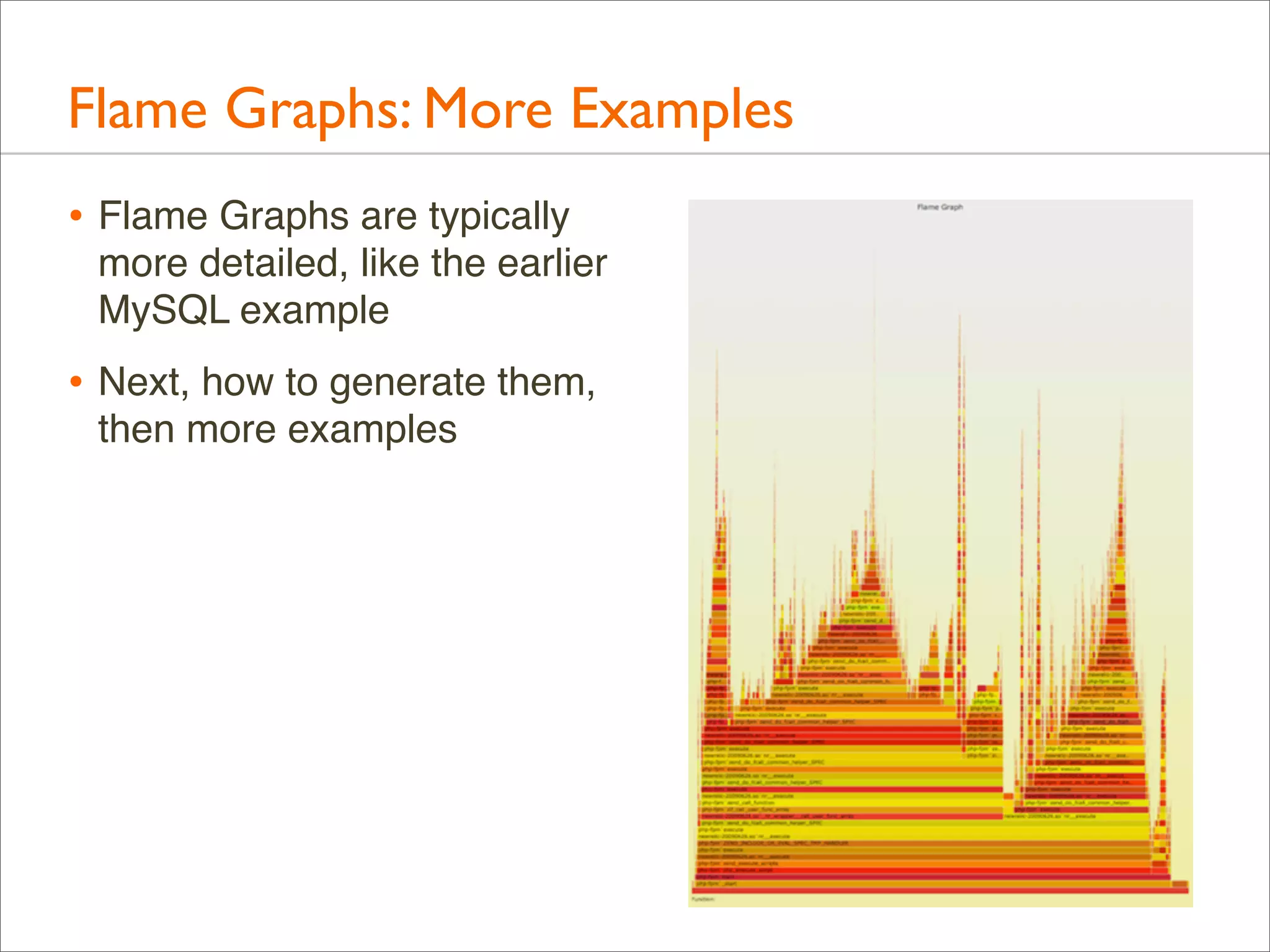
• Flame Graphs are typically
more detailed, like the earlier
MySQL example

• Next, how to generate them,
then more examples
Generation
Generation
• I’ll describe the original Perl version I wrote and shared on
github:

•

https://github.com/brendangregg/FlameGraph

• There are other great Flame Graph implementations with
different features and usage, which I’ll cover in the last section
Generation: Steps
• 1. Profile event of interest
• 2. stackcollapse.pl
• 3. flamegraph.pl
Generation: Overview
• Full command line example. This uses DTrace for CPU
profiling of the kernel:
# dtrace -x stackframes=100 -n 'profile-997 /arg0/ {
@[stack()] = count(); } tick-60s { exit(0); }' -o out.stacks
# stackcollapse.pl < out.stacks > out.folded
# flamegraph.pl < out.folded > out.svg

• Then, open out.svg in a browser
• Intermediate files could be avoided (piping), but they can be
handy for some manual processing if needed (eg, using vi)
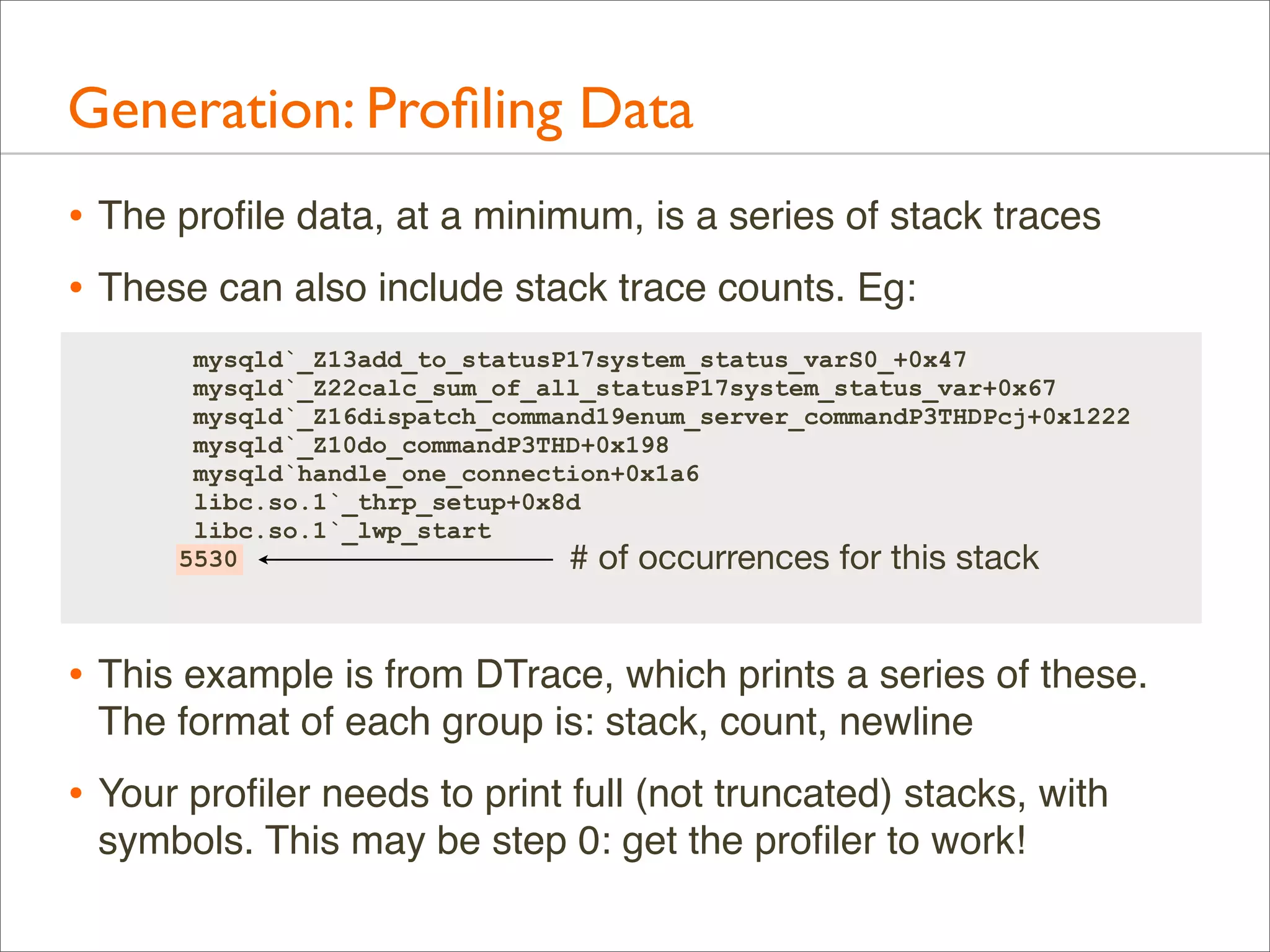
Generation: Profiling Data
• The profile data, at a minimum, is a series of stack traces
• These can also include stack trace counts. Eg:
mysqld`_Z13add_to_statusP17system_status_varS0_+0x47
mysqld`_Z22calc_sum_of_all_statusP17system_status_var+0x67
mysqld`_Z16dispatch_command19enum_server_commandP3THDPcj+0x1222
mysqld`_Z10do_commandP3THD+0x198
mysqld`handle_one_connection+0x1a6
libc.so.1`_thrp_setup+0x8d
libc.so.1`_lwp_start
5530
# of occurrences for this stack

• This example is from DTrace, which prints a series of these.
The format of each group is: stack, count, newline

• Your profiler needs to print full (not truncated) stacks, with
symbols. This may be step 0: get the profiler to work!
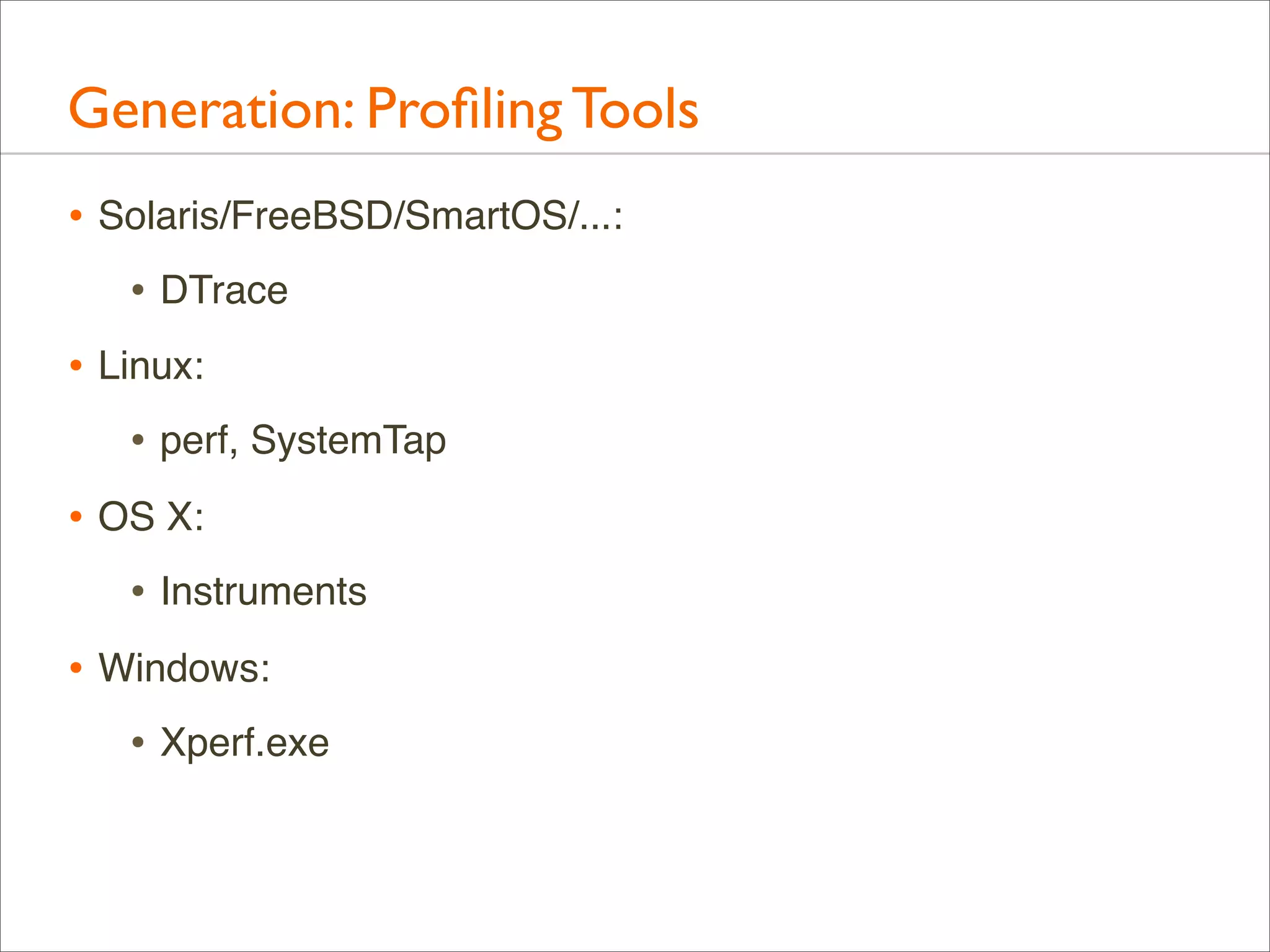
Generation: Profiling Tools
• Solaris/FreeBSD/SmartOS/...:
• DTrace
• Linux:
• perf, SystemTap
• OS X:
• Instruments
• Windows:
• Xperf.exe
Generation: Profiling Examples: DTrace
• CPU profile kernel stacks at 997 Hertz, for 60 secs:
# dtrace -x stackframes=100 -n 'profile-997 /arg0/ {
@[stack()] = count(); } tick-60s { exit(0); }' -o out.kern_stacks

• CPU profile user-level stacks for PID 12345 at 99 Hertz, 60s:
# dtrace -x ustackframes=100 -n 'profile-97 /PID == 12345 && arg1/ {
@[ustack()] = count(); } tick-60s { exit(0); }' -o out.user_stacks

• Should also work on Mac OS X, but is pending some fixes
preventing stack walking (use Instruments instead)

• Should work for Linux one day with the DTrace ports
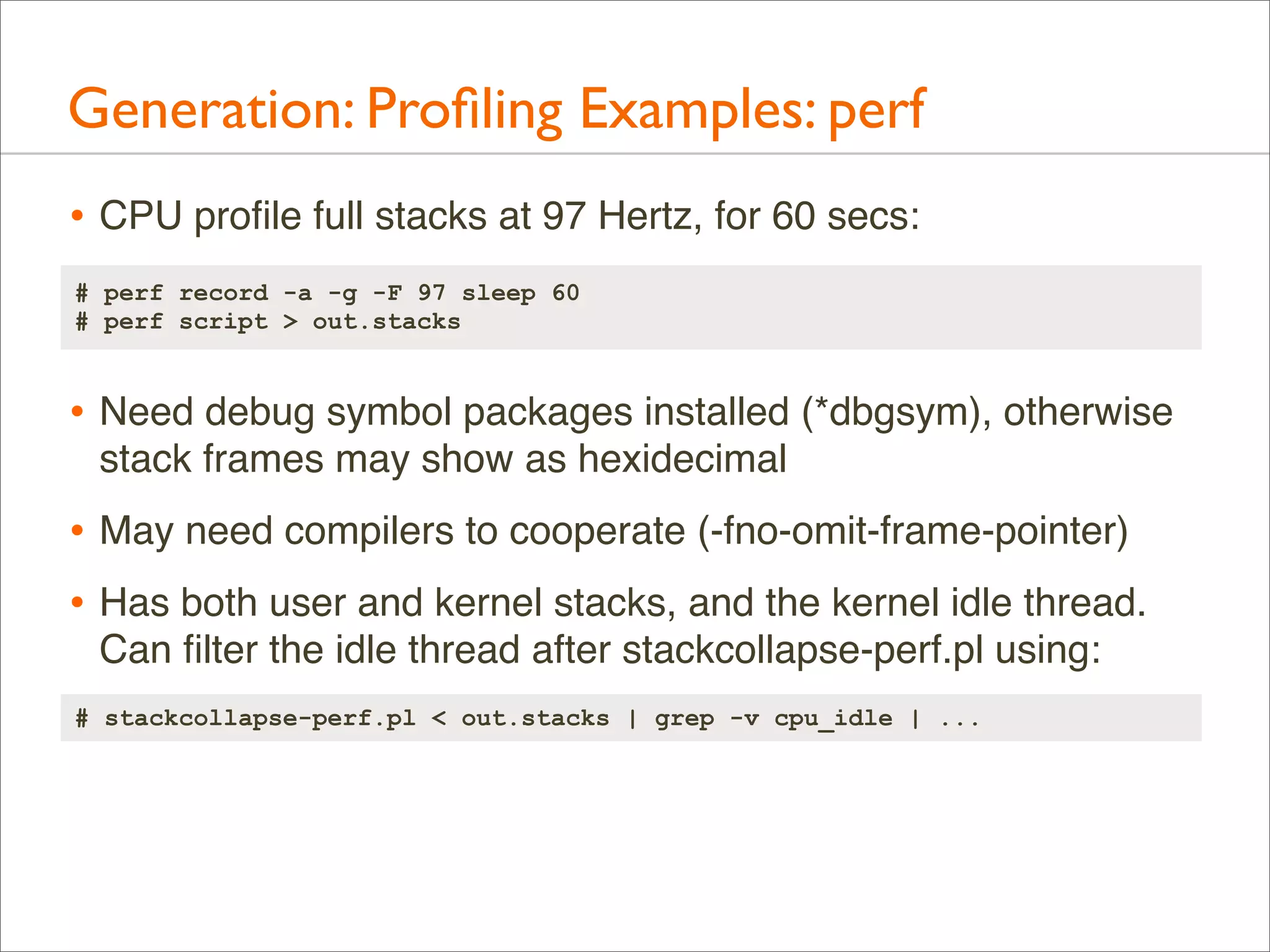
Generation: Profiling Examples: perf
• CPU profile full stacks at 97 Hertz, for 60 secs:
# perf record -a -g -F 97 sleep 60
# perf script > out.stacks

• Need debug symbol packages installed (*dbgsym), otherwise
stack frames may show as hexidecimal

• May need compilers to cooperate (-fno-omit-frame-pointer)
• Has both user and kernel stacks, and the kernel idle thread.
Can filter the idle thread after stackcollapse-perf.pl using:
# stackcollapse-perf.pl < out.stacks | grep -v cpu_idle | ...
Generation: Profiling Examples: SystemTap
• CPU profile kernel stacks at 100 Hertz, for 60 secs:
# stap -s 32 -D MAXTRACE=100 -D MAXSTRINGLEN=4096 -D MAXMAPENTRIES=10240 
-D MAXACTION=10000 -D STP_OVERLOAD_THRESHOLD=5000000000 --all-modules 
-ve 'global s; probe timer.profile { s[backtrace()] <<< 1; }
probe end { foreach (i in s+) { print_stack(i);
printf("t%dn", @count(s[i])); } } probe timer.s(60) { exit(); }' 
> out.kern_stacks

• Need debug symbol packages installed (*dbgsym), otherwise
stack frames may show as hexidecimal

• May need compilers to cooperate (-fno-omit-frame-pointer)
Generation: Dynamic Languages
• C or C++ are usually easy to profile, runtime environments
(JVM, node.js, ...) are usually not, typically a way to show
program stacks and not just runtime internals.

• Eg, DTrace’s ustack helper for node.js:
0xfc618bc0
0xfc61bd62
0xfe870841
0xfc61c1f3
0xfc617685
0xfe870841
0xfc6154d7
0xfe870e1a
[...]

libc.so.1`gettimeofday+0x7
Date at position
<< adaptor >>
<< constructor >>
(anon) as exports.active at timers.js position 7590
(anon) as Socket._write at net.js position 21336
(anon) as Socket.write at net.js position 19714
<< adaptor >>
(anon) as OutgoingMessage._writeRaw at http.js p...
(anon) as OutgoingMessage._send at http.js posit...
<< adaptor >>
(anon) as OutgoingMessage.end at http.js pos...
[...]

http://dtrace.org/blogs/dap/2012/01/05/where-does-your-node-program-spend-its-time/
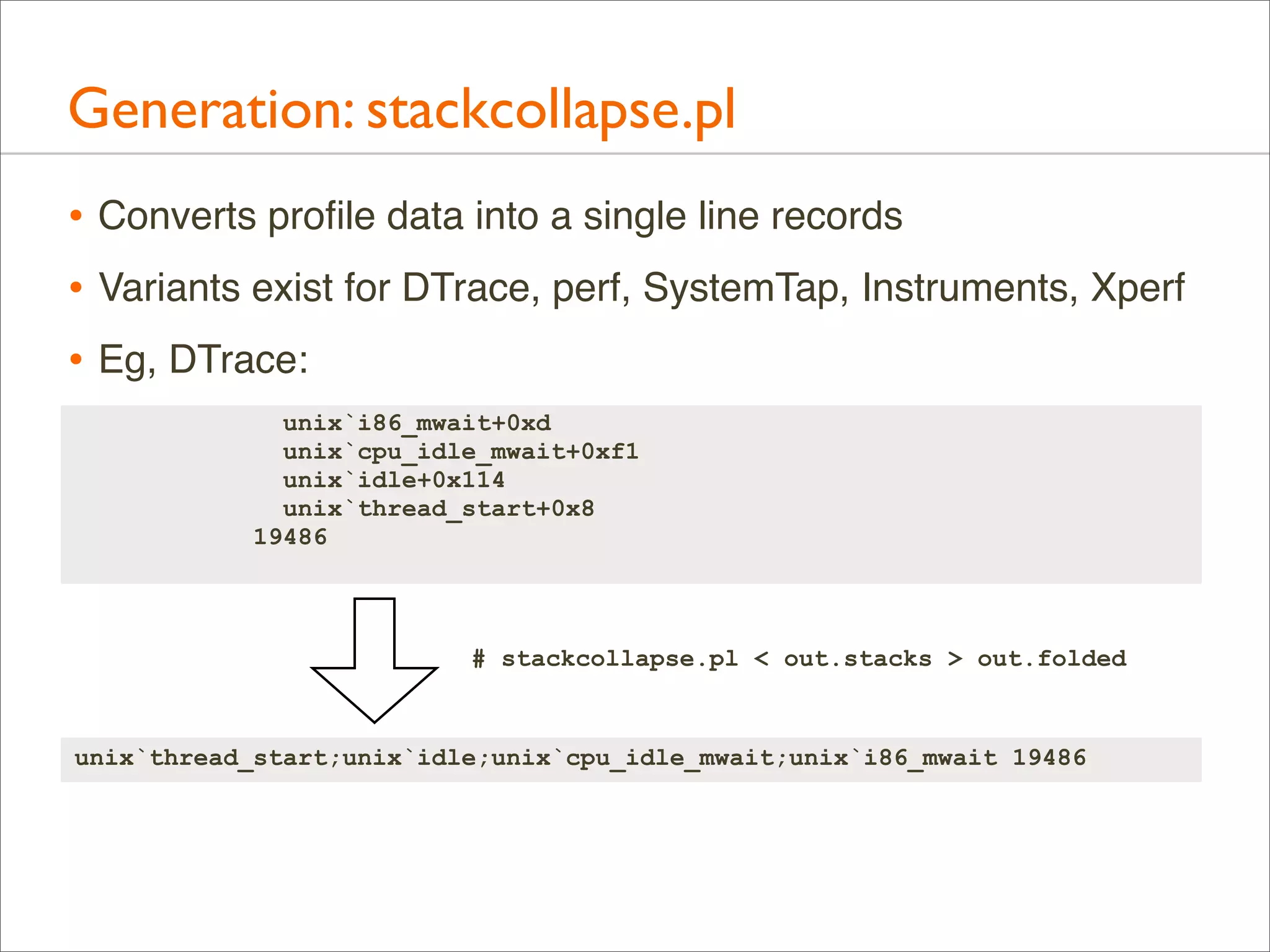
Generation: stackcollapse.pl
• Converts profile data into a single line records
• Variants exist for DTrace, perf, SystemTap, Instruments, Xperf
• Eg, DTrace:
unix`i86_mwait+0xd
unix`cpu_idle_mwait+0xf1
unix`idle+0x114
unix`thread_start+0x8
19486

# stackcollapse.pl < out.stacks > out.folded

unix`thread_start;unix`idle;unix`cpu_idle_mwait;unix`i86_mwait 19486
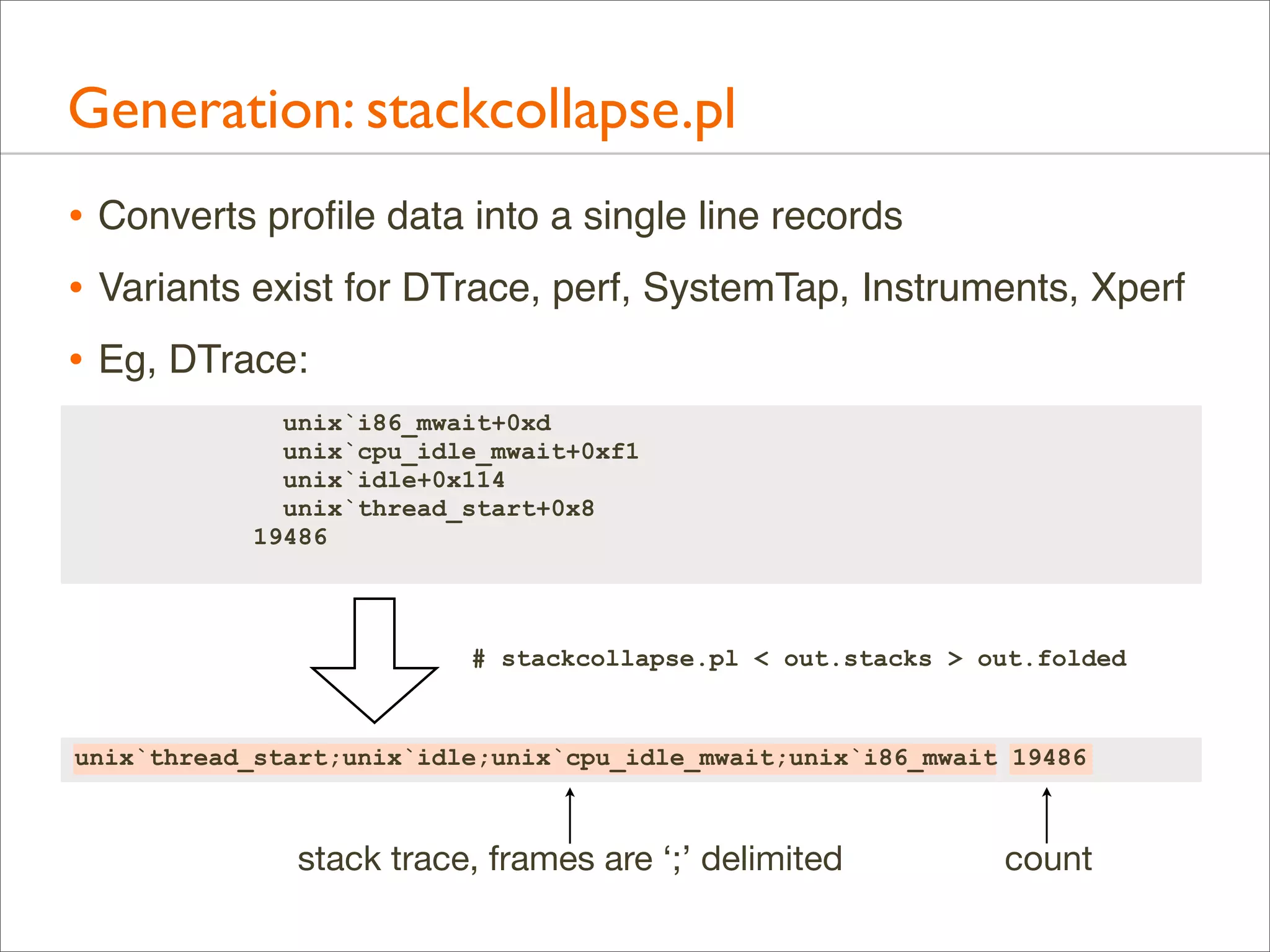
Generation: stackcollapse.pl
• Converts profile data into a single line records
• Variants exist for DTrace, perf, SystemTap, Instruments, Xperf
• Eg, DTrace:
unix`i86_mwait+0xd
unix`cpu_idle_mwait+0xf1
unix`idle+0x114
unix`thread_start+0x8
19486

# stackcollapse.pl < out.stacks > out.folded

unix`thread_start;unix`idle;unix`cpu_idle_mwait;unix`i86_mwait 19486

stack trace, frames are ‘;’ delimited

count
Generation: stackcollapse.pl
• Full output is many lines, one line per stack
• Bonus: can be grepped
# ./stackcollapse-stap.pl out.stacks | grep ext4fs_dirhash
system_call_fastpath;sys_getdents;vfs_readdir;ext4_readdir;ext4_htree_fill_
tree;htree_dirblock_to_tree;ext4fs_dirhash 100
system_call_fastpath;sys_getdents;vfs_readdir;ext4_readdir;ext4_htree_fill_
tree;htree_dirblock_to_tree;ext4fs_dirhash;half_md4_transform 505
system_call_fastpath;sys_getdents;vfs_readdir;ext4_readdir;ext4_htree_fill_
tree;htree_dirblock_to_tree;ext4fs_dirhash;str2hashbuf_signed 353
[...]

• That shows all stacks containing ext4fs_dirhash(); useful
debug aid by itself

• grep can also be used to filter stacks before Flame Graphs
• eg: grep -v cpu_idle
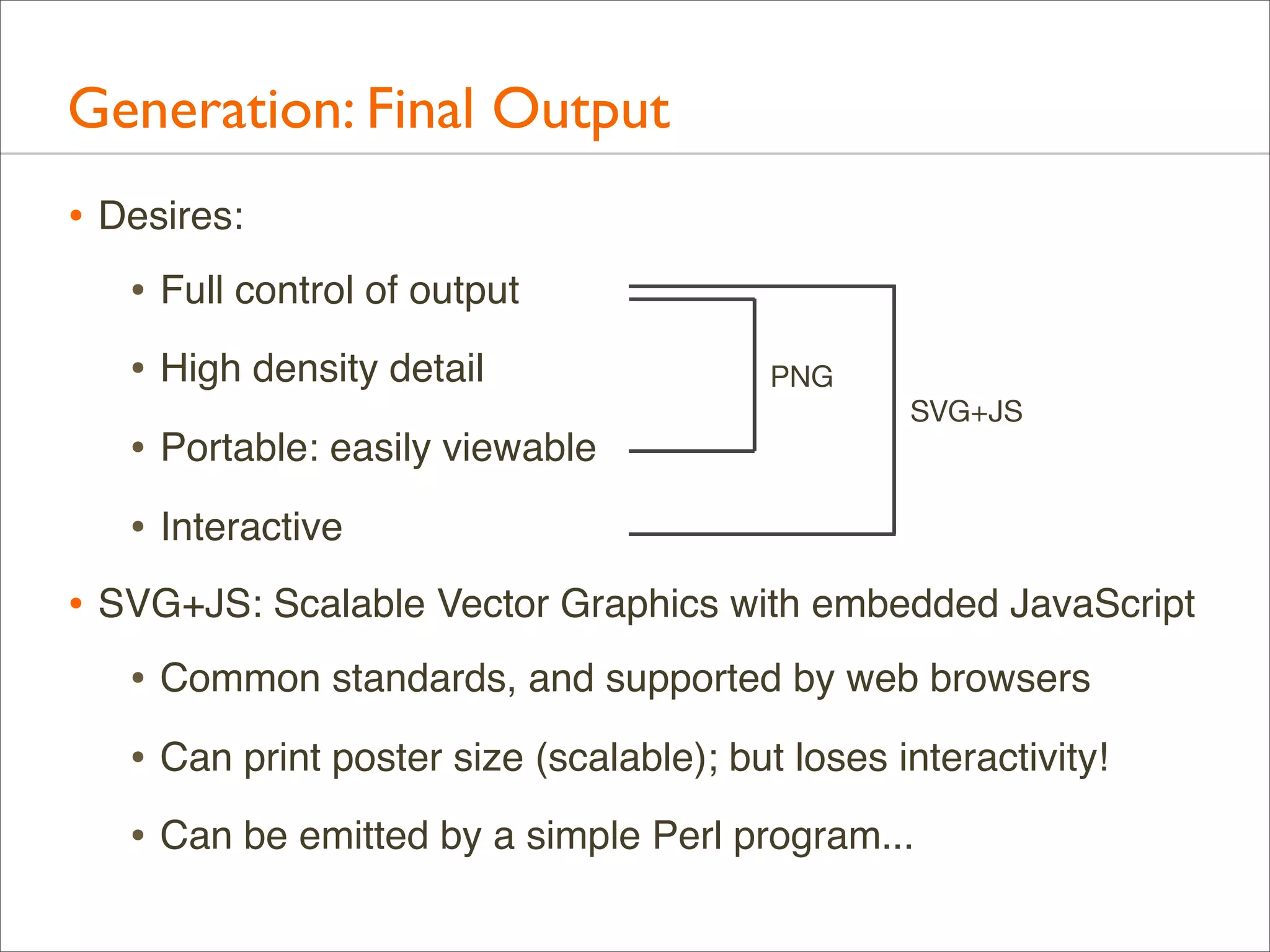
Generation: Final Output
• Desires:
• Full control of output
• High density detail
• Portable: easily viewable
• Interactive
Generation: Final Output
• Desires:
• Full control of output
• High density detail
• Portable: easily viewable

PNG
SVG+JS

• Interactive
• SVG+JS: Scalable Vector Graphics with embedded JavaScript
• Common standards, and supported by web browsers
• Can print poster size (scalable); but loses interactivity!
• Can be emitted by a simple Perl program...
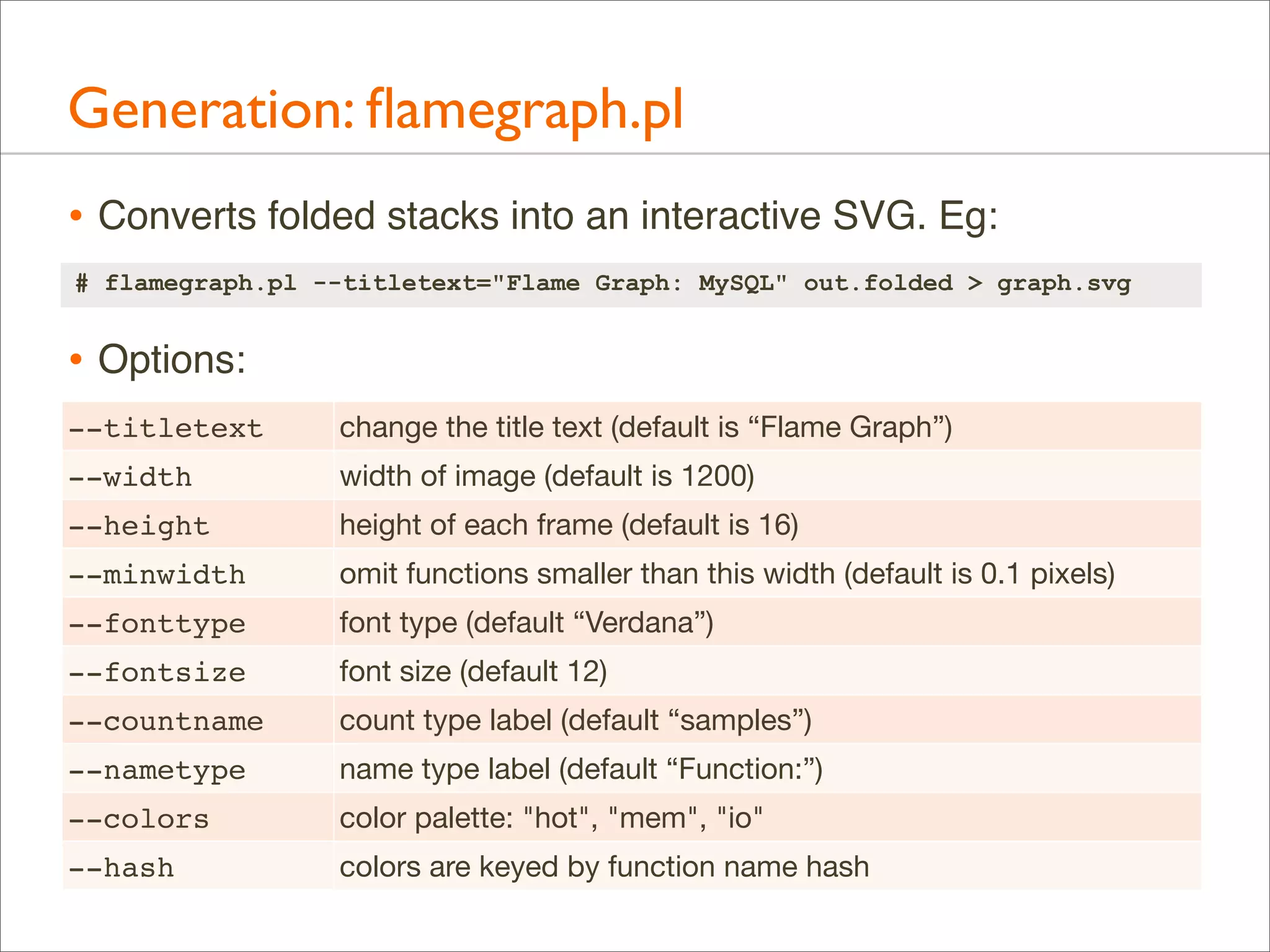
Generation: flamegraph.pl
• Converts folded stacks into an interactive SVG. Eg:
# flamegraph.pl --titletext="Flame Graph: MySQL" out.folded > graph.svg

• Options:
--titletext

change the title text (default is “Flame Graph”)

--width

width of image (default is 1200)

--height

height of each frame (default is 16)

--minwidth

omit functions smaller than this width (default is 0.1 pixels)

--fonttype

font type (default “Verdana”)

--fontsize

font size (default 12)

--countname

count type label (default “samples”)

--nametype

name type label (default “Function:”)

--colors

color palette: "hot", "mem", "io"

--hash

colors are keyed by function name hash
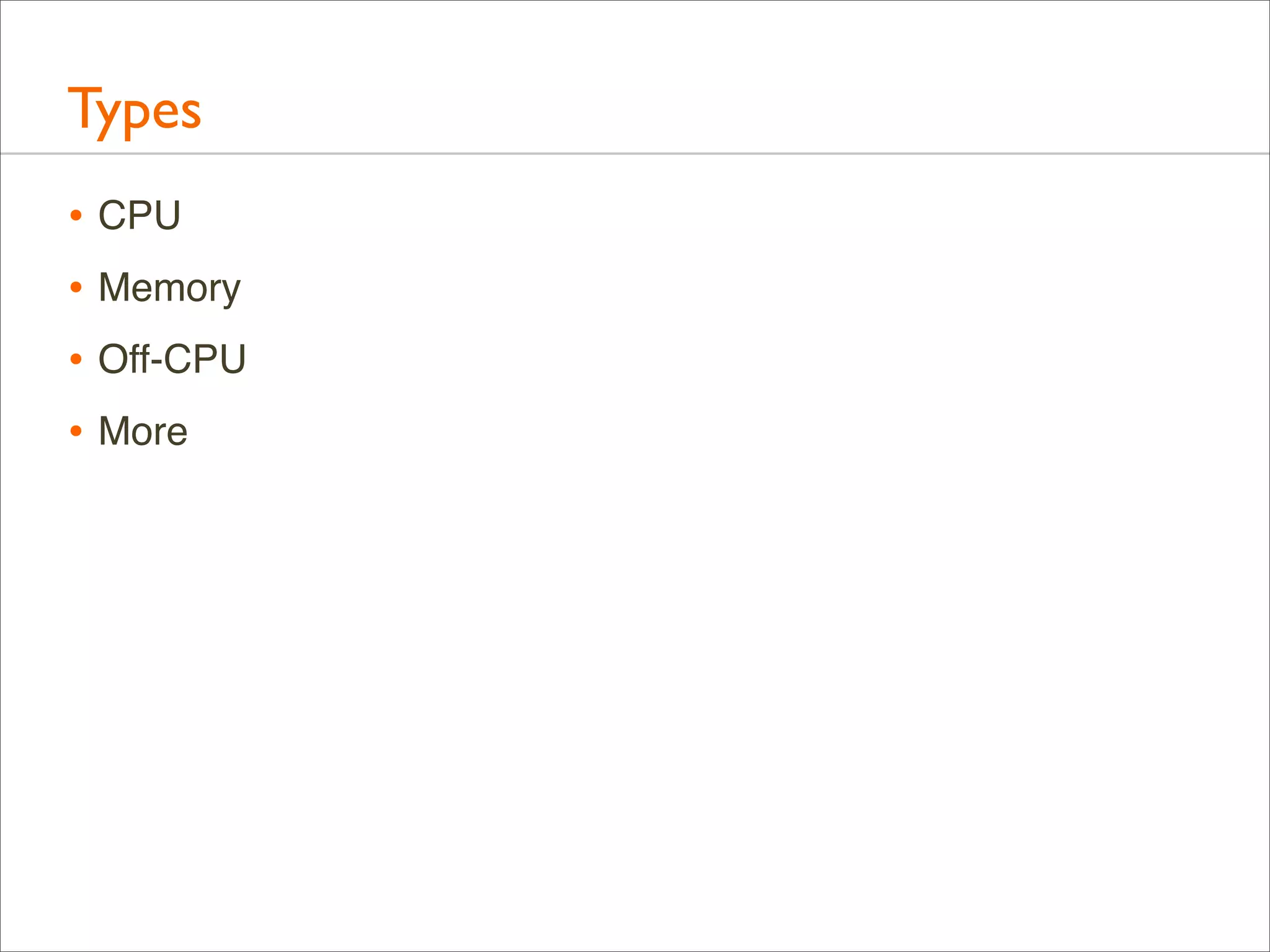
Types
Types
• CPU
• Memory
• Off-CPU
• More
CPU
CPU
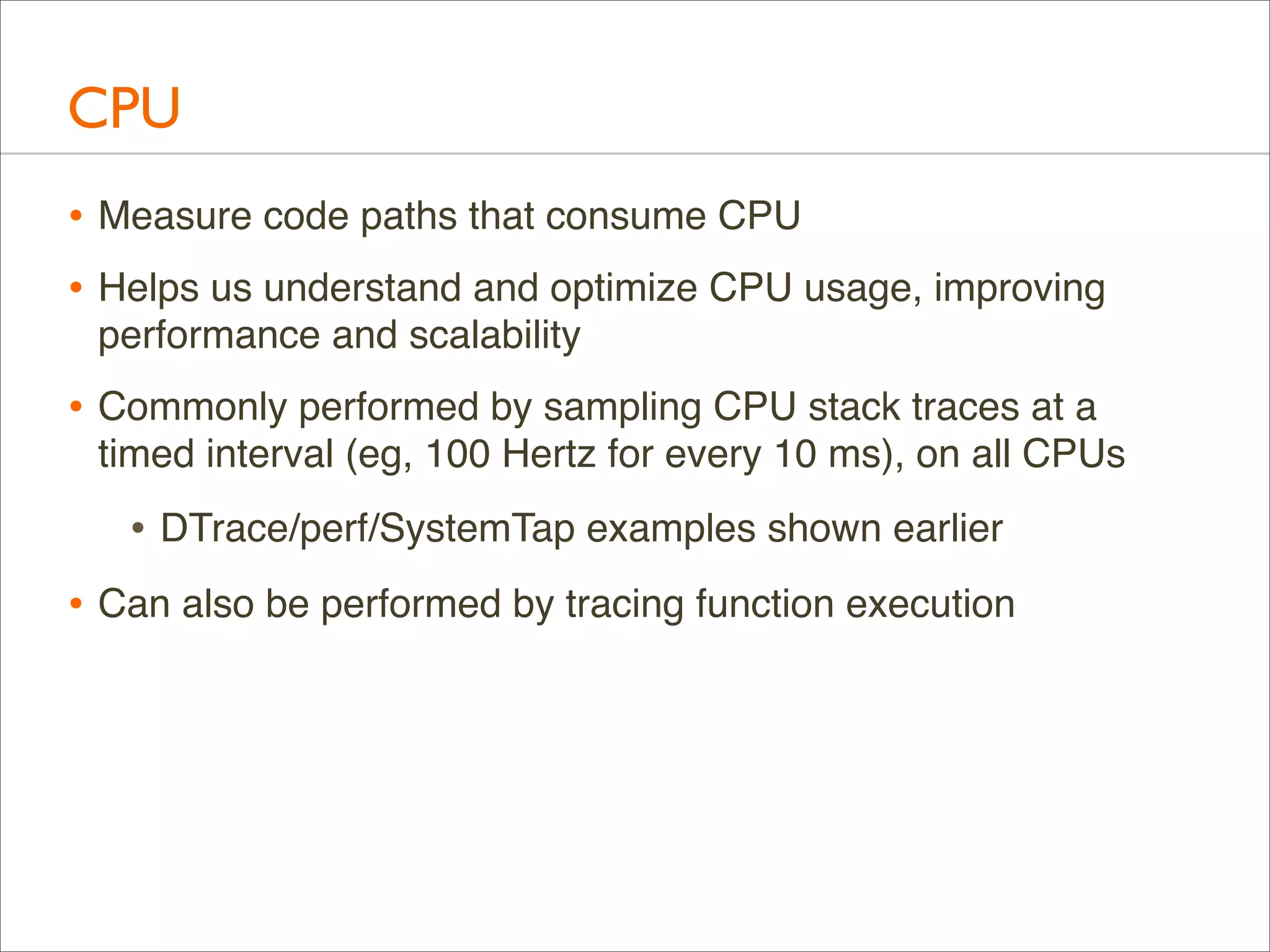
• Measure code paths that consume CPU
• Helps us understand and optimize CPU usage, improving
performance and scalability

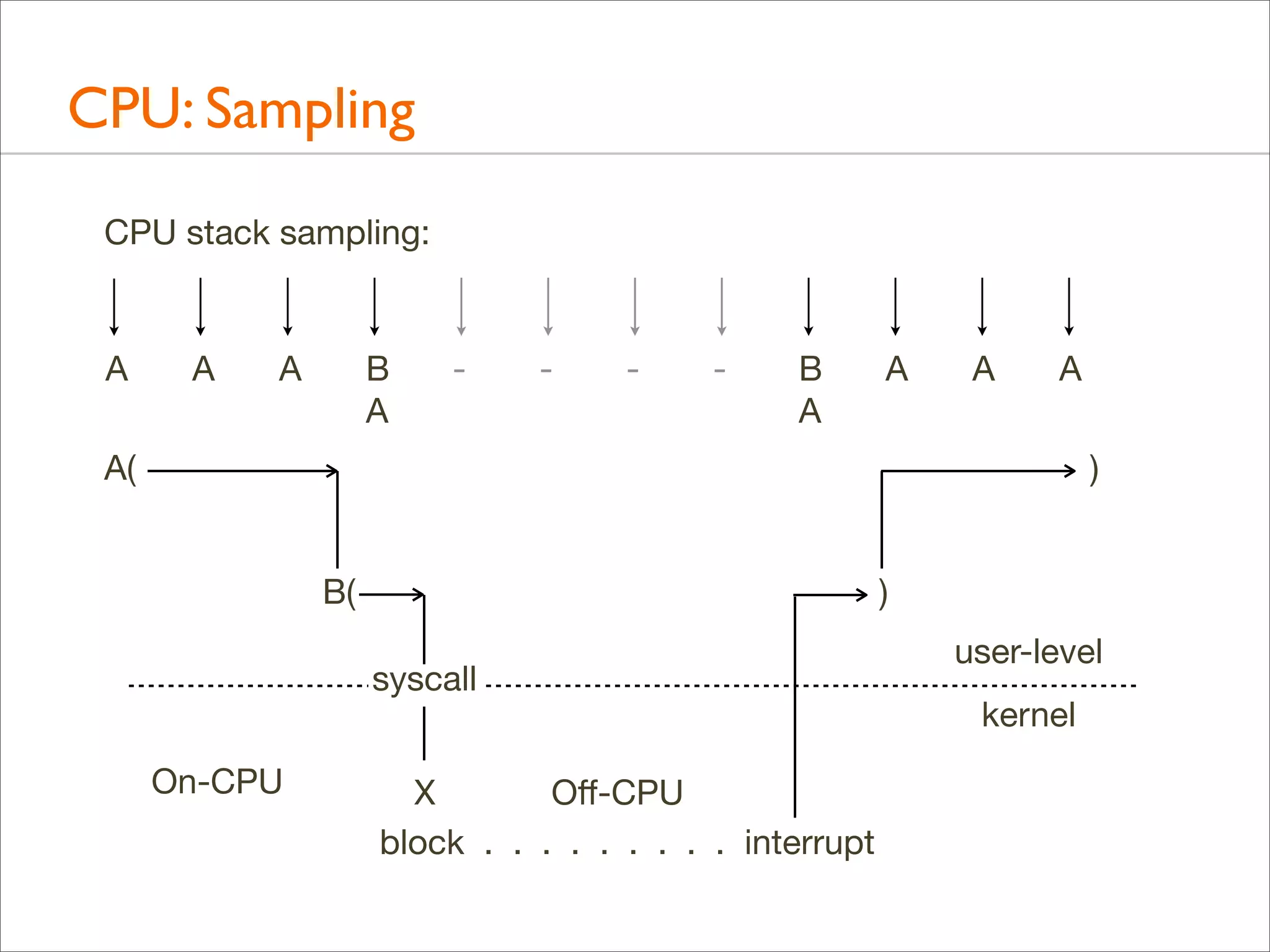
• Commonly performed by sampling CPU stack traces at a
timed interval (eg, 100 Hertz for every 10 ms), on all CPUs

• DTrace/perf/SystemTap examples shown earlier
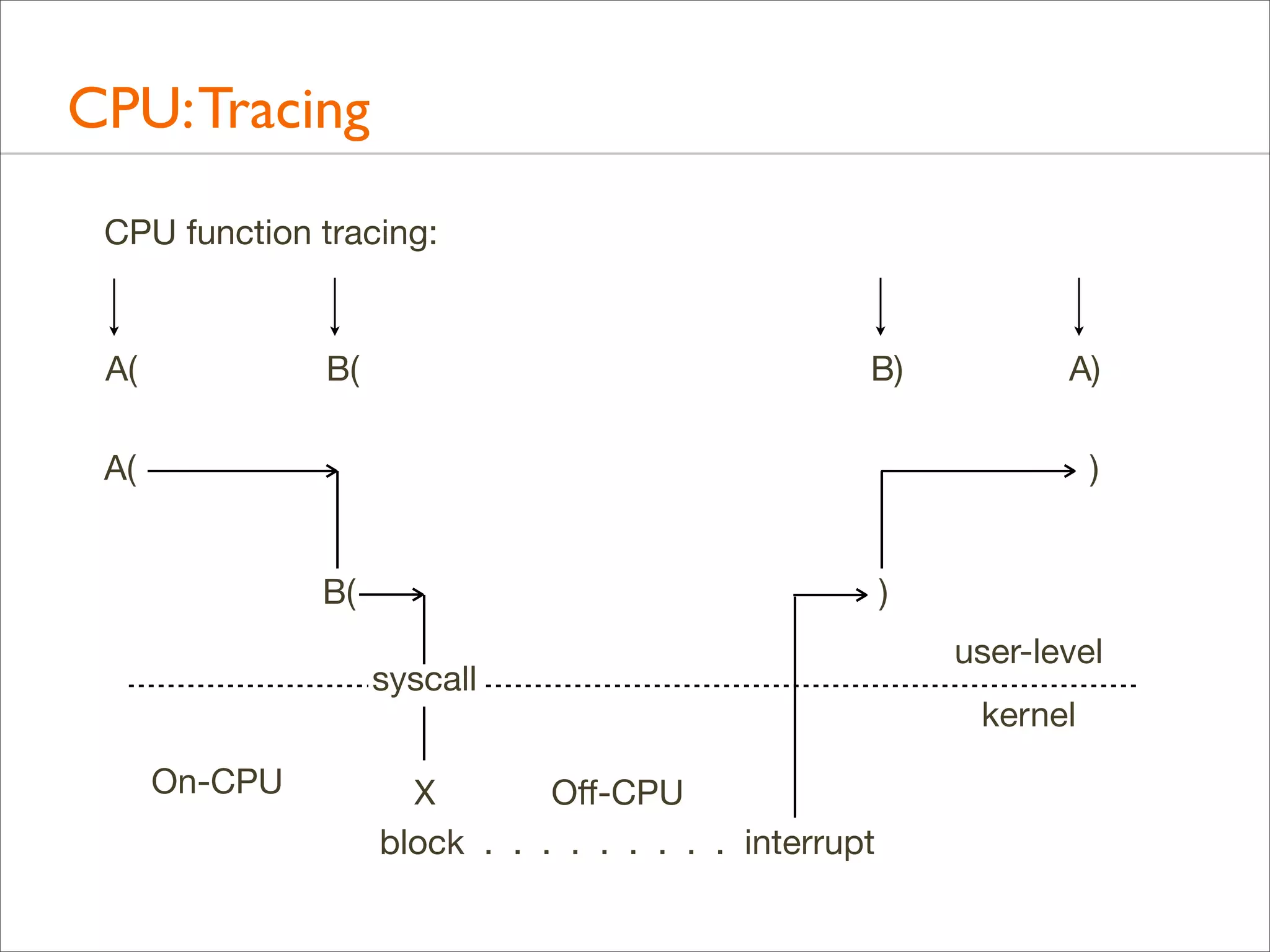
• Can also be performed by tracing function execution
CPU: Sampling
CPU stack sampling:

A

A

A

B
A

-

-

-

-

B
A

A

A

A

A(

)
B(

)
syscall

On-CPU

X
Off-CPU
block . . . . . . . . . interrupt

user-level
kernel
CPU: Tracing
CPU function tracing:

A(

B(

B)

A)

A(

)
B(

)
syscall

On-CPU

X
Off-CPU
block . . . . . . . . . interrupt

user-level
kernel
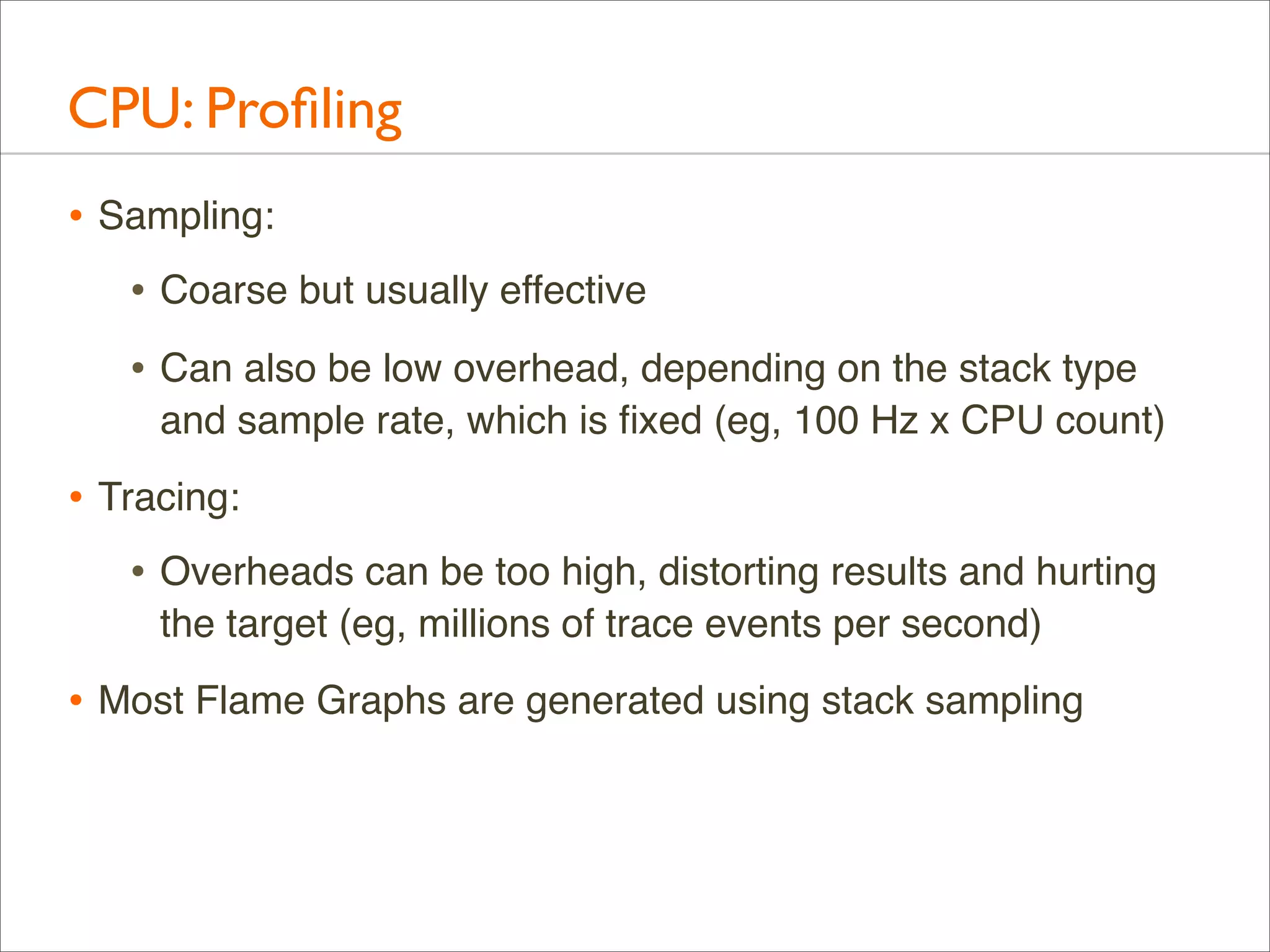
CPU: Profiling
• Sampling:
• Coarse but usually effective
• Can also be low overhead, depending on the stack type
and sample rate, which is fixed (eg, 100 Hz x CPU count)

• Tracing:
• Overheads can be too high, distorting results and hurting
the target (eg, millions of trace events per second)

• Most Flame Graphs are generated using stack sampling
CPU: Profiling Results
• Example results. Could you do this?
As an experiment to investigate the performance of the
resulting TCP/IP implementation ... the 11/750 is CPU
saturated, but the 11/780 has about 30% idle time. The time
spent in the system processing the data is spread out among
handling for the Ethernet (20%), IP packet processing (10%),
TCP processing (30%), checksumming (25%), and user
system call handling (15%), with no single part of the handling
dominating the time in the system.
CPU: Profiling Results
• Example results. Could you do this?
As an experiment to investigate the performance of the
resulting TCP/IP implementation ... the 11/750 is CPU
saturated, but the 11/780 has about 30% idle time. The time
spent in the system processing the data is spread out among
handling for the Ethernet (20%), IP packet processing (10%),
TCP processing (30%), checksumming (25%), and user
system call handling (15%), with no single part of the handling
dominating the time in the system.

– Bill Joy, 1981, TCP-IP Digest, Vol 1 #6

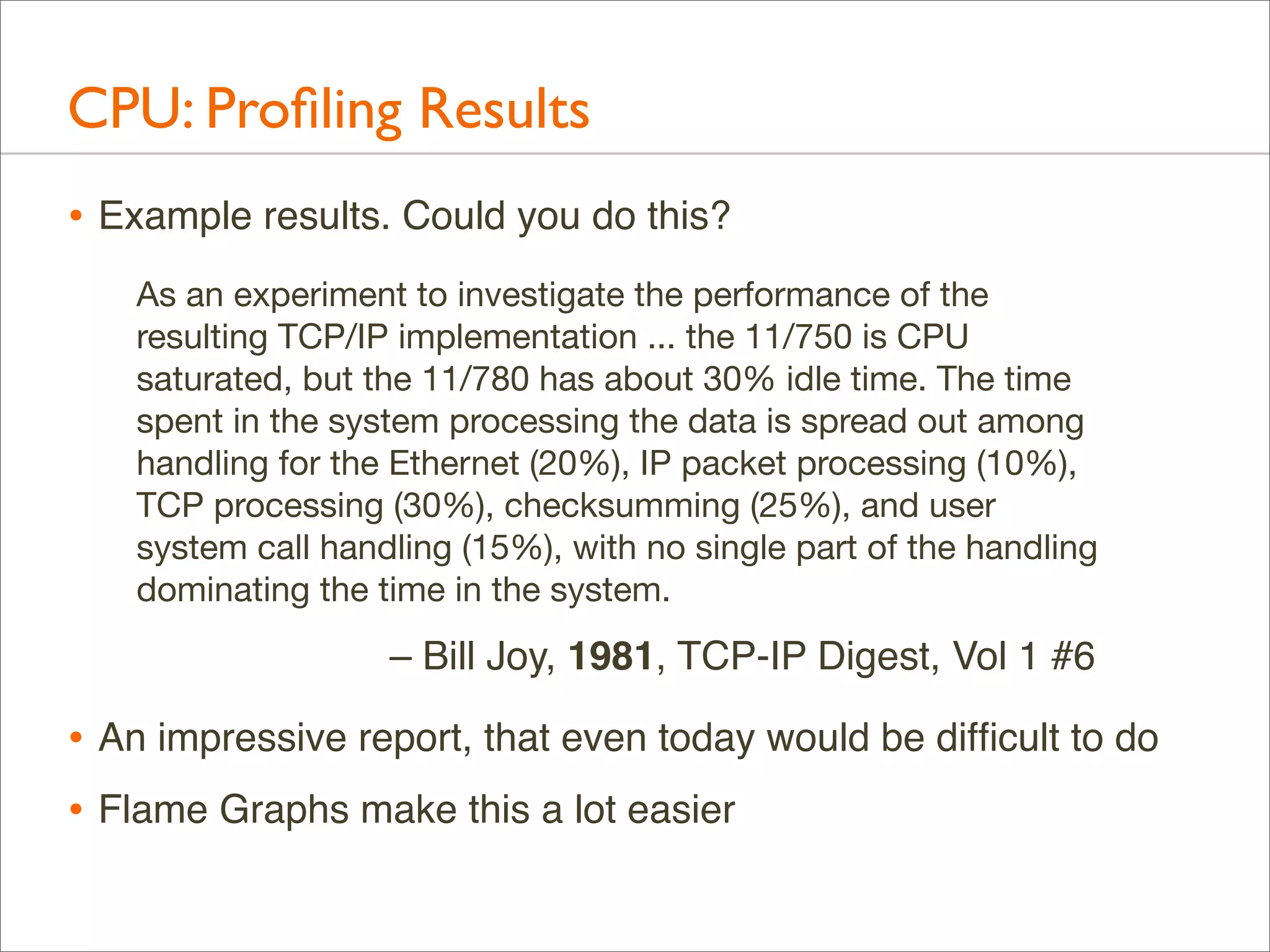
• An impressive report, that even today would be difficult to do
• Flame Graphs make this a lot easier
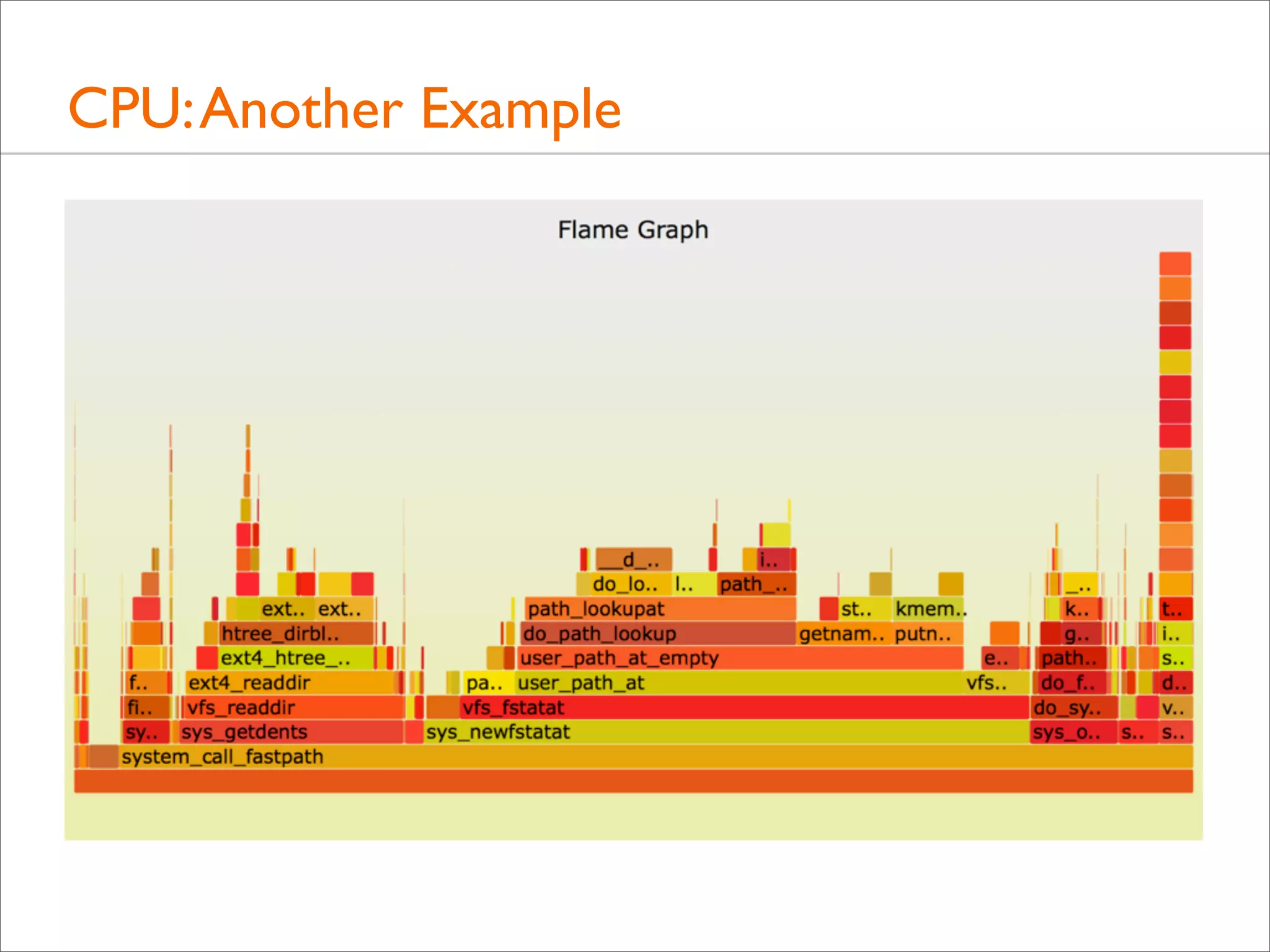
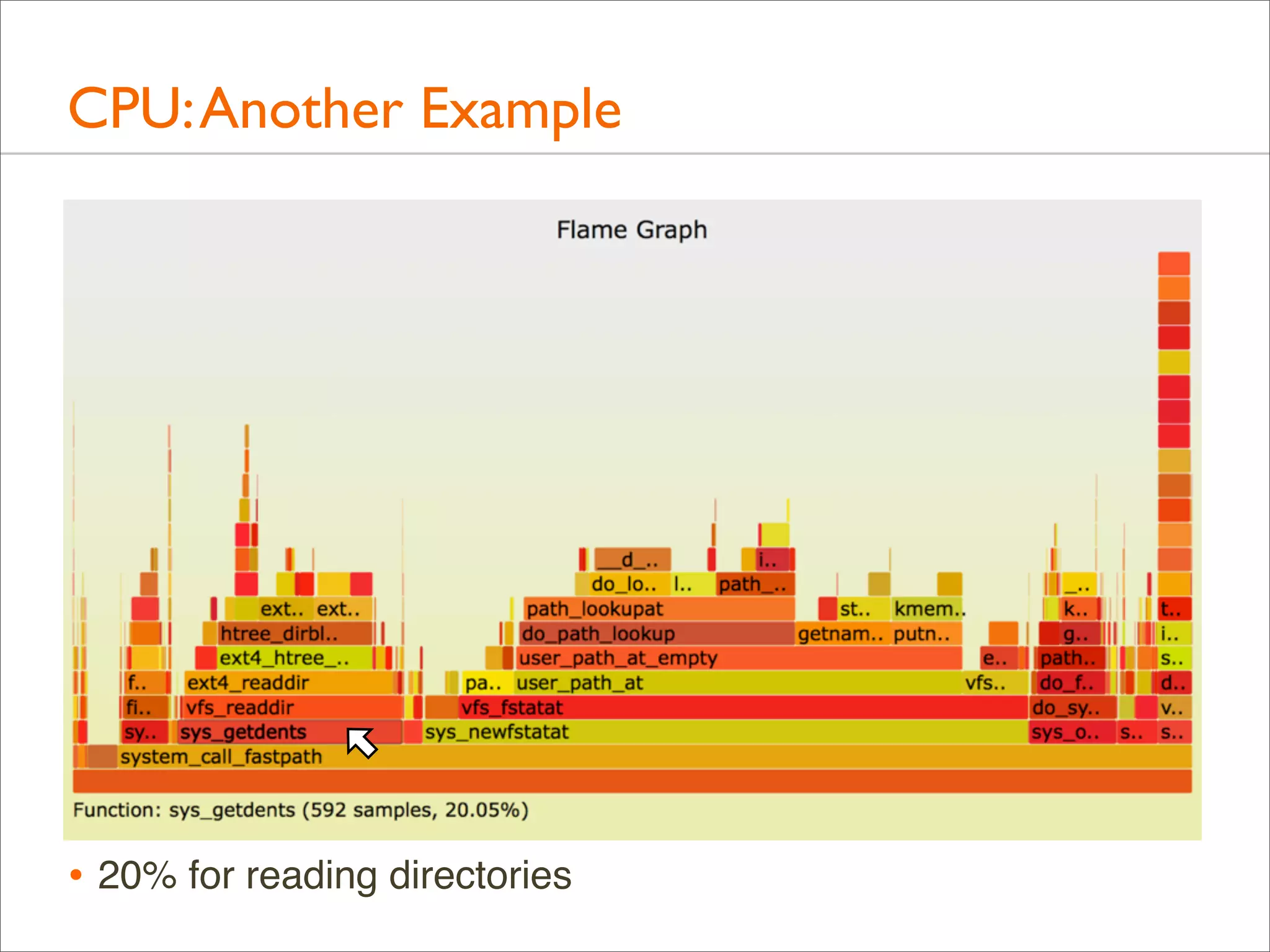
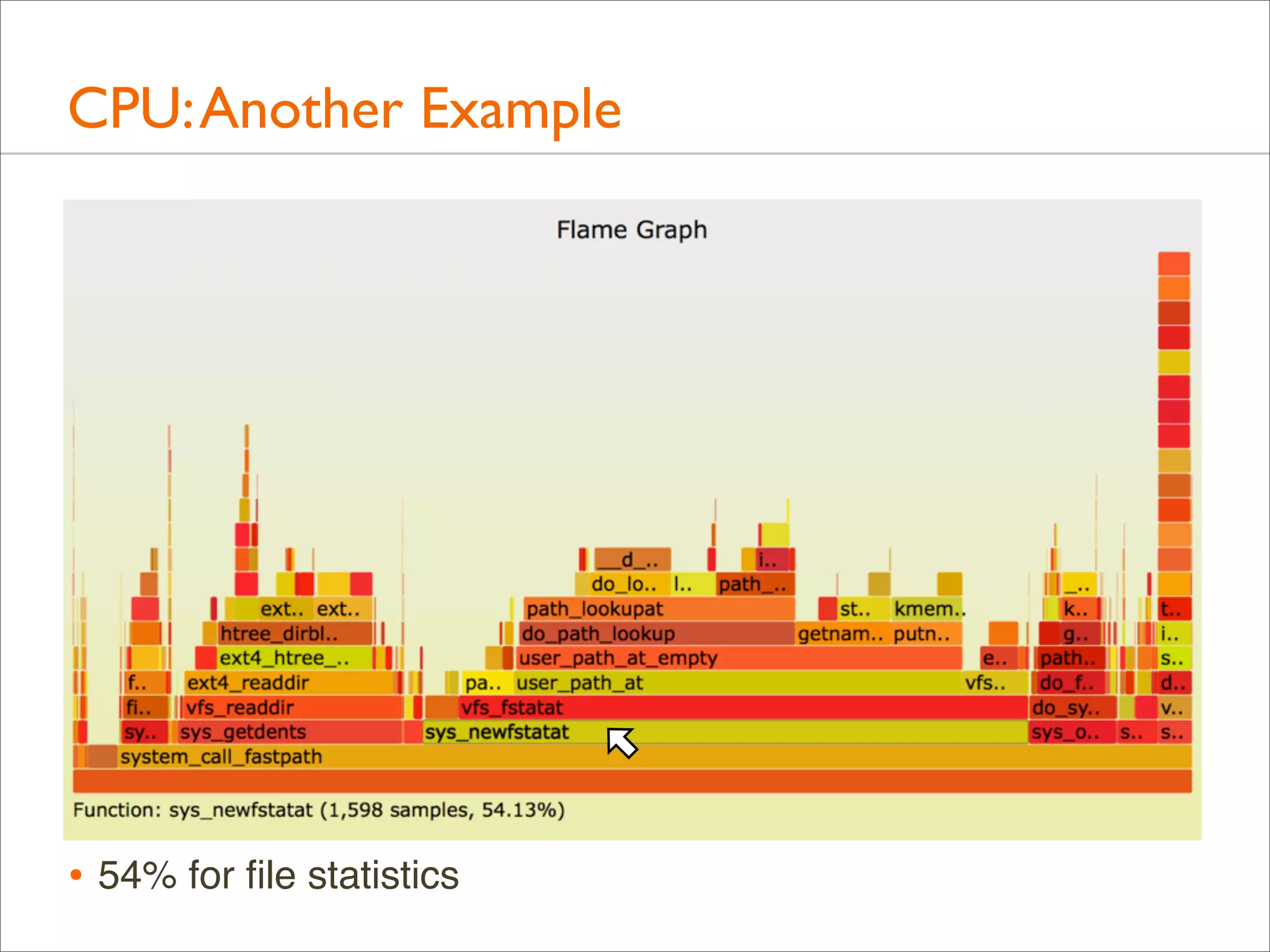
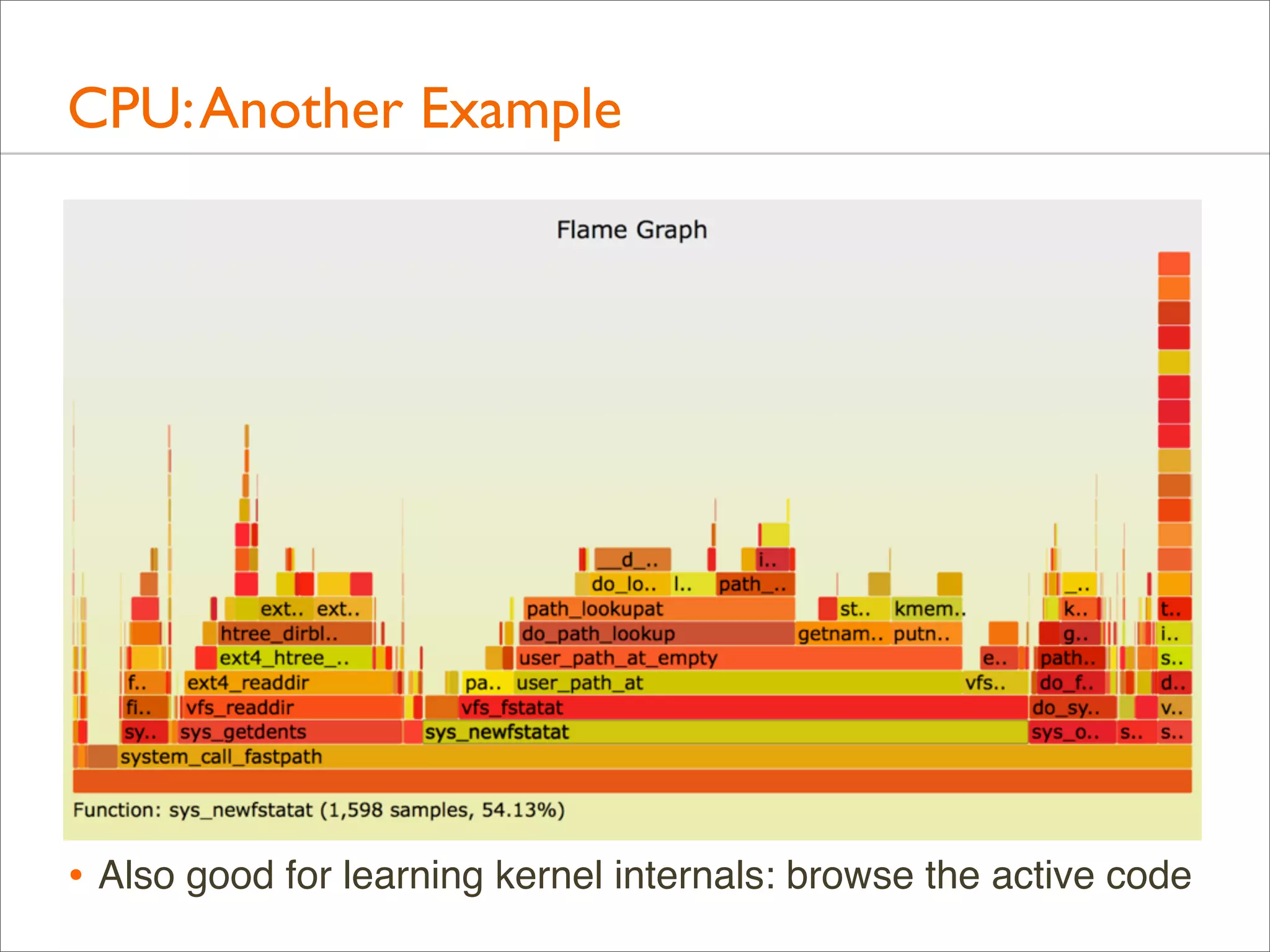
CPU: Another Example
• A file system is archived using tar(1).
• The files and directories are cached, and the run time is
mostly on-CPU in the kernel (Linux). Where exactly?
CPU: Another Example

• 20% for reading directories
CPU: Another Example

• 54% for file statistics
CPU: Another Example

• Also good for learning kernel internals: browse the active code
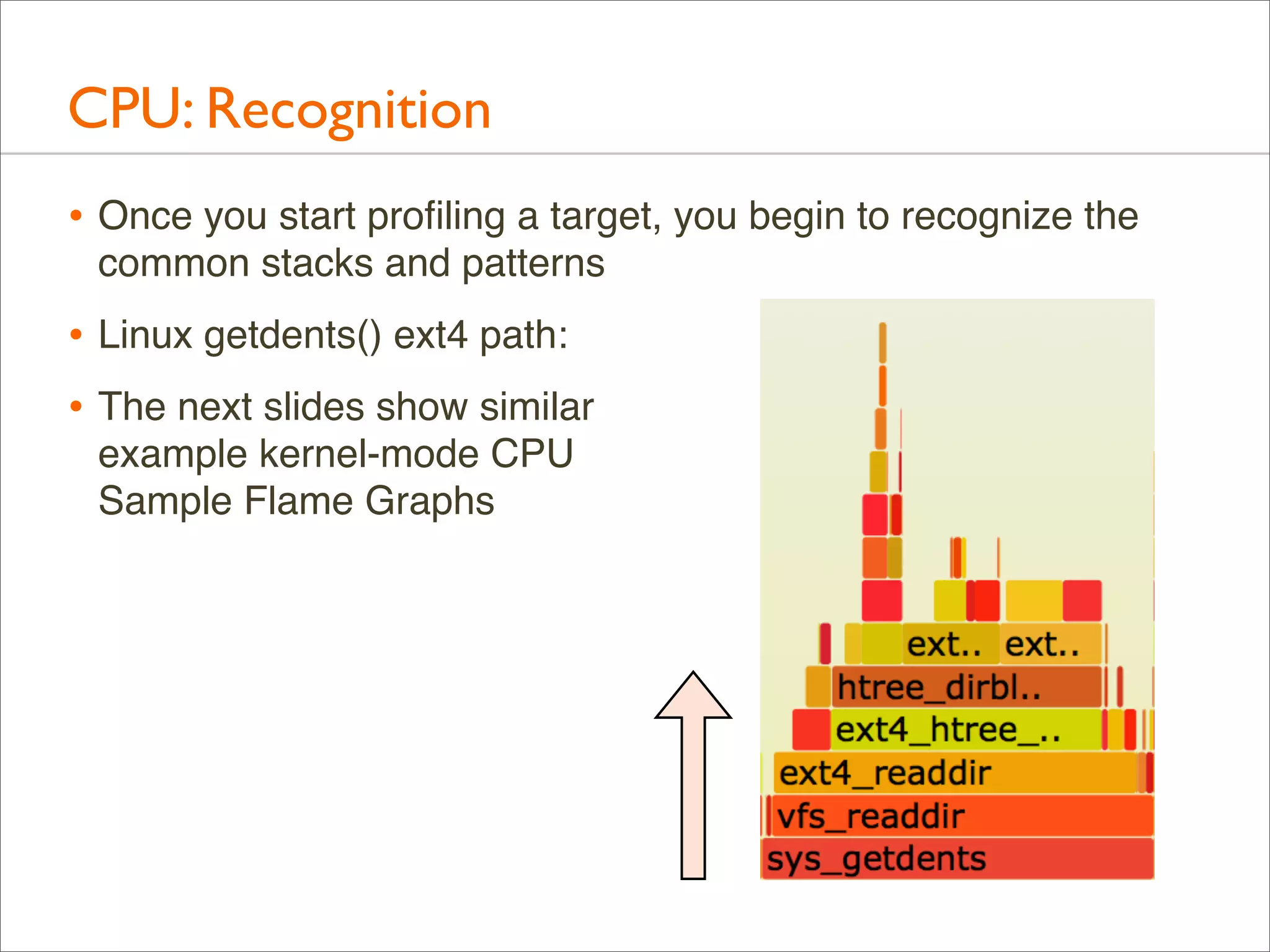
CPU: Recognition
• Once you start profiling a target, you begin to recognize the
common stacks and patterns

• Linux getdents() ext4 path:
• The next slides show similar
example kernel-mode CPU
Sample Flame Graphs
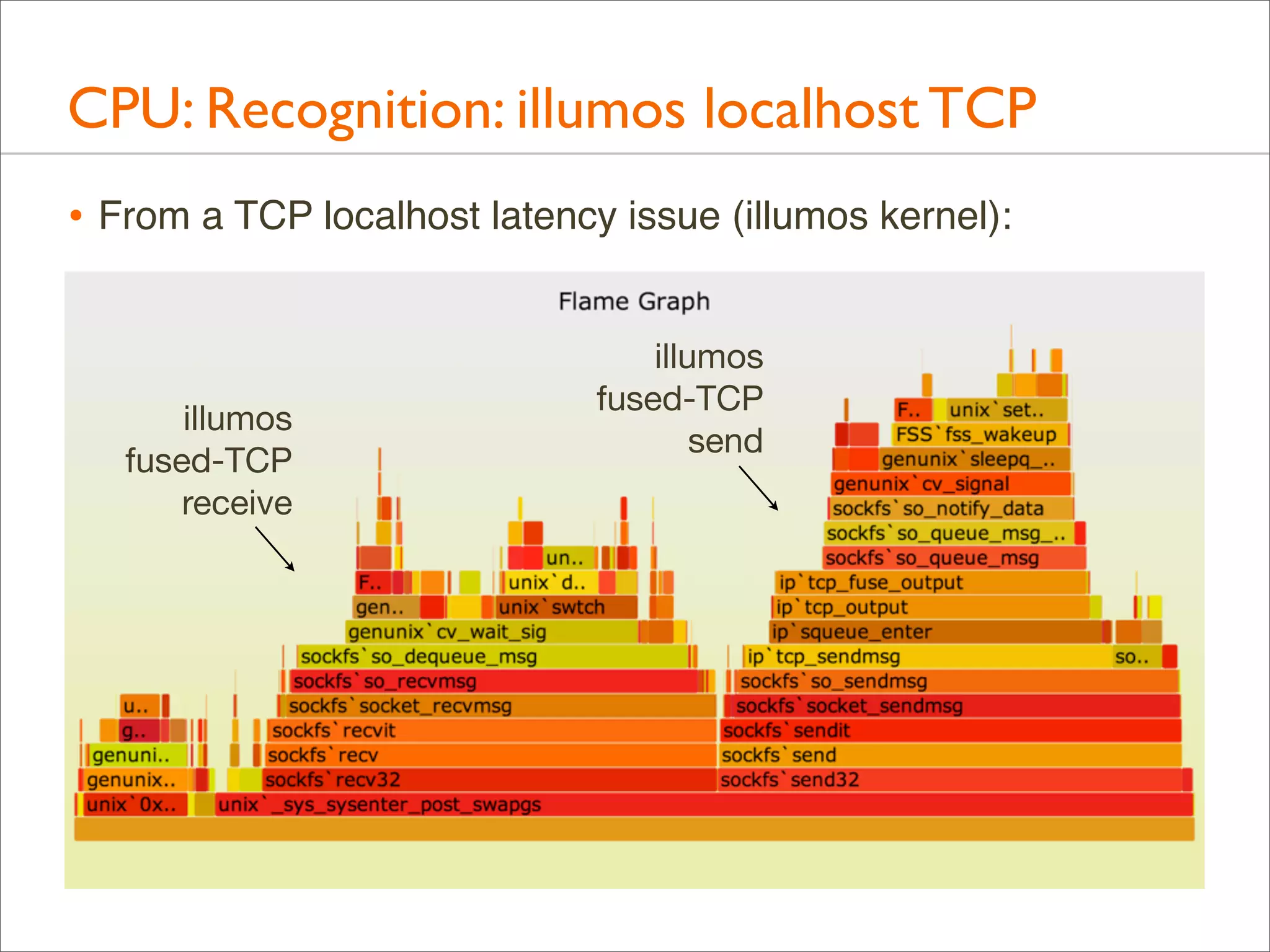
CPU: Recognition: illumos localhost TCP
• From a TCP localhost latency issue (illumos kernel):

illumos
fused-TCP
receive

illumos
fused-TCP
send
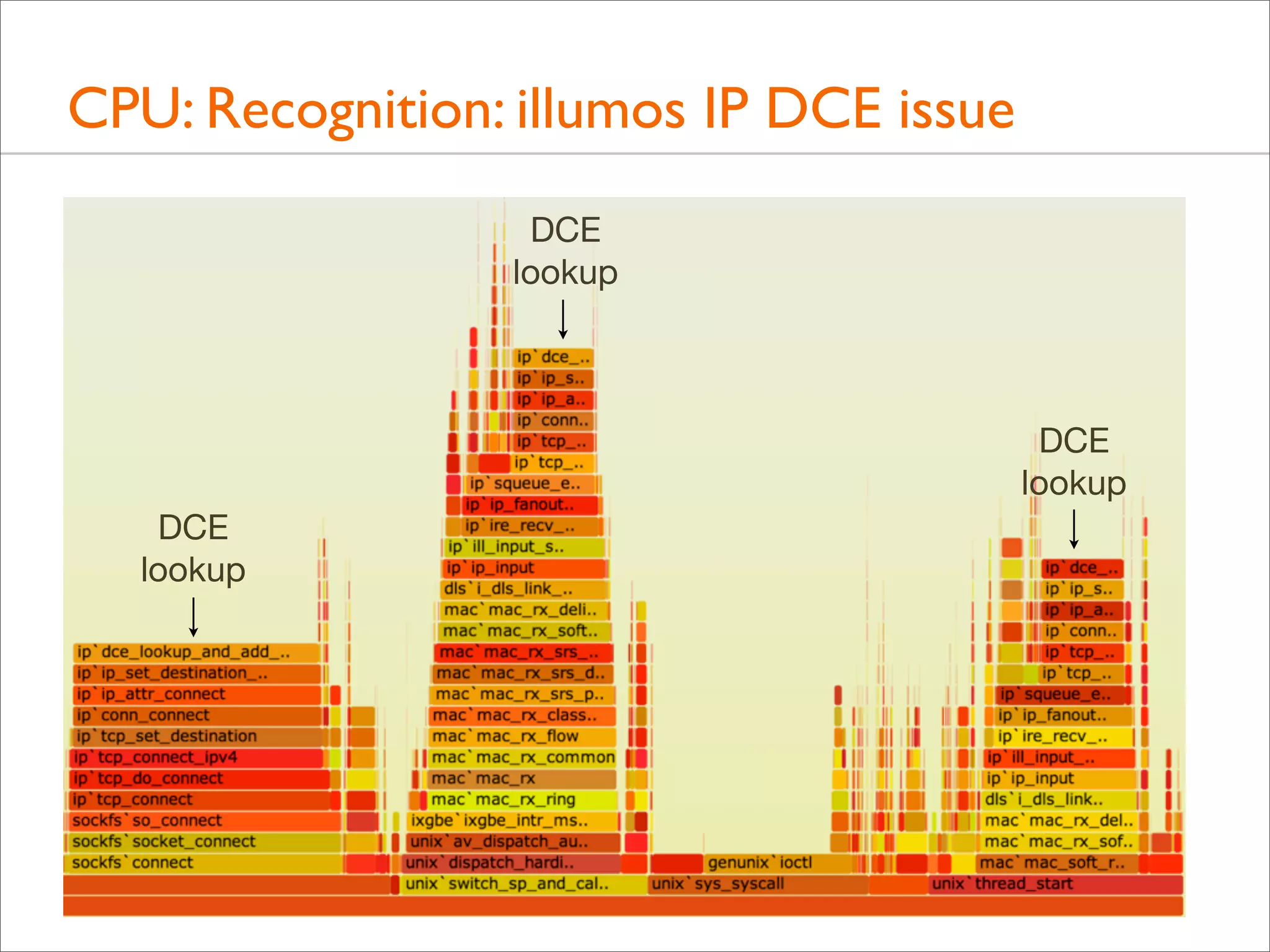
CPU: Recognition: illumos IP DCE issue
DCE
lookup

DCE
lookup
DCE
lookup
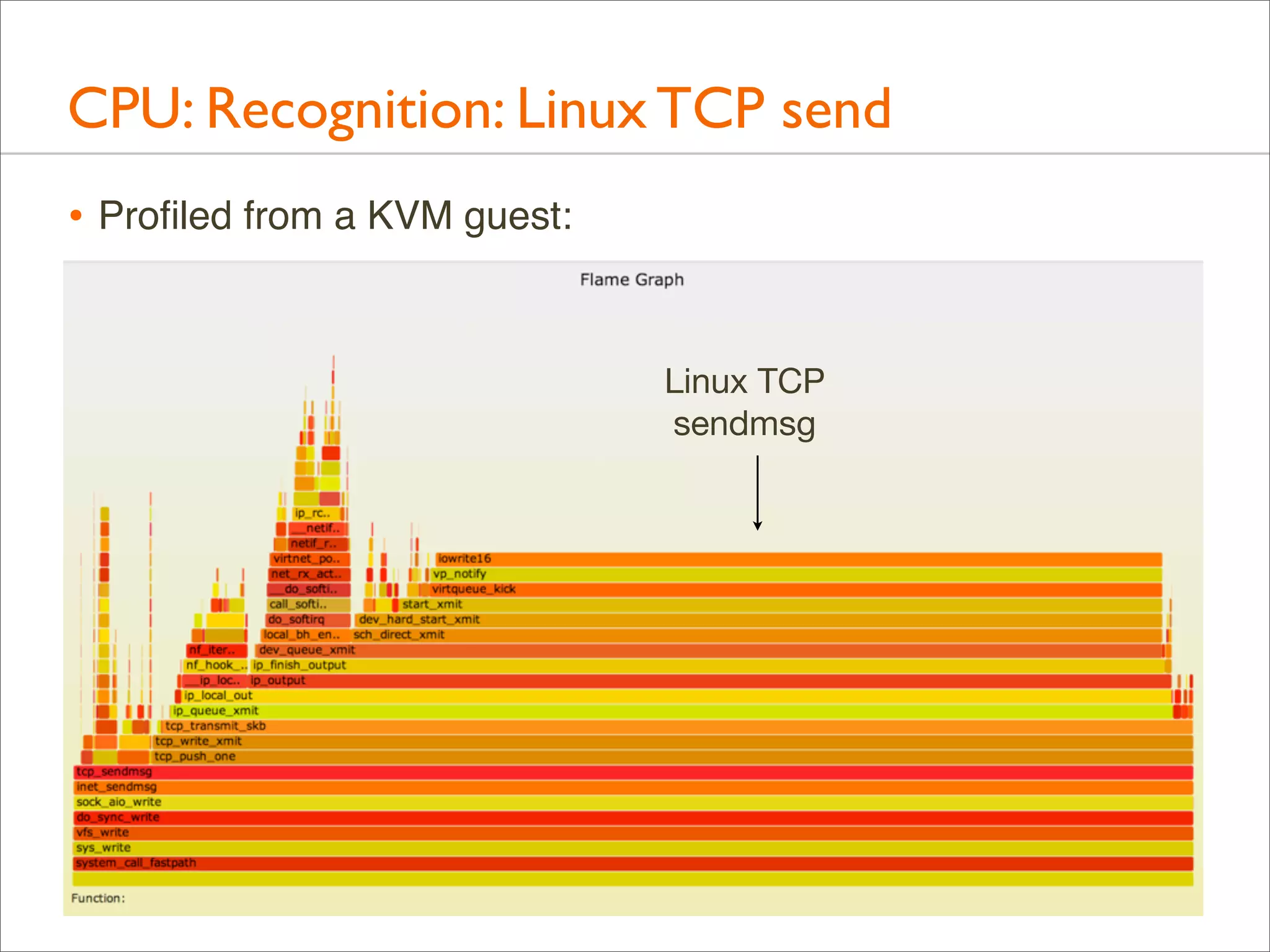
CPU: Recognition: Linux TCP send
• Profiled from a KVM guest:
Linux TCP
sendmsg
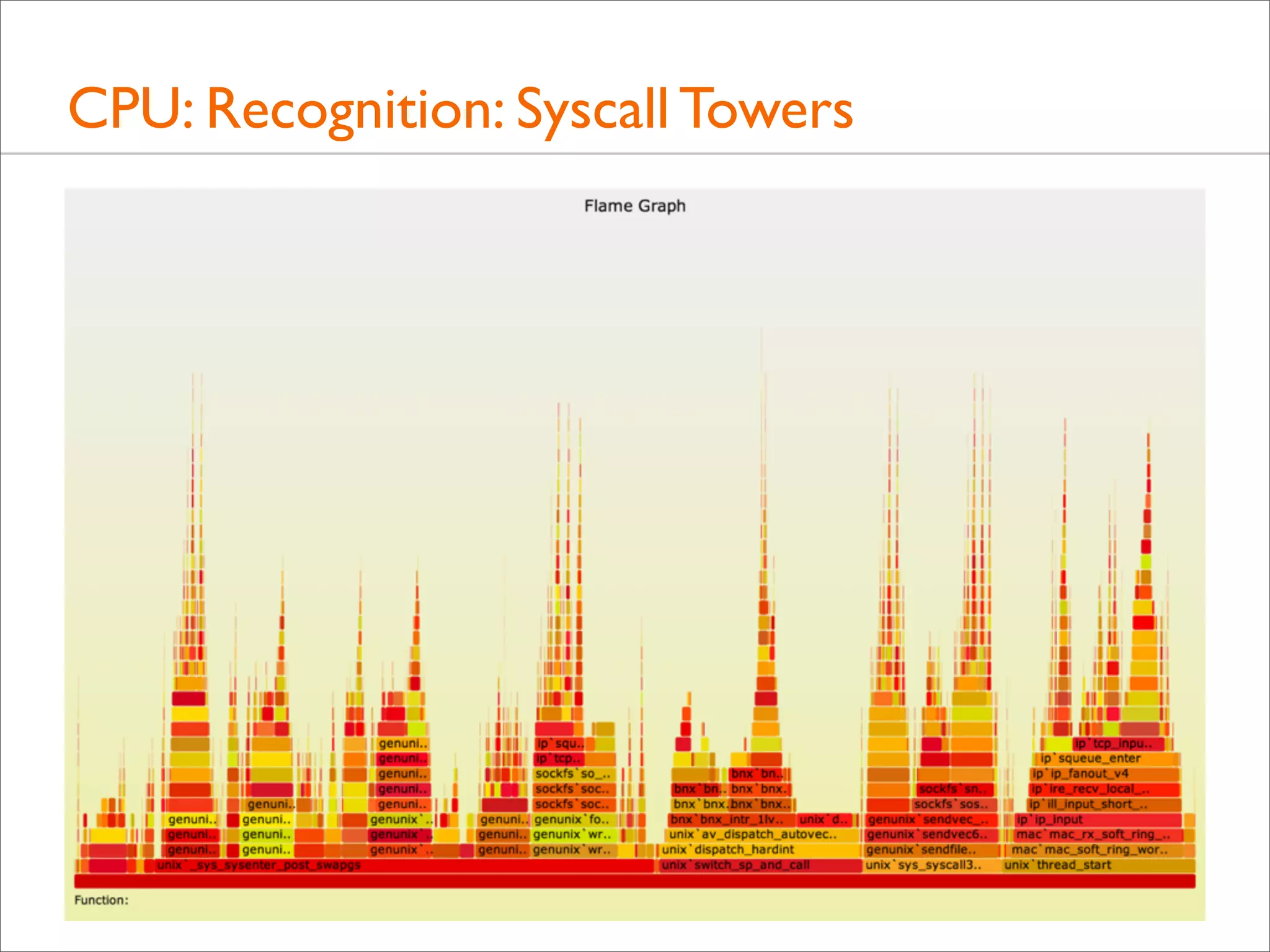
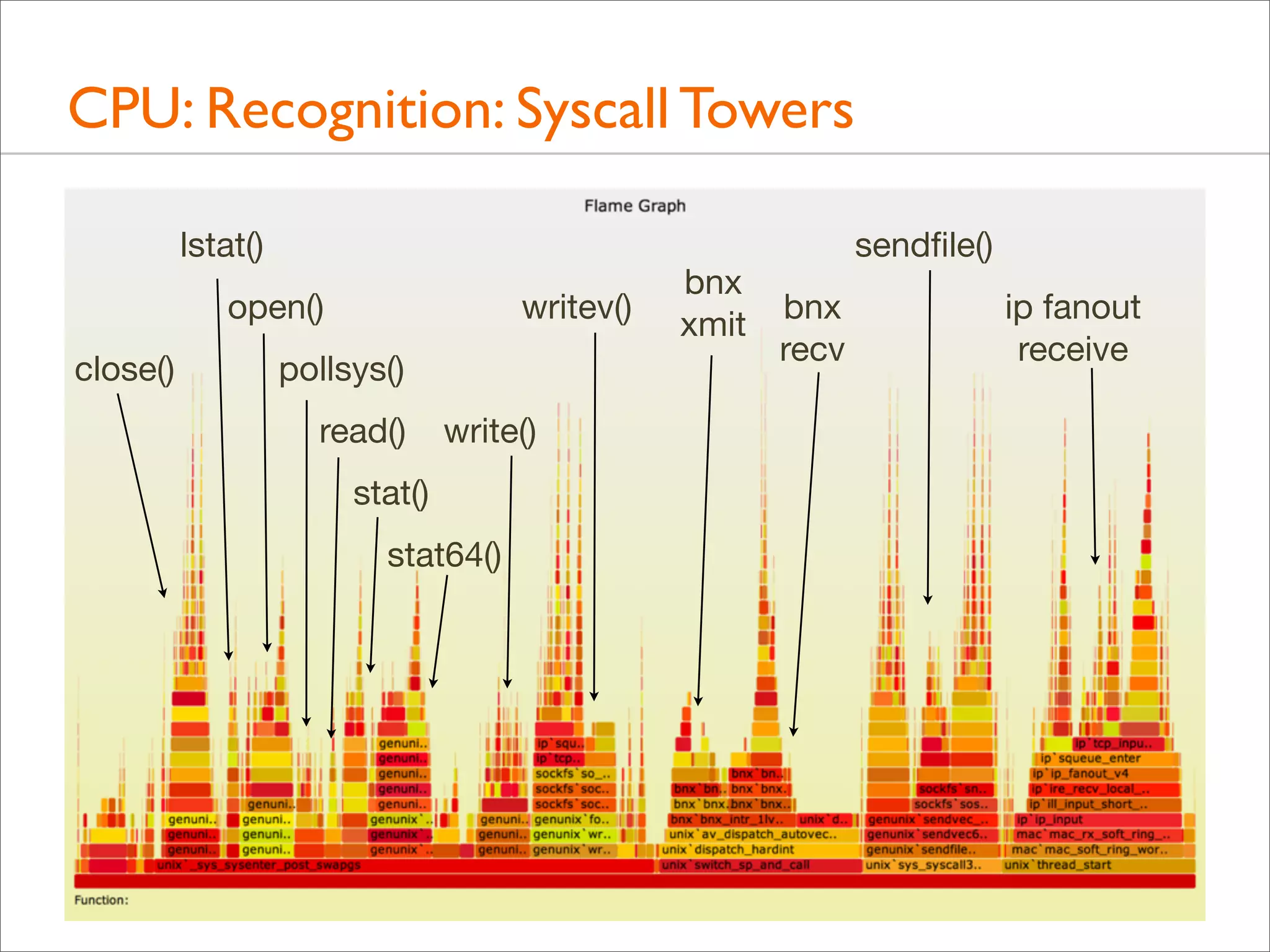
CPU: Recognition: Syscall Towers
lstat()
open()
close()

writev()

pollsys()
read()

write()

stat()
stat64()

bnx
xmit

sendfile()
bnx
recv

ip fanout
receive
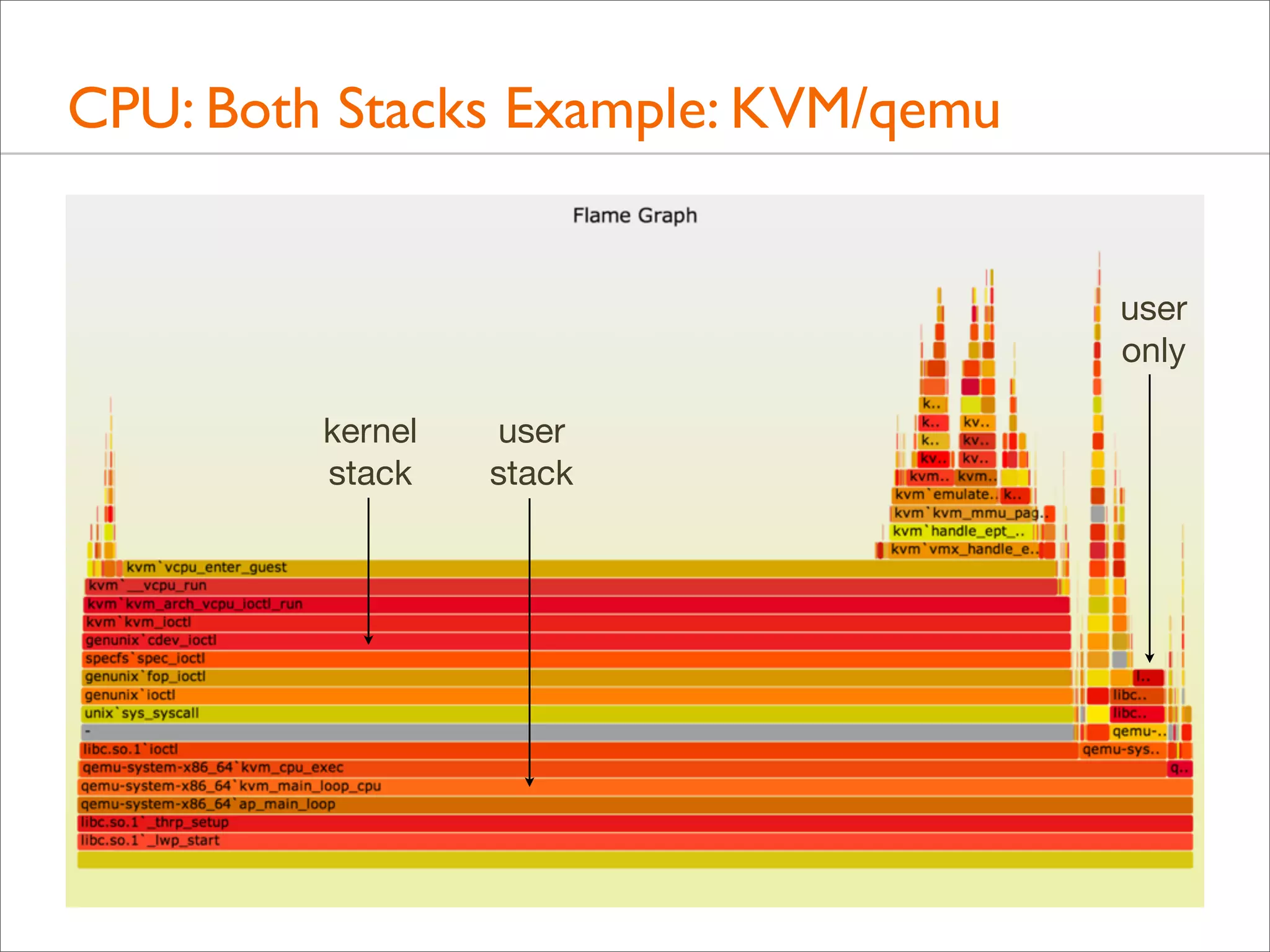
CPU: Both Stacks
• Apart from showing either user- or kernel-level stacks, both
can be included by stacking kernel on top of user

• Linux perf does this by default
• DTrace can by aggregating @[stack(), ustack()]
• The different stacks can be highlighted in different ways:
• different colors or hues
• separator: flamegraph.pl will color gray any functions
called "-", which can be inserted as stack separators

• Kernel stacks are only present during syscalls or interrupts
CPU: Both Stacks Example: KVM/qemu
user
only
kernel
stack

user
stack
Advanced Flame Graphs
Other Targets
• Apart from CPU samples, stack traces can be collected for
any event; eg:

• disk, network, or FS I/O
• CPU events, including cache misses
• lock contention and holds
• memory allocation
• Other values, instead of sample counts, can also be used:
• latency
• bytes
• The next sections demonstrate memory allocation, I/O tracing,
and then all blocking types via off-CPU tracing
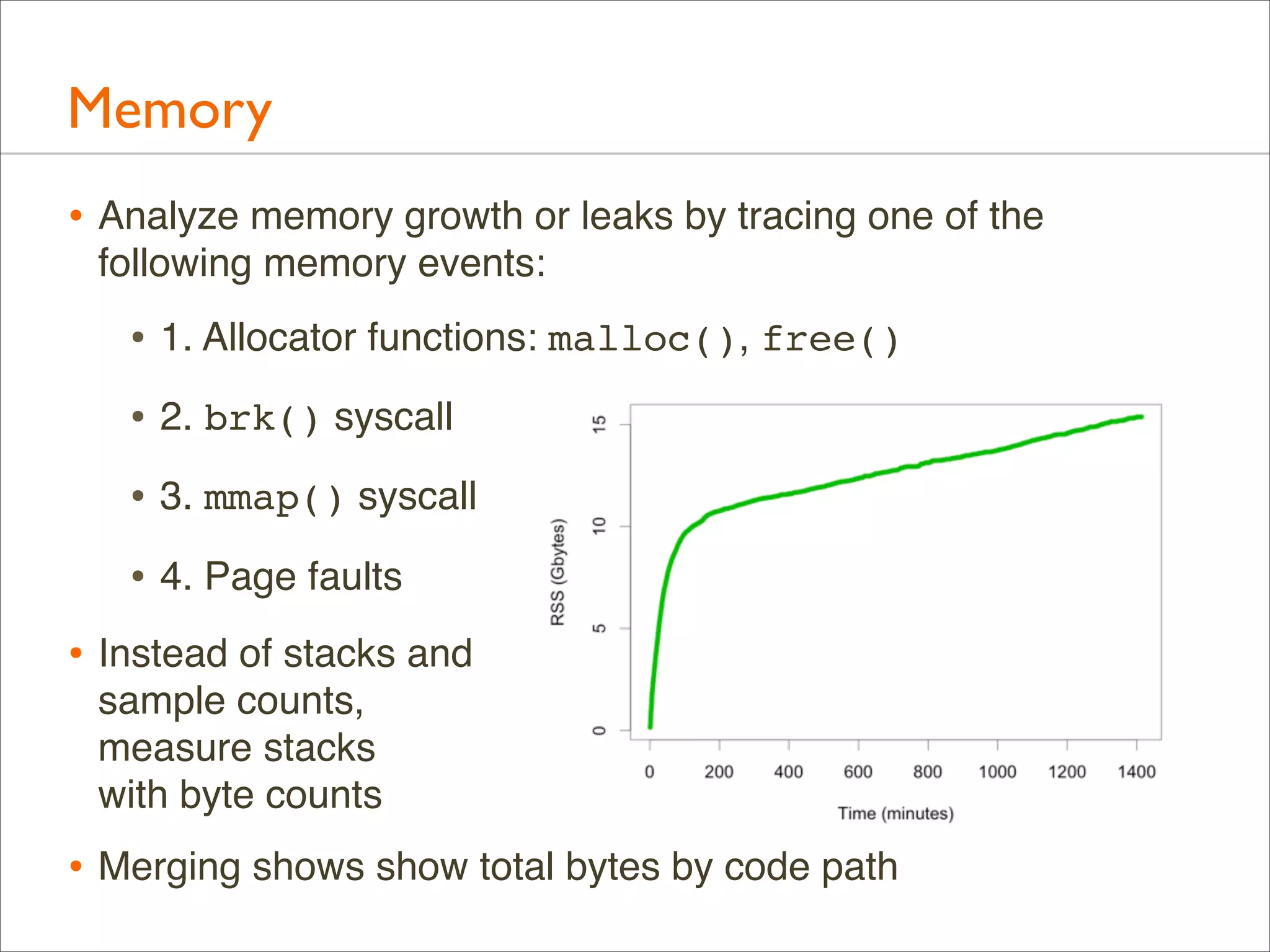
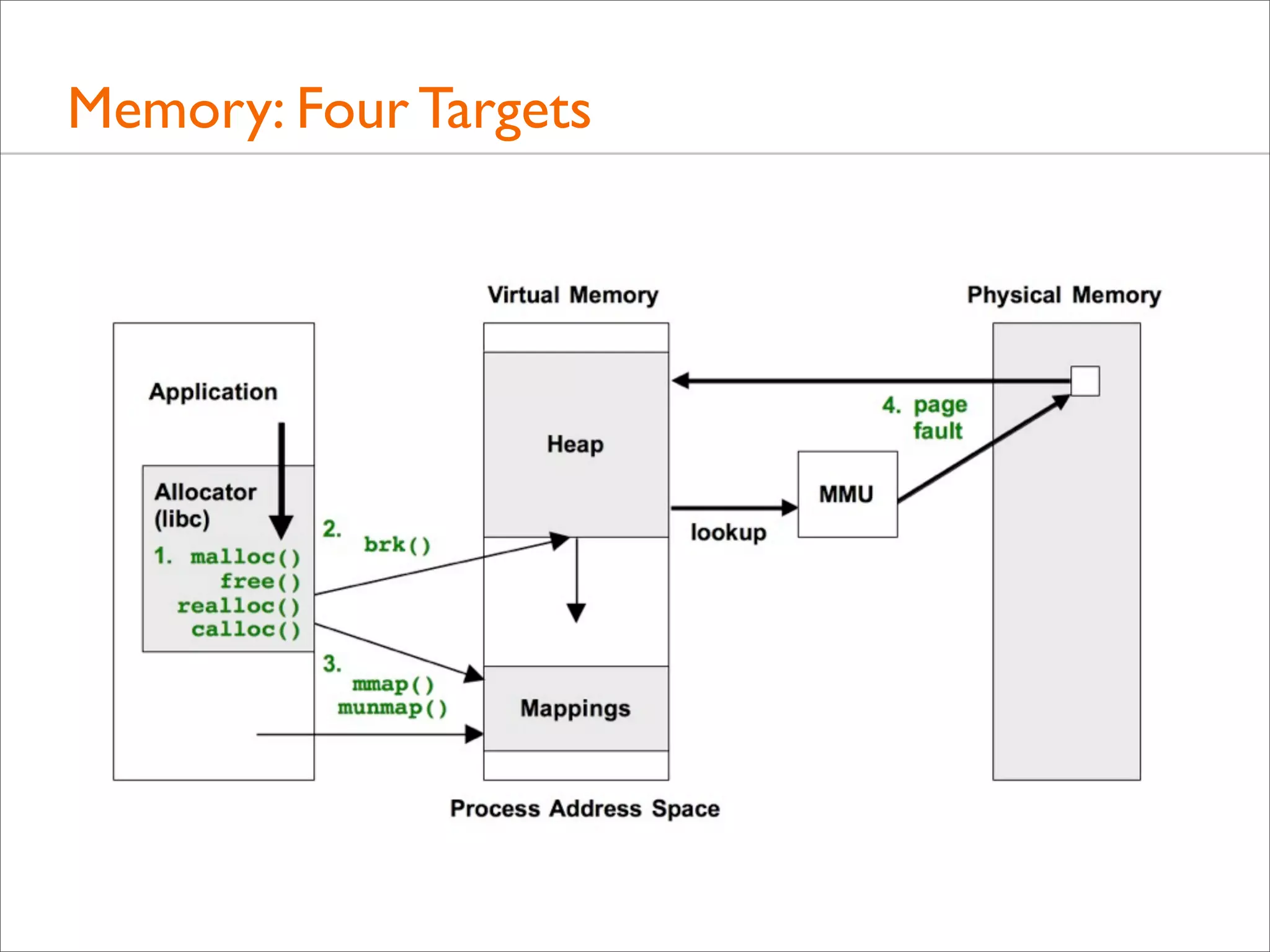
Memory
Memory
• Analyze memory growth or leaks by tracing one of the
following memory events:

• 1. Allocator functions: malloc(), free()
• 2. brk() syscall
• 3. mmap() syscall
• 4. Page faults
• Instead of stacks and
sample counts,
measure stacks
with byte counts

• Merging shows show total bytes by code path
Memory: Four Targets
Memory: Allocator
• Trace malloc(), free(), realloc(), calloc(), ...
• These operate on virtual memory
• *alloc() stacks show why memory was first allocated (as
opposed to populated): Memory Allocation Flame Graphs

• With free()/realloc()/..., suspected memory leaks during tracing
can be identified: Memory Leak Flame Graphs!

• Down side: allocator functions are frequent, so tracing can
slow the target somewhat (eg, 25%)

• For comparison: Valgrind memcheck is more thorough, but its
CPU simulation can slow the target 20 - 30x
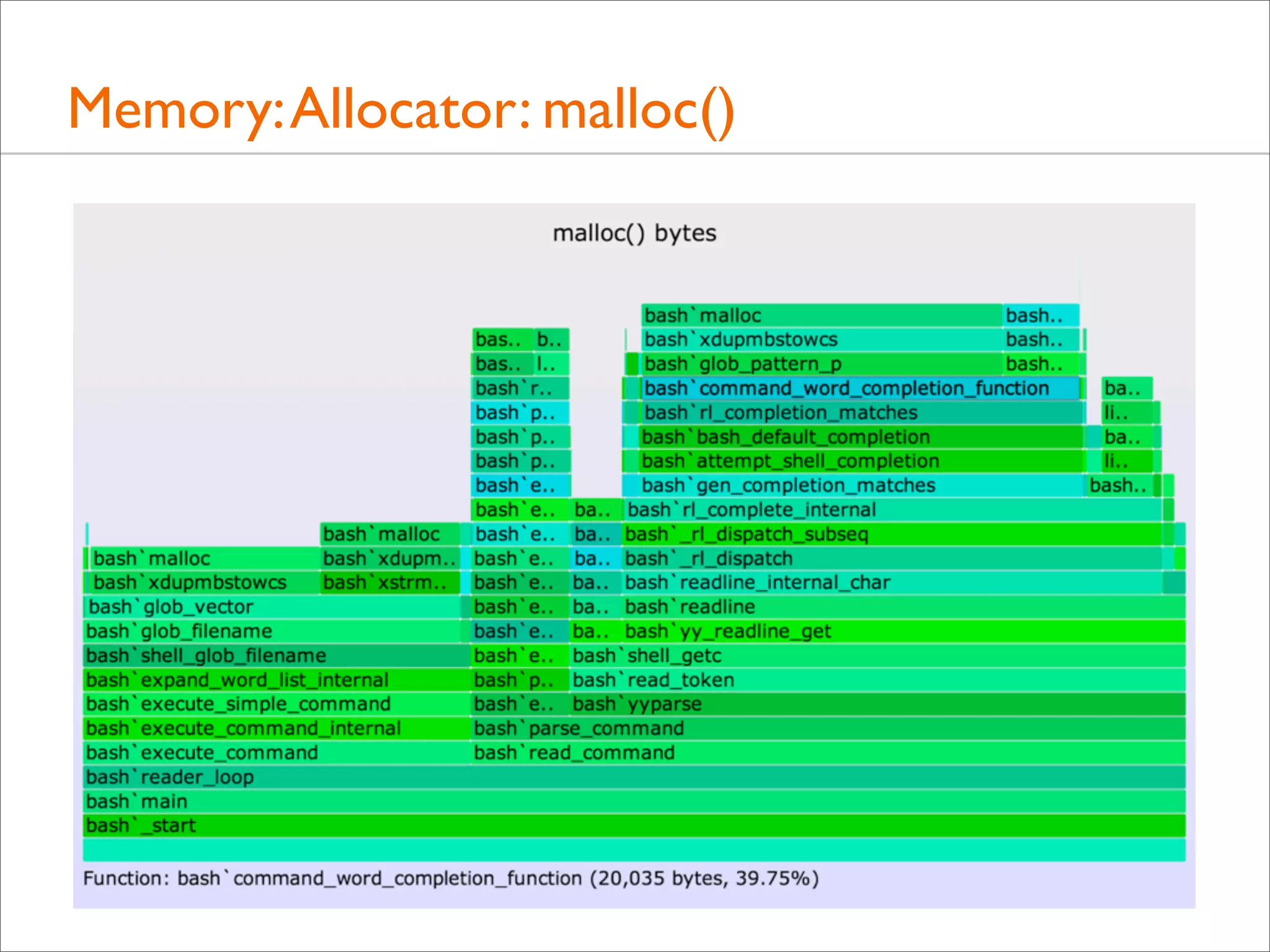
Memory: Allocator: malloc()
• As a simple example, just tracing malloc() calls with user-level
stacks and bytes requested, using DTrace:
# dtrace -x ustackframes=100 -n 'pid$target::malloc:entry {
@[ustack()] = sum(arg0); } tick-60s { exit(0); }' -p 529 -o out.malloc

• malloc() Bytes Flame Graph:
# stackcollapse.pl out.malloc | flamegraph.pl --title="malloc() bytes" 
--countname="bytes" --colors=mem > out.malloc.svg

• The options customize the title, countname, and color palette
Memory: Allocator: malloc()
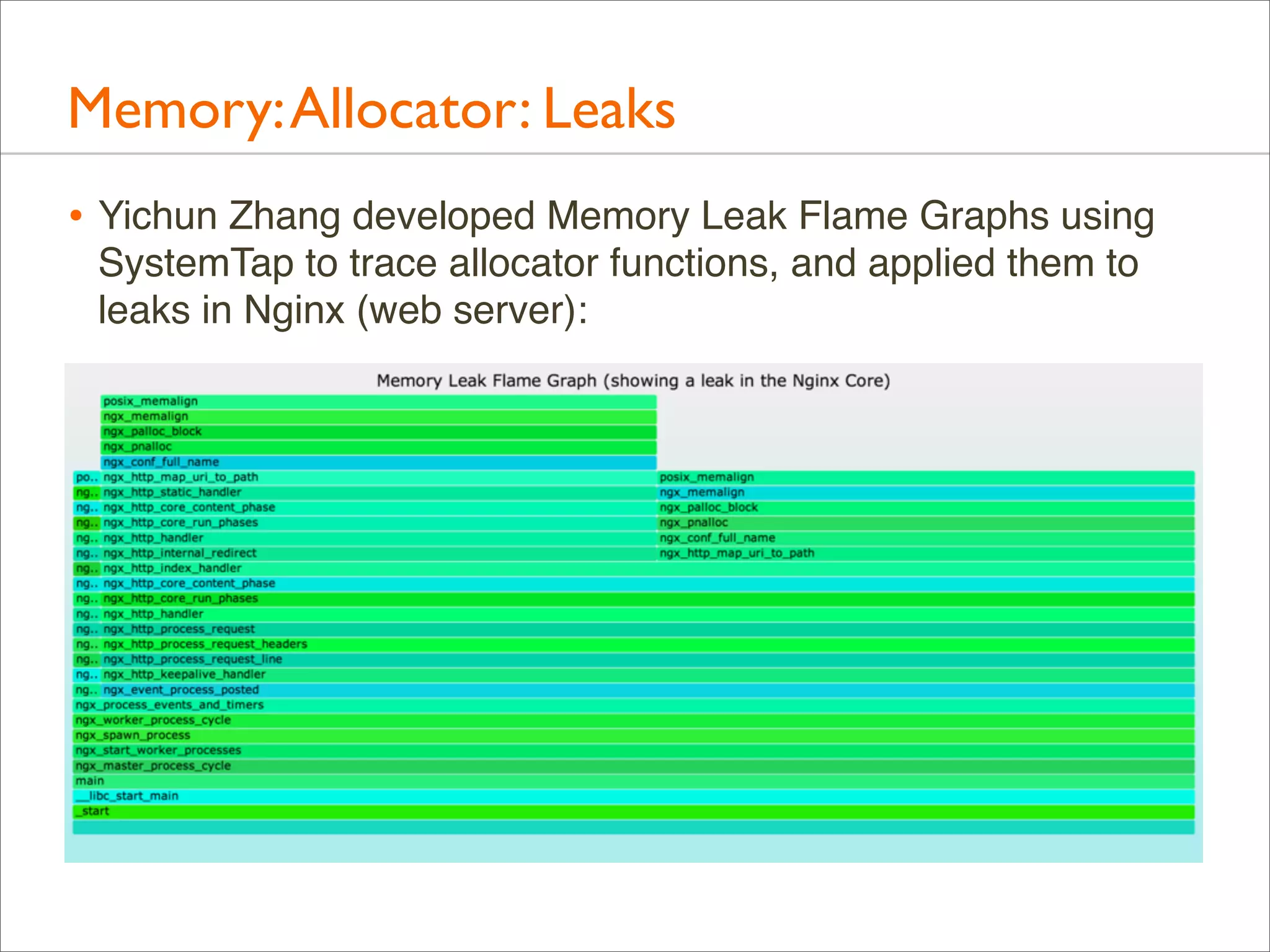
Memory: Allocator: Leaks
• Yichun Zhang developed Memory Leak Flame Graphs using
SystemTap to trace allocator functions, and applied them to
leaks in Nginx (web server):
Memory: brk()
• Many apps grow their virtual memory size using brk(), which
sets the heap pointer

• A stack trace on brk() shows what triggered growth
• Eg, this script (brkbytes.d) traces brk() growth for “mysqld”:
#!/usr/sbin/dtrace -s
inline string target = "mysqld";
uint brk[int];
syscall::brk:entry /execname == target/ { self->p = arg0; }
syscall::brk:return /arg0 == 0 && self->p && brk[pid]/ {
@[ustack()] = sum(self->p - brk[pid]);
}
syscall::brk:return /arg0 == 0 && self->p/ { brk[pid] = self->p; }
syscall::brk:return /self->p/ { self->p = 0; }
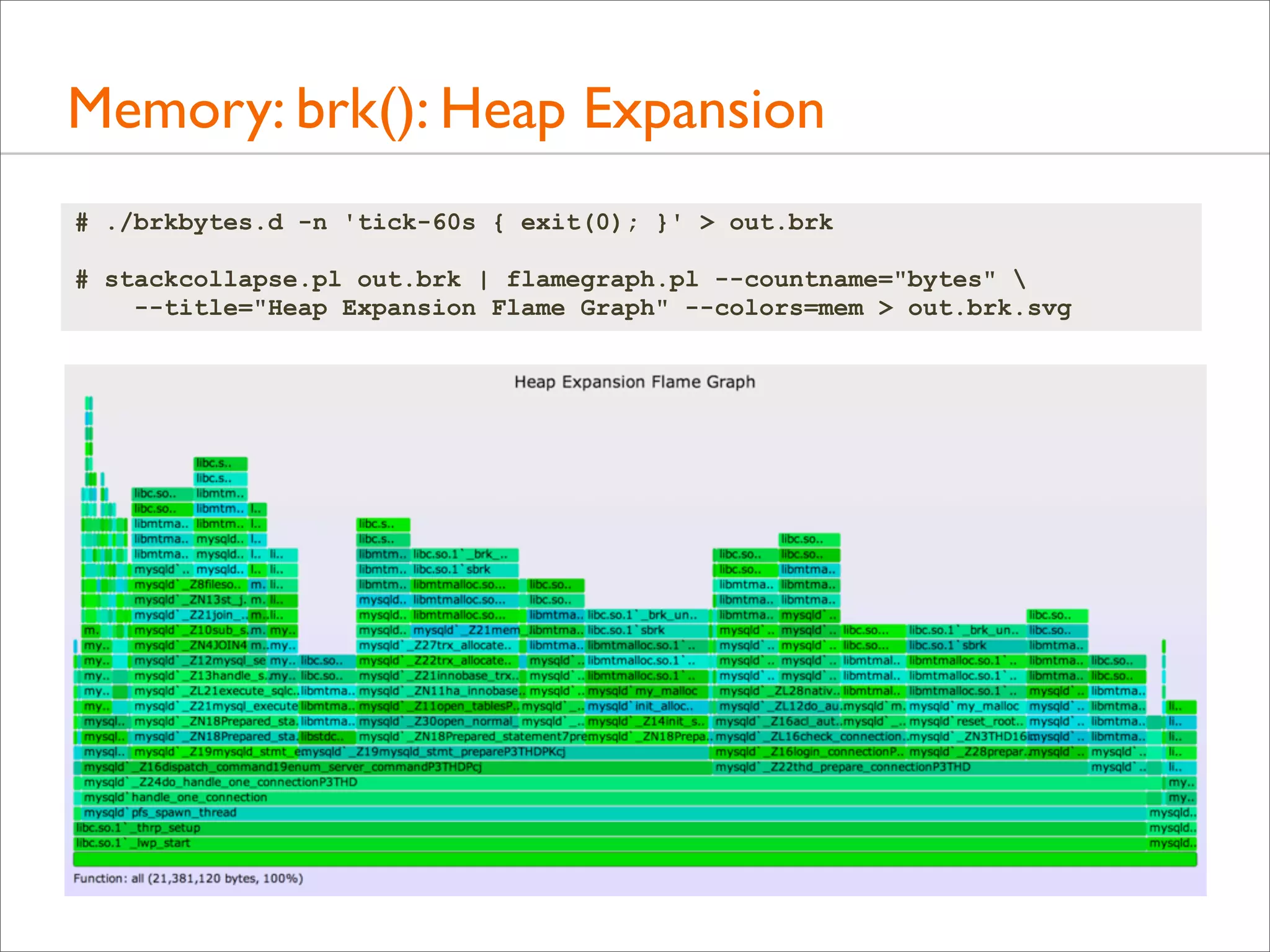
Memory: brk(): Heap Expansion
# ./brkbytes.d -n 'tick-60s { exit(0); }' > out.brk
# stackcollapse.pl out.brk | flamegraph.pl --countname="bytes" 
--title="Heap Expansion Flame Graph" --colors=mem > out.brk.svg
Memory: brk()
• brk() tracing has low overhead: these calls are typically
infrequent

• Reasons for brk():
• A memory growth code path
• A memory leak code path
• An innocent application code path, that happened to spillover the current heap size

• Asynchronous allocator code path, that grew the
application in response to diminishing free space
Memory: mmap()
• mmap() may be used by the application or it’s user-level
allocator to map in large regions of virtual memory

• It may be followed by munmap() to free the area, which can
also be traced

• Eg, mmap() tracing, similar to brk tracing, to show bytes and
the stacks responsible:
# dtrace -n 'syscall::mmap:entry /execname == "mysqld"/ {
@[ustack()] = sum(arg1); }' -o out.mmap
# stackcollapse.pl out.mmap | flamegraph.pl --countname="bytes" 
--title="mmap() bytes Flame Graph" --colors=mem > out.mmap.svg

• This should be low overhead – depends on the frequency
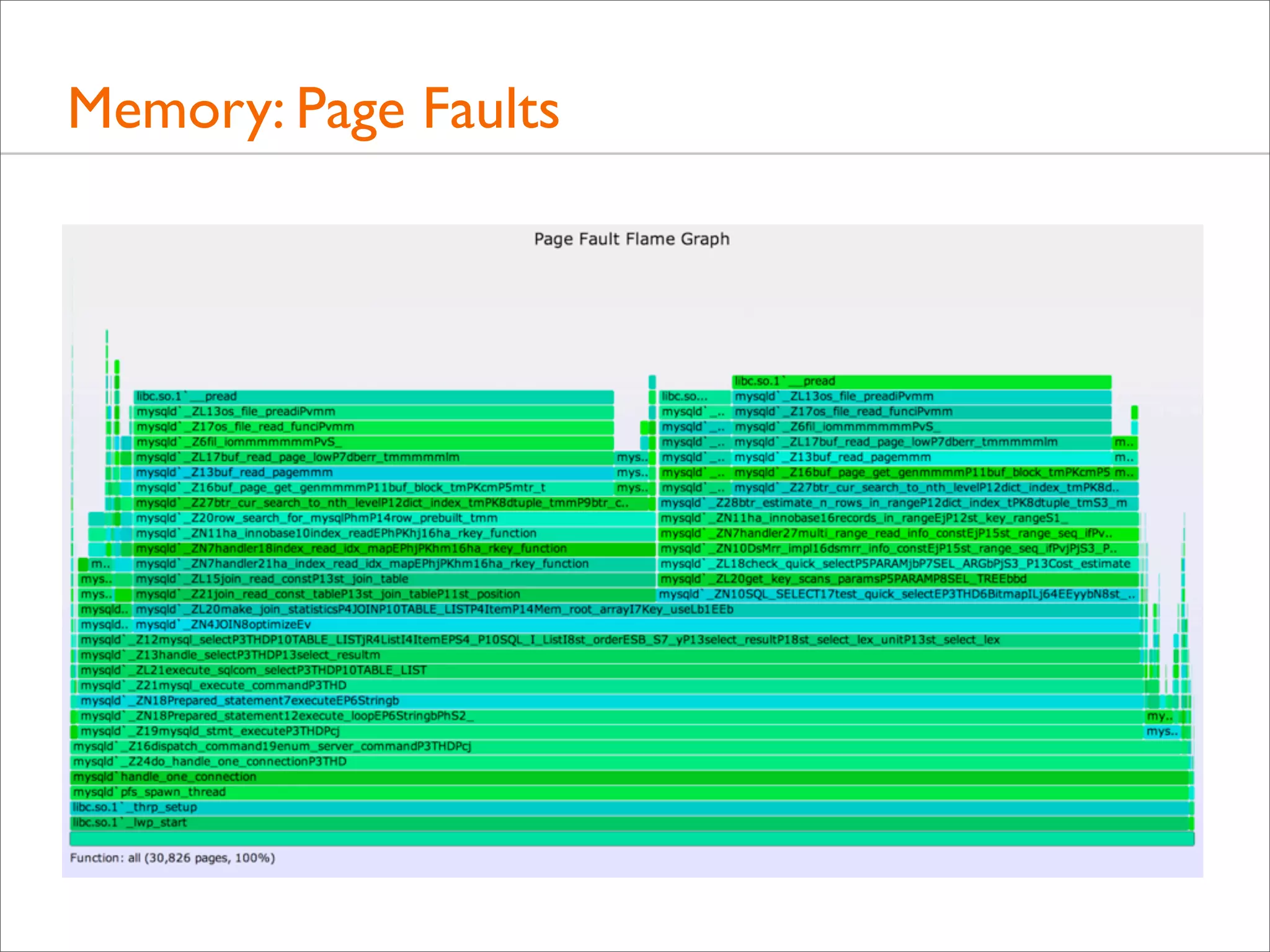
Memory: Page Faults
• brk() and mmap() expand virtual memory
• Page faults expand physical memory (RSS). This is demandbased allocation, deferring mapping to the actual write

• Tracing page faults show the stack responsible for consuming
(writing to) memory:
# dtrace -x ustackframes=100 -n 'vminfo:::as_fault /execname == "mysqld"/ {
@[ustack()] = count(); } tick-60s { exit(0); }' > out.fault
# stackcollapse.pl out.mysqld_fault01 | flamegraph.pl --countname=pages 
--title="Page Fault Flame Graph" --colors=mem > mysqld_fault.svg
Memory: Page Faults
I/O
I/O
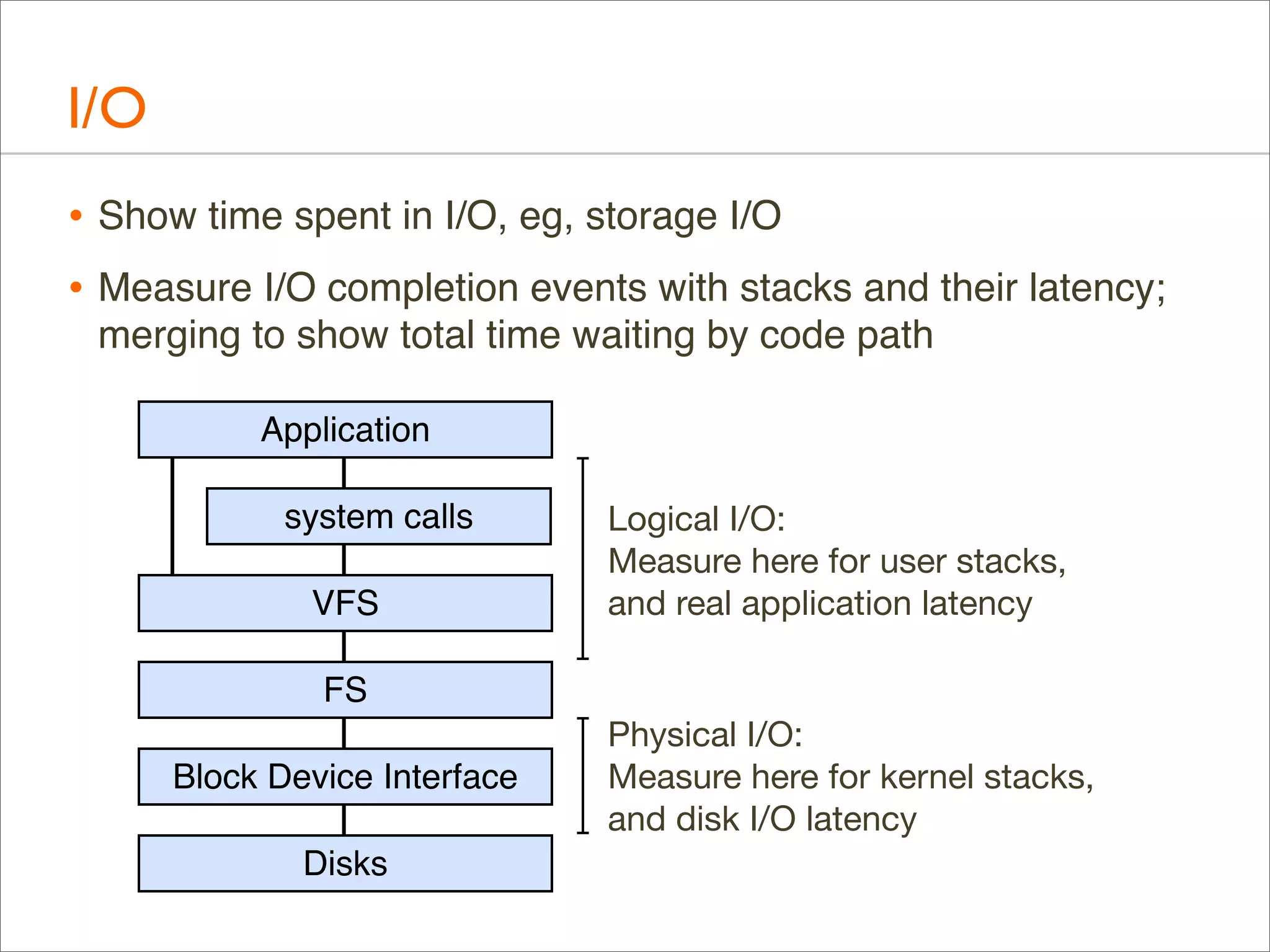
• Show time spent in I/O, eg, storage I/O
• Measure I/O completion events with stacks and their latency;
merging to show total time waiting by code path
Application
system calls
VFS

Logical I/O:
Measure here for user stacks,
and real application latency

FS
Block Device Interface
Disks

Physical I/O:
Measure here for kernel stacks,
and disk I/O latency
I/O: Logical I/O Laency
• For example, ZFS call latency using DTrace (zfsustack.d):
#!/usr/sbin/dtrace -s
#pragma D option quiet
#pragma D option ustackframes=100
fbt::zfs_read:entry, fbt::zfs_write:entry,
fbt::zfs_readdir:entry, fbt::zfs_getattr:entry,
fbt::zfs_setattr:entry
{
self->start = timestamp;
}
fbt::zfs_read:return, fbt::zfs_write:return,
fbt::zfs_readdir:return, fbt::zfs_getattr:return,
fbt::zfs_setattr:return
/self->start/
{
this->time = timestamp - self->start;
@[ustack(), execname] = sum(this->time);
self->start = 0;
}
dtrace:::END
{
printa("%k%sn%@dn", @);
}

Timestamp from
function start (entry)

... to function end (return)
I/O: Logical I/O Laency
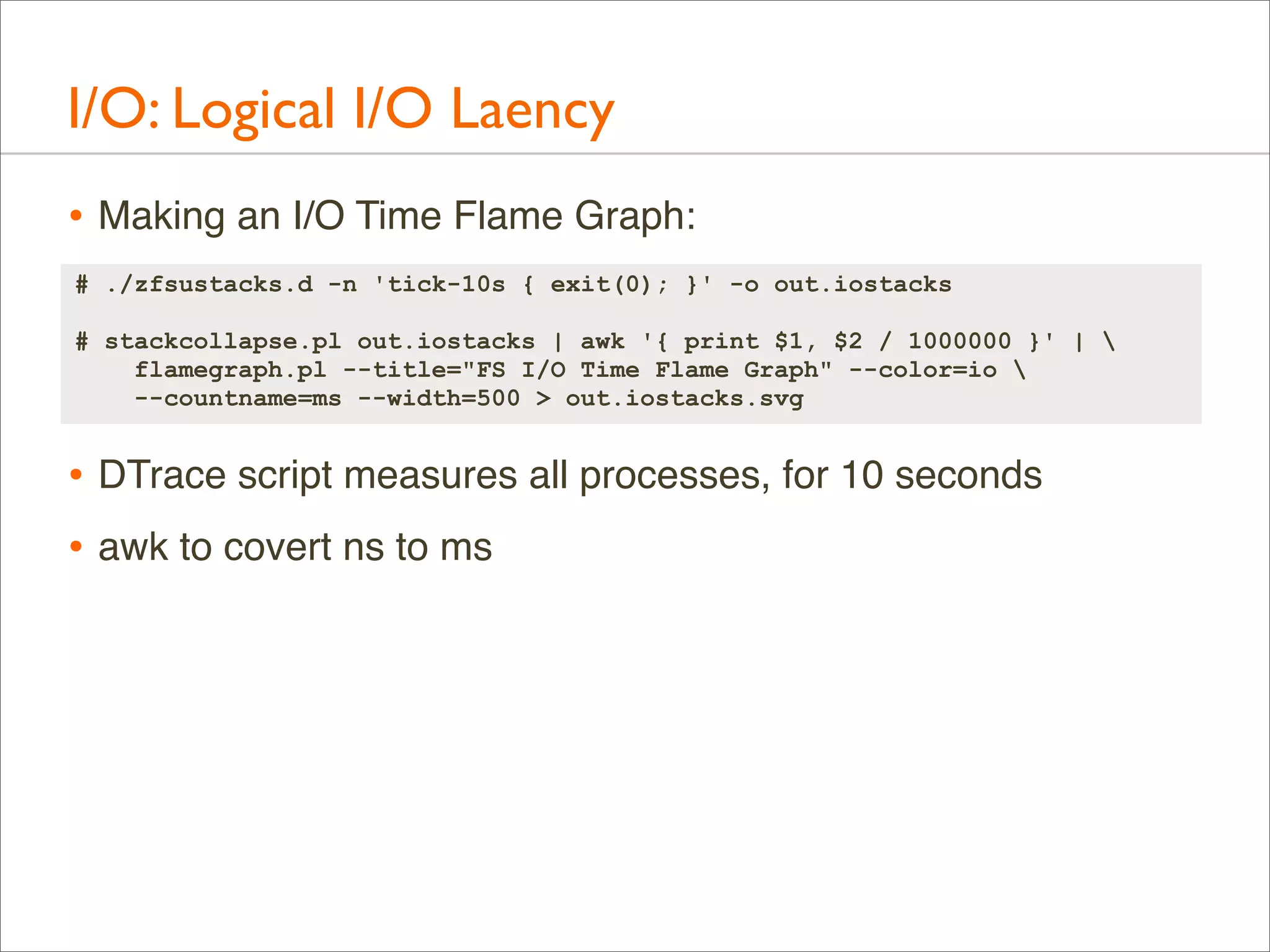
• Making an I/O Time Flame Graph:
# ./zfsustacks.d -n 'tick-10s { exit(0); }' -o out.iostacks
# stackcollapse.pl out.iostacks | awk '{ print $1, $2 / 1000000 }' | 
flamegraph.pl --title="FS I/O Time Flame Graph" --color=io 
--countname=ms --width=500 > out.iostacks.svg

• DTrace script measures all processes, for 10 seconds
• awk to covert ns to ms
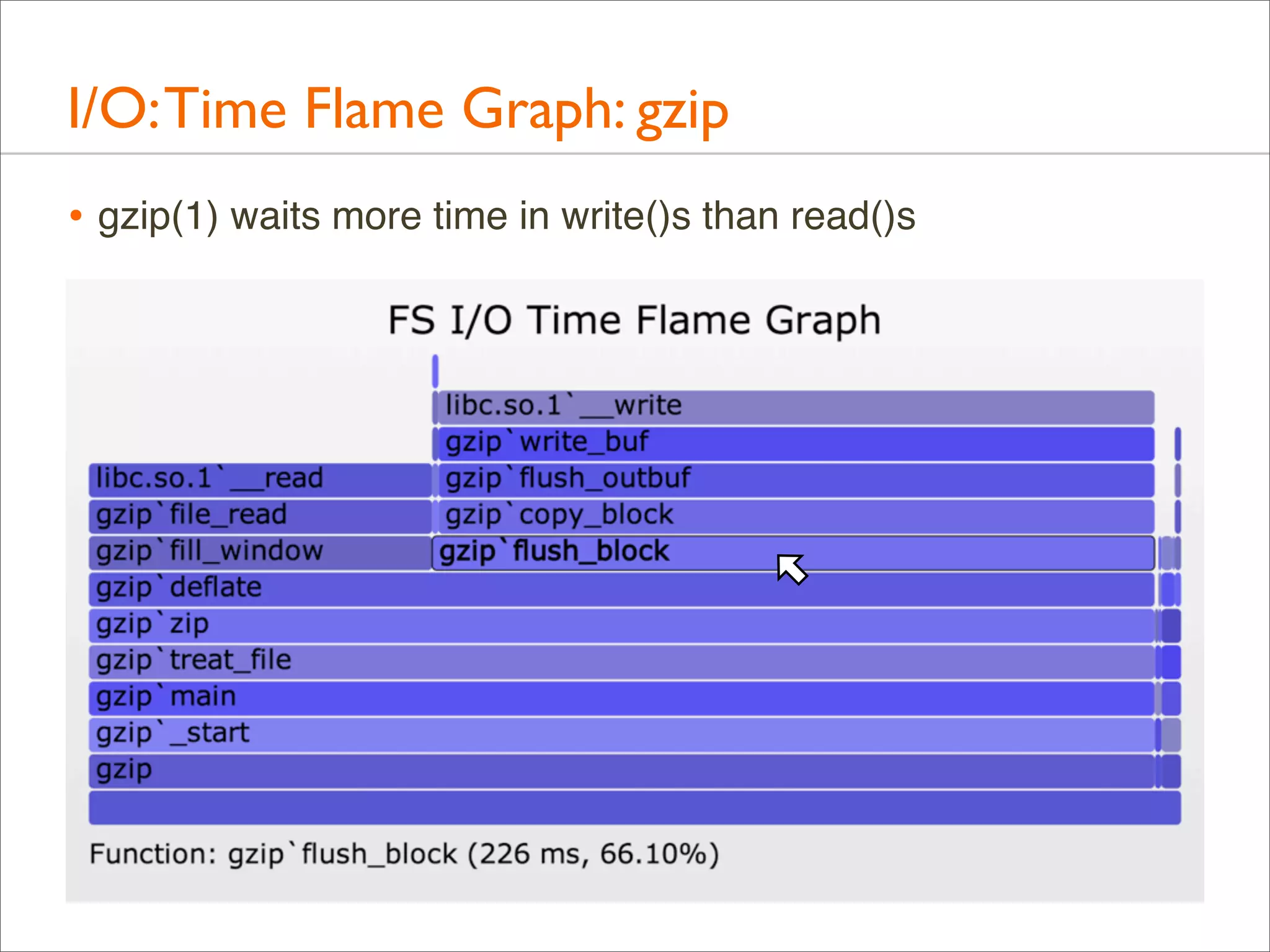
I/O: Time Flame Graph: gzip
• gzip(1) waits more time in write()s than read()s
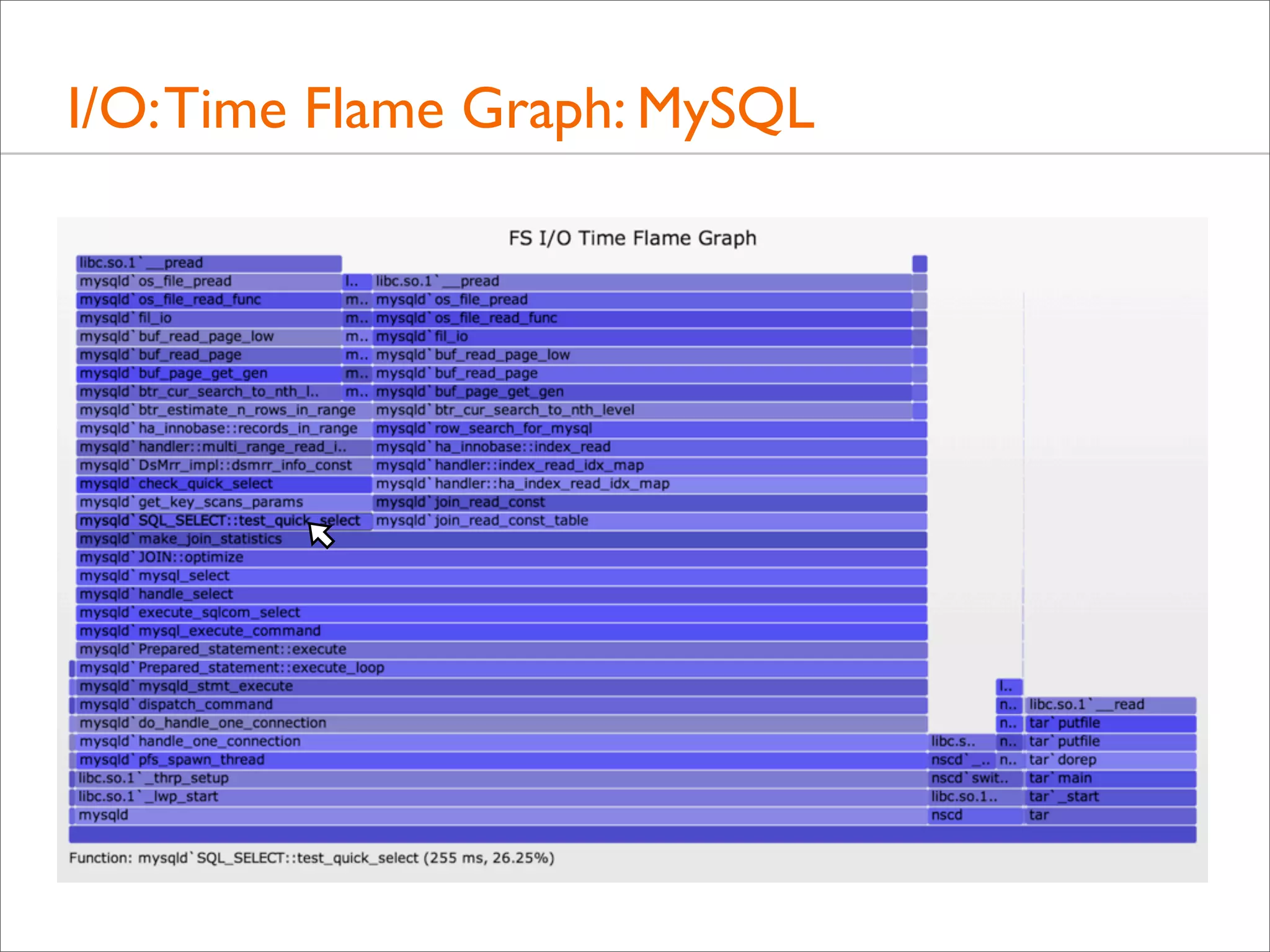
I/O: Time Flame Graph: MySQL
I/O: Flame Graphs
• I/O latency tracing: hugely useful
• But once you pick an I/O type, there usually isn't that many
different code paths calling it

• Flame Graphs are nice, but often not necessary
Off-CPU
Off-CPU
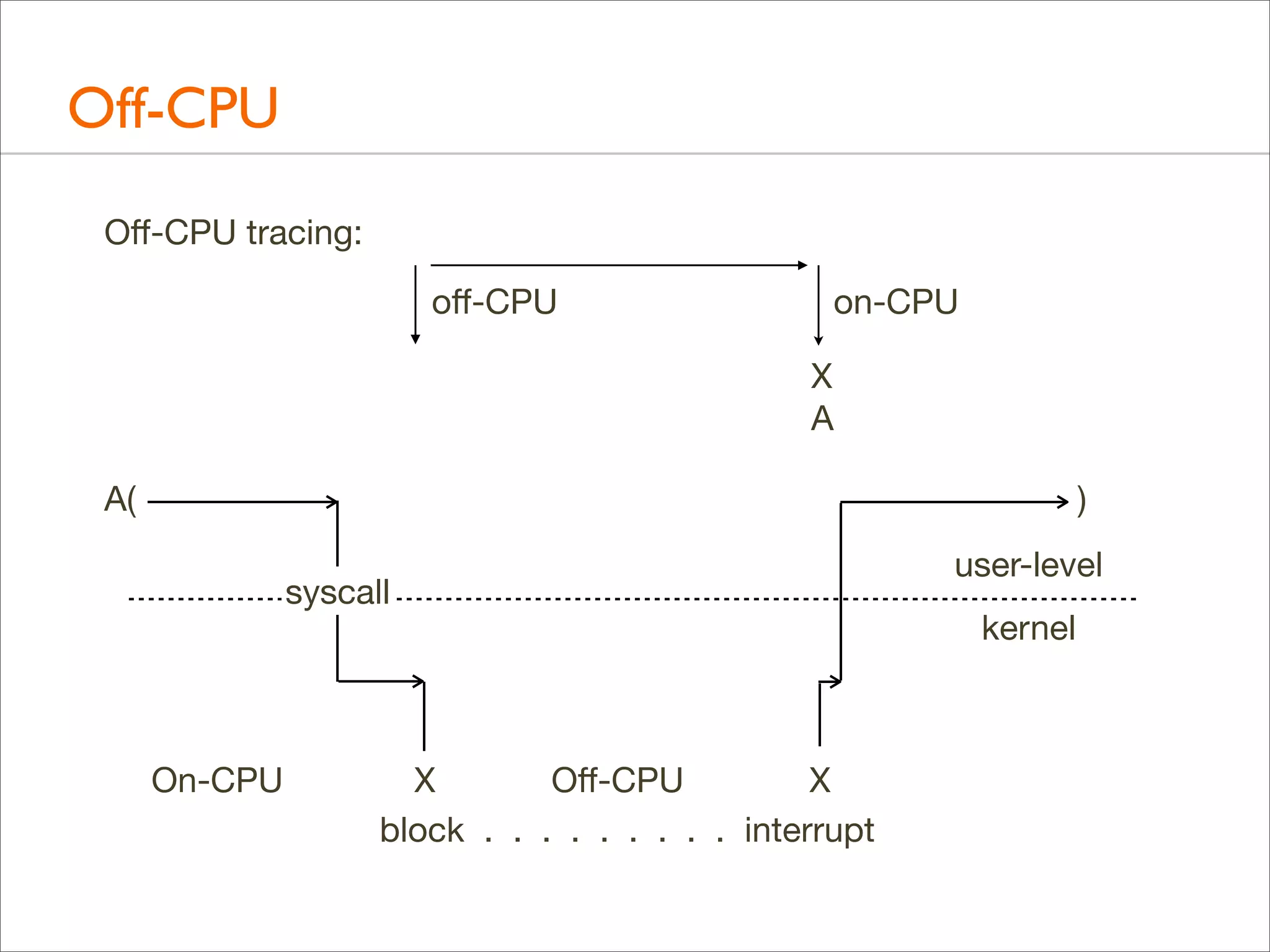
Off-CPU tracing:
off-CPU

on-CPU
X
A

A(

)
syscall

On-CPU

X
Off-CPU
X
block . . . . . . . . . interrupt

user-level
kernel
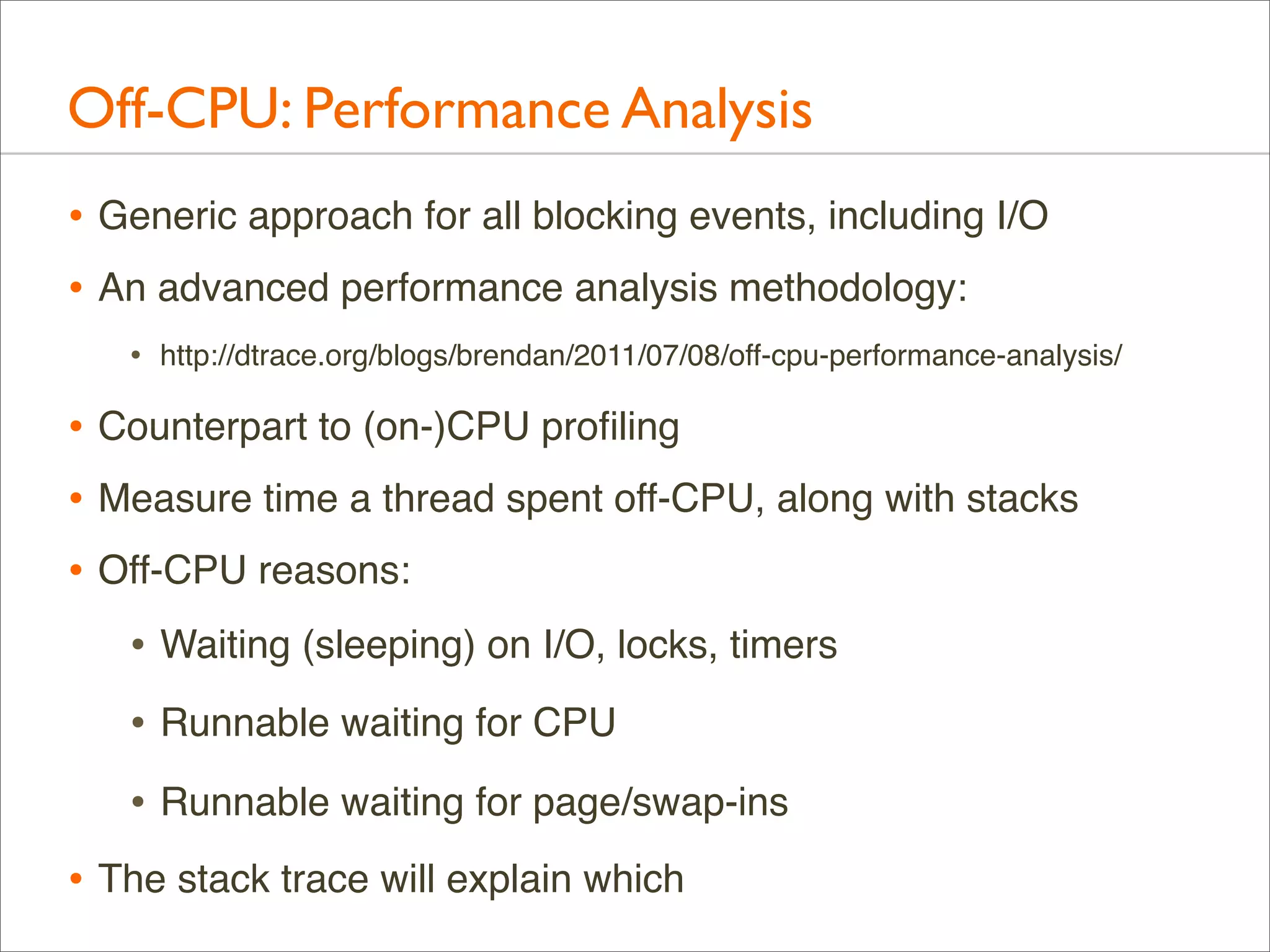
Off-CPU: Performance Analysis
• Generic approach for all blocking events, including I/O
• An advanced performance analysis methodology:
•

http://dtrace.org/blogs/brendan/2011/07/08/off-cpu-performance-analysis/

• Counterpart to (on-)CPU profiling
• Measure time a thread spent off-CPU, along with stacks
• Off-CPU reasons:
• Waiting (sleeping) on I/O, locks, timers
• Runnable waiting for CPU
• Runnable waiting for page/swap-ins
• The stack trace will explain which
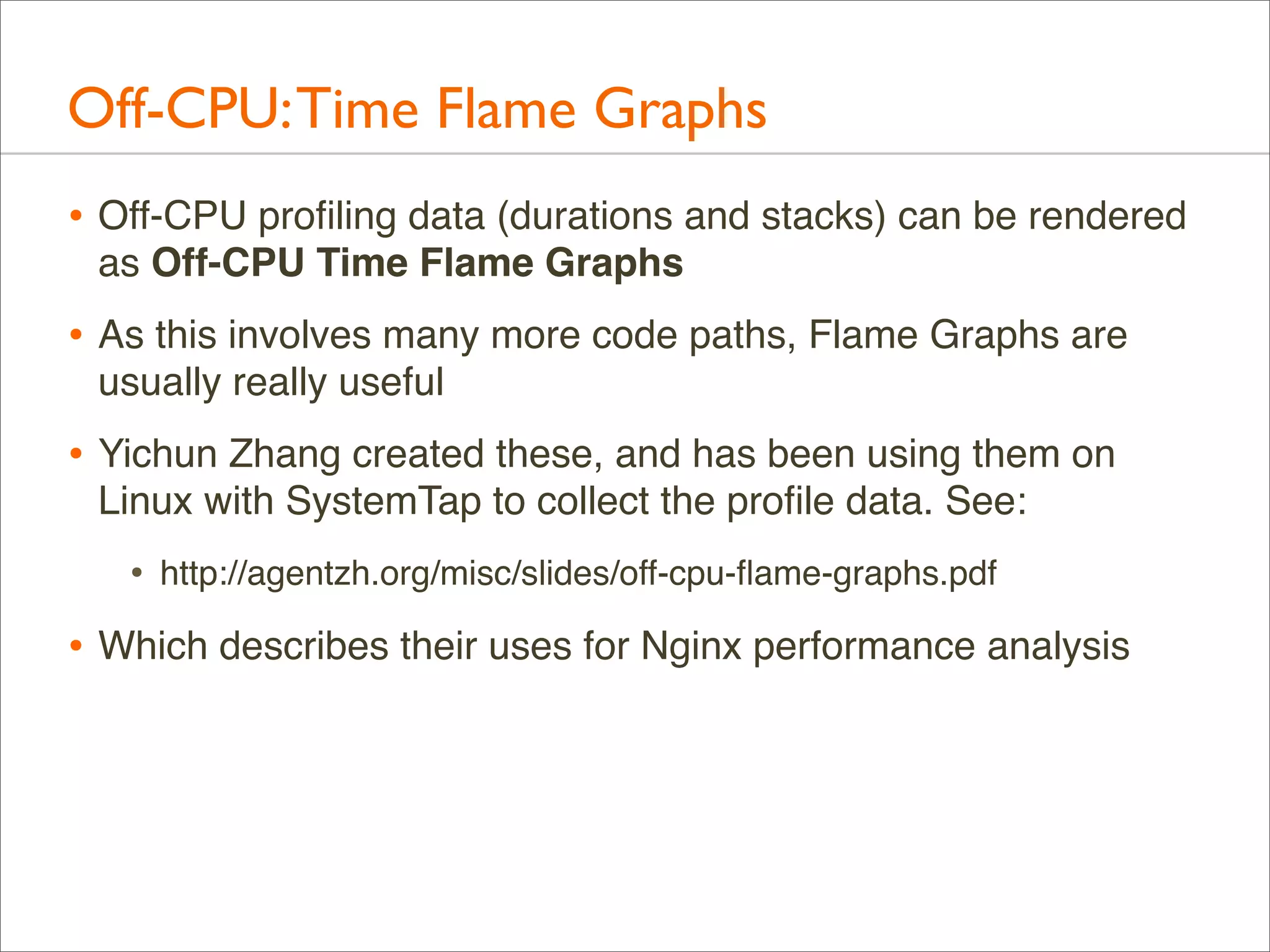
Off-CPU: Time Flame Graphs
• Off-CPU profiling data (durations and stacks) can be rendered
as Off-CPU Time Flame Graphs

• As this involves many more code paths, Flame Graphs are
usually really useful

• Yichun Zhang created these, and has been using them on
Linux with SystemTap to collect the profile data. See:

•

http://agentzh.org/misc/slides/off-cpu-flame-graphs.pdf

• Which describes their uses for Nginx performance analysis
Off-CPU: Profiling
• Example of off-CPU profiling for the bash shell:
# dtrace -x ustackframes=100 -n '
sched:::off-cpu /execname == "bash"/ { self->ts = timestamp; }
sched:::on-cpu /self->ts/ {
@[ustack()] = sum(timestamp - self->ts); self->ts = 0; }
tick-30s { exit(0); }' -o out.offcpu

• Traces time from when a thread switches off-CPU to when it
returns on-CPU, with user-level stacks. ie, time blocked or
sleeping

• Off-CPU Time Flame Graph:
# stackcollapse.pl < out.offcpu | awk '{ print $1, $2 / 1000000 }' | 
flamegraph.pl --title="Off-CPU Time Flame Graph" --color=io 
--countname=ms --width=600 > out.offcpu.svg

• This uses awk to convert nanoseconds into milliseconds
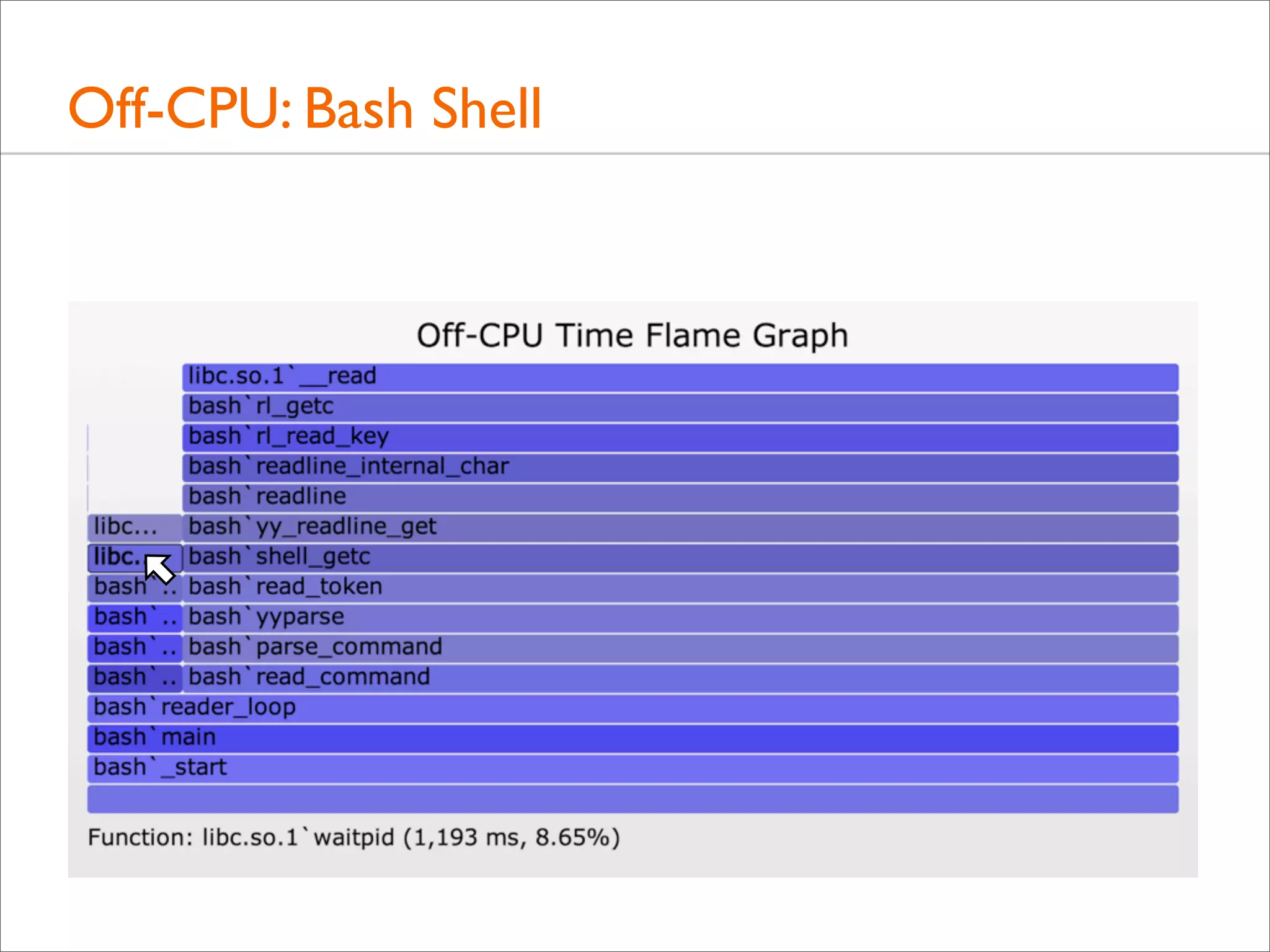
Off-CPU: Bash Shell
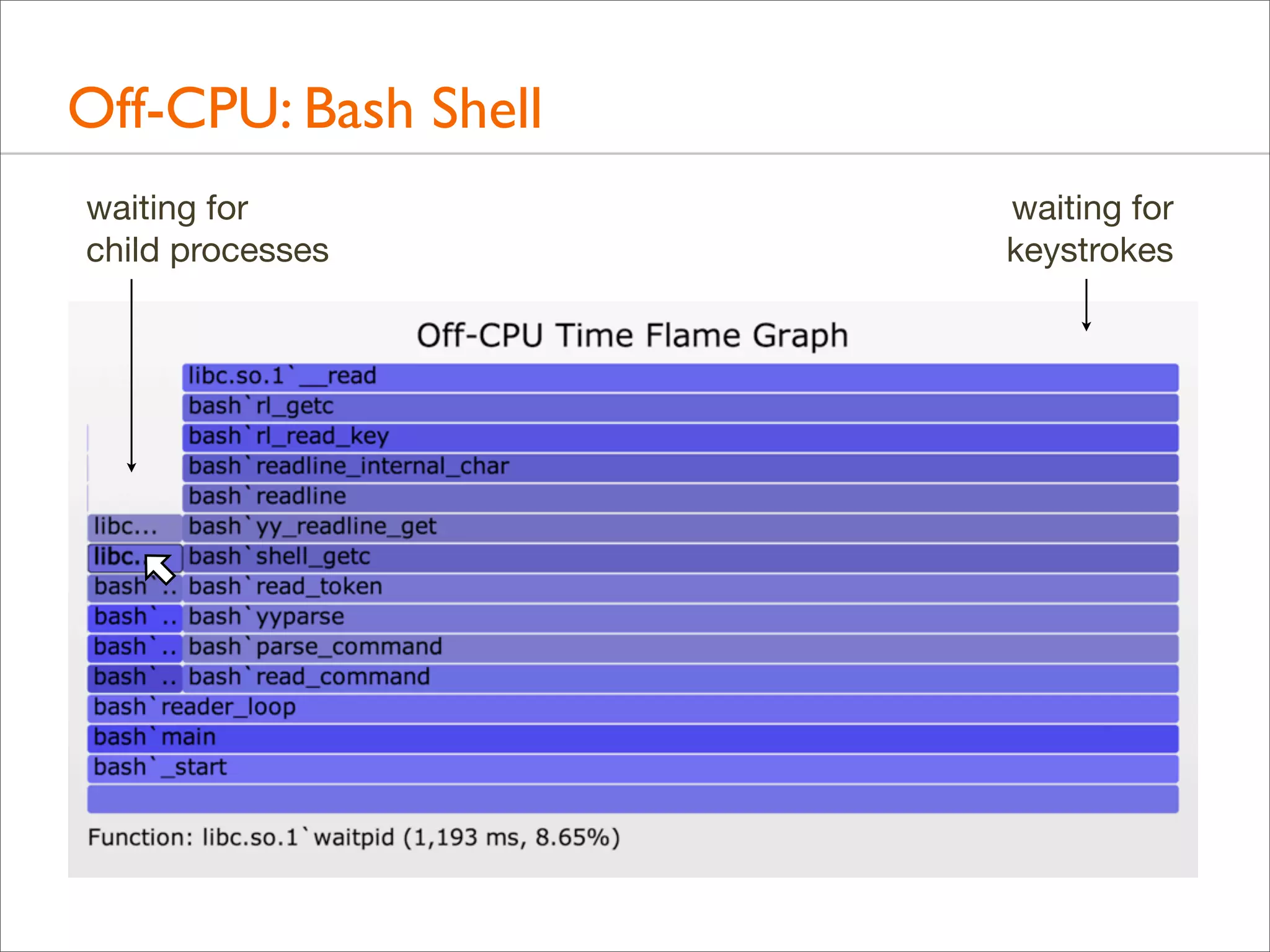
Off-CPU: Bash Shell
waiting for
child processes

waiting for
keystrokes
Off-CPU: Bash Shell
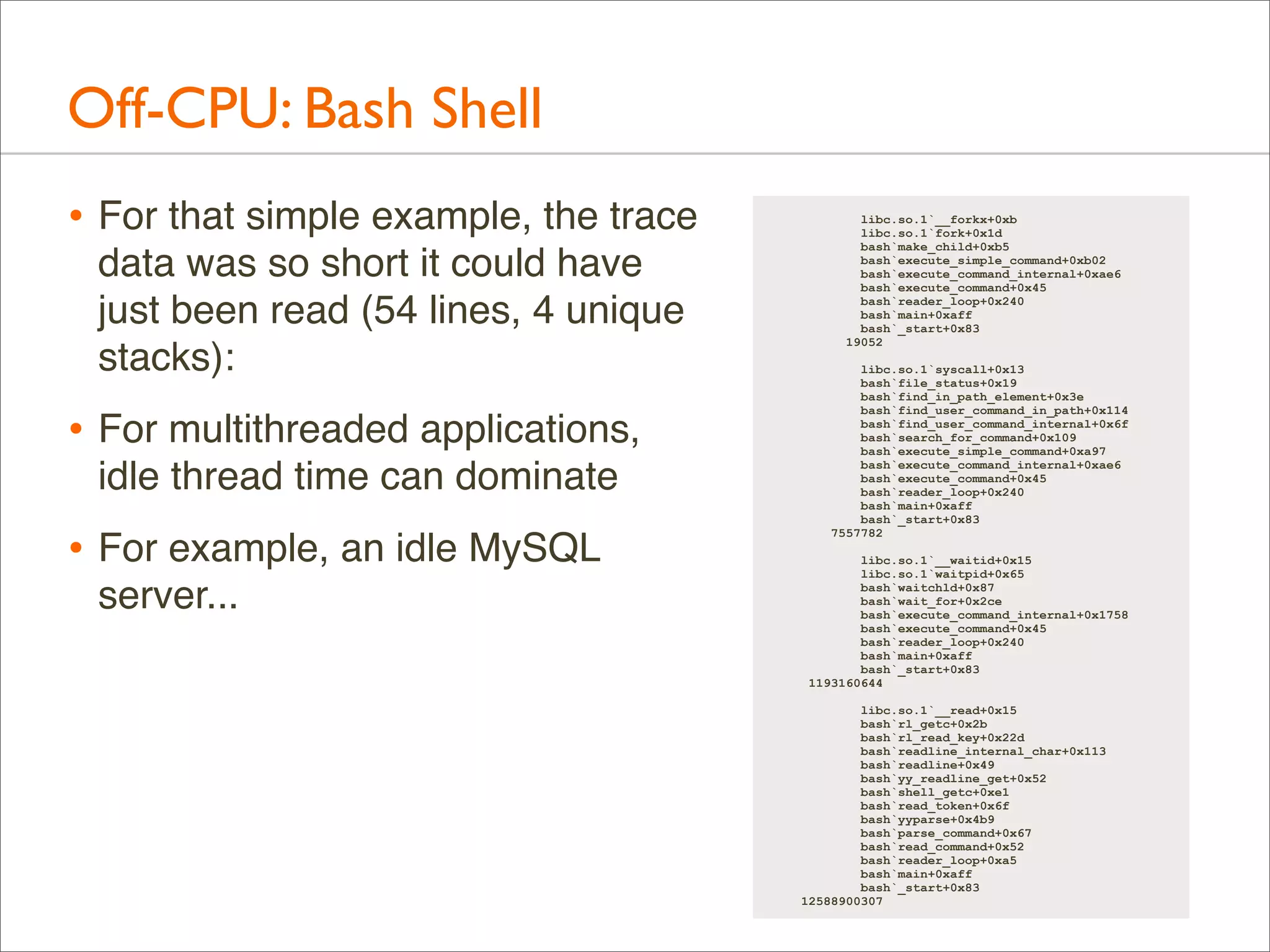
• For that simple example, the trace
data was so short it could have
just been read (54 lines, 4 unique
stacks):

• For multithreaded applications,
idle thread time can dominate

• For example, an idle MySQL
server...

libc.so.1`__forkx+0xb
libc.so.1`fork+0x1d
bash`make_child+0xb5
bash`execute_simple_command+0xb02
bash`execute_command_internal+0xae6
bash`execute_command+0x45
bash`reader_loop+0x240
bash`main+0xaff
bash`_start+0x83
19052
libc.so.1`syscall+0x13
bash`file_status+0x19
bash`find_in_path_element+0x3e
bash`find_user_command_in_path+0x114
bash`find_user_command_internal+0x6f
bash`search_for_command+0x109
bash`execute_simple_command+0xa97
bash`execute_command_internal+0xae6
bash`execute_command+0x45
bash`reader_loop+0x240
bash`main+0xaff
bash`_start+0x83
7557782
libc.so.1`__waitid+0x15
libc.so.1`waitpid+0x65
bash`waitchld+0x87
bash`wait_for+0x2ce
bash`execute_command_internal+0x1758
bash`execute_command+0x45
bash`reader_loop+0x240
bash`main+0xaff
bash`_start+0x83
1193160644
libc.so.1`__read+0x15
bash`rl_getc+0x2b
bash`rl_read_key+0x22d
bash`readline_internal_char+0x113
bash`readline+0x49
bash`yy_readline_get+0x52
bash`shell_getc+0xe1
bash`read_token+0x6f
bash`yyparse+0x4b9
bash`parse_command+0x67
bash`read_command+0x52
bash`reader_loop+0xa5
bash`main+0xaff
bash`_start+0x83
12588900307
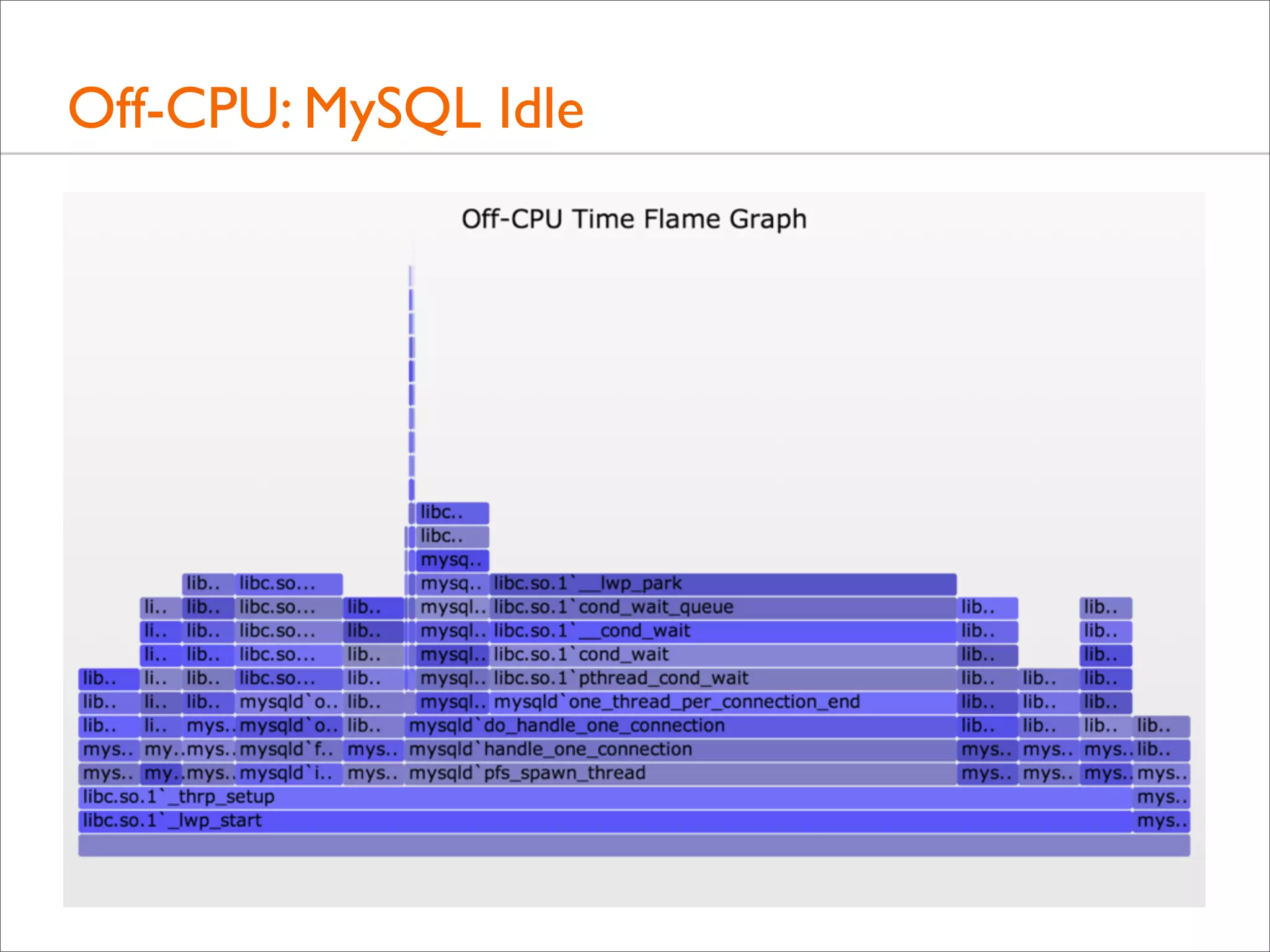
Off-CPU: MySQL Idle
Off-CPU: MySQL Idle

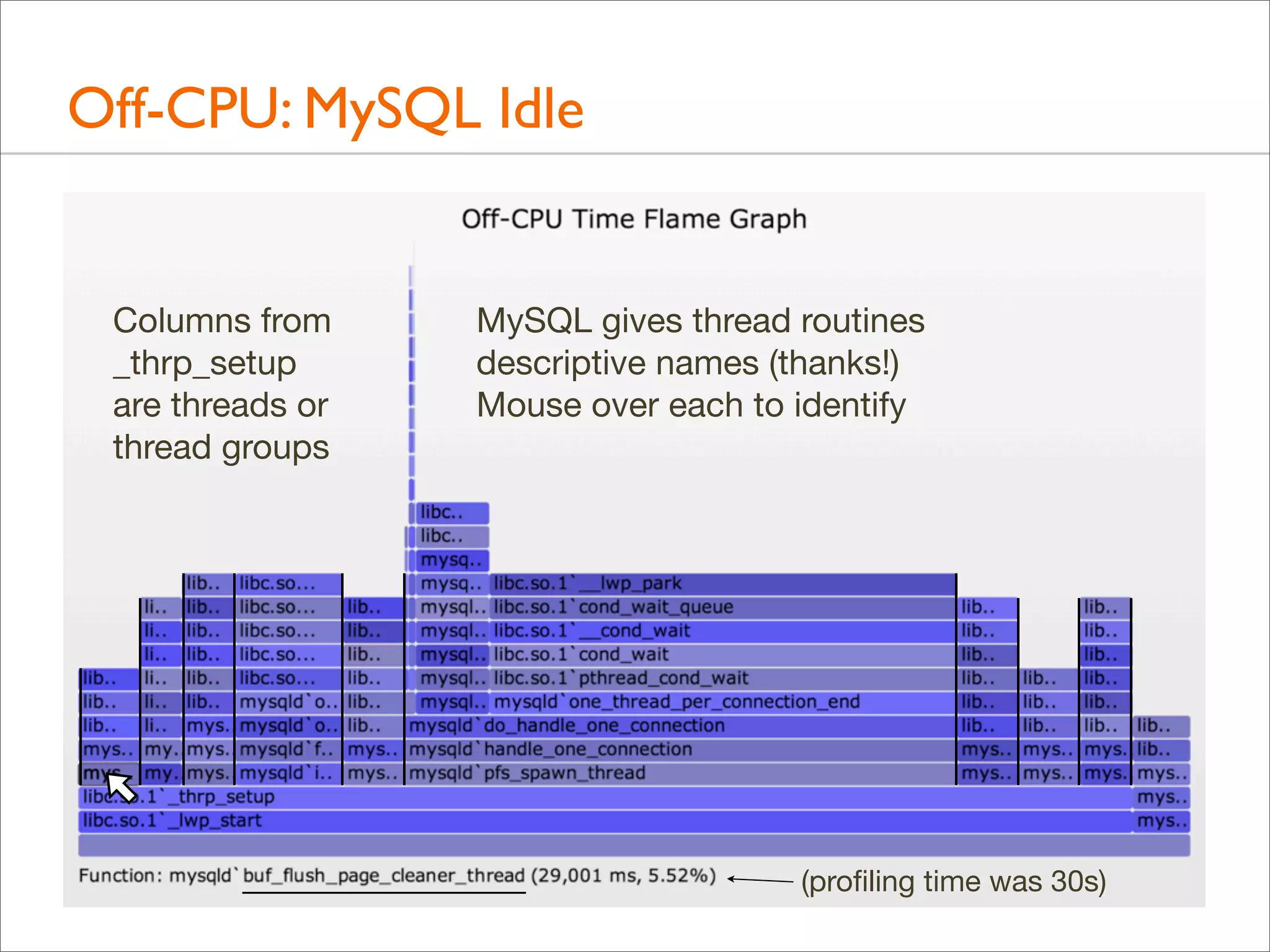
Columns from
_thrp_setup
are threads or
thread groups

MySQL gives thread routines
descriptive names (thanks!)
Mouse over each to identify

(profiling time was 30s)
Off-CPU: MySQL Idle
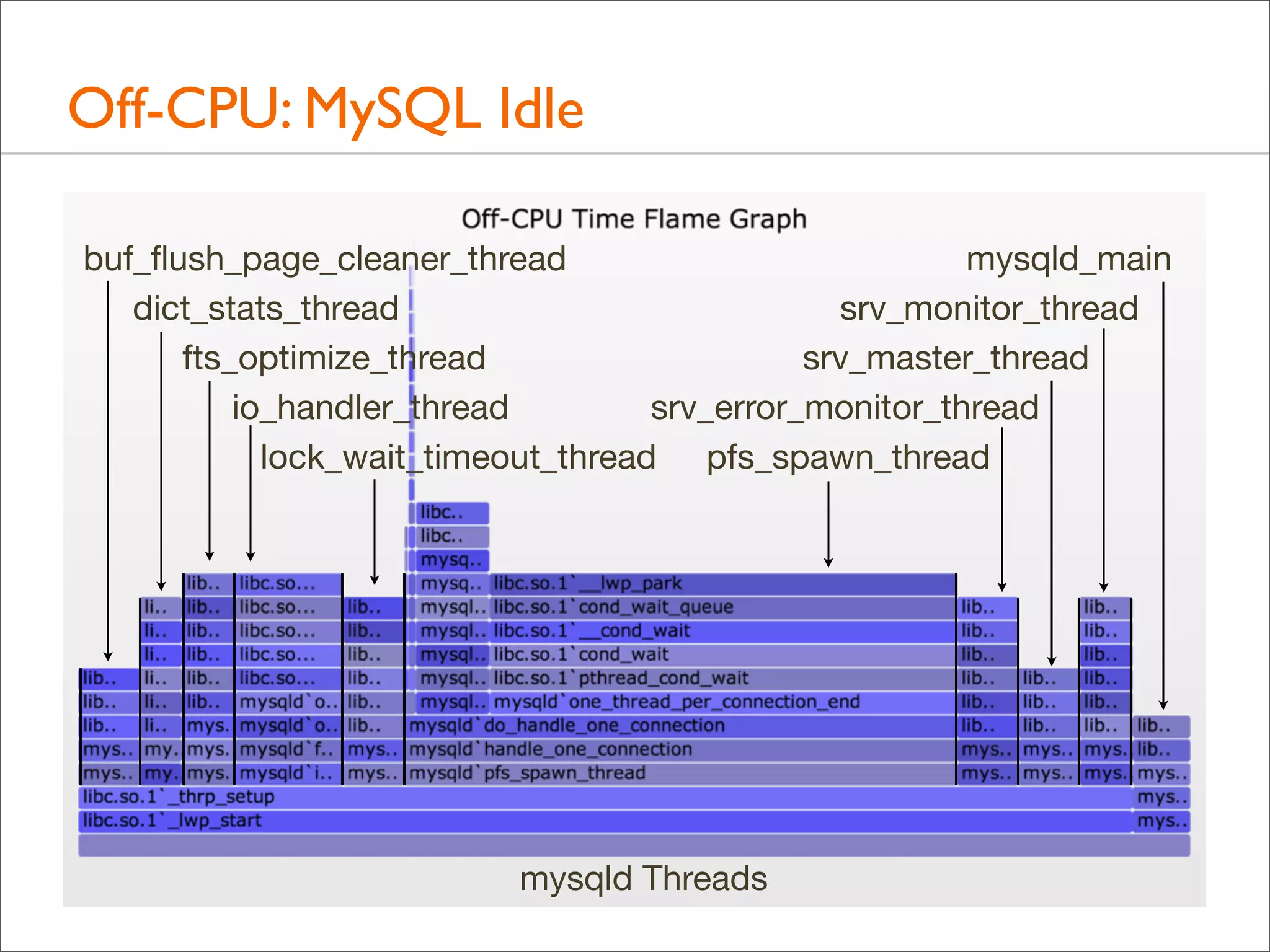
buf_flush_page_cleaner_thread
mysqld_main
dict_stats_thread
srv_monitor_thread
fts_optimize_thread
srv_master_thread
io_handler_thread
srv_error_monitor_thread
lock_wait_timeout_thread pfs_spawn_thread

mysqld Threads
Off-CPU: MySQL Idle
• Some thread columns are wider than the measurement time:
evidence of multiple threads

• This can be shown a number of ways. Eg, adding process
name, PID, and TID to the top of each user stack:
#!/usr/sbin/dtrace -s
#pragma D option ustackframes=100
sched:::off-cpu /execname == "mysqld"/ { self->ts = timestamp; }
sched:::on-cpu
/self->ts/
{
@[execname, pid, curlwpsinfo->pr_lwpid, ustack()] =
sum(timestamp - self->ts);
self->ts = 0;
}
dtrace:::END { printa("n%s-%d/%d%k%@dn", @); }
Off-CPU: MySQL Idle

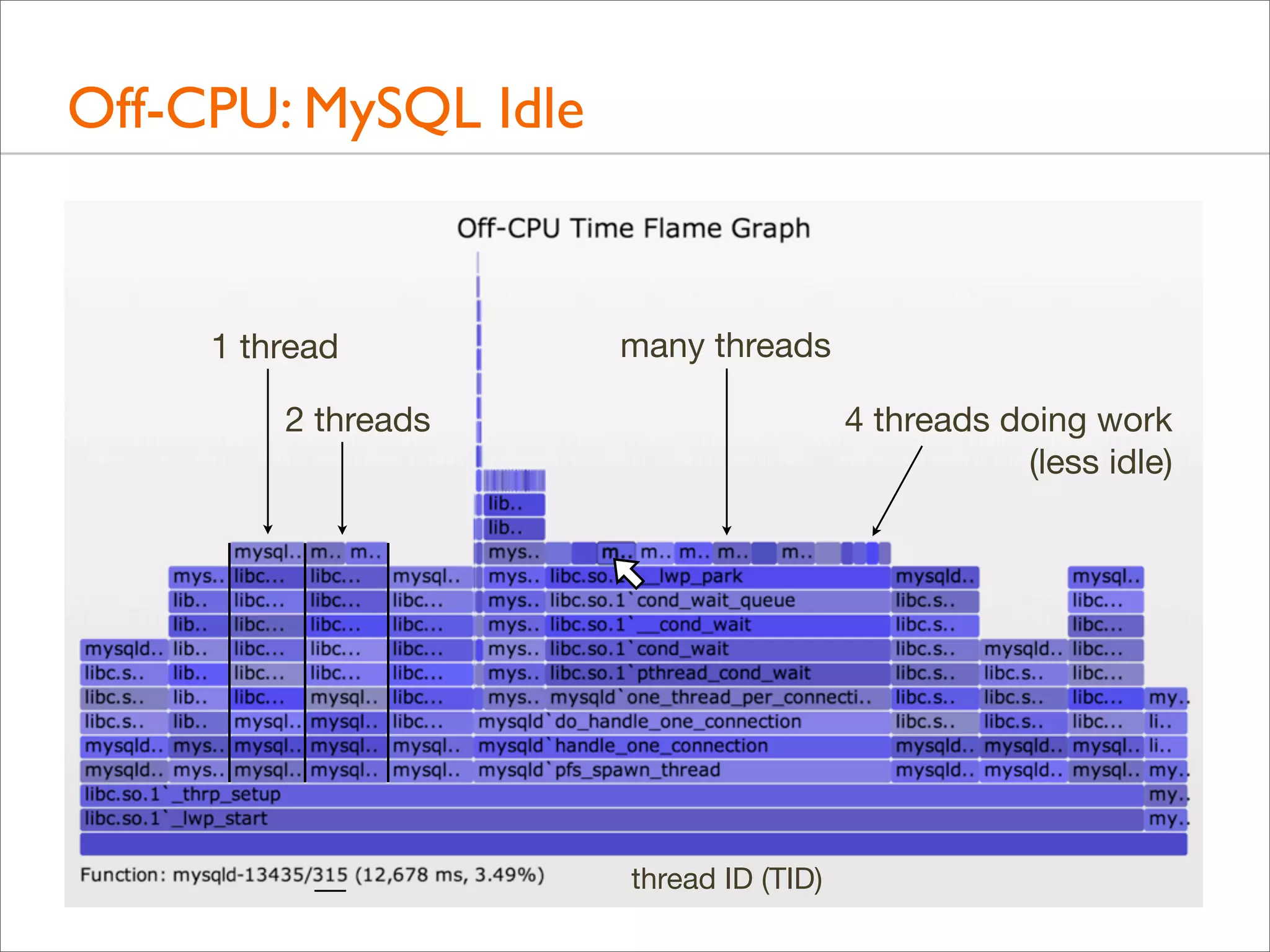
1 thread

many threads

2 threads

4 threads doing work
(less idle)

thread ID (TID)
Off-CPU: Challenges
• Including multiple threads in one Flame Graph might still be
confusing. Separate Flame Graphs for each can be created

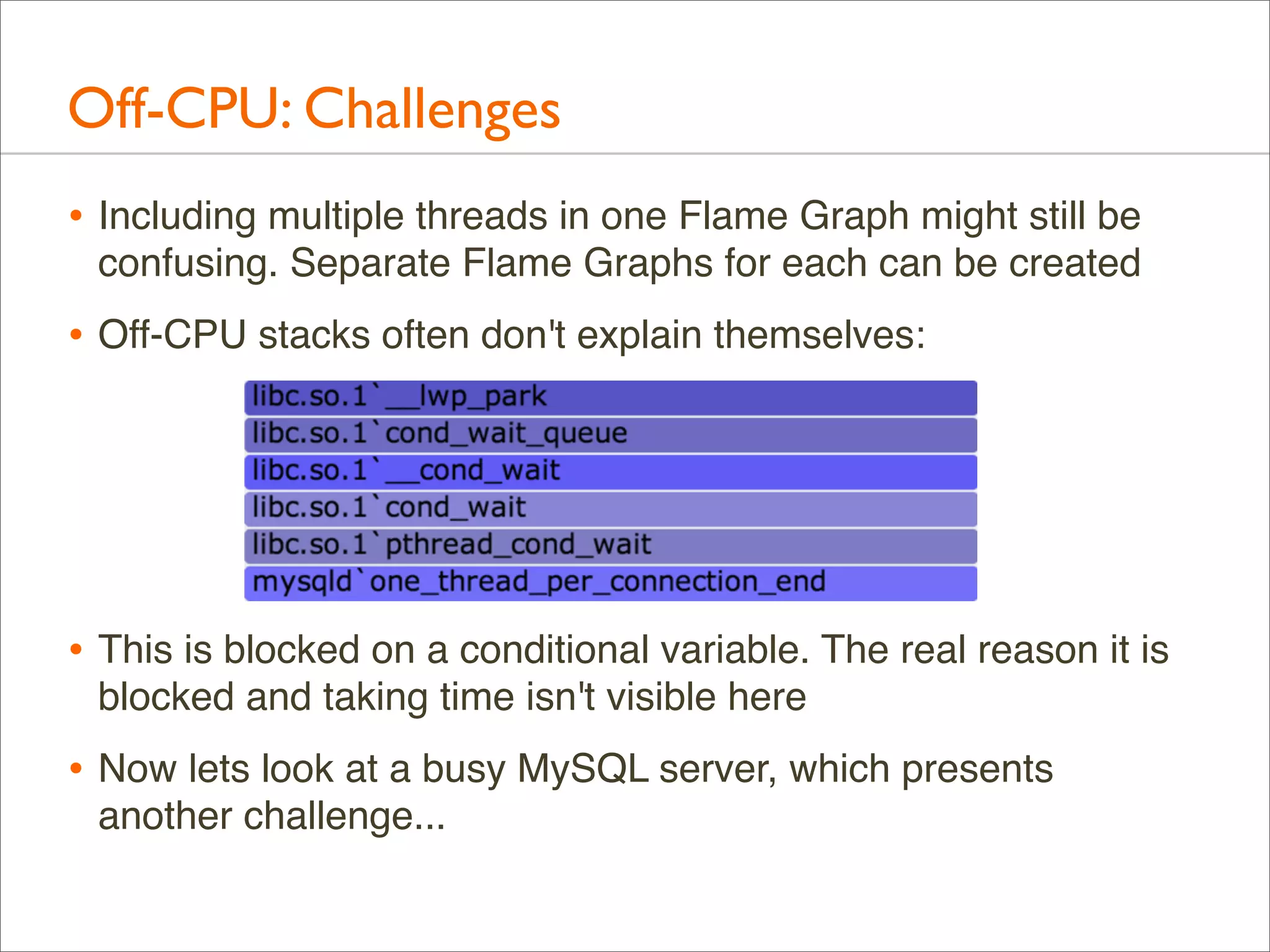
• Off-CPU stacks often don't explain themselves:

• This is blocked on a conditional variable. The real reason it is
blocked and taking time isn't visible here

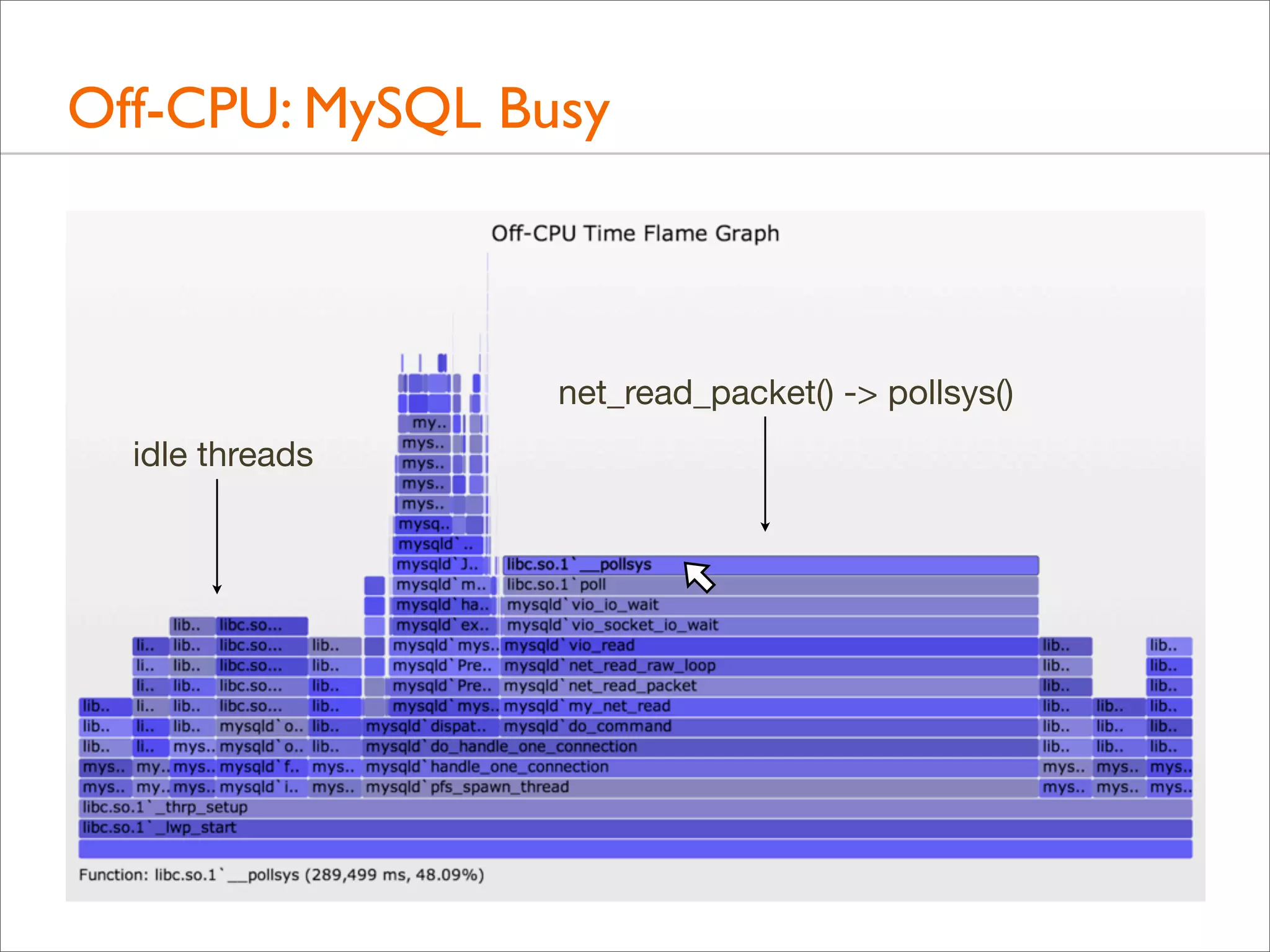
• Now lets look at a busy MySQL server, which presents
another challenge...
Off-CPU: MySQL Busy

net_read_packet() -> pollsys()
idle threads
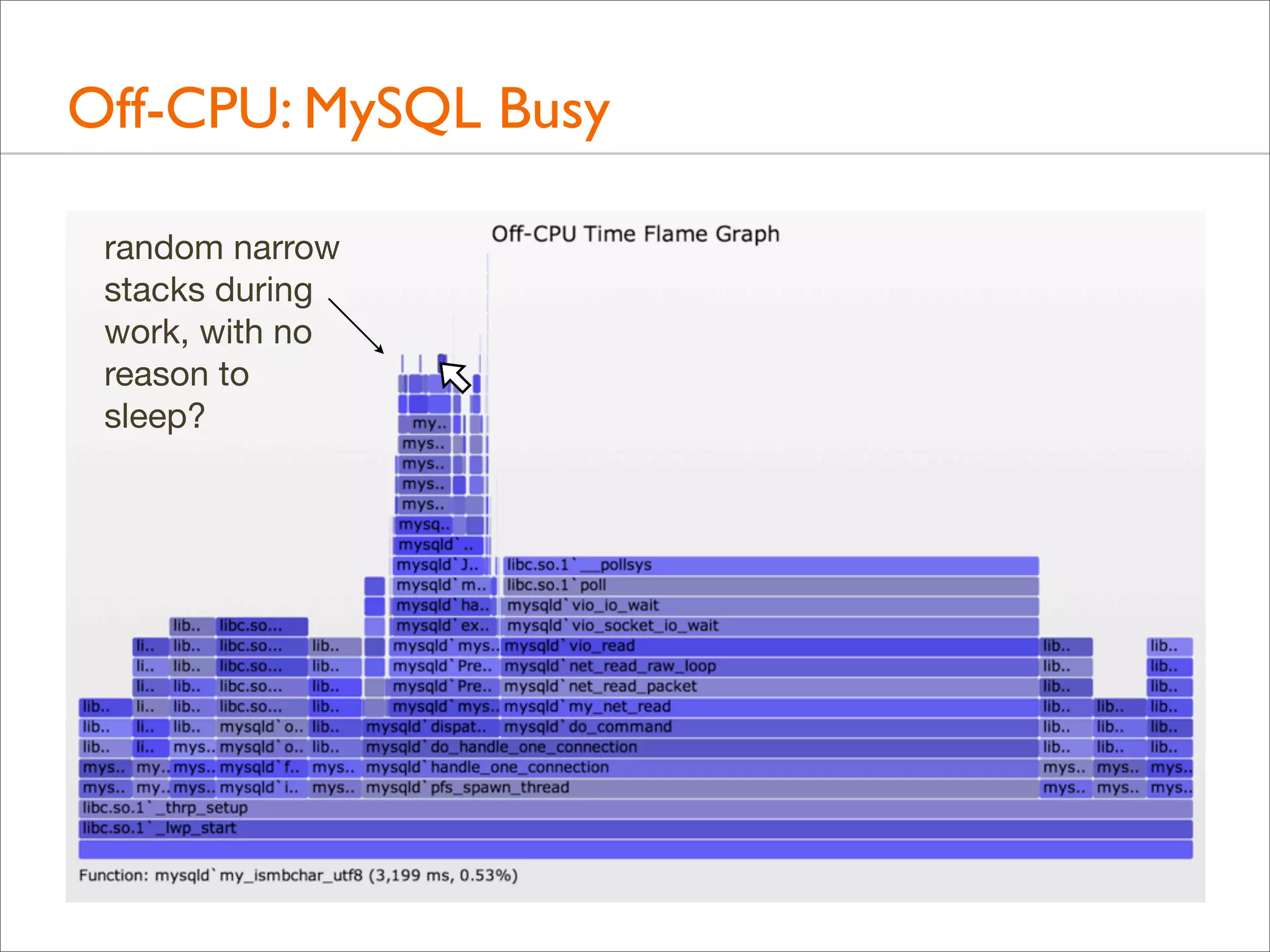
Off-CPU: MySQL Busy
random narrow
stacks during
work, with no
reason to
sleep?
Off-CPU: MySQL Busy
• Those were user-level stacks only. The kernel-level stack,
which can be included, will usually explain what happened

• eg, involuntary context switch due to time slice expired
• Those paths are likely hot in the CPU Sample Flame Graph
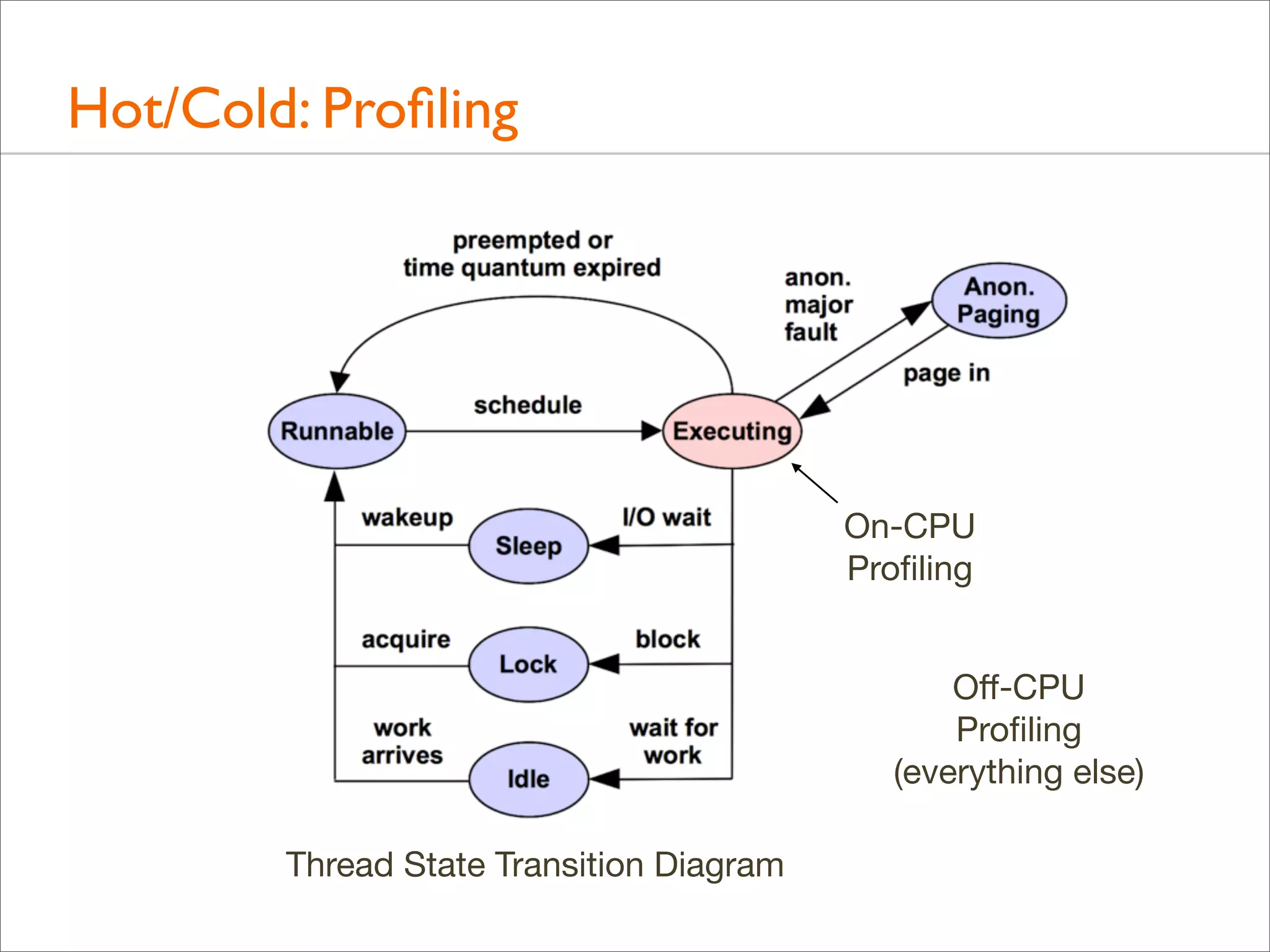
Hot/Cold
Hot/Cold: Profiling

On-CPU
Profiling
Off-CPU
Profiling
(everything else)
Thread State Transition Diagram
Hot/Cold: Profiling
• Profiling both on-CPU and off-CPU stacks shows everything
• In my LISA'12 talk I called this the Stack Profile Method:
profile all stacks

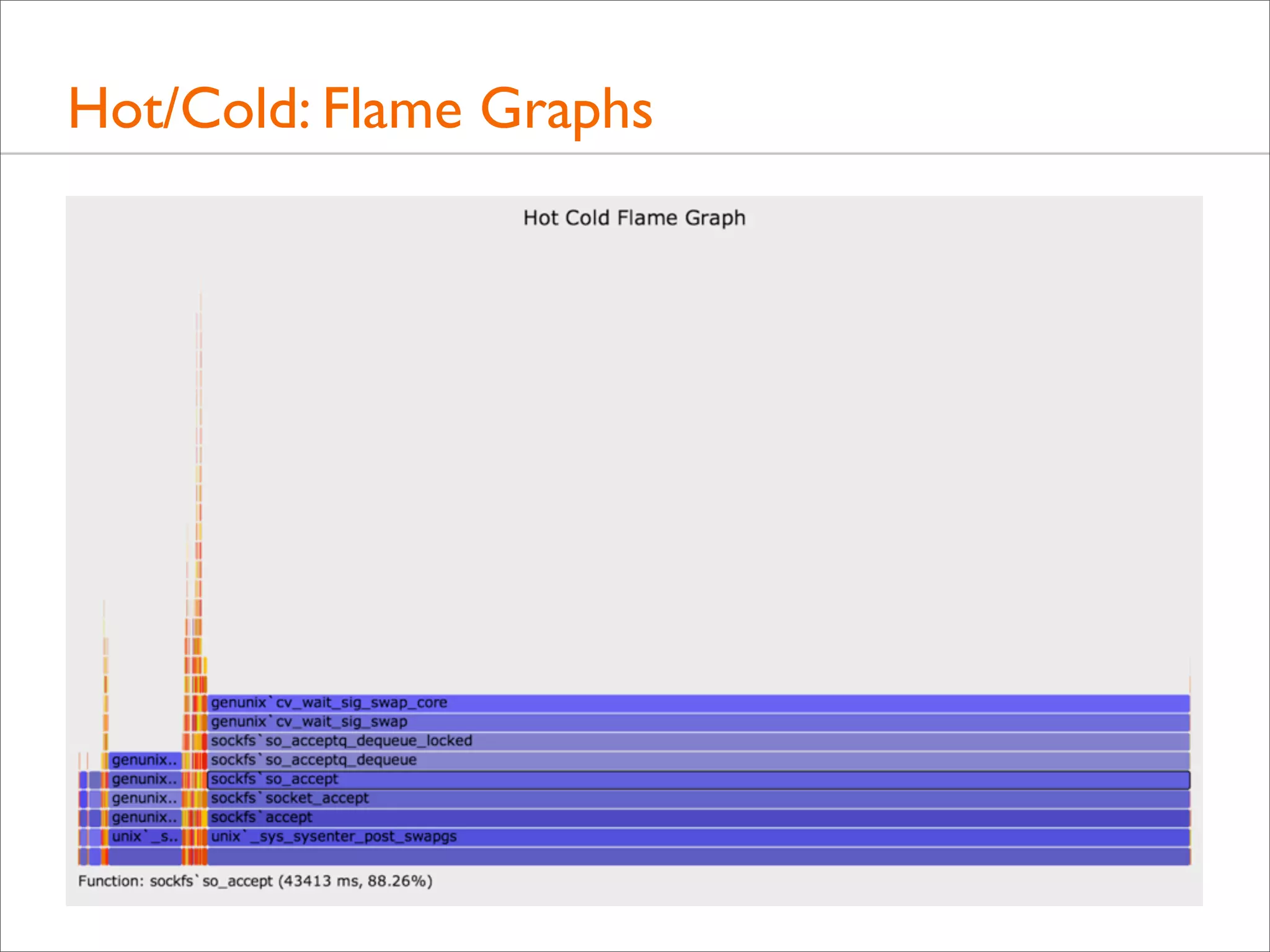
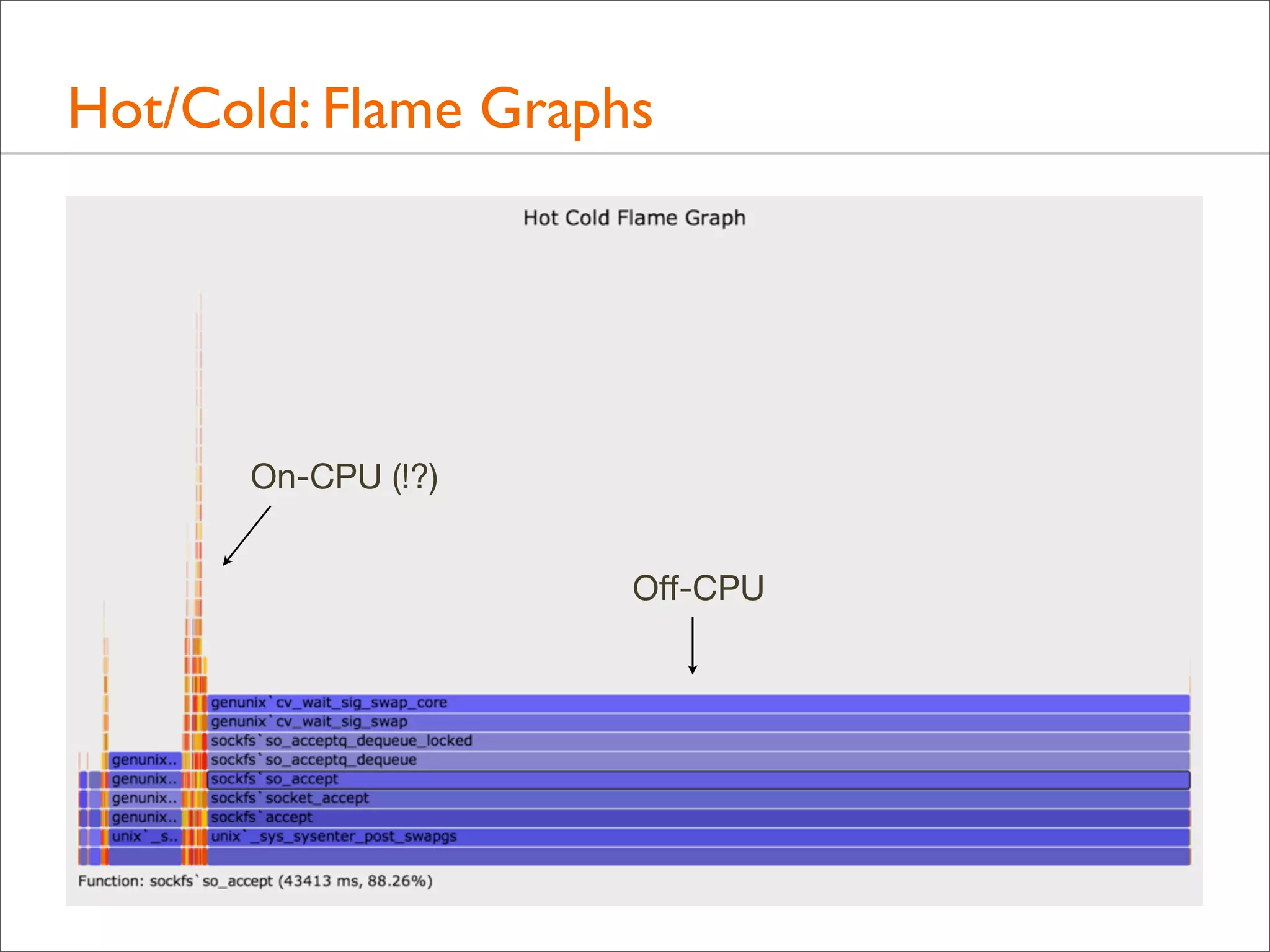
• Both on-CPU ("hot") and off-CPU ("cold") stacks can be
included in the same Flame Graph, colored differently:
Hot Cold Flame Graphs!

• Merging multiple threads gets even weirder. Creating a
separate graph per-thread makes much more sense, as
comparisons to see how a thread's time is divided between
on- and off-CPU activity

• For example, a single web server thread with kernel stacks...
Hot/Cold: Flame Graphs

On-CPU (!?)
Off-CPU
Hot/Cold: Challenges
• Sadly, this often doesn't work well for two reasons:
• 1. On-CPU time columns get compressed by off-CPU time
• Previous example dominated by the idle path – waiting for
a new connection – which is not very interesting!

• Works better with zoomable Flame Graphs, but then we've
lost the ability to see key details on first glance

• Pairs of on-CPU and off-CPU Flame Graphs may be the
best approach, giving both the full width

• 2. Has the same challenge from off-CPU Flame Graphs:
real reason for blocking may not be visible
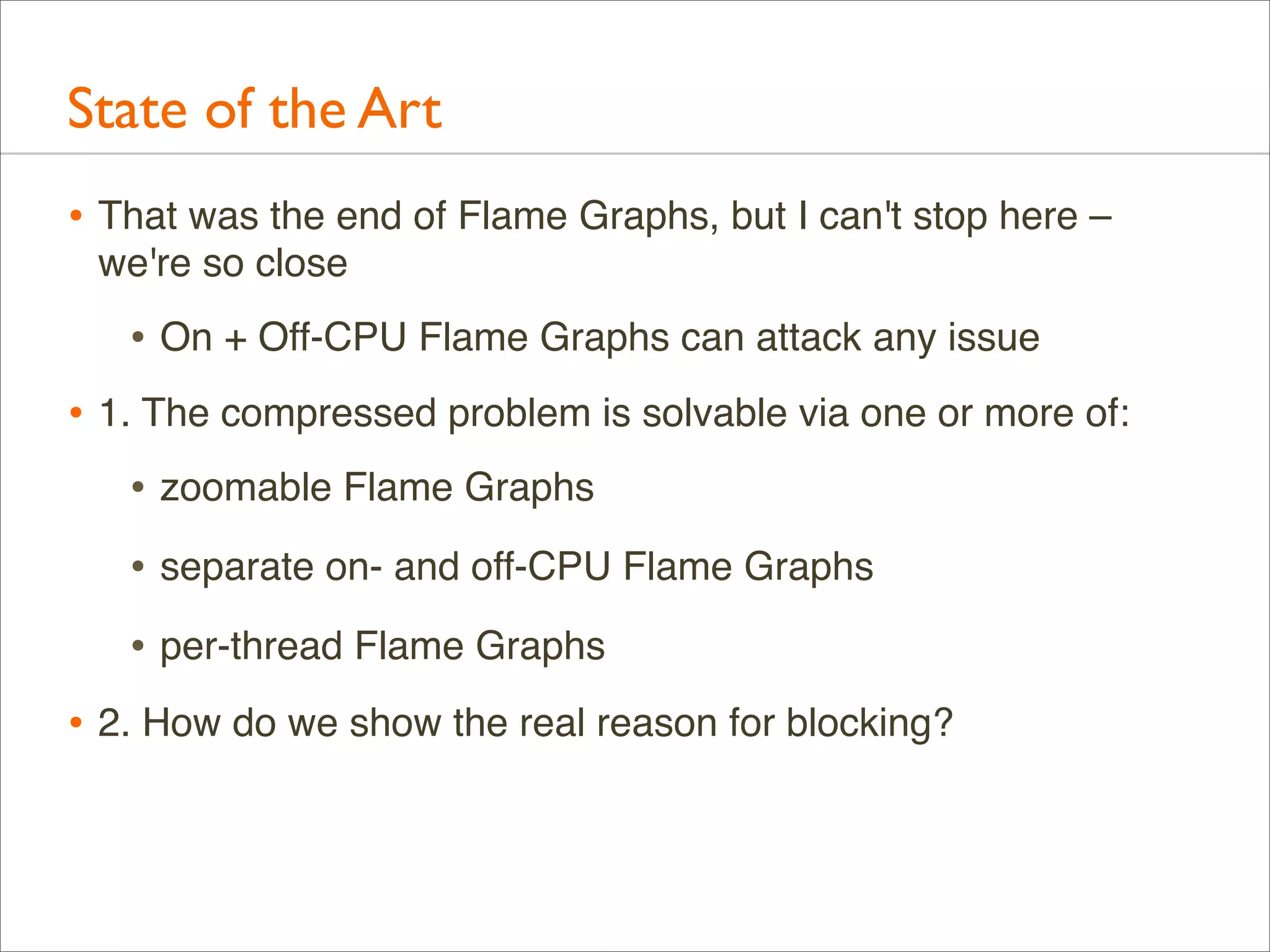
State of the Art
• That was the end of Flame Graphs, but I can't stop here –
we're so close

• On + Off-CPU Flame Graphs can attack any issue
• 1. The compressed problem is solvable via one or more of:
• zoomable Flame Graphs
• separate on- and off-CPU Flame Graphs
• per-thread Flame Graphs
• 2. How do we show the real reason for blocking?
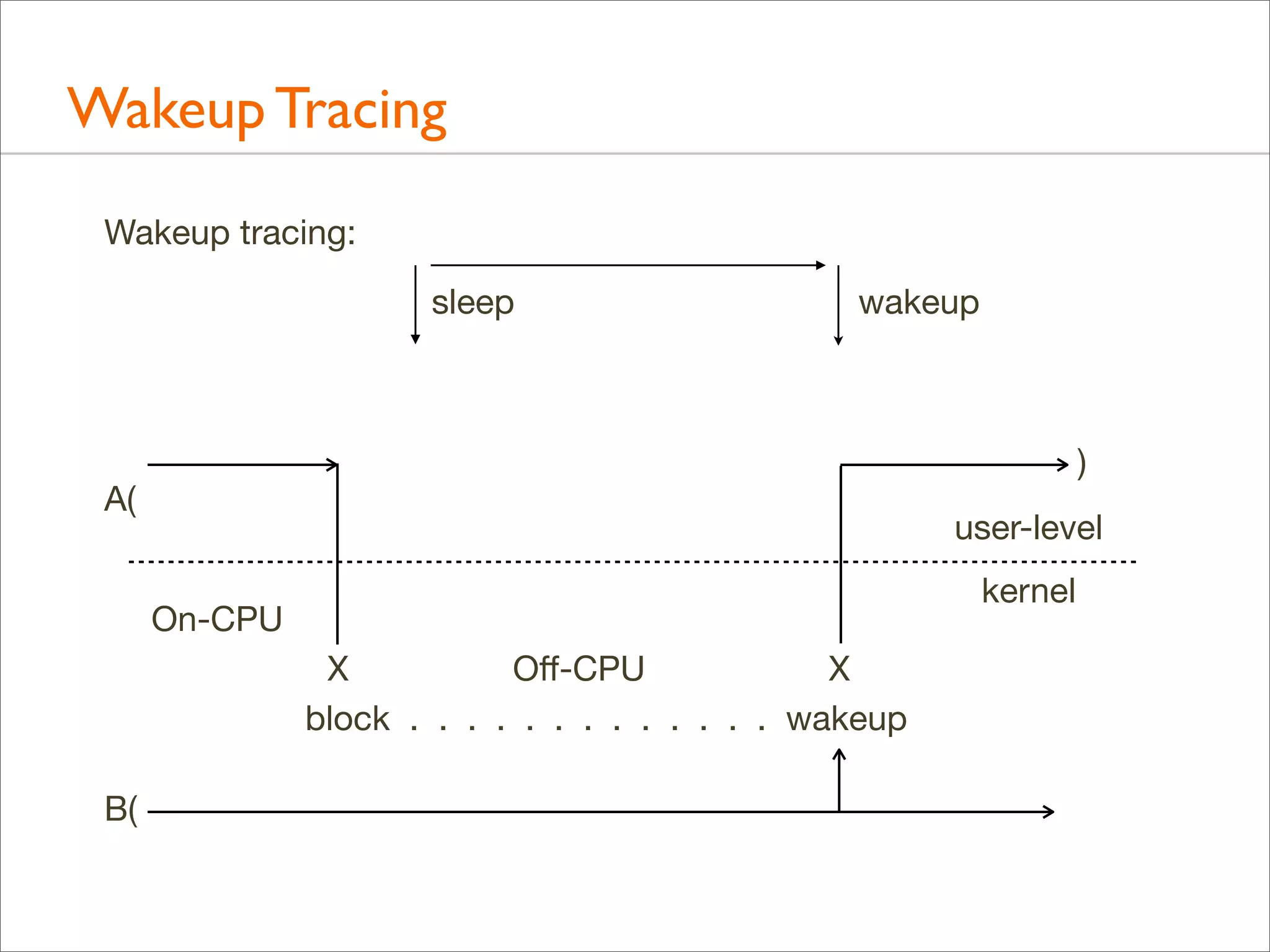
Wakeup Tracing
Wakeup tracing:
sleep

wakeup

)

A(

user-level
kernel

On-CPU
X
Off-CPU
X
block . . . . . . . . . . . . . wakeup
B(
Tracing Wakeups
• The systems knows who woke up who
• Tracing who performed the wakeup – and their stack – can
show the real reason for waiting

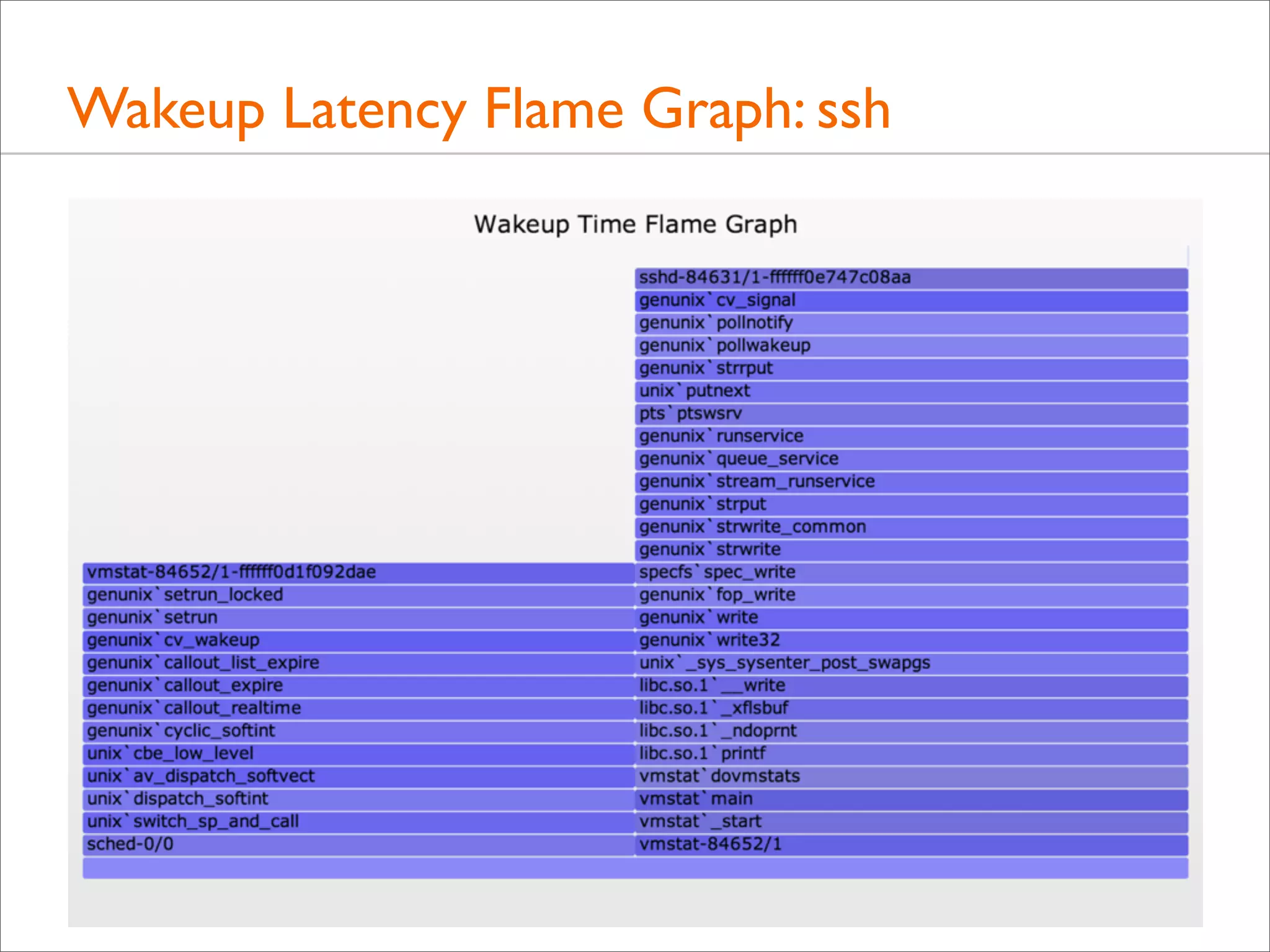
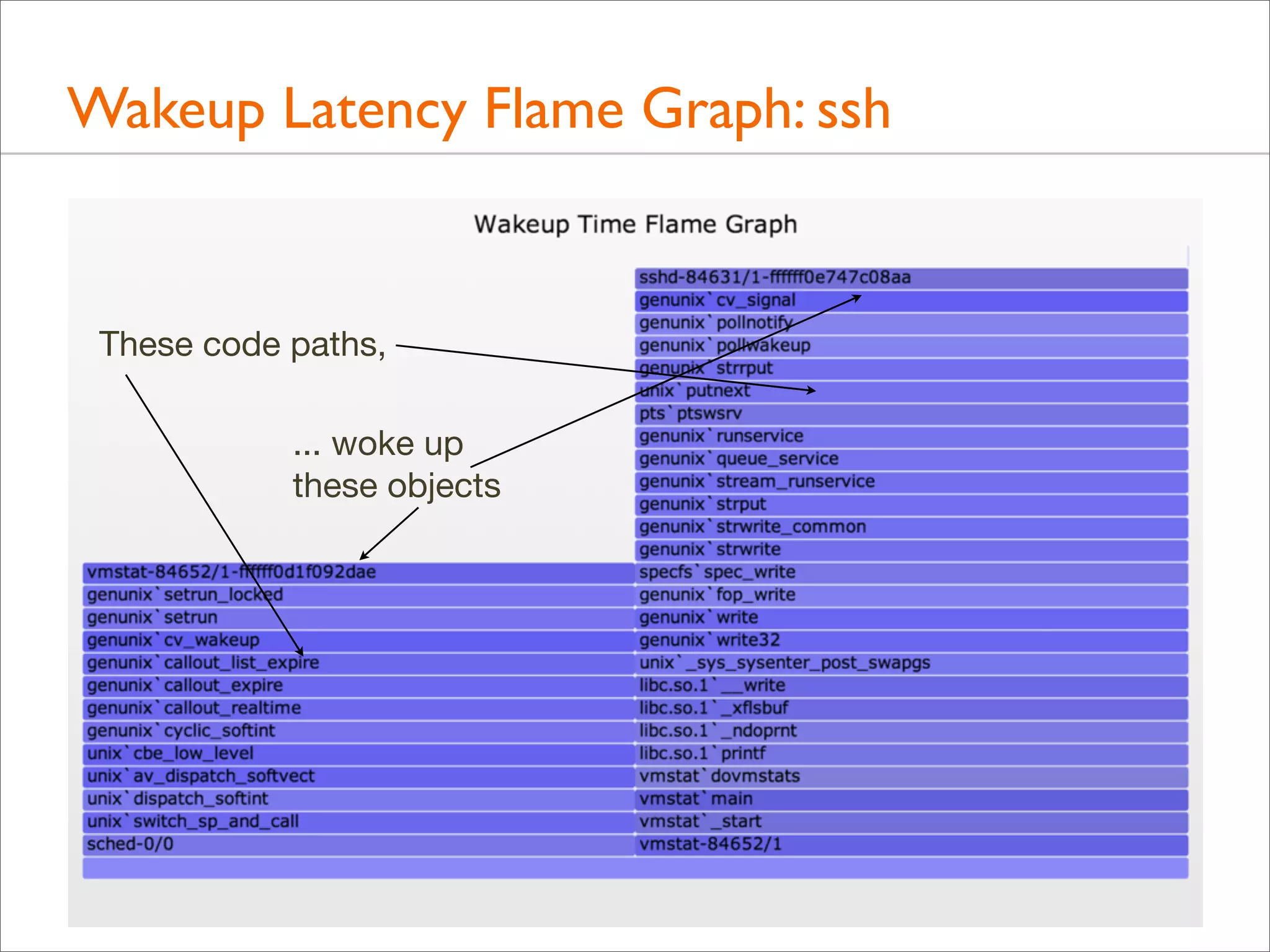
• Wakeup Latency Flame Graph
• Advanced activity
• Consider overheads – might trace too much
• Eg, consider ssh, starting with the Off CPU Time Flame Graph
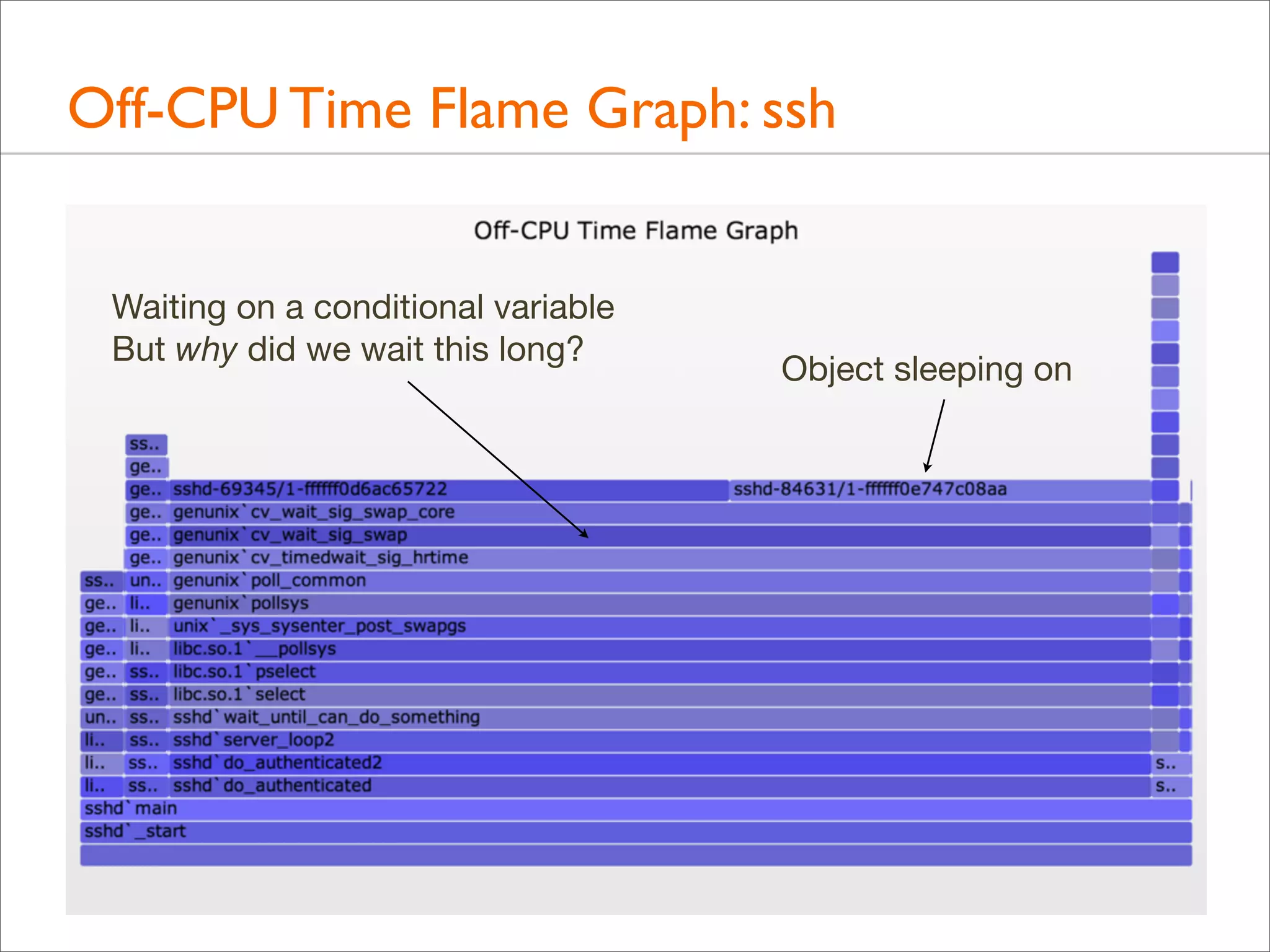
Off-CPU Time Flame Graph: ssh
Waiting on a conditional variable
But why did we wait this long?

Object sleeping on
Wakeup Latency Flame Graph: ssh

These code paths,
... woke up
these objects
Tracing Wakeup, Example (DTrace)
#!/usr/sbin/dtrace -s
#pragma D option quiet
#pragma D option ustackframes=100
#pragma D option stackframes=100
int related[uint64_t];

This example targets sshd
(previous example also matched
vmstat, after discovering that
sshd was blocked on vmstat,
which it was: "vmstat 1")

sched:::sleep
/execname == "sshd"/
{
ts[curlwpsinfo->pr_addr] = timestamp;
}

Time from sleep to wakeup

sched:::wakeup
/ts[args[0]->pr_addr]/
{
this->d = timestamp - ts[args[0]->pr_addr];
@[args[1]->pr_fname, args[1]->pr_pid, args[0]->pr_lwpid, args[0]->pr_wchan,
stack(), ustack(), execname, pid, curlwpsinfo->pr_lwpid] = sum(this->d);
ts[args[0]->pr_addr] = 0;
}

Stack traces of who is doing the waking

dtrace:::END
{
printa("n%s-%d/%d-%x%k-%k%s-%d/%dn%@dn", @);
}

Aggregate if possible instead of dumping, to minimize overheads
Following Stack Chains
• 1st level of wakeups often not enough
• Would like to programmatically follow multiple chains of
wakeup stacks, and visualize them

• I've discussed this with others before – it's a hard problem
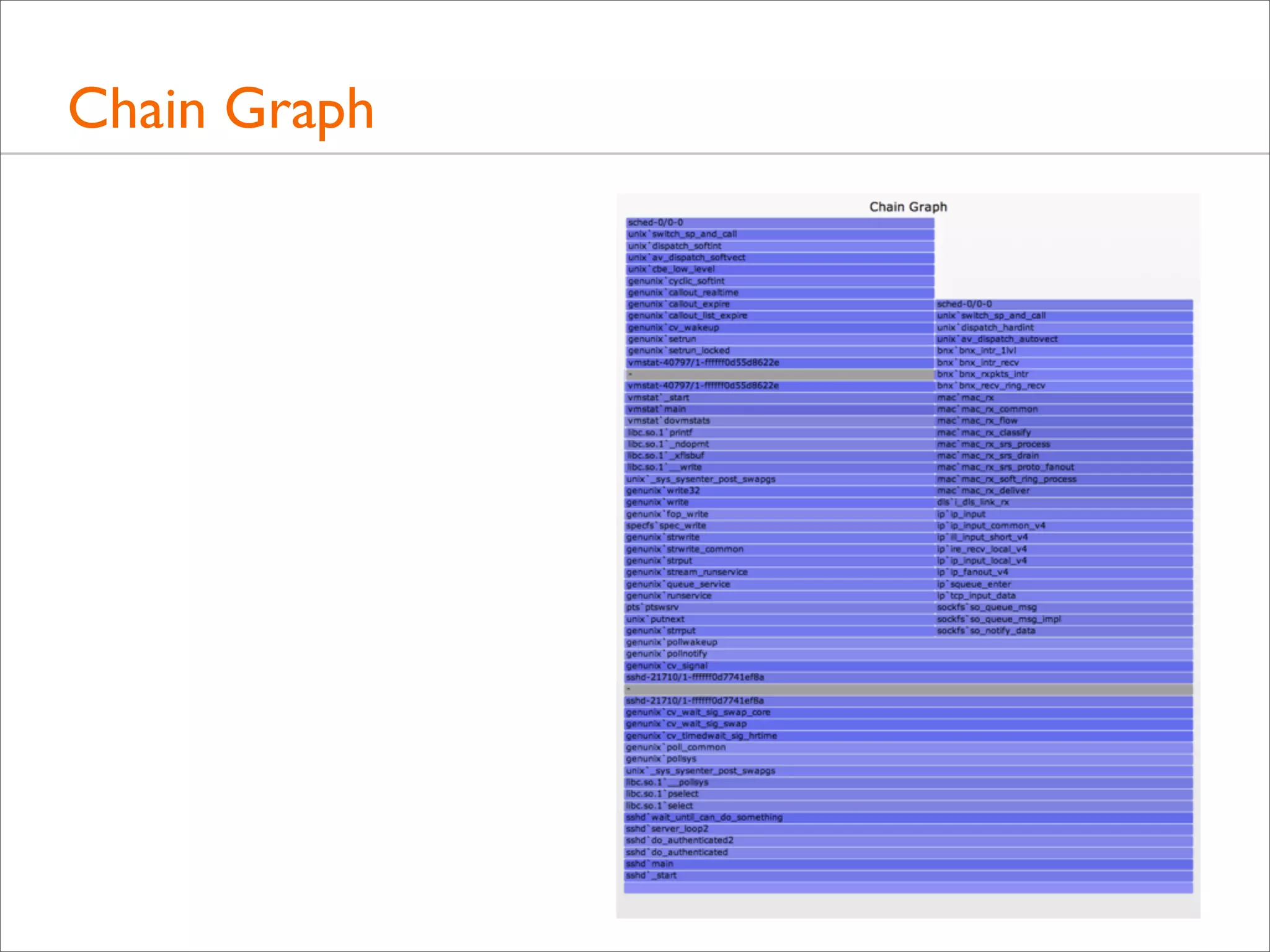
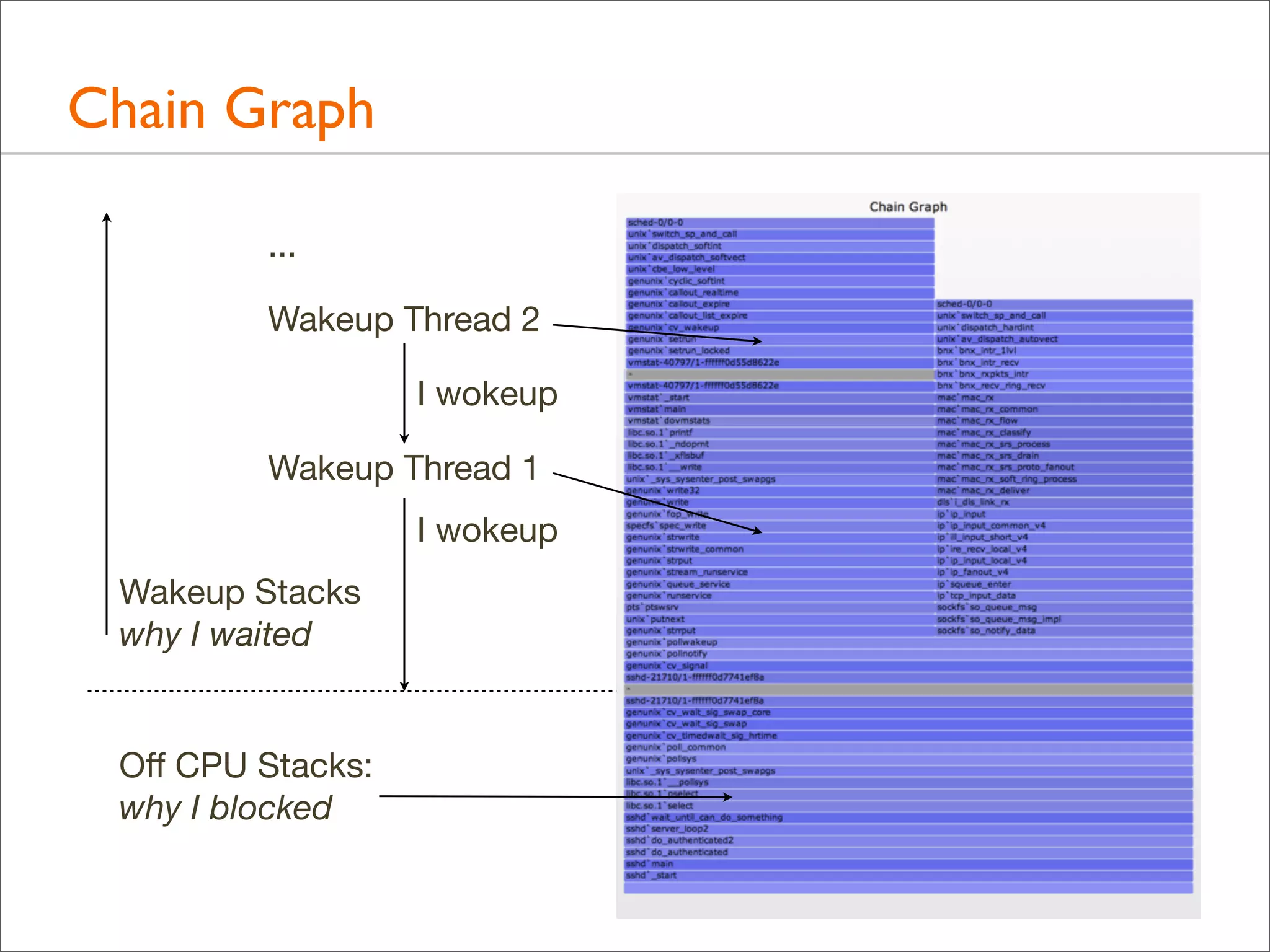
• The following is in development!: Chain Graph
Chain Graph
Chain Graph
...
Wakeup Thread 2
I wokeup
Wakeup Thread 1
I wokeup
Wakeup Stacks
why I waited

Off CPU Stacks:
why I blocked
Chain Graph Visualization
• New, experimental; check for later improvements
• Stacks associated based on sleeping object address
• Retains the value of relative widths equals latency
• Wakeup stacks frames can be listed in reverse (may be less
confusing when following towers bottom-up)

• Towers can get very tall, tracing wakeups through different
software threads, back to metal
Following Wakeup Chains, Example (DTrace)
#!/usr/sbin/dtrace -s
#pragma D option quiet
#pragma D option ustackframes=100
#pragma D option stackframes=100
int related[uint64_t];
sched:::sleep
/execname == "sshd" || related[curlwpsinfo->pr_addr]/
{
ts[curlwpsinfo->pr_addr] = timestamp;
}
sched:::wakeup
/ts[args[0]->pr_addr]/
{
this->d = timestamp - ts[args[0]->pr_addr];
@[args[1]->pr_fname, args[1]->pr_pid, args[0]->pr_lwpid, args[0]->pr_wchan,
stack(), ustack(), execname, pid, curlwpsinfo->pr_lwpid] = sum(this->d);
ts[args[0]->pr_addr] = 0;
related[curlwpsinfo->pr_addr] = 1;
}
dtrace:::END
{
printa("n%s-%d/%d-%x%k-%k%s-%d/%dn%@dn", @);
}

Also follow who
wakes up the waker
Developments
Developments
• There have been many other great developments in the world
of Flame Graphs. The following is a short tour.
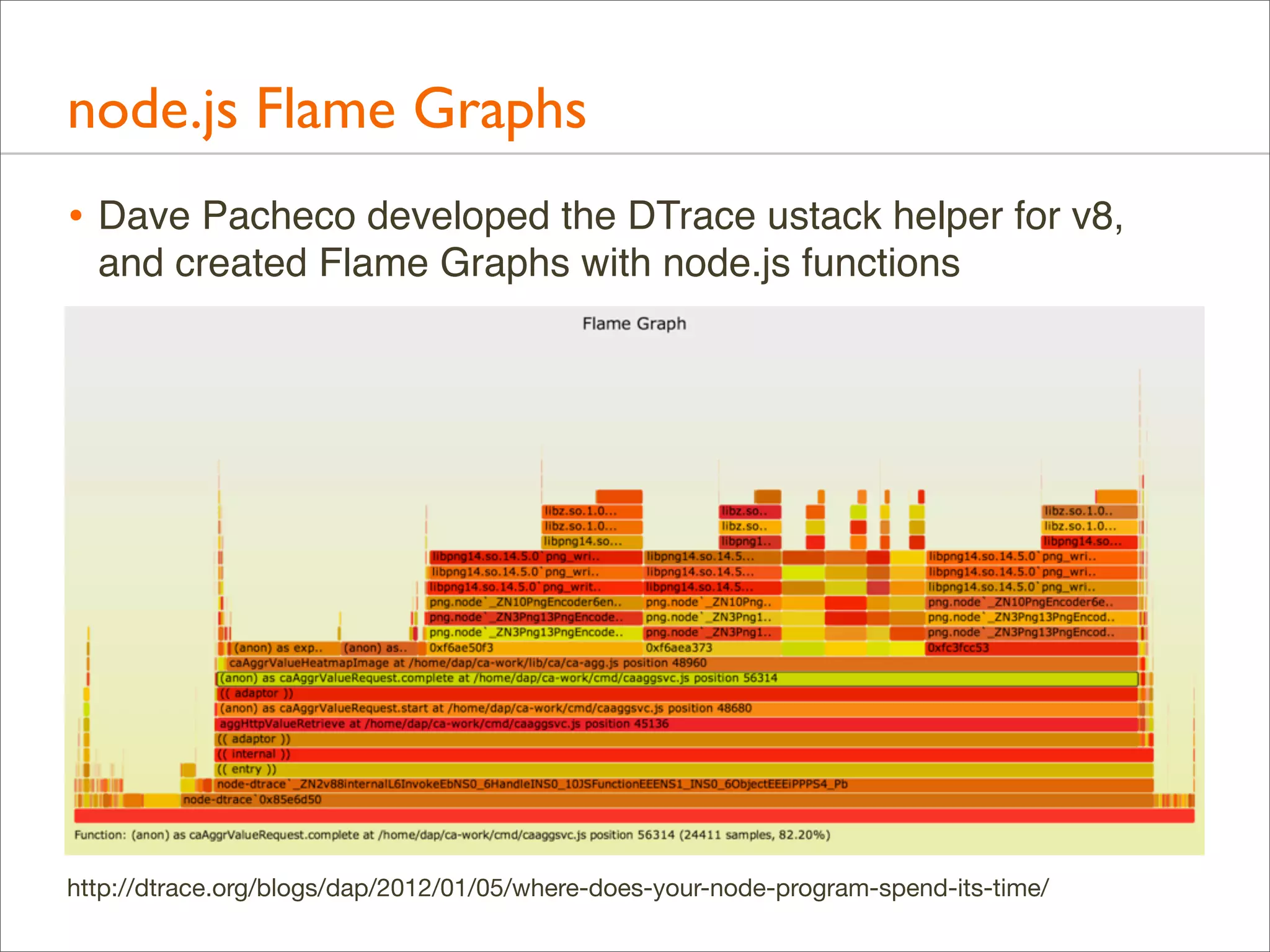
node.js Flame Graphs
• Dave Pacheco developed the DTrace ustack helper for v8,
and created Flame Graphs with node.js functions

http://dtrace.org/blogs/dap/2012/01/05/where-does-your-node-program-spend-its-time/
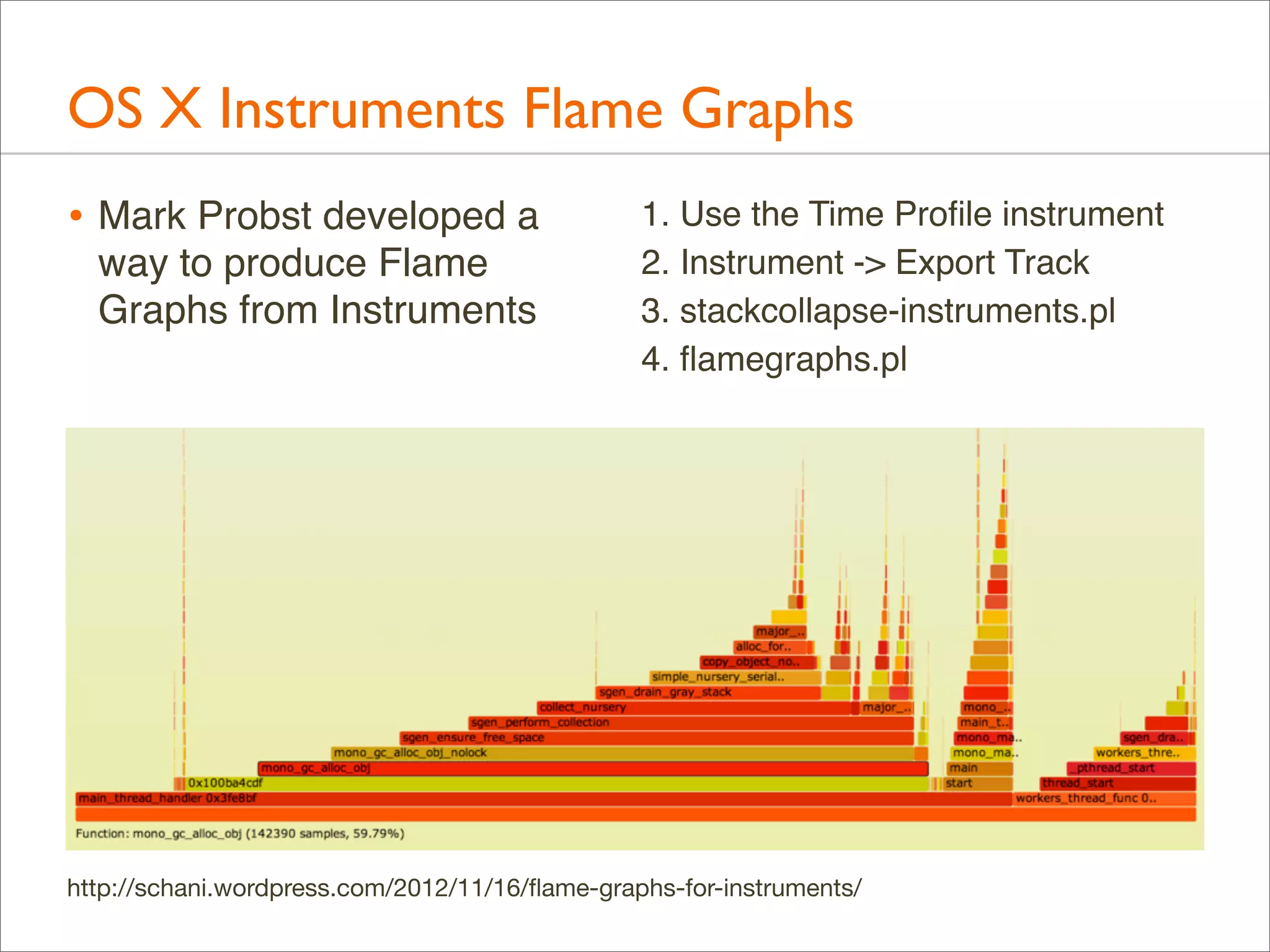
OS X Instruments Flame Graphs
• Mark Probst developed a
way to produce Flame
Graphs from Instruments

1. Use the Time Profile instrument
2. Instrument -> Export Track
3. stackcollapse-instruments.pl
4. flamegraphs.pl

http://schani.wordpress.com/2012/11/16/flame-graphs-for-instruments/
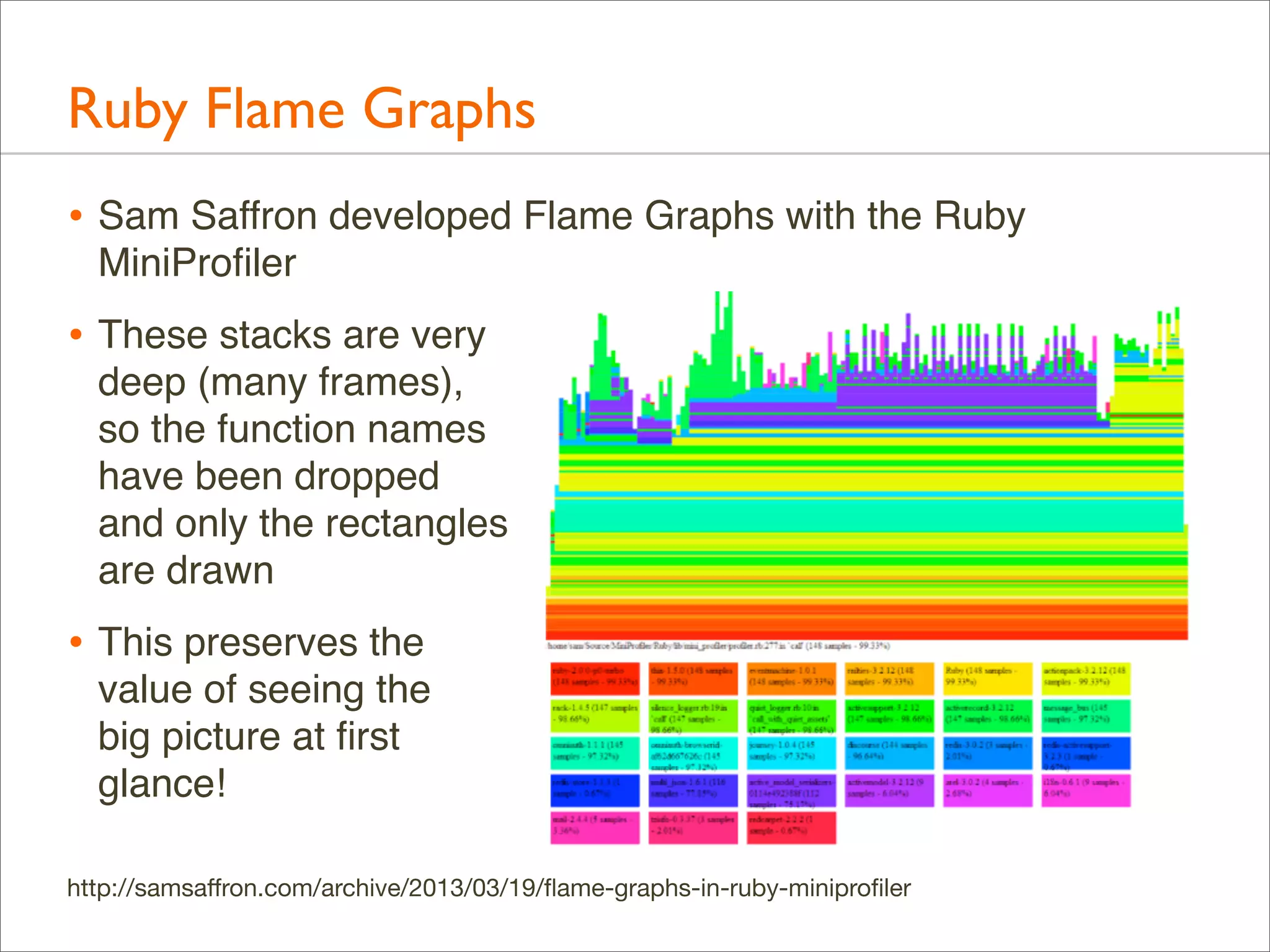
Ruby Flame Graphs
• Sam Saffron developed Flame Graphs with the Ruby
MiniProfiler

• These stacks are very
deep (many frames),
so the function names
have been dropped
and only the rectangles
are drawn

• This preserves the
value of seeing the
big picture at first
glance!
http://samsaffron.com/archive/2013/03/19/flame-graphs-in-ruby-miniprofiler
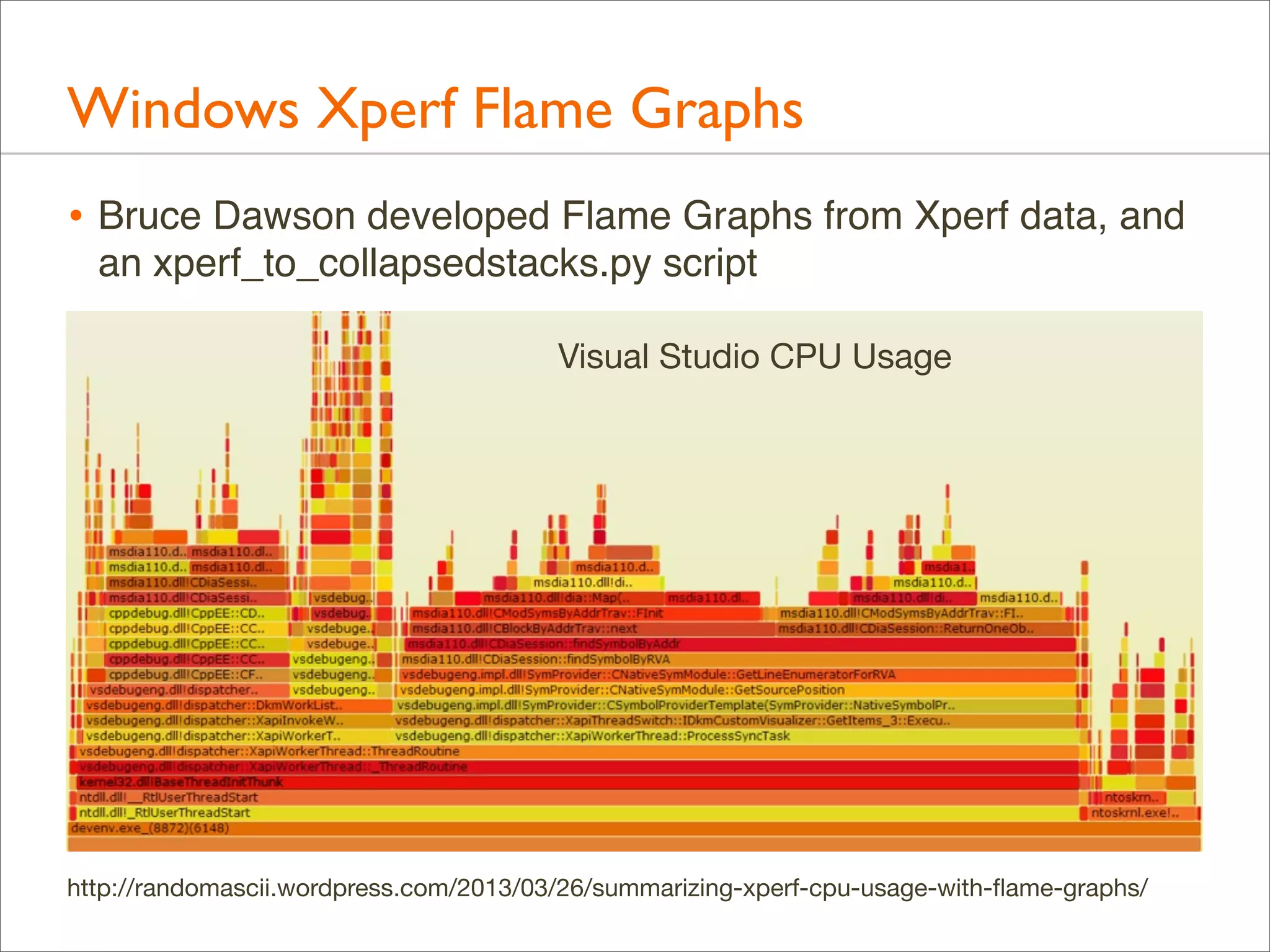
Windows Xperf Flame Graphs
• Bruce Dawson developed Flame Graphs from Xperf data, and
an xperf_to_collapsedstacks.py script
Visual Studio CPU Usage

http://randomascii.wordpress.com/2013/03/26/summarizing-xperf-cpu-usage-with-flame-graphs/
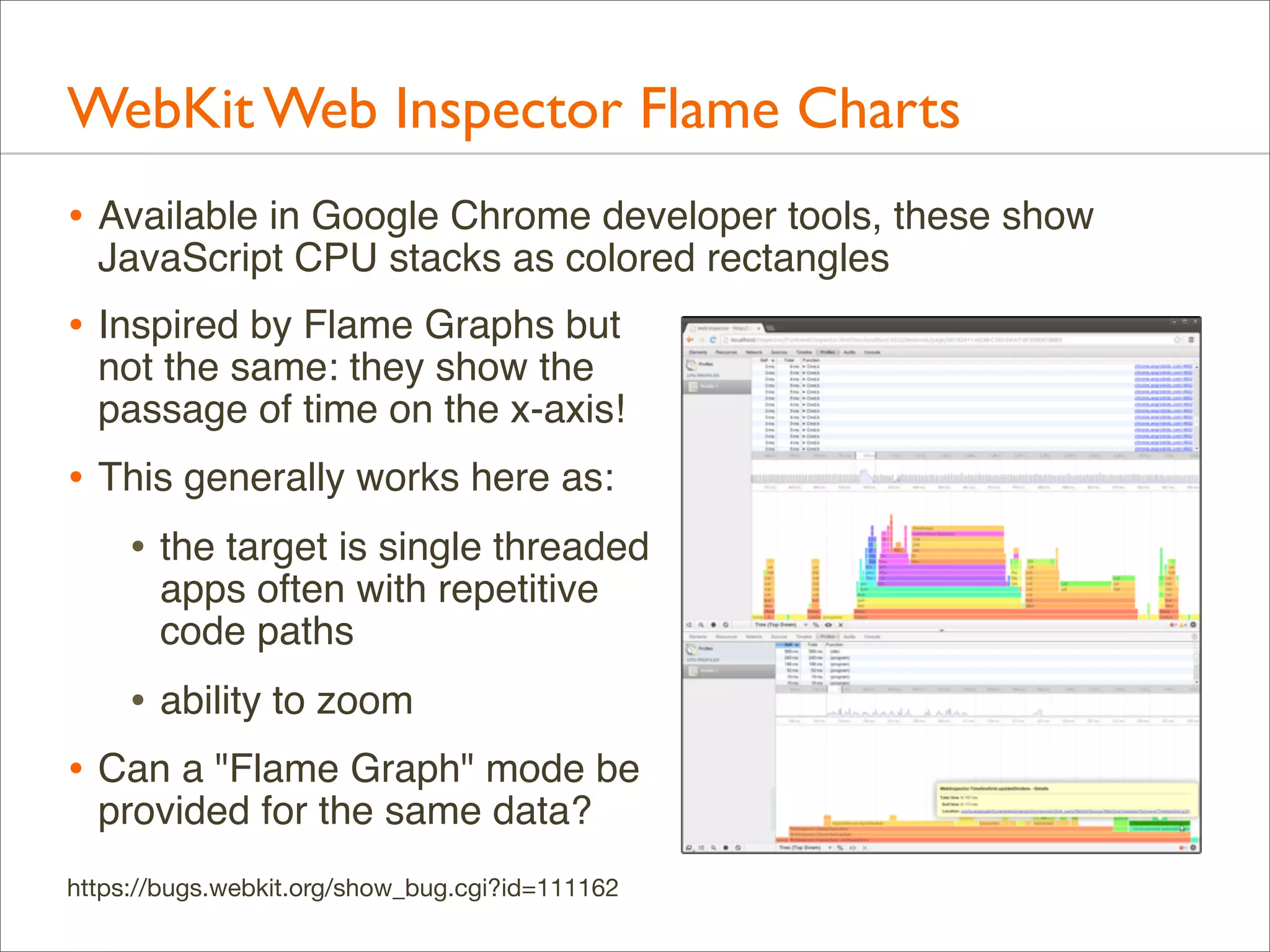
WebKit Web Inspector Flame Charts
• Available in Google Chrome developer tools, these show
JavaScript CPU stacks as colored rectangles

• Inspired by Flame Graphs but

not the same: they show the
passage of time on the x-axis!

• This generally works here as:
• the target is single threaded
apps often with repetitive
code paths

• ability to zoom
• Can a "Flame Graph" mode be
provided for the same data?

https://bugs.webkit.org/show_bug.cgi?id=111162
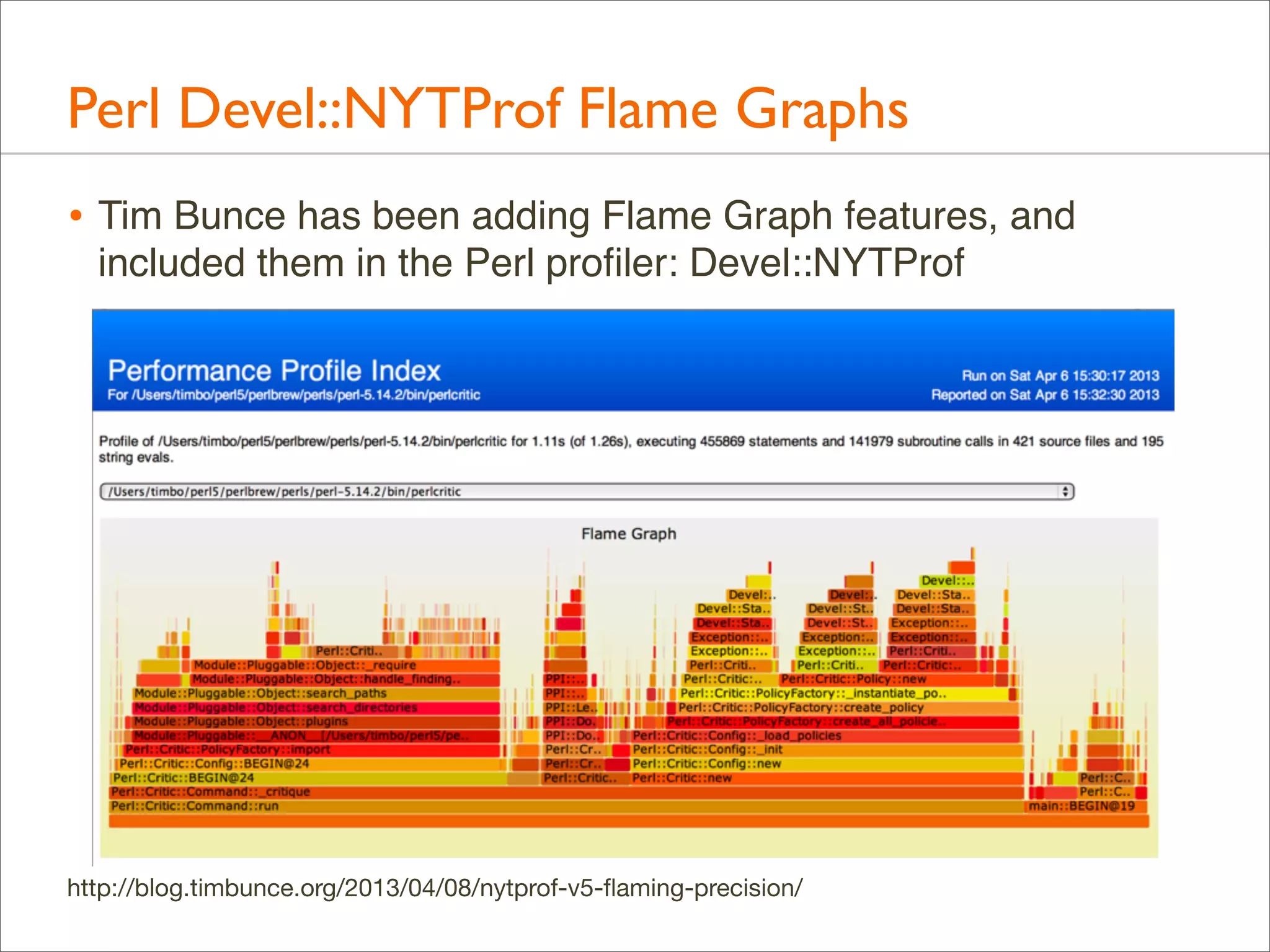
Perl Devel::NYTProf Flame Graphs
• Tim Bunce has been adding Flame Graph features, and
included them in the Perl profiler: Devel::NYTProf

http://blog.timbunce.org/2013/04/08/nytprof-v5-flaming-precision/
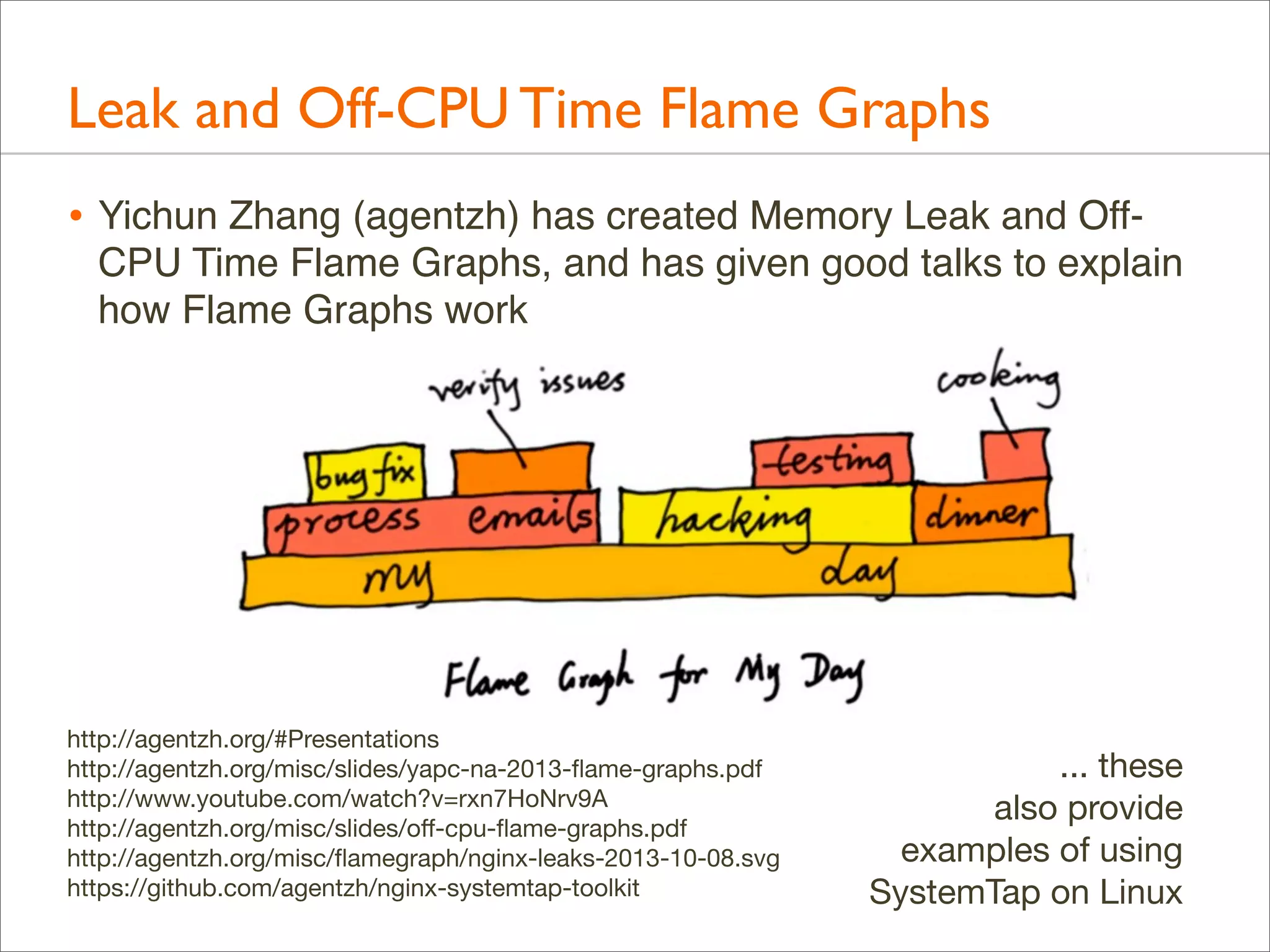
Leak and Off-CPU Time Flame Graphs
• Yichun Zhang (agentzh) has created Memory Leak and OffCPU Time Flame Graphs, and has given good talks to explain
how Flame Graphs work

http://agentzh.org/#Presentations
http://agentzh.org/misc/slides/yapc-na-2013-flame-graphs.pdf
http://www.youtube.com/watch?v=rxn7HoNrv9A
http://agentzh.org/misc/slides/off-cpu-flame-graphs.pdf
http://agentzh.org/misc/flamegraph/nginx-leaks-2013-10-08.svg
https://github.com/agentzh/nginx-systemtap-toolkit

... these
also provide
examples of using
SystemTap on Linux
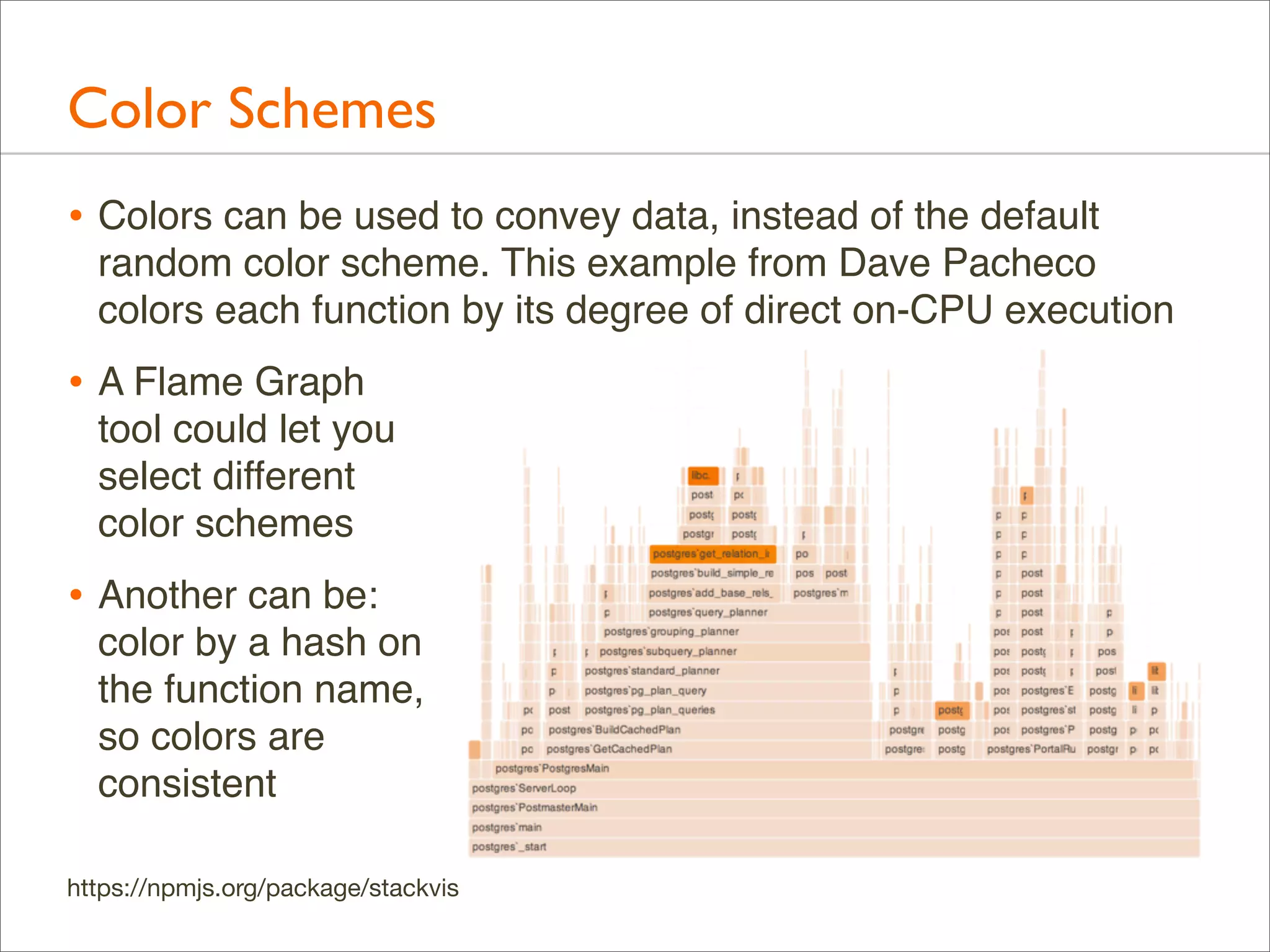
Color Schemes
• Colors can be used to convey data, instead of the default
random color scheme. This example from Dave Pacheco
colors each function by its degree of direct on-CPU execution

• A Flame Graph
tool could let you
select different
color schemes

• Another can be:
color by a hash on
the function name,
so colors are
consistent
https://npmjs.org/package/stackvis
Zoomable Flame Graphs
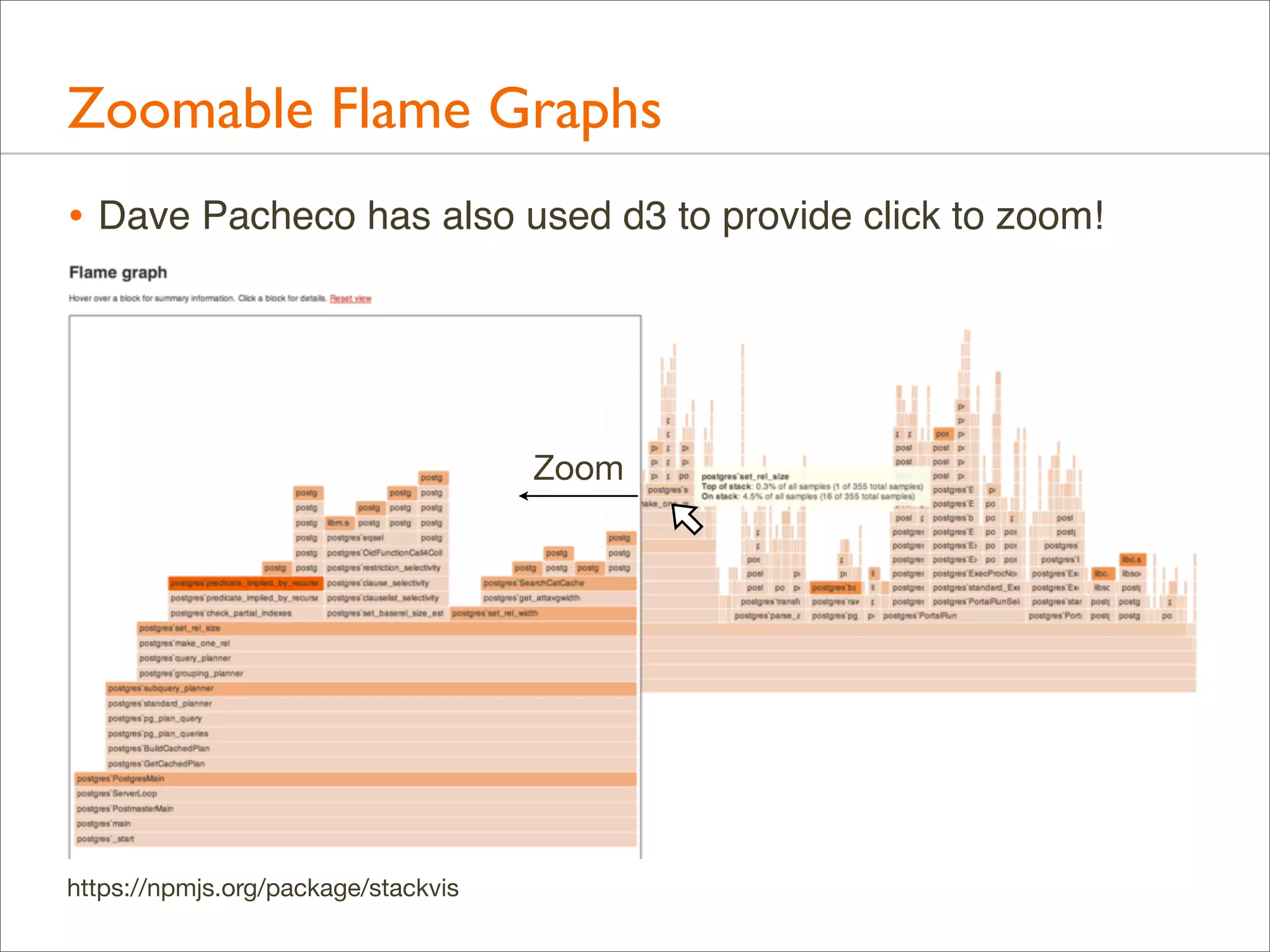
• Dave Pacheco has also used d3 to provide click to zoom!

Zoom

https://npmjs.org/package/stackvis
Flame Graph Differentials
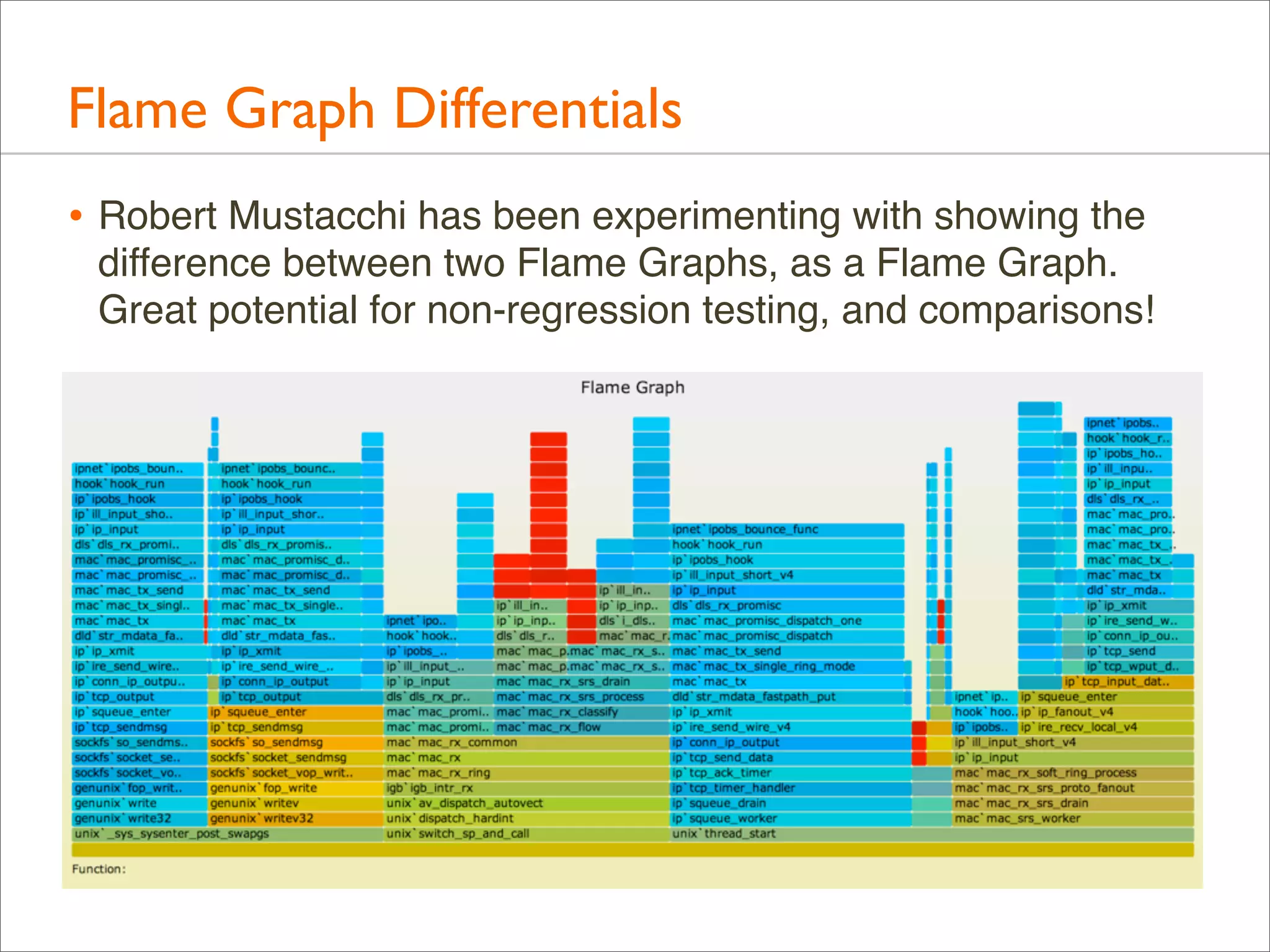
• Robert Mustacchi has been experimenting with showing the
difference between two Flame Graphs, as a Flame Graph.
Great potential for non-regression testing, and comparisons!
Flame Graphs as a Service
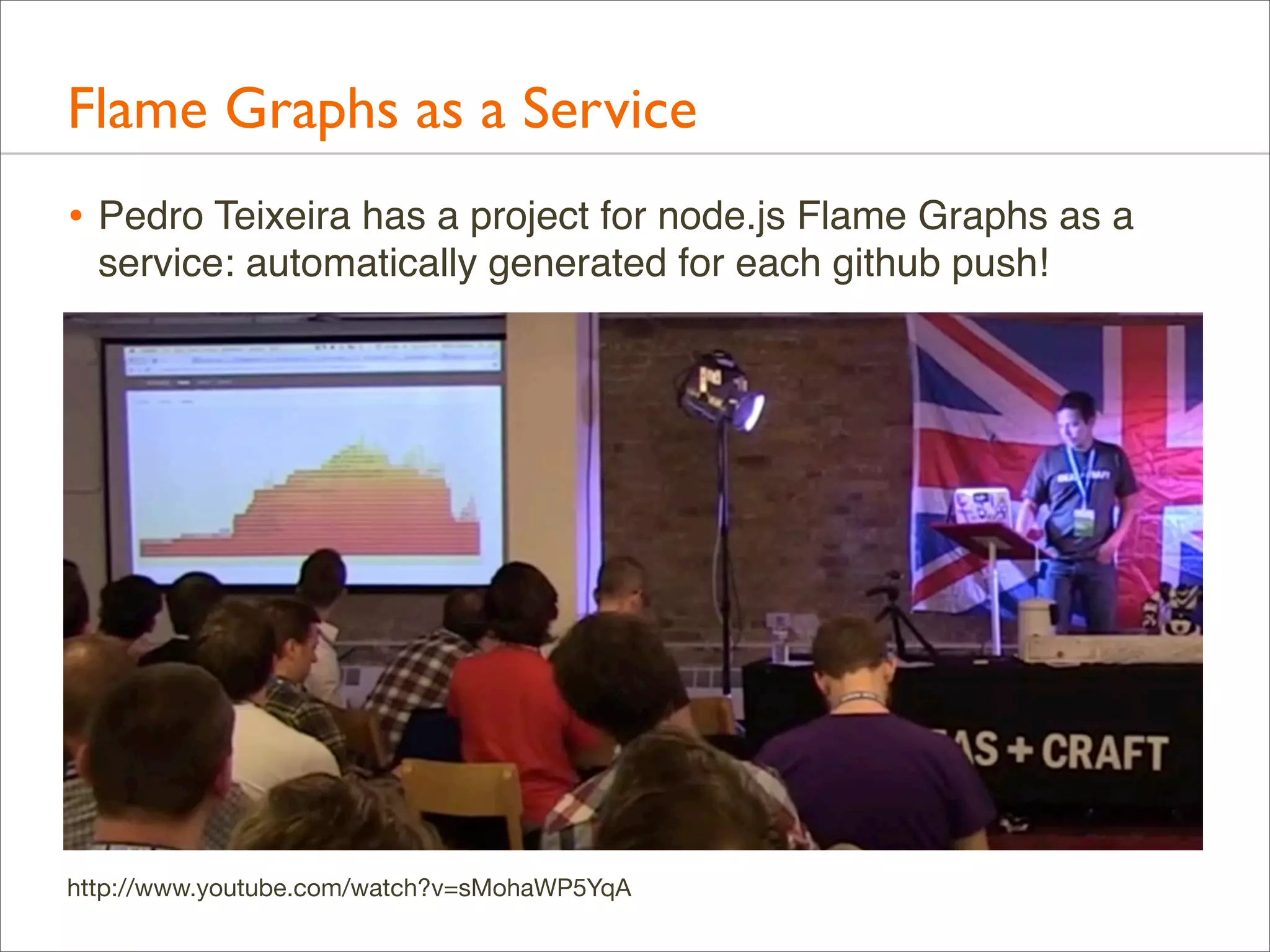
• Pedro Teixeira has a project for node.js Flame Graphs as a
service: automatically generated for each github push!

http://www.youtube.com/watch?v=sMohaWP5YqA
References & Acknowledgements
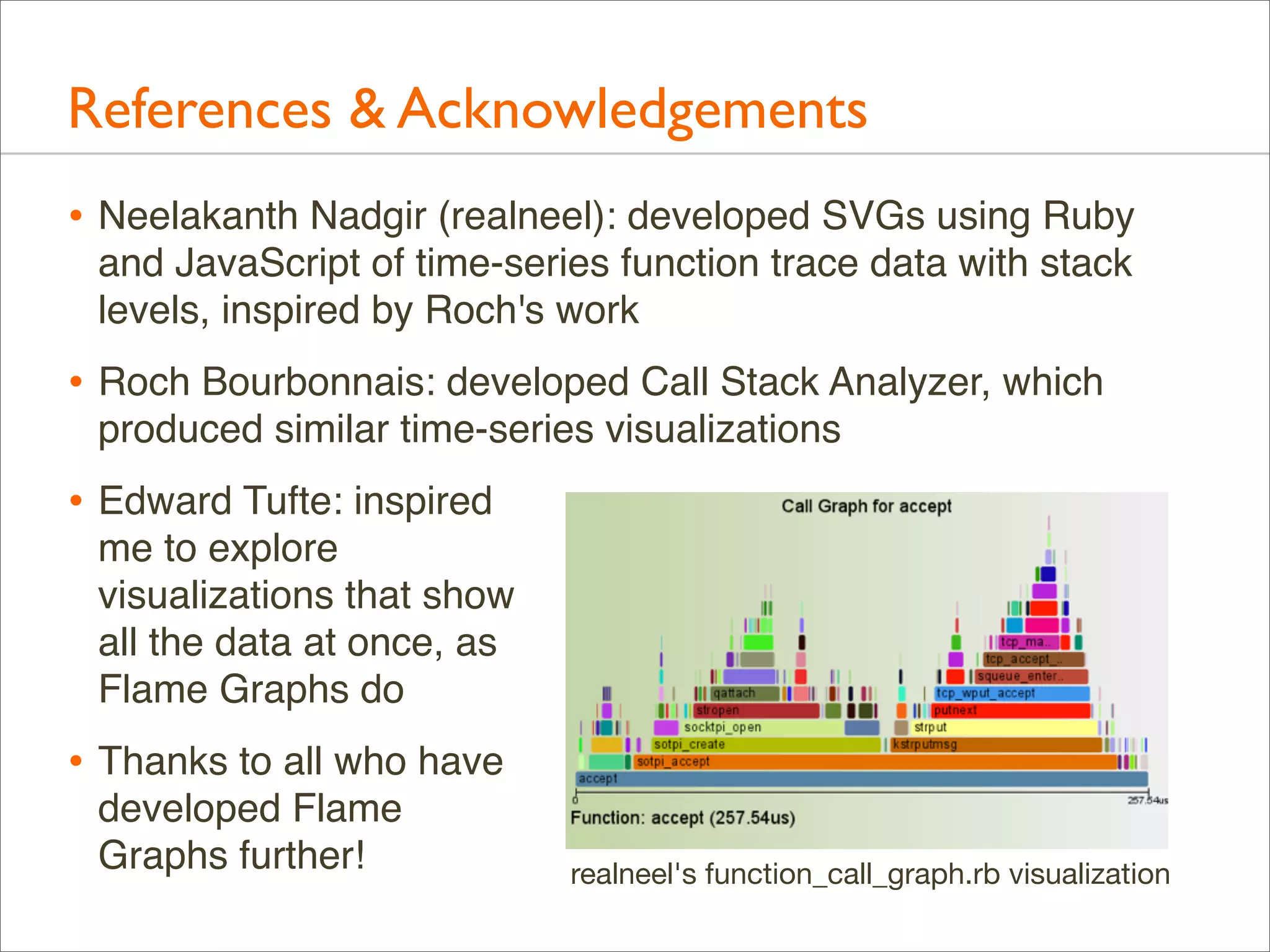
• Neelakanth Nadgir (realneel): developed SVGs using Ruby
and JavaScript of time-series function trace data with stack
levels, inspired by Roch's work

• Roch Bourbonnais: developed Call Stack Analyzer, which
produced similar time-series visualizations

• Edward Tufte: inspired
me to explore
visualizations that show
all the data at once, as
Flame Graphs do

• Thanks to all who have
developed Flame
Graphs further!

realneel's function_call_graph.rb visualization
Thank you!
• Questions?
• Homepage: http://www.brendangregg.com (links to everything)
• Resources and further reading:
•

http://dtrace.org/blogs/brendan/2011/12/16/flame-graphs/: see "Updates"

•

http://dtrace.org/blogs/brendan/2012/03/17/linux-kernel-performance-flamegraphs/

•

http://dtrace.org/blogs/brendan/2013/08/16/memory-leak-growth-flame-graphs/

•

http://dtrace.org/blogs/brendan/2011/07/08/off-cpu-performance-analysis/

•

http://dtrace.org/blogs/dap/2012/01/05/where-does-your-node-program-spendits-time/

Blazing Performance with Flame Graphs

  • 1.
  • 2.
  • 3.
    My Previous VisualizationsInclude • Latency Heat Maps (and other heat map types), including: • Quotes from LISA'13 yesterday: • "Heat maps are a wonderful thing, use them" – Caskey Dickson • "If you do distributed systems, you need this" – Theo Schlossnagle • I did heat maps and visualizations in my LISA'10 talk
  • 4.
    Audience • This isfor developers, sysadmins, support staff, and performance engineers • This is a skill-up for everyone: beginners to experts • This helps analyze all software: kernels and applications
  • 5.
    whoami • G’Day, I’mBrendan • Recipient of the LISA 2013 Award for Outstanding Achievement in System Administration! (Thank you!) • Work/Research: tools, methodologies, visualizations • Author of Systems Performance, primary author of DTrace (Prentice Hall, 2011) • Lead Performance Engineer @joyent; also teach classes: Cloud Perf coming up: http://www.joyent.com/developers/training-services
  • 6.
    Joyent • High-Performance CloudInfrastructure • Public/private cloud provider • OS-Virtualization for bare metal performance • KVM for Linux guests • Core developers of SmartOS and node.js • Office walls decorated with Flame Graphs:
  • 7.
    Agenda: Two Talksin One • 1. CPU Flame Graphs • Example • Background • Flame Graphs • Generation • Types: CPU • 2. Advanced Flame Graphs • Types: Memory, I/O, Off-CPU, Hot/Cold, Wakeup • Developments • SVG demos: https://github.com/brendangregg/FlameGraph/demos
  • 8.
  • 9.
  • 10.
    Example • As ashort example, I’ll describe the real world performance issue that led me to create flame graphs • Then I’ll explain them in detail
  • 11.
    Example: The Problem •A production MySQL database had poor performance • It was a heavy CPU consumer, so I used a CPU profiler to see why. It sampled stack traces at timed intervals • The profiler condensed its output by only printing unique stacks along with their occurrence counts, sorted by count • The following shows the profiler command and the two most frequently sampled stacks...
  • 12.
    Example: CPU Profiling #dtrace -x ustackframes=100 -n 'profile-997 /execname == "mysqld"/ { @[ustack()] = count(); } tick-60s { exit(0); }' dtrace: description 'profile-997 ' matched 2 probes CPU ID FUNCTION:NAME 1 75195 :tick-60s [...] libc.so.1`__priocntlset+0xa libc.so.1`getparam+0x83 libc.so.1`pthread_getschedparam+0x3c libc.so.1`pthread_setschedprio+0x1f mysqld`_Z16dispatch_command19enum_server_commandP3THDPcj+0x9ab mysqld`_Z10do_commandP3THD+0x198 mysqld`handle_one_connection+0x1a6 libc.so.1`_thrp_setup+0x8d libc.so.1`_lwp_start 4884 mysqld`_Z13add_to_statusP17system_status_varS0_+0x47 mysqld`_Z22calc_sum_of_all_statusP17system_status_var+0x67 mysqld`_Z16dispatch_command19enum_server_commandP3THDPcj+0x1222 mysqld`_Z10do_commandP3THD+0x198 mysqld`handle_one_connection+0x1a6 libc.so.1`_thrp_setup+0x8d libc.so.1`_lwp_start 5530
  • 13.
    Example: CPU Profiling #dtrace -x ustackframes=100 -n 'profile-997 /execname == "mysqld"/ { @[ustack()] = count(); } tick-60s { exit(0); }' dtrace: description 'profile-997 ' matched 2 probes CPU ID FUNCTION:NAME Profiling 1 75195 :tick-60s Command [...] libc.so.1`__priocntlset+0xa (DTrace) libc.so.1`getparam+0x83 libc.so.1`pthread_getschedparam+0x3c libc.so.1`pthread_setschedprio+0x1f mysqld`_Z16dispatch_command19enum_server_commandP3THDPcj+0x9ab mysqld`_Z10do_commandP3THD+0x198 mysqld`handle_one_connection+0x1a6 libc.so.1`_thrp_setup+0x8d libc.so.1`_lwp_start 4884 Stack Trace mysqld`_Z13add_to_statusP17system_status_varS0_+0x47 mysqld`_Z22calc_sum_of_all_statusP17system_status_var+0x67 mysqld`_Z16dispatch_command19enum_server_commandP3THDPcj+0x1222 mysqld`_Z10do_commandP3THD+0x198 mysqld`handle_one_connection+0x1a6 libc.so.1`_thrp_setup+0x8d libc.so.1`_lwp_start 5530 # of occurrences
  • 14.
    Example: Profile Data •Over 500,000 lines were elided from that output (“[...]”) • Full output looks like this...
  • 15.
    Example: Profile Data 60seconds of on-CPU MySQL
  • 16.
    Example: Profile Data First Stack Sizeof One Stack Last Stack 27,053 Unique Stacks MySQL 60 seconds of on-CPU
  • 17.
    Example: Profile Data •The most frequent stack, printed last, shows CPU usage in add_to_status(), which is from the “show status” command. Is that to blame? • Hard to tell – it only accounts for < 2% of the samples • I wanted a way to quickly understand stack trace profile data, without browsing 500,000+ lines of output
  • 18.
    Example:Visualizations • To understandthis profile data quickly, I created visualization that worked very well, named “Flame Graph” for its resemblance to fire (also as it was showing a “hot” CPU issue) Profile Data.txt Flame Graph.svg some Perl
  • 19.
  • 20.
    Example: Flame Graph Sameprofile data Where CPU is really consumed The "show status" Stack All Stack Samples One Stack Sample
  • 21.
    Example: Flame Graph •All data in one picture • Interactive using JavaScript and a browser: mouse overs • Stack elements that are frequent can be seen, read, and compared visually. Frame width is relative to sample count • CPU usage was now understood properly and quickly, leading to a 40% performance win
  • 22.
  • 23.
    Background: Stack Frame •A stack frame shows a location in code • Profilers usually show them on a single line. Eg: libc.so.1`mutex_trylock_adaptive+0x112 module function instruction offset
  • 24.
    Background: Stack Trace •A stack trace is a list of frames. Their index is the stack depth: current libc.so.1`mutex_trylock_adaptive+0x112 24 parent parent libc.so.1`mutex_lock_impl+0x165 23 parent grand parent libc.so.1`mutex_lock+0xc 22 Stack Depth [...] libc.so.1`_lwp_start 0
  • 25.
    Background: Stack Trace •One full stack: libc.so.1`mutex_trylock_adaptive+0x112 libc.so.1`mutex_lock_impl+0x165 libc.so.1`mutex_lock+0xc mysqld`key_cache_read+0x741 mysqld`_mi_fetch_keypage+0x48 mysqld`w_search+0x84 mysqld`_mi_ck_write_btree+0xa5 mysqld`mi_write+0x344 mysqld`ha_myisam::write_row+0x43 mysqld`handler::ha_write_row+0x8d mysqld`end_write+0x1a3 mysqld`evaluate_join_record+0x11e mysqld`sub_select+0x86 mysqld`do_select+0xd9 mysqld`JOIN::exec+0x482 mysqld`mysql_select+0x30e mysqld`handle_select+0x17d mysqld`execute_sqlcom_select+0xa6 mysqld`mysql_execute_command+0x124b mysqld`mysql_parse+0x3e1 mysqld`dispatch_command+0x1619 mysqld`do_handle_one_connection+0x1e5 mysqld`handle_one_connection+0x4c libc.so.1`_thrp_setup+0xbc libc.so.1`_lwp_start
  • 26.
    Background: Stack Trace •Read top-down or bottom-up, and look for key functions libc.so.1`mutex_trylock_adaptive+0x112 libc.so.1`mutex_lock_impl+0x165 libc.so.1`mutex_lock+0xc mysqld`key_cache_read+0x741 mysqld`_mi_fetch_keypage+0x48 mysqld`w_search+0x84 mysqld`_mi_ck_write_btree+0xa5 mysqld`mi_write+0x344 mysqld`ha_myisam::write_row+0x43 mysqld`handler::ha_write_row+0x8d mysqld`end_write+0x1a3 mysqld`evaluate_join_record+0x11e mysqld`sub_select+0x86 mysqld`do_select+0xd9 mysqld`JOIN::exec+0x482 mysqld`mysql_select+0x30e mysqld`handle_select+0x17d mysqld`execute_sqlcom_select+0xa6 mysqld`mysql_execute_command+0x124b mysqld`mysql_parse+0x3e1 mysqld`dispatch_command+0x1619 mysqld`do_handle_one_connection+0x1e5 mysqld`handle_one_connection+0x4c libc.so.1`_thrp_setup+0xbc libc.so.1`_lwp_start Ancestry Code Path
  • 27.
    Background: Stack Modes •Two types of stacks can be profiled: • user-level for applications (user mode) • kernel-level for the kernel (kernel mode) • During a system call, an application may have both
  • 28.
    Background: Software Internals •You don’t need to be a programmer to understand stacks. • Some function names are self explanatory, others require source code browsing (if available). Not as bad as it sounds: • MySQL has ~15,000 functions in > 0.5 million lines of code • The earlier stack has 20 MySQL functions. To understand them, you may need to browse only 0.13% (20 / 15000) of the code. Might take hours, but it is doable. • If you have C++ signatures, you can use a demangler first: mysqld`_ZN4JOIN4execEv+0x482 gc++filt, demangler.com mysqld`JOIN::exec()+0x482
  • 29.
    Background: Stack Visualization •Stack frames can be visualized as rectangles (boxes) • Function names can be truncated to fit • In this case, color is chosen randomly (from a warm palette) to differentiate adjacent frames libc.so.1`mutex_trylock_adaptive+0x112 libc.so.1`mutex_trylock_... libc.so.1`mutex_lock_impl+0x165 libc.so.1`mutex_lock_imp... libc.so.1`mutex_lock+0xc libc.so.1`mutex_lock+0xc mysqld`key_cache_read+0x741 mysqld`key_cache_read+0x741 • A stack trace becomes a column of colored rectangles
  • 30.
    Background: Time SeriesStacks • Time series ordering allows time-based pattern identification • However, stacks can change thousands of times per second Stack Depth Time (seconds)
  • 31.
    Background: Time SeriesStacks • Time series ordering allows time-based pattern identification • However, stacks can change thousands of times per second One Stack Sample Stack Depth Time (seconds)
  • 32.
    Background: Frame Merging •When zoomed out, stacks appear as narrow stripes • Adjacent identical functions can be merged to improve readability, eg: mu... mu... ge... muex_tryl... ge... mu... mu... mu... mutex_lock_impl() mu... mu... mu... mutex_lock() ke... ke... ke... key_cache_read() • This sometimes works: eg, a repetitive single threaded app • Often does not (previous slide already did this), due to code execution between samples or parallel thread execution
  • 33.
    Background: Frame Merging •Time-series ordering isn’t necessary for the primary use case: identify the most common (“hottest”) code path or paths • By using a different x-axis sort order, frame merging can be greatly improved...
  • 34.
  • 35.
    Flame Graphs • FlameGraphs sort stacks alphabetically. This sort is applied from the bottom frame upwards. This increases merging and visualizes code paths. Stack Depth Alphabet
  • 36.
    Flame Graphs: Definition •Each box represents a function (a merged stack frame) • y-axis shows stack depth • top function led directly to the profiling event • everything beneath it is ancestry (explains why) • x-axis spans the sample population, sorted alphabetically • Box width is proportional to the total time a function was profiled directly or its children were profiled • All threads can be shown in the same Flame Graph (the default), or as separate per-thread Flame Graphs • Flame Graphs can be interactive: mouse over for details
  • 37.
    Flame Graphs:Variations • Profiledata can be anything: CPU, I/O, memory, ... • Naming suggestion: [event] [units] Flame Graph • Eg: "FS Latency Flame Graph" • By default, Flame Graphs == CPU Sample Flame Graphs • Colors can be used for another dimension • by default, random colors are used to differentiate boxes • --hash for hash-based on function name • Distribution applications can be shown in the same Flame Graph (merge samples from multiple systems)
  • 38.
    Flame Graphs: ASimple Example • A CPU Sample Flame Graph: f() d() e() c() h() b() g() a() • I’ll illustrate how these are read by posing various questions
  • 39.
    Flame Graphs: Howto Read • A CPU Sample Flame Graph: f() d() e() c() h() b() g() a() • Q: which function is on-CPU the most?
  • 40.
    Flame Graphs: Howto Read • A CPU Sample Flame Graph: f() d() top edge shows who is on-CPU directly e() c() h() b() g() a() • Q: which function is on-CPU the most? • A: f() e() is on-CPU a little, but its runtime is mostly spent in f(), which is on-CPU directly
  • 41.
    Flame Graphs: Howto Read • A CPU Sample Flame Graph: f() d() e() c() h() b() g() a() • Q: why is f() on-CPU?
  • 42.
    Flame Graphs: Howto Read • A CPU Sample Flame Graph: f() was called by e() e() was called by c() ... f() d() e() ancestry c() h() b() g() a() • Q: why is f() on-CPU? • A: a() → b() → c() → e() → f()
  • 43.
    Flame Graphs: Howto Read • A CPU Sample Flame Graph: f() d() e() c() h() b() g() a() • Q: how does b() compare to g()?
  • 44.
    Flame Graphs: Howto Read • A CPU Sample Flame Graph: visually compare lengths f() d() e() c() h() b() g() a() • Q: how does b() compare to g()? • A: b() looks like it is running (present) about 10 times more often than g()
  • 45.
    Flame Graphs: Howto Read • A CPU Sample Flame Graph: ... or mouse over f() d() e() c() h() b() g() a() status line or tool tip: b() is 90% • Q: how does b() compare to g()? • A: for interactive Flame Graphs, mouse over shows b() is 90%, g() is 10%
  • 46.
    Flame Graphs: Howto Read • A CPU Sample Flame Graph: ... or mouse over f() d() e() c() h() b() g() a() status line or tool tip: g() is 10% • Q: how does b() compare to g()? • A: for interactive Flame Graphs, mouse over shows b() is 90%, g() is 10%
  • 47.
    Flame Graphs: Howto Read • A CPU Sample Flame Graph: f() d() e() c() h() b() g() a() • Q: why are we running f()?
  • 48.
    Flame Graphs: Howto Read • A CPU Sample Flame Graph: look for branches f() d() e() c() h() b() g() a() • Q: why are we running f()? • A: code path branches can reveal key functions: • a() choose the b() path • c() choose the e() path
  • 49.
    Flame Graphs: Example1 • Customer alerting software periodically checks a log, however, it is taking too long (minutes). • It includes grep(1) of an ~18 Mbyte log file, which takes around 10 minutes! • grep(1) appears to be on-CPU for this time. Why?
  • 50.
    Flame Graphs: Example1 • CPU Sample Flame Graph for grep(1) user-level stacks:
  • 51.
    Flame Graphs: Example1 • CPU Sample Flame Graph for grep(1) user-level stacks: UTF8? • 82% of samples are in check_multibyte_string() or its children. This seems odd as the log file is plain ASCII. • And why is UTF8 on the scene? ... Oh, LANG=en_US.UTF-8
  • 52.
    Flame Graphs: Example1 • CPU Sample Flame Graph for grep(1) user-level stacks: UTF8? • Switching to LANG=C improved performance by 2000x • A simple example, but I did spot this from the raw profiler text before the Flame Graph. You really need Flame Graphs when the text gets too long and unwieldy.
  • 53.
    Flame Graphs: Example2 • A potential customer benchmarks disk I/O on a cloud instance. The performance is not as fast as hoped. • The host has new hardware and software. Issues with the new type of disks is suspected.
  • 54.
    Flame Graphs: Example2 • A potential customer benchmarks disk I/O on a cloud instance. The performance is not as fast as hoped. • The host has new hardware and software. Issues with the new type of disks is suspected. • I take a look, and notice CPU time in the kernel is modest. • I’d normally assume this was I/O overheads and not profile it yet, instead beginning with I/O latency analysis. • But Flame Graphs make it easy, and it may be useful to see what code paths (illumos kernel) are on the table.
  • 55.
  • 56.
    Flame Graphs: Example2 • 24% in tsc_read()? Time Stamp Counter? Checking ancestry...
  • 57.
    Flame Graphs: Example2 • 62% in zfs_zone_io_throttle? Oh, we had forgotten that this new platform had ZFS I/O throttles turned on by default!
  • 58.
    Flame Graphs: Example3 • Application performance is about half that of a competitor • Everything is believed identical (H/W, application, config, workload) except for the OS and kernel • Application is CPU busy, nearly 100% in user-mode. How can the kernel cause a 2x delta when the app isn't in kernel-mode? • Flame graphs on both platforms for user-mode were created: • Linux, using perf • SmartOS, using DTrace • Added flamegraph.pl --hash option for consistent function colors (not random), aiding comparisons
  • 59.
    Flame Graphs: Example3 Extra Function: UnzipDocid() Linux SmartOS • Function label formats are different, but that's just due to different profilers/stackcollapse.pl's (should fix this) • Widths slighly different, but we already know perf differs • Extra function? This is executing different application software! SphDocID_t UnzipDocid () { return UnzipOffset(); } • Actually, a different compiler option was eliding this function
  • 60.
    Flame Graphs: MoreExamples • Flame Graphs are typically more detailed, like the earlier MySQL example • Next, how to generate them, then more examples
  • 61.
  • 62.
    Generation • I’ll describethe original Perl version I wrote and shared on github: • https://github.com/brendangregg/FlameGraph • There are other great Flame Graph implementations with different features and usage, which I’ll cover in the last section
  • 63.
    Generation: Steps • 1.Profile event of interest • 2. stackcollapse.pl • 3. flamegraph.pl
  • 64.
    Generation: Overview • Fullcommand line example. This uses DTrace for CPU profiling of the kernel: # dtrace -x stackframes=100 -n 'profile-997 /arg0/ { @[stack()] = count(); } tick-60s { exit(0); }' -o out.stacks # stackcollapse.pl < out.stacks > out.folded # flamegraph.pl < out.folded > out.svg • Then, open out.svg in a browser • Intermediate files could be avoided (piping), but they can be handy for some manual processing if needed (eg, using vi)
  • 65.
    Generation: Profiling Data •The profile data, at a minimum, is a series of stack traces • These can also include stack trace counts. Eg: mysqld`_Z13add_to_statusP17system_status_varS0_+0x47 mysqld`_Z22calc_sum_of_all_statusP17system_status_var+0x67 mysqld`_Z16dispatch_command19enum_server_commandP3THDPcj+0x1222 mysqld`_Z10do_commandP3THD+0x198 mysqld`handle_one_connection+0x1a6 libc.so.1`_thrp_setup+0x8d libc.so.1`_lwp_start 5530 # of occurrences for this stack • This example is from DTrace, which prints a series of these. The format of each group is: stack, count, newline • Your profiler needs to print full (not truncated) stacks, with symbols. This may be step 0: get the profiler to work!
  • 66.
    Generation: Profiling Tools •Solaris/FreeBSD/SmartOS/...: • DTrace • Linux: • perf, SystemTap • OS X: • Instruments • Windows: • Xperf.exe
  • 67.
    Generation: Profiling Examples:DTrace • CPU profile kernel stacks at 997 Hertz, for 60 secs: # dtrace -x stackframes=100 -n 'profile-997 /arg0/ { @[stack()] = count(); } tick-60s { exit(0); }' -o out.kern_stacks • CPU profile user-level stacks for PID 12345 at 99 Hertz, 60s: # dtrace -x ustackframes=100 -n 'profile-97 /PID == 12345 && arg1/ { @[ustack()] = count(); } tick-60s { exit(0); }' -o out.user_stacks • Should also work on Mac OS X, but is pending some fixes preventing stack walking (use Instruments instead) • Should work for Linux one day with the DTrace ports
  • 68.
    Generation: Profiling Examples:perf • CPU profile full stacks at 97 Hertz, for 60 secs: # perf record -a -g -F 97 sleep 60 # perf script > out.stacks • Need debug symbol packages installed (*dbgsym), otherwise stack frames may show as hexidecimal • May need compilers to cooperate (-fno-omit-frame-pointer) • Has both user and kernel stacks, and the kernel idle thread. Can filter the idle thread after stackcollapse-perf.pl using: # stackcollapse-perf.pl < out.stacks | grep -v cpu_idle | ...
  • 69.
    Generation: Profiling Examples:SystemTap • CPU profile kernel stacks at 100 Hertz, for 60 secs: # stap -s 32 -D MAXTRACE=100 -D MAXSTRINGLEN=4096 -D MAXMAPENTRIES=10240 -D MAXACTION=10000 -D STP_OVERLOAD_THRESHOLD=5000000000 --all-modules -ve 'global s; probe timer.profile { s[backtrace()] <<< 1; } probe end { foreach (i in s+) { print_stack(i); printf("t%dn", @count(s[i])); } } probe timer.s(60) { exit(); }' > out.kern_stacks • Need debug symbol packages installed (*dbgsym), otherwise stack frames may show as hexidecimal • May need compilers to cooperate (-fno-omit-frame-pointer)
  • 70.
    Generation: Dynamic Languages •C or C++ are usually easy to profile, runtime environments (JVM, node.js, ...) are usually not, typically a way to show program stacks and not just runtime internals. • Eg, DTrace’s ustack helper for node.js: 0xfc618bc0 0xfc61bd62 0xfe870841 0xfc61c1f3 0xfc617685 0xfe870841 0xfc6154d7 0xfe870e1a [...] libc.so.1`gettimeofday+0x7 Date at position << adaptor >> << constructor >> (anon) as exports.active at timers.js position 7590 (anon) as Socket._write at net.js position 21336 (anon) as Socket.write at net.js position 19714 << adaptor >> (anon) as OutgoingMessage._writeRaw at http.js p... (anon) as OutgoingMessage._send at http.js posit... << adaptor >> (anon) as OutgoingMessage.end at http.js pos... [...] http://dtrace.org/blogs/dap/2012/01/05/where-does-your-node-program-spend-its-time/
  • 71.
    Generation: stackcollapse.pl • Convertsprofile data into a single line records • Variants exist for DTrace, perf, SystemTap, Instruments, Xperf • Eg, DTrace: unix`i86_mwait+0xd unix`cpu_idle_mwait+0xf1 unix`idle+0x114 unix`thread_start+0x8 19486 # stackcollapse.pl < out.stacks > out.folded unix`thread_start;unix`idle;unix`cpu_idle_mwait;unix`i86_mwait 19486
  • 72.
    Generation: stackcollapse.pl • Convertsprofile data into a single line records • Variants exist for DTrace, perf, SystemTap, Instruments, Xperf • Eg, DTrace: unix`i86_mwait+0xd unix`cpu_idle_mwait+0xf1 unix`idle+0x114 unix`thread_start+0x8 19486 # stackcollapse.pl < out.stacks > out.folded unix`thread_start;unix`idle;unix`cpu_idle_mwait;unix`i86_mwait 19486 stack trace, frames are ‘;’ delimited count
  • 73.
    Generation: stackcollapse.pl • Fulloutput is many lines, one line per stack • Bonus: can be grepped # ./stackcollapse-stap.pl out.stacks | grep ext4fs_dirhash system_call_fastpath;sys_getdents;vfs_readdir;ext4_readdir;ext4_htree_fill_ tree;htree_dirblock_to_tree;ext4fs_dirhash 100 system_call_fastpath;sys_getdents;vfs_readdir;ext4_readdir;ext4_htree_fill_ tree;htree_dirblock_to_tree;ext4fs_dirhash;half_md4_transform 505 system_call_fastpath;sys_getdents;vfs_readdir;ext4_readdir;ext4_htree_fill_ tree;htree_dirblock_to_tree;ext4fs_dirhash;str2hashbuf_signed 353 [...] • That shows all stacks containing ext4fs_dirhash(); useful debug aid by itself • grep can also be used to filter stacks before Flame Graphs • eg: grep -v cpu_idle
  • 74.
    Generation: Final Output •Desires: • Full control of output • High density detail • Portable: easily viewable • Interactive
  • 75.
    Generation: Final Output •Desires: • Full control of output • High density detail • Portable: easily viewable PNG SVG+JS • Interactive • SVG+JS: Scalable Vector Graphics with embedded JavaScript • Common standards, and supported by web browsers • Can print poster size (scalable); but loses interactivity! • Can be emitted by a simple Perl program...
  • 76.
    Generation: flamegraph.pl • Convertsfolded stacks into an interactive SVG. Eg: # flamegraph.pl --titletext="Flame Graph: MySQL" out.folded > graph.svg • Options: --titletext change the title text (default is “Flame Graph”) --width width of image (default is 1200) --height height of each frame (default is 16) --minwidth omit functions smaller than this width (default is 0.1 pixels) --fonttype font type (default “Verdana”) --fontsize font size (default 12) --countname count type label (default “samples”) --nametype name type label (default “Function:”) --colors color palette: "hot", "mem", "io" --hash colors are keyed by function name hash
  • 77.
  • 78.
  • 79.
  • 80.
    CPU • Measure codepaths that consume CPU • Helps us understand and optimize CPU usage, improving performance and scalability • Commonly performed by sampling CPU stack traces at a timed interval (eg, 100 Hertz for every 10 ms), on all CPUs • DTrace/perf/SystemTap examples shown earlier • Can also be performed by tracing function execution
  • 81.
    CPU: Sampling CPU stacksampling: A A A B A - - - - B A A A A A( ) B( ) syscall On-CPU X Off-CPU block . . . . . . . . . interrupt user-level kernel
  • 82.
    CPU: Tracing CPU functiontracing: A( B( B) A) A( ) B( ) syscall On-CPU X Off-CPU block . . . . . . . . . interrupt user-level kernel
  • 83.
    CPU: Profiling • Sampling: •Coarse but usually effective • Can also be low overhead, depending on the stack type and sample rate, which is fixed (eg, 100 Hz x CPU count) • Tracing: • Overheads can be too high, distorting results and hurting the target (eg, millions of trace events per second) • Most Flame Graphs are generated using stack sampling
  • 84.
    CPU: Profiling Results •Example results. Could you do this? As an experiment to investigate the performance of the resulting TCP/IP implementation ... the 11/750 is CPU saturated, but the 11/780 has about 30% idle time. The time spent in the system processing the data is spread out among handling for the Ethernet (20%), IP packet processing (10%), TCP processing (30%), checksumming (25%), and user system call handling (15%), with no single part of the handling dominating the time in the system.
  • 85.
    CPU: Profiling Results •Example results. Could you do this? As an experiment to investigate the performance of the resulting TCP/IP implementation ... the 11/750 is CPU saturated, but the 11/780 has about 30% idle time. The time spent in the system processing the data is spread out among handling for the Ethernet (20%), IP packet processing (10%), TCP processing (30%), checksumming (25%), and user system call handling (15%), with no single part of the handling dominating the time in the system. – Bill Joy, 1981, TCP-IP Digest, Vol 1 #6 • An impressive report, that even today would be difficult to do • Flame Graphs make this a lot easier
  • 86.
    CPU: Another Example •A file system is archived using tar(1). • The files and directories are cached, and the run time is mostly on-CPU in the kernel (Linux). Where exactly?
  • 87.
  • 88.
    CPU: Another Example •20% for reading directories
  • 89.
    CPU: Another Example •54% for file statistics
  • 90.
    CPU: Another Example •Also good for learning kernel internals: browse the active code
  • 91.
    CPU: Recognition • Onceyou start profiling a target, you begin to recognize the common stacks and patterns • Linux getdents() ext4 path: • The next slides show similar example kernel-mode CPU Sample Flame Graphs
  • 92.
    CPU: Recognition: illumoslocalhost TCP • From a TCP localhost latency issue (illumos kernel): illumos fused-TCP receive illumos fused-TCP send
  • 93.
    CPU: Recognition: illumosIP DCE issue DCE lookup DCE lookup DCE lookup
  • 94.
    CPU: Recognition: LinuxTCP send • Profiled from a KVM guest: Linux TCP sendmsg
  • 95.
  • 96.
    CPU: Recognition: SyscallTowers lstat() open() close() writev() pollsys() read() write() stat() stat64() bnx xmit sendfile() bnx recv ip fanout receive
  • 97.
    CPU: Both Stacks •Apart from showing either user- or kernel-level stacks, both can be included by stacking kernel on top of user • Linux perf does this by default • DTrace can by aggregating @[stack(), ustack()] • The different stacks can be highlighted in different ways: • different colors or hues • separator: flamegraph.pl will color gray any functions called "-", which can be inserted as stack separators • Kernel stacks are only present during syscalls or interrupts
  • 98.
    CPU: Both StacksExample: KVM/qemu user only kernel stack user stack
  • 99.
  • 100.
    Other Targets • Apartfrom CPU samples, stack traces can be collected for any event; eg: • disk, network, or FS I/O • CPU events, including cache misses • lock contention and holds • memory allocation • Other values, instead of sample counts, can also be used: • latency • bytes • The next sections demonstrate memory allocation, I/O tracing, and then all blocking types via off-CPU tracing
  • 101.
  • 102.
    Memory • Analyze memorygrowth or leaks by tracing one of the following memory events: • 1. Allocator functions: malloc(), free() • 2. brk() syscall • 3. mmap() syscall • 4. Page faults • Instead of stacks and sample counts, measure stacks with byte counts • Merging shows show total bytes by code path
  • 103.
  • 104.
    Memory: Allocator • Tracemalloc(), free(), realloc(), calloc(), ... • These operate on virtual memory • *alloc() stacks show why memory was first allocated (as opposed to populated): Memory Allocation Flame Graphs • With free()/realloc()/..., suspected memory leaks during tracing can be identified: Memory Leak Flame Graphs! • Down side: allocator functions are frequent, so tracing can slow the target somewhat (eg, 25%) • For comparison: Valgrind memcheck is more thorough, but its CPU simulation can slow the target 20 - 30x
  • 105.
    Memory: Allocator: malloc() •As a simple example, just tracing malloc() calls with user-level stacks and bytes requested, using DTrace: # dtrace -x ustackframes=100 -n 'pid$target::malloc:entry { @[ustack()] = sum(arg0); } tick-60s { exit(0); }' -p 529 -o out.malloc • malloc() Bytes Flame Graph: # stackcollapse.pl out.malloc | flamegraph.pl --title="malloc() bytes" --countname="bytes" --colors=mem > out.malloc.svg • The options customize the title, countname, and color palette
  • 106.
  • 107.
    Memory: Allocator: Leaks •Yichun Zhang developed Memory Leak Flame Graphs using SystemTap to trace allocator functions, and applied them to leaks in Nginx (web server):
  • 108.
    Memory: brk() • Manyapps grow their virtual memory size using brk(), which sets the heap pointer • A stack trace on brk() shows what triggered growth • Eg, this script (brkbytes.d) traces brk() growth for “mysqld”: #!/usr/sbin/dtrace -s inline string target = "mysqld"; uint brk[int]; syscall::brk:entry /execname == target/ { self->p = arg0; } syscall::brk:return /arg0 == 0 && self->p && brk[pid]/ { @[ustack()] = sum(self->p - brk[pid]); } syscall::brk:return /arg0 == 0 && self->p/ { brk[pid] = self->p; } syscall::brk:return /self->p/ { self->p = 0; }
  • 109.
    Memory: brk(): HeapExpansion # ./brkbytes.d -n 'tick-60s { exit(0); }' > out.brk # stackcollapse.pl out.brk | flamegraph.pl --countname="bytes" --title="Heap Expansion Flame Graph" --colors=mem > out.brk.svg
  • 110.
    Memory: brk() • brk()tracing has low overhead: these calls are typically infrequent • Reasons for brk(): • A memory growth code path • A memory leak code path • An innocent application code path, that happened to spillover the current heap size • Asynchronous allocator code path, that grew the application in response to diminishing free space
  • 111.
    Memory: mmap() • mmap()may be used by the application or it’s user-level allocator to map in large regions of virtual memory • It may be followed by munmap() to free the area, which can also be traced • Eg, mmap() tracing, similar to brk tracing, to show bytes and the stacks responsible: # dtrace -n 'syscall::mmap:entry /execname == "mysqld"/ { @[ustack()] = sum(arg1); }' -o out.mmap # stackcollapse.pl out.mmap | flamegraph.pl --countname="bytes" --title="mmap() bytes Flame Graph" --colors=mem > out.mmap.svg • This should be low overhead – depends on the frequency
  • 112.
    Memory: Page Faults •brk() and mmap() expand virtual memory • Page faults expand physical memory (RSS). This is demandbased allocation, deferring mapping to the actual write • Tracing page faults show the stack responsible for consuming (writing to) memory: # dtrace -x ustackframes=100 -n 'vminfo:::as_fault /execname == "mysqld"/ { @[ustack()] = count(); } tick-60s { exit(0); }' > out.fault # stackcollapse.pl out.mysqld_fault01 | flamegraph.pl --countname=pages --title="Page Fault Flame Graph" --colors=mem > mysqld_fault.svg
  • 113.
  • 114.
  • 115.
    I/O • Show timespent in I/O, eg, storage I/O • Measure I/O completion events with stacks and their latency; merging to show total time waiting by code path Application system calls VFS Logical I/O: Measure here for user stacks, and real application latency FS Block Device Interface Disks Physical I/O: Measure here for kernel stacks, and disk I/O latency
  • 116.
    I/O: Logical I/OLaency • For example, ZFS call latency using DTrace (zfsustack.d): #!/usr/sbin/dtrace -s #pragma D option quiet #pragma D option ustackframes=100 fbt::zfs_read:entry, fbt::zfs_write:entry, fbt::zfs_readdir:entry, fbt::zfs_getattr:entry, fbt::zfs_setattr:entry { self->start = timestamp; } fbt::zfs_read:return, fbt::zfs_write:return, fbt::zfs_readdir:return, fbt::zfs_getattr:return, fbt::zfs_setattr:return /self->start/ { this->time = timestamp - self->start; @[ustack(), execname] = sum(this->time); self->start = 0; } dtrace:::END { printa("%k%sn%@dn", @); } Timestamp from function start (entry) ... to function end (return)
  • 117.
    I/O: Logical I/OLaency • Making an I/O Time Flame Graph: # ./zfsustacks.d -n 'tick-10s { exit(0); }' -o out.iostacks # stackcollapse.pl out.iostacks | awk '{ print $1, $2 / 1000000 }' | flamegraph.pl --title="FS I/O Time Flame Graph" --color=io --countname=ms --width=500 > out.iostacks.svg • DTrace script measures all processes, for 10 seconds • awk to covert ns to ms
  • 118.
    I/O: Time FlameGraph: gzip • gzip(1) waits more time in write()s than read()s
  • 119.
    I/O: Time FlameGraph: MySQL
  • 120.
    I/O: Flame Graphs •I/O latency tracing: hugely useful • But once you pick an I/O type, there usually isn't that many different code paths calling it • Flame Graphs are nice, but often not necessary
  • 121.
  • 122.
  • 123.
    Off-CPU: Performance Analysis •Generic approach for all blocking events, including I/O • An advanced performance analysis methodology: • http://dtrace.org/blogs/brendan/2011/07/08/off-cpu-performance-analysis/ • Counterpart to (on-)CPU profiling • Measure time a thread spent off-CPU, along with stacks • Off-CPU reasons: • Waiting (sleeping) on I/O, locks, timers • Runnable waiting for CPU • Runnable waiting for page/swap-ins • The stack trace will explain which
  • 124.
    Off-CPU: Time FlameGraphs • Off-CPU profiling data (durations and stacks) can be rendered as Off-CPU Time Flame Graphs • As this involves many more code paths, Flame Graphs are usually really useful • Yichun Zhang created these, and has been using them on Linux with SystemTap to collect the profile data. See: • http://agentzh.org/misc/slides/off-cpu-flame-graphs.pdf • Which describes their uses for Nginx performance analysis
  • 125.
    Off-CPU: Profiling • Exampleof off-CPU profiling for the bash shell: # dtrace -x ustackframes=100 -n ' sched:::off-cpu /execname == "bash"/ { self->ts = timestamp; } sched:::on-cpu /self->ts/ { @[ustack()] = sum(timestamp - self->ts); self->ts = 0; } tick-30s { exit(0); }' -o out.offcpu • Traces time from when a thread switches off-CPU to when it returns on-CPU, with user-level stacks. ie, time blocked or sleeping • Off-CPU Time Flame Graph: # stackcollapse.pl < out.offcpu | awk '{ print $1, $2 / 1000000 }' | flamegraph.pl --title="Off-CPU Time Flame Graph" --color=io --countname=ms --width=600 > out.offcpu.svg • This uses awk to convert nanoseconds into milliseconds
  • 126.
  • 127.
    Off-CPU: Bash Shell waitingfor child processes waiting for keystrokes
  • 128.
    Off-CPU: Bash Shell •For that simple example, the trace data was so short it could have just been read (54 lines, 4 unique stacks): • For multithreaded applications, idle thread time can dominate • For example, an idle MySQL server... libc.so.1`__forkx+0xb libc.so.1`fork+0x1d bash`make_child+0xb5 bash`execute_simple_command+0xb02 bash`execute_command_internal+0xae6 bash`execute_command+0x45 bash`reader_loop+0x240 bash`main+0xaff bash`_start+0x83 19052 libc.so.1`syscall+0x13 bash`file_status+0x19 bash`find_in_path_element+0x3e bash`find_user_command_in_path+0x114 bash`find_user_command_internal+0x6f bash`search_for_command+0x109 bash`execute_simple_command+0xa97 bash`execute_command_internal+0xae6 bash`execute_command+0x45 bash`reader_loop+0x240 bash`main+0xaff bash`_start+0x83 7557782 libc.so.1`__waitid+0x15 libc.so.1`waitpid+0x65 bash`waitchld+0x87 bash`wait_for+0x2ce bash`execute_command_internal+0x1758 bash`execute_command+0x45 bash`reader_loop+0x240 bash`main+0xaff bash`_start+0x83 1193160644 libc.so.1`__read+0x15 bash`rl_getc+0x2b bash`rl_read_key+0x22d bash`readline_internal_char+0x113 bash`readline+0x49 bash`yy_readline_get+0x52 bash`shell_getc+0xe1 bash`read_token+0x6f bash`yyparse+0x4b9 bash`parse_command+0x67 bash`read_command+0x52 bash`reader_loop+0xa5 bash`main+0xaff bash`_start+0x83 12588900307
  • 129.
  • 130.
    Off-CPU: MySQL Idle Columnsfrom _thrp_setup are threads or thread groups MySQL gives thread routines descriptive names (thanks!) Mouse over each to identify (profiling time was 30s)
  • 131.
  • 132.
    Off-CPU: MySQL Idle •Some thread columns are wider than the measurement time: evidence of multiple threads • This can be shown a number of ways. Eg, adding process name, PID, and TID to the top of each user stack: #!/usr/sbin/dtrace -s #pragma D option ustackframes=100 sched:::off-cpu /execname == "mysqld"/ { self->ts = timestamp; } sched:::on-cpu /self->ts/ { @[execname, pid, curlwpsinfo->pr_lwpid, ustack()] = sum(timestamp - self->ts); self->ts = 0; } dtrace:::END { printa("n%s-%d/%d%k%@dn", @); }
  • 133.
    Off-CPU: MySQL Idle 1thread many threads 2 threads 4 threads doing work (less idle) thread ID (TID)
  • 134.
    Off-CPU: Challenges • Includingmultiple threads in one Flame Graph might still be confusing. Separate Flame Graphs for each can be created • Off-CPU stacks often don't explain themselves: • This is blocked on a conditional variable. The real reason it is blocked and taking time isn't visible here • Now lets look at a busy MySQL server, which presents another challenge...
  • 135.
    Off-CPU: MySQL Busy net_read_packet()-> pollsys() idle threads
  • 136.
    Off-CPU: MySQL Busy randomnarrow stacks during work, with no reason to sleep?
  • 137.
    Off-CPU: MySQL Busy •Those were user-level stacks only. The kernel-level stack, which can be included, will usually explain what happened • eg, involuntary context switch due to time slice expired • Those paths are likely hot in the CPU Sample Flame Graph
  • 138.
  • 139.
  • 140.
    Hot/Cold: Profiling • Profilingboth on-CPU and off-CPU stacks shows everything • In my LISA'12 talk I called this the Stack Profile Method: profile all stacks • Both on-CPU ("hot") and off-CPU ("cold") stacks can be included in the same Flame Graph, colored differently: Hot Cold Flame Graphs! • Merging multiple threads gets even weirder. Creating a separate graph per-thread makes much more sense, as comparisons to see how a thread's time is divided between on- and off-CPU activity • For example, a single web server thread with kernel stacks...
  • 141.
  • 142.
  • 143.
    Hot/Cold: Challenges • Sadly,this often doesn't work well for two reasons: • 1. On-CPU time columns get compressed by off-CPU time • Previous example dominated by the idle path – waiting for a new connection – which is not very interesting! • Works better with zoomable Flame Graphs, but then we've lost the ability to see key details on first glance • Pairs of on-CPU and off-CPU Flame Graphs may be the best approach, giving both the full width • 2. Has the same challenge from off-CPU Flame Graphs: real reason for blocking may not be visible
  • 144.
    State of theArt • That was the end of Flame Graphs, but I can't stop here – we're so close • On + Off-CPU Flame Graphs can attack any issue • 1. The compressed problem is solvable via one or more of: • zoomable Flame Graphs • separate on- and off-CPU Flame Graphs • per-thread Flame Graphs • 2. How do we show the real reason for blocking?
  • 145.
  • 146.
    Tracing Wakeups • Thesystems knows who woke up who • Tracing who performed the wakeup – and their stack – can show the real reason for waiting • Wakeup Latency Flame Graph • Advanced activity • Consider overheads – might trace too much • Eg, consider ssh, starting with the Off CPU Time Flame Graph
  • 147.
    Off-CPU Time FlameGraph: ssh Waiting on a conditional variable But why did we wait this long? Object sleeping on
  • 148.
  • 149.
    Wakeup Latency FlameGraph: ssh These code paths, ... woke up these objects
  • 150.
    Tracing Wakeup, Example(DTrace) #!/usr/sbin/dtrace -s #pragma D option quiet #pragma D option ustackframes=100 #pragma D option stackframes=100 int related[uint64_t]; This example targets sshd (previous example also matched vmstat, after discovering that sshd was blocked on vmstat, which it was: "vmstat 1") sched:::sleep /execname == "sshd"/ { ts[curlwpsinfo->pr_addr] = timestamp; } Time from sleep to wakeup sched:::wakeup /ts[args[0]->pr_addr]/ { this->d = timestamp - ts[args[0]->pr_addr]; @[args[1]->pr_fname, args[1]->pr_pid, args[0]->pr_lwpid, args[0]->pr_wchan, stack(), ustack(), execname, pid, curlwpsinfo->pr_lwpid] = sum(this->d); ts[args[0]->pr_addr] = 0; } Stack traces of who is doing the waking dtrace:::END { printa("n%s-%d/%d-%x%k-%k%s-%d/%dn%@dn", @); } Aggregate if possible instead of dumping, to minimize overheads
  • 151.
    Following Stack Chains •1st level of wakeups often not enough • Would like to programmatically follow multiple chains of wakeup stacks, and visualize them • I've discussed this with others before – it's a hard problem • The following is in development!: Chain Graph
  • 152.
  • 153.
    Chain Graph ... Wakeup Thread2 I wokeup Wakeup Thread 1 I wokeup Wakeup Stacks why I waited Off CPU Stacks: why I blocked
  • 154.
    Chain Graph Visualization •New, experimental; check for later improvements • Stacks associated based on sleeping object address • Retains the value of relative widths equals latency • Wakeup stacks frames can be listed in reverse (may be less confusing when following towers bottom-up) • Towers can get very tall, tracing wakeups through different software threads, back to metal
  • 155.
    Following Wakeup Chains,Example (DTrace) #!/usr/sbin/dtrace -s #pragma D option quiet #pragma D option ustackframes=100 #pragma D option stackframes=100 int related[uint64_t]; sched:::sleep /execname == "sshd" || related[curlwpsinfo->pr_addr]/ { ts[curlwpsinfo->pr_addr] = timestamp; } sched:::wakeup /ts[args[0]->pr_addr]/ { this->d = timestamp - ts[args[0]->pr_addr]; @[args[1]->pr_fname, args[1]->pr_pid, args[0]->pr_lwpid, args[0]->pr_wchan, stack(), ustack(), execname, pid, curlwpsinfo->pr_lwpid] = sum(this->d); ts[args[0]->pr_addr] = 0; related[curlwpsinfo->pr_addr] = 1; } dtrace:::END { printa("n%s-%d/%d-%x%k-%k%s-%d/%dn%@dn", @); } Also follow who wakes up the waker
  • 156.
  • 157.
    Developments • There havebeen many other great developments in the world of Flame Graphs. The following is a short tour.
  • 158.
    node.js Flame Graphs •Dave Pacheco developed the DTrace ustack helper for v8, and created Flame Graphs with node.js functions http://dtrace.org/blogs/dap/2012/01/05/where-does-your-node-program-spend-its-time/
  • 159.
    OS X InstrumentsFlame Graphs • Mark Probst developed a way to produce Flame Graphs from Instruments 1. Use the Time Profile instrument 2. Instrument -> Export Track 3. stackcollapse-instruments.pl 4. flamegraphs.pl http://schani.wordpress.com/2012/11/16/flame-graphs-for-instruments/
  • 160.
    Ruby Flame Graphs •Sam Saffron developed Flame Graphs with the Ruby MiniProfiler • These stacks are very deep (many frames), so the function names have been dropped and only the rectangles are drawn • This preserves the value of seeing the big picture at first glance! http://samsaffron.com/archive/2013/03/19/flame-graphs-in-ruby-miniprofiler
  • 161.
    Windows Xperf FlameGraphs • Bruce Dawson developed Flame Graphs from Xperf data, and an xperf_to_collapsedstacks.py script Visual Studio CPU Usage http://randomascii.wordpress.com/2013/03/26/summarizing-xperf-cpu-usage-with-flame-graphs/
  • 162.
    WebKit Web InspectorFlame Charts • Available in Google Chrome developer tools, these show JavaScript CPU stacks as colored rectangles • Inspired by Flame Graphs but not the same: they show the passage of time on the x-axis! • This generally works here as: • the target is single threaded apps often with repetitive code paths • ability to zoom • Can a "Flame Graph" mode be provided for the same data? https://bugs.webkit.org/show_bug.cgi?id=111162
  • 163.
    Perl Devel::NYTProf FlameGraphs • Tim Bunce has been adding Flame Graph features, and included them in the Perl profiler: Devel::NYTProf http://blog.timbunce.org/2013/04/08/nytprof-v5-flaming-precision/
  • 164.
    Leak and Off-CPUTime Flame Graphs • Yichun Zhang (agentzh) has created Memory Leak and OffCPU Time Flame Graphs, and has given good talks to explain how Flame Graphs work http://agentzh.org/#Presentations http://agentzh.org/misc/slides/yapc-na-2013-flame-graphs.pdf http://www.youtube.com/watch?v=rxn7HoNrv9A http://agentzh.org/misc/slides/off-cpu-flame-graphs.pdf http://agentzh.org/misc/flamegraph/nginx-leaks-2013-10-08.svg https://github.com/agentzh/nginx-systemtap-toolkit ... these also provide examples of using SystemTap on Linux
  • 165.
    Color Schemes • Colorscan be used to convey data, instead of the default random color scheme. This example from Dave Pacheco colors each function by its degree of direct on-CPU execution • A Flame Graph tool could let you select different color schemes • Another can be: color by a hash on the function name, so colors are consistent https://npmjs.org/package/stackvis
  • 166.
    Zoomable Flame Graphs •Dave Pacheco has also used d3 to provide click to zoom! Zoom https://npmjs.org/package/stackvis
  • 167.
    Flame Graph Differentials •Robert Mustacchi has been experimenting with showing the difference between two Flame Graphs, as a Flame Graph. Great potential for non-regression testing, and comparisons!
  • 168.
    Flame Graphs asa Service • Pedro Teixeira has a project for node.js Flame Graphs as a service: automatically generated for each github push! http://www.youtube.com/watch?v=sMohaWP5YqA
  • 169.
    References & Acknowledgements •Neelakanth Nadgir (realneel): developed SVGs using Ruby and JavaScript of time-series function trace data with stack levels, inspired by Roch's work • Roch Bourbonnais: developed Call Stack Analyzer, which produced similar time-series visualizations • Edward Tufte: inspired me to explore visualizations that show all the data at once, as Flame Graphs do • Thanks to all who have developed Flame Graphs further! realneel's function_call_graph.rb visualization
  • 170.
    Thank you! • Questions? •Homepage: http://www.brendangregg.com (links to everything) • Resources and further reading: • http://dtrace.org/blogs/brendan/2011/12/16/flame-graphs/: see "Updates" • http://dtrace.org/blogs/brendan/2012/03/17/linux-kernel-performance-flamegraphs/ • http://dtrace.org/blogs/brendan/2013/08/16/memory-leak-growth-flame-graphs/ • http://dtrace.org/blogs/brendan/2011/07/08/off-cpu-performance-analysis/ • http://dtrace.org/blogs/dap/2012/01/05/where-does-your-node-program-spendits-time/