Java course - IAG0040


             Java and the Web:
             XML, XSL, Servlets


Anton Keks                             2011
Introduction to XML
 ●
     XML = Extensible Markup Language
     –   recommended by W3C general-purpose markup language
     –   includes text and extra information (markup)
     –   “simplified SGML”
     –   meta-language, can be used to create new ones
 ●
     XML has hit the “sweet spot” between simplicity and
     flexibility
     –   very widely used for exchange of various data
     –   even HTML has been retrofitted as XHTML
     –   MathML, MusicXML, SVG, WSDL, RSS, OpenDocument, etc
Java course – IAG0040                                    Lecture 13
Anton Keks                                                   Slide 2
XML design goals
 ●
     Human-readable
     –   human-readable and self-descriptive markup
     –   text files, supports Unicode
 ●
     Easily machine-parseable
     –   strict structure, well-defined formal rules
     –   well-compressible for storage and transmission
     –   platform-independent
 ●   Multi-purpose and extensible
     –   hierarchical structure: records, lists, trees
     –   schemas, namespaces
Java course – IAG0040                                     Lecture 13
Anton Keks                                                    Slide 3
XML syntax
 ●
     Single element
     –   <name attribute="value">content</name>
 ●   Example document
     –   <?xml version="1.0" encoding="UTF-8"?>
         <recipe name="bread" prepTime="5 mins" cookTime="3 hours">
             <title>Basic bread</title>
             <ingredient amount="3" unit="cups">Flour</ingredient>
             <ingredient amount="0.25" unit="ounce">Yeast</ingredient>
             <ingredient amount="1.5" unit="cups" state="warm">Water</ingredient>
             <ingredient amount="1" unit="teaspoon">Salt</ingredient>
             <instructions>
                   <step>Mix all ingredients together, and knead thoroughly.</step>
                   <step>Cover with a cloth, and leave for one hour in warm room.</step>
                   <step>Knead again, place in a tin, and then bake in the oven.</step>
             </instructions>
         </recipe>

Java course – IAG0040                                                         Lecture 13
Anton Keks                                                                        Slide 4
XML Structure
 ●   XML Declaration (version, encoding, external dependencies)
            –   <?xml version="1.0" standalone="yes" encoding="UTF-8"?>
 ●   Document type definitions (DTD): <!DOCTYPE example [ ... ]>
 ●   Single root element, nested elements, some with attributes and content
      –   <name attribute="value">content</name> or <foo/>
      –   starting and ending tag, content or nested elements between, no overlapping
      –   case-sensitive
 ●   Special chars and entities
      –   predefined: &amp; &lt; &gt; &apos; &quot; &#DDD; &#xHH;
      –   more can be declared: <!ENTITY copy "&#xA9;">
      –   unescaped data: <![CDATA[ A & B ]]>
 ●   Comments: <!-- Hello -->
Java course – IAG0040                                                          Lecture 13
Anton Keks                                                                         Slide 5
XML correctness
 ●
     Well-formed
     –   conforms to all syntax rules
 ●
     Valid (only if well-formed)
     –   data and structure conforms to a set of rules,
         describing correct data values and locations
     –   must comply to a schema
     –   DTD – a part of XML spec
     –   More functional: XML Schema (XSD), RELAX NG


Java course – IAG0040                                 Lecture 13
Anton Keks                                                Slide 6
DTD example
 ●   DTD = Document Type Definition
 ●
     Declaration
      –   <!DOCTYPE customer [ element declarations here ]>   - internal DTD
      –   <!DOCTYPE customer SYSTEM "customer.dtd">       - external DTD
      –   <!DOCTYPE html PUBLIC "-//W3C//DTD XHTML 1.0 Transitional//EN"
          "http://www.w3.org/TR/xhtml1/DTD/xhtml1-transitional.dtd">
 ●   Content
      –   <!ELEMENT   people_list (person*)>
          <!ELEMENT   person (name, birthdate?, gender?, personal_id?)>
          <!ATTLIST   person index CDATA #REQUIRED>
          <!ELEMENT   name (#PCDATA)>
          <!ELEMENT   birthdate (#PCDATA)>
          <!ELEMENT   gender (#PCDATA)>
          <!ELEMENT   personal_id (#PCDATA)>


Java course – IAG0040                                                          Lecture 13
Anton Keks                                                                         Slide 7
XML Namespaces
 ●
     Help to avoid naming conflicts
 ●
     Allow merging of XML documents with different semantics
 ●
     Uses prefixes to distinguish namespaces
      –   <xhtml:table><xhtml:tr/></xhtml:table>
      –   prefix names are not fixed, defined in declaration
           ●   xmlns:prefix=”namespaceURI”
           ●   <h:table
               xmlns:h=”http://www.w3.org/TR/html4/”>
      –   default namespace can be declared with xmlns alone
           ●   <table xmlns=”http://www.w3.org/TR/html4/”>


Java course – IAG0040                                          Lecture 13
Anton Keks                                                         Slide 8
XSD: W3C XML Schema
 ●   XML-based
 ●
     Has more features than DTD
 ●   Namespaces are directly supported
 ●
     Data model
      –   the vocabulary
           ●   element and attribute names
      –   the content model
           ●   relationships, structure, ordering
      –   the data types
           ●   semantics and validation rules

Java course – IAG0040                               Lecture 13
Anton Keks                                              Slide 9
XSD (cont)
●    Schema example (country.xsd)
      –   <xs:schema xmlns:xs="http://www.w3.org/2001/XMLSchema">
              <xs:element name="country" type="countryType"/>
              <xs:complexType name="countryType">
                  <xs:sequence>
                      <xs:element name="name" type="xs:string"/>
                      <xs:element name="population" type="xs:decimal"/>
                  </xs:sequence>
              </xs:complexType>
          </xs:schema>
●    Declaration (country.xml)
      –   <country xmlns:xsi="http://www.w3.org/2001/XMLSchema-instance"
           xsi:noNamespaceSchemaLocation="country.xsd">
              <name>France</name><population>59.7</population>
          </country>
      –   <c:country xmlns:c="http://java.azib.net/country"
           xmlns:xsi="http://www.w3.org/2001/XMLSchema-instance"
           xsi:schemaLocation="http://java.azib.net/country country.xsd">
          </c:country>

    Java course – IAG0040                                                 Lecture 13
    Anton Keks                                                              Slide 10
Unit testing
 ●
     XMLUnit is a 3rd party addition to JUnit
     –   was designed for JUnit 3.x, however perfectly usable
         with JUnit 4
     –   provides XMLAssert class that can be statically
         imported
          ●   import static org.custommonkey.xmlunit.XMLAssert.*;
          ●   assertXXX() methods take XML as String or Document
     –   simplifies code testing that works with XML
          ●   XML equality and similarity checking
          ●   Validation
          ●   XPath evaluation and checking
          ●   Transformation
Java course – IAG0040                                              Lecture 13
Anton Keks                                                           Slide 11
XPath
●   XPath is a language for finding information in an XML document
     –   uses path expressions to select nodes (elements, attributes)
     –   has a library of built-in functions
     –   XML documents are treated as trees of nodes
●   Sample XPath expressions
     –   /bookstore/book – all book elements under bookstore
     –   //book – all book elements in the document
     –   @lang – the value of lang attribute of current element
     –   bookstore/book[price > 35.00] – all books costing more than 35
     –   //book[@lang='en'] – all books in English
     –   book[1]/author[1]/name – first author of the first book
     –   book[last() - 1] – the book before the last one

Java course – IAG0040                                                   Lecture 13
Anton Keks                                                                Slide 12
Introduction to XSL
 ●
     Meaning of arbitrary XML tags is not well understood by
     e.g. a web browser
 ●
     XSL describes how the XML document should be displayed
 ●
     XSL = Extensible Stylesheet Language
     –   XML based, again
 ●
     XSLT = XSL Transformations
     –   can be used to transform one XML format to another
         XML or other text format (very often HTML or XHTML)
 ●
     XSL-FO – a language for formatting XML documents (to
     produce, e.g. PDF documents, images, graphics, etc)

Java course – IAG0040                                  Lecture 13
Anton Keks                                               Slide 13
XSLT basics
 ●   Assigning stylesheets
      –   <?xml-stylesheet type="text/xsl" href="file.xsl"?>
 ●   XSL stylesheet
      –   <xsl:stylesheet version=”1.0”
          xmlns:xsl=”http://www.w3.org/1999/XSL/Transform”>
      –   then, one or more templates are defined
          <xsl:template match=”/”>
              <contents><xsl:copy-of select=”.”/></contents>
          </xsl:template>
      –   Various xsl elements are used for querying of data using XPath
           ●   all match, select, and test attributes take XPath expressions
           ●   in other attributes, you can put XPath into {}
      –   Most used elements: copy-of, value-of, for-each, sort,
          if, choose, apply-templates, call-template
Java course – IAG0040                                                      Lecture 13
Anton Keks                                                                   Slide 14
XML Parsing
 ●   There are 3 different ways to work with XML
     –   DOM = Document Object Model
          ●   stores the full XML tree in memory as objects
          ●   convenient to work with, but not suitable for very large XMLs
     –   SAX = Streaming API for XML
          ●   reads (streams) XML data and produces events
          ●   no access to the full document, state must be maintained manually
          ●   no limits on XML size, generally faster
     –   XPP, XML Pull Parser (SAX is a 'push' parser)
          ●   non-standard, not bundled with Java
          ●   does not produce events, but rather waits for the client program to
              'pull' information about parsing, then continues processing
Java course – IAG0040                                                   Lecture 13
Anton Keks                                                                Slide 15
Introduction to JAXP
 ●
     JAXP = Java API for XML Processing
     –   javax.xml.parsers
          ●   DocumentBuilder – DOM, SAXParser – SAX
     –   javax.xml.xpath
          ●   XPath – compilation and evaluation of XPath expressions
     –   javax.xml.transform
          ●
              Transformer – XSLT
     –   JAXP defines only interfaces, implementations are pluggable
          ●   access to the implementations is via Factories
               – DocumentBuilderFactory, SAXParserFactory, etc
          ●   Java 1.6 bundles Apache Xerces and Xalan
Java course – IAG0040                                          Lecture 13
Anton Keks                                                       Slide 16
JAXP overview
 ●
     Other parts of the API are in packages,
     according to standards that define them
     –   DOM is in org.w3c.dom
          ●   Document, Node, Element, Attr, etc interfaces for
              storing of DOM trees
     –   SAX is in org.xml.sax
          ●
              XMLReader, ContentHandler interfaces for
              handling/producing of SAX events


Java course – IAG0040                                        Lecture 13
Anton Keks                                                     Slide 17
JAXP and DOM
 ●
     javax.xml.parsers.DocumentBuilderFactory - creates DocumentBuilder
     instances. Used to set various attributes for the parser, including its
     validating behavior.
 ●   javax.xml.parsers.DocumentBuilder - performs parsing and creates DOM
     Documents representing parsed XML
 ●   org.w3c.dom.Document - represents the root of the XML DOM tree. An
     element that contains the elements of the document.
 ●   org.w3c.dom.Node - a single node in the document tree. A node can be
     an element, an attribute, an entity, a document, or a text node.
 ●
     org.w3c.dom.NodeList - an ordered enumeration of nodes
 ●   org.w3c.dom.Element - a Node representing an XML element
 ●   org.w3c.dom.Attr - an attribute attached to an Element
 ●   org.w3c.dom.Text - a text Node (content of an element), CharacterData
Java course – IAG0040                                                 Lecture 13
Anton Keks                                                              Slide 18
JAXP and SAX
 ●
     org.xml.sax.SAXParserFactory - creates SAXParser instances. Allows
     various parameters to be set for the creation of the parser.
 ●   javax.xml.parsers.SAXParser - used to initiate parsing of XML documents.
     Encapsulates an XMLReader for generation of SAX events.
 ●   org.xml.sax.XMLReader - used to register event handlers. Calls the
     callback methods as content being scanned (generates SAX events)
 ●   org.xml.sax.ContentHandler - the interface to implement in order to
     receive SAX events. Instance must be registered with XMLReader.
 ●   org.xml.sax.ErrorHandler – the interface to implement in order to handle
     parsing errors.
 ●   org.xml.sax.helpers.DefaultHandler - default implementation of
     ContentHandler, ErrorHandler and a couple of other interfaces; can be
     extended to simplify SAX event handling.


Java course – IAG0040                                                Lecture 13
Anton Keks                                                             Slide 19
JAXP and XSL
 ●
     javax.xml.transform.TransformerFactory - creates Transformer
     instances, either simple, that just copies source to the result, or with an
     associated stylesheet that does the actual transformation
 ●   javax.xml.transform.Transformer - represents the transformation rules
     (stylesheet); used to transform the source XML and write the result
 ●   javax.xml.transform.Source - interface for sources of transformation.
     Used to provide both the stylesheet and the XML to the Transformer.
      –   Implementations: DOMSource, SAXSource, StreamSource, etc
 ●   javax.xml.transform.Result - interface for writing of transformation
     result.
      –   Implementations: DOMResult, SAXResult, StreamResult, etc
 ●   javax.xml.transform.ErrorListener – interface for customized error
     handling

Java course – IAG0040                                                    Lecture 13
Anton Keks                                                                 Slide 20
JAXP and XPath
 ●
     javax.xml.xpath.XPathFactory - creates XPath instances and can be used
     to define custom XPathFunctionResolver and XPathVariableResolver
 ●   javax.xml.xpath.XPath - XPath evaluation environment. Used to compile
     and evaluate XPath expressions. Evaluation takes the context node as a
     parameter to evaluate the expression on.
 ●   javax.xml.xpath.XPathExpression - compiled XPath expression, used
     directly for multiple evaluations of same expressions.
 ●   javax.xml.xpath.XPathConstants - a mapping between XPath and Java
     data types


Java course – IAG0040                                               Lecture 13
Anton Keks                                                            Slide 21
JAXB
 ●
     JAXB = Java API for XML Binding
     –   XML serialization of Java objects
     –   javax.xml.bind
     –   Involves generation of Java classes according to
         the XML schema or vice-versa
     –   JAXBContext is a factory for Marshaller and
         Unmarshaller


Java course – IAG0040                                  Lecture 13
Anton Keks                                               Slide 22
JDOM & DOM4J
 ●
     org.w3c.dom API was designed for any OO language and
     was mapped to Java more or less directly
     –   the resulting API is not very convenient for Java
 ●
     Two similar 3rd party DOM APIs address this
     –   JDOM is more lightweight and was proposed for
         inclusion in Java SE
     –   DOM4J has integrated support for XPath, provides
         better interoperability with W3C DOM and Transformer
     –   Most operations can be done using single method calls
     –   Java Strings and Collections are used

Java course – IAG0040                                        Lecture 13
Anton Keks                                                     Slide 23
XML generation
 ●
     There are many options:
     –   String concatenation
          ●
              inflexible, can easily produce broken XML
     –   Programmatic creation of DOM tree
     –   Manual generation of SAX events
     –   JDOM/DOM4J
     –   XML marshalling using JAXB or similar API
     –   Template engines, e.g. StringTemplate, Velocity
          ●   basically pre-created XML files with 'holes' that can be
              filled with data
Java course – IAG0040                                           Lecture 13
Anton Keks                                                        Slide 24
Servlets
 ●   Servlets are server-side Java applications
 ●   Now javax.servlet API is officially a part of Java EE
 ●   They process asynchronous requests and generate responses
 ●   Servlets are most often used in Web applications
 ●   Servlets are deployed and run within containers (web
     application servers)
      –   there are many commercial application servers
      –   Jetty and Tomcat are open-source ones
 ●
     JSP (Java Server Pages) are PHP/ASP-like Java files with
     embedded HTML, but they must be compiled into servlets
     (usually on-the-fly)
Java course – IAG0040                                        Lecture 13
Anton Keks                                                     Slide 25
Servlet API
 ●
     A Servlet must implement javax.servlet.Servlet interface. However,
     most servlets extend either javax.servlet.GenericServlet or
     javax.servlet.http.HttpServlet.
 ●   A container creates a single instance of the servlet class using the
     default constructor, then it calls the init() method
 ●   On every client request, the service() method is called
      –   for HTTP, there are various higher-level methods defined, e.g.
          doGet(), doPost(), doPut(), doDelete(), etc
      –   these methods must be thread-safe because they are executed
          concurrently. javax.servlet.SingleThreadModel interface can tell
          the container not to do it.
      –   all these methods take HttpServletRequest and
          HttpServletResponse as parameters

Java course – IAG0040                                               Lecture 13
Anton Keks                                                            Slide 26
HttpServletRequest

 ●   HttpServletRequest is for reading user's input
      –   getParameter() is for reading of HTTP request parameters
      –   getHeader() is for reading HTTP headers
      –   getCookies() is for examining the available cookies
      –   getSession() creates/obtains the HTTP session
      –   getReader() / getInputStream() are for reading of large request
          payloads (e.g. uploaded files)
      –   getLocalXXX() / getServerXXX() return various info about the host,
          where servlet is running and the server itself
      –   getRemoteXXX() returns various info on the remote client
      –   various other methods provide even more information

Java course – IAG0040                                                Lecture 13
Anton Keks                                                             Slide 27
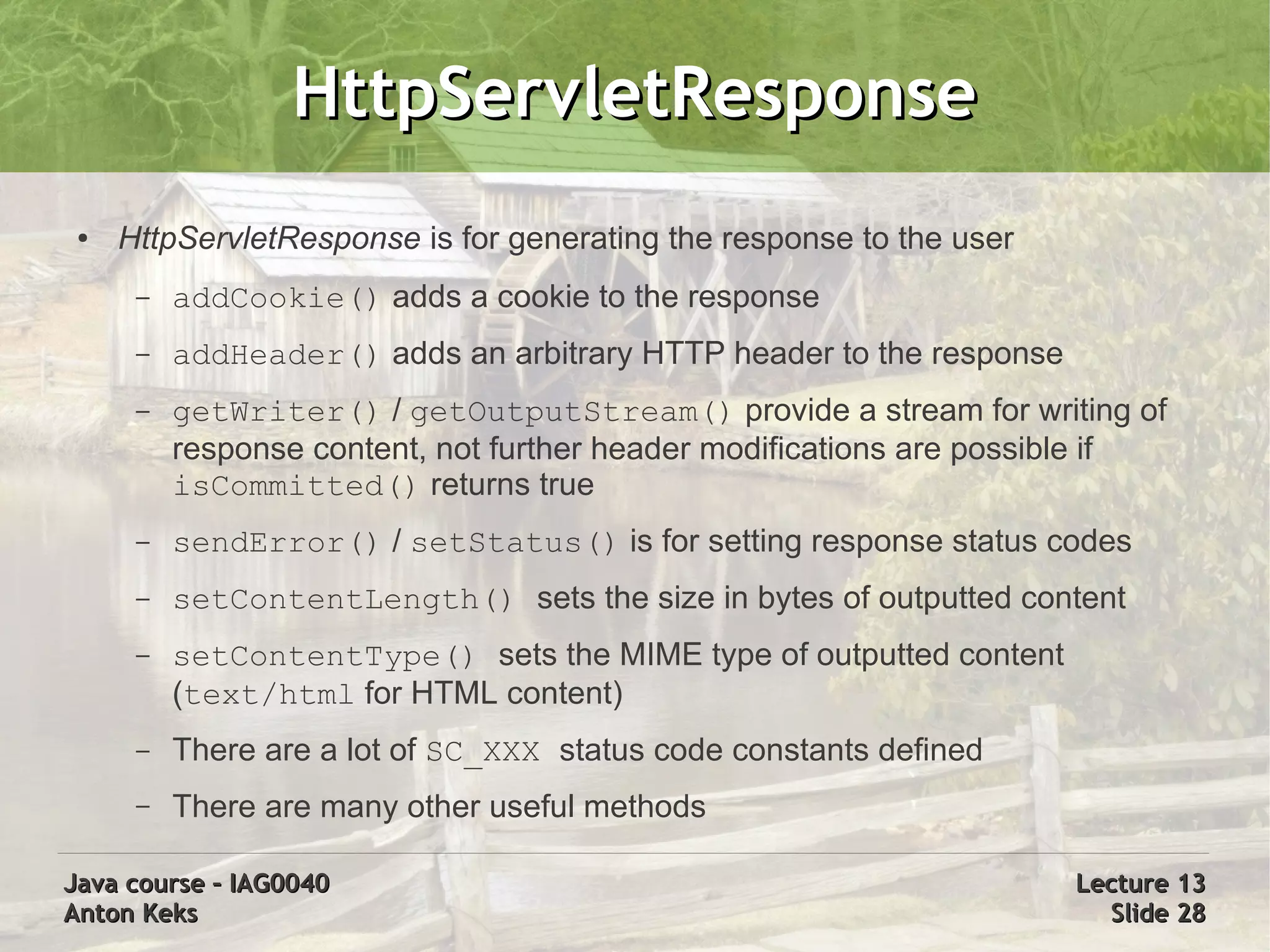
HttpServletResponse
 ●   HttpServletResponse is for generating the response to the user
      –   addCookie() adds a cookie to the response
      –   addHeader() adds an arbitrary HTTP header to the response
      –   getWriter() / getOutputStream() provide a stream for writing of
          response content, not further header modifications are possible if
          isCommitted() returns true
      –   sendError() / setStatus() is for setting response status codes
      –   setContentLength() sets the size in bytes of outputted content
      –   setContentType() sets the MIME type of outputted content
          (text/html for HTML content)
      –   There are a lot of SC_XXX status code constants defined
      –   There are many other useful methods

Java course – IAG0040                                                 Lecture 13
Anton Keks                                                              Slide 28
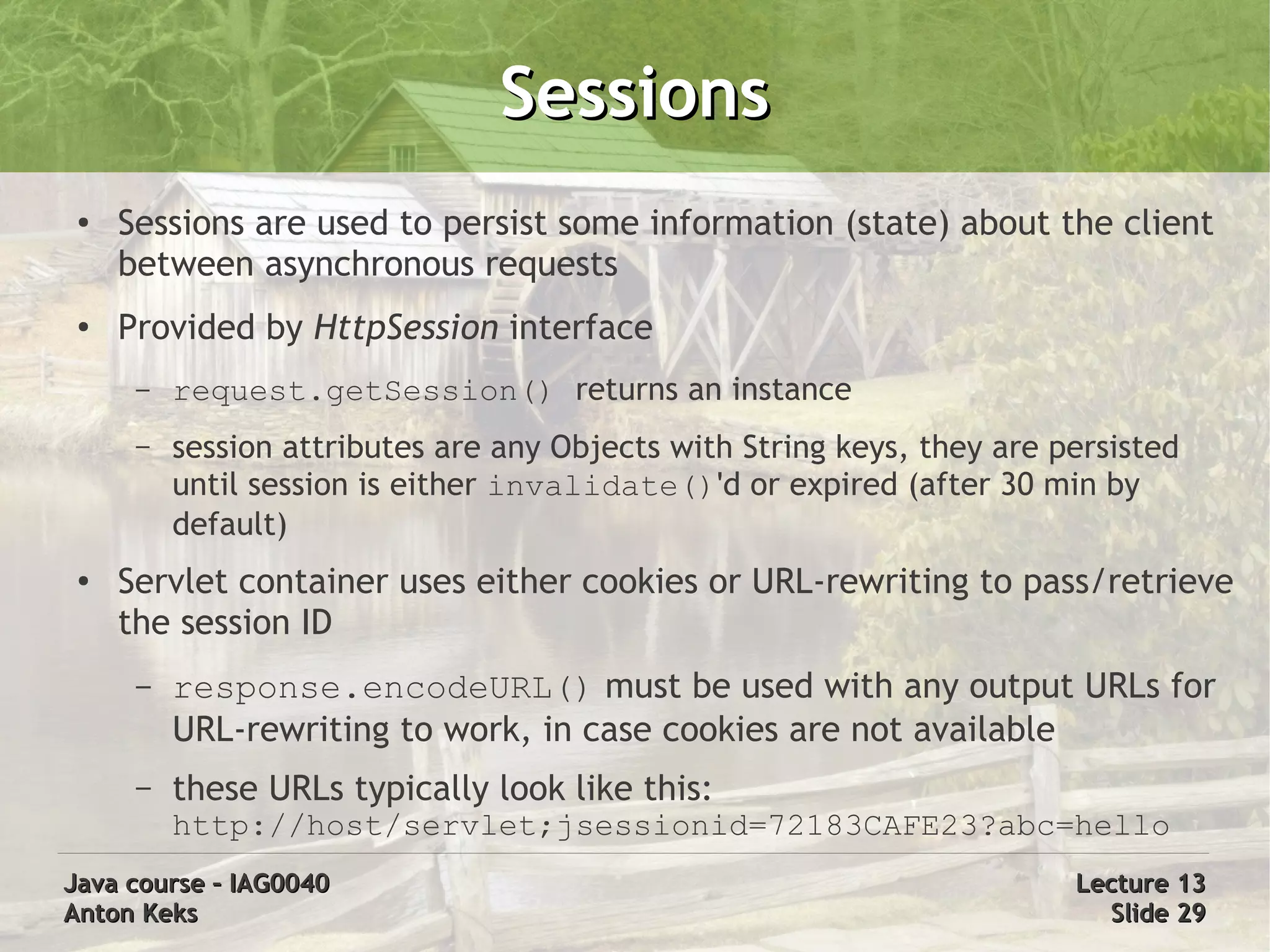
Sessions
 ●   Sessions are used to persist some information (state) about the client
     between asynchronous requests
 ●   Provided by HttpSession interface
      –   request.getSession() returns an instance
      –   session attributes are any Objects with String keys, they are persisted
          until session is either invalidate()'d or expired (after 30 min by
          default)
 ●   Servlet container uses either cookies or URL-rewriting to pass/retrieve
     the session ID
      –   response.encodeURL() must be used with any output URLs for
          URL-rewriting to work, in case cookies are not available
      –   these URLs typically look like this:
          http://host/servlet;jsessionid=72183CAFE23?abc=hello
Java course – IAG0040                                                    Lecture 13
Anton Keks                                                                 Slide 29
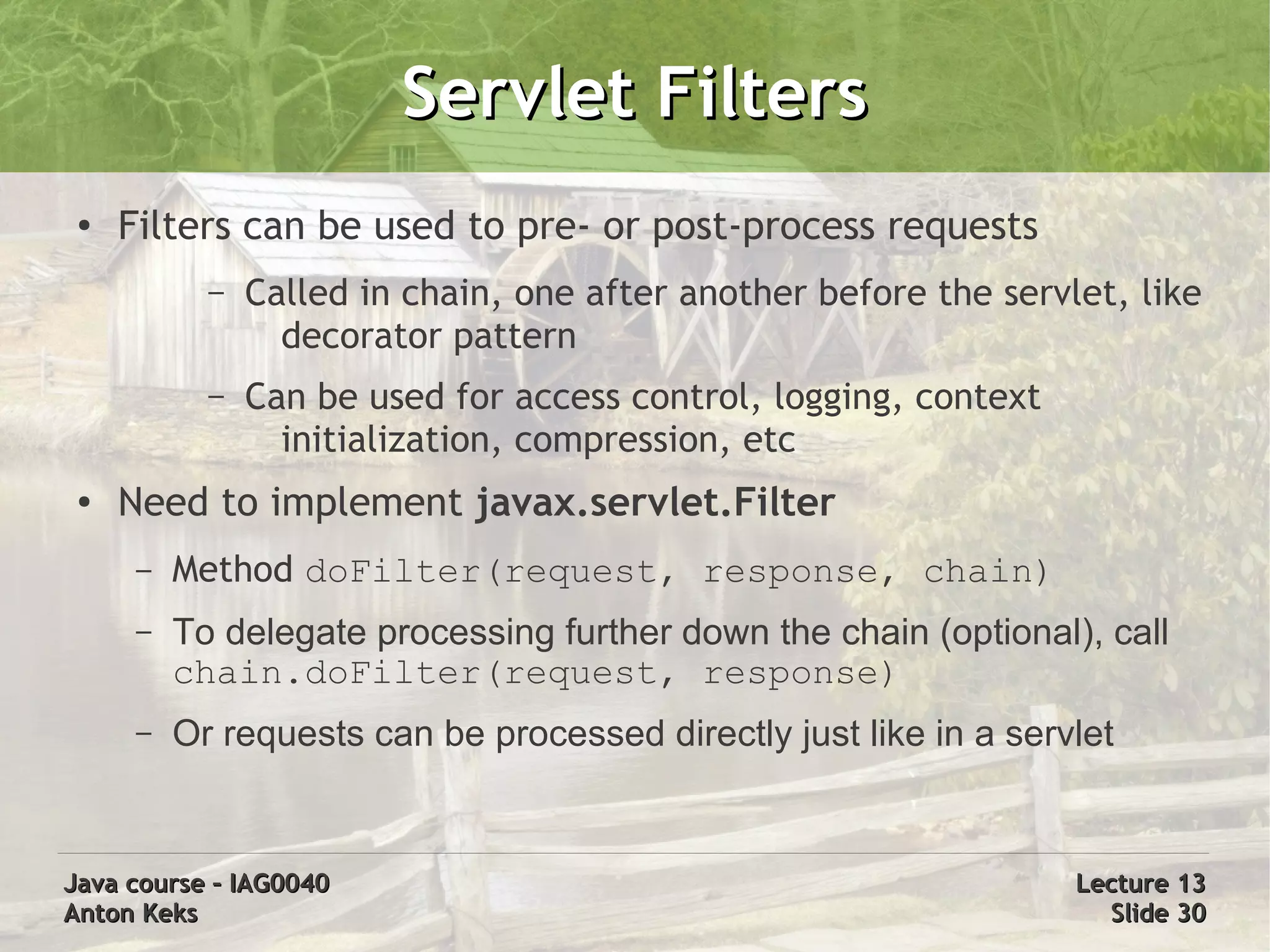
Servlet Filters
 ●   Filters can be used to pre- or post-process requests
            –   Called in chain, one after another before the servlet, like
                  decorator pattern
            –   Can be used for access control, logging, context
                  initialization, compression, etc
 ●   Need to implement javax.servlet.Filter
      –   Method doFilter(request, response, chain)
      –   To delegate processing further down the chain (optional), call
          chain.doFilter(request, response)
      –   Or requests can be processed directly just like in a servlet


Java course – IAG0040                                              Lecture 13
Anton Keks                                                           Slide 30
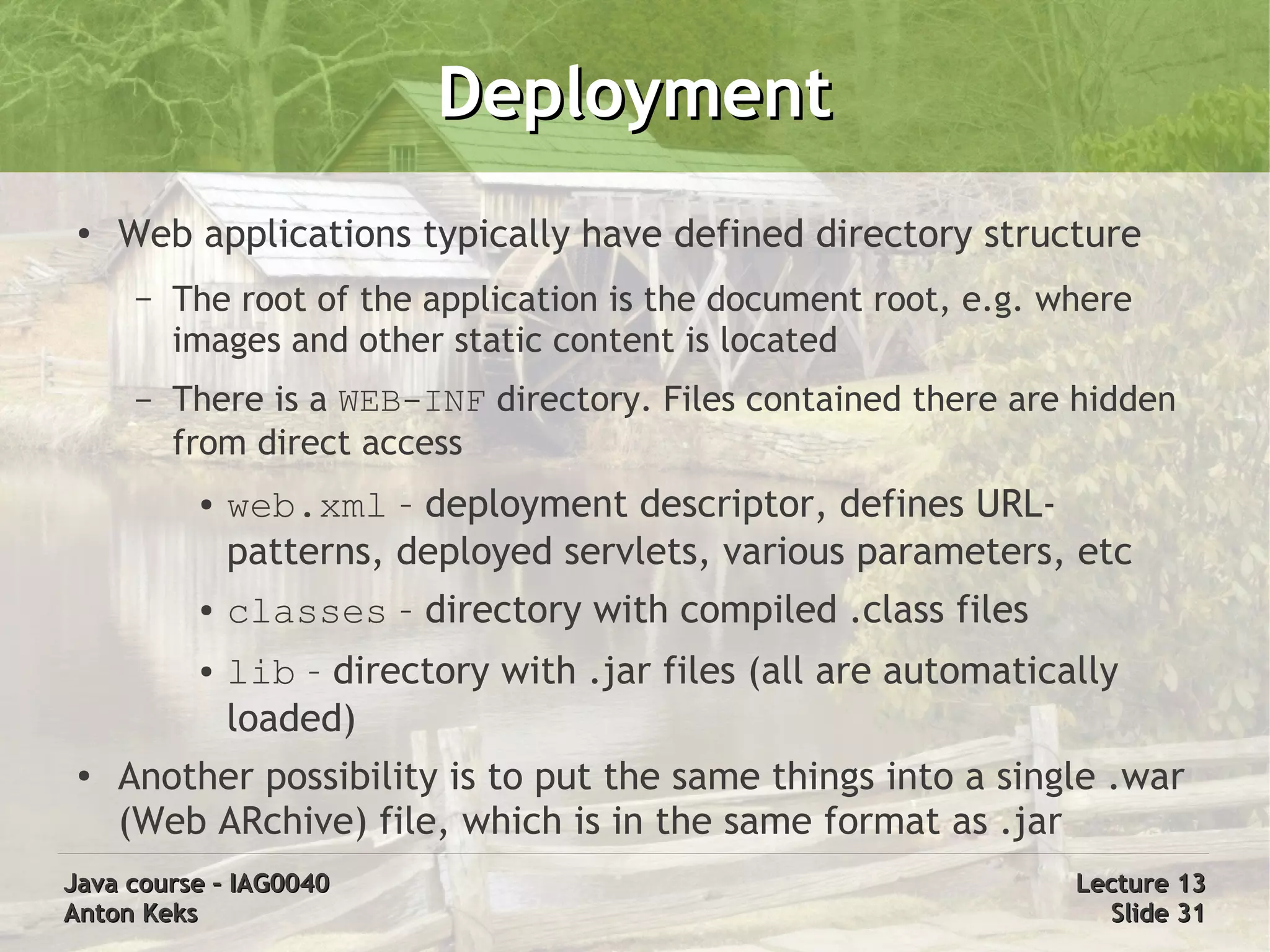
Deployment
 ●   Web applications typically have defined directory structure
      –   The root of the application is the document root, e.g. where
          images and other static content is located
      –   There is a WEB-INF directory. Files contained there are hidden
          from direct access
           ●   web.xml – deployment descriptor, defines URL-
               patterns, deployed servlets, various parameters, etc
           ●   classes – directory with compiled .class files
           ●   lib – directory with .jar files (all are automatically
               loaded)
 ●
     Another possibility is to put the same things into a single .war
     (Web ARchive) file, which is in the same format as .jar
Java course – IAG0040                                             Lecture 13
Anton Keks                                                          Slide 31
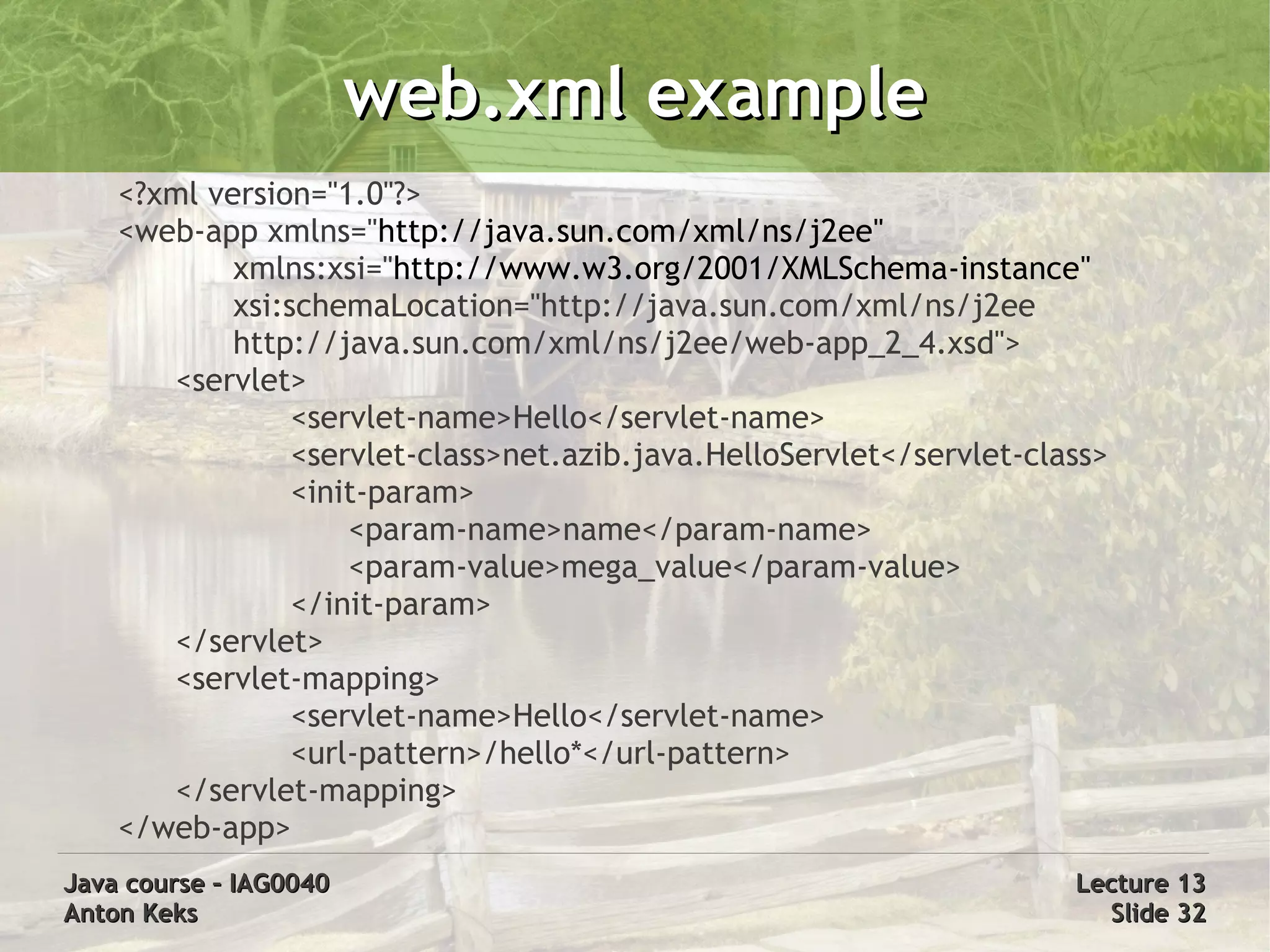
web.xml example
    <?xml version="1.0"?>
    <web-app xmlns="http://java.sun.com/xml/ns/j2ee"
            xmlns:xsi="http://www.w3.org/2001/XMLSchema-instance"
            xsi:schemaLocation="http://java.sun.com/xml/ns/j2ee
            http://java.sun.com/xml/ns/j2ee/web-app_2_4.xsd">
       <servlet>
                 <servlet-name>Hello</servlet-name>
                 <servlet-class>net.azib.java.HelloServlet</servlet-class>
                 <init-param>
                     <param-name>name</param-name>
                     <param-value>mega_value</param-value>
                 </init-param>
       </servlet>
       <servlet-mapping>
                 <servlet-name>Hello</servlet-name>
                 <url-pattern>/hello*</url-pattern>
       </servlet-mapping>
    </web-app>
Java course – IAG0040                                                  Lecture 13
Anton Keks                                                               Slide 32
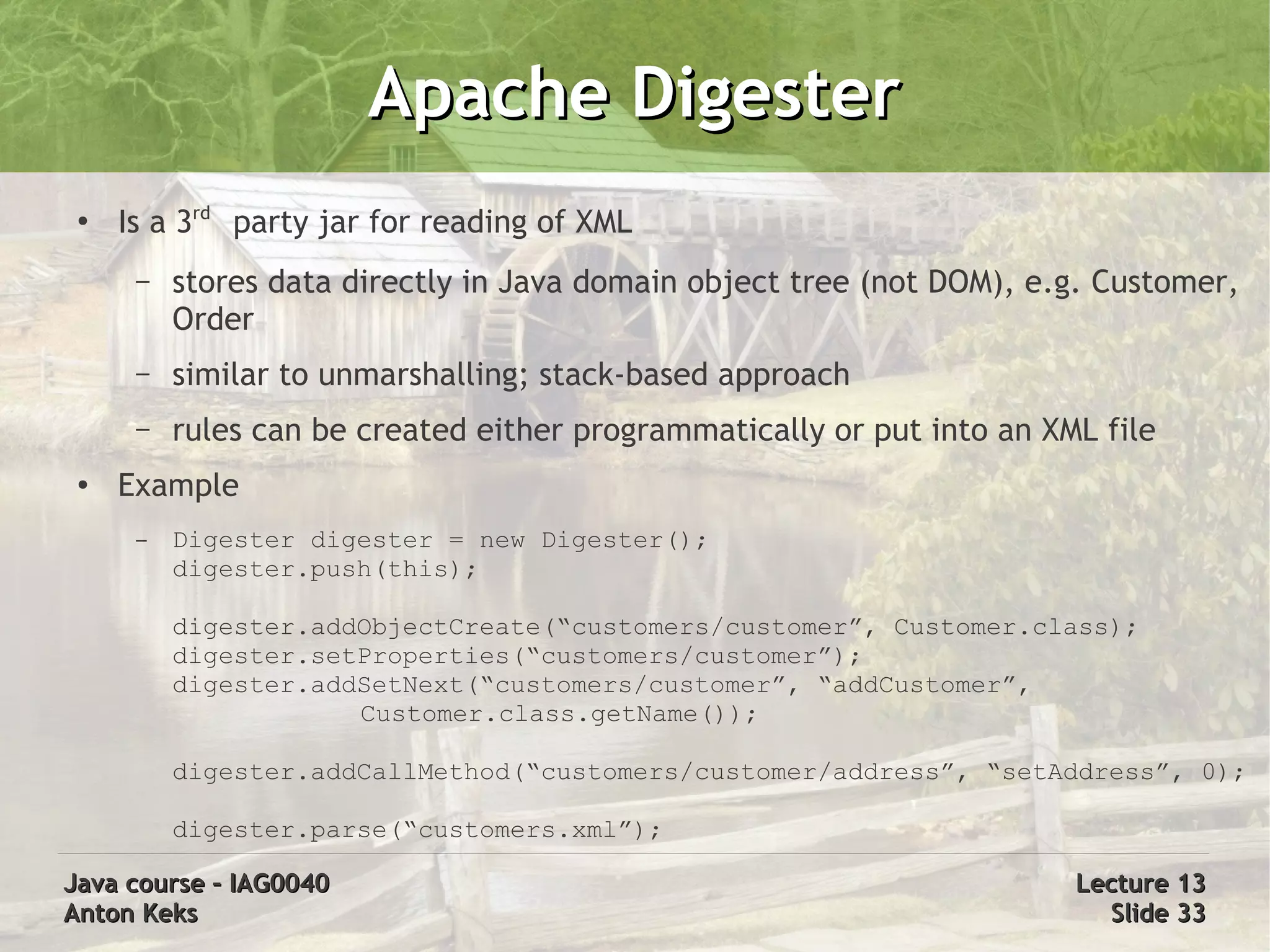
Apache Digester
 ●
     Is a 3rd party jar for reading of XML
      –   stores data directly in Java domain object tree (not DOM), e.g. Customer,
          Order
      –   similar to unmarshalling; stack-based approach
      –   rules can be created either programmatically or put into an XML file
 ●   Example
      –   Digester digester = new Digester();
          digester.push(this);

          digester.addObjectCreate(“customers/customer”, Customer.class);
          digester.setProperties(“customers/customer”);
          digester.addSetNext(“customers/customer”, “addCustomer”,
                      Customer.class.getName());

          digester.addCallMethod(“customers/customer/address”, “setAddress”, 0);

          digester.parse(“customers.xml”);

Java course – IAG0040                                                   Lecture 13
Anton Keks                                                                Slide 33
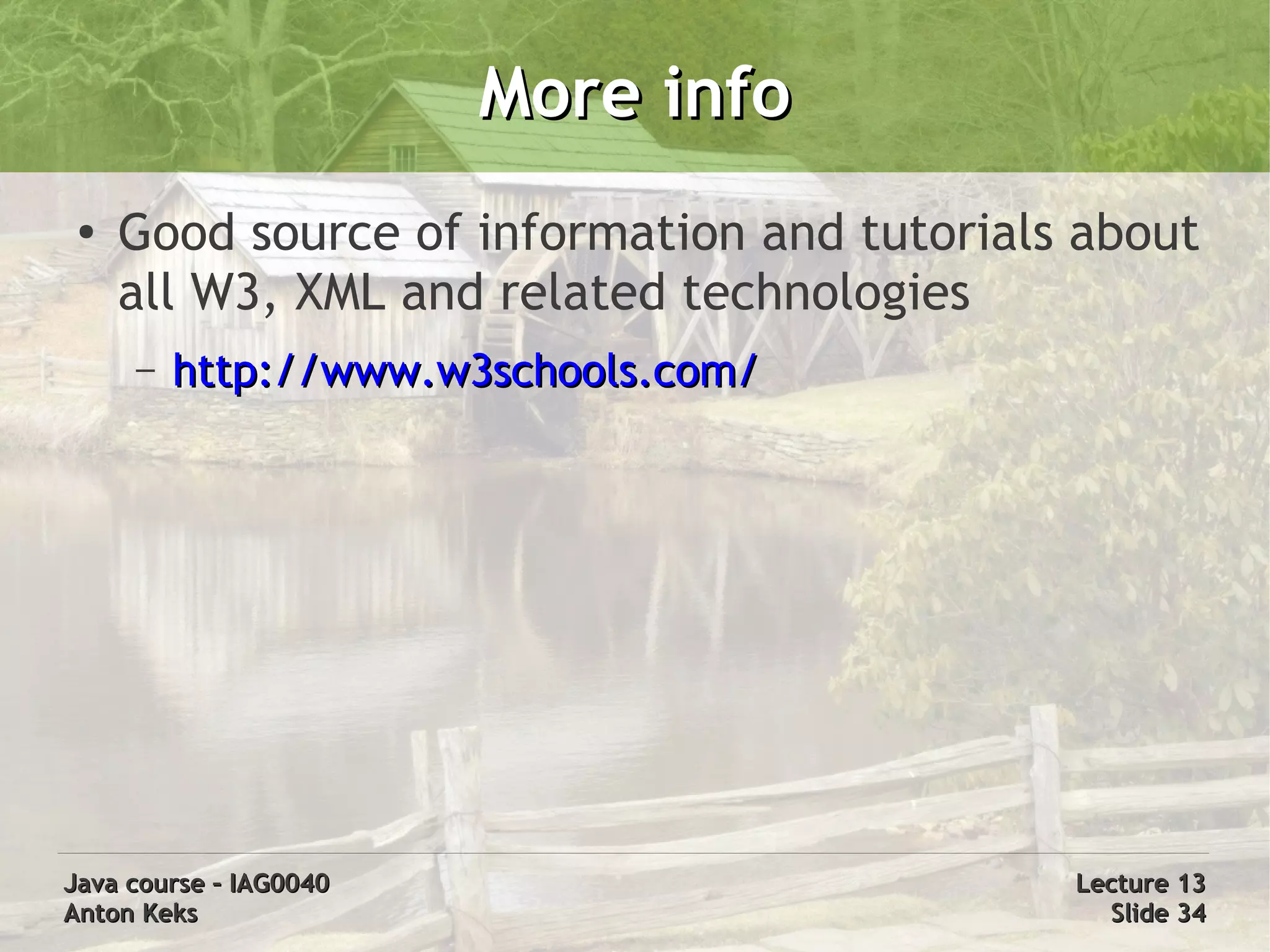
More info
 ●
     Good source of information and tutorials about
     all W3, XML and related technologies
     –   http://www.w3schools.com/


Java course – IAG0040                        Lecture 13
Anton Keks                                     Slide 34

Java Course 12: XML & XSL, Web & Servlets

  • 1.
    Java course -IAG0040 Java and the Web: XML, XSL, Servlets Anton Keks 2011
  • 2.
    Introduction to XML ● XML = Extensible Markup Language – recommended by W3C general-purpose markup language – includes text and extra information (markup) – “simplified SGML” – meta-language, can be used to create new ones ● XML has hit the “sweet spot” between simplicity and flexibility – very widely used for exchange of various data – even HTML has been retrofitted as XHTML – MathML, MusicXML, SVG, WSDL, RSS, OpenDocument, etc Java course – IAG0040 Lecture 13 Anton Keks Slide 2
  • 3.
    XML design goals ● Human-readable – human-readable and self-descriptive markup – text files, supports Unicode ● Easily machine-parseable – strict structure, well-defined formal rules – well-compressible for storage and transmission – platform-independent ● Multi-purpose and extensible – hierarchical structure: records, lists, trees – schemas, namespaces Java course – IAG0040 Lecture 13 Anton Keks Slide 3
  • 4.
    XML syntax ● Single element – <name attribute="value">content</name> ● Example document – <?xml version="1.0" encoding="UTF-8"?> <recipe name="bread" prepTime="5 mins" cookTime="3 hours"> <title>Basic bread</title> <ingredient amount="3" unit="cups">Flour</ingredient> <ingredient amount="0.25" unit="ounce">Yeast</ingredient> <ingredient amount="1.5" unit="cups" state="warm">Water</ingredient> <ingredient amount="1" unit="teaspoon">Salt</ingredient> <instructions> <step>Mix all ingredients together, and knead thoroughly.</step> <step>Cover with a cloth, and leave for one hour in warm room.</step> <step>Knead again, place in a tin, and then bake in the oven.</step> </instructions> </recipe> Java course – IAG0040 Lecture 13 Anton Keks Slide 4
  • 5.
    XML Structure ● XML Declaration (version, encoding, external dependencies) – <?xml version="1.0" standalone="yes" encoding="UTF-8"?> ● Document type definitions (DTD): <!DOCTYPE example [ ... ]> ● Single root element, nested elements, some with attributes and content – <name attribute="value">content</name> or <foo/> – starting and ending tag, content or nested elements between, no overlapping – case-sensitive ● Special chars and entities – predefined: &amp; &lt; &gt; &apos; &quot; &#DDD; &#xHH; – more can be declared: <!ENTITY copy "&#xA9;"> – unescaped data: <![CDATA[ A & B ]]> ● Comments: <!-- Hello --> Java course – IAG0040 Lecture 13 Anton Keks Slide 5
  • 6.
    XML correctness ● Well-formed – conforms to all syntax rules ● Valid (only if well-formed) – data and structure conforms to a set of rules, describing correct data values and locations – must comply to a schema – DTD – a part of XML spec – More functional: XML Schema (XSD), RELAX NG Java course – IAG0040 Lecture 13 Anton Keks Slide 6
  • 7.
    DTD example ● DTD = Document Type Definition ● Declaration – <!DOCTYPE customer [ element declarations here ]> - internal DTD – <!DOCTYPE customer SYSTEM "customer.dtd"> - external DTD – <!DOCTYPE html PUBLIC "-//W3C//DTD XHTML 1.0 Transitional//EN" "http://www.w3.org/TR/xhtml1/DTD/xhtml1-transitional.dtd"> ● Content – <!ELEMENT people_list (person*)> <!ELEMENT person (name, birthdate?, gender?, personal_id?)> <!ATTLIST person index CDATA #REQUIRED> <!ELEMENT name (#PCDATA)> <!ELEMENT birthdate (#PCDATA)> <!ELEMENT gender (#PCDATA)> <!ELEMENT personal_id (#PCDATA)> Java course – IAG0040 Lecture 13 Anton Keks Slide 7
  • 8.
    XML Namespaces ● Help to avoid naming conflicts ● Allow merging of XML documents with different semantics ● Uses prefixes to distinguish namespaces – <xhtml:table><xhtml:tr/></xhtml:table> – prefix names are not fixed, defined in declaration ● xmlns:prefix=”namespaceURI” ● <h:table xmlns:h=”http://www.w3.org/TR/html4/”> – default namespace can be declared with xmlns alone ● <table xmlns=”http://www.w3.org/TR/html4/”> Java course – IAG0040 Lecture 13 Anton Keks Slide 8
  • 9.
    XSD: W3C XMLSchema ● XML-based ● Has more features than DTD ● Namespaces are directly supported ● Data model – the vocabulary ● element and attribute names – the content model ● relationships, structure, ordering – the data types ● semantics and validation rules Java course – IAG0040 Lecture 13 Anton Keks Slide 9
  • 10.
    XSD (cont) ● Schema example (country.xsd) – <xs:schema xmlns:xs="http://www.w3.org/2001/XMLSchema"> <xs:element name="country" type="countryType"/> <xs:complexType name="countryType"> <xs:sequence> <xs:element name="name" type="xs:string"/> <xs:element name="population" type="xs:decimal"/> </xs:sequence> </xs:complexType> </xs:schema> ● Declaration (country.xml) – <country xmlns:xsi="http://www.w3.org/2001/XMLSchema-instance" xsi:noNamespaceSchemaLocation="country.xsd"> <name>France</name><population>59.7</population> </country> – <c:country xmlns:c="http://java.azib.net/country" xmlns:xsi="http://www.w3.org/2001/XMLSchema-instance" xsi:schemaLocation="http://java.azib.net/country country.xsd"> </c:country> Java course – IAG0040 Lecture 13 Anton Keks Slide 10
  • 11.
    Unit testing ● XMLUnit is a 3rd party addition to JUnit – was designed for JUnit 3.x, however perfectly usable with JUnit 4 – provides XMLAssert class that can be statically imported ● import static org.custommonkey.xmlunit.XMLAssert.*; ● assertXXX() methods take XML as String or Document – simplifies code testing that works with XML ● XML equality and similarity checking ● Validation ● XPath evaluation and checking ● Transformation Java course – IAG0040 Lecture 13 Anton Keks Slide 11
  • 12.
    XPath ● XPath is a language for finding information in an XML document – uses path expressions to select nodes (elements, attributes) – has a library of built-in functions – XML documents are treated as trees of nodes ● Sample XPath expressions – /bookstore/book – all book elements under bookstore – //book – all book elements in the document – @lang – the value of lang attribute of current element – bookstore/book[price > 35.00] – all books costing more than 35 – //book[@lang='en'] – all books in English – book[1]/author[1]/name – first author of the first book – book[last() - 1] – the book before the last one Java course – IAG0040 Lecture 13 Anton Keks Slide 12
  • 13.
    Introduction to XSL ● Meaning of arbitrary XML tags is not well understood by e.g. a web browser ● XSL describes how the XML document should be displayed ● XSL = Extensible Stylesheet Language – XML based, again ● XSLT = XSL Transformations – can be used to transform one XML format to another XML or other text format (very often HTML or XHTML) ● XSL-FO – a language for formatting XML documents (to produce, e.g. PDF documents, images, graphics, etc) Java course – IAG0040 Lecture 13 Anton Keks Slide 13
  • 14.
    XSLT basics ● Assigning stylesheets – <?xml-stylesheet type="text/xsl" href="file.xsl"?> ● XSL stylesheet – <xsl:stylesheet version=”1.0” xmlns:xsl=”http://www.w3.org/1999/XSL/Transform”> – then, one or more templates are defined <xsl:template match=”/”> <contents><xsl:copy-of select=”.”/></contents> </xsl:template> – Various xsl elements are used for querying of data using XPath ● all match, select, and test attributes take XPath expressions ● in other attributes, you can put XPath into {} – Most used elements: copy-of, value-of, for-each, sort, if, choose, apply-templates, call-template Java course – IAG0040 Lecture 13 Anton Keks Slide 14
  • 15.
    XML Parsing ● There are 3 different ways to work with XML – DOM = Document Object Model ● stores the full XML tree in memory as objects ● convenient to work with, but not suitable for very large XMLs – SAX = Streaming API for XML ● reads (streams) XML data and produces events ● no access to the full document, state must be maintained manually ● no limits on XML size, generally faster – XPP, XML Pull Parser (SAX is a 'push' parser) ● non-standard, not bundled with Java ● does not produce events, but rather waits for the client program to 'pull' information about parsing, then continues processing Java course – IAG0040 Lecture 13 Anton Keks Slide 15
  • 16.
    Introduction to JAXP ● JAXP = Java API for XML Processing – javax.xml.parsers ● DocumentBuilder – DOM, SAXParser – SAX – javax.xml.xpath ● XPath – compilation and evaluation of XPath expressions – javax.xml.transform ● Transformer – XSLT – JAXP defines only interfaces, implementations are pluggable ● access to the implementations is via Factories – DocumentBuilderFactory, SAXParserFactory, etc ● Java 1.6 bundles Apache Xerces and Xalan Java course – IAG0040 Lecture 13 Anton Keks Slide 16
  • 17.
    JAXP overview ● Other parts of the API are in packages, according to standards that define them – DOM is in org.w3c.dom ● Document, Node, Element, Attr, etc interfaces for storing of DOM trees – SAX is in org.xml.sax ● XMLReader, ContentHandler interfaces for handling/producing of SAX events Java course – IAG0040 Lecture 13 Anton Keks Slide 17
  • 18.
    JAXP and DOM ● javax.xml.parsers.DocumentBuilderFactory - creates DocumentBuilder instances. Used to set various attributes for the parser, including its validating behavior. ● javax.xml.parsers.DocumentBuilder - performs parsing and creates DOM Documents representing parsed XML ● org.w3c.dom.Document - represents the root of the XML DOM tree. An element that contains the elements of the document. ● org.w3c.dom.Node - a single node in the document tree. A node can be an element, an attribute, an entity, a document, or a text node. ● org.w3c.dom.NodeList - an ordered enumeration of nodes ● org.w3c.dom.Element - a Node representing an XML element ● org.w3c.dom.Attr - an attribute attached to an Element ● org.w3c.dom.Text - a text Node (content of an element), CharacterData Java course – IAG0040 Lecture 13 Anton Keks Slide 18
  • 19.
    JAXP and SAX ● org.xml.sax.SAXParserFactory - creates SAXParser instances. Allows various parameters to be set for the creation of the parser. ● javax.xml.parsers.SAXParser - used to initiate parsing of XML documents. Encapsulates an XMLReader for generation of SAX events. ● org.xml.sax.XMLReader - used to register event handlers. Calls the callback methods as content being scanned (generates SAX events) ● org.xml.sax.ContentHandler - the interface to implement in order to receive SAX events. Instance must be registered with XMLReader. ● org.xml.sax.ErrorHandler – the interface to implement in order to handle parsing errors. ● org.xml.sax.helpers.DefaultHandler - default implementation of ContentHandler, ErrorHandler and a couple of other interfaces; can be extended to simplify SAX event handling. Java course – IAG0040 Lecture 13 Anton Keks Slide 19
  • 20.
    JAXP and XSL ● javax.xml.transform.TransformerFactory - creates Transformer instances, either simple, that just copies source to the result, or with an associated stylesheet that does the actual transformation ● javax.xml.transform.Transformer - represents the transformation rules (stylesheet); used to transform the source XML and write the result ● javax.xml.transform.Source - interface for sources of transformation. Used to provide both the stylesheet and the XML to the Transformer. – Implementations: DOMSource, SAXSource, StreamSource, etc ● javax.xml.transform.Result - interface for writing of transformation result. – Implementations: DOMResult, SAXResult, StreamResult, etc ● javax.xml.transform.ErrorListener – interface for customized error handling Java course – IAG0040 Lecture 13 Anton Keks Slide 20
  • 21.
    JAXP and XPath ● javax.xml.xpath.XPathFactory - creates XPath instances and can be used to define custom XPathFunctionResolver and XPathVariableResolver ● javax.xml.xpath.XPath - XPath evaluation environment. Used to compile and evaluate XPath expressions. Evaluation takes the context node as a parameter to evaluate the expression on. ● javax.xml.xpath.XPathExpression - compiled XPath expression, used directly for multiple evaluations of same expressions. ● javax.xml.xpath.XPathConstants - a mapping between XPath and Java data types Java course – IAG0040 Lecture 13 Anton Keks Slide 21
  • 22.
    JAXB ● JAXB = Java API for XML Binding – XML serialization of Java objects – javax.xml.bind – Involves generation of Java classes according to the XML schema or vice-versa – JAXBContext is a factory for Marshaller and Unmarshaller Java course – IAG0040 Lecture 13 Anton Keks Slide 22
  • 23.
    JDOM & DOM4J ● org.w3c.dom API was designed for any OO language and was mapped to Java more or less directly – the resulting API is not very convenient for Java ● Two similar 3rd party DOM APIs address this – JDOM is more lightweight and was proposed for inclusion in Java SE – DOM4J has integrated support for XPath, provides better interoperability with W3C DOM and Transformer – Most operations can be done using single method calls – Java Strings and Collections are used Java course – IAG0040 Lecture 13 Anton Keks Slide 23
  • 24.
    XML generation ● There are many options: – String concatenation ● inflexible, can easily produce broken XML – Programmatic creation of DOM tree – Manual generation of SAX events – JDOM/DOM4J – XML marshalling using JAXB or similar API – Template engines, e.g. StringTemplate, Velocity ● basically pre-created XML files with 'holes' that can be filled with data Java course – IAG0040 Lecture 13 Anton Keks Slide 24
  • 25.
    Servlets ● Servlets are server-side Java applications ● Now javax.servlet API is officially a part of Java EE ● They process asynchronous requests and generate responses ● Servlets are most often used in Web applications ● Servlets are deployed and run within containers (web application servers) – there are many commercial application servers – Jetty and Tomcat are open-source ones ● JSP (Java Server Pages) are PHP/ASP-like Java files with embedded HTML, but they must be compiled into servlets (usually on-the-fly) Java course – IAG0040 Lecture 13 Anton Keks Slide 25
  • 26.
    Servlet API ● A Servlet must implement javax.servlet.Servlet interface. However, most servlets extend either javax.servlet.GenericServlet or javax.servlet.http.HttpServlet. ● A container creates a single instance of the servlet class using the default constructor, then it calls the init() method ● On every client request, the service() method is called – for HTTP, there are various higher-level methods defined, e.g. doGet(), doPost(), doPut(), doDelete(), etc – these methods must be thread-safe because they are executed concurrently. javax.servlet.SingleThreadModel interface can tell the container not to do it. – all these methods take HttpServletRequest and HttpServletResponse as parameters Java course – IAG0040 Lecture 13 Anton Keks Slide 26
  • 27.
    HttpServletRequest ● HttpServletRequest is for reading user's input – getParameter() is for reading of HTTP request parameters – getHeader() is for reading HTTP headers – getCookies() is for examining the available cookies – getSession() creates/obtains the HTTP session – getReader() / getInputStream() are for reading of large request payloads (e.g. uploaded files) – getLocalXXX() / getServerXXX() return various info about the host, where servlet is running and the server itself – getRemoteXXX() returns various info on the remote client – various other methods provide even more information Java course – IAG0040 Lecture 13 Anton Keks Slide 27
  • 28.
    HttpServletResponse ● HttpServletResponse is for generating the response to the user – addCookie() adds a cookie to the response – addHeader() adds an arbitrary HTTP header to the response – getWriter() / getOutputStream() provide a stream for writing of response content, not further header modifications are possible if isCommitted() returns true – sendError() / setStatus() is for setting response status codes – setContentLength() sets the size in bytes of outputted content – setContentType() sets the MIME type of outputted content (text/html for HTML content) – There are a lot of SC_XXX status code constants defined – There are many other useful methods Java course – IAG0040 Lecture 13 Anton Keks Slide 28
  • 29.
    Sessions ● Sessions are used to persist some information (state) about the client between asynchronous requests ● Provided by HttpSession interface – request.getSession() returns an instance – session attributes are any Objects with String keys, they are persisted until session is either invalidate()'d or expired (after 30 min by default) ● Servlet container uses either cookies or URL-rewriting to pass/retrieve the session ID – response.encodeURL() must be used with any output URLs for URL-rewriting to work, in case cookies are not available – these URLs typically look like this: http://host/servlet;jsessionid=72183CAFE23?abc=hello Java course – IAG0040 Lecture 13 Anton Keks Slide 29
  • 30.
    Servlet Filters ● Filters can be used to pre- or post-process requests – Called in chain, one after another before the servlet, like decorator pattern – Can be used for access control, logging, context initialization, compression, etc ● Need to implement javax.servlet.Filter – Method doFilter(request, response, chain) – To delegate processing further down the chain (optional), call chain.doFilter(request, response) – Or requests can be processed directly just like in a servlet Java course – IAG0040 Lecture 13 Anton Keks Slide 30
  • 31.
    Deployment ● Web applications typically have defined directory structure – The root of the application is the document root, e.g. where images and other static content is located – There is a WEB-INF directory. Files contained there are hidden from direct access ● web.xml – deployment descriptor, defines URL- patterns, deployed servlets, various parameters, etc ● classes – directory with compiled .class files ● lib – directory with .jar files (all are automatically loaded) ● Another possibility is to put the same things into a single .war (Web ARchive) file, which is in the same format as .jar Java course – IAG0040 Lecture 13 Anton Keks Slide 31
  • 32.
    web.xml example <?xml version="1.0"?> <web-app xmlns="http://java.sun.com/xml/ns/j2ee" xmlns:xsi="http://www.w3.org/2001/XMLSchema-instance" xsi:schemaLocation="http://java.sun.com/xml/ns/j2ee http://java.sun.com/xml/ns/j2ee/web-app_2_4.xsd"> <servlet> <servlet-name>Hello</servlet-name> <servlet-class>net.azib.java.HelloServlet</servlet-class> <init-param> <param-name>name</param-name> <param-value>mega_value</param-value> </init-param> </servlet> <servlet-mapping> <servlet-name>Hello</servlet-name> <url-pattern>/hello*</url-pattern> </servlet-mapping> </web-app> Java course – IAG0040 Lecture 13 Anton Keks Slide 32
  • 33.
    Apache Digester ● Is a 3rd party jar for reading of XML – stores data directly in Java domain object tree (not DOM), e.g. Customer, Order – similar to unmarshalling; stack-based approach – rules can be created either programmatically or put into an XML file ● Example – Digester digester = new Digester(); digester.push(this); digester.addObjectCreate(“customers/customer”, Customer.class); digester.setProperties(“customers/customer”); digester.addSetNext(“customers/customer”, “addCustomer”, Customer.class.getName()); digester.addCallMethod(“customers/customer/address”, “setAddress”, 0); digester.parse(“customers.xml”); Java course – IAG0040 Lecture 13 Anton Keks Slide 33
  • 34.
    More info ● Good source of information and tutorials about all W3, XML and related technologies – http://www.w3schools.com/ Java course – IAG0040 Lecture 13 Anton Keks Slide 34