

Server Monitoring from the
Cloud
Windows / Linux Servers
Site24x7 Webinar
21st, Oct 2015
• Introduction to Site24x7
• Server monitoring from the Cloud
• Working principle and prerequisite
• Windows & Linux Server monitoring
• IIS, SQL, MS Exchange Server monitoring
• VMware monitoring
• Security
• Upcoming Features
Agenda
Windows & Linux Monitoring
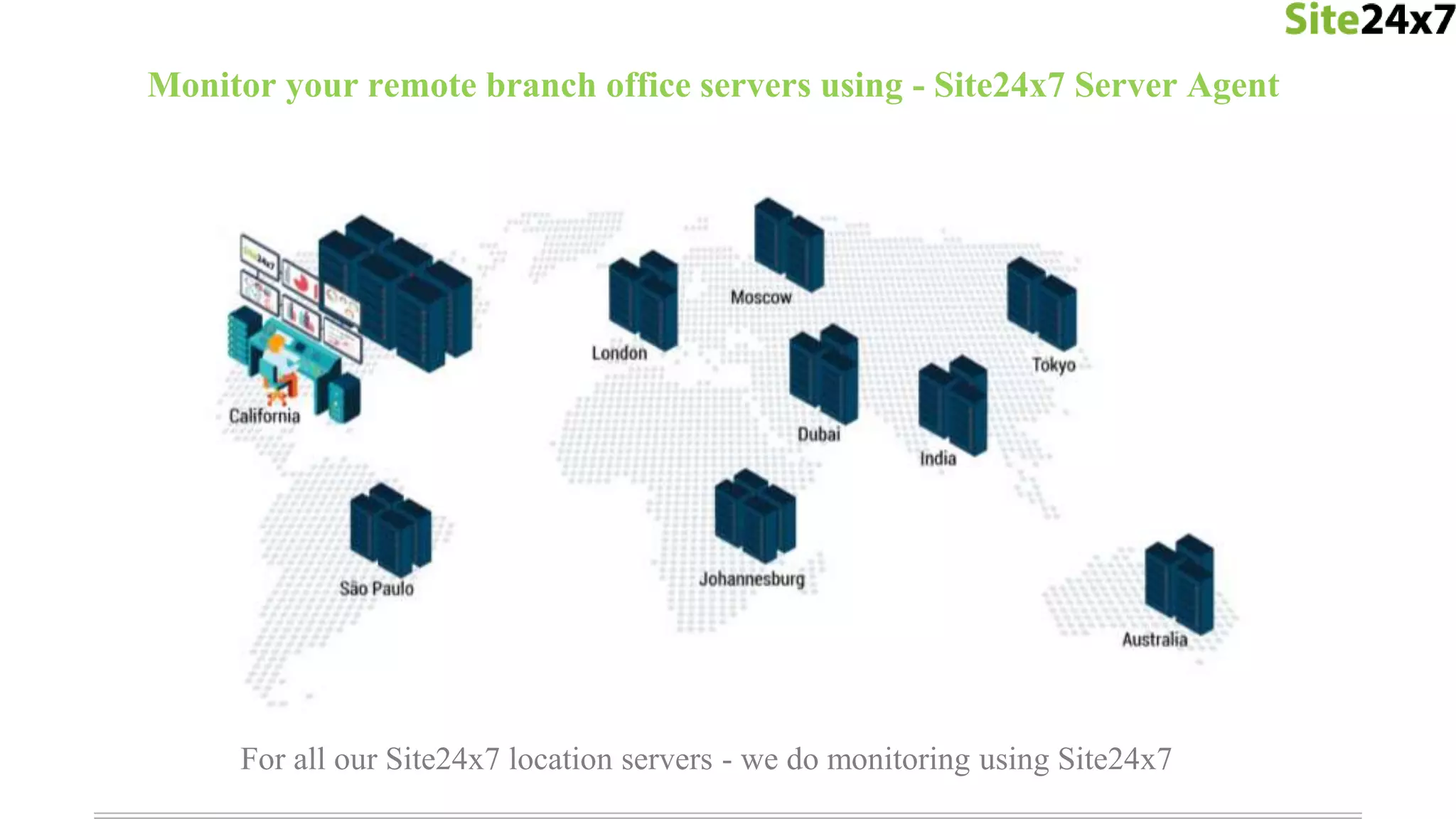
For all our Site24x7 location servers - we do monitoring using Site24x7
Monitor your remote branch office servers using - Site24x7 Server Agent
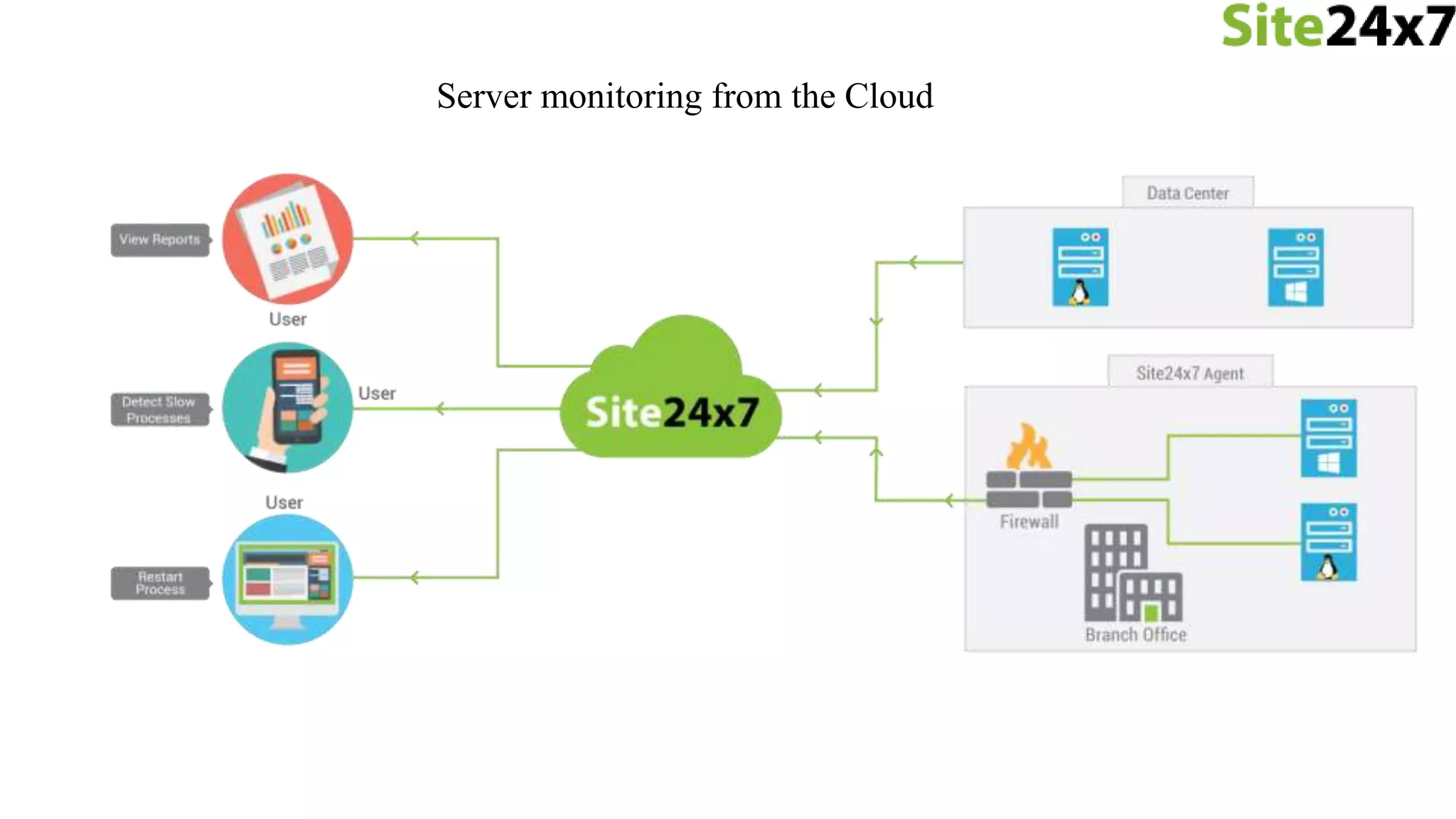
Server monitoring from the Cloud
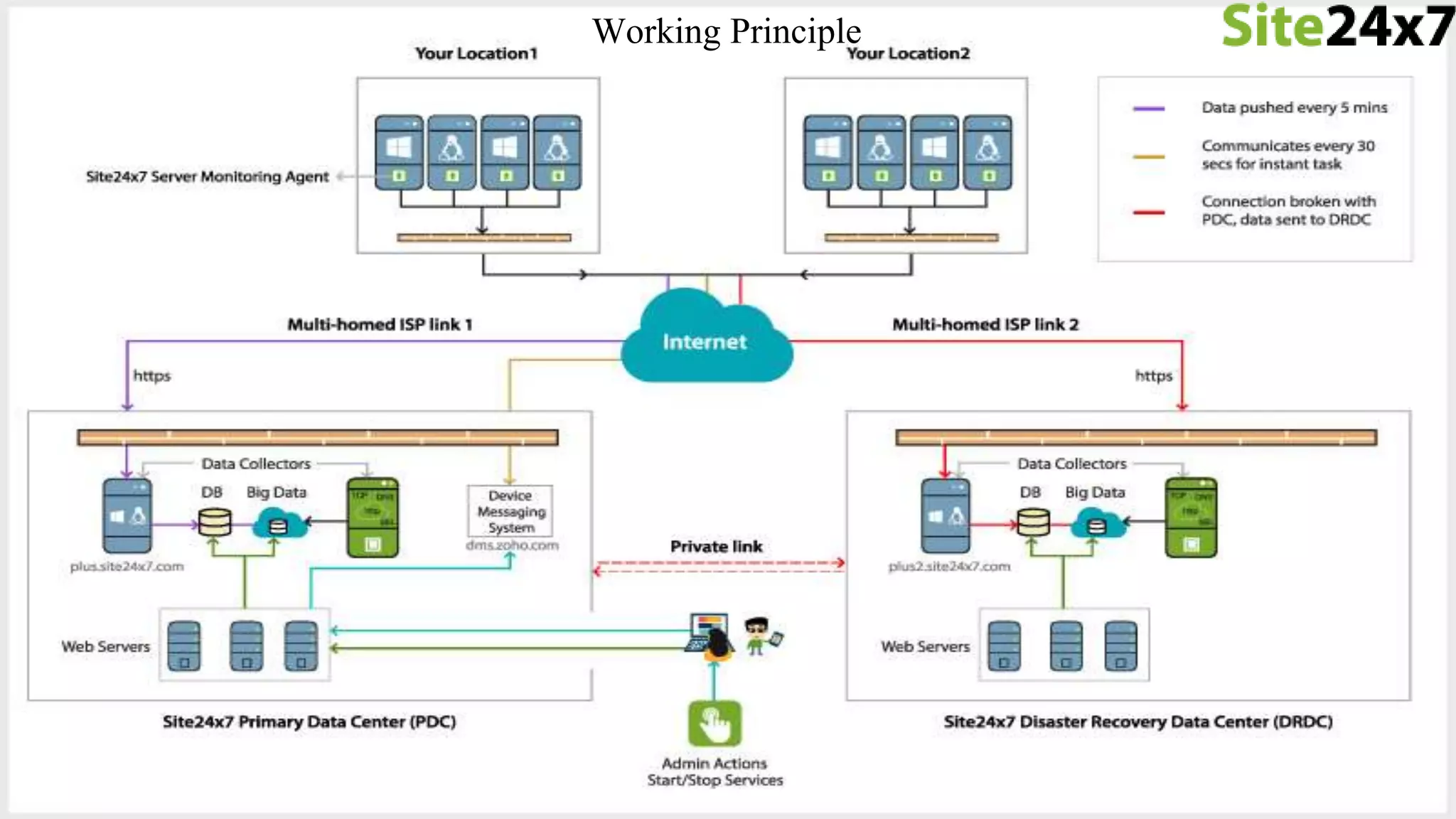
Working Principle
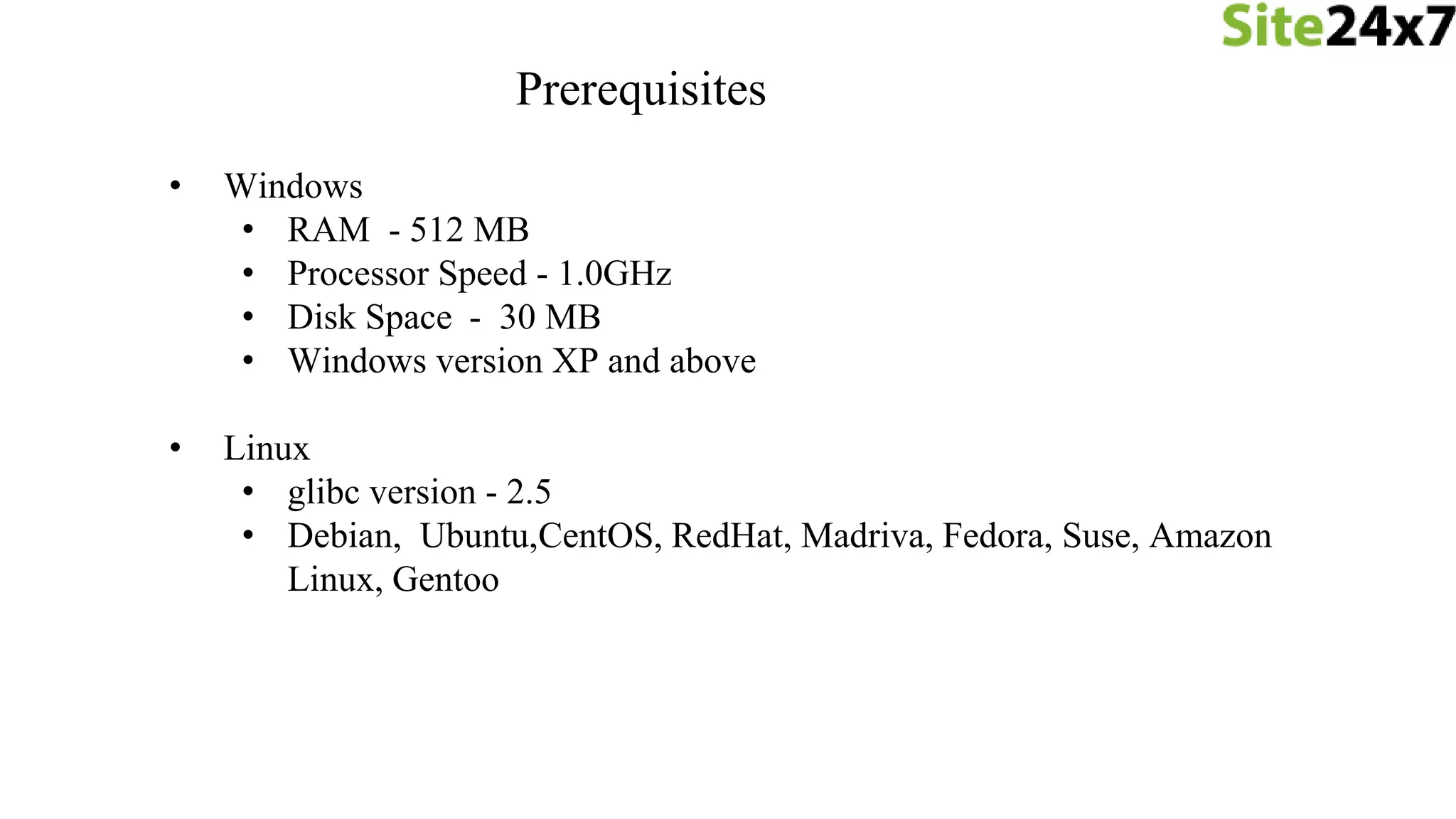
Prerequisites
• Windows
• RAM - 512 MB
• Processor Speed - 1.0GHz
• Disk Space - 30 MB
• Windows version XP and above
• Linux
• glibc version - 2.5
• Debian, Ubuntu,CentOS, RedHat, Madriva, Fedora, Suse, Amazon
Linux, Gentoo
> Windows
- Metrics are captured with the help of Windows Management
Instrumentation (WMI) and Windows API
> Linux
- Metrics are captured using the commands top, df, free, ps.
Discovery
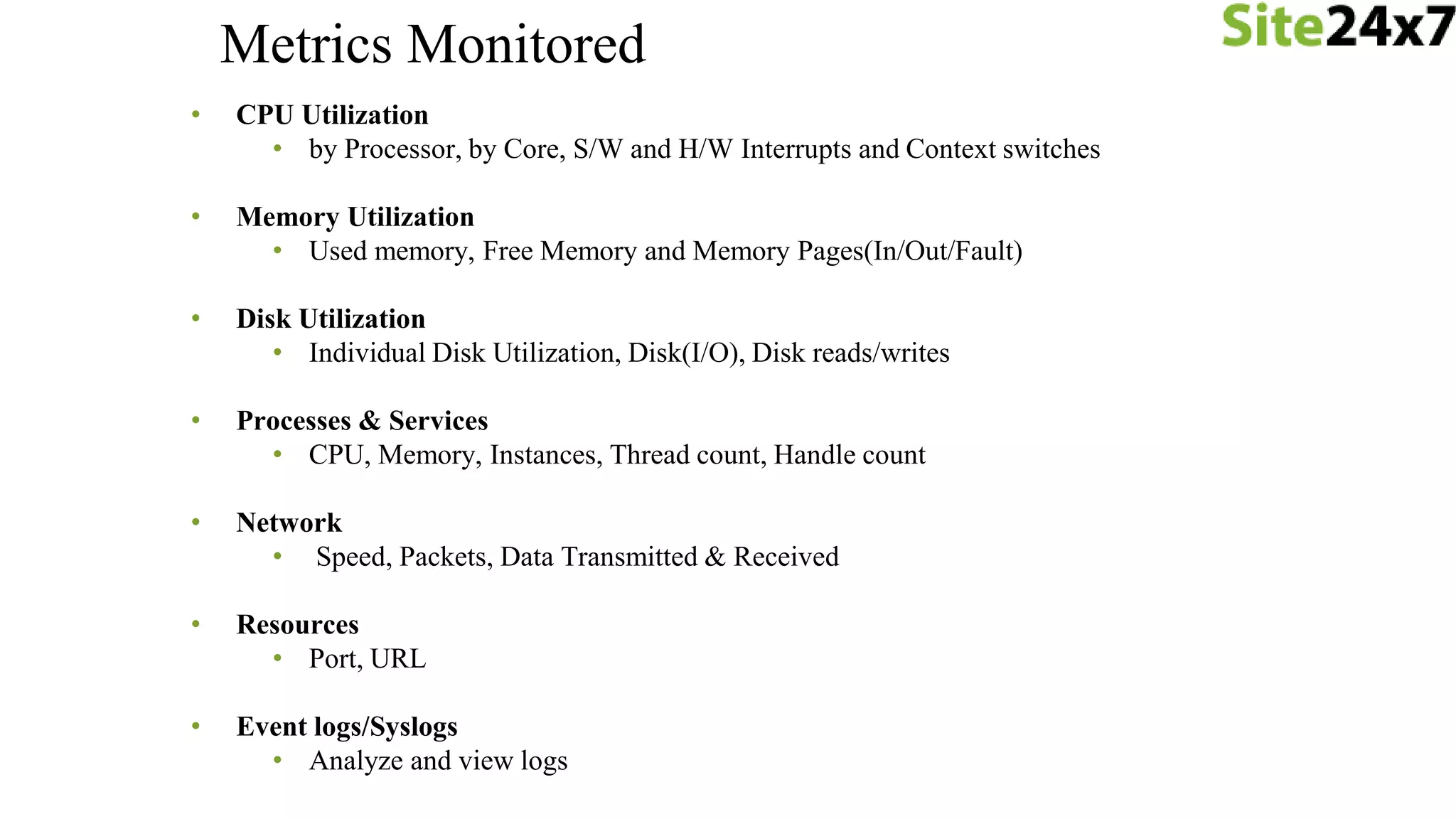
• CPU Utilization
• by Processor, by Core, S/W and H/W Interrupts and Context switches
• Memory Utilization
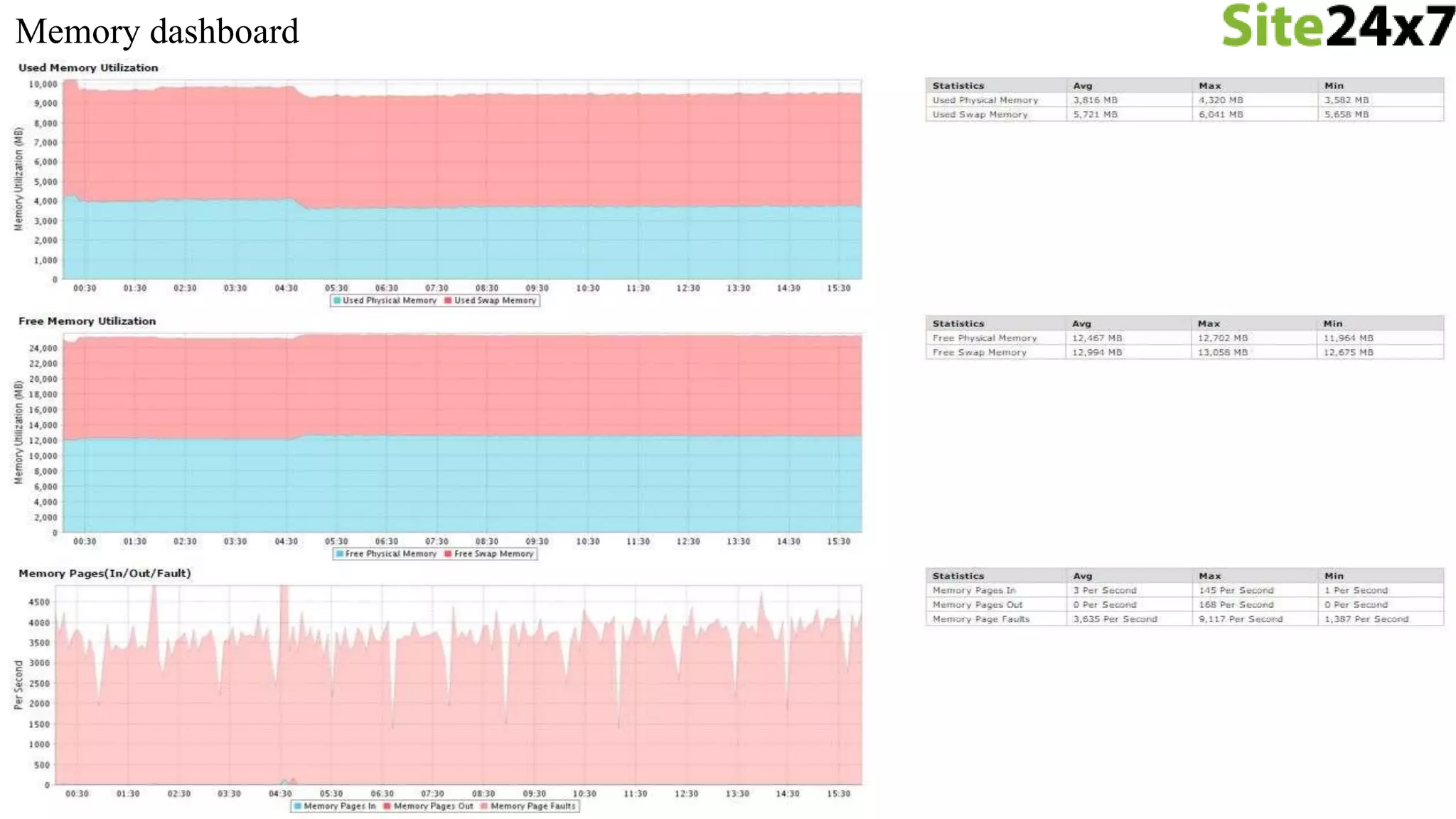
• Used memory, Free Memory and Memory Pages(In/Out/Fault)
• Disk Utilization
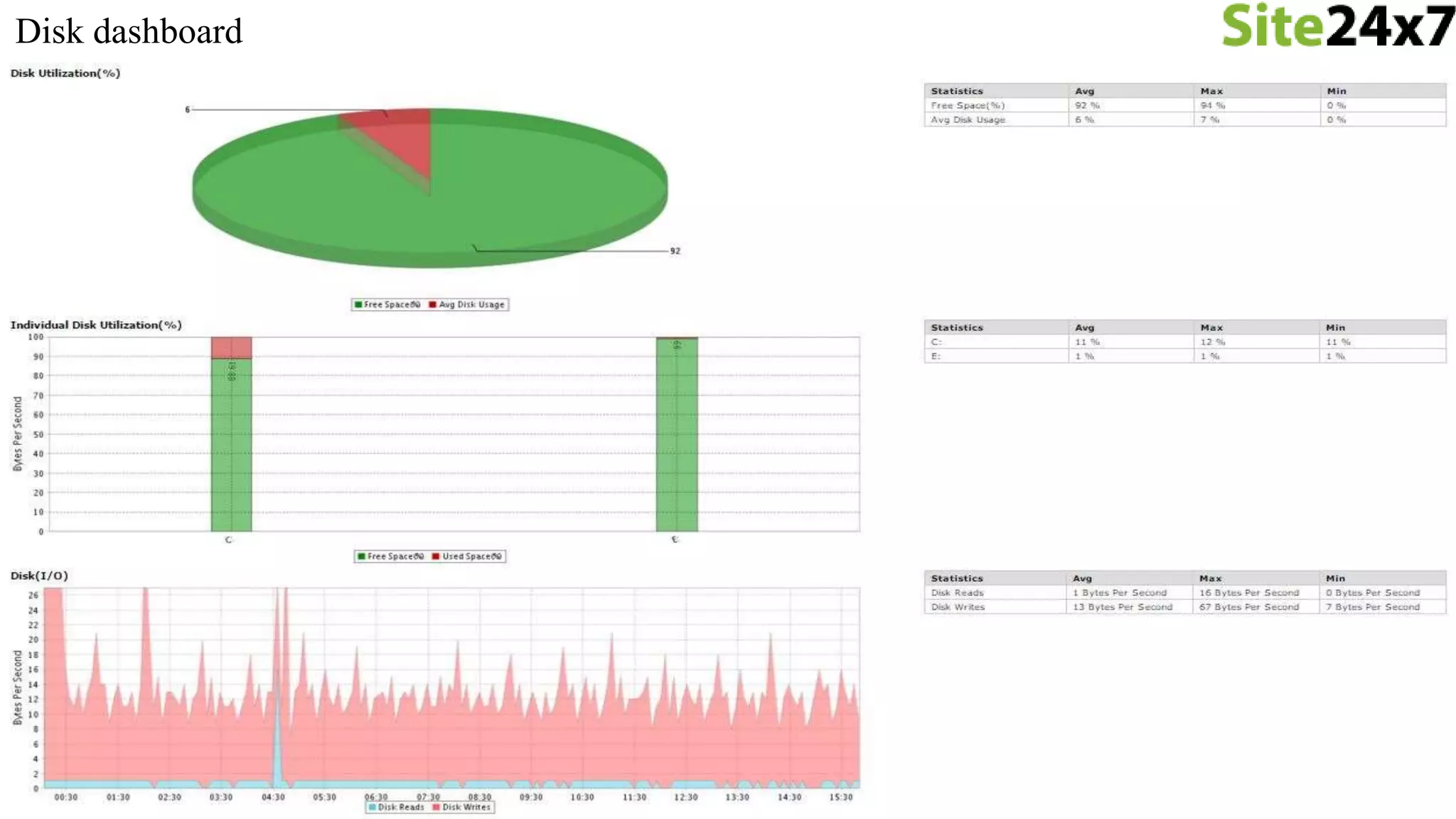
• Individual Disk Utilization, Disk(I/O), Disk reads/writes
• Processes & Services
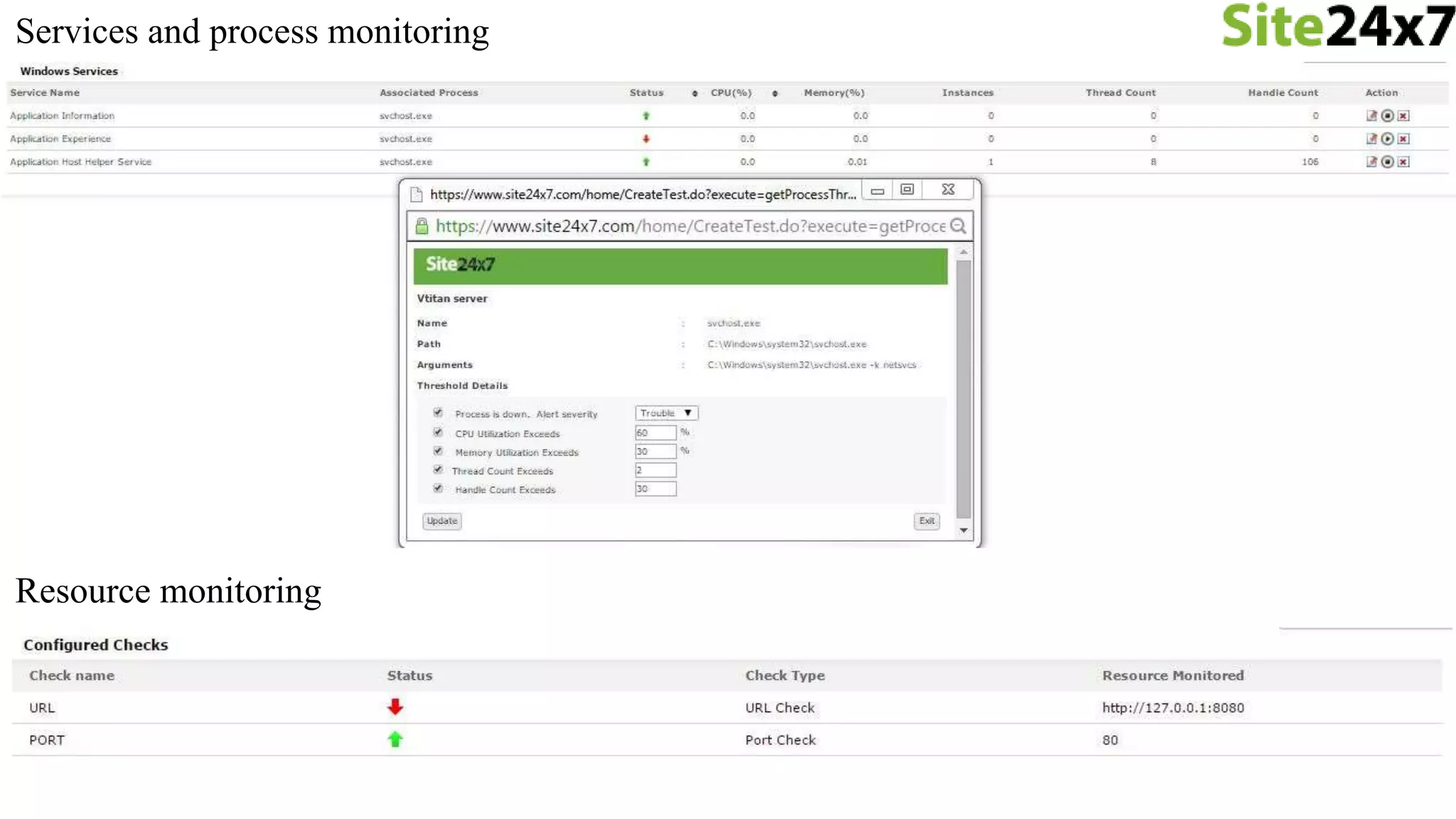
• CPU, Memory, Instances, Thread count, Handle count
• Network
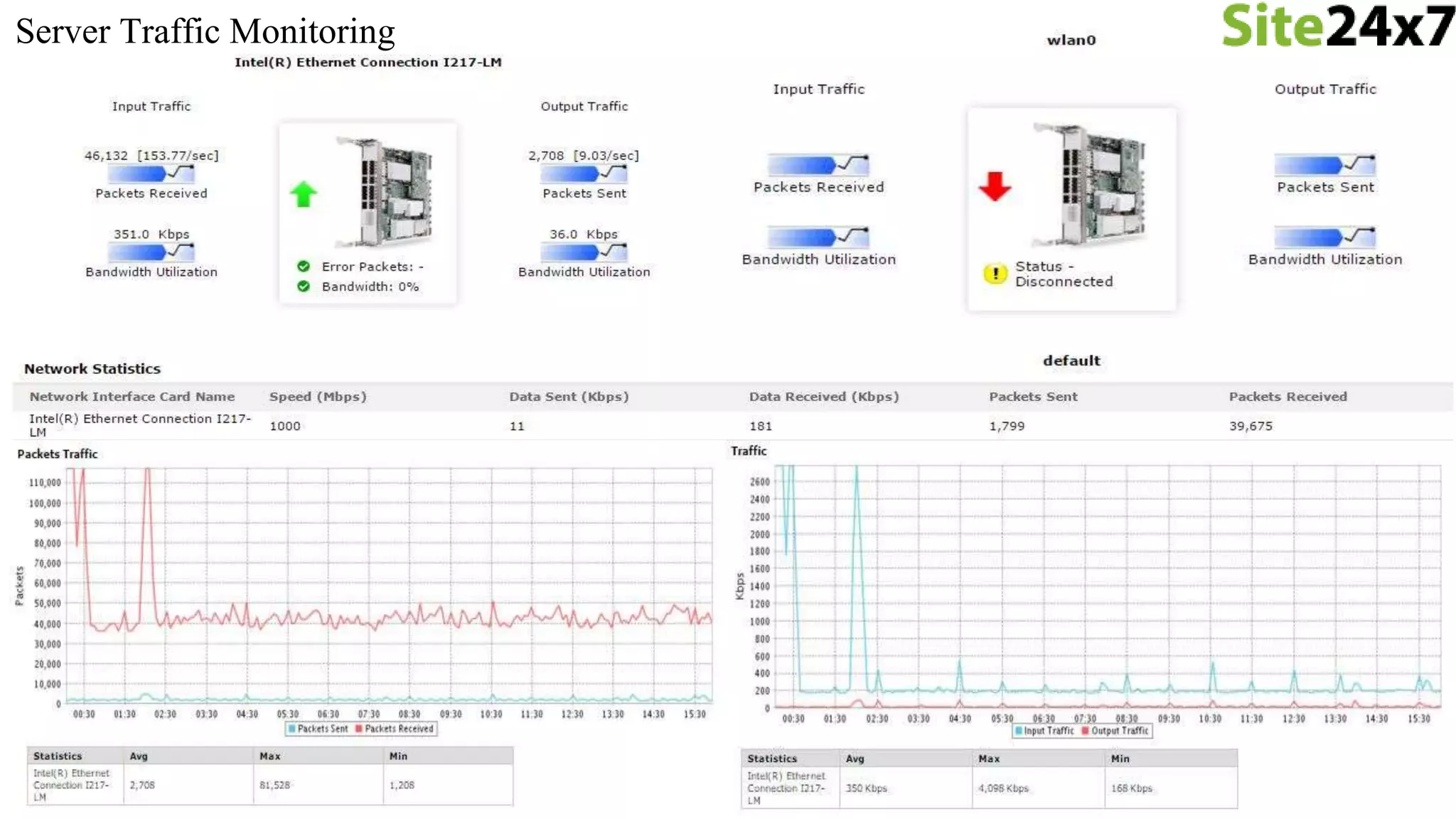
• Speed, Packets, Data Transmitted & Received
• Resources
• Port, URL
• Event logs/Syslogs
• Analyze and view logs
Metrics Monitored
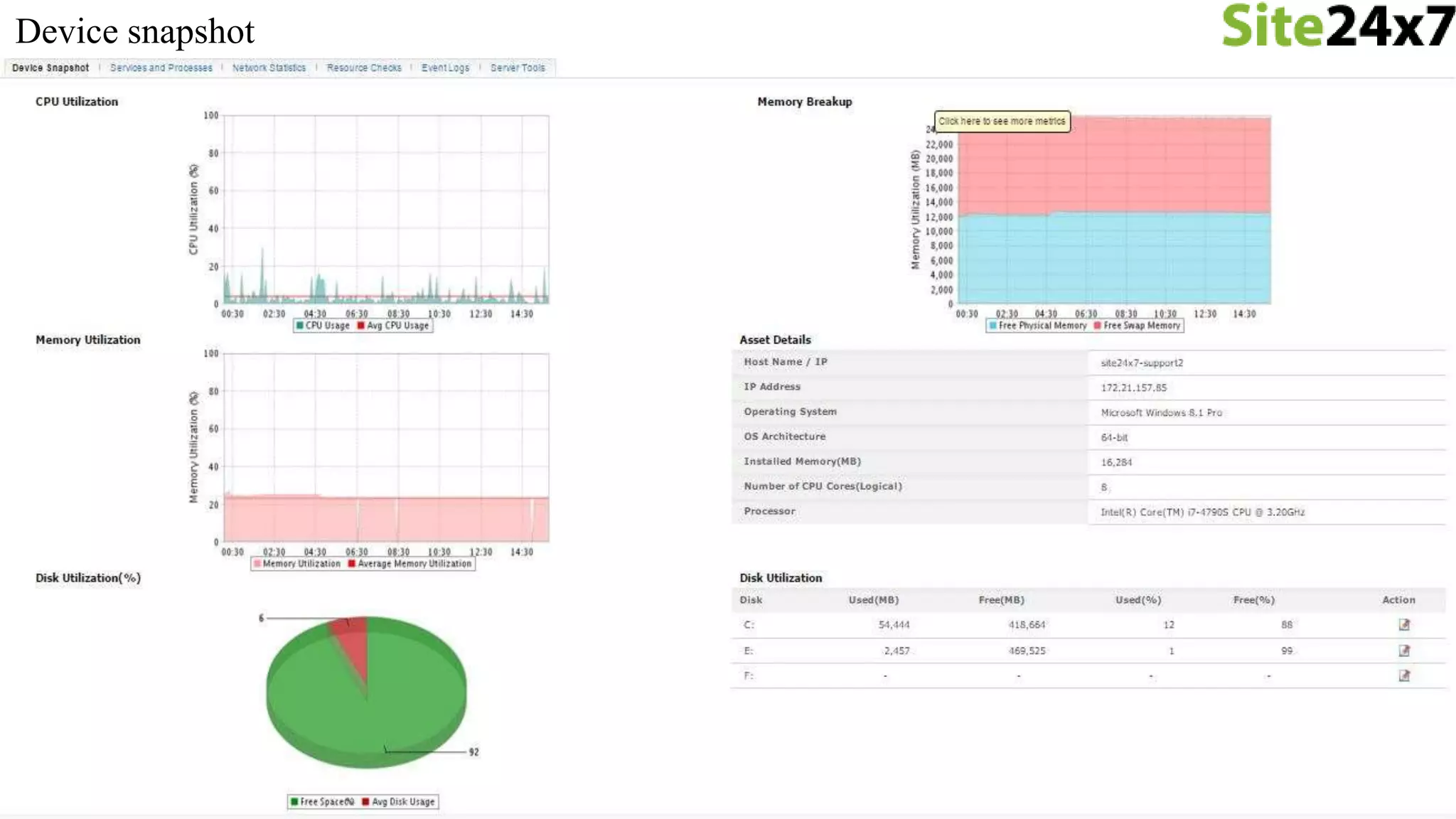
Device snapshot
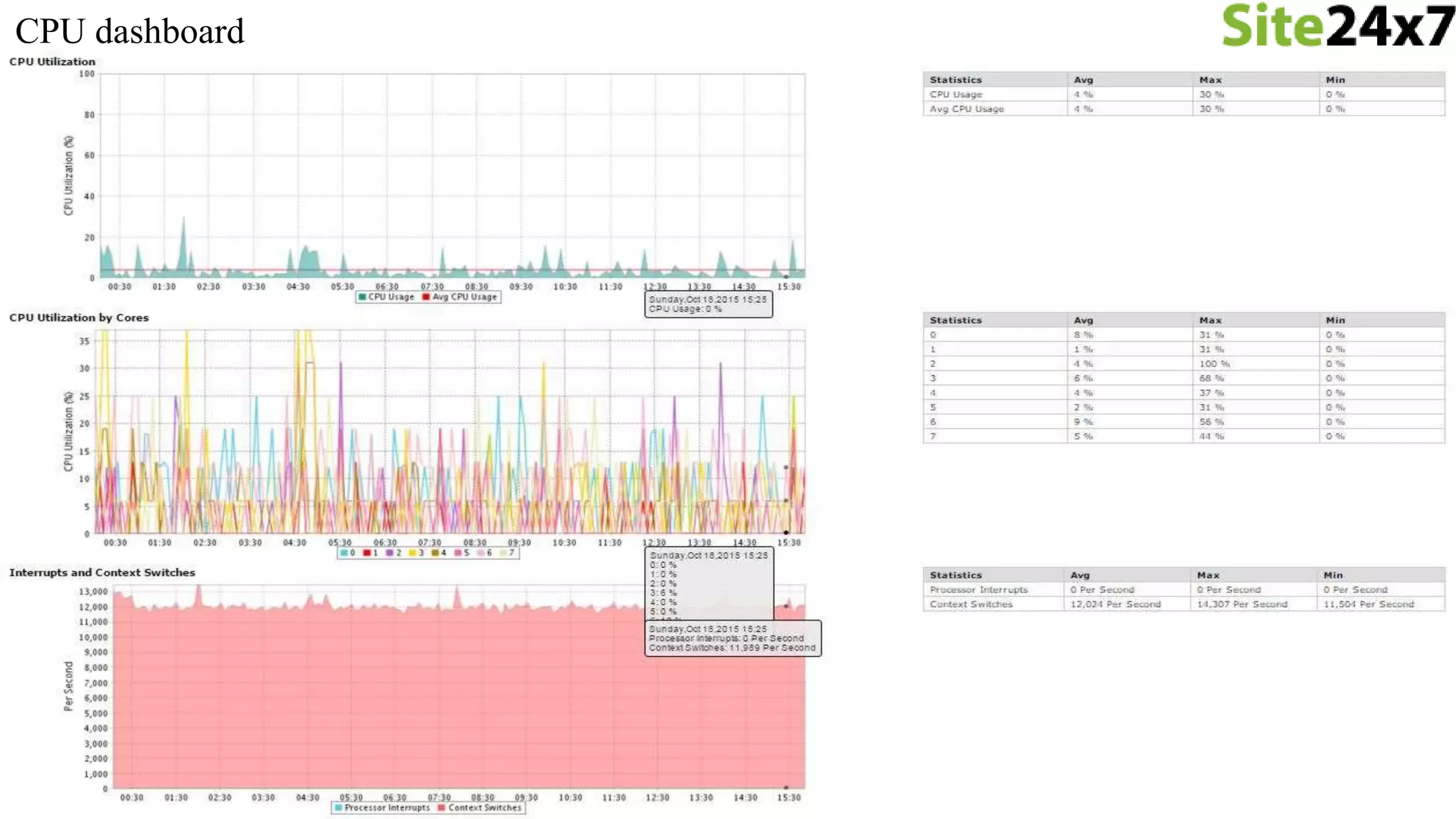
CPU dashboard
Memory dashboard
Disk dashboard
Services and process monitoring
Resource monitoring
Server Traffic Monitoring
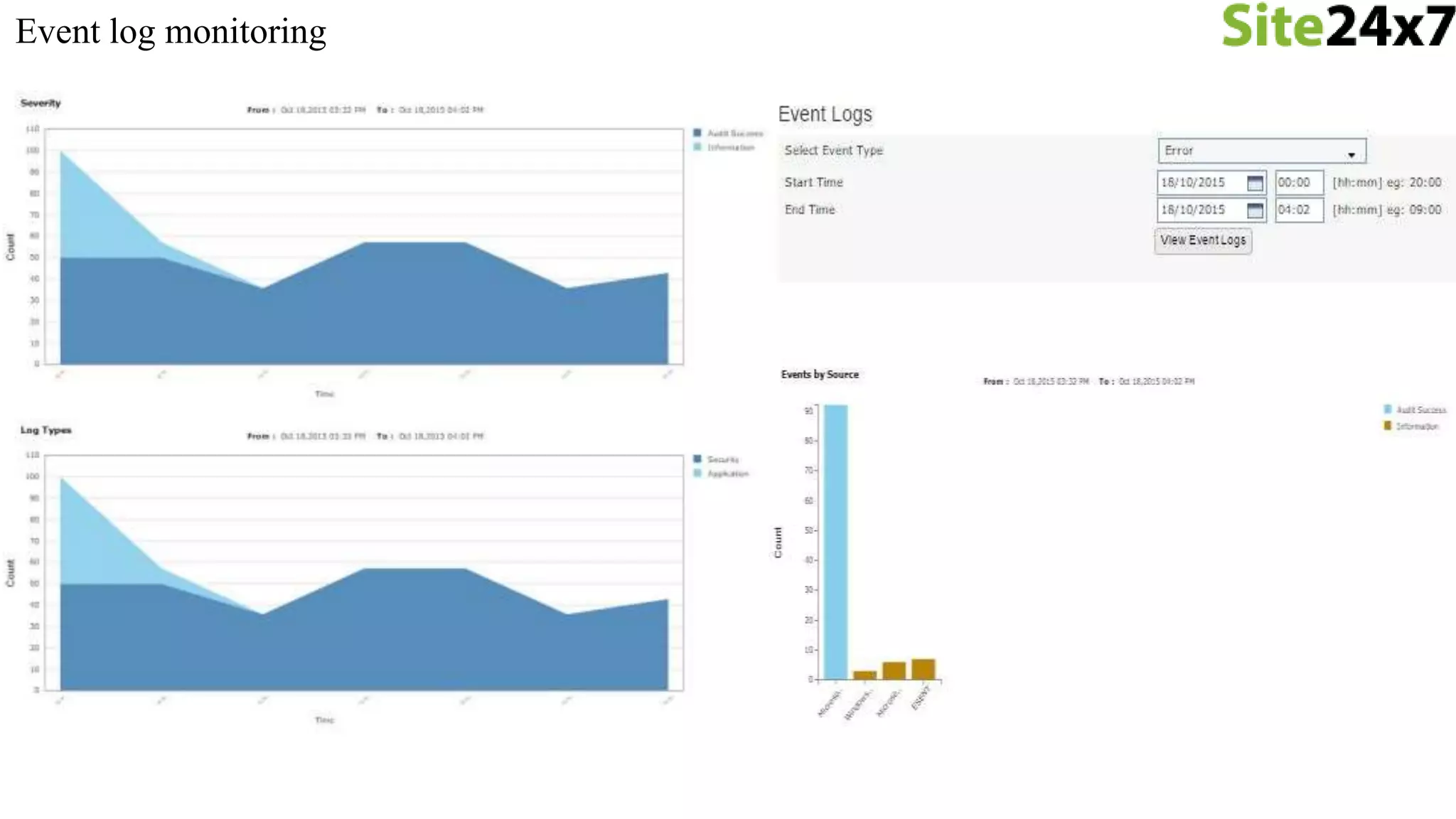
Event log monitoring
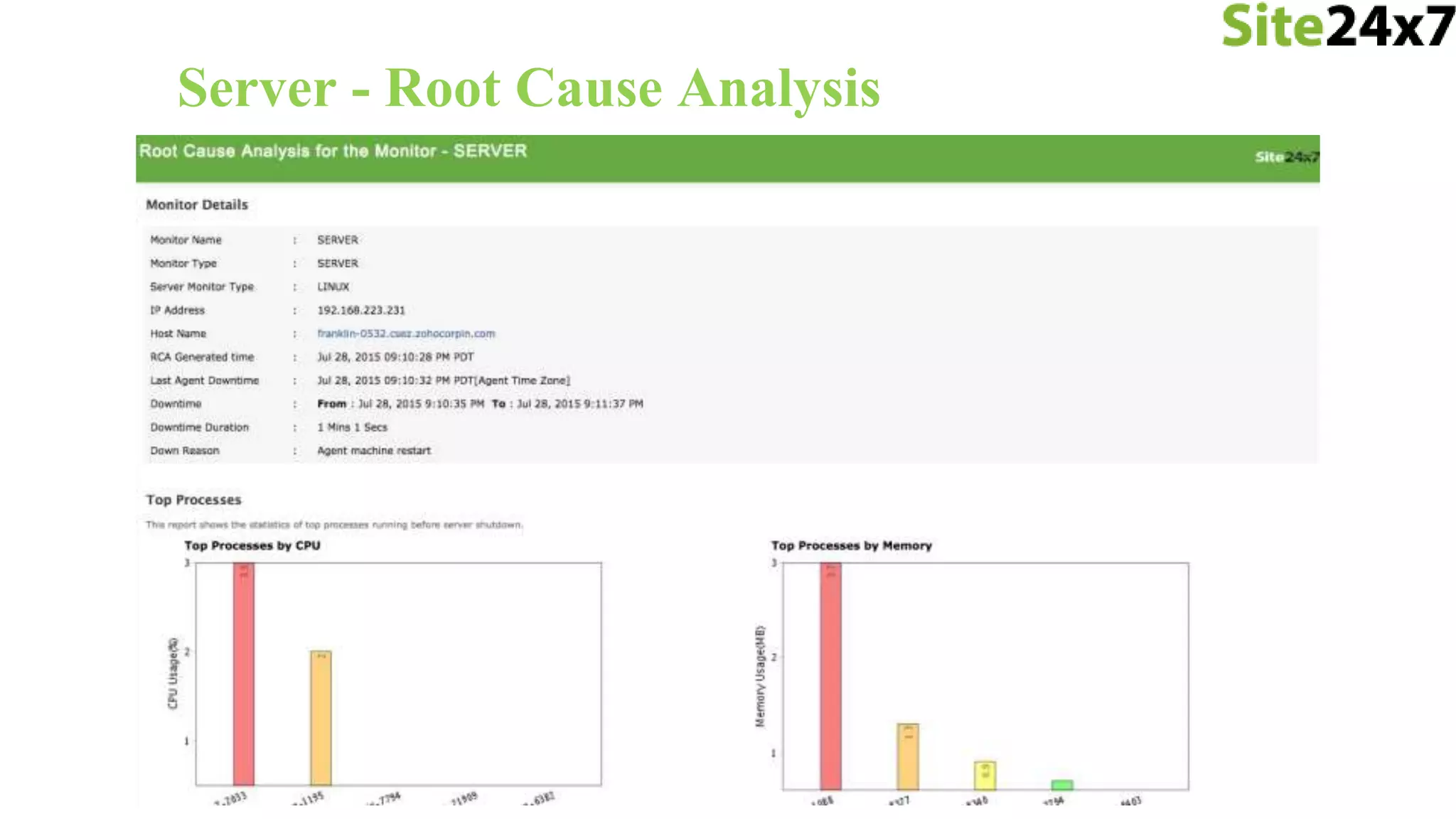
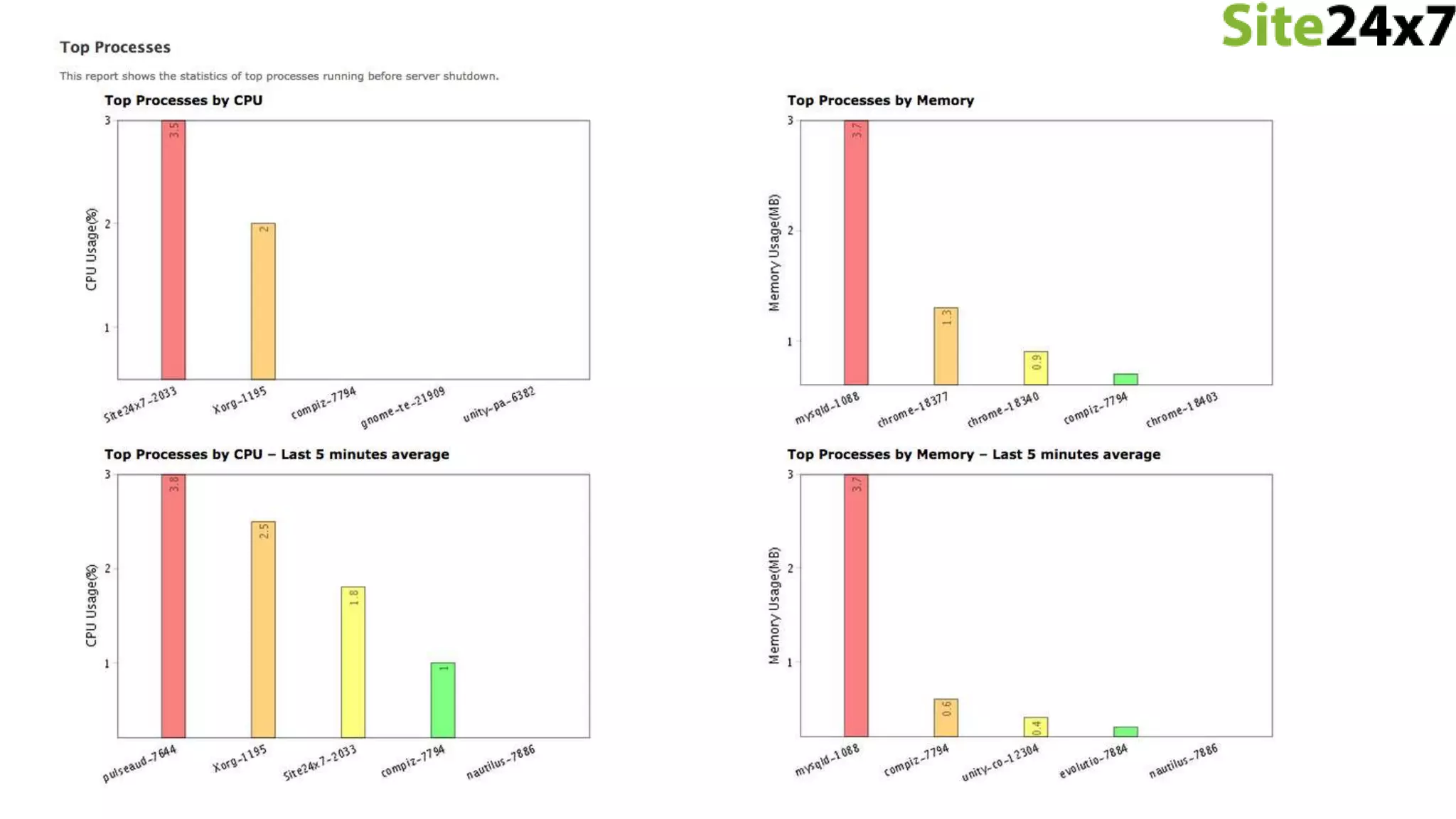
Server - Root Cause Analysis
IIS Monitoring
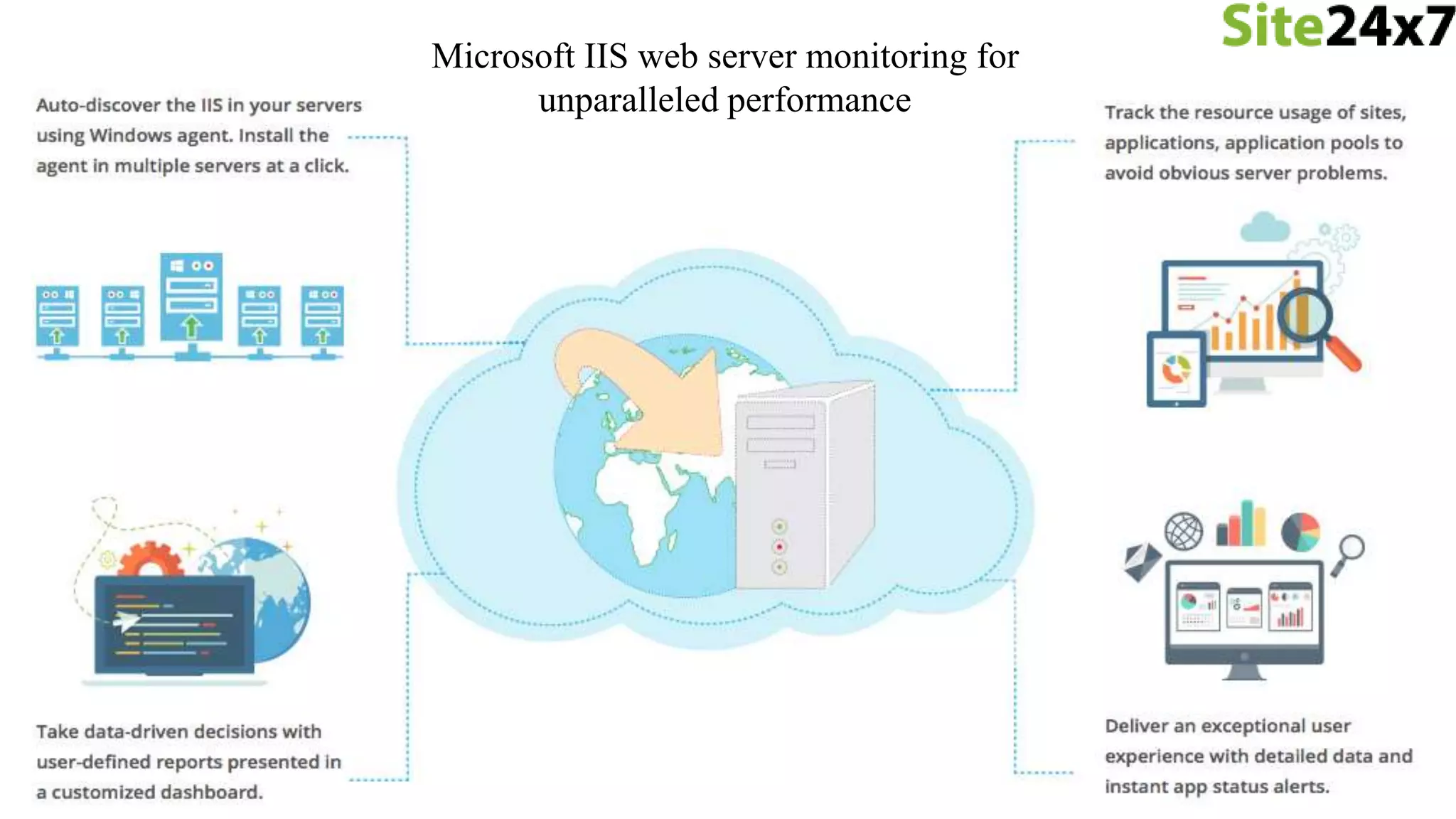
Microsoft IIS web server monitoring for
unparalleled performance
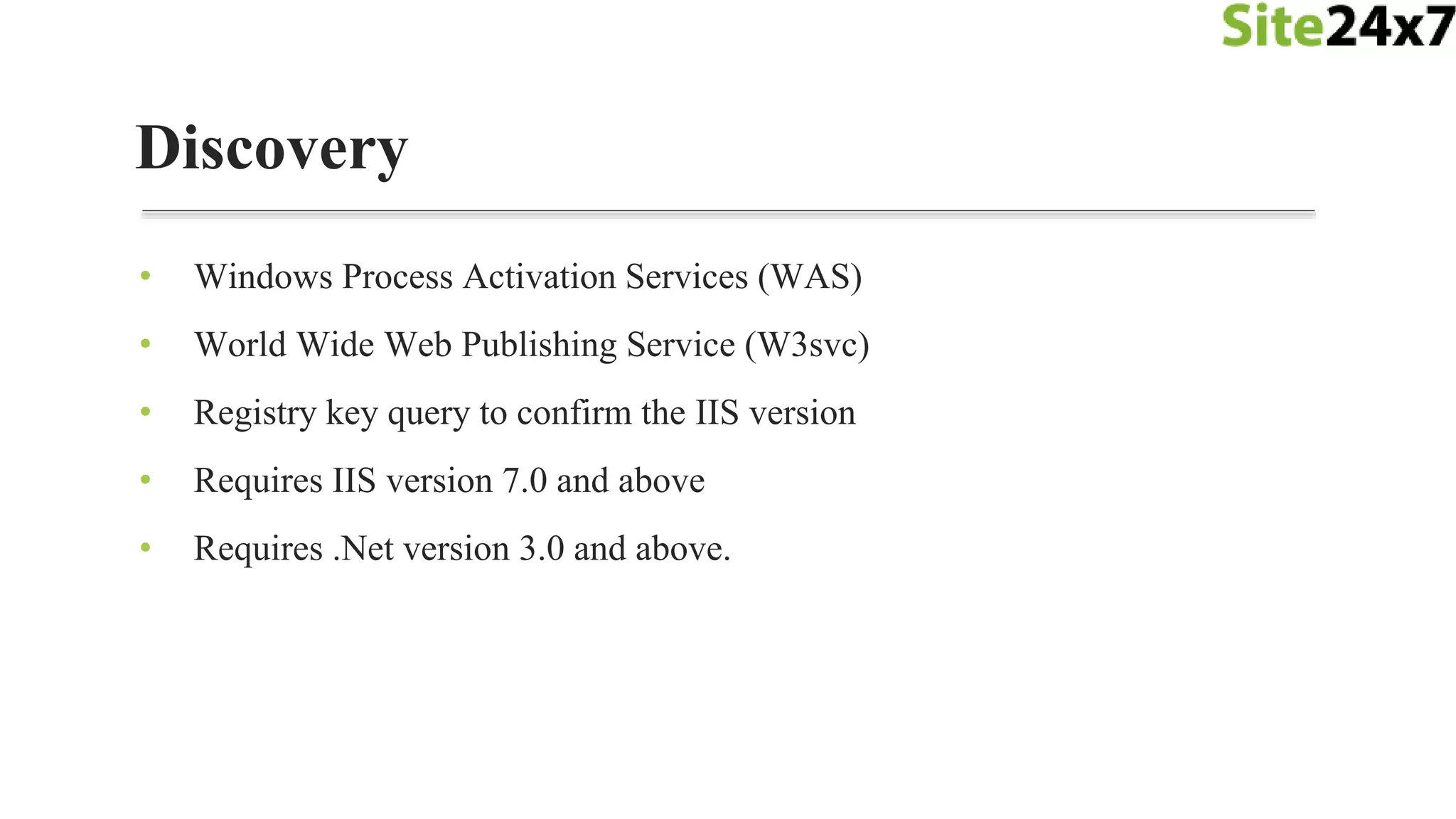
• Windows Process Activation Services (WAS)
• World Wide Web Publishing Service (W3svc)
• Registry key query to confirm the IIS version
• Requires IIS version 7.0 and above
• Requires .Net version 3.0 and above.
Discovery
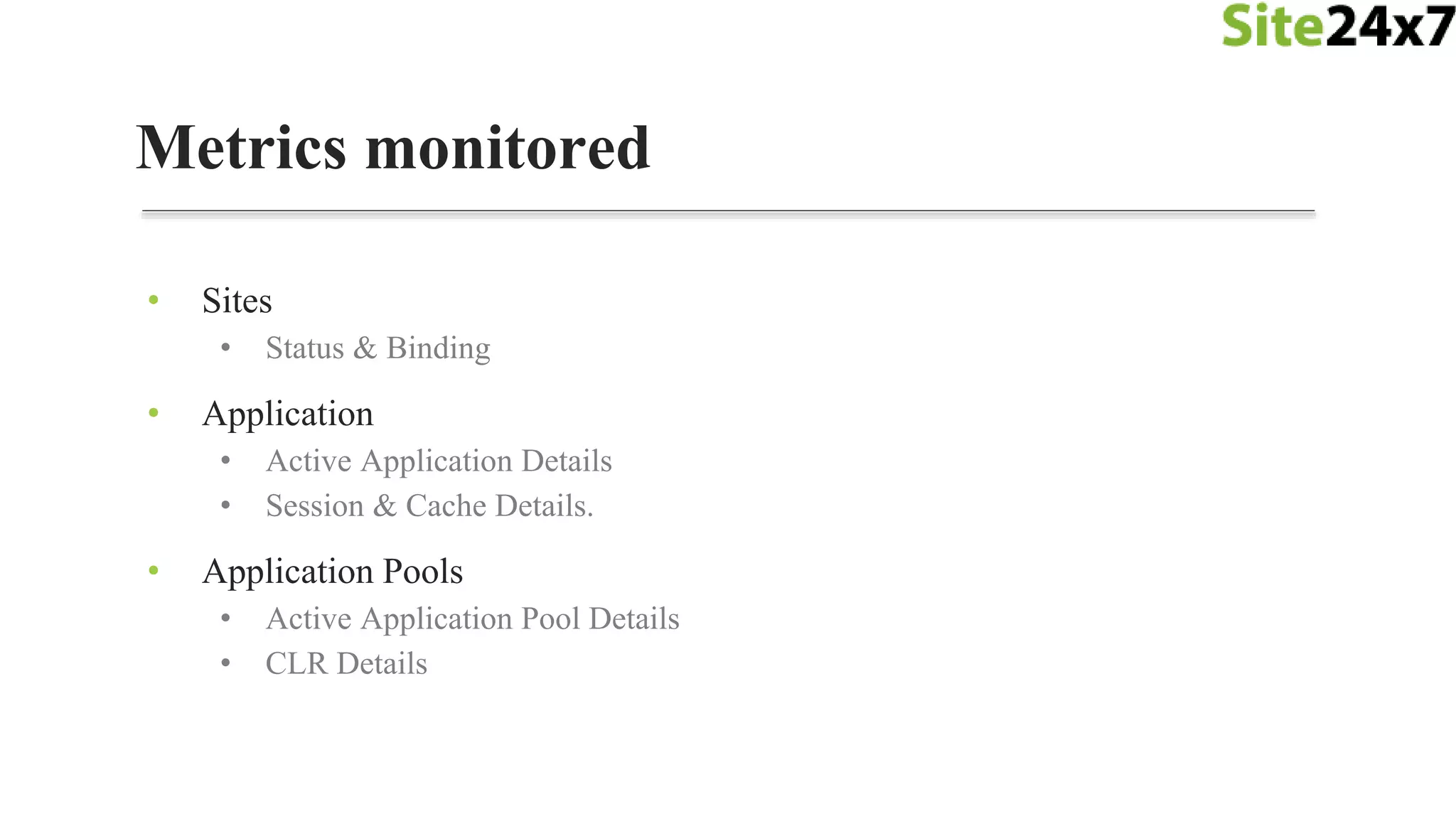
Metrics monitored
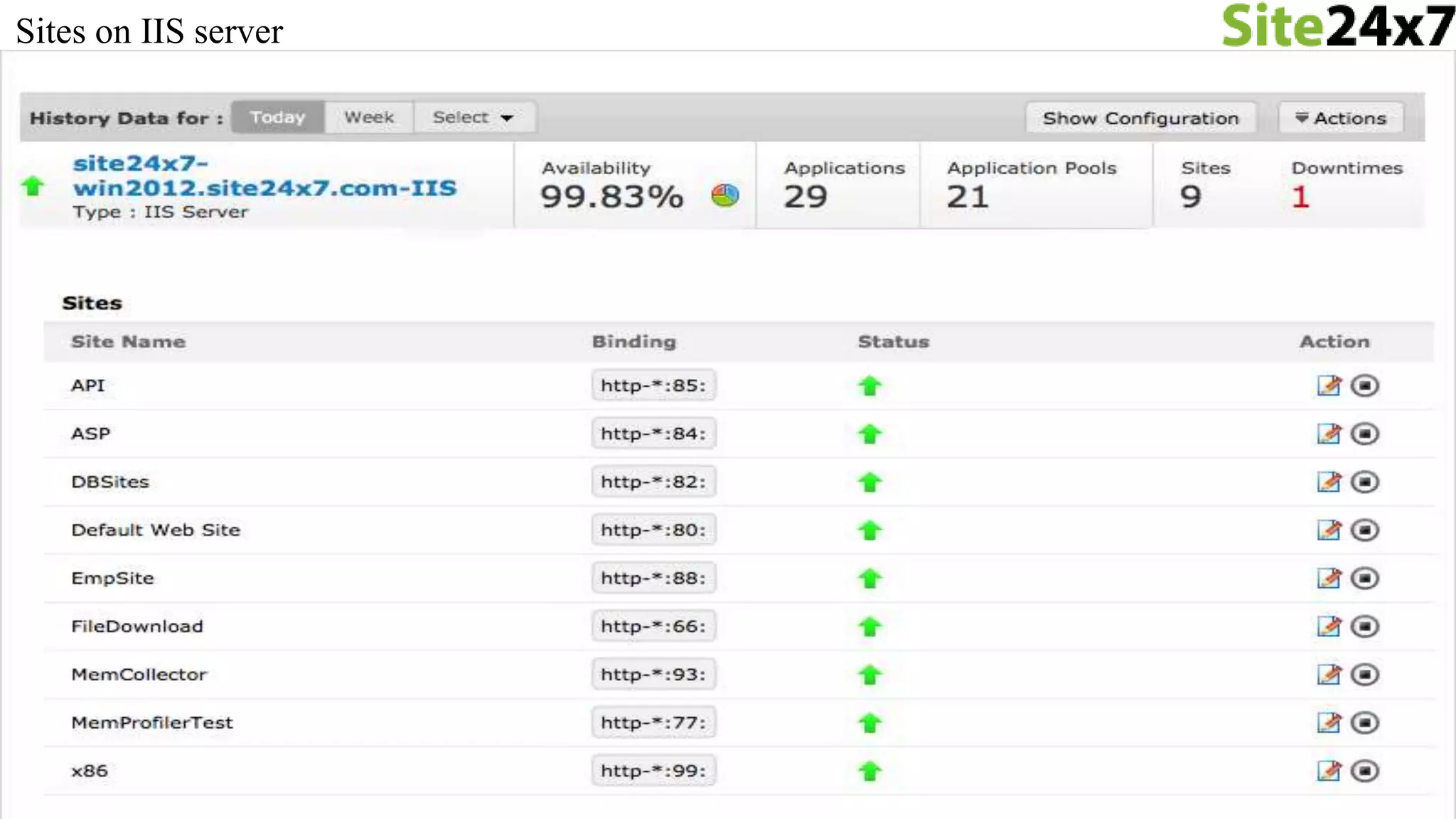
• Sites
• Status & Binding
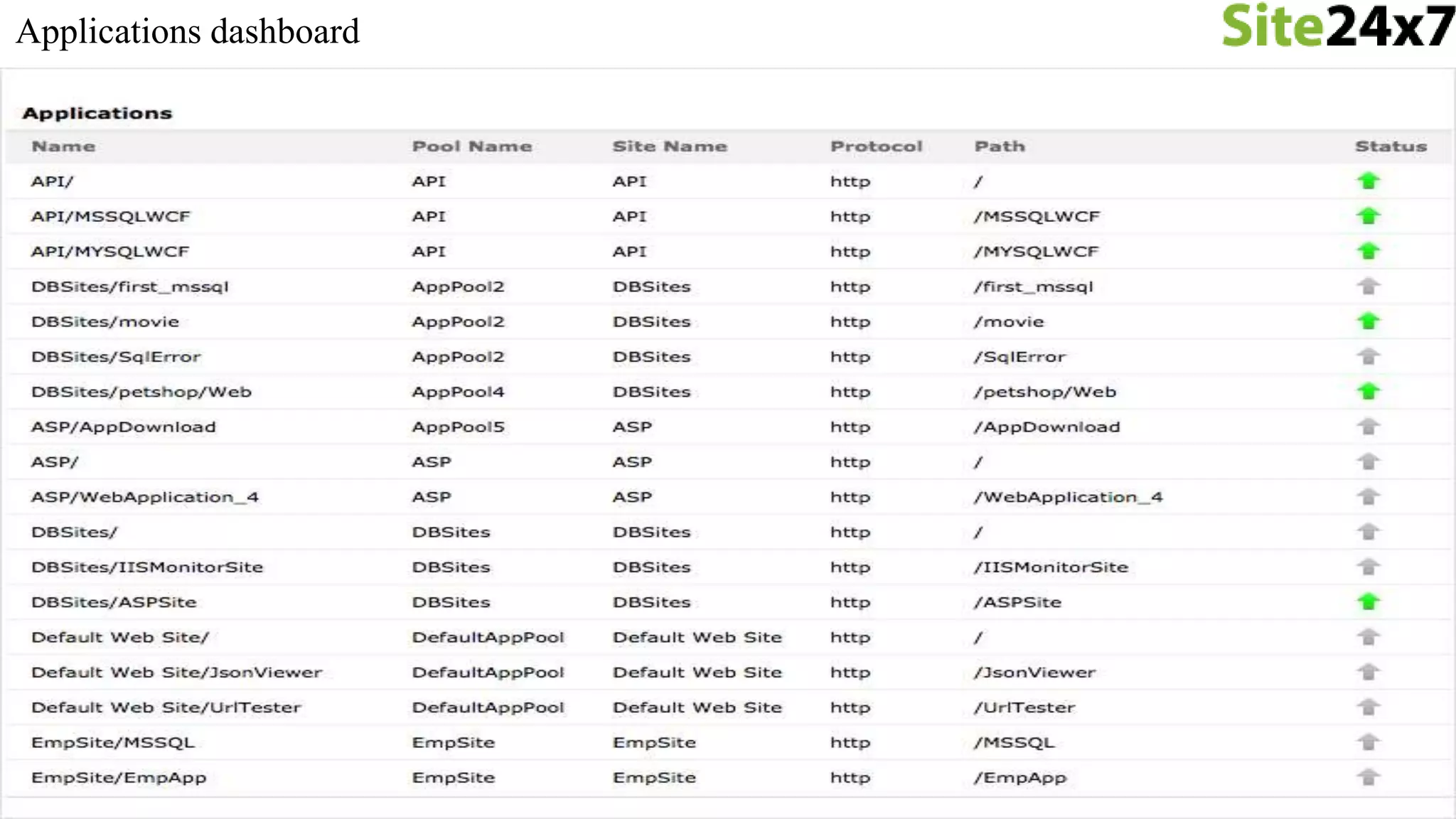
• Application
• Active Application Details
• Session & Cache Details.
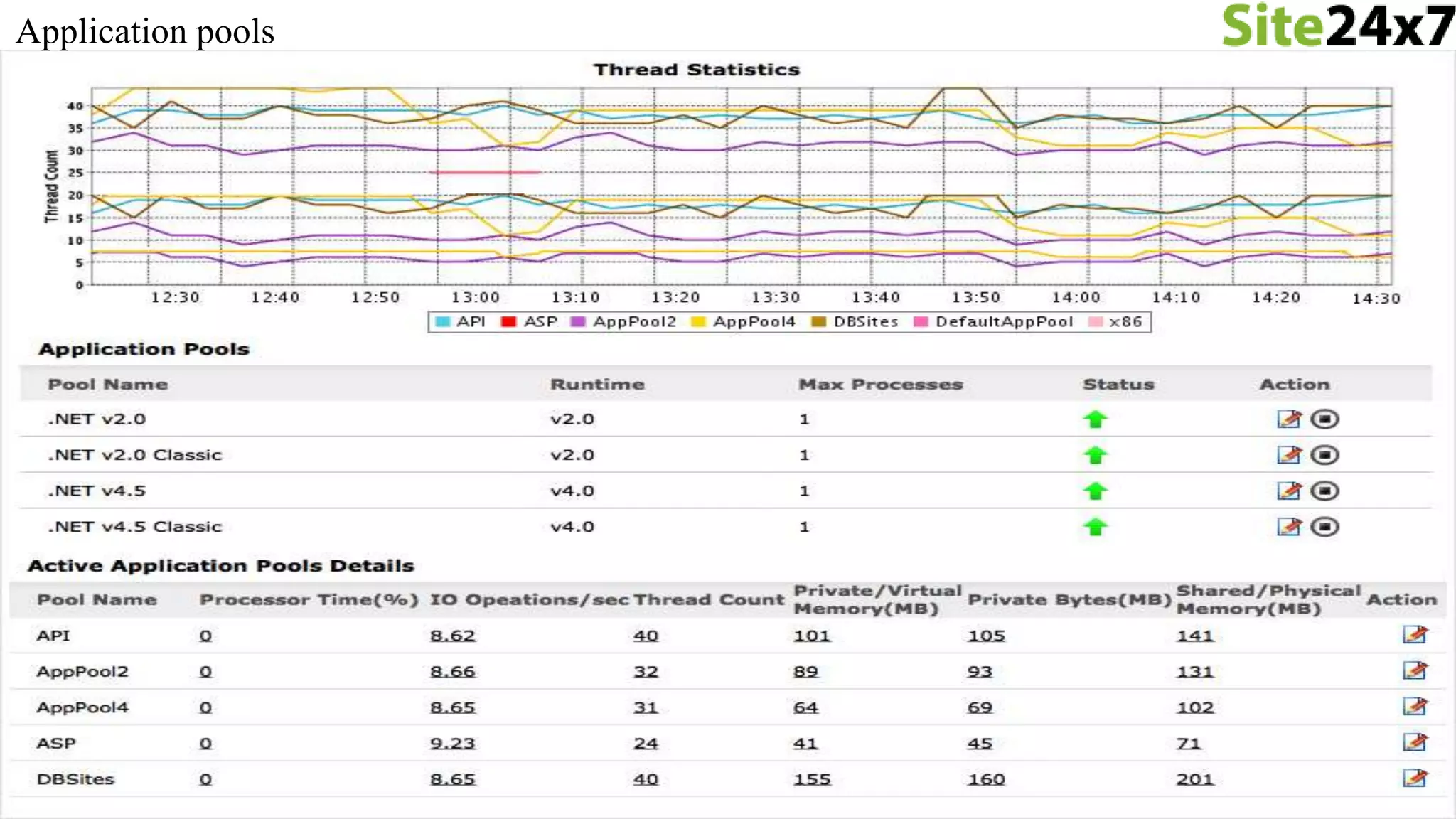
• Application Pools
• Active Application Pool Details
• CLR Details
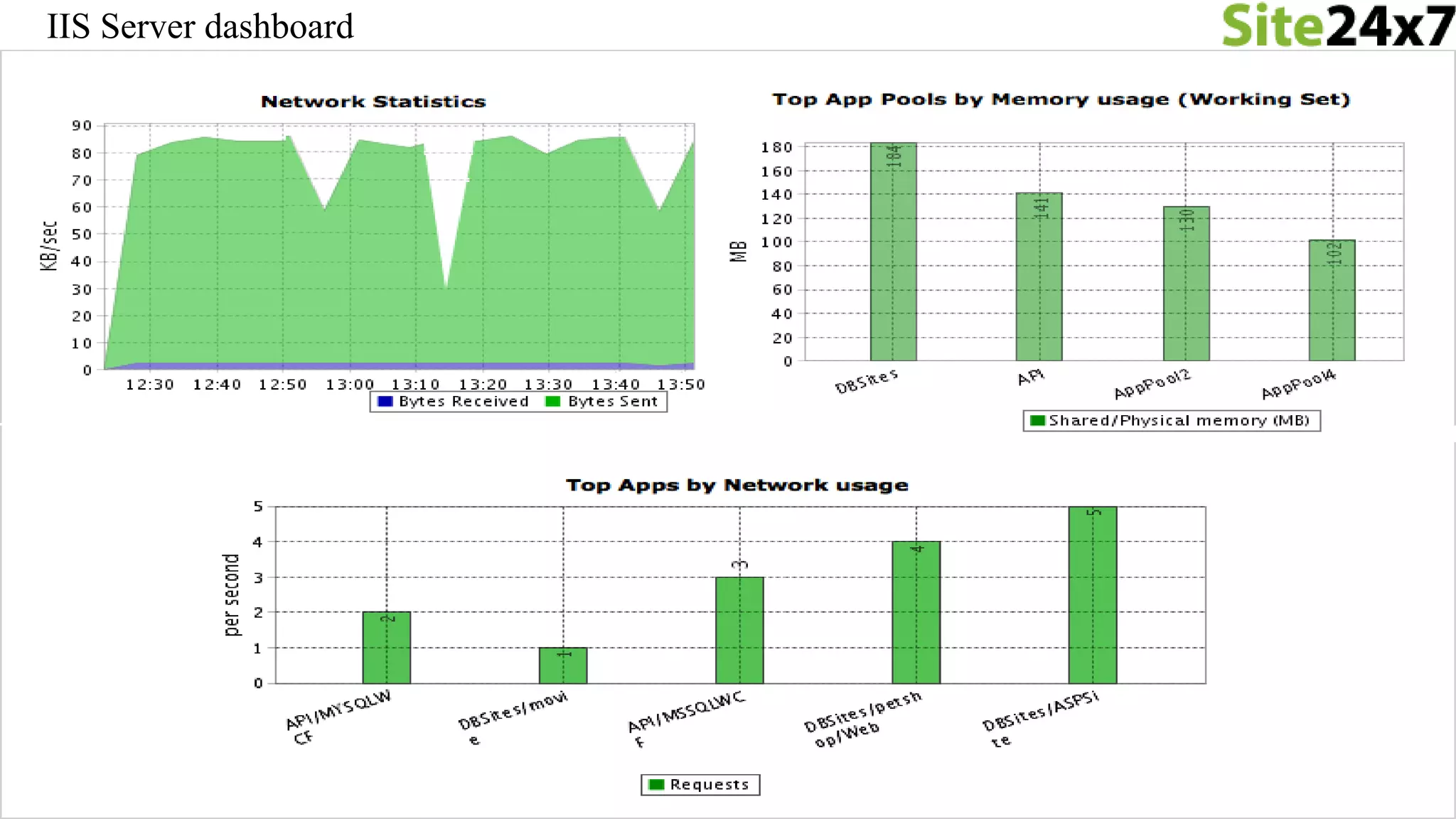
IIS Server dashboard
Sites on IIS server
Applications dashboard
Application pools
MS SQL Monitoring
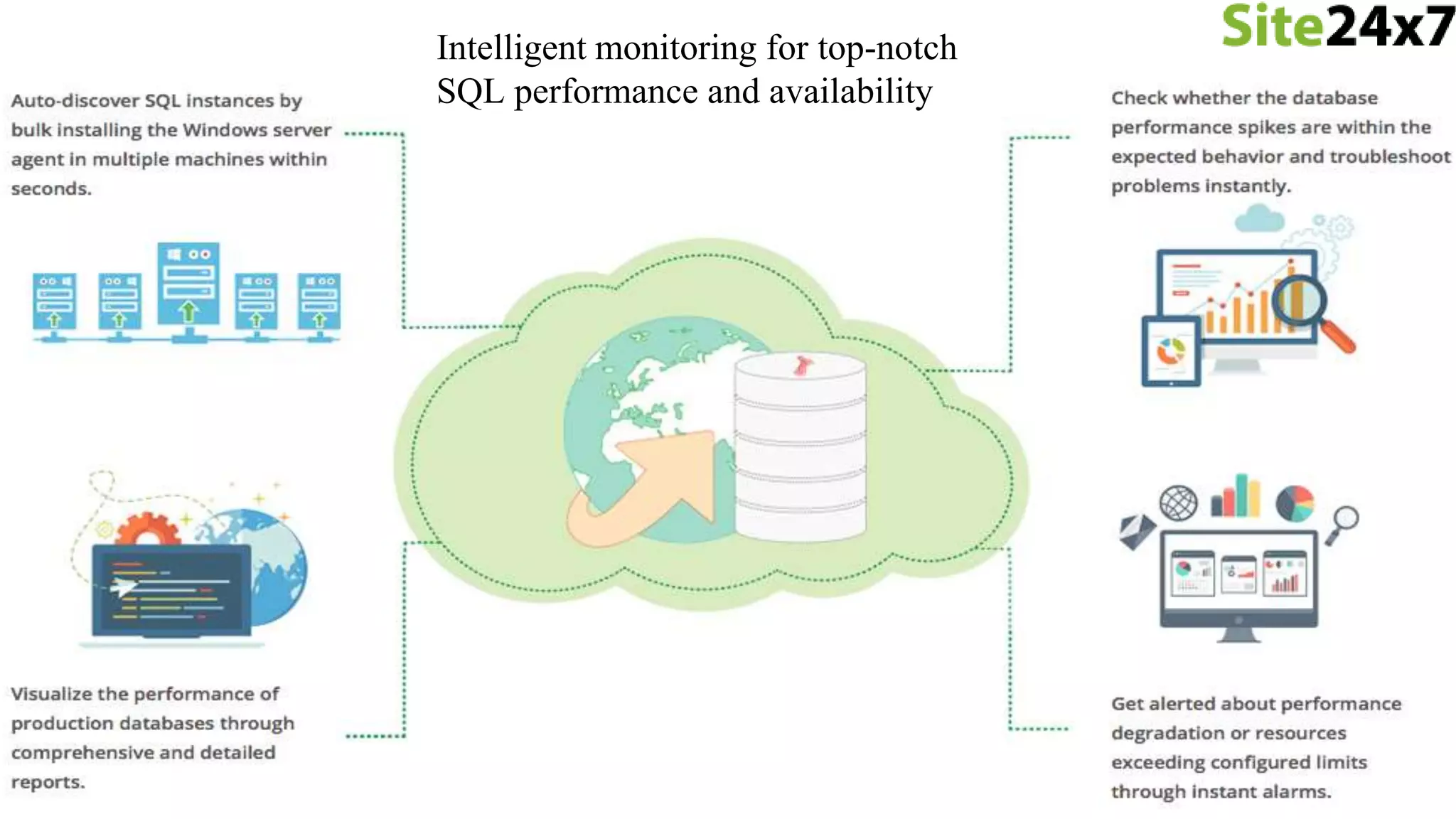
Intelligent monitoring for top-notch
SQL performance and availability
• Agent will look for "SQLSERVER%" service running on the Windows
Server
• Detect SQL version from registry
Discovery
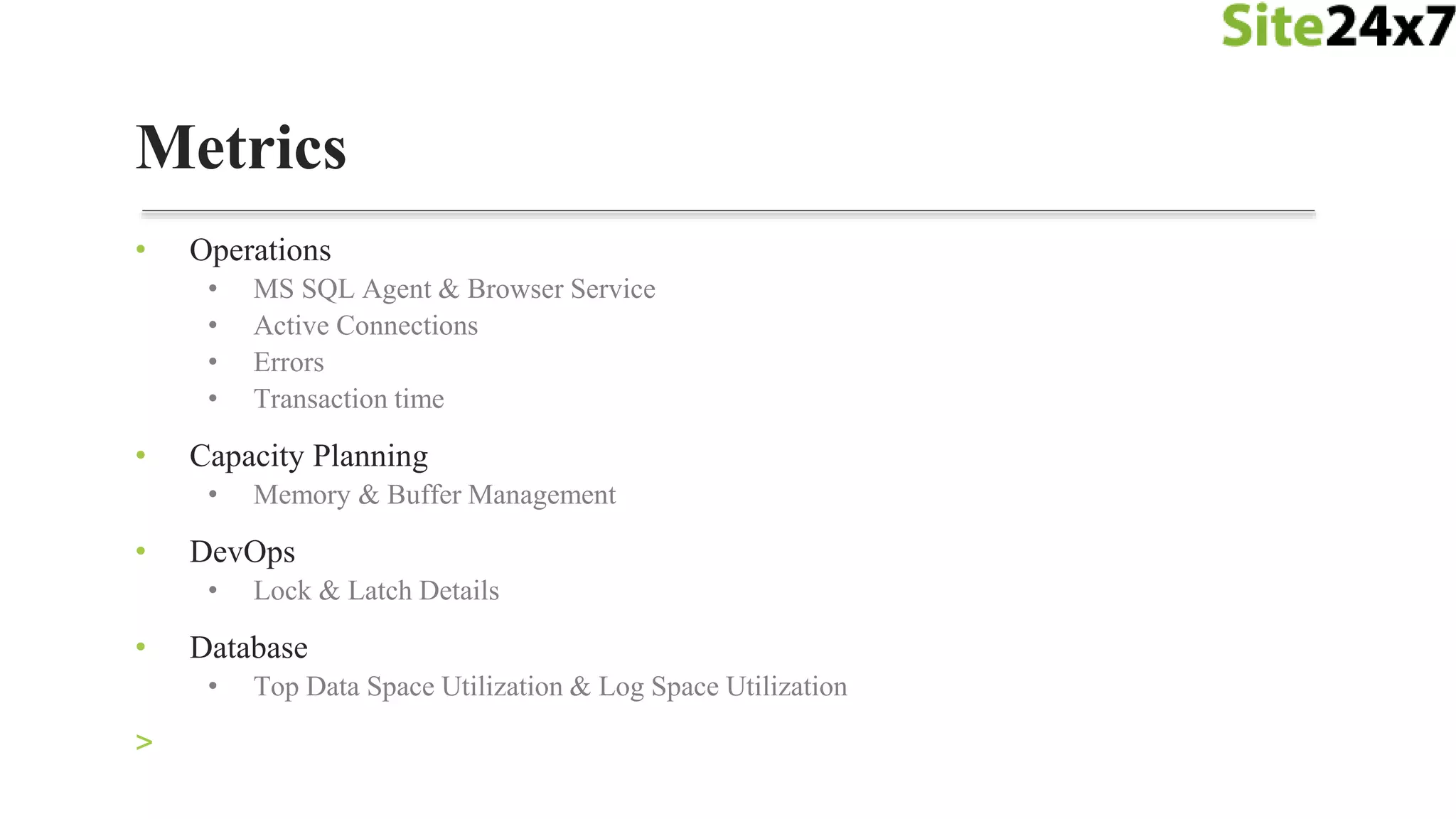
• Operations
• MS SQL Agent & Browser Service
• Active Connections
• Errors
• Transaction time
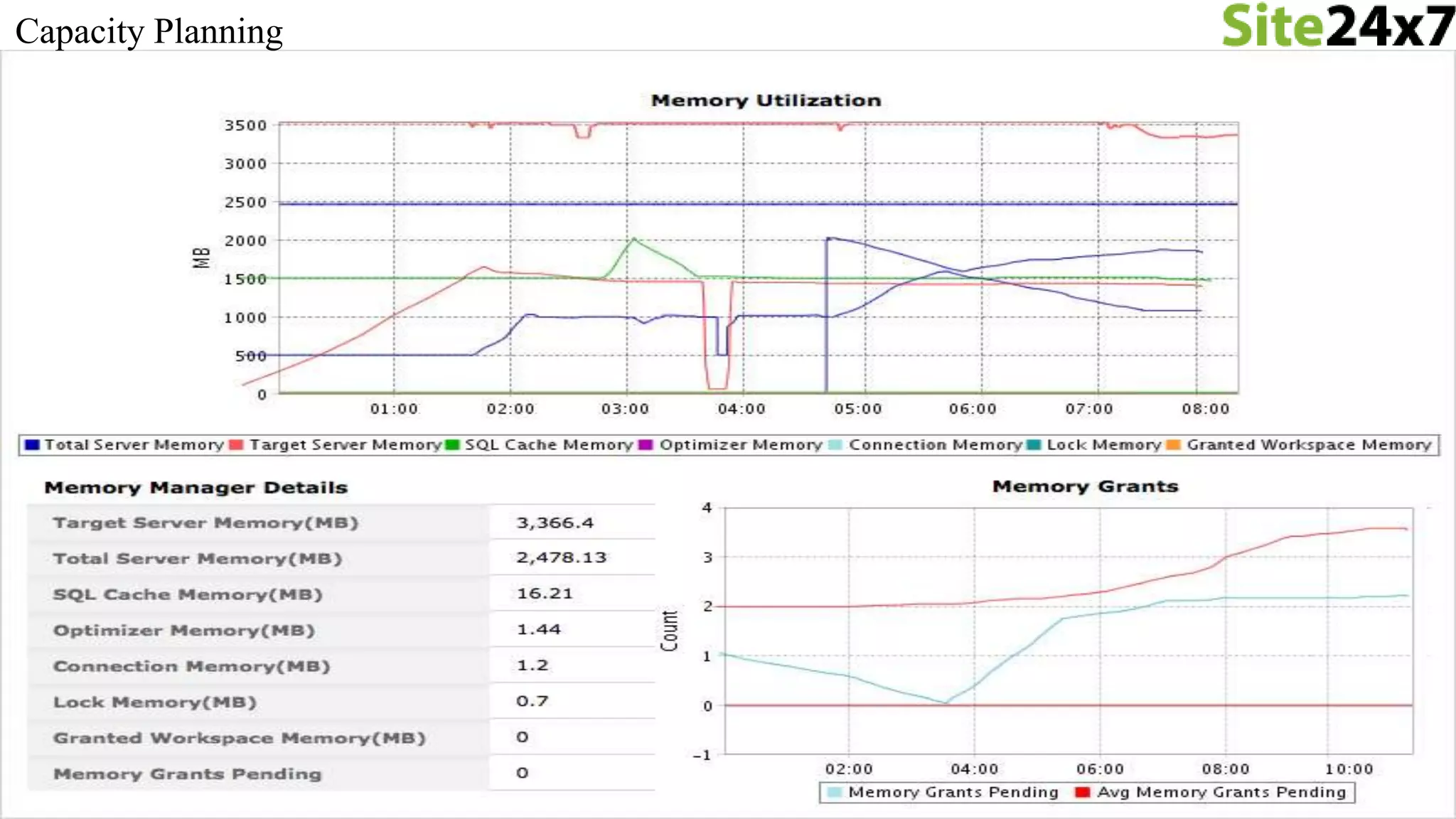
• Capacity Planning
• Memory & Buffer Management
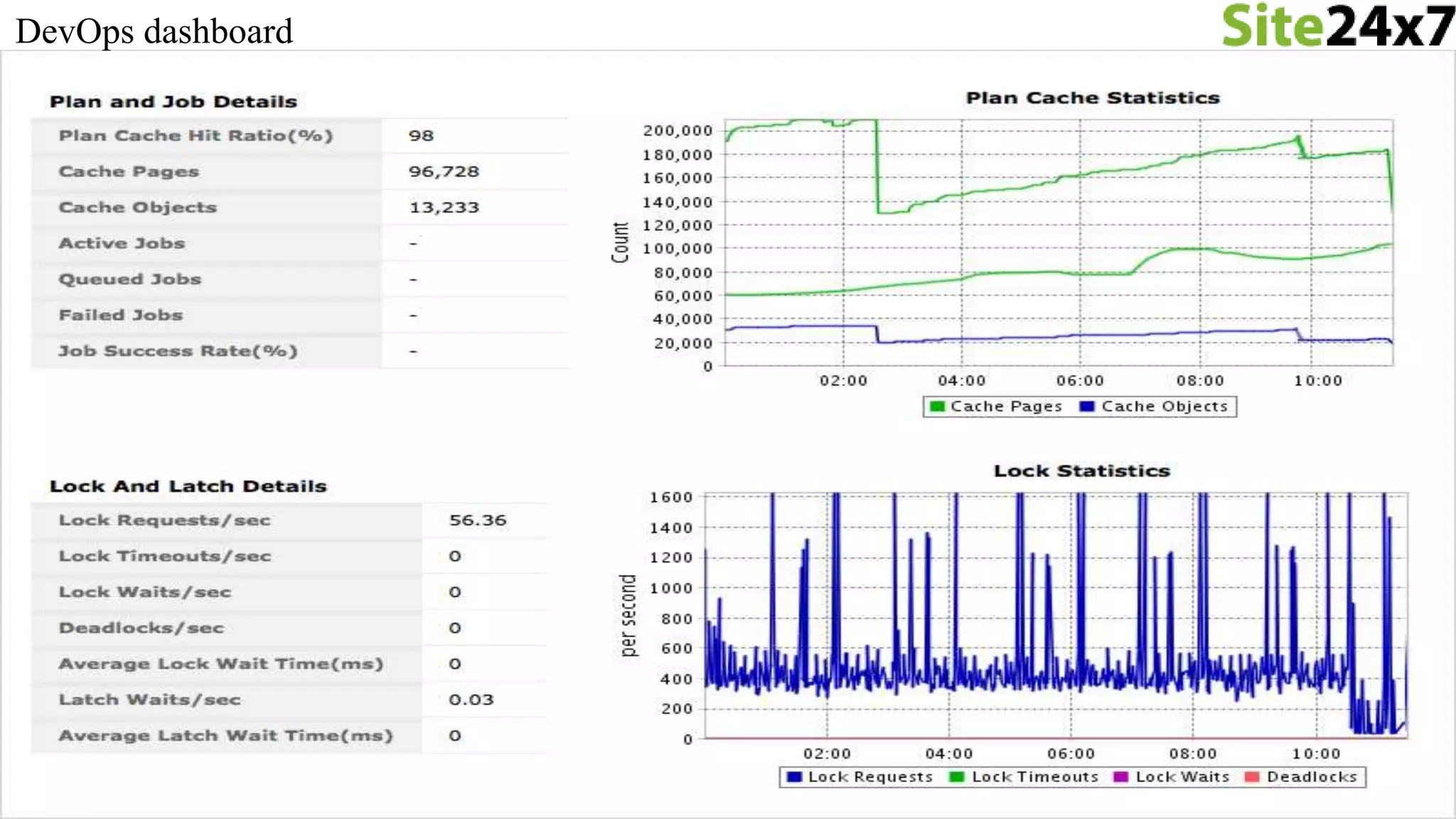
• DevOps
• Lock & Latch Details
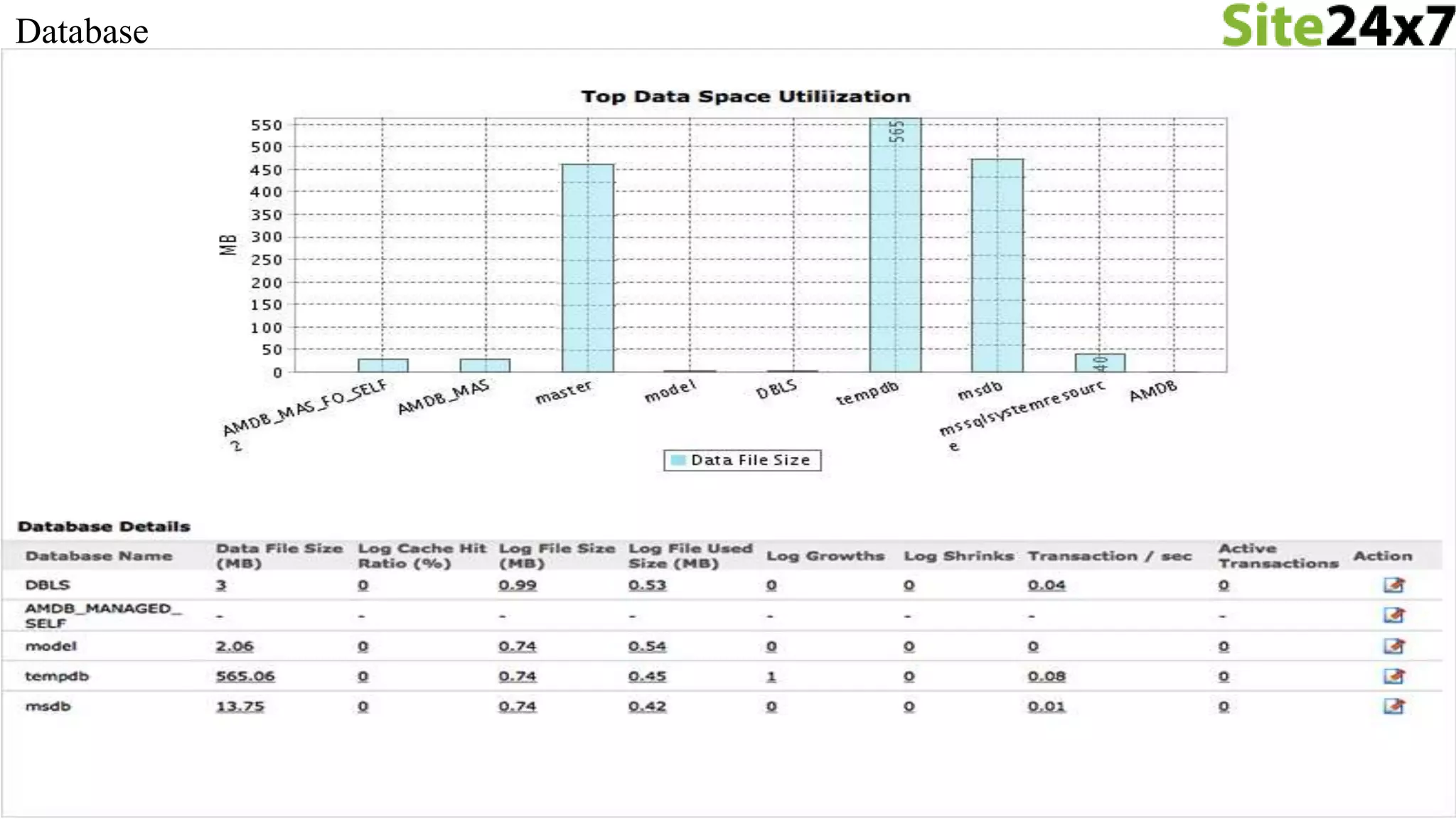
• Database
• Top Data Space Utilization & Log Space Utilization
>
Metrics
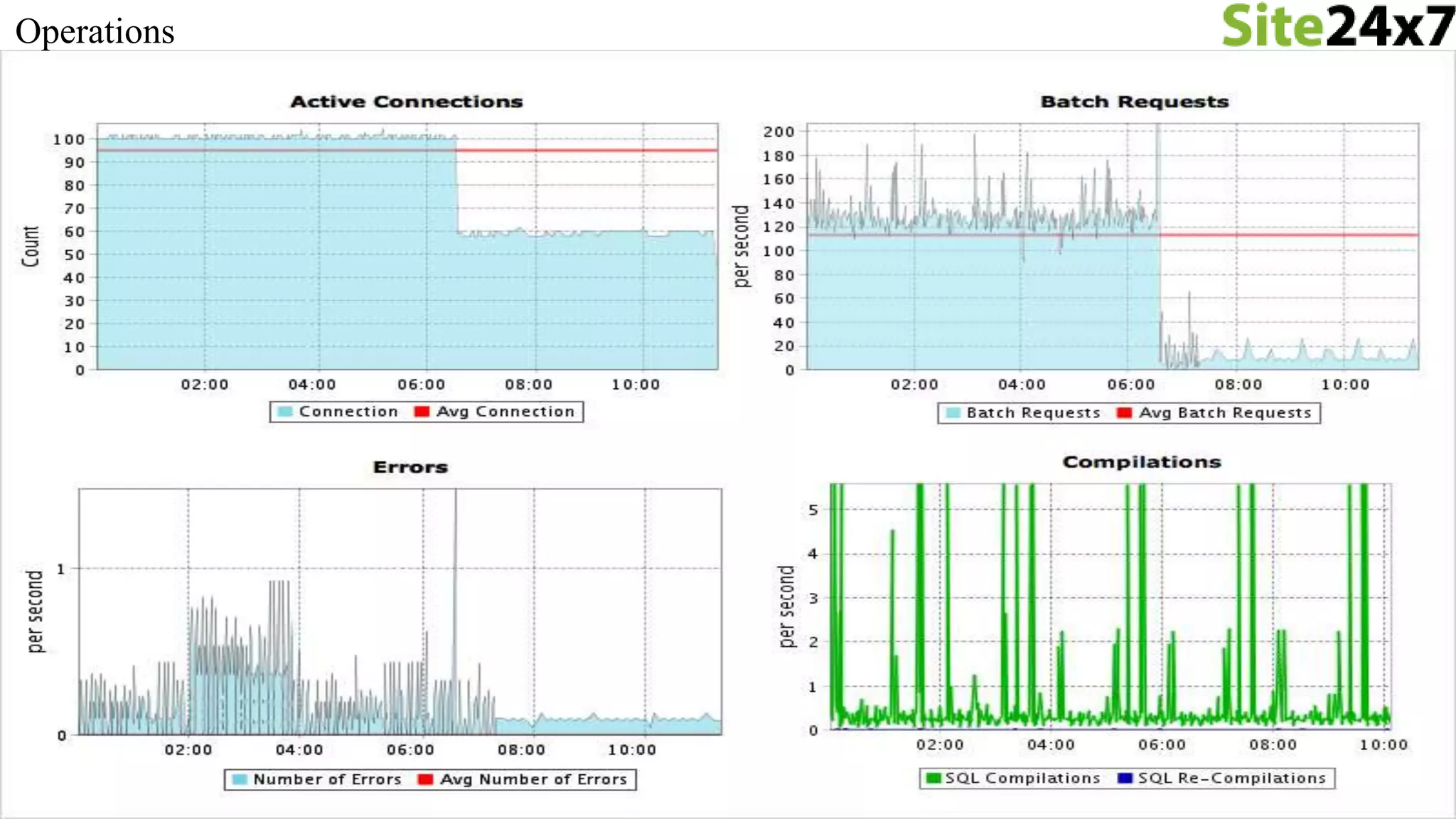
Operations
Capacity Planning
DevOps dashboard
Database
MS Exchange Monitoring
Discovery
• Agent will look for MS Exchange service running on the Windows Server
• Supports Exchange Server 2007 and 2010
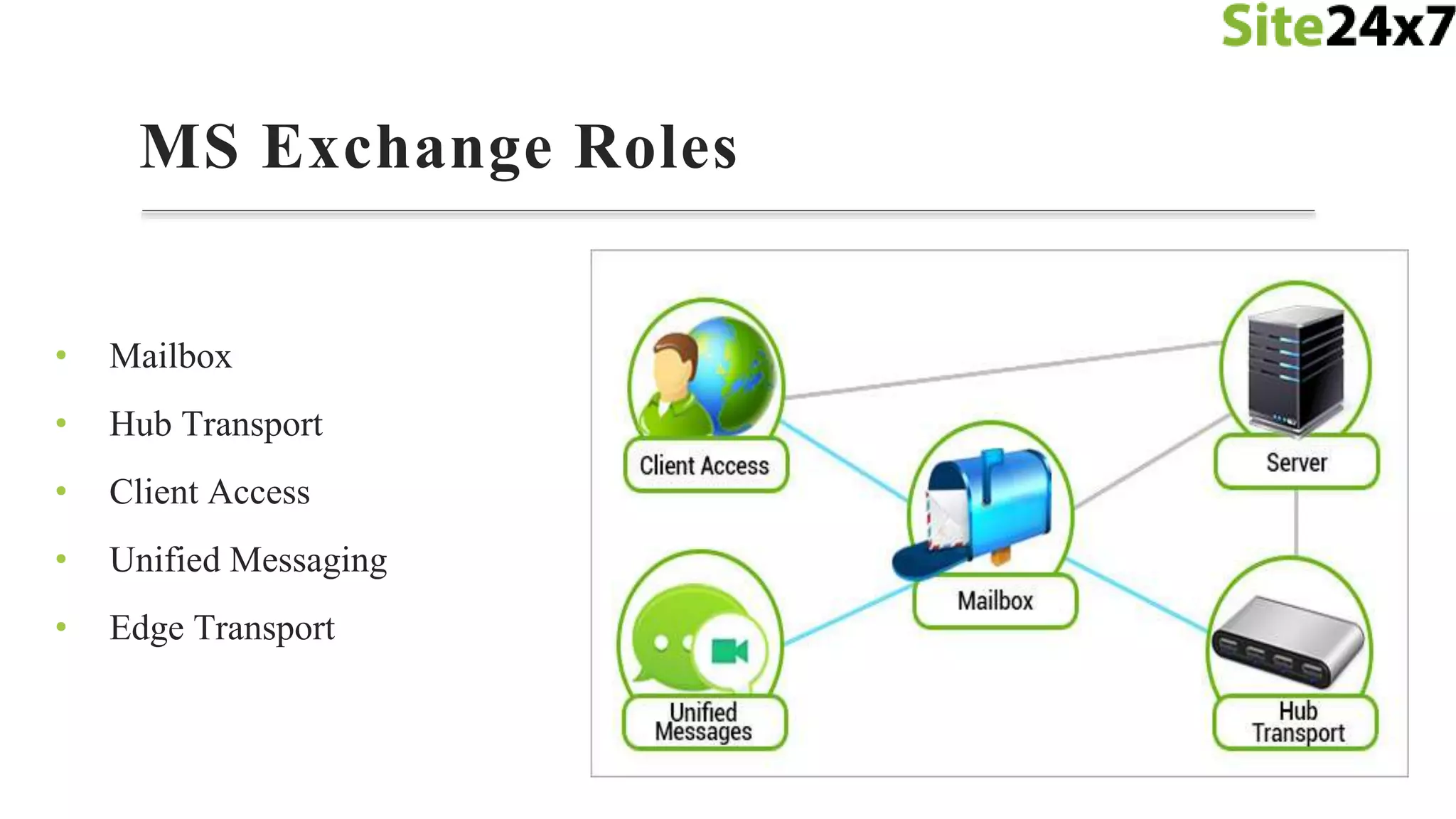
MS Exchange Roles
• Mailbox
• Hub Transport
• Client Access
• Unified Messaging
• Edge Transport
VMware Monitoring
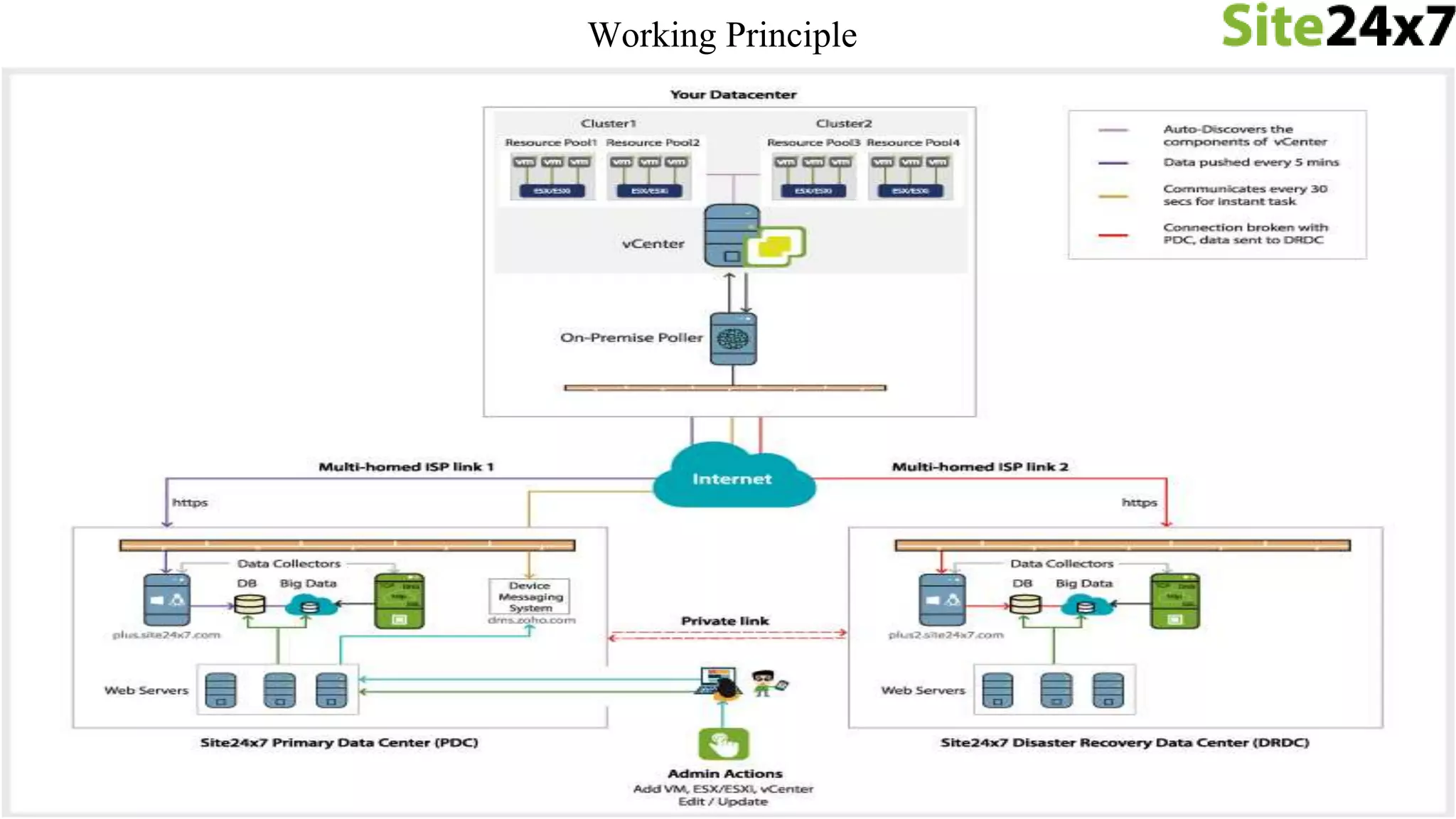
• On-Premise Poller
• Monitor your internal network/resources behind the firewall
• VMware vCenter
• Auto discover your entire virtual infrastructure
• VMware infrastructure
• Data Centers, Clusters, Resource Pools, ESX/ESXi, VMs
Discovery
Working Principle
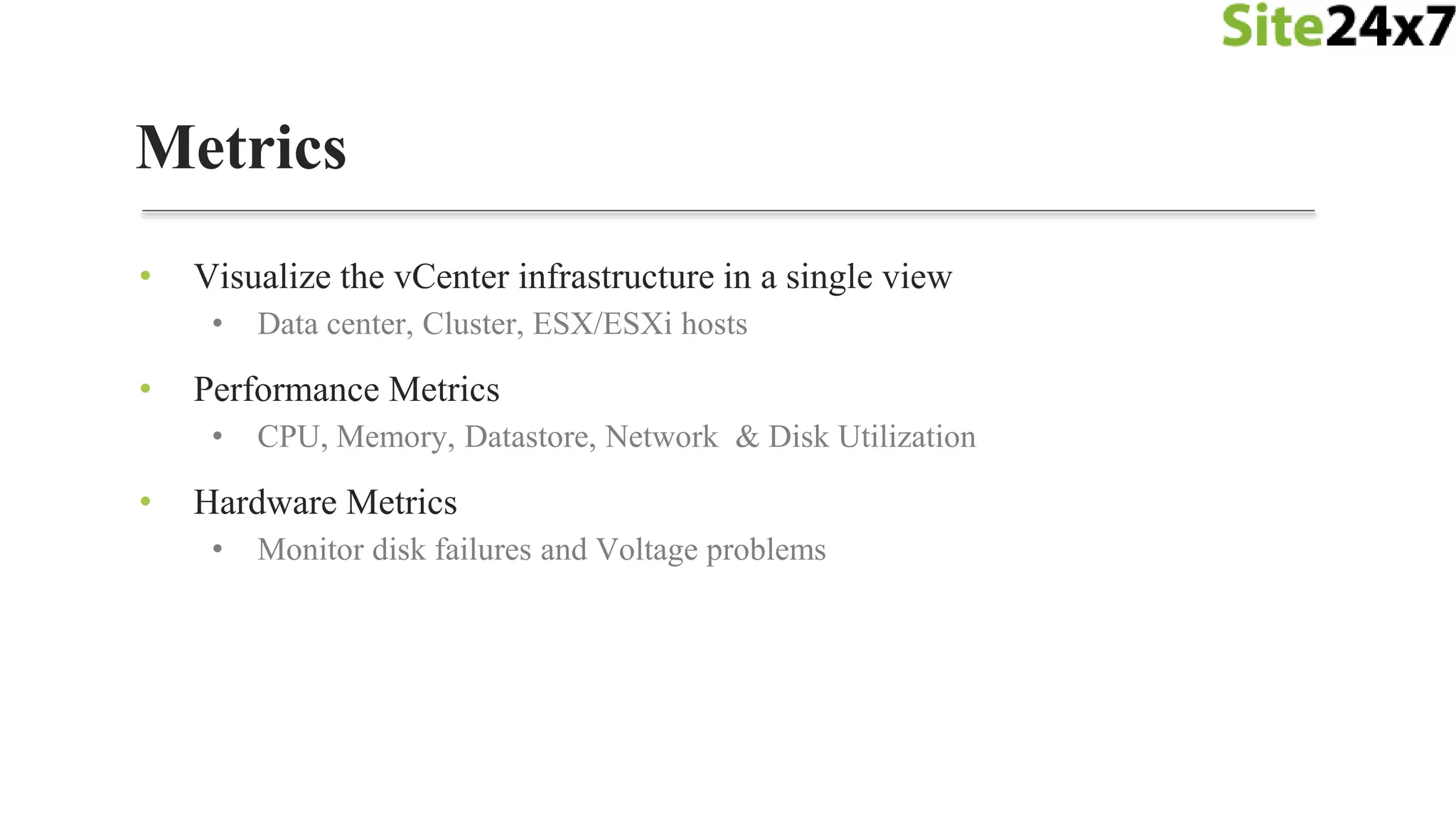
• Visualize the vCenter infrastructure in a single view
• Data center, Cluster, ESX/ESXi hosts
• Performance Metrics
• CPU, Memory, Datastore, Network & Disk Utilization
• Hardware Metrics
• Monitor disk failures and Voltage problems
Metrics
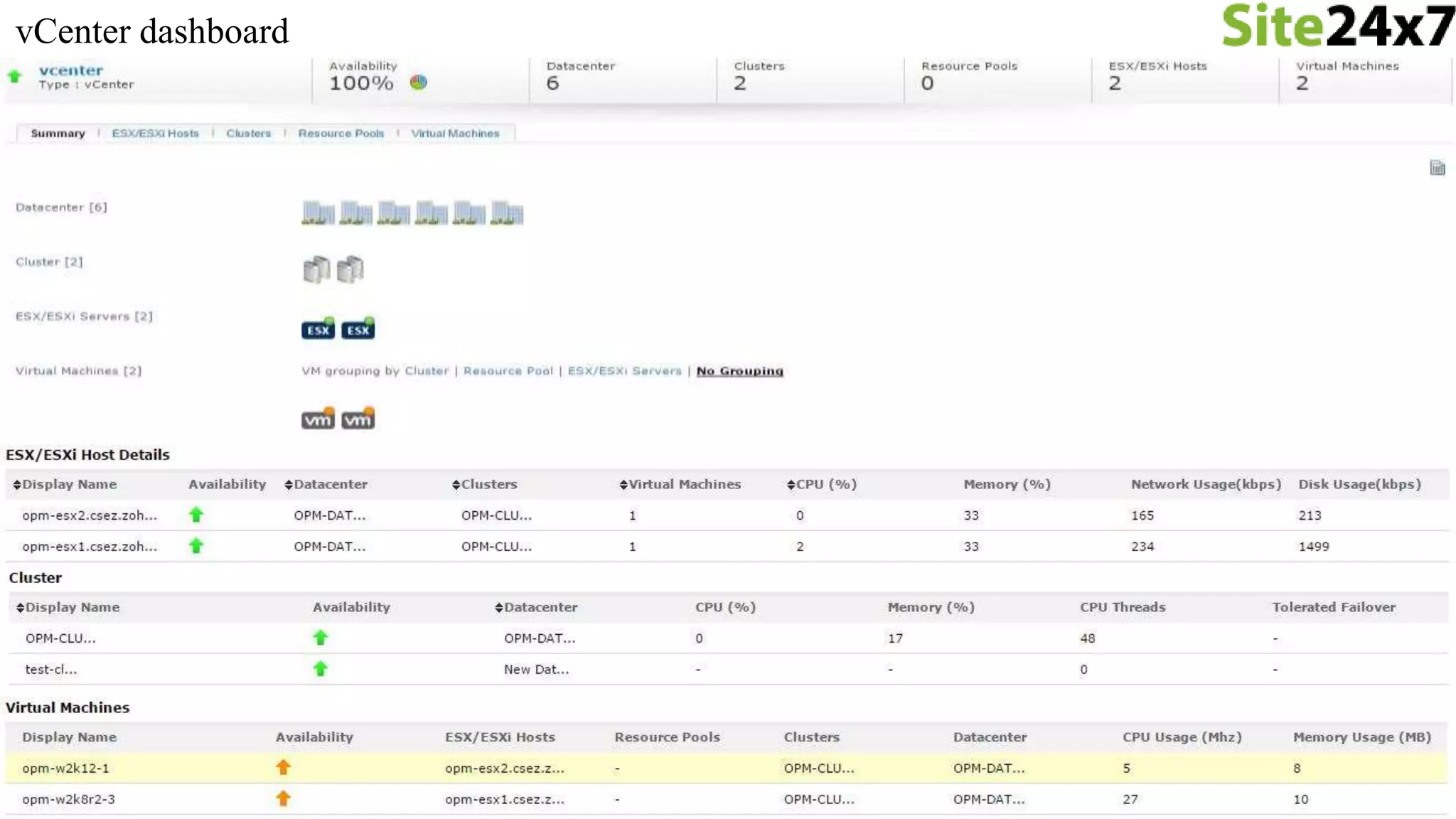
vCenter dashboard
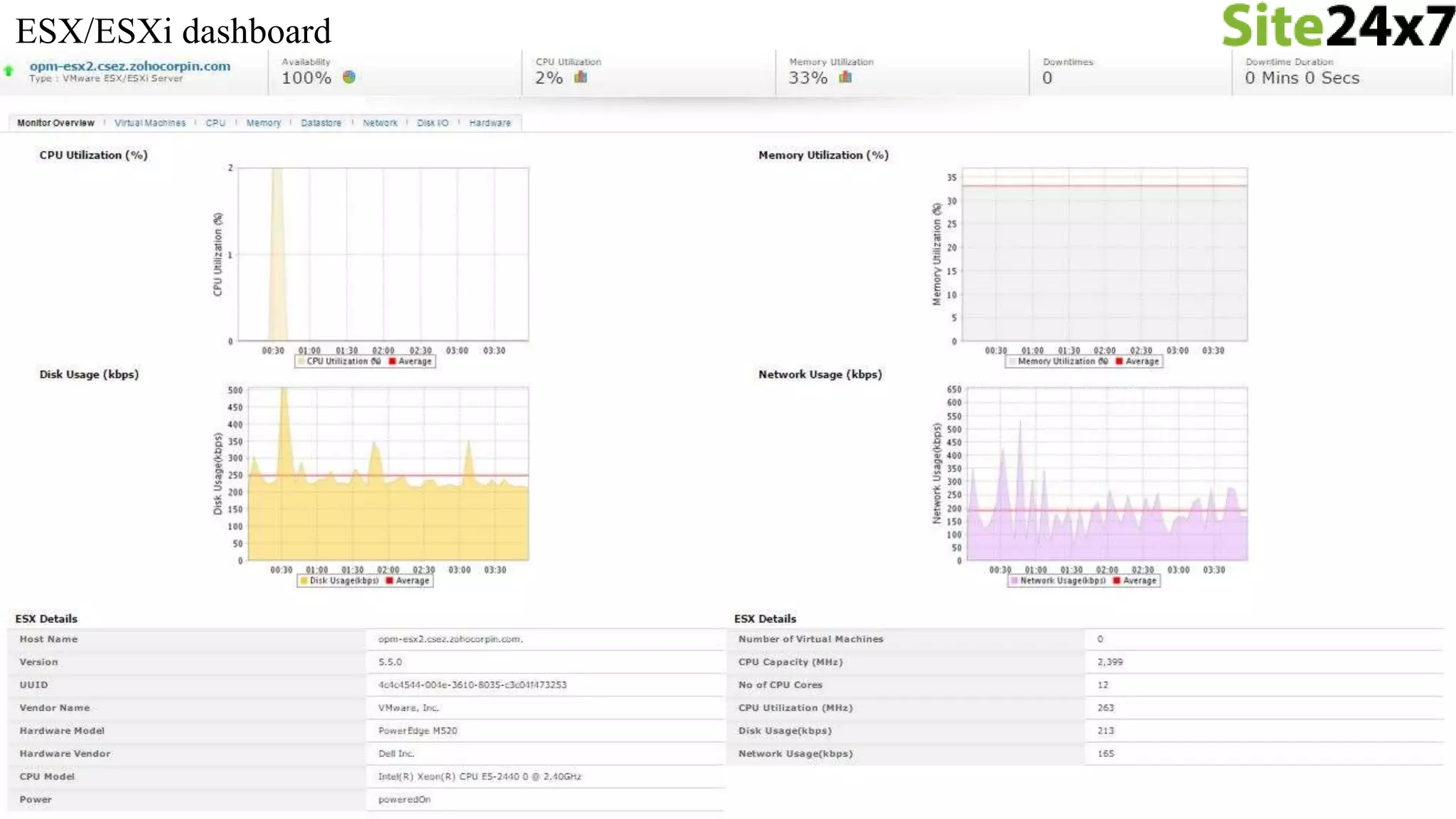
ESX/ESXi dashboard
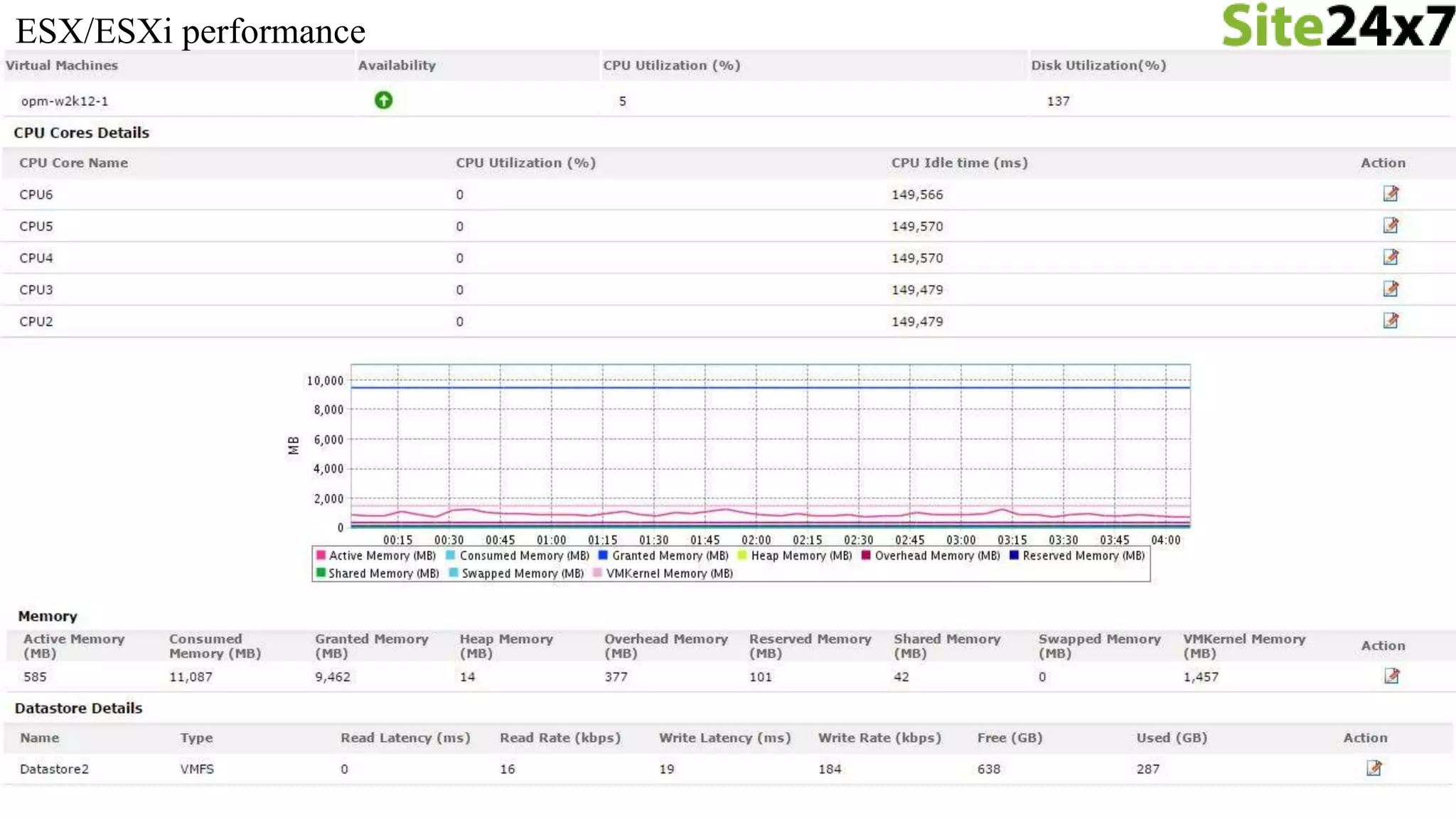
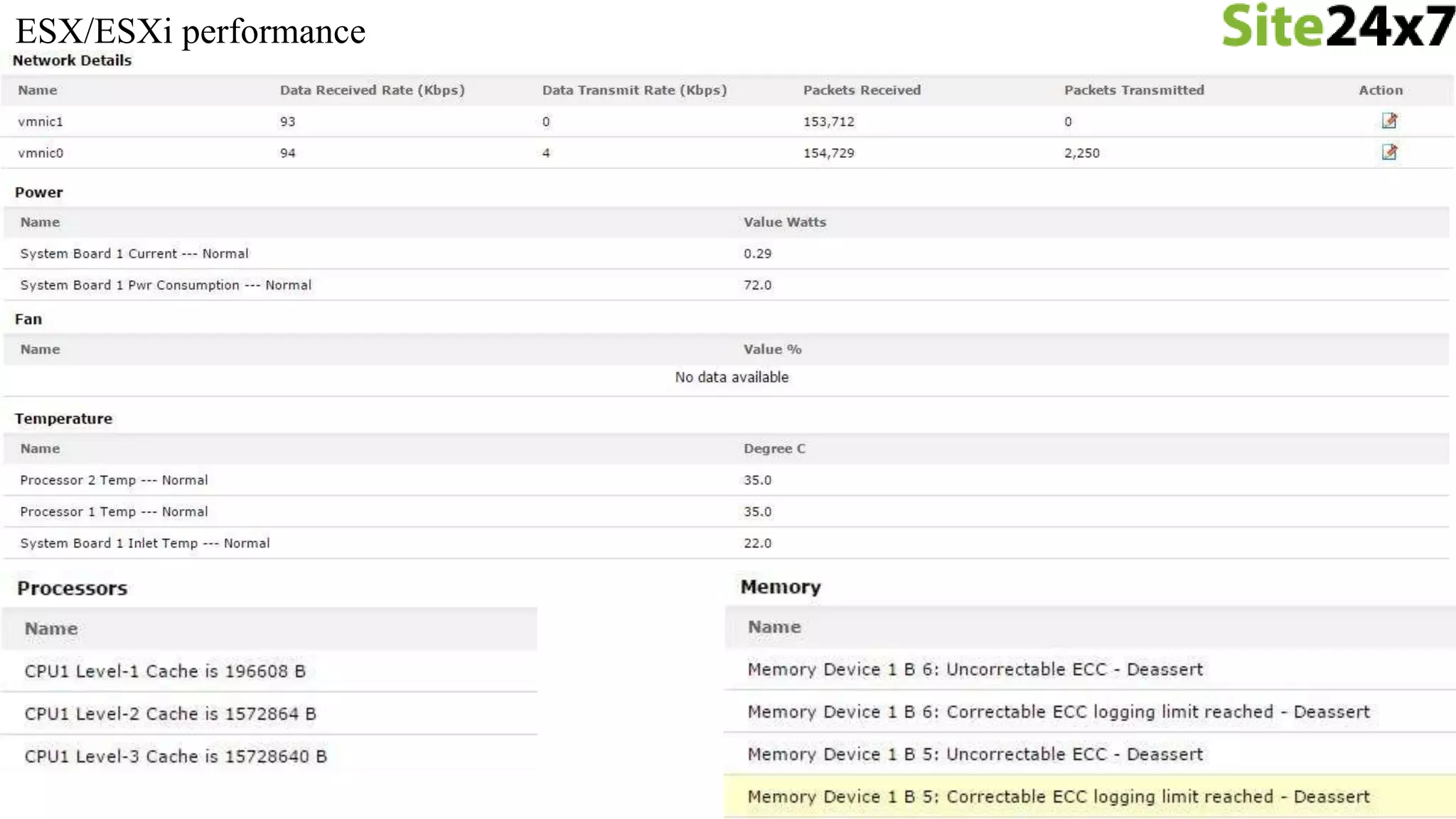
ESX/ESXi performance
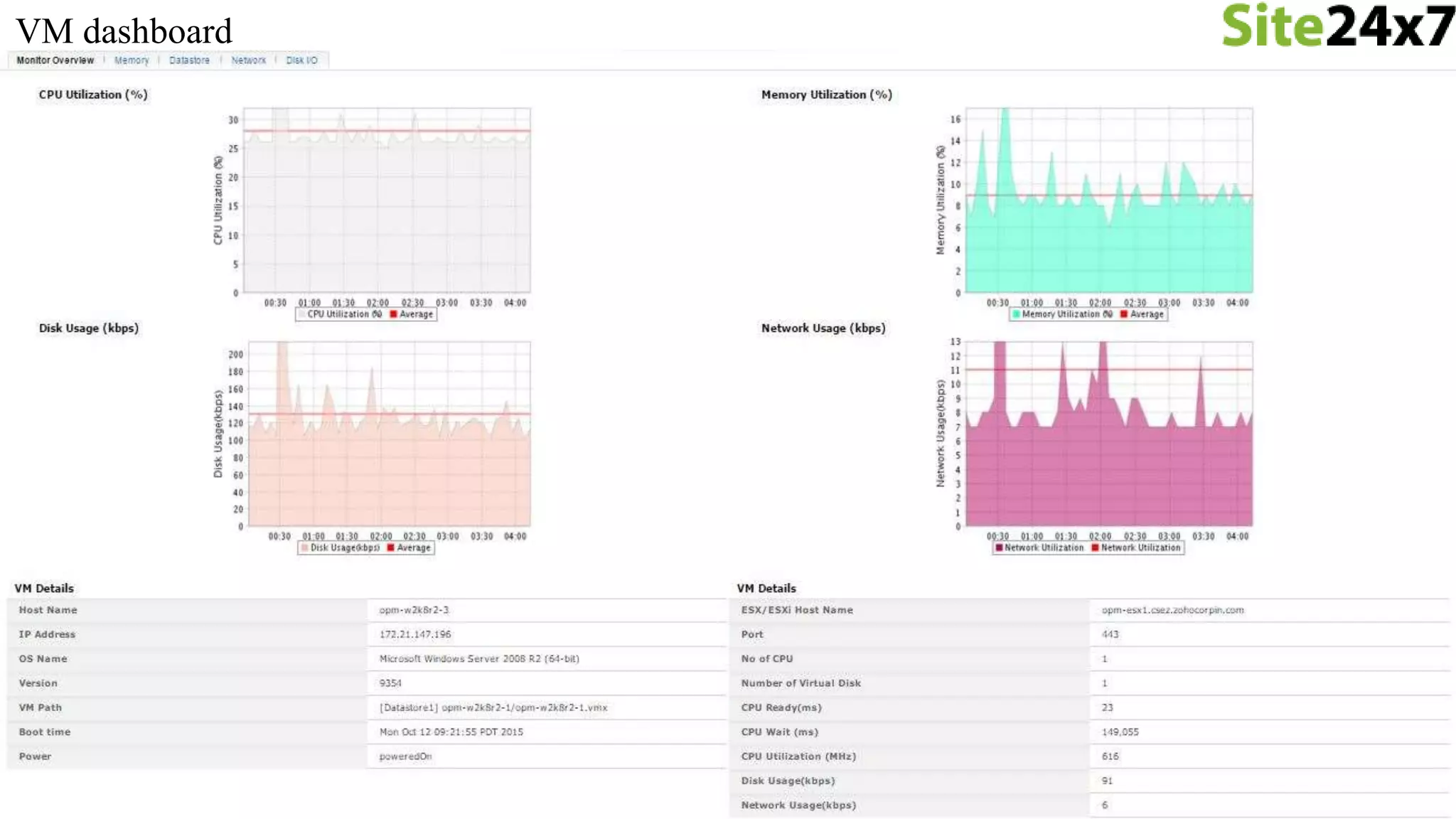
VM dashboard
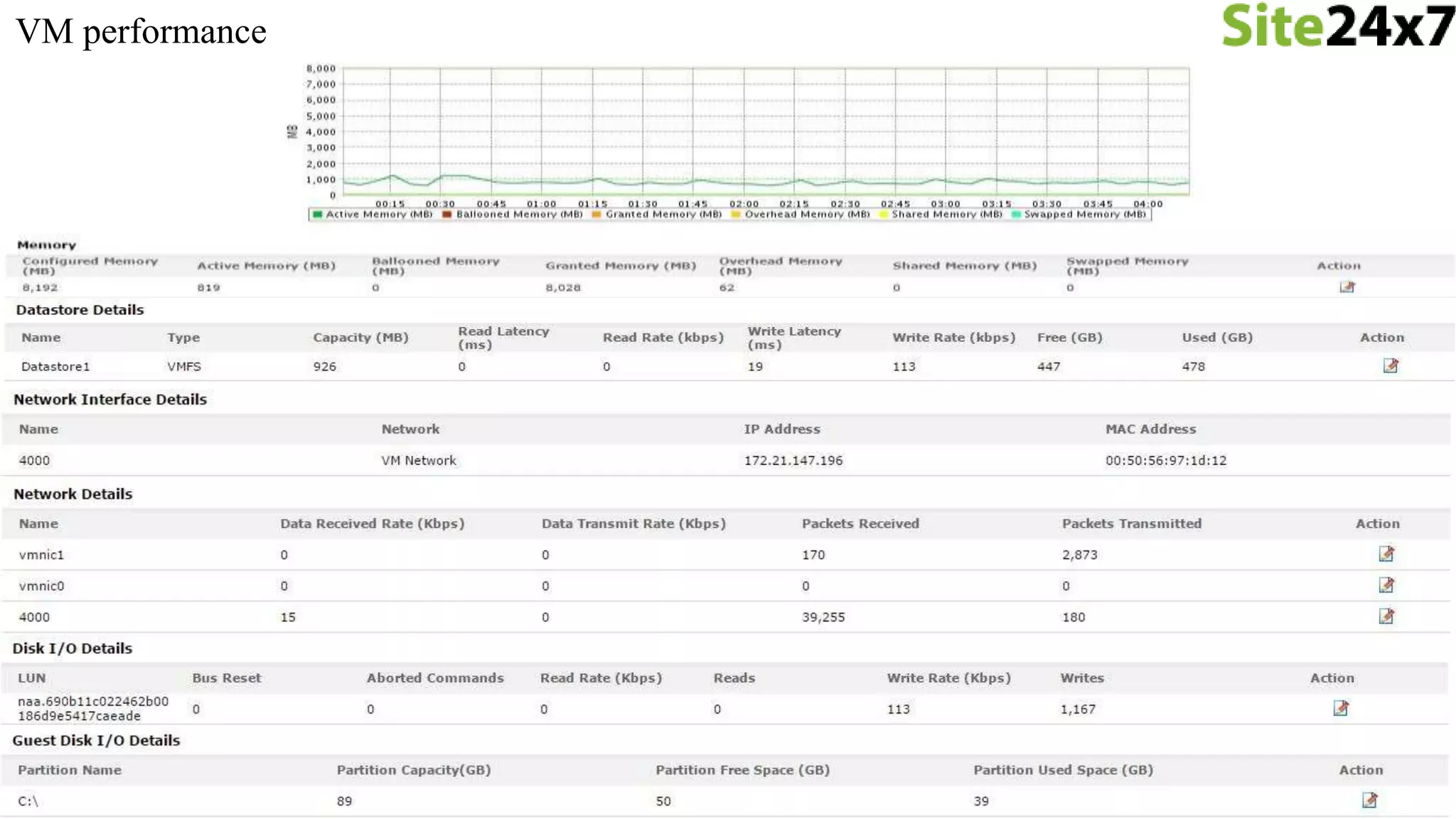
VM performance
Complement your IT
Investments
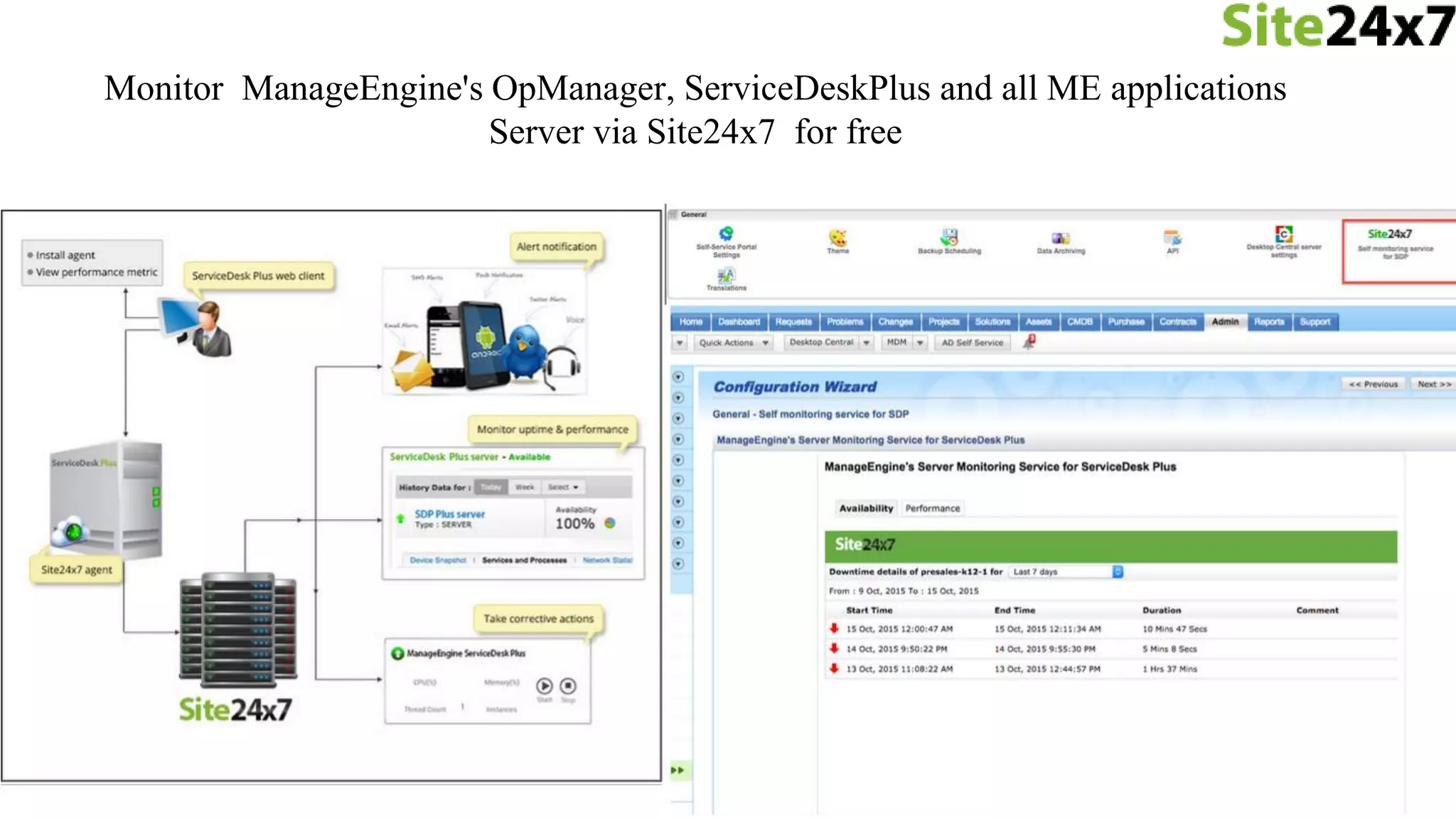
Monitor your core application servers from outside data center
Monitor ManageEngine's OpManager, ServiceDeskPlus and all ME applications
Server via Site24x7 for free
The free Site24x7 monitoring service works with many of the most popular monitoring
products:
• ManageEngine
• HP
• Kaseya
• Nagios
• Solarwinds
• Ipswitch
to know more check out - https://www.site24x7.com/complement-your-it.html
Free Site24x7 Server monitoring service
• Only outbound traffic no inbound traffic
• Secured Shell Connection on https with latest TLSv1.2 (Port: 443)
• Encrypted Connection
(TLS_ECDHE_RSA_WITH_AES_128_GCM_SHA256, 128bit keys)
Security
• Exchange 2013
• Log Monitoring
• File Monitoring
• Event Log Monitoring
• Directory Monitoring
• Biz Talk
• Share point
Upcoming Features
• Enable Auto Upgrade to be on the latest agent
• Configure threshold on resource monitoring to get proactive notification.
• Enable RCA to get to know about the top processes that are consuming
CPU, memory, etc.
• Bulk Installation for Linux is done via Chef services.
• Bulk Installation for Windows is done in three ways
• Remote Commands
• Active Directory
• Custom Scripts
Best Practices
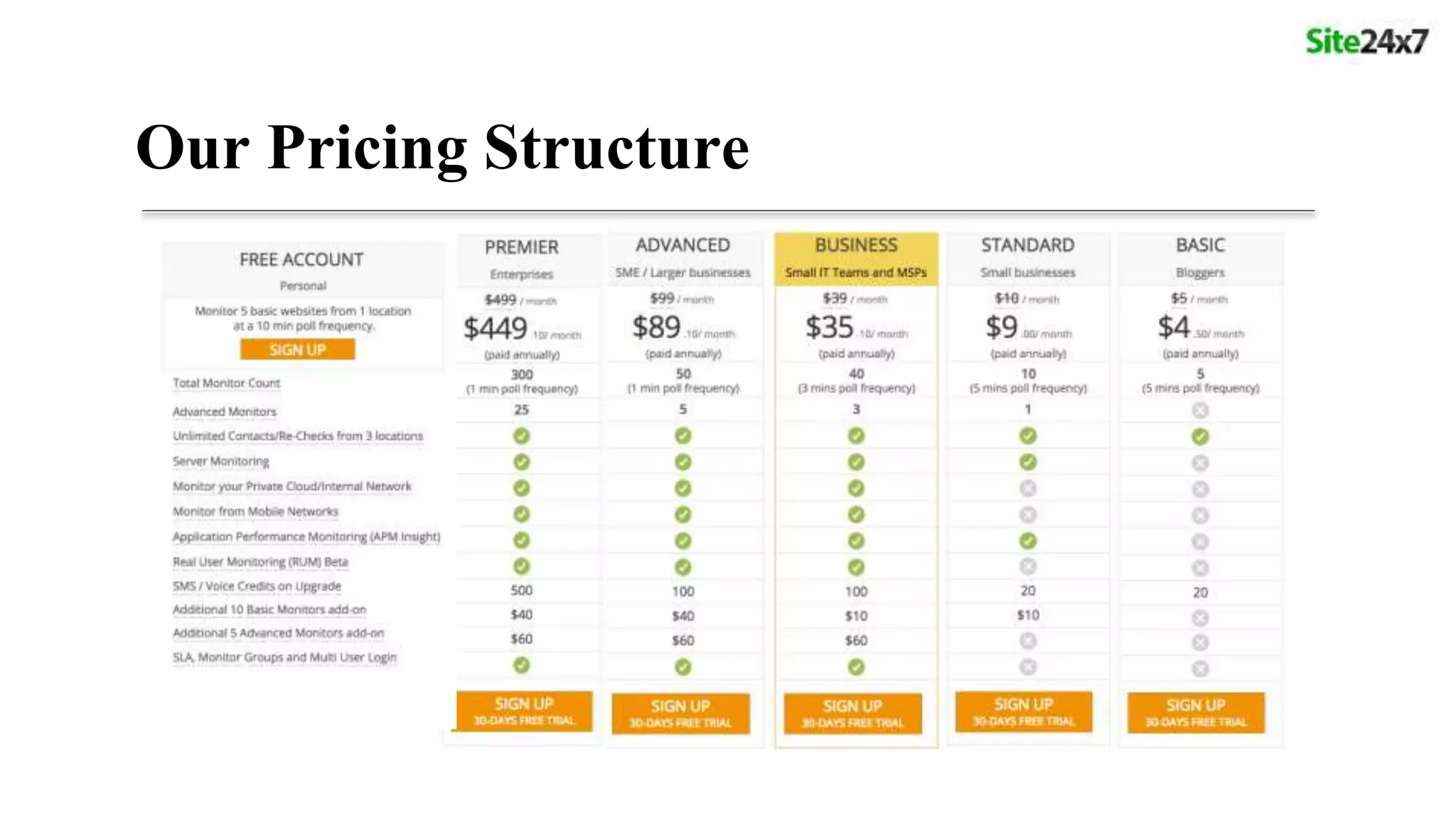
Our Pricing Structure
Knowledge Base : https://support.site24x7.com/portal/home
Connect with us
Phone
USA : +1 408 352 9117
AUS : +61 280 662 895
UK : +44 203 564 7893
IND : +91 44 67447070 (Extn : 7273)
Site24x7 Product Queries : support@site24x7.com
Site24x7 Sales Queries : sales@site24x7.com
Chat with us : https://www.site24x7.com/chat
Forums : https://forums.site24x7.com/
Email
Thanks!

Server Monitoring from the Cloud

  • 1.
    Server Monitoring fromthe Cloud Windows / Linux Servers Site24x7 Webinar 21st, Oct 2015
  • 2.
    • Introduction toSite24x7 • Server monitoring from the Cloud • Working principle and prerequisite • Windows & Linux Server monitoring • IIS, SQL, MS Exchange Server monitoring • VMware monitoring • Security • Upcoming Features Agenda
  • 4.
    Windows & LinuxMonitoring
  • 5.
    For all ourSite24x7 location servers - we do monitoring using Site24x7 Monitor your remote branch office servers using - Site24x7 Server Agent
  • 6.
  • 7.
  • 8.
    Prerequisites • Windows • RAM- 512 MB • Processor Speed - 1.0GHz • Disk Space - 30 MB • Windows version XP and above • Linux • glibc version - 2.5 • Debian, Ubuntu,CentOS, RedHat, Madriva, Fedora, Suse, Amazon Linux, Gentoo
  • 9.
    > Windows - Metricsare captured with the help of Windows Management Instrumentation (WMI) and Windows API > Linux - Metrics are captured using the commands top, df, free, ps. Discovery
  • 10.
    • CPU Utilization •by Processor, by Core, S/W and H/W Interrupts and Context switches • Memory Utilization • Used memory, Free Memory and Memory Pages(In/Out/Fault) • Disk Utilization • Individual Disk Utilization, Disk(I/O), Disk reads/writes • Processes & Services • CPU, Memory, Instances, Thread count, Handle count • Network • Speed, Packets, Data Transmitted & Received • Resources • Port, URL • Event logs/Syslogs • Analyze and view logs Metrics Monitored
  • 11.
  • 12.
  • 13.
  • 14.
  • 15.
    Services and processmonitoring Resource monitoring
  • 16.
  • 17.
  • 18.
    Server - RootCause Analysis
  • 20.
  • 21.
    Microsoft IIS webserver monitoring for unparalleled performance
  • 22.
    • Windows ProcessActivation Services (WAS) • World Wide Web Publishing Service (W3svc) • Registry key query to confirm the IIS version • Requires IIS version 7.0 and above • Requires .Net version 3.0 and above. Discovery
  • 23.
    Metrics monitored • Sites •Status & Binding • Application • Active Application Details • Session & Cache Details. • Application Pools • Active Application Pool Details • CLR Details
  • 24.
  • 25.
  • 26.
  • 27.
  • 28.
  • 29.
    Intelligent monitoring fortop-notch SQL performance and availability
  • 30.
    • Agent willlook for "SQLSERVER%" service running on the Windows Server • Detect SQL version from registry Discovery
  • 31.
    • Operations • MSSQL Agent & Browser Service • Active Connections • Errors • Transaction time • Capacity Planning • Memory & Buffer Management • DevOps • Lock & Latch Details • Database • Top Data Space Utilization & Log Space Utilization > Metrics
  • 32.
  • 33.
  • 34.
  • 35.
  • 36.
  • 37.
    Discovery • Agent willlook for MS Exchange service running on the Windows Server • Supports Exchange Server 2007 and 2010
  • 38.
    MS Exchange Roles •Mailbox • Hub Transport • Client Access • Unified Messaging • Edge Transport
  • 39.
  • 40.
    • On-Premise Poller •Monitor your internal network/resources behind the firewall • VMware vCenter • Auto discover your entire virtual infrastructure • VMware infrastructure • Data Centers, Clusters, Resource Pools, ESX/ESXi, VMs Discovery
  • 41.
  • 42.
    • Visualize thevCenter infrastructure in a single view • Data center, Cluster, ESX/ESXi hosts • Performance Metrics • CPU, Memory, Datastore, Network & Disk Utilization • Hardware Metrics • Monitor disk failures and Voltage problems Metrics
  • 43.
  • 44.
  • 45.
  • 46.
  • 47.
  • 48.
  • 49.
    Complement your IT Investments Monitoryour core application servers from outside data center
  • 50.
    Monitor ManageEngine's OpManager,ServiceDeskPlus and all ME applications Server via Site24x7 for free
  • 51.
    The free Site24x7monitoring service works with many of the most popular monitoring products: • ManageEngine • HP • Kaseya • Nagios • Solarwinds • Ipswitch to know more check out - https://www.site24x7.com/complement-your-it.html Free Site24x7 Server monitoring service
  • 52.
    • Only outboundtraffic no inbound traffic • Secured Shell Connection on https with latest TLSv1.2 (Port: 443) • Encrypted Connection (TLS_ECDHE_RSA_WITH_AES_128_GCM_SHA256, 128bit keys) Security
  • 53.
    • Exchange 2013 •Log Monitoring • File Monitoring • Event Log Monitoring • Directory Monitoring • Biz Talk • Share point Upcoming Features
  • 54.
    • Enable AutoUpgrade to be on the latest agent • Configure threshold on resource monitoring to get proactive notification. • Enable RCA to get to know about the top processes that are consuming CPU, memory, etc. • Bulk Installation for Linux is done via Chef services. • Bulk Installation for Windows is done in three ways • Remote Commands • Active Directory • Custom Scripts Best Practices
  • 55.
  • 56.
    Knowledge Base :https://support.site24x7.com/portal/home Connect with us Phone USA : +1 408 352 9117 AUS : +61 280 662 895 UK : +44 203 564 7893 IND : +91 44 67447070 (Extn : 7273) Site24x7 Product Queries : support@site24x7.com Site24x7 Sales Queries : sales@site24x7.com Chat with us : https://www.site24x7.com/chat Forums : https://forums.site24x7.com/ Email
  • 57.