Wonderware Interactive Webinar Series
       Helping you see more clearly
    Wonderware InTouch®
       Paul Edwards
Agenda

► InTouch History

► Workflow

► Licensing

► Upgrading

► Case Studies
What is it and What does it do?
 ► Wonderware InTouch is a software package to
   allow you to interact with and visualize data
   from you instruments and plant devices. The
   data is presented in a format relevant to your
   specific site and requirements.
 ► Wonderware InTouch runs under Microsoft
   Operating Systems and acquires data through
   protocol converters know as DAServers (aka
   IO Servers).
 ► Wonderware software is used in over a third of
   the worlds manufacturing facilities – that’s
   100,000 plants and have sold over 0.5 million
   licenses.
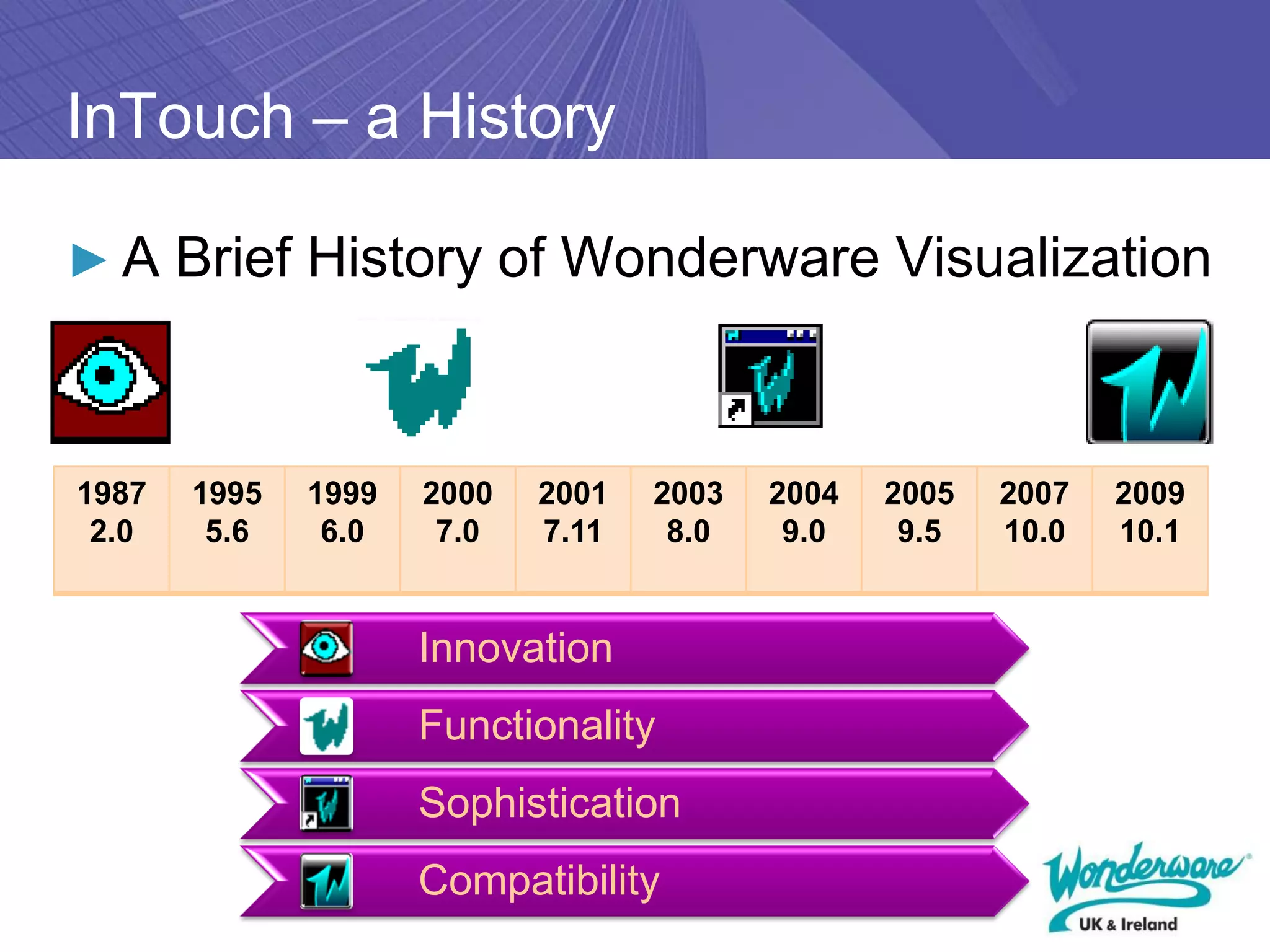
InTouch – a History

► A Brief History of Wonderware Visualization


1987   1995   1999   2000   2001   2003   2004   2005   2007   2009
 2.0    5.6    6.0    7.0   7.11    8.0    9.0    9.5   10.0   10.1


                     Innovation
                     Functionality
                     Sophistication
                     Compatibility
Connectivity
 ► InTouch native communications are Suitelink or
     DDE.
 ►   OPC communications supported using
     FSGateway (free to use server).
 ►   In order to communicate to PLCs then
     Wonderware produce IO Server programs.
 ►   If PLC not supported then partner with
     Kepware for a special Kepware for
     Wonderware driver suite.
 ►   If still not available write your own with
     DAServer Toolkit.
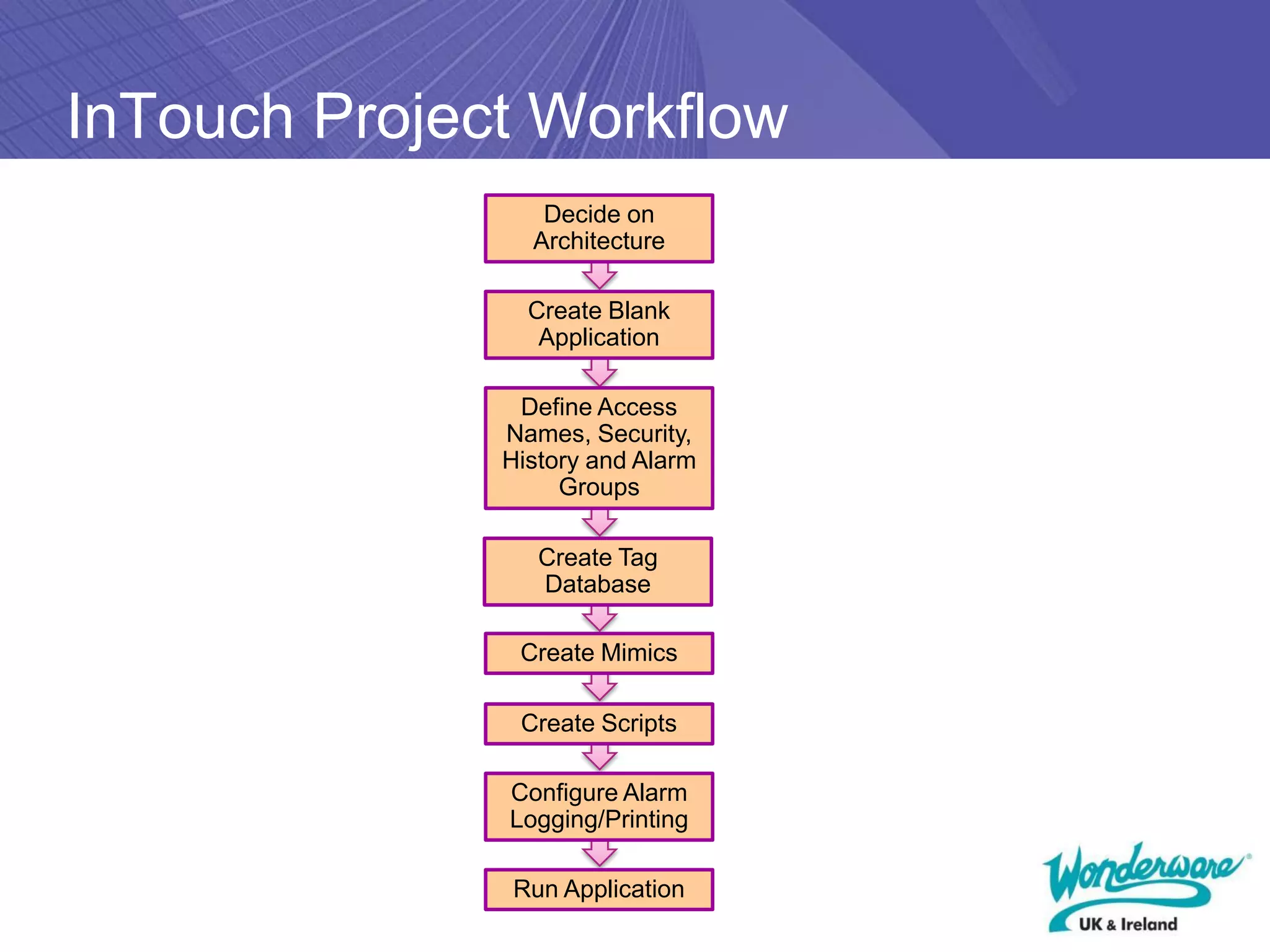
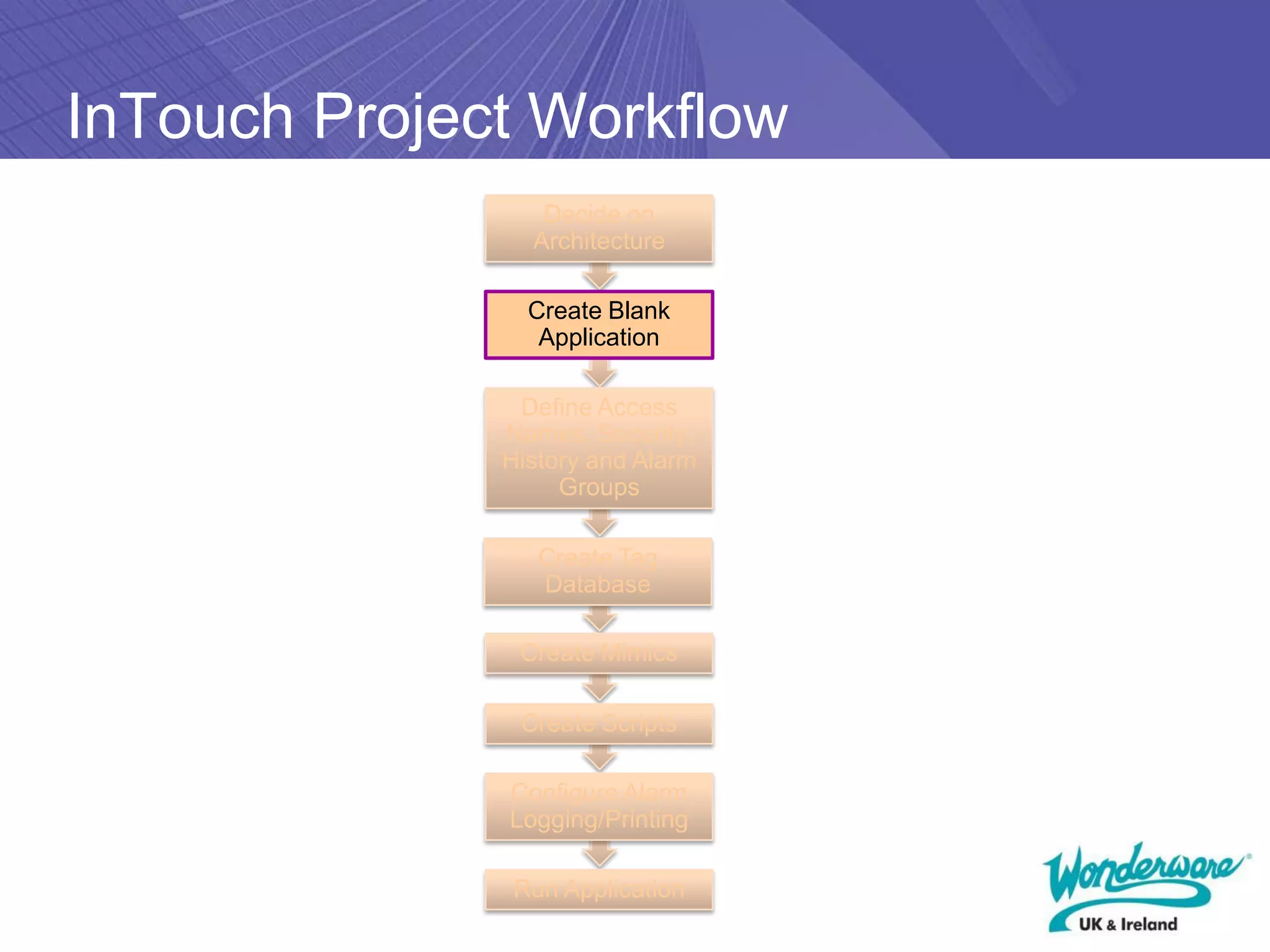
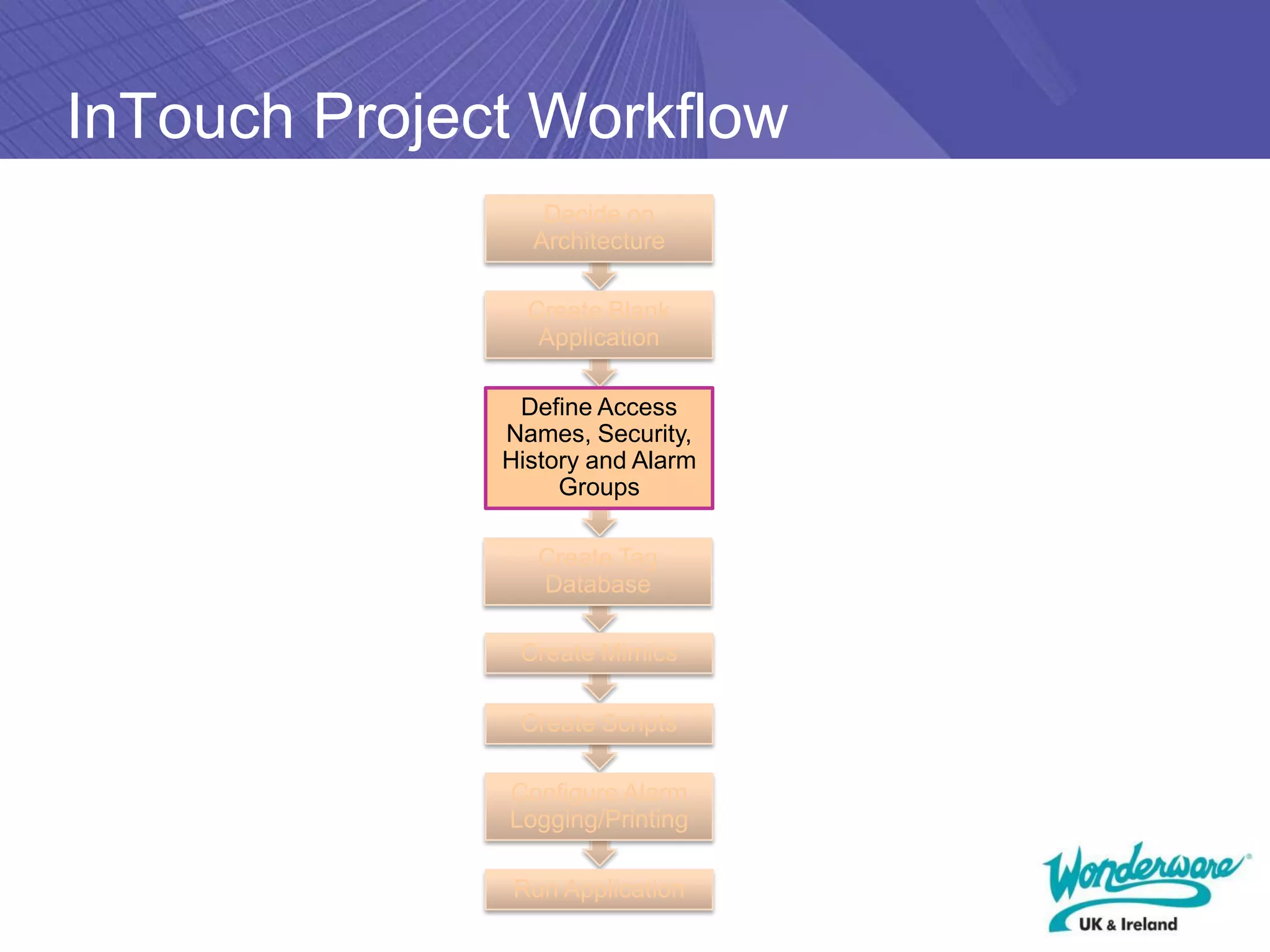
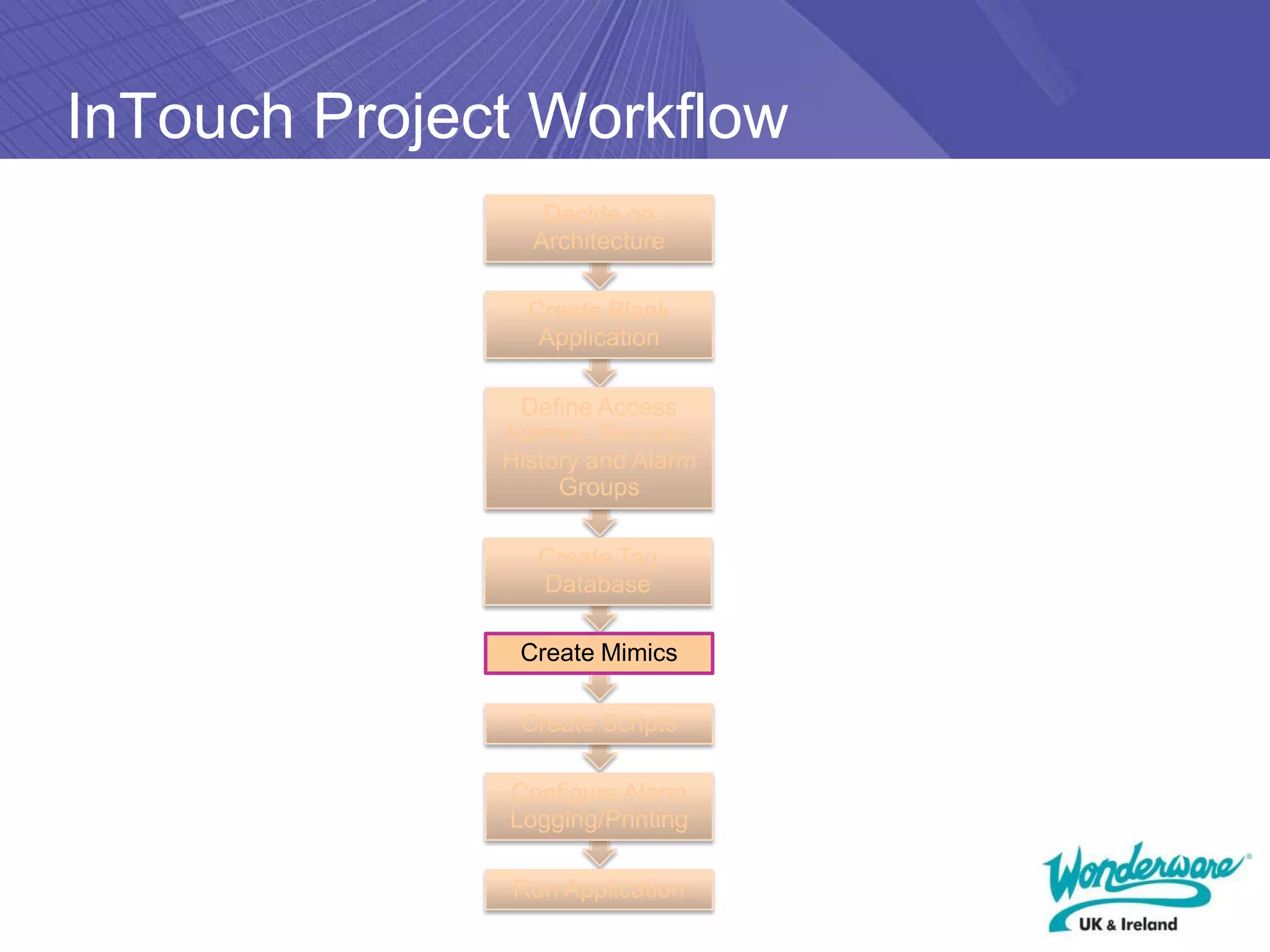
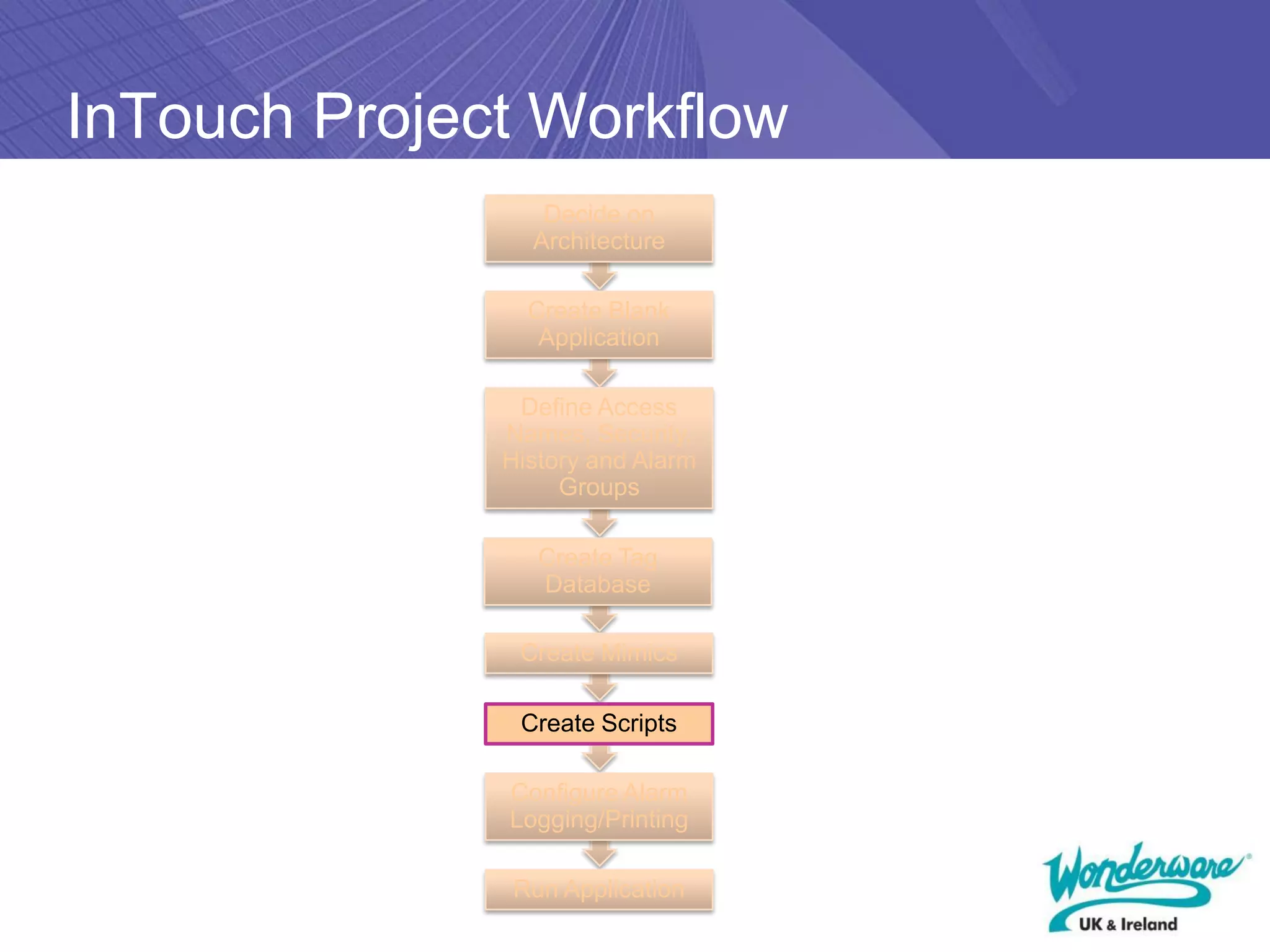
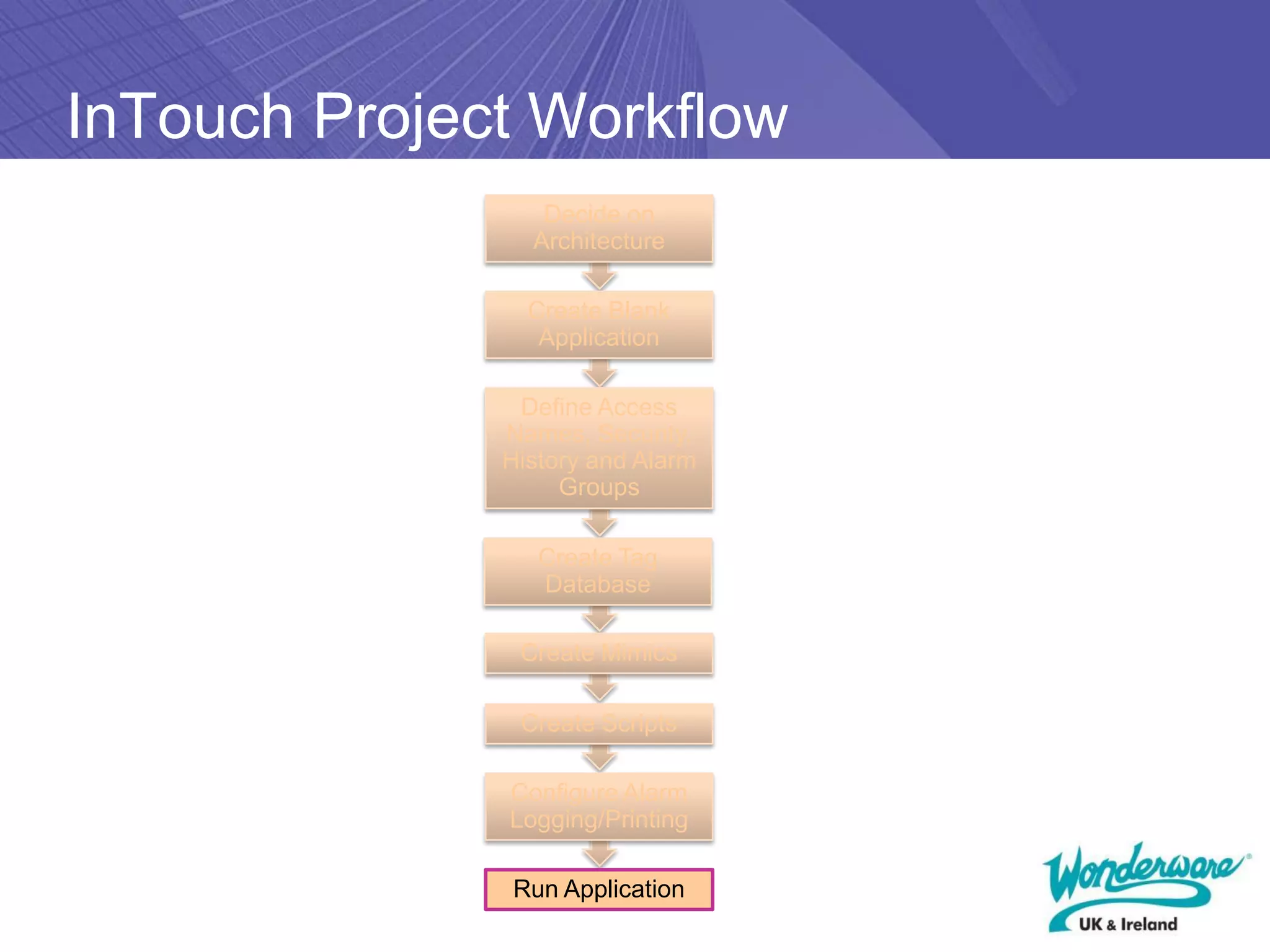
InTouch Project Workflow
                 Decide on
                Architecture

                Create Blank
                 Application

               Define Access
              Names, Security,
              History and Alarm
                   Groups

                 Create Tag
                 Database

               Create Mimics

               Create Scripts

              Configure Alarm
              Logging/Printing

              Run Application
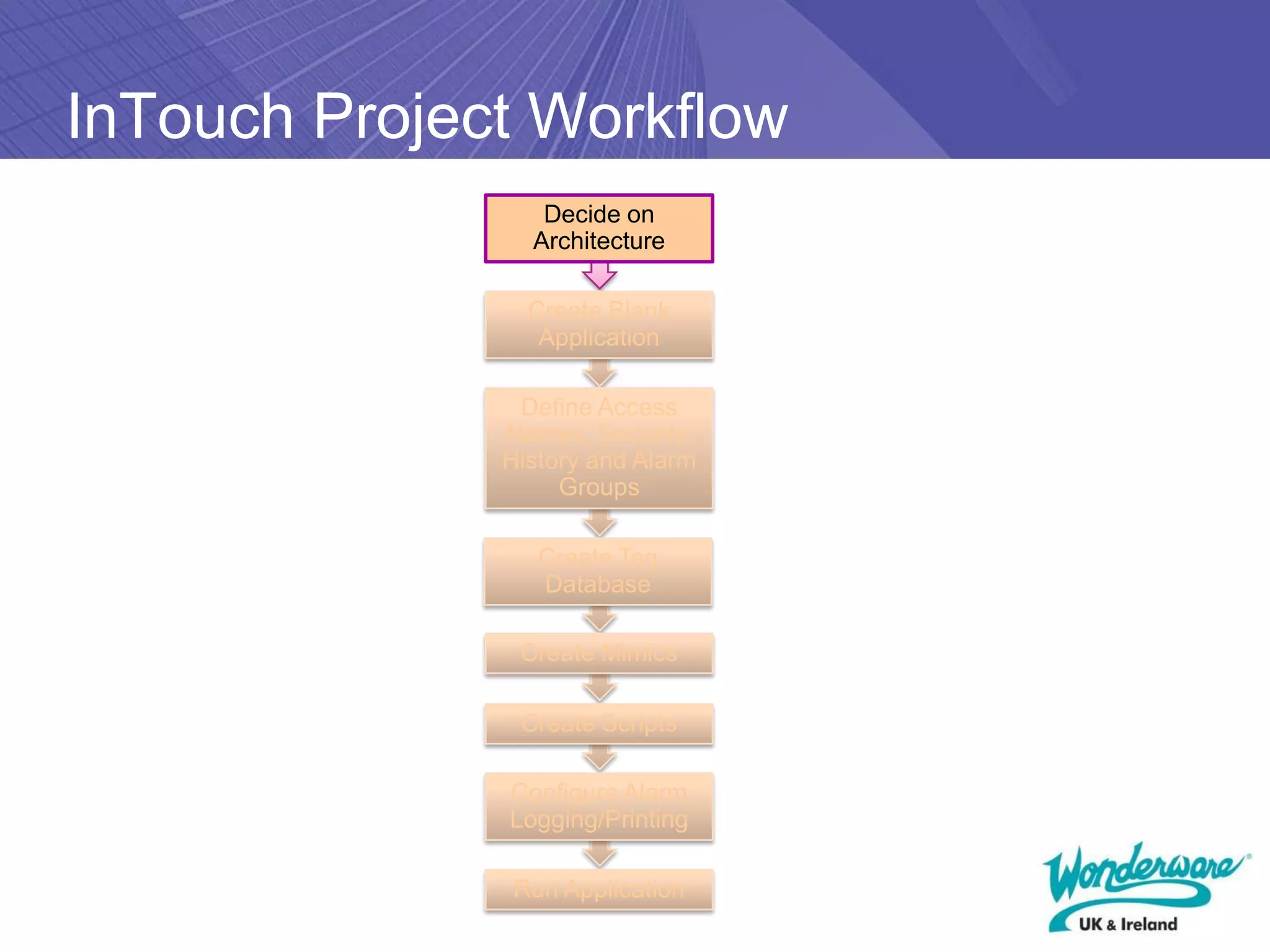
InTouch Project Workflow
                 Decide on
                Architecture

                Create Blank
                 Application

               Define Access
              Names, Security,
              History and Alarm
                   Groups

                 Create Tag
                 Database

               Create Mimics

               Create Scripts

              Configure Alarm
              Logging/Printing

              Run Application
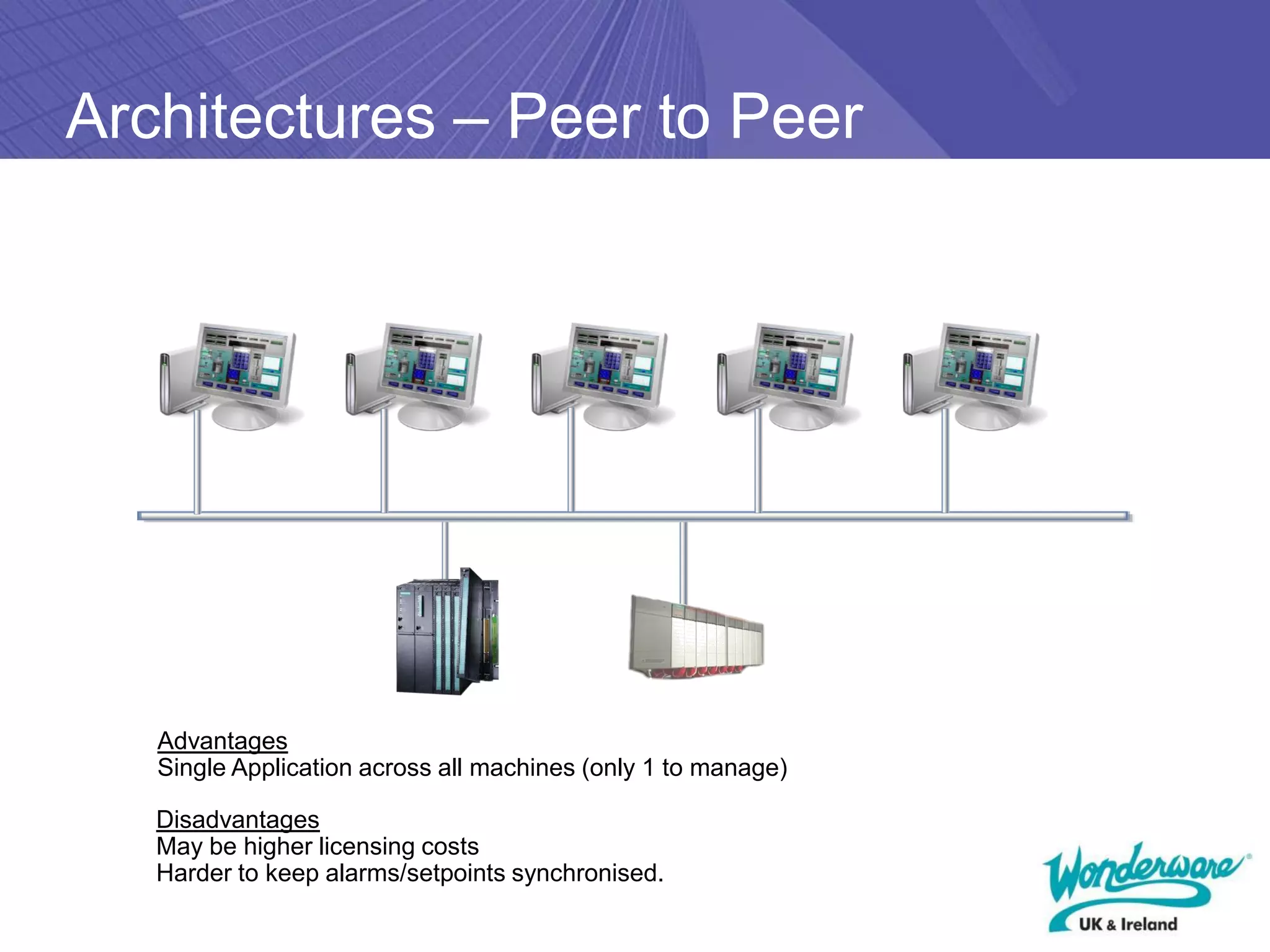
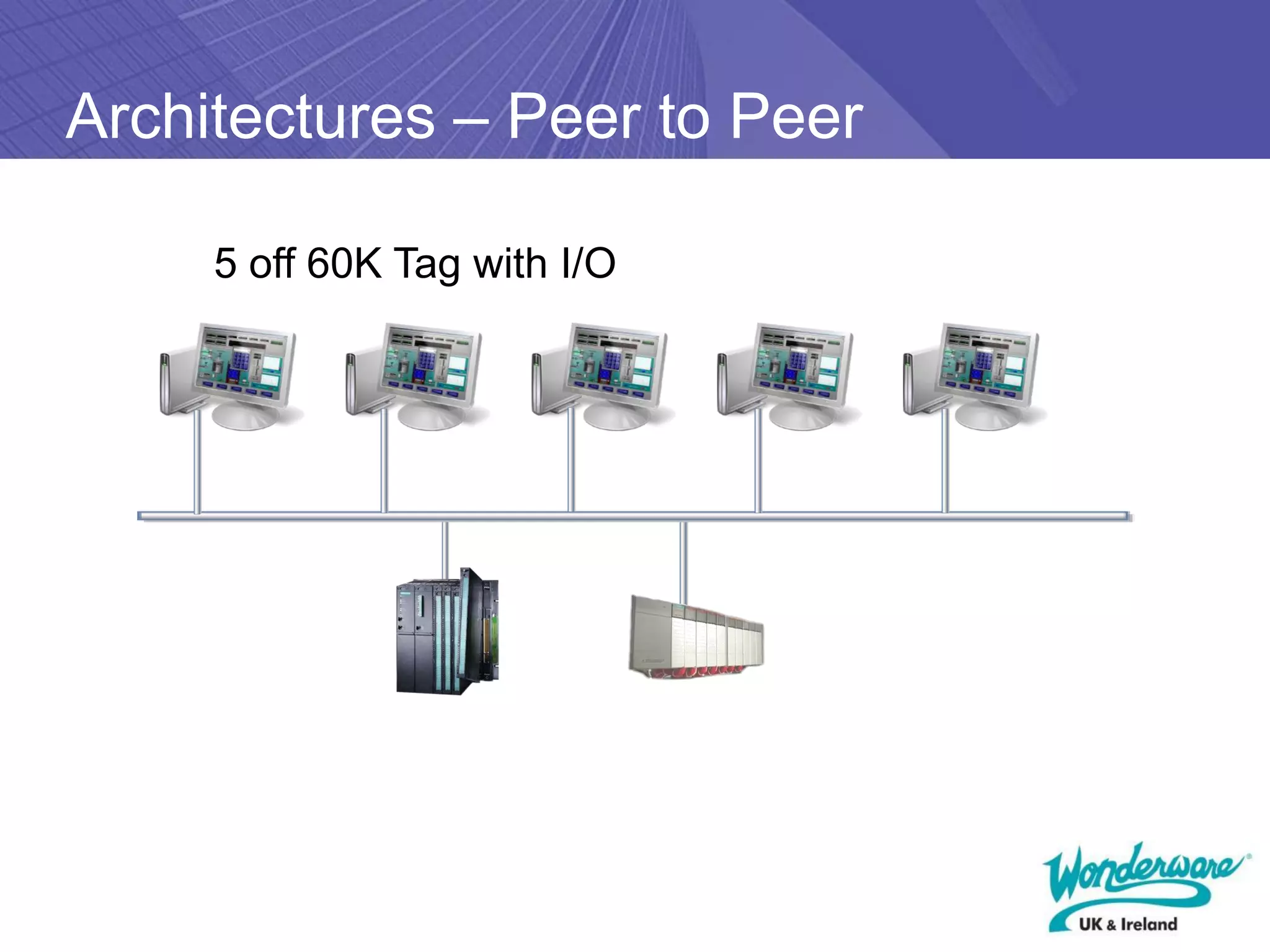
Architectures – Peer to Peer


   Advantages
   Single Application across all machines (only 1 to manage)

   Disadvantages
   May be higher licensing costs
   Harder to keep alarms/setpoints synchronised.
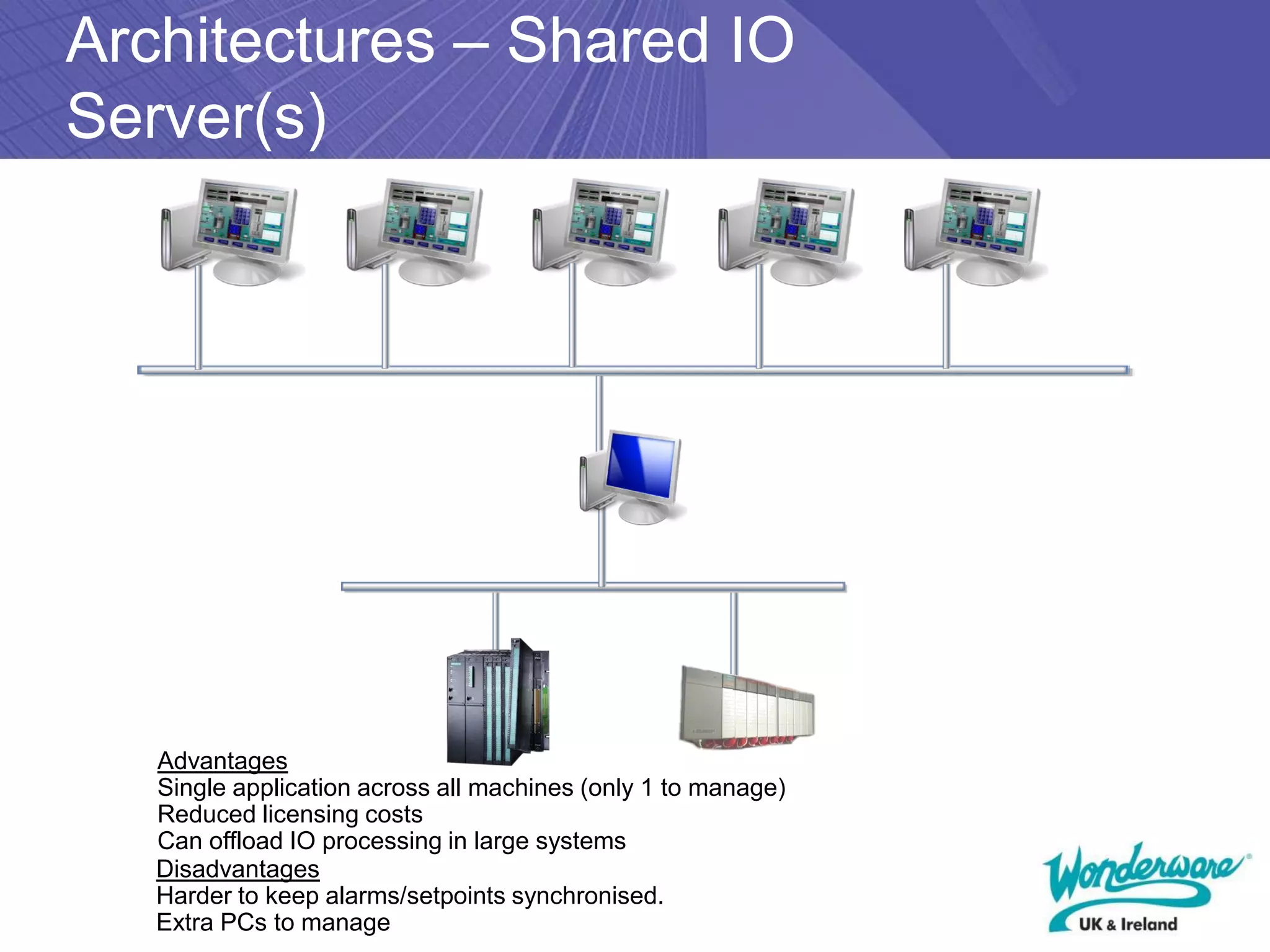
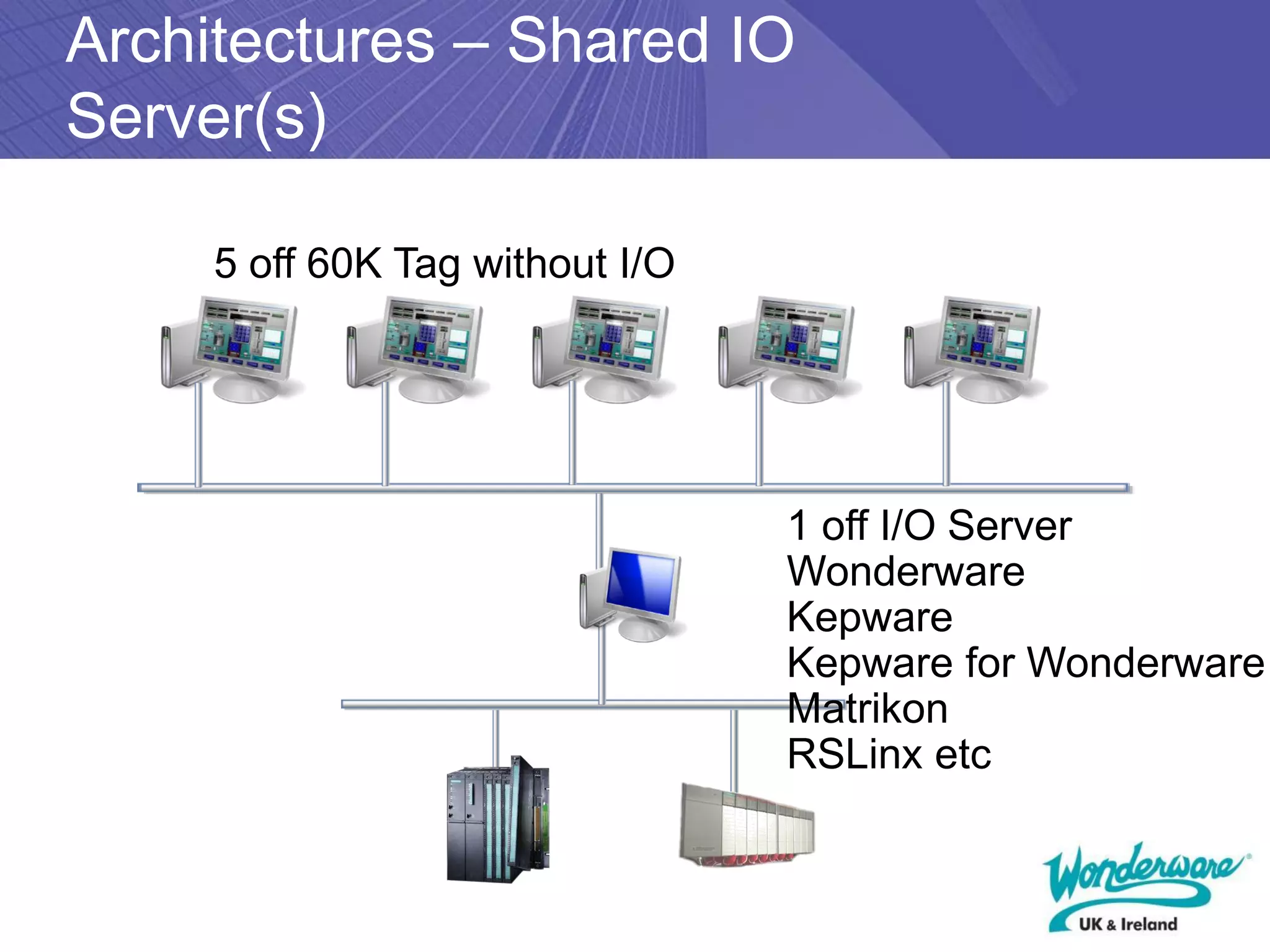
Architectures – Shared IO
Server(s)


   Advantages
   Single application across all machines (only 1 to manage)
   Reduced licensing costs
   Can offload IO processing in large systems
   Disadvantages
   Harder to keep alarms/setpoints synchronised.
   Extra PCs to manage
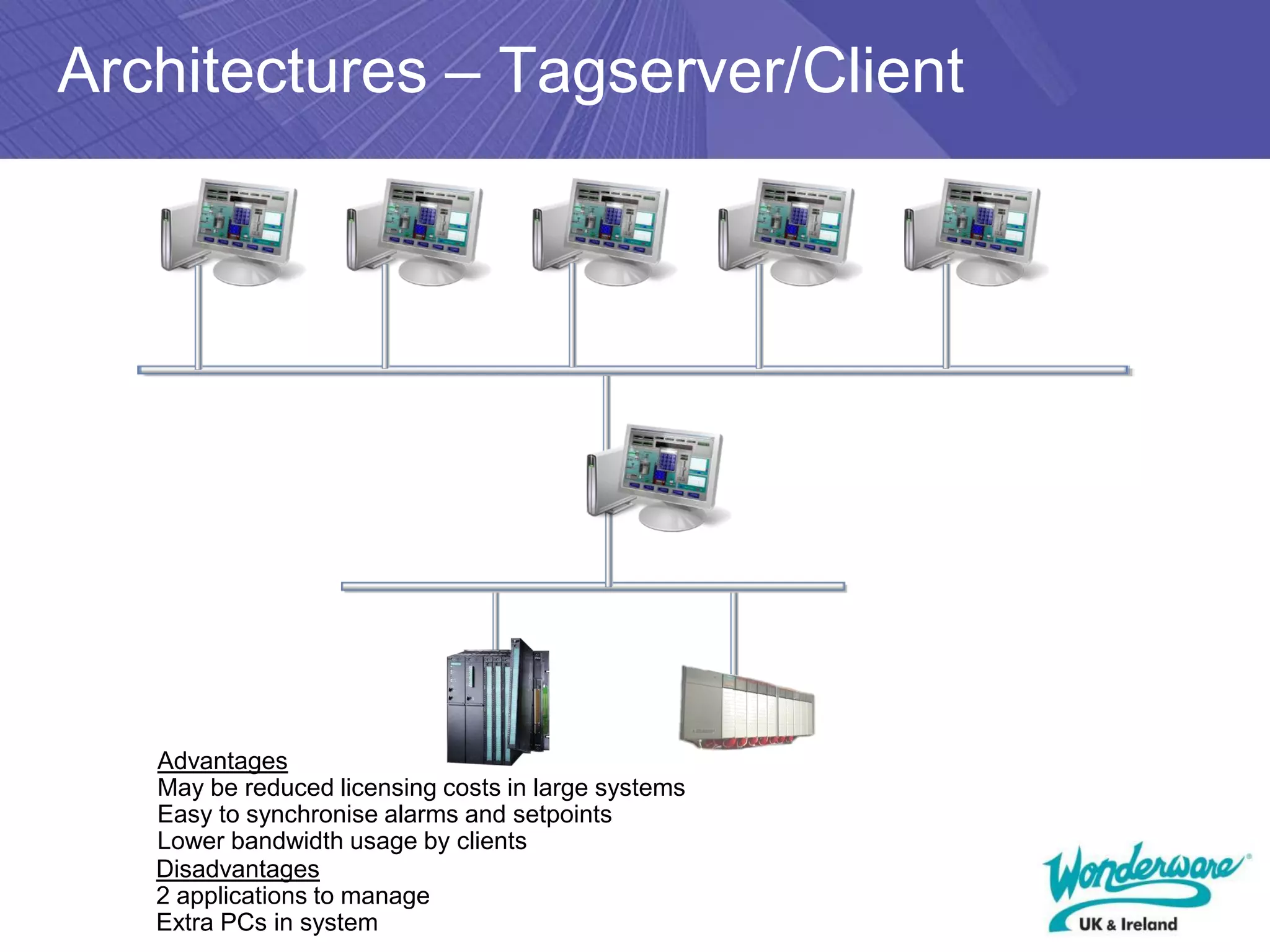
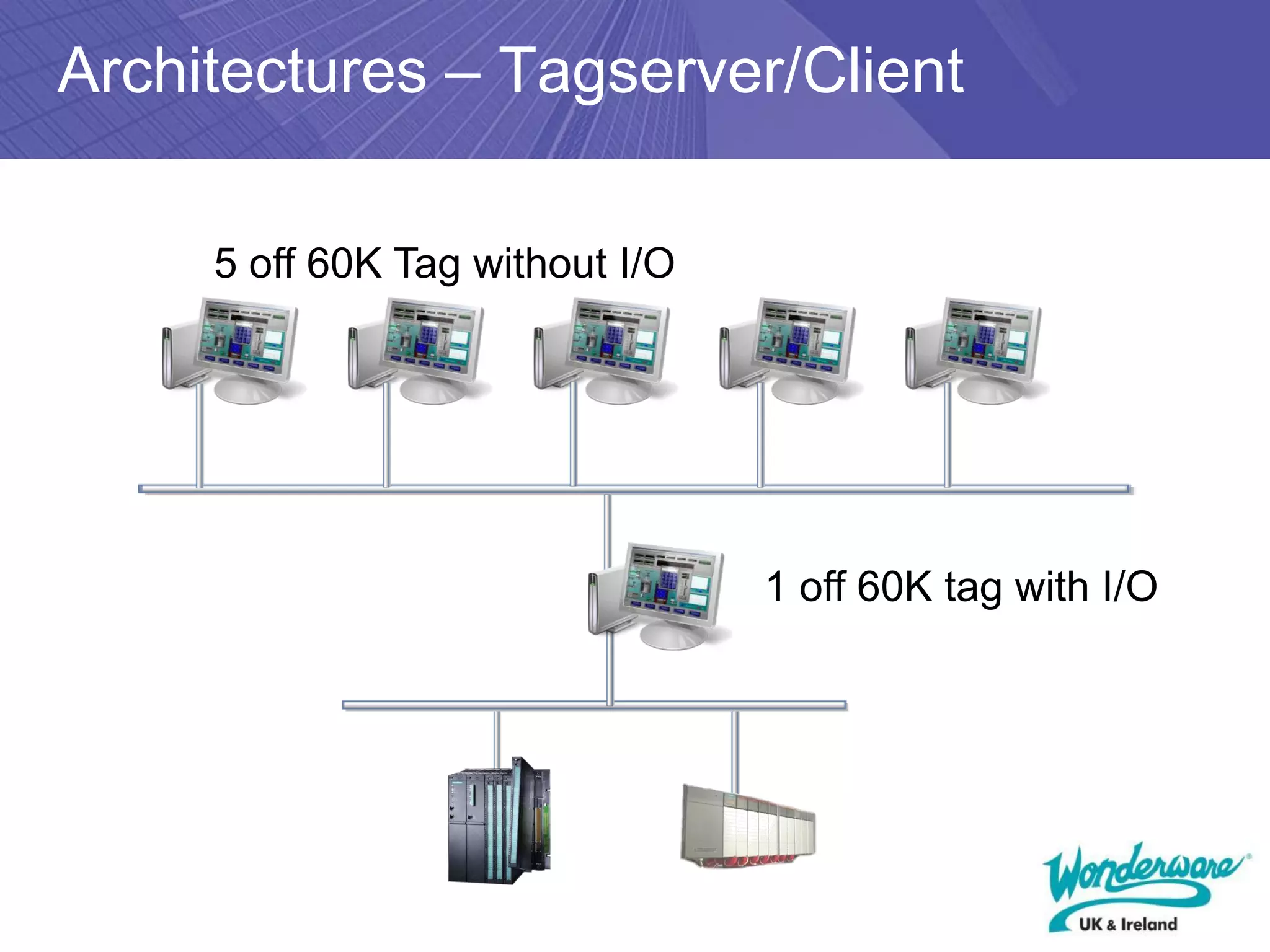
Architectures – Tagserver/Client


   Advantages
   May be reduced licensing costs in large systems
   Easy to synchronise alarms and setpoints
   Lower bandwidth usage by clients
   Disadvantages
   2 applications to manage
   Extra PCs in system
InTouch Project Workflow
                 Decide on
                Architecture

                Create Blank
                 Application

               Define Access
              Names, Security,
              History and Alarm
                   Groups

                 Create Tag
                 Database

               Create Mimics

               Create Scripts

              Configure Alarm
              Logging/Printing

              Run Application
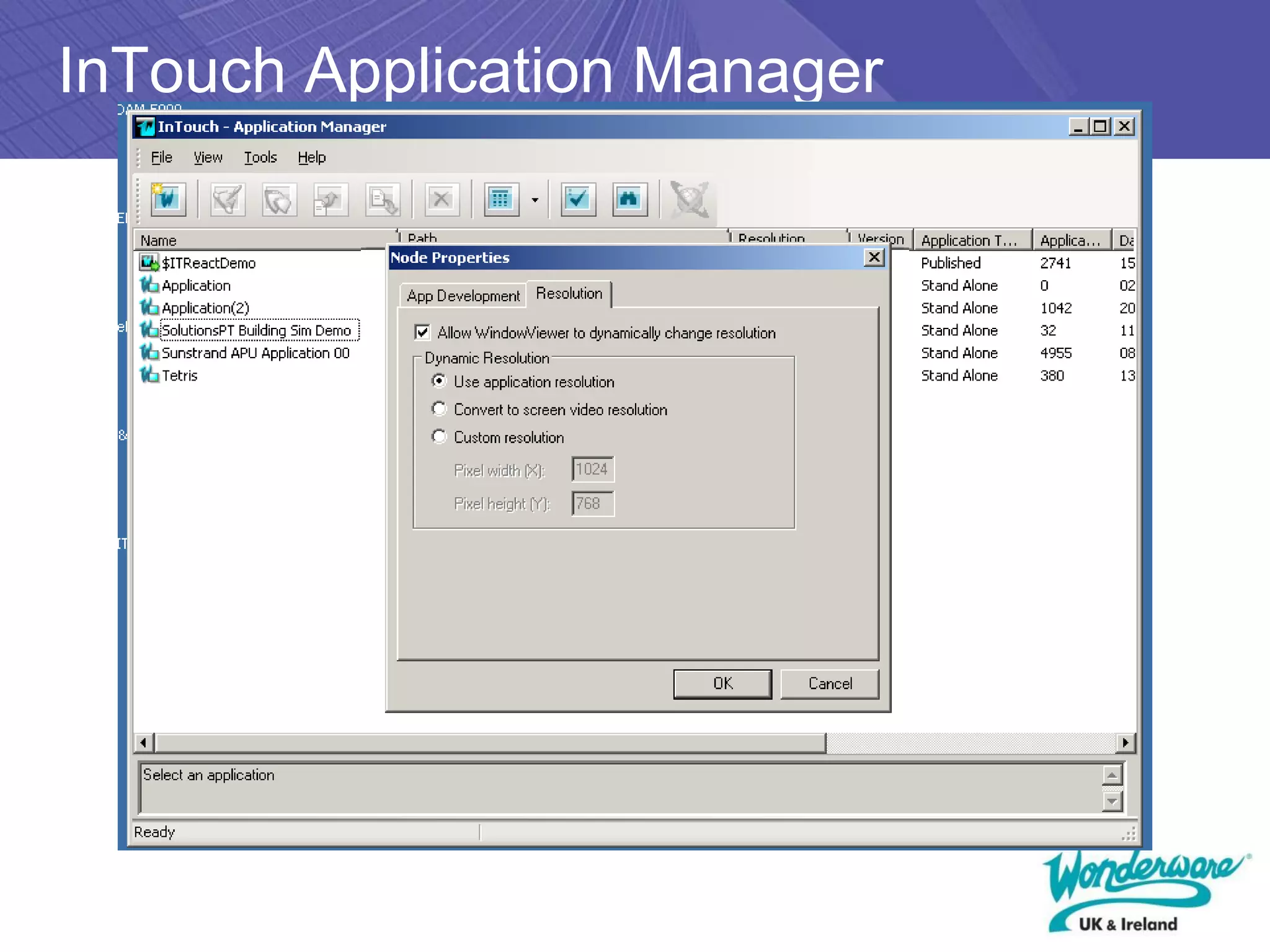
InTouch Application Manager
InTouch Project Workflow
                 Decide on
                Architecture

                Create Blank
                 Application

               Define Access
              Names, Security,
              History and Alarm
                   Groups

                 Create Tag
                 Database

               Create Mimics

               Create Scripts

              Configure Alarm
              Logging/Printing

              Run Application
InTouch WindowMaker
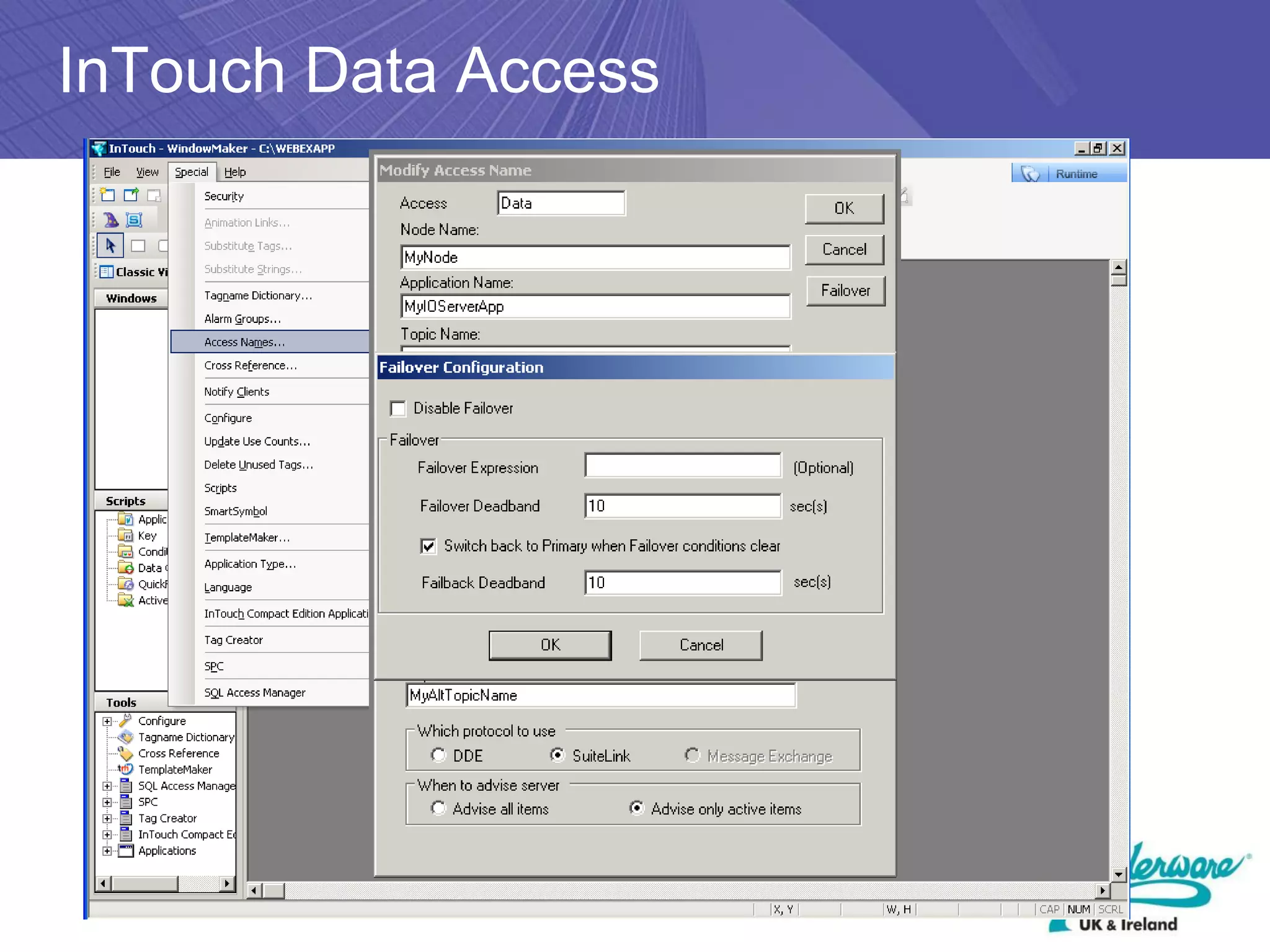
InTouch Data Access
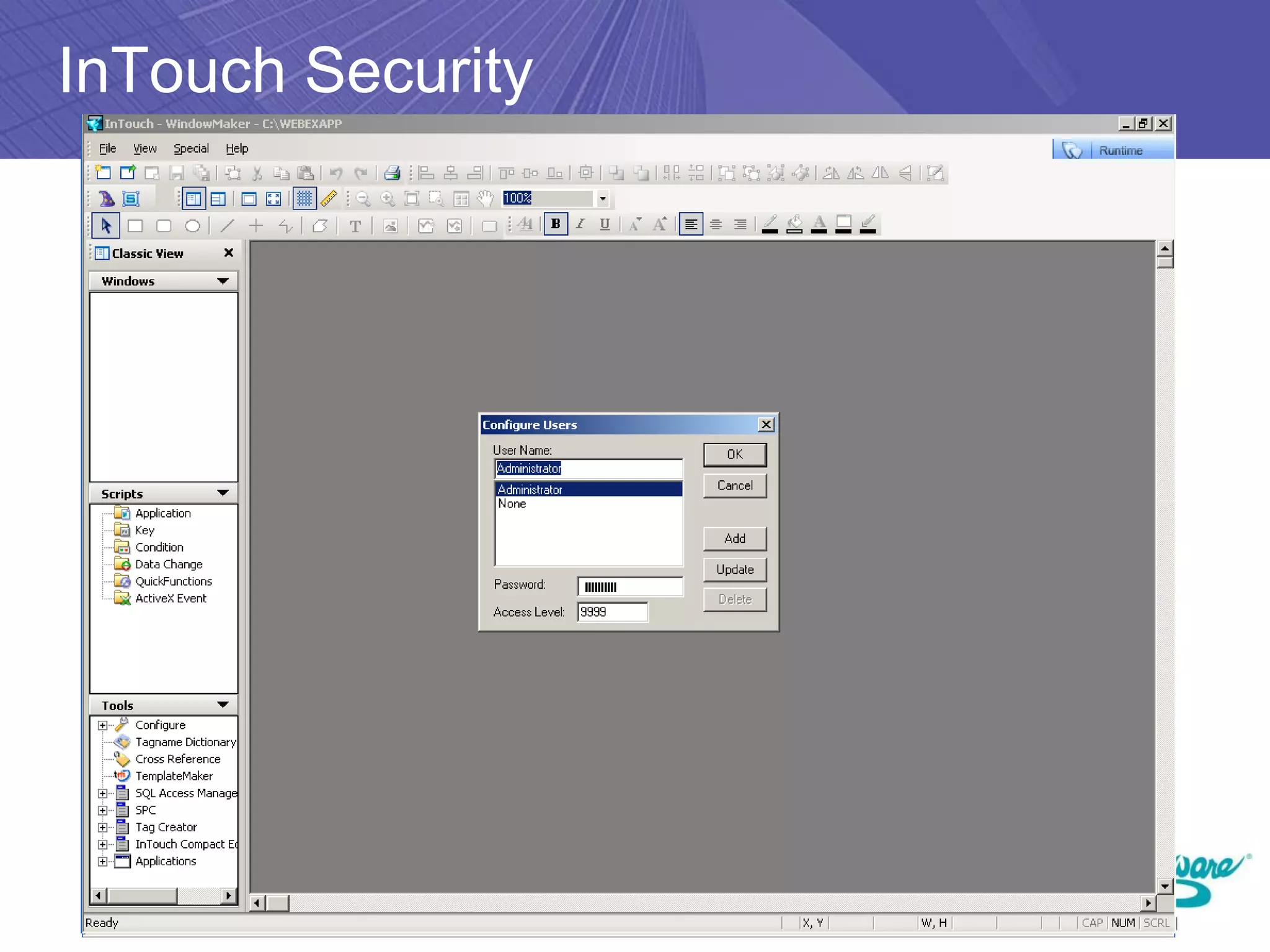
InTouch Security
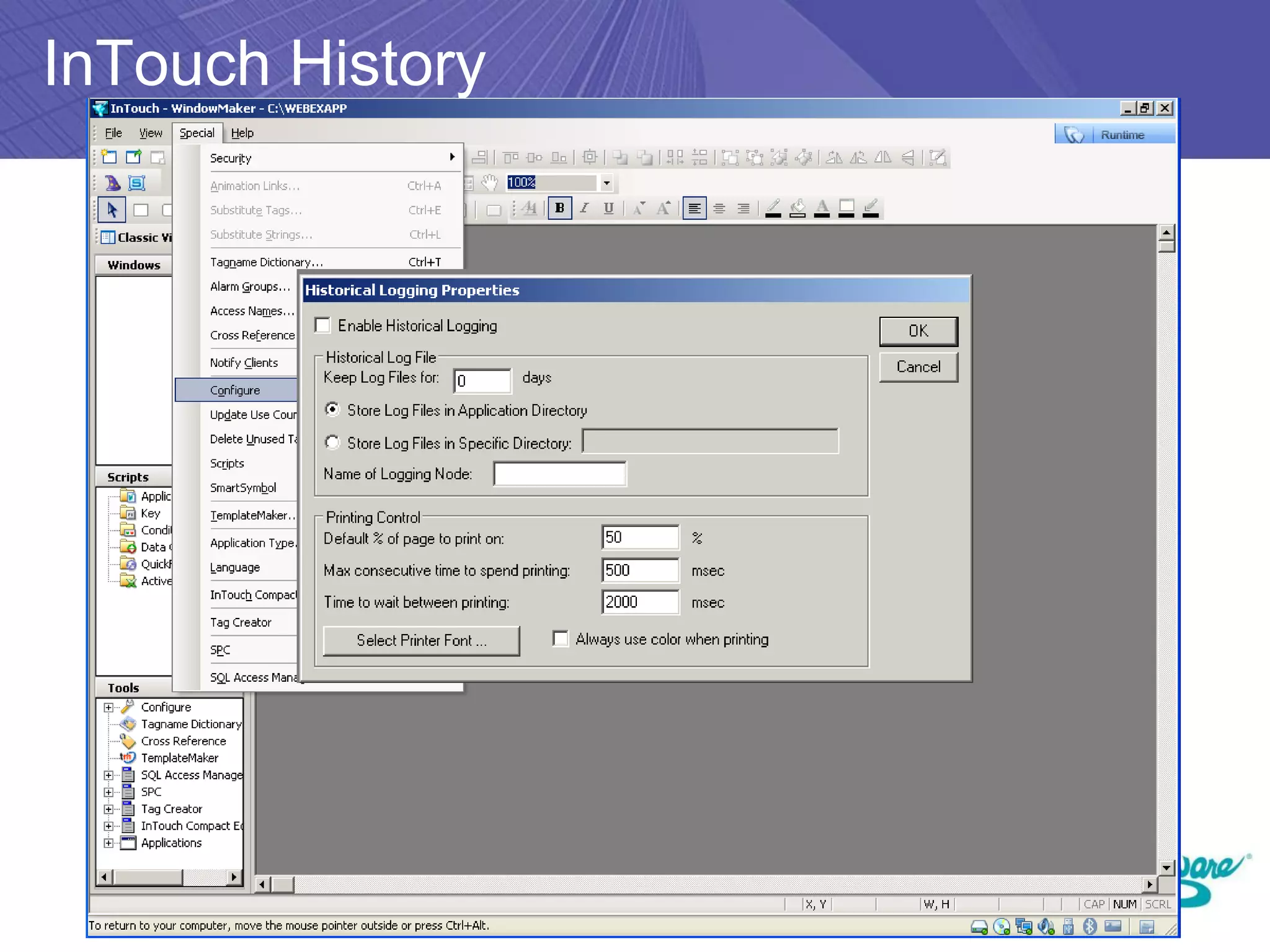
InTouch History
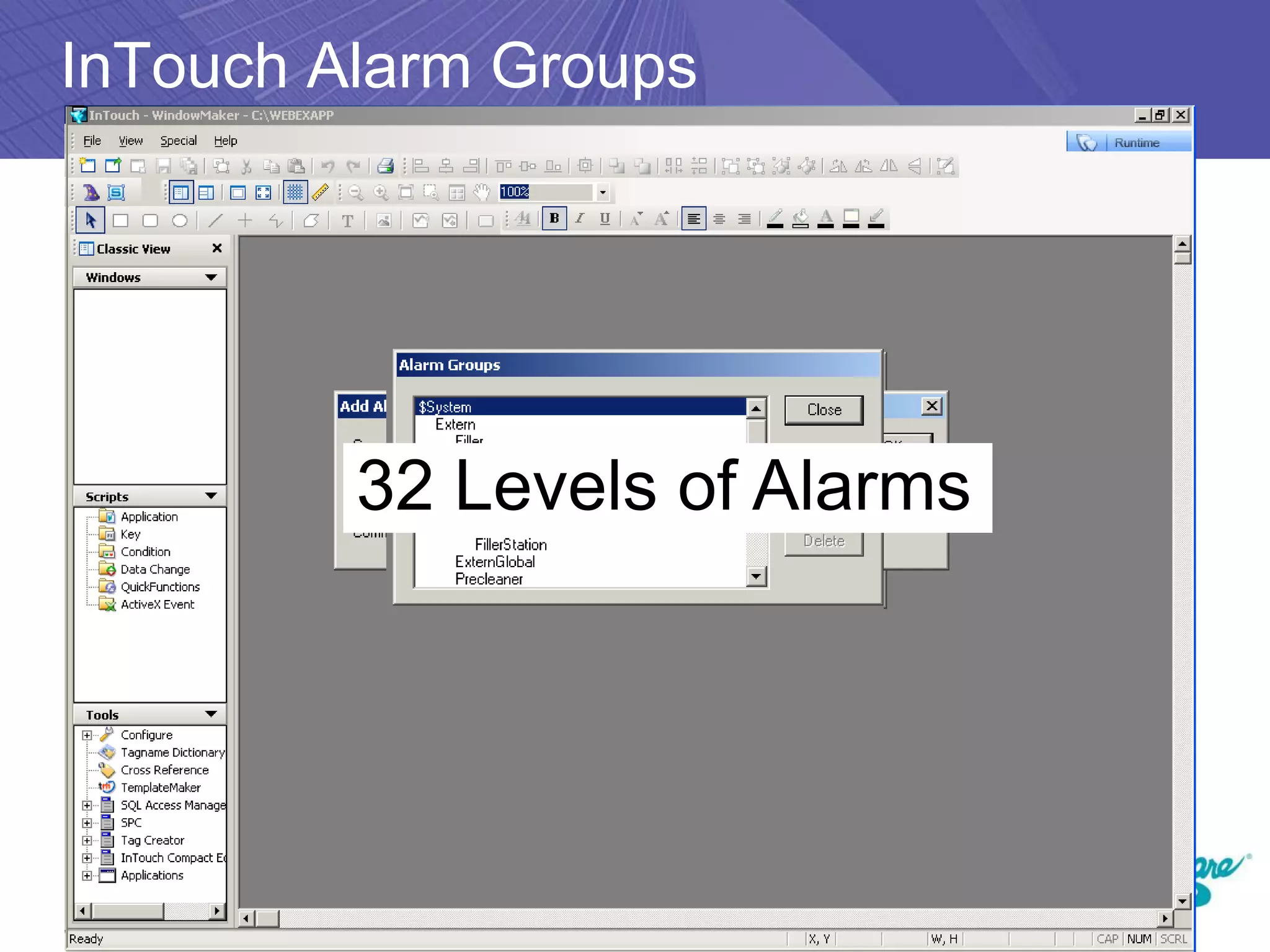
InTouch Alarm Groups


         32 Levels of Alarms
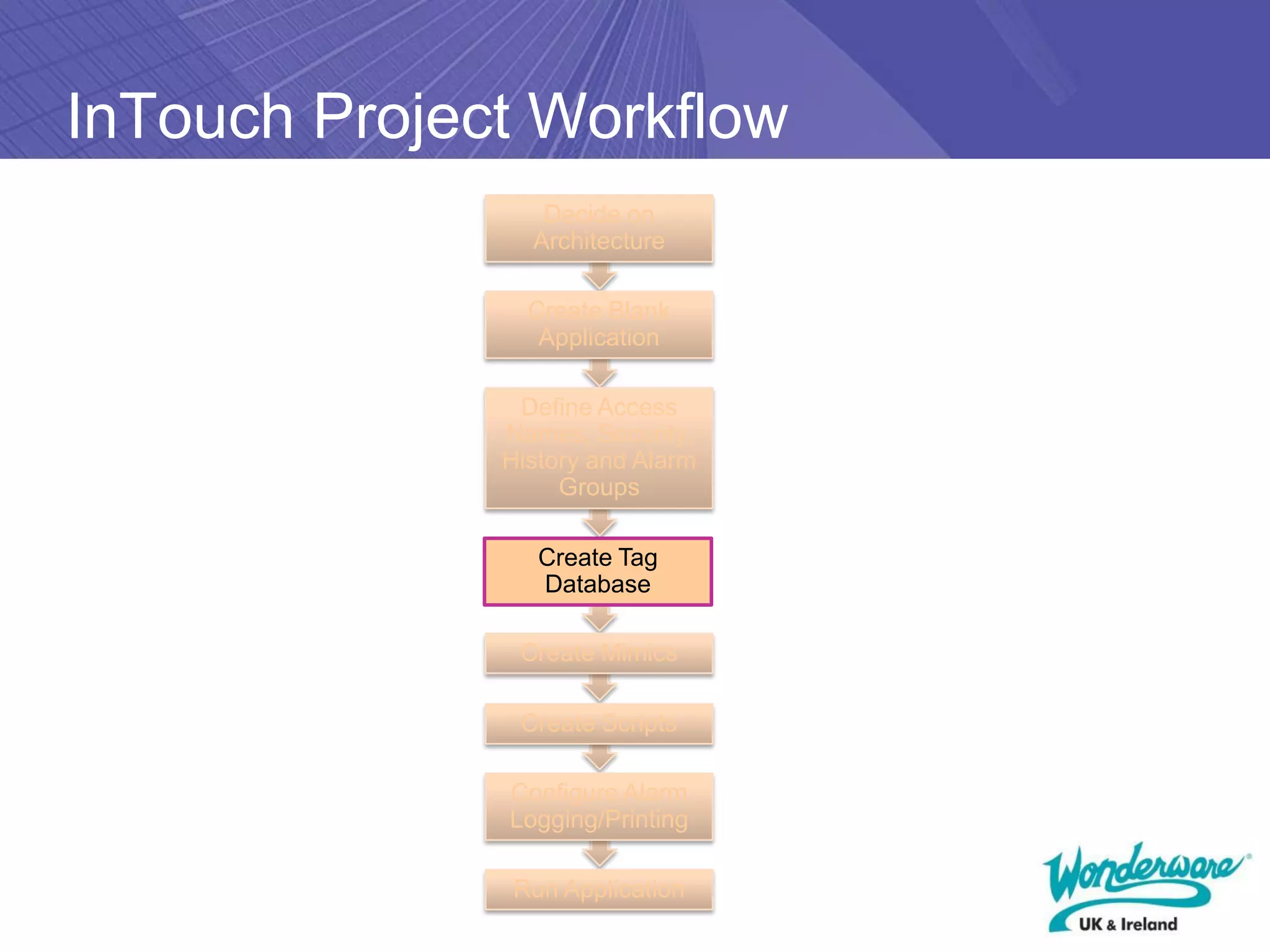
InTouch Project Workflow
                 Decide on
                Architecture

                Create Blank
                 Application

               Define Access
              Names, Security,
              History and Alarm
                   Groups

                 Create Tag
                 Database

               Create Mimics

               Create Scripts

              Configure Alarm
              Logging/Printing

              Run Application
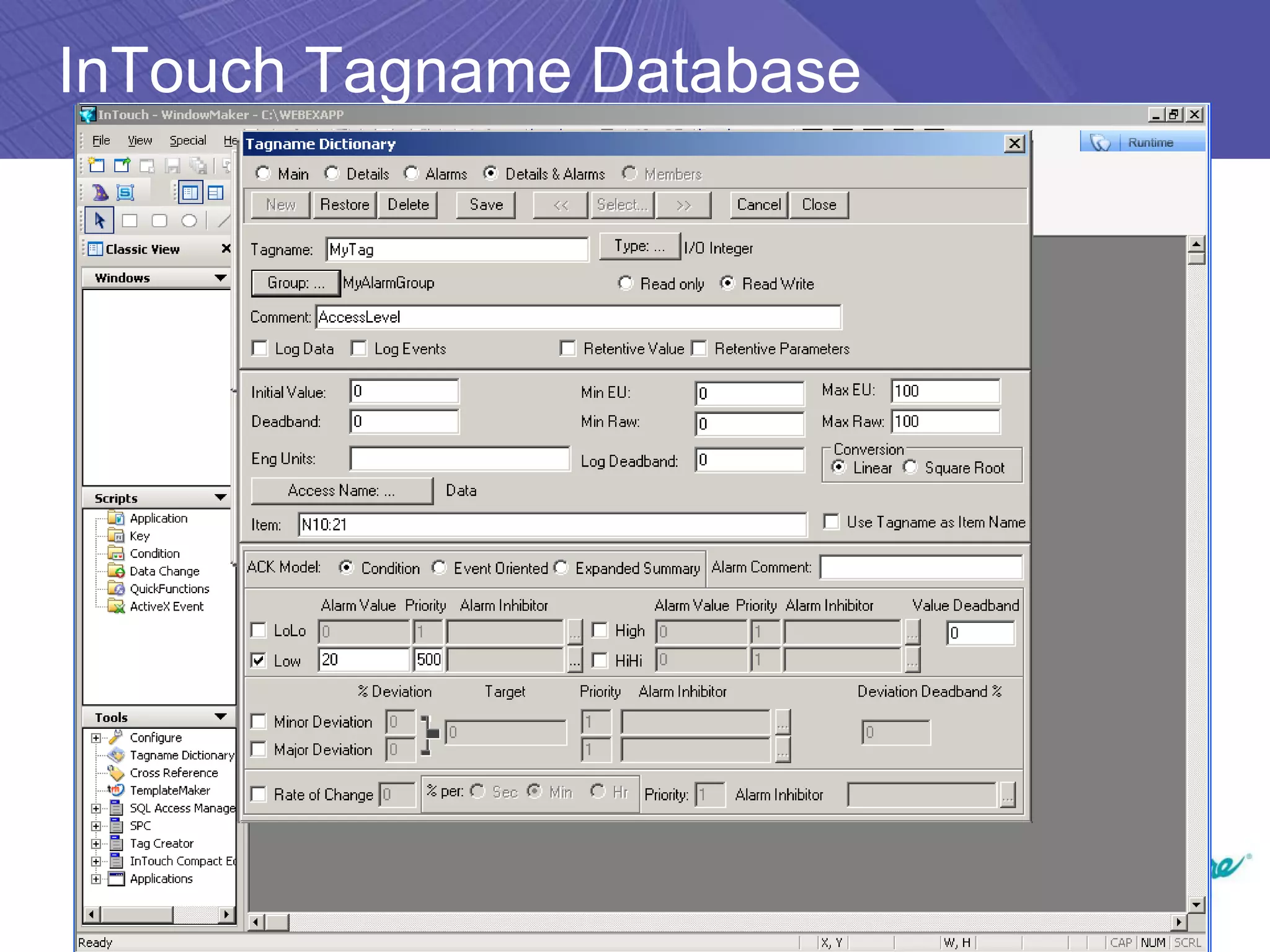
InTouch Tagname Database
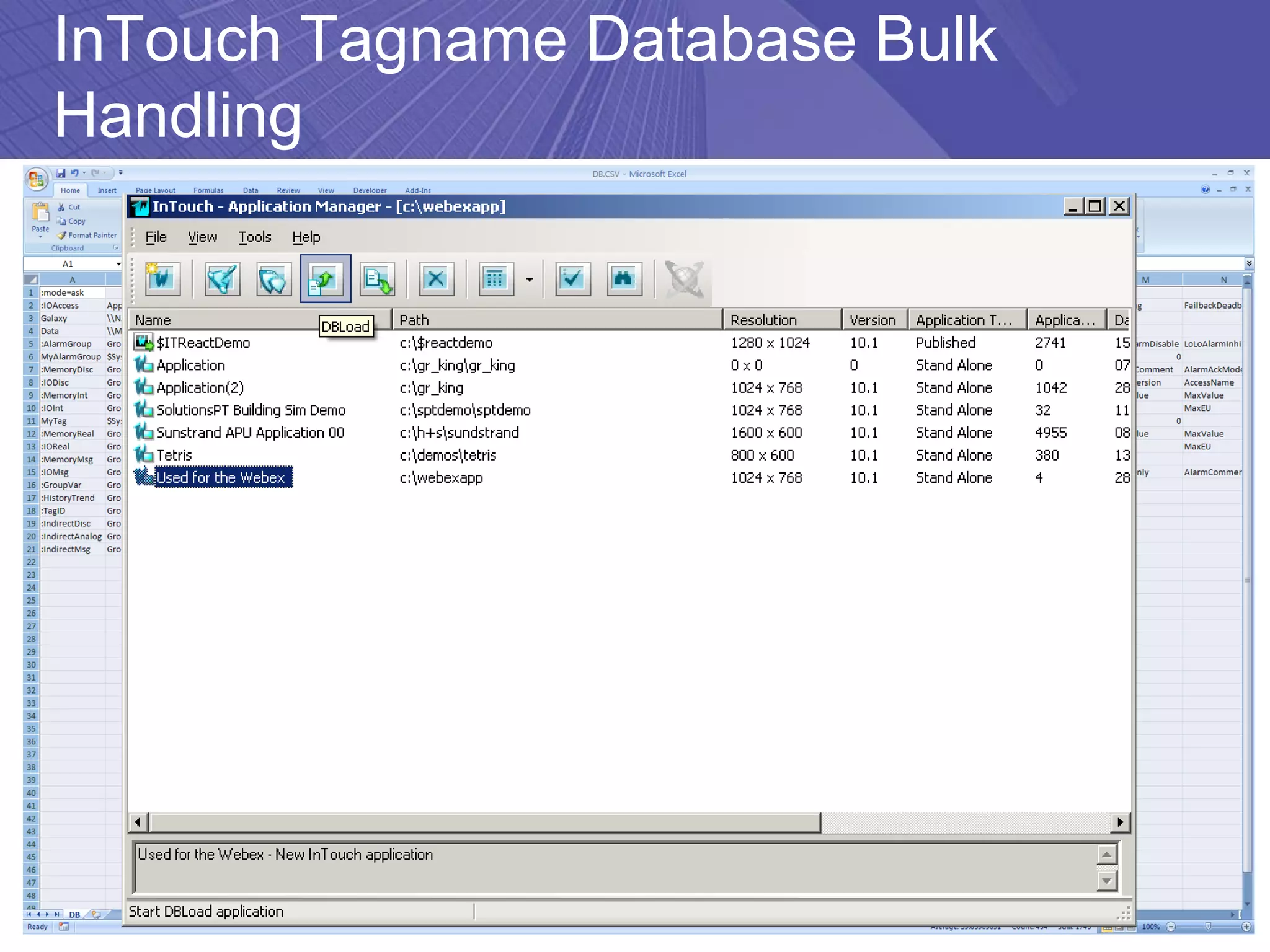
InTouch Tagname Database Bulk
Handling
InTouch Project Workflow
                 Decide on
                Architecture

                Create Blank
                 Application

               Define Access
              Names, Security,
              History and Alarm
                   Groups

                 Create Tag
                 Database

               Create Mimics

               Create Scripts

              Configure Alarm
              Logging/Printing

              Run Application
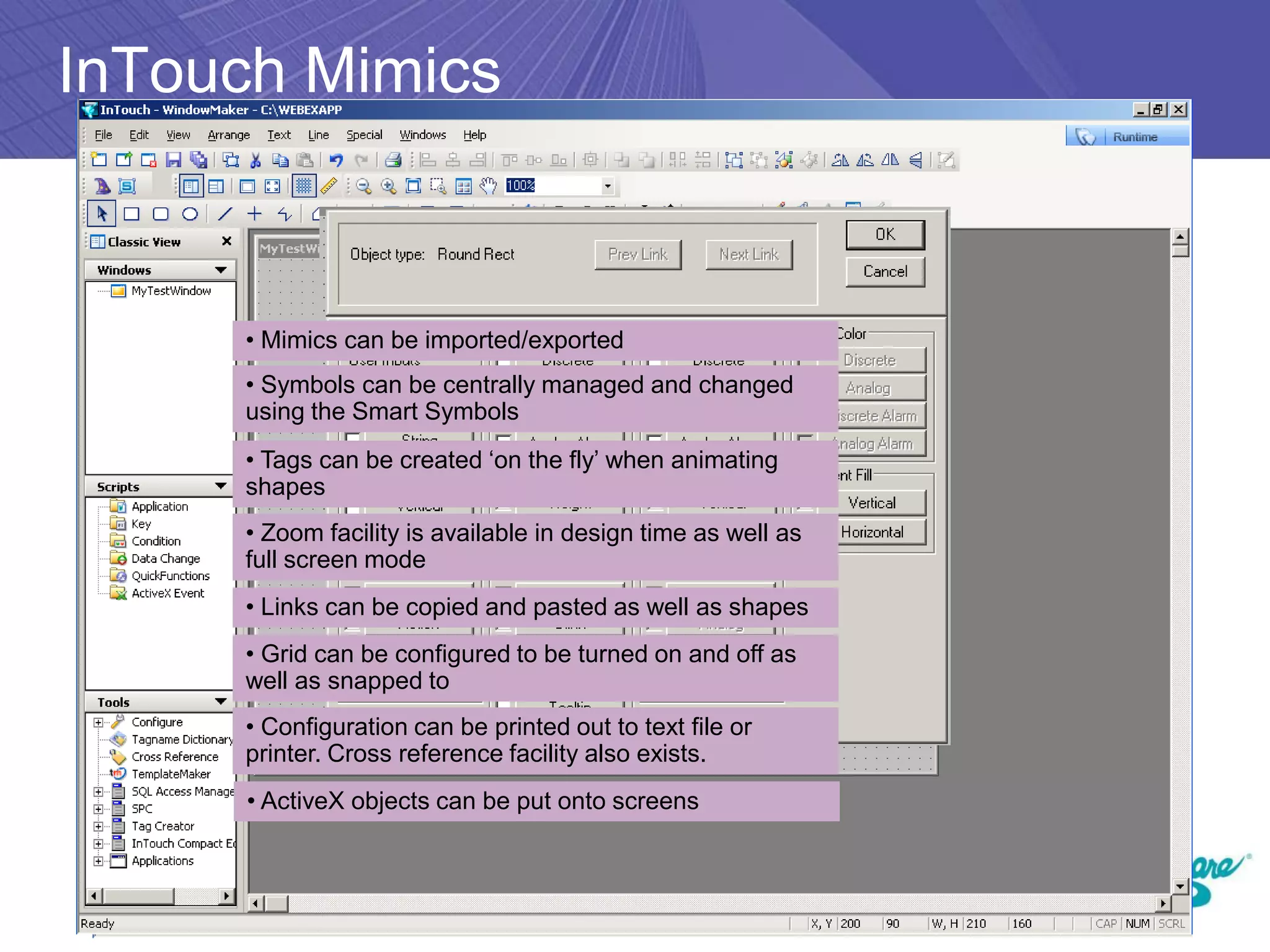
InTouch Mimics


     • Mimics can be imported/exported
     • Symbols can be centrally managed and changed
     using the Smart Symbols
     • Tags can be created ‘on the fly’ when animating
     shapes
     • Zoom facility is available in design time as well as
     full screen mode
     • Links can be copied and pasted as well as shapes
     • Grid can be configured to be turned on and off as
     well as snapped to
     • Configuration can be printed out to text file or
     printer. Cross reference facility also exists.
     • ActiveX objects can be put onto screens
InTouch Project Workflow
                 Decide on
                Architecture

                Create Blank
                 Application

               Define Access
              Names, Security,
              History and Alarm
                   Groups

                 Create Tag
                 Database

               Create Mimics

               Create Scripts

              Configure Alarm
              Logging/Printing

              Run Application
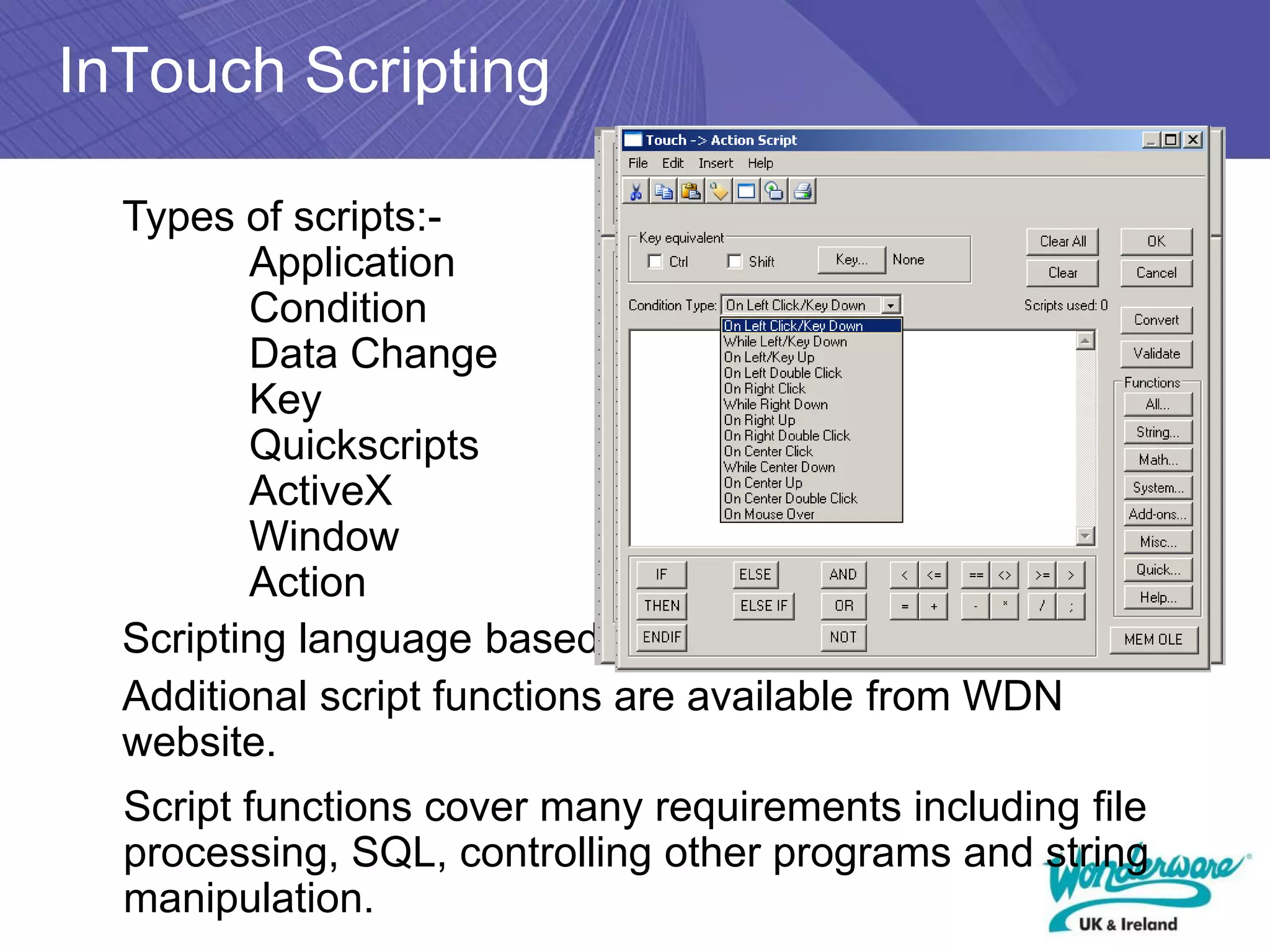
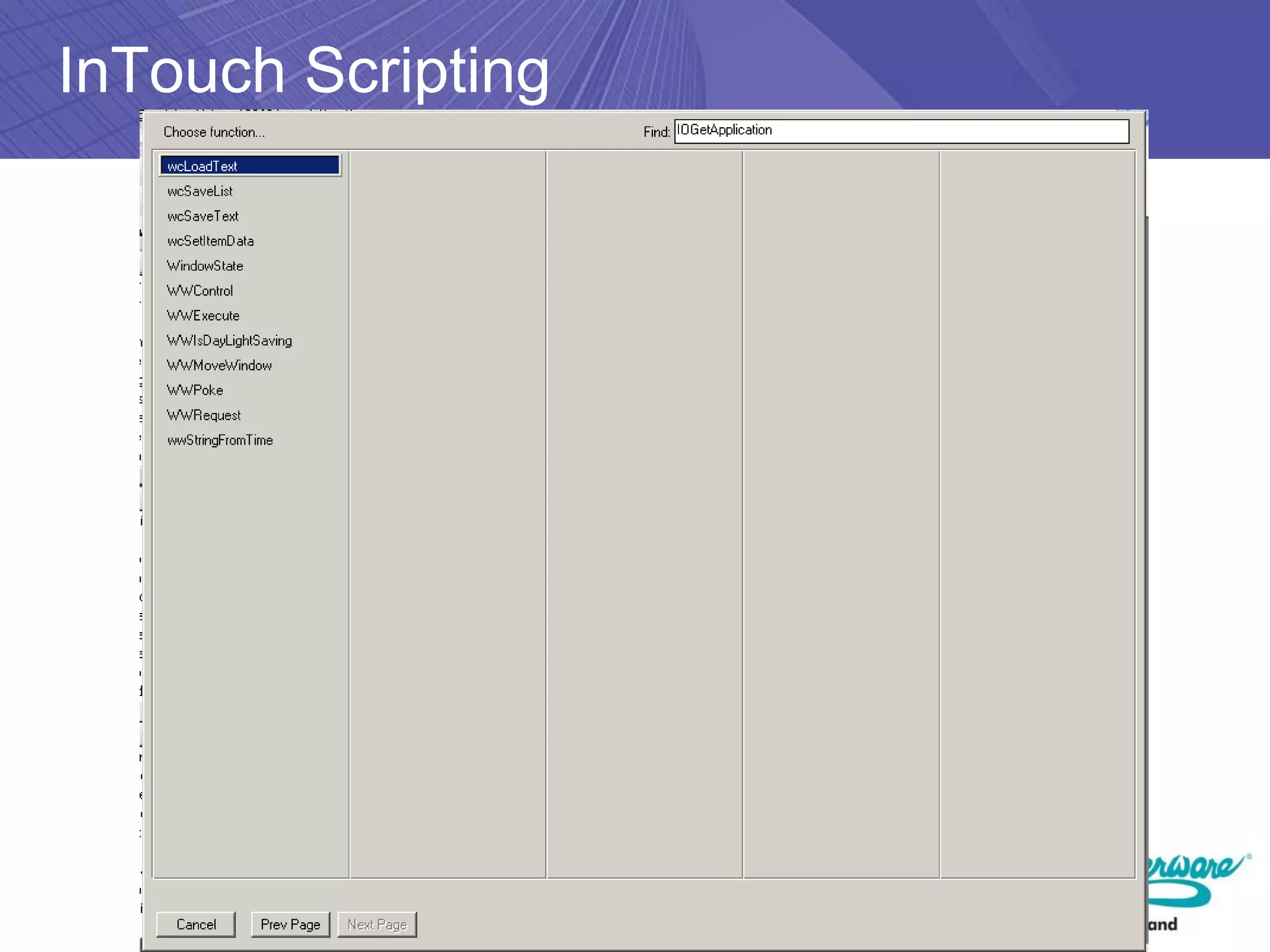
InTouch Scripting

  Types of scripts:-
         Application
         Condition
         Data Change
         Key
         Quickscripts
         ActiveX
         Window
         Action
  Scripting language based on Basic
  Additional script functions are available from WDN
  website.
  Script functions cover many requirements including file
  processing, SQL, controlling other programs and string
  manipulation.
InTouch Scripting
InTouch Project Workflow
                 Decide on
                Architecture

                Create Blank
                 Application

               Define Access
              Names, Security,
              History and Alarm
                   Groups

                 Create Tag
                 Database

               Create Mimics

               Create Scripts

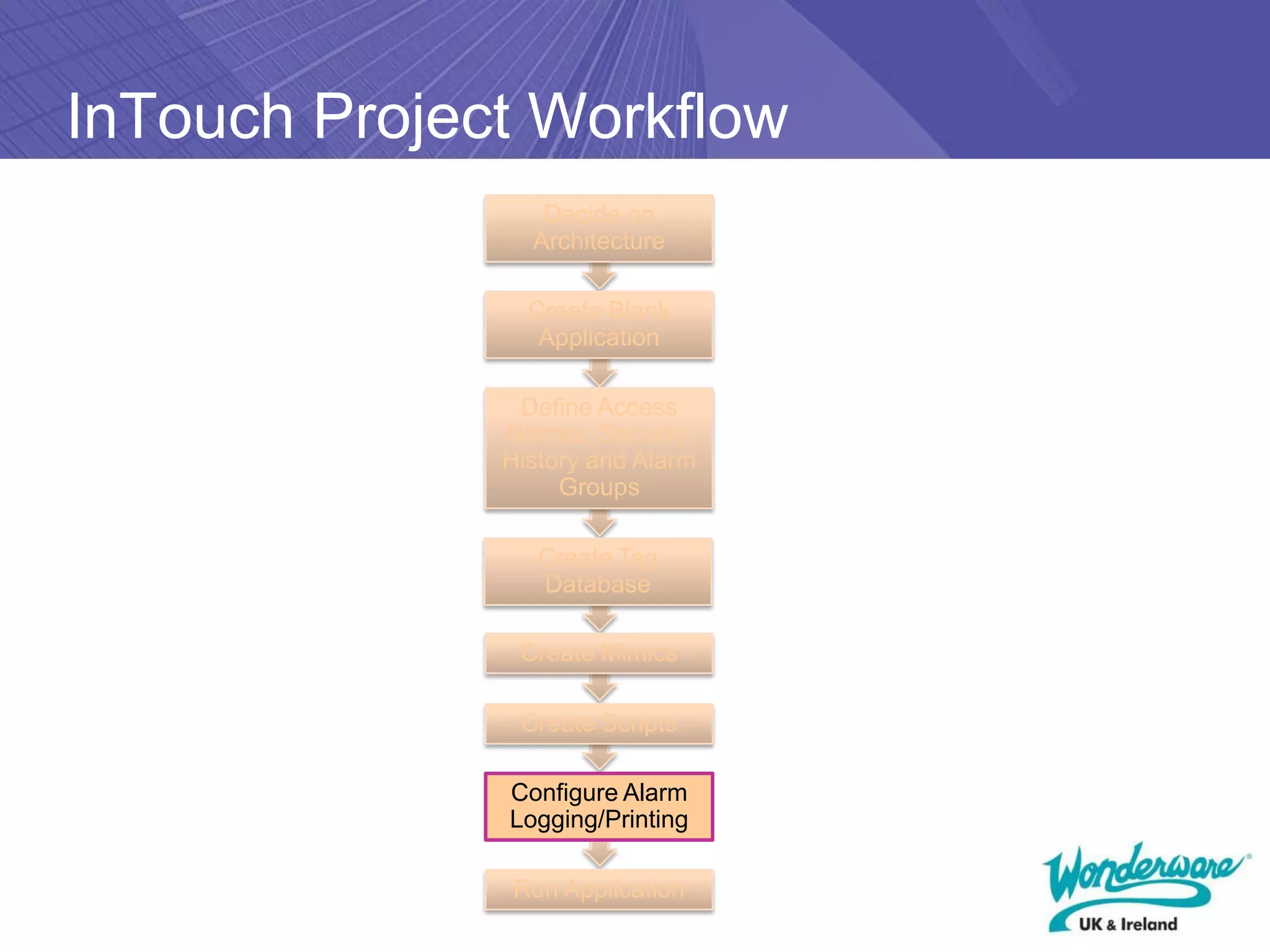
              Configure Alarm
              Logging/Printing

              Run Application
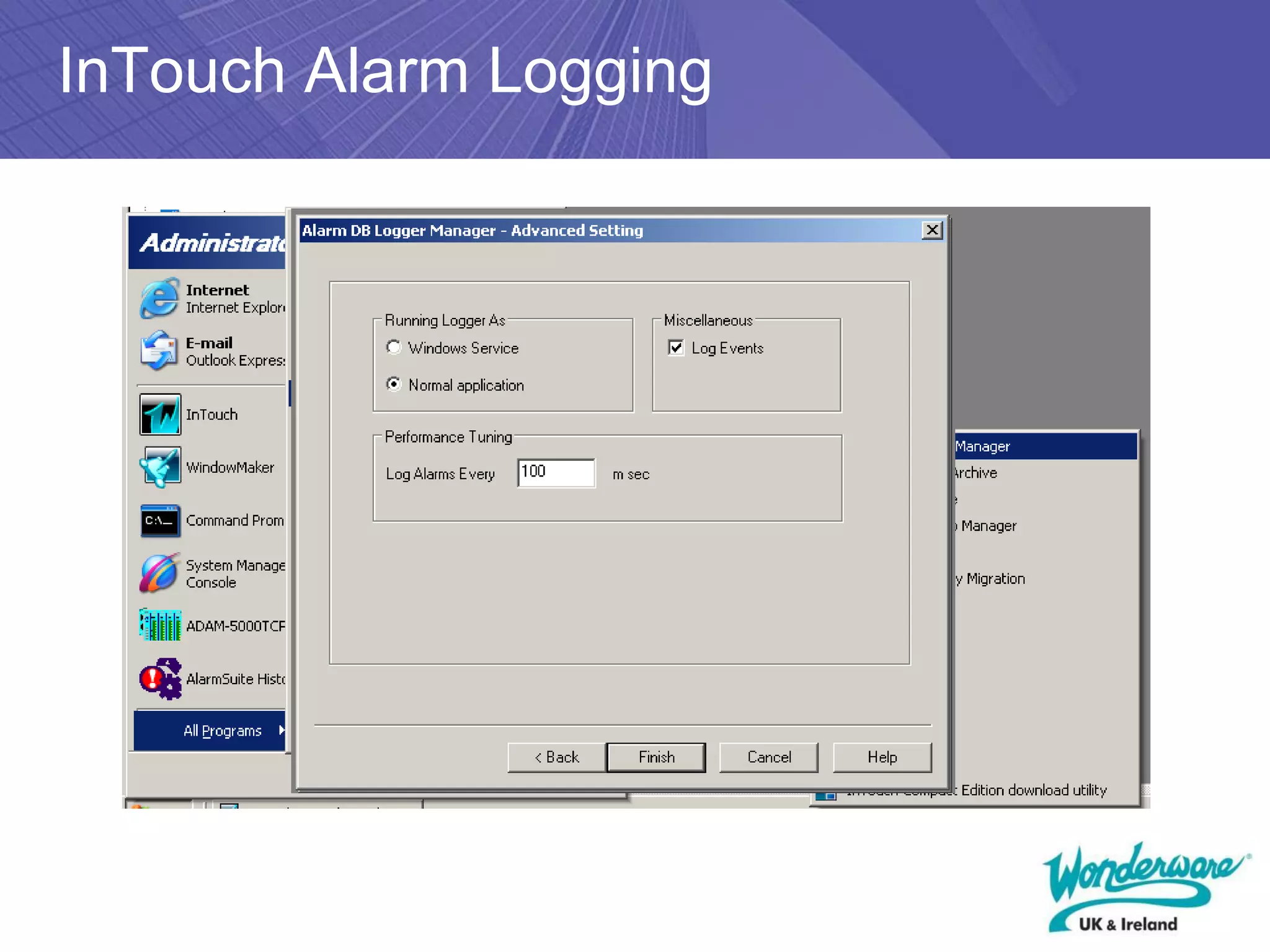
InTouch Alarm Logging
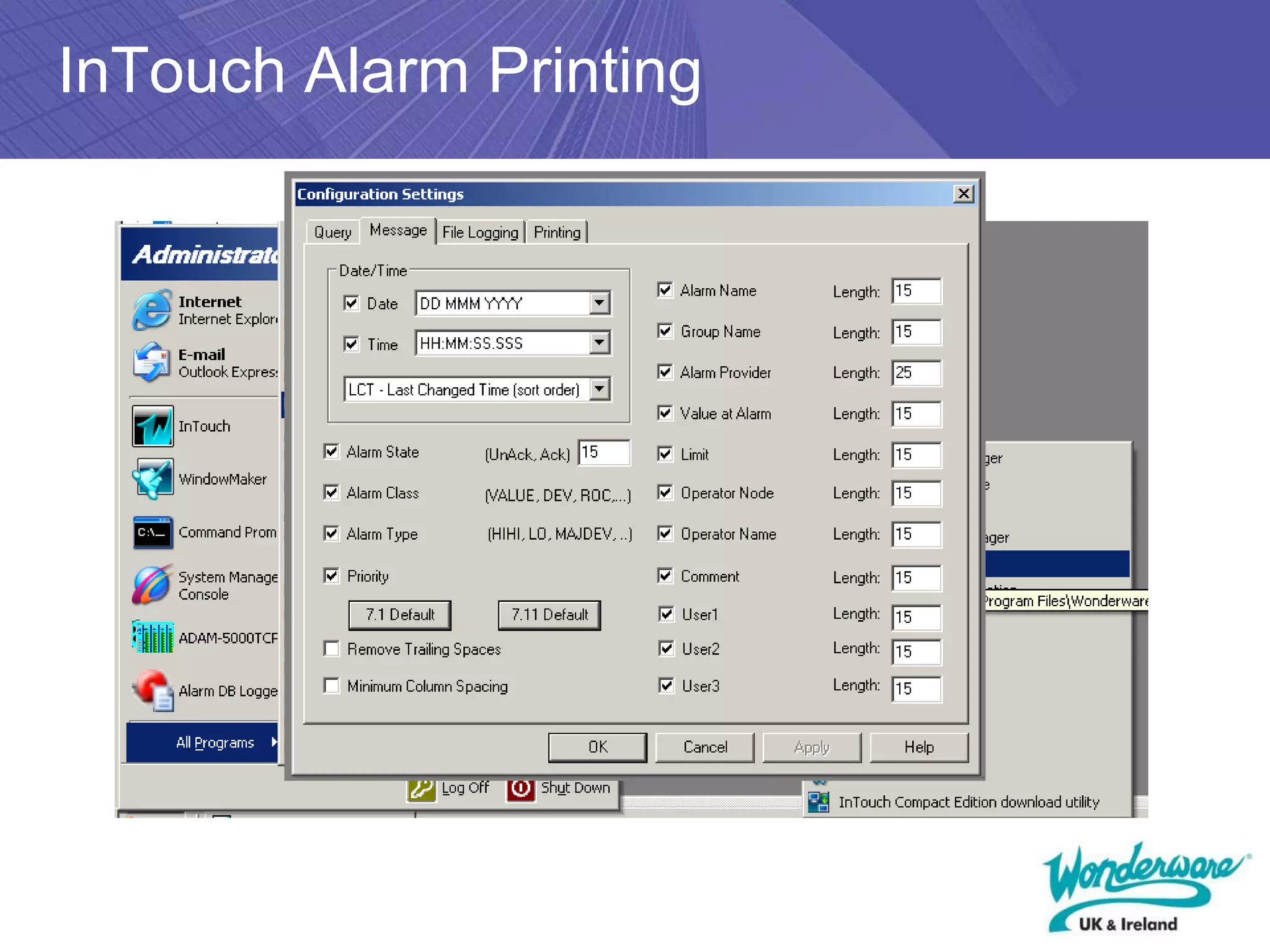
InTouch Alarm Printing
InTouch Project Workflow
                 Decide on
                Architecture

                Create Blank
                 Application

               Define Access
              Names, Security,
              History and Alarm
                   Groups

                 Create Tag
                 Database

               Create Mimics

               Create Scripts

              Configure Alarm
              Logging/Printing

              Run Application
InTouch Licensing

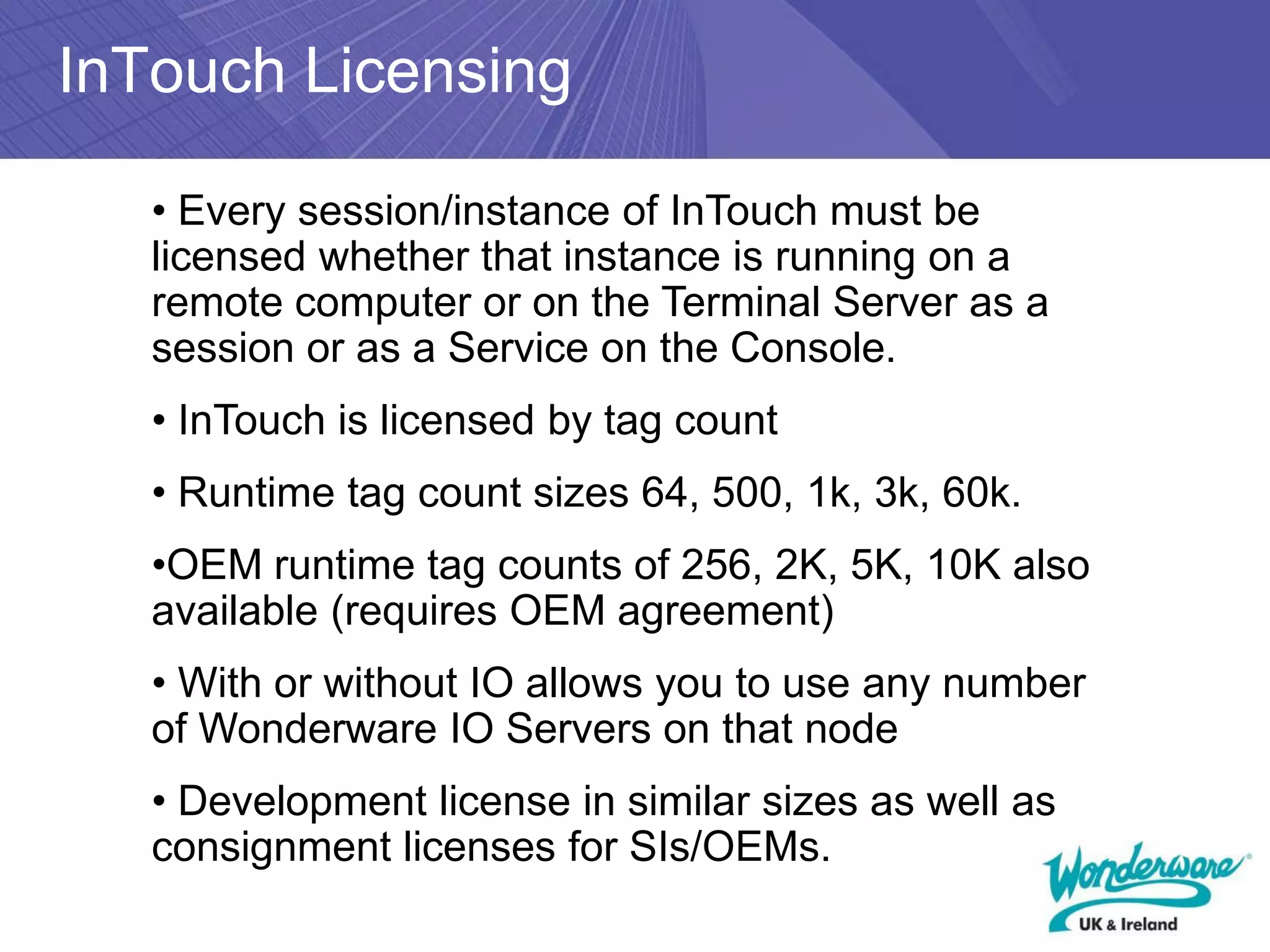
   • Every session/instance of InTouch must be
   licensed whether that instance is running on a
   remote computer or on the Terminal Server as a
   session or as a Service on the Console.
   • InTouch is licensed by tag count
   • Runtime tag count sizes 64, 500, 1k, 3k, 60k.
   •OEM runtime tag counts of 256, 2K, 5K, 10K also
   available (requires OEM agreement)
   • With or without IO allows you to use any number
   of Wonderware IO Servers on that node
   • Development license in similar sizes as well as
   consignment licenses for SIs/OEMs.
Architectures – Peer to Peer

     5 off 60K Tag with I/O
Architectures – Shared IO
Server(s)

     5 off 60K Tag without I/O


                                 1 off I/O Server
                                 Wonderware
                                 Kepware
                                 Kepware for Wonderware
                                 Matrikon
                                 RSLinx etc
Architectures – Tagserver/Client

     5 off 60K Tag without I/O


                                 1 off 60K tag with I/O
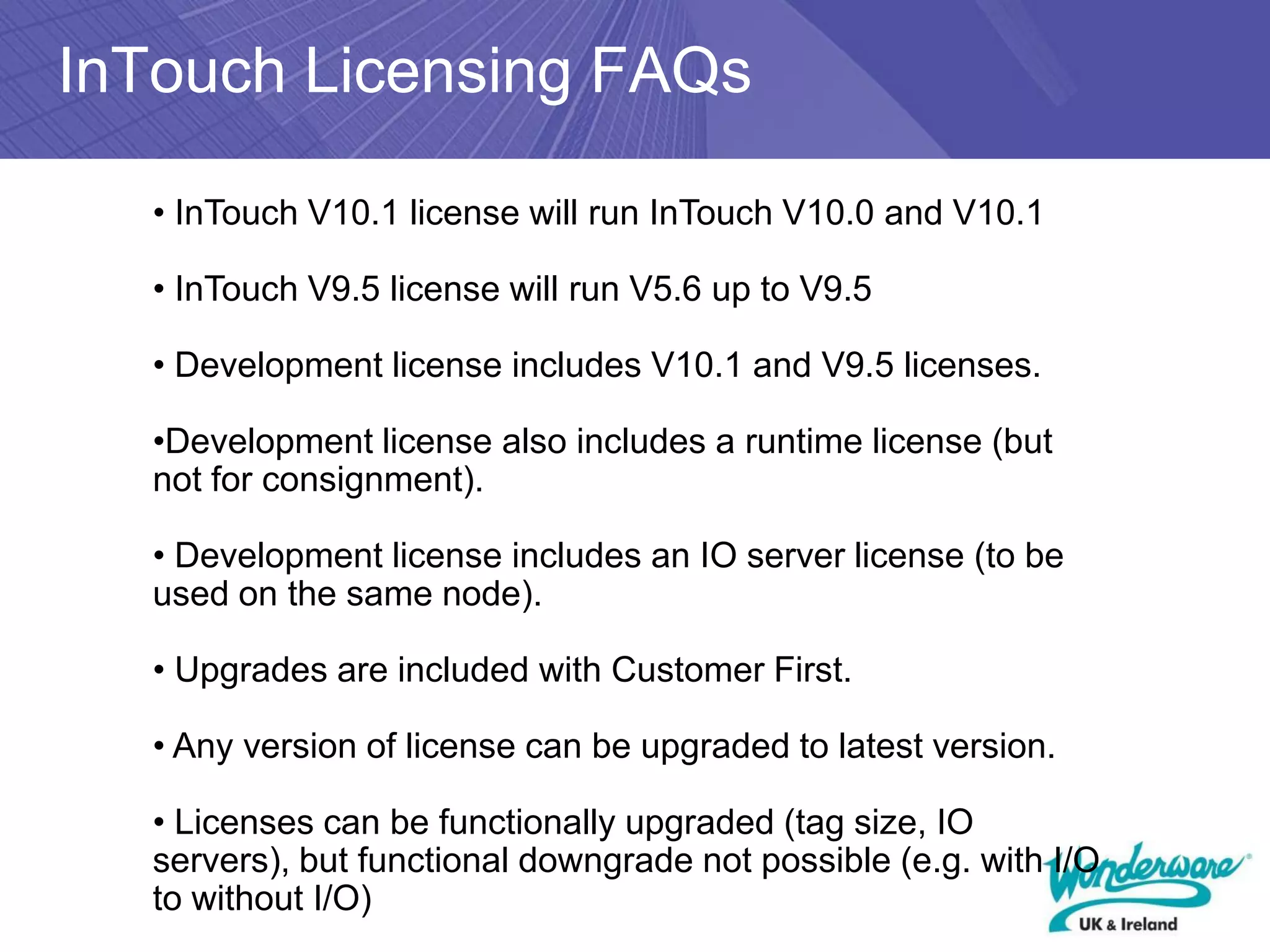
InTouch Licensing FAQs

   • InTouch V10.1 license will run InTouch V10.0 and V10.1

   • InTouch V9.5 license will run V5.6 up to V9.5

   • Development license includes V10.1 and V9.5 licenses.

   •Development license also includes a runtime license (but
   not for consignment).

   • Development license includes an IO server license (to be
   used on the same node).

   • Upgrades are included with Customer First.

   • Any version of license can be upgraded to latest version.

   • Licenses can be functionally upgraded (tag size, IO
   servers), but functional downgrade not possible (e.g. with I/O
   to without I/O)
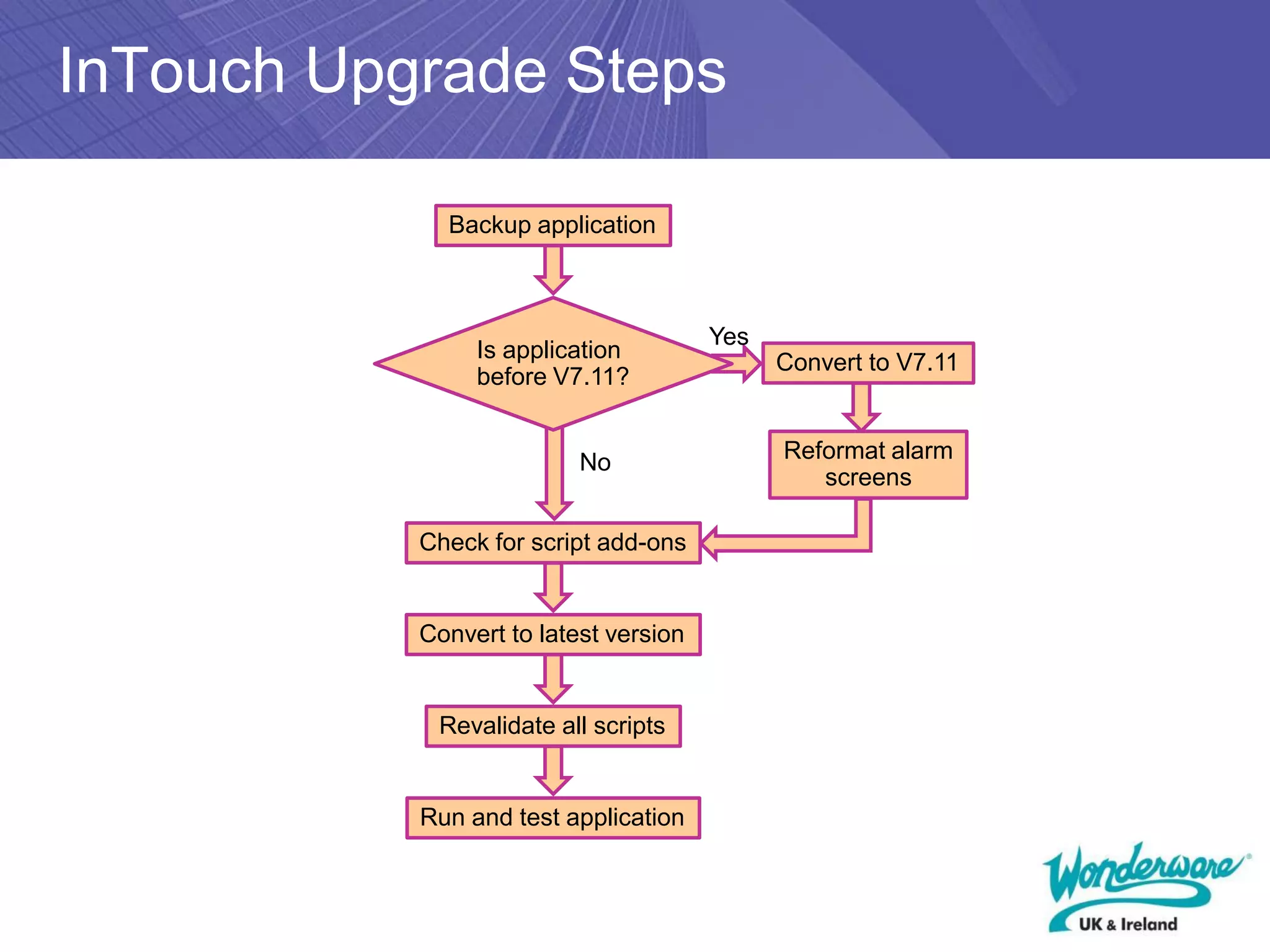
InTouch Upgrade Steps

             Backup application


                                       Yes
                Is application
                                             Convert to V7.11
                before V7.11?


                          No                 Reformat alarm
                                                screens

           Check for script add-ons


           Convert to latest version


            Revalidate all scripts


           Run and test application
What Is New in InTouch 10
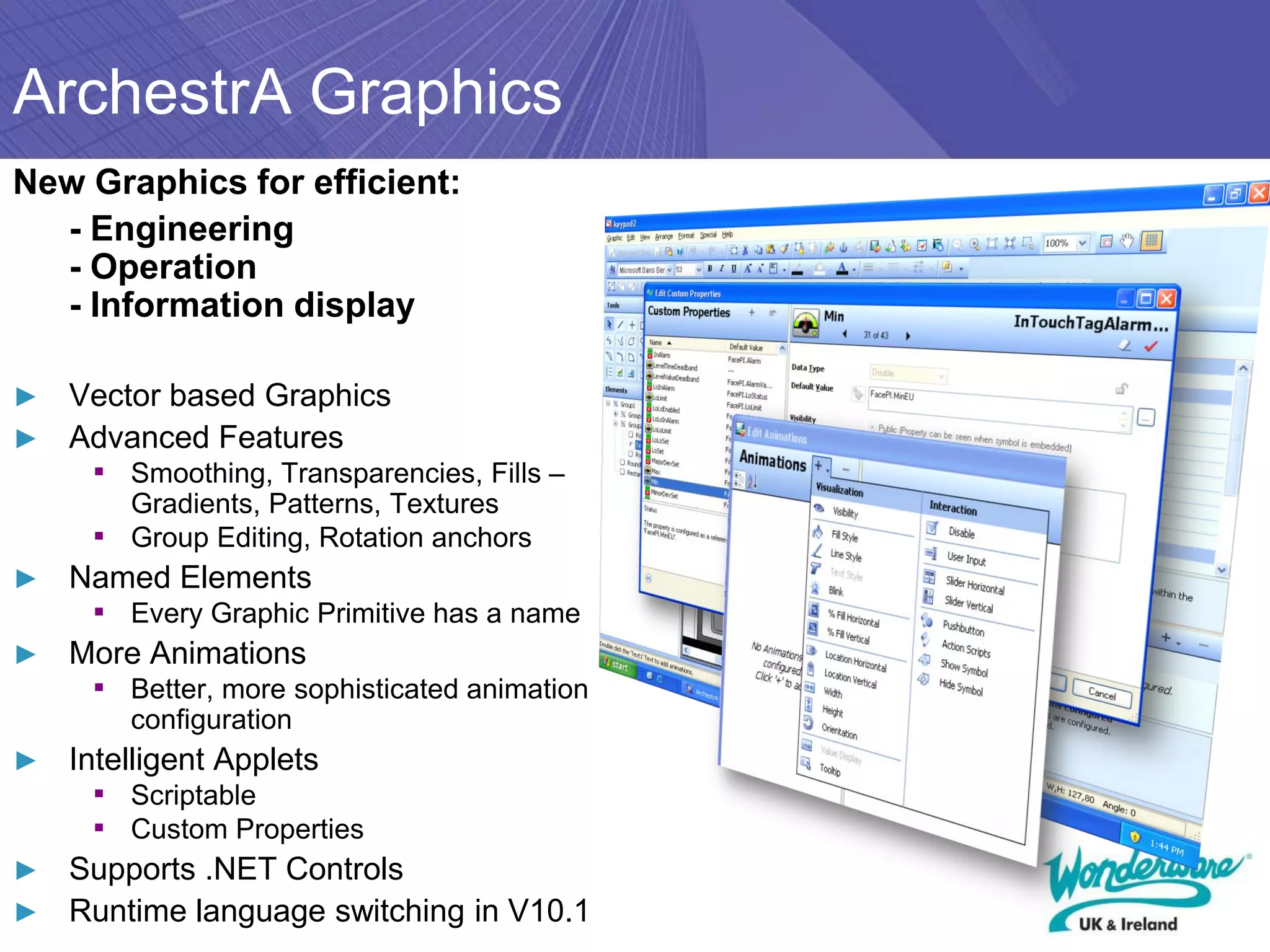
ArchestrA Graphics
New Graphics for efficient:
  - Engineering
  - Operation
  - Information display

► Vector based Graphics
► Advanced Features
     ▪ Smoothing, Transparencies, Fills –
         Gradients, Patterns, Textures
     ▪   Group Editing, Rotation anchors
►   Named Elements
     ▪ Every Graphic Primitive has a name
►   More Animations
     ▪ Better, more sophisticated animation
         configuration
►   Intelligent Applets
     ▪ Scriptable
     ▪ Custom Properties
► Supports .NET Controls
► Runtime language switching in V10.1
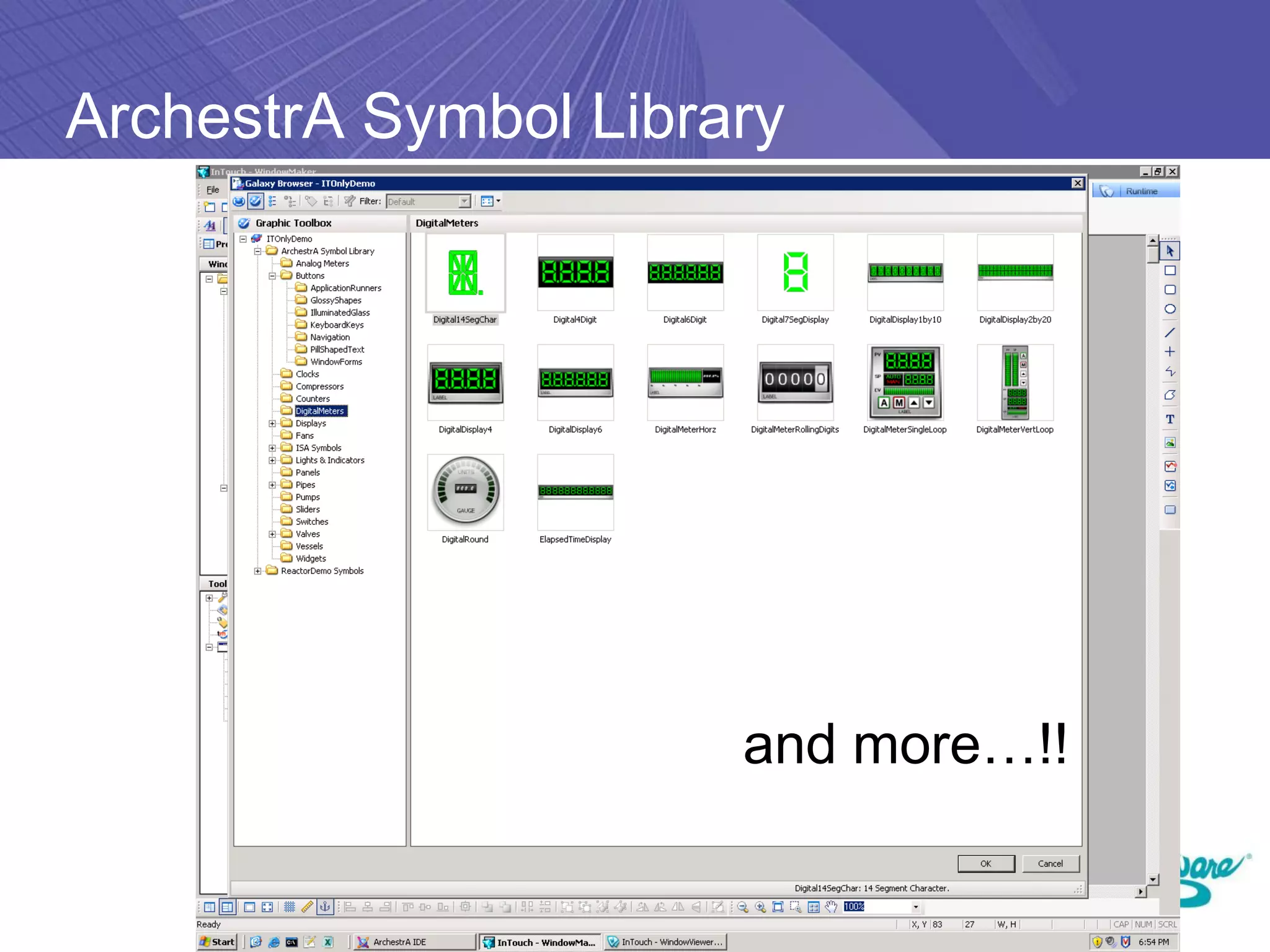
ArchestrA Symbol Library


                      and more…!!
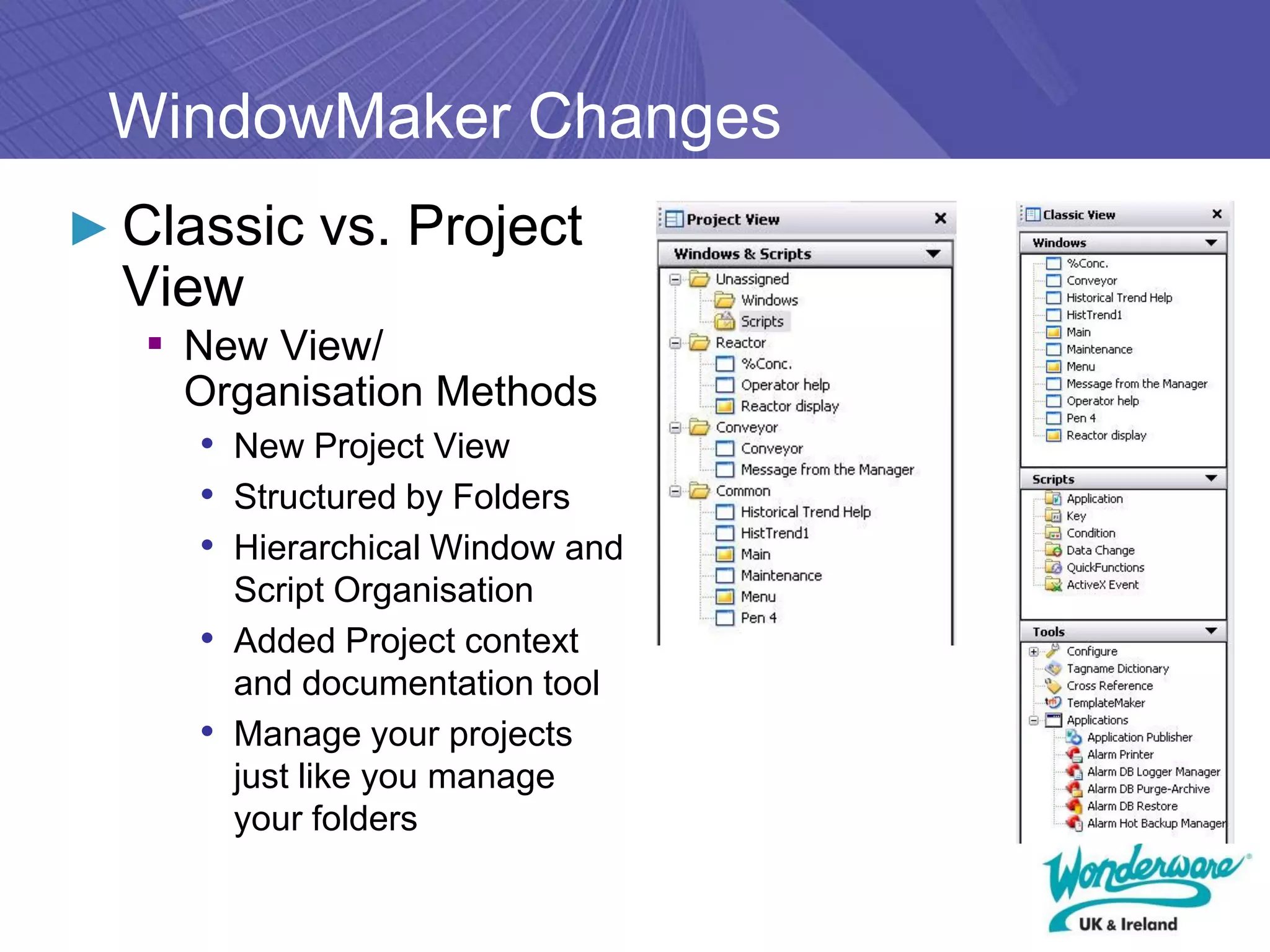
WindowMaker Changes
► Classic vs. Project
  View
   ▪ New View/
    Organisation Methods
    • New Project View
    • Structured by Folders
    • Hierarchical Window and
       Script Organisation
     • Added Project context
       and documentation tool
     • Manage your projects
       just like you manage
       your folders
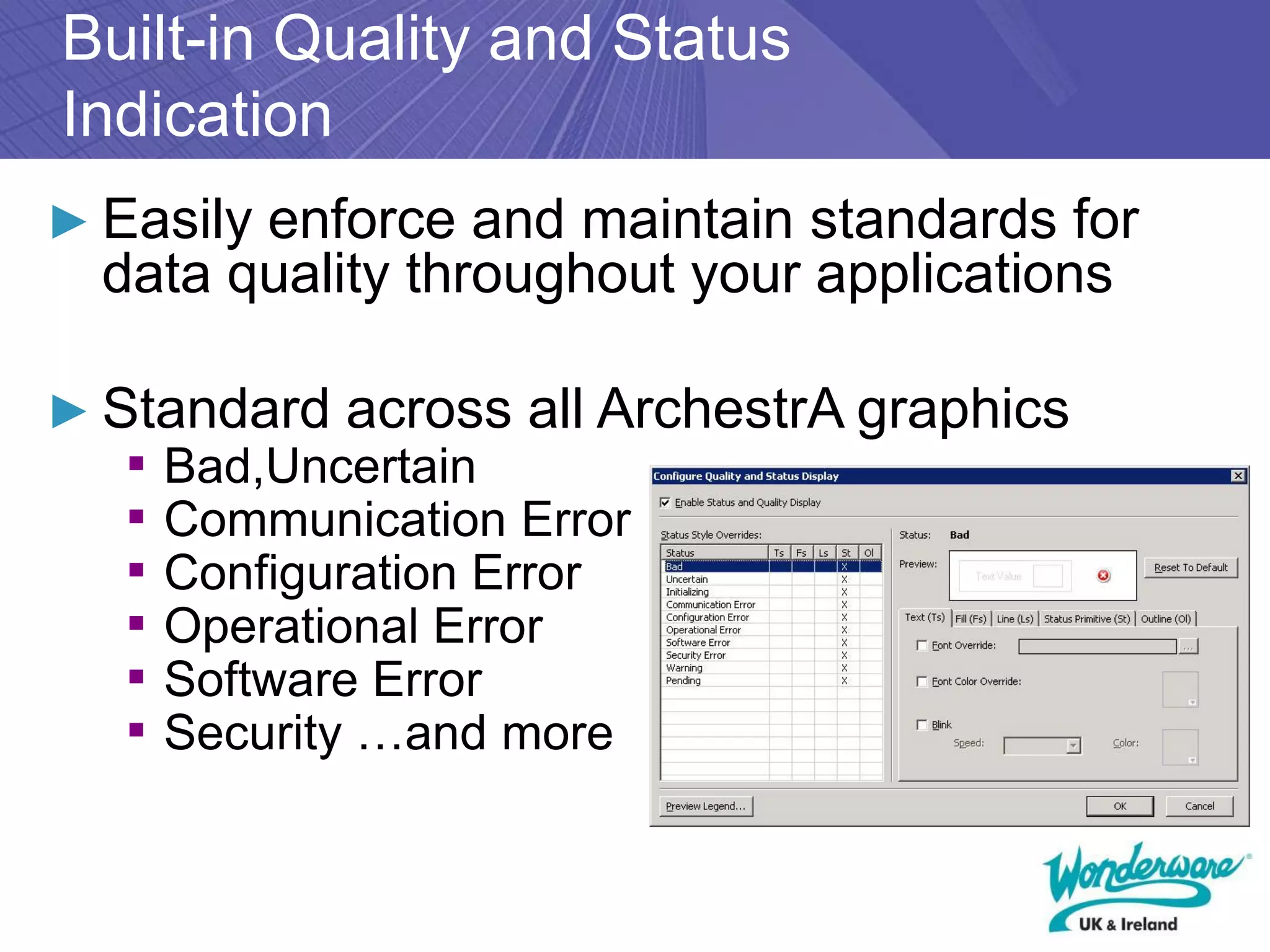
Built-in Quality and Status
Indication
► Easily enforce and maintain standards for
  data quality throughout your applications

► Standard across all ArchestrA graphics
   ▪ Bad,Uncertain
   ▪ Communication Error
   ▪ Configuration Error
   ▪ Operational Error
   ▪ Software Error
   ▪ Security …and more
InTouch 10 Enhancements
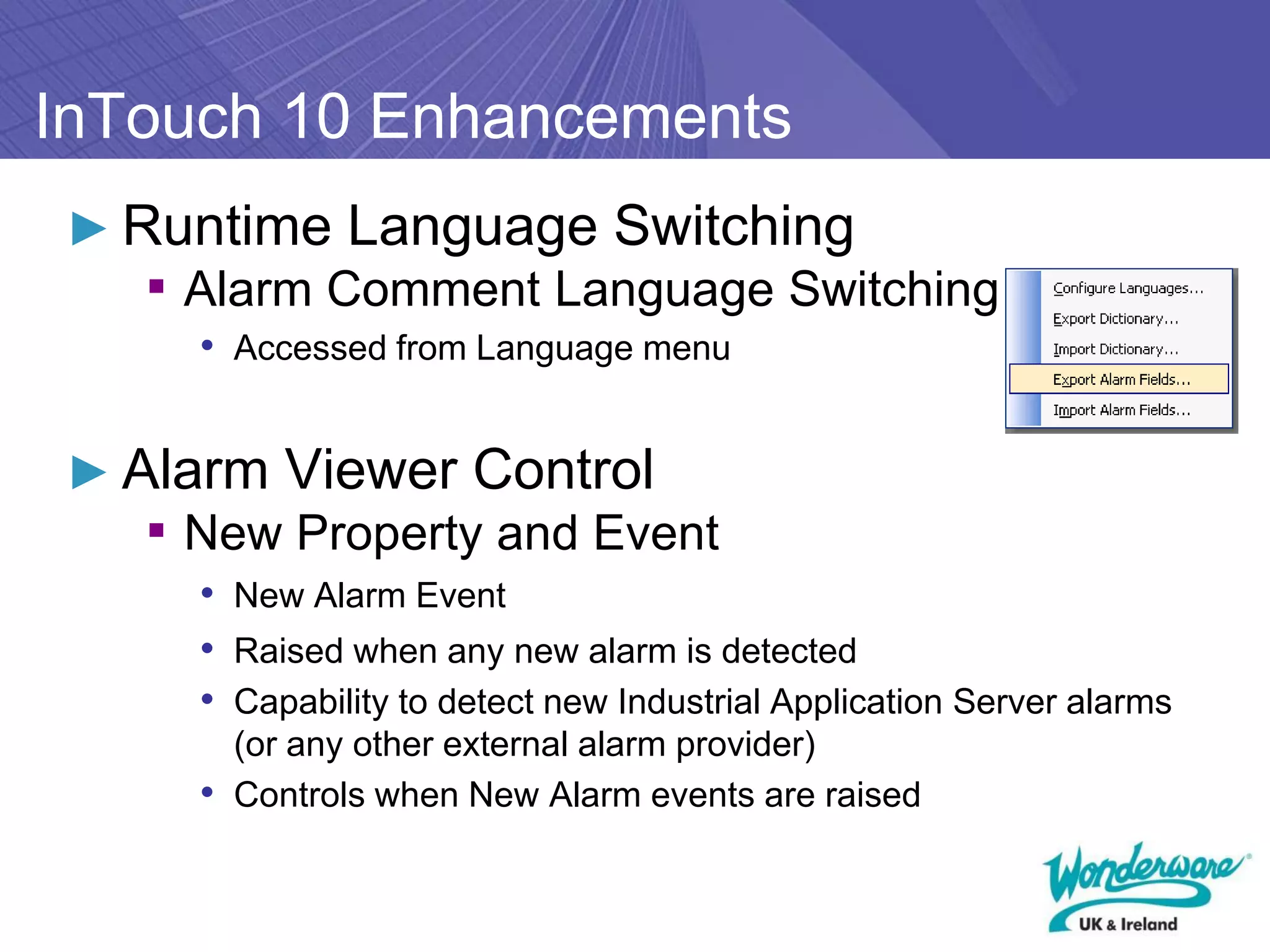
► Runtime Language Switching
   ▪ Alarm Comment Language Switching
     • Accessed from Language menu


► Alarm Viewer Control
   ▪ New Property and Event
     • New Alarm Event
     • Raised when any new alarm is detected
     • Capability to detect new Industrial Application Server alarms
       (or any other external alarm provider)
     • Controls when New Alarm events are raised
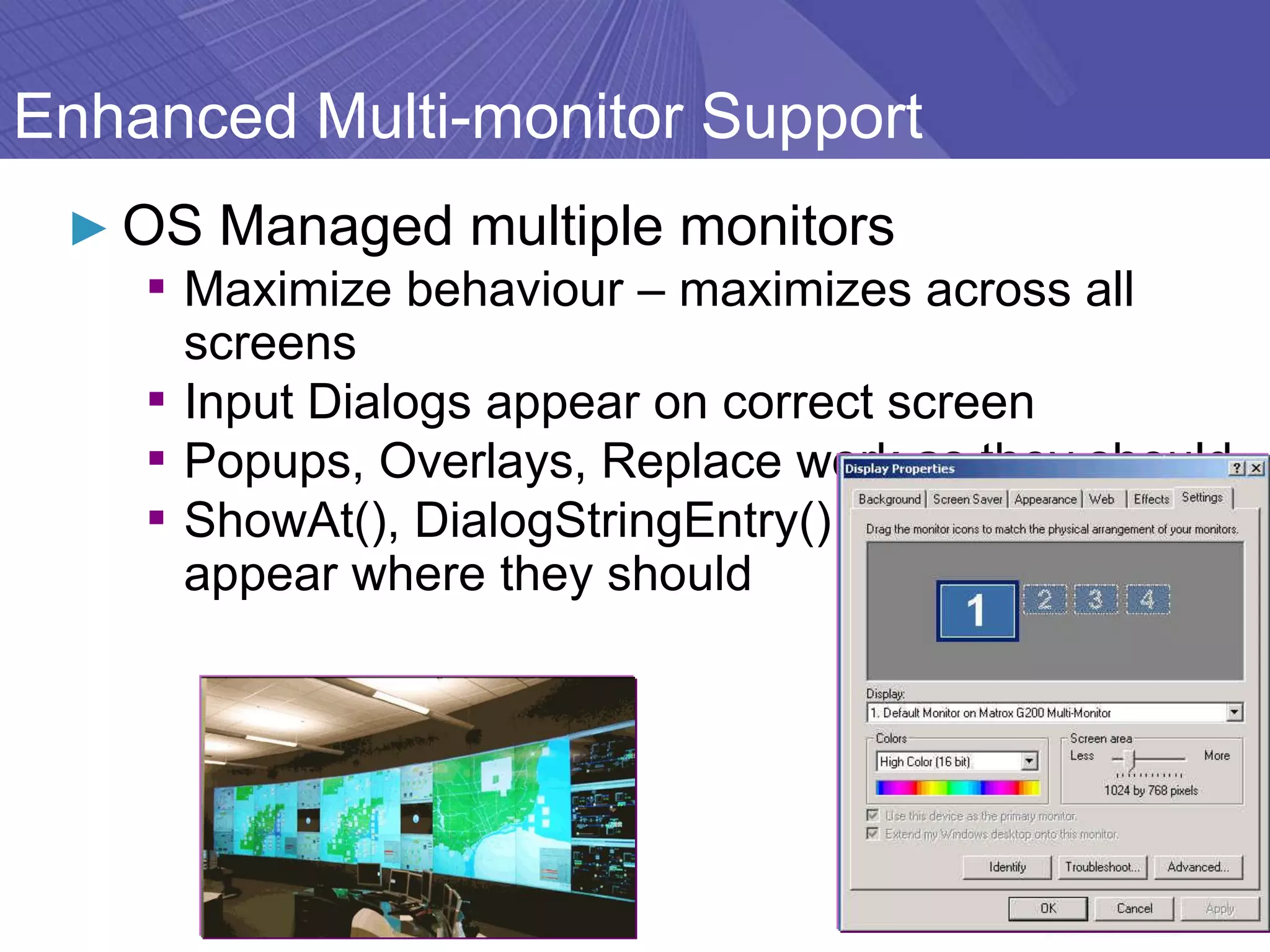
Enhanced Multi-monitor Support
 ► OS Managed multiple monitors
    ▪ Maximize behaviour – maximizes across all
      screens
    ▪ Input Dialogs appear on correct screen
    ▪ Popups, Overlays, Replace work as they should
    ▪ ShowAt(), DialogStringEntry() etc. -Keyboards
      appear where they should
System Requirements/Improved
Compatibility
 ► Operating Systems supported (minimum SPs)
    ▪ Windows XP SP3
    ▪ Windows 2003 Server SP2
    ▪ Windows Vista
      • Business, Enterprise, Ultimate


 ► Improved Terminal Server Edition Capability
    ▪ Up to 75 clients supported
    ▪ (before 25)
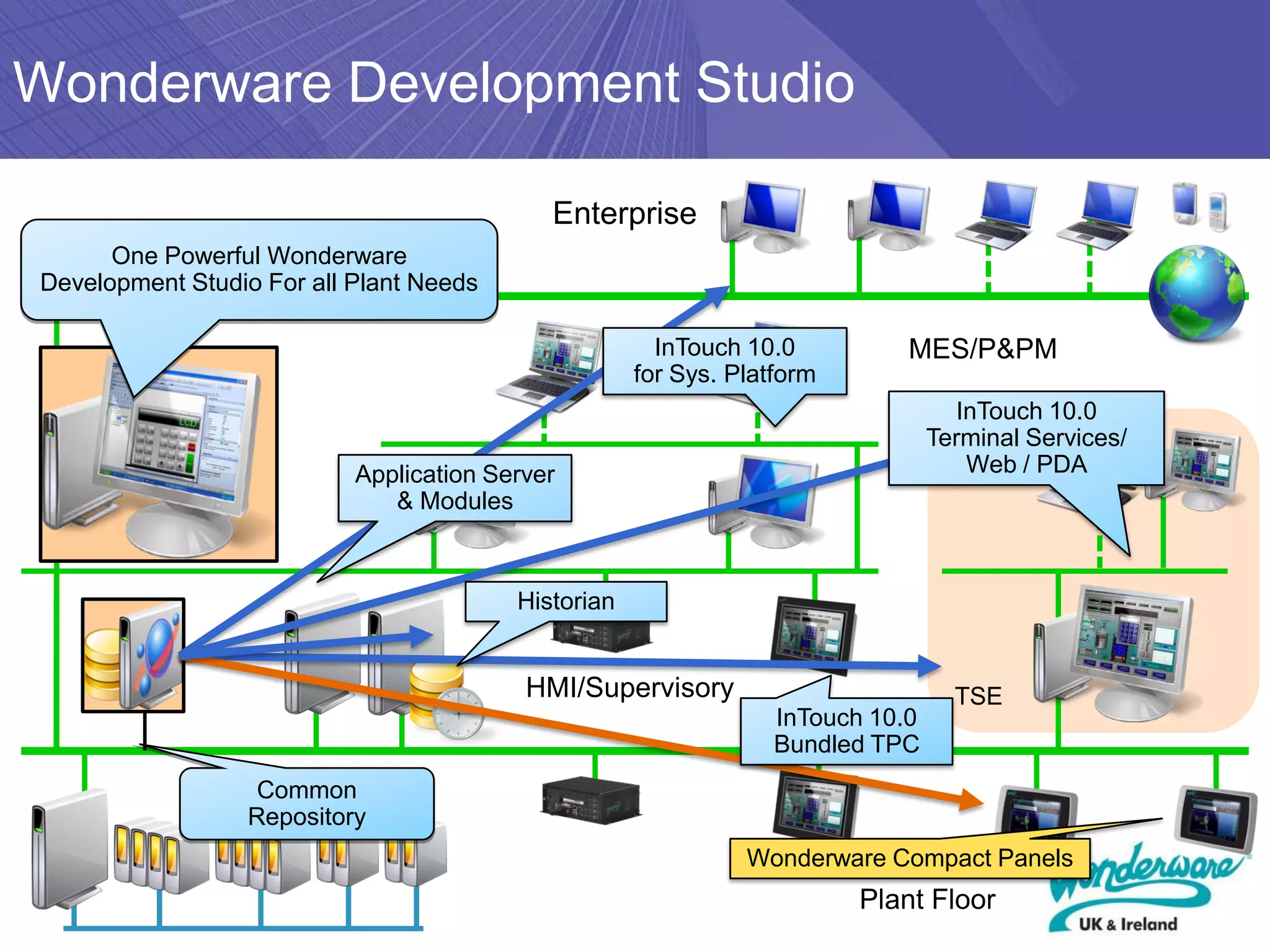
Wonderware Development Studio

                                            Enterprise
      One Powerful Wonderware
Development Studio For all Plant Needs

                                                       InTouch 10.0          MES/P&PM
                                                     for Sys. Platform
                                                                                   InTouch 10.0
                                                                                 Terminal Services/
                           Application Server                                       Web / PDA
                              & Modules


                                         Historian


                                          HMI/Supervisory                          TSE
                                                                  InTouch 10.0
                                                                  Bundled TPC
                   Common
                  Repository
                                                               Wonderware Compact Panels
                                                                         Plant Floor
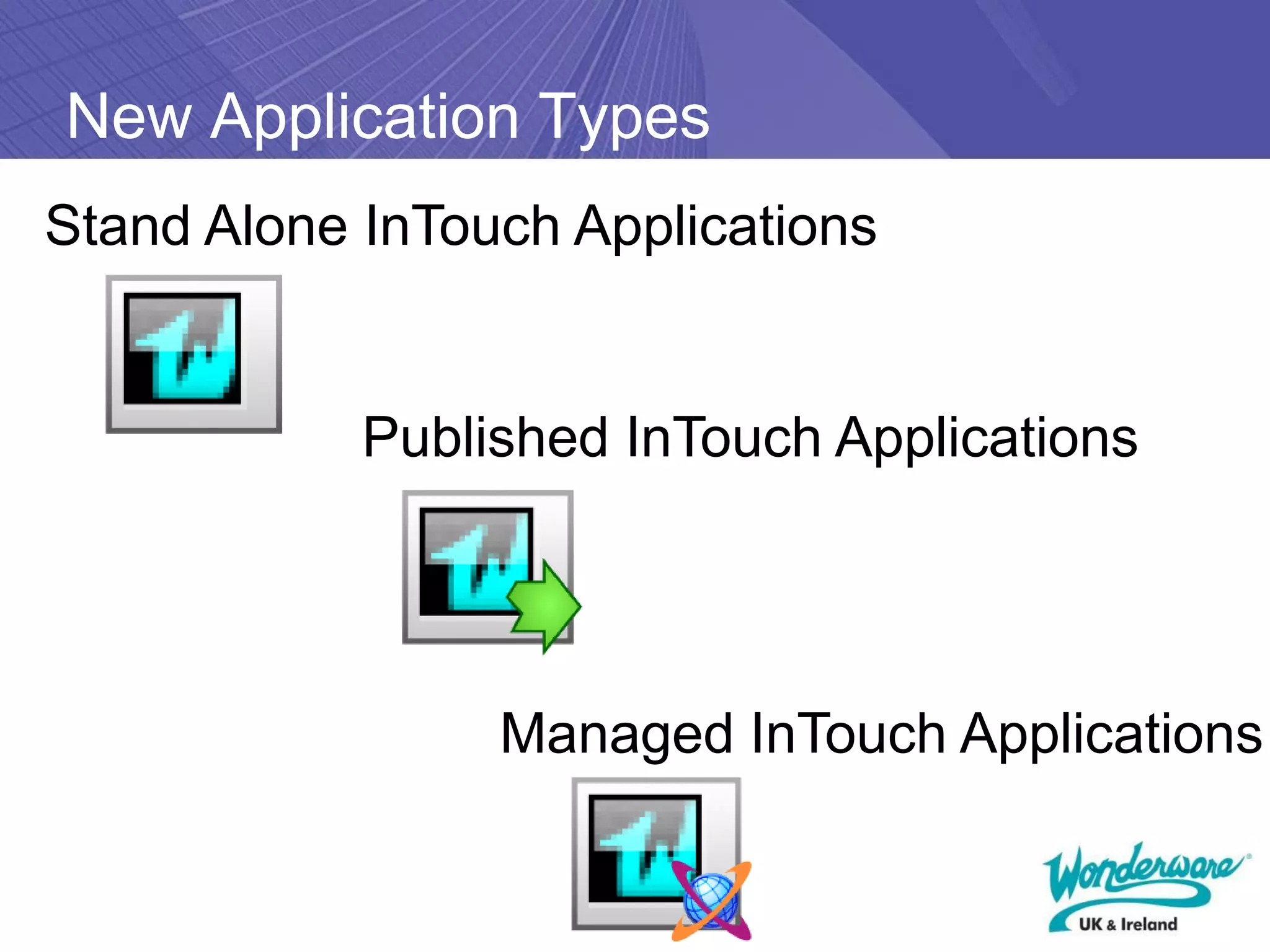
New Application Types
Stand Alone InTouch Applications


            Published InTouch Applications


                 Managed InTouch Applications
Just Released!

  Service Pack 2 for InTouch 10.1
    • Support for Windows 2008 Server
    SP2 (not R2) 32 & 64 bit
    • Support for Windows Vista SP2
    Business, Enterprise, or Ultimate 32 &
    64 bit
    • Existing O/S still supported (see
    compatability list in WDN)
    • SQL Server 2008 SP1 32 bit only
    • Windows 7 supported at a later date.
Case Studies
Many...
► Almost every Wonderware sale
  includes InTouch
► It is the universal visualisation that is
  the hallmark of the portfolio
► Picking one would be to dismiss the
  characteristics and benefit of the
  others...
The experience of case studies

   ▪ The higher the graphical quality, the more
       intuitive a process is to operate
   ▪   Involve process operators in the design of the
       interface
   ▪   Consider aspects of colour-blindness
   ▪   Bring disparate parts of the process together
       on one screen – avoiding wasteful walking
       from one part of the plant to another
   ▪   Structure standard ‘objects’ so that they
       become a company library
The experience of case studies (2)

   ▪ Remember to visualise non-operation aspects,
       such as maintenance status
   ▪   Add an energy consumption data area on each
       screen
   ▪   Consider the integration of CCTV video
   ▪   Consider Terminal Services architecture
   ▪   Consider the true SCADA supervisory level to
       fully integrate standalone automated machines
   ▪   Make full use of the data within a SCADA
       system for business information
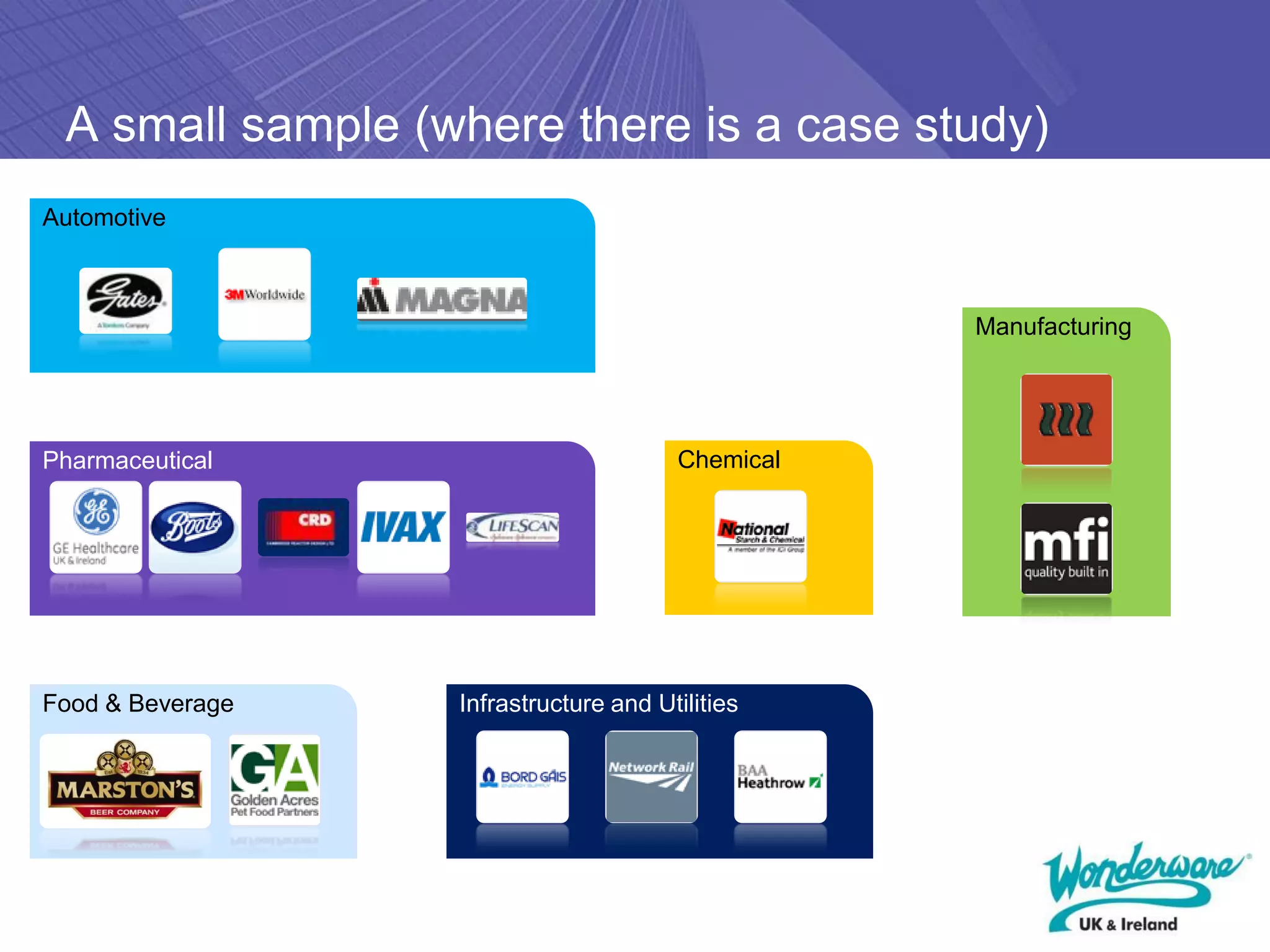
A small sample (where there is a case study)
Automotive


                                                  Manufacturing


Pharmaceutical                         Chemical


Food & Beverage   Infrastructure and Utilities
Success Stories


        many case studies
        can be found at...
        http://www.wonderware.co.uk/success-stories
InTouch Training Available
► To gain more insight into InTouch:

► InTouch Starter Course
► InTouch Intermediate Course
► InTouch Fast Track
► InTouch Networking
► InTouch Alarming
► InTouch ArchestrA
► InTouch Scripting
► InTouch for System Platform

► www.wonderware.co.uk/training
   www.wonderware.ie/training
Our WebEx series...

► InTouch Compact     ► Wednesday 10th
  Edition               February


► System Platform 4   ► Tuesday 16th
  – Whats New           March
??Questions??
Powering intelligent plant
 decisions in real time.

InTouch HMI SCADA

  • 1.
    Wonderware Interactive WebinarSeries Helping you see more clearly Wonderware InTouch® Paul Edwards
  • 2.
    Agenda ► InTouch History ►Workflow ► Licensing ► Upgrading ► Case Studies
  • 3.
    What is itand What does it do? ► Wonderware InTouch is a software package to allow you to interact with and visualize data from you instruments and plant devices. The data is presented in a format relevant to your specific site and requirements. ► Wonderware InTouch runs under Microsoft Operating Systems and acquires data through protocol converters know as DAServers (aka IO Servers). ► Wonderware software is used in over a third of the worlds manufacturing facilities – that’s 100,000 plants and have sold over 0.5 million licenses.
  • 4.
    InTouch – aHistory ► A Brief History of Wonderware Visualization 1987 1995 1999 2000 2001 2003 2004 2005 2007 2009 2.0 5.6 6.0 7.0 7.11 8.0 9.0 9.5 10.0 10.1 Innovation Functionality Sophistication Compatibility
  • 5.
    Connectivity ► InTouchnative communications are Suitelink or DDE. ► OPC communications supported using FSGateway (free to use server). ► In order to communicate to PLCs then Wonderware produce IO Server programs. ► If PLC not supported then partner with Kepware for a special Kepware for Wonderware driver suite. ► If still not available write your own with DAServer Toolkit.
  • 6.
    InTouch Project Workflow Decide on Architecture Create Blank Application Define Access Names, Security, History and Alarm Groups Create Tag Database Create Mimics Create Scripts Configure Alarm Logging/Printing Run Application
  • 7.
    InTouch Project Workflow Decide on Architecture Create Blank Application Define Access Names, Security, History and Alarm Groups Create Tag Database Create Mimics Create Scripts Configure Alarm Logging/Printing Run Application
  • 8.
    Architectures – Peerto Peer Advantages Single Application across all machines (only 1 to manage) Disadvantages May be higher licensing costs Harder to keep alarms/setpoints synchronised.
  • 9.
    Architectures – SharedIO Server(s) Advantages Single application across all machines (only 1 to manage) Reduced licensing costs Can offload IO processing in large systems Disadvantages Harder to keep alarms/setpoints synchronised. Extra PCs to manage
  • 10.
    Architectures – Tagserver/Client Advantages May be reduced licensing costs in large systems Easy to synchronise alarms and setpoints Lower bandwidth usage by clients Disadvantages 2 applications to manage Extra PCs in system
  • 11.
    InTouch Project Workflow Decide on Architecture Create Blank Application Define Access Names, Security, History and Alarm Groups Create Tag Database Create Mimics Create Scripts Configure Alarm Logging/Printing Run Application
  • 12.
  • 13.
    InTouch Project Workflow Decide on Architecture Create Blank Application Define Access Names, Security, History and Alarm Groups Create Tag Database Create Mimics Create Scripts Configure Alarm Logging/Printing Run Application
  • 14.
  • 15.
  • 16.
  • 17.
  • 18.
    InTouch Alarm Groups 32 Levels of Alarms
  • 19.
    InTouch Project Workflow Decide on Architecture Create Blank Application Define Access Names, Security, History and Alarm Groups Create Tag Database Create Mimics Create Scripts Configure Alarm Logging/Printing Run Application
  • 20.
  • 21.
  • 22.
    InTouch Project Workflow Decide on Architecture Create Blank Application Define Access Names, Security, History and Alarm Groups Create Tag Database Create Mimics Create Scripts Configure Alarm Logging/Printing Run Application
  • 23.
    InTouch Mimics • Mimics can be imported/exported • Symbols can be centrally managed and changed using the Smart Symbols • Tags can be created ‘on the fly’ when animating shapes • Zoom facility is available in design time as well as full screen mode • Links can be copied and pasted as well as shapes • Grid can be configured to be turned on and off as well as snapped to • Configuration can be printed out to text file or printer. Cross reference facility also exists. • ActiveX objects can be put onto screens
  • 24.
    InTouch Project Workflow Decide on Architecture Create Blank Application Define Access Names, Security, History and Alarm Groups Create Tag Database Create Mimics Create Scripts Configure Alarm Logging/Printing Run Application
  • 25.
    InTouch Scripting Types of scripts:- Application Condition Data Change Key Quickscripts ActiveX Window Action Scripting language based on Basic Additional script functions are available from WDN website. Script functions cover many requirements including file processing, SQL, controlling other programs and string manipulation.
  • 26.
  • 27.
    InTouch Project Workflow Decide on Architecture Create Blank Application Define Access Names, Security, History and Alarm Groups Create Tag Database Create Mimics Create Scripts Configure Alarm Logging/Printing Run Application
  • 28.
  • 29.
  • 30.
    InTouch Project Workflow Decide on Architecture Create Blank Application Define Access Names, Security, History and Alarm Groups Create Tag Database Create Mimics Create Scripts Configure Alarm Logging/Printing Run Application
  • 31.
    InTouch Licensing • Every session/instance of InTouch must be licensed whether that instance is running on a remote computer or on the Terminal Server as a session or as a Service on the Console. • InTouch is licensed by tag count • Runtime tag count sizes 64, 500, 1k, 3k, 60k. •OEM runtime tag counts of 256, 2K, 5K, 10K also available (requires OEM agreement) • With or without IO allows you to use any number of Wonderware IO Servers on that node • Development license in similar sizes as well as consignment licenses for SIs/OEMs.
  • 32.
    Architectures – Peerto Peer 5 off 60K Tag with I/O
  • 33.
    Architectures – SharedIO Server(s) 5 off 60K Tag without I/O 1 off I/O Server Wonderware Kepware Kepware for Wonderware Matrikon RSLinx etc
  • 34.
    Architectures – Tagserver/Client 5 off 60K Tag without I/O 1 off 60K tag with I/O
  • 35.
    InTouch Licensing FAQs • InTouch V10.1 license will run InTouch V10.0 and V10.1 • InTouch V9.5 license will run V5.6 up to V9.5 • Development license includes V10.1 and V9.5 licenses. •Development license also includes a runtime license (but not for consignment). • Development license includes an IO server license (to be used on the same node). • Upgrades are included with Customer First. • Any version of license can be upgraded to latest version. • Licenses can be functionally upgraded (tag size, IO servers), but functional downgrade not possible (e.g. with I/O to without I/O)
  • 36.
    InTouch Upgrade Steps Backup application Yes Is application Convert to V7.11 before V7.11? No Reformat alarm screens Check for script add-ons Convert to latest version Revalidate all scripts Run and test application
  • 37.
    What Is Newin InTouch 10
  • 38.
    ArchestrA Graphics New Graphicsfor efficient: - Engineering - Operation - Information display ► Vector based Graphics ► Advanced Features ▪ Smoothing, Transparencies, Fills – Gradients, Patterns, Textures ▪ Group Editing, Rotation anchors ► Named Elements ▪ Every Graphic Primitive has a name ► More Animations ▪ Better, more sophisticated animation configuration ► Intelligent Applets ▪ Scriptable ▪ Custom Properties ► Supports .NET Controls ► Runtime language switching in V10.1
  • 39.
  • 40.
    WindowMaker Changes ► Classicvs. Project View ▪ New View/ Organisation Methods • New Project View • Structured by Folders • Hierarchical Window and Script Organisation • Added Project context and documentation tool • Manage your projects just like you manage your folders
  • 41.
    Built-in Quality andStatus Indication ► Easily enforce and maintain standards for data quality throughout your applications ► Standard across all ArchestrA graphics ▪ Bad,Uncertain ▪ Communication Error ▪ Configuration Error ▪ Operational Error ▪ Software Error ▪ Security …and more
  • 42.
    InTouch 10 Enhancements ►Runtime Language Switching ▪ Alarm Comment Language Switching • Accessed from Language menu ► Alarm Viewer Control ▪ New Property and Event • New Alarm Event • Raised when any new alarm is detected • Capability to detect new Industrial Application Server alarms (or any other external alarm provider) • Controls when New Alarm events are raised
  • 43.
    Enhanced Multi-monitor Support ► OS Managed multiple monitors ▪ Maximize behaviour – maximizes across all screens ▪ Input Dialogs appear on correct screen ▪ Popups, Overlays, Replace work as they should ▪ ShowAt(), DialogStringEntry() etc. -Keyboards appear where they should
  • 44.
    System Requirements/Improved Compatibility ►Operating Systems supported (minimum SPs) ▪ Windows XP SP3 ▪ Windows 2003 Server SP2 ▪ Windows Vista • Business, Enterprise, Ultimate ► Improved Terminal Server Edition Capability ▪ Up to 75 clients supported ▪ (before 25)
  • 45.
    Wonderware Development Studio Enterprise One Powerful Wonderware Development Studio For all Plant Needs InTouch 10.0 MES/P&PM for Sys. Platform InTouch 10.0 Terminal Services/ Application Server Web / PDA & Modules Historian HMI/Supervisory TSE InTouch 10.0 Bundled TPC Common Repository Wonderware Compact Panels Plant Floor
  • 46.
    New Application Types StandAlone InTouch Applications Published InTouch Applications Managed InTouch Applications
  • 47.
    Just Released! Service Pack 2 for InTouch 10.1 • Support for Windows 2008 Server SP2 (not R2) 32 & 64 bit • Support for Windows Vista SP2 Business, Enterprise, or Ultimate 32 & 64 bit • Existing O/S still supported (see compatability list in WDN) • SQL Server 2008 SP1 32 bit only • Windows 7 supported at a later date.
  • 48.
  • 49.
    Many... ► Almost everyWonderware sale includes InTouch ► It is the universal visualisation that is the hallmark of the portfolio ► Picking one would be to dismiss the characteristics and benefit of the others...
  • 50.
    The experience ofcase studies ▪ The higher the graphical quality, the more intuitive a process is to operate ▪ Involve process operators in the design of the interface ▪ Consider aspects of colour-blindness ▪ Bring disparate parts of the process together on one screen – avoiding wasteful walking from one part of the plant to another ▪ Structure standard ‘objects’ so that they become a company library
  • 51.
    The experience ofcase studies (2) ▪ Remember to visualise non-operation aspects, such as maintenance status ▪ Add an energy consumption data area on each screen ▪ Consider the integration of CCTV video ▪ Consider Terminal Services architecture ▪ Consider the true SCADA supervisory level to fully integrate standalone automated machines ▪ Make full use of the data within a SCADA system for business information
  • 52.
    A small sample(where there is a case study) Automotive Manufacturing Pharmaceutical Chemical Food & Beverage Infrastructure and Utilities
  • 53.
    Success Stories many case studies can be found at... http://www.wonderware.co.uk/success-stories
  • 54.
    InTouch Training Available ►To gain more insight into InTouch: ► InTouch Starter Course ► InTouch Intermediate Course ► InTouch Fast Track ► InTouch Networking ► InTouch Alarming ► InTouch ArchestrA ► InTouch Scripting ► InTouch for System Platform ► www.wonderware.co.uk/training www.wonderware.ie/training
  • 55.
    Our WebEx series... ►InTouch Compact ► Wednesday 10th Edition February ► System Platform 4 ► Tuesday 16th – Whats New March
  • 56.
  • 57.
    Powering intelligent plant decisions in real time.