What’s New in Wonderware InTouch Access
Anywhere?
Nick Santucci
Wonderware Solutions Architect
Schneider Electric - Wonderware – Date
Agenda
● What is Wonderware InTouch Access Anywhere?
● Architectures
● New features of the upcoming InTouch Access Anywhere 2014 R2
SP1 release
● Q&A
Schneider Electric - Wonderware – Date
What is Wonderware InTouch
Access Anywhere?
Schneider Electric - Wonderware – Date
Trends, Challenges and Opportunities
TRENDS
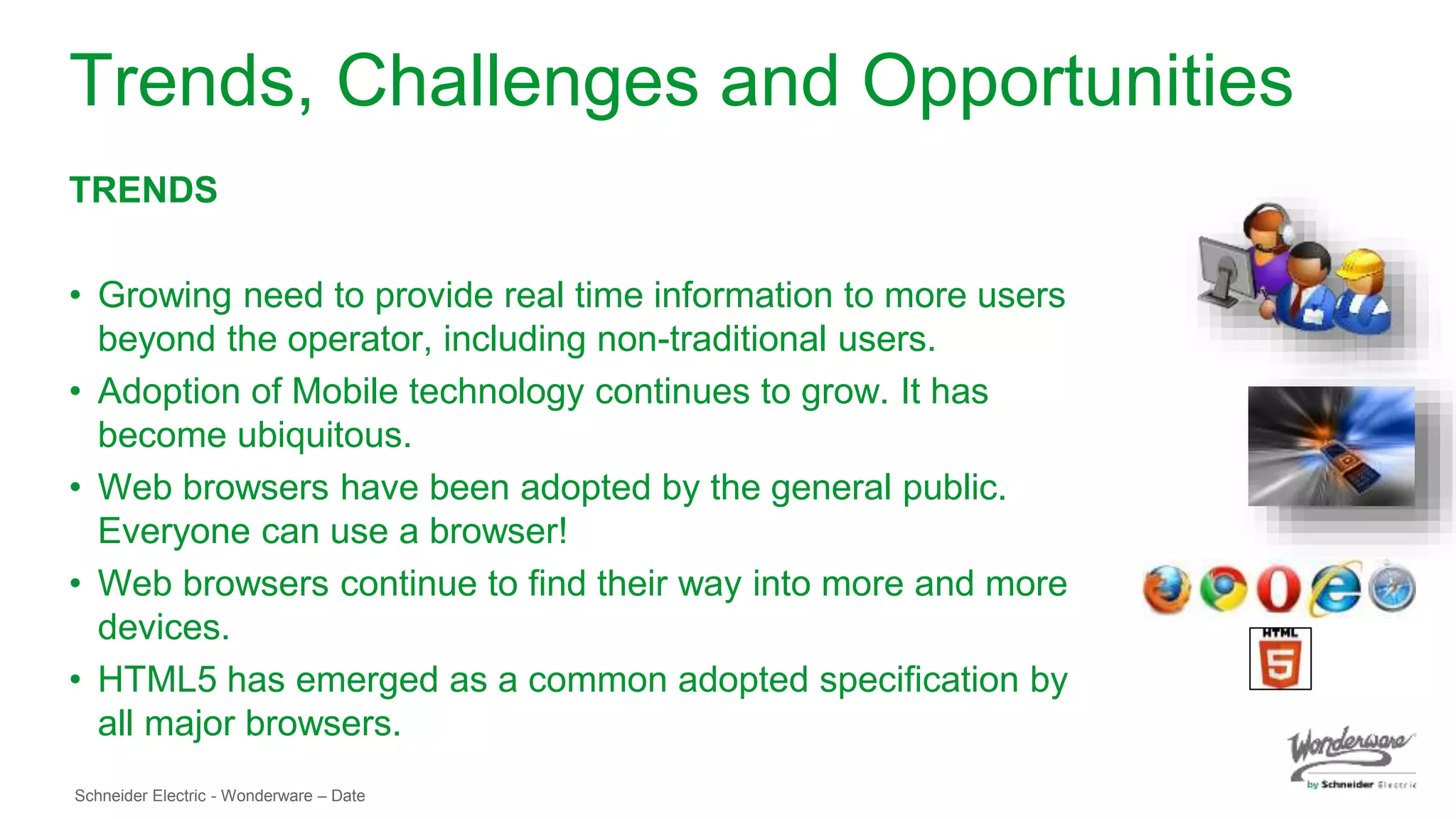
• Growing need to provide real time information to more users
beyond the operator, including non-traditional users.
• Adoption of Mobile technology continues to grow. It has
become ubiquitous.
• Web browsers have been adopted by the general public.
Everyone can use a browser!
• Web browsers continue to find their way into more and more
devices.
• HTML5 has emerged as a common adopted specification by
all major browsers.
Schneider Electric - Wonderware – Date
Trends, Challenges and Opportunities
CHALLENGES
• To easily access process information anywhere anytime from any device in a
secure and reliable way
• IT:
• Management and maintenance of applications
• Securing infrastructure
• Managing Cost
• Extending Microsoft-centric applications to other platforms:
• RDP requires client application (i.e. Pocket Cloud, Jump, etc.)
• Client applications must be installed and configured
Schneider Electric - Wonderware – Date
Trends, Challenges and Opportunities
OPPORTUNITIES
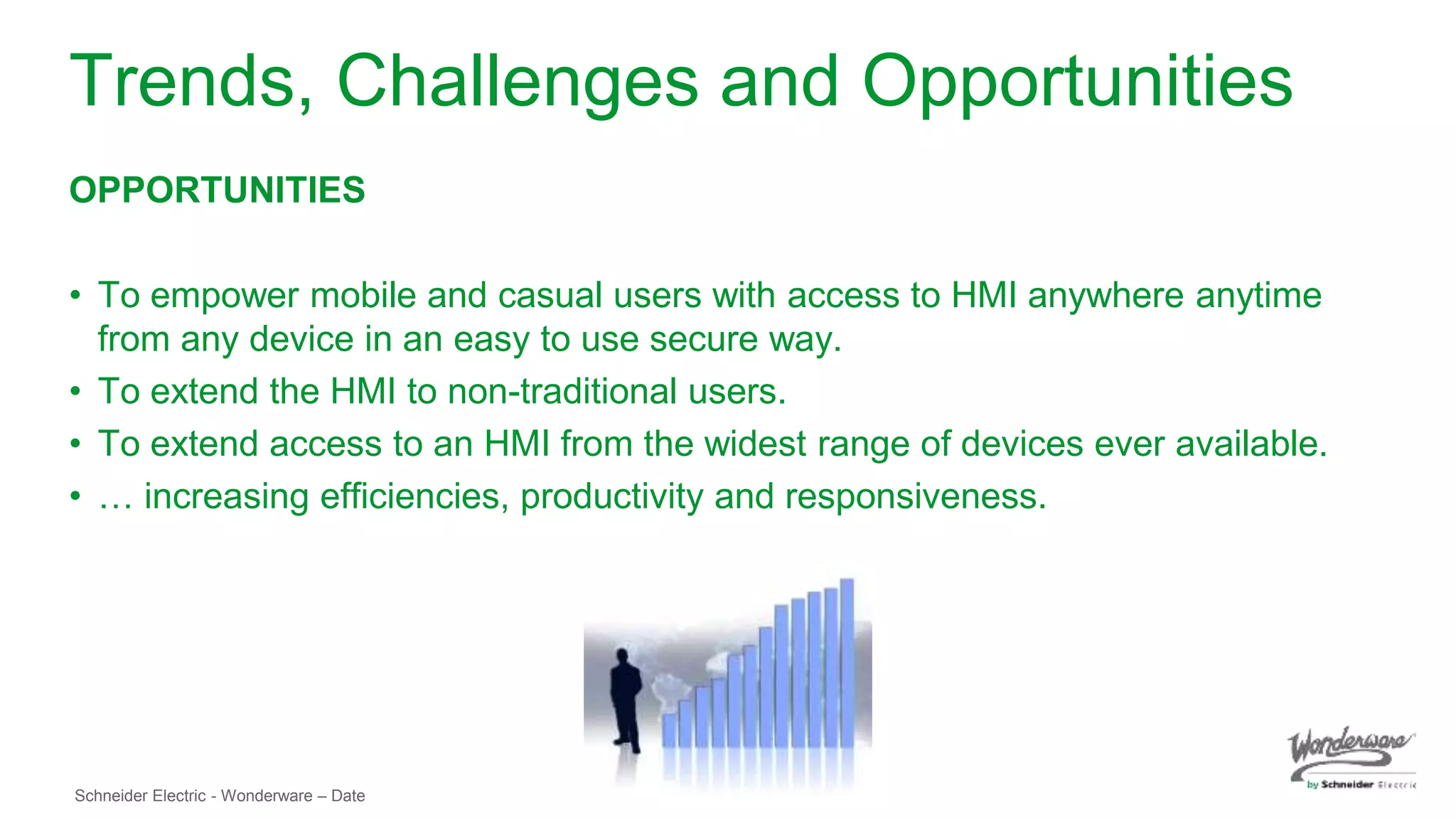
• To empower mobile and casual users with access to HMI anywhere anytime
from any device in an easy to use secure way.
• To extend the HMI to non-traditional users.
• To extend access to an HMI from the widest range of devices ever available.
• … increasing efficiencies, productivity and responsiveness.
Schneider Electric - Wonderware – Date
InTouch Access Anywhere
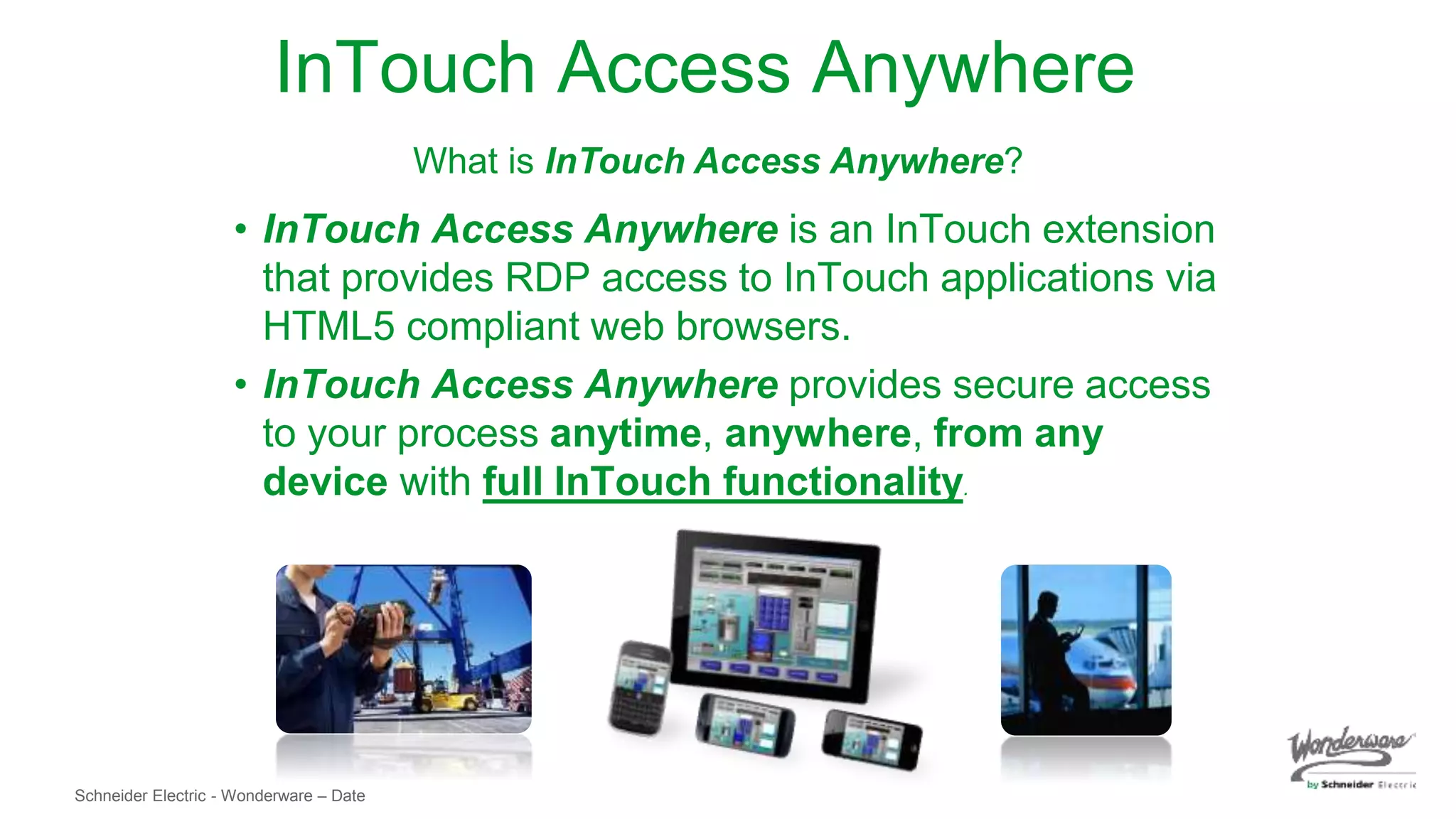
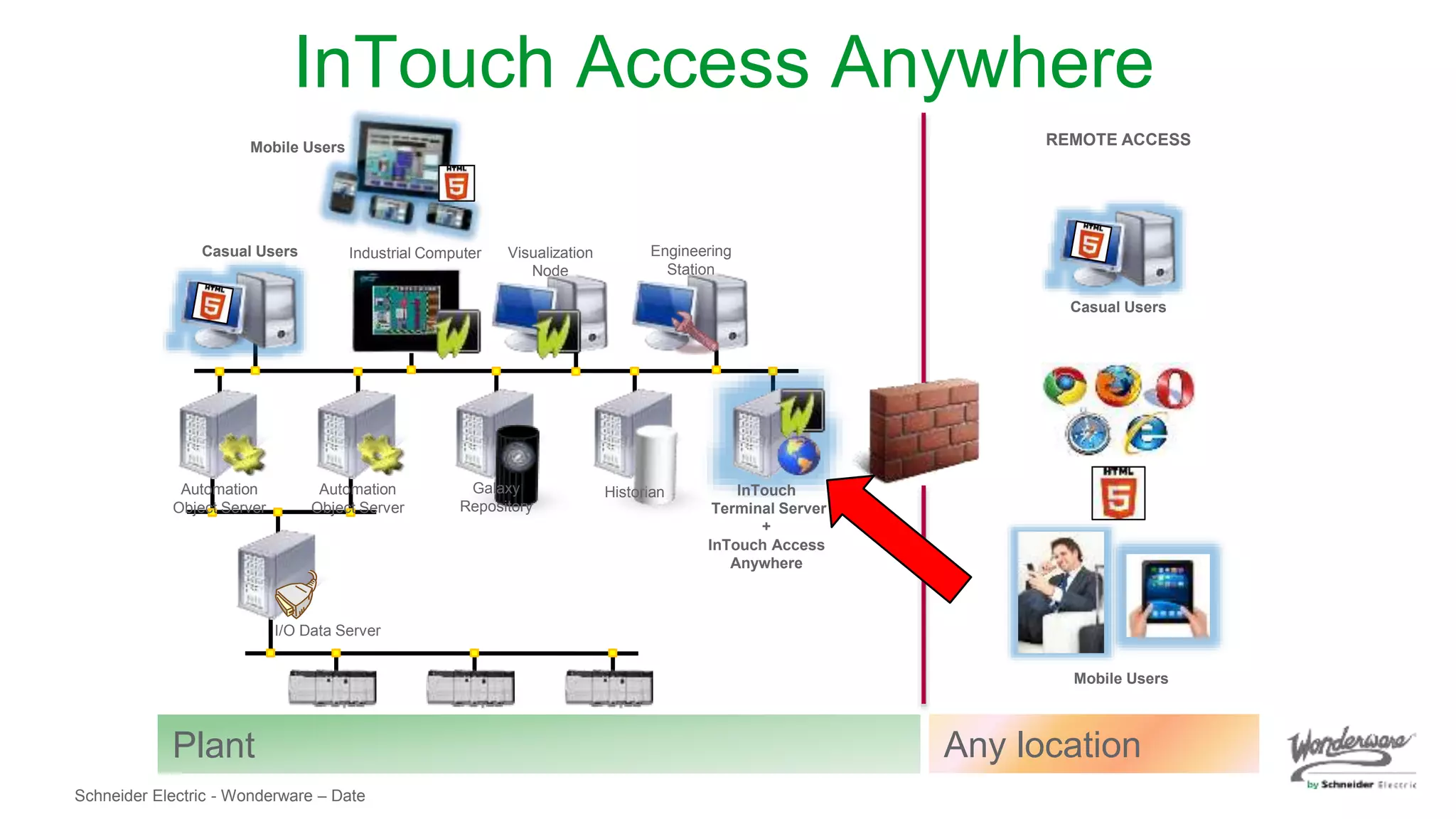
• InTouch Access Anywhere is an InTouch extension
that provides RDP access to InTouch applications via
HTML5 compliant web browsers.
• InTouch Access Anywhere provides secure access
to your process anytime, anywhere, from any
device with full InTouch functionality.
What is InTouch Access Anywhere?
Schneider Electric - Wonderware – Date
InTouch Access Anywhere
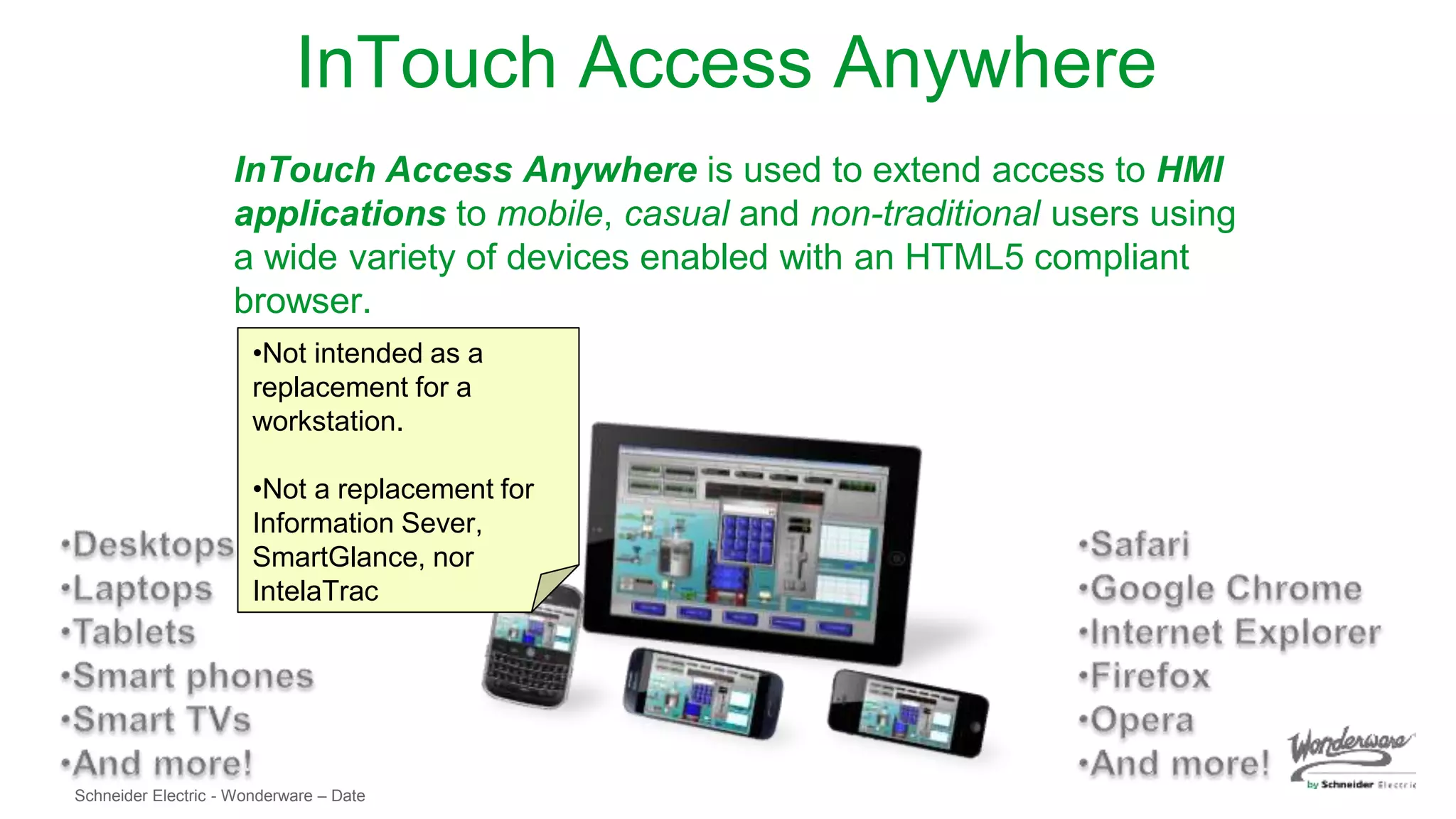
InTouch Access Anywhere is used to extend access to HMI
applications to mobile, casual and non-traditional users using
a wide variety of devices enabled with an HTML5 compliant
browser.
•Not intended as a
replacement for a
workstation.
•Not a replacement for
Information Sever,
SmartGlance, nor
IntelaTrac
Schneider Electric - Wonderware – Date
Visualization
Node
REMOTE ACCESS
I/O Data Server
InTouch
Terminal Server
+
InTouch Access
Anywhere
HistorianGalaxy
Repository
Automation
Object Server
Automation
Object Server
Industrial Computer Engineering
Station
Casual Users
Mobile Users
Mobile Users
Casual Users
Plant Any location
InTouch Access Anywhere
Schneider Electric - Wonderware – Date
Benefits
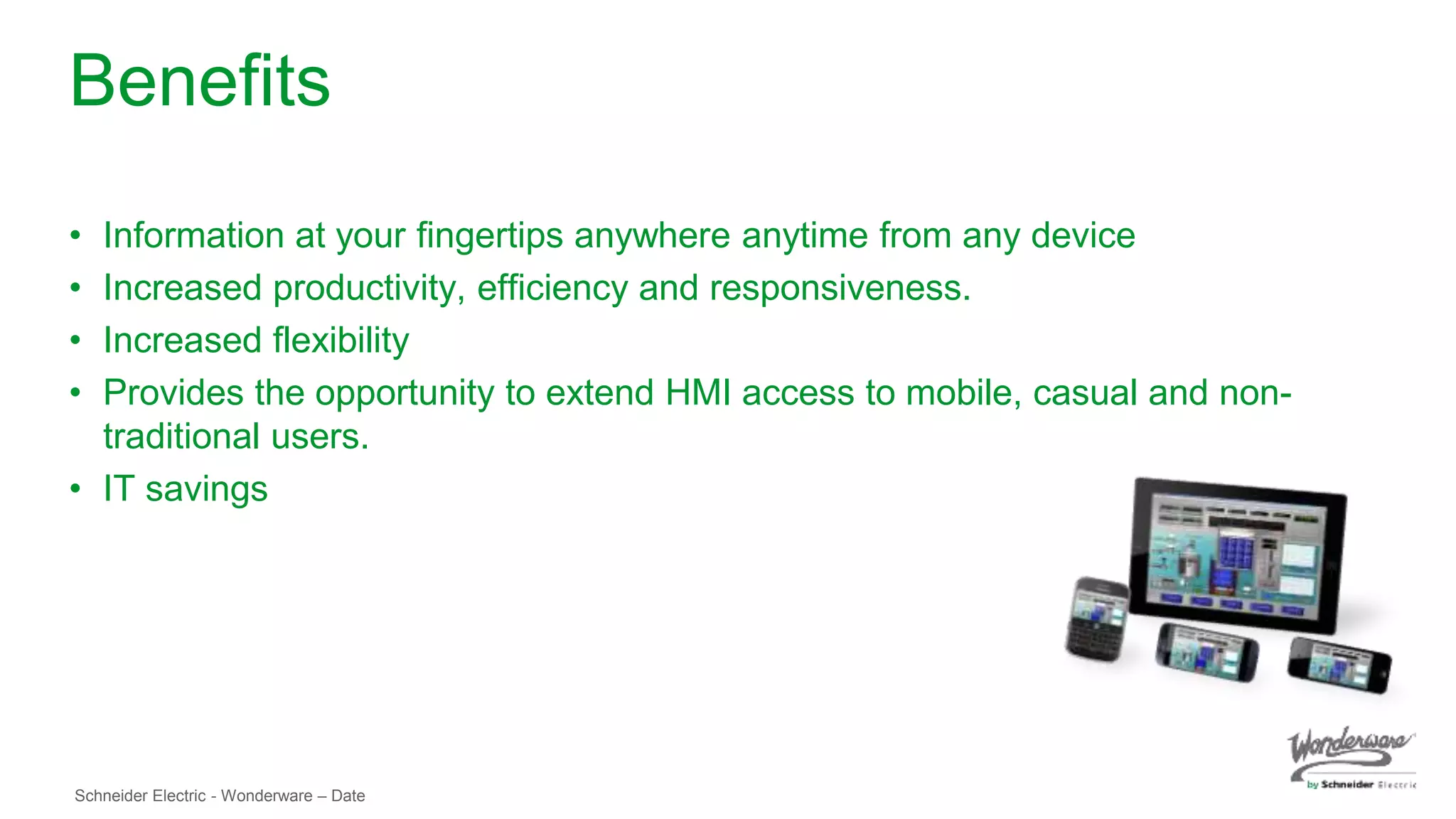
• Information at your fingertips anywhere anytime from any device
• Increased productivity, efficiency and responsiveness.
• Increased flexibility
• Provides the opportunity to extend HMI access to mobile, casual and non-
traditional users.
• IT savings
Schneider Electric - Wonderware – Date
Requirements
(For use with InTouch 2012 R2, 2014 and 2014 R2)
For use of InTouch Access Anywhere with InTouch 2012 R2, 2014 and 2014 R2, use the
downloadable stand alone install
Server
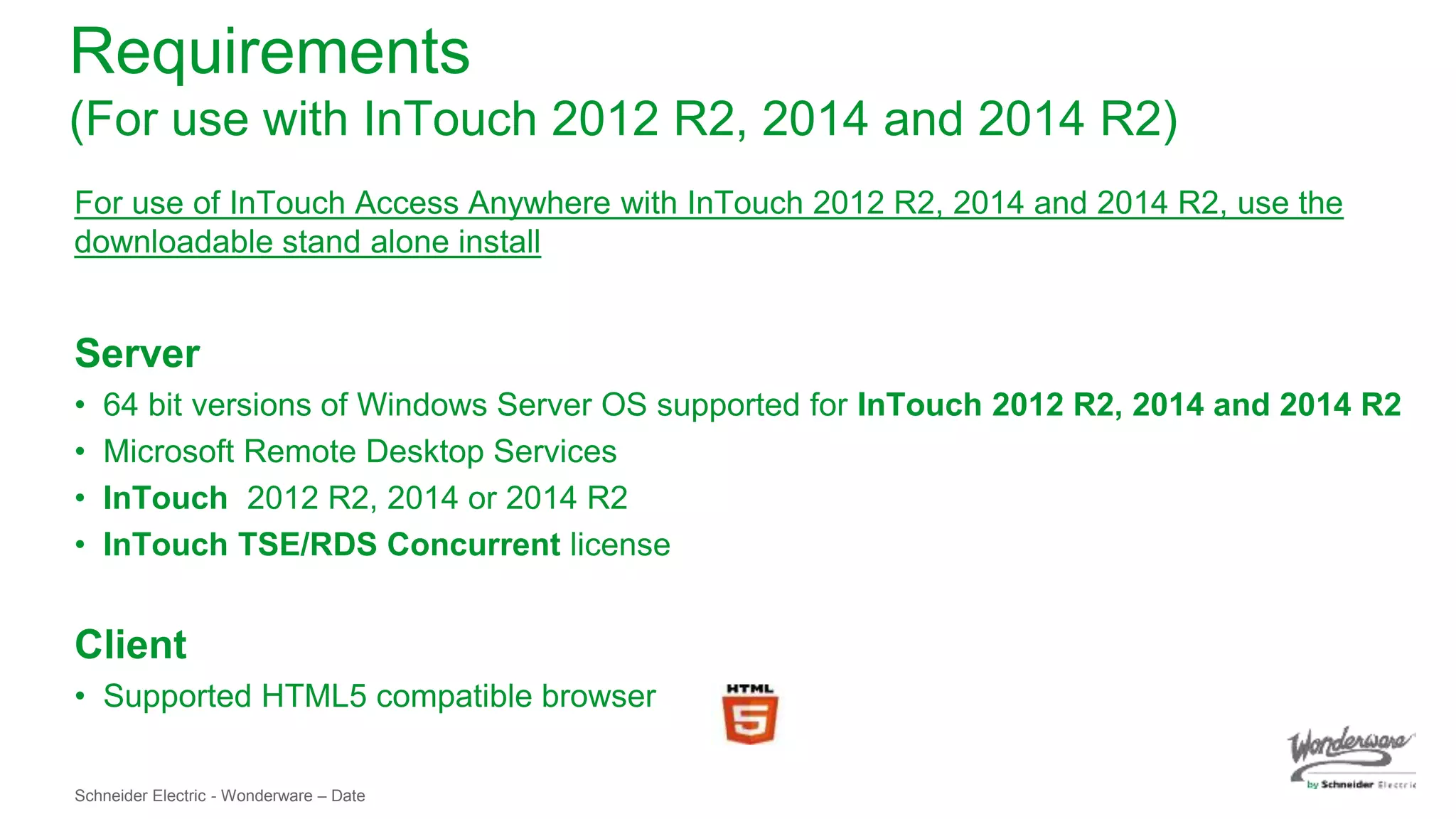
• 64 bit versions of Windows Server OS supported for InTouch 2012 R2, 2014 and 2014 R2
• Microsoft Remote Desktop Services
• InTouch 2012 R2, 2014 or 2014 R2
• InTouch TSE/RDS Concurrent license
Client
• Supported HTML5 compatible browser
Schneider Electric - Wonderware – Date
Architectures
Schneider Electric - Wonderware – Date
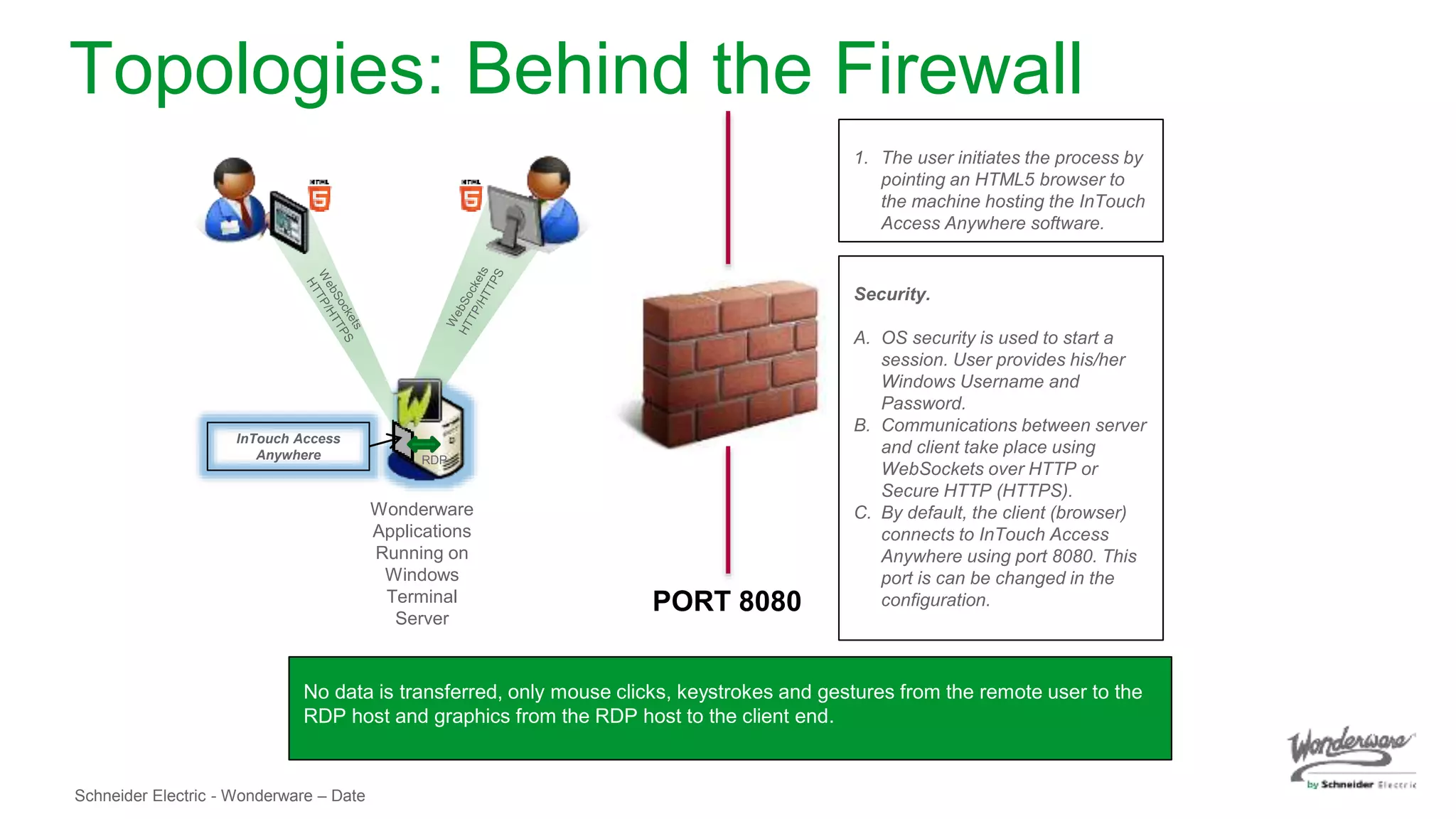
Topologies: Behind the Firewall
Wonderware
Applications
Running on
Windows
Terminal
Server
InTouch Access
Anywhere RDP
No data is transferred, only mouse clicks, keystrokes and gestures from the remote user to the
RDP host and graphics from the RDP host to the client end.
Security.
A. OS security is used to start a
session. User provides his/her
Windows Username and
Password.
B. Communications between server
and client take place using
WebSockets over HTTP or
Secure HTTP (HTTPS).
C. By default, the client (browser)
connects to InTouch Access
Anywhere using port 8080. This
port is can be changed in the
configuration.
1. The user initiates the process by
pointing an HTML5 browser to
the machine hosting the InTouch
Access Anywhere software.
PORT 8080
Schneider Electric - Wonderware – Date
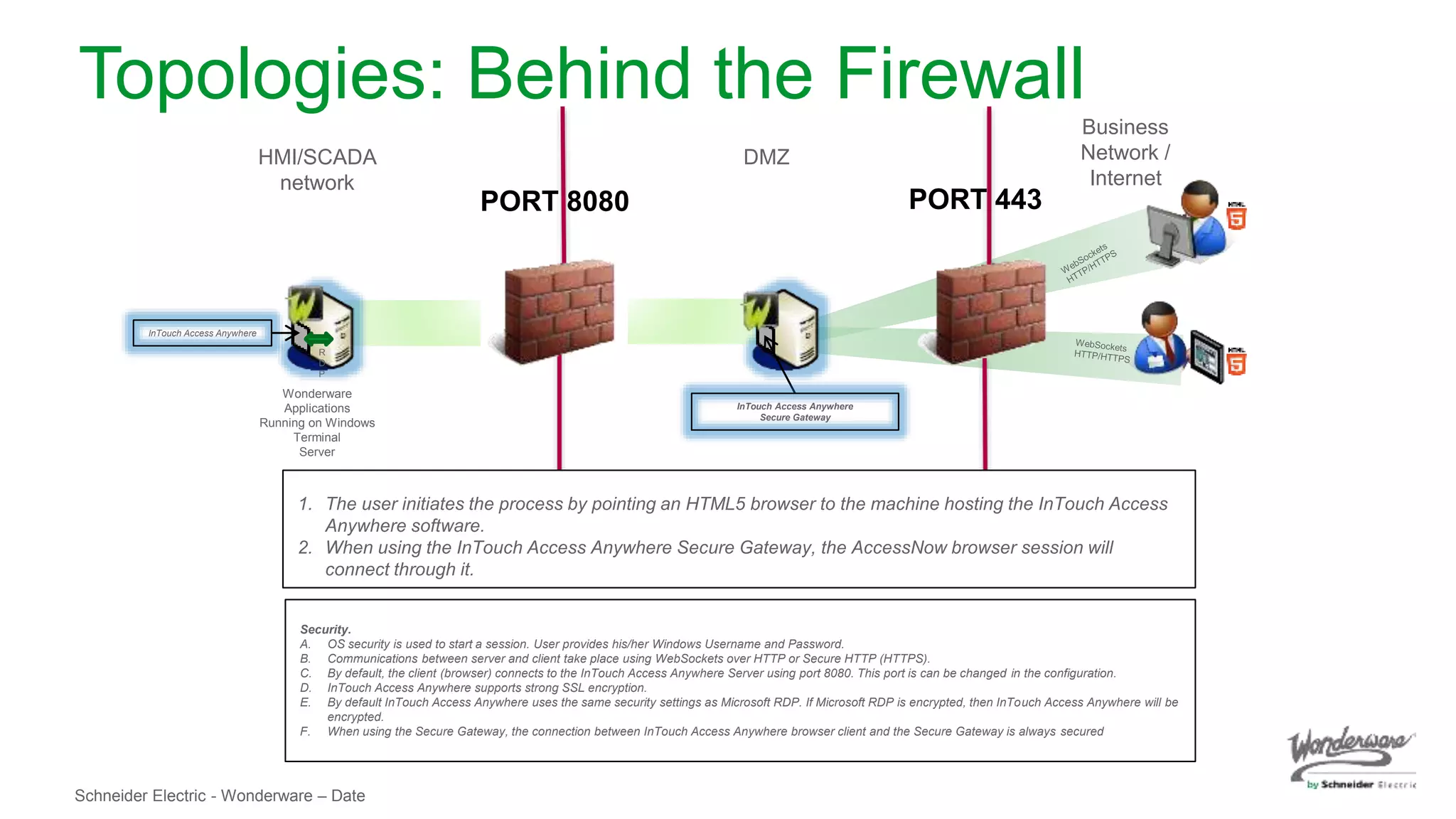
Wonderware
Applications
Running on Windows
Terminal
Server
InTouch Access Anywhere
HMI/SCADA
network
R
D
P
1. The user initiates the process by pointing an HTML5 browser to the machine hosting the InTouch Access
Anywhere software.
2. When using the InTouch Access Anywhere Secure Gateway, the AccessNow browser session will
connect through it.
Business
Network /
Internet
InTouch Access Anywhere
Secure Gateway
DMZ
Security.
A. OS security is used to start a session. User provides his/her Windows Username and Password.
B. Communications between server and client take place using WebSockets over HTTP or Secure HTTP (HTTPS).
C. By default, the client (browser) connects to the InTouch Access Anywhere Server using port 8080. This port is can be changed in the configuration.
D. InTouch Access Anywhere supports strong SSL encryption.
E. By default InTouch Access Anywhere uses the same security settings as Microsoft RDP. If Microsoft RDP is encrypted, then InTouch Access Anywhere will be
encrypted.
F. When using the Secure Gateway, the connection between InTouch Access Anywhere browser client and the Secure Gateway is always secured
Topologies: Behind the Firewall
PORT 8080 PORT 443
Schneider Electric - Wonderware – Date
To the Cloud!!
Online Demo available at -
http://campaigns.wonderware.com/campaigns/Pages/InTouch-Web-HMI-
SCADA-Mobile-demo.aspx
Schneider Electric - Wonderware – Date
New features of the upcoming
InTouch Access Anywhere 2014
R2 SP1 release
Schneider Electric - Wonderware – Date
New Features
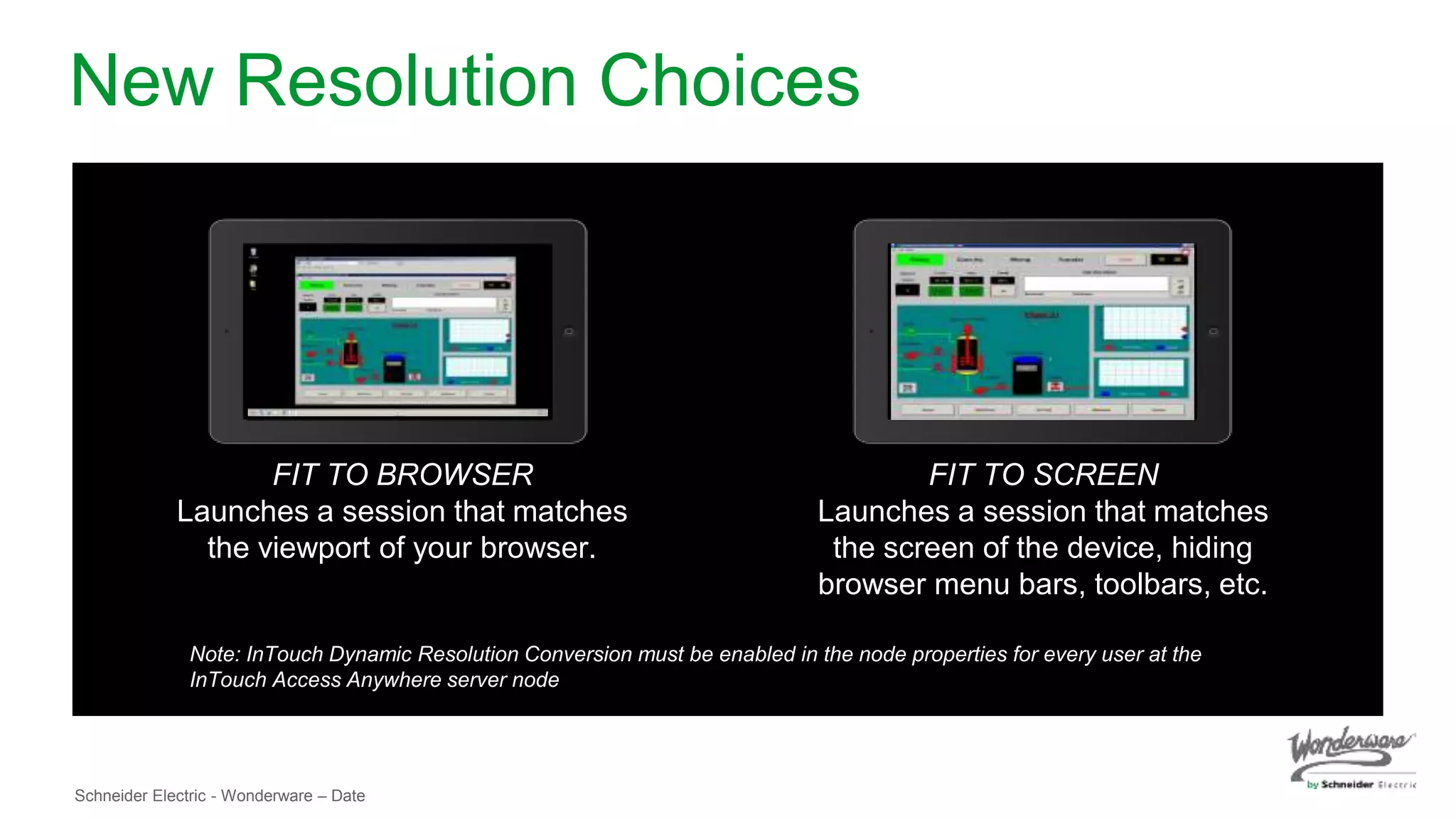
• More resolution choices: ‘Fit to browser’ and ‘fit to screen’.
• Start page Multilanguage support.
• Ability to exclude selected InTouch Applications from list of accessible apps.
• Enhanced performance. 64 bit support, improvements in animation
performance and lower audio bandwidth use.
• Automatic reconnect upon recovery improves session handling
• Security
•General SSL improvements
•Better support for SSL VPN
• Gesture support help
Schneider Electric - Wonderware – Date
Requirements
(For use with InTouch 2014 R2 SP1)
For use of InTouch Access Anywhere with InTouch 2014 R2 SP1, use the
install in the WSP 2014 R2 SP1 DVD,
Server
● Windows Server OS (same server versions supported for InTouch 2014 R2 SP1)
o Windows 2008 Server R2 SP1 Standard, Enterprise (64 bit)
o Windows 2012 Server
o Windows 2012 Server R2
• Microsoft Remote Desktop Services
• InTouch 2014 R2 SP1
• InTouch TSE/RDS Concurrent license
Client
● Supported HTML5 compatible browser
Schneider Electric - Wonderware – Date
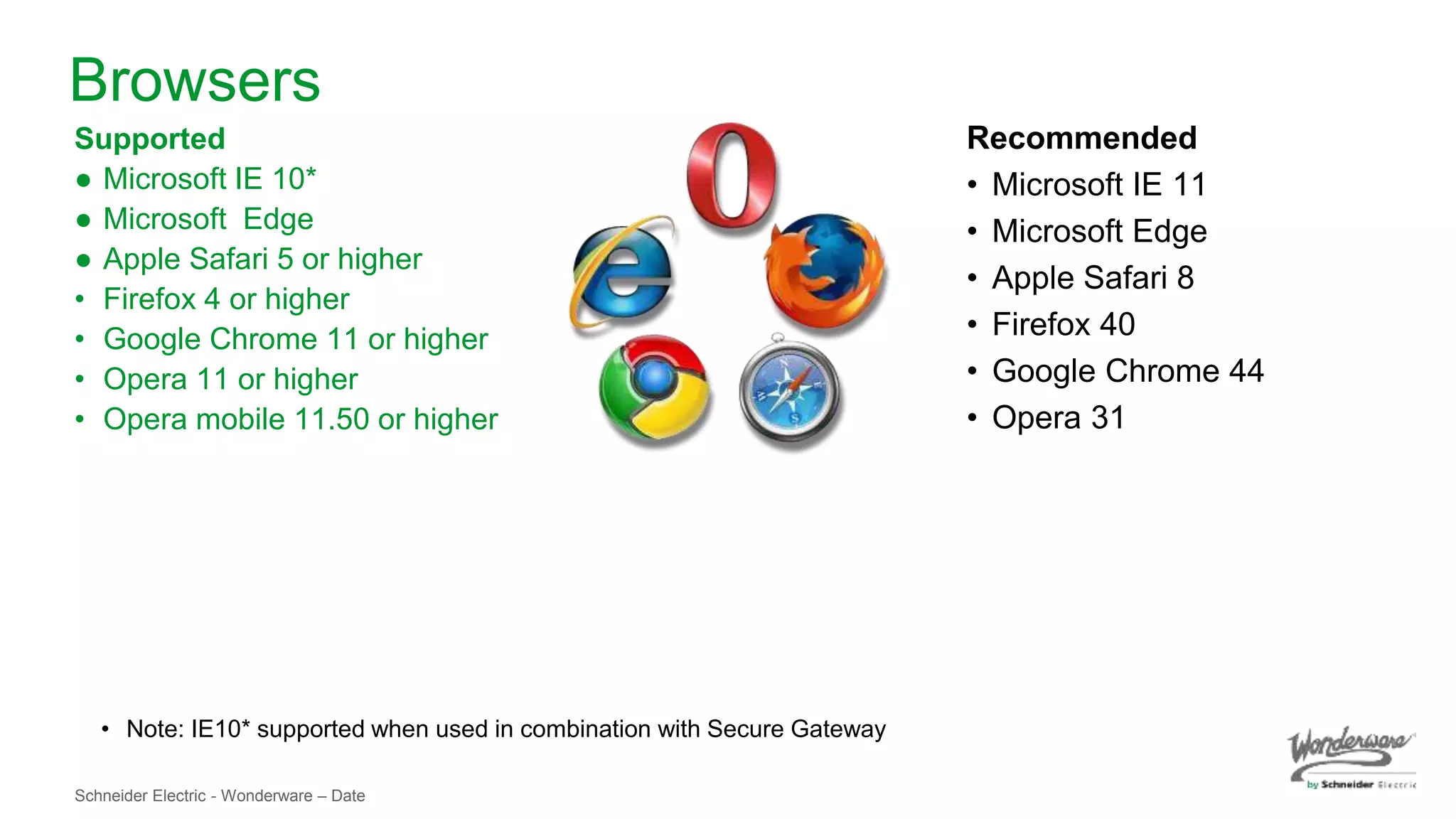
Browsers
Supported
● Microsoft IE 10*
● Microsoft Edge
● Apple Safari 5 or higher
• Firefox 4 or higher
• Google Chrome 11 or higher
• Opera 11 or higher
• Opera mobile 11.50 or higher
• Note: IE10* supported when used in combination with Secure Gateway
Recommended
• Microsoft IE 11
• Microsoft Edge
• Apple Safari 8
• Firefox 40
• Google Chrome 44
• Opera 31
Schneider Electric - Wonderware – Date
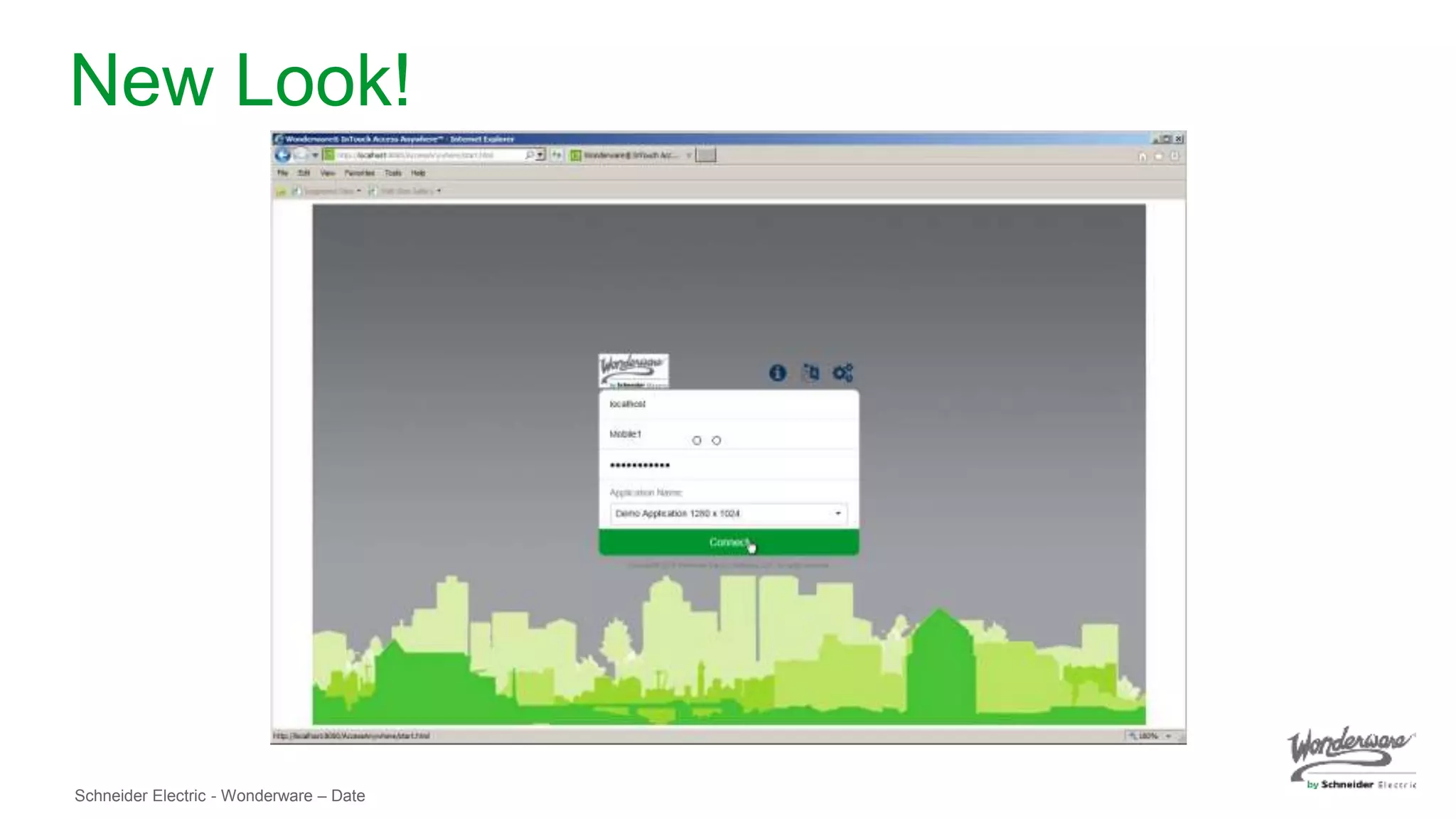
New Look!
Schneider Electric - Wonderware – Date
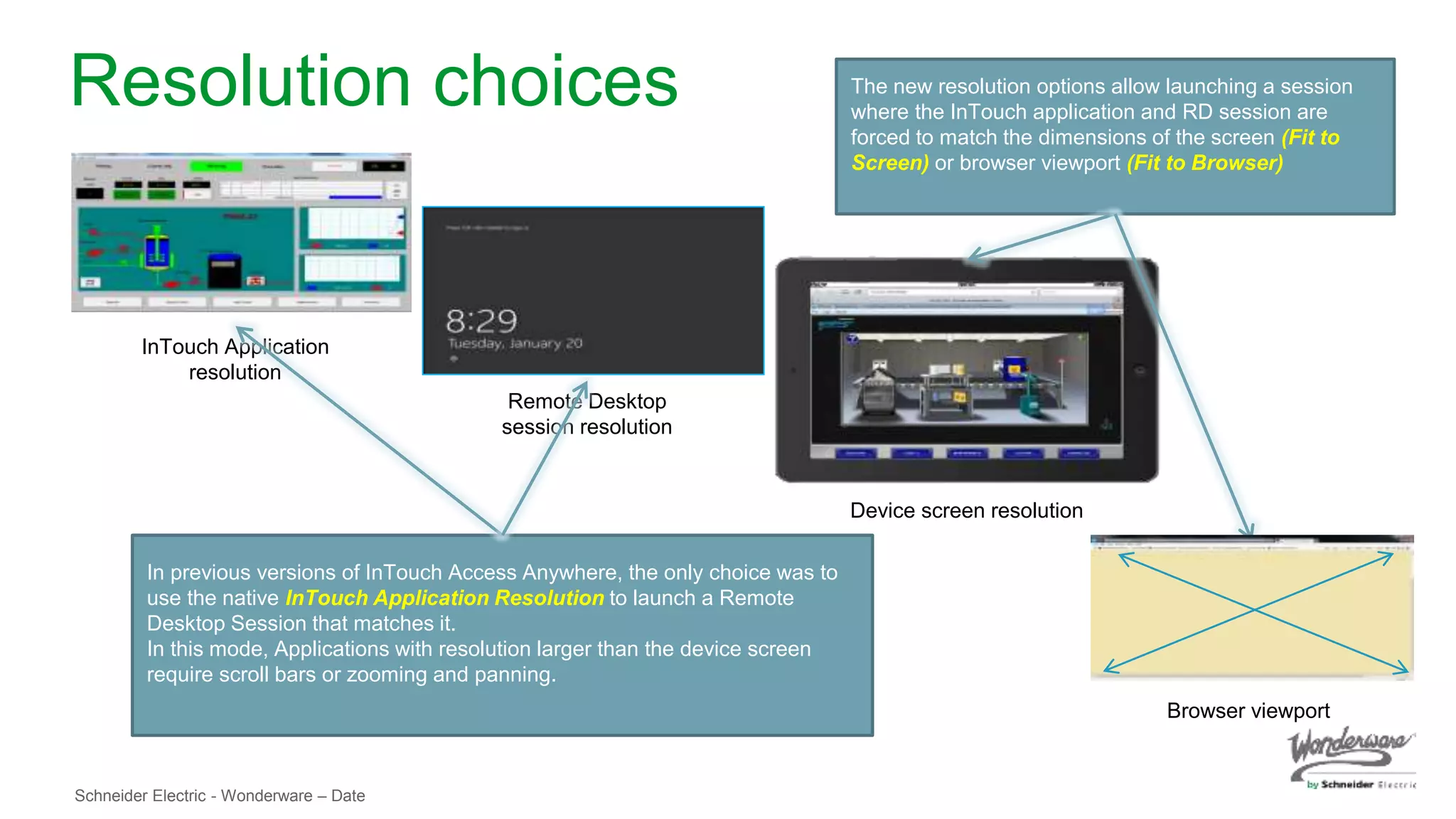
Resolution choices
InTouch Application
resolution
Remote Desktop
session resolution
Device screen resolution
In previous versions of InTouch Access Anywhere, the only choice was to
use the native InTouch Application Resolution to launch a Remote
Desktop Session that matches it.
In this mode, Applications with resolution larger than the device screen
require scroll bars or zooming and panning.
The new resolution options allow launching a session
where the InTouch application and RD session are
forced to match the dimensions of the screen (Fit to
Screen) or browser viewport (Fit to Browser)
Browser viewport
Schneider Electric - Wonderware – Date
New Resolution Choices
FIT TO BROWSER
Launches a session that matches
the viewport of your browser.
FIT TO SCREEN
Launches a session that matches
the screen of the device, hiding
browser menu bars, toolbars, etc.
Note: InTouch Dynamic Resolution Conversion must be enabled in the node properties for every user at the
InTouch Access Anywhere server node
Schneider Electric - Wonderware – Date
Q&A
24
©2014 Schneider Electric. All Rights Reserved.
All trademarks are owned by Schneider Electric Industries SAS or its affiliated companies or their respective owners.

What's New in Wonderware InTouch Access Anywhere v.122015

  • 1.
    What’s New inWonderware InTouch Access Anywhere? Nick Santucci Wonderware Solutions Architect
  • 2.
    Schneider Electric -Wonderware – Date Agenda ● What is Wonderware InTouch Access Anywhere? ● Architectures ● New features of the upcoming InTouch Access Anywhere 2014 R2 SP1 release ● Q&A
  • 3.
    Schneider Electric -Wonderware – Date What is Wonderware InTouch Access Anywhere?
  • 4.
    Schneider Electric -Wonderware – Date Trends, Challenges and Opportunities TRENDS • Growing need to provide real time information to more users beyond the operator, including non-traditional users. • Adoption of Mobile technology continues to grow. It has become ubiquitous. • Web browsers have been adopted by the general public. Everyone can use a browser! • Web browsers continue to find their way into more and more devices. • HTML5 has emerged as a common adopted specification by all major browsers.
  • 5.
    Schneider Electric -Wonderware – Date Trends, Challenges and Opportunities CHALLENGES • To easily access process information anywhere anytime from any device in a secure and reliable way • IT: • Management and maintenance of applications • Securing infrastructure • Managing Cost • Extending Microsoft-centric applications to other platforms: • RDP requires client application (i.e. Pocket Cloud, Jump, etc.) • Client applications must be installed and configured
  • 6.
    Schneider Electric -Wonderware – Date Trends, Challenges and Opportunities OPPORTUNITIES • To empower mobile and casual users with access to HMI anywhere anytime from any device in an easy to use secure way. • To extend the HMI to non-traditional users. • To extend access to an HMI from the widest range of devices ever available. • … increasing efficiencies, productivity and responsiveness.
  • 7.
    Schneider Electric -Wonderware – Date InTouch Access Anywhere • InTouch Access Anywhere is an InTouch extension that provides RDP access to InTouch applications via HTML5 compliant web browsers. • InTouch Access Anywhere provides secure access to your process anytime, anywhere, from any device with full InTouch functionality. What is InTouch Access Anywhere?
  • 8.
    Schneider Electric -Wonderware – Date InTouch Access Anywhere InTouch Access Anywhere is used to extend access to HMI applications to mobile, casual and non-traditional users using a wide variety of devices enabled with an HTML5 compliant browser. •Not intended as a replacement for a workstation. •Not a replacement for Information Sever, SmartGlance, nor IntelaTrac
  • 9.
    Schneider Electric -Wonderware – Date Visualization Node REMOTE ACCESS I/O Data Server InTouch Terminal Server + InTouch Access Anywhere HistorianGalaxy Repository Automation Object Server Automation Object Server Industrial Computer Engineering Station Casual Users Mobile Users Mobile Users Casual Users Plant Any location InTouch Access Anywhere
  • 10.
    Schneider Electric -Wonderware – Date Benefits • Information at your fingertips anywhere anytime from any device • Increased productivity, efficiency and responsiveness. • Increased flexibility • Provides the opportunity to extend HMI access to mobile, casual and non- traditional users. • IT savings
  • 11.
    Schneider Electric -Wonderware – Date Requirements (For use with InTouch 2012 R2, 2014 and 2014 R2) For use of InTouch Access Anywhere with InTouch 2012 R2, 2014 and 2014 R2, use the downloadable stand alone install Server • 64 bit versions of Windows Server OS supported for InTouch 2012 R2, 2014 and 2014 R2 • Microsoft Remote Desktop Services • InTouch 2012 R2, 2014 or 2014 R2 • InTouch TSE/RDS Concurrent license Client • Supported HTML5 compatible browser
  • 12.
    Schneider Electric -Wonderware – Date Architectures
  • 13.
    Schneider Electric -Wonderware – Date Topologies: Behind the Firewall Wonderware Applications Running on Windows Terminal Server InTouch Access Anywhere RDP No data is transferred, only mouse clicks, keystrokes and gestures from the remote user to the RDP host and graphics from the RDP host to the client end. Security. A. OS security is used to start a session. User provides his/her Windows Username and Password. B. Communications between server and client take place using WebSockets over HTTP or Secure HTTP (HTTPS). C. By default, the client (browser) connects to InTouch Access Anywhere using port 8080. This port is can be changed in the configuration. 1. The user initiates the process by pointing an HTML5 browser to the machine hosting the InTouch Access Anywhere software. PORT 8080
  • 14.
    Schneider Electric -Wonderware – Date Wonderware Applications Running on Windows Terminal Server InTouch Access Anywhere HMI/SCADA network R D P 1. The user initiates the process by pointing an HTML5 browser to the machine hosting the InTouch Access Anywhere software. 2. When using the InTouch Access Anywhere Secure Gateway, the AccessNow browser session will connect through it. Business Network / Internet InTouch Access Anywhere Secure Gateway DMZ Security. A. OS security is used to start a session. User provides his/her Windows Username and Password. B. Communications between server and client take place using WebSockets over HTTP or Secure HTTP (HTTPS). C. By default, the client (browser) connects to the InTouch Access Anywhere Server using port 8080. This port is can be changed in the configuration. D. InTouch Access Anywhere supports strong SSL encryption. E. By default InTouch Access Anywhere uses the same security settings as Microsoft RDP. If Microsoft RDP is encrypted, then InTouch Access Anywhere will be encrypted. F. When using the Secure Gateway, the connection between InTouch Access Anywhere browser client and the Secure Gateway is always secured Topologies: Behind the Firewall PORT 8080 PORT 443
  • 15.
    Schneider Electric -Wonderware – Date To the Cloud!! Online Demo available at - http://campaigns.wonderware.com/campaigns/Pages/InTouch-Web-HMI- SCADA-Mobile-demo.aspx
  • 16.
    Schneider Electric -Wonderware – Date New features of the upcoming InTouch Access Anywhere 2014 R2 SP1 release
  • 17.
    Schneider Electric -Wonderware – Date New Features • More resolution choices: ‘Fit to browser’ and ‘fit to screen’. • Start page Multilanguage support. • Ability to exclude selected InTouch Applications from list of accessible apps. • Enhanced performance. 64 bit support, improvements in animation performance and lower audio bandwidth use. • Automatic reconnect upon recovery improves session handling • Security •General SSL improvements •Better support for SSL VPN • Gesture support help
  • 18.
    Schneider Electric -Wonderware – Date Requirements (For use with InTouch 2014 R2 SP1) For use of InTouch Access Anywhere with InTouch 2014 R2 SP1, use the install in the WSP 2014 R2 SP1 DVD, Server ● Windows Server OS (same server versions supported for InTouch 2014 R2 SP1) o Windows 2008 Server R2 SP1 Standard, Enterprise (64 bit) o Windows 2012 Server o Windows 2012 Server R2 • Microsoft Remote Desktop Services • InTouch 2014 R2 SP1 • InTouch TSE/RDS Concurrent license Client ● Supported HTML5 compatible browser
  • 19.
    Schneider Electric -Wonderware – Date Browsers Supported ● Microsoft IE 10* ● Microsoft Edge ● Apple Safari 5 or higher • Firefox 4 or higher • Google Chrome 11 or higher • Opera 11 or higher • Opera mobile 11.50 or higher • Note: IE10* supported when used in combination with Secure Gateway Recommended • Microsoft IE 11 • Microsoft Edge • Apple Safari 8 • Firefox 40 • Google Chrome 44 • Opera 31
  • 20.
    Schneider Electric -Wonderware – Date New Look!
  • 21.
    Schneider Electric -Wonderware – Date Resolution choices InTouch Application resolution Remote Desktop session resolution Device screen resolution In previous versions of InTouch Access Anywhere, the only choice was to use the native InTouch Application Resolution to launch a Remote Desktop Session that matches it. In this mode, Applications with resolution larger than the device screen require scroll bars or zooming and panning. The new resolution options allow launching a session where the InTouch application and RD session are forced to match the dimensions of the screen (Fit to Screen) or browser viewport (Fit to Browser) Browser viewport
  • 22.
    Schneider Electric -Wonderware – Date New Resolution Choices FIT TO BROWSER Launches a session that matches the viewport of your browser. FIT TO SCREEN Launches a session that matches the screen of the device, hiding browser menu bars, toolbars, etc. Note: InTouch Dynamic Resolution Conversion must be enabled in the node properties for every user at the InTouch Access Anywhere server node
  • 23.
    Schneider Electric -Wonderware – Date Q&A
  • 24.
    24 ©2014 Schneider Electric.All Rights Reserved. All trademarks are owned by Schneider Electric Industries SAS or its affiliated companies or their respective owners.