

Writing for the Web:
            Today’s Best Practices

                  Dalya Massachi


A Service
   Of:                        Sponsored by:
Synthesis Partnership works with nonprofit
 organizations facing or creating change to
align strategy, identity, capacity and facilities
       with vision, mission and values.


A Service
   Of:                                              Sponsored by:
Affordable collaborative data
             management in the cloud.

A Service
   Of:                        Sponsored by:
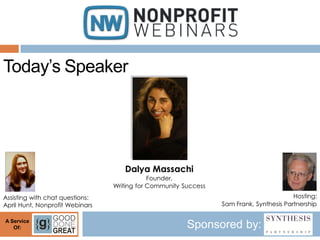
Today’s Speaker


                                    Dalya Massachi
                                             Founder,
                                 Writing for Community Success
Assisting with chat questions:                                                           Hosting:
April Hunt, Nonprofit Webinars                                   Sam Frank, Synthesis Partnership

A Service
   Of:                                                  Sponsored by:
YOUR WEBSITE:
A KEY PART OF YOUR
OUTREACH STRATEGY
IMPROVED CONTENT:
RESULTS TO EXPECT

 Better educate, support readers
 Reach new, varied audiences
 Accomplish mission more
  efficiently
OUTLINE
I.   Intro

II. Today’s web users

III. Best practices to increase
     usability & accessibility

IV. A bit of technical info
(All stats come from leading web usability expert,
Jakob Nielsen.)
WHO ARE YOUR READERS?
 Clients, Potential Clients
 Partners/Colleagues
 Researchers
 Funders
 Press
 Activists
 Casual web surfers
DATA YOU NEED TO GATHER
 Demographics
 Geographic location
 Limitations ($, education, tech)
 Values, hopes, and fears
 What they already know or believe
 Info or tools they need to act
ASK YOURSELF:


 What info do they want from reading
  your website?

 What problems can you help them solve?
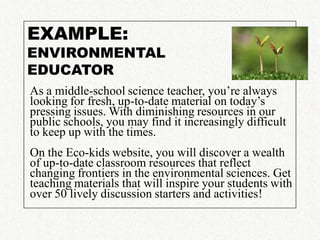
EXAMPLE:
ENVIRONMENTAL
EDUCATOR
As a middle-school science teacher, you’re always
looking for fresh, up-to-date material on today’s
pressing issues. With diminishing resources in our
public schools, you may find it increasingly difficult
to keep up with the times.
On the Eco-kids website, you will discover a wealth
of up-to-date classroom resources that reflect
changing frontiers in the environmental sciences. Get
teaching materials that will inspire your students with
over 50 lively discussion starters and activities!
HOW DO WE FIND OUT?

 Check web statistics
 Review event and service evaluation forms
 Take online or print surveys
 Hold focus groups
 Attend gatherings where they congregate
 Study published opinion polls
 Review other online media they use
 Ask others who also know about them
TODAY’S WEB USERS
               In general, they…
   Have short attention spans
   Rely heavily on first impressions
   Need to know content is relevant first
   Read 25% slower than on paper
   Scan: Usually only the first 2 paragraphs,
    headlines and/or the end
   Will spread your content if it’s good
TODAY’S WEB USERS
      They are looking for:
 Benefits to their community: NOW
 Expert advice that’s easily accessible
 A “quick hit” on the new
 Inspiration & hope: we can do this!
 Reasons to trust you
BEST
   PRACTICES TO
INCREASE USABILITY
  & ACCESSIBILITY
DEFINE SITE/PAGE PURPOSES

   Increase readers’ understanding of issue
   Remind how you benefit the community
   Keep readers up-to-date
   Offer convenient purchase or donate system
   Project professionalism; encourage trust
   Keep readers connected to your org
   Be a landing spot for links from elsewhere
   Coordinate with social networking work
   Act as a pointer to other valuable related sites
COMMON WEBSITE SECTIONS
   Home: tagline; brief summary; what’s new; where to
    go from here
   About Us
   Our community: “about you”; who this site is for
   Our Programs: what we do, how we do it
   Why We Do It: community need/benefit, values
   Blog
   Frequently Asked Questions (FAQs)
   Calendar of Events
ABOUT US
Having a good About Us section helps users
understand your site as a whole.


   Summary: 1-2 paragraphs at the top about
    the organization's mission/vision and main
    accomplishments.

   Detailed info: people involved; strategic
    plan; history; partners; include photos if
    possible
REMEMBER…
Your web writing must be:

   Timely and valuable enough to justify the
    time, mental engagement you take up

   In the "need to know" category

   Relevant NOW

   Scannable and a quick read
LEAD WITH THE MOST
         IMPORTANT INFO
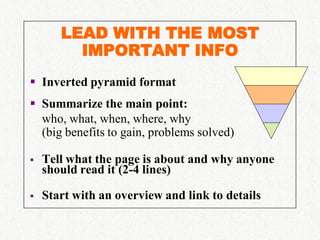
 Inverted pyramid format
 Summarize the main point:
  who, what, when, where, why
  (big benefits to gain, problems solved)

   Tell what the page is about and why anyone
    should read it (2-4 lines)

   Start with an overview and link to details
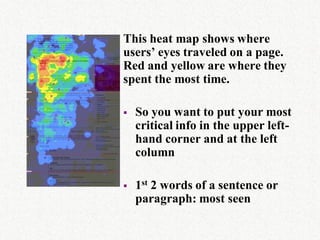
This heat map shows where
users’ eyes traveled on a page.
Red and yellow are where they
spent the most time.

   So you want to put your most
    critical info in the upper left-
    hand corner and at the left
    column

   1st 2 words of a sentence or
    paragraph: most seen
“CHUNK” YOUR INFO
   Use focused, easy-to-understand categories

   Give a meaningful 1-line subhead to each
    major chunk of text

   Use subheads that tell the story, as if they are
    the only things your reader sees

   Got a list of 3 or more items? Number
    (sequenced) or bullet (random) it. Intro:
    sentence fragment or a sentence w/colon
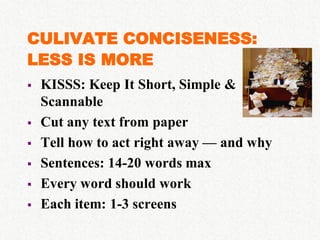
CULIVATE CONCISENESS:
LESS IS MORE
   KISSS: Keep It Short, Simple &
    Scannable
   Cut any text from paper
   Tell how to act right away — and why
   Sentences: 14-20 words max
   Every word should work
   Each item: 1-3 screens
BUT…
   Complicated topics, background/tech info
    often benefit from longer copy: readers need
    time to make an informed and confident
    decision
   Keep to same page (don’t chop it up) b/c
    search engines like at least 250-300 words
   Add summary or Table of Contents at the top
ENGAGE BOTH THE
     HEART & THE HEAD


 Even left-brained people
  need an emotional understanding

 Your reader will remember how you make her/him
  feel more than anything else
TELL SUCCESS STORIES

   Capture the essence of your work
    with short quotes from people
    similar to your target readers
    or people they care about

   Talk about how people
    have benefited: results and importance
LISTEN TO HOW YOU
            SOUND
   Conversational/informal:
    o use the second person (“you”)
    o can include sentence fragments
    o o.k. to begin with a conjunction (and, but, so)


   Friendly, warm; contractions o.k.

   Easy to understand (clear over clever)
AVOID JARGON

 Familiar words spring to mind when
  users search for you; include them!

 If you must use technical terms or
  acronyms, explain them the first time

 Avoid American slang

 Would readers use the term themselves?
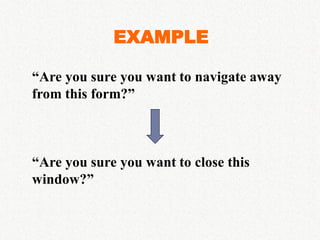
EXAMPLE

“Are you sure you want to navigate away
from this form?”


“Are you sure you want to close this
window?”
TIE BACK TO YOUR MISSION
 AND VISION…REPEATEDLY

   Always remember to summarize it in 1
    sentence or less

   Evoke a vision of what things will be
    like when you fulfill your mission
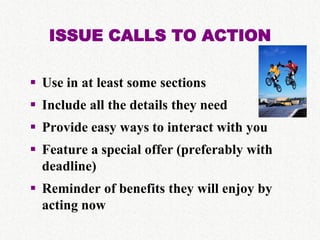
ISSUE CALLS TO ACTION

 Use in at least some sections
 Include all the details they need
 Provide easy ways to interact with you
 Feature a special offer (preferably with
  deadline)
 Reminder of benefits they will enjoy by
  acting now
A BIT OF
TECHNICAL INFO
USE LINKS
           STRATEGICALLY
Use links in your sentences to:

   Send the reader to important background or
    related material
   Explain unusual or technical terms
   Emphasize important info (repeat in strategic
    spots to follow reader’s train of thought)
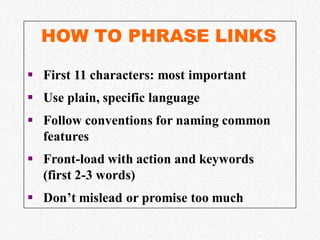
HOW TO PHRASE LINKS

 First 11 characters: most important
 Use plain, specific language
 Follow conventions for naming common
  features
 Front-load with action and keywords
  (first 2-3 words)
 Don’t mislead or promise too much
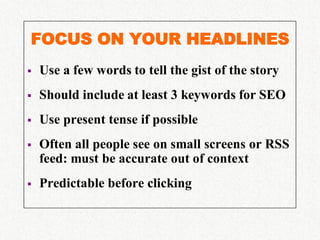
FOCUS ON YOUR HEADLINES
   Use a few words to tell the gist of the story
   Should include at least 3 keywords for SEO
   Use present tense if possible
   Often all people see on small screens or RSS
    feed: must be accurate out of context
   Predictable before clicking
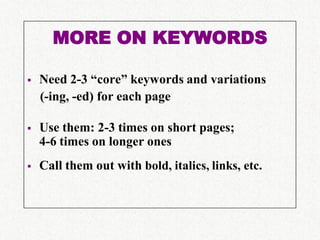
MORE ON KEYWORDS

   Need 2-3 “core” keywords and variations
    (-ing, -ed) for each page

   Use them: 2-3 times on short pages;
    4-6 times on longer ones
   Call them out with bold, italics, links, etc.
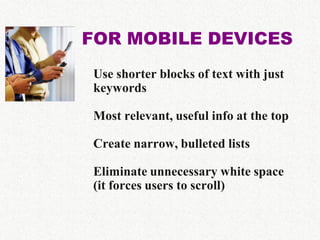
FOR MOBILE DEVICES
Use shorter blocks of text with just
keywords

Most relevant, useful info at the top

Create narrow, bulleted lists

Eliminate unnecessary white space
(it forces users to scroll)
SENTENCE STRUCTURE
   Subject-verb-object
   1-2 ideas per paragraph (1-4 sentences)
   Keep “if” before “then”
        Click the “Edit” link if your address is
        incorrect.

       If your address is incorrect, click the
       “Edit” link.
   Use basic verb forms: infinitives, commands,
    simple tenses
   Stay positive (avoid negatives when possible)
COMPLEMENT WITH GRAPHICS
   Not just filling space as an afterthought
   Use short, lively captions with keywords
   “Micro-copy”: summarize your story/
    highlight your message
   Add clear alt-text descriptions to images
   Identify people from L to R, double-check all
    name spellings
   Use active, present tense verbs
   Find action shots, not “posing”
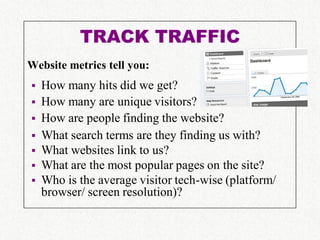
TRACK TRAFFIC
Website metrics tell you:
   How many hits did we get?
   How many are unique visitors?
   How are people finding the website?
   What search terms are they finding us with?
   What websites link to us?
   What are the most popular pages on the site?
   Who is the average visitor tech-wise (platform/
    browser/ screen resolution)?
RECOMMENDED RESOURCES

 Jakob Nielsen’s Website: useit.com

 The Yahoo! Style Guide

 Letting Go of the Words: Writing Web Content
  that Works
SUGGESTION
Step 1: Go to your website.
Step 2: Find a colleague or two to play a
       “new user.” You will take notes.
       READER: Narrate your train of thought.
           What do you like?
           What’s missing?
           What do you skip?
      NOTETAKER: Resist the urge to explain.
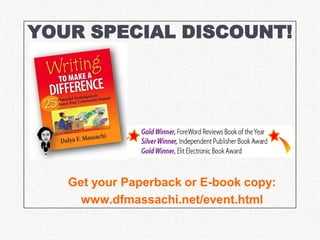
YOUR SPECIAL DISCOUNT!


   Get your Paperback or E-book copy:
     www.dfmassachi.net/event.html
Find listings for our current season
         of webinars and register at:

            NonprofitWebinars.com


A Service
   Of:                    Sponsored by:

Writing for the Web

  • 1.
    Writing for theWeb: Today’s Best Practices Dalya Massachi A Service Of: Sponsored by:
  • 2.
    Synthesis Partnership workswith nonprofit organizations facing or creating change to align strategy, identity, capacity and facilities with vision, mission and values. A Service Of: Sponsored by:
  • 3.
    Affordable collaborative data management in the cloud. A Service Of: Sponsored by:
  • 4.
    Today’s Speaker Dalya Massachi Founder, Writing for Community Success Assisting with chat questions: Hosting: April Hunt, Nonprofit Webinars Sam Frank, Synthesis Partnership A Service Of: Sponsored by:
  • 5.
    YOUR WEBSITE: A KEYPART OF YOUR OUTREACH STRATEGY
  • 6.
    IMPROVED CONTENT: RESULTS TOEXPECT  Better educate, support readers  Reach new, varied audiences  Accomplish mission more efficiently
  • 7.
    OUTLINE I. Intro II. Today’s web users III. Best practices to increase usability & accessibility IV. A bit of technical info (All stats come from leading web usability expert, Jakob Nielsen.)
  • 8.
    WHO ARE YOURREADERS?  Clients, Potential Clients  Partners/Colleagues  Researchers  Funders  Press  Activists  Casual web surfers
  • 9.
    DATA YOU NEEDTO GATHER  Demographics  Geographic location  Limitations ($, education, tech)  Values, hopes, and fears  What they already know or believe  Info or tools they need to act
  • 10.
    ASK YOURSELF:  Whatinfo do they want from reading your website?  What problems can you help them solve?
  • 11.
    EXAMPLE: ENVIRONMENTAL EDUCATOR As a middle-schoolscience teacher, you’re always looking for fresh, up-to-date material on today’s pressing issues. With diminishing resources in our public schools, you may find it increasingly difficult to keep up with the times. On the Eco-kids website, you will discover a wealth of up-to-date classroom resources that reflect changing frontiers in the environmental sciences. Get teaching materials that will inspire your students with over 50 lively discussion starters and activities!
  • 12.
    HOW DO WEFIND OUT?  Check web statistics  Review event and service evaluation forms  Take online or print surveys  Hold focus groups  Attend gatherings where they congregate  Study published opinion polls  Review other online media they use  Ask others who also know about them
  • 13.
    TODAY’S WEB USERS In general, they…  Have short attention spans  Rely heavily on first impressions  Need to know content is relevant first  Read 25% slower than on paper  Scan: Usually only the first 2 paragraphs, headlines and/or the end  Will spread your content if it’s good
  • 14.
    TODAY’S WEB USERS They are looking for:  Benefits to their community: NOW  Expert advice that’s easily accessible  A “quick hit” on the new  Inspiration & hope: we can do this!  Reasons to trust you
  • 15.
    BEST PRACTICES TO INCREASE USABILITY & ACCESSIBILITY
  • 16.
    DEFINE SITE/PAGE PURPOSES  Increase readers’ understanding of issue  Remind how you benefit the community  Keep readers up-to-date  Offer convenient purchase or donate system  Project professionalism; encourage trust  Keep readers connected to your org  Be a landing spot for links from elsewhere  Coordinate with social networking work  Act as a pointer to other valuable related sites
  • 17.
    COMMON WEBSITE SECTIONS  Home: tagline; brief summary; what’s new; where to go from here  About Us  Our community: “about you”; who this site is for  Our Programs: what we do, how we do it  Why We Do It: community need/benefit, values  Blog  Frequently Asked Questions (FAQs)  Calendar of Events
  • 18.
    ABOUT US Having agood About Us section helps users understand your site as a whole.  Summary: 1-2 paragraphs at the top about the organization's mission/vision and main accomplishments.  Detailed info: people involved; strategic plan; history; partners; include photos if possible
  • 19.
    REMEMBER… Your web writingmust be:  Timely and valuable enough to justify the time, mental engagement you take up  In the "need to know" category  Relevant NOW  Scannable and a quick read
  • 20.
    LEAD WITH THEMOST IMPORTANT INFO  Inverted pyramid format  Summarize the main point: who, what, when, where, why (big benefits to gain, problems solved)  Tell what the page is about and why anyone should read it (2-4 lines)  Start with an overview and link to details
  • 21.
    This heat mapshows where users’ eyes traveled on a page. Red and yellow are where they spent the most time.  So you want to put your most critical info in the upper left- hand corner and at the left column  1st 2 words of a sentence or paragraph: most seen
  • 22.
    “CHUNK” YOUR INFO  Use focused, easy-to-understand categories  Give a meaningful 1-line subhead to each major chunk of text  Use subheads that tell the story, as if they are the only things your reader sees  Got a list of 3 or more items? Number (sequenced) or bullet (random) it. Intro: sentence fragment or a sentence w/colon
  • 23.
    CULIVATE CONCISENESS: LESS ISMORE  KISSS: Keep It Short, Simple & Scannable  Cut any text from paper  Tell how to act right away — and why  Sentences: 14-20 words max  Every word should work  Each item: 1-3 screens
  • 24.
    BUT…  Complicated topics, background/tech info often benefit from longer copy: readers need time to make an informed and confident decision  Keep to same page (don’t chop it up) b/c search engines like at least 250-300 words  Add summary or Table of Contents at the top
  • 25.
    ENGAGE BOTH THE HEART & THE HEAD  Even left-brained people need an emotional understanding  Your reader will remember how you make her/him feel more than anything else
  • 26.
    TELL SUCCESS STORIES  Capture the essence of your work with short quotes from people similar to your target readers or people they care about  Talk about how people have benefited: results and importance
  • 27.
    LISTEN TO HOWYOU SOUND  Conversational/informal: o use the second person (“you”) o can include sentence fragments o o.k. to begin with a conjunction (and, but, so)  Friendly, warm; contractions o.k.  Easy to understand (clear over clever)
  • 28.
    AVOID JARGON  Familiarwords spring to mind when users search for you; include them!  If you must use technical terms or acronyms, explain them the first time  Avoid American slang  Would readers use the term themselves?
  • 29.
    EXAMPLE “Are you sureyou want to navigate away from this form?” “Are you sure you want to close this window?”
  • 30.
    TIE BACK TOYOUR MISSION AND VISION…REPEATEDLY  Always remember to summarize it in 1 sentence or less  Evoke a vision of what things will be like when you fulfill your mission
  • 31.
    ISSUE CALLS TOACTION  Use in at least some sections  Include all the details they need  Provide easy ways to interact with you  Feature a special offer (preferably with deadline)  Reminder of benefits they will enjoy by acting now
  • 32.
  • 33.
    USE LINKS STRATEGICALLY Use links in your sentences to:  Send the reader to important background or related material  Explain unusual or technical terms  Emphasize important info (repeat in strategic spots to follow reader’s train of thought)
  • 34.
    HOW TO PHRASELINKS  First 11 characters: most important  Use plain, specific language  Follow conventions for naming common features  Front-load with action and keywords (first 2-3 words)  Don’t mislead or promise too much
  • 35.
    FOCUS ON YOURHEADLINES  Use a few words to tell the gist of the story  Should include at least 3 keywords for SEO  Use present tense if possible  Often all people see on small screens or RSS feed: must be accurate out of context  Predictable before clicking
  • 36.
    MORE ON KEYWORDS  Need 2-3 “core” keywords and variations (-ing, -ed) for each page  Use them: 2-3 times on short pages; 4-6 times on longer ones  Call them out with bold, italics, links, etc.
  • 37.
    FOR MOBILE DEVICES Useshorter blocks of text with just keywords Most relevant, useful info at the top Create narrow, bulleted lists Eliminate unnecessary white space (it forces users to scroll)
  • 38.
    SENTENCE STRUCTURE  Subject-verb-object  1-2 ideas per paragraph (1-4 sentences)  Keep “if” before “then” Click the “Edit” link if your address is incorrect. If your address is incorrect, click the “Edit” link.  Use basic verb forms: infinitives, commands, simple tenses  Stay positive (avoid negatives when possible)
  • 39.
    COMPLEMENT WITH GRAPHICS  Not just filling space as an afterthought  Use short, lively captions with keywords  “Micro-copy”: summarize your story/ highlight your message  Add clear alt-text descriptions to images  Identify people from L to R, double-check all name spellings  Use active, present tense verbs  Find action shots, not “posing”
  • 40.
    TRACK TRAFFIC Website metricstell you:  How many hits did we get?  How many are unique visitors?  How are people finding the website?  What search terms are they finding us with?  What websites link to us?  What are the most popular pages on the site?  Who is the average visitor tech-wise (platform/ browser/ screen resolution)?
  • 41.
    RECOMMENDED RESOURCES  JakobNielsen’s Website: useit.com  The Yahoo! Style Guide  Letting Go of the Words: Writing Web Content that Works
  • 42.
    SUGGESTION Step 1: Goto your website. Step 2: Find a colleague or two to play a “new user.” You will take notes. READER: Narrate your train of thought.  What do you like?  What’s missing?  What do you skip? NOTETAKER: Resist the urge to explain.
  • 43.
    YOUR SPECIAL DISCOUNT! Get your Paperback or E-book copy: www.dfmassachi.net/event.html
  • 44.
    Find listings forour current season of webinars and register at: NonprofitWebinars.com A Service Of: Sponsored by: