WORKFLOW APPROVAL
MECHANISMS IN FactsERP
INTRODUCTION
 Available for both “Master” and “Transaction” documents.
 Two Types of workflow approvals.
 MAKER & CHECKER APPROVAL
 DOCUMENT FORWARDING APPROVAL
1. MAKER & CHECKER APPROVAL
 Maker-Checker approval is built-in the “frmListing” itself, with a “Posted” column
in the same grid, or with “All” and “Posting Pending”, list options in the frmListing
combo.
 Master entry forms are facilitated with Active and Inactive options.
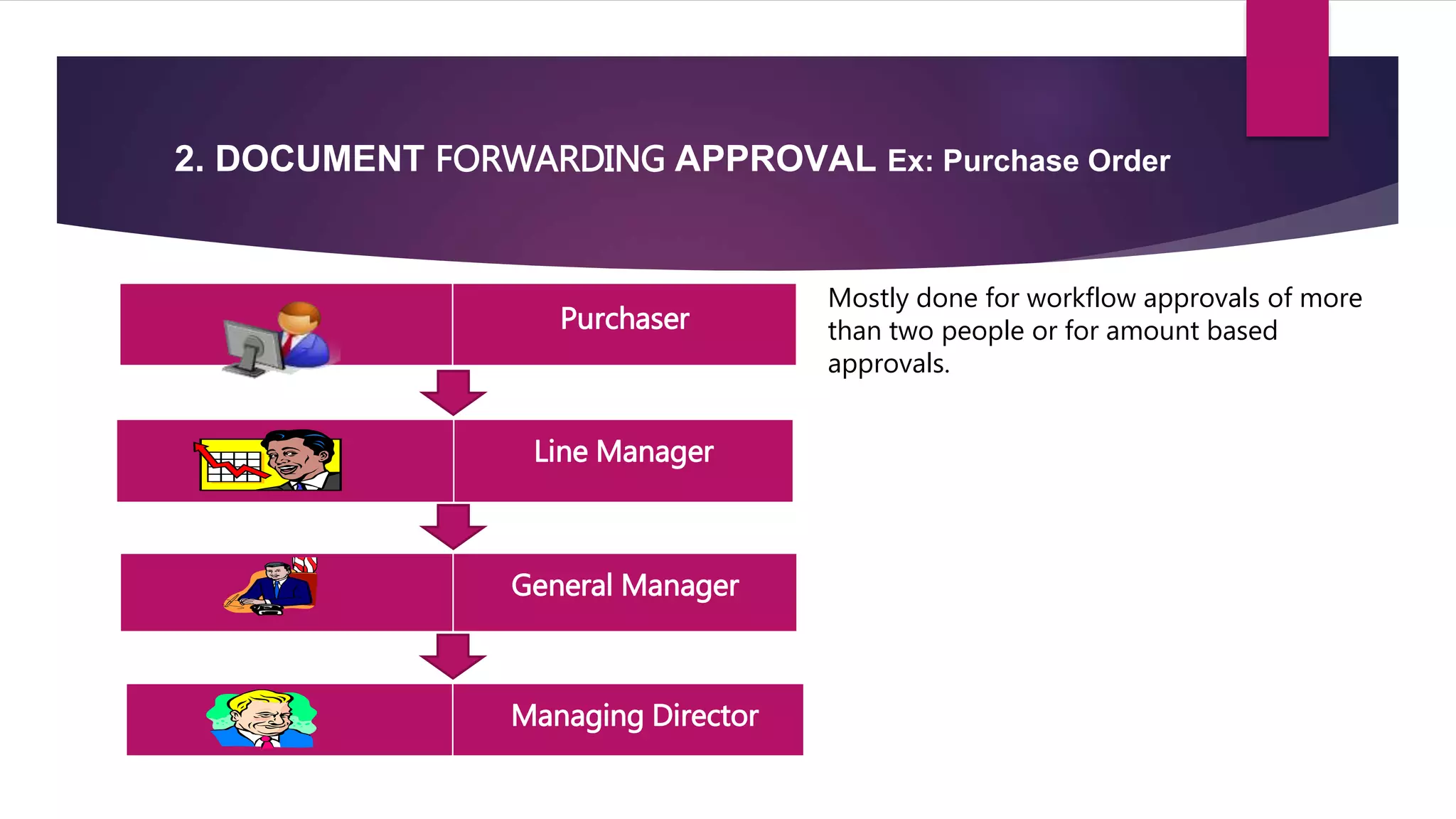
2. DOCUMENT FORWARDING APPROVAL Ex: Purchase Order
Purchaser
Line Manager
General Manager
Managing Director
Mostly done for workflow approvals of more
than two people or for amount based
approvals.
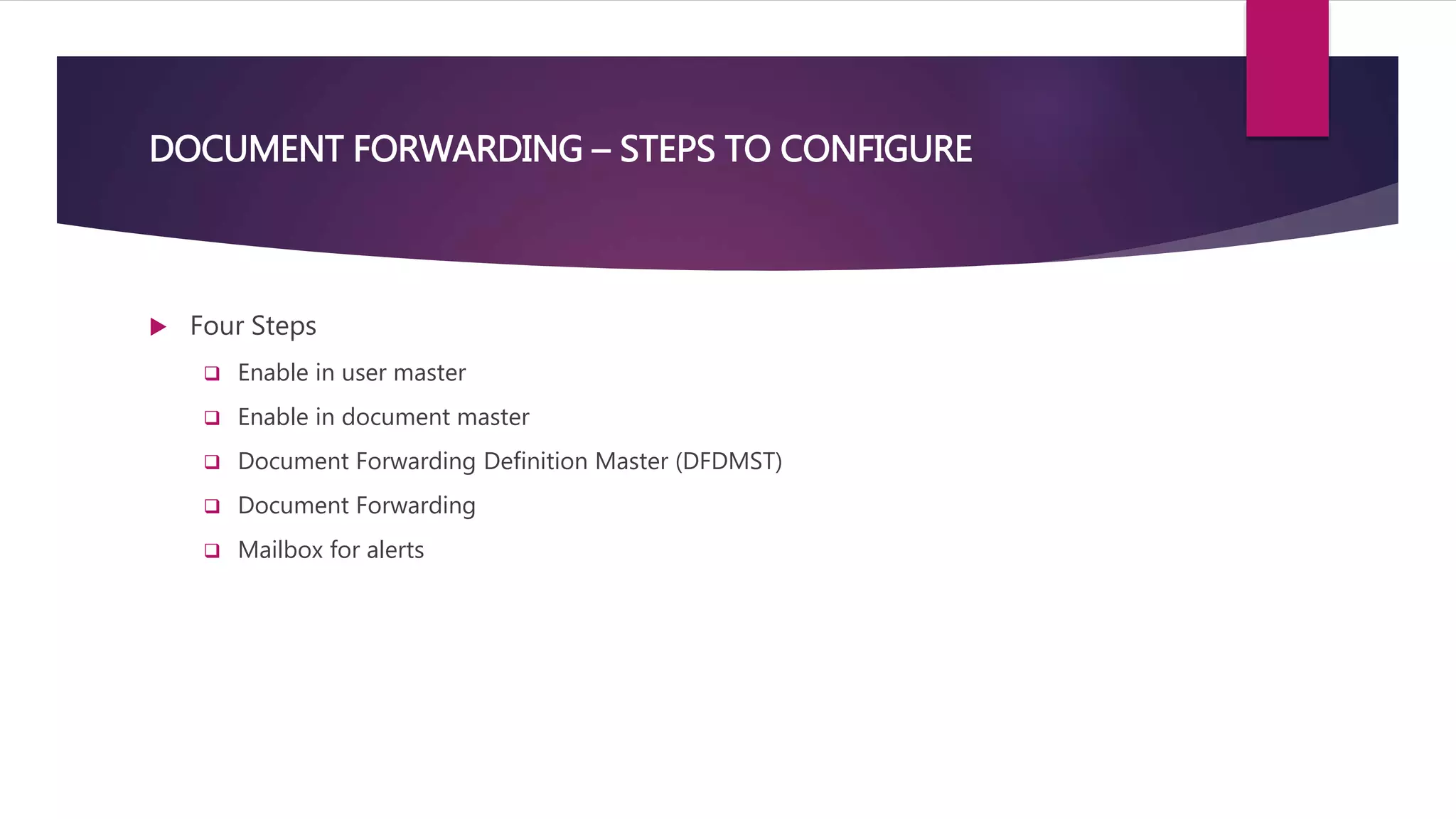
DOCUMENT FORWARDING – STEPS TO CONFIGURE
 Four Steps
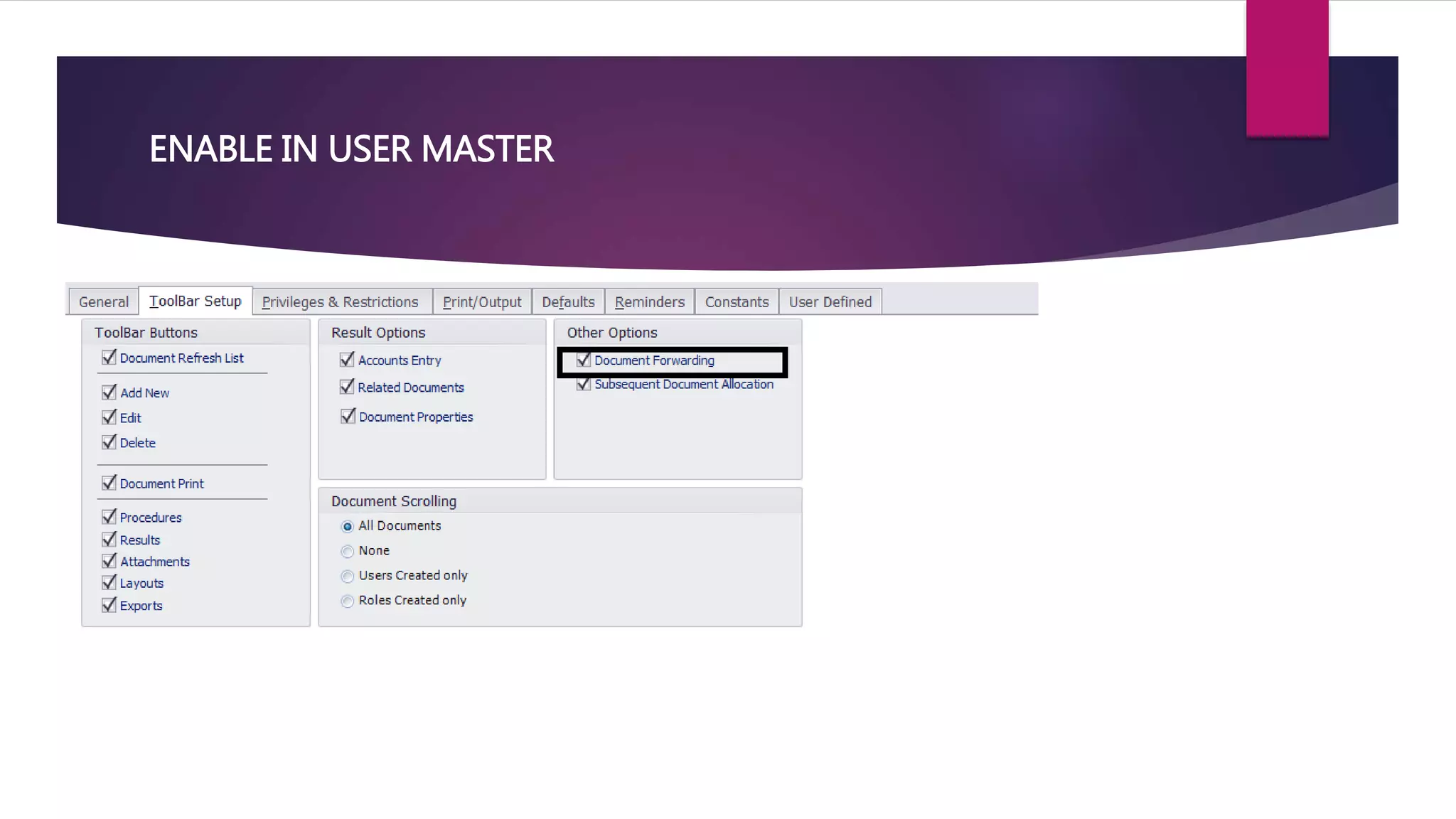
 Enable in user master
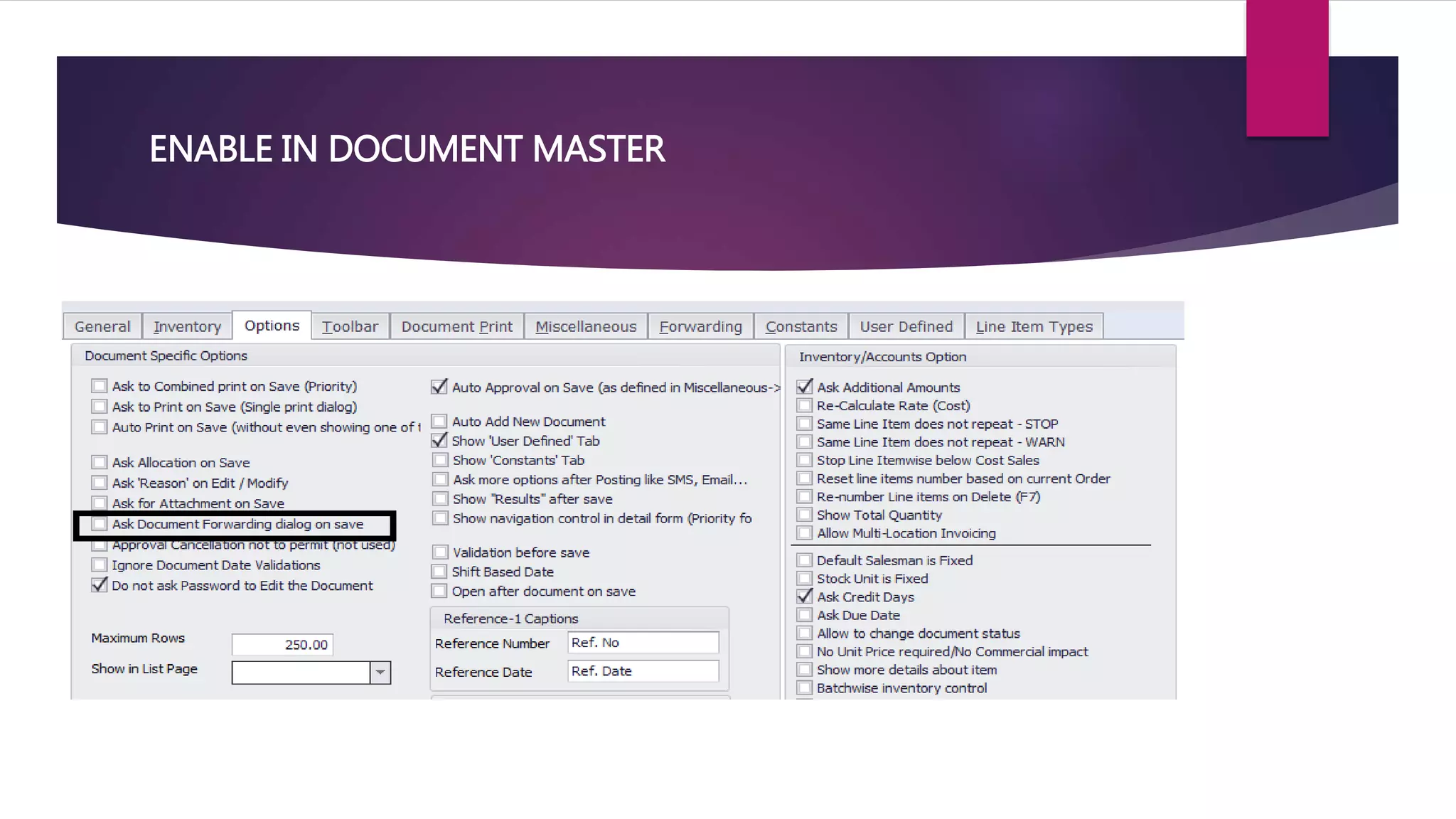
 Enable in document master
 Document Forwarding Definition Master (DFDMST)
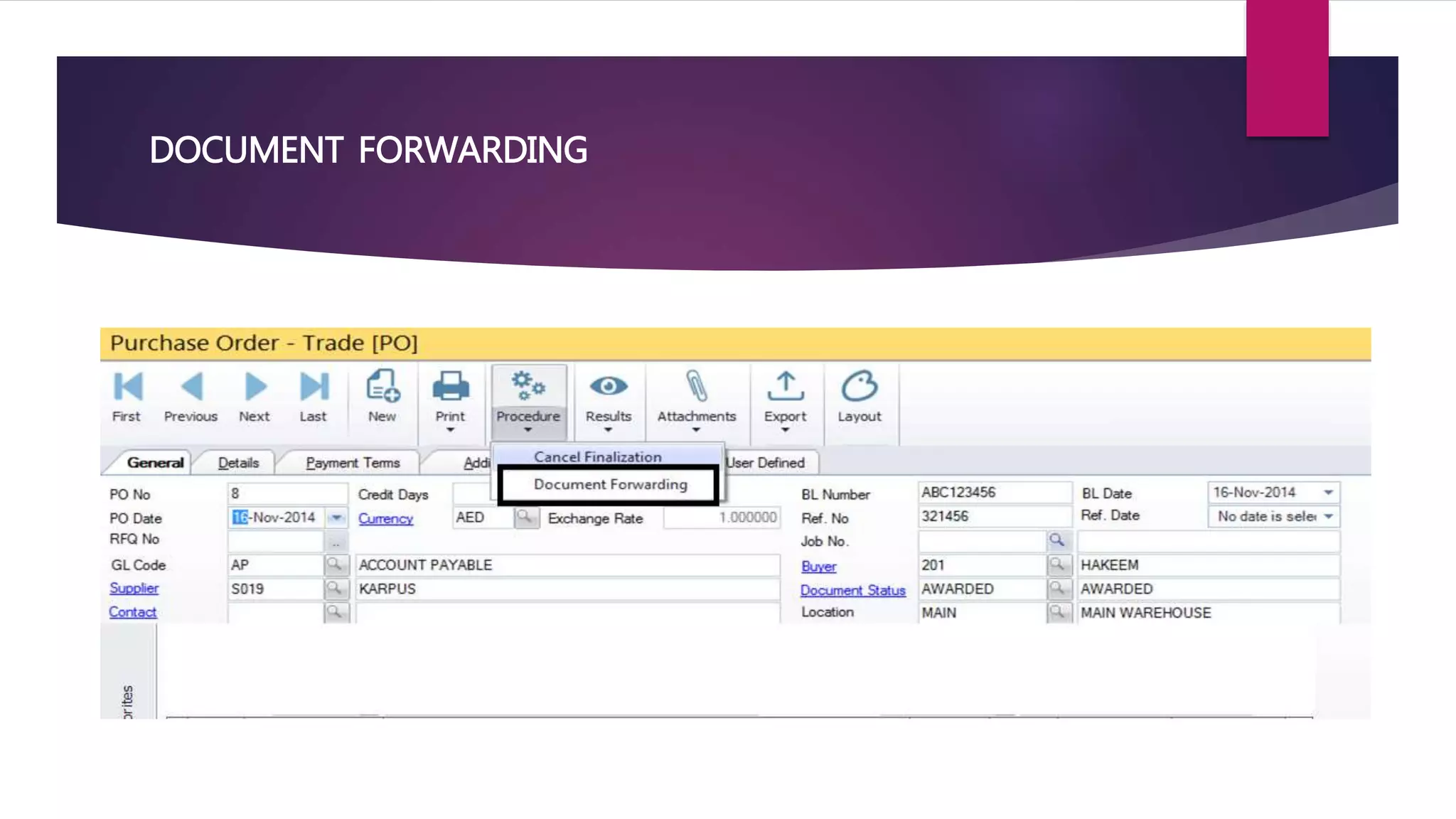
 Document Forwarding
 Mailbox for alerts
ENABLE IN USER MASTER
ENABLE IN DOCUMENT MASTER
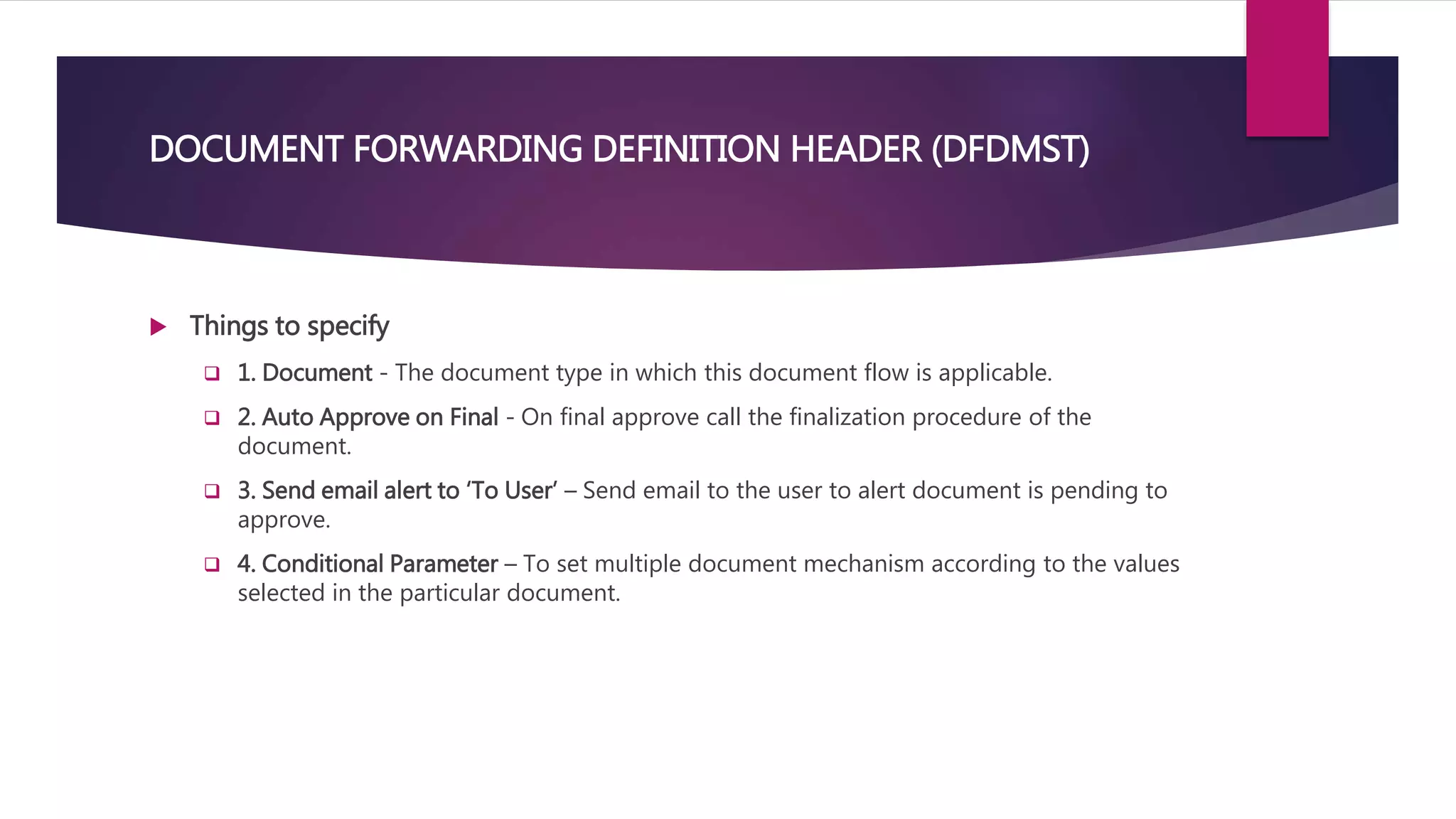
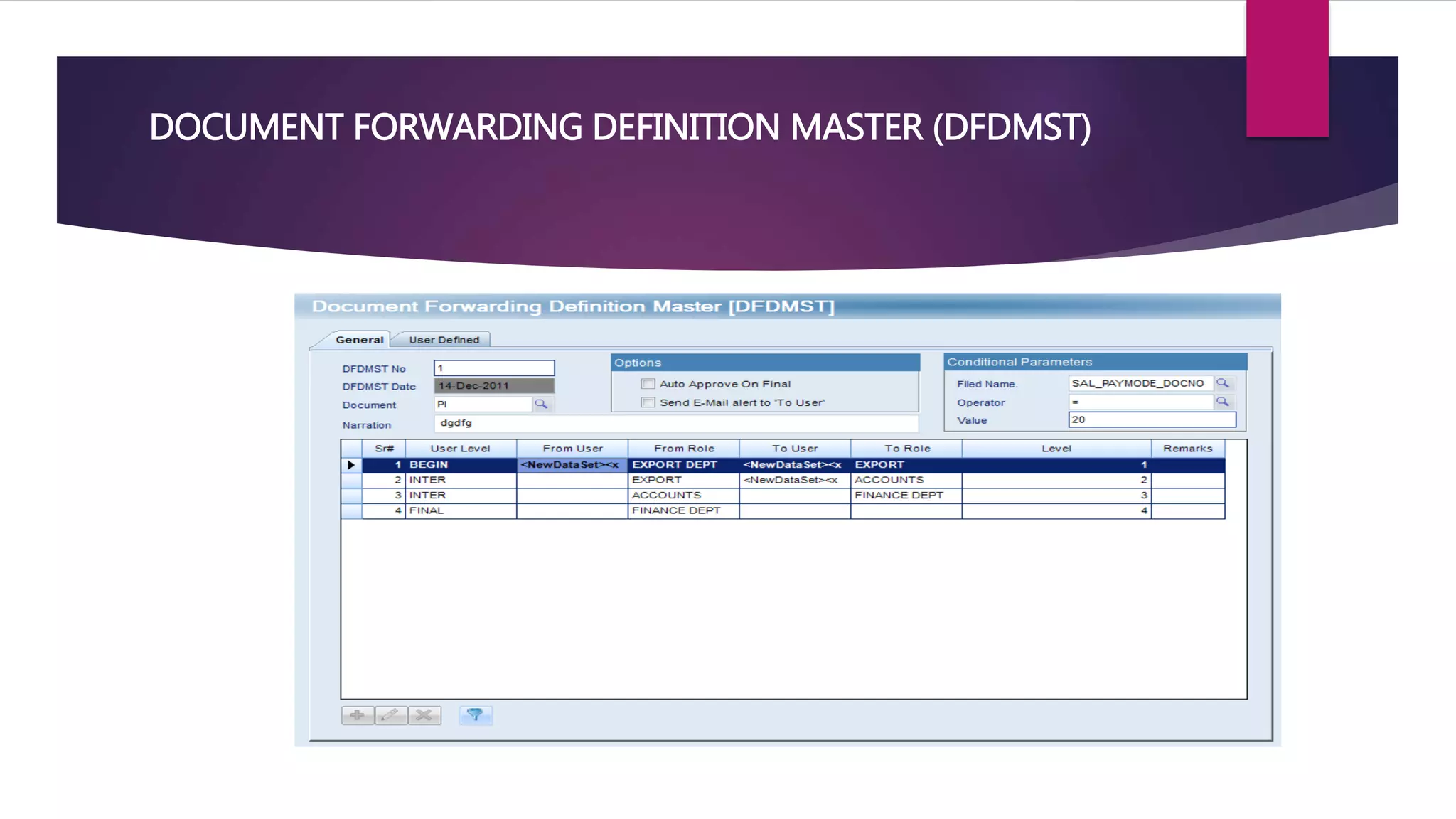
DOCUMENT FORWARDING DEFINITION HEADER (DFDMST)
 Things to specify
 1. Document - The document type in which this document flow is applicable.
 2. Auto Approve on Final - On final approve call the finalization procedure of the
document.
 3. Send email alert to ‘To User’ – Send email to the user to alert document is pending to
approve.
 4. Conditional Parameter – To set multiple document mechanism according to the values
selected in the particular document.
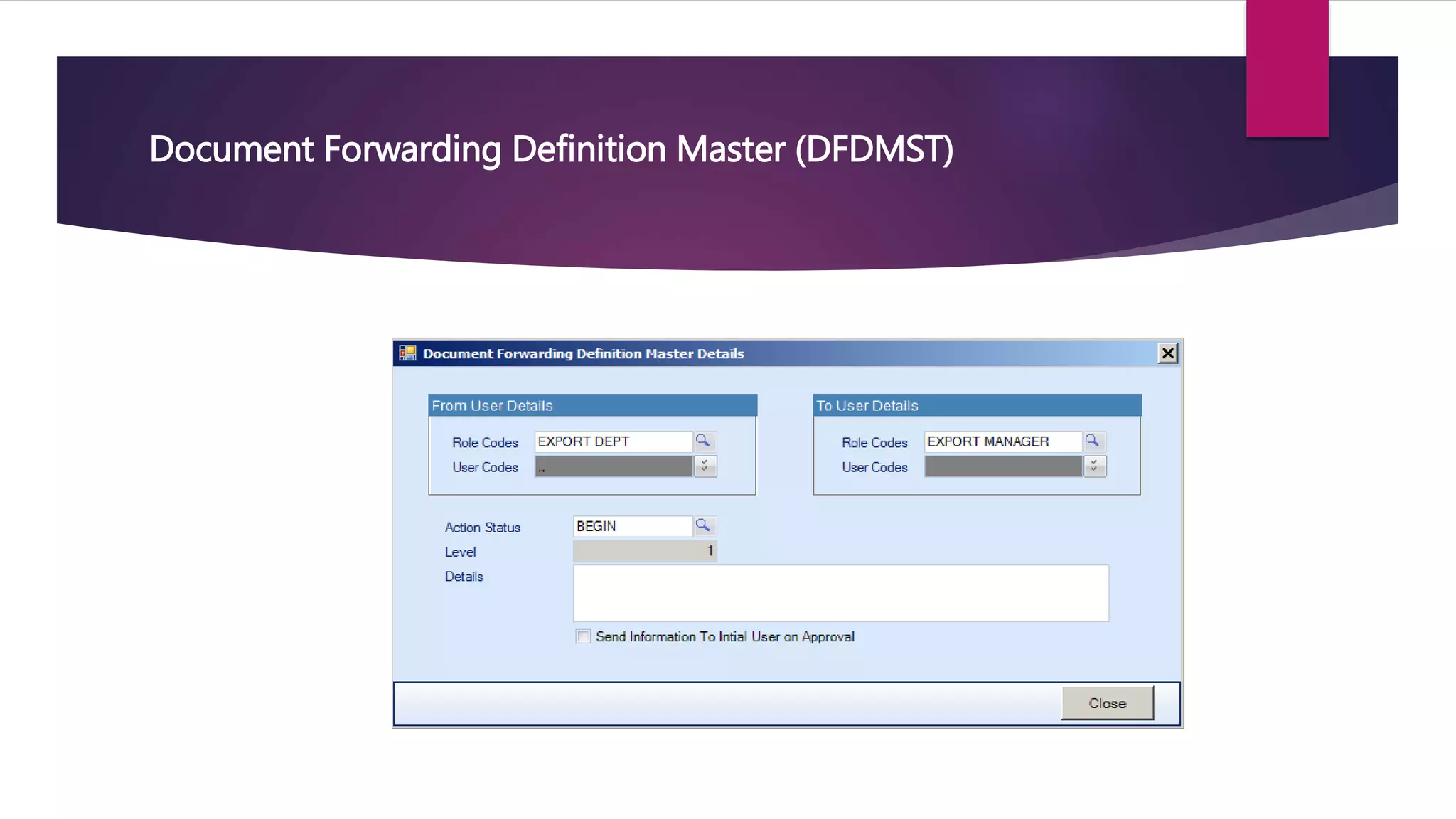
 Things to specify
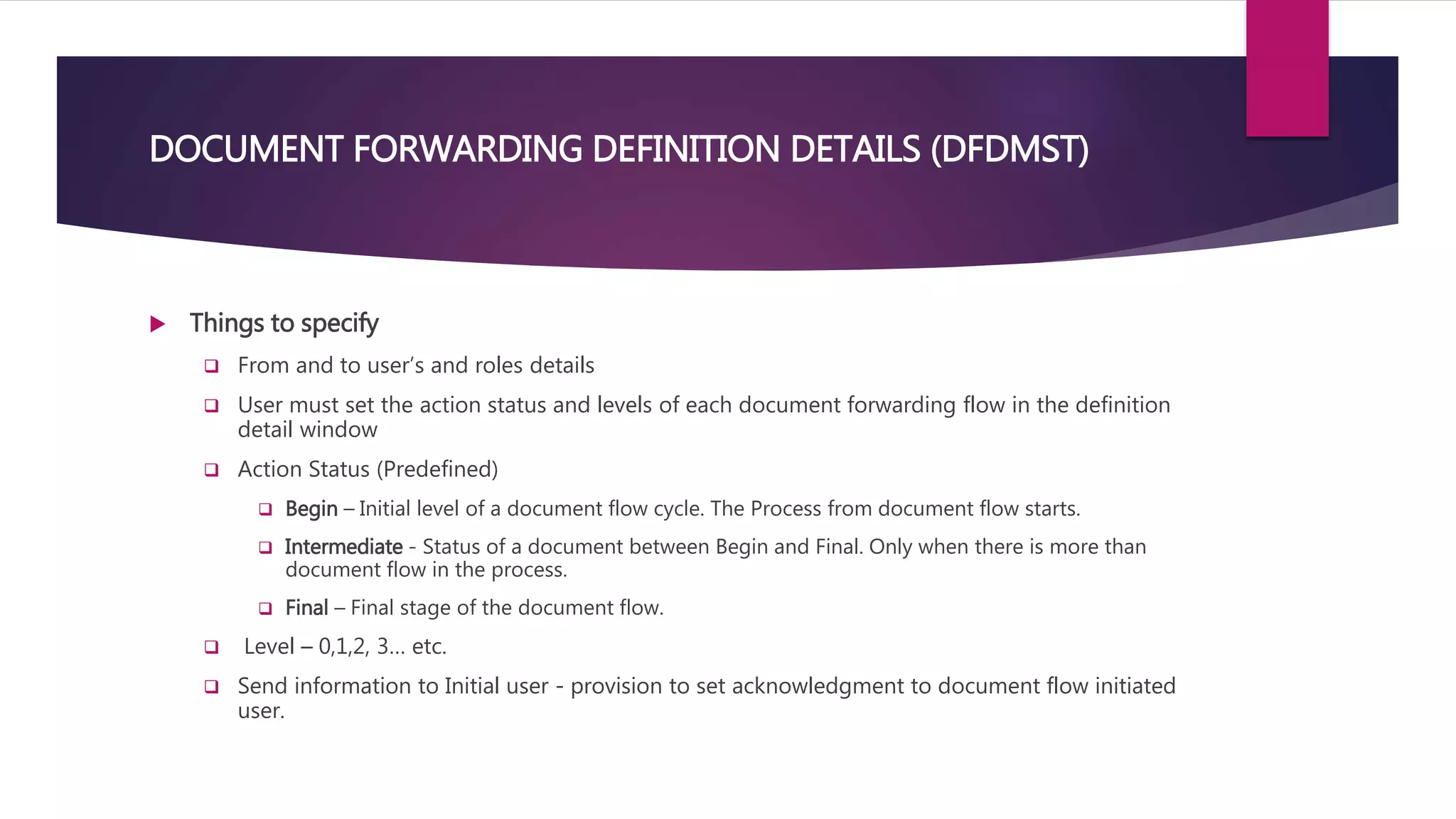
 From and to user’s and roles details
 User must set the action status and levels of each document forwarding flow in the definition
detail window
 Action Status (Predefined)
 Begin – Initial level of a document flow cycle. The Process from document flow starts.
 Intermediate - Status of a document between Begin and Final. Only when there is more than
document flow in the process.
 Final – Final stage of the document flow.
 Level – 0,1,2, 3… etc.
 Send information to Initial user - provision to set acknowledgment to document flow initiated
user.
DOCUMENT FORWARDING DEFINITION DETAILS (DFDMST)
DOCUMENT FORWARDING DEFINITION MASTER (DFDMST)
Document Forwarding Definition Master (DFDMST)
DOCUMENT FORWARDING
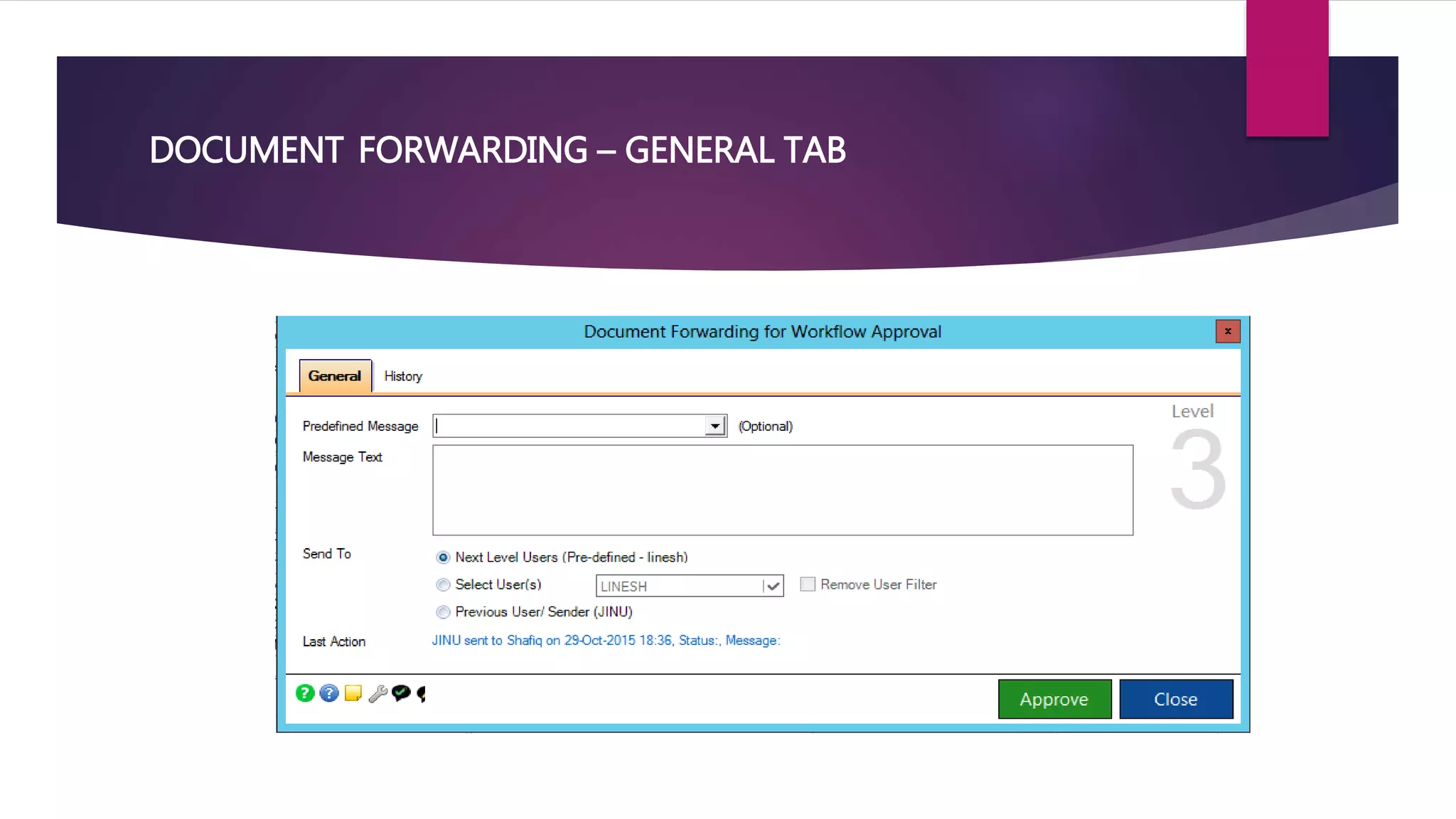
DOCUMENT FORWARDING – GENERAL TAB
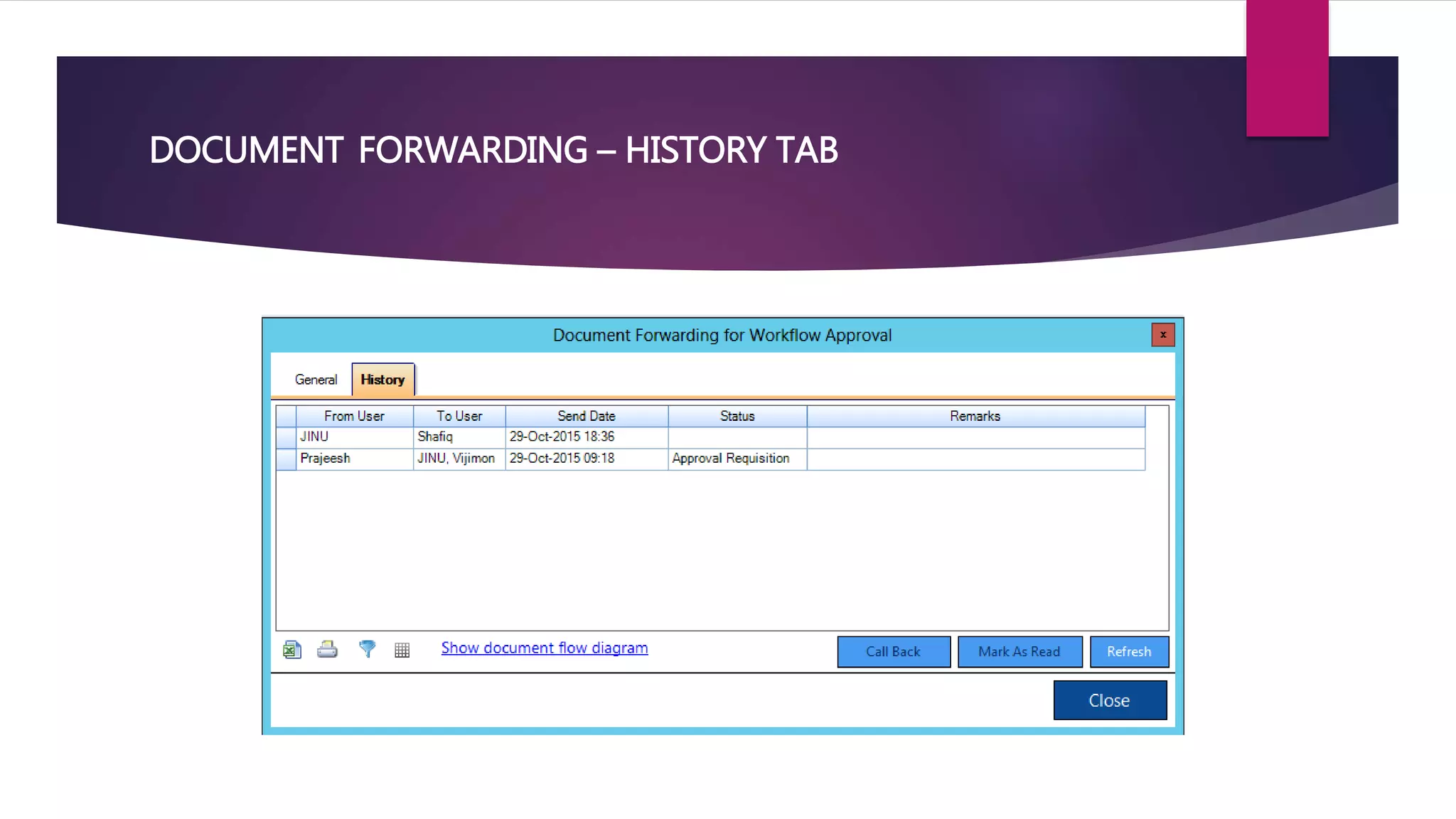
DOCUMENT FORWARDING – HISTORY TAB
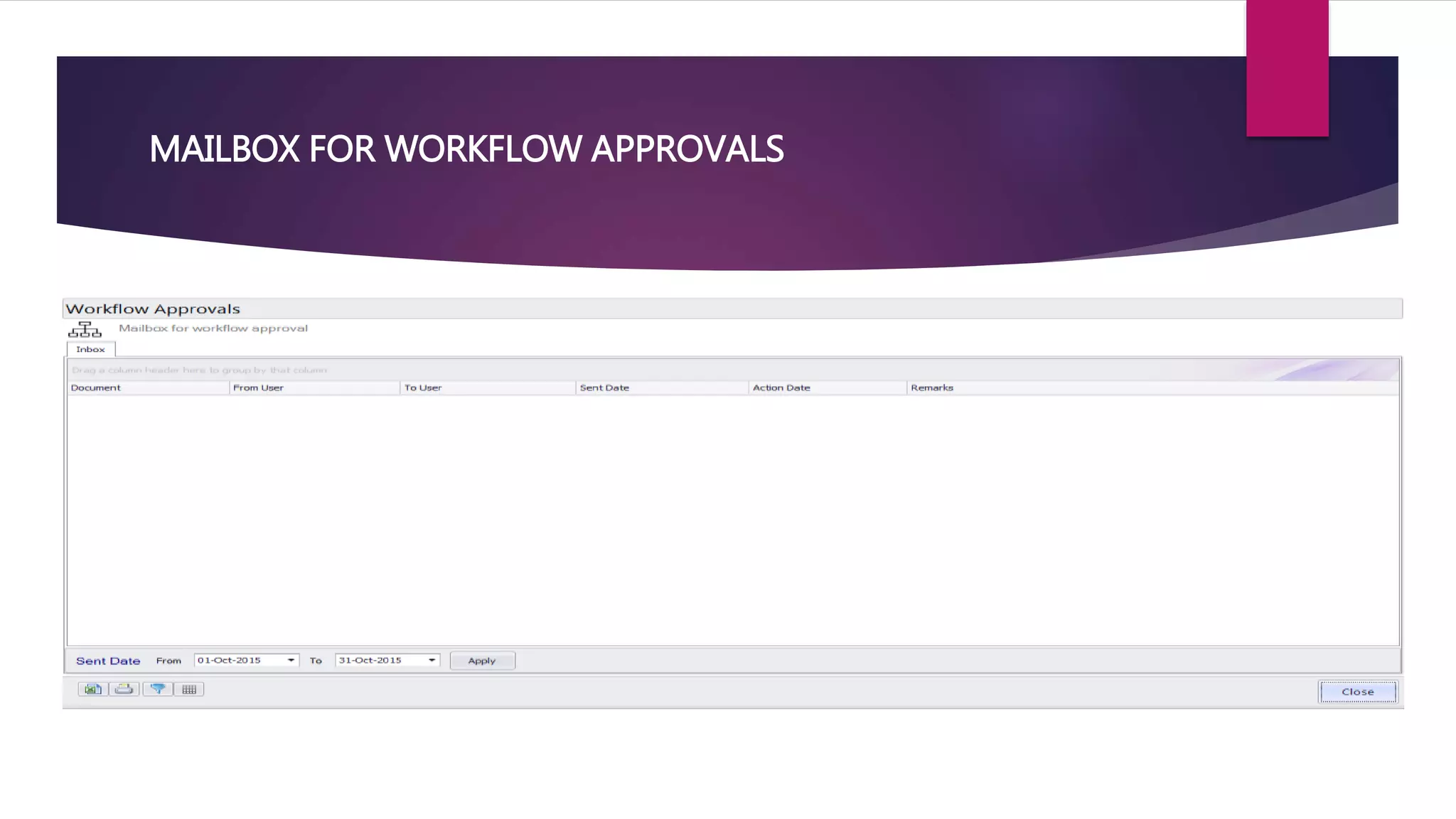
MAILBOX FOR WORKFLOW APPROVALS
SUGGESTIONS/DISCUSSION POINTS
 Post and unpost options can be made just like new, edit buttons by keeping it separate
from procedures list?
 Reject /Hold/Recheck modes needed in approval?
 Considering both users and roles in forwarding mechanism is confusing?
 Stage and order versus Action Status and Level. Which is better?
 Menu naming can be improved since workflow - definition since it is a common term.?
 To user Column not needed in mailbox?
Workflow approval mechanisms in facts erp

Workflow approval mechanisms in facts erp

  • 1.
  • 2.
    INTRODUCTION  Available forboth “Master” and “Transaction” documents.  Two Types of workflow approvals.  MAKER & CHECKER APPROVAL  DOCUMENT FORWARDING APPROVAL
  • 3.
    1. MAKER &CHECKER APPROVAL  Maker-Checker approval is built-in the “frmListing” itself, with a “Posted” column in the same grid, or with “All” and “Posting Pending”, list options in the frmListing combo.  Master entry forms are facilitated with Active and Inactive options.
  • 4.
    2. DOCUMENT FORWARDINGAPPROVAL Ex: Purchase Order Purchaser Line Manager General Manager Managing Director Mostly done for workflow approvals of more than two people or for amount based approvals.
  • 5.
    DOCUMENT FORWARDING –STEPS TO CONFIGURE  Four Steps  Enable in user master  Enable in document master  Document Forwarding Definition Master (DFDMST)  Document Forwarding  Mailbox for alerts
  • 6.
  • 7.
  • 8.
    DOCUMENT FORWARDING DEFINITIONHEADER (DFDMST)  Things to specify  1. Document - The document type in which this document flow is applicable.  2. Auto Approve on Final - On final approve call the finalization procedure of the document.  3. Send email alert to ‘To User’ – Send email to the user to alert document is pending to approve.  4. Conditional Parameter – To set multiple document mechanism according to the values selected in the particular document.
  • 9.
     Things tospecify  From and to user’s and roles details  User must set the action status and levels of each document forwarding flow in the definition detail window  Action Status (Predefined)  Begin – Initial level of a document flow cycle. The Process from document flow starts.  Intermediate - Status of a document between Begin and Final. Only when there is more than document flow in the process.  Final – Final stage of the document flow.  Level – 0,1,2, 3… etc.  Send information to Initial user - provision to set acknowledgment to document flow initiated user. DOCUMENT FORWARDING DEFINITION DETAILS (DFDMST)
  • 10.
  • 11.
  • 12.
  • 13.
  • 14.
  • 15.
  • 16.
    SUGGESTIONS/DISCUSSION POINTS  Postand unpost options can be made just like new, edit buttons by keeping it separate from procedures list?  Reject /Hold/Recheck modes needed in approval?  Considering both users and roles in forwarding mechanism is confusing?  Stage and order versus Action Status and Level. Which is better?  Menu naming can be improved since workflow - definition since it is a common term.?  To user Column not needed in mailbox?