



Building Library Websites with WordPress Internet Librarian 2009 Polly-Alida Farrington Resources at: http://lib20.pbworks.com
Agenda What’s a Content Management System Wordpress as CMS – examples Hosting your site WordPress Building Blocks CMS features
Slides, notes, resources, etc. http://lib20.pbworks.com  links to additional resources and these slids http://libraryblogs.net  your test blogs are on this server.  NOTE: your libraryblogs.net accounts won’t have all the options we’re going to cover today.
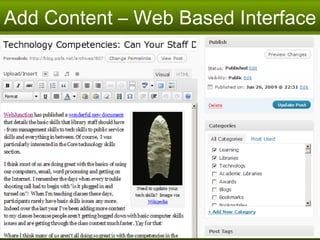
WordPress is a Content Management System Create site without writing code Web based interface Contributors can focus on CONTENT! Update “look & feel” easily Content stored in a database  Flexible
WordPress is Open Source Free! You can access the source code.  And modify it. And develop tools to enhance it! Be part of the community that supports it. Other familiar open source software:  Firefox  Open Office
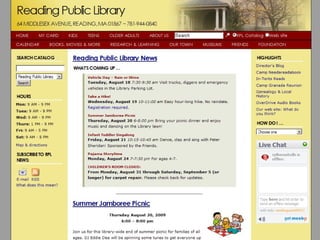
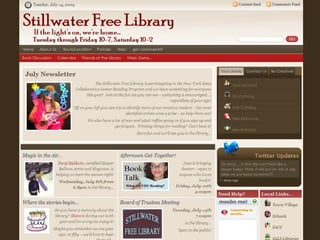
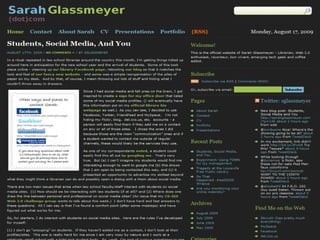
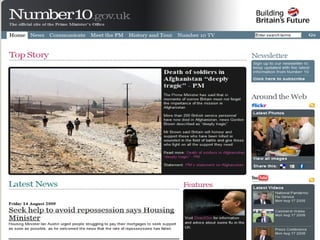
WordPress as CMS Examples
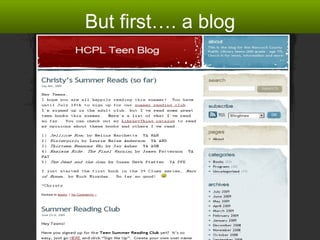
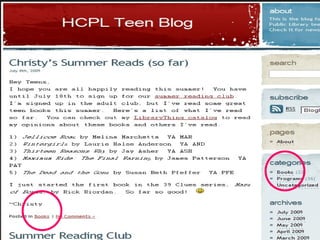
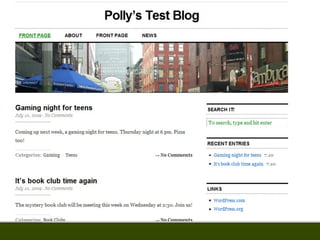
But first…. a blog


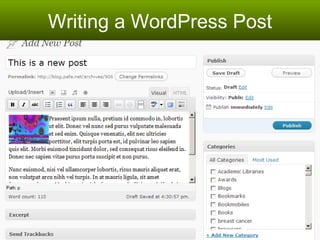
Writing a WordPress Post
PAGES make it more than a blog
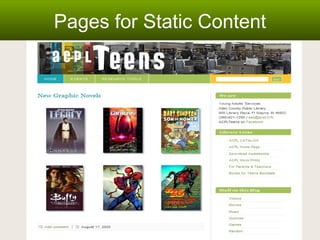
Pages for Static Content
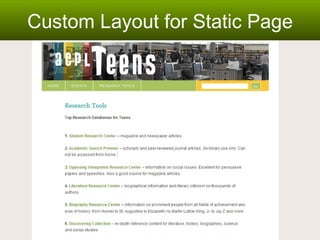
Custom Layout for Static Page


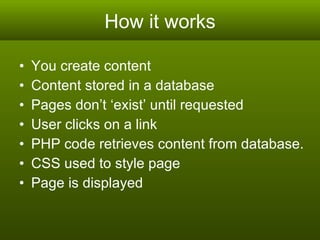
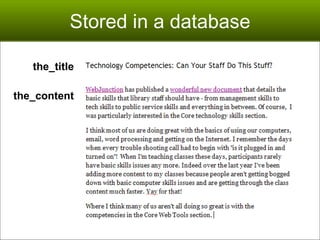
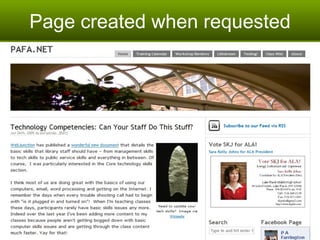
How it works You create content Content stored in a database  Pages don’t ‘exist’ until requested User clicks on a link PHP code retrieves content from database. CSS used to style page Page is displayed
Add Content – Web Based Interface
Stored in a database the_title the_content
Page created when requested
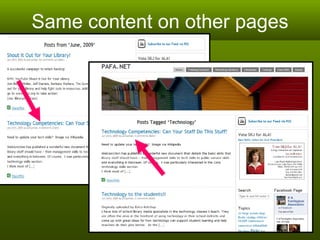
Same content on other pages
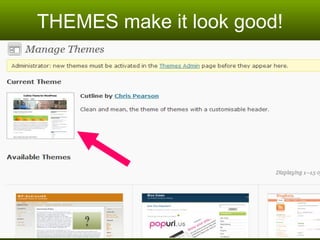
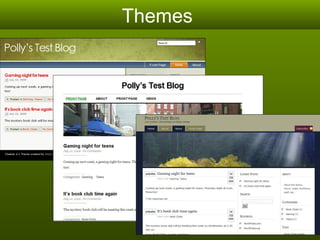
THEMES make it look good!
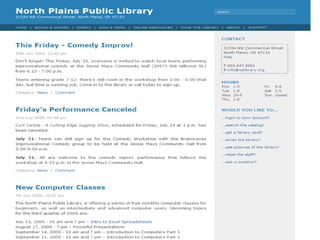
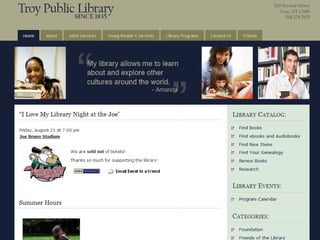
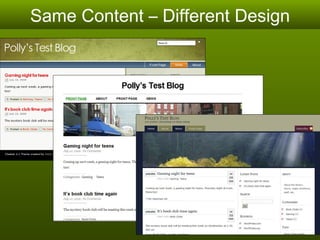
Same Content – Different Design
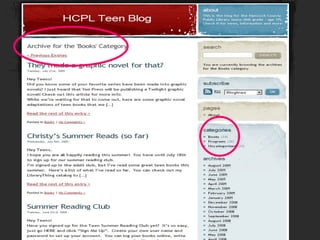
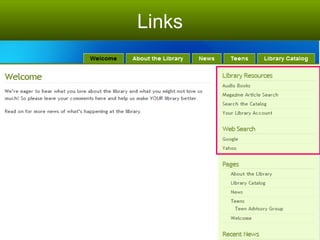
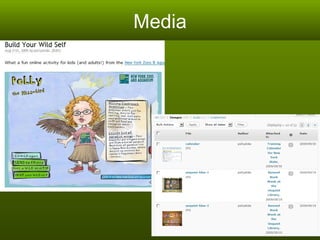
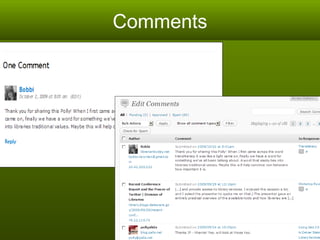
Types of Content Posts  – news articles, timely, up to date, frequently changing. Pages  – Static pages, timeless info, about, contact, policies, services, etc.  Links  – lists of links on a sidebar (aka: blogroll) Media  – photos and images Comments  – from your readers
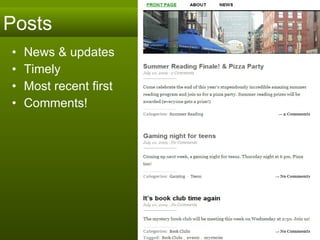
Posts News & updates Timely Most recent first Comments!
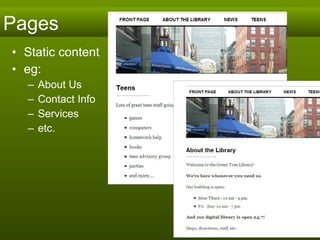
Pages Static content eg:  About Us Contact Info Services etc.
Links
Media
Comments
Hosting WordPress
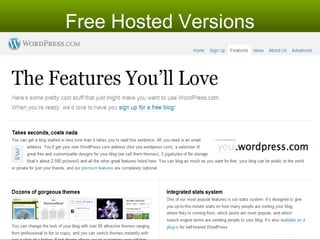
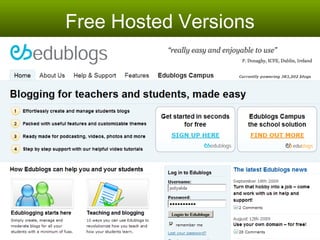
Free Hosted Versions
Self Hosted – Your Own Server Cost?  Storage capacity? Bandwidth? Tech Support?  Install software yourself PHP version 4.3 or greater  MySQL version 4.1.2 or greater  Recommended:  Linux & Apache
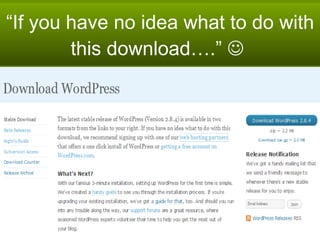
“If you have no idea what to do with this download….”  
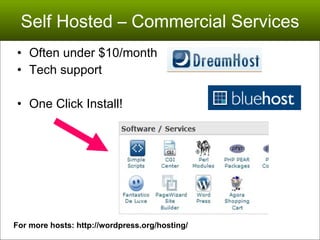
Self Hosted – Commercial Services Often under $10/month Tech support One Click Install!  For more hosts: http://wordpress.org/hosting/
Technical Requirements For version 2.9 (coming soon) PHP version 4.3 or greater  MySQL version 4.1.2 or greater  http://codex.wordpress.org/Hosting_WordPress
WordPress Building Blocks Hopefully a live demo!
Getting Started
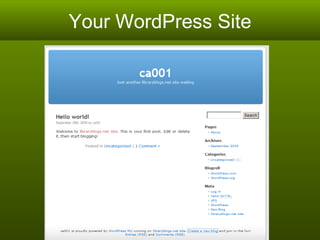
Your WordPress Site
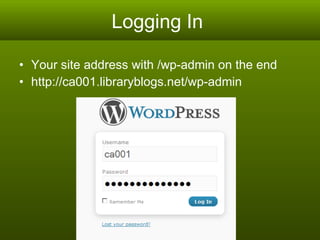
Logging In  Your site address with /wp-admin on the end http://ca001.libraryblogs.net/wp-admin
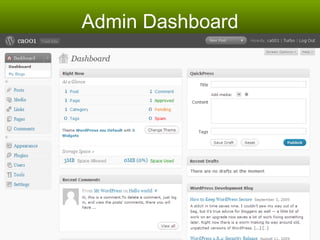
Admin Dashboard
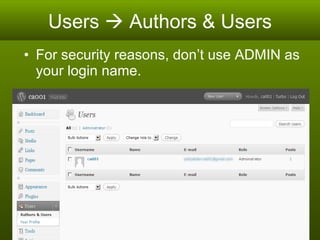
Users    Authors & Users For security reasons, don’t use ADMIN as your login name.
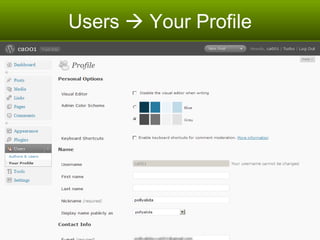
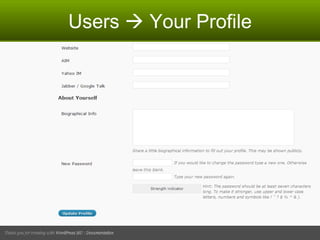
Users    Your Profile
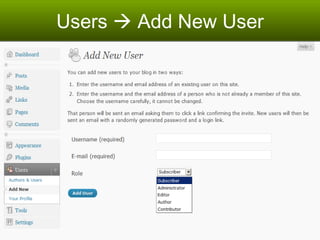
Users    Add New User
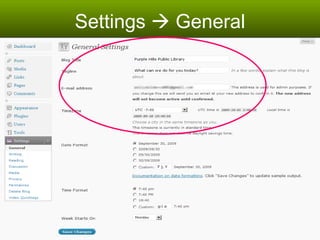
Settings    General
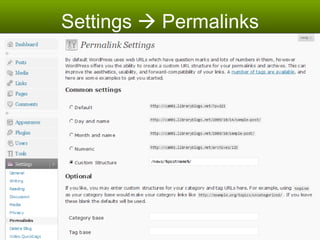
Settings    Permalinks
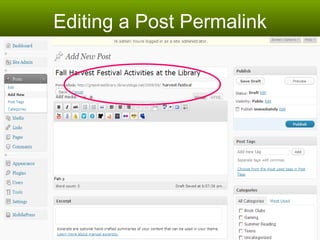
Editing a Post Permalink
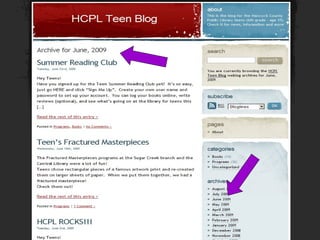
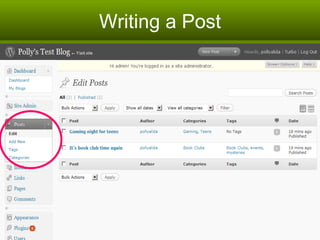
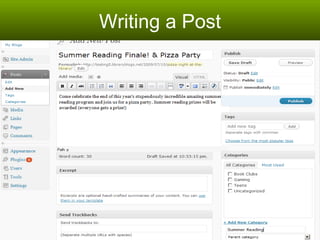
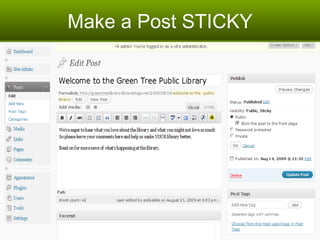
Writing a Post News & events & updates Most recent appears at the top Older posts get bumped off the page Stored in Archives Special page for posts
Writing a Post
Writing a Post
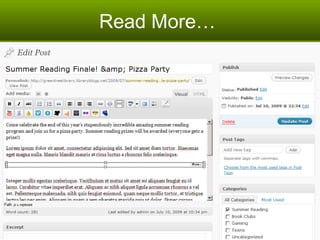
Read More…
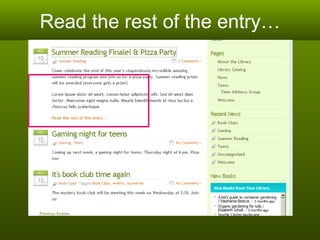
Read the rest of the entry…
Make a Post STICKY
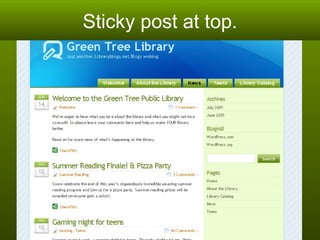
Sticky post at top.
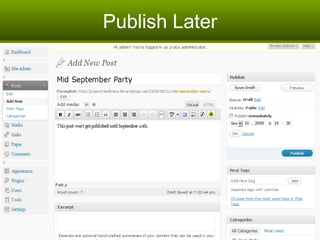
Publish Later
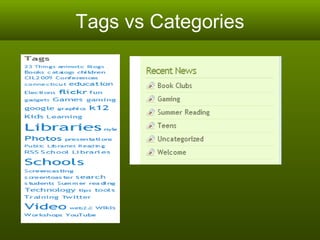
Tags vs Categories
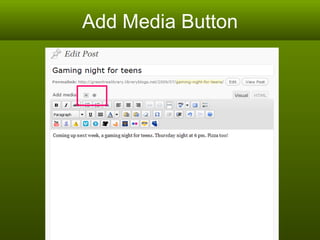
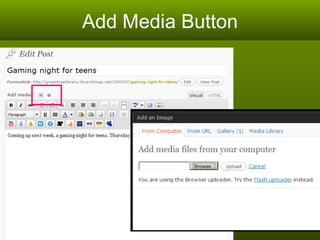
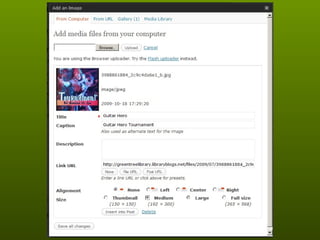
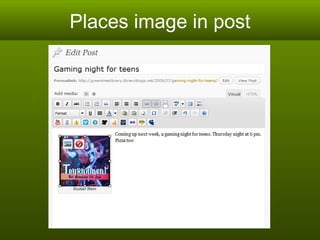
Adding Images
Add Media Button
Add Media Button
 
Places image in post
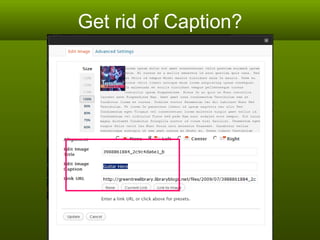
Get rid of Caption?
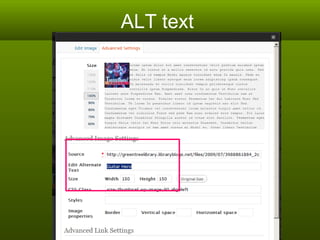
ALT text
Adding Pages
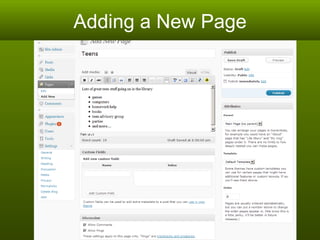
Adding a New Page
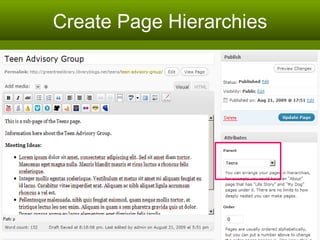
Create Page Hierarchies
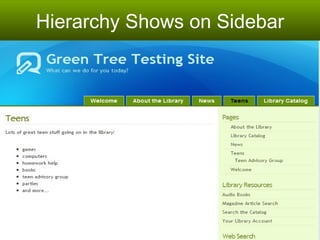
Hierarchy Shows on Sidebar
Links to Sub-Pages Format for creating a link to another page:  <a href=&quot;index.php?page_id=42&quot;>Page title</a > Get page ID from Pages    Edit panel.
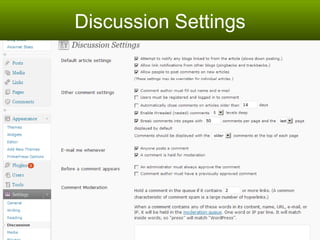
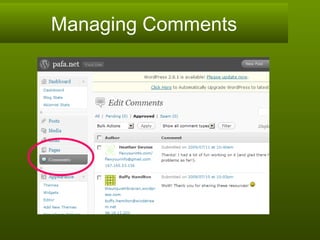
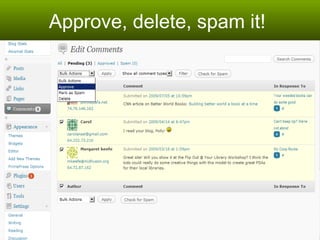
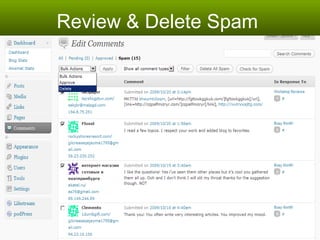
Discussion - Comments  Settings    Discussion Set options for handling comments  Comments Approve, edit & delete comments Manage spam
Discussion Settings
Managing Comments
Approve, delete, spam it!
Review & Delete Spam
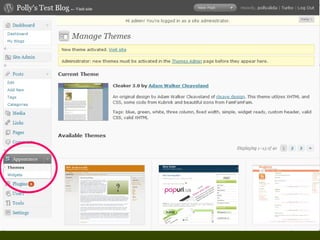
Themes
Themes


Themes – Add new themes
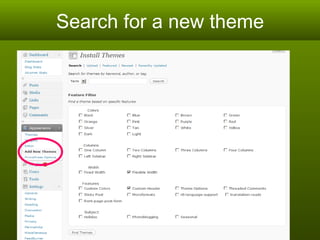
Search for a new theme
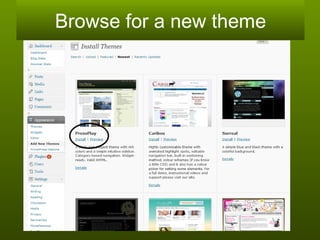
Browse for a new theme
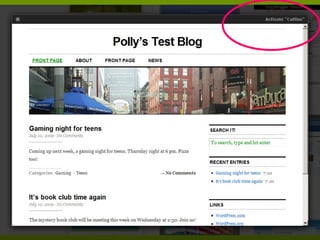
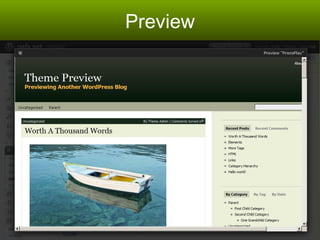
Preview
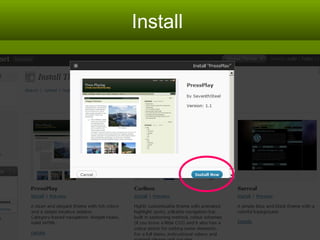
Install
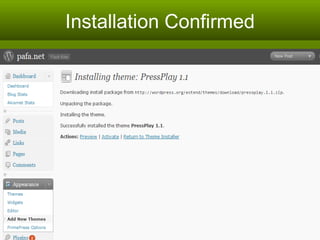
Installation Confirmed
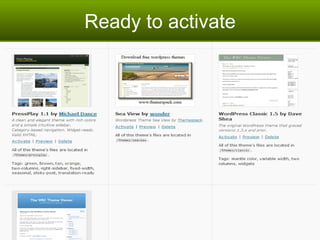
Ready to activate
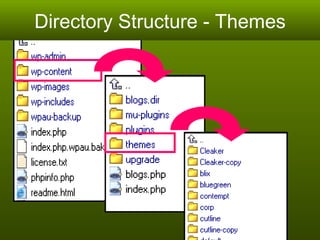
Adding Themes via FTP Download the theme to your computer Unzip it ftp to your server Copy the new theme folder to :   /wp-content/themes It will appear in list of themes Activate it
Directory Structure - Themes
Sidebar Widgets
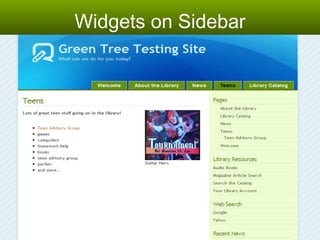
Widgets on Sidebar
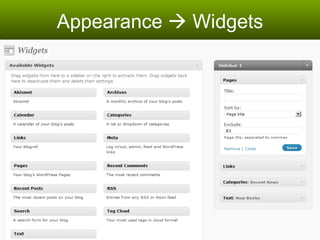
Appearance    Widgets
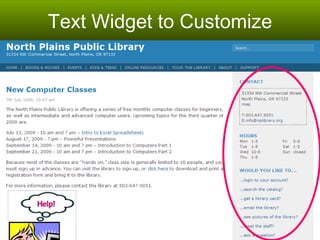
Text Widget to Customize
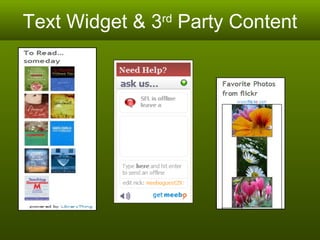
Text Widget & 3 rd  Party Content
Plugins
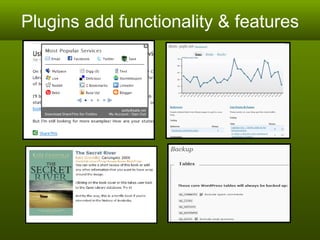
Plugins add functionality & features
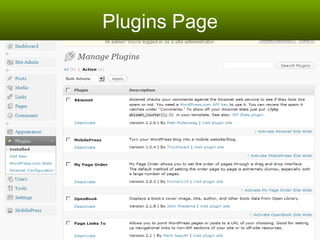
Plugins Page
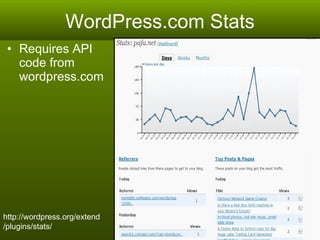
WordPress.com Stats Requires API code from wordpress.com  http://wordpress.org/extend/plugins/stats/
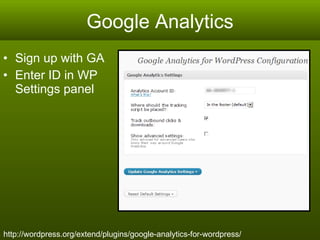
Google Analytics Sign up with GA Enter ID in WP Settings panel http://wordpress.org/extend/plugins/google-analytics-for-wordpress/
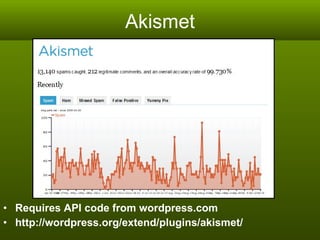
Akismet Requires API code from wordpress.com  http://wordpress.org/extend/plugins/akismet/
More great plugins later!
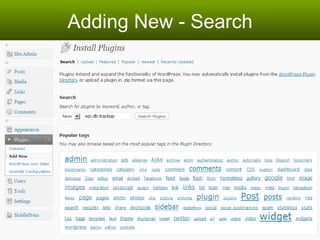
Adding New Plugins
Adding New - Search
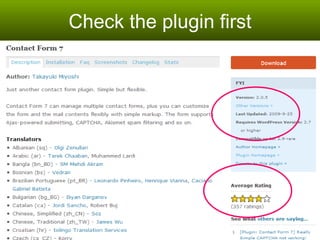
Check the plugin first
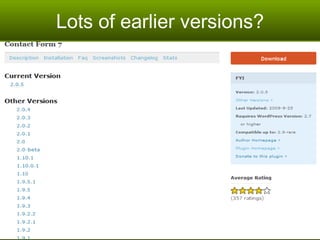
Lots of earlier versions?
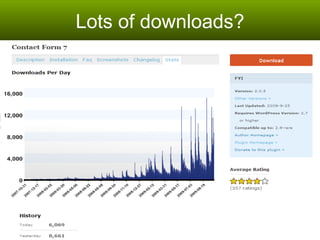
Lots of downloads?
Updating Plugins
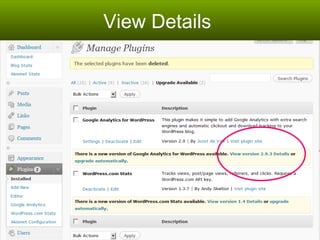
View Details
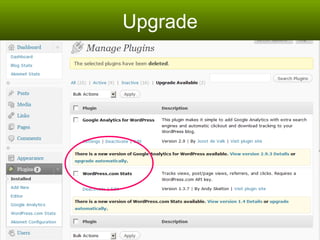
Upgrade
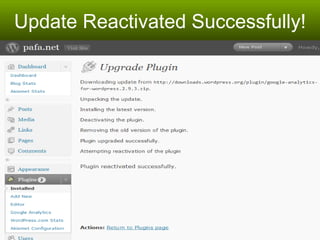
Update Reactivated Successfully!
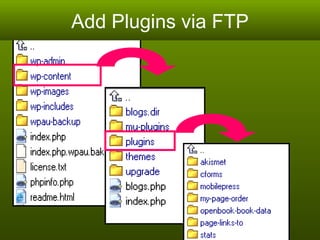
Add Plugins via FTP
WordPress Maintenance!
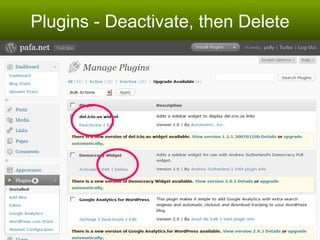
Plugins - Deactivate, then Delete
Backup! Backup your database: Via web host control panel Or wp-db-backup plugin  (wordpress.org/extend/plugins/wp-db-backup/) FTP to server and copy:  wp-content/themes wp-content/plugins wp-content/uploads (images, files, etc
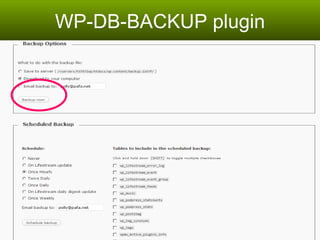
WP-DB-BACKUP plugin
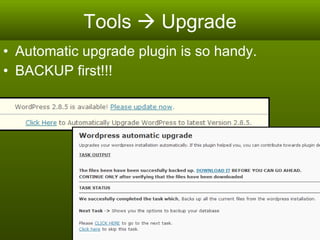
Tools    Upgrade Automatic upgrade plugin is so handy. BACKUP first!!!
CMS Tips & Tricks
‘ Pretty’ Permalinks
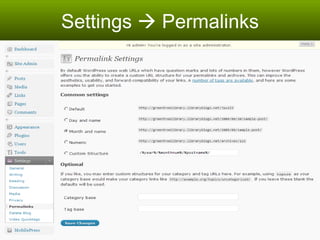
Settings    Permalinks
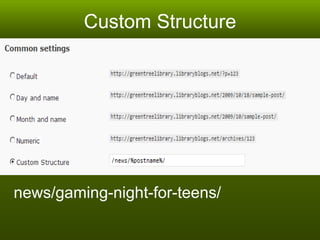
Custom Structure news/gaming-night-for-teens/
Making a static front page
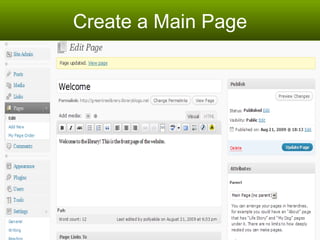
Create a Main Page
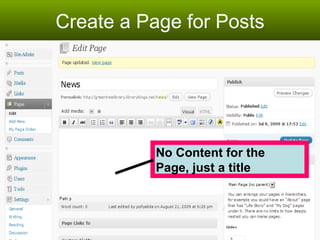
Create a Page for Posts No Content for the  Page, just a title
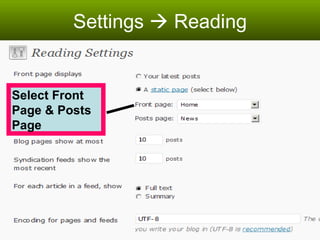
Settings    Reading Select Front Page & Posts Page
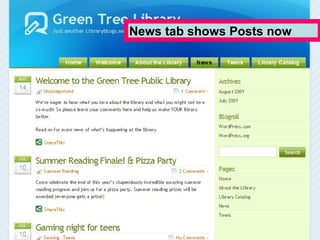
News tab shows Posts now
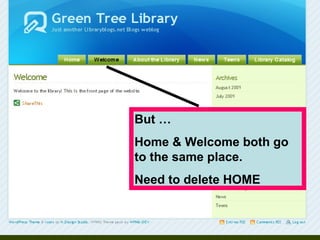
But …  Home & Welcome both go to the same place.  Need to delete HOME
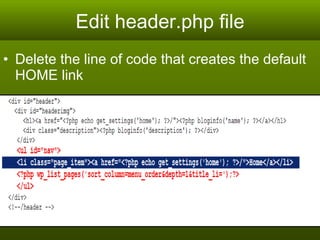
Edit header.php file Delete the line of code that creates the default HOME link
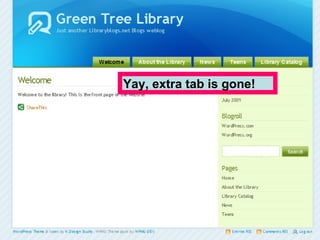
Yay, extra tab is gone!
More Code! Theme & CSS Editor
A quick look at the Theme Editor Modify existing themes Change fonts, colors, graphics Create your own themes NOTE: Can’t do this with class test blogs Wordpress.com – $$ extra
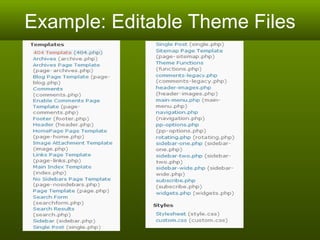
Example: Editable Theme Files
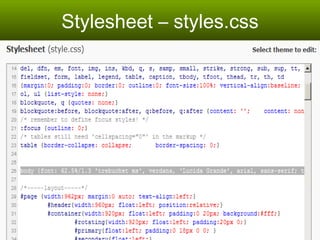
Stylesheet – styles.css
Custom 404 page
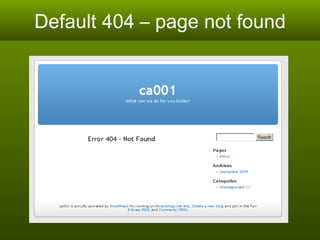
Default 404 – page not found
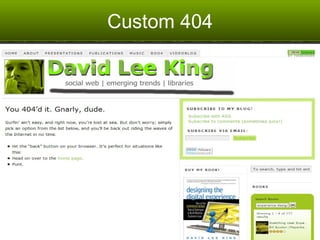
Custom 404
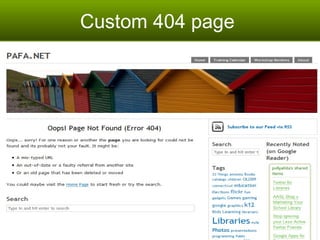
Custom 404 page
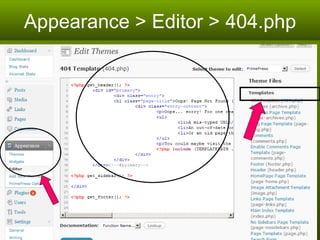
Appearance > Editor > 404.php
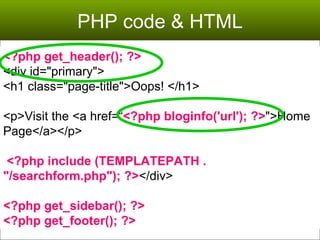
PHP code & HTML <?php get_header(); ?> <div id=&quot;primary&quot;> <h1 class=&quot;page-title&quot;>Oops! </h1> <p>Visit the <a href=“ <?php bloginfo('url'); ?> &quot;>Home Page</a></p> <?php include (TEMPLATEPATH . &quot;/searchform.php&quot;); ?> </div> <?php get_sidebar(); ?> <?php get_footer(); ?>
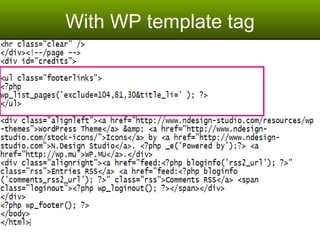
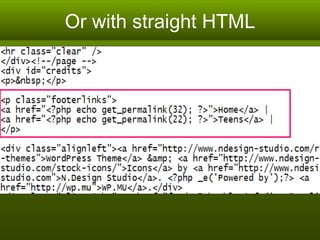
Add Navigation to Footer
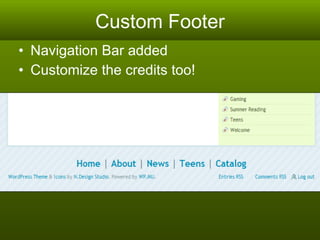
Custom Footer Navigation Bar added Customize the credits too!
With WP template tag
Or with straight HTML
Template Pages
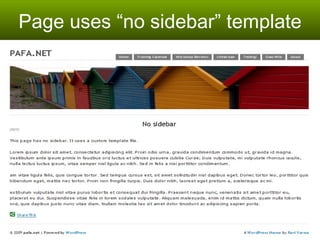
Page uses “no sidebar” template
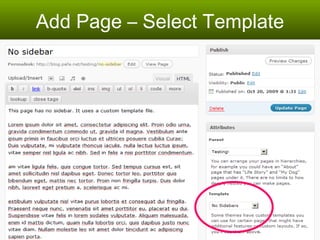
Add Page – Select Template
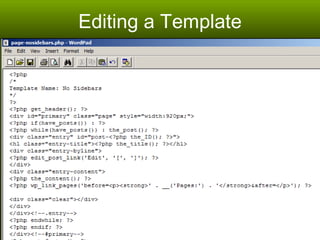
Editing a Template
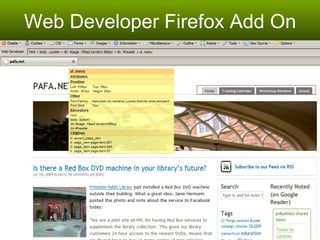
Web Developer Firefox Add On
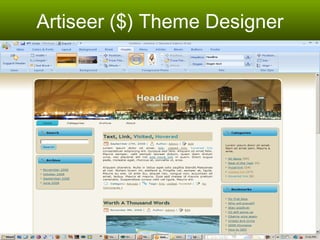
Artiseer ($) Theme Designer
Handy Plugins
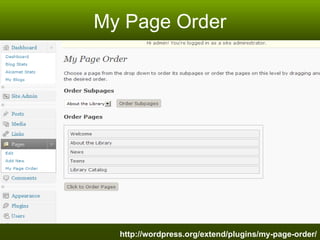
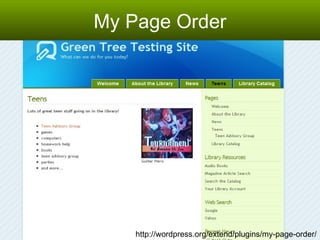
My Page Order http://wordpress.org/extend/plugins/my-page-order/
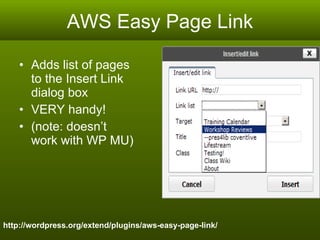
AWS Easy Page Link Adds list of pages to the Insert Link dialog box VERY handy!  (note: doesn’t work with WP MU) http://wordpress.org/extend/plugins/aws-easy-page-link/
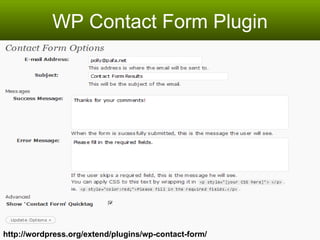
WP Contact Form Plugin http://wordpress.org/extend/plugins/wp-contact-form/
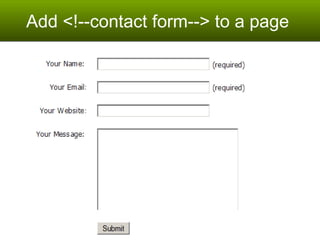
Add <!--contact form--> to a page
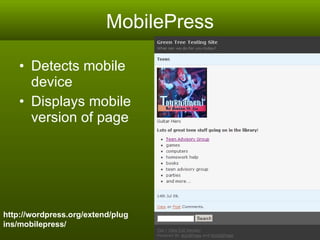
MobilePress Detects mobile device  Displays mobile version of page http://wordpress.org/extend/plugins/mobilepress/
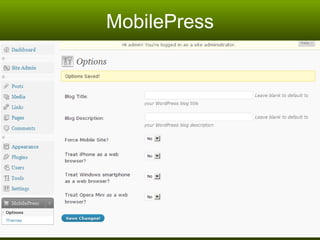
MobilePress
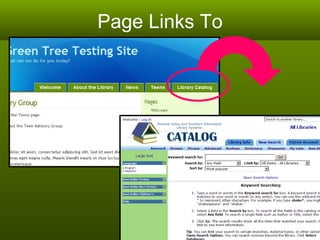
Page Links To
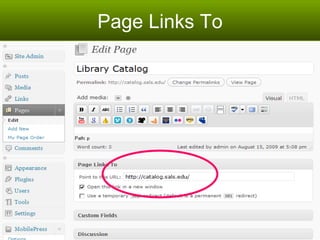
Page Links To
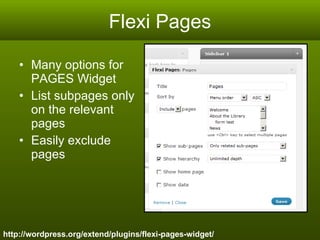
Flexi Pages Many options for PAGES Widget List subpages only on the relevant pages Easily exclude pages http://wordpress.org/extend/plugins/flexi-pages-widget/
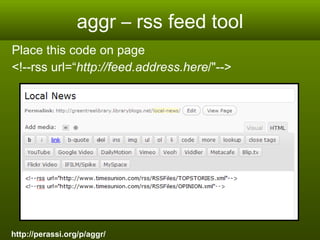
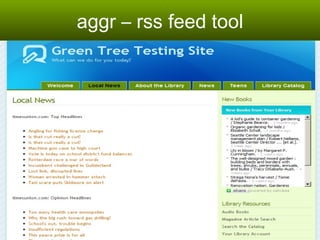
aggr – rss feed tool Place this code on page  <!--rss url=“ http://feed.address.here /&quot;-->  http://perassi.org/p/aggr/
aggr – rss feed tool
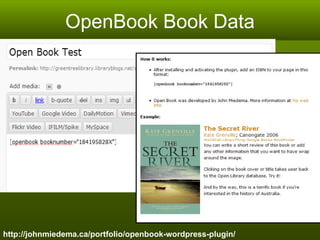
OpenBook Book Data http://johnmiedema.ca/portfolio/openbook-wordpress-plugin/
More Plugins…  There are more plugins on your test site! And still more listed at: http://delicious.com/grdnldy/wordpress+plugins http://wordpress.org/extend/plugins/
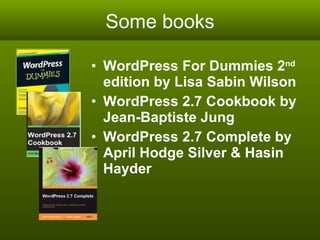
Some books WordPress For Dummies 2 nd  edition by Lisa Sabin Wilson WordPress 2.7 Cookbook by Jean-Baptiste Jung WordPress 2.7 Complete by April Hodge Silver & Hasin Hayder
More Help! WordPress Codex -  http://codex.wordpress.org/ WordPress Forums -  http://wordpress.org/support/ WordPress FAQ’s -  http://codex.wordpress.org/FAQ New to WordPress? –tips http://codex.wordpress.org/FAQ_New_To_WordPress
Thank you! http://lib20.pbworks.com
Photo Credits Jamison Judd,  Server Rack , April 21, 2008, Flickr, http://www.flickr.com/photos/jamisonjudd/2433102356/ Joe Popp,  'THAT WAS EASY!' , January 24, 2006, Flickr, http://www.flickr.com/photos/spackletoe/90811910/.  Open Source Graphic: www.lumaxart.com

Internet Librarian Slides