Getting started with WordPress development: 
Tricks to help you code 
By Steve Mortiboy, Semper Fi Web Design
Getting Started 
Local development vs Server-based development 
Plugin development vs Theme development 
semperfiwebdesign.com
Local Development 
MAMP / WAMP 
http://www.mamp.info/en/ 
http://www.wampserver.com/en/ 
semperfiwebdesign.com
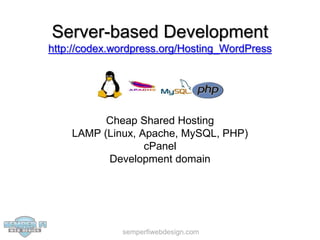
Server-based Development 
http://codex.wordpress.org/Hosting_WordPress 
Cheap Shared Hosting 
LAMP (Linux, Apache, MySQL, PHP) 
cPanel 
Development domain 
semperfiwebdesign.com
cPanel 
Set up a sub-domain 
Set up a database 
Make sure you have your FTP login 
semperfiwebdesign.com
Other Tools 
FTP Client Software: 
http://codex.wordpress.org/FTP_Clients 
Cyberduck 
Filezilla 
Interarchy* 
Transmit* 
Plain Text Editor: 
http://codex.wordpress.org/Glossary#Text_editor 
Notepad++ 
Sublime Text 
TextMate* 
semperfiwebdesign.com
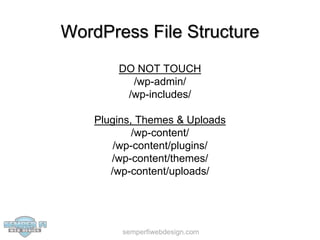
WordPress File Structure 
DO NOT TOUCH 
/wp-admin/ 
/wp-includes/ 
Plugins, Themes & Uploads 
/wp-content/ 
/wp-content/plugins/ 
/wp-content/themes/ 
/wp-content/uploads/ 
semperfiwebdesign.com
Creating a Child Theme 
Parent / Child theme structure 
Parent: /wp-content/themes/responsive/ 
Child: /wp-content/themes/steve-theme/ 
Pick a good parent theme 
https://wordpress.org/themes/ 
https://wordpress.org/themes/twentytwelve 
https://wordpress.org/themes/twentythirteen 
https://wordpress.org/themes/responsive 
Only edit the child theme 
semperfiwebdesign.com
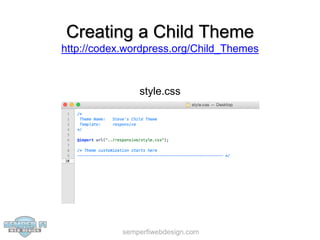
Creating a Child Theme 
http://codex.wordpress.org/Child_Themes 
style.css 
semperfiwebdesign.com
CSS Help and Tools 
http://codex.wordpress.org/CSS 
Help 
http://www.w3schools.com/cssref/ 
http://css-tricks.com/almanac/ 
Tools 
http://getfirebug.com/ 
https://developer.chrome.com/devtools 
https://developer.mozilla.org/en-US/docs/Tools/Style_Editor 
semperfiwebdesign.com
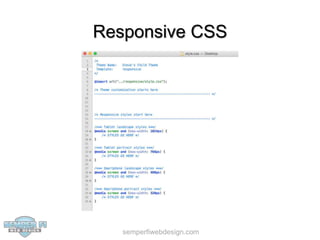
Responsive CSS 
semperfiwebdesign.com
Responsive CSS Tools 
Chrome Developer Tools: 
https://developer.chrome.com/devtools/docs/device-mode 
Firefox Developer Tools: 
https://developer.mozilla.org/en-US/docs/Tools/Responsive_Design_View 
semperfiwebdesign.com
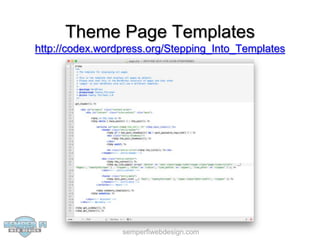
Theme Page Templates 
http://codex.wordpress.org/Stepping_Into_Templates 
semperfiwebdesign.com
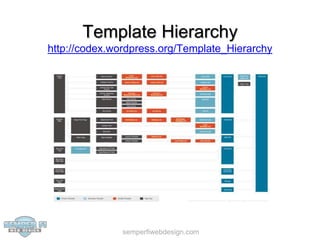
Template Hierarchy 
http://codex.wordpress.org/Template_Hierarchy 
semperfiwebdesign.com
Parent Theme Fallback 
If a template is called and it’s not in the child theme, 
WordPress will check to see if the template exists 
in the parent theme 
Example: 
1. The template page.php is called 
2. If page.php is present in the child theme then that template is used 
3. If page.php is not present in the child theme but is present in the parent theme then that 
semperfiwebdesign.com 
template is used 
4. If page.php is not present in either child or parent theme, then the index.php template in 
the child theme is used 
5. If index.php is not present in the child theme but is present in the parent theme then that 
template is used
Which template is this? 
The body class method: 
http://codex.wordpress.org/Function_Reference/body_class 
<body <?php body_class( $class ); ?>> 
<body class="home page page-id-2 page-template-default"> 
The Debug Bar / Debug Bar Extender method: 
https://wordpress.org/plugins/debug-bar/ 
https://wordpress.org/plugins/debug-bar-extender/ 
semperfiwebdesign.com
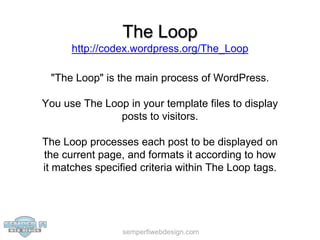
The Loop 
http://codex.wordpress.org/The_Loop 
"The Loop" is the main process of WordPress. 
You use The Loop in your template files to display 
posts to visitors. 
The Loop processes each post to be displayed on 
the current page, and formats it according to how 
it matches specified criteria within The Loop tags. 
semperfiwebdesign.com
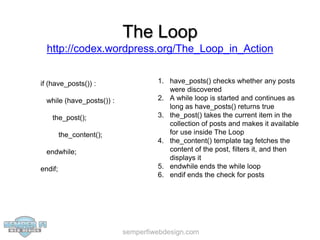
The Loop 
http://codex.wordpress.org/The_Loop_in_Action 
semperfiwebdesign.com 
if (have_posts()) : 
while (have_posts()) : 
the_post(); 
the_content(); 
endwhile; 
endif; 
1. have_posts() checks whether any posts 
were discovered 
2. A while loop is started and continues as 
long as have_posts() returns true 
3. the_post() takes the current item in the 
collection of posts and makes it available 
for use inside The Loop 
4. the_content() template tag fetches the 
content of the post, filters it, and then 
displays it 
5. endwhile ends the while loop 
6. endif ends the check for posts
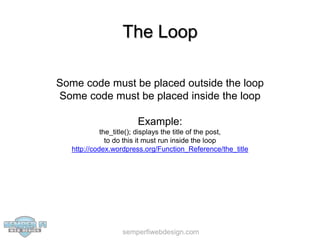
The Loop 
Some code must be placed outside the loop 
Some code must be placed inside the loop 
Example: 
the_title(); displays the title of the post, 
to do this it must run inside the loop 
http://codex.wordpress.org/Function_Reference/the_title 
semperfiwebdesign.com
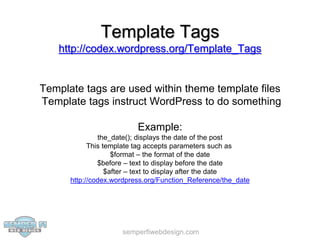
Template Tags 
http://codex.wordpress.org/Template_Tags 
Template tags are used within theme template files 
Template tags instruct WordPress to do something 
Example: 
the_date(); displays the date of the post 
This template tag accepts parameters such as 
$format – the format of the date 
$before – text to display before the date 
$after – text to display after the date 
http://codex.wordpress.org/Function_Reference/the_date 
semperfiwebdesign.com
Theme Functions 
http://codex.wordpress.org/Functions_File_Explained 
The functions file behaves like a WordPress Plugin, 
adding features and functionality to a WordPress 
site. 
You can use it to call existing functions, and to 
define your own functions. 
The functions file in a child theme can augment or 
replace the parent theme’s functions file. 
semperfiwebdesign.com
WordPress API - Actions 
http://codex.wordpress.org/Plugin_API/Action_Reference 
Actions are triggered by specific events that take place in WordPress, such as 
publishing a post, changing themes, or displaying an administration screen. An 
Action is a custom PHP function defined in your plugin or them) and hooked, i.e. set 
to respond, to some of these events. 
The basic steps to make this happen are: 
1. Create a PHP function that should execute when a specific WordPress event occurs 
2. Hook this function to the event by using the add_action() function 
3. Put your PHP function in a plugin file or your theme functions file 
semperfiwebdesign.com
WordPress API - Filters 
http://codex.wordpress.org/Plugin_API/Filter_Reference 
Filters are functions that WordPress passes data through, just before taking some 
action with the data (such as adding it to the database or sending it to the browser). 
Filters sit between the database and the browser, and between the browser and the 
database. Most input and output in WordPress passes through at least one filter. 
The basic steps to make this happen are: 
1. Create the PHP function that filters the data 
2. Hook to the filter in WordPress, by calling add_filter() 
3. Put your PHP function in a plugin file or your theme functions file 
semperfiwebdesign.com
Conditional Tags 
http://codex.wordpress.org/Conditional_Tags 
Conditional Tags can be used in your theme template 
files to change what is displayed on a particular page 
depending on whether the condition matches. 
Example: 
This code will output the Site Title in an H1 on the front page 
<?php if ( is_front_page() ) { ?> 
<h1><?php bloginfo('name'); ?></h1> 
<?php } else { 
//display something else 
} ?> 
semperfiwebdesign.com
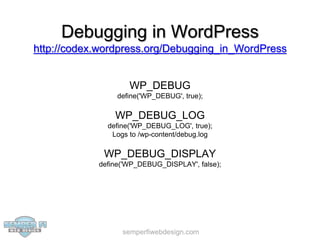
Debugging in WordPress 
http://codex.wordpress.org/Debugging_in_WordPress 
WP_DEBUG 
define('WP_DEBUG', true); 
WP_DEBUG_LOG 
define('WP_DEBUG_LOG', true); 
Logs to /wp-content/debug.log 
WP_DEBUG_DISPLAY 
define('WP_DEBUG_DISPLAY', false); 
semperfiwebdesign.com
Plugins for Debugging 
Debug Bar: 
https://wordpress.org/plugins/debug-bar/ 
Debug Bar Extender: 
https://wordpress.org/plugins/debug-bar-extender/ 
Query Monitor: 
https://wordpress.org/plugins/query-monitor/ 
semperfiwebdesign.com
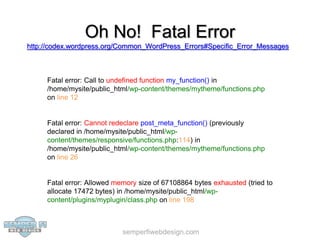
Oh No! Fatal Error 
http://codex.wordpress.org/Common_WordPress_Errors#Specific_Error_Messages 
Fatal error: Call to undefined function my_function() in 
/home/mysite/public_html/wp-content/themes/mytheme/functions.php 
on line 12 
Fatal error: Cannot redeclare post_meta_function() (previously 
declared in /home/mysite/public_html/wp-content/ 
themes/responsive/functions.php:114) in 
/home/mysite/public_html/wp-content/themes/mytheme/functions.php 
on line 26 
Fatal error: Allowed memory size of 67108864 bytes exhausted (tried to 
allocate 17472 bytes) in /home/mysite/public_html/wp-content/ 
plugins/myplugin/class.php on line 198 
semperfiwebdesign.com
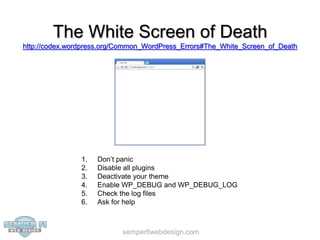
The White Screen of Death 
http://codex.wordpress.org/Common_WordPress_Errors#The_White_Screen_of_Death 
1. Don’t panic 
2. Disable all plugins 
3. Deactivate your theme 
4. Enable WP_DEBUG and WP_DEBUG_LOG 
5. Check the log files 
6. Ask for help 
semperfiwebdesign.com
Creating a Theme 
http://codex.wordpress.org/Theme_Development 
Use a good starter theme 
(Twenty Twelve / Twenty Thirteen) 
Adapt code, don’t start from scratch 
Obey the coding standards 
https://make.wordpress.org/core/handbook/coding-standards/ 
Use the WordPress testing tools 
http://codex.wordpress.org/Theme_Development#Theme_Testing_Process 
semperfiwebdesign.com
Creating a Plugin 
http://codex.wordpress.org/Writing_a_Plugin 
Start small 
https://wordpress.org/plugins/hello-dolly/ 
Get to know the API 
https://developer.wordpress.org/reference/ 
Obey the coding standards 
https://make.wordpress.org/core/handbook/coding-standards/ 
Use unique function names 
function steve_function_name() 
Ask for help! 
https://wordpress.org/support/ 
semperfiwebdesign.com
Developer Resources 
https://wordpress.org/support/ 
https://codex.wordpress.org/ 
http://codex.wordpress.org/Developer_Documentation 
https://developer.wordpress.org/reference/ 
https://make.wordpress.org/ 
https://developer.wordpress.org/ 
http://wordpress.tv/ 
http://stackoverflow.com/ 
https://google.com/ 
semperfiwebdesign.com
• Support 
• Security 
• Performance 
• Development 
• Design 
• SEO

Getting started with WordPress development

  • 1.
    Getting started withWordPress development: Tricks to help you code By Steve Mortiboy, Semper Fi Web Design
  • 2.
    Getting Started Localdevelopment vs Server-based development Plugin development vs Theme development semperfiwebdesign.com
  • 3.
    Local Development MAMP/ WAMP http://www.mamp.info/en/ http://www.wampserver.com/en/ semperfiwebdesign.com
  • 4.
    Server-based Development http://codex.wordpress.org/Hosting_WordPress Cheap Shared Hosting LAMP (Linux, Apache, MySQL, PHP) cPanel Development domain semperfiwebdesign.com
  • 5.
    cPanel Set upa sub-domain Set up a database Make sure you have your FTP login semperfiwebdesign.com
  • 6.
    Other Tools FTPClient Software: http://codex.wordpress.org/FTP_Clients Cyberduck Filezilla Interarchy* Transmit* Plain Text Editor: http://codex.wordpress.org/Glossary#Text_editor Notepad++ Sublime Text TextMate* semperfiwebdesign.com
  • 7.
    WordPress File Structure DO NOT TOUCH /wp-admin/ /wp-includes/ Plugins, Themes & Uploads /wp-content/ /wp-content/plugins/ /wp-content/themes/ /wp-content/uploads/ semperfiwebdesign.com
  • 8.
    Creating a ChildTheme Parent / Child theme structure Parent: /wp-content/themes/responsive/ Child: /wp-content/themes/steve-theme/ Pick a good parent theme https://wordpress.org/themes/ https://wordpress.org/themes/twentytwelve https://wordpress.org/themes/twentythirteen https://wordpress.org/themes/responsive Only edit the child theme semperfiwebdesign.com
  • 9.
    Creating a ChildTheme http://codex.wordpress.org/Child_Themes style.css semperfiwebdesign.com
  • 10.
    CSS Help andTools http://codex.wordpress.org/CSS Help http://www.w3schools.com/cssref/ http://css-tricks.com/almanac/ Tools http://getfirebug.com/ https://developer.chrome.com/devtools https://developer.mozilla.org/en-US/docs/Tools/Style_Editor semperfiwebdesign.com
  • 11.
  • 12.
    Responsive CSS Tools Chrome Developer Tools: https://developer.chrome.com/devtools/docs/device-mode Firefox Developer Tools: https://developer.mozilla.org/en-US/docs/Tools/Responsive_Design_View semperfiwebdesign.com
  • 13.
    Theme Page Templates http://codex.wordpress.org/Stepping_Into_Templates semperfiwebdesign.com
  • 14.
  • 15.
    Parent Theme Fallback If a template is called and it’s not in the child theme, WordPress will check to see if the template exists in the parent theme Example: 1. The template page.php is called 2. If page.php is present in the child theme then that template is used 3. If page.php is not present in the child theme but is present in the parent theme then that semperfiwebdesign.com template is used 4. If page.php is not present in either child or parent theme, then the index.php template in the child theme is used 5. If index.php is not present in the child theme but is present in the parent theme then that template is used
  • 16.
    Which template isthis? The body class method: http://codex.wordpress.org/Function_Reference/body_class <body <?php body_class( $class ); ?>> <body class="home page page-id-2 page-template-default"> The Debug Bar / Debug Bar Extender method: https://wordpress.org/plugins/debug-bar/ https://wordpress.org/plugins/debug-bar-extender/ semperfiwebdesign.com
  • 17.
    The Loop http://codex.wordpress.org/The_Loop "The Loop" is the main process of WordPress. You use The Loop in your template files to display posts to visitors. The Loop processes each post to be displayed on the current page, and formats it according to how it matches specified criteria within The Loop tags. semperfiwebdesign.com
  • 18.
    The Loop http://codex.wordpress.org/The_Loop_in_Action semperfiwebdesign.com if (have_posts()) : while (have_posts()) : the_post(); the_content(); endwhile; endif; 1. have_posts() checks whether any posts were discovered 2. A while loop is started and continues as long as have_posts() returns true 3. the_post() takes the current item in the collection of posts and makes it available for use inside The Loop 4. the_content() template tag fetches the content of the post, filters it, and then displays it 5. endwhile ends the while loop 6. endif ends the check for posts
  • 19.
    The Loop Somecode must be placed outside the loop Some code must be placed inside the loop Example: the_title(); displays the title of the post, to do this it must run inside the loop http://codex.wordpress.org/Function_Reference/the_title semperfiwebdesign.com
  • 20.
    Template Tags http://codex.wordpress.org/Template_Tags Template tags are used within theme template files Template tags instruct WordPress to do something Example: the_date(); displays the date of the post This template tag accepts parameters such as $format – the format of the date $before – text to display before the date $after – text to display after the date http://codex.wordpress.org/Function_Reference/the_date semperfiwebdesign.com
  • 21.
    Theme Functions http://codex.wordpress.org/Functions_File_Explained The functions file behaves like a WordPress Plugin, adding features and functionality to a WordPress site. You can use it to call existing functions, and to define your own functions. The functions file in a child theme can augment or replace the parent theme’s functions file. semperfiwebdesign.com
  • 22.
    WordPress API -Actions http://codex.wordpress.org/Plugin_API/Action_Reference Actions are triggered by specific events that take place in WordPress, such as publishing a post, changing themes, or displaying an administration screen. An Action is a custom PHP function defined in your plugin or them) and hooked, i.e. set to respond, to some of these events. The basic steps to make this happen are: 1. Create a PHP function that should execute when a specific WordPress event occurs 2. Hook this function to the event by using the add_action() function 3. Put your PHP function in a plugin file or your theme functions file semperfiwebdesign.com
  • 23.
    WordPress API -Filters http://codex.wordpress.org/Plugin_API/Filter_Reference Filters are functions that WordPress passes data through, just before taking some action with the data (such as adding it to the database or sending it to the browser). Filters sit between the database and the browser, and between the browser and the database. Most input and output in WordPress passes through at least one filter. The basic steps to make this happen are: 1. Create the PHP function that filters the data 2. Hook to the filter in WordPress, by calling add_filter() 3. Put your PHP function in a plugin file or your theme functions file semperfiwebdesign.com
  • 24.
    Conditional Tags http://codex.wordpress.org/Conditional_Tags Conditional Tags can be used in your theme template files to change what is displayed on a particular page depending on whether the condition matches. Example: This code will output the Site Title in an H1 on the front page <?php if ( is_front_page() ) { ?> <h1><?php bloginfo('name'); ?></h1> <?php } else { //display something else } ?> semperfiwebdesign.com
  • 25.
    Debugging in WordPress http://codex.wordpress.org/Debugging_in_WordPress WP_DEBUG define('WP_DEBUG', true); WP_DEBUG_LOG define('WP_DEBUG_LOG', true); Logs to /wp-content/debug.log WP_DEBUG_DISPLAY define('WP_DEBUG_DISPLAY', false); semperfiwebdesign.com
  • 26.
    Plugins for Debugging Debug Bar: https://wordpress.org/plugins/debug-bar/ Debug Bar Extender: https://wordpress.org/plugins/debug-bar-extender/ Query Monitor: https://wordpress.org/plugins/query-monitor/ semperfiwebdesign.com
  • 27.
    Oh No! FatalError http://codex.wordpress.org/Common_WordPress_Errors#Specific_Error_Messages Fatal error: Call to undefined function my_function() in /home/mysite/public_html/wp-content/themes/mytheme/functions.php on line 12 Fatal error: Cannot redeclare post_meta_function() (previously declared in /home/mysite/public_html/wp-content/ themes/responsive/functions.php:114) in /home/mysite/public_html/wp-content/themes/mytheme/functions.php on line 26 Fatal error: Allowed memory size of 67108864 bytes exhausted (tried to allocate 17472 bytes) in /home/mysite/public_html/wp-content/ plugins/myplugin/class.php on line 198 semperfiwebdesign.com
  • 28.
    The White Screenof Death http://codex.wordpress.org/Common_WordPress_Errors#The_White_Screen_of_Death 1. Don’t panic 2. Disable all plugins 3. Deactivate your theme 4. Enable WP_DEBUG and WP_DEBUG_LOG 5. Check the log files 6. Ask for help semperfiwebdesign.com
  • 29.
    Creating a Theme http://codex.wordpress.org/Theme_Development Use a good starter theme (Twenty Twelve / Twenty Thirteen) Adapt code, don’t start from scratch Obey the coding standards https://make.wordpress.org/core/handbook/coding-standards/ Use the WordPress testing tools http://codex.wordpress.org/Theme_Development#Theme_Testing_Process semperfiwebdesign.com
  • 30.
    Creating a Plugin http://codex.wordpress.org/Writing_a_Plugin Start small https://wordpress.org/plugins/hello-dolly/ Get to know the API https://developer.wordpress.org/reference/ Obey the coding standards https://make.wordpress.org/core/handbook/coding-standards/ Use unique function names function steve_function_name() Ask for help! https://wordpress.org/support/ semperfiwebdesign.com
  • 31.
    Developer Resources https://wordpress.org/support/ https://codex.wordpress.org/ http://codex.wordpress.org/Developer_Documentation https://developer.wordpress.org/reference/ https://make.wordpress.org/ https://developer.wordpress.org/ http://wordpress.tv/ http://stackoverflow.com/ https://google.com/ semperfiwebdesign.com
  • 33.
    • Support •Security • Performance • Development • Design • SEO