PittsburghCares.org and OrgSpring.org present

Google Drive for
Nonprofits
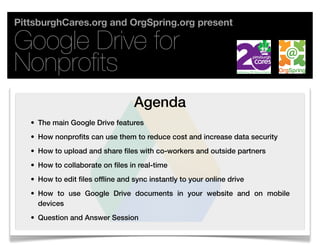
                                   Agenda
   • The main Google Drive features
   • How nonprofits can use them to reduce cost and increase data security
   • How to upload and share files with co-workers and outside partners
   • How to collaborate on files in real-time
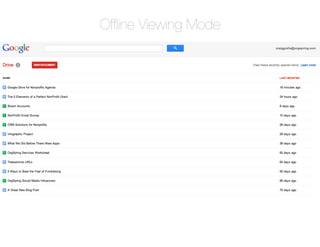
   • How to edit files offline and sync instantly to your online drive
   • How to use Google Drive documents in your website and on mobile
     devices
   • Question and Answer Session
Google Drive for Nonprofits

          Main Features                                                     Main Features
                                                                                 Reduce Cost
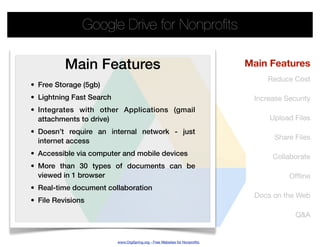
• Free Storage (5gb)
• Lightning Fast Search                                                      Increase Security
• Integrates with other Applications (gmail
  attachments to drive)                                                          Upload Files
• Doesn’t require an internal network - just
                                                                                   Share Files
  internet access
• Accessible via computer and mobile devices                                      Collaborate
• More than 30 types of documents can be
  viewed in 1 browser                                                                  Offline
• Real-time document collaboration
                                                                             Docs on the Web
• File Revisions

                                                                                         Q&A


                          www.OrgSpring.org - Free Websites for Nonprofits
Google Drive for Nonprofits

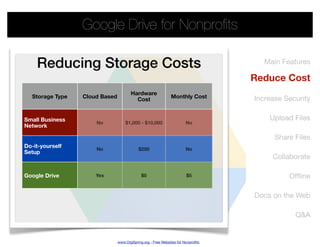
    Reducing Storage Costs                                                          Main Features

                                                                                 Reduce Cost
                                      Hardware
  Storage Type   Cloud Based                                 Monthly Cost        Increase Security
                                        Cost


Small Business                                                                       Upload Files
                     No            $1,000 - $10,000                   No
Network

                                                                                       Share Files
Do-it-yourself       No                    $250                       No
Setup
                                                                                      Collaborate

Google Drive         Yes                    $0                        $5                   Offline

                                                                                 Docs on the Web

                                                                                             Q&A


                               www.OrgSpring.org - Free Websites for Nonprofits
Google Drive for Nonprofits

                                                                                    Main Features
                 Security                                                            Reduce Cost
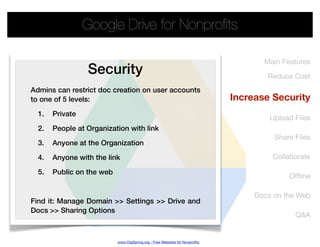
Admins can restrict doc creation on user accounts
to one of 5 levels:                                                          Increase Security
  1.   Private
                                                                                      Upload Files
  2.   People at Organization with link
                                                                                       Share Files
  3.   Anyone at the Organization

  4.   Anyone with the link                                                           Collaborate

  5.   Public on the web
                                                                                           Offline

                                                                                  Docs on the Web
Find it: Manage Domain >> Settings >> Drive and
Docs >> Sharing Options
                                                                                             Q&A


                           www.OrgSpring.org - Free Websites for Nonprofits
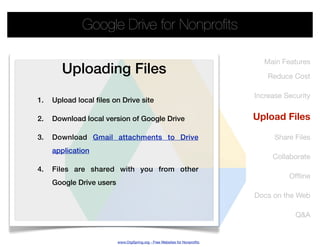
Google Drive for Nonprofits

                                                                               Main Features
        Uploading Files                                                         Reduce Cost

                                                                            Increase Security
1.   Upload local files on Drive site

2.   Download local version of Google Drive                                 Upload Files

3.   Download Gmail attachments to Drive                                          Share Files
     application
                                                                                 Collaborate
4.   Files are shared with you from other
                                                                                      Offline
     Google Drive users
                                                                            Docs on the Web

                                                                                        Q&A


                          www.OrgSpring.org - Free Websites for Nonprofits
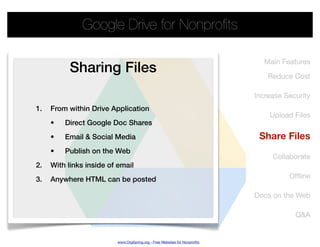
Google Drive for Nonprofits

                                                                              Main Features
           Sharing Files                                                       Reduce Cost

                                                                           Increase Security
1.   From within Drive Application
                                                                               Upload Files
     •   Direct Google Doc Shares
     •   Email & Social Media                                               Share Files
     •   Publish on the Web
                                                                                Collaborate
2.   With links inside of email
3.   Anywhere HTML can be posted                                                     Offline

                                                                           Docs on the Web

                                                                                       Q&A


                         www.OrgSpring.org - Free Websites for Nonprofits
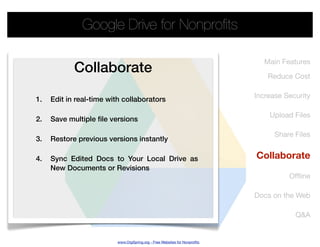
Google Drive for Nonprofits

                                                                              Main Features
            Collaborate                                                        Reduce Cost

                                                                           Increase Security
1.   Edit in real-time with collaborators

                                                                               Upload Files
2.   Save multiple file versions

                                                                                 Share Files
3.   Restore previous versions instantly

4.   Sync Edited Docs to Your Local Drive as                               Collaborate
     New Documents or Revisions
                                                                                     Offline

                                                                           Docs on the Web

                                                                                       Q&A


                         www.OrgSpring.org - Free Websites for Nonprofits
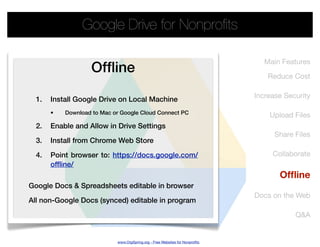
Google Drive for Nonprofits

                                                                                 Main Features
                   Offline                                                         Reduce Cost

                                                                              Increase Security
  1.   Install Google Drive on Local Machine
       •   Download to Mac or Google Cloud Connect PC                             Upload Files
  2.   Enable and Allow in Drive Settings
                                                                                    Share Files
  3.   Install from Chrome Web Store

  4.   Point browser to: https://docs.google.com/                                  Collaborate
       offline/
                                                                                     Offline
Google Docs & Spreadsheets editable in browser
                                                                              Docs on the Web
All non-Google Docs (synced) editable in program

                                                                                          Q&A


                            www.OrgSpring.org - Free Websites for Nonprofits
Offline Viewing Mode
Google Drive for Nonprofits

                                                                                  Main Features
      Docs on the Web                                                              Reduce Cost
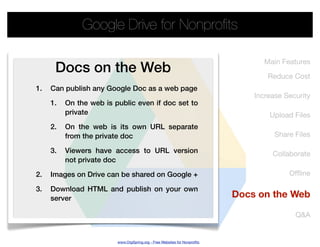
1.   Can publish any Google Doc as a web page
                                                                               Increase Security
     1.   On the web is public even if doc set to
          private                                                                  Upload Files
     2.   On the web is its own URL separate
          from the private doc                                                       Share Files

     3.   Viewers have access to URL version                                        Collaborate
          not private doc

2.   Images on Drive can be shared on Google +                                           Offline

3.   Download HTML and publish on your own
     server                                                                Docs on the Web

                                                                                           Q&A


                         www.OrgSpring.org - Free Websites for Nonprofits
Google Drive for Nonprofits

                                                             Main Features

                                                              Reduce Cost

                                                          Increase Security


Questions ?
                                                              Upload Files

                                                                Share Files

                                                               Collaborate

                                                                    Offline

                                                          Docs on the Web


                                                                    Q&A

        www.OrgSpring.org - Free Websites for Nonprofits
Google Drive for Nonprofits


PittsburghCares.org                                          OrgSpring.org
An organization dedicated to increasing                      Providing free custom websites to
community engagement through                                 nonprofits, essential technology
volunteerism and enhancing the impact                        services, tutorials, and support. Plans
                                                             include ability to take donations online,
of our regional service partners.
                                                             manage events, and create online
                                                             stores.


                             www.OrgSpring.org - Free Websites for Nonprofits
Google Drive for Nonprofits

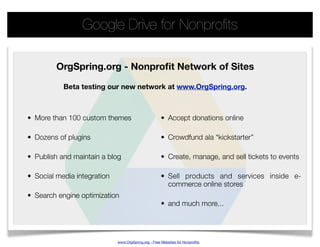
         OrgSpring.org - Nonprofit Network of Sites

           Beta testing our new network at www.OrgSpring.org.


• More than 100 custom themes                        • Accept donations online

• Dozens of plugins                                  • Crowdfund ala “kickstarter”

• Publish and maintain a blog                        • Create, manage, and sell tickets to events

• Social media integration                           • Sell products and services inside e-
                                                       commerce online stores
• Search engine optimization
                                                     • and much more...


                             www.OrgSpring.org - Free Websites for Nonprofits

Google drive for nonprofits webinar

  • 1.
    PittsburghCares.org and OrgSpring.orgpresent Google Drive for Nonprofits Agenda • The main Google Drive features • How nonprofits can use them to reduce cost and increase data security • How to upload and share files with co-workers and outside partners • How to collaborate on files in real-time • How to edit files offline and sync instantly to your online drive • How to use Google Drive documents in your website and on mobile devices • Question and Answer Session
  • 2.
    Google Drive forNonprofits Main Features Main Features Reduce Cost • Free Storage (5gb) • Lightning Fast Search Increase Security • Integrates with other Applications (gmail attachments to drive) Upload Files • Doesn’t require an internal network - just Share Files internet access • Accessible via computer and mobile devices Collaborate • More than 30 types of documents can be viewed in 1 browser Offline • Real-time document collaboration Docs on the Web • File Revisions Q&A www.OrgSpring.org - Free Websites for Nonprofits
  • 3.
    Google Drive forNonprofits Reducing Storage Costs Main Features Reduce Cost Hardware Storage Type Cloud Based Monthly Cost Increase Security Cost Small Business Upload Files No $1,000 - $10,000 No Network Share Files Do-it-yourself No $250 No Setup Collaborate Google Drive Yes $0 $5 Offline Docs on the Web Q&A www.OrgSpring.org - Free Websites for Nonprofits
  • 4.
    Google Drive forNonprofits Main Features Security Reduce Cost Admins can restrict doc creation on user accounts to one of 5 levels: Increase Security 1. Private Upload Files 2. People at Organization with link Share Files 3. Anyone at the Organization 4. Anyone with the link Collaborate 5. Public on the web Offline Docs on the Web Find it: Manage Domain >> Settings >> Drive and Docs >> Sharing Options Q&A www.OrgSpring.org - Free Websites for Nonprofits
  • 5.
    Google Drive forNonprofits Main Features Uploading Files Reduce Cost Increase Security 1. Upload local files on Drive site 2. Download local version of Google Drive Upload Files 3. Download Gmail attachments to Drive Share Files application Collaborate 4. Files are shared with you from other Offline Google Drive users Docs on the Web Q&A www.OrgSpring.org - Free Websites for Nonprofits
  • 6.
    Google Drive forNonprofits Main Features Sharing Files Reduce Cost Increase Security 1. From within Drive Application Upload Files • Direct Google Doc Shares • Email & Social Media Share Files • Publish on the Web Collaborate 2. With links inside of email 3. Anywhere HTML can be posted Offline Docs on the Web Q&A www.OrgSpring.org - Free Websites for Nonprofits
  • 7.
    Google Drive forNonprofits Main Features Collaborate Reduce Cost Increase Security 1. Edit in real-time with collaborators Upload Files 2. Save multiple file versions Share Files 3. Restore previous versions instantly 4. Sync Edited Docs to Your Local Drive as Collaborate New Documents or Revisions Offline Docs on the Web Q&A www.OrgSpring.org - Free Websites for Nonprofits
  • 8.
    Google Drive forNonprofits Main Features Offline Reduce Cost Increase Security 1. Install Google Drive on Local Machine • Download to Mac or Google Cloud Connect PC Upload Files 2. Enable and Allow in Drive Settings Share Files 3. Install from Chrome Web Store 4. Point browser to: https://docs.google.com/ Collaborate offline/ Offline Google Docs & Spreadsheets editable in browser Docs on the Web All non-Google Docs (synced) editable in program Q&A www.OrgSpring.org - Free Websites for Nonprofits
  • 9.
  • 10.
    Google Drive forNonprofits Main Features Docs on the Web Reduce Cost 1. Can publish any Google Doc as a web page Increase Security 1. On the web is public even if doc set to private Upload Files 2. On the web is its own URL separate from the private doc Share Files 3. Viewers have access to URL version Collaborate not private doc 2. Images on Drive can be shared on Google + Offline 3. Download HTML and publish on your own server Docs on the Web Q&A www.OrgSpring.org - Free Websites for Nonprofits
  • 11.
    Google Drive forNonprofits Main Features Reduce Cost Increase Security Questions ? Upload Files Share Files Collaborate Offline Docs on the Web Q&A www.OrgSpring.org - Free Websites for Nonprofits
  • 12.
    Google Drive forNonprofits PittsburghCares.org OrgSpring.org An organization dedicated to increasing Providing free custom websites to community engagement through nonprofits, essential technology volunteerism and enhancing the impact services, tutorials, and support. Plans include ability to take donations online, of our regional service partners. manage events, and create online stores. www.OrgSpring.org - Free Websites for Nonprofits
  • 13.
    Google Drive forNonprofits OrgSpring.org - Nonprofit Network of Sites Beta testing our new network at www.OrgSpring.org. • More than 100 custom themes • Accept donations online • Dozens of plugins • Crowdfund ala “kickstarter” • Publish and maintain a blog • Create, manage, and sell tickets to events • Social media integration • Sell products and services inside e- commerce online stores • Search engine optimization • and much more... www.OrgSpring.org - Free Websites for Nonprofits