1
WordPress
Workflow
2
WordPress?
pros and cons
3
WordPress?
WordPress is a free and open source blogging tool and a CMS based on PHP and MySQL
which runs on a Web hosting service. Features include a plug-in architecture and a
template system. WordPress is used by over 14.7% of Alexa Internet's "top 1 million"
websites and as of August 2011 manages 22% of all new websites. WordPress is
currently the most popular blogging system in use on the Web, powering over 60
million websites worldwide. It was first released on May 27, 2003.
http://en.wikipedia.org/wiki/WordPress
4
WordPress?
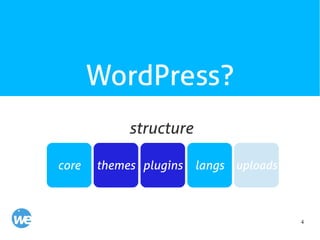
core
structure
themes plugins langs uploads
5
WordPress?
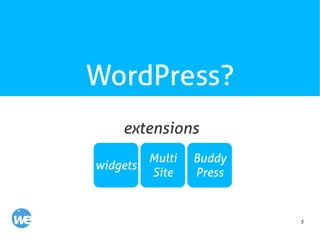
widgets
extensions
Multi
Site
Buddy
Press
6
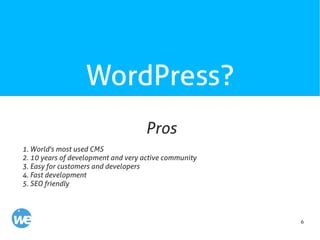
WordPress?
1. World's most used CMS
2. 10 years of development and very active community
3. Easy for customers and developers
4. Fast development
5. SEO friendly
Pros
7
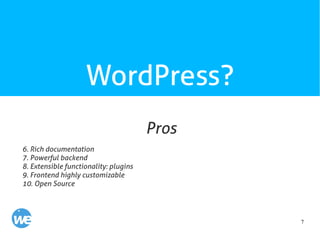
WordPress?
6. Rich documentation
7. Powerful backend
8. Extensible functionality: plugins
9. Frontend highly customizable
10. Open Source
Pros
8
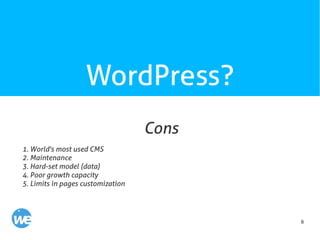
WordPress?
1. World's most used CMS
2. Maintenance
3. Hard-set model (data)
4. Poor growth capacity
5. Limits in pages customization
Cons
9
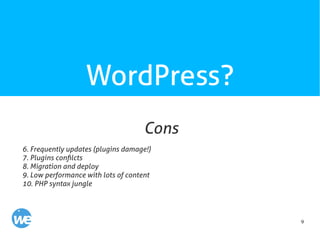
WordPress?
6. Frequently updates (plugins damage!)
7. Plugins confilcts
8. Migration and deploy
9. Low performance with lots of content
10. PHP syntax jungle
Cons
10
WordPress?
Our works (WP flexibility examples)
11
WordPress?
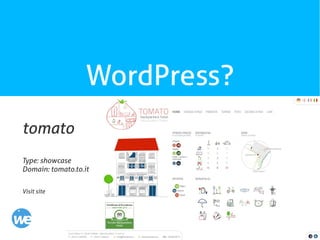
tomato
Type: showcase
Domain: tomato.to.it
Visit site
12
WordPress?
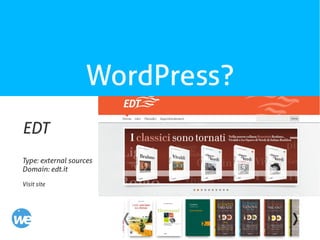
EDT
Type: external sources
Domain: edt.it
Visit site
13
WordPress?
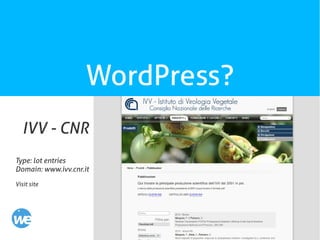
IVV - CNR
Type: lot entries
Domain: www.ivv.cnr.it
Visit site
14
WordPress?
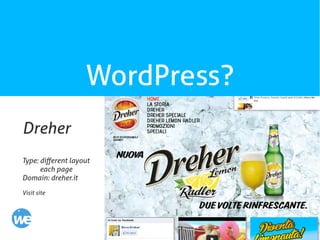
Dreher
Type: different layout
each page
Domain: dreher.it
Visit site
15
WordPress?
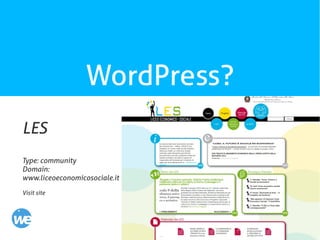
LES
Type: community
Domain:
www.liceoeconomicosociale.it
Visit site
16
WordPress?
Why hardening WordPress
development workflow?
What's wrong?
17
WordPress?
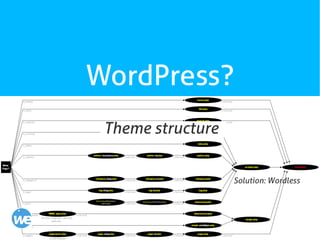
Theme structure
Solution: Wordless
18
WordPress?
Languages
PHP, CSS, HTML, JAVASCRIPT
Solution: Wordless
19
WordPress?
Deploy
Solution: Wordmove gem
20
WordPress?
Develop time spent
Solution: Wordless
21
WordPress?
Team work
Solution: Wordless and GIT
22
WordPress?
Maintenance
Solution: InfiniteWP
23
WordPress?
Reduce cons impact
24
Dev Environment
Apache, MySQL, RVM, GIT
25
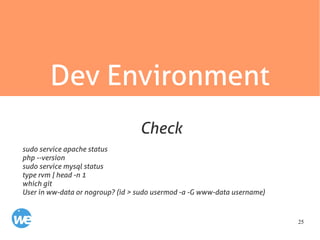
Dev Environment
sudo service apache status
php --version
sudo service mysql status
type rvm | head -n 1
which git
User in ww-data or nogroup? (id > sudo usermod -a -G www-data username)
Check
26
Dev Environment
github.com/welaika/breeder
Visit site
Breeder for XAMPP
27
Dev Environment
1. Manage multiple Ruby Versions
2. Isolated from system. User-level use
3. Different gemsets. Specific Ruby Version and specific gemset for every project
RVM - Ruby Version Manager
28
Dev Environment
What is a gem?
A RubyGem is a software package, commonly called a “gem”. Gems contain a packaged
Ruby application or library. The RubyGems software itself allows you to easily
download, install, and manipulate gems on your system.
Commands: list, install, update, uninstall
RubyGem
29
Dev Environment
rvm use 2.0@gemset
RVM + Gemset
30
Dev Environment
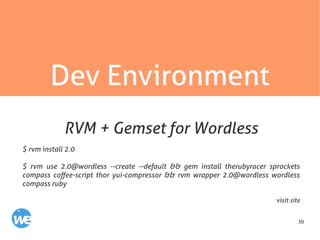
$ rvm install 2.0
$ rvm use 2.0@wordless --create --default && gem install therubyracer sprockets
compass coffee-script thor yui-compressor && rvm wrapper 2.0@wordless wordless
compass ruby
visit site
RVM + Gemset for Wordless
31
GIT
http://git-scm.com/book/en/
http://rogerdudler.github.io/git-guide/
32
GIT
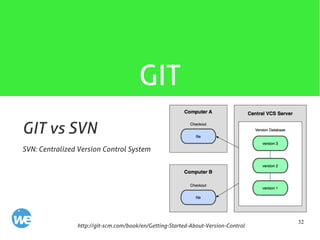
SVN: Centralized Version Control System
http://git-scm.com/book/en/Getting-Started-About-Version-Control
GIT vs SVN
33
GIT
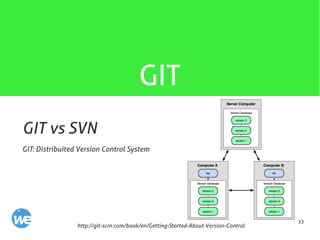
GIT: Distribuited Version Control System
http://git-scm.com/book/en/Getting-Started-About-Version-Control
GIT vs SVN
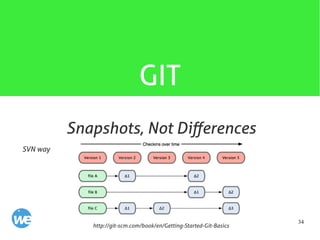
34
GIT
SVN way
http://git-scm.com/book/en/Getting-Started-Git-Basics
Snapshots, Not Differences
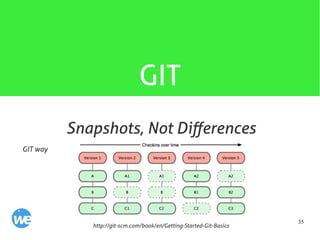
35
GIT
GIT way
http://git-scm.com/book/en/Getting-Started-Git-Basics
Snapshots, Not Differences
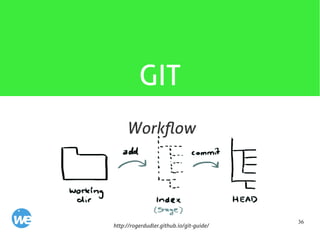
36
GIT
http://rogerdudler.github.io/git-guide/
Workflow
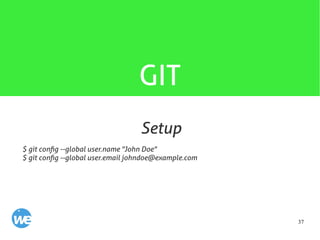
37
GIT
$ git config --global user.name "John Doe"
$ git config --global user.email johndoe@example.com
Setup
38
GIT
Github.com
39
Wordless env
Stop writing themes like it's 1998
github.com/welaika/wordless
40
Wordless
1. A structured, organized and clean
theme organization (taken directly
from Rails)
41
Wordless
2. The ability to create a new theme
skeleton directly within the WordPress
backend interface
42
Wordless
3. The ability to write PHP code using
the beautiful Haml templating system
43
Wordless
4. The ability to write CSS stylesheets
using the awesome Sass syntax and
the Compass framework
44
Wordless
5. The ability to write Javascript logic
in Coffeescript
45
Wordless
6. The ability to merge and compress
Javascript assets using Yahoo YUI
Compressor
46
Wordless
7. A growing set of handy and
documented helper functions ready to
be used within your views (helpers!
helpers!helpers!)
47
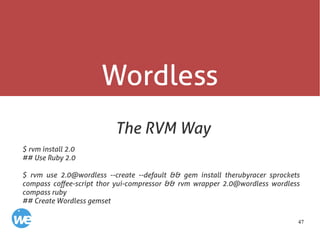
Wordless
The RVM Way
$ rvm install 2.0
## Use Ruby 2.0
$ rvm use 2.0@wordless --create --default && gem install therubyracer sprockets
compass coffee-script thor yui-compressor && rvm wrapper 2.0@wordless wordless
compass ruby
## Create Wordless gemset
48
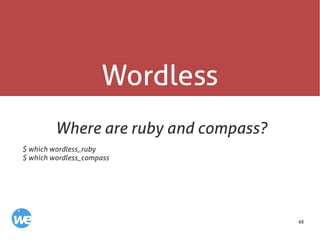
Wordless
Where are ruby and compass?
$ which wordless_ruby
$ which wordless_compass
49
Wordless
Okay, now we can get everything up
and running :)
50
Wordless
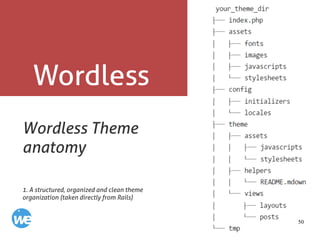
Wordless Theme
anatomy
1. A structured, organized and clean theme
organization (taken directly from Rails)
51
Wordless
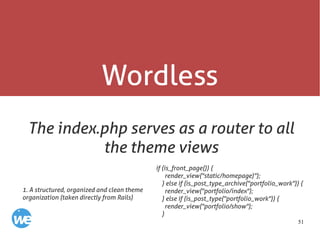
The index.php serves as a router to all
the theme views
if (is_front_page()) {
render_view("static/homepage)");
} else if (is_post_type_archive("portfolio_work")) {
render_view("portfolio/index");
} else if (is_post_type("portfolio_work")) {
render_view("portfolio/show");
}
1. A structured, organized and clean theme
organization (taken directly from Rails)
52
Wordless
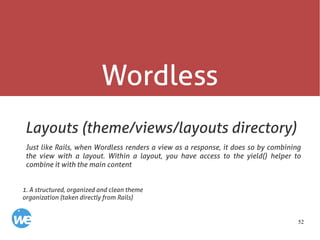
Layouts (theme/views/layouts directory)
Just like Rails, when Wordless renders a view as a response, it does so by combining
the view with a layout. Within a layout, you have access to the yield() helper to
combine it with the main content
1. A structured, organized and clean theme
organization (taken directly from Rails)
53
Wordless
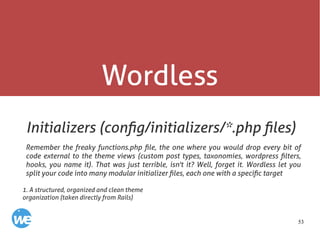
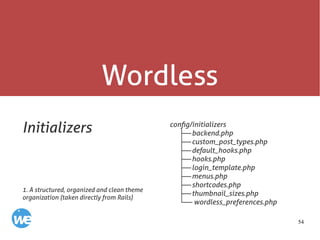
Initializers (config/initializers/*.php files)
Remember the freaky functions.php file, the one where you would drop every bit of
code external to the theme views (custom post types, taxonomies, wordpress filters,
hooks, you name it). That was just terrible, isn't it? Well, forget it. Wordless let you
split your code into many modular initializer files, each one with a specific target
1. A structured, organized and clean theme
organization (taken directly from Rails)
54
Wordless
Initializers config/initializers
├──backend.php
├──custom_post_types.php
├──default_hooks.php
├──hooks.php
├──login_template.php
├──menus.php
├──shortcodes.php
├──thumbnail_sizes.php
└── wordless_preferences.php
1. A structured, organized and clean theme
organization (taken directly from Rails)
55
Wordless
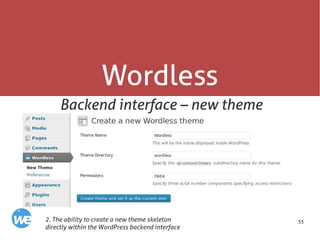
Backend interface – new theme
2. The ability to create a new theme skeleton
directly within the WordPress backend interface
56
Wordless
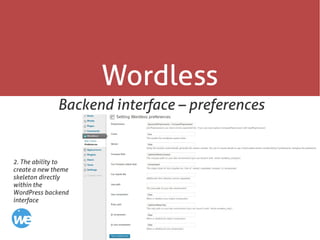
Backend interface – preferences
2. The ability to
create a new theme
skeleton directly
within the
WordPress backend
interface
57
Wordless
HAML
Beautiful, DRY, well-indented, clear markup:
templating haiku.
http://haml.info/
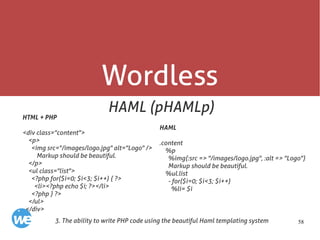
3. The ability to write PHP code using the beautiful
Haml templating system
58
Wordless
HAML (pHAMLp)
3. The ability to write PHP code using the beautiful Haml templating system
HTML + PHP
<div class="content">
<p>
<img src="/images/logo.jpg" alt="Logo" />
Markup should be beautiful.
</p>
<ul class="list">
<?php for($i=0; $i<3; $i++) { ?>
<li><?php echo $i; ?></li>
<?php } ?>
</ul>
</div>
HAML
.content
%p
%img{:src => "/images/logo.jpg", :alt => "Logo"}
Markup should be beautiful.
%ul.list
- for($i=0; $i<3; $i++)
%li= $i
59
Wordless
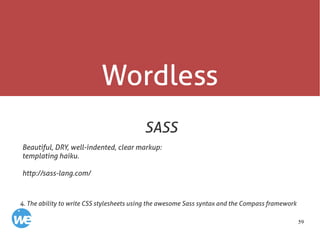
SASS
Beautiful, DRY, well-indented, clear markup:
templating haiku.
http://sass-lang.com/
4. The ability to write CSS stylesheets using the awesome Sass syntax and the Compass framework
60
Wordless
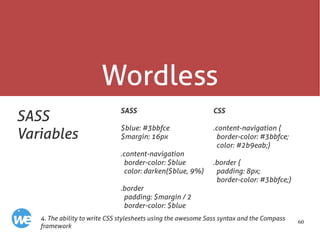
SASS
Variables
SASS
$blue: #3bbfce
$margin: 16px
.content-navigation
border-color: $blue
color: darken($blue, 9%)
.border
padding: $margin / 2
border-color: $blue
4. The ability to write CSS stylesheets using the awesome Sass syntax and the Compass
framework
CSS
.content-navigation {
border-color: #3bbfce;
color: #2b9eab;}
.border {
padding: 8px;
border-color: #3bbfce;}
61
Wordless
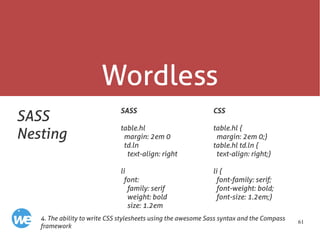
SASS
Nesting
SASS
table.hl
margin: 2em 0
td.ln
text-align: right
li
font:
family: serif
weight: bold
size: 1.2em
4. The ability to write CSS stylesheets using the awesome Sass syntax and the Compass
framework
CSS
table.hl {
margin: 2em 0;}
table.hl td.ln {
text-align: right;}
li {
font-family: serif;
font-weight: bold;
font-size: 1.2em;}
62
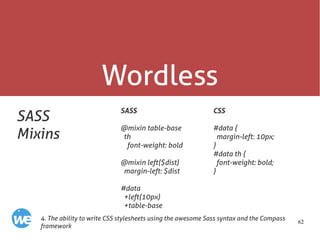
Wordless
SASS
Mixins
SASS
@mixin table-base
th
font-weight: bold
@mixin left($dist)
margin-left: $dist
#data
+left(10px)
+table-base
4. The ability to write CSS stylesheets using the awesome Sass syntax and the Compass
framework
CSS
#data {
margin-left: 10px;
}
#data th {
font-weight: bold;
}
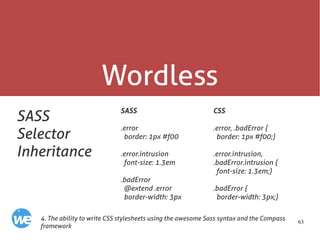
63
Wordless
SASS
Selector
Inheritance
SASS
.error
border: 1px #f00
.error.intrusion
font-size: 1.3em
.badError
@extend .error
border-width: 3px
4. The ability to write CSS stylesheets using the awesome Sass syntax and the Compass
framework
CSS
.error, .badError {
border: 1px #f00;}
.error.intrusion,
.badError.intrusion {
font-size: 1.3em;}
.badError {
border-width: 3px;}
64
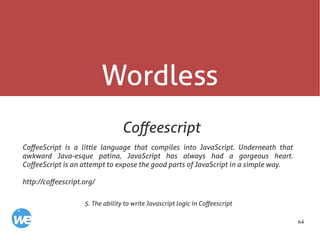
Wordless
Coffeescript
CoffeeScript is a little language that compiles into JavaScript. Underneath that
awkward Java-esque patina, JavaScript has always had a gorgeous heart.
CoffeeScript is an attempt to expose the good parts of JavaScript in a simple way.
http://coffeescript.org/
5. The ability to write Javascript logic in Coffeescript
65
Wordless
Coffeescript
5. The ability to write Javascript logic in Coffeescript
Coffeescript
# Assignment:
number = 42
opposite = true
# Conditions:
number = -42 if opposite
# Functions:
square = (x) -> x * x
# Arrays:
list = [1, 2, 3, 4, 5]
# Objects:
math =
root: Math.sqrt
square: square
cube: (x) -> x * square x
# Existence:
alert "I knew it!" if elvis?
Javascript
var cubes, list, math, num, number,
opposite, race, square,
__slice = [].slice;
number = 42;
opposite = true;
if (opposite) {
number = -42;}
square = function(x) {
return x * x;};
list = [1, 2, 3, 4, 5];
math = {
root: Math.sqrt,
square: square,
cube: function(x) {
return x * square(x); }};
if (typeof elvis !== "undefined" && elvis !
== null) {
alert("I knew it!");}
66
Wordless gem
The CLI way for Wordless
Tasks:
wordless clean # Clean static assets
wordless compile # Compile static assets
wordless deploy # Deploy your WordPress site using the deploy_command defined in your
Wordfile
wordless help [TASK] # Describe available tasks or one specific task
wordless install # Install the Wordless plugin into an existing WordPress installation
wordless new [NAME] # Download WordPress in specified directory, install the Wordless plugin
and create a Wordless theme
wordless theme [NAME] # Create a new Wordless theme NAME
github.com/welaika/wordless_gem
67
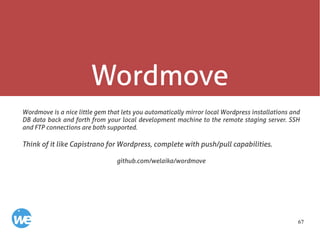
Wordmove
Wordmove is a nice little gem that lets you automatically mirror local Wordpress installations and
DB data back and forth from your local development machine to the remote staging server. SSH
and FTP connections are both supported.
Think of it like Capistrano for Wordpress, complete with push/pull capabilities.
github.com/welaika/wordmove
68
Wordmove
Tasks:
wordmove help [TASK] # Describe available tasks or one specific task
wordmove init # Generates a brand new Movefile
wordmove pull # Pulls WP data from remote host to the local machine
wordmove push # Pushes WP data from local machine to remote host
Options:
-w, [--wordpress] -u, [--uploads]
-t, [--themes] -p, [--plugins]
-l, [--languages] -d, [--db]
-v, [--verbose] -s, [--simulate]
-e, [--environment=ENVIRONMENT] [--no-adapt]
[--all]
69
Wordless Extender
(experimental)
Wordless Extender (WlE from now on) is a starting point for every Wordlress theme we
develop at weLaika. After years of hard work we have starred a few plugins, best
practices and security enhacements. WlE is a collection of those and let you control all
this so cool things within the WordPress backend, in a fast and familiar way.
github.com/welaika/wordless-extender
70
Wordless Extender
(experimental)
Plugin Manager
Never change a winning team! These are our starred and often used plugins; with these
we cover the 90% of our developing needs. You'll have a control panel inside WlE to
list, enable, disable and upgrade plugins from the collection; never search that useful
plugin crawling the WP.org repo and have colleagues kickstart projects with always the
same plugin set, making the teamwork easier and more coherent over the time.
71
Wordless Extender
(experimental)
wp-config.php Constants Manager
Manage WP constants (stored in your wp-config.php) directly within the WP backend!
We got inspired by WordPress guidelines and we crafted this little control panel. It is
intended for advanced users: we are not interested in making things easy, with fluffy
names or other strategies, but we'd like to remember important/complex/abstruse
settings and have them always just one click away
Everytime you'll update these configs wp-config.php file will be backed-up in
wp-config-backup.php. Keep it safe in mind.
72
Wordless Extender
(experimental)
Security fixes
This is the most important section in our hearts: improving WP security. Most of the tricks
are directly from Hardening Wordpress guide; others are paranoid tricks discovered on
battlefield. Keep in mind that you have to know what you are doing; follow the comments in
the panel below if you are confused. Remind that when you'll let the plugin rewrite your
.htaccess file, it will take a backup copy of the last version in htaccess_backup. If you are
asking about what exoteric things are we doing with your .htaccess, well, go read the
template in resources/htaccess. Essentially we'll block access to varius files and locations
which is better if locked down (strange query strings, access to txt files in
core/theme/plugins, markdown files, wp debug error log, ecc). We are always at work to
improve this section, so if you have some tips open us an issue or send us a pull request.
73
Wordless Extender
(experimental)
Wordless integration
WlE menu in the WP backend, will be integrated with the Wordless new (will be in the
next tagged release 0.4) custom backend menu, creating one place to control them all!
Wordless has (and will have moar!) helpers dedicated to the WlE's plugin collection. Let
contribute to the helpers too, if interested!
74
Long running
Security and maintenance
75
Long Running
inherent insecurity
“World's most used CMS”
76
Long Running
Frequently core updates
> RTFC(changelog)
Frequency and reliability of plugins updates
> No! Is fundamental a strict selection of plugins to be included in project
Manage Wordpress sites from a central admin panel (for massive updates)
> infinitewp.com
Updates
77
Long Running
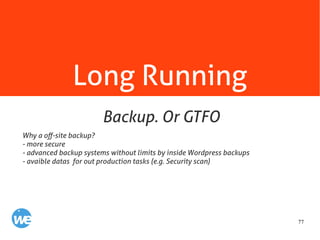
Why a off-site backup?
- more secure
- advanced backup systems without limits by inside Wordpress backups
- avaible datas for out production tasks (e.g. Security scan)
Backup. Or GTFO
78
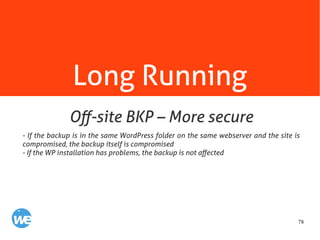
Long Running
- If the backup is in the same WordPress folder on the same webserver and the site is
compromised, the backup itself is compromised
- If the WP installation has problems, the backup is not affected
Off-site BKP – More secure
79
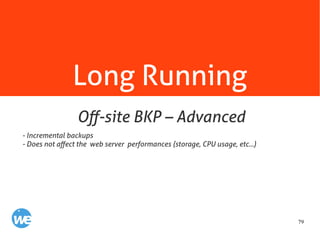
Long Running
- Incremental backups
- Does not affect the web server performances (storage, CPU usage, etc...)
Off-site BKP – Advanced
80
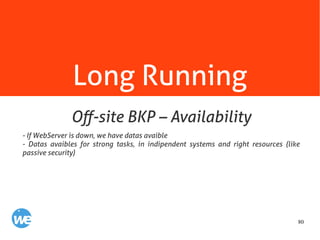
Long Running
- If WebServer is down, we have datas avaible
- Datas avaibles for strong tasks, in indipendent systems and right resources (like
passive security)
Off-site BKP – Availability
81
Long Running
rdiff-backup wrapper
+ db backup
incrementale
retention
Multihost
github.com/welaika/weBackup
weBackup
82
Long Running
Maldet - www.rfxn.com/projects/linux-malware-detect/
Linux Malware Detect (LMD) is a malware scanner for Linux released under the GNU GPLv2
license, that is designed around the threats faced in shared hosted environments. It uses
threat data from network edge intrusion detection systems to extract malware that is
actively being used in attacks and generates signatures for detection. In addition, threat
data is also derived from user submissions with the LMD checkout feature and from
malware community resources.
lfbg.pl - github.com/pioneerskies/lfbg.pl
This little script's scope is to act as regex collection in order to do code scanning about
maliciuos code and files.
Passive Security
83
Resources
84
Resources
codex.wordpress.org
codex.wordpress.org/Function_Reference
Codex
85
Resources
welaika.github.io/wordless/docs/0.3
Wordless doc
86
Resources
codex.wordpress.org/First_Steps_With_WordPress
codex.wordpress.org/New_To_WordPress_-_Where_to_Start
bit.ly/3ZDGu
First steps with WP
87
Ready? Go!

Wordpress Workflow