WordPress Nepal
WordPress Meetup # 13
Laxman Kasula
PHP Developer (Primarily focused on
WordPress) @ Ingenious IT Pvt. Ltd.
 e-mail: laxman.kasula@gmail.com
Simple Contact-us Plugin Development
Objective

• To develop a simple plugin that would
  motivate to develop the complex plugin.
WordPress Plugin
• A single file or a group of files inside a folder
  to add features to WP.
• Put the plugin into plugins folder (wp-
  content/plugins) and activate from plugins
  menu in the backend.
• WordPress Plugins Repository:
  http://wordpress.org/extend/plugins/
Plugin Development Good Practices
1. Organize Files
• main plugin file and uninstall.php in the folder
  and all others in subfolders like js, css,
  includes, images …
2. Prefix Everything
• uniquely prefix every variables and functions.
Lets start developing the plugin
       wpnepal-contacts
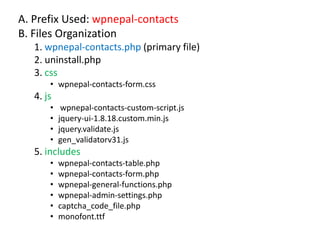
A. Prefix Used: wpnepal-contacts
B. Files Organization
   1. wpnepal-contacts.php (primary file)
   2. uninstall.php
   3. css
       • wpnepal-contacts-form.css
   4. js
       •    wpnepal-contacts-custom-script.js
       •   jquery-ui-1.8.18.custom.min.js
       •   jquery.validate.js
       •   gen_validatorv31.js
   5. includes
       •   wpnepal-contacts-table.php
       •   wpnepal-contacts-form.php
       •   wpnepal-general-functions.php
       •   wpnepal-admin-settings.php
       •   captcha_code_file.php
       •   monofont.ttf
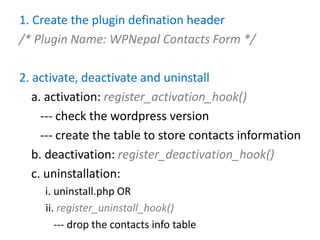
1. Create the plugin defination header
/* Plugin Name: WPNepal Contacts Form */

2. activate, deactivate and uninstall
   a. activation: register_activation_hook()
     --- check the wordpress version
     --- create the table to store contacts information
   b. deactivation: register_deactivation_hook()
   c. uninstallation:
     i. uninstall.php OR
     ii. register_uninstall_hook()
        --- drop the contacts info table
3. Action Hooks
• to fire a function at a specific point.
• ‘plugins_loaded’ action hook: load_plugin_textdomain()

4. Accessing the plugin functionality
  1. Widgets
  2. Call functions in templates
  3. shortcodes
      ---[wpnepal_contacts_form] with add_shortcode()

5. Include the Contact Form
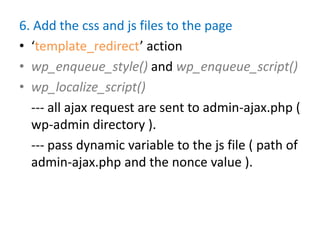
6. Add the css and js files to the page
• ‘template_redirect’ action
• wp_enqueue_style() and wp_enqueue_script()
• wp_localize_script()
  --- all ajax request are sent to admin-ajax.php (
  wp-admin directory ).
  --- pass dynamic variable to the js file ( path of
  admin-ajax.php and the nonce value ).
7. NONCE (Number used ONCE)
• Specific to:
   –   One WP user
   –   one action (delete, update, edit...)
   –   one object (a post, a link, a plugin setting)
   –   one time frame of 24 hours
• Example: ‘action=process-wpnepal-contacts-
  form&wpnepal_contacts_form_nonce=eb587a5939’
    --- nonce value ‘eb587a5939’ is valid for only 24
       hours to only action ‘process-wpnepal-contacts-
       form‘ and only for only you.
• WP verifies if the nonce meets all the criterias before
  processsing the actions.
8. Process the form action
• process the action parameter using 2 ajax actions
   1. wp_ajax_$action
      --- hooks functions if the user is logged in.
   2. wp_ajax_nopriv_$action
      --- hooks functions if the user is not logged in and
      has no privilege.
• verify nonce: wp_verify_nonce()
• if verified, sanitize and validate the obtained
  data.
• insert into the table: $wpdb->insert()
• send an email: wp_mail()
9. Filter
• to manipulate the output of the content.
• Html email: ‘wp_mail_content_type’ filter
  using add_filter()
Improvements: Add Settings Page
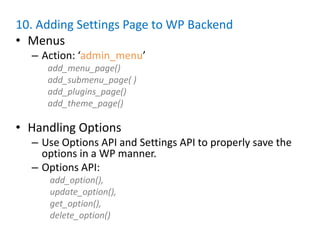
10. Adding Settings Page to WP Backend
• Menus
  – Action: ‘admin_menu’
     add_menu_page()
     add_submenu_page( )
     add_plugins_page()
     add_theme_page()

• Handling Options
  – Use Options API and Settings API to properly save the
    options in a WP manner.
  – Options API:
     add_option(),
     update_option(),
     get_option(),
     delete_option()
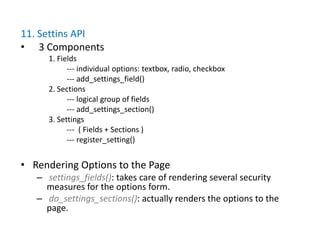
11. Settins API
• 3 Components
      1. Fields
            --- individual options: textbox, radio, checkbox
            --- add_settings_field()
      2. Sections
            --- logical group of fields
            --- add_settings_section()
      3. Settings
            --- ( Fields + Sections )
            --- register_setting()


• Rendering Options to the Page
   – settings_fields(): takes care of rendering several security
     measures for the options form.
   – do_settings_sections(): actually renders the options to the
     page.
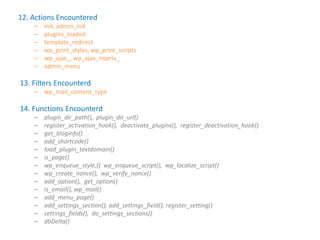
12. Actions Encountered
    –   init, admin_init
    –   plugins_loaded
    –   template_redirect
    –   wp_print_styles, wp_print_scripts
    –   wp_ajax_, wp_ajax_nopriv_
    –   admin_menu

13. Filters Encounterd
    – wp_mail_content_type

14. Functions Encounterd
    –   plugin_dir_path(), plugin_dir_url()
    –   register_activation_hook(), deactivate_plugins(), register_deactivation_hook()
    –   get_bloginfo()
    –   add_shortcode()
    –   load_plugin_textdomain()
    –   is_page()
    –   wp_enqueue_style,() wp_enqueue_script(), wp_localize_script()
    –   wp_create_nonce(), wp_verify_nonce()
    –   add_option(), get_option()
    –   Is_email(), wp_mail()
    –   add_menu_page()
    –   add_settings_section(), add_settings_field(), register_setting()
    –   settings_fields(), do_settings_sections()
    –   dbDelta()
Thanks !!!
Questions ???

Simple Contact Us Plugin Development

  • 1.
  • 2.
    Laxman Kasula PHP Developer(Primarily focused on WordPress) @ Ingenious IT Pvt. Ltd. e-mail: laxman.kasula@gmail.com
  • 3.
  • 4.
    Objective • To developa simple plugin that would motivate to develop the complex plugin.
  • 5.
    WordPress Plugin • Asingle file or a group of files inside a folder to add features to WP. • Put the plugin into plugins folder (wp- content/plugins) and activate from plugins menu in the backend. • WordPress Plugins Repository: http://wordpress.org/extend/plugins/
  • 6.
    Plugin Development GoodPractices 1. Organize Files • main plugin file and uninstall.php in the folder and all others in subfolders like js, css, includes, images … 2. Prefix Everything • uniquely prefix every variables and functions.
  • 7.
    Lets start developingthe plugin wpnepal-contacts
  • 8.
    A. Prefix Used:wpnepal-contacts B. Files Organization 1. wpnepal-contacts.php (primary file) 2. uninstall.php 3. css • wpnepal-contacts-form.css 4. js • wpnepal-contacts-custom-script.js • jquery-ui-1.8.18.custom.min.js • jquery.validate.js • gen_validatorv31.js 5. includes • wpnepal-contacts-table.php • wpnepal-contacts-form.php • wpnepal-general-functions.php • wpnepal-admin-settings.php • captcha_code_file.php • monofont.ttf
  • 9.
    1. Create theplugin defination header /* Plugin Name: WPNepal Contacts Form */ 2. activate, deactivate and uninstall a. activation: register_activation_hook() --- check the wordpress version --- create the table to store contacts information b. deactivation: register_deactivation_hook() c. uninstallation: i. uninstall.php OR ii. register_uninstall_hook() --- drop the contacts info table
  • 10.
    3. Action Hooks •to fire a function at a specific point. • ‘plugins_loaded’ action hook: load_plugin_textdomain() 4. Accessing the plugin functionality 1. Widgets 2. Call functions in templates 3. shortcodes ---[wpnepal_contacts_form] with add_shortcode() 5. Include the Contact Form
  • 11.
    6. Add thecss and js files to the page • ‘template_redirect’ action • wp_enqueue_style() and wp_enqueue_script() • wp_localize_script() --- all ajax request are sent to admin-ajax.php ( wp-admin directory ). --- pass dynamic variable to the js file ( path of admin-ajax.php and the nonce value ).
  • 12.
    7. NONCE (Numberused ONCE) • Specific to: – One WP user – one action (delete, update, edit...) – one object (a post, a link, a plugin setting) – one time frame of 24 hours • Example: ‘action=process-wpnepal-contacts- form&wpnepal_contacts_form_nonce=eb587a5939’ --- nonce value ‘eb587a5939’ is valid for only 24 hours to only action ‘process-wpnepal-contacts- form‘ and only for only you. • WP verifies if the nonce meets all the criterias before processsing the actions.
  • 13.
    8. Process theform action • process the action parameter using 2 ajax actions 1. wp_ajax_$action --- hooks functions if the user is logged in. 2. wp_ajax_nopriv_$action --- hooks functions if the user is not logged in and has no privilege. • verify nonce: wp_verify_nonce() • if verified, sanitize and validate the obtained data. • insert into the table: $wpdb->insert() • send an email: wp_mail()
  • 14.
    9. Filter • tomanipulate the output of the content. • Html email: ‘wp_mail_content_type’ filter using add_filter()
  • 15.
  • 16.
    10. Adding SettingsPage to WP Backend • Menus – Action: ‘admin_menu’ add_menu_page() add_submenu_page( ) add_plugins_page() add_theme_page() • Handling Options – Use Options API and Settings API to properly save the options in a WP manner. – Options API: add_option(), update_option(), get_option(), delete_option()
  • 17.
    11. Settins API •3 Components 1. Fields --- individual options: textbox, radio, checkbox --- add_settings_field() 2. Sections --- logical group of fields --- add_settings_section() 3. Settings --- ( Fields + Sections ) --- register_setting() • Rendering Options to the Page – settings_fields(): takes care of rendering several security measures for the options form. – do_settings_sections(): actually renders the options to the page.
  • 18.
    12. Actions Encountered – init, admin_init – plugins_loaded – template_redirect – wp_print_styles, wp_print_scripts – wp_ajax_, wp_ajax_nopriv_ – admin_menu 13. Filters Encounterd – wp_mail_content_type 14. Functions Encounterd – plugin_dir_path(), plugin_dir_url() – register_activation_hook(), deactivate_plugins(), register_deactivation_hook() – get_bloginfo() – add_shortcode() – load_plugin_textdomain() – is_page() – wp_enqueue_style,() wp_enqueue_script(), wp_localize_script() – wp_create_nonce(), wp_verify_nonce() – add_option(), get_option() – Is_email(), wp_mail() – add_menu_page() – add_settings_section(), add_settings_field(), register_setting() – settings_fields(), do_settings_sections() – dbDelta()
  • 19.
  • 20.