INTERNATIONALIZING AND
LOCALIZING WORDPRESS THEME

              SANJIP SHAH
         Follow: @sanjipshah
   Contact: sanjiv.saha31@gmail.com
Overview
• Definition and Importance

• Overview of the Process
  – Load a text domain
  – WordPress functions
  – Poedit Software
  – Create a language file
  – Instruct WordPress to load the language file
WHAT?
• Internationalization(i18n)
    Process of making WordPress theme/plugin
    translation ready.


• Localization(l10n)
    Process of adapting internationalized WordPress
    theme/plugin for a specific language by translating
    text.
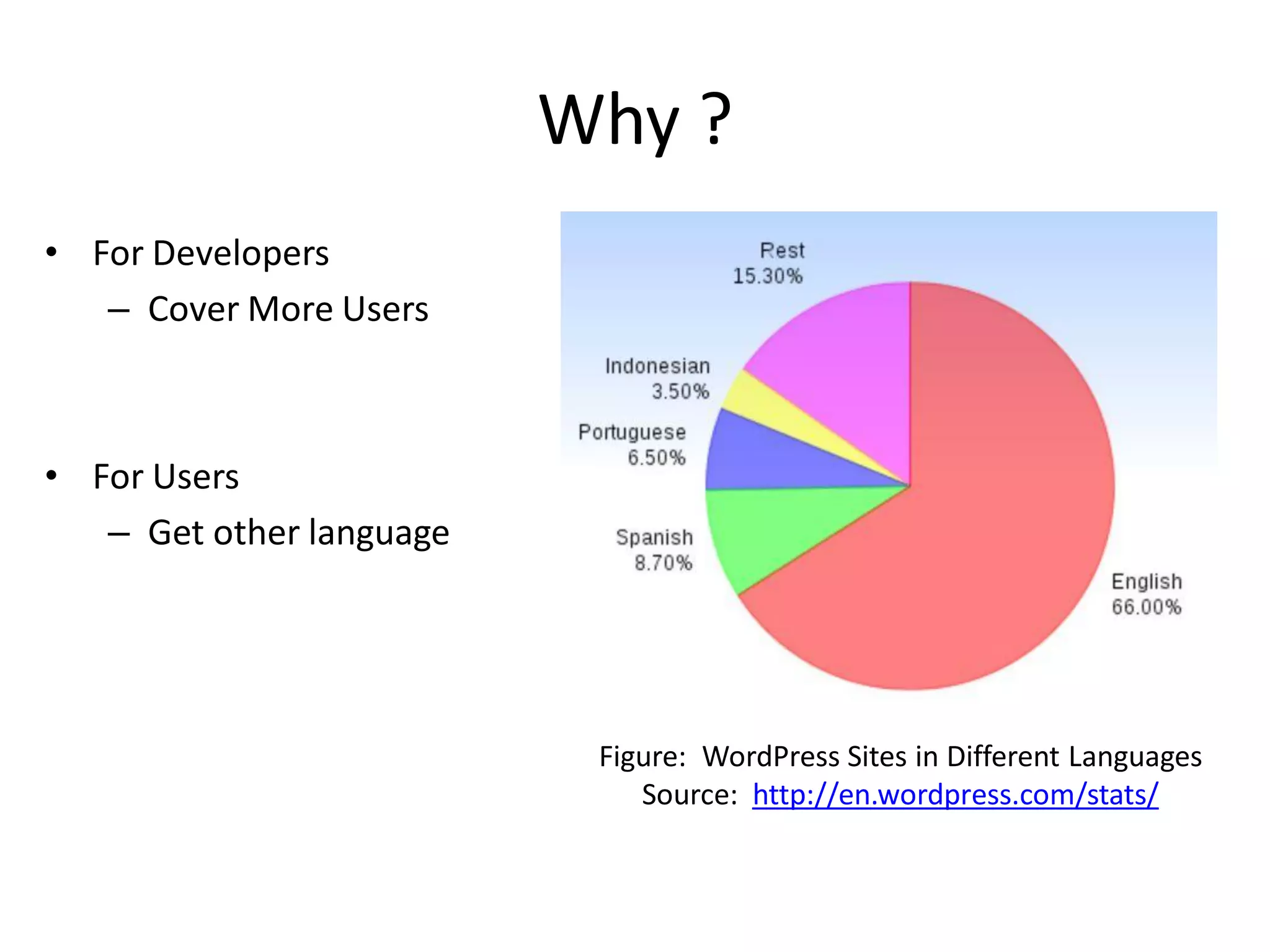
Why ?
• For Developers
   – Cover More Users


• For Users
   – Get other language


                           Figure: WordPress Sites in Different Languages
                              Source: http://en.wordpress.com/stats/
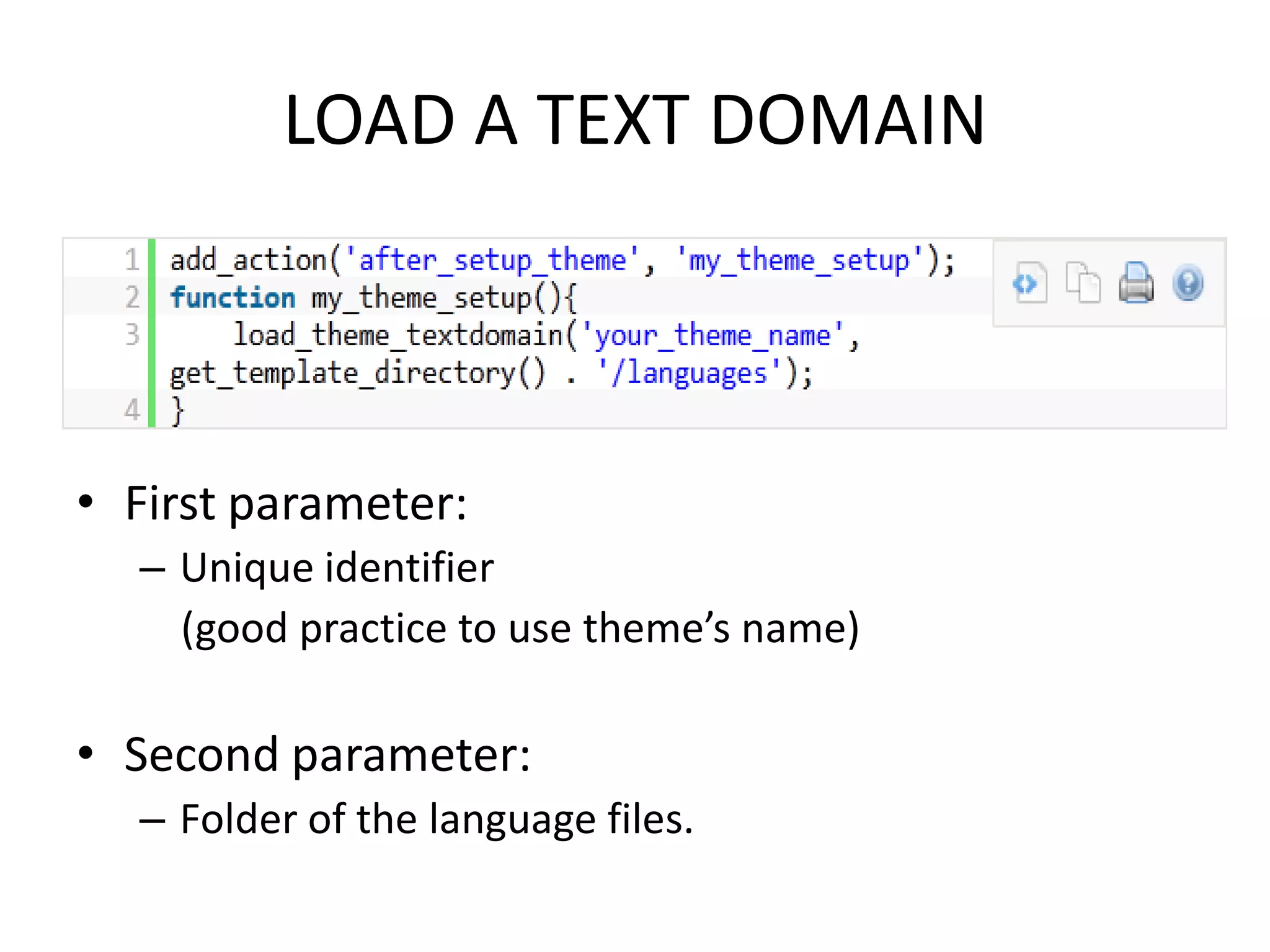
LOAD A TEXT DOMAIN


• First parameter:
  – Unique identifier
    (good practice to use theme’s name)

• Second parameter:
  – Folder of the language files.
PROCESSING TEXT MESSAGES
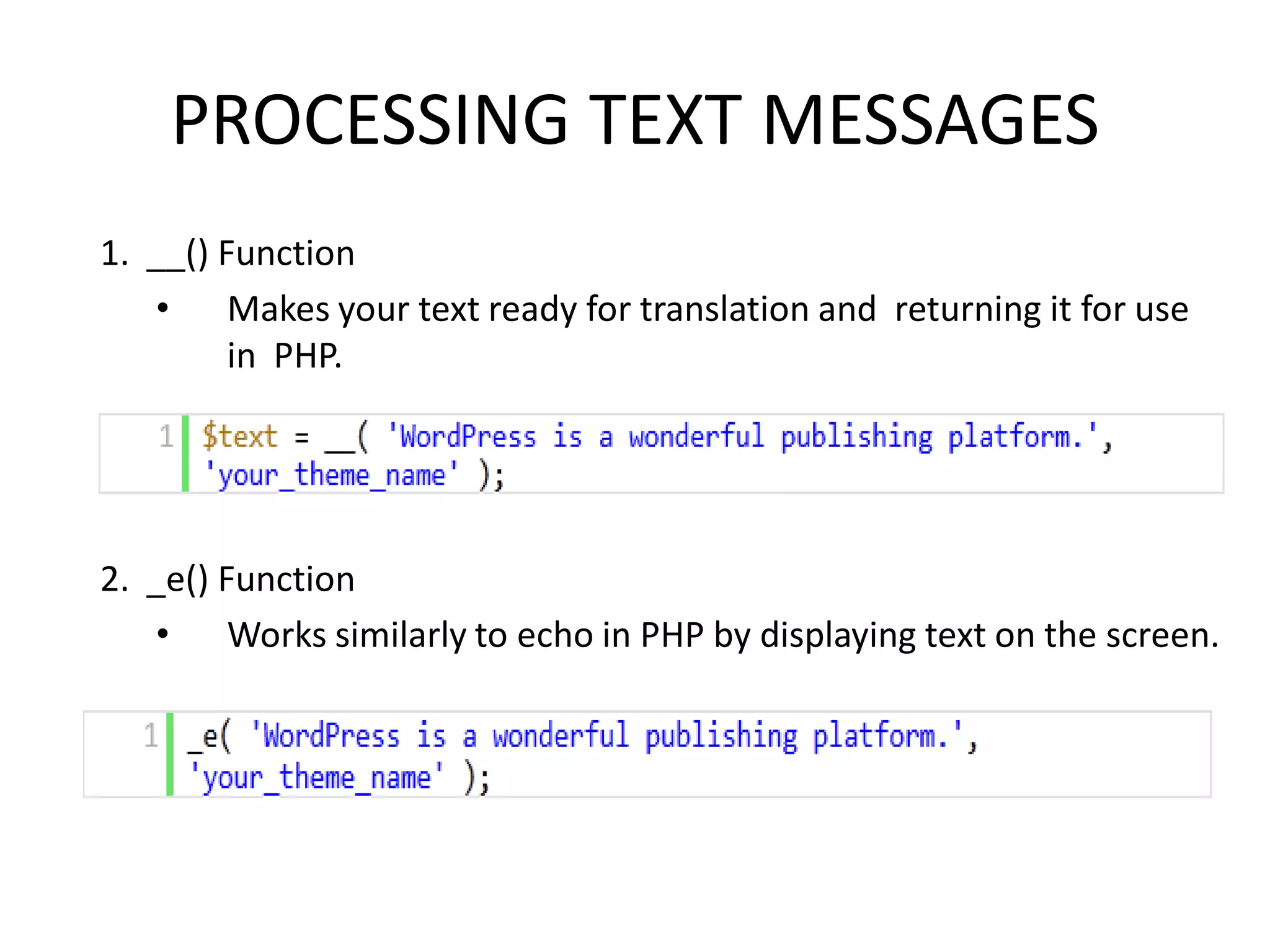
1. __() Function
   • Makes your text ready for translation and returning it for use
         in PHP.


2. _e() Function
   • Works similarly to echo in PHP by displaying text on the screen.
PROCESSING TEXT MESSAGES
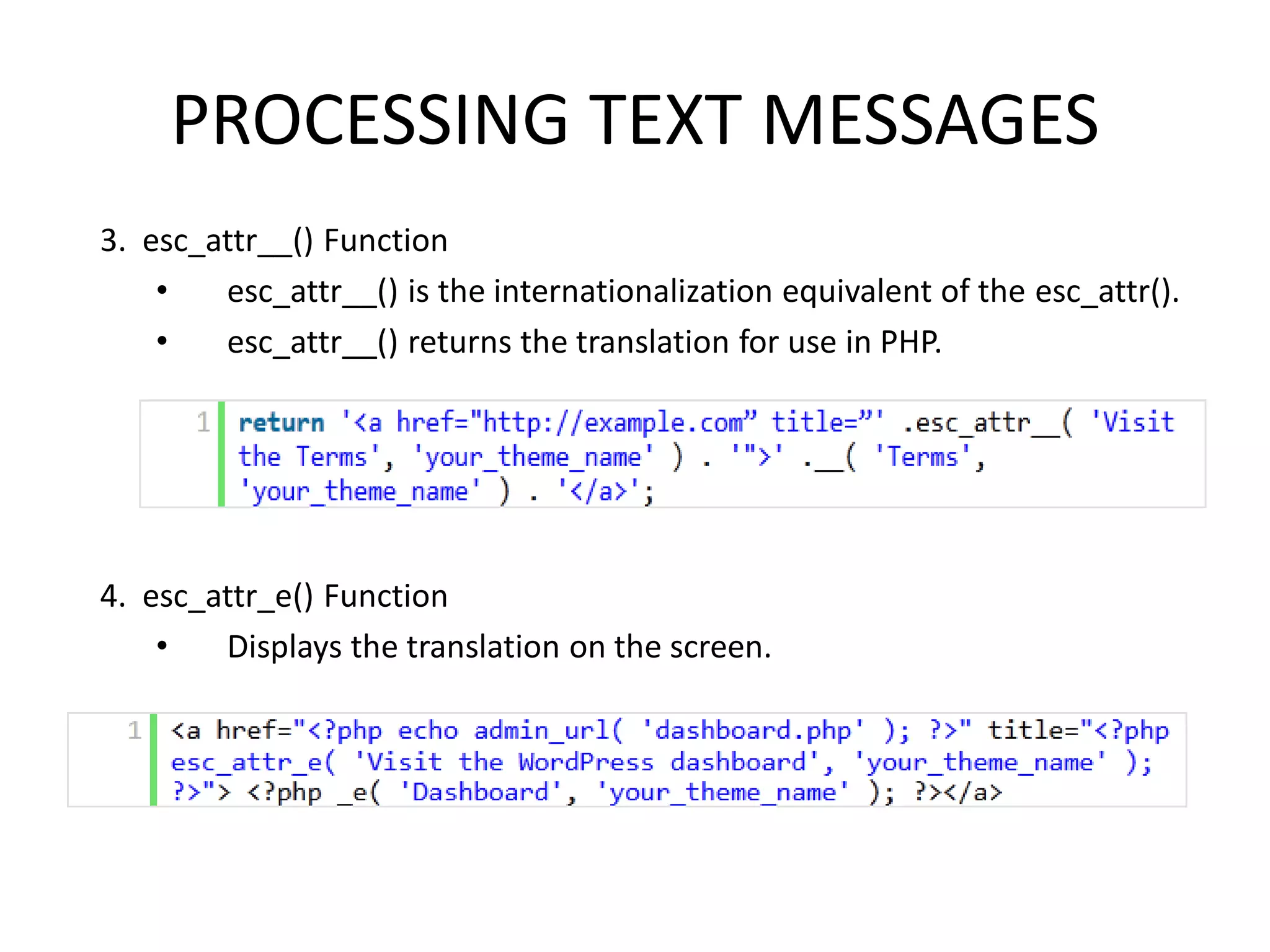
3. esc_attr__() Function
    •   esc_attr__() is the internationalization equivalent of the esc_attr().
    •   esc_attr__() returns the translation for use in PHP.


4. esc_attr_e() Function
    •   Displays the translation on the screen.
PROCESSING TEXT MESSAGES
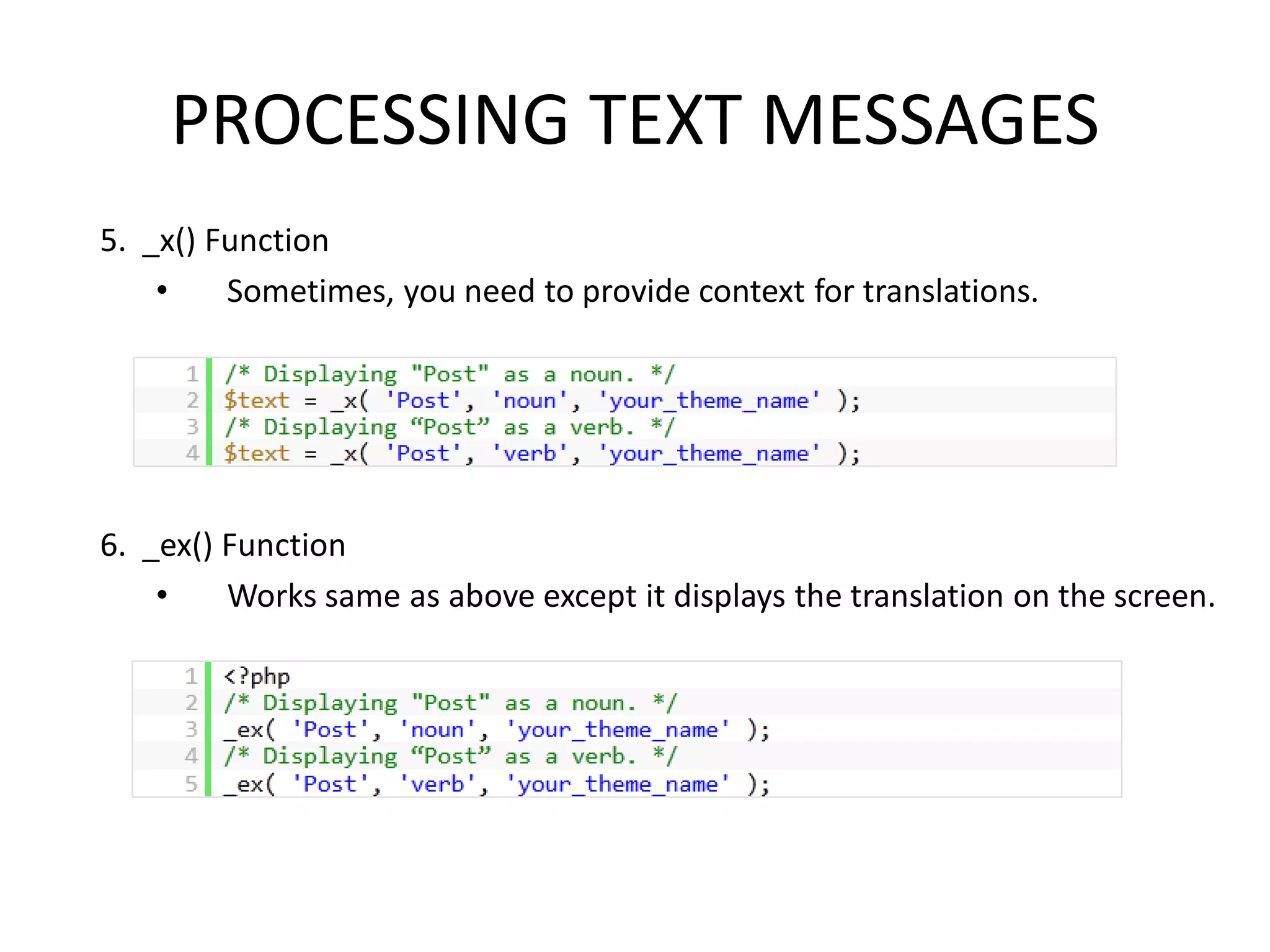
5. _x() Function
    •    Sometimes, you need to provide context for translations.


6. _ex() Function
    •    Works same as above except it displays the translation on the screen.
PROCESSING TEXT MESSAGES
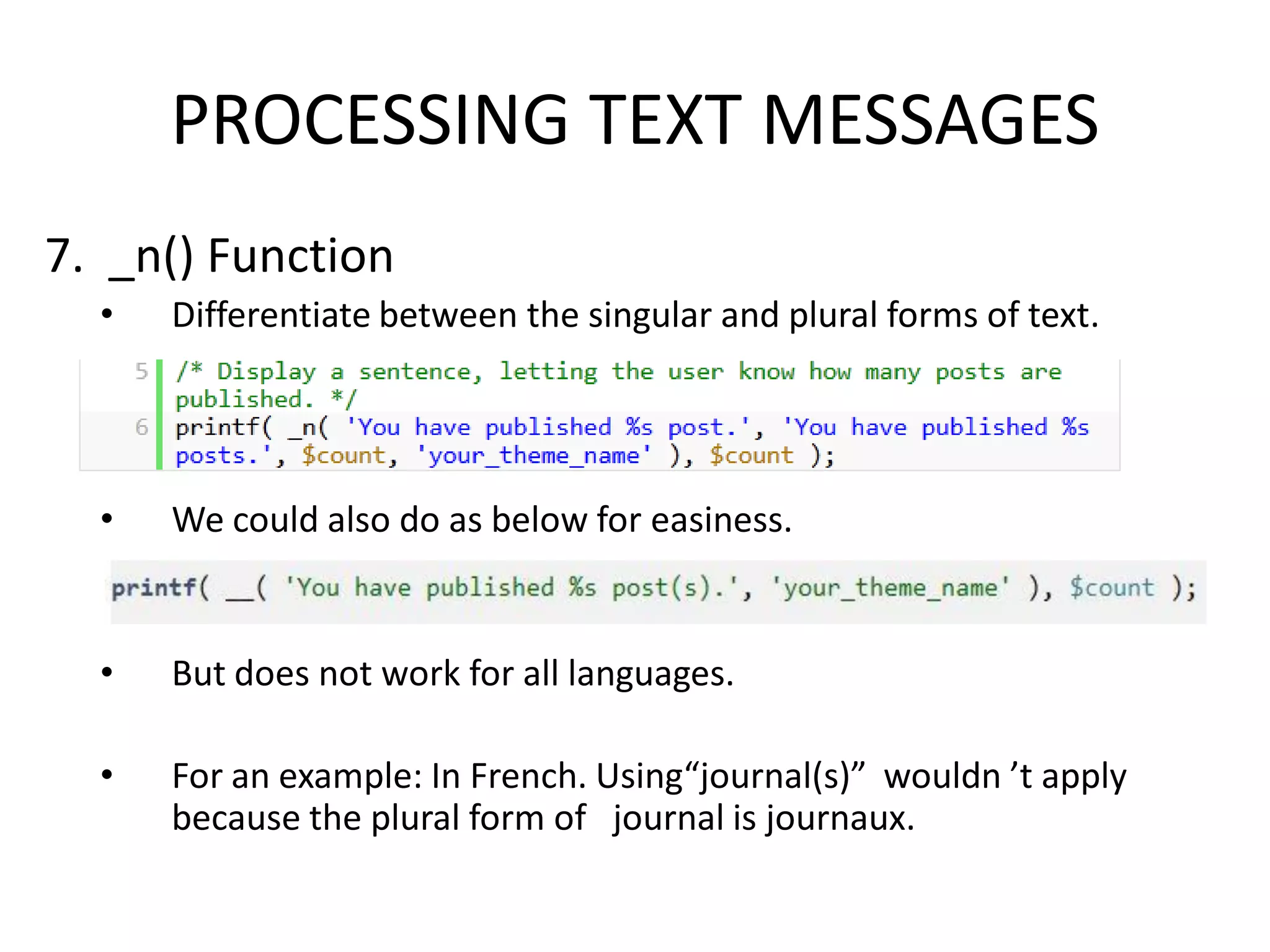
7. _n() Function
  •   Differentiate between the singular and plural forms of text.


  •   We could also do as below for easiness.


  •   But does not work for all languages.

  •   For an example: In French. Using“journal(s)” wouldn ’t apply
      because the plural form of journal is journaux.
PROCESSING TEXT MESSAGES
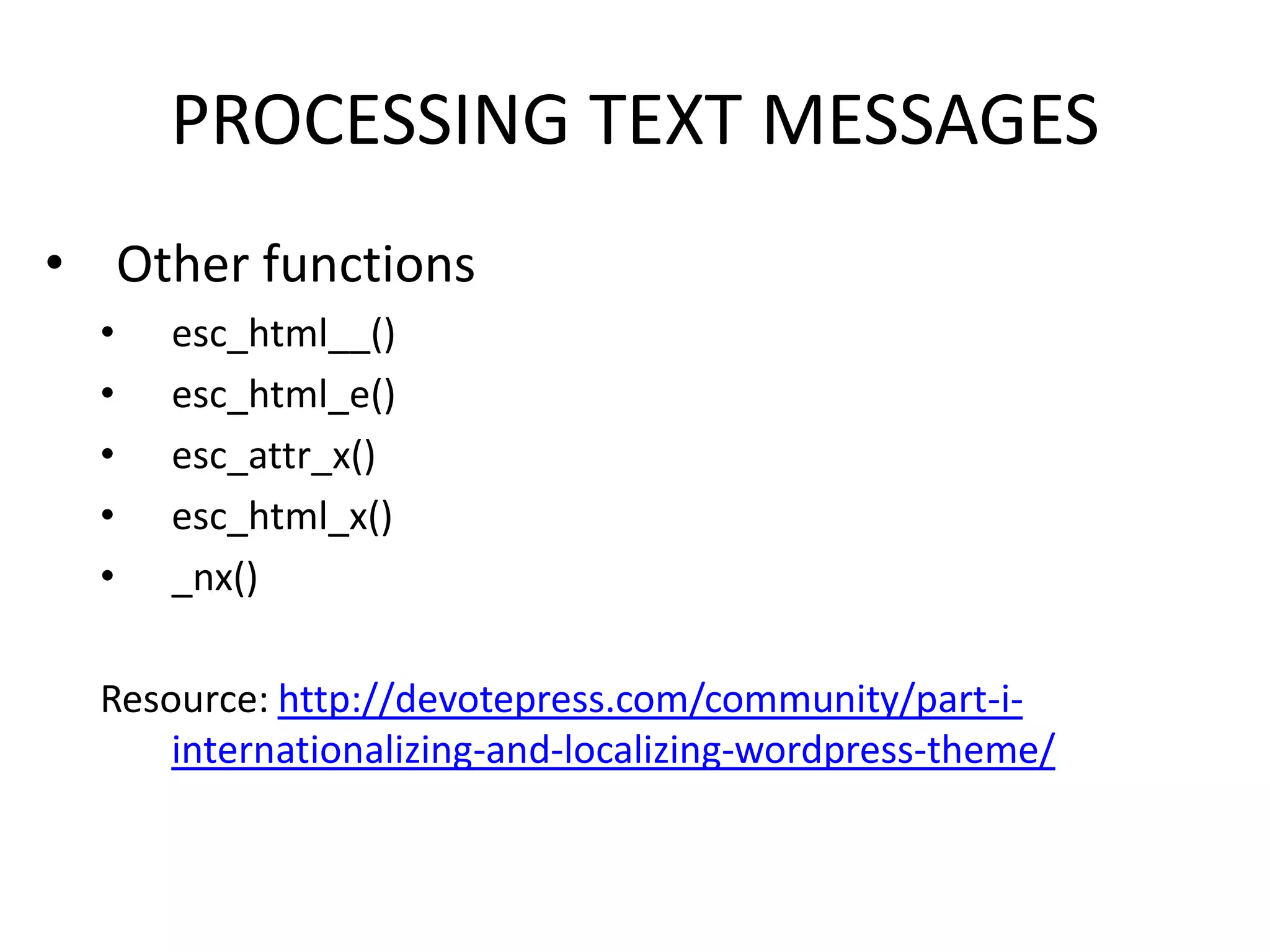
• Other functions
  •   esc_html__()
  •   esc_html_e()
  •   esc_attr_x()
  •   esc_html_x()
  •   _nx()

  Resource: http://devotepress.com/community/part-i-
      internationalizing-and-localizing-wordpress-theme/
TRANSLATION FILES
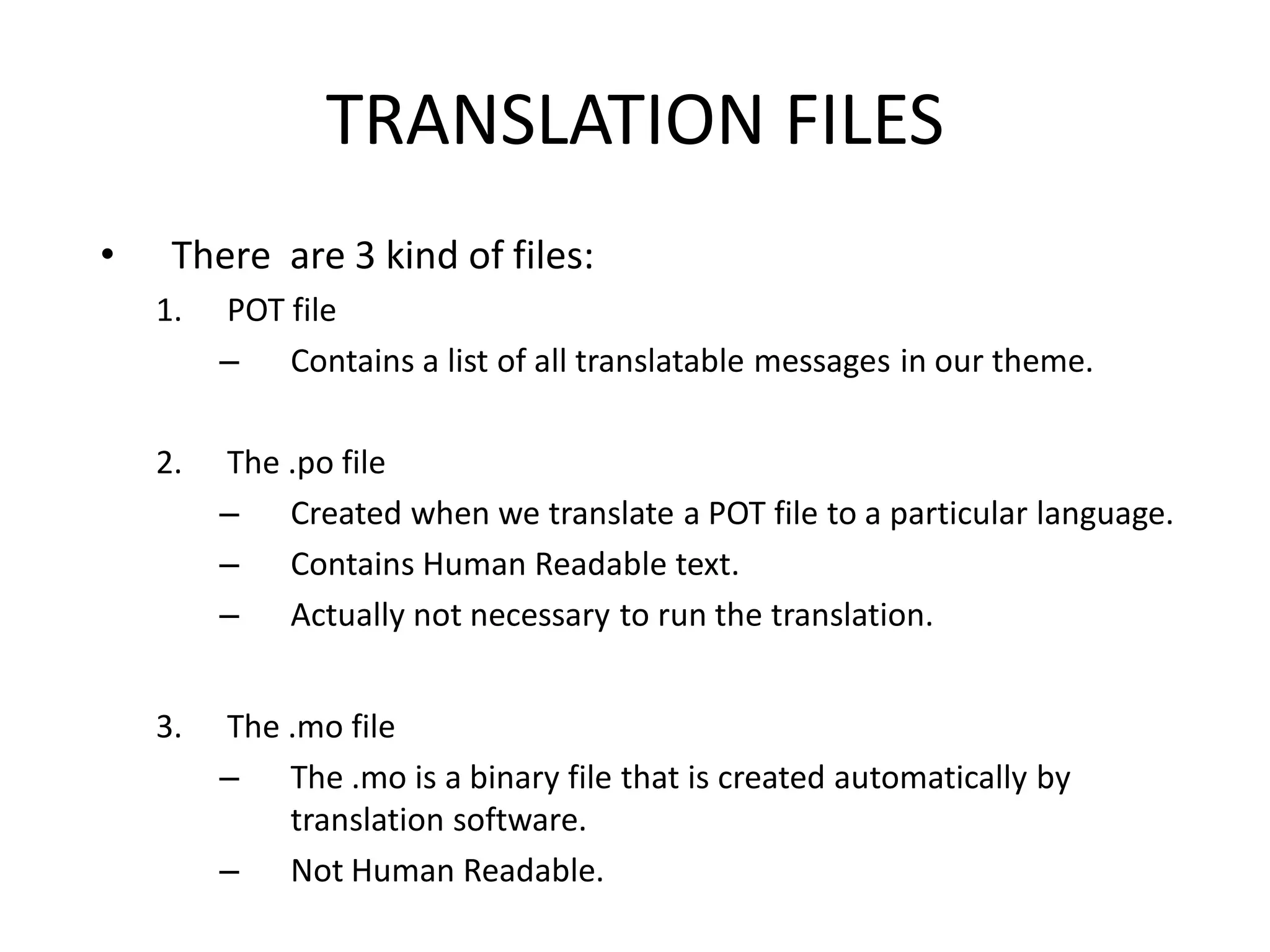
•    There are 3 kind of files:
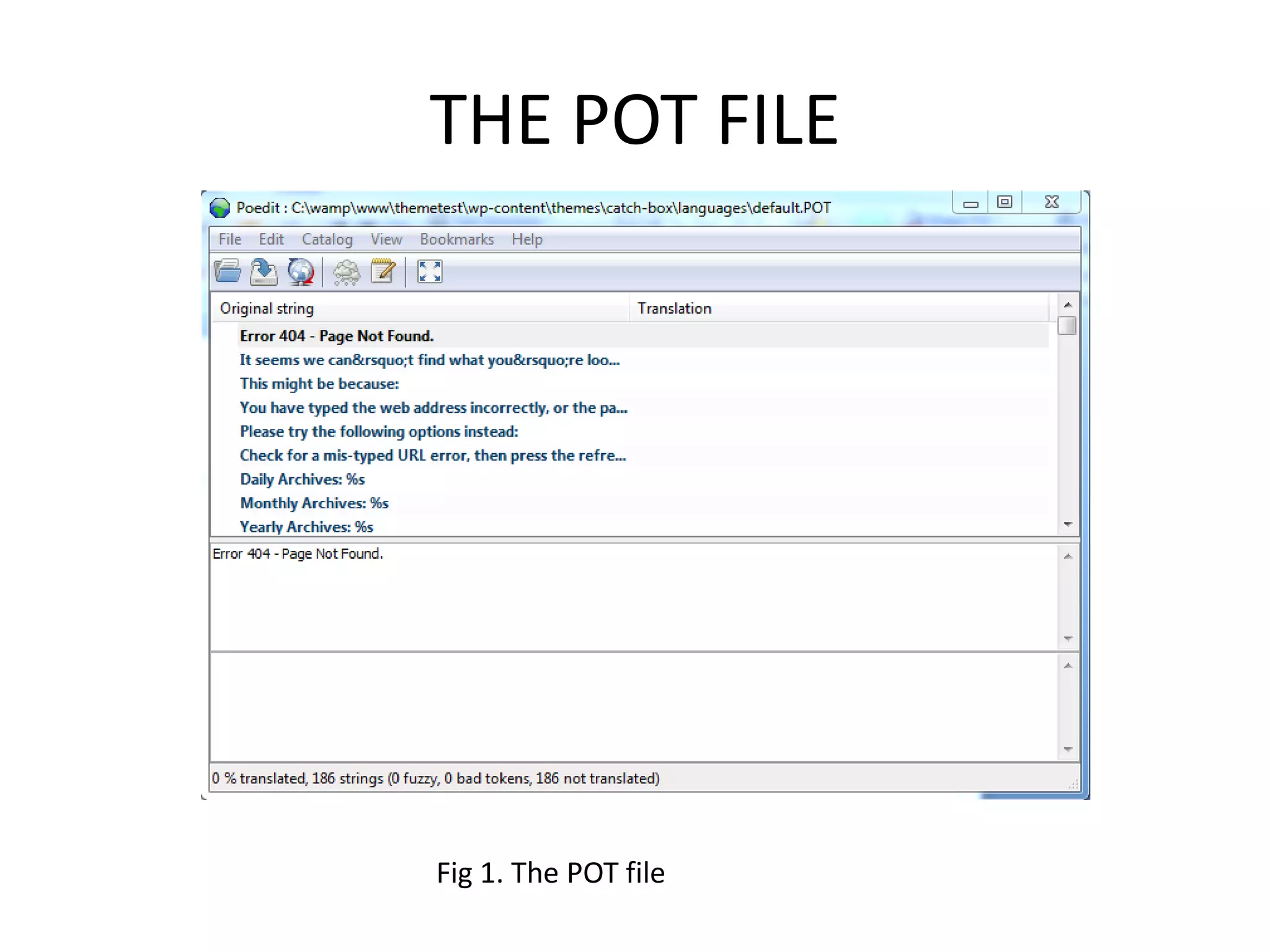
    1.   POT file
         – Contains a list of all translatable messages in our theme.

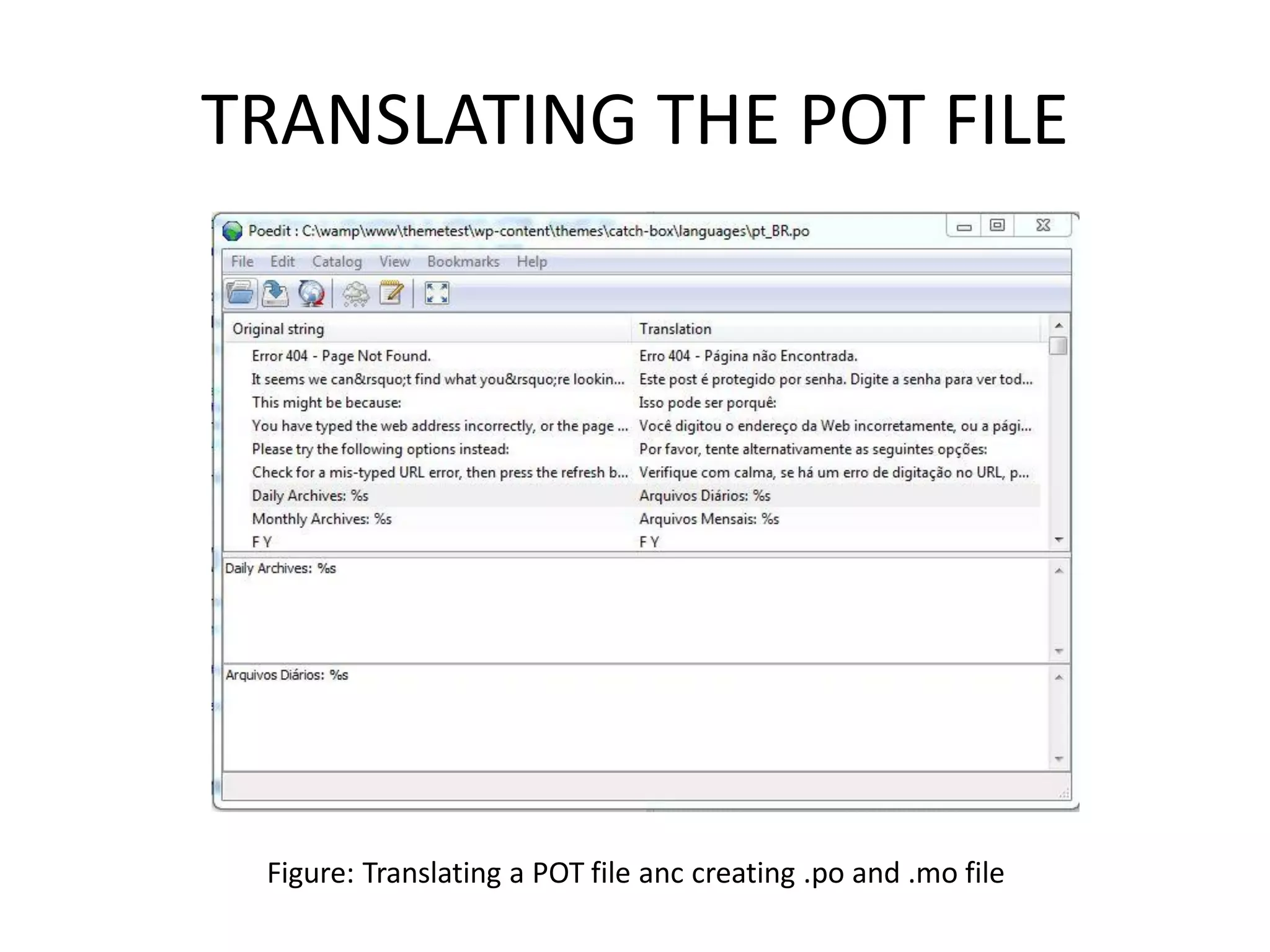
    2.   The .po file
         – Created when we translate a POT file to a particular language.
         – Contains Human Readable text.
         – Actually not necessary to run the translation.


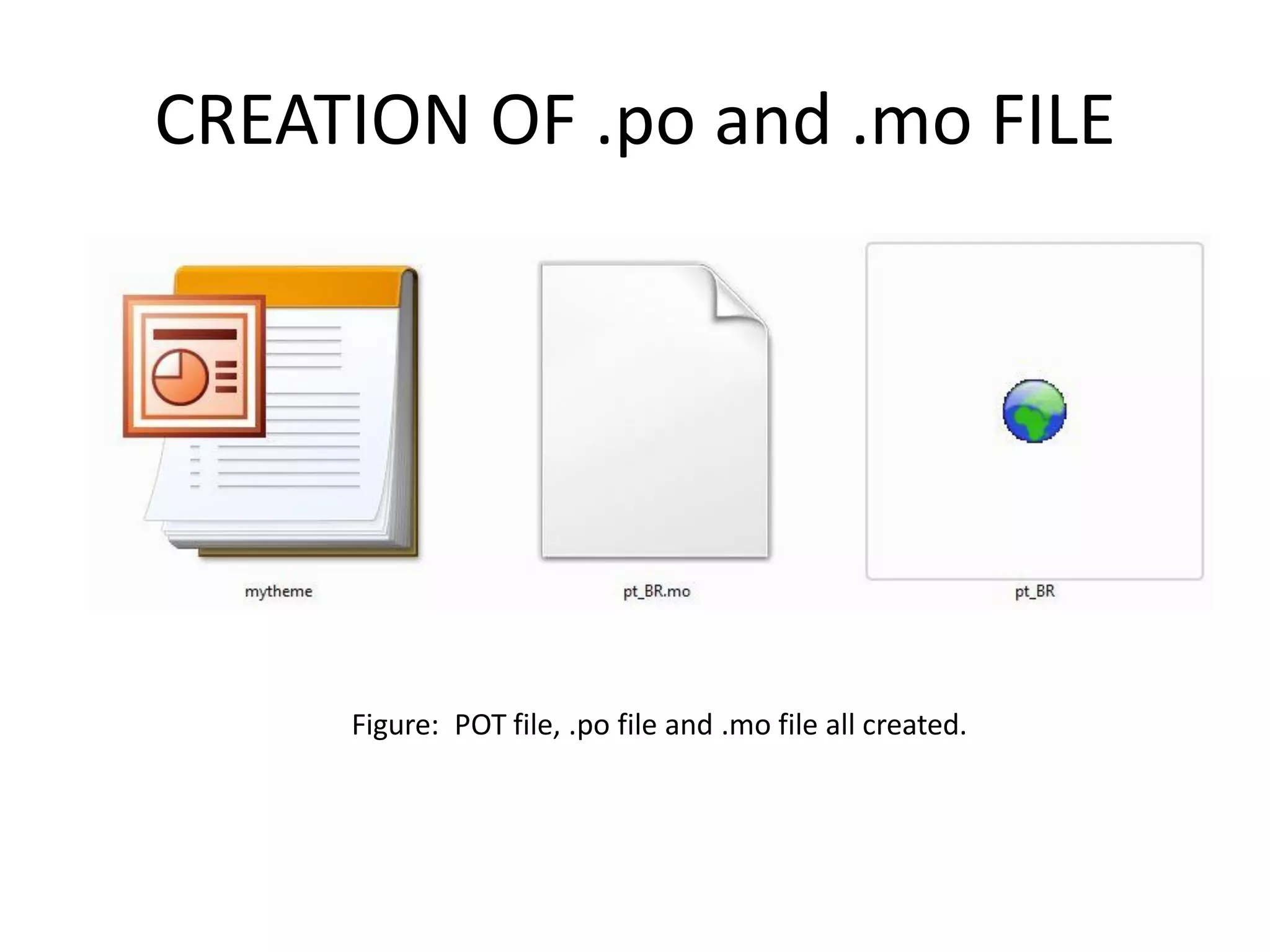
    3.   The .mo file
         – The .mo is a binary file that is created automatically by
             translation software.
         – Not Human Readable.
CREATING POT FILE
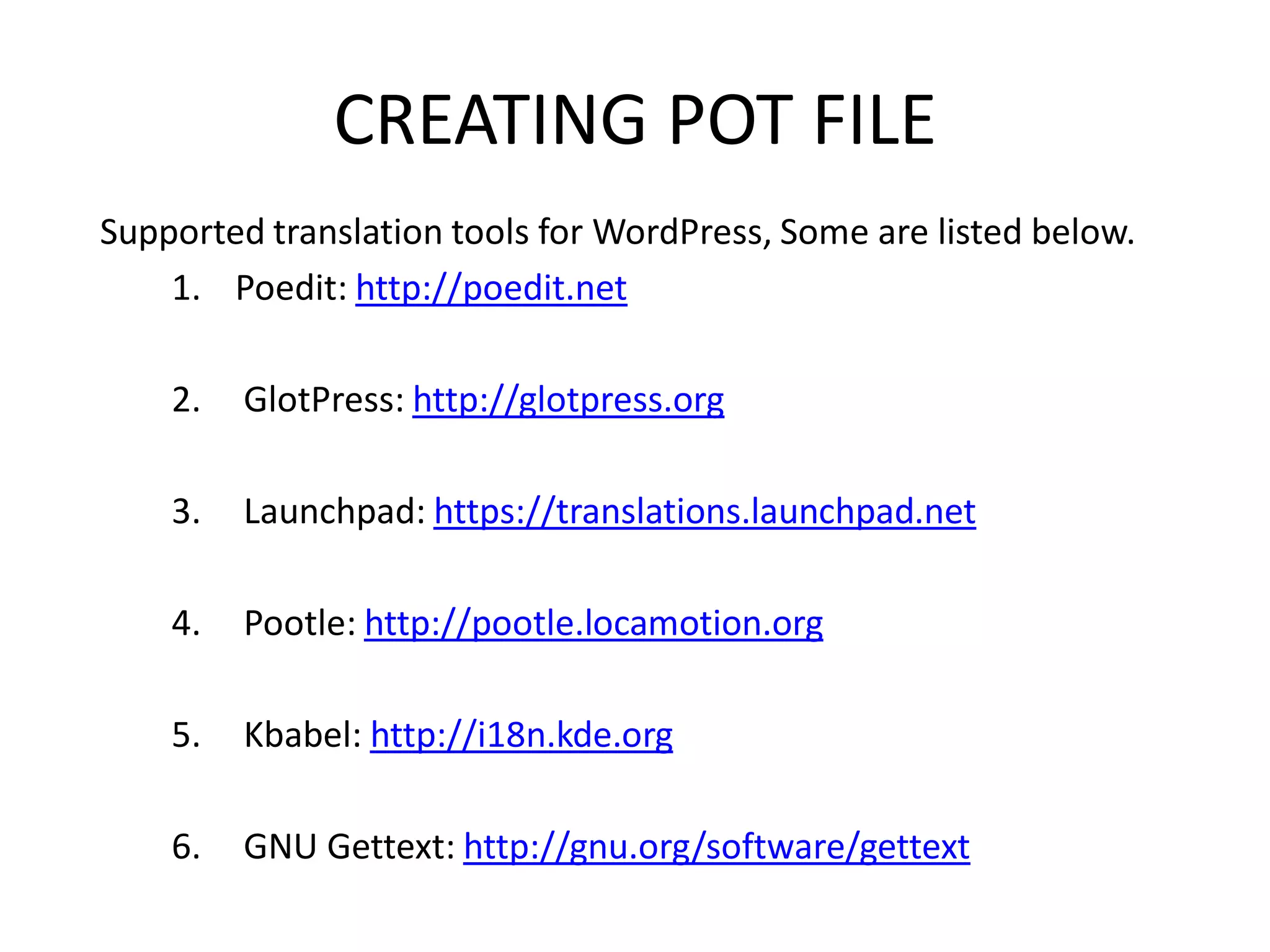
Supported translation tools for WordPress, Some are listed below.
    1. Poedit: http://poedit.net

    2.   GlotPress: http://glotpress.org

    3.   Launchpad: https://translations.launchpad.net

    4.   Pootle: http://pootle.locamotion.org

    5.   Kbabel: http://i18n.kde.org

    6.   GNU Gettext: http://gnu.org/software/gettext
CREATING POT FILE
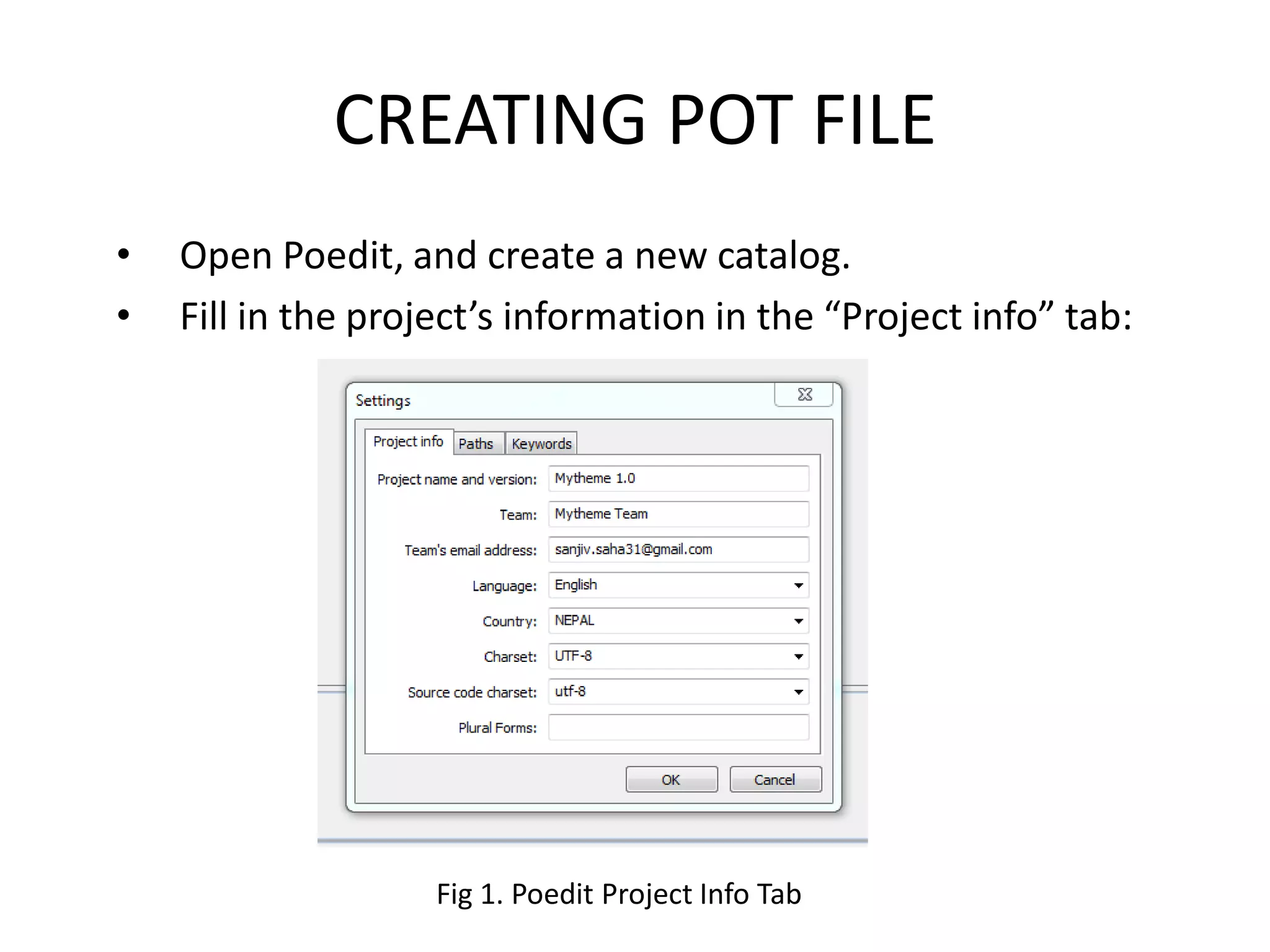
•   Open Poedit, and create a new catalog.
•   Fill in the project’s information in the “Project info” tab:


                    Fig 1. Poedit Project Info Tab
CREATING POT FILE
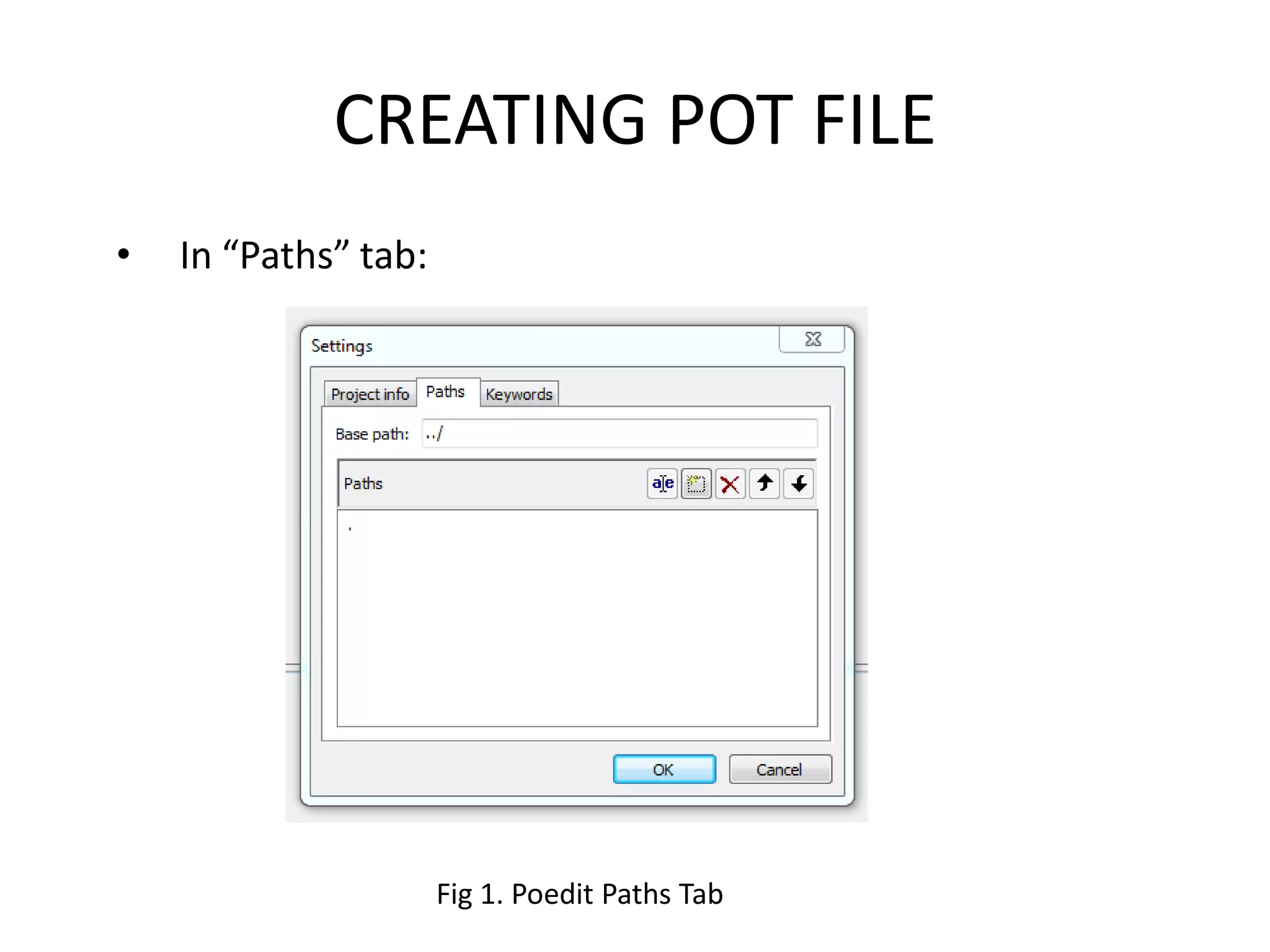
•   In “Paths” tab:


                      Fig 1. Poedit Paths Tab
CREATING POT FILE
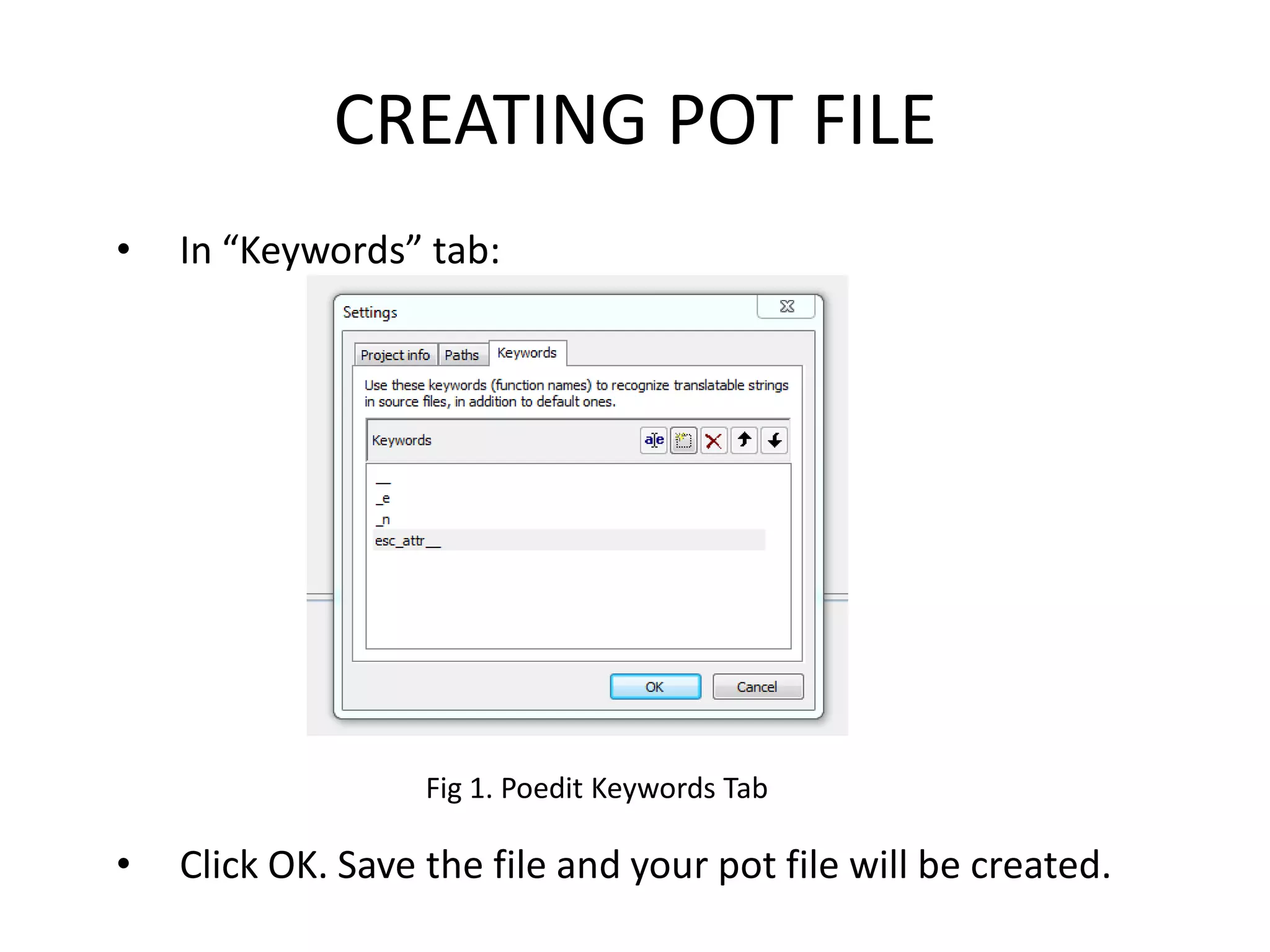
•   In “Keywords” tab:


                   Fig 1. Poedit Keywords Tab

•   Click OK. Save the file and your pot file will be created.
CREATION OF .POT FILE


     Figure: POT file created.
THE POT FILE


Fig 1. The POT file
TRANSLATING THE POT FILE


 Figure: Translating a POT file anc creating .po and .mo file
CREATION OF .po and .mo FILE


     Figure: POT file, .po file and .mo file all created.
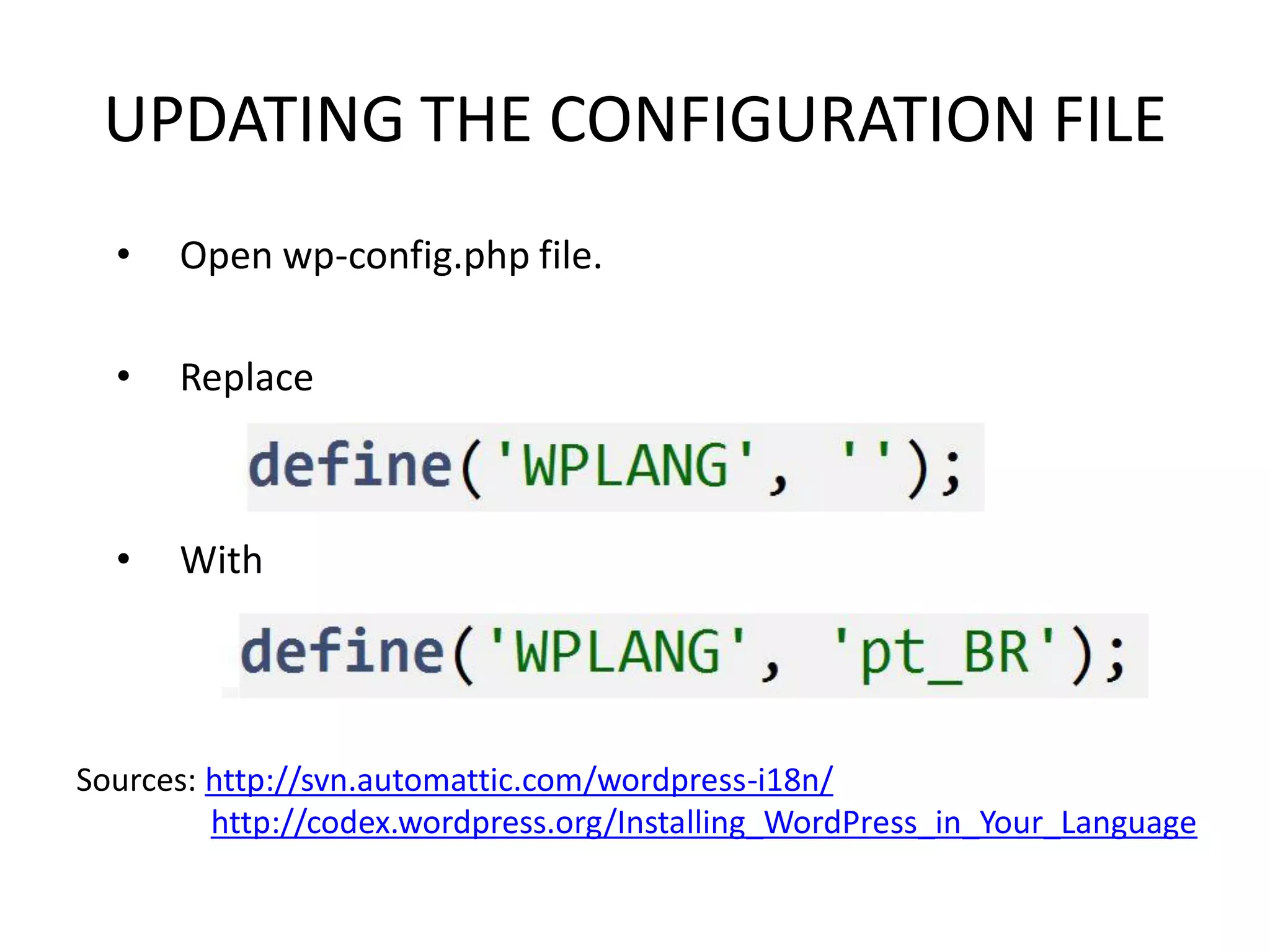
UPDATING THE CONFIGURATION FILE
  •   Open wp-config.php file.

  •   Replace


  •   With


Sources: http://svn.automattic.com/wordpress-i18n/
         http://codex.wordpress.org/Installing_WordPress_in_Your_Language
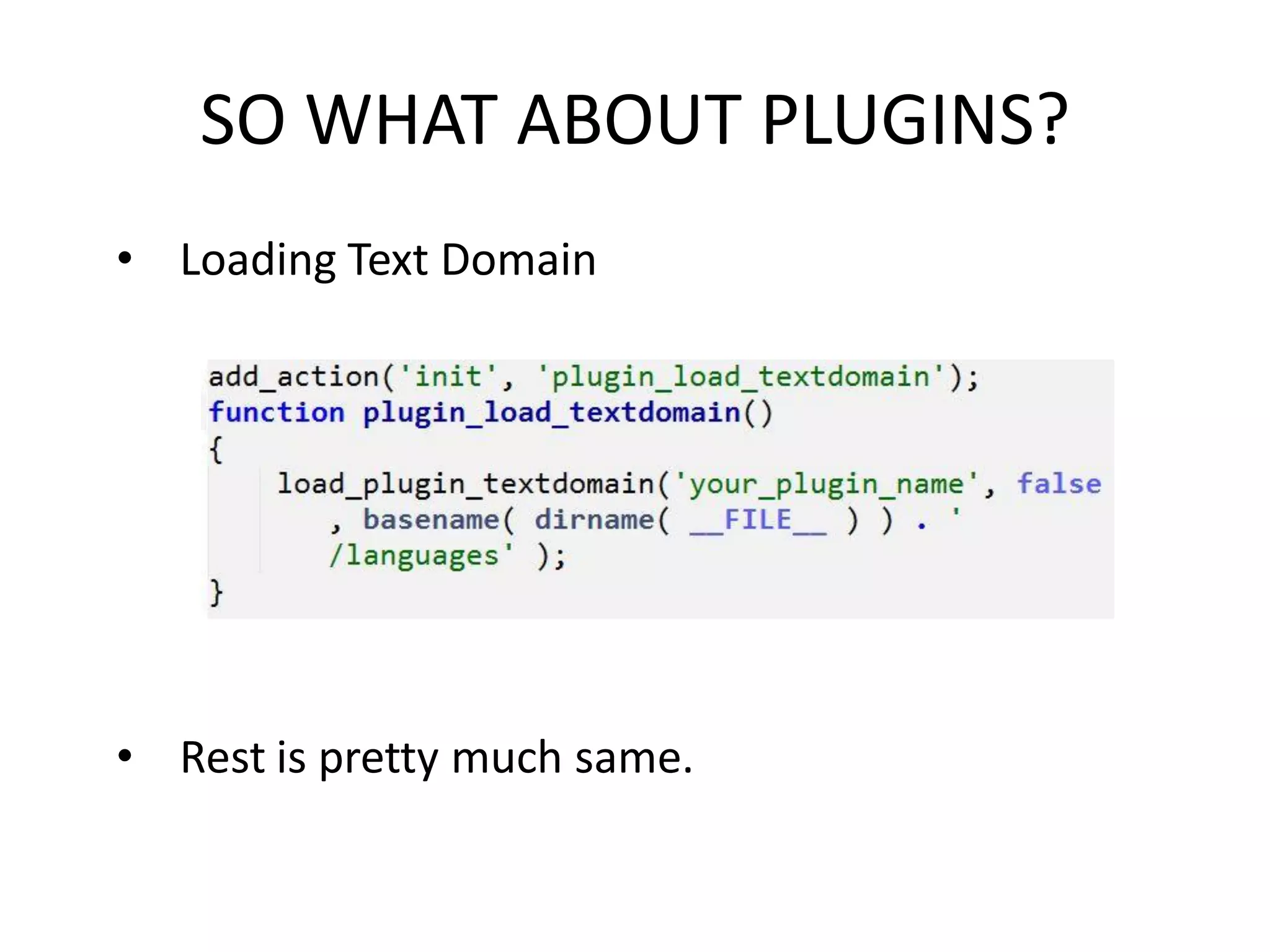
SO WHAT ABOUT PLUGINS?
• Loading Text Domain


• Rest is pretty much same.
SOME RESOURCES
•   http://wp.smashingmagazine.com/2011/12/29/internationalizing-
    localizing-wordpress-theme/Replace

•   http://devotepress.com/community/part-i-internationalizing-and-
    localizing-wordpress-theme/

•   http://codex.wordpress.org/I18n_for_WordPress_Developers

•   http://codex.wordpress.org/L10n:Localization_Teams

•   http://en.wikipedia.org/wiki/Internationalization_and_localization

•   http://devotepress.com/coding/data-validation-sanitization-
    wordpress-2/
Thank You!

Questions?

Sanjip Shah: Internationalizing and Localizing WordPress Themes

  • 2.
    INTERNATIONALIZING AND LOCALIZING WORDPRESSTHEME SANJIP SHAH Follow: @sanjipshah Contact: sanjiv.saha31@gmail.com
  • 3.
    Overview • Definition andImportance • Overview of the Process – Load a text domain – WordPress functions – Poedit Software – Create a language file – Instruct WordPress to load the language file
  • 4.
    WHAT? • Internationalization(i18n) Process of making WordPress theme/plugin translation ready. • Localization(l10n) Process of adapting internationalized WordPress theme/plugin for a specific language by translating text.
  • 5.
    Why ? • ForDevelopers – Cover More Users • For Users – Get other language Figure: WordPress Sites in Different Languages Source: http://en.wordpress.com/stats/
  • 6.
    LOAD A TEXTDOMAIN • First parameter: – Unique identifier (good practice to use theme’s name) • Second parameter: – Folder of the language files.
  • 7.
    PROCESSING TEXT MESSAGES 1.__() Function • Makes your text ready for translation and returning it for use in PHP. 2. _e() Function • Works similarly to echo in PHP by displaying text on the screen.
  • 8.
    PROCESSING TEXT MESSAGES 3.esc_attr__() Function • esc_attr__() is the internationalization equivalent of the esc_attr(). • esc_attr__() returns the translation for use in PHP. 4. esc_attr_e() Function • Displays the translation on the screen.
  • 9.
    PROCESSING TEXT MESSAGES 5._x() Function • Sometimes, you need to provide context for translations. 6. _ex() Function • Works same as above except it displays the translation on the screen.
  • 10.
    PROCESSING TEXT MESSAGES 7._n() Function • Differentiate between the singular and plural forms of text. • We could also do as below for easiness. • But does not work for all languages. • For an example: In French. Using“journal(s)” wouldn ’t apply because the plural form of journal is journaux.
  • 11.
    PROCESSING TEXT MESSAGES •Other functions • esc_html__() • esc_html_e() • esc_attr_x() • esc_html_x() • _nx() Resource: http://devotepress.com/community/part-i- internationalizing-and-localizing-wordpress-theme/
  • 12.
    TRANSLATION FILES • There are 3 kind of files: 1. POT file – Contains a list of all translatable messages in our theme. 2. The .po file – Created when we translate a POT file to a particular language. – Contains Human Readable text. – Actually not necessary to run the translation. 3. The .mo file – The .mo is a binary file that is created automatically by translation software. – Not Human Readable.
  • 13.
    CREATING POT FILE Supportedtranslation tools for WordPress, Some are listed below. 1. Poedit: http://poedit.net 2. GlotPress: http://glotpress.org 3. Launchpad: https://translations.launchpad.net 4. Pootle: http://pootle.locamotion.org 5. Kbabel: http://i18n.kde.org 6. GNU Gettext: http://gnu.org/software/gettext
  • 14.
    CREATING POT FILE • Open Poedit, and create a new catalog. • Fill in the project’s information in the “Project info” tab: Fig 1. Poedit Project Info Tab
  • 15.
    CREATING POT FILE • In “Paths” tab: Fig 1. Poedit Paths Tab
  • 16.
    CREATING POT FILE • In “Keywords” tab: Fig 1. Poedit Keywords Tab • Click OK. Save the file and your pot file will be created.
  • 17.
    CREATION OF .POTFILE Figure: POT file created.
  • 18.
    THE POT FILE Fig1. The POT file
  • 19.
    TRANSLATING THE POTFILE Figure: Translating a POT file anc creating .po and .mo file
  • 20.
    CREATION OF .poand .mo FILE Figure: POT file, .po file and .mo file all created.
  • 21.
    UPDATING THE CONFIGURATIONFILE • Open wp-config.php file. • Replace • With Sources: http://svn.automattic.com/wordpress-i18n/ http://codex.wordpress.org/Installing_WordPress_in_Your_Language
  • 22.
    SO WHAT ABOUTPLUGINS? • Loading Text Domain • Rest is pretty much same.
  • 23.
    SOME RESOURCES • http://wp.smashingmagazine.com/2011/12/29/internationalizing- localizing-wordpress-theme/Replace • http://devotepress.com/community/part-i-internationalizing-and- localizing-wordpress-theme/ • http://codex.wordpress.org/I18n_for_WordPress_Developers • http://codex.wordpress.org/L10n:Localization_Teams • http://en.wikipedia.org/wiki/Internationalization_and_localization • http://devotepress.com/coding/data-validation-sanitization- wordpress-2/
  • 24.