Javascript Laravel's friend
Introduction
● Bart (@denbatte)
● Teacher
● PHP/Laravel enthousiast
● Slides will be available on slideshare
Objectives
● Creating the best game ever!
● Exploring Laravel by doing the previous.
● Learning how Javascript integrates with Laravel
– Not using JS Frameworks (Angular) for now!
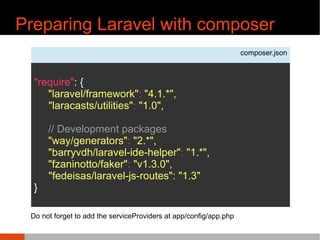
Preparing Laravel with composer
composer.json
"require": {
"laravel/framework": "4.1.*",
"laracasts/utilities": "1.0",
// Development packages
"way/generators": "2.*",
"barryvdh/laravel-ide-helper": "1.*",
"fzaninotto/faker": "v1.3.0",
"fedeisas/laravel-js-routes": "1.3"
}
Do not forget to add the serviceProviders at app/config/app.php
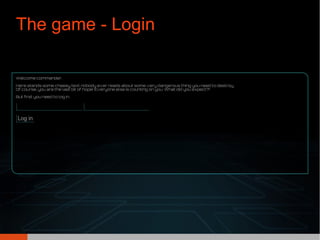
The game - Login
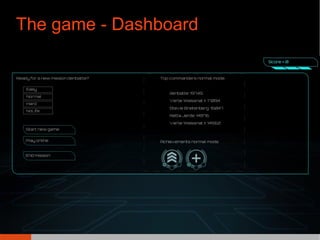
The game - Dashboard
Road map
● Preparing Laravel
– Database and models
– Routes and controllers
● Adding Jquery and custom scripts using blade
● Giving PHP data to Javascript
– The easy way
– The even more easy “Jeffrey” way
● Making a ajax call to a controller
– Using named routes
– Named routes as import
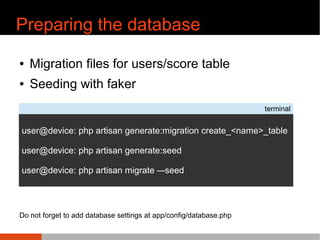
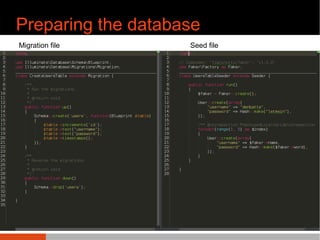
Preparing the database
● Migration files for users/score table
● Seeding with faker
terminal
user@device: php artisan generate:migration create_<name>_table
user@device: php artisan generate:seed
user@device: php artisan migrate –-seed
Do not forget to add database settings at app/config/database.php
Preparing the database
● Migration files for users/score table
● Seeding with faker
terminal
user@device: php artisan migrate –-seed
Migration file Seed file
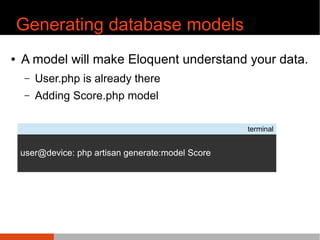
Generating database models
● A model will make Eloquent understand your data.
– User.php is already there
– Adding Score.php model
terminal
user@device: php artisan generate:model Score
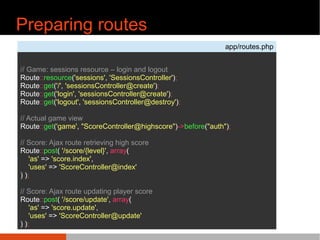
Preparing routes
app/routes.php
// Game: sessions resource – login and logout
Route::resource('sessions', 'SessionsController');
Route::get('/', 'sessionsController@create');
Route::get('login', 'sessionsController@create');
Route::get('logout', 'sessionsController@destroy');
// Actual game view
Route::get('game', "ScoreController@highscore")->before("auth");
// Score: Ajax route retrieving high score
Route::post( '/score/{level}', array(
'as' => 'score.index',
'uses' => 'ScoreController@index'
) );
// Score: Ajax route updating player score
Route::post( '/score/update', array(
'as' => 'score.update',
'uses' => 'ScoreController@update'
) );
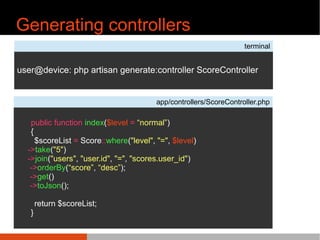
Generating controllers
terminal
user@device: php artisan generate:controller ScoreController
app/controllers/ScoreController.php
public function index($level = “normal”)
{
$scoreList = Score::where("level", "=", $level)
->take("5")
->join("users", "user.id", "=", "scores.user_id")
->orderBy(“score”, “desc”);
->get()
->toJson();
return $scoreList;
}
Road map
● Preparing Laravel
– Database and models
– Routes and controllers
● Adding Jquery and custom scripts using blade
● Giving PHP data to Javascript
– The easy way
– The even more easy “Jeffrey” way
● Making a ajax call to a controller
– Using named routes
– Named routes as import
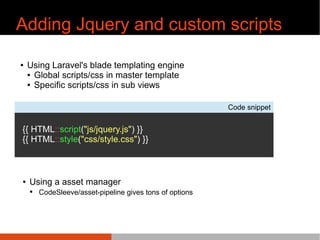
Adding Jquery and custom scripts
● Using Laravel's blade templating engine
● Global scripts/css in master template
● Specific scripts/css in sub views
Code snippet
{{ HTML::script("js/jquery.js") }}
{{ HTML::style("css/style.css") }}
● Using a asset manager
● CodeSleeve/asset-pipeline gives tons of options
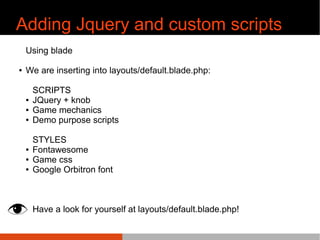
Adding Jquery and custom scripts
Using blade
● We are inserting into layouts/default.blade.php:
SCRIPTS
● JQuery + knob
● Game mechanics
● Demo purpose scripts
STYLES
● Fontawesome
● Game css
● Google Orbitron font
Have a look for yourself at layouts/default.blade.php!
Road map
● Preparing Laravel
– Database and models
– Routes and controllers
● Adding Jquery and custom scripts using blade
● Giving PHP data to Javascript
– The easy way
– The even more easy “Jeffrey” way
● Making a ajax call to a controller
– Using named routes
– Named routes as import
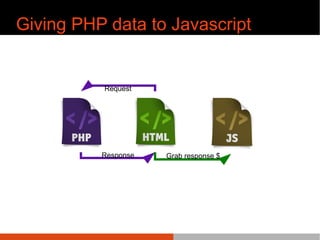
Giving PHP data to Javascript
Request
Response Grab response $
Giving PHP data to Javascript
The easy way
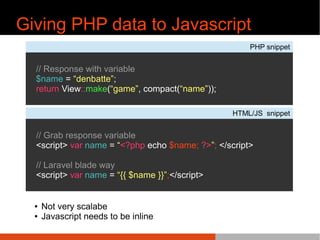
Giving PHP data to Javascript
PHP snippet
// Response with variable
$name = “denbatte”;
return View::make(“game”, compact(“name”));
HTML/JS snippet
// Grab response variable
<script> var name = “<?php echo $name; ?>”; </script>
// Laravel blade way
<script> var name = “{{ $name }}”;</script>
● Not very scalabe
● Javascript needs to be inline
Giving PHP data to Javascript
The even more easy
“Jeffrey” way
Giving PHP data to Javascript
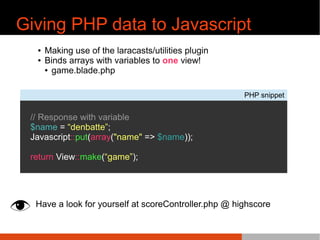
PHP snippet
// Response with variable
$name = “denbatte”;
Javascript::put(array("name" => $name));
return View::make(“game”);
● Making use of the laracasts/utilities plugin
● Binds arrays with variables to one view!
● game.blade.php
Have a look for yourself at scoreController.php @ highscore
Giving PHP data to Javascript
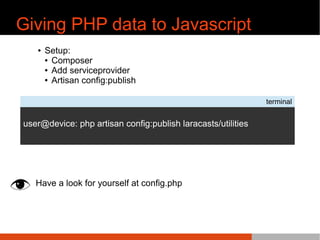
● Setup:
● Composer
● Add serviceprovider
● Artisan config:publish
Have a look for yourself at config.php
terminal
user@device: php artisan config:publish laracasts/utilities
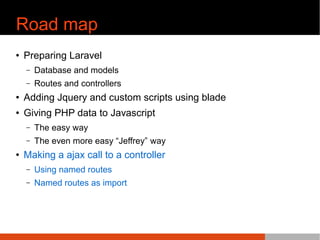
Road map
● Preparing Laravel
– Database and models
– Routes and controllers
● Adding Jquery and custom scripts using blade
● Giving PHP data to Javascript
– The easy way
– The even more easy “Jeffrey” way
● Making a ajax call to a controller
– Using named routes
– Named routes as import
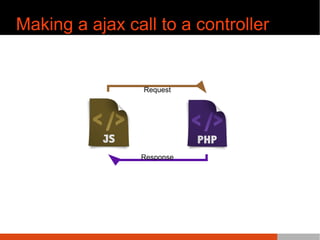
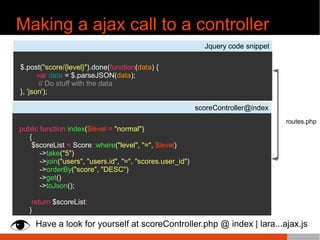
Making a ajax call to a controller
Request
Response
Making a ajax call to a controller
Jquery code snippet
$.post("score/{level}").done(function(data) {
var data = $.parseJSON(data);
// Do stuff with the data
}, 'json');
scoreController@index
public function index($level = "normal")
{
$scoreList = Score::where("level", "=", $level)
->take("5")
->join("users", "users.id", "=", "scores.user_id")
->orderBy("score", "DESC")
->get()
->toJson();
return $scoreList;
}
routes.php
Have a look for yourself at scoreController.php @ index | lara...ajax.js
Using named routes
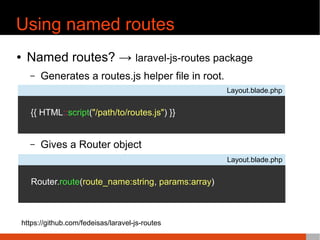
● Named routes? → laravel-js-routes package
– Generates a routes.js helper file in root.
– Gives a Router object
Layout.blade.php
{{ HTML::script("/path/to/routes.js") }}
Layout.blade.php
Router.route(route_name:string, params:array)
https://github.com/fedeisas/laravel-js-routes
Using named routes
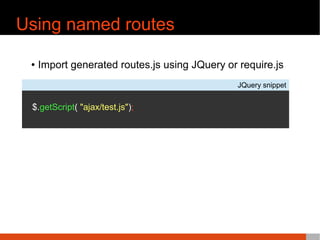
● Import generated routes.js using JQuery or require.js
JQuery snippet
$.getScript( "ajax/test.js");
Questions
● Shoot, I will try to answer them now or I will
come back to you later.
● Now lets play this game!

Javascript laravel's friend

  • 1.
  • 2.
    Introduction ● Bart (@denbatte) ●Teacher ● PHP/Laravel enthousiast ● Slides will be available on slideshare
  • 3.
    Objectives ● Creating thebest game ever! ● Exploring Laravel by doing the previous. ● Learning how Javascript integrates with Laravel – Not using JS Frameworks (Angular) for now!
  • 4.
    Preparing Laravel withcomposer composer.json "require": { "laravel/framework": "4.1.*", "laracasts/utilities": "1.0", // Development packages "way/generators": "2.*", "barryvdh/laravel-ide-helper": "1.*", "fzaninotto/faker": "v1.3.0", "fedeisas/laravel-js-routes": "1.3" } Do not forget to add the serviceProviders at app/config/app.php
  • 5.
  • 6.
    The game -Dashboard
  • 7.
    Road map ● PreparingLaravel – Database and models – Routes and controllers ● Adding Jquery and custom scripts using blade ● Giving PHP data to Javascript – The easy way – The even more easy “Jeffrey” way ● Making a ajax call to a controller – Using named routes – Named routes as import
  • 8.
    Preparing the database ●Migration files for users/score table ● Seeding with faker terminal user@device: php artisan generate:migration create_<name>_table user@device: php artisan generate:seed user@device: php artisan migrate –-seed Do not forget to add database settings at app/config/database.php
  • 9.
    Preparing the database ●Migration files for users/score table ● Seeding with faker terminal user@device: php artisan migrate –-seed Migration file Seed file
  • 10.
    Generating database models ●A model will make Eloquent understand your data. – User.php is already there – Adding Score.php model terminal user@device: php artisan generate:model Score
  • 11.
    Preparing routes app/routes.php // Game:sessions resource – login and logout Route::resource('sessions', 'SessionsController'); Route::get('/', 'sessionsController@create'); Route::get('login', 'sessionsController@create'); Route::get('logout', 'sessionsController@destroy'); // Actual game view Route::get('game', "ScoreController@highscore")->before("auth"); // Score: Ajax route retrieving high score Route::post( '/score/{level}', array( 'as' => 'score.index', 'uses' => 'ScoreController@index' ) ); // Score: Ajax route updating player score Route::post( '/score/update', array( 'as' => 'score.update', 'uses' => 'ScoreController@update' ) );
  • 12.
    Generating controllers terminal user@device: phpartisan generate:controller ScoreController app/controllers/ScoreController.php public function index($level = “normal”) { $scoreList = Score::where("level", "=", $level) ->take("5") ->join("users", "user.id", "=", "scores.user_id") ->orderBy(“score”, “desc”); ->get() ->toJson(); return $scoreList; }
  • 13.
    Road map ● PreparingLaravel – Database and models – Routes and controllers ● Adding Jquery and custom scripts using blade ● Giving PHP data to Javascript – The easy way – The even more easy “Jeffrey” way ● Making a ajax call to a controller – Using named routes – Named routes as import
  • 14.
    Adding Jquery andcustom scripts ● Using Laravel's blade templating engine ● Global scripts/css in master template ● Specific scripts/css in sub views Code snippet {{ HTML::script("js/jquery.js") }} {{ HTML::style("css/style.css") }} ● Using a asset manager ● CodeSleeve/asset-pipeline gives tons of options
  • 15.
    Adding Jquery andcustom scripts Using blade ● We are inserting into layouts/default.blade.php: SCRIPTS ● JQuery + knob ● Game mechanics ● Demo purpose scripts STYLES ● Fontawesome ● Game css ● Google Orbitron font Have a look for yourself at layouts/default.blade.php!
  • 16.
    Road map ● PreparingLaravel – Database and models – Routes and controllers ● Adding Jquery and custom scripts using blade ● Giving PHP data to Javascript – The easy way – The even more easy “Jeffrey” way ● Making a ajax call to a controller – Using named routes – Named routes as import
  • 17.
    Giving PHP datato Javascript Request Response Grab response $
  • 18.
    Giving PHP datato Javascript The easy way
  • 19.
    Giving PHP datato Javascript PHP snippet // Response with variable $name = “denbatte”; return View::make(“game”, compact(“name”)); HTML/JS snippet // Grab response variable <script> var name = “<?php echo $name; ?>”; </script> // Laravel blade way <script> var name = “{{ $name }}”;</script> ● Not very scalabe ● Javascript needs to be inline
  • 20.
    Giving PHP datato Javascript The even more easy “Jeffrey” way
  • 21.
    Giving PHP datato Javascript PHP snippet // Response with variable $name = “denbatte”; Javascript::put(array("name" => $name)); return View::make(“game”); ● Making use of the laracasts/utilities plugin ● Binds arrays with variables to one view! ● game.blade.php Have a look for yourself at scoreController.php @ highscore
  • 22.
    Giving PHP datato Javascript ● Setup: ● Composer ● Add serviceprovider ● Artisan config:publish Have a look for yourself at config.php terminal user@device: php artisan config:publish laracasts/utilities
  • 23.
    Road map ● PreparingLaravel – Database and models – Routes and controllers ● Adding Jquery and custom scripts using blade ● Giving PHP data to Javascript – The easy way – The even more easy “Jeffrey” way ● Making a ajax call to a controller – Using named routes – Named routes as import
  • 24.
    Making a ajaxcall to a controller Request Response
  • 25.
    Making a ajaxcall to a controller Jquery code snippet $.post("score/{level}").done(function(data) { var data = $.parseJSON(data); // Do stuff with the data }, 'json'); scoreController@index public function index($level = "normal") { $scoreList = Score::where("level", "=", $level) ->take("5") ->join("users", "users.id", "=", "scores.user_id") ->orderBy("score", "DESC") ->get() ->toJson(); return $scoreList; } routes.php Have a look for yourself at scoreController.php @ index | lara...ajax.js
  • 26.
    Using named routes ●Named routes? → laravel-js-routes package – Generates a routes.js helper file in root. – Gives a Router object Layout.blade.php {{ HTML::script("/path/to/routes.js") }} Layout.blade.php Router.route(route_name:string, params:array) https://github.com/fedeisas/laravel-js-routes
  • 27.
    Using named routes ●Import generated routes.js using JQuery or require.js JQuery snippet $.getScript( "ajax/test.js");
  • 28.
    Questions ● Shoot, Iwill try to answer them now or I will come back to you later. ● Now lets play this game!