



























Wordpress + socialConnecting your WordPress site to social media through plug-ins and widgets and measuring the results.By @tonyzeoli– Lead Developer @reesenews
Let’s Get StartedWP inherently NOT socialDev moves to fastAlways focused on coreTons of plug-insExperimentWhat suits your needs
Social is Two-WayTwo-way conversationClose the “loop”Be authenticGo beyond Twitter and FacebookYou must analyze your social impact
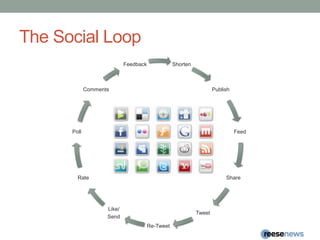
The Social Loop
ShortenWP.me is only in WordPress.combit.ly and j.mp (same company)Integrated with Twitter Tools and other plug-inshttp://wordpress.org/extend/plugins/wp-bitly/http://wordpress.org/extend/plugins/bitly-service/TinyURLCreated post and permalink using tinyurl servicehttp://brajeshwar.com/2007/tiny-link-wordpress-plugin/t.cois Twitter’s native short URL service that converts long links to short in a tweet.Not a plugin. Integrated into Twittergoog.glSyncs with Google Analyticshttp://wordpress.org/extend/plugins/googl-generator/
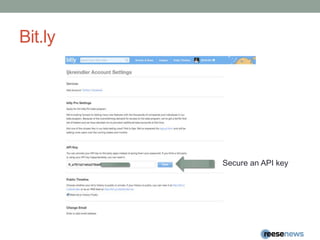
Bit.lySecure an API key
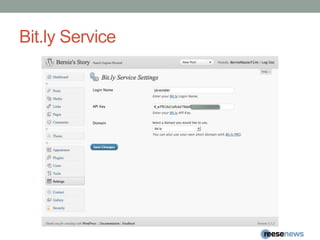
Bit.ly Service
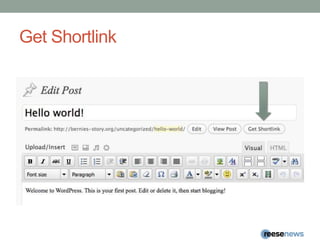
Get Shortlink
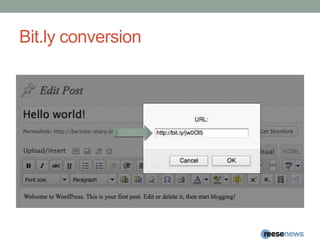
Bit.ly conversion
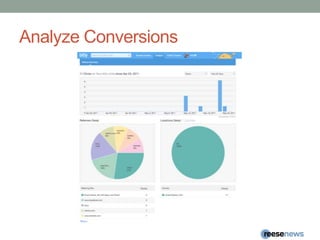
Analyze Conversions
PublishCross-Posting and SyncTwitterFacebookHootsuite and TweetDeck to WordPressTumblr to WordPress or reverse using “Tumble”Sync posts to LinkedInDisplay tweets, status updates and checkins with source or 3rd party plug-ins and widgets
Twitter ToolsCross Post to TwitterMust set up app at developer.Twitter.comPost to Twitter or Post Tweets to WordPressSingleDailyWeeklyDigest formCategoriesBit.ly / j.mp integration
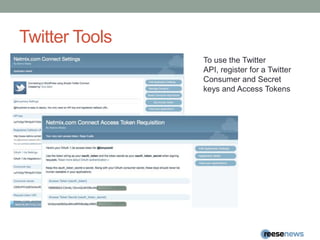
Twitter ToolsTo use the Twitter API, register for a Twitter Consumer and Secret keys and Access Tokens
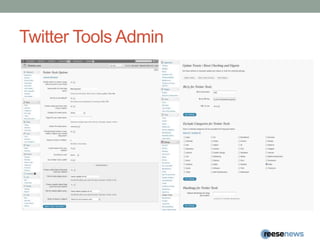
Twitter Tools Admin
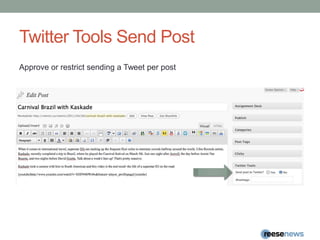
Twitter Tools Send PostApprove or restrict sending a Tweet per post
Twit ConnectPost to TwitterAlso provides single sign on (SSO)Ask user to register
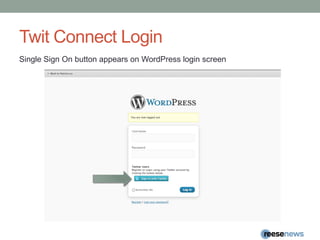
Twit Connect LoginSingle Sign On button appears on WordPress login screen
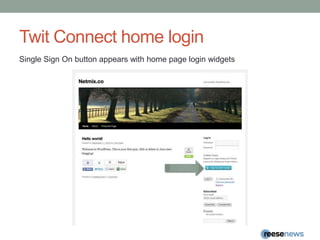
Twit Connect home loginSingle Sign On button appears with home page login widgets
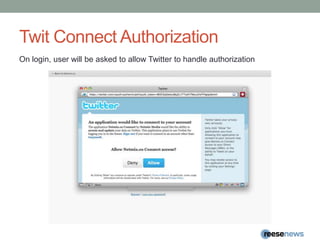
Twit Connect AuthorizationOn login, user will be asked to allow Twitter to handle authorization
Twit Connect register for siteFeatures a registration form to get drive users to complete site registration
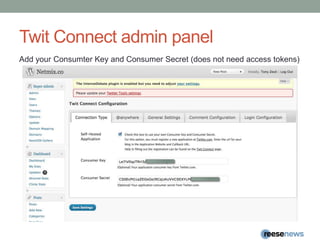
Twit Connect admin panelAdd your Consumter Key and Consumer Secret (does not need access tokens)
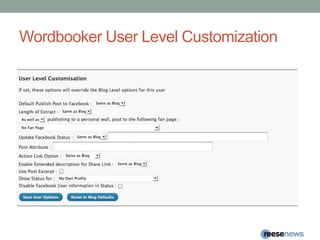
WordBookerCross-post to personal and one business page (FB TOS)Blog Level CustomizationUser Level CustomizationConnect to business/fan pageComments on post to Facebook can be posted back to WordPresssite comments, providing a feedback loop hoping to improve audience engagement.
WordBooker blog level customization
Wordbooker User Level Customization
WordBooker connect to Wall/Fan PageTo connect to your “Page”, you must click the Facebook icon
WordBooker select Wall/Fan pageFrom the drop down menu, select your Facebook page. You must have created a fan “Page” for this to work.
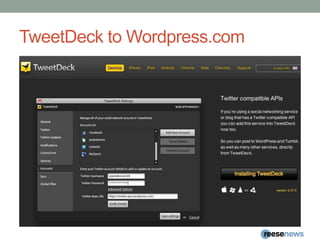
Management ToolsHootSuiteTweetdeckBoth use Twitter API to cross post to WordPress.com
Hootsuite to WordPress.com
TweetDeck to Wordpress.com
Sync with LinkedInSync your blog on your LinkedIn profile
Display WidgetsToo many to go through in this presentationMany come with plug-ins alreadyEasy recommendations direct from source:Twitter:twitter.com/resources/widgetsFacebookhttp://www.facebook.com/badges/FourSquarehttps://foursquare.com/apps
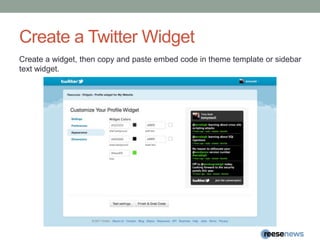
Create a Twitter WidgetCreate a widget, then copy and paste embed code in theme template or sidebar text widget.
Create Facebook WidgetsFacebook featured various widget creation tools.Generally,  you will find these tools as WordPress plug-ins, but if you want to integrate yourself, this is where you’d look to generate the widget code.
Display Plug-insFourSquareWordPress Plug-inTwitter Tools Plug-inGoogle Buzz ER Plug-in
FourSquareWordPress Plug-inDisplays your check-ins in a sidebar widget
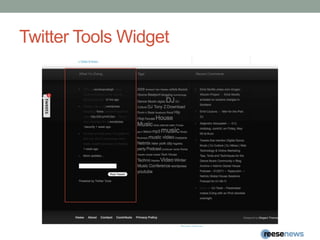
Twitter Tools Widget
Google Buzz ER Plug-In
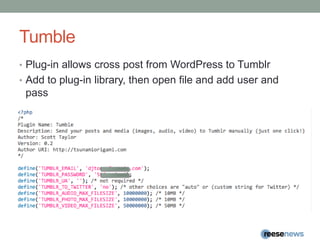
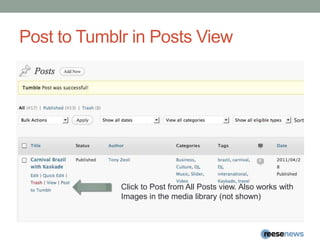
TumblePlug-in allows cross post from WordPress to TumblrAdd to plug-in library, then open file and add user and pass
Post to Tumblr in Posts ViewClick to Post from All Posts view. Also works withImages in the media library (not shown)
Simple Facebook ConnectMany plug-ins in oneFeaturesSSOComment using Facebook Identity (with FB avatar support)Auto PublishManual Publish to Profile or “Page”New User RegistrationShare (with short codes)WidgetsUser StatusLive StreamBookmarkFind us on FacebookFan BoxFan Count
Simple Facebook Connect Login
Simple Facebook Connect Home
Simple Facebook register with site
Simple Facebook Connect Profile
Simple Facebook Connect Logged In
Simple Twitter ConnectSSO using TwitterComment using Twitter credentialsUsers can auto-tweet their commentsTweet button (official one from twitter)Tweetmeme buttonAuto-tweet new posts to an accountManual Tweetbox after PublishFull @anywhere supportAuto-link all twitter names on the site (with optional hovercards)Dashboard Twitter Widget
Social SharingSocial BookmarkingCombined widgets from ShareThis, AddThis, AddToAnyTweetMemeFacebookLikeLike something and it posts to your wallSend (new)Allows you to only send to specific friends
Top 15 Social Bookmarking Sites 2011http://www.ebizmba.com/articles/social-bookmarking-websites
Social Bookmarking
ShareThis Widget
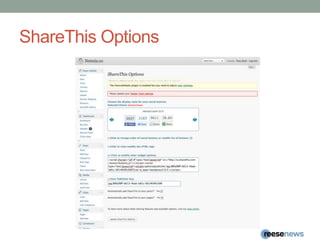
ShareThis Options
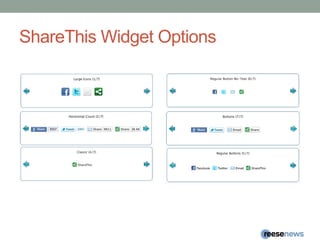
ShareThisWidget Options
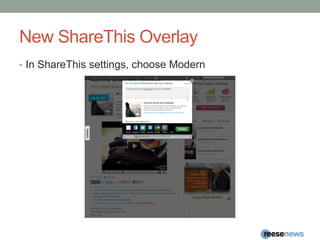
New ShareThis OverlayIn ShareThis settings, choose Modern
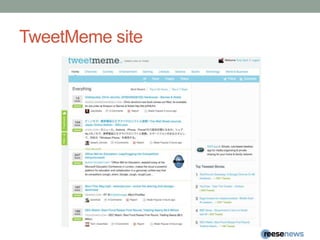
Tweetmeme WidgetAdds TweetMeme widget to the right of text on posts and pages.
TweetMeme site
April’s Facebook LikeApril’s Facebook LikeAdded to your theme by the plugin, or you can place the call to the function in your theme.
Facebook Like and Send
Social Feedback with GetSatisfaction“Freemium” service provides you with tools to gain valuable insights from your users.Interact through pop-over or your page on GetSatisfaction.Great customer service and satisfaction tool.
TweetBoard
Links: Social Media Widget
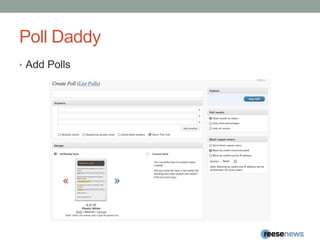
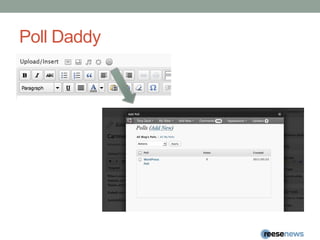
Ratings and PollingPoll DaddyBy AutomatticRate PostsCustomizable iconsCreate PollsTrack results
Poll DaddyRate Posts
Poll DaddyAdd Polls
Poll Daddy
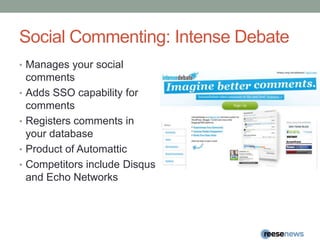
Social Commenting: Intense DebateManages your social commentsAdds SSO capability for commentsRegisters comments in your databaseProduct of AutomatticCompetitors include Disqus and Echo Networks
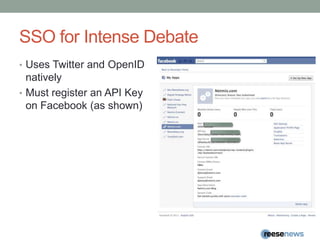
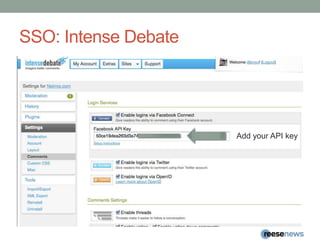
SSO for Intense DebateUses Twitter and OpenID nativelyMust register an API Key on Facebook (as shown)
SSO: Intense DebateAdd your API key
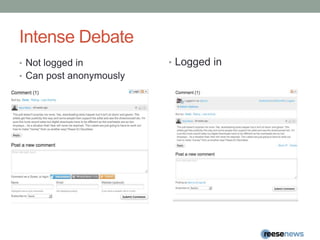
Intense DebateLogged inNot logged inCan post anonymously
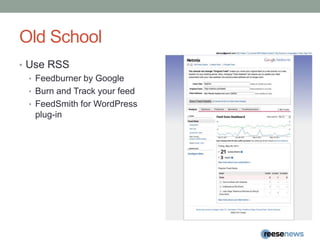
Old SchoolUse RSSFeedburner by GoogleBurn and Track your feedFeedSmith for WordPress plug-in
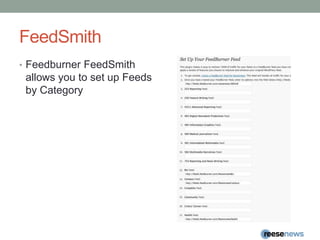
FeedSmithFeedburnerFeedSmith allows you to set up Feeds by Category
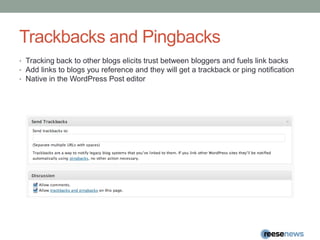
Trackbacks and PingbacksTracking back to other blogs elicits trust between bloggers and fuels link backsAdd links to blogs you reference and they will get a trackback or ping notification Native in the WordPress Post editor
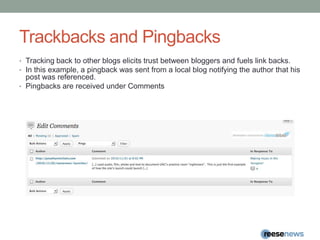
Trackbacks and PingbacksTracking back to other blogs elicits trust between bloggers and fuels link backs.In this example, a pingback was sent from a local blog notifying the author that his post was referenced.Pingbacks are received under Comments
InfoTony ZeoliLead DeveloperReese Felts Digital NewsroomUNC Chapel HillSchool of Journalism & Mass CommunicationTwitter: @tonyzeolitonyzeoli@reesenews.orgLinks:ReeseNews.orgReeseFelts.orgConsultingDigitalStrategyWorks.comaz@digitalstrategyworks.com@dswksPublishingNetmix.com@netmix

WordCamp Raleigh WordPress & Social Media Integration