Social Media Uses for
WordPress Sites
J. Aull | GSU
— Social media continues to grow in usage, as well as
confusion. Today it influences search engine
optimization more than ever, and there are more
ways to integrate it with WordPress than ever before.
What social channels do (or don’t) apply to your site
and business? And which plugins should you use?
Come out of this session with confidence in your
approaches to social media and ties to WordPress.
We’ll unravel the big ball of twine.
Learning Objectives
— Social media is not just popular—it’s required, and
WordPress is among the best for social media
integration.
— Thinking long-term with social media.
— WordPress social integrations.
— The power of social reputation.
— See how the power of social integration can also explode
your SEO results!
— Tying to the wheel-and-spoke model.
— Writing the social media plan.
WordPress?
Meet Social Media
What relationships exist between WordPress and social
media?
WordPress is social media. When we first stumble upon a
website, do we know if it’s clearly that or a blog? A
magazine or a newspaper? A social media site or a forum?
WordPress’s blog post format easily outputs into Facebook,
which can preview great representations of WordPress blog
content and format it into an everyday Facebook post.
WordPress offers many other options for social media
integration; a gateway into a variety of social networking
roles, content, individual users, and technologies.
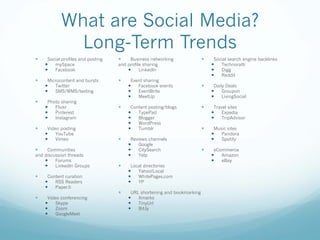
What are Social Media?
Long-Term Trends
— Social profiles and posting
— mySpace
— Facebook
— Microcontent and bursts
— Twitter
— SMS/MMS/texting
— Photo sharing
— Flickr
— Pinterest
— Instagram
— Video posting
— YouTube
— Vimeo
— Communities
and discussion threads
— Forums
— LinkedIn Groups
— Content curation
— RSS Readers
— Paper.li
— Video conferencing
— Skype
— Zoom
— GoogleMeet
— Business networking
and profile sharing
— LinkedIn
— Event sharing
— Facebook events
— EventBrite
— MeetUp
— Content posting/blogs
— TypePad
— Blogger
— WordPress
— Tumblr
— Reviews channels
— Google
— CitySearch
— Yelp
— Local directories
— Yahoo!Local
— WhitePages.com
— YP
— URL shortening and bookmarking
— Xmarks
— TinyUrl
— Bit.ly
— Social search engine backlinks
— Technoratti
— Digg
— Reddit
— Daily Deals
— Groupon
— LivingSocial
— Travel sites
— Expedia
— TripAdvisor
— Music sites
— Pandora
— Spotify
— eCommerce
— Amazon
— eBay
Social Functionality on
WordPress Sites
Social Integrations on WP
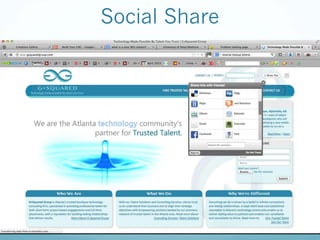
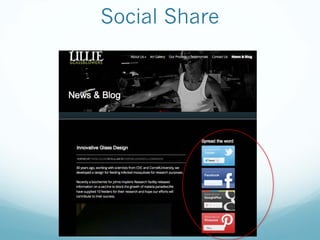
— Social Share
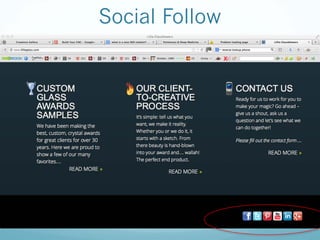
— Social Follow
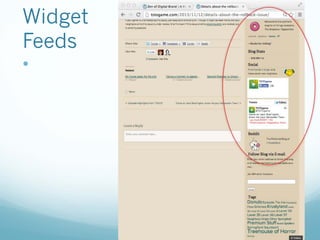
— RSS/Feeds & on-site social content
The Power of Social Reputation
— People trust more what others like themselves say
about a company rather than what the company
says about itself.
— So—say a company has positive testimonials on its
website—maybe they dug them up from friends and
family—you just don’t know, because a website is
owner-controlled, not user controlled.
— A brand’s Facebook page with customer-uploaded
reviews is much better—customer reviews are
customer reviews. But the Facebook brand page is
still owned by the brand.
The Power of Social Reputation
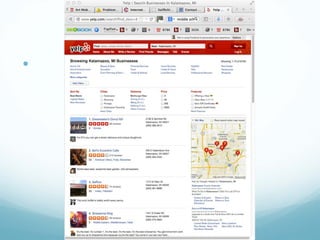
— However, social reviews sites such as Google and YP
are controlled by web users leaving reviews.
— These are the most trusted channels by consumers!
— Remember that even the best companies won’t
have 100% 5-star reviews; some complaints add
authenticity.
— So social review sites may be better to RSS feed into
your WordPress site (better than copying and
pasting positive, anonymous testimonials).
Social Share
—
Social Share
Social Follow
—
Know What This Is?
Widget
Feeds
—
—
—
Social Media WP Plug-ins
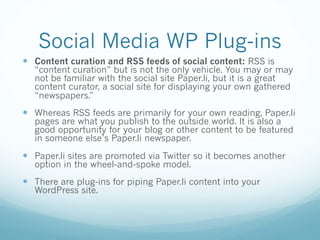
— Content curation and RSS feeds of social content: RSS is
“content curation” but is not the only vehicle. You may or may
not be familiar with the social site Paper.li, but it is a great
content curator, a social site for displaying your own gathered
“newspapers.”
— Whereas RSS feeds are primarily for your own reading, Paper.li
pages are what you publish to the outside world. It is also a
good opportunity for your blog or other content to be featured
in someone else’s Paper.li newspaper.
— Paper.li sites are promoted via Twitter so it becomes another
option in the wheel-and-spoke model.
— There are plug-ins for piping Paper.li content into your
WordPress site.
Social Image Sharing & WP
Plug-ins
Social Image Sharing
— Art Gallery plug-ins from photo and image social
sites:
— One of the great things about WordPress is that it
allows a lot of various plug-ins.
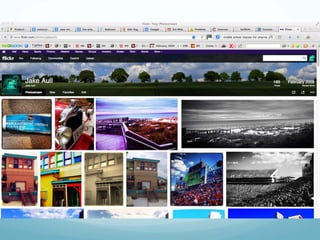
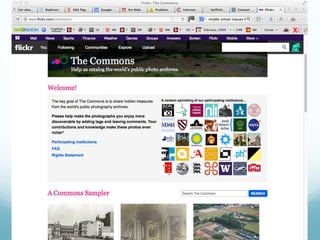
— For example, a Flickr gallery.
— d
—
Social Image Sharing
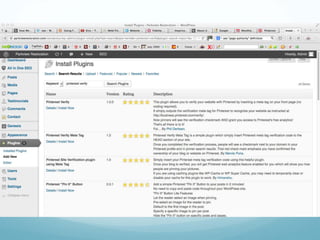
— Pinterest Pin-It Button for Images or Pinterest
Image Pin:
— These allow each photo on your website to have a
Pin-It button for consumers to have immediate
access to pin your images to their own Pinterest
boards.
— Although “social share” plug-ins should be able to
do the same, this conveniently focuses on your
website individual images for the Pinterest world.
—
—
—
Google
and Social Rich Content
Google Integrations
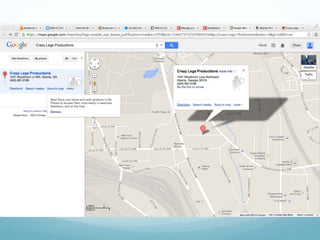
— Third-party social integrations plug-ins for placed
content, such as Google Maps:
— The importance of location-based SEO, Google My
Business, and Google Maps are due to mobile and
local SEO.
— So sync your Google accounts and drop your
business Google map directly on your website via
the plug-in.
Rich
Content
—
—
— d
WordPress blog authorship synced with Google
for SEO results
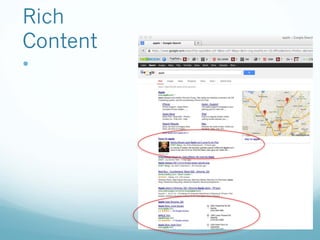
— In blogging, we discuss the role of results listings from search
engines. The concept is, the more you see in a specific search
result description, the more that listing jumps out at you, the
more attractive it becomes. The bigger the bait the more you
bite.
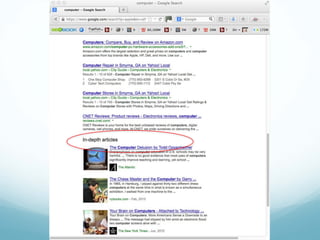
— These options for rich content results include, for example,
“news” or “in-depth articles”. You’ve probably seen Google
results where a photo is shown beside the description in blog
or article.
— When you properly set up your WordPress profile for your blog
posting and sync that with your Google profile, Google can
attach that to your search results. The major, comprehensive
SEO plug-ins, such as Yoast, have functions for this.
More Social WP Plug-ins
and Integrations
Plug-ins allowing consumer rating and other rich-
snippet SEO and social integrations
— Reviews and comments are one thing; ratings—from
one to five stars—are another. Both are shown in
channels such as Yelp.
— You can integrate a WordPress plug-in for rating star
options, allowing your WordPress blog or forum
readers to rate the content they see on your site.
—
WP-Built Communities &
Forums
— Social community-creation capabilities, such as
sharing and discussion groups and community
formats: Yup. You can build ‘em with WordPress.
— Open source community of WordPress support and
updates: As we’ve discussed previously, you too can
be a WordPress theme and/or plug-in developer—
it’s open source!
WP-Built Communities &
Forums
— Forums: You can use themes and plug-ins to
incorporate forum capabilities within your
WordPress site.
WP-Built Communities &
Forums
— Be careful to plan out how to handle forum issues
such as these:
— User profiles
— Profiles and commenting between the forum and your
blog (if you have both)
— Admin privileges
— Negative discussions
— User and content blocking
— Comment approvals
— Q&A
Social Monitoring
and Research
Social monitoring
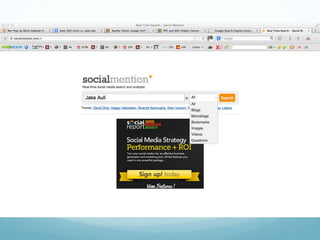
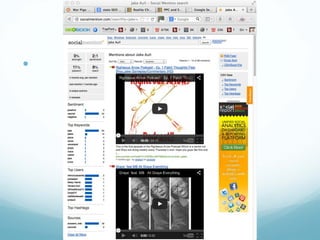
— Tools such as SocialMention.com, Google Alerts, and
keyword monitoring in HootSuite are great for
monitoring your digital presence and consumer
mentions.
— But there are also plug-ins that claim to do this right
from within WordPress! If you have stellar mentions
online, why not aggregate these and display them
on your site? You can do this in WordPress, and
such a feed is not “copy-and-paste"—meaning that
a web developer can’t fake your testimonials.
—
—
Upfront Research for Social
Site Campaigns
— For many reasons WordPress is a modern, socially
rich platform—from its open-source collaborative
birth to its many social plug-in integrations.
— But all these inclusions need to be regarded in light
of your social media strategy and plan.
— If TikTok is not part of your company’s social media
strategy or interest, there’s no purpose in using that
plug-in on your WordPress site.
Upfront Research for Social
Site Campaigns
— It’s vital to research social channels in advance for any
campaign, as part of the strategic planning, for following
reasons:
— User audience: If yours is a financial investment social site, for
example, you’ll most likely have more Baby Boomers than Gen
Zs on your site.
— Usage and buzz trending: How new and hot is the social
channel? Just because it has buzz right now doesn’t mean it
will tomorrow.
— Search-engine friendliness: Very important!
— Integrations with other social channels: Does the channel play
well with others?
— d
Social Strategy & Plans
—
Wheel-and-Spoke Strategy
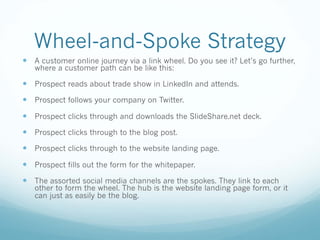
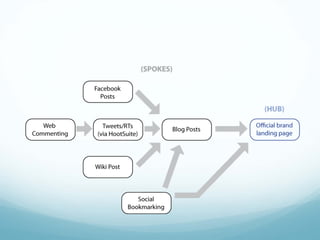
— A customer online journey via a link wheel. Do you see it? Let’s go further,
where a customer path can be like this:
— Prospect reads about trade show in LinkedIn and attends.
— Prospect follows your company on Twitter.
— Prospect clicks through and downloads the SlideShare.net deck.
— Prospect clicks through to the blog post.
— Prospect clicks through to the website landing page.
— Prospect fills out the form for the whitepaper.
— The assorted social media channels are the spokes. They link to each
other to form the wheel. The hub is the website landing page form, or it
can just as easily be the blog.
The Social Media Plan
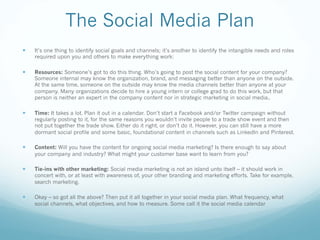
— It’s one thing to identify social goals and channels; it’s another to identify the intangible needs and roles
required upon you and others to make everything work:
— Resources: Someone’s got to do this thing. Who’s going to post the social content for your company?
Someone internal may know the organization, brand, and messaging better than anyone on the outside.
At the same time, someone on the outside may know the media channels better than anyone at your
company. Many organizations decide to hire a young intern or college grad to do this work, but that
person is neither an expert in the company content nor in strategic marketing in social media..
— Time: It takes a lot. Plan it out in a calendar. Don’t start a Facebook and/or Twitter campaign without
regularly posting to it, for the same reasons you wouldn’t invite people to a trade show event and then
not put together the trade show. Either do it right, or don’t do it. However, you can still have a more
dormant social profile and some basic, foundational content in channels such as LinkedIn and Pinterest.
— Content: Will you have the content for ongoing social media marketing? Is there enough to say about
your company and industry? What might your customer base want to learn from you?
— Tie-ins with other marketing: Social media marketing is not an island unto itself – it should work in
concert with, or at least with awareness of, your other branding and marketing efforts. Take for example,
search marketing.
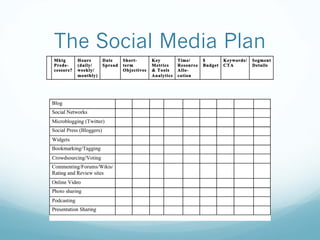
— Okay – so got all the above? Then put it all together in your social media plan. What frequency, what
social channels, what objectives, and how to measure. Some call it the social media calendar
The Social Media Plan
Off-site Social Usage
with WordPress
Outside Social Site Usage with
WordPress
— Plug-ins are not the only way to integrate WordPress
sites with other social media technologies. Other
good options exist for additional, external social
media integrations between WordPress and other
social tools:
— Social dashboard content-posting integrations,
such as with HubSpot:
— Believe it or not, you can post directly to WordPress
from a digital marketing dashboard such as HubSpot!
More Social Integration in WP
— Direct push posts-to-social sites, such as with
Instagram and Facebook.
— WordPress being WordPress, there’s always another
plug-in option.
Get It Goin’ On
— So there you go—your whirlwind tour of the limitless
possibilities of WordPress and social media,
including countless WordPress plug-ins, as well as
external sites that incorporate WordPress feeds or
posting. Use all this power responsibly, with wheel-
and-spoke models and social media plans; do your
homework upfront first. And don’t forget to measure
your progress! Now—ready to go posting?
Social Media Uses for
WordPress Sites
J. Aull | GSU

Social media for Wordpress

  • 1.
    Social Media Usesfor WordPress Sites J. Aull | GSU
  • 2.
    — Social mediacontinues to grow in usage, as well as confusion. Today it influences search engine optimization more than ever, and there are more ways to integrate it with WordPress than ever before. What social channels do (or don’t) apply to your site and business? And which plugins should you use? Come out of this session with confidence in your approaches to social media and ties to WordPress. We’ll unravel the big ball of twine.
  • 3.
    Learning Objectives — Socialmedia is not just popular—it’s required, and WordPress is among the best for social media integration. — Thinking long-term with social media. — WordPress social integrations. — The power of social reputation. — See how the power of social integration can also explode your SEO results! — Tying to the wheel-and-spoke model. — Writing the social media plan.
  • 4.
    WordPress? Meet Social Media Whatrelationships exist between WordPress and social media? WordPress is social media. When we first stumble upon a website, do we know if it’s clearly that or a blog? A magazine or a newspaper? A social media site or a forum? WordPress’s blog post format easily outputs into Facebook, which can preview great representations of WordPress blog content and format it into an everyday Facebook post. WordPress offers many other options for social media integration; a gateway into a variety of social networking roles, content, individual users, and technologies.
  • 5.
    What are SocialMedia? Long-Term Trends — Social profiles and posting — mySpace — Facebook — Microcontent and bursts — Twitter — SMS/MMS/texting — Photo sharing — Flickr — Pinterest — Instagram — Video posting — YouTube — Vimeo — Communities and discussion threads — Forums — LinkedIn Groups — Content curation — RSS Readers — Paper.li — Video conferencing — Skype — Zoom — GoogleMeet — Business networking and profile sharing — LinkedIn — Event sharing — Facebook events — EventBrite — MeetUp — Content posting/blogs — TypePad — Blogger — WordPress — Tumblr — Reviews channels — Google — CitySearch — Yelp — Local directories — Yahoo!Local — WhitePages.com — YP — URL shortening and bookmarking — Xmarks — TinyUrl — Bit.ly — Social search engine backlinks — Technoratti — Digg — Reddit — Daily Deals — Groupon — LivingSocial — Travel sites — Expedia — TripAdvisor — Music sites — Pandora — Spotify — eCommerce — Amazon — eBay
  • 6.
  • 7.
    Social Integrations onWP — Social Share — Social Follow — RSS/Feeds & on-site social content
  • 8.
    The Power ofSocial Reputation — People trust more what others like themselves say about a company rather than what the company says about itself. — So—say a company has positive testimonials on its website—maybe they dug them up from friends and family—you just don’t know, because a website is owner-controlled, not user controlled. — A brand’s Facebook page with customer-uploaded reviews is much better—customer reviews are customer reviews. But the Facebook brand page is still owned by the brand.
  • 9.
    The Power ofSocial Reputation — However, social reviews sites such as Google and YP are controlled by web users leaving reviews. — These are the most trusted channels by consumers! — Remember that even the best companies won’t have 100% 5-star reviews; some complaints add authenticity. — So social review sites may be better to RSS feed into your WordPress site (better than copying and pasting positive, anonymous testimonials).
  • 10.
  • 11.
  • 12.
  • 13.
  • 14.
  • 15.
  • 16.
  • 17.
    Social Media WPPlug-ins — Content curation and RSS feeds of social content: RSS is “content curation” but is not the only vehicle. You may or may not be familiar with the social site Paper.li, but it is a great content curator, a social site for displaying your own gathered “newspapers.” — Whereas RSS feeds are primarily for your own reading, Paper.li pages are what you publish to the outside world. It is also a good opportunity for your blog or other content to be featured in someone else’s Paper.li newspaper. — Paper.li sites are promoted via Twitter so it becomes another option in the wheel-and-spoke model. — There are plug-ins for piping Paper.li content into your WordPress site.
  • 18.
    Social Image Sharing& WP Plug-ins
  • 19.
    Social Image Sharing —Art Gallery plug-ins from photo and image social sites: — One of the great things about WordPress is that it allows a lot of various plug-ins. — For example, a Flickr gallery.
  • 20.
  • 21.
  • 22.
    Social Image Sharing —Pinterest Pin-It Button for Images or Pinterest Image Pin: — These allow each photo on your website to have a Pin-It button for consumers to have immediate access to pin your images to their own Pinterest boards. — Although “social share” plug-ins should be able to do the same, this conveniently focuses on your website individual images for the Pinterest world.
  • 23.
  • 24.
  • 25.
  • 26.
  • 27.
    Google Integrations — Third-partysocial integrations plug-ins for placed content, such as Google Maps: — The importance of location-based SEO, Google My Business, and Google Maps are due to mobile and local SEO. — So sync your Google accounts and drop your business Google map directly on your website via the plug-in.
  • 28.
  • 29.
  • 31.
  • 32.
    WordPress blog authorshipsynced with Google for SEO results — In blogging, we discuss the role of results listings from search engines. The concept is, the more you see in a specific search result description, the more that listing jumps out at you, the more attractive it becomes. The bigger the bait the more you bite. — These options for rich content results include, for example, “news” or “in-depth articles”. You’ve probably seen Google results where a photo is shown beside the description in blog or article. — When you properly set up your WordPress profile for your blog posting and sync that with your Google profile, Google can attach that to your search results. The major, comprehensive SEO plug-ins, such as Yoast, have functions for this.
  • 33.
    More Social WPPlug-ins and Integrations
  • 34.
    Plug-ins allowing consumerrating and other rich- snippet SEO and social integrations — Reviews and comments are one thing; ratings—from one to five stars—are another. Both are shown in channels such as Yelp. — You can integrate a WordPress plug-in for rating star options, allowing your WordPress blog or forum readers to rate the content they see on your site.
  • 35.
  • 36.
    WP-Built Communities & Forums —Social community-creation capabilities, such as sharing and discussion groups and community formats: Yup. You can build ‘em with WordPress. — Open source community of WordPress support and updates: As we’ve discussed previously, you too can be a WordPress theme and/or plug-in developer— it’s open source!
  • 37.
    WP-Built Communities & Forums —Forums: You can use themes and plug-ins to incorporate forum capabilities within your WordPress site.
  • 38.
    WP-Built Communities & Forums —Be careful to plan out how to handle forum issues such as these: — User profiles — Profiles and commenting between the forum and your blog (if you have both) — Admin privileges — Negative discussions — User and content blocking — Comment approvals — Q&A
  • 39.
  • 40.
    Social monitoring — Toolssuch as SocialMention.com, Google Alerts, and keyword monitoring in HootSuite are great for monitoring your digital presence and consumer mentions. — But there are also plug-ins that claim to do this right from within WordPress! If you have stellar mentions online, why not aggregate these and display them on your site? You can do this in WordPress, and such a feed is not “copy-and-paste"—meaning that a web developer can’t fake your testimonials.
  • 41.
  • 42.
  • 43.
    Upfront Research forSocial Site Campaigns — For many reasons WordPress is a modern, socially rich platform—from its open-source collaborative birth to its many social plug-in integrations. — But all these inclusions need to be regarded in light of your social media strategy and plan. — If TikTok is not part of your company’s social media strategy or interest, there’s no purpose in using that plug-in on your WordPress site.
  • 44.
    Upfront Research forSocial Site Campaigns — It’s vital to research social channels in advance for any campaign, as part of the strategic planning, for following reasons: — User audience: If yours is a financial investment social site, for example, you’ll most likely have more Baby Boomers than Gen Zs on your site. — Usage and buzz trending: How new and hot is the social channel? Just because it has buzz right now doesn’t mean it will tomorrow. — Search-engine friendliness: Very important! — Integrations with other social channels: Does the channel play well with others?
  • 45.
  • 46.
  • 47.
  • 48.
    Wheel-and-Spoke Strategy — Acustomer online journey via a link wheel. Do you see it? Let’s go further, where a customer path can be like this: — Prospect reads about trade show in LinkedIn and attends. — Prospect follows your company on Twitter. — Prospect clicks through and downloads the SlideShare.net deck. — Prospect clicks through to the blog post. — Prospect clicks through to the website landing page. — Prospect fills out the form for the whitepaper. — The assorted social media channels are the spokes. They link to each other to form the wheel. The hub is the website landing page form, or it can just as easily be the blog.
  • 50.
    The Social MediaPlan — It’s one thing to identify social goals and channels; it’s another to identify the intangible needs and roles required upon you and others to make everything work: — Resources: Someone’s got to do this thing. Who’s going to post the social content for your company? Someone internal may know the organization, brand, and messaging better than anyone on the outside. At the same time, someone on the outside may know the media channels better than anyone at your company. Many organizations decide to hire a young intern or college grad to do this work, but that person is neither an expert in the company content nor in strategic marketing in social media.. — Time: It takes a lot. Plan it out in a calendar. Don’t start a Facebook and/or Twitter campaign without regularly posting to it, for the same reasons you wouldn’t invite people to a trade show event and then not put together the trade show. Either do it right, or don’t do it. However, you can still have a more dormant social profile and some basic, foundational content in channels such as LinkedIn and Pinterest. — Content: Will you have the content for ongoing social media marketing? Is there enough to say about your company and industry? What might your customer base want to learn from you? — Tie-ins with other marketing: Social media marketing is not an island unto itself – it should work in concert with, or at least with awareness of, your other branding and marketing efforts. Take for example, search marketing. — Okay – so got all the above? Then put it all together in your social media plan. What frequency, what social channels, what objectives, and how to measure. Some call it the social media calendar
  • 51.
  • 52.
  • 53.
    Outside Social SiteUsage with WordPress — Plug-ins are not the only way to integrate WordPress sites with other social media technologies. Other good options exist for additional, external social media integrations between WordPress and other social tools: — Social dashboard content-posting integrations, such as with HubSpot: — Believe it or not, you can post directly to WordPress from a digital marketing dashboard such as HubSpot!
  • 54.
    More Social Integrationin WP — Direct push posts-to-social sites, such as with Instagram and Facebook. — WordPress being WordPress, there’s always another plug-in option.
  • 55.
    Get It Goin’On — So there you go—your whirlwind tour of the limitless possibilities of WordPress and social media, including countless WordPress plug-ins, as well as external sites that incorporate WordPress feeds or posting. Use all this power responsibly, with wheel- and-spoke models and social media plans; do your homework upfront first. And don’t forget to measure your progress! Now—ready to go posting?
  • 56.
    Social Media Usesfor WordPress Sites J. Aull | GSU