Getting Started with Mobile
Development
Who are we?
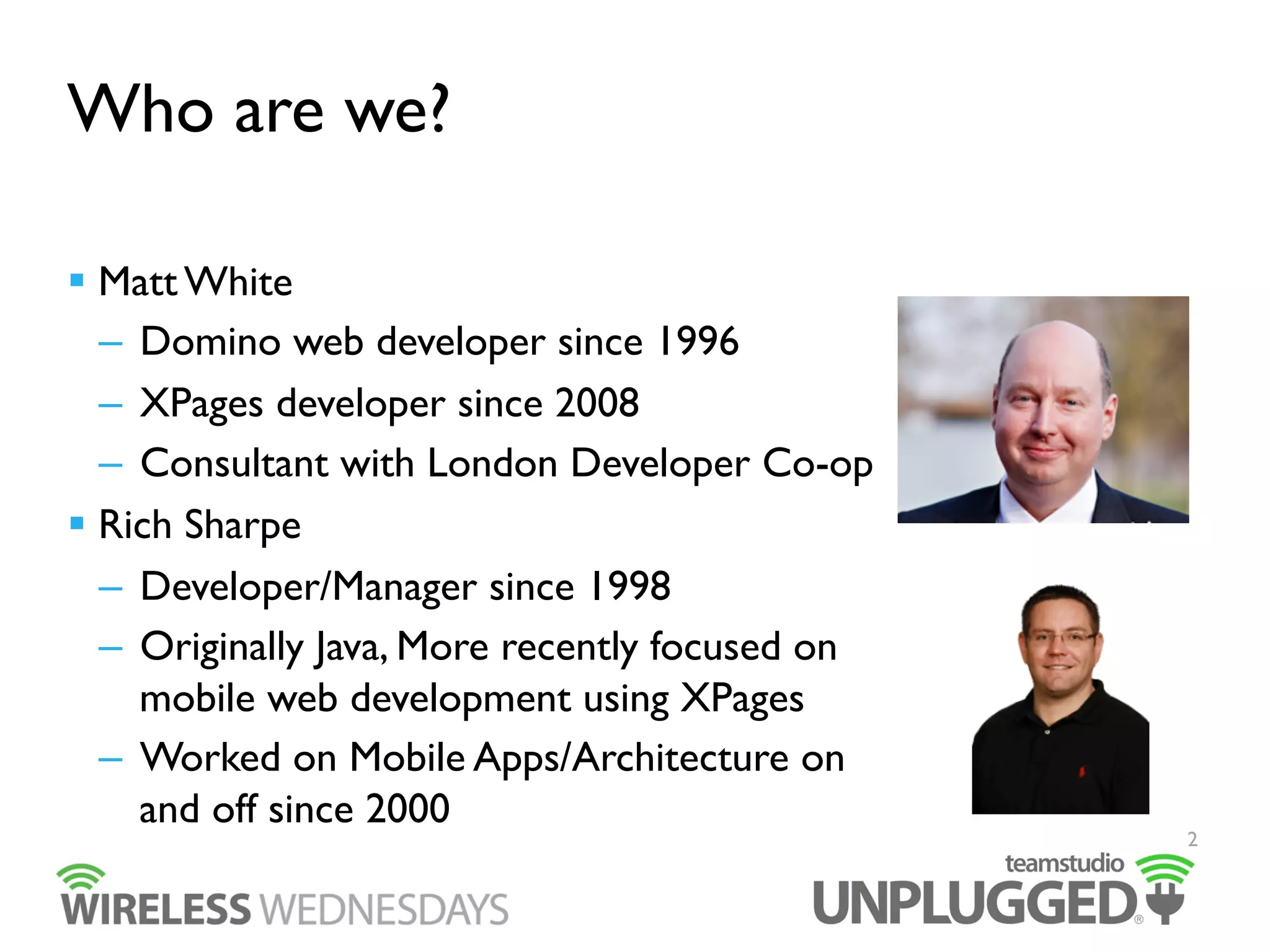
  Matt White
–  Domino web developer since 1996
–  XPages developer since 2008
–  Consultant with London Developer Co-op
  Rich Sharpe
–  Developer/Manager since 1998
–  Originally Java, More recently focused on
mobile web development using XPages
–  Worked on Mobile Apps/Architecture on
and off since 2000

2
What’s the point of Wireless
Wednesdays?
  Mobile is coming fast
–  Web or native
  We want to talk about the options from the point of view of
the Domino developer
–  What frameworks can we use?
–  What are the pros and cons of different frameworks
  Talk about mobile development in more detail
–  Based on our “real world” experience
–  Learn from our mistakes!
3
What will we be covering?
  January / February
–  At IBM Connect, Rich and Matt will be presenting a session
about the Unplugged Mobile Controls.
–  BP201- Tuesday 28th January - 3pm
  March
–  Deep dive into Dojo Mobile Controls
  April
–  Deep dive into jQuery Mobile
  May
–  Deep dive into Unplugged Mobile Controls

4
Agenda
1 Why mobilize your application?
2 Mobile development options for Domino developers
3 The basics of mobile app performance tuning
4 6 tips for a successful mobile business app

5
Why mobilize your application?
  Increased user base
–  Often users use their mobile device before their PC
–  Users aren’t tied to the office
  Extend the life of your application
–  A chance to re-invigorate your application
–  If it can be used in more places will it get more use?
  Extend the potential uses for your application
–  Offline mobile support?

6
Why mobilize your application?
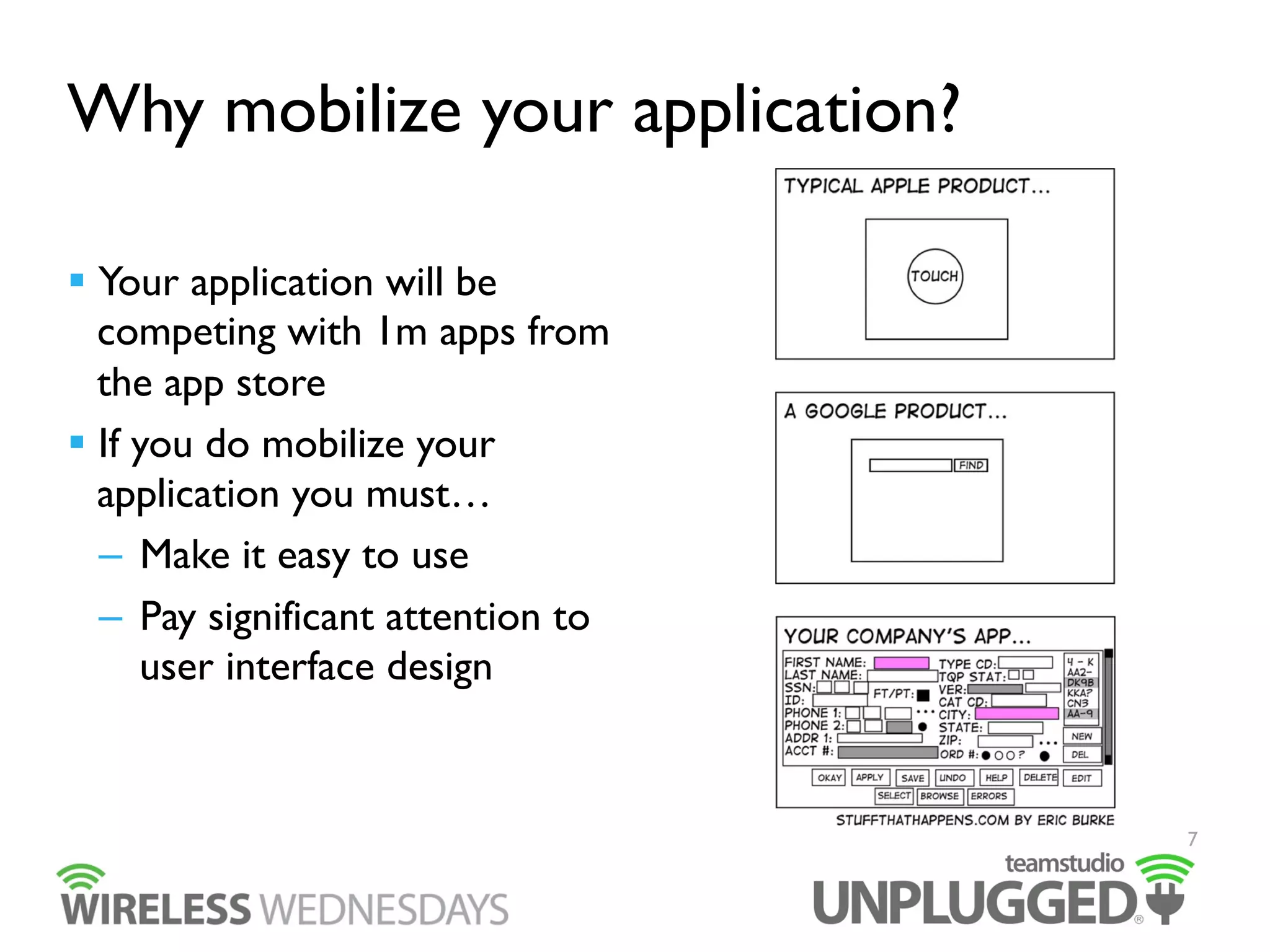
  Your application will be
competing with 1m apps from
the app store
  If you do mobilize your
application you must…
–  Make it easy to use
–  Pay significant attention to
user interface design

7
Mobile development options for
Domino developers
  Dojo Mobile Controls
–  Ships with Domino
  jQuery Mobile
–  The populist choice
  Other popular options:
–  Sencha Touch
–  Kendo UI
  Unplugged Controls
–  The mystery third option 
8
Dojo Mobile Controls
  Integrated into XPages
  Started out as an OpenNTF project in 2010
  Fed back into the main Domino product in 8.5.3
–  as part of the Extension Library
–  or via Upgrade Pack 1
  Supported by IBM and no extra install required
–  In 9.0.1 we use Dojo 1.8.3
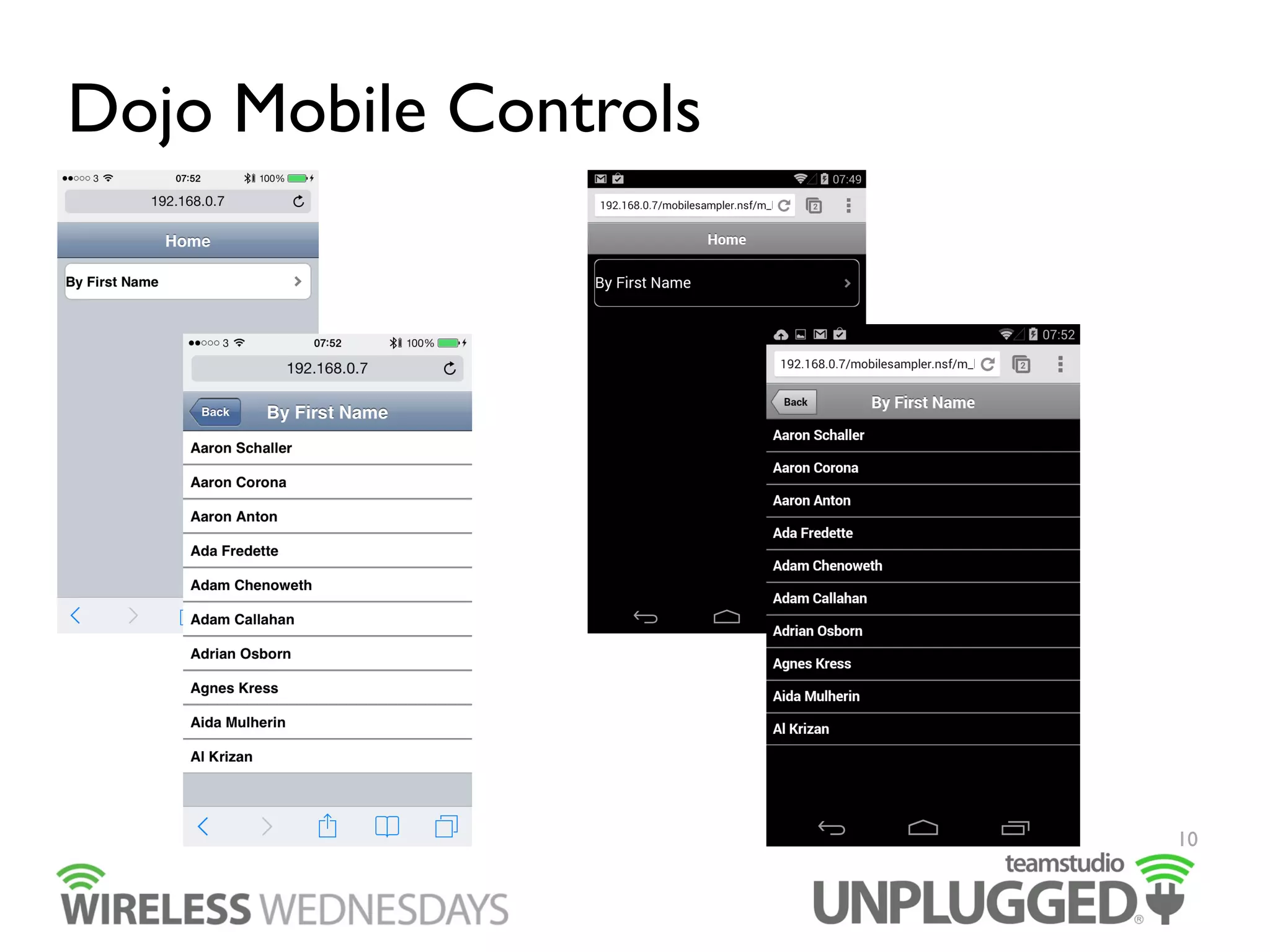
  Tries to provide a “native” UI for each mobile device
9
Dojo Mobile Controls

10
Dojo Mobile Controls
  Built into Domino
–  no approvals or installation required so your admins are
happy!
–  Very little coding required, just drag and drop controls
  Very quick to develop a basic application
  Is being worked on actively by both IBM and Dojo

11
Dojo Mobile Controls
  Poor user experience on tablets
–  Targeting phones and tablets can be quite challenging to get
a nice looking result
  iOS UI is still iOS 6
–  Though you can style this yourself
  Gets much more difficult quite quickly
–  If you want to support editing
–  If you go below 3 levels of breadcrumb history
  Performance not the best
12
jQuery Mobile
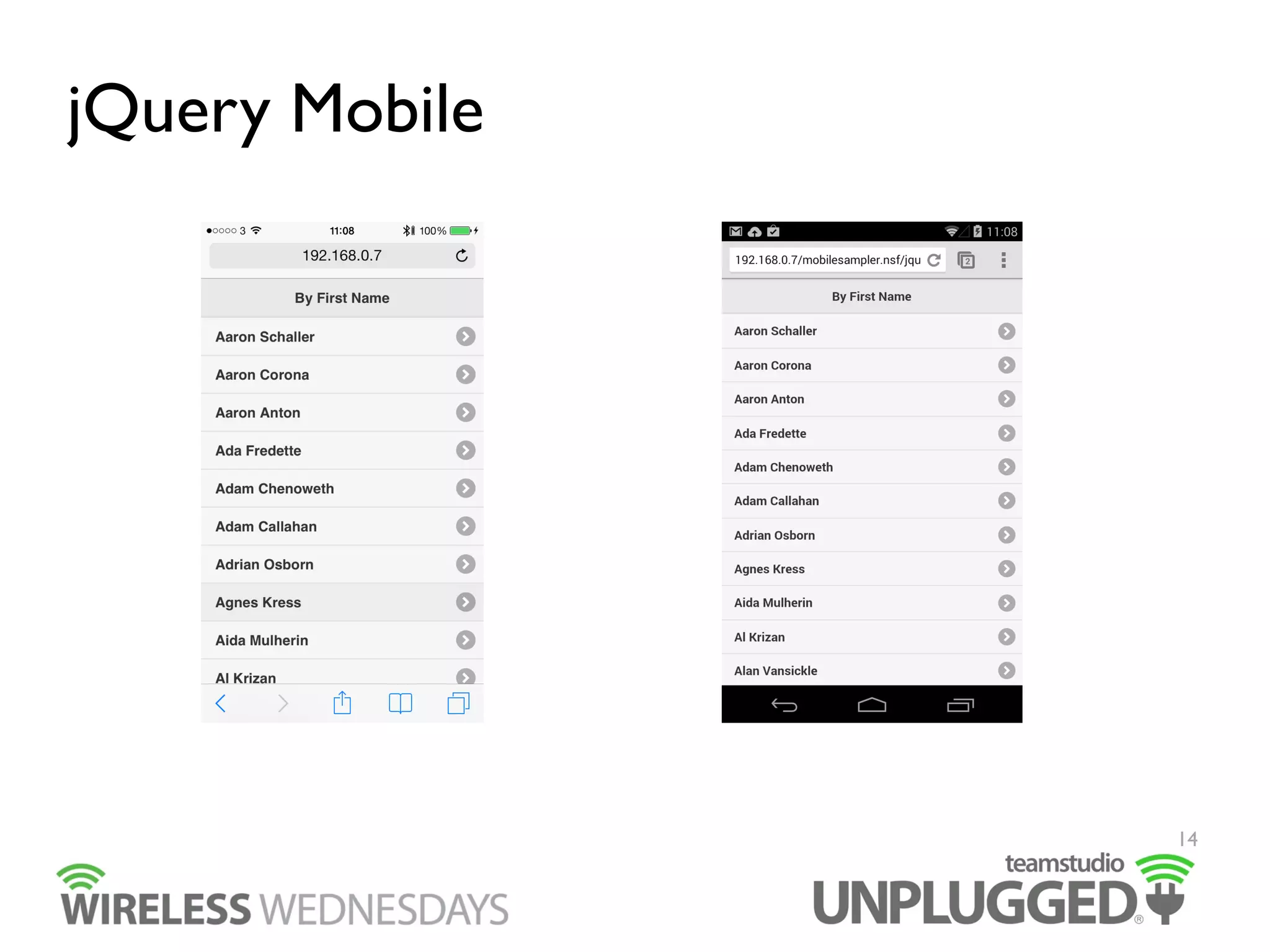
  One of the most popular mobile web frameworks
  Very simple to change theme to match your corporate style
  Creating more complex applications is easier than Dojo
Mobile Controls
–  It’s more like creating a multi page XPages application

13
jQuery Mobile

14
jQuery Mobile
  You get the choice of single page app (like Dojo Mobile
Controls) or to load full pages for complex functions
–  Single page app == speed
–  Multi page app == complexity
  Can be used in Mobile Web or offline with Teamstudio
Unplugged
  Huge developer community so lots of resources, plugins etc
  Very easy to pick up and get started with

15
jQuery Mobile
  Potentially slow performance over 3g networks
–  860kb for jQuery Mobile vs 150k for Dojo for same page
functionality
  Very JavaScript heavy, every element needs to be processed
once downloaded
–  For older phones this slows things down
–  Becoming less of an issue with iPhone 5S for example
  Harder to integrate into Domino from v1.3 and later
–  http://notesin9.com/index.php/2013/04/20/jquery-mobileseems-incompatible-with-xpages-in-domino-9-0/
16
Unplugged Controls
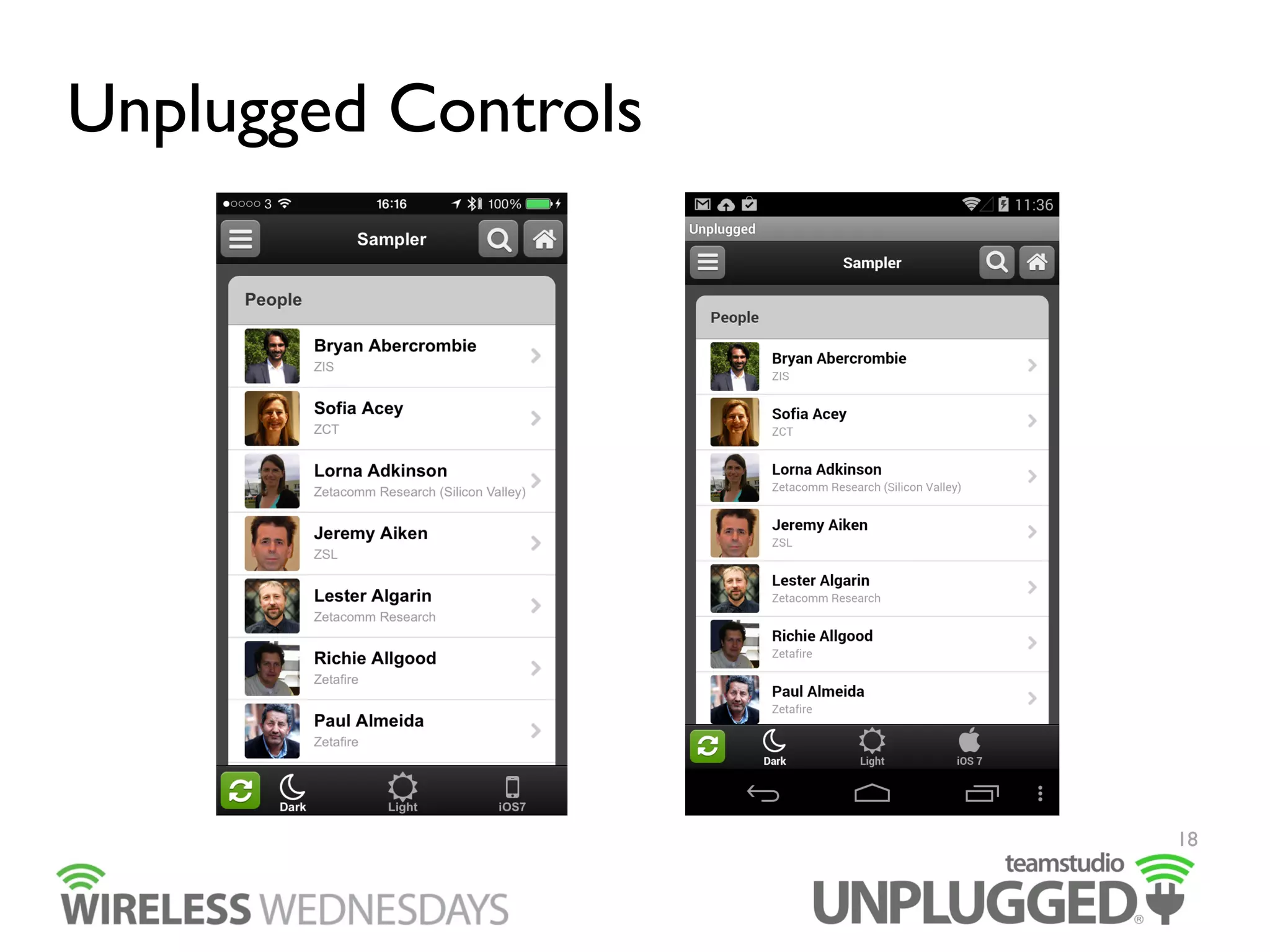
  Created by us specifically for XPages developers
  A suite of 18 Custom Controls which allow you to quickly
create a simple application
–  And also allow the creation of more complex apps as well
  Easy to change the UI using our Restyler website
–  http://restyler.teamstudio.com
  Under active development for XPages developers
  Designed to work well with tablets and phones

17
Unplugged Controls

18
Unplugged Controls
  We’re aiming to offer the best of both Dojo Mobile Controls
and jQuery Mobile worlds
–  Easy to create XPages applications of both simple and
complex varieties
–  Easy to change UI
–  Performs well
–  High quality tablet and phone user experience
–  Easy to add offline capability
•  With Teamstudio Unplugged
19
Unplugged Controls
  Framework has to be added manually to Domino Designer
  Small development team and community compared to other
frameworks
  At the moment requires use of XPages rather than other
more modern server technologies

20
Mobile App Performance Tuning
  Best solution for good performance is good design
  Know your audience
–  Which devices
•  Phones or tablets / iOS or Android / both or all?
–  Which use cases
•  Online or offline?
  Know your application
–  Identify key features
–  Reduce screen sizes
–  Progressive disclosure

21
Mobile App Performance Tuning
  Make a decision about the balance between initial page load
times and in app performance
  If you can load a page via Ajax do it
–  Even if it’s not faster you can provide feedback to the user
  Optimize your code
–  Minify JS and CSS
–  Do you really need to use graphics?
•  Maybe use font icons instead?
–  We use Font Awesome in Unplugged Controls
  Write good code!
–  Code reviews are a wonderful (if scary) thing

22
Mobile App Performance Tuning
  Understand from the outset what your targets are:
–  Page load times need specifics
•  Which device(s)
–  Latest iOS devices are significantly faster than even the
previous generation
•  Amount of data
–  For initial page load vs. subsequent pages
•  Network conditions
–  Wi-Fi vs. 3G or 4G
–  Network Latency

23
6 tips for a successful mobile app
  Developing applications for mobile users is a different
experience for us as developers than with the desktop which
we’re used to, so here are some tips we have picked up…
1.  Be selective in project scope
Pick the most important functions of your application to
mobilize. Not everything is needed by people away from
their desktop
2.  Less is more
Screens on mobile devices are smaller than the desktop,
reduce the amount of data you expect users to input to the
base minimum

24
6 tips for a successful mobile app
3.  Imitation is the sincerest form of flattery
Your users all use other mobile apps on a daily basis. Don’t
try to reinvent the wheel. Make use of common design
patterns.
4.  Get a second opinion
We’re developers not designers (well most of us). Design is
a skill and it’s worth getting an expert in to help with your
UI.

25
6 tips for a successful mobile app
5.  Keep ‘em separated
Mobile and desktop are not the same. Generally you will
want to implement different interfaces for each one.
Merged designs will be compromised on one or both
environments.
6.  Ask, Listen, Edit, Repeat
Make sure your users are involved from day 1 of the
project, it will give them ownership but also head off any
last minute “could you just…” moments
26
Further Resources
  Dojo Mobile Controls
–  http://dojotoolkit.org/features/mobile
  jQuery Mobile
–  http://jquerymobile.com
  Unplugged Controls
–  http://unplugged.openntf.org
–  http://restyler.teamstudio.com

27
IBM Connect Sessions
  BP201 - Creating a Mobile Application Framework with XPages
–  Tuesday 28th Jan 3pm
–  If you create a lot of mobile web applications, you may notice other
frameworks such as JQuery Mobile and the XPages Mobile Controls just don't
do exactly what you need. So we created our own, specifically designed for
XPages. In this session you'll learn about the open source framework that's
been have created. We'll show how it allows you to quickly drag and drop
standard custom controls into an XPage to create a mobile application. We'll
also talk about the process of creating an open source project and future plans.
  BOF - Creating an Unplugged Controls Virtual User Group
–  Please come along!

28
29

Wireless Wednesdays: Part 1

  • 1.
    Getting Started withMobile Development
  • 2.
    Who are we?  Matt White –  Domino web developer since 1996 –  XPages developer since 2008 –  Consultant with London Developer Co-op   Rich Sharpe –  Developer/Manager since 1998 –  Originally Java, More recently focused on mobile web development using XPages –  Worked on Mobile Apps/Architecture on and off since 2000 2
  • 3.
    What’s the pointof Wireless Wednesdays?   Mobile is coming fast –  Web or native   We want to talk about the options from the point of view of the Domino developer –  What frameworks can we use? –  What are the pros and cons of different frameworks   Talk about mobile development in more detail –  Based on our “real world” experience –  Learn from our mistakes! 3
  • 4.
    What will webe covering?   January / February –  At IBM Connect, Rich and Matt will be presenting a session about the Unplugged Mobile Controls. –  BP201- Tuesday 28th January - 3pm   March –  Deep dive into Dojo Mobile Controls   April –  Deep dive into jQuery Mobile   May –  Deep dive into Unplugged Mobile Controls 4
  • 5.
    Agenda 1 Why mobilizeyour application? 2 Mobile development options for Domino developers 3 The basics of mobile app performance tuning 4 6 tips for a successful mobile business app 5
  • 6.
    Why mobilize yourapplication?   Increased user base –  Often users use their mobile device before their PC –  Users aren’t tied to the office   Extend the life of your application –  A chance to re-invigorate your application –  If it can be used in more places will it get more use?   Extend the potential uses for your application –  Offline mobile support? 6
  • 7.
    Why mobilize yourapplication?   Your application will be competing with 1m apps from the app store   If you do mobilize your application you must… –  Make it easy to use –  Pay significant attention to user interface design 7
  • 8.
    Mobile development optionsfor Domino developers   Dojo Mobile Controls –  Ships with Domino   jQuery Mobile –  The populist choice   Other popular options: –  Sencha Touch –  Kendo UI   Unplugged Controls –  The mystery third option  8
  • 9.
    Dojo Mobile Controls  Integrated into XPages   Started out as an OpenNTF project in 2010   Fed back into the main Domino product in 8.5.3 –  as part of the Extension Library –  or via Upgrade Pack 1   Supported by IBM and no extra install required –  In 9.0.1 we use Dojo 1.8.3   Tries to provide a “native” UI for each mobile device 9
  • 10.
  • 11.
    Dojo Mobile Controls  Built into Domino –  no approvals or installation required so your admins are happy! –  Very little coding required, just drag and drop controls   Very quick to develop a basic application   Is being worked on actively by both IBM and Dojo 11
  • 12.
    Dojo Mobile Controls  Poor user experience on tablets –  Targeting phones and tablets can be quite challenging to get a nice looking result   iOS UI is still iOS 6 –  Though you can style this yourself   Gets much more difficult quite quickly –  If you want to support editing –  If you go below 3 levels of breadcrumb history   Performance not the best 12
  • 13.
    jQuery Mobile   Oneof the most popular mobile web frameworks   Very simple to change theme to match your corporate style   Creating more complex applications is easier than Dojo Mobile Controls –  It’s more like creating a multi page XPages application 13
  • 14.
  • 15.
    jQuery Mobile   Youget the choice of single page app (like Dojo Mobile Controls) or to load full pages for complex functions –  Single page app == speed –  Multi page app == complexity   Can be used in Mobile Web or offline with Teamstudio Unplugged   Huge developer community so lots of resources, plugins etc   Very easy to pick up and get started with 15
  • 16.
    jQuery Mobile   Potentiallyslow performance over 3g networks –  860kb for jQuery Mobile vs 150k for Dojo for same page functionality   Very JavaScript heavy, every element needs to be processed once downloaded –  For older phones this slows things down –  Becoming less of an issue with iPhone 5S for example   Harder to integrate into Domino from v1.3 and later –  http://notesin9.com/index.php/2013/04/20/jquery-mobileseems-incompatible-with-xpages-in-domino-9-0/ 16
  • 17.
    Unplugged Controls   Createdby us specifically for XPages developers   A suite of 18 Custom Controls which allow you to quickly create a simple application –  And also allow the creation of more complex apps as well   Easy to change the UI using our Restyler website –  http://restyler.teamstudio.com   Under active development for XPages developers   Designed to work well with tablets and phones 17
  • 18.
  • 19.
    Unplugged Controls   We’reaiming to offer the best of both Dojo Mobile Controls and jQuery Mobile worlds –  Easy to create XPages applications of both simple and complex varieties –  Easy to change UI –  Performs well –  High quality tablet and phone user experience –  Easy to add offline capability •  With Teamstudio Unplugged 19
  • 20.
    Unplugged Controls   Frameworkhas to be added manually to Domino Designer   Small development team and community compared to other frameworks   At the moment requires use of XPages rather than other more modern server technologies 20
  • 21.
    Mobile App PerformanceTuning   Best solution for good performance is good design   Know your audience –  Which devices •  Phones or tablets / iOS or Android / both or all? –  Which use cases •  Online or offline?   Know your application –  Identify key features –  Reduce screen sizes –  Progressive disclosure 21
  • 22.
    Mobile App PerformanceTuning   Make a decision about the balance between initial page load times and in app performance   If you can load a page via Ajax do it –  Even if it’s not faster you can provide feedback to the user   Optimize your code –  Minify JS and CSS –  Do you really need to use graphics? •  Maybe use font icons instead? –  We use Font Awesome in Unplugged Controls   Write good code! –  Code reviews are a wonderful (if scary) thing 22
  • 23.
    Mobile App PerformanceTuning   Understand from the outset what your targets are: –  Page load times need specifics •  Which device(s) –  Latest iOS devices are significantly faster than even the previous generation •  Amount of data –  For initial page load vs. subsequent pages •  Network conditions –  Wi-Fi vs. 3G or 4G –  Network Latency 23
  • 24.
    6 tips fora successful mobile app   Developing applications for mobile users is a different experience for us as developers than with the desktop which we’re used to, so here are some tips we have picked up… 1.  Be selective in project scope Pick the most important functions of your application to mobilize. Not everything is needed by people away from their desktop 2.  Less is more Screens on mobile devices are smaller than the desktop, reduce the amount of data you expect users to input to the base minimum 24
  • 25.
    6 tips fora successful mobile app 3.  Imitation is the sincerest form of flattery Your users all use other mobile apps on a daily basis. Don’t try to reinvent the wheel. Make use of common design patterns. 4.  Get a second opinion We’re developers not designers (well most of us). Design is a skill and it’s worth getting an expert in to help with your UI. 25
  • 26.
    6 tips fora successful mobile app 5.  Keep ‘em separated Mobile and desktop are not the same. Generally you will want to implement different interfaces for each one. Merged designs will be compromised on one or both environments. 6.  Ask, Listen, Edit, Repeat Make sure your users are involved from day 1 of the project, it will give them ownership but also head off any last minute “could you just…” moments 26
  • 27.
    Further Resources   DojoMobile Controls –  http://dojotoolkit.org/features/mobile   jQuery Mobile –  http://jquerymobile.com   Unplugged Controls –  http://unplugged.openntf.org –  http://restyler.teamstudio.com 27
  • 28.
    IBM Connect Sessions  BP201 - Creating a Mobile Application Framework with XPages –  Tuesday 28th Jan 3pm –  If you create a lot of mobile web applications, you may notice other frameworks such as JQuery Mobile and the XPages Mobile Controls just don't do exactly what you need. So we created our own, specifically designed for XPages. In this session you'll learn about the open source framework that's been have created. We'll show how it allows you to quickly drag and drop standard custom controls into an XPage to create a mobile application. We'll also talk about the process of creating an open source project and future plans.   BOF - Creating an Unplugged Controls Virtual User Group –  Please come along! 28
  • 29.