Consider Starting Small
                          11/29/2012   1
Who am I?

        Andrew Smith
  appMobi Developer Evangelist
      Web Development
          @profMobi
Mission:
 To unify the technologies used in delivering web and mobile apps,
simplifying the process of development and resulting in a new class
 of creative and compelling native mobile apps and interactive ads.


                           Strategy:
Offer a cloud-based, white-label platform that opens up the world of
 cross-device native mobile app creation to web developers, using
                   familiar languages and tools:
                      HTML and JavaScript


                                                            11/29/2012   3
As a company,
appMobi endeavors
to be a leader in appMobi do?
      What does
HTML5 mobile
technologies
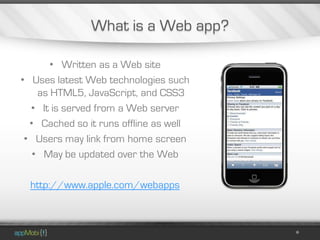
What is a Web app?

       • Written as a Web site
• Uses latest Web technologies such
    as HTML5, JavaScript, and CSS3
  • It is served from a Web server
  • Cached so it runs offline as well
 • Users may link from home screen
   • May be updated over the Web

  http://www.apple.com/webapps
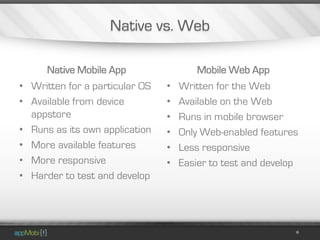
Native vs. Web

      Native Mobile App                 Mobile Web App
• Written for a particular OS   •   Written for the Web
• Available from device         •   Available on the Web
  appstore                      •   Runs in mobile browser
• Runs as its own application   •   Only Web-enabled features
• More available features       •   Less responsive
• More responsive               •   Easier to test and develop
• Harder to test and develop
Consider Starting Small

• How do new developers get started?
       • Why not start small?
   • What comes after the proof of
              concept?
How do new developers get started?

                  • Answer these questions
                    • Use these design tips
                   • Line up your resources
Answer these questions

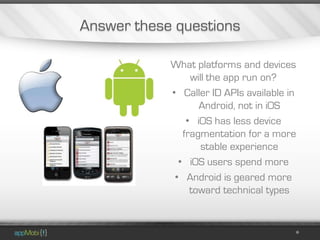
            What platforms and devices
                 will the app run on?
            • Caller ID APIs available in
                   Android, not in iOS
                • iOS has less device
               fragmentation for a more
                    stable experience
              • iOS users spend more
             • Android is geared more
                 toward technical types
Answer these questions

            What is the scope of the application?

• Big apps with lots of information may require specialized UI
  • Smaller apps may be able to be build as a “hybrid” app
         • Games require more processing power
       • Features like geolocation uses more battery
Answer these questions

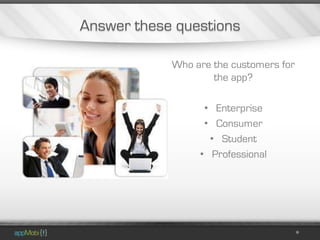
            Who are the customers for
                    the app?

                  • Enterprise
                  • Consumer
                   • Student
                 • Professional
Answer these questions

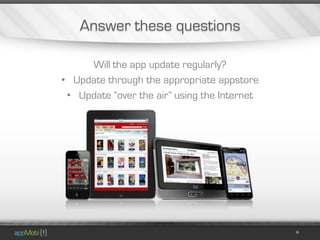
     Will the app update regularly?
• Update through the appropriate appstore
 • Update “over the air” using the Internet
Answer these questions

What does the application do?
       • Geolocation
         • Gaming
     • Accelerometer
     • Internet access
   • In-app purchasing
    • Push messaging
    • Camera features
      • Digital wallet
Use these design tips

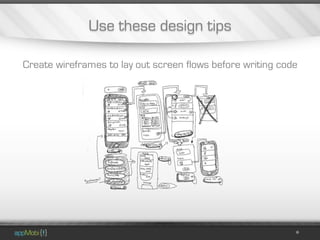
Create wireframes to lay out screen flows before writing code
Use these design tips

Try to design your user interface early, but stay flexible in case
                 of changes to the application
Use these design tips

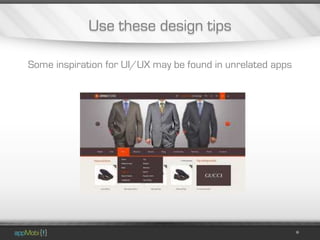
Some inspiration for UI/UX may be found in unrelated apps
Use these design tips

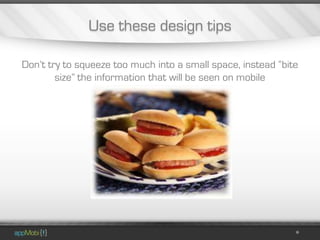
Don’t try to squeeze too much into a small space, instead “bite
        size” the information that will be seen on mobile
Use these design tips

Save as much space on UI elements as possible
Use these design tips

If it requires instructions, the app isn't going to work
Use these design tips

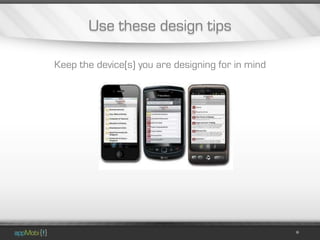
Keep the device(s) you are designing for in mind
Use these design tips

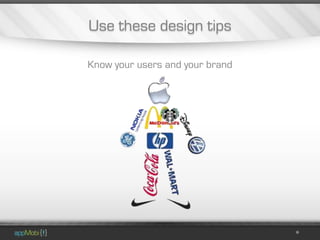
Know your users and your brand
Use these design tips

           Watch out for devilish details

           • Does the application rely on
                    the Internet?
               • Is the application
                     responsive?
            • Does the UI feel intuitive?
            • Can users crash the app?
Line up your resources

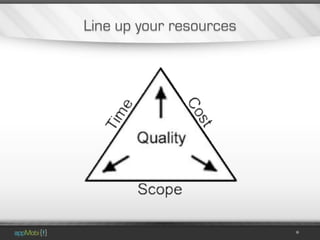
The cost of a mobile app is like buying a car
Line up your resources

            Finding good developers can
            be challenging particularly for
             apps written in native code
             such as Java or Objective C
Line up your resources
Why not start small?

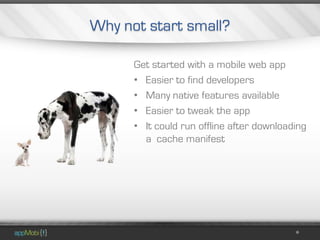
      Get started with a mobile web app
      • Easier to find developers
      • Many native features available
      • Easier to tweak the app
      • It could run offline after downloading
        a cache manifest
Easier to find developers

             There are only about 50,000
              iOS developers in the world
Easier to find developers

             There are only about 20,000
               Android developers in the
                        world
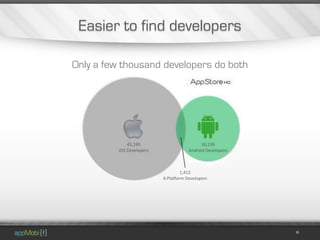
Easier to find developers

Only a few thousand developers do both
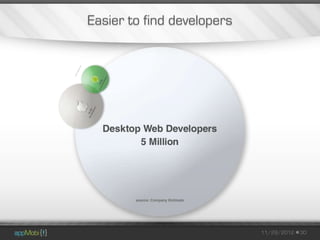
Easier to find developers


                            11/29/2012   30
Easier to find developers

A web designer can build a mobile Web app
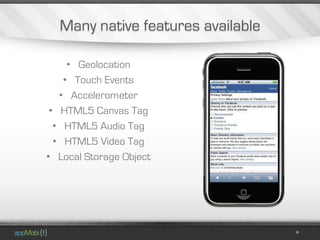
Many native features available

     • Geolocation
    • Touch Events
   • Accelerometer
 • HTML5 Canvas Tag
  • HTML5 Audio Tag
  • HTML5 Video Tag
• Local Storage Object
Easier to tweak

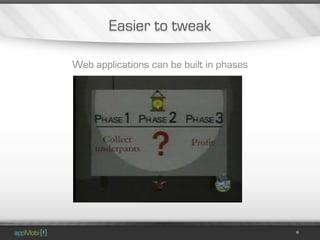
Web applications can be built in phases
Easier to tweak

A proof of concept built in phases allows you to keep the scope
                 of the project under control
Easier to tweak

Use application analytics to find out from actual users what is
                good and bad about your app
Easier to tweak

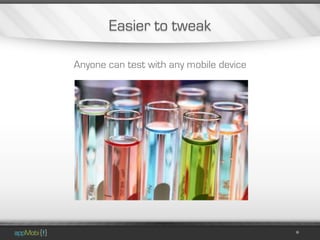
Anyone can test with any mobile device
Easier to tweak

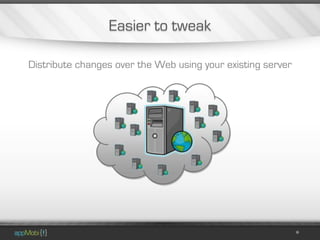
Distribute changes over the Web using your existing server
Run it offline

The app still looks great even without a data connection
What comes after the proof of concept?

                Once you have your first taste of
                development, expand your scope

                • Use the work for a larger
                  project later
                • Options for a full application
                • Consider all targeted platforms
Use the work for a larger project later

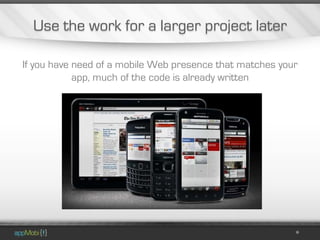
If you have need of a mobile Web presence that matches your
            app, much of the code is already written
Use the work for a larger project later

Consider using the Web app code in one of many Web app
              marketplaces on the Internet
Use the work for a larger project later

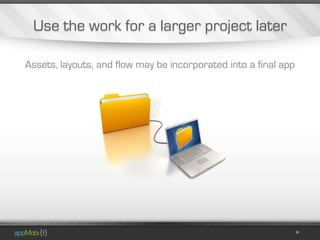
Assets, layouts, and flow may be incorporated into a final app
Use the work for a larger project later

 Use the proof of concept as a sample to aid in testing
Options for a full application

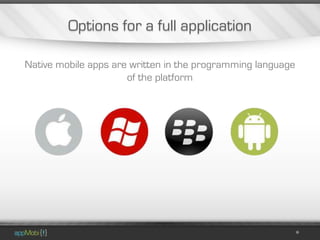
Native mobile apps are written in the programming language
                      of the platform
Options for a full application

Hybrid applications use Web technologies to drive UI within a
  native application that can access more device features
Options for a full application

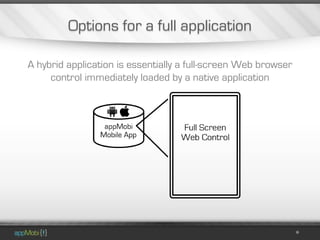
A hybrid application is essentially a full-screen Web browser
     control immediately loaded by a native application
Options for a full application

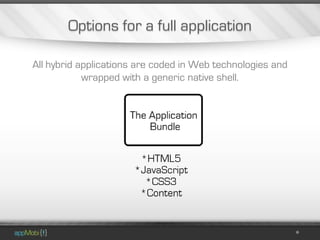
All hybrid applications are coded in Web technologies and
            wrapped with a generic native shell.
Options for a full application

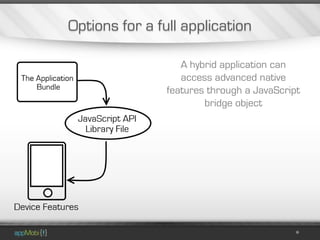
                   A hybrid application can
                   access advanced native
                features through a JavaScript
                        bridge object
Options for a full application

Perhaps a mobile Web app turns out to be all you need
Consider all targeted platforms

• Web technology solutions
  can work on more
  platforms
• Native apps are more
  responsive
• There are a variety of
  screen sizes to design for
Thanks!
Find out where here I’ll be next:
             @profMobi
Consider Starting Small
                          11/29/2012   52

Consider Starting Small

  • 1.
  • 2.
    Who am I? Andrew Smith appMobi Developer Evangelist Web Development @profMobi
  • 3.
    Mission: To unifythe technologies used in delivering web and mobile apps, simplifying the process of development and resulting in a new class of creative and compelling native mobile apps and interactive ads. Strategy: Offer a cloud-based, white-label platform that opens up the world of cross-device native mobile app creation to web developers, using familiar languages and tools: HTML and JavaScript 11/29/2012 3
  • 4.
    As a company, appMobiendeavors to be a leader in appMobi do? What does HTML5 mobile technologies
  • 5.
    What is aWeb app? • Written as a Web site • Uses latest Web technologies such as HTML5, JavaScript, and CSS3 • It is served from a Web server • Cached so it runs offline as well • Users may link from home screen • May be updated over the Web http://www.apple.com/webapps
  • 6.
    Native vs. Web Native Mobile App Mobile Web App • Written for a particular OS • Written for the Web • Available from device • Available on the Web appstore • Runs in mobile browser • Runs as its own application • Only Web-enabled features • More available features • Less responsive • More responsive • Easier to test and develop • Harder to test and develop
  • 7.
    Consider Starting Small •How do new developers get started? • Why not start small? • What comes after the proof of concept?
  • 8.
    How do newdevelopers get started? • Answer these questions • Use these design tips • Line up your resources
  • 9.
    Answer these questions What platforms and devices will the app run on? • Caller ID APIs available in Android, not in iOS • iOS has less device fragmentation for a more stable experience • iOS users spend more • Android is geared more toward technical types
  • 10.
    Answer these questions What is the scope of the application? • Big apps with lots of information may require specialized UI • Smaller apps may be able to be build as a “hybrid” app • Games require more processing power • Features like geolocation uses more battery
  • 11.
    Answer these questions Who are the customers for the app? • Enterprise • Consumer • Student • Professional
  • 12.
    Answer these questions Will the app update regularly? • Update through the appropriate appstore • Update “over the air” using the Internet
  • 13.
    Answer these questions Whatdoes the application do? • Geolocation • Gaming • Accelerometer • Internet access • In-app purchasing • Push messaging • Camera features • Digital wallet
  • 14.
    Use these designtips Create wireframes to lay out screen flows before writing code
  • 15.
    Use these designtips Try to design your user interface early, but stay flexible in case of changes to the application
  • 16.
    Use these designtips Some inspiration for UI/UX may be found in unrelated apps
  • 17.
    Use these designtips Don’t try to squeeze too much into a small space, instead “bite size” the information that will be seen on mobile
  • 18.
    Use these designtips Save as much space on UI elements as possible
  • 19.
    Use these designtips If it requires instructions, the app isn't going to work
  • 20.
    Use these designtips Keep the device(s) you are designing for in mind
  • 21.
    Use these designtips Know your users and your brand
  • 22.
    Use these designtips Watch out for devilish details • Does the application rely on the Internet? • Is the application responsive? • Does the UI feel intuitive? • Can users crash the app?
  • 23.
    Line up yourresources The cost of a mobile app is like buying a car
  • 24.
    Line up yourresources Finding good developers can be challenging particularly for apps written in native code such as Java or Objective C
  • 25.
    Line up yourresources
  • 26.
    Why not startsmall? Get started with a mobile web app • Easier to find developers • Many native features available • Easier to tweak the app • It could run offline after downloading a cache manifest
  • 27.
    Easier to finddevelopers There are only about 50,000 iOS developers in the world
  • 28.
    Easier to finddevelopers There are only about 20,000 Android developers in the world
  • 29.
    Easier to finddevelopers Only a few thousand developers do both
  • 30.
    Easier to finddevelopers 11/29/2012 30
  • 31.
    Easier to finddevelopers A web designer can build a mobile Web app
  • 32.
    Many native featuresavailable • Geolocation • Touch Events • Accelerometer • HTML5 Canvas Tag • HTML5 Audio Tag • HTML5 Video Tag • Local Storage Object
  • 33.
    Easier to tweak Webapplications can be built in phases
  • 34.
    Easier to tweak Aproof of concept built in phases allows you to keep the scope of the project under control
  • 35.
    Easier to tweak Useapplication analytics to find out from actual users what is good and bad about your app
  • 36.
    Easier to tweak Anyonecan test with any mobile device
  • 37.
    Easier to tweak Distributechanges over the Web using your existing server
  • 38.
    Run it offline Theapp still looks great even without a data connection
  • 39.
    What comes afterthe proof of concept? Once you have your first taste of development, expand your scope • Use the work for a larger project later • Options for a full application • Consider all targeted platforms
  • 40.
    Use the workfor a larger project later If you have need of a mobile Web presence that matches your app, much of the code is already written
  • 41.
    Use the workfor a larger project later Consider using the Web app code in one of many Web app marketplaces on the Internet
  • 42.
    Use the workfor a larger project later Assets, layouts, and flow may be incorporated into a final app
  • 43.
    Use the workfor a larger project later Use the proof of concept as a sample to aid in testing
  • 44.
    Options for afull application Native mobile apps are written in the programming language of the platform
  • 45.
    Options for afull application Hybrid applications use Web technologies to drive UI within a native application that can access more device features
  • 46.
    Options for afull application A hybrid application is essentially a full-screen Web browser control immediately loaded by a native application
  • 47.
    Options for afull application All hybrid applications are coded in Web technologies and wrapped with a generic native shell.
  • 48.
    Options for afull application A hybrid application can access advanced native features through a JavaScript bridge object
  • 49.
    Options for afull application Perhaps a mobile Web app turns out to be all you need
  • 50.
    Consider all targetedplatforms • Web technology solutions can work on more platforms • Native apps are more responsive • There are a variety of screen sizes to design for
  • 51.
    Thanks! Find out wherehere I’ll be next: @profMobi
  • 52.

Editor's Notes

  • #2 This is the starting slide
  • #35 This is ultimately what a mobile app should do. Otherwise users could get this from a tv show, a book, or even a website.
  • #53 This is the starting slide