Windows Admin Center
-Project Honolulu改め-
Microsoft MVP Cloud and Datacenter Management
System Center Users Group Japan
指崎 則夫 Norio Sashizaki
2018年06月30日
ご注意
 所属社の見解ではありませんので、ご注意ください。
 本セッションでは、正式リリース前の情報を扱っています。
2018/06/30 1
自己紹介
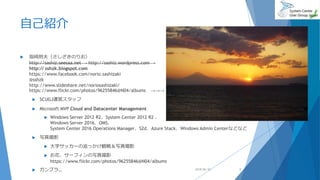
 指崎則夫(さしざきのりお)
http://sashiz.seesaa.net → http://sashiz.wordpress.com →
http:// sshzk.blogspot.com
https://www.facebook.com/norio.sashizaki
@sshzk
http://www.slideshare.net/noriosashizaki/
https://www.flickr.com/photos/96255846@N04/albums →→→
 SCUGJ運営スタッフ
 Microsoft MVP Cloud and Datacenter Management
 Windows Server 2012 R2、System Center 2012 R2 、
Windows Server 2016、OMS、
System Center 2016 Operations Manager、S2d、Azure Stack、Windows Admin Centerなどなど
 写真撮影
 大学サッカーの追っかけ観戦&写真撮影
 お花、サーフィンの写真撮影
https://www.flickr.com/photos/96255846@N04/albums
 ガンプラ… 2018/06/30 2
アジェンダ
 Windows Admin Centerとは
 アーキテクチャー
 システム要件
 インストール
 Windows Admin Centerインストール例 Windows 10
 Windows Admin Center インストール例 Windows Server 2016
 冗長構成
 証明書の変更
 ワークグループへの管理
 Windows Admin Center のデモ環境
 デモで使用しているWindows Server
 デモンストレーション
 まとめ
2018/06/30 3
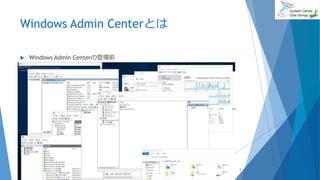
Windows Admin Centerとは
 Windows Admin Centerの登場前
2018/06/30 4
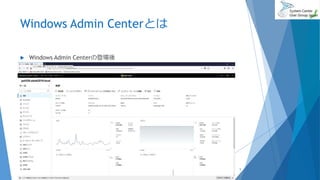
Windows Admin Centerとは
 Windows Admin Centerの登場後
2018/06/30 5
Windows Admin Centerとは
 簡単
 セットアップ
 他のコンポーネントがほぼ不要
 事前準備もほぼ不要
 NW接続の構成
 軽量
 インストールファイルサイズ
 リモート
 集中管理
 もちろん従来のやり方も併用可能
2018/06/30Windows Admin Center Frequently Asked Questions
https://docs.microsoft.com/ja-jp/windows-server/manage/windows-admin-center/understand/faq
6
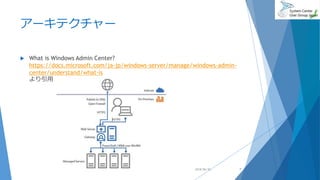
アーキテクチャー
 What is Windows Admin Center?
https://docs.microsoft.com/ja-jp/windows-server/manage/windows-admin-
center/understand/what-is
より引用
2018/06/30 7
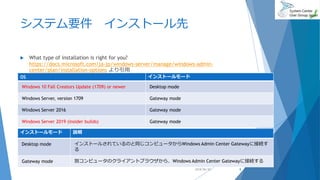
システム要件 インストール先
 What type of installation is right for you?
https://docs.microsoft.com/ja-jp/windows-server/manage/windows-admin-
center/plan/installation-options より引用
2018/06/30
OS インストールモード
Windows 10 Fall Creators Update (1709) or newer Desktop mode
Windows Server, version 1709 Gateway mode
Windows Server 2016 Gateway mode
Windows Server 2019 (insider builds) Gateway mode
インストールモード 説明
Desktop mode インストールされているのと同じコンピュータからWindows Admin Center Gatewayに接続す
る
Gateway mode 別コンピュータのクライアントブラウザから、Windows Admin Center Gatewayに接続する
8
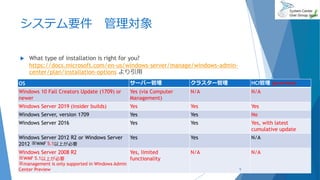
システム要件 管理対象
 What type of installation is right for you?
https://docs.microsoft.com/en-us/windows-server/manage/windows-admin-
center/plan/installation-options より引用
2018/06/30
OS サーバー管理 クラスター管理 HCI管理 (preview)
Windows 10 Fall Creators Update (1709) or
newer
Yes (via Computer
Management)
N/A N/A
Windows Server 2019 (insider builds) Yes Yes Yes
Windows Server, version 1709 Yes Yes No
Windows Server 2016 Yes Yes Yes, with latest
cumulative update
Windows Server 2012 R2 or Windows Server
2012 ※WMF 5.1以上が必要
Yes Yes N/A
Windows Server 2008 R2
※WMF 5.1以上が必要
※management is only supported in Windows Admin
Center Preview
Yes, limited
functionality
N/A N/A
9
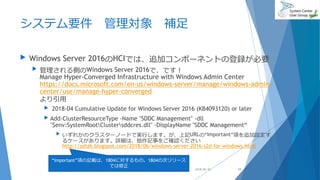
システム要件 管理対象 補足
 Windows Server 2016のHCIでは、追加コンポーネントの登録が必要
 管理される側のWindows Server 2016で、です!
Manage Hyper-Converged Infrastructure with Windows Admin Center
https://docs.microsoft.com/en-us/windows-server/manage/windows-admin-
center/use/manage-hyper-converged
より引用
 2018-04 Cumulative Update for Windows Server 2016 (KB4093120) or later
 Add-ClusterResourceType -Name "SDDC Management" -dll
"$env:SystemRootClustersddcres.dll" -DisplayName "SDDC Management“
 いずれかのクラスターノードで実行します。が、上記URLの“Important”項を追加設定す
るケースがあります。詳細は、拙作記事をご確認ください
http://sshzk.blogspot.com/2018/06/windows-server-2016-s2d-for-windows.html
2018/06/30 10
“Important”項の記載は、1804に対するもの。1804の次リリース
では修正
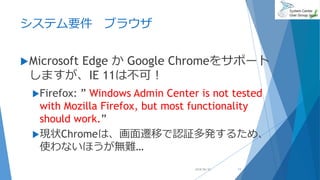
システム要件 ブラウザ
Microsoft Edge か Google Chromeをサポート
しますが、IE 11は不可!
Firefox: ” Windows Admin Center is not tested
with Mozilla Firefox, but most functionality
should work.”
現状Chromeは、画面遷移で認証多発するため、
使わないほうが無難…
2018/06/30 11
システム要件 接続
 名前解決
 winrm quickconfig
 クライアントOSを管理する場合は忘れずに実行
 Troubleshooting Windows Admin Center
https://docs.microsoft.com/ja-jp/windows-server/manage/windows-admin-
center/use/troubleshooting
より、主要なポイントを下記に抜粋します。
 Configure TrustedHosts
 Set-Item WSMan:localhostClientTrustedHosts -Value
'192.168.1.1,server01.contoso.com,server02‘
 Set-Item WSMan:localhostClientTrustedHosts -Value ‘*’
2018/06/30 12
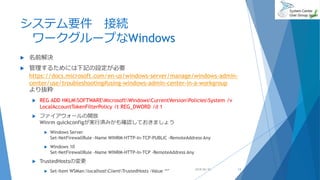
システム要件 接続
ワークグループなWindows
 名前解決
 管理するためには下記の設定が必要
https://docs.microsoft.com/en-us/windows-server/manage/windows-admin-
center/use/troubleshooting#using-windows-admin-center-in-a-workgroup
より抜粋
 REG ADD HKLMSOFTWAREMicrosoftWindowsCurrentVersionPoliciesSystem /v
LocalAccountTokenFilterPolicy /t REG_DWORD /d 1
 ファイアウォールの開放
Winrm quickconfigが実行済みかも確認しておきましょう
 Windows Server
Set-NetFirewallRule -Name WINRM-HTTP-In-TCP-PUBLIC -RemoteAddress Any
 Windows 10
Set-NetFirewallRule -Name WINRM-HTTP-In-TCP -RemoteAddress Any
 TrustedHostsの変更
 Set-Item WSMan:localhostClientTrustedHosts -Value ‘*’ 2018/06/30 13
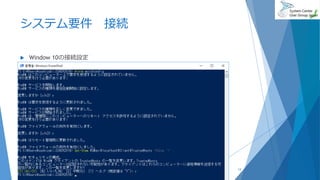
システム要件 接続
 Window 10の接続設定
2018/06/30 14
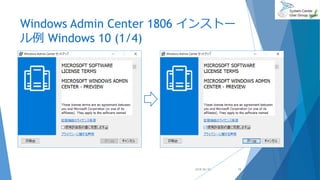
Windows Admin Center 1806 インストー
ル例 Windows 10 (1/4)
2018/06/30 15
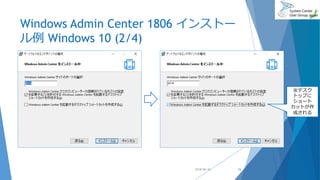
Windows Admin Center 1806 インストー
ル例 Windows 10 (2/4)
2018/06/30 16
※デスク
トップに
ショート
カットが作
成される
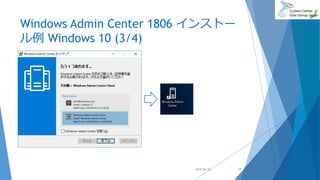
Windows Admin Center 1806 インストー
ル例 Windows 10 (3/4)
2018/06/30 17
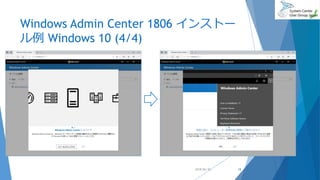
Windows Admin Center 1806 インストー
ル例 Windows 10 (4/4)
2018/06/30 18
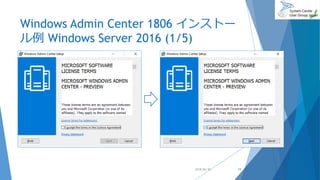
Windows Admin Center 1806 インストー
ル例 Windows Server 2016 (1/5)
2018/06/30 19
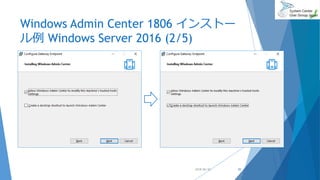
Windows Admin Center 1806 インストー
ル例 Windows Server 2016 (2/5)
2018/06/30 20
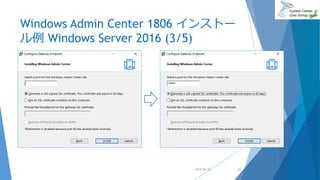
Windows Admin Center 1806 インストー
ル例 Windows Server 2016 (3/5)
2018/06/30 21
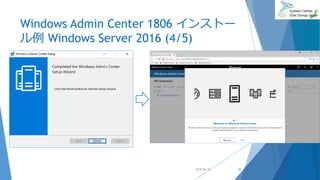
Windows Admin Center 1806 インストー
ル例 Windows Server 2016 (4/5)
2018/06/30 22
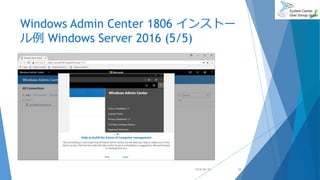
Windows Admin Center 1806 インストー
ル例 Windows Server 2016 (5/5)
2018/06/30 23
冗長化構成が組めるようになりました!
 Deploy Windows Admin Center with high availability
https://docs.microsoft.com/en-us/windows-server/manage/windows-admin-
center/deploy/high-availability
 2ノード以上のWindows Server 2016 failover Cluster
 10GB以上のcluster shared volume (CSV)
 High-availability deployment scripts
http://aka.ms/WACHASetupScripts
 signed certificate .pfx & passwordの準備を推奨
 インストール時に生成される自己署名証明書は90日で失効
 スタンドアロンインストールも同様
 この条件を満たすS2Dにもインストール可能ではありますが
 2ノードの場合、インストール自体は5~10分ほどで完了
HWスペック、ノード数によります。
2018/06/30 24
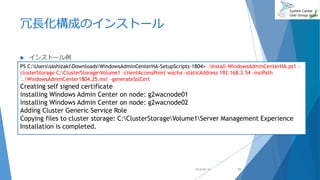
冗長化構成のインストール
 インストール例
2018/06/30
PS C:UserssashizakiDownloadsWindowsAdminCenterHA-SetupScripts-1804> .Install-WindowsAdminCenterHA.ps1 -
clusterStorage C:ClusterStorageVolume1 -clientAccessPoint wacha -staticAddress 192.168.3.54 -msiPath
'..WindowsAdminCenter1804.25.msi' -generateSslCert
Creating self signed certificate
installing Windows Admin Center on node: g2wacnode01
installing Windows Admin Center on node: g2wacnode02
Adding Cluster Generic Service Role
Copying files to cluster storage: C:ClusterStorageVolume1Server Management Experience
Installation is completed.
25
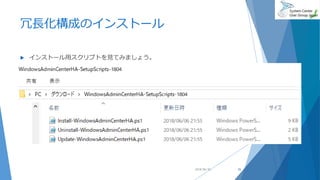
冗長化構成のインストール
 インストール用スクリプトを見てみましょう。
2018/06/30 26
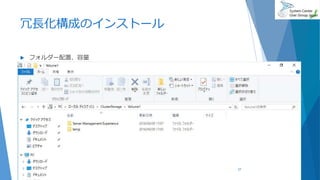
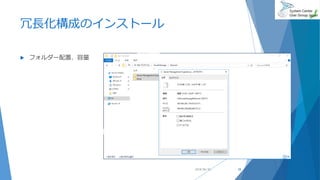
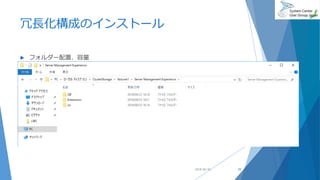
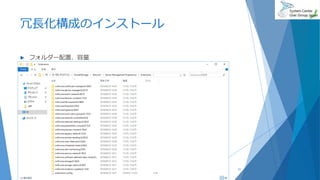
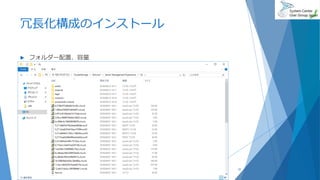
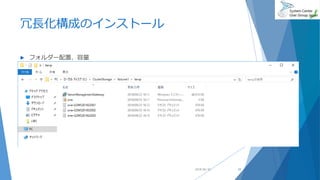
冗長化構成のインストール
 フォルダー配置、容量
2018/06/30 27
冗長化構成のインストール
 フォルダー配置、容量
2018/06/30 28
冗長化構成のインストール
 フォルダー配置、容量
2018/06/30 29
冗長化構成のインストール
 フォルダー配置、容量
2018/06/30 30
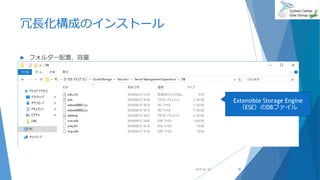
Extensible Storage Engine
(ESE)のDBファイル
冗長化構成のインストール
 フォルダー配置、容量
2018/06/30 31
冗長化構成のインストール
 フォルダー配置、容量
2018/06/30 32
冗長化構成のインストール
 フォルダー配置、容量
2018/06/30 33
証明書の変更
 スタンドアロン
 プログラムと機能から変更可能
 HA
あくまでも現時点では!
 1804用のHAスクリプトでは、インストール時にしか指定できない
http://aka.ms/WACHASetupScripts
 よって、入れ替えるならばアンインストールが必要と思われます
2018/06/30 34
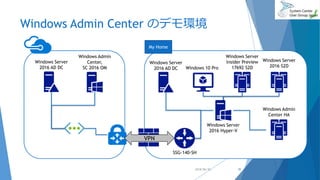
Windows Admin Center のデモ環境
2018/06/30
VPN
Windows Server
2016 AD DC
Windows Admin
Center,
SC 2016 OM
Windows Server
2016 S2D
SSG-140-SH
Windows Server
2016 Hyper-V
My Home
Windows 10 Pro
Windows Server
2016 AD DC
Windows Server
Insider Preview
17692 S2D
Windows Admin
Center HA
35
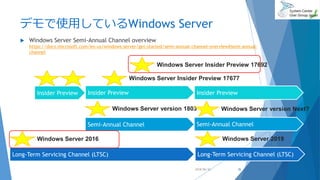
デモで使用しているWindows Server
 Windows Server Semi-Annual Channel overview
https://docs.microsoft.com/en-us/windows-server/get-started/semi-annual-channel-overview#semi-annual-
channel
2018/06/30
Long-Term Servicing Channel (LTSC)
Semi-Annual Channel
Insider Preview
Windows Server 2016
Windows Server version 1803
Semi-Annual Channel
Windows Server Insider Preview 17677
Windows Server version Next?
Insider Preview Insider Preview
Windows Server Insider Preview 17692
Long-Term Servicing Channel (LTSC)
Windows Server 2019
36
デモンストレーション
 設定
 ロールによるアクセス制御
AD ドメインメンバー、ワークグループ
 サーバー
 Remote Desktop
 PowerShell
 コンピューター
AD ドメインメンバー
 Windows 10
 Fail Over Cluster
 Hyper Converged Infrastructure
 ちょっとだけ宣伝 3:47頃
https://youtu.be/D6e11TBAFZU
2018/06/30 37
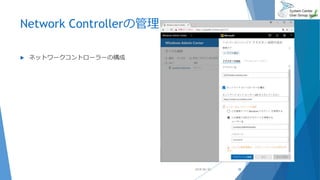
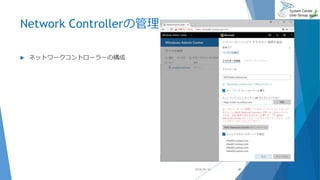
Network Controllerの管理
 ネットワークコントローラーの構成
2018/06/30 38
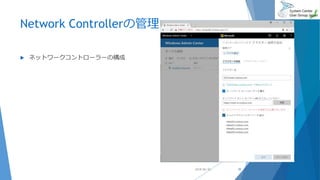
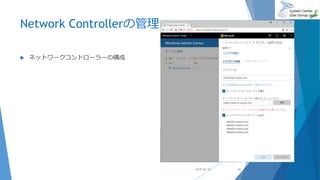
Network Controllerの管理
 ネットワークコントローラーの構成
2018/06/30 39
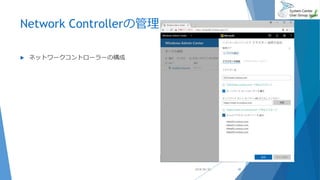
Network Controllerの管理
 ネットワークコントローラーの構成
2018/06/30 40
Network Controllerの管理
 ネットワークコントローラーの構成
2018/06/30 41
Network Controllerの管理
 ネットワークコントローラーの構成
2018/06/30 42
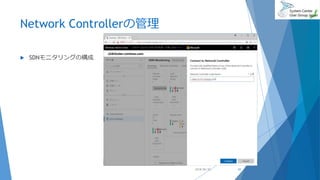
Network Controllerの管理
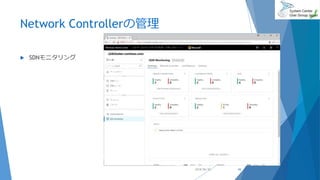
 SDNモニタリングの構成
2018/06/30 43
Network Controllerの管理
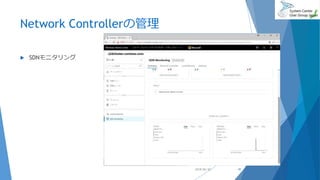
 SDNモニタリング
2018/06/30 44
Network Controllerの管理
 SDNモニタリング
2018/06/30 45
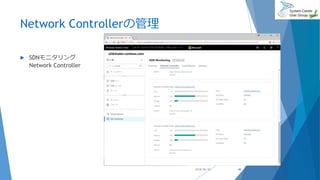
Network Controllerの管理
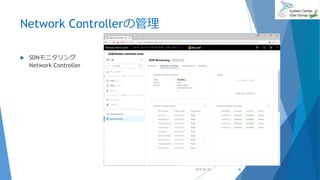
 SDNモニタリング
Network Controller
2018/06/30 46
Network Controllerの管理
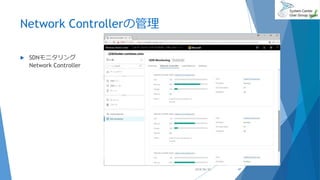
 SDNモニタリング
Network Controller
2018/06/30 47
Network Controllerの管理
 SDNモニタリング
Network Controller
2018/06/30 48
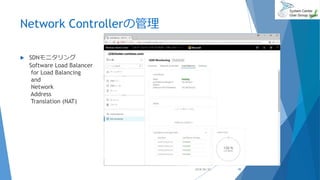
Network Controllerの管理
 SDNモニタリング
Software Load Balancer
for Load Balancing
and
Network
Address
Translation (NAT)
2018/06/30 49
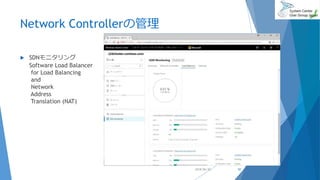
Network Controllerの管理
 SDNモニタリング
Software Load Balancer
for Load Balancing
and
Network
Address
Translation (NAT)
2018/06/30 50
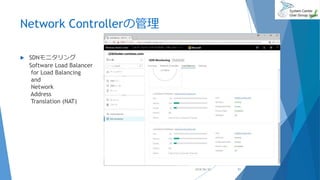
Network Controllerの管理
 SDNモニタリング
Software Load Balancer
for Load Balancing
and
Network
Address
Translation (NAT)
2018/06/30 51
Network Controllerの管理
 SDNモニタリング
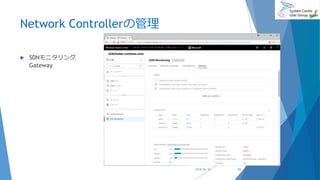
Gateway
2018/06/30 52
Network Controllerの管理
 SDNモニタリング
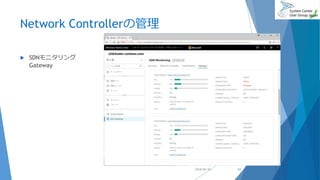
Gateway
2018/06/30 53
Network Controllerの管理
 SDNモニタリング
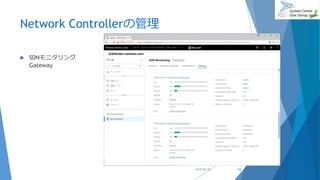
Gateway
2018/06/30 54
Network Controllerの管理
 SDNモニタリング
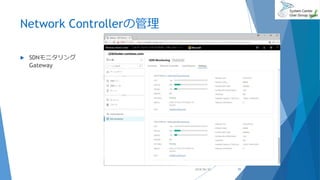
Gateway
2018/06/30 55
Network Controllerの管理
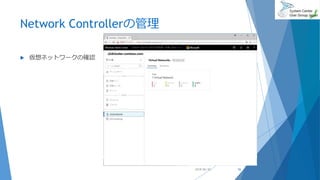
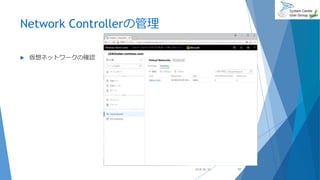
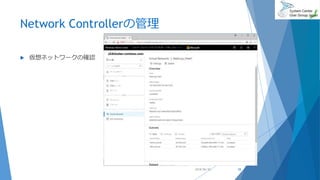
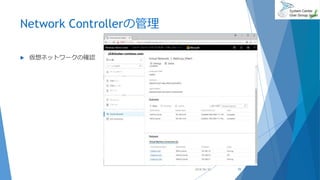
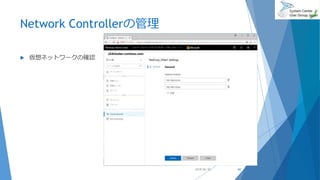
 仮想ネットワークの確認
2018/06/30 56
Network Controllerの管理
 仮想ネットワークの確認
2018/06/30 57
Network Controllerの管理
 仮想ネットワークの確認
2018/06/30 58
Network Controllerの管理
 仮想ネットワークの確認
2018/06/30 59
Network Controllerの管理
 仮想ネットワークの確認
2018/06/30 60
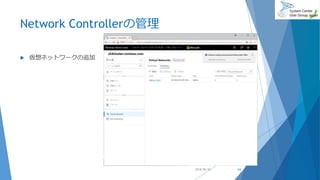
Network Controllerの管理
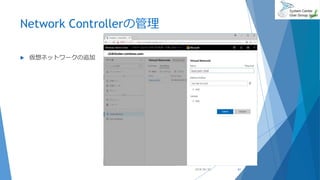
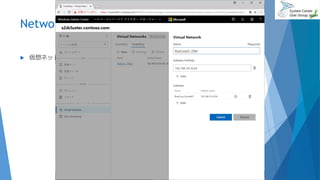
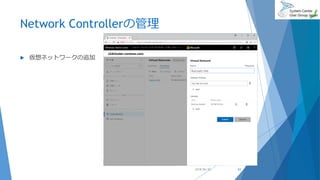
 仮想ネットワークの追加
2018/06/30 61
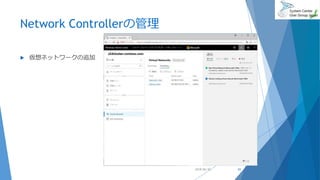
Network Controllerの管理
 仮想ネットワークの追加
2018/06/30 62
Network Controllerの管理
 仮想ネットワークの追加
2018/06/30 63
Network Controllerの管理
 仮想ネットワークの追加
2018/06/30 64
Network Controllerの管理
 仮想ネットワークの追加
2018/06/30 65
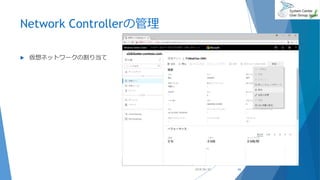
Network Controllerの管理
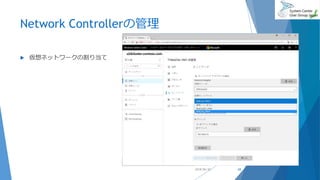
 仮想ネットワークの割り当て
2018/06/30 66
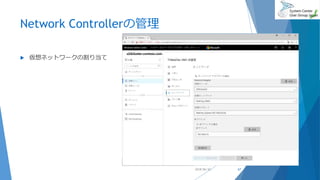
Network Controllerの管理
 仮想ネットワークの割り当て
2018/06/30 67
Network Controllerの管理
 仮想ネットワークの割り当て
2018/06/30 68
まとめ
 簡単
 事前に必要とされるソフトウェアコンポーネントがほぼない
 IISは要りません
 スタンドアロンでもHAでも、5分もあればインストール可能
 Microsoft Edge か Google Chrome があれば管理可能
 軽量
 ダウンロードファイルは約44MB
 リモート管理
 Server Coreもどんとこい
 IISの管理機能がなかったりと、なんでもかんでもということではないので、ご注意を
2018/06/30 69
参考
 WMF 5.1 のインストールと構成
https://docs.microsoft.com/ja-jp/powershell/wmf/5.1/install-configure
2018/06/30 70

Windows Admin Center -Project Honolulu改め-