ノンコーディングで 
Active Directoryを管理してみる 
System Center User Group Japan 第10回勉強会 
2014年10月25日 
Microsoft MVP System Center Cloud and Datacenter Management 指崎則夫
お断り 
 本資料に記載されているSystem CenterおよびWindows は、米国Microsoft 
Corporation の、米国、日本およびその他の国における登録商標または商標で 
す。 
 その他、資料に表記されている製品名は、各社の米国、日本およびその他の国にお 
ける登録商標または商標です。 
 資料中で表記を省略していますが、System Center 2012 R2を前提としてお話し 
ます。 
2014/10/25 1
アジェンダ 
 自己紹介 
 System Center 2012 R2 
 System Center 2012 R2 Orchestrator 
 Integration Packs for System Center 2012 – Orchestrator 
 Runbook 
 ノンコーディングでユーザー管理、グループ管理を行う 
 まとめ 
2014/10/25 2
自己紹介 
 指崎則夫(さしざきのりお) 
http://sashiz.seesaa.net → http://sashiz.wordpress.com 
https://www.facebook.com/norio.sashizaki 
@sshzk 
 SCUGJ運営スタッフ 
 Microsoft MVP System Center Cloud and Datacenter Management 
 SIer勤務 
 SharePoint、Windows Server 2012 R2 Hyper-V、System Center 2012 R2 
 週末は、技術系ブログの運営、写真撮影、ガンプラ… 
 高校サッカーの観戦&写真撮影 
2014/10/25 3
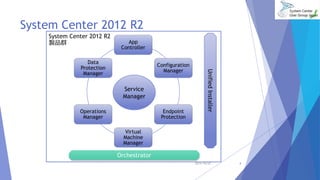
System Center 2012 R2 
製品群App 
Controller 
Configuration 
Manager 
Endpoint 
Protection 
Service 
Manager 
Virtual 
Machine 
Manager 
Data 
Protection 
Manager 
Operations 
Manager 
Orchestrator 
Unified Installer 
2014/10/25 4
System Center 2012 R2 Orchestrator 
 いろいろな製品を組み合わせて処理の自動化を実現するコンポーネン 
ト 
 統合パック(Integratioin Pack:IP)が橋渡し役となり自動化を実現 
 マイクロソフト製品 
Active Directory、Exchange Server、Integration Packs for System Center 
等々 
 マイクロソフト以外の製品 
VMware vSphere等々 
2014/10/25 5
Integration Packs for System Center 
2012 - Orchestrator 
 どういった製品のIPがあるかは、以下のドキュメントで確認できます 
 Integration Packs for System Center 2012 – Orchestrator 
http://technet.microsoft.com/en-us/library/hh295851.aspx 
 アクティビティのリファレンスも上記リンクからたどれます 
 Runbook Activity Reference for System Center 2012 – Orchestrator 
Standard Activities 
http://technet.microsoft.com/en-us/library/hh225055.aspx 
2014/10/25 6
Integration Packのダウンロード 
 System Center 2012 – Orchestrator Component Add-ons and Extensions 
http://www.microsoft.com/en-us/download/details.aspx?id=28725 
CM 2007、OM 2007、VMM 2008、DPM 2010、SM 2010そしてSC 2012用のIntegration Packsをダ 
ウンロード可能です。 
 System Center 2012 Service Pack 1 – Orchestrator Component Add-ons and Extensions 
http://www.microsoft.com/en-us/download/details.aspx?id=34611 
Microsoft Azure、SC 2012 SP1、Active Directory、Exchange、ftp用のIntegration Packsをダウ 
ンロード可能です。 
 System Center 2012 R2 – Orchestrator Component Add-ons and Extensions 
http://www.microsoft.com/en-us/download/details.aspx?id=39622 
Microsoft Azure、SC 2012 R2、Active Directory、Exchange、ftp、SharePoint用のIntegration 
Packsをダウンロード可能です。 
 System Center 2012 Orchestratorの各バージョン用Integration Packsダウンロードページ 
http://sashiz.wordpress.com/2014/09/09/sc2012orchestrator-versions-ip-downloads/ 
にも記載しているので、よろしければご覧ください。 
2014/10/25 7
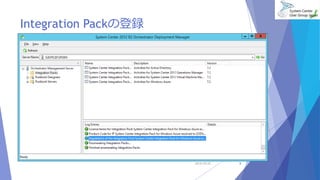
Integration Packの登録 
2014/10/25 8
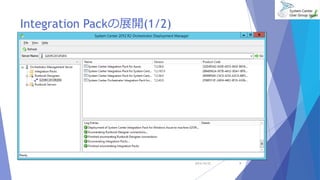
Integration Packの展開(1/2) 
2014/10/25 9
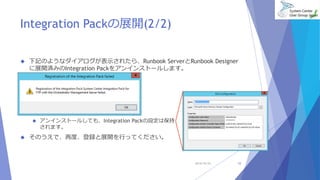
Integration Packの展開(2/2) 
 下記のようなダイアログが表示されたら、Runbook ServerとRunbook Designer 
に展開済みのIntegration Packをアンインストールします。 
 アンインストールしても、Integration Packの設定は保持 
されます。 
 そのうえで、再度、登録と展開を行ってください。 
2014/10/25 10
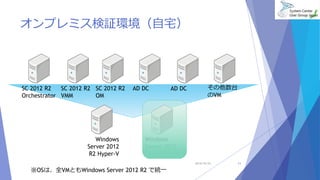
オンプレミス検証環境(自宅) 
SC 2012 R2 
Orchestrator 
SC 2012 R2 
VMM 
SC 2012 R2 
OM 
AD DC その他数台 
のVM 
Windows 
Server 2012 
R2 Hyper-V 
Windows 
Server 2012 
R2 Hyper-V 
2014/10/25 11 
※OSは、全VMともWindows Server 2012 R2 で統一 
AD DC
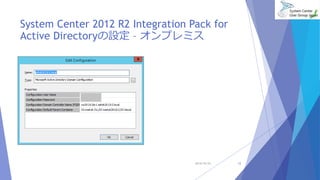
System Center 2012 R2 Integration Pack for 
Active Directoryの設定– オンプレミス 
2014/10/25 12
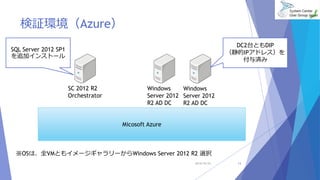
検証環境(Azure) 
Micosoft Azure 
SC 2012 R2 
Orchestrator 
2014/10/25 13 
Windows 
Server 2012 
R2 AD DC 
Windows 
Server 2012 
R2 AD DC 
SQL Server 2012 SP1 
を追加インストール 
※OSは、全VMともイメージギャラリーからWindows Server 2012 R2 選択 
DC2台ともDIP 
(静的IPアドレス)を 
付与済み
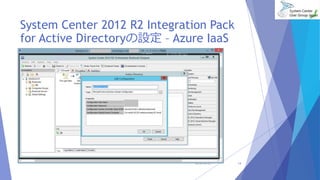
System Center 2012 R2 Integration Pack 
for Active Directoryの設定– Azure IaaS 
2014/10/25 14
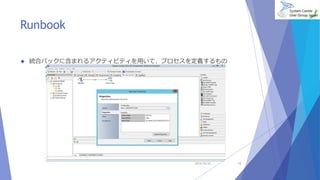
Runbook 
 統合パックに含まれるアクティビティを用いて、プロセスを定義するもの 
2014/10/25 15
「本日のテーマ」 
ノンコーディングでユーザー管理、 
グループ管理を行う 
 古くはVBScript、最近ではPowerShellを駆使してActive Directoryを管理される 
ことが多いのではないでしょうか。 
 ここから、可能な限りノンコーディングでActive Directoryを管理する方法をご 
紹介していきます。 
2014/10/25 16
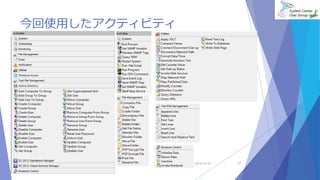
今回使用したアクティビティ 
2014/10/25 17
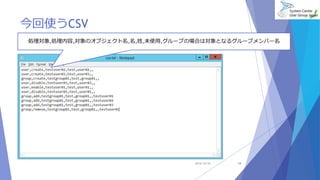
今回使うCSV 
処理対象,処理内容,対象のオブジェクト名,名,姓,未使用,グループの場合は対象となるグループメンバー名 
2014/10/25 18
デモ 
2014/10/25 19
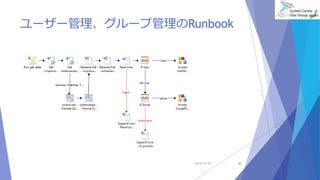
ユーザー管理、グループ管理のRunbook 
2014/10/25 20
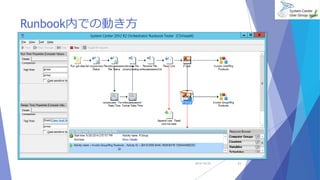
Runbook内での動き方 
2014/10/25 21
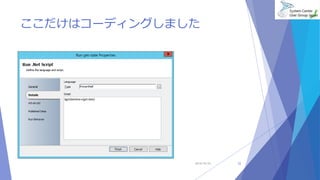
ここだけはコーディングしました 
2014/10/25 22
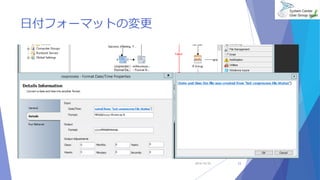
日付フォーマットの変更 
2014/10/25 23
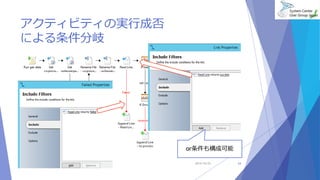
アクティビティの実行成否 
による条件分岐 
or条件も構成可能 
2014/10/25 24
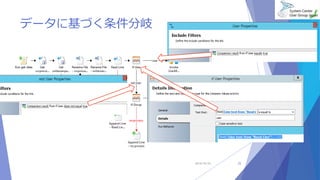
データに基づく条件分岐 
2014/10/25 25
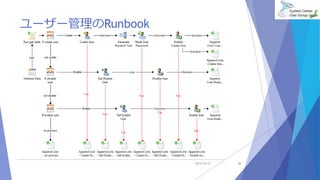
ユーザー管理のRunbook 
2014/10/25 26
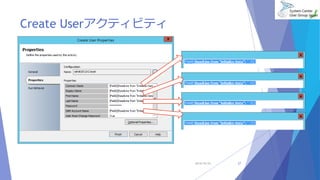
Create Userアクティビティ 
2014/10/25 27
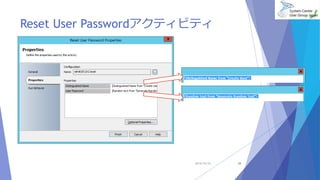
Reset User Passwordアクティビティ 
2014/10/25 28
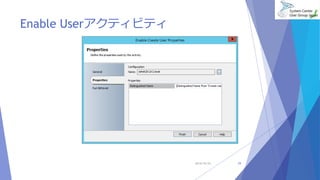
Enable Userアクティビティ 
2014/10/25 29
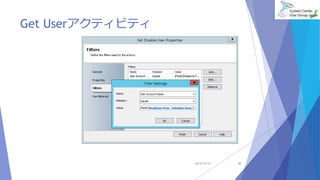
Get Userアクティビティ 
2014/10/25 30
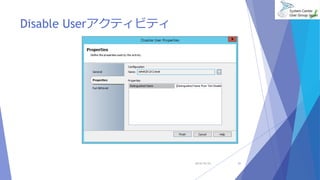
Disable Userアクティビティ 
2014/10/25 31
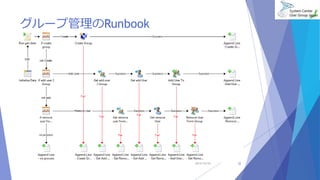
グループ管理のRunbook 
2014/10/25 32
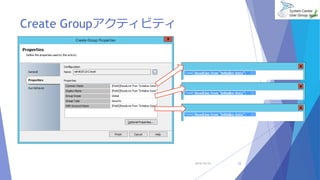
Create Groupアクティビティ 
2014/10/25 33
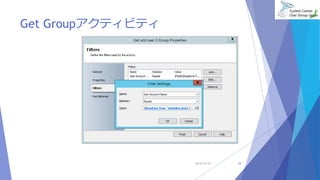
Get Groupアクティビティ 
2014/10/25 34
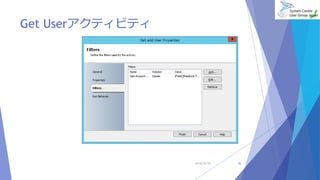
Get Userアクティビティ 
2014/10/25 35
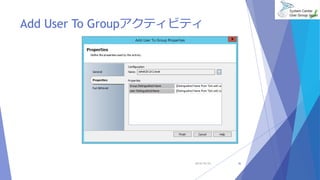
Add User To Groupアクティビティ 
2014/10/25 36
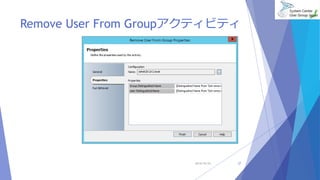
Remove User From Groupアクティビティ 
2014/10/25 37
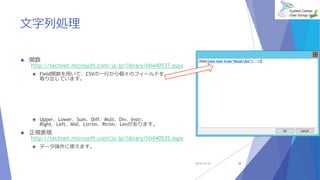
文字列処理 
 関数 
http://technet.microsoft.com/ja-jp/library/hh440537.aspx 
 Field関数を用いて、CSVの一行から個々のフィールドを 
取り出しています。 
 Upper、Lower、Sum、Diff、Mult、Div、Instr、 
Right、Left、Mid、Ltrrim、Rtrim、Lenがあります。 
 正規表現 
http://technet.microsoft.com/ja-jp/library/hh440535.aspx 
 データ操作に使えます。 
2014/10/25 38
まとめ 
 OrchestratorのRunbookは、一般的なプログラミング言語と 
は動き方が違う部分があることを理解しましょう。 
 例えばファイルの読み込みは、一行ごとの読み込むというこ 
と作り手が意識しなくても良いようになっています。 
 スクリプトにより管理したいが、プログラミング技術が追 
い付かないという場合は、OrchestratorのRunbook による 
Active Directoryの管理を試してみてください。 
 OrchestratorのRunbookは、Active Directory以外も管理で 
きますので、興味を持たれたらお試しください。 
2014/10/25 39
参考資料 
 System Center 2012 R2 Orchestrator, Service Manager ステップバイステップ評価ガ 
イドhttp://download.microsoft.com/download/0/7/B/07BE7A3C-07B9-4173- 
B251-6865ADA98E5D/SC2012R2_O_SM_EvalGuide_v1.0.docx 
 Free ebook: System Center: Designing Orchestrator Runbooks 
http://technet.microsoft.com/ja-jp/library/hh403791.aspx 
 Integration Packs for System Center 2012 – Orchestrator 
http://technet.microsoft.com/en-us/library/hh295851.aspx 
 アクティビティのリファレンスも上記リンクからたどれます 
 Runbook Activity Reference for System Center 2012 – Orchestrator Standard 
Activities 
http://technet.microsoft.com/en-us/library/hh225055.aspx 
 System Center 2012 - Orchestrator のRunbook の使用 
http://technet.microsoft.com/ja-jp/library/hh403791.aspx 
 データの操作http://technet.microsoft.com/ja-jp/library/hh440530.aspx 
2014/10/25 40
御清聴ありがとうございました。 
2014/10/25 41

ノンコーディングでactive directoryを管理してみる

Editor's Notes

  • #6 プライベートクラウドとパブリッククラウドの管理と自動化を行うための製品構成 App Controller プライベート クラウドとパブリック クラウドに共通のセルフサービス環境を確立 プライベート クラウドとパブリック クラウドのバチャル マシンとサービスを簡単に構成、デプロイ、および管理 Configuration Manager OSの展開と構成 ソフトウェアの配布(更新プログラムを含む) インベントリ管理 システム構成の監視 リモート管理 Virtual Machine Manager ネットワーク、ストレージリソースを含んだ仮想システム(プライベートクラウド)の全体管理 仮想マシンの迅速な作成 サーバーアプリケーションの仮想化(サービスの仮想化) 仮想化環境の柔軟な運用 仮想環境の移行と障害対策 Data Protection Manager 容易なバックアップと復元 ファイルサーバー クライアント 仮想化環境 Exchange Server SharePoint SQL Server Service Manager 変更と障害管理のベストプラクティステンプレート(Microsoft Operations Framework)によりITサービスのプロセスを最適化 障害、問題、変更または資産履歴を厚生管理データベースに統合 アラートによる問題の自動生成とSystem Center製品間の連携 異なるIT管理システム間の知識の統合と、レポートおよび分析の提供 Orchestrator ITプロセスの自動化と可視化 データセンターに対するワークフロー管理を提供 生成、移行、監視に関する自動化を提供 Unified Installer System Center 2012ファミリの一括インストーラ SQL Server 2008およびSystem Center 2012ファミリに必要なソフトウェアもインストール http://www.microsoft.com/japan/systemcenter/default.mspx
  • #8 実際にURLの内容を表示して説明する。