Azure
Windows Server 2019 は
Azure と一緒に使おう!
日本マイクロソフト株式会
社
高添 修
(17:25-17:50)
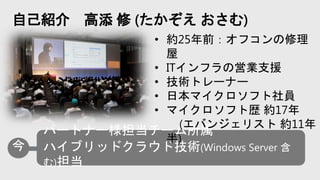
自己紹介 高添 修 (たかぞえ おさむ)
• 約25年前:オフコンの修理
屋
• ITインフラの営業支援
• 技術トレーナー
• 日本マイクロソフト社員
• マイクロソフト歴 約17年
(エバンジェリスト 約11年
半)
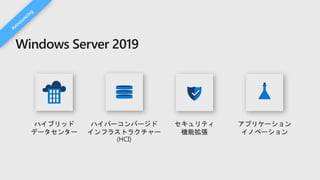
Windows Server 2019
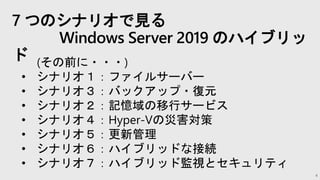
7 つのシナリオで見る
Windows Server 2019 のハイブリッ
ド
4
(その前に・・・)
• シナリオ1:ファイルサーバー
• シナリオ3:バックアップ・復元
• シナリオ2:記憶域の移行サービス
• シナリオ4:Hyper-Vの災害対策
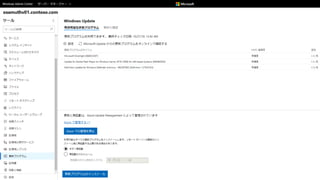
• シナリオ5:更新管理
• シナリオ6:ハイブリッドな接続
• シナリオ7:ハイブリッド監視とセキュリティ
5
その前に・・・
© Microsoft Corporation
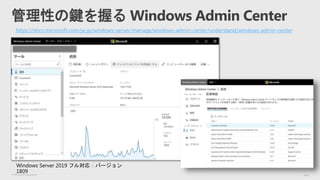
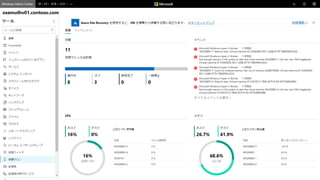
管理性の鍵を握る Windows Admin Center
https://docs.microsoft.com/ja-jp/windows-server/manage/windows-admin-center/understand/windows-admin-center
Windows Server 2019 フル対応:バージョン
1809
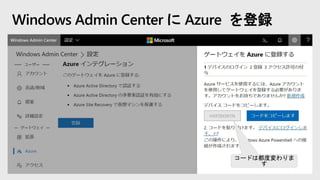
コードは都度変わりま
す
Windows Admin Center に Azure を登録
8
シナリオ1:ファイルサーバー
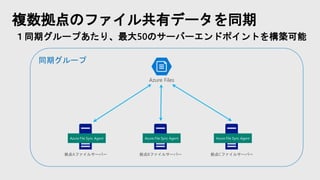
複数拠点のファイル共有データを同期
1同期グループあたり、最大50のサーバーエンドポイントを構築可能
Azure Files
拠点Aファイルサーバー
Azure File Sync Agent
拠点Bファイルサーバー
Azure File Sync Agent
拠点Cファイルサーバー
Azure File Sync Agent
同期グループ
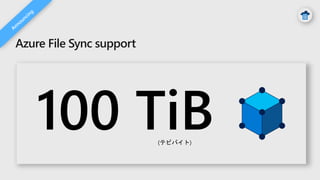
Azure File Sync support
(テビバイト)
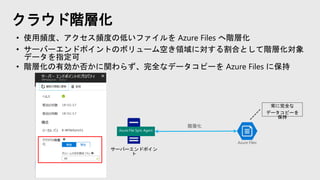
クラウド階層化
サーバーエンドポイン
ト
Azure Files
Azure File Sync Agent
階層化
常に完全な
データコピーを
保持
• 使用頻度、アクセス頻度の低いファイルを Azure Files へ階層化
• サーバーエンドポイントのボリューム空き領域に対する割合として階層化対象
データを指定可
• 階層化の有効か否かに関わらず、完全なデータコピーを Azure Files に保持
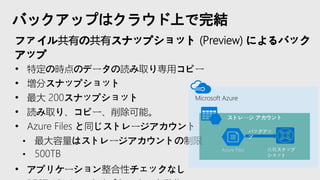
バックアップはクラウド上で完結
ファイル共有の共有スナップショット (Preview) によるバック
アップ
• 特定の時点のデータの読み取り専用コピー
• 増分スナップショット
• 最大 200スナップショット
• 読み取り、コピー、削除可能。
• Azure Files と同じストレージアカウント
• 最大容量はストレージアカウントの制限
• 500TB
• アプリケーション整合性チェックなし
Microsoft Azure
ストレージ アカウント
Azure Files
バックアッ
プ
共有スナップ
ショット
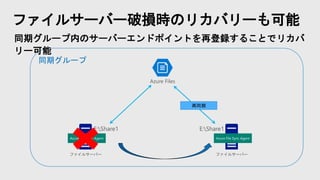
同期グループ
ファイルサーバー破損時のリカバリーも可能
同期グループ内のサーバーエンドポイントを再登録することでリカバ
リー可能
Azure Files
ファイルサーバー
Azure File Sync Agent
E:Share1
ファイルサーバー
Azure File Sync Agent
E:Share1
再同期
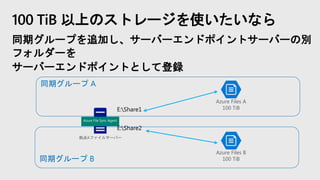
同期グループ B
同期グループ A
100 TiB 以上のストレージを使いたいなら
同期グループを追加し、サーバーエンドポイントサーバーの別
フォルダーを
サーバーエンドポイントとして登録
Azure Files A
100 TiB
拠点Aファイルサーバー
Azure File Sync Agent
E:Share1
E:Share2
Azure Files B
100 TiB
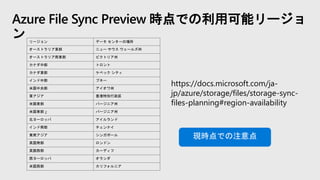
Azure File Sync Preview 時点での利用可能リージョ
ン
https://docs.microsoft.com/ja-
jp/azure/storage/files/storage-sync-
files-planning#region-availability
リージョン データ センターの場所
オーストラリア東部 ニュー サウス ウェールズ州
オーストラリア南東部 ビクトリア州
カナダ中部 トロント
カナダ東部 ケベック シティ
インド中部 プネー
米国中央部 アイオワ州
東アジア 香港特別行政区
米国東部 バージニア州
米国東部 2 バージニア州
北ヨーロッパ アイルランド
インド南部 チェンナイ
東南アジア シンガポール
英国南部 ロンドン
英国西部 カーディフ
西ヨーロッパ オランダ
米国西部 カリフォルニア
現時点での注意点
17
シナリオ2:バックアップ・復元
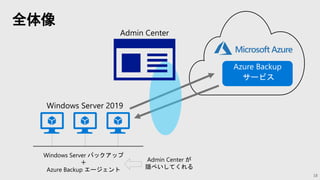
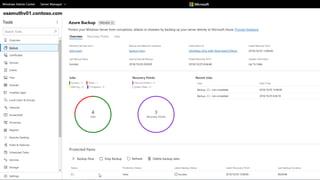
全体像
18
Azure Backup
サービス
Admin Center
Windows Server 2019
Windows Server バックアップ
+
Azure Backup エージェント
Admin Center が
隠ぺいしてくれる
20
シナリオ3:記憶域の移行サービス
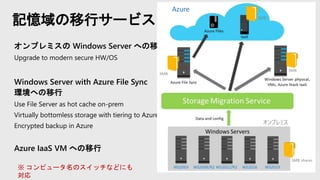
記憶域の移行サービス
オンプレミスの Windows Server への移行
Upgrade to modern secure HW/OS
Windows Server with Azure File Sync
環境への移行
Use File Server as hot cache on-prem
Virtually bottomless storage with tiering to Azure
Encrypted backup in Azure
Azure IaaS VM への移行
※ コンピュータ名のスイッチなどにも
対応
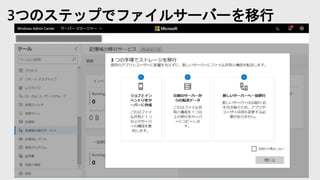
3つのステップでファイルサーバーを移行
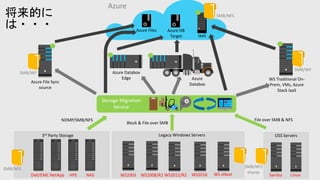
Azure
NetApp NASDell/EMC HPE
3rd Party Storage
SMB/NFS
Azure Databox
Edge Azure
Databox
Azure Files Azure DB
Target
WS2003
Legacy Windows Servers
WS2008/R2 WS2012/R2 WS2016 WS vNext
NDMP/SMB/NFS File over SMB & NFS
Linux
OSS Servers
Samba
Block & File over SMB
SMB/NFS
shares
Azure File Sync
source
SMB/WF
WS Traditional On-
Prem, VMs, Azure
Stack IaaS
SMB/WF
IaaS
SMB/NFS
Storage Migration
Service
将来的に
は・・・
24
シナリオ4:Hyper-V の災害対策
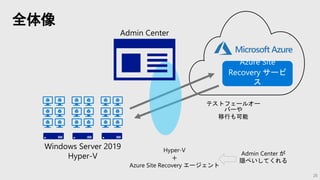
全体像
25
Azure Site
Recovery サービ
ス
Admin Center
Windows Server 2019
Hyper-V
Hyper-V
+
Azure Site Recovery エージェント
Admin Center が
隠ぺいしてくれる
テストフェールオー
バーや
移行も可能
26
27
シナリオ5:更新管理
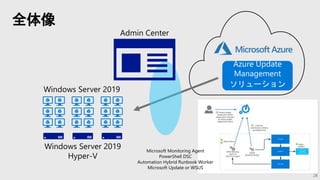
全体像
28
Azure Update
Management
ソリューション
Admin Center
Windows Server 2019
Hyper-V
Windows Server 2019
Microsoft Monitoring Agent
PowerShell DSC
Automation Hybrid Runbook Worker
Microsoft Update or WSUS
30
シナリオ6:ハイブリッドな接続
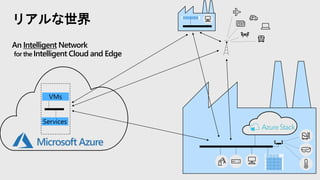
リアルな世界
An Intelligent Network
for the Intelligent Cloud and Edge
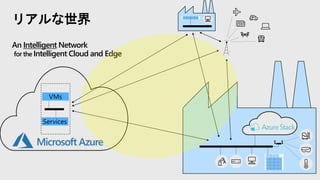
リアルな世界
An Intelligent Network
for the Intelligent Cloud and Edge
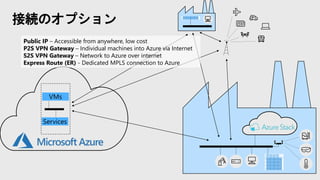
接続のオプション
Public IP – Accessible from anywhere, low cost
P2S VPN Gateway – Individual machines into Azure via Internet
S2S VPN Gateway – Network to Azure over internet
Express Route (ER) - Dedicated MPLS connection to Azure
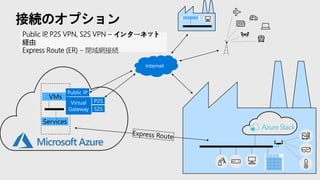
接続のオプション
Public IP, P2S VPN, S2S VPN – インターネット
経由
Express Route (ER) – 閉域網接続
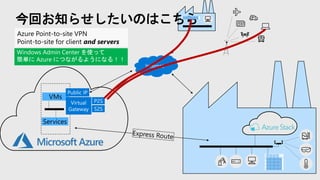
今回お知らせしたいのはこちら
Azure Point-to-site VPN
Point-to-site for client and servers
Windows Admin Center を使って
簡単に Azure につながるようになる!!
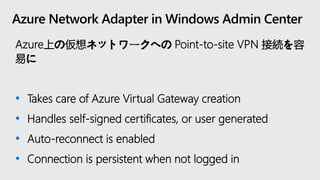
Azure Network Adapter in Windows Admin Center
Azure上の仮想ネットワークへの Point-to-site VPN 接続を容
易に
• Takes care of Azure Virtual Gateway creation
• Handles self-signed certificates, or user generated
• Auto-reconnect is enabled
• Connection is persistent when not logged in
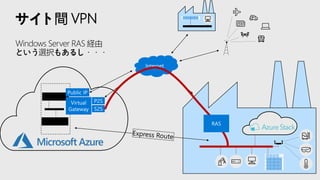
サイト間 VPN
Windows Server RAS 経由
という選択もあるし・・・
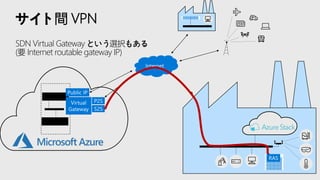
サイト間 VPN
SDN Virtual Gateway という選択もある
(要 Internet routable gateway IP)
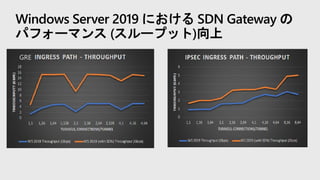
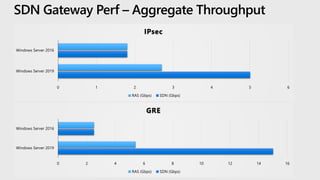
GRE
Windows Server 2019 における SDN Gateway の
パフォーマンス (スループット)向上
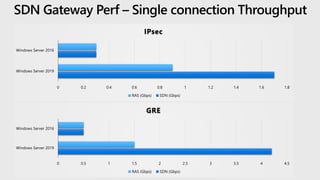
0 0.2 0.4 0.6 0.8 1 1.2 1.4 1.6 1.8
Windows Server 2019
Windows Server 2016
IPsec
RAS (Gbps) SDN (Gbps)
0 0.5 1 1.5 2 2.5 3 3.5 4 4.5
Windows Server 2019
Windows Server 2016
GRE
RAS (Gbps) SDN (Gbps)
SDN Gateway Perf – Single connection Throughput
0 1 2 3 4 5 6
Windows Server 2019
Windows Server 2016
IPsec
RAS (Gbps) SDN (Gbps)
0 2 4 6 8 10 12 14 16
Windows Server 2019
Windows Server 2016
GRE
RAS (Gbps) SDN (Gbps)
SDN Gateway Perf – Aggregate Throughput
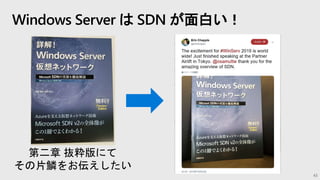
Windows Server は SDN が面白い!
43
第二章 抜粋版にて
その片鱗をお伝えしたい
44
シナリオ7:ハイブリッド監視とセ
キュリティ
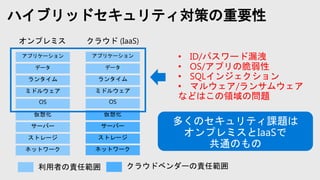
ハイブリッドセキュリティ対策の重要性
ネットワーク
ストレージ
サーバー
仮想化
OS
ミドルウェア
ランタイム
データ
アプリケーション
ネットワーク
ストレージ
サーバー
仮想化
OS
ミドルウェア
ランタイム
データ
アプリケーション • ID/パスワード漏洩
• OS/アプリの脆弱性
• SQLインジェクション
• マルウェア/ランサムウェア
などはこの領域の問題
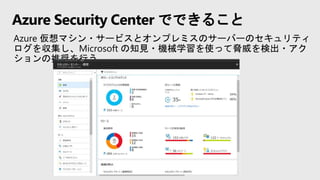
Azure Security Center でできること
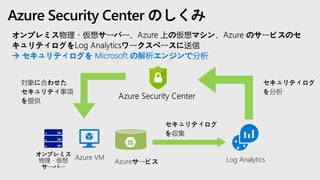
Azure Security Center のしくみ
 セキュリティログを Microsoft の解析エンジンで分析
Log Analytics
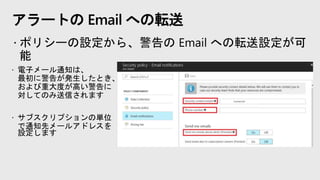
アラートの Email への転送
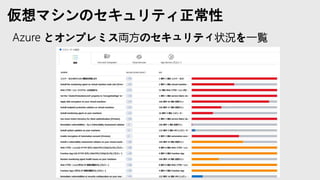
仮想マシンのセキュリティ正常性
51
まとめ
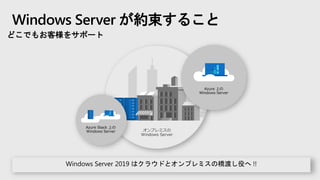
Windows Server が約束すること
どこでもお客様をサポート
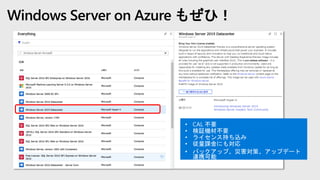
Windows Server on Azure もぜひ!
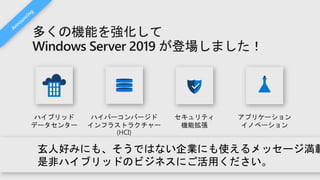
多くの機能を強化して
Windows Server 2019 が登場しました!
© Copyright Microsoft Corporation. All rights reserved.

20181027 ws meetup2_hybrid