Getting started with
Windows Containers
Windows Server Community Meetup (2018.09.01)
Kazuki Takai
自己紹介
 高井 一輝 (Takai Kazuki)
 某ISP勤務
 クラウドサービスの開発、設計、設備維持
 Windows Server / System Center / Linux / etc…
 Microsoft MVP - Cloud and Datacenter Management
 System Center User Group Japan (SCUGJ)
 Twitter : @zhuky7 / Facebook : kazuki.takai
 Blog : http://operationslab.wordpress.com/
セッションの内容
 お話しすること
 Container とは
 Windows の Container 機能
 Docker (EE) のインストール方法
 お話ししないこと
 Container のオーケストレーション
 k8s (Kubernetes)
セッションのゴール
 Windows Container の現状を知る
 Windows Server で Container を使い始められる
 Windows Server 2019 と Container の方向性を知る
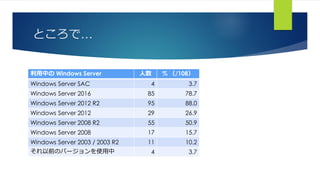
ところで…
利用中の Windows Server 人数 % (/108)
Windows Server SAC 4 3.7
Windows Server 2016 85 78.7
Windows Server 2012 R2 95 88.0
Windows Server 2012 29 26.9
Windows Server 2008 R2 55 50.9
Windows Server 2008 17 15.7
Windows Server 2003 / 2003 R2 11 10.2
それ以前のバージョンを使用中 4 3.7
Agenda
 Containers とは
 Windows Server の Containers
 Containers を使う
はじめる前に
 本資料の内容は個人的な検証結果に基づきます
 所属する会社や組織、マイクロソフト社の公式な見解を記載するものではありません
 表記や内容に誤りがあるなど、お気づきの点があれば、ご連絡いただけると幸いです
 本セッションでは、以下の環境をベースにお話しします
 Windows 10 Version 1803 + Docker 18.06.1-ce-win73 (19507)
 Windows Server 2019 LTSC Insider Preview Build 17744 + Docker 17.10.0-ee-preview-3
 Windows Server SAC Insider Preview Build 17744 + Docker 17.10.0-ee-preview-3
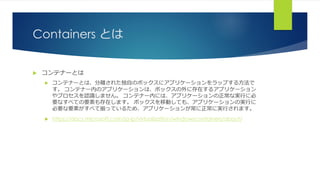
Containers とは
 コンテナーとは
 コンテナーとは、分離された独自のボックスにアプリケーションをラップする方法で
す。 コンテナー内のアプリケーションは、ボックスの外に存在するアプリケーション
やプロセスを認識しません。 コンテナー内には、アプリケーションの正常な実行に必
要なすべての要素も存在します。 ボックスを移動しても、アプリケーションの実行に
必要な要素がすべて揃っているため、アプリケーションが常に正常に実行されます。
 https://docs.microsoft.com/ja-jp/virtualization/windowscontainers/about/
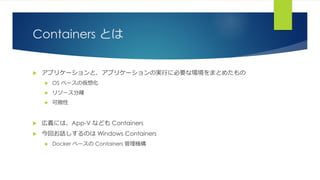
Containers とは
 アプリケーションと、アプリケーションの実行に必要な環境をまとめたもの
 OS ベースの仮想化
 リソース分離
 可搬性
 広義には、App-V なども Containers
 今回お話しするのは Windows Containers
 Docker ベースの Containers 管理機構
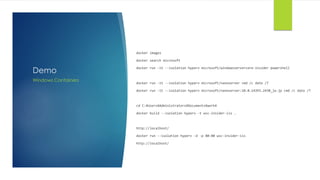
Demo
docker images
docker search microsoft
docker run -it --isolation hyperv microsoft/windowsservercore-insider powershell
docker run -it --isolation hyperv microsoft/nanoserver cmd /c date /T
docker run -it --isolation hyperv microsoft/nanoserver:10.0.14393.2430_ja-jp cmd /c date /T
cd C:¥Users¥Administrators¥Documents¥work¥
docker build --isolation hyperv -t wsc-insider-iis .
http://localhost/
docker run --isolation hyperv -d -p 80:80 wsc-insider-iis
http://localhost/
Windows Containers
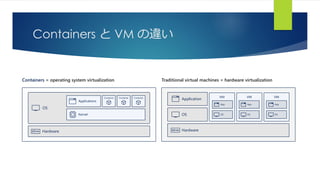
Containers と VM の違い
Containers = operating system virtualization Traditional virtual machines = hardware virtualization
OS
Kernel
Applications
Container Container Container
Hardware Hardware
OS
Application
VM VM VM
App
OS
App
OS
App
OS
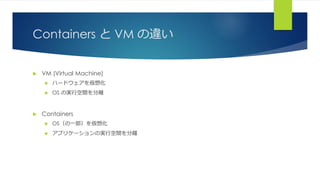
Containers と VM の違い
 VM (Virtual Machine)
 ハードウェアを仮想化
 OS の実行空間を分離
 Containers
 OS(の一部)を仮想化
 アプリケーションの実行空間を分離
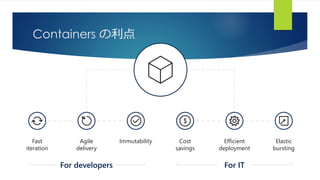
Containers の利点
Fast
iteration
Agile
delivery
Immutability Cost
savings
Elastic
bursting
Efficient
deployment
For ITFor developers
Windows Server の Container
 Windows Server 2016 で初搭載
 Containers の機能を有効化することで利用可能
 一部機能の利用には Hyper-V が必要
 Hyper-V が必要な場合は、サポートするハードウェアが必要
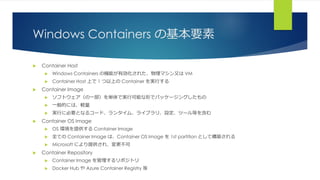
Windows Containers の基本要素
 Container Host
 Windows Containers の機能が有効化された、物理マシン又は VM
 Container Host 上で 1 つ以上の Container を実行する
 Container Image
 ソフトウェア(の一部)を単体で実行可能な形でパッケージングしたもの
 一般的には、軽量
 実行に必要となるコード、ランタイム、ライブラリ、設定、ツール等を含む
 Container OS Image
 OS 環境を提供する Container Image
 全ての Container Image は、Container OS Image を 1st partition として構築される
 Microsoft により提供され、変更不可
 Container Repository
 Container Image を管理するリポジトリ
 Docker Hub や Azure Container Registry 等
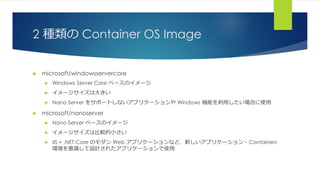
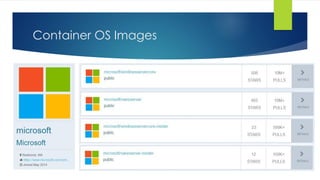
2 種類の Container OS Image
 microsoft/windowsservercore
 Windows Server Core ベースのイメージ
 イメージサイズは大きい
 Nano Server をサポートしないアプリケーションや Windows 機能を利用したい場合に使用
 microsoft/nanoserver
 Nano Server ベースのイメージ
 イメージサイズは比較的小さい
 IIS + .NET Core のモダン Web アプリケーションなど、新しいアプリケーション・Containers
環境を意識して設計されたアプリケーションで使用
Container OS Images
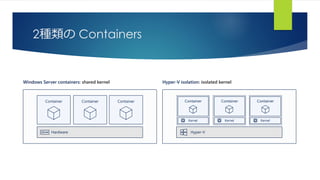
2種類の Containers
Windows Server containers: shared kernel Hyper-V isolation: isolated kernel
Hardware
Container Container Container
Hyper-V
Container
Kernel
Container
Kernel
Container
Kernel
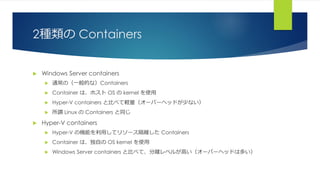
2種類の Containers
 Windows Server containers
 通常の(一般的な)Containers
 Container は、ホスト OS の kernel を使用
 Hyper-V containers と比べて軽量(オーバーヘッドが少ない)
 所謂 Linux の Containers と同じ
 Hyper-V containers
 Hyper-V の機能を利用してリソース隔離した Containers
 Container は、独自の OS kernel を使用
 Windows Server containers と比べて、分離レベルが高い(オーバーヘッドは多い)
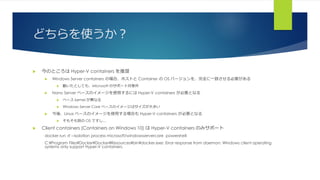
どちらを使うか?
 今のところは Hyper-V containers を推奨
 Windows Server containers の場合、ホストと Container の OS バージョンを、完全に一致させる必要がある
 動いたとしても、Microsoft のサポート対象外
 Nano Server ベースのイメージを使用するには Hyper-V containers が必要となる
 ベース kernel が異なる
 Windows Server Core ベースのイメージはサイズが大きい
 今後、Linux ベースのイメージを使用する場合も Hyper-V containers が必要となる
 そもそも別の OS ですし…
 Client containers (Containers on Windows 10) は Hyper-V containers のみサポート
docker run -it --isolation process microsoft/windowsservercore powershell
C:¥Program Files¥Docker¥Docker¥Resources¥bin¥docker.exe: Error response from daemon: Windows client operating
systems only support Hyper-V containers.
Demo
ROM microsoft/windowsservercore-insider
RUN powershell -Command `
Add-WindowsFeature Web-Server; `
Invoke-WebRequest -UseBasicParsing -Uri
"https://dotnetbinaries.blob.core.windows.net/servicemonitor/2.0.1.3/Service
Monitor.exe" -OutFile "C:¥ServiceMonitor.exe"
EXPOSE 80
ENTRYPOINT ["C:¥¥ServiceMonitor.exe", "w3svc"]
Windows Containers
Windows Containers を使う
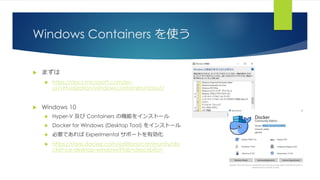
 まずは
 https://docs.microsoft.com/en-
us/virtualization/windowscontainers/about/
 Windows 10
 Hyper-V 及び Containers の機能をインストール
 Docker for Windows (Desktop Tool) をインストール
 必要であれば Experimental サポートを有効化
 https://store.docker.com/editions/community/do
cker-ce-desktop-windows?tab=description
Windows Containers を使う
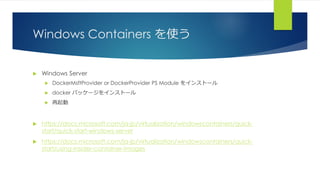
 Windows Server
 DockerMsftProvider or DockerProvider PS Module をインストール
 docker パッケージをインストール
 再起動
 https://docs.microsoft.com/ja-jp/virtualization/windowscontainers/quick-
start/quick-start-windows-server
 https://docs.microsoft.com/ja-jp/virtualization/windowscontainers/quick-
start/using-insider-container-images
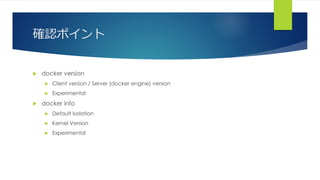
確認ポイント
 docker version
 Client version / Server (docker engine) version
 Experimental
 docker info
 Default Isolation
 Kernel Version
 Experimental
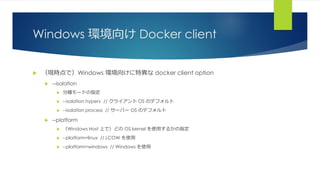
Windows 環境向け Docker client
 (現時点で)Windows 環境向けに特異な docker client option
 --isolation
 分離モードの指定
 --isolation hyperv // クライアント OS のデフォルト
 --isolation process // サーバー OS のデフォルト
 --platform
 (Windows Host 上で)どの OS kernel を使用するかの指定
 --platform=linux // LCOW を使用
 --platform=windows // Windows を使用
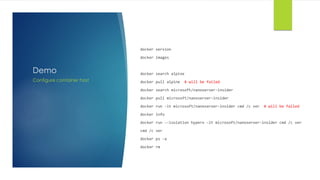
Demo
docker version
docker images
docker search alpine
docker pull alpine # will be failed
docker search microsoft/nanoserver-insider
docker pull microsoft/nanoserver-insider
docker run -it microsoft/nanoserver-insider cmd /c ver # will be failed
docker info
docker run --isolation hyperv -it microsoft/nanoserver-insider cmd /c ver
cmd /c ver
docker ps -a
docker rm
Configure container host
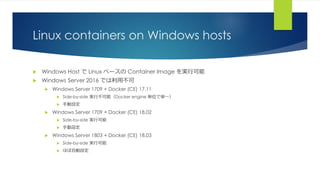
Linux containers on Windows hosts
 Windows Host で Linux ベースの Container Image を実行可能
 Windows Server 2016 では利用不可
 Windows Server 1709 + Docker (CE) 17.11
 Side-by-side 実行不可能(Docker engine 単位で単一)
 手動設定
 Windows Server 1709 + Docker (CE) 18.02
 Side-by-side 実行可能
 手動設定
 Windows Server 1803 + Docker (CE) 18.03
 Side-by-side 実行可能
 ほぼ自動設定
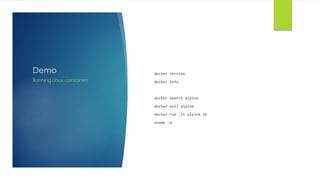
Demo docker version
docker info
docker search alpine
docker pull alpine
docker run -it alpine sh
uname -a
Running Linux containers
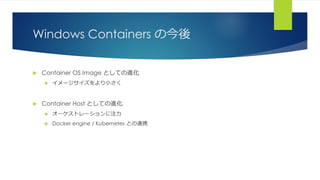
Windows Containers の今後
 Container OS Image としての進化
 イメージサイズをより小さく
 Container Host としての進化
 オーケストレーションに注力
 Docker engine / Kubernetes との連携
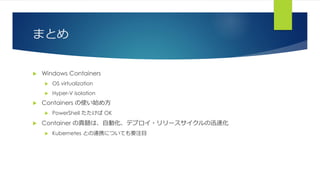
まとめ
 Windows Containers
 OS virtualization
 Hyper-V isolation
 Containers の使い始め方
 PowerShell たたけば OK
 Container の真髄は、自動化、デプロイ・リリースサイクルの迅速化
 Kubernetes との連携についても要注目
参考資料
 Containers 101 with Microsoft and Docker
 https://channel9.msdn.com/Blogs/containers/Containers-101-with-Microsoft-
and-Docker?ocid=player
 Docker for Windows Stable Release notes
 https://docs.docker.com/docker-for-windows/release-notes/
 Install Docker Enterprise Edition for Windows Server
 https://docs.docker.com/install/windows/docker-ee/
Getting started with Windows Containers

  • 1.
    Getting started with WindowsContainers Windows Server Community Meetup (2018.09.01) Kazuki Takai
  • 2.
    自己紹介  高井 一輝(Takai Kazuki)  某ISP勤務  クラウドサービスの開発、設計、設備維持  Windows Server / System Center / Linux / etc…  Microsoft MVP - Cloud and Datacenter Management  System Center User Group Japan (SCUGJ)  Twitter : @zhuky7 / Facebook : kazuki.takai  Blog : http://operationslab.wordpress.com/
  • 3.
    セッションの内容  お話しすること  Containerとは  Windows の Container 機能  Docker (EE) のインストール方法  お話ししないこと  Container のオーケストレーション  k8s (Kubernetes)
  • 4.
    セッションのゴール  Windows Containerの現状を知る  Windows Server で Container を使い始められる  Windows Server 2019 と Container の方向性を知る
  • 5.
    ところで… 利用中の Windows Server人数 % (/108) Windows Server SAC 4 3.7 Windows Server 2016 85 78.7 Windows Server 2012 R2 95 88.0 Windows Server 2012 29 26.9 Windows Server 2008 R2 55 50.9 Windows Server 2008 17 15.7 Windows Server 2003 / 2003 R2 11 10.2 それ以前のバージョンを使用中 4 3.7
  • 6.
    Agenda  Containers とは Windows Server の Containers  Containers を使う
  • 7.
    はじめる前に  本資料の内容は個人的な検証結果に基づきます  所属する会社や組織、マイクロソフト社の公式な見解を記載するものではありません 表記や内容に誤りがあるなど、お気づきの点があれば、ご連絡いただけると幸いです  本セッションでは、以下の環境をベースにお話しします  Windows 10 Version 1803 + Docker 18.06.1-ce-win73 (19507)  Windows Server 2019 LTSC Insider Preview Build 17744 + Docker 17.10.0-ee-preview-3  Windows Server SAC Insider Preview Build 17744 + Docker 17.10.0-ee-preview-3
  • 8.
    Containers とは  コンテナーとは コンテナーとは、分離された独自のボックスにアプリケーションをラップする方法で す。 コンテナー内のアプリケーションは、ボックスの外に存在するアプリケーション やプロセスを認識しません。 コンテナー内には、アプリケーションの正常な実行に必 要なすべての要素も存在します。 ボックスを移動しても、アプリケーションの実行に 必要な要素がすべて揃っているため、アプリケーションが常に正常に実行されます。  https://docs.microsoft.com/ja-jp/virtualization/windowscontainers/about/
  • 9.
    Containers とは  アプリケーションと、アプリケーションの実行に必要な環境をまとめたもの OS ベースの仮想化  リソース分離  可搬性  広義には、App-V なども Containers  今回お話しするのは Windows Containers  Docker ベースの Containers 管理機構
  • 10.
    Demo docker images docker searchmicrosoft docker run -it --isolation hyperv microsoft/windowsservercore-insider powershell docker run -it --isolation hyperv microsoft/nanoserver cmd /c date /T docker run -it --isolation hyperv microsoft/nanoserver:10.0.14393.2430_ja-jp cmd /c date /T cd C:¥Users¥Administrators¥Documents¥work¥ docker build --isolation hyperv -t wsc-insider-iis . http://localhost/ docker run --isolation hyperv -d -p 80:80 wsc-insider-iis http://localhost/ Windows Containers
  • 11.
    Containers と VMの違い Containers = operating system virtualization Traditional virtual machines = hardware virtualization OS Kernel Applications Container Container Container Hardware Hardware OS Application VM VM VM App OS App OS App OS
  • 12.
    Containers と VMの違い  VM (Virtual Machine)  ハードウェアを仮想化  OS の実行空間を分離  Containers  OS(の一部)を仮想化  アプリケーションの実行空間を分離
  • 13.
  • 14.
    Windows Server のContainer  Windows Server 2016 で初搭載  Containers の機能を有効化することで利用可能  一部機能の利用には Hyper-V が必要  Hyper-V が必要な場合は、サポートするハードウェアが必要
  • 15.
    Windows Containers の基本要素 Container Host  Windows Containers の機能が有効化された、物理マシン又は VM  Container Host 上で 1 つ以上の Container を実行する  Container Image  ソフトウェア(の一部)を単体で実行可能な形でパッケージングしたもの  一般的には、軽量  実行に必要となるコード、ランタイム、ライブラリ、設定、ツール等を含む  Container OS Image  OS 環境を提供する Container Image  全ての Container Image は、Container OS Image を 1st partition として構築される  Microsoft により提供され、変更不可  Container Repository  Container Image を管理するリポジトリ  Docker Hub や Azure Container Registry 等
  • 16.
    2 種類の ContainerOS Image  microsoft/windowsservercore  Windows Server Core ベースのイメージ  イメージサイズは大きい  Nano Server をサポートしないアプリケーションや Windows 機能を利用したい場合に使用  microsoft/nanoserver  Nano Server ベースのイメージ  イメージサイズは比較的小さい  IIS + .NET Core のモダン Web アプリケーションなど、新しいアプリケーション・Containers 環境を意識して設計されたアプリケーションで使用
  • 17.
  • 18.
    2種類の Containers Windows Servercontainers: shared kernel Hyper-V isolation: isolated kernel Hardware Container Container Container Hyper-V Container Kernel Container Kernel Container Kernel
  • 19.
    2種類の Containers  WindowsServer containers  通常の(一般的な)Containers  Container は、ホスト OS の kernel を使用  Hyper-V containers と比べて軽量(オーバーヘッドが少ない)  所謂 Linux の Containers と同じ  Hyper-V containers  Hyper-V の機能を利用してリソース隔離した Containers  Container は、独自の OS kernel を使用  Windows Server containers と比べて、分離レベルが高い(オーバーヘッドは多い)
  • 20.
    どちらを使うか?  今のところは Hyper-Vcontainers を推奨  Windows Server containers の場合、ホストと Container の OS バージョンを、完全に一致させる必要がある  動いたとしても、Microsoft のサポート対象外  Nano Server ベースのイメージを使用するには Hyper-V containers が必要となる  ベース kernel が異なる  Windows Server Core ベースのイメージはサイズが大きい  今後、Linux ベースのイメージを使用する場合も Hyper-V containers が必要となる  そもそも別の OS ですし…  Client containers (Containers on Windows 10) は Hyper-V containers のみサポート docker run -it --isolation process microsoft/windowsservercore powershell C:¥Program Files¥Docker¥Docker¥Resources¥bin¥docker.exe: Error response from daemon: Windows client operating systems only support Hyper-V containers.
  • 21.
    Demo ROM microsoft/windowsservercore-insider RUN powershell-Command ` Add-WindowsFeature Web-Server; ` Invoke-WebRequest -UseBasicParsing -Uri "https://dotnetbinaries.blob.core.windows.net/servicemonitor/2.0.1.3/Service Monitor.exe" -OutFile "C:¥ServiceMonitor.exe" EXPOSE 80 ENTRYPOINT ["C:¥¥ServiceMonitor.exe", "w3svc"] Windows Containers
  • 22.
    Windows Containers を使う まずは  https://docs.microsoft.com/en- us/virtualization/windowscontainers/about/  Windows 10  Hyper-V 及び Containers の機能をインストール  Docker for Windows (Desktop Tool) をインストール  必要であれば Experimental サポートを有効化  https://store.docker.com/editions/community/do cker-ce-desktop-windows?tab=description
  • 23.
    Windows Containers を使う Windows Server  DockerMsftProvider or DockerProvider PS Module をインストール  docker パッケージをインストール  再起動  https://docs.microsoft.com/ja-jp/virtualization/windowscontainers/quick- start/quick-start-windows-server  https://docs.microsoft.com/ja-jp/virtualization/windowscontainers/quick- start/using-insider-container-images
  • 24.
    確認ポイント  docker version Client version / Server (docker engine) version  Experimental  docker info  Default Isolation  Kernel Version  Experimental
  • 25.
    Windows 環境向け Dockerclient  (現時点で)Windows 環境向けに特異な docker client option  --isolation  分離モードの指定  --isolation hyperv // クライアント OS のデフォルト  --isolation process // サーバー OS のデフォルト  --platform  (Windows Host 上で)どの OS kernel を使用するかの指定  --platform=linux // LCOW を使用  --platform=windows // Windows を使用
  • 26.
    Demo docker version docker images dockersearch alpine docker pull alpine # will be failed docker search microsoft/nanoserver-insider docker pull microsoft/nanoserver-insider docker run -it microsoft/nanoserver-insider cmd /c ver # will be failed docker info docker run --isolation hyperv -it microsoft/nanoserver-insider cmd /c ver cmd /c ver docker ps -a docker rm Configure container host
  • 27.
    Linux containers onWindows hosts  Windows Host で Linux ベースの Container Image を実行可能  Windows Server 2016 では利用不可  Windows Server 1709 + Docker (CE) 17.11  Side-by-side 実行不可能(Docker engine 単位で単一)  手動設定  Windows Server 1709 + Docker (CE) 18.02  Side-by-side 実行可能  手動設定  Windows Server 1803 + Docker (CE) 18.03  Side-by-side 実行可能  ほぼ自動設定
  • 28.
    Demo docker version dockerinfo docker search alpine docker pull alpine docker run -it alpine sh uname -a Running Linux containers
  • 29.
    Windows Containers の今後 Container OS Image としての進化  イメージサイズをより小さく  Container Host としての進化  オーケストレーションに注力  Docker engine / Kubernetes との連携
  • 30.
    まとめ  Windows Containers OS virtualization  Hyper-V isolation  Containers の使い始め方  PowerShell たたけば OK  Container の真髄は、自動化、デプロイ・リリースサイクルの迅速化  Kubernetes との連携についても要注目
  • 31.
    参考資料  Containers 101with Microsoft and Docker  https://channel9.msdn.com/Blogs/containers/Containers-101-with-Microsoft- and-Docker?ocid=player  Docker for Windows Stable Release notes  https://docs.docker.com/docker-for-windows/release-notes/  Install Docker Enterprise Edition for Windows Server  https://docs.docker.com/install/windows/docker-ee/