WHY DOES WINDOW CRASH? THE TOP
10 REASONS
• Windows is most popular operating system.
• If windows fail then it can cause the loss of important
data.
• A crash in windows means that a operating system has
either frozen, stopped working or closed for an unknown
reason.
• If windows crash occurs, the blue screen of death
appears.
• This screen is also known as “dead screen", "blue
screen errors” and officially known as “stop error[1]” or “a
bug check”.
• After which, computer is automatically shutdown.
• In Unix based O.S, a similar term is “kernel panic”.
• The text on BSOD may list any files involved in the crash
that may have been at fault.
• Often includes a short description of what to do about
the problem.
• BSOD also includes a “stop code” that can be used to
trouble shoot this specific “stop error”.
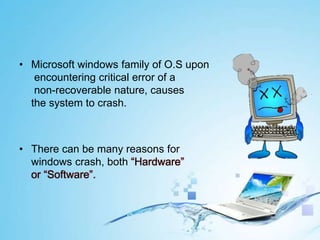
• Microsoft windows family of O.S upon
encountering critical error of a
non-recoverable nature, causes
the system to crash.
• There can be many reasons for
windows crash, both “Hardware”
or “Software”.
• A computer virus attach itself to a program/file enabling it
to spread and causes serious harm to PC and corrupts
drivers and important files.
• The best solution is to install antivirus, firewalls, and
frequently backup your data.
• Top antiviruses are
i. Kasper sky
ii. Eset NOD32
iii. Avira
iv. Avast
v. panda
• A problem with power supply reduces
the power it can deliver or causes
an uneven flow of power also
results in crashes.
• An overload circuit,
poor wiring or faulty power strip
could be the reason.
• The solution is to replace power supply
or use of uninterrupted power supply(UPS).
• You can diagnose it by moving PC to another place.
• A common cause of crash is badly/faulty installed
softwares.
• Problem can resolved by uninstalling the software and
reinstalling it or
• By entering into safe mode at starting of windows and
press F4 or
• Using “system configuration utility” to disable the
software the runs at boot.
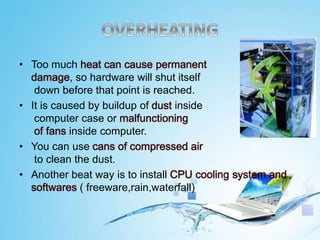
• Too much heat can cause permanent
damage, so hardware will shut itself
down before that point is reached.
• It is caused by buildup of dust inside
computer case or malfunctioning
of fans inside computer.
• You can use cans of compressed air
to clean the dust.
• Another beat way is to install CPU cooling system and
softwares ( freeware,rain,waterfall)
• Crash of this type are usually associated with an error
message.
• Sometimes the error message will clearly name the
offending hardware.
• If it does not, try running the message through Google to
see if that helps you find culprit.
• If a computer mysteriously loses its ability to find the
boot drive, but BIOS is properly configured, a hard drive
issues is the culprit.
• Hardware conflicts can be seen by opening device
manager.
• If a conflict exists it will be visible in this utility with a
yellow and black examination icon.
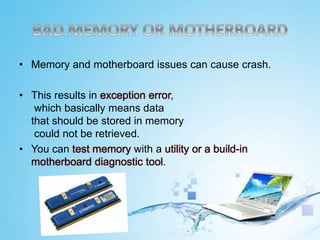
• Memory and motherboard issues can cause crash.
• This results in exception error,
which basically means data
that should be stored in memory
could not be retrieved.
• You can test memory with a utility or a build-in
motherboard diagnostic tool.
• Another common problem with boot order is a high
placement of USB or CD-Drive.
• If you leave USB plugged into your PC, and BIOS is set
to boot from USB, then your PC will not boot properly.
• You can change the boot order or simply remove the
offending drive.
• A corrupt registery can prevent a PC from booting
properly(i.e crash).
• Quality “registery fix software” can often fix this problem.
• Or if your PC will not boot properly try to run Windows in
safe mode and run the software from there.
• There are many reasons of windows crash and often a
single problem might have multiple causes.
• I hope that this article pointed you in right directed to
avoid Windows crash and to fix one if it occurs.
Why Window crahes
Why Window crahes
Why Window crahes
Why Window crahes
Why Window crahes
Why Window crahes
Why Window crahes

Why Window crahes

  • 1.
    WHY DOES WINDOWCRASH? THE TOP 10 REASONS
  • 3.
    • Windows ismost popular operating system. • If windows fail then it can cause the loss of important data. • A crash in windows means that a operating system has either frozen, stopped working or closed for an unknown reason.
  • 4.
    • If windowscrash occurs, the blue screen of death appears. • This screen is also known as “dead screen", "blue screen errors” and officially known as “stop error[1]” or “a bug check”. • After which, computer is automatically shutdown. • In Unix based O.S, a similar term is “kernel panic”.
  • 6.
    • The texton BSOD may list any files involved in the crash that may have been at fault. • Often includes a short description of what to do about the problem. • BSOD also includes a “stop code” that can be used to trouble shoot this specific “stop error”.
  • 7.
    • Microsoft windowsfamily of O.S upon encountering critical error of a non-recoverable nature, causes the system to crash. • There can be many reasons for windows crash, both “Hardware” or “Software”.
  • 9.
    • A computervirus attach itself to a program/file enabling it to spread and causes serious harm to PC and corrupts drivers and important files. • The best solution is to install antivirus, firewalls, and frequently backup your data. • Top antiviruses are i. Kasper sky ii. Eset NOD32 iii. Avira iv. Avast v. panda
  • 10.
    • A problemwith power supply reduces the power it can deliver or causes an uneven flow of power also results in crashes. • An overload circuit, poor wiring or faulty power strip could be the reason. • The solution is to replace power supply or use of uninterrupted power supply(UPS). • You can diagnose it by moving PC to another place.
  • 11.
    • A commoncause of crash is badly/faulty installed softwares. • Problem can resolved by uninstalling the software and reinstalling it or • By entering into safe mode at starting of windows and press F4 or • Using “system configuration utility” to disable the software the runs at boot.
  • 12.
    • Too muchheat can cause permanent damage, so hardware will shut itself down before that point is reached. • It is caused by buildup of dust inside computer case or malfunctioning of fans inside computer. • You can use cans of compressed air to clean the dust. • Another beat way is to install CPU cooling system and softwares ( freeware,rain,waterfall)
  • 13.
    • Crash ofthis type are usually associated with an error message. • Sometimes the error message will clearly name the offending hardware. • If it does not, try running the message through Google to see if that helps you find culprit.
  • 14.
    • If acomputer mysteriously loses its ability to find the boot drive, but BIOS is properly configured, a hard drive issues is the culprit.
  • 15.
    • Hardware conflictscan be seen by opening device manager. • If a conflict exists it will be visible in this utility with a yellow and black examination icon.
  • 16.
    • Memory andmotherboard issues can cause crash. • This results in exception error, which basically means data that should be stored in memory could not be retrieved. • You can test memory with a utility or a build-in motherboard diagnostic tool.
  • 17.
    • Another commonproblem with boot order is a high placement of USB or CD-Drive. • If you leave USB plugged into your PC, and BIOS is set to boot from USB, then your PC will not boot properly. • You can change the boot order or simply remove the offending drive.
  • 18.
    • A corruptregistery can prevent a PC from booting properly(i.e crash). • Quality “registery fix software” can often fix this problem. • Or if your PC will not boot properly try to run Windows in safe mode and run the software from there.
  • 19.
    • There aremany reasons of windows crash and often a single problem might have multiple causes. • I hope that this article pointed you in right directed to avoid Windows crash and to fix one if it occurs.