What’s New in eCognition 8.9
Christian Weise
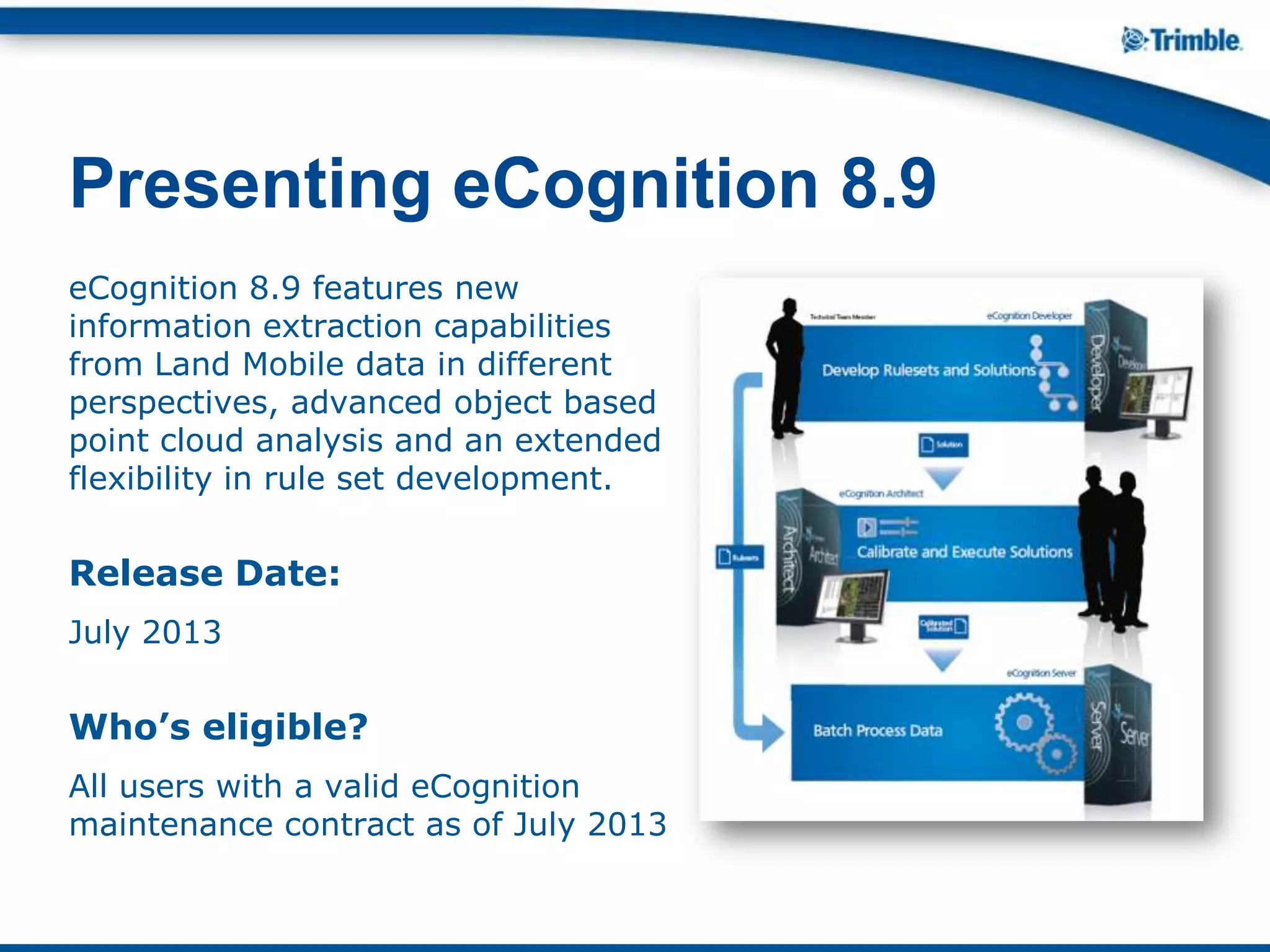
eCognition 8.9 features new
information extraction capabilities
from Land Mobile data in different
perspectives, advanced object based
point cloud analysis and an extended
flexibility in rule set development.
Release Date:
July 2013
Who’s eligible?
All users with a valid eCognition
maintenance contract as of July 2013
Presenting eCognition 8.9
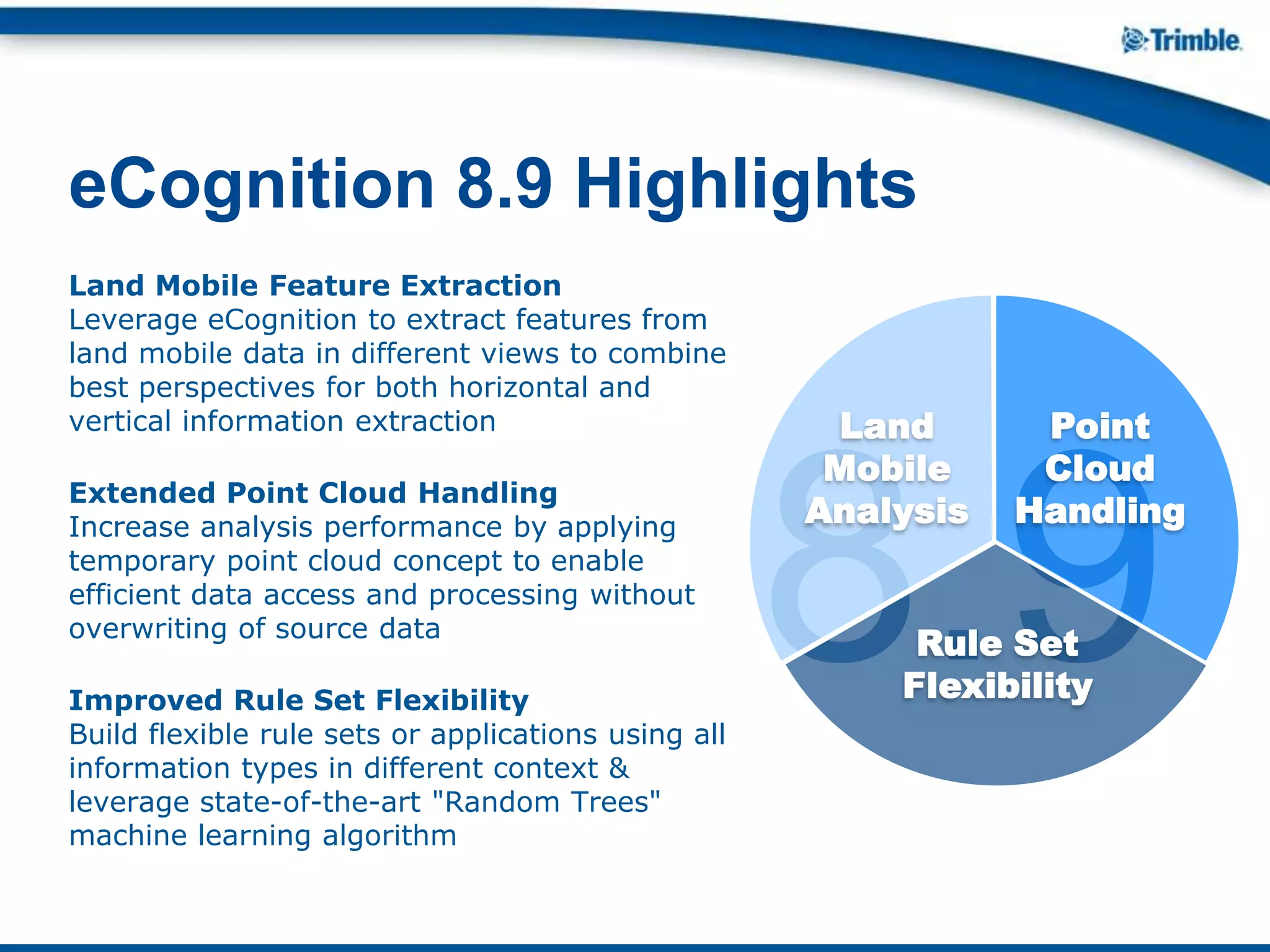
Land Mobile Feature Extraction
Leverage eCognition to extract features from
land mobile data in different views to combine
best perspectives for both horizontal and
vertical information extraction
Extended Point Cloud Handling
Increase analysis performance by applying
temporary point cloud concept to enable
efficient data access and processing without
overwriting of source data
Improved Rule Set Flexibility
Build flexible rule sets or applications using all
information types in different context &
leverage state-of-the-art "Random Trees"
machine learning algorithm
eCognition 8.9 Highlights
8.9
Land
Mobile
Analysis
Rule Set
Flexibility
Point
Cloud
Handling
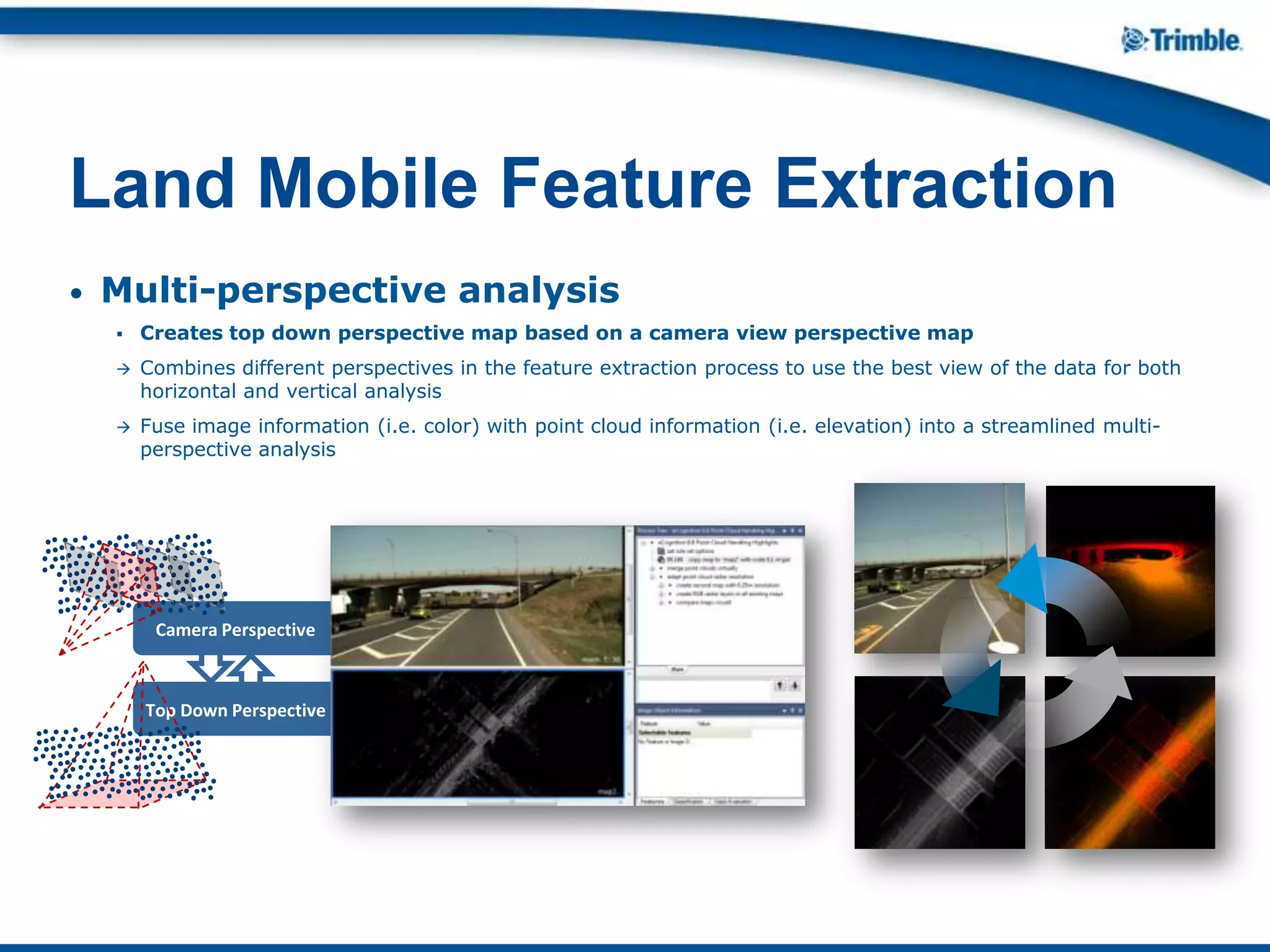
• Multi-perspective analysis
 Creates top down perspective map based on a camera view perspective map
 Combines different perspectives in the feature extraction process to use the best view of the data for both
horizontal and vertical analysis
 Fuse image information (i.e. color) with point cloud information (i.e. elevation) into a streamlined multi-
perspective analysis
Land Mobile Feature Extraction
Top Down Perspective
Camera Perspective
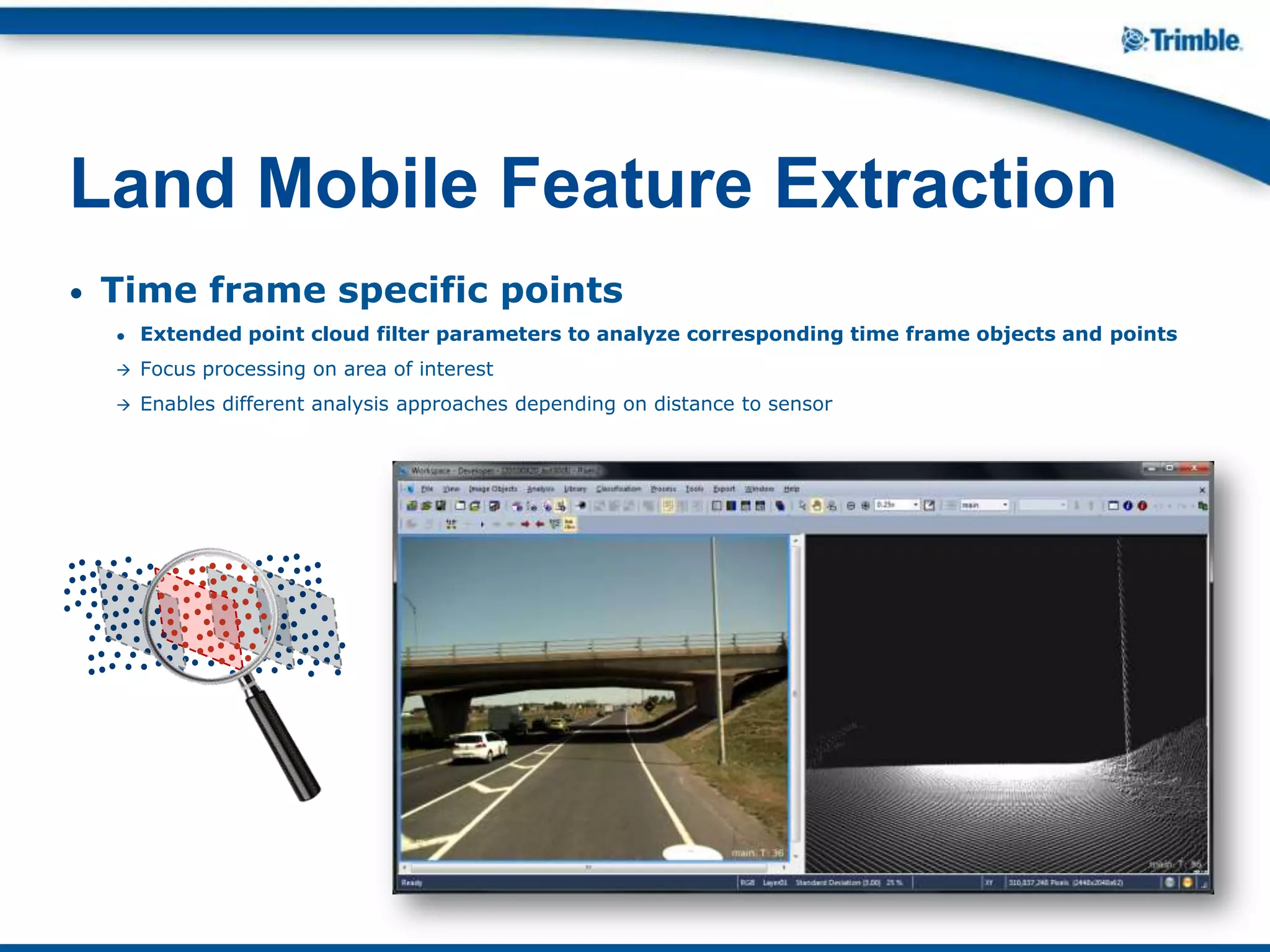
• Time frame specific points
● Extended point cloud filter parameters to analyze corresponding time frame objects and points
 Focus processing on area of interest
 Enables different analysis approaches depending on distance to sensor
Land Mobile Feature Extraction
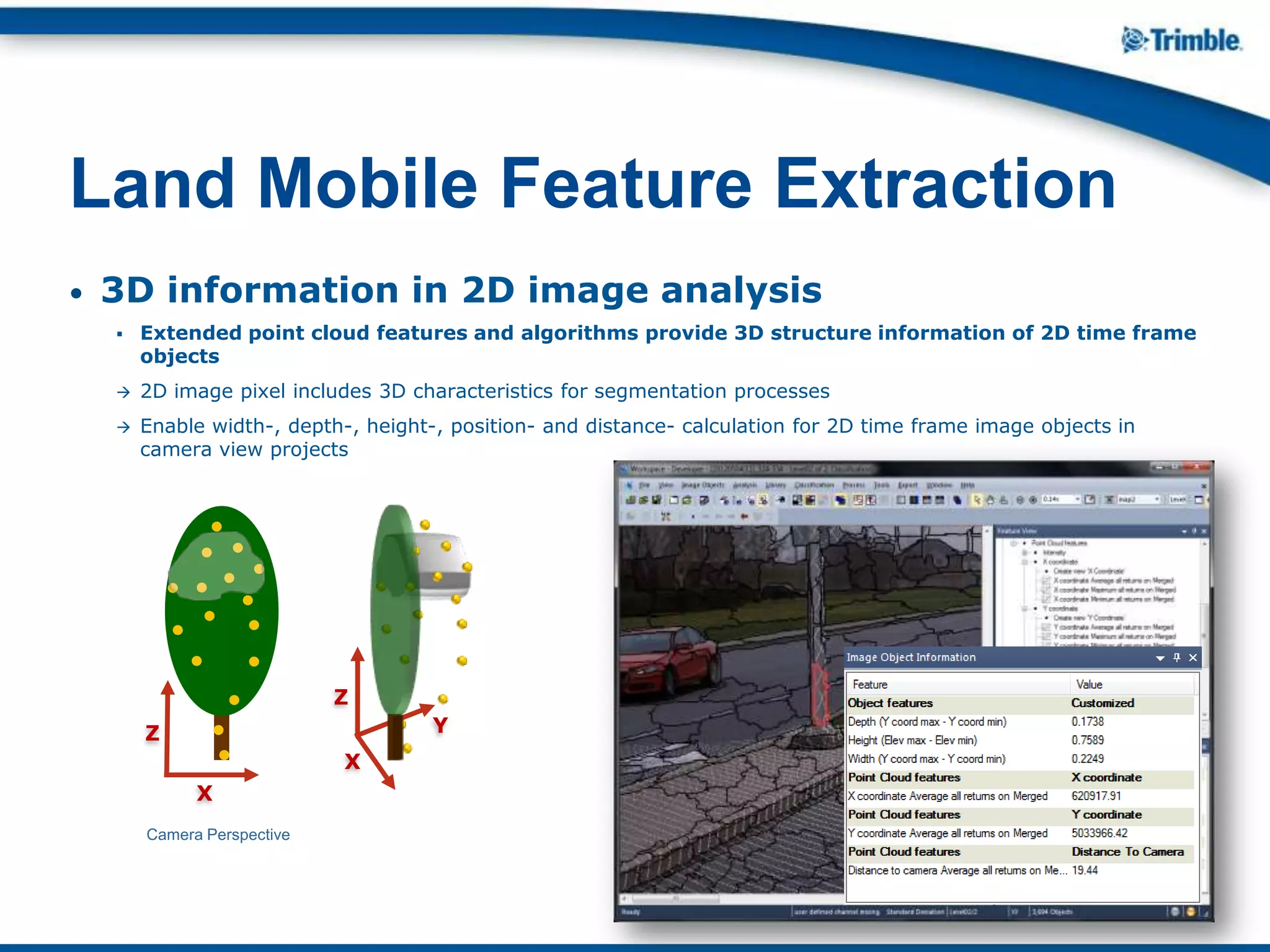
• 3D information in 2D image analysis
 Extended point cloud features and algorithms provide 3D structure information of 2D time frame
objects
 2D image pixel includes 3D characteristics for segmentation processes
 Enable width-, depth-, height-, position- and distance- calculation for 2D time frame image objects in
camera view projects
Land Mobile Feature Extraction
X
Z
Y
X
Z
Camera Perspective
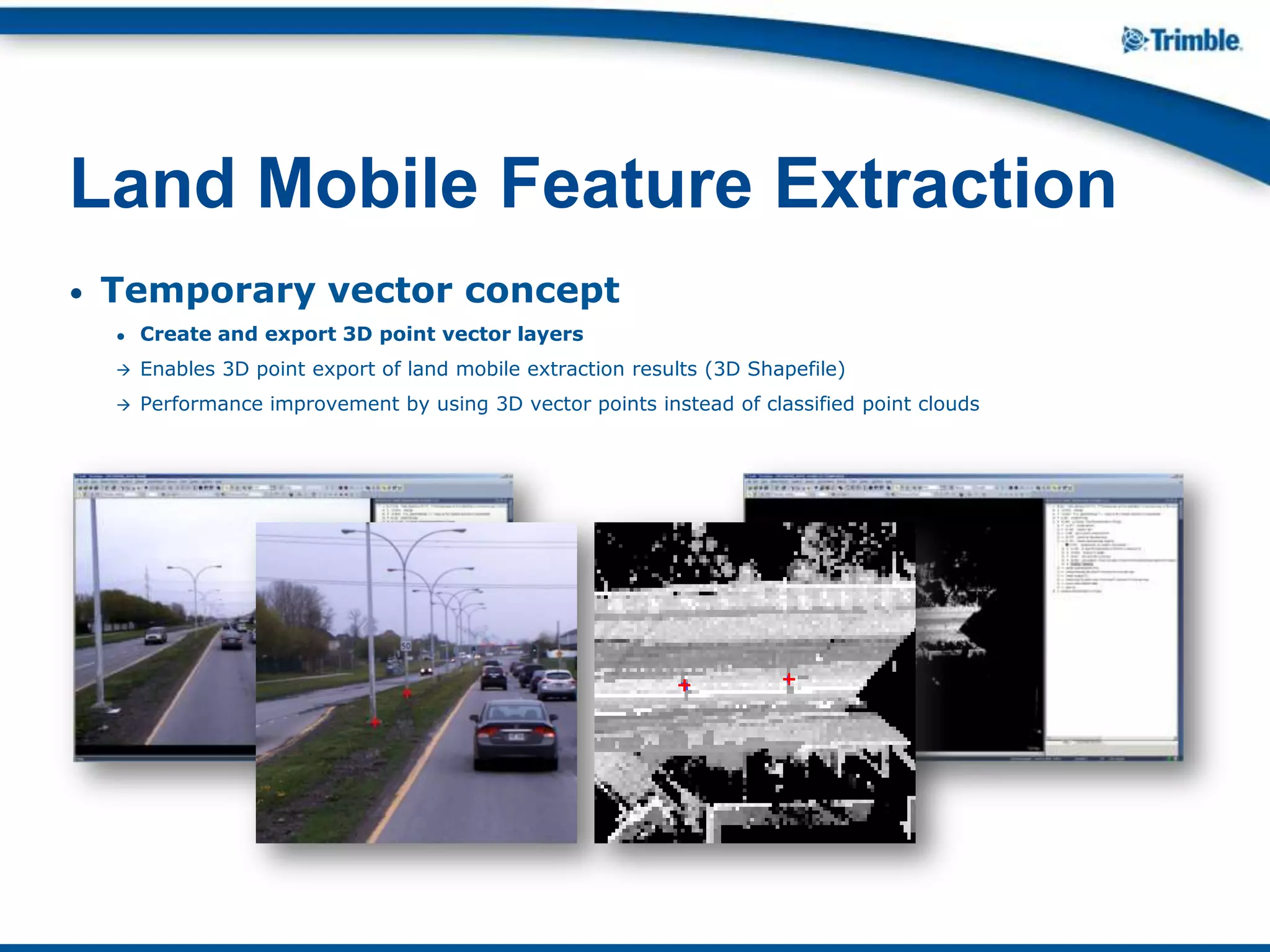
• Temporary vector concept
● Create and export 3D point vector layers
 Enables 3D point export of land mobile extraction results (3D Shapefile)
 Performance improvement by using 3D vector points instead of classified point clouds
Land Mobile Feature Extraction
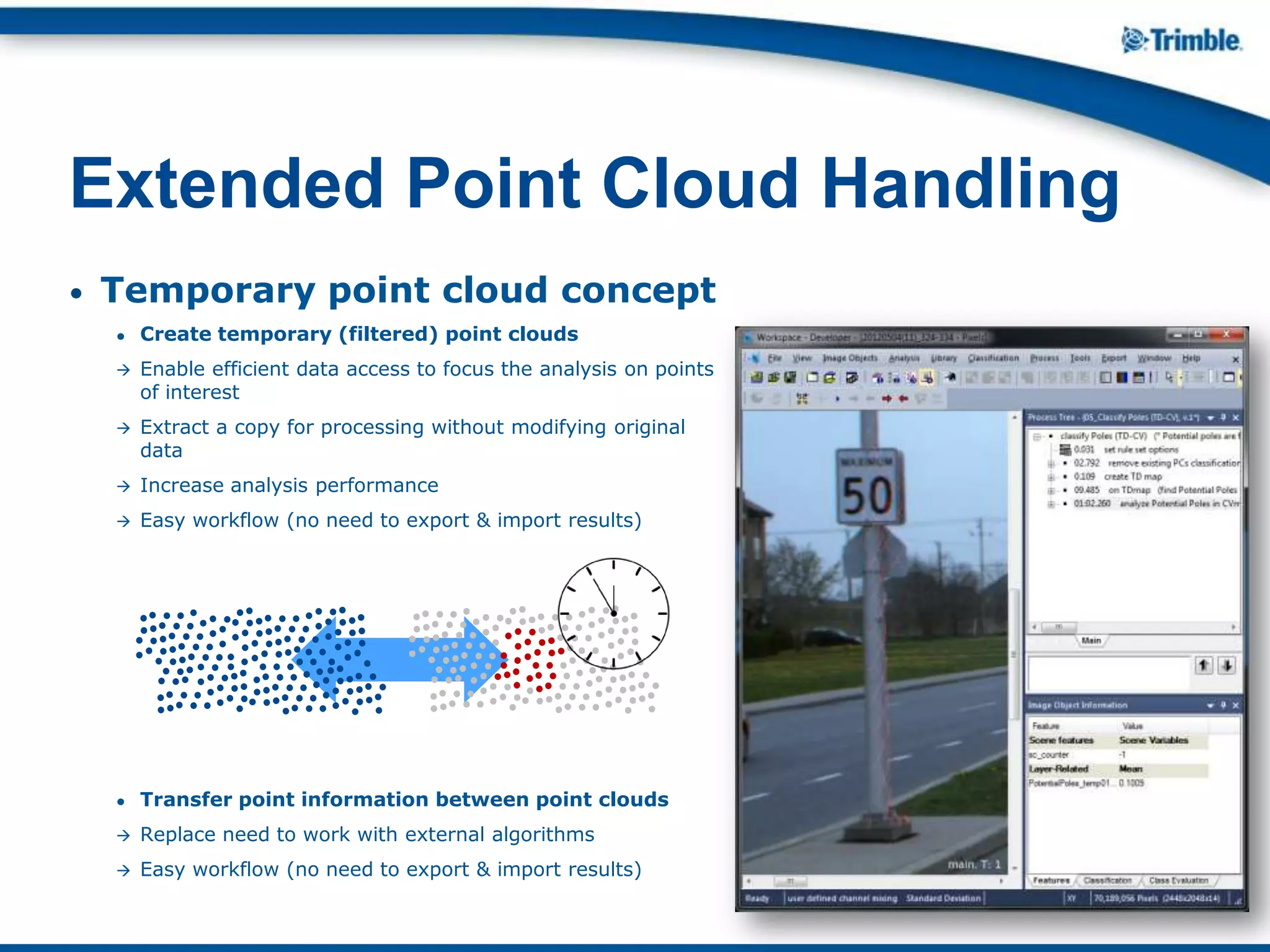
• Temporary point cloud concept
● Create temporary (filtered) point clouds
 Enable efficient data access to focus the analysis on points
of interest
 Extract a copy for processing without modifying original
data
 Increase analysis performance
 Easy workflow (no need to export & import results)
● Transfer point information between point clouds
 Replace need to work with external algorithms
 Easy workflow (no need to export & import results)
Extended Point Cloud Handling
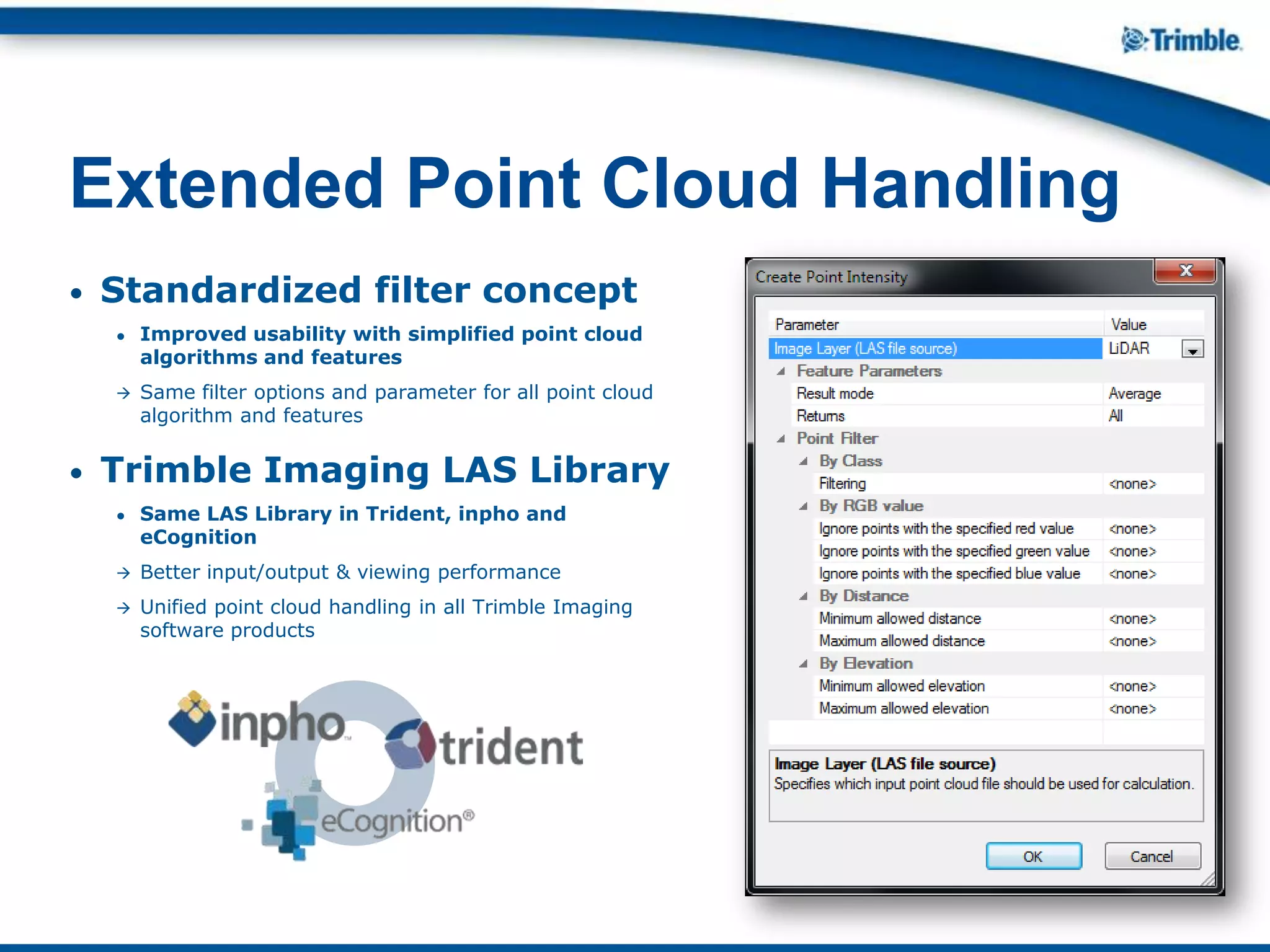
• Standardized filter concept
● Improved usability with simplified point cloud
algorithms and features
 Same filter options and parameter for all point cloud
algorithm and features
• Trimble Imaging LAS Library
● Same LAS Library in Trident, inpho and
eCognition
 Better input/output & viewing performance
 Unified point cloud handling in all Trimble Imaging
software products
Extended Point Cloud Handling
• Random Trees
 Fully integrated Random Trees classifier (following Leo Breiman’s theory
of random forests:
http://www.stat.berkeley.edu/users/breiman/RandomForests/)
 Remove need to work with external algorithms to save time and create a simple
workflow
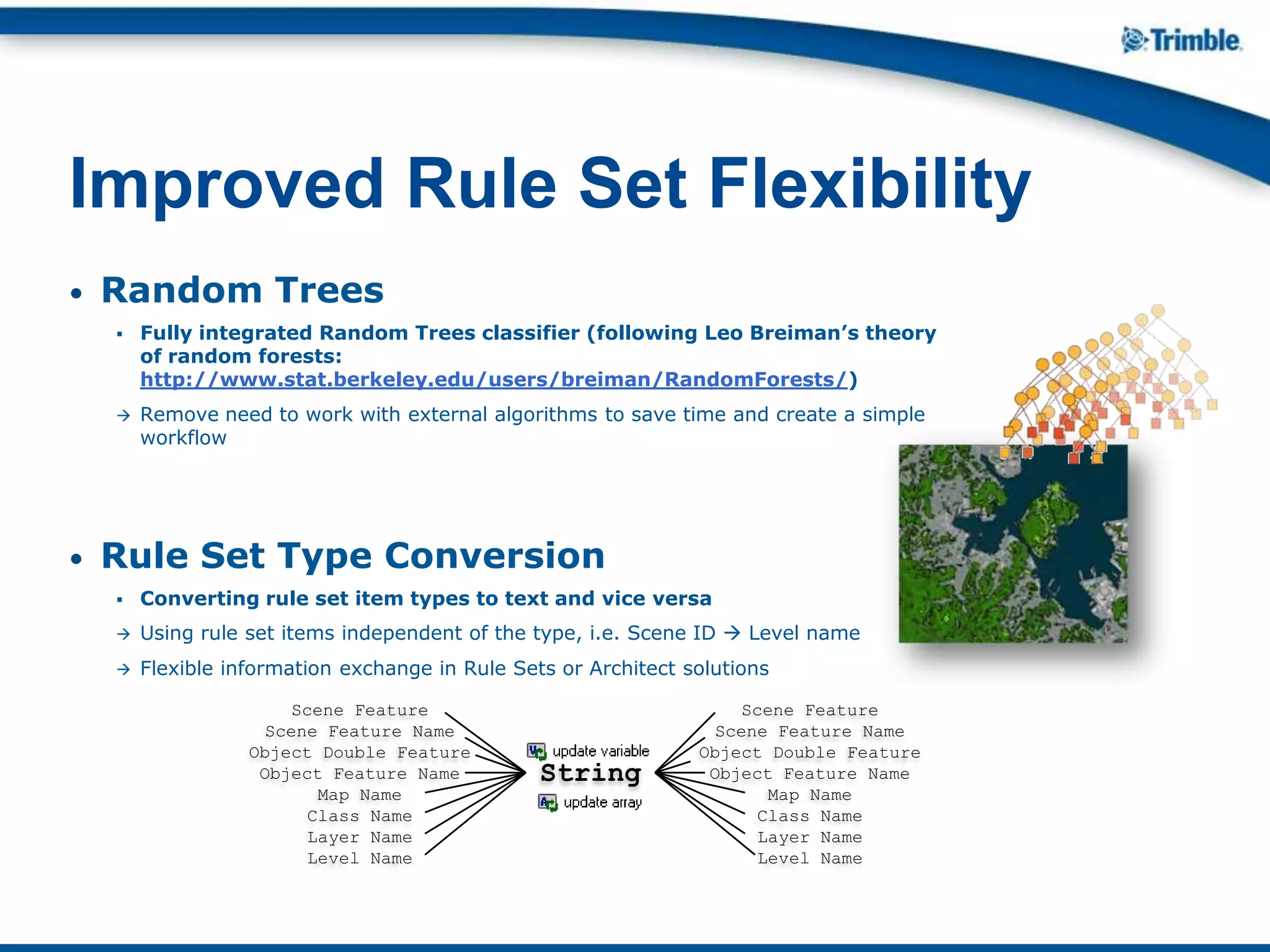
• Rule Set Type Conversion
 Converting rule set item types to text and vice versa
 Using rule set items independent of the type, i.e. Scene ID  Level name
 Flexible information exchange in Rule Sets or Architect solutions
Improved Rule Set Flexibility
Scene Feature
Scene Feature Name
Object Double Feature
Object Feature Name
Map Name
Class Name
Layer Name
Level Name
String
Scene Feature
Scene Feature Name
Object Double Feature
Object Feature Name
Map Name
Class Name
Layer Name
Level Name
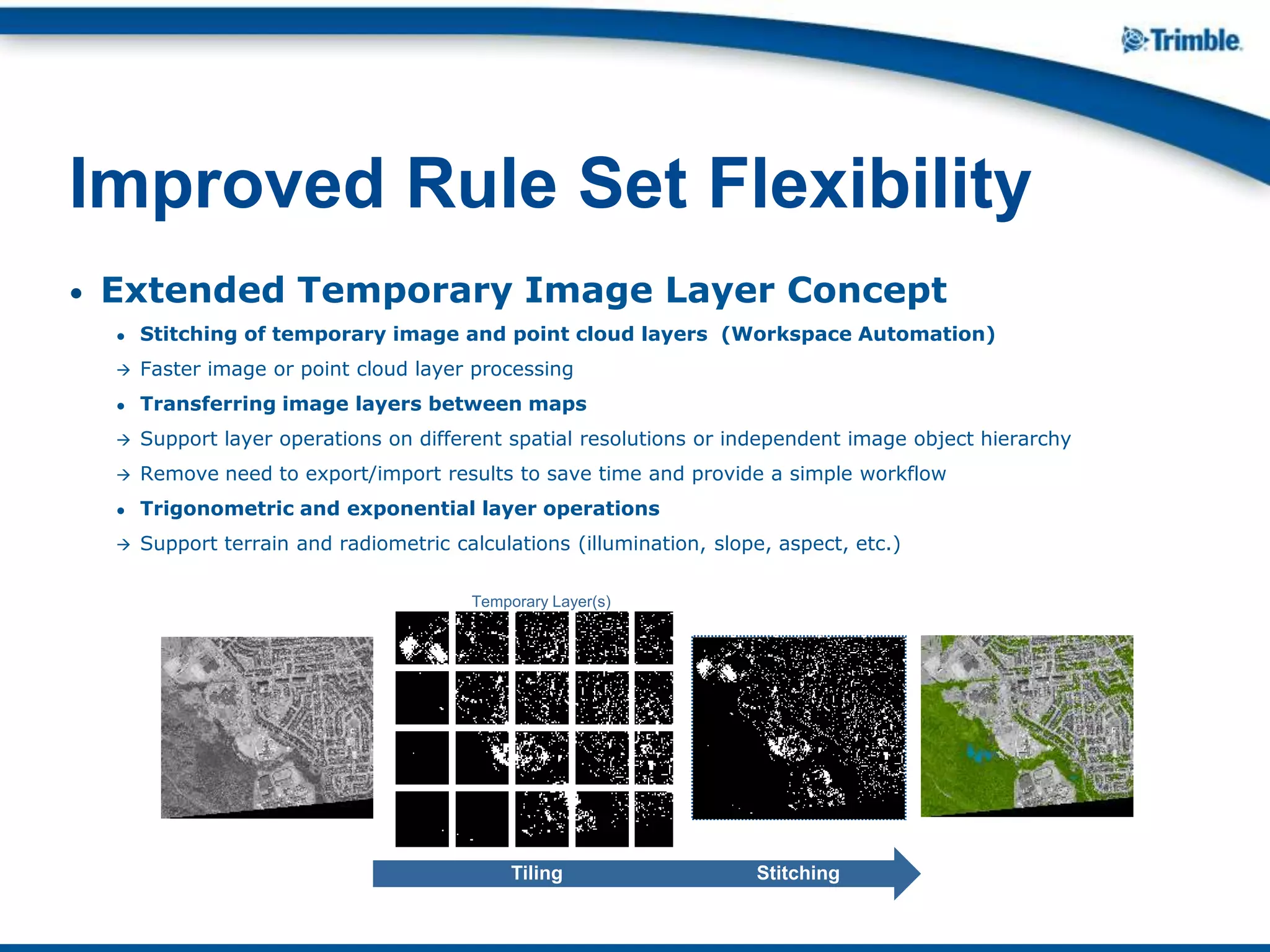
• Extended Temporary Image Layer Concept
● Stitching of temporary image and point cloud layers (Workspace Automation)
 Faster image or point cloud layer processing
● Transferring image layers between maps
 Support layer operations on different spatial resolutions or independent image object hierarchy
 Remove need to export/import results to save time and provide a simple workflow
● Trigonometric and exponential layer operations
 Support terrain and radiometric calculations (illumination, slope, aspect, etc.)
Improved Rule Set Flexibility
Tiling Stitching
Temporary Layer(s)
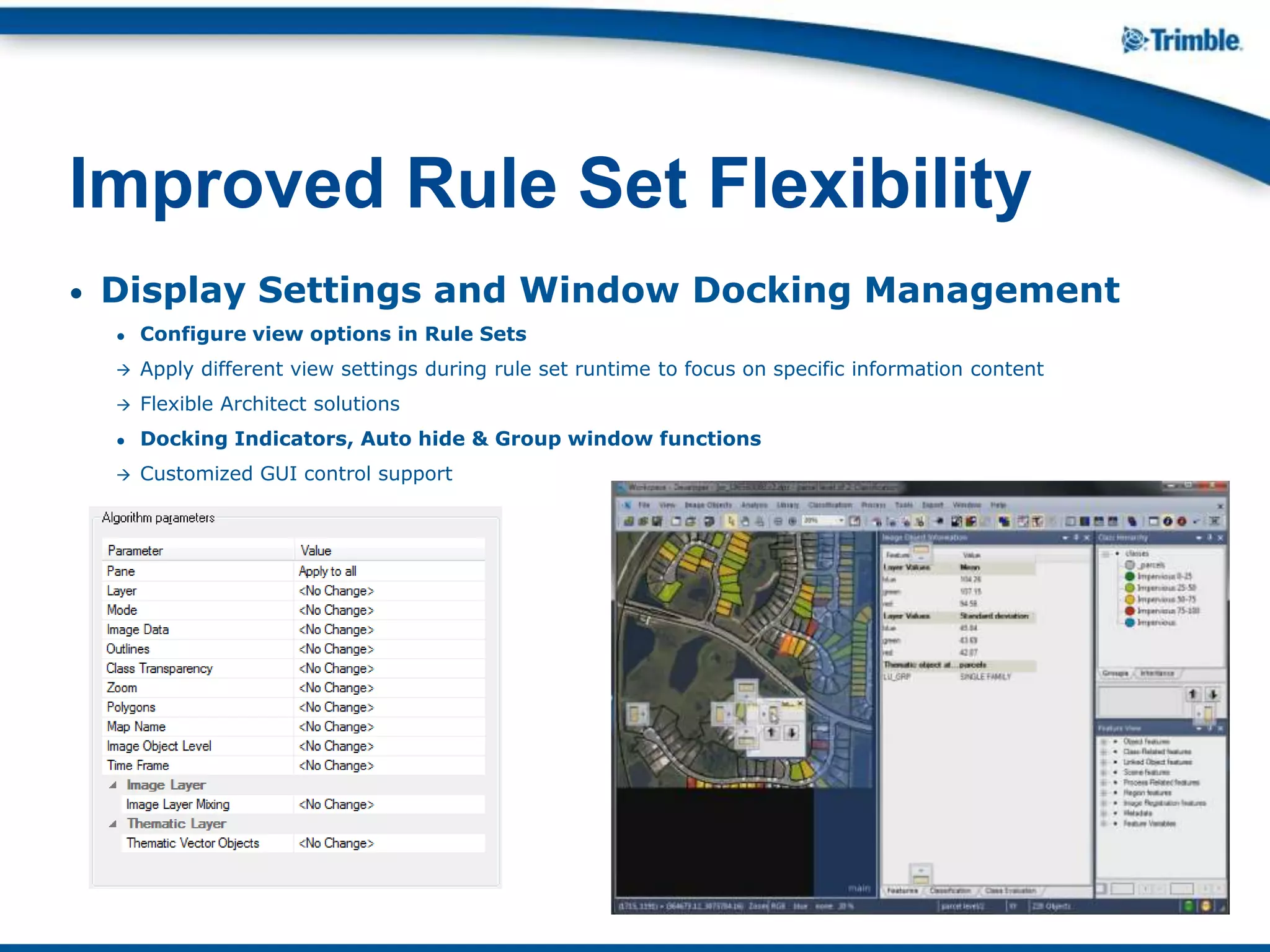
• Display Settings and Window Docking Management
● Configure view options in Rule Sets
 Apply different view settings during rule set runtime to focus on specific information content
 Flexible Architect solutions
● Docking Indicators, Auto hide & Group window functions
 Customized GUI control support
Improved Rule Set Flexibility
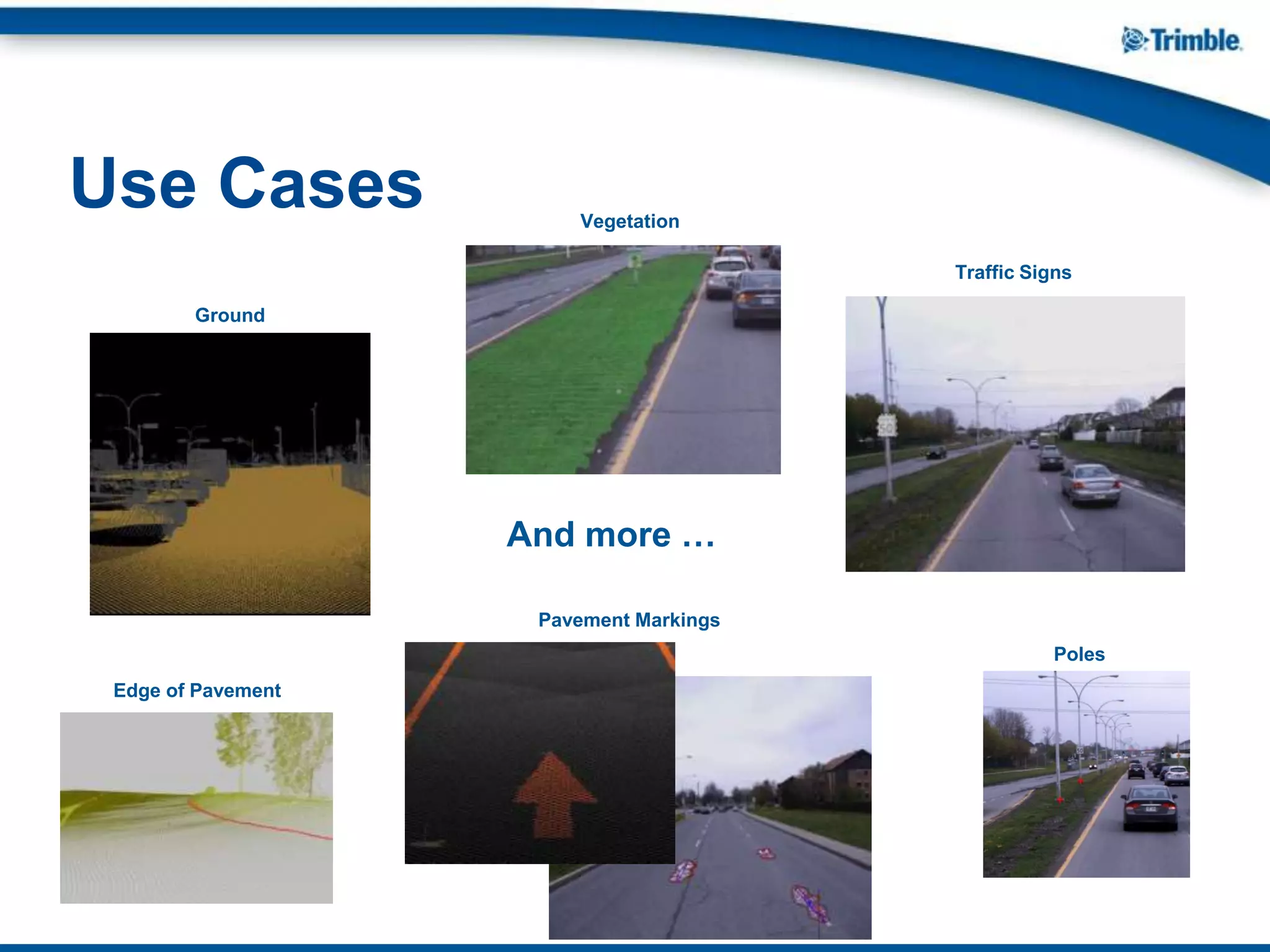
Use Cases Vegetation
And more …
Poles
Edge of Pavement
Pavement Markings
Traffic Signs
Ground
Q: How will I get eCognition 8.9?
A: All users with a maintenance contract valid on July 2013 are entitled to eCognition 8.9
at no charge. The eCognition licensing team automatically sends out download
information for all eligible customers via email. New customers should contact
eCognition sales at www.eCognition.com
Q: How can I download eCognition 8.9 for 32-bit operating systems?
A: eCognition 8.9 do not support 32-bit operating systems. Only the eCognition License
Server is available for 32-bit operation systems.
Q: Will eCognition 8.8 still run if I install eCognition 8.9?
A: eCognition 8.8 will also run on the eCognition 8.9 license therefore you can switch
between versions at any time.
Q: Will eCognition 8 rule sets run on eCognition 8.9?
A: eCognition 8.9 is downward compatible, this means you can run all 8.x rule sets.
eCognition 8.9 rule sets will not work on Developer 8.8 however.
Q: Is there a trial version for eCognition 8.9
A: Yes, can find a trial version for eCognition 8.9 at
http://www.ecognition.com/products/trial-software
FAQ

What’s New in eCognition 8.9

  • 1.
    What’s New ineCognition 8.9 Christian Weise
  • 2.
    eCognition 8.9 featuresnew information extraction capabilities from Land Mobile data in different perspectives, advanced object based point cloud analysis and an extended flexibility in rule set development. Release Date: July 2013 Who’s eligible? All users with a valid eCognition maintenance contract as of July 2013 Presenting eCognition 8.9
  • 3.
    Land Mobile FeatureExtraction Leverage eCognition to extract features from land mobile data in different views to combine best perspectives for both horizontal and vertical information extraction Extended Point Cloud Handling Increase analysis performance by applying temporary point cloud concept to enable efficient data access and processing without overwriting of source data Improved Rule Set Flexibility Build flexible rule sets or applications using all information types in different context & leverage state-of-the-art "Random Trees" machine learning algorithm eCognition 8.9 Highlights 8.9 Land Mobile Analysis Rule Set Flexibility Point Cloud Handling
  • 4.
    • Multi-perspective analysis Creates top down perspective map based on a camera view perspective map  Combines different perspectives in the feature extraction process to use the best view of the data for both horizontal and vertical analysis  Fuse image information (i.e. color) with point cloud information (i.e. elevation) into a streamlined multi- perspective analysis Land Mobile Feature Extraction Top Down Perspective Camera Perspective
  • 5.
    • Time framespecific points ● Extended point cloud filter parameters to analyze corresponding time frame objects and points  Focus processing on area of interest  Enables different analysis approaches depending on distance to sensor Land Mobile Feature Extraction
  • 6.
    • 3D informationin 2D image analysis  Extended point cloud features and algorithms provide 3D structure information of 2D time frame objects  2D image pixel includes 3D characteristics for segmentation processes  Enable width-, depth-, height-, position- and distance- calculation for 2D time frame image objects in camera view projects Land Mobile Feature Extraction X Z Y X Z Camera Perspective
  • 7.
    • Temporary vectorconcept ● Create and export 3D point vector layers  Enables 3D point export of land mobile extraction results (3D Shapefile)  Performance improvement by using 3D vector points instead of classified point clouds Land Mobile Feature Extraction
  • 8.
    • Temporary pointcloud concept ● Create temporary (filtered) point clouds  Enable efficient data access to focus the analysis on points of interest  Extract a copy for processing without modifying original data  Increase analysis performance  Easy workflow (no need to export & import results) ● Transfer point information between point clouds  Replace need to work with external algorithms  Easy workflow (no need to export & import results) Extended Point Cloud Handling
  • 9.
    • Standardized filterconcept ● Improved usability with simplified point cloud algorithms and features  Same filter options and parameter for all point cloud algorithm and features • Trimble Imaging LAS Library ● Same LAS Library in Trident, inpho and eCognition  Better input/output & viewing performance  Unified point cloud handling in all Trimble Imaging software products Extended Point Cloud Handling
  • 10.
    • Random Trees Fully integrated Random Trees classifier (following Leo Breiman’s theory of random forests: http://www.stat.berkeley.edu/users/breiman/RandomForests/)  Remove need to work with external algorithms to save time and create a simple workflow • Rule Set Type Conversion  Converting rule set item types to text and vice versa  Using rule set items independent of the type, i.e. Scene ID  Level name  Flexible information exchange in Rule Sets or Architect solutions Improved Rule Set Flexibility Scene Feature Scene Feature Name Object Double Feature Object Feature Name Map Name Class Name Layer Name Level Name String Scene Feature Scene Feature Name Object Double Feature Object Feature Name Map Name Class Name Layer Name Level Name
  • 11.
    • Extended TemporaryImage Layer Concept ● Stitching of temporary image and point cloud layers (Workspace Automation)  Faster image or point cloud layer processing ● Transferring image layers between maps  Support layer operations on different spatial resolutions or independent image object hierarchy  Remove need to export/import results to save time and provide a simple workflow ● Trigonometric and exponential layer operations  Support terrain and radiometric calculations (illumination, slope, aspect, etc.) Improved Rule Set Flexibility Tiling Stitching Temporary Layer(s)
  • 12.
    • Display Settingsand Window Docking Management ● Configure view options in Rule Sets  Apply different view settings during rule set runtime to focus on specific information content  Flexible Architect solutions ● Docking Indicators, Auto hide & Group window functions  Customized GUI control support Improved Rule Set Flexibility
  • 13.
    Use Cases Vegetation Andmore … Poles Edge of Pavement Pavement Markings Traffic Signs Ground
  • 14.
    Q: How willI get eCognition 8.9? A: All users with a maintenance contract valid on July 2013 are entitled to eCognition 8.9 at no charge. The eCognition licensing team automatically sends out download information for all eligible customers via email. New customers should contact eCognition sales at www.eCognition.com Q: How can I download eCognition 8.9 for 32-bit operating systems? A: eCognition 8.9 do not support 32-bit operating systems. Only the eCognition License Server is available for 32-bit operation systems. Q: Will eCognition 8.8 still run if I install eCognition 8.9? A: eCognition 8.8 will also run on the eCognition 8.9 license therefore you can switch between versions at any time. Q: Will eCognition 8 rule sets run on eCognition 8.9? A: eCognition 8.9 is downward compatible, this means you can run all 8.x rule sets. eCognition 8.9 rule sets will not work on Developer 8.8 however. Q: Is there a trial version for eCognition 8.9 A: Yes, can find a trial version for eCognition 8.9 at http://www.ecognition.com/products/trial-software FAQ