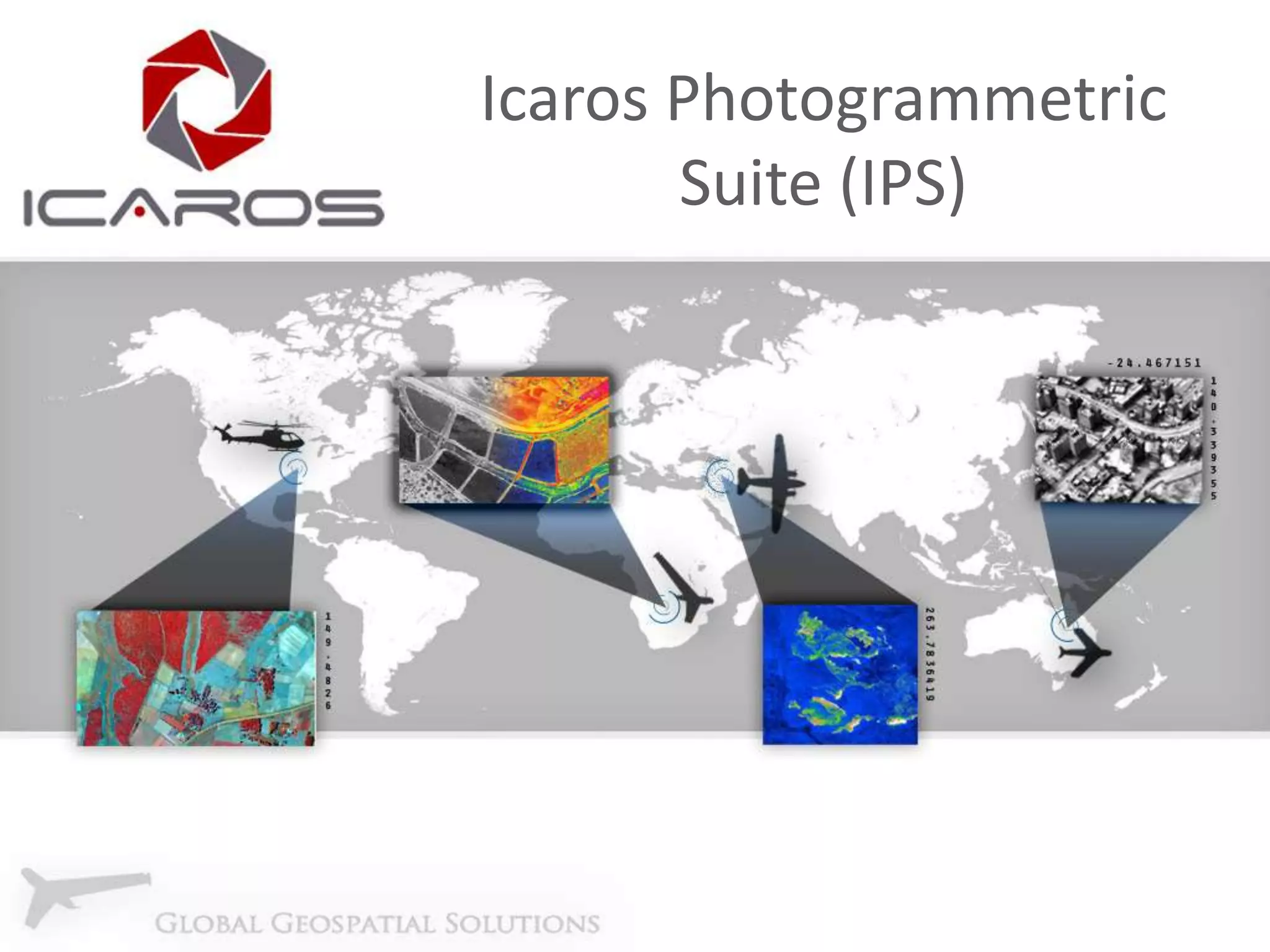
Icaros Photogrammetric
Suite (IPS)
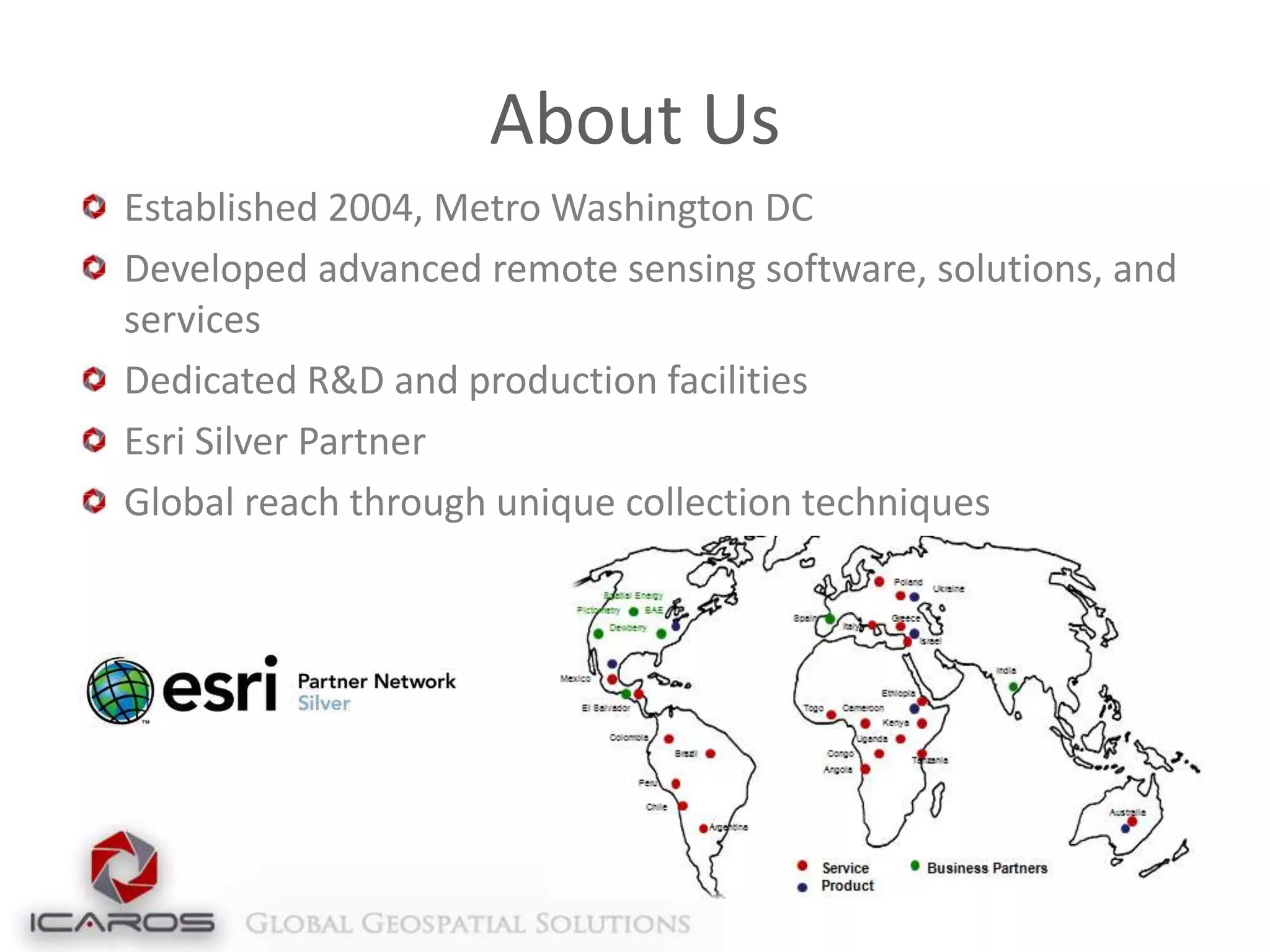
About Us
Established 2004, Metro Washington DC
Developed advanced remote sensing software, solutions, and
services
Dedicated R&D and production facilities
Esri Silver Partner
Global reach through unique collection techniques
Customers and Partners
Introduction to IPS
Aerial image data processing software
Based on remote sensing and collection expertise
Compatible with any frame-based sensor
(Platform agnostic)
Creates high-resolution topographic products
Orthomosaics
Digital Terrain/Digital Surface Maps
3D models from raw image data
Oblique/Thermal processing

Training, support and installation services
Value Proposition
Comprehensive photogrammetric processing
software completely within ArcGIS
Deriving 3D data (DSM, Point Cloud, Model,
Parametric) for ArcGIS
Adds support for new sensors (UAS/UAV,
Thermal, Oblique)
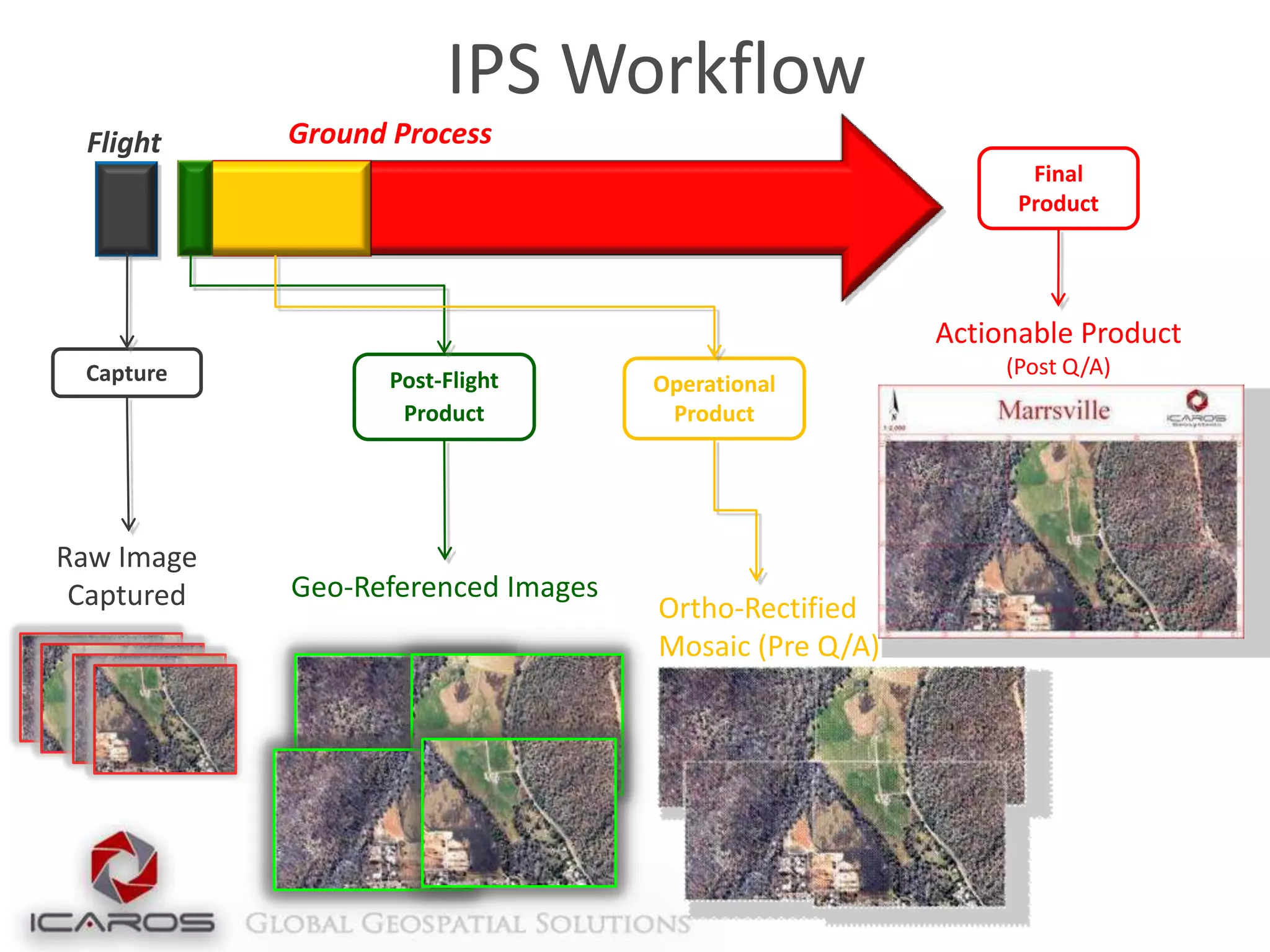
IPS Workflow
Flight

Ground Process
Final
Product

Actionable Product
Capture

Raw Image
Captured

Post-Flight
Product

Geo-Referenced Images

Operational
Product

Ortho-Rectified
Mosaic (Pre Q/A)

(Post Q/A)
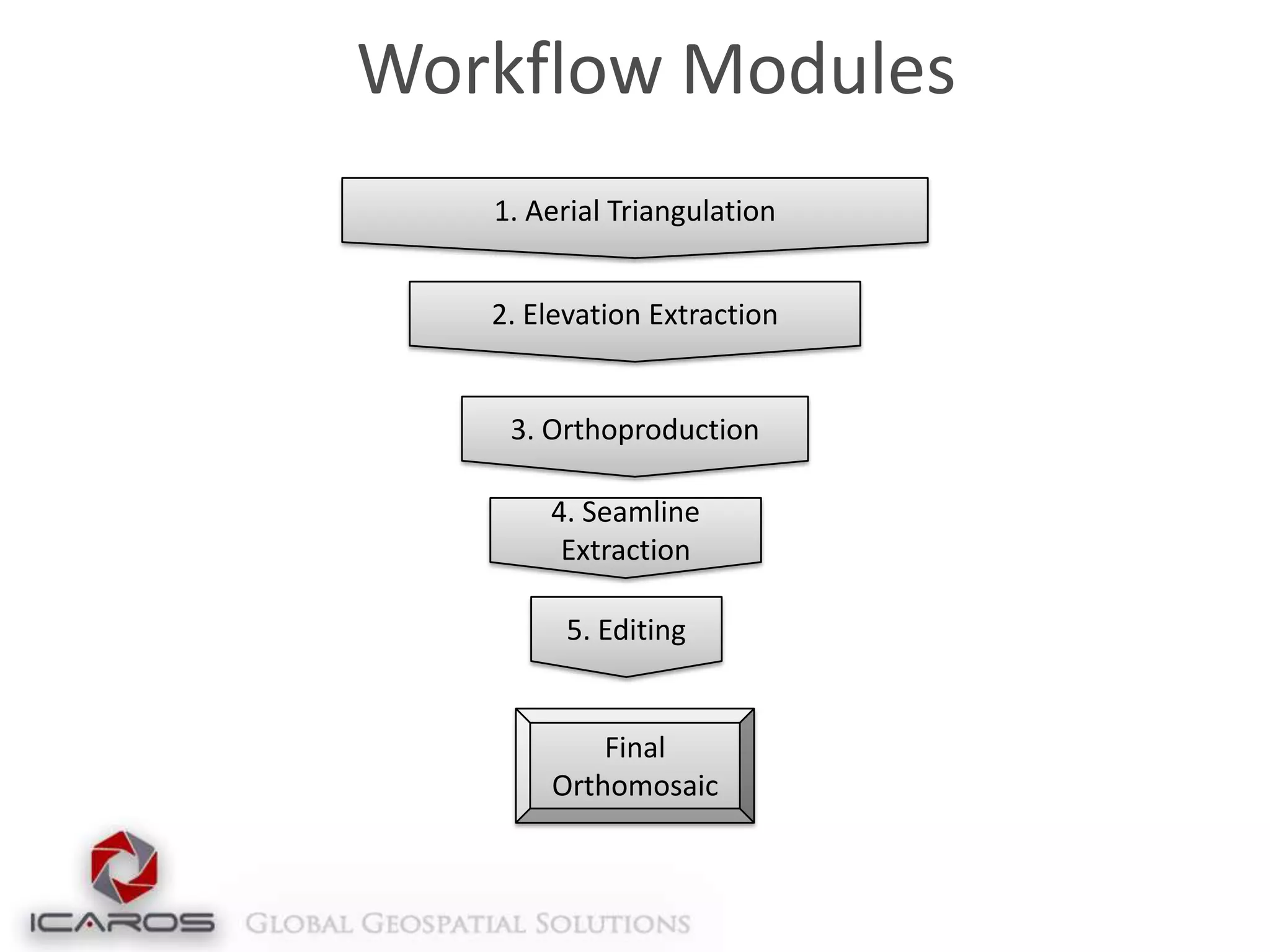
Workflow Modules
1. Aerial Triangulation
2. Elevation Extraction

3. Orthoproduction
4. Seamline
Extraction
5. Editing

Final
Orthomosaic
1. Aerial Triangulation (AT)
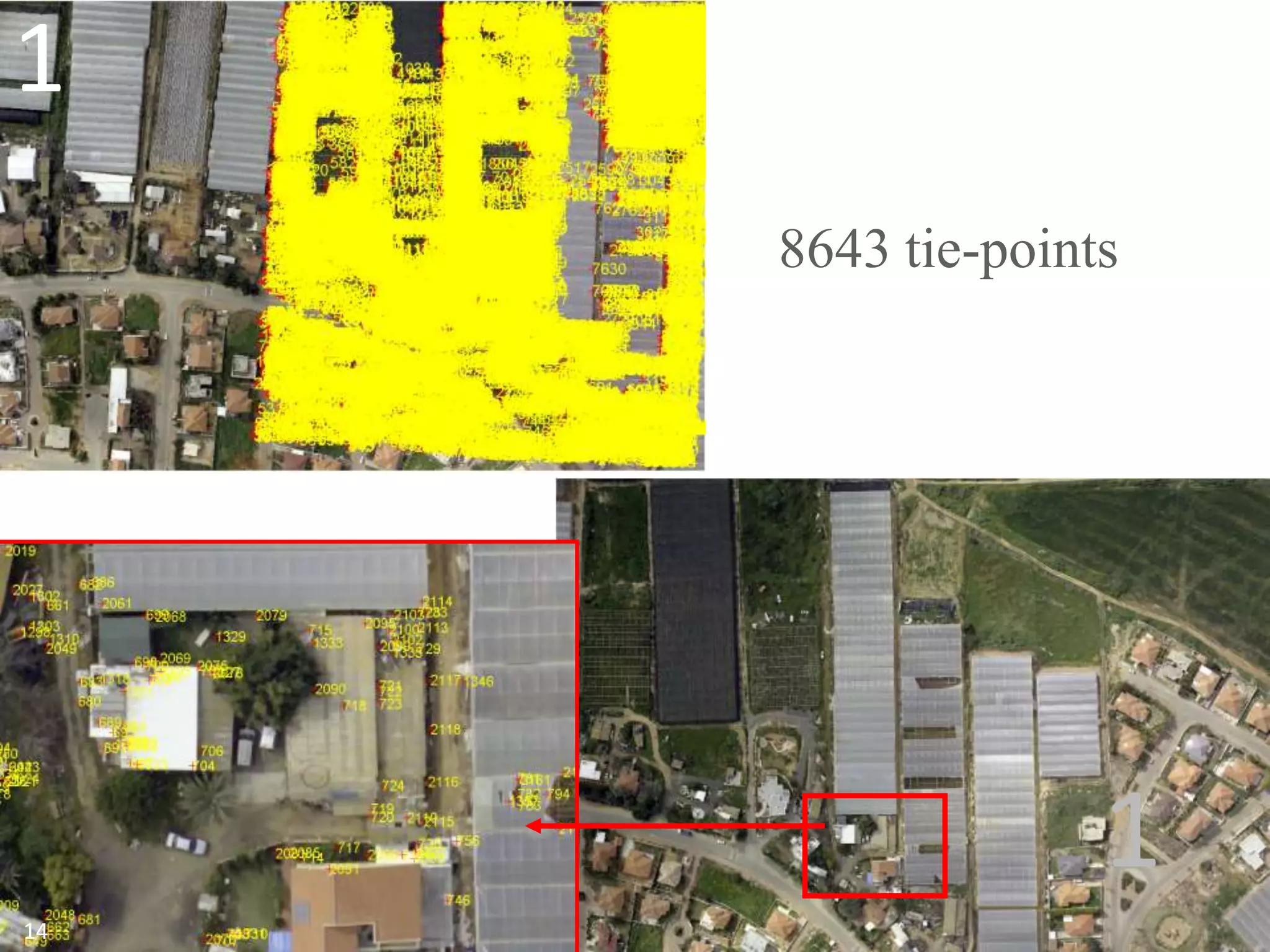
Intelligent tie-point management engine for strong
connectivity and uniform distribution
No extra data required (e.g. position, rotation, scale)
Minimal outliers
Correlates images with different resolutions (GSDs)
Indifferent to misleading regions (clouds, lakes)
GPU-enabled for expedited processing capabilities
(high performance-value in designated workstations)
Enables Incremental workflow
1
8643 tie-points

1
14
1. AT: Solution Manager
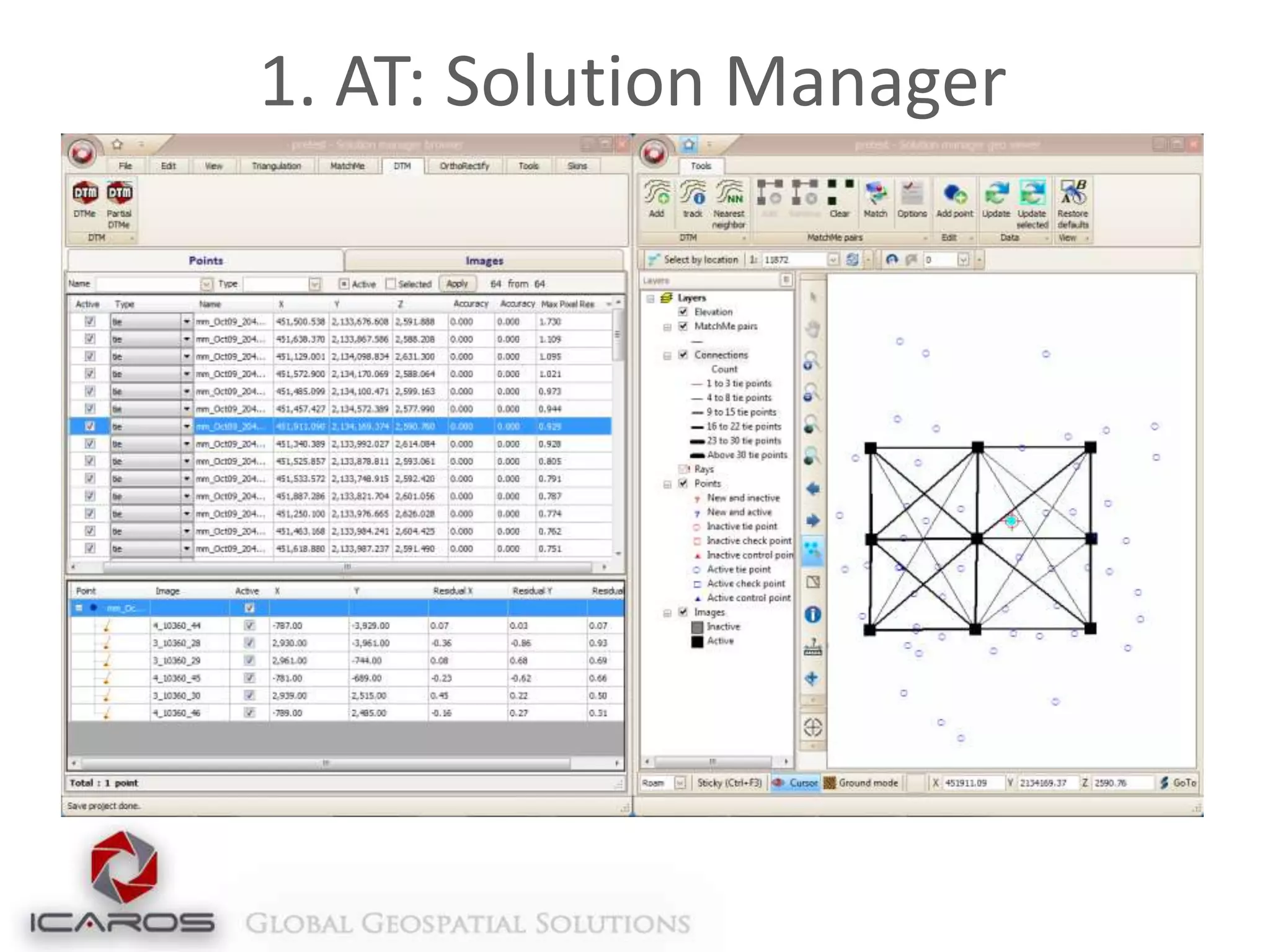
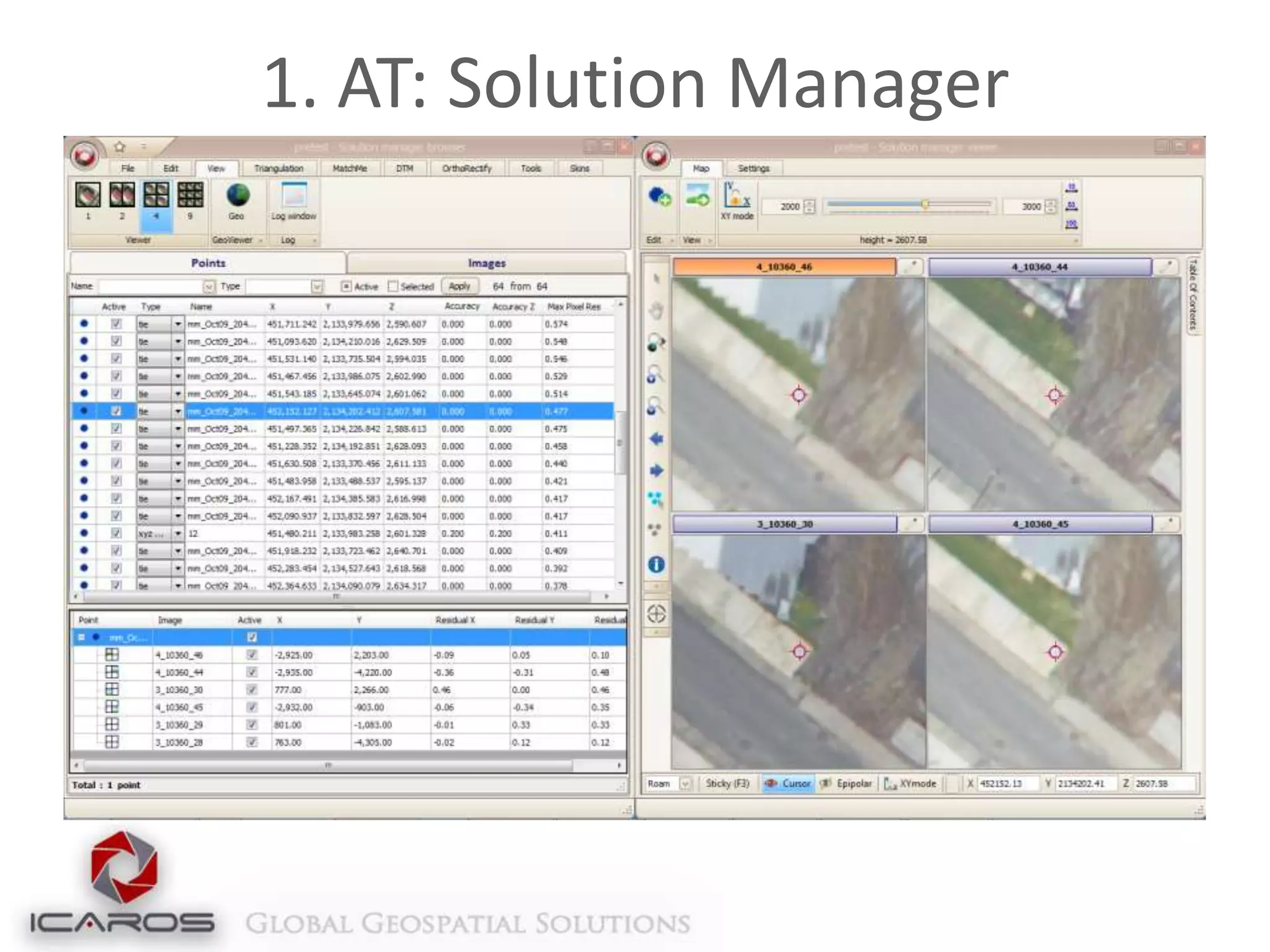
3 Concurrent synchronized views of the data:
Alpha-numeric
Multi-Image presentation
Geographic

Uses most advanced numerical optimization methods
Compatible with a large number of images per
photogrammetric block
Adaptive weighting function
Robust bundle option for high-accuracy, low RMS Aerialtriangulation in a ground-controlled project
Exports to all standard industry formats (PAT-B, SUP, etc)
1. AT: Solution Manager
2. Elevation Extraction (EL)
2 Options:
DTM Sparse – Fast production of general elevation
layer (<10 minutes for large blocks)
DTM Dense – High density and detail elevation
extraction, 2-3X GSD production density

Produces Dense Surface Models (DSM), then uses
high density data to produce a lower density
Terrain Model, with limited additional processing
Extracts Point Clouds from Stereo Imagery,
including color values in LAS format
2. Elevation Extraction (EL)
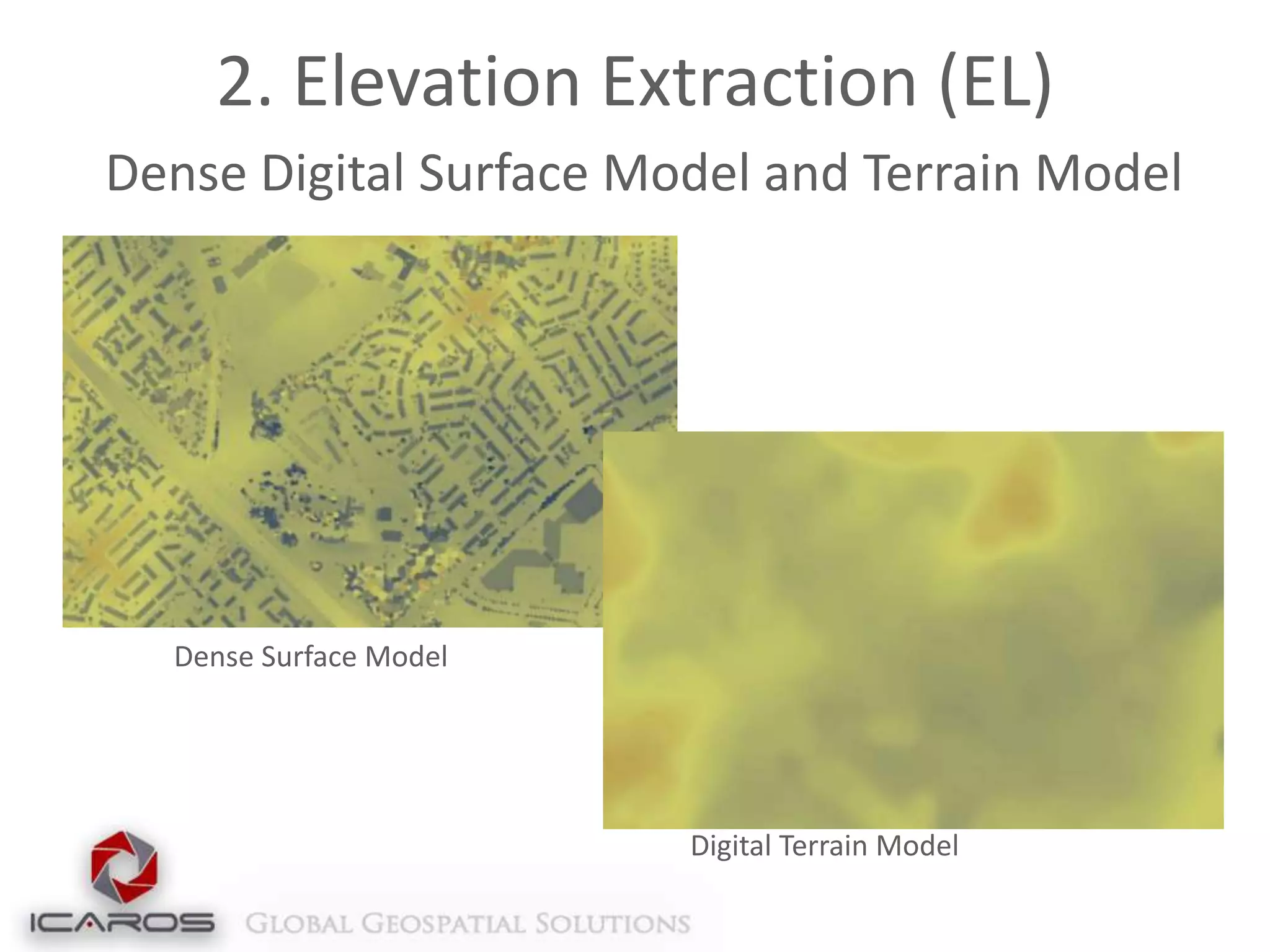
Dense Digital Surface Model and Terrain Model

Dense Surface Model

Digital Terrain Model
2. Elevation Extraction (EL)
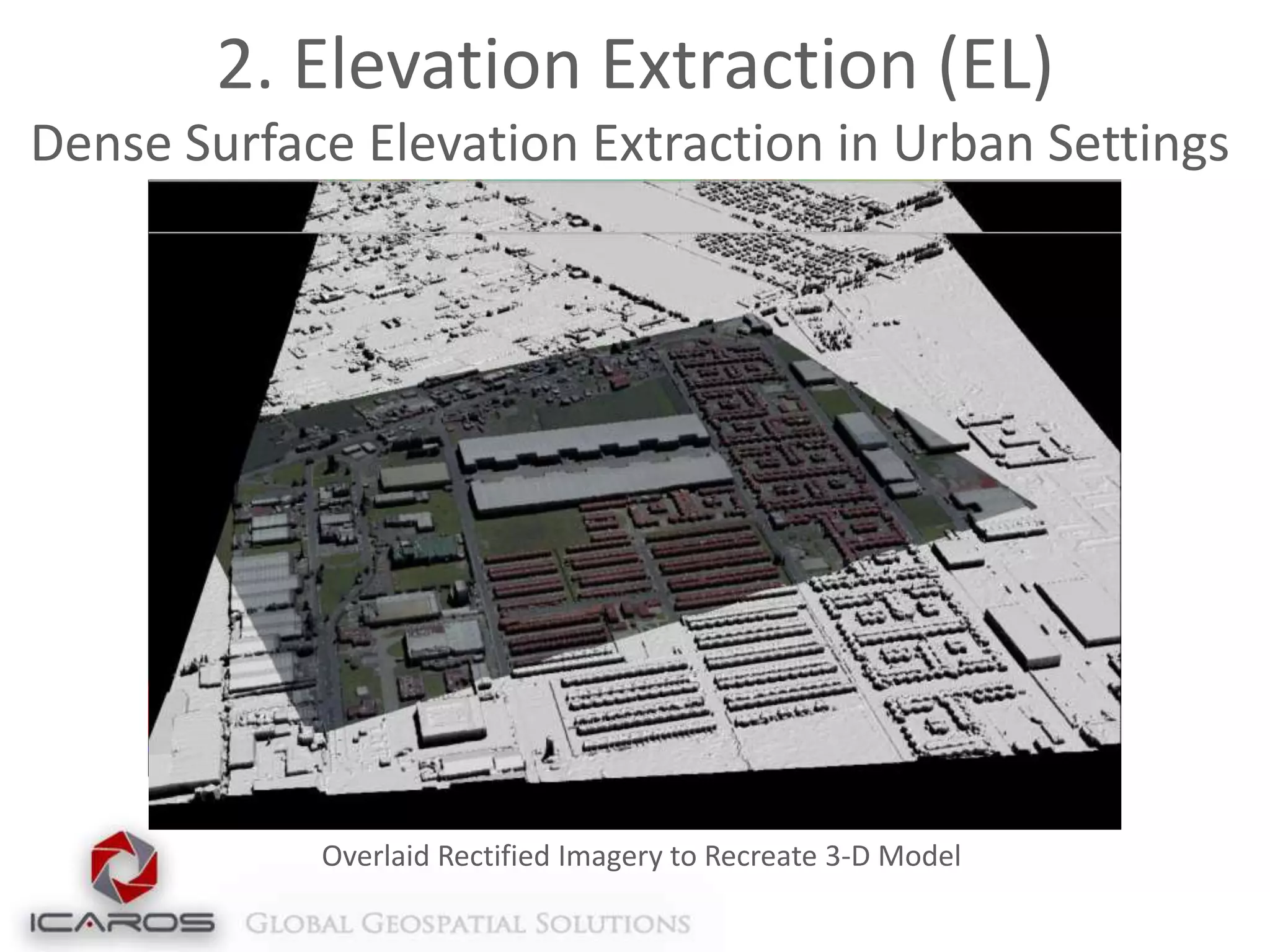
Dense Surface Elevation Extraction in Urban Settings

Overlaid Rectified Imagery to Recreate 3-D Model
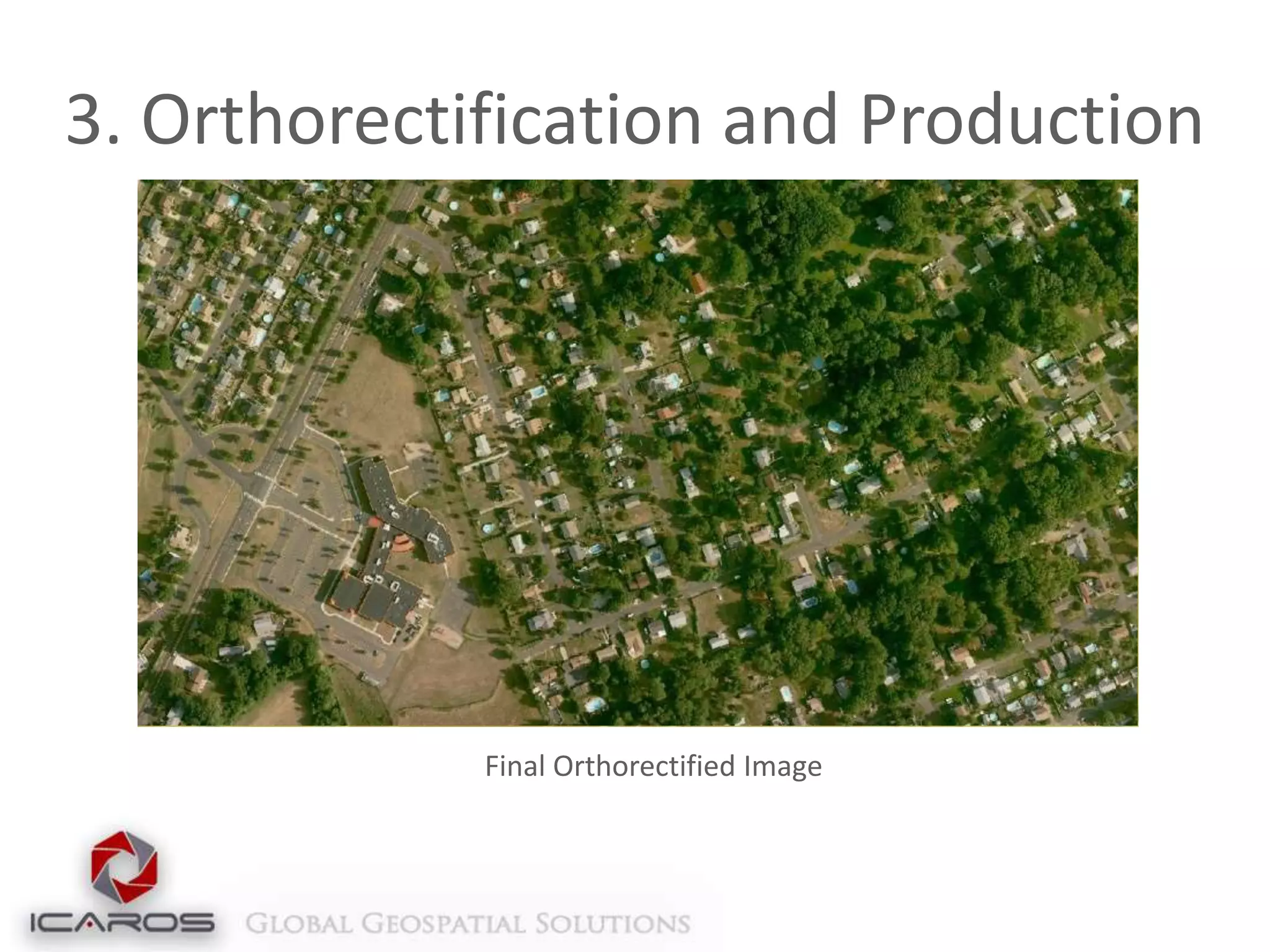
3. Orthorectification and Production
Fast and automated Orthorectification
Compatible with multiple formats
Geotif, ASCII, DEM, etc.

Simple integration with LiDAR data
Runs directly on LAS files

Incorporates breaklines for bridges or extreme
terrain rectification
Compression and overview creation
Converts multiple bit and band combinations
3. Orthorectification and Production

Final Orthorectified Image
4. Automatic Seamline Extraction
Icaros Smart Seamlines – automatic optimal
seamline extraction
Multiple-image color adjustment and balancing
Automatic brightness profiling and dodging for
uniformity
Advanced feathering algorithm
Multi-core and GPU architecture for performance
enhancement
Enables incremental workflow
4. Automatic Seamline Extraction
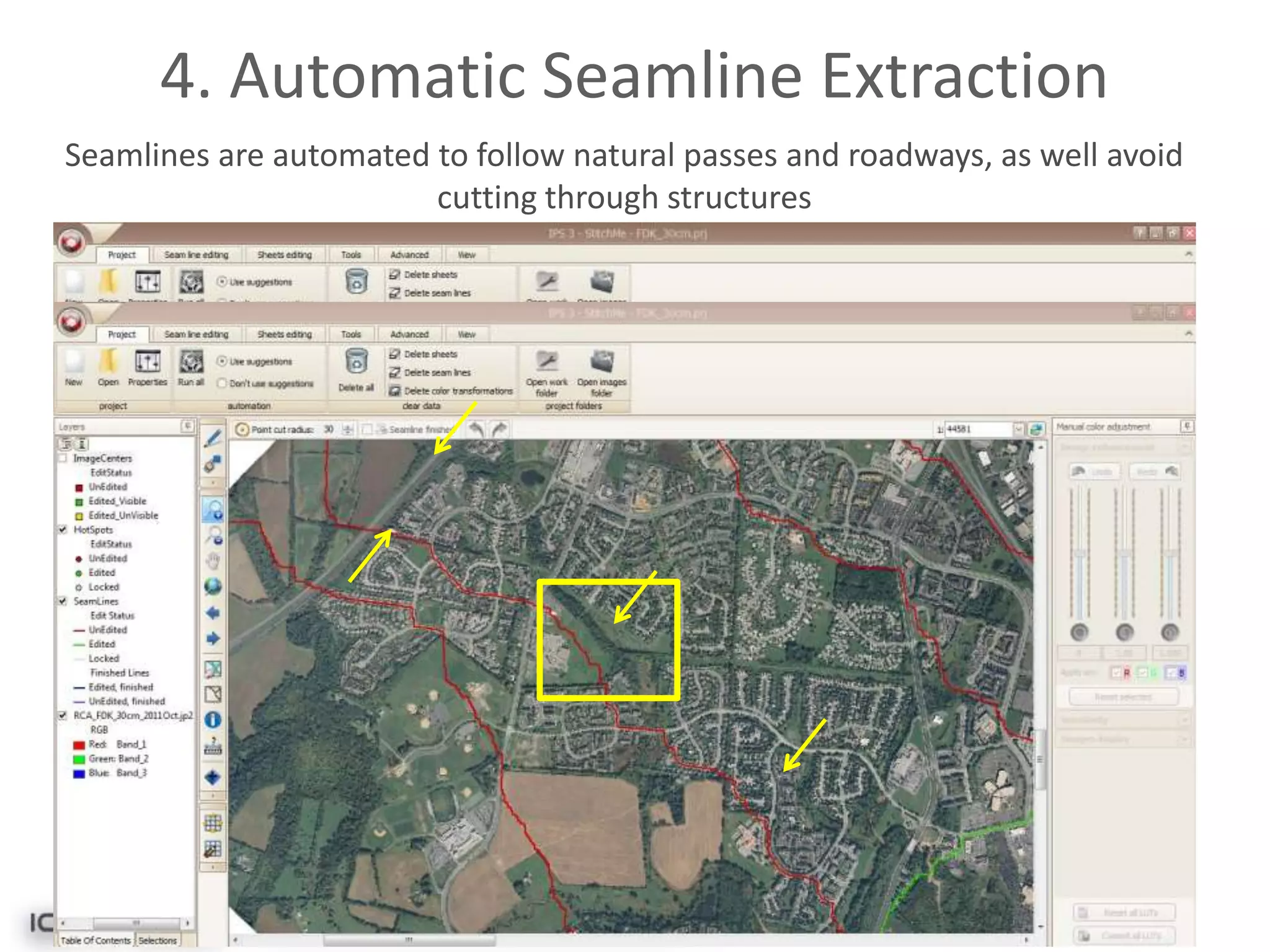
Seamlines are automated to follow natural passes and roadways, as well avoid
cutting through structures
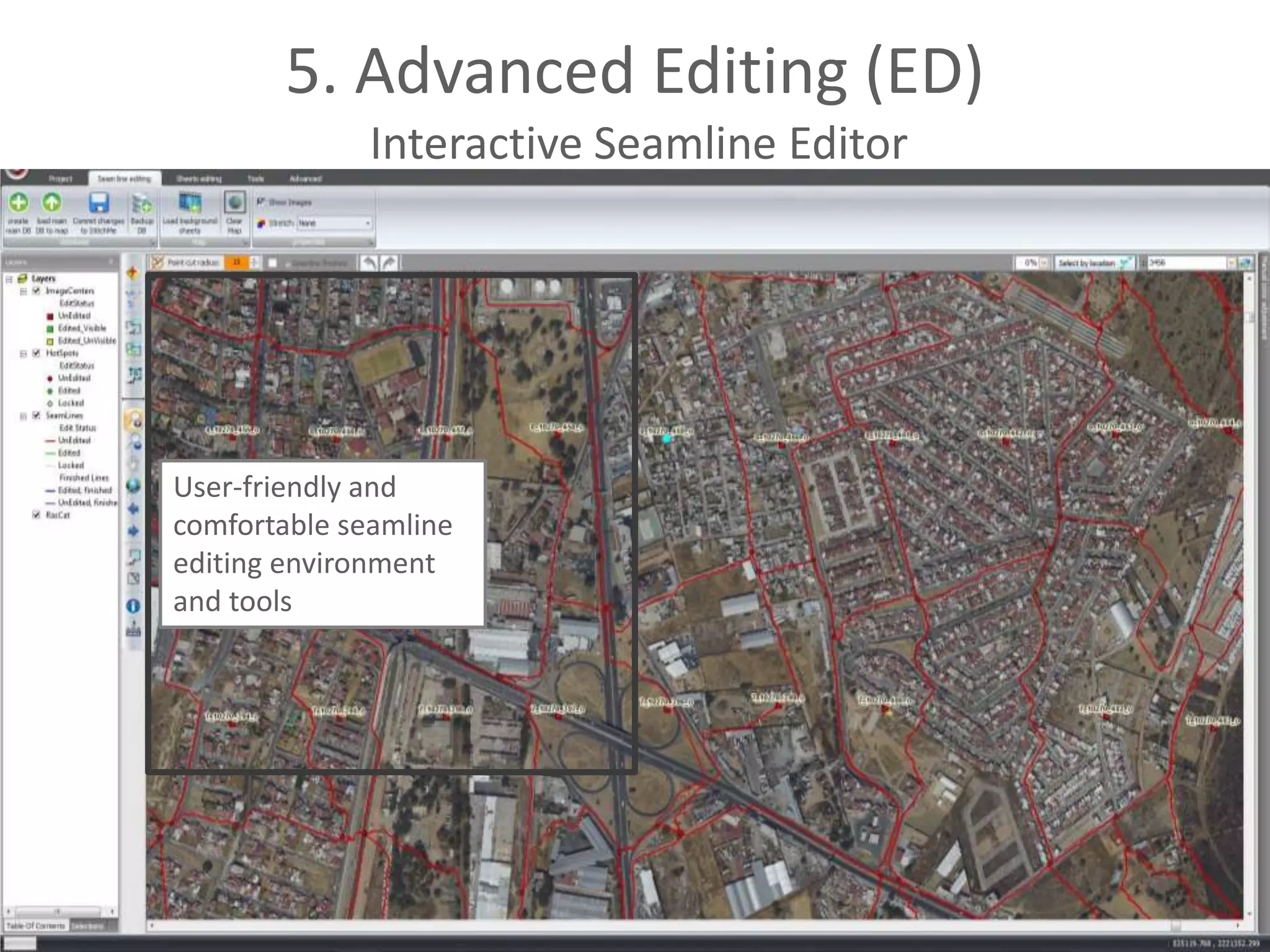
5. Advanced Editing (ED)
Interactive Seamline Editor
Patch Mosaic – Replace any area in a final mosaic
with alternative orthorectified data
Correct small artifacts in the orthomosaic
Replace unwanted building lean, sun glare on rooftops
or water surfaces

Super Tile – Combine over 100 tiles into a single
editable tile, in any Graphic Manipulation
Software, then apply general tweaks to the entire
project
5. Advanced Editing (ED)
Interactive Seamline Editor

User-friendly and
comfortable seamline
editing environment
and tools
5. Advanced Editing (ED)
Interactive Seamline Editor

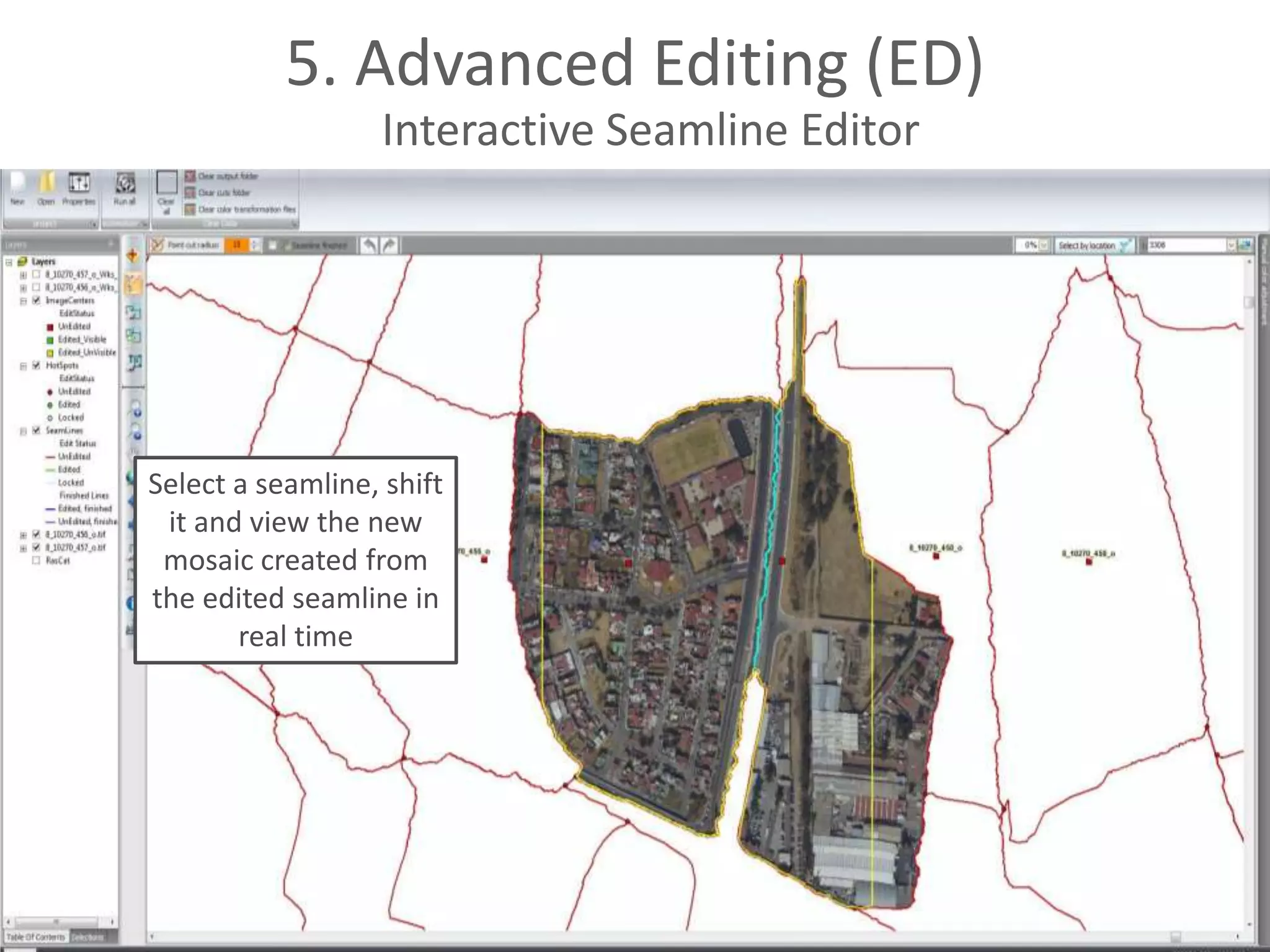
Select a seamline, shift
it and view the new
mosaic created from
the edited seamline in
real time
5. Advanced Editing (ED)
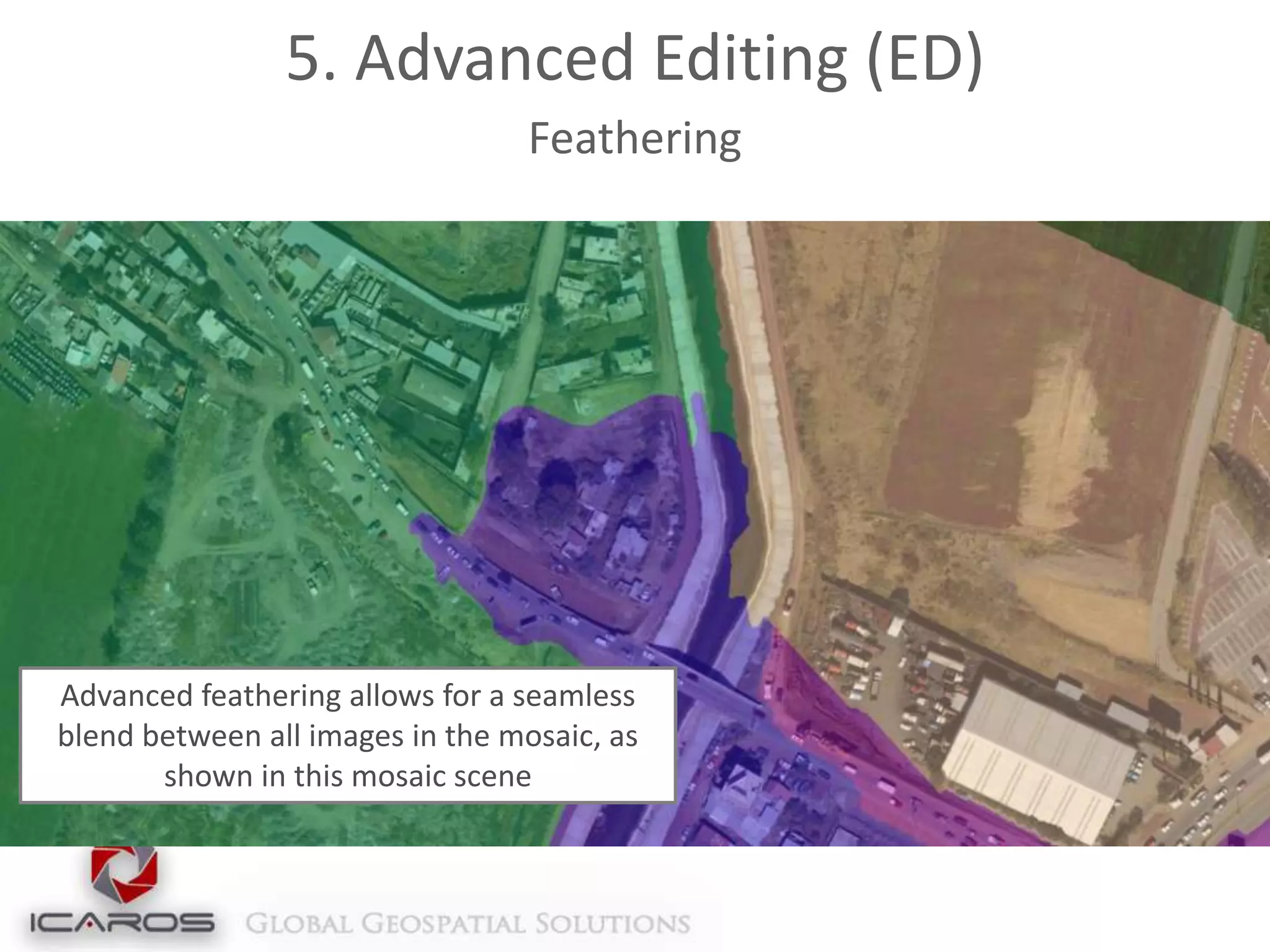
Feathering

Advanced feathering allows for a seamless
blend between all images in the mosaic, as
shown in this mosaic scene
5. Advanced Editing (ED)
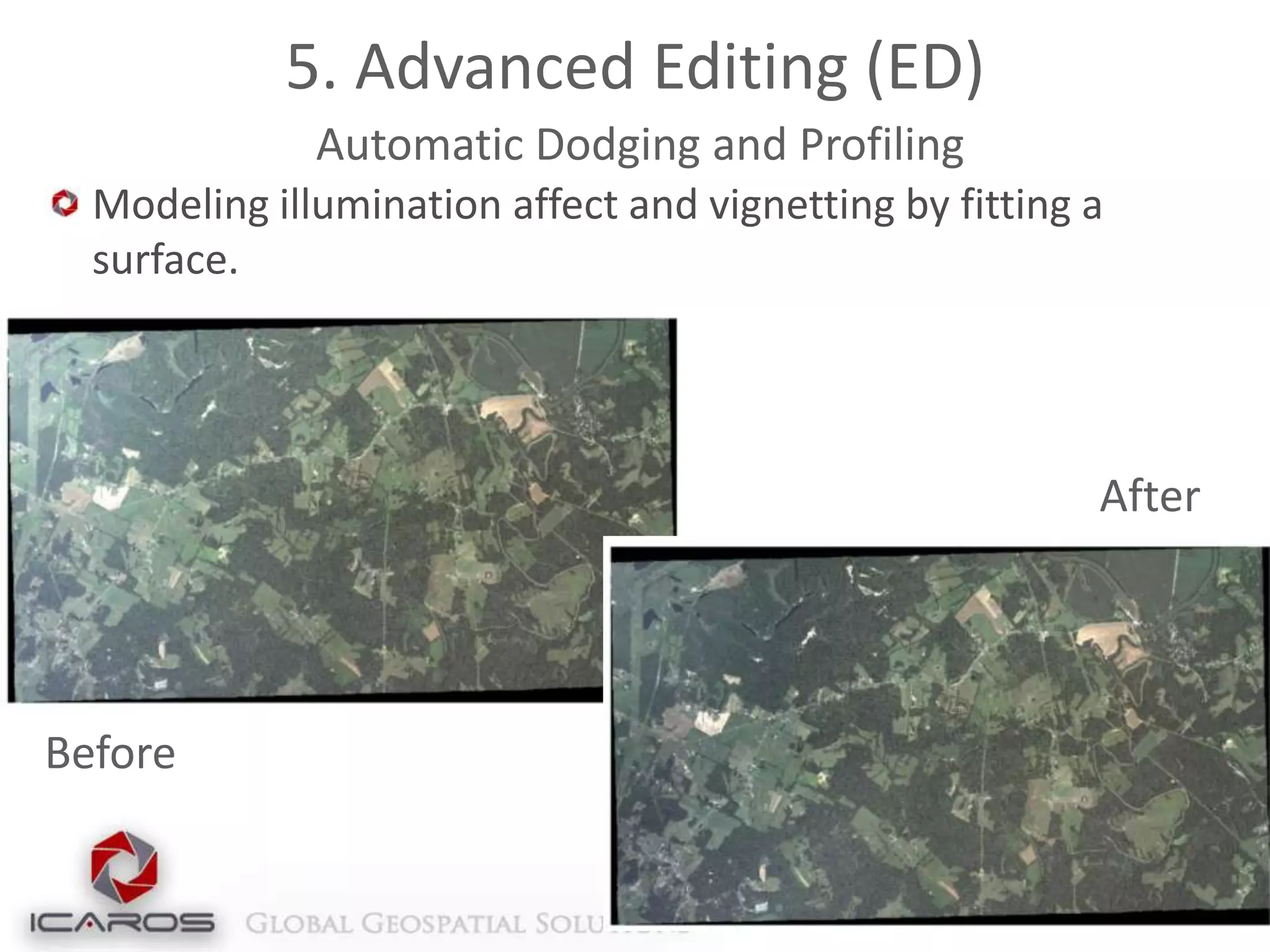
Automatic Dodging and Profiling
Modeling illumination affect and vignetting by fitting a
surface.

After

Before
5. Advanced Editing (ED)
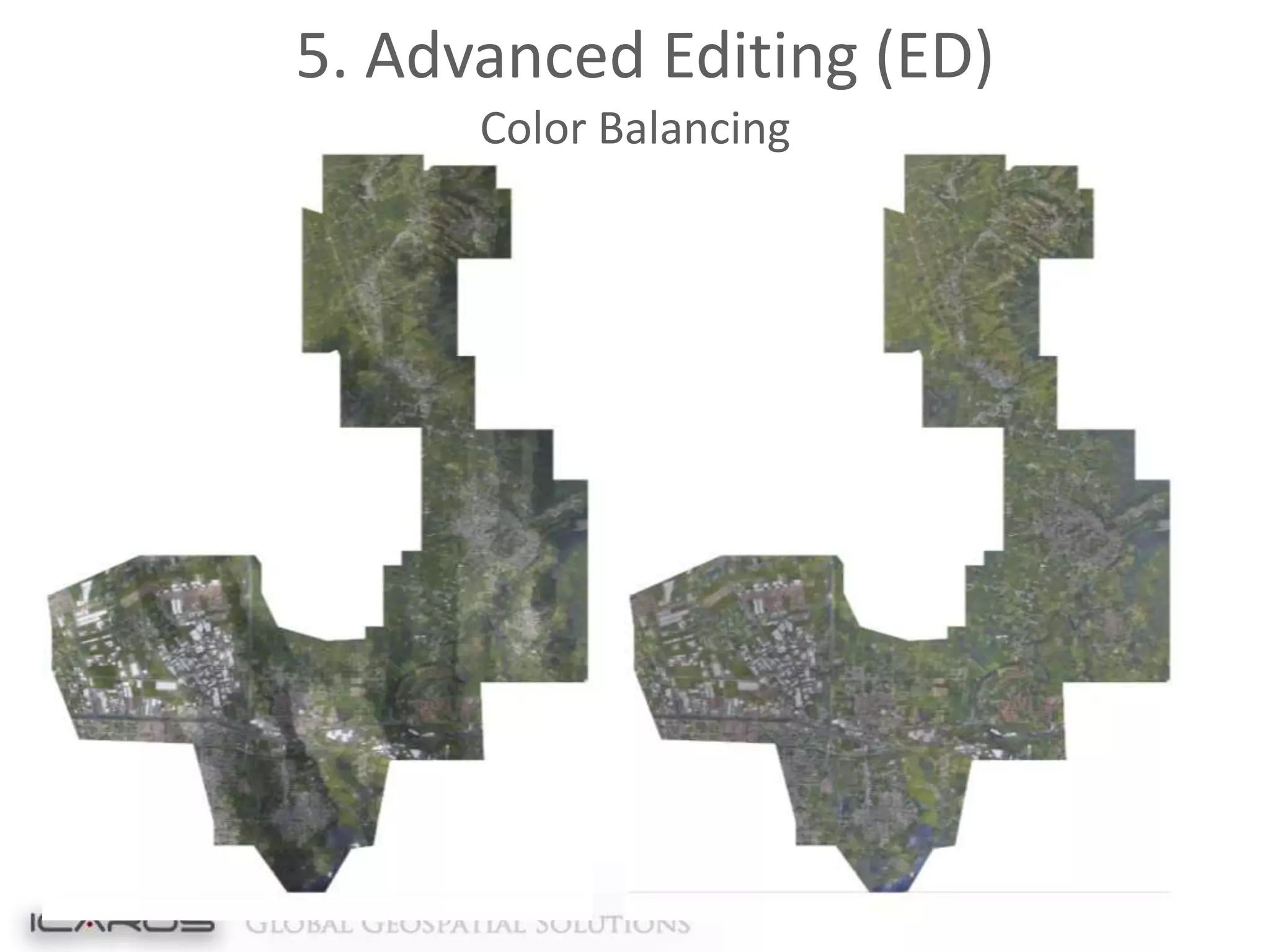
Color Balancing
5. Advanced Editing (ED)
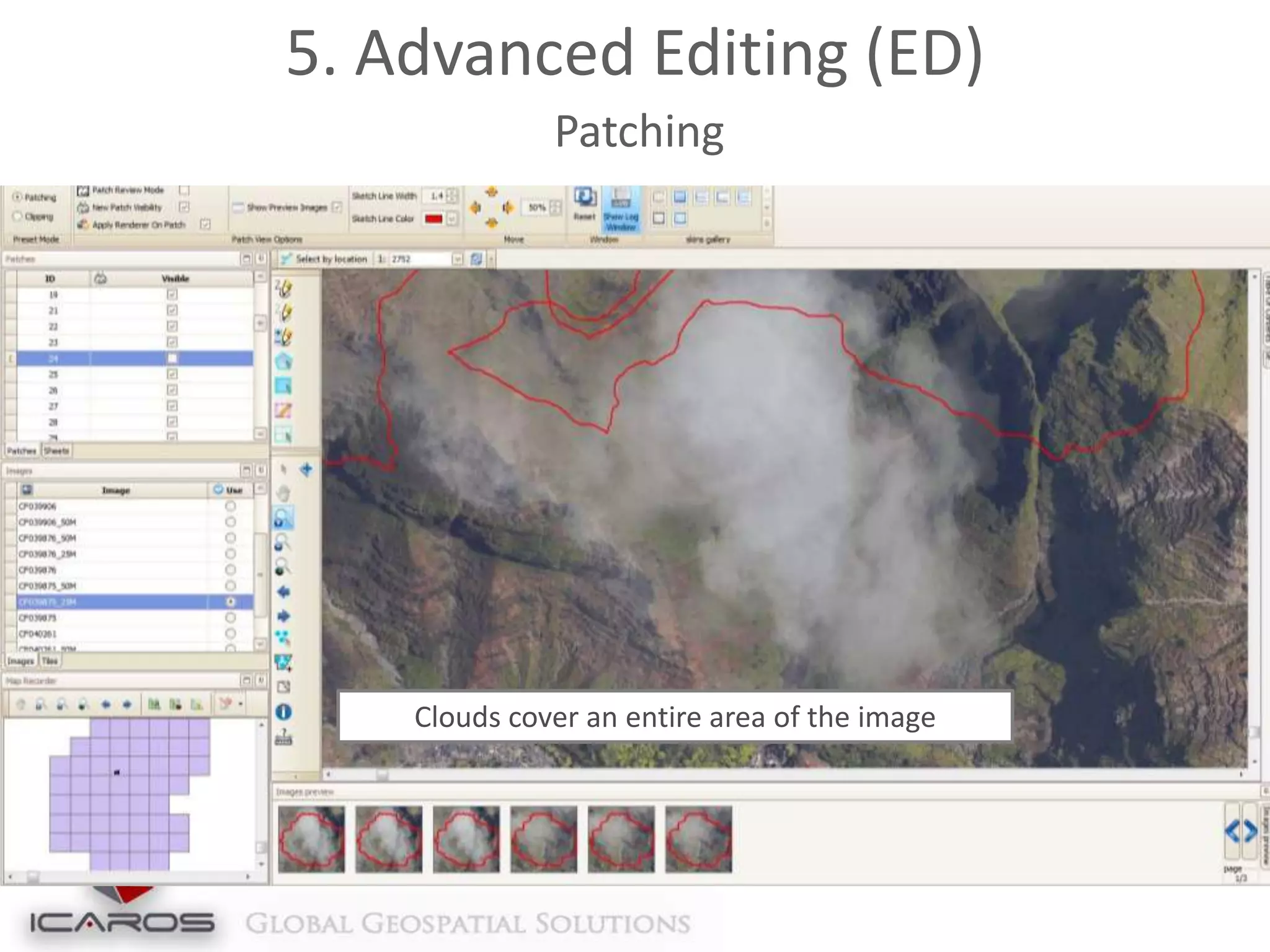
Patching

Clouds cover an entire area of the image
5. Advanced Editing (ED)
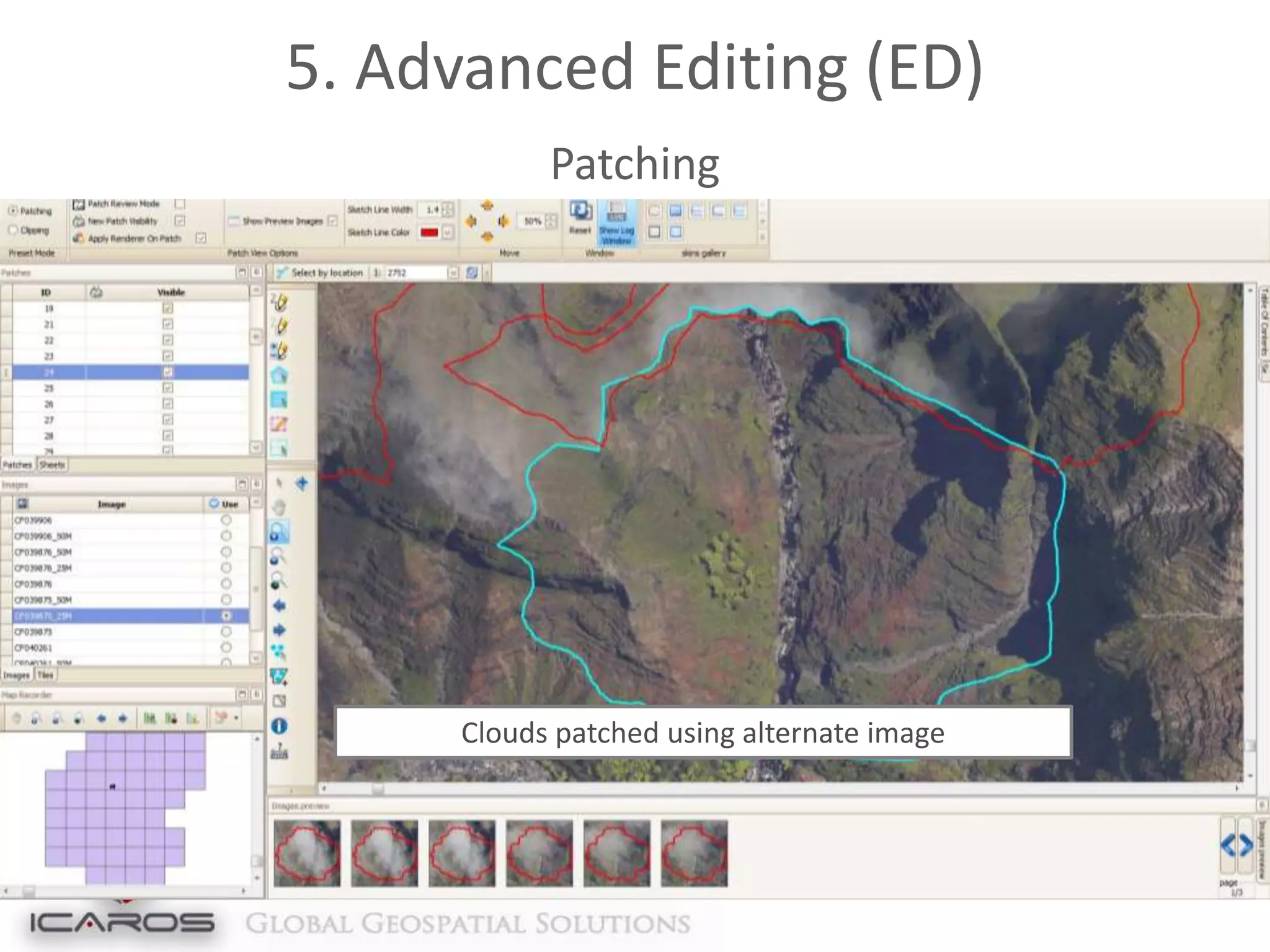
Patching

Clouds patched using alternate image
5. Advanced Editing (ED)
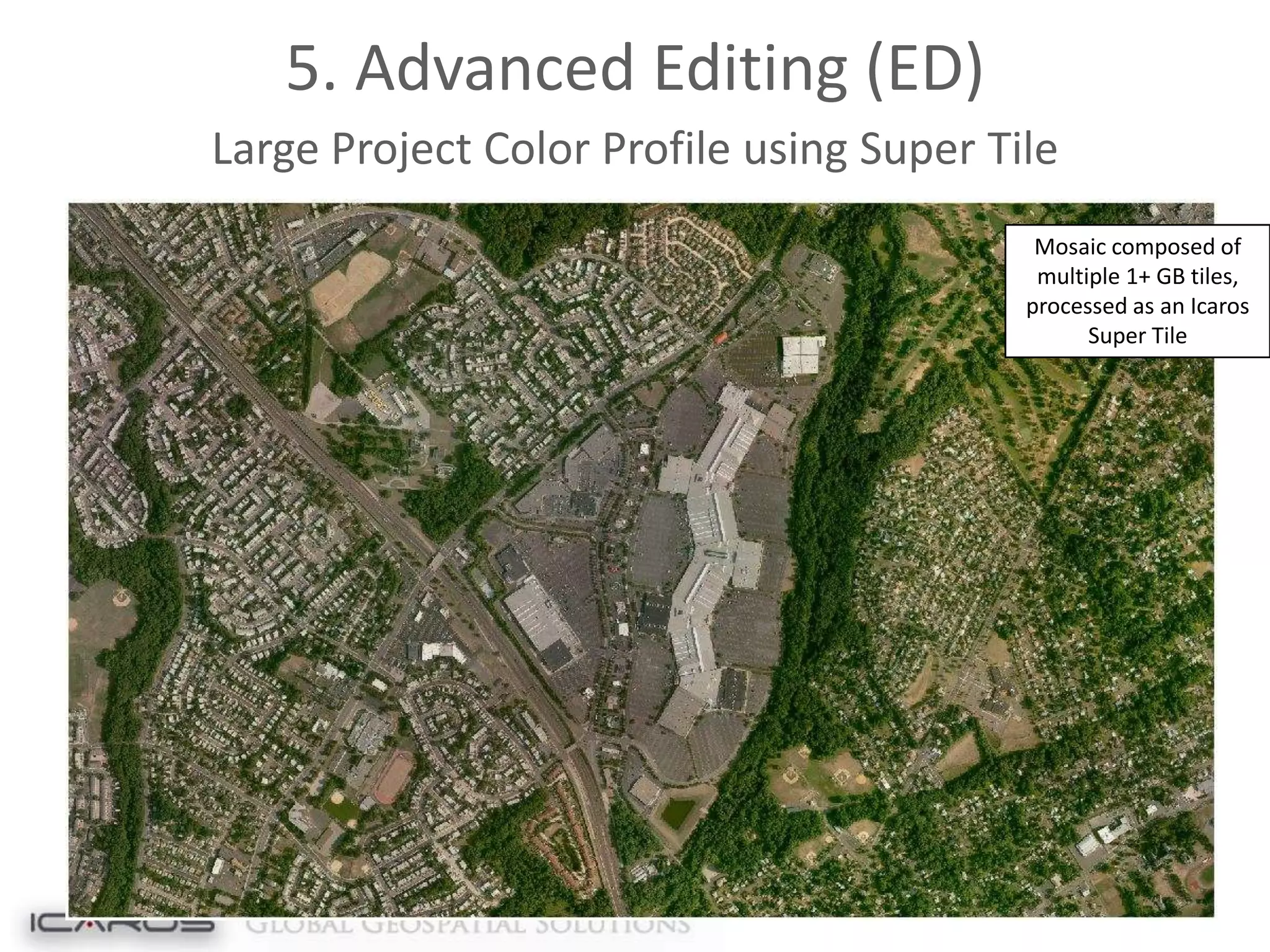
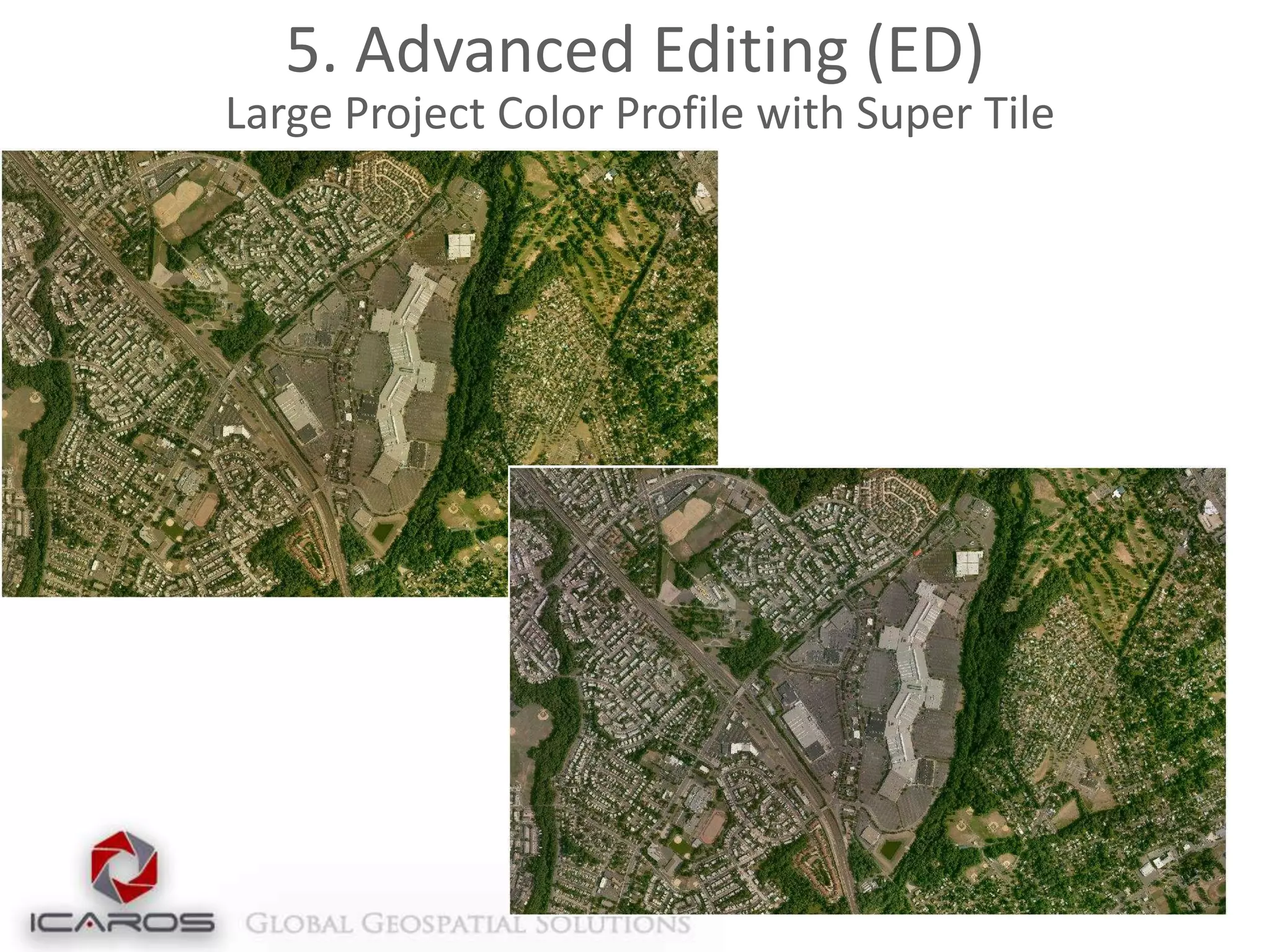
Large Project Color Profile using Super Tile
Mosaic composed of
multiple 1+ GB tiles,
processed as an Icaros
Super Tile
5. Advanced Editing (ED)
Large Project Color Profile with Super Tile
Additional Capabilities
Deriving and visualizing 3D data
DSMs
Point Clouds
Models
Parametric
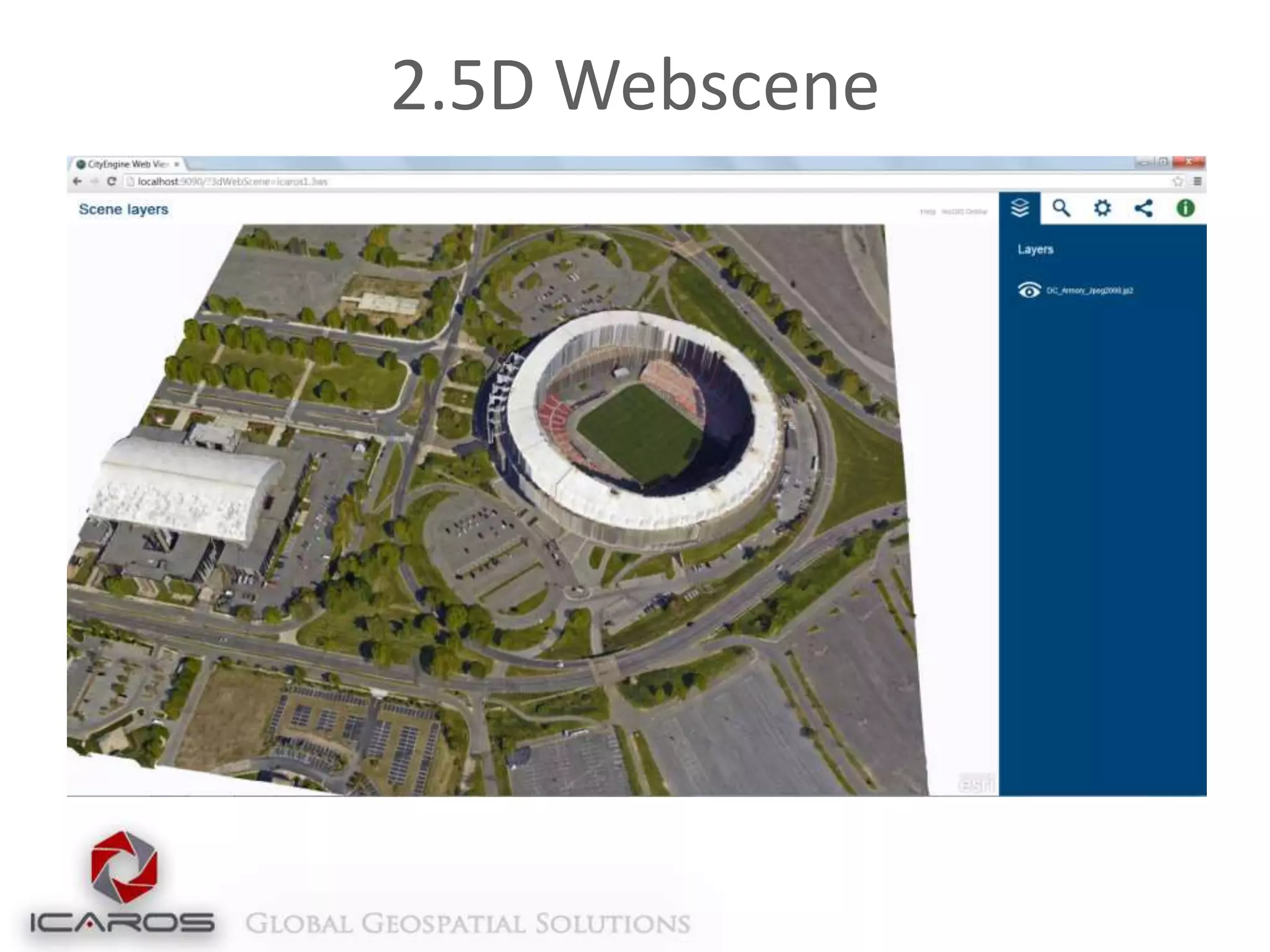
2.5D Webscene
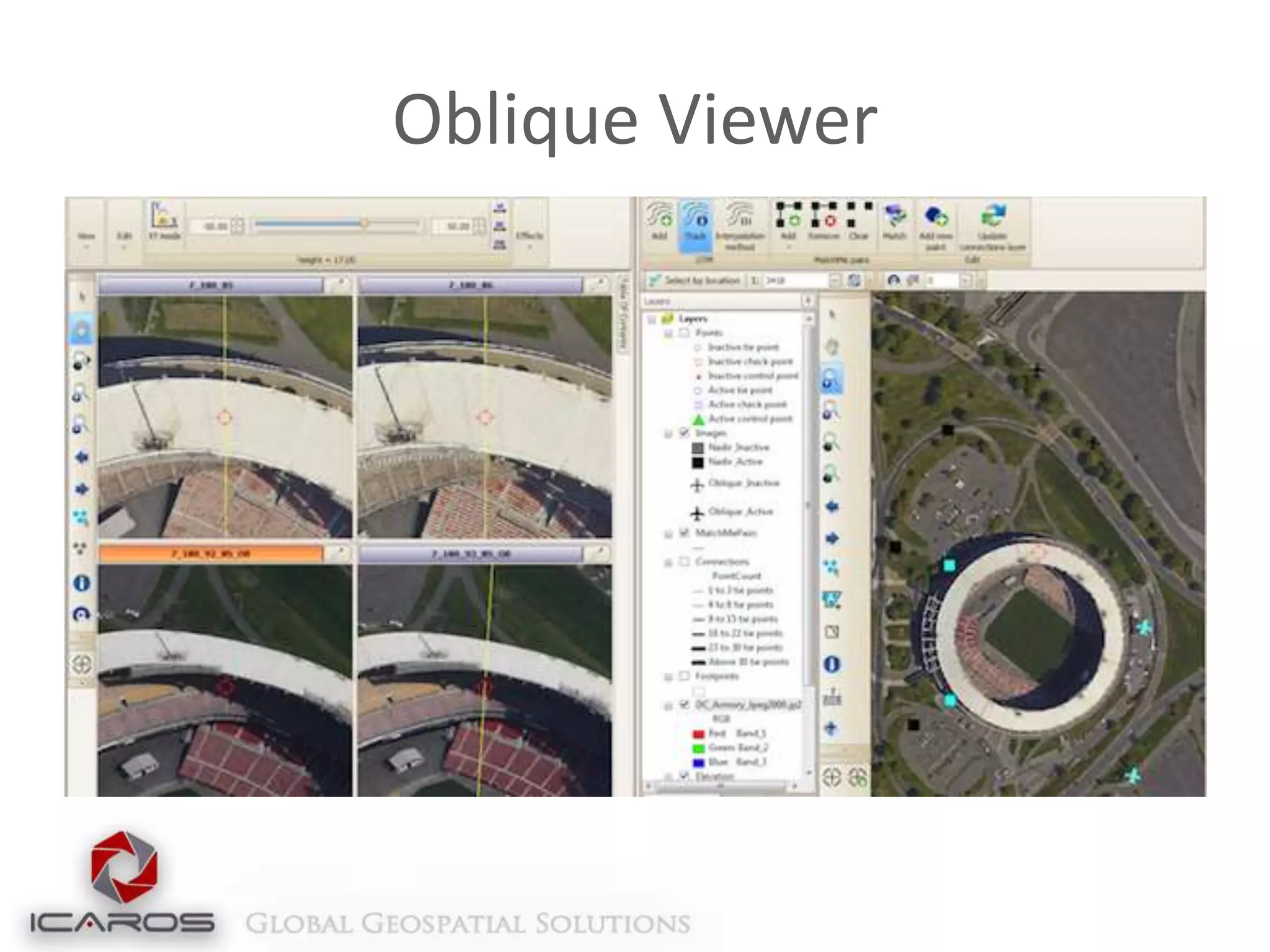
Oblique Viewer
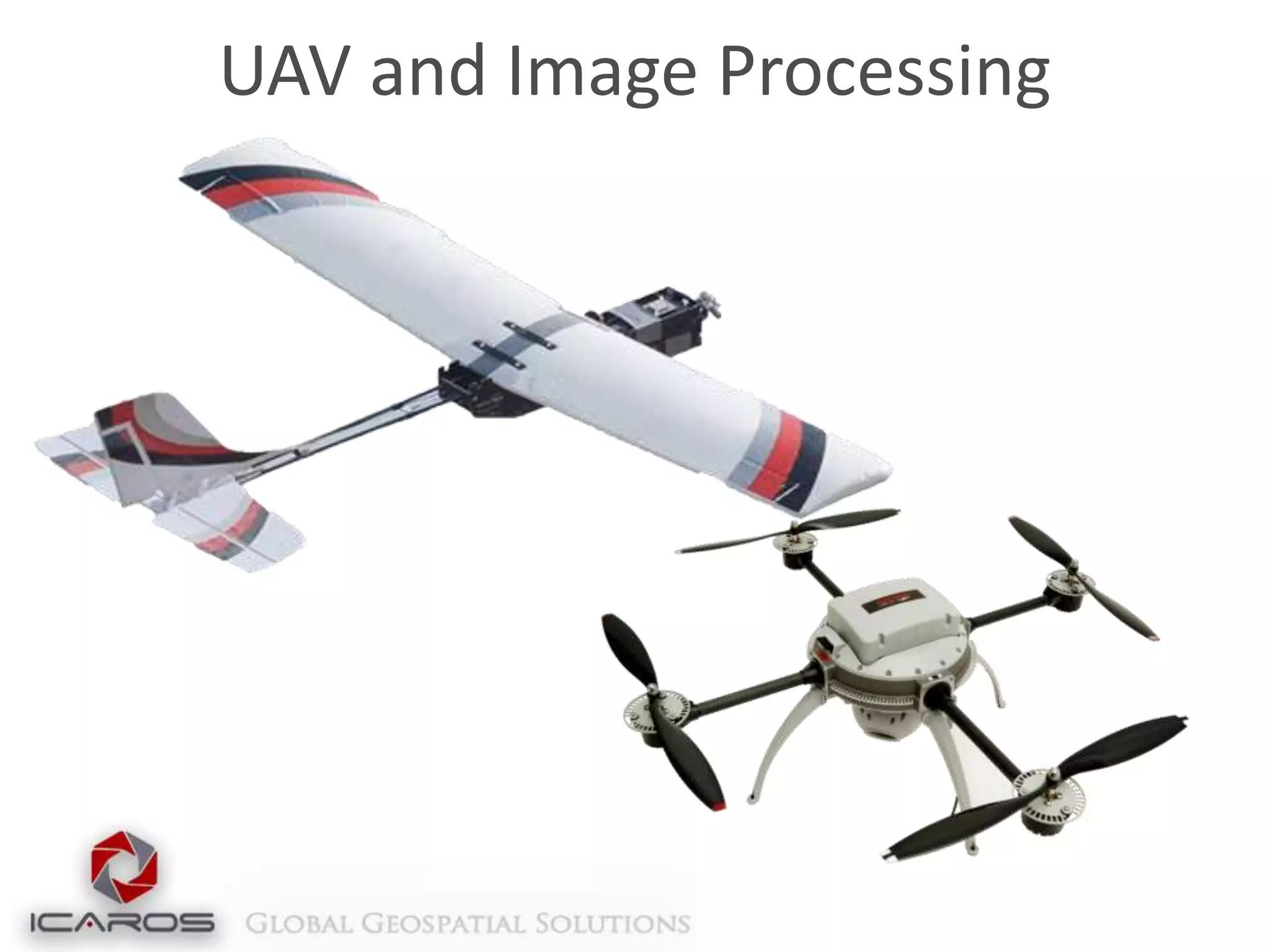
UAV and Image Processing
Point of contact:
www.icaros.us
Richard Baumgartner
+1 703-338-6771
rbaumgartner@icaros.us
Skype: richard.baumgartner6
www.linkedin.com/in/rickbaumgartner

Icaros Photogrammetric Suite (IPS) Workflow

  • 1.
  • 2.
    About Us Established 2004,Metro Washington DC Developed advanced remote sensing software, solutions, and services Dedicated R&D and production facilities Esri Silver Partner Global reach through unique collection techniques
  • 3.
  • 4.
    Introduction to IPS Aerialimage data processing software Based on remote sensing and collection expertise Compatible with any frame-based sensor (Platform agnostic) Creates high-resolution topographic products Orthomosaics Digital Terrain/Digital Surface Maps 3D models from raw image data Oblique/Thermal processing Training, support and installation services
  • 5.
    Value Proposition Comprehensive photogrammetricprocessing software completely within ArcGIS Deriving 3D data (DSM, Point Cloud, Model, Parametric) for ArcGIS Adds support for new sensors (UAS/UAV, Thermal, Oblique)
  • 6.
    IPS Workflow Flight Ground Process Final Product ActionableProduct Capture Raw Image Captured Post-Flight Product Geo-Referenced Images Operational Product Ortho-Rectified Mosaic (Pre Q/A) (Post Q/A)
  • 7.
    Workflow Modules 1. AerialTriangulation 2. Elevation Extraction 3. Orthoproduction 4. Seamline Extraction 5. Editing Final Orthomosaic
  • 8.
    1. Aerial Triangulation(AT) Intelligent tie-point management engine for strong connectivity and uniform distribution No extra data required (e.g. position, rotation, scale) Minimal outliers Correlates images with different resolutions (GSDs) Indifferent to misleading regions (clouds, lakes) GPU-enabled for expedited processing capabilities (high performance-value in designated workstations) Enables Incremental workflow
  • 9.
  • 10.
    1. AT: SolutionManager 3 Concurrent synchronized views of the data: Alpha-numeric Multi-Image presentation Geographic Uses most advanced numerical optimization methods Compatible with a large number of images per photogrammetric block Adaptive weighting function Robust bundle option for high-accuracy, low RMS Aerialtriangulation in a ground-controlled project Exports to all standard industry formats (PAT-B, SUP, etc)
  • 11.
  • 12.
  • 13.
    2. Elevation Extraction(EL) 2 Options: DTM Sparse – Fast production of general elevation layer (<10 minutes for large blocks) DTM Dense – High density and detail elevation extraction, 2-3X GSD production density Produces Dense Surface Models (DSM), then uses high density data to produce a lower density Terrain Model, with limited additional processing Extracts Point Clouds from Stereo Imagery, including color values in LAS format
  • 14.
    2. Elevation Extraction(EL) Dense Digital Surface Model and Terrain Model Dense Surface Model Digital Terrain Model
  • 15.
    2. Elevation Extraction(EL) Dense Surface Elevation Extraction in Urban Settings Overlaid Rectified Imagery to Recreate 3-D Model
  • 16.
    3. Orthorectification andProduction Fast and automated Orthorectification Compatible with multiple formats Geotif, ASCII, DEM, etc. Simple integration with LiDAR data Runs directly on LAS files Incorporates breaklines for bridges or extreme terrain rectification Compression and overview creation Converts multiple bit and band combinations
  • 17.
    3. Orthorectification andProduction Final Orthorectified Image
  • 18.
    4. Automatic SeamlineExtraction Icaros Smart Seamlines – automatic optimal seamline extraction Multiple-image color adjustment and balancing Automatic brightness profiling and dodging for uniformity Advanced feathering algorithm Multi-core and GPU architecture for performance enhancement Enables incremental workflow
  • 19.
    4. Automatic SeamlineExtraction Seamlines are automated to follow natural passes and roadways, as well avoid cutting through structures
  • 20.
    5. Advanced Editing(ED) Interactive Seamline Editor Patch Mosaic – Replace any area in a final mosaic with alternative orthorectified data Correct small artifacts in the orthomosaic Replace unwanted building lean, sun glare on rooftops or water surfaces Super Tile – Combine over 100 tiles into a single editable tile, in any Graphic Manipulation Software, then apply general tweaks to the entire project
  • 21.
    5. Advanced Editing(ED) Interactive Seamline Editor User-friendly and comfortable seamline editing environment and tools
  • 22.
    5. Advanced Editing(ED) Interactive Seamline Editor Select a seamline, shift it and view the new mosaic created from the edited seamline in real time
  • 23.
    5. Advanced Editing(ED) Feathering Advanced feathering allows for a seamless blend between all images in the mosaic, as shown in this mosaic scene
  • 24.
    5. Advanced Editing(ED) Automatic Dodging and Profiling Modeling illumination affect and vignetting by fitting a surface. After Before
  • 25.
    5. Advanced Editing(ED) Color Balancing
  • 26.
    5. Advanced Editing(ED) Patching Clouds cover an entire area of the image
  • 27.
    5. Advanced Editing(ED) Patching Clouds patched using alternate image
  • 28.
    5. Advanced Editing(ED) Large Project Color Profile using Super Tile Mosaic composed of multiple 1+ GB tiles, processed as an Icaros Super Tile
  • 29.
    5. Advanced Editing(ED) Large Project Color Profile with Super Tile
  • 30.
    Additional Capabilities Deriving andvisualizing 3D data DSMs Point Clouds Models Parametric
  • 31.
  • 32.
  • 33.
    UAV and ImageProcessing
  • 34.
    Point of contact: www.icaros.us RichardBaumgartner +1 703-338-6771 rbaumgartner@icaros.us Skype: richard.baumgartner6 www.linkedin.com/in/rickbaumgartner

Editor's Notes

  • #6 Experience with large-frame AT solutions (very large geographic areas) – automatic processingPhotogrammetric suite informed by our collection and services experience
  • #32 Talk about server – processing as a service within the next 6 months