Coimbatore MuleSoft Meetup Group
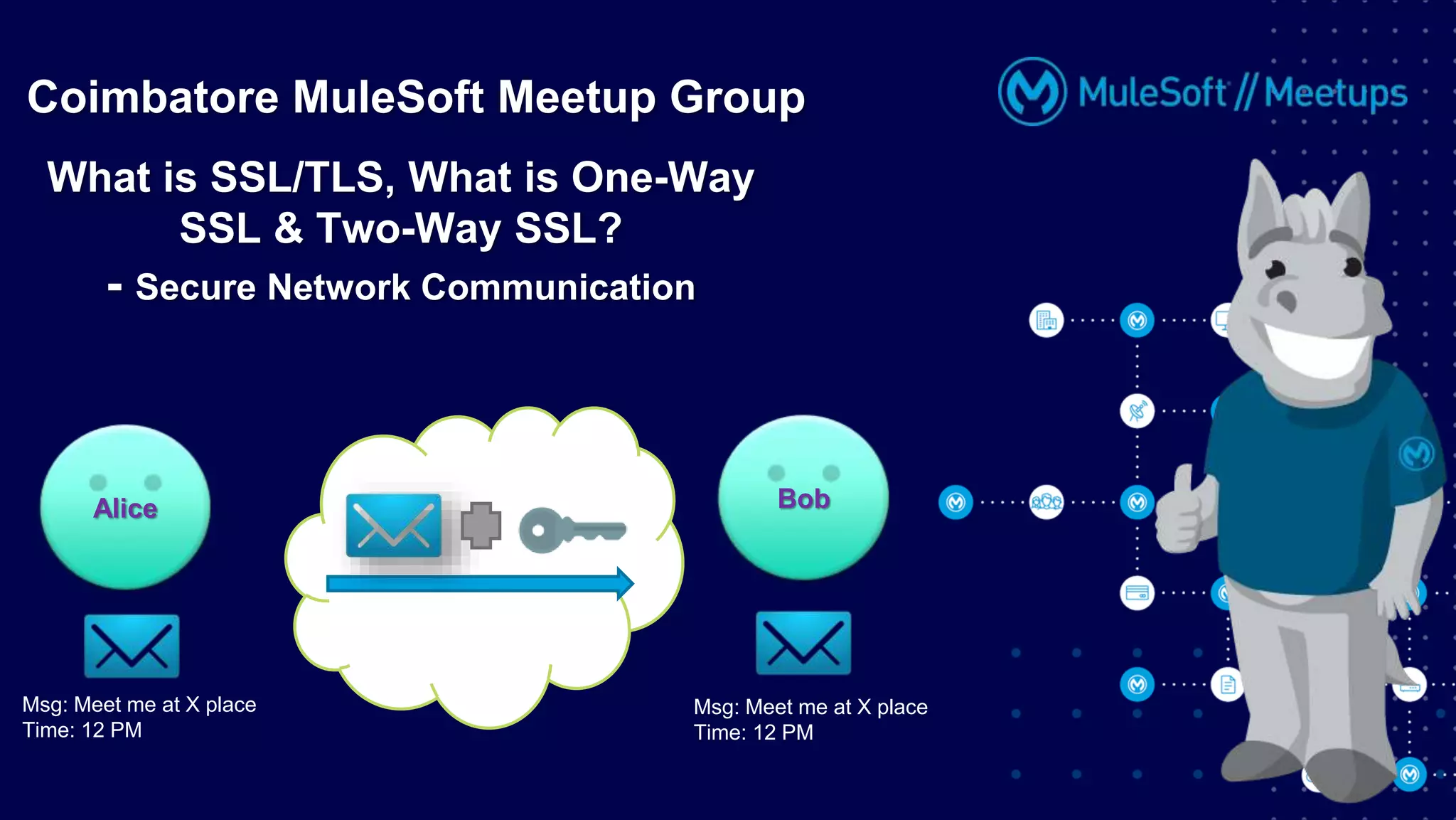
What is SSL/TLS, What is One-Way
SSL & Two-Way SSL?
- Secure Network Communication
Msg: Meet me at X place
Time: 12 PM
Alice Bob
Msg: Meet me at X place
Time: 12 PM
Organizers
2
About Organizer:
• 10 years of Technical Experience.
• 6+ years of Experience in the Integration Domain.
• Certified MuleSoft Developer and Architect.
• Mule Meetup Speaker.
• Coimbatore Mule Meetup Leader
Ashish Pardhi
Solution Architect, Apisero
Organizers
3
About Organizer:
• 10+ years of Industry Experience.
• 2+ years of Experience in Mulesoft
• Certified Technical Instructor at Mulesoft
• Integration Architect at NJC Labs.
• Coimbatore Mule Meetup Leader.
Anoop Ramachandran
Integration Architect,
NJC LABS
Organizers
4
About Organizer:
• 3.7 years of Total experience in MuleSoft.
• Certified MuleSoft Developer.
• Solution Consultant at Apisero.
• Coimbatore Mule Meetup Leader.
Balkis Sajeena
Solution Consultant, Apisero
• Both the speaker and host are organizing this meet up in individual capacity, only.
We are not representing our companies here.
• This presentation is strictly for learning purpose only. Organizer/Presenter do not hold any
responsibility that same solution will work for your business requirements also.
• This presentation is not meant for any promotional activities.
Safe Harbor Statement
5
A recording of this meetup will be uploaded to events page within 24 hours.
Questions can be submitted/asked at any time in the Chat/Questions & Answers Tab.
Make it more Interactive!!!
Give us feedback! Rate this meetup session by filling feedback form at the end of the day.
We Love Feedbacks!!! Its Bread & Butter for Meetup.
Housekeeping
6
1. How to Secure
Network
Communication?
2. SSL(Secure
Socket Layer)
3. Digital Certificate
• Signature(Signed and Unsigned)
• Digest(SHA-256, MD5)
4. Keys
• Private, Public and
Session Key
5. Types of Encryption
• Symmetric and Asymmetric
6. One-way and
Two-way SSL
7. Keystore and
Truststore
Agenda
7
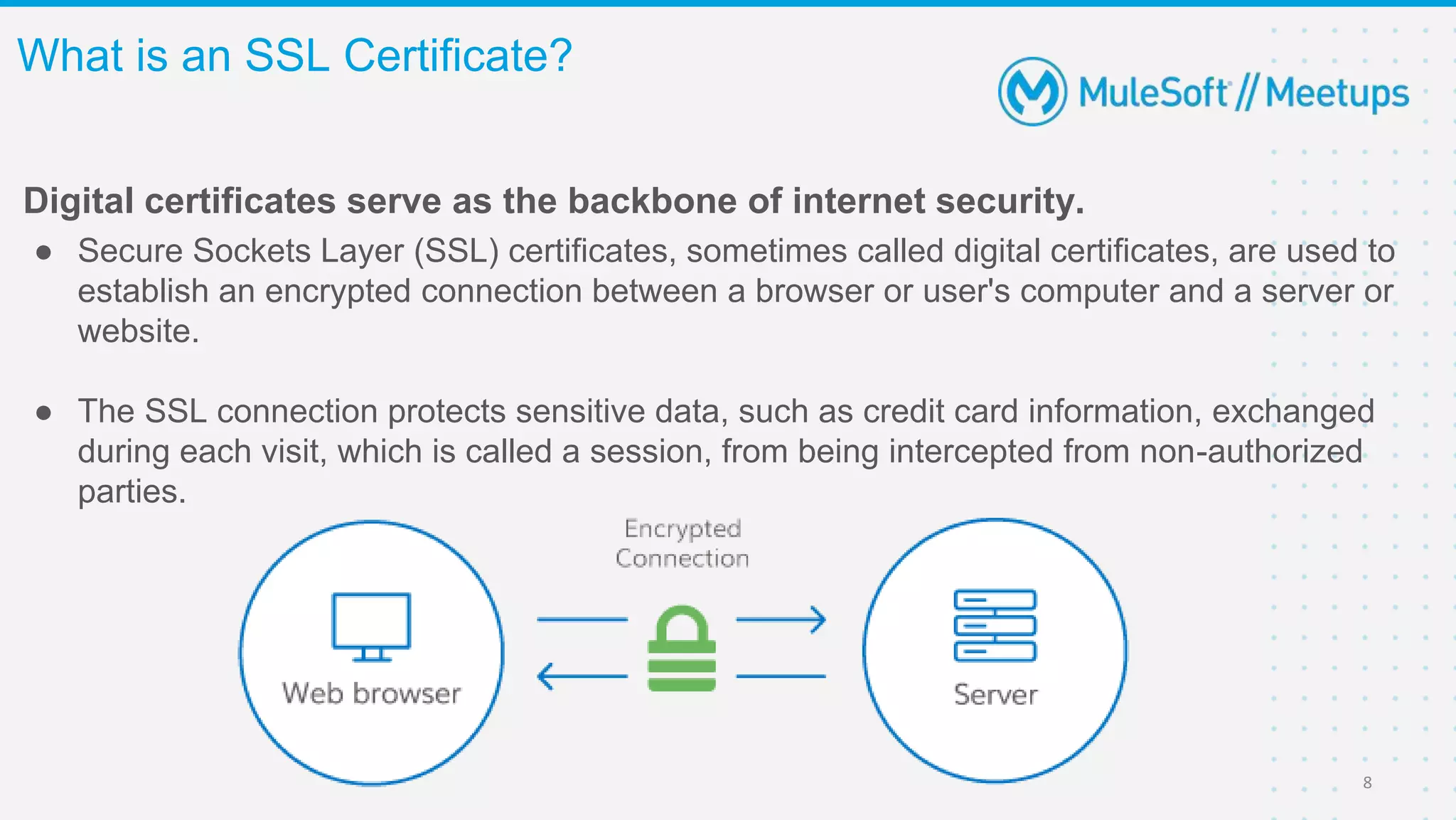
Digital certificates serve as the backbone of internet security.
● Secure Sockets Layer (SSL) certificates, sometimes called digital certificates, are used to
establish an encrypted connection between a browser or user's computer and a server or
website.
● The SSL connection protects sensitive data, such as credit card information, exchanged
during each visit, which is called a session, from being intercepted from non-authorized
parties.
What is an SSL Certificate?
8
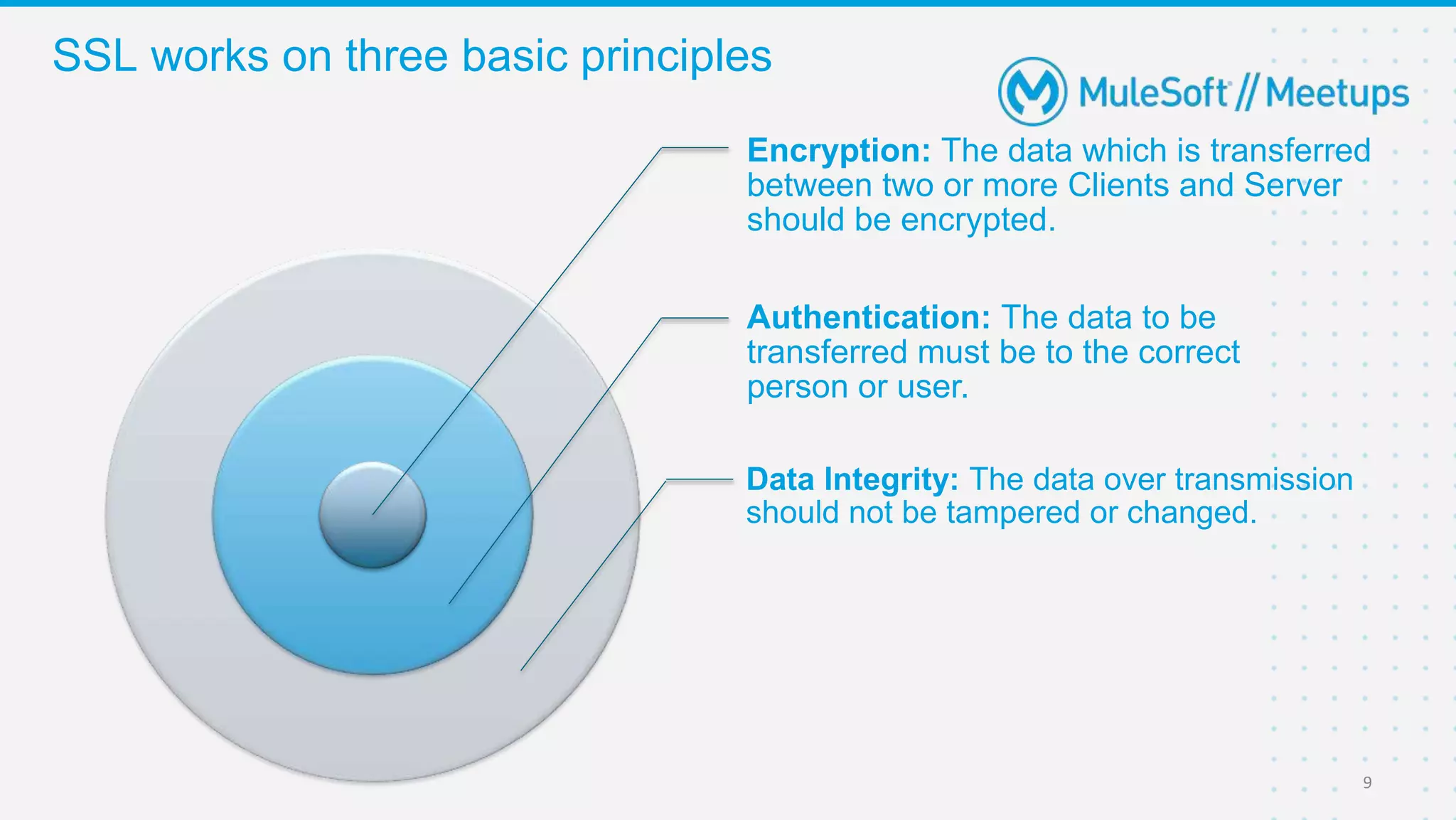
Encryption: The data which is transferred
between two or more Clients and Server
should be encrypted.
Authentication: The data to be
transferred must be to the correct
person or user.
Data Integrity: The data over transmission
should not be tampered or changed.
SSL works on three basic principles
9
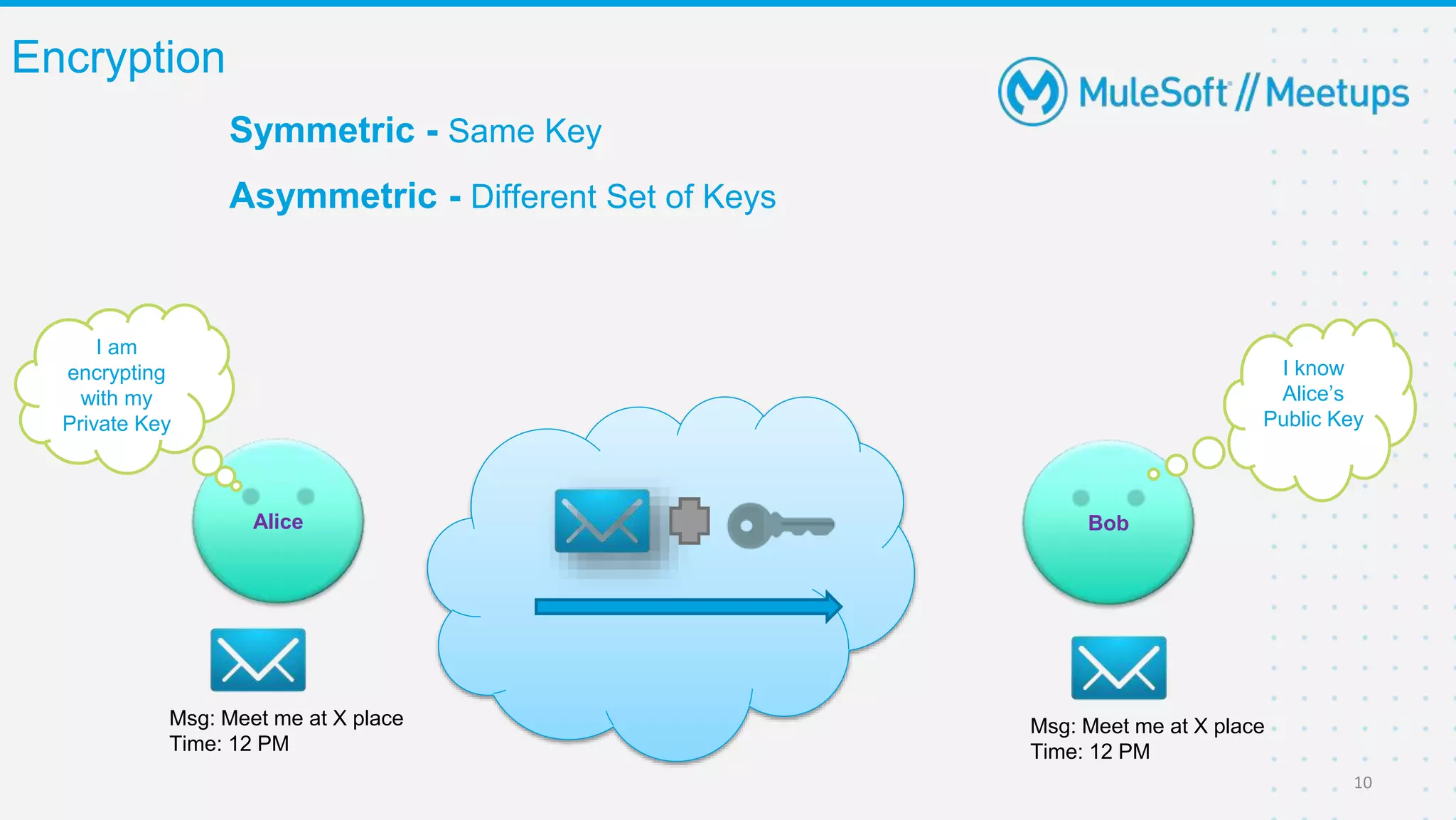
Encryption
10
Msg: Meet me at X place
Time: 12 PM
Alice Bob
Msg: Meet me at X place
Time: 12 PM
I know
Alice’s
Public Key
I am
encrypting
with my
Private Key
Symmetric - Same Key
Asymmetric - Different Set of Keys
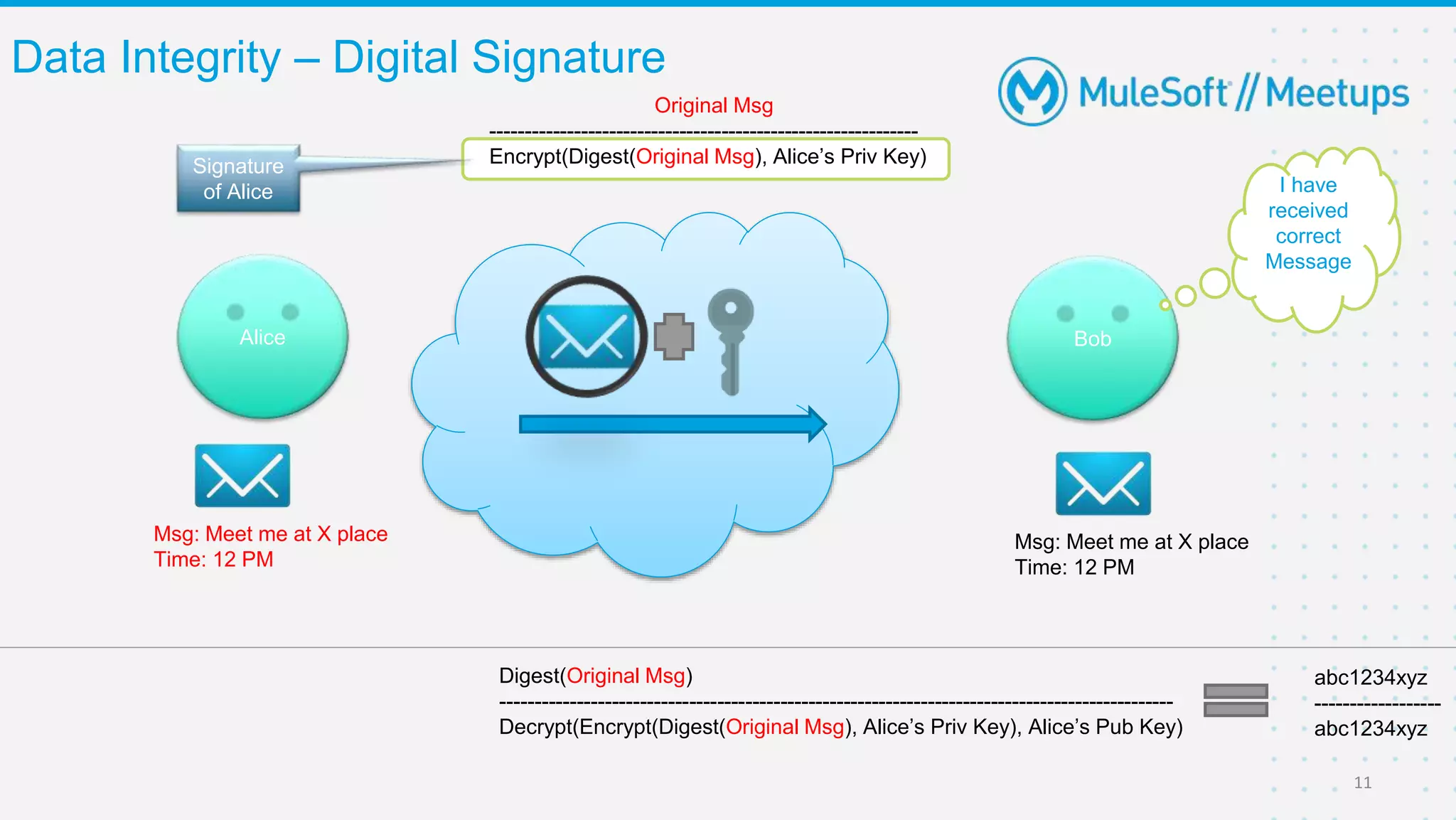
Data Integrity – Digital Signature
11
Msg: Meet me at X place
Time: 12 PM
Alice Bob
Msg: Meet me at X place
Time: 12 PM
Original Msg
-------------------------------------------------------------
Encrypt(Digest(Original Msg), Alice’s Priv Key)
Digest(Original Msg)
------------------------------------------------------------------------------------------------
Decrypt(Encrypt(Digest(Original Msg), Alice’s Priv Key), Alice’s Pub Key)
abc1234xyz
------------------
abc1234xyz
I have
received
correct
Message
Signature
of Alice
12
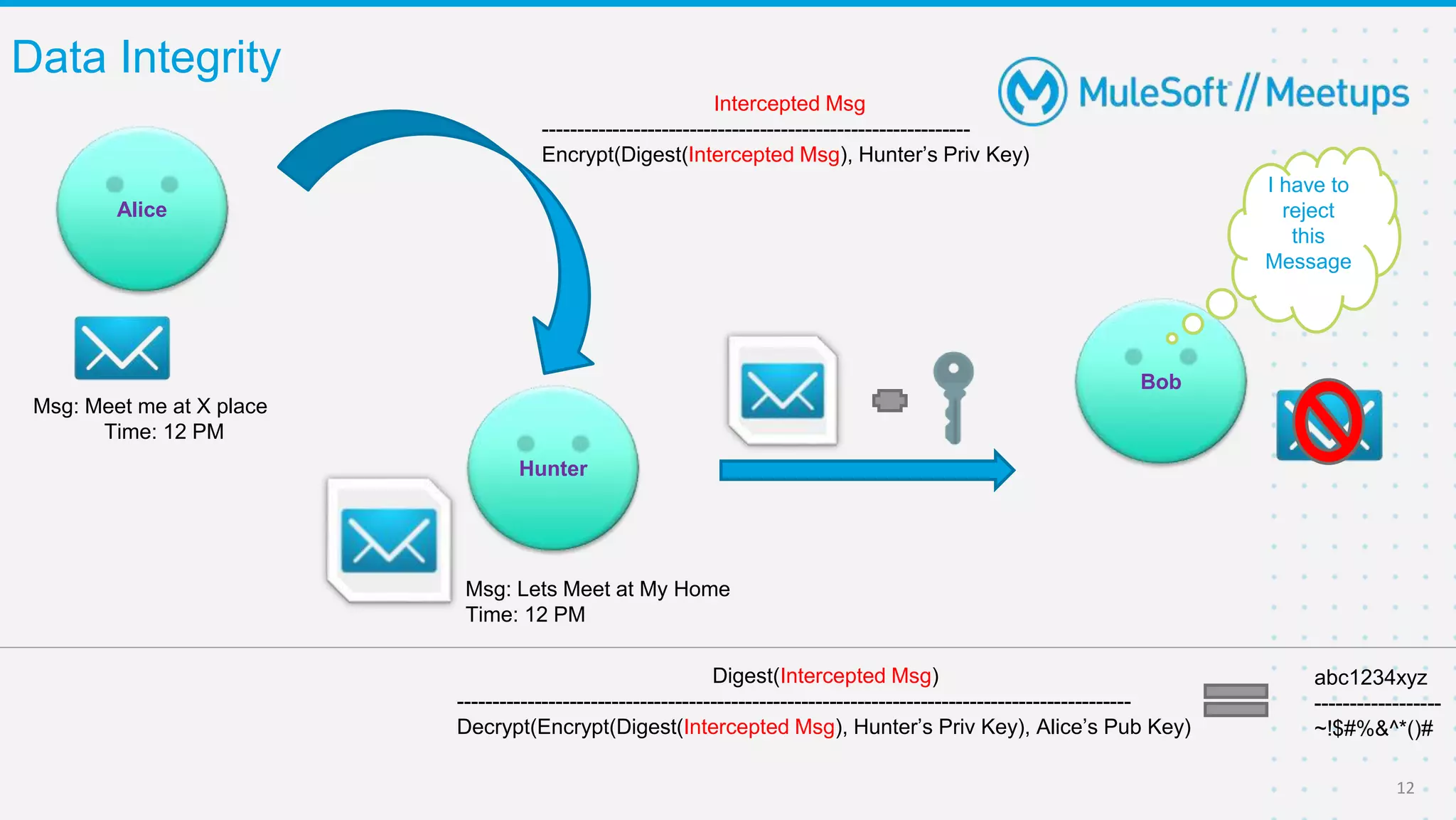
Msg: Meet me at X place
Time: 12 PM
Alice
Bob
Msg: Lets Meet at My Home
Time: 12 PM
Hunter
Data Integrity
Intercepted Msg
-------------------------------------------------------------
Encrypt(Digest(Intercepted Msg), Hunter’s Priv Key)
Digest(Intercepted Msg)
------------------------------------------------------------------------------------------------
Decrypt(Encrypt(Digest(Intercepted Msg), Hunter’s Priv Key), Alice’s Pub Key)
abc1234xyz
------------------
~!$#%&^*()#
I have to
reject
this
Message
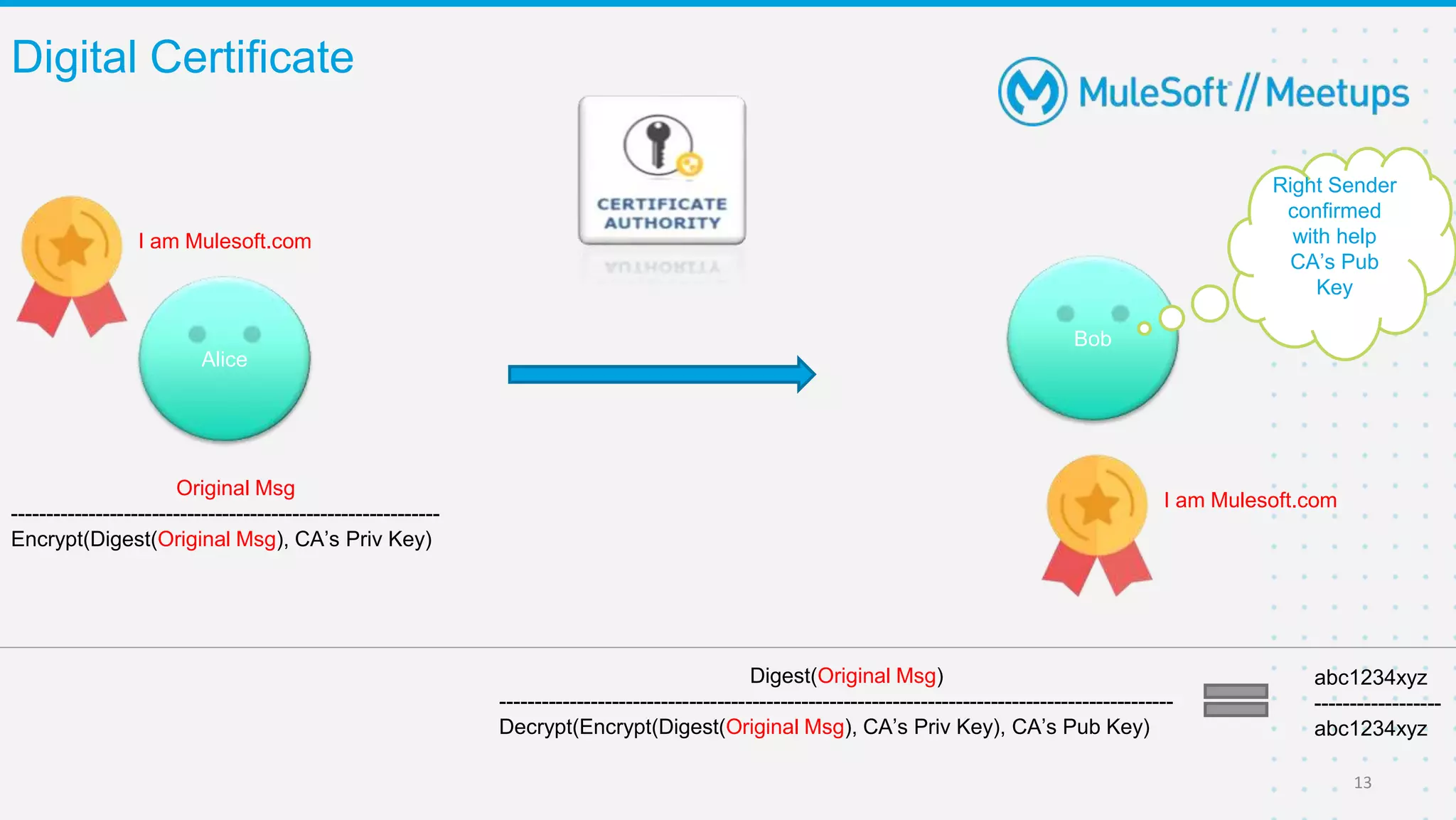
Digital Certificate
13
I am Mulesoft.com
Alice
Bob
Original Msg
-------------------------------------------------------------
Encrypt(Digest(Original Msg), CA’s Priv Key)
Digest(Original Msg)
------------------------------------------------------------------------------------------------
Decrypt(Encrypt(Digest(Original Msg), CA’s Priv Key), CA’s Pub Key)
abc1234xyz
------------------
abc1234xyz
Right Sender
confirmed
with help
CA’s Pub
Key
I am Mulesoft.com
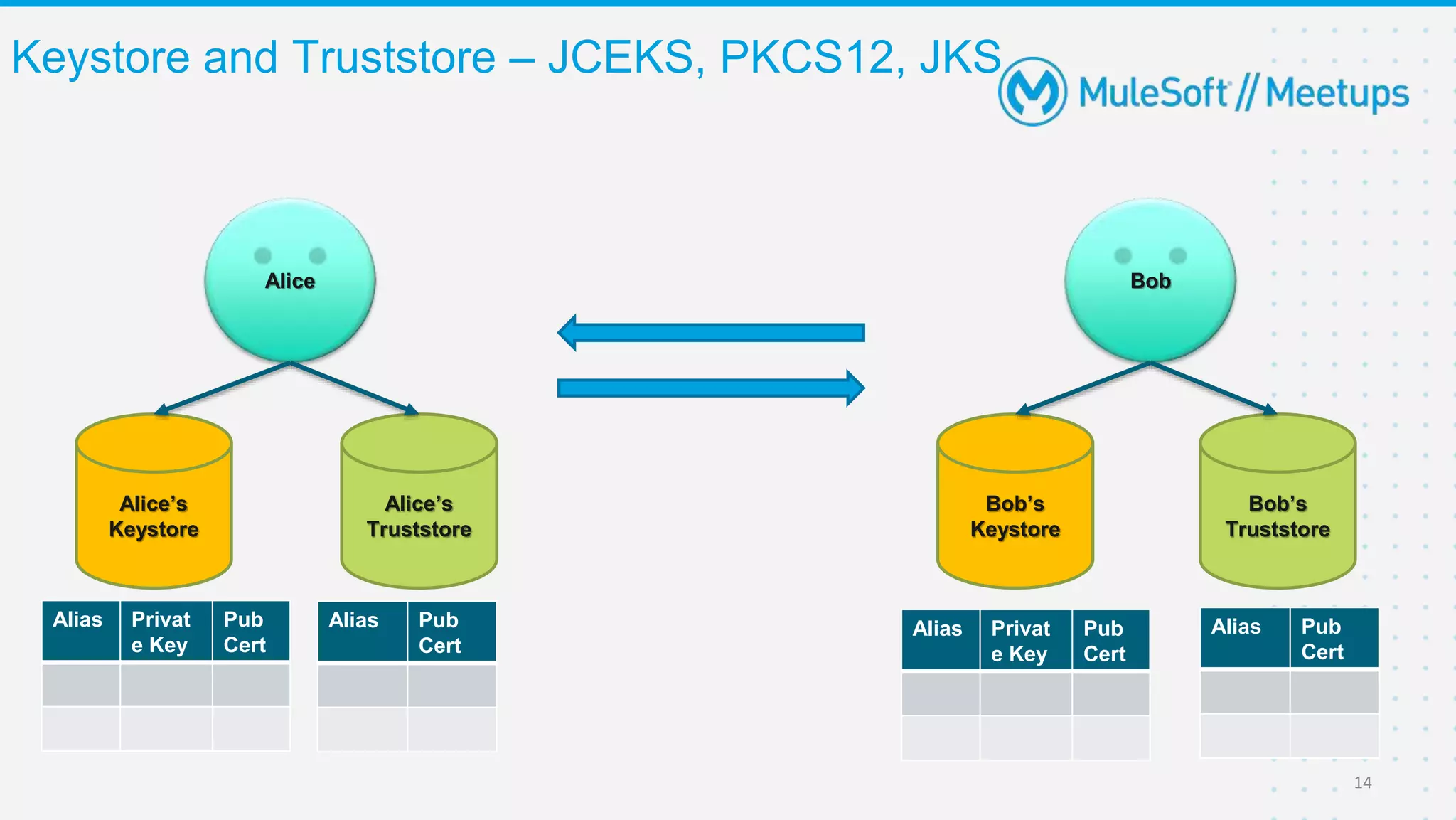
Keystore and Truststore – JCEKS, PKCS12, JKS
14
Alice Bob
Alice’s
Truststore
Bob’s
Truststore
Alice’s
Keystore
Bob’s
Keystore
Alias Privat
e Key
Pub
Cert
Alias Privat
e Key
Pub
Cert
Alias Pub
Cert
Alias Pub
Cert
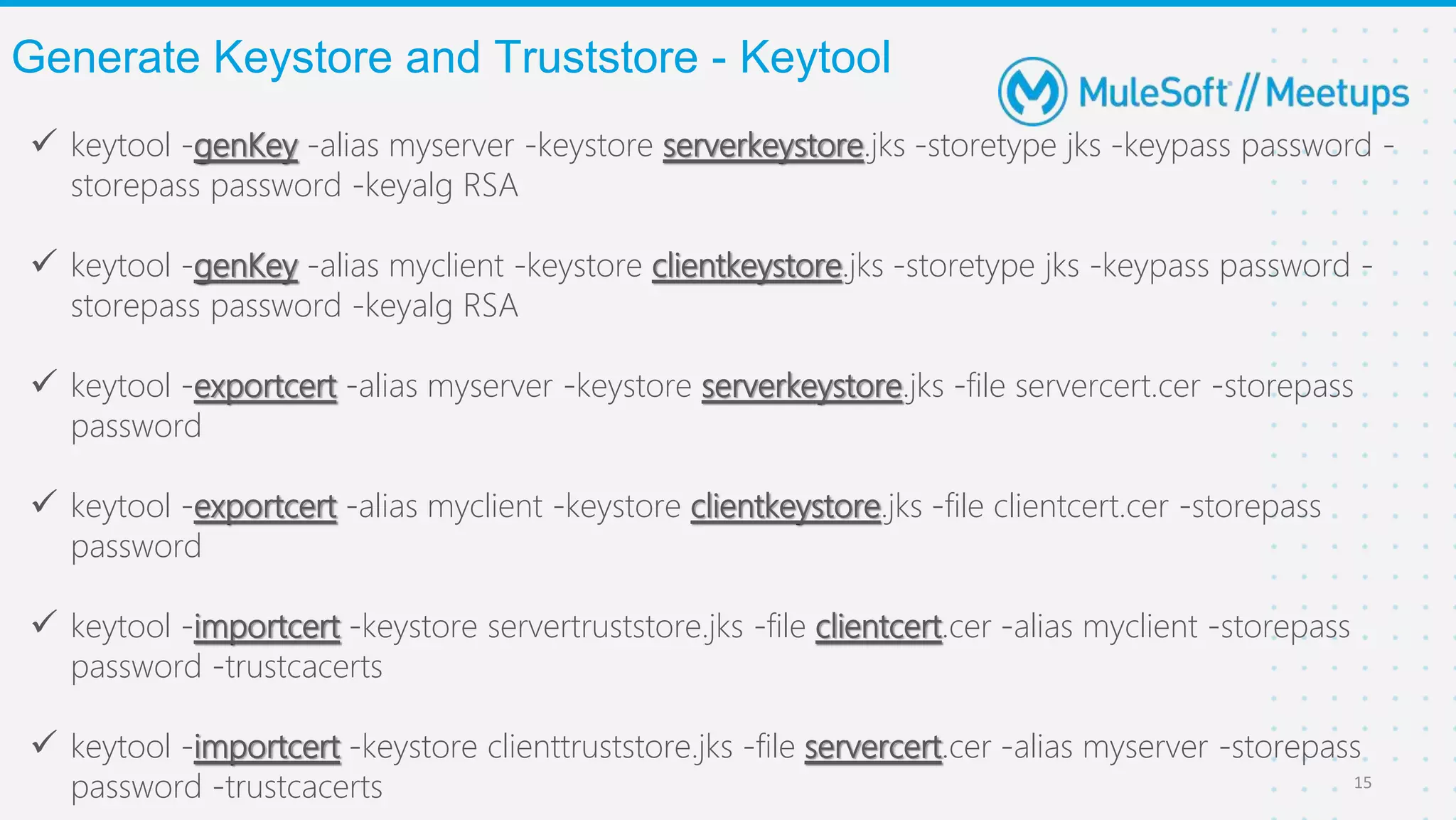
 keytool -genKey -alias myserver -keystore serverkeystore.jks -storetype jks -keypass password -
storepass password -keyalg RSA
 keytool -genKey -alias myclient -keystore clientkeystore.jks -storetype jks -keypass password -
storepass password -keyalg RSA
 keytool -exportcert -alias myserver -keystore serverkeystore.jks -file servercert.cer -storepass
password
 keytool -exportcert -alias myclient -keystore clientkeystore.jks -file clientcert.cer -storepass
password
 keytool -importcert -keystore servertruststore.jks -file clientcert.cer -alias myclient -storepass
password -trustcacerts
 keytool -importcert -keystore clienttruststore.jks -file servercert.cer -alias myserver -storepass
password -trustcacerts
Generate Keystore and Truststore - Keytool
15
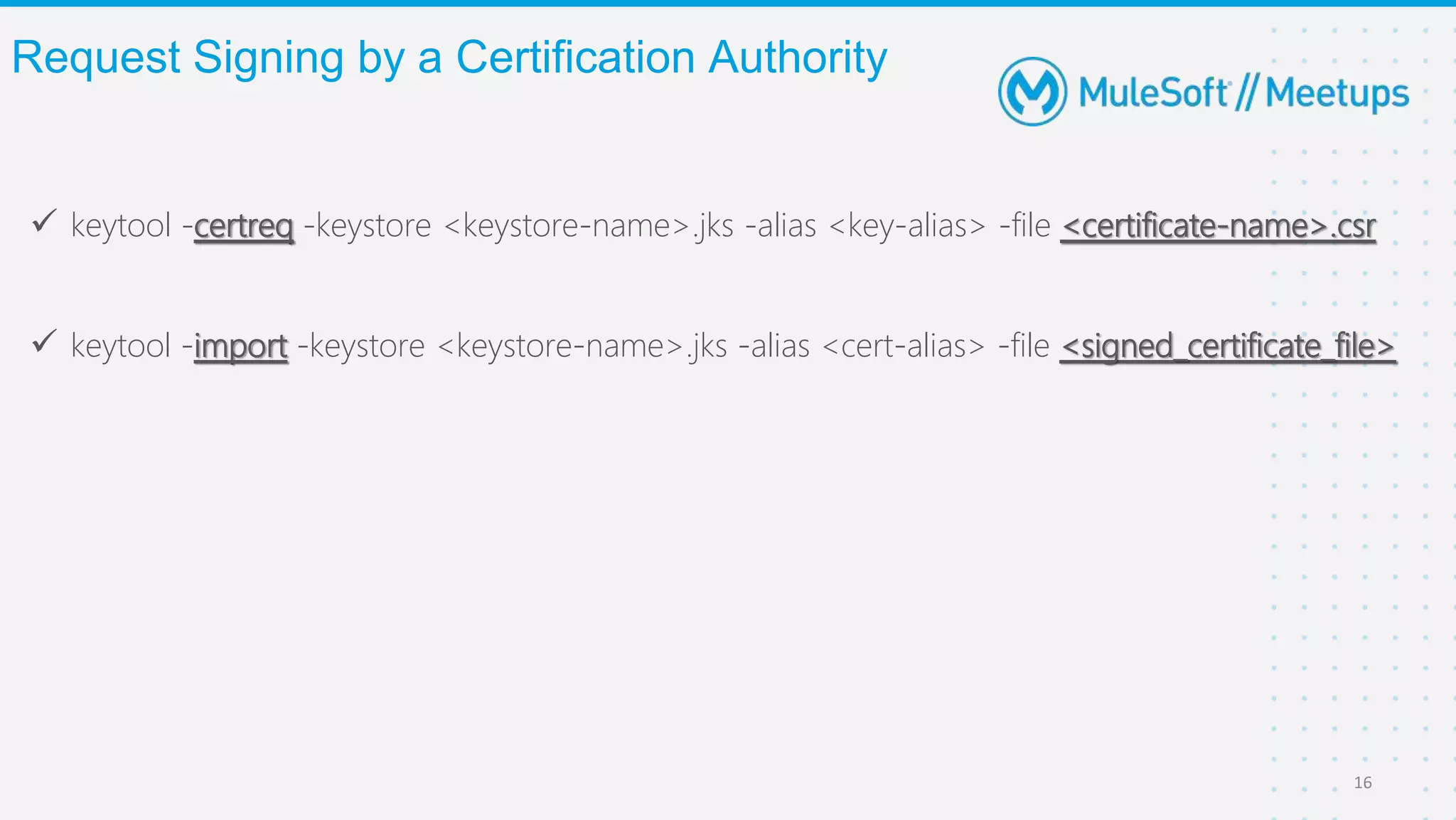
 keytool -certreq -keystore <keystore-name>.jks -alias <key-alias> -file <certificate-name>.csr
 keytool -import -keystore <keystore-name>.jks -alias <cert-alias> -file <signed_certificate_file>
Request Signing by a Certification Authority
16
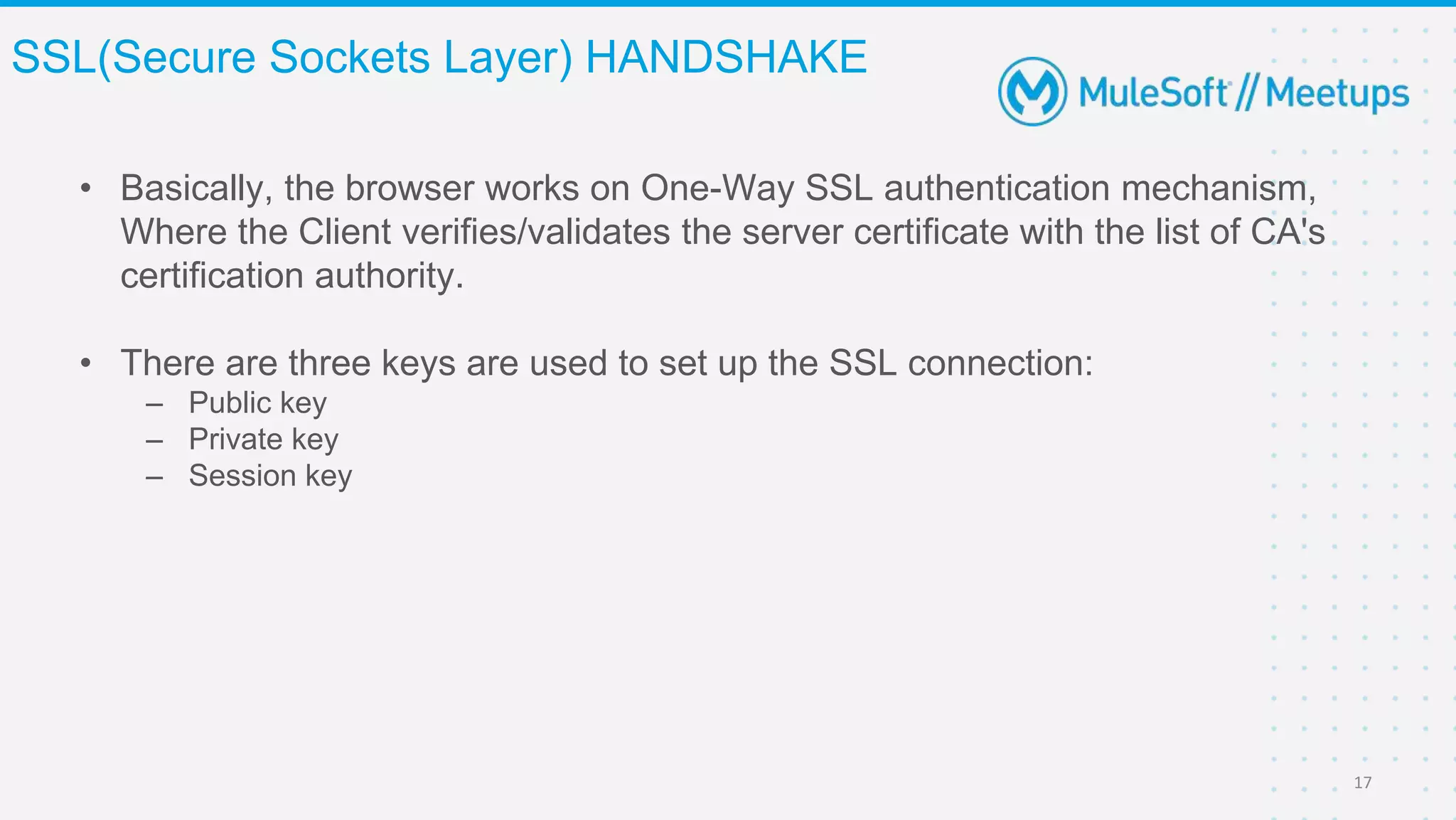
• Basically, the browser works on One-Way SSL authentication mechanism,
Where the Client verifies/validates the server certificate with the list of CA's
certification authority.
• There are three keys are used to set up the SSL connection:
– Public key
– Private key
– Session key
SSL(Secure Sockets Layer) HANDSHAKE
17
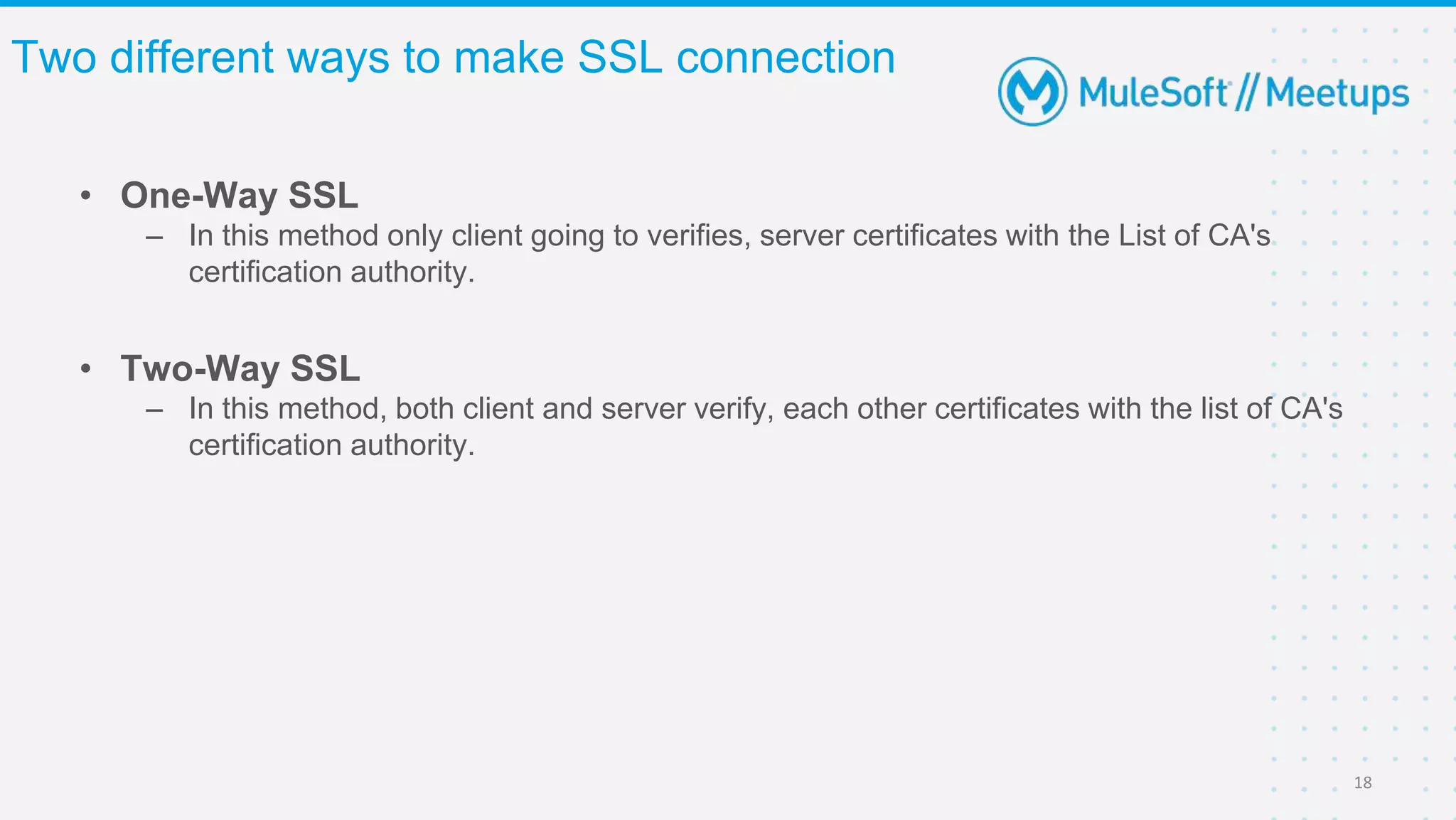
• One-Way SSL
– In this method only client going to verifies, server certificates with the List of CA's
certification authority.
Two different ways to make SSL connection
18
• Two-Way SSL
– In this method, both client and server verify, each other certificates with the list of CA's
certification authority.
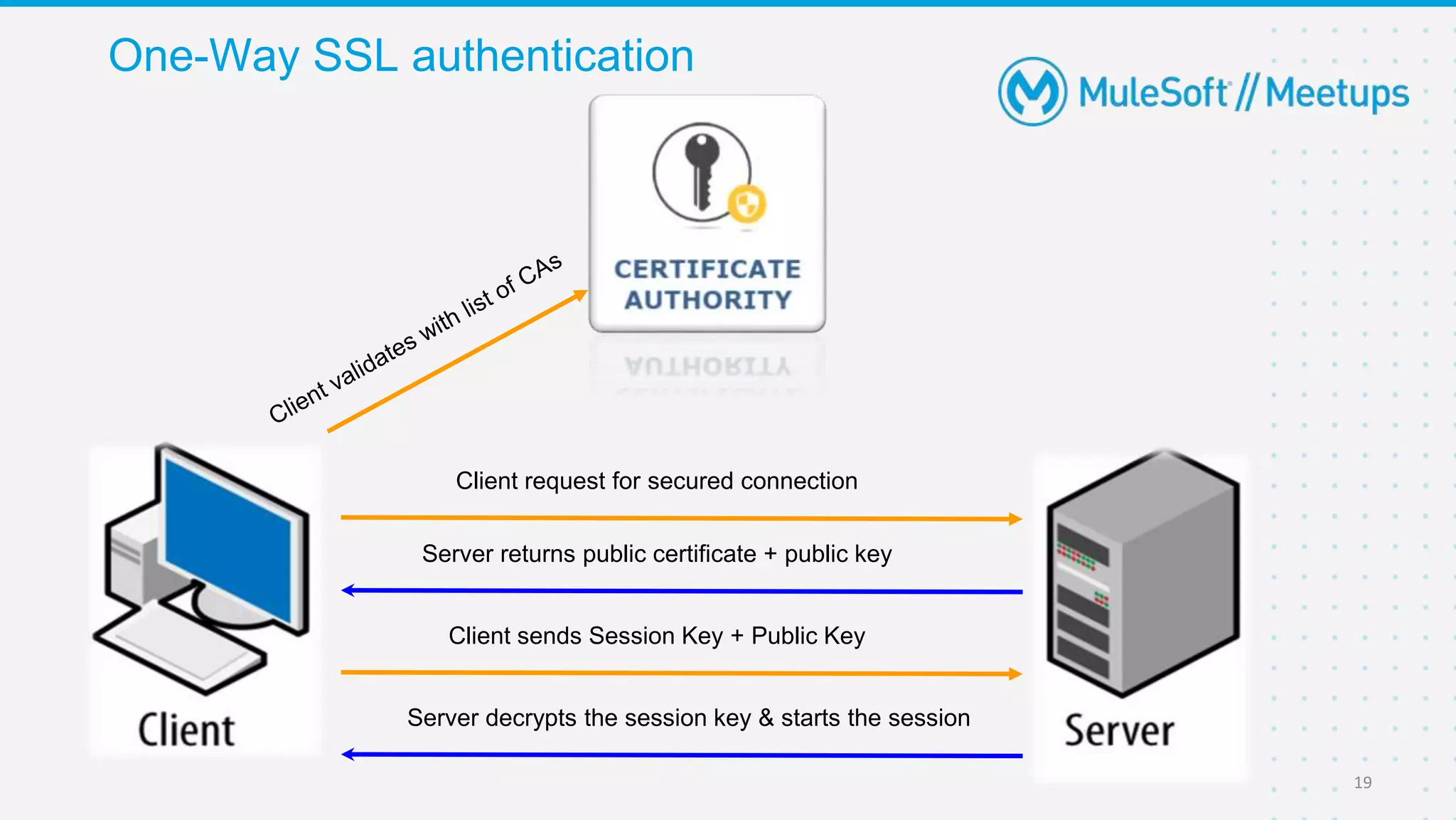
One-Way SSL authentication
19
Client request for secured connection
Client sends Session Key + Public Key
Server returns public certificate + public key
Server decrypts the session key & starts the session
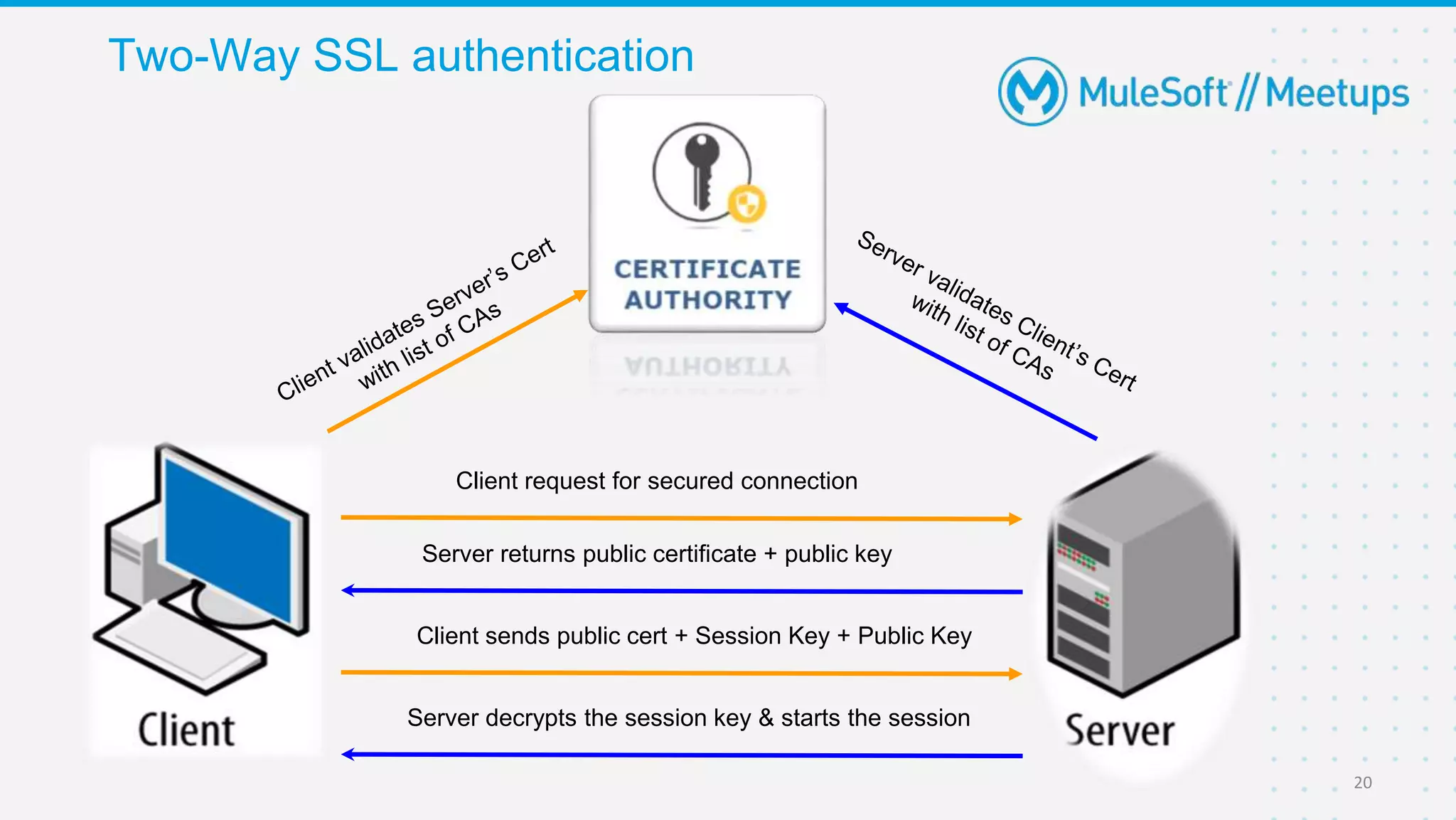
Two-Way SSL authentication
20
Client request for secured connection
Client sends public cert + Session Key + Public Key
Server returns public certificate + public key
Server decrypts the session key & starts the session
Demo
● Generating Keys and Certificate
● One-way SSL
● Two-way SSL
Q&A
Get ready to WIN a Special Gift from MuleSoft Community
Quiz Time
❖ You should not be a meetup leader.
❖ In last 30 days you shouldn’t own any trivia quiz in any
meetup.
Important Instructions for the
attendees to play Trivia quiz
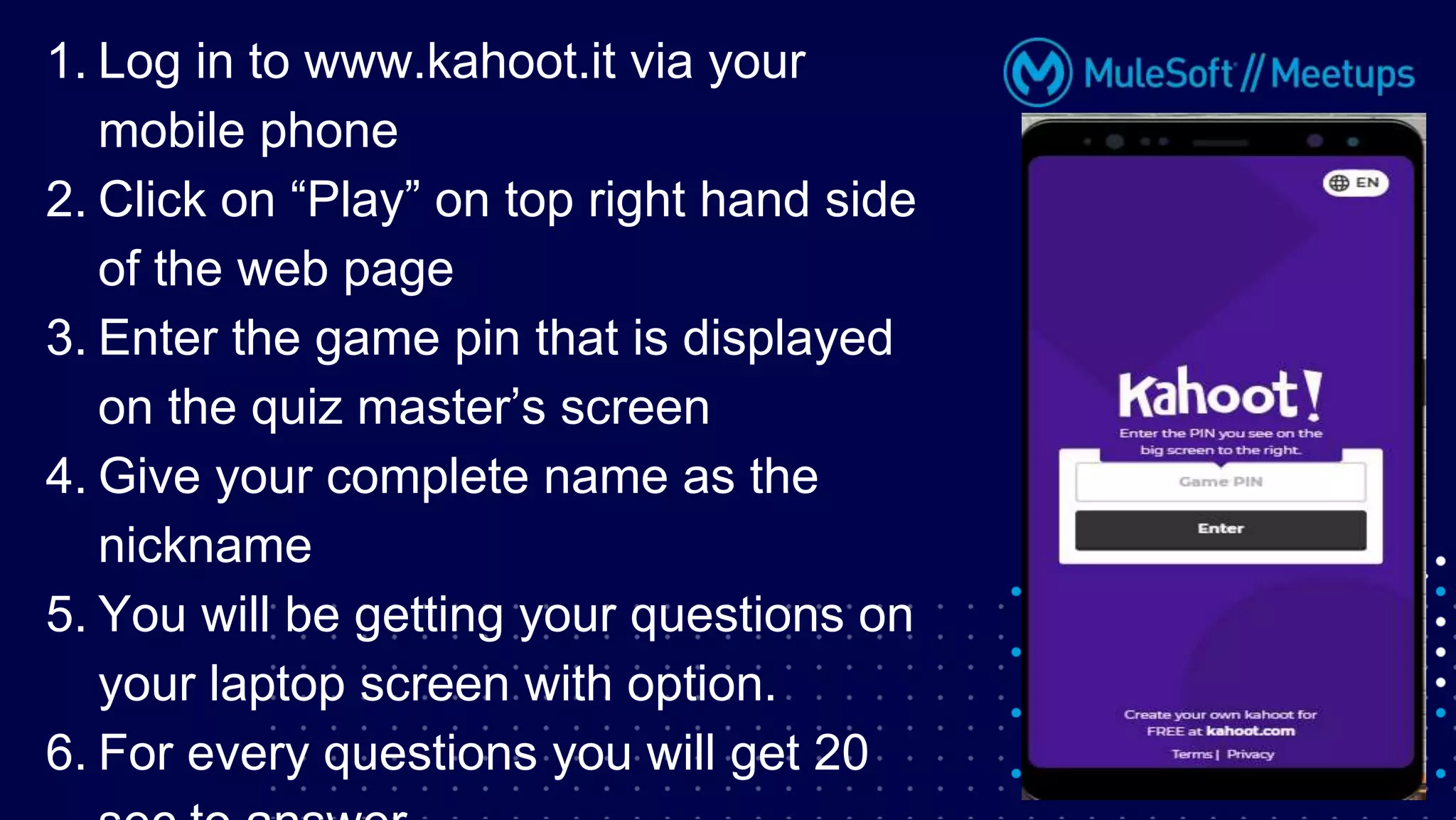
1. Log in to www.kahoot.it via your
mobile phone
2. Click on “Play” on top right hand side
of the web page
3. Enter the game pin that is displayed
on the quiz master’s screen
4. Give your complete name as the
nickname
5. You will be getting your questions on
your laptop screen with option.
6. For every questions you will get 20
26
Share:
○ Tweet your pictures using the hashtag #CoimbatoreMuleSoftMeetup
○ Invite your network to join: https://meetups.mulesoft.com/coimbatore/
Feedback:
○ Fill out the survey feedback and suggest topics for upcoming events
○ Contact MuleSoft at meetups@mulesoft.com for ways to improve the program
What’s next?
27
Anypoint Platform CLI On Sat, July 17, 11.00 AM (IST) by Jivan Nalavade
Lead Engineer, Apisero
https://meetups.mulesoft.com/events/details/mulesoft-coimbatore-presents-anypoint-platform-cli/
Next Meetups
Thank you

What is SSL/TLS, 1-way and 2-way SSL?

  • 1.
    Coimbatore MuleSoft MeetupGroup What is SSL/TLS, What is One-Way SSL & Two-Way SSL? - Secure Network Communication Msg: Meet me at X place Time: 12 PM Alice Bob Msg: Meet me at X place Time: 12 PM
  • 2.
    Organizers 2 About Organizer: • 10years of Technical Experience. • 6+ years of Experience in the Integration Domain. • Certified MuleSoft Developer and Architect. • Mule Meetup Speaker. • Coimbatore Mule Meetup Leader Ashish Pardhi Solution Architect, Apisero
  • 3.
    Organizers 3 About Organizer: • 10+years of Industry Experience. • 2+ years of Experience in Mulesoft • Certified Technical Instructor at Mulesoft • Integration Architect at NJC Labs. • Coimbatore Mule Meetup Leader. Anoop Ramachandran Integration Architect, NJC LABS
  • 4.
    Organizers 4 About Organizer: • 3.7years of Total experience in MuleSoft. • Certified MuleSoft Developer. • Solution Consultant at Apisero. • Coimbatore Mule Meetup Leader. Balkis Sajeena Solution Consultant, Apisero
  • 5.
    • Both thespeaker and host are organizing this meet up in individual capacity, only. We are not representing our companies here. • This presentation is strictly for learning purpose only. Organizer/Presenter do not hold any responsibility that same solution will work for your business requirements also. • This presentation is not meant for any promotional activities. Safe Harbor Statement 5
  • 6.
    A recording ofthis meetup will be uploaded to events page within 24 hours. Questions can be submitted/asked at any time in the Chat/Questions & Answers Tab. Make it more Interactive!!! Give us feedback! Rate this meetup session by filling feedback form at the end of the day. We Love Feedbacks!!! Its Bread & Butter for Meetup. Housekeeping 6
  • 7.
    1. How toSecure Network Communication? 2. SSL(Secure Socket Layer) 3. Digital Certificate • Signature(Signed and Unsigned) • Digest(SHA-256, MD5) 4. Keys • Private, Public and Session Key 5. Types of Encryption • Symmetric and Asymmetric 6. One-way and Two-way SSL 7. Keystore and Truststore Agenda 7
  • 8.
    Digital certificates serveas the backbone of internet security. ● Secure Sockets Layer (SSL) certificates, sometimes called digital certificates, are used to establish an encrypted connection between a browser or user's computer and a server or website. ● The SSL connection protects sensitive data, such as credit card information, exchanged during each visit, which is called a session, from being intercepted from non-authorized parties. What is an SSL Certificate? 8
  • 9.
    Encryption: The datawhich is transferred between two or more Clients and Server should be encrypted. Authentication: The data to be transferred must be to the correct person or user. Data Integrity: The data over transmission should not be tampered or changed. SSL works on three basic principles 9
  • 10.
    Encryption 10 Msg: Meet meat X place Time: 12 PM Alice Bob Msg: Meet me at X place Time: 12 PM I know Alice’s Public Key I am encrypting with my Private Key Symmetric - Same Key Asymmetric - Different Set of Keys
  • 11.
    Data Integrity –Digital Signature 11 Msg: Meet me at X place Time: 12 PM Alice Bob Msg: Meet me at X place Time: 12 PM Original Msg ------------------------------------------------------------- Encrypt(Digest(Original Msg), Alice’s Priv Key) Digest(Original Msg) ------------------------------------------------------------------------------------------------ Decrypt(Encrypt(Digest(Original Msg), Alice’s Priv Key), Alice’s Pub Key) abc1234xyz ------------------ abc1234xyz I have received correct Message Signature of Alice
  • 12.
    12 Msg: Meet meat X place Time: 12 PM Alice Bob Msg: Lets Meet at My Home Time: 12 PM Hunter Data Integrity Intercepted Msg ------------------------------------------------------------- Encrypt(Digest(Intercepted Msg), Hunter’s Priv Key) Digest(Intercepted Msg) ------------------------------------------------------------------------------------------------ Decrypt(Encrypt(Digest(Intercepted Msg), Hunter’s Priv Key), Alice’s Pub Key) abc1234xyz ------------------ ~!$#%&^*()# I have to reject this Message
  • 13.
    Digital Certificate 13 I amMulesoft.com Alice Bob Original Msg ------------------------------------------------------------- Encrypt(Digest(Original Msg), CA’s Priv Key) Digest(Original Msg) ------------------------------------------------------------------------------------------------ Decrypt(Encrypt(Digest(Original Msg), CA’s Priv Key), CA’s Pub Key) abc1234xyz ------------------ abc1234xyz Right Sender confirmed with help CA’s Pub Key I am Mulesoft.com
  • 14.
    Keystore and Truststore– JCEKS, PKCS12, JKS 14 Alice Bob Alice’s Truststore Bob’s Truststore Alice’s Keystore Bob’s Keystore Alias Privat e Key Pub Cert Alias Privat e Key Pub Cert Alias Pub Cert Alias Pub Cert
  • 15.
     keytool -genKey-alias myserver -keystore serverkeystore.jks -storetype jks -keypass password - storepass password -keyalg RSA  keytool -genKey -alias myclient -keystore clientkeystore.jks -storetype jks -keypass password - storepass password -keyalg RSA  keytool -exportcert -alias myserver -keystore serverkeystore.jks -file servercert.cer -storepass password  keytool -exportcert -alias myclient -keystore clientkeystore.jks -file clientcert.cer -storepass password  keytool -importcert -keystore servertruststore.jks -file clientcert.cer -alias myclient -storepass password -trustcacerts  keytool -importcert -keystore clienttruststore.jks -file servercert.cer -alias myserver -storepass password -trustcacerts Generate Keystore and Truststore - Keytool 15
  • 16.
     keytool -certreq-keystore <keystore-name>.jks -alias <key-alias> -file <certificate-name>.csr  keytool -import -keystore <keystore-name>.jks -alias <cert-alias> -file <signed_certificate_file> Request Signing by a Certification Authority 16
  • 17.
    • Basically, thebrowser works on One-Way SSL authentication mechanism, Where the Client verifies/validates the server certificate with the list of CA's certification authority. • There are three keys are used to set up the SSL connection: – Public key – Private key – Session key SSL(Secure Sockets Layer) HANDSHAKE 17
  • 18.
    • One-Way SSL –In this method only client going to verifies, server certificates with the List of CA's certification authority. Two different ways to make SSL connection 18 • Two-Way SSL – In this method, both client and server verify, each other certificates with the list of CA's certification authority.
  • 19.
    One-Way SSL authentication 19 Clientrequest for secured connection Client sends Session Key + Public Key Server returns public certificate + public key Server decrypts the session key & starts the session
  • 20.
    Two-Way SSL authentication 20 Clientrequest for secured connection Client sends public cert + Session Key + Public Key Server returns public certificate + public key Server decrypts the session key & starts the session
  • 21.
    Demo ● Generating Keysand Certificate ● One-way SSL ● Two-way SSL
  • 22.
  • 23.
    Get ready toWIN a Special Gift from MuleSoft Community Quiz Time
  • 24.
    ❖ You shouldnot be a meetup leader. ❖ In last 30 days you shouldn’t own any trivia quiz in any meetup. Important Instructions for the attendees to play Trivia quiz
  • 25.
    1. Log into www.kahoot.it via your mobile phone 2. Click on “Play” on top right hand side of the web page 3. Enter the game pin that is displayed on the quiz master’s screen 4. Give your complete name as the nickname 5. You will be getting your questions on your laptop screen with option. 6. For every questions you will get 20
  • 26.
    26 Share: ○ Tweet yourpictures using the hashtag #CoimbatoreMuleSoftMeetup ○ Invite your network to join: https://meetups.mulesoft.com/coimbatore/ Feedback: ○ Fill out the survey feedback and suggest topics for upcoming events ○ Contact MuleSoft at meetups@mulesoft.com for ways to improve the program What’s next?
  • 27.
    27 Anypoint Platform CLIOn Sat, July 17, 11.00 AM (IST) by Jivan Nalavade Lead Engineer, Apisero https://meetups.mulesoft.com/events/details/mulesoft-coimbatore-presents-anypoint-platform-cli/ Next Meetups
  • 28.