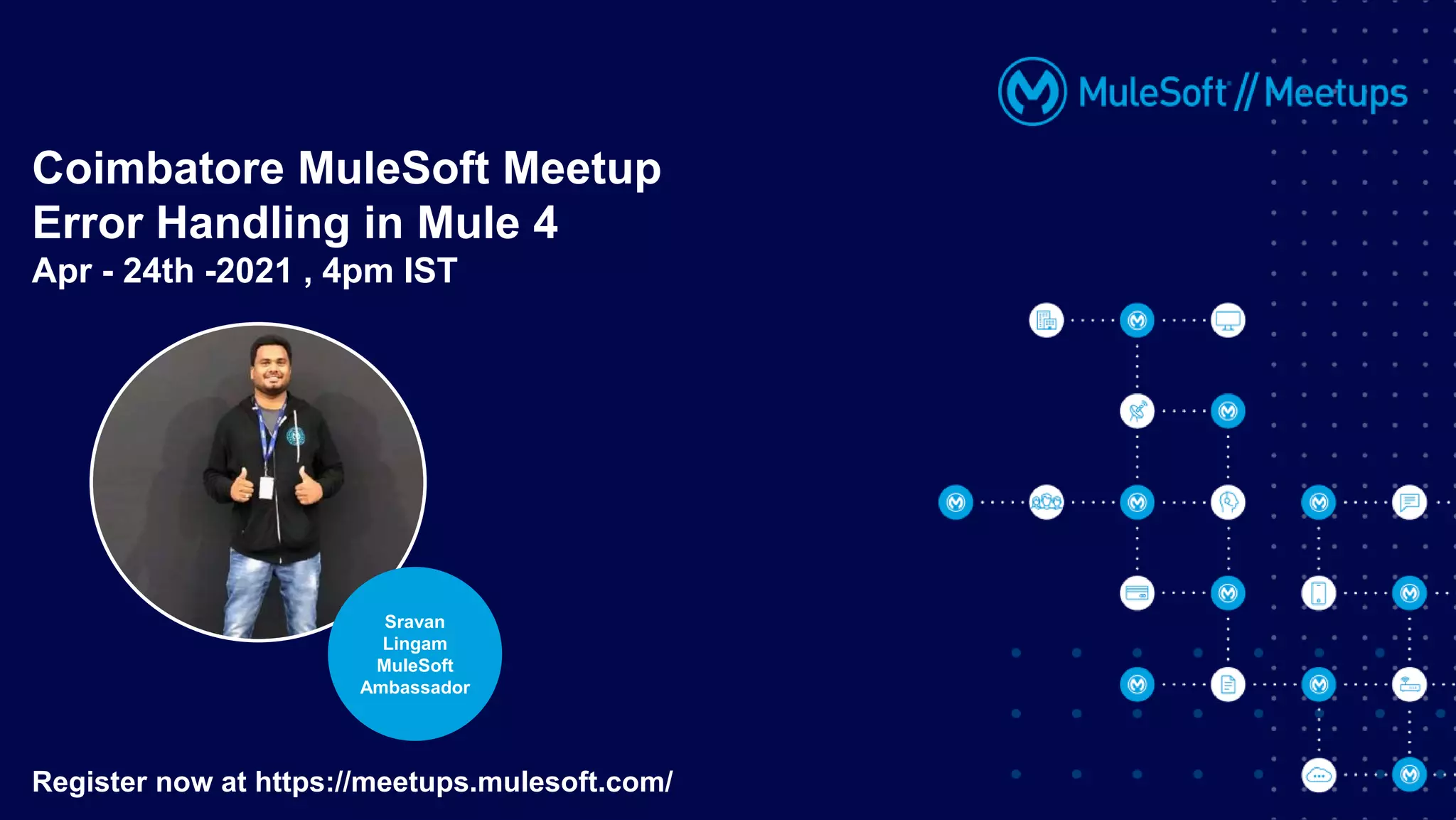
Coimbatore MuleSoft Meetup
Error Handling in Mule 4
Apr - 24th -2021 , 4pm IST
Register now at https://meetups.mulesoft.com/
Sravan
Lingam
MuleSoft
Ambassador
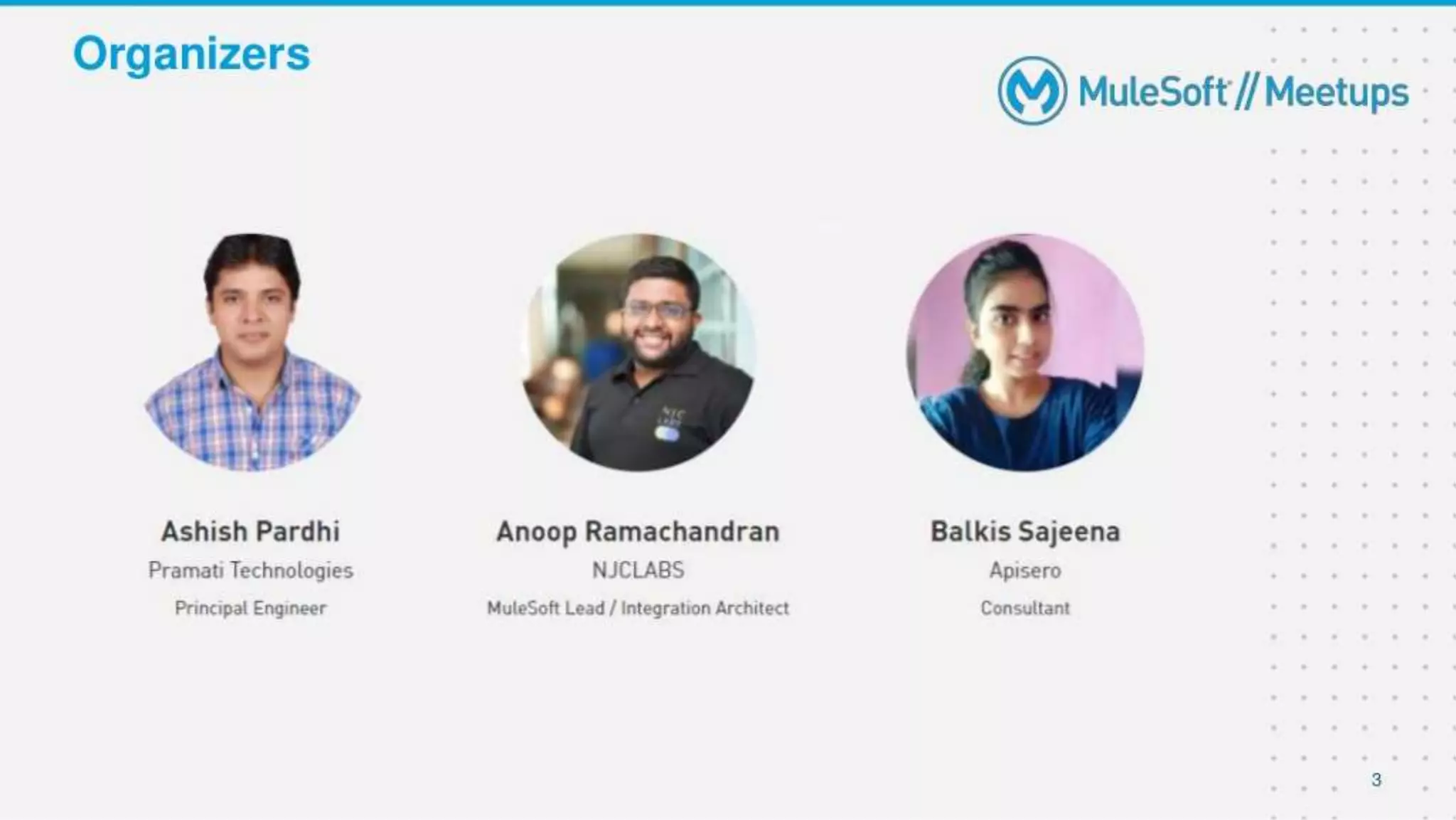
Organizers
2
About the Speaker
● Senior Integration Developer and Architect at Billennium ,Poland
● MuleSoft Ambassador
● MuleSoft Meetup Leader Hyderabad
● Technical Writer/Speaker/Trainer
● Owner of MuleSoft TechZone - YouTube,LinkedIn,
FaceBook,Instagram and Twitter
● sravanlingam.com
3
Sravan
Lingam
MuleSoft
Ambassador
CHEERS..!!
We have prizes to give away!
3 Winners a special prize is ready
4
A SHOW OF HANDS:
New Members With Us.!!
• Introduction of Speaker
• Introduction to Error Handling
• 3 Rules to Understand Error Handling
• Demo
• Try-Until Successful scopes
• Error Handling - Priority
• Q & A session
• Quiz
• Networking time
ERROR HANDLING IN MULE 4
7
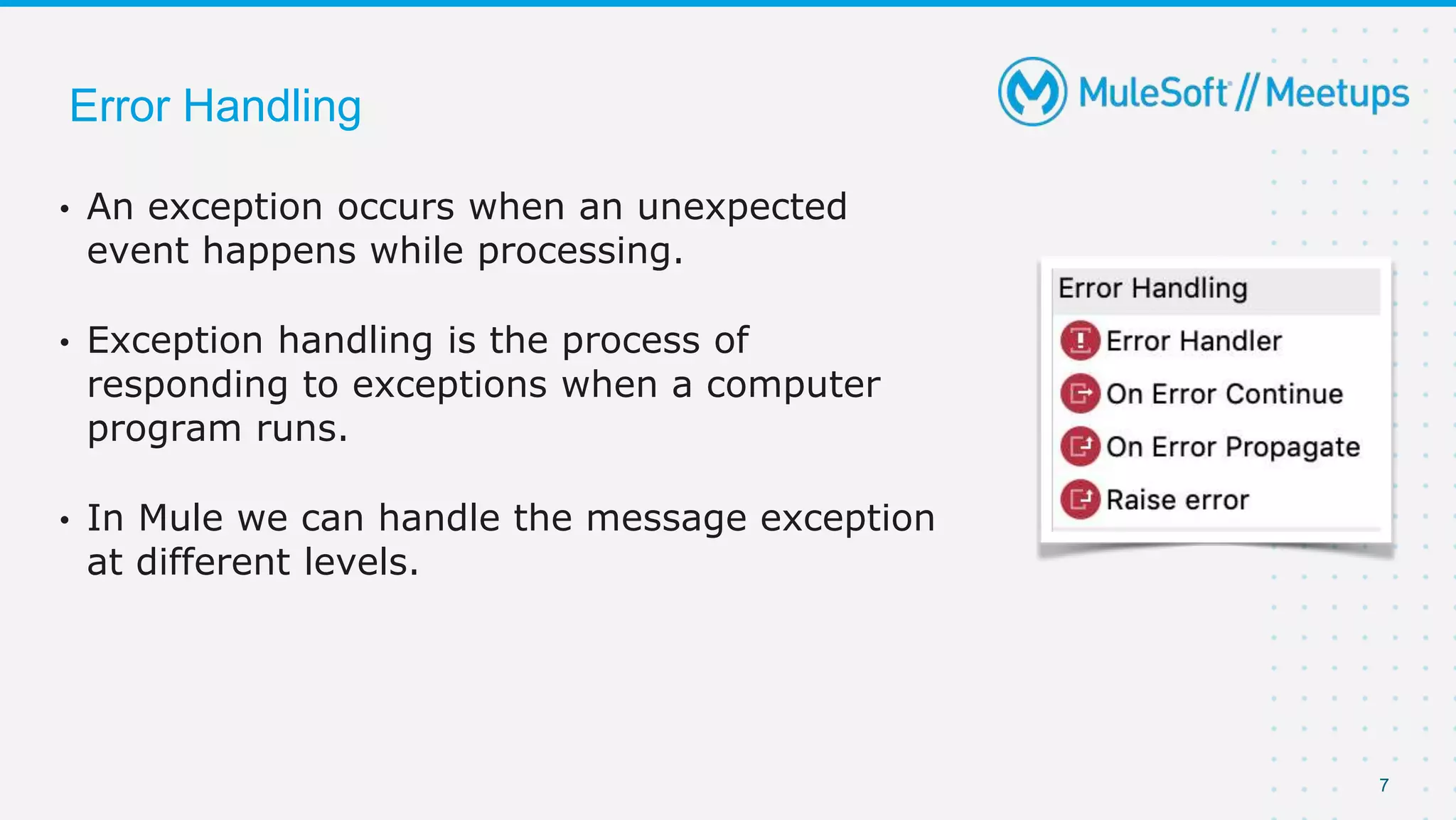
• An exception occurs when an unexpected
event happens while processing.
• Exception handling is the process of
responding to exceptions when a computer
program runs.
• In Mule we can handle the message exception
at different levels.
Error Handling
8
Error Handling
9
Error Handling
• At Project level using Default error handler
• At Project level using Custom Global error handler
• At Flow level in exception handling using :
On Error Continue
On Error Propagate
Raise Error
• With in Flow or at processor level using try scope
10
Error Handling
• Whenever there is an error occurred in a Flow, an error Object is created
• It contains many properties . Eg : error.description , error.errorType etc.
• Mule identifies based on errorType and then route to respective blocks that are
placed in Error Handler.
• errorType is combination of Namespace and Identifier :
Eg : HTTP:UNAUTHORIZED
• namespace = HTTP
Identifier = UNAUTHORIZED
11
Error Handling
• Sub-Flow doesn’t have Error Handling scope .
• So its just Flow and a Private flow where you can place On-Error-
Propagate and On-Error-Continue inside “Error Handling” block.
• Either it is Propagate or Continue, Mule Executes all the components
within that block.
Remember : The error will route to error-handling only if it identifies
that the errorType of that error is handled
12
Error Handling
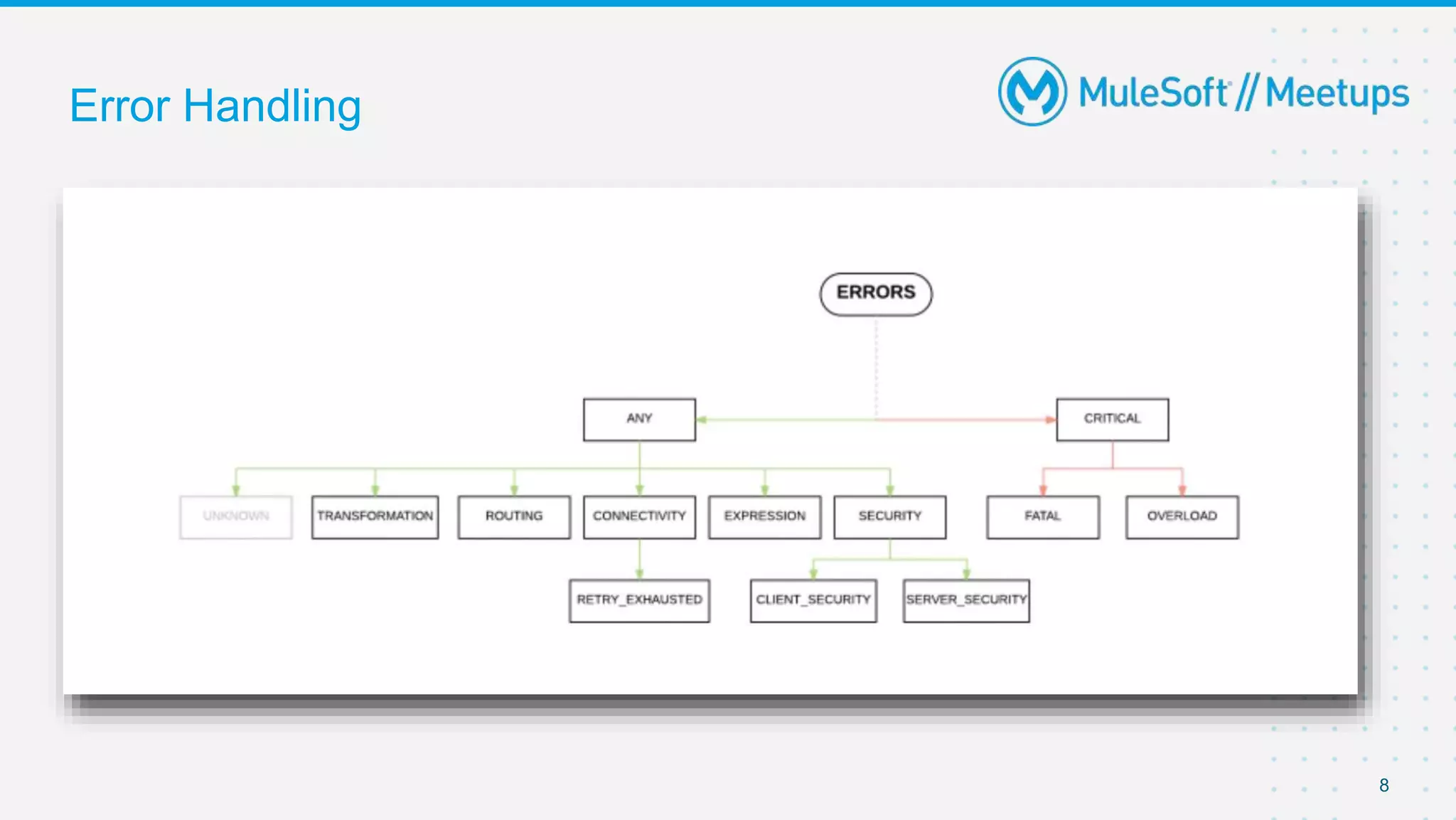
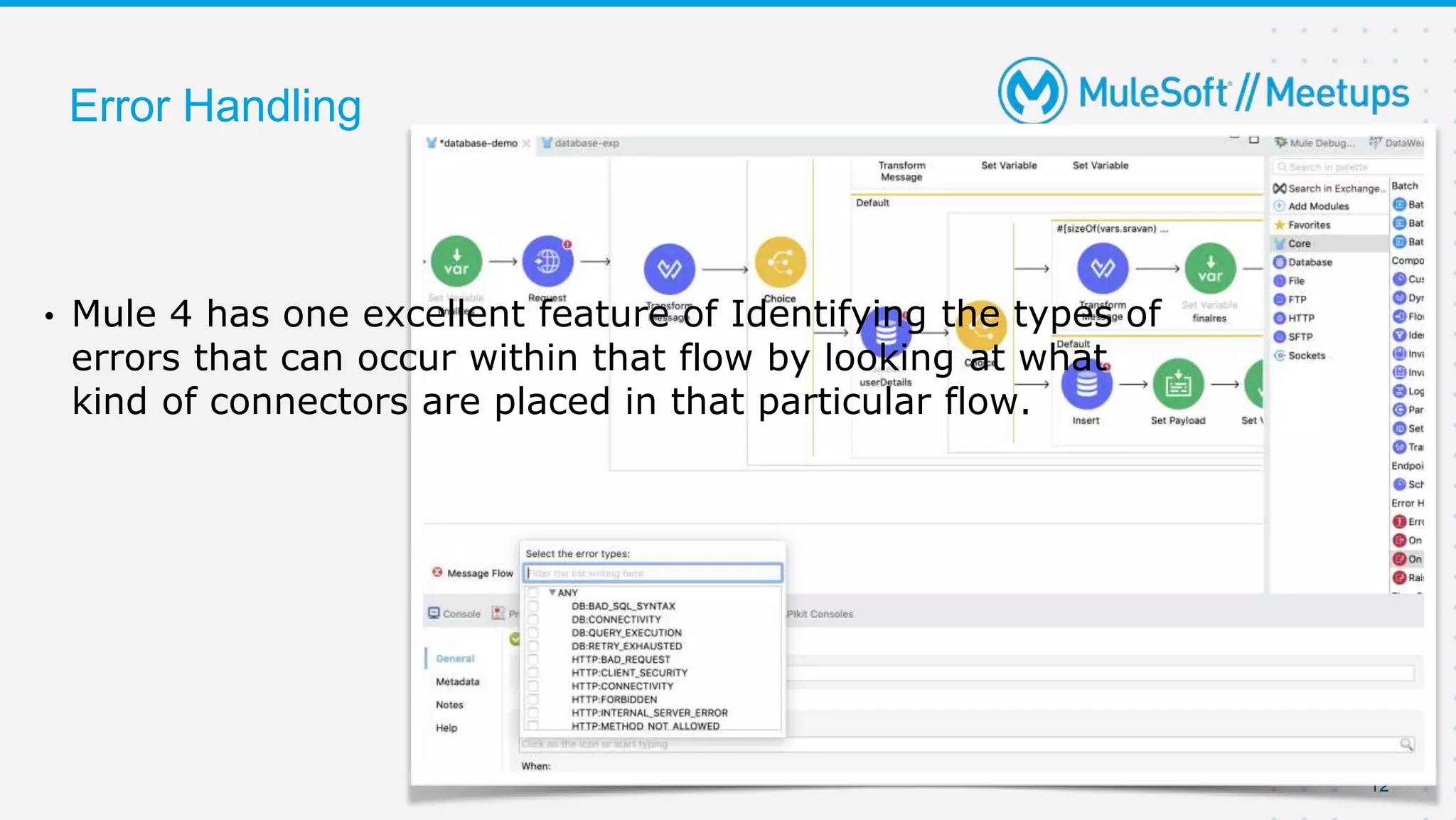
• Mule 4 has one excellent feature of Identifying the types of
errors that can occur within that flow by looking at what
kind of connectors are placed in that particular flow.
13
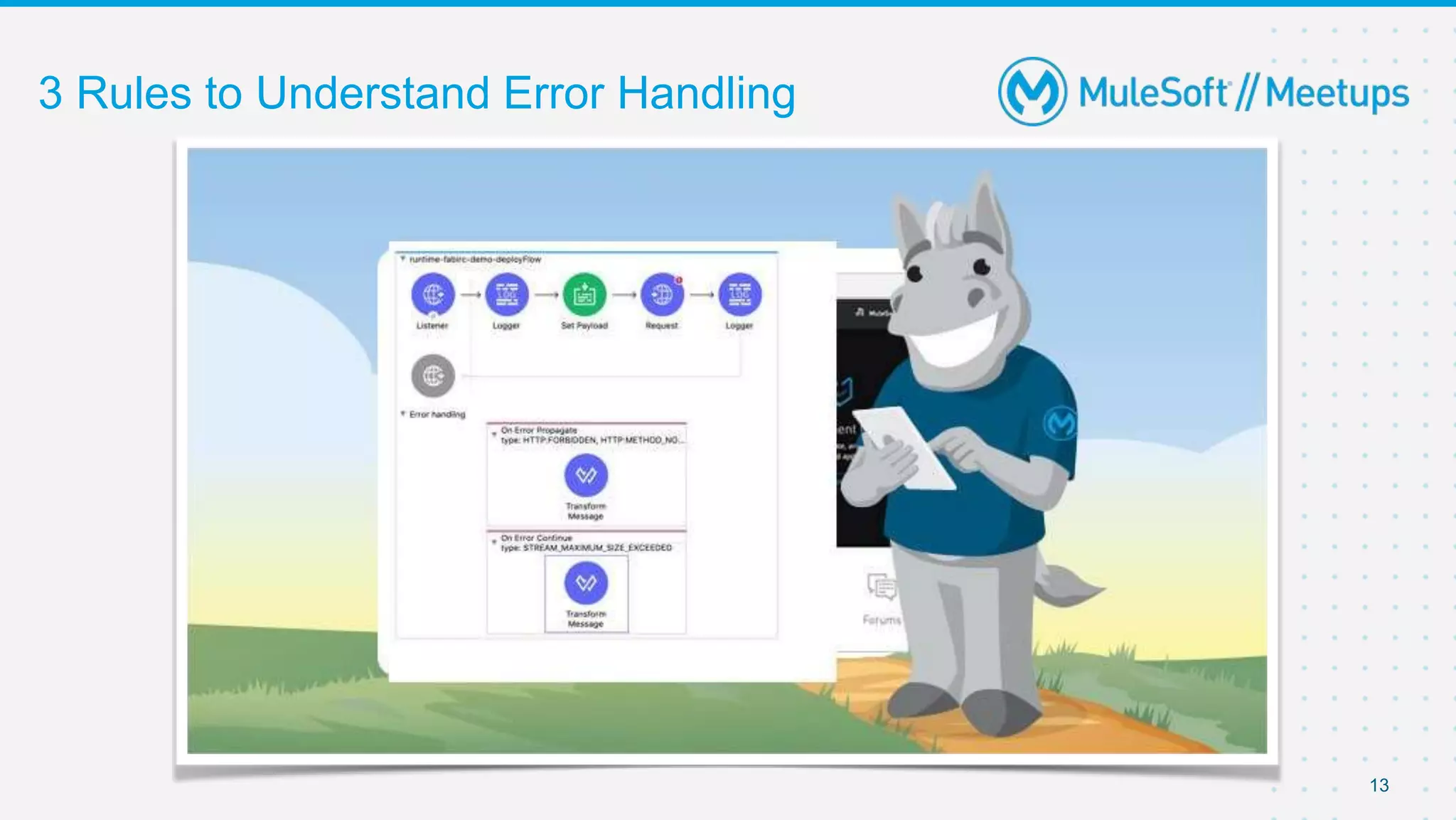
3 Rules to Understand Error Handling
14
Rule 1 : Error handling
• See if anything is present in Error-Handling .
• Even if there are on-error-propagate and on-error-continue blocks, see that if that
particular errorType is handled.
• If NOT, then Mule will use default Error Handling .
• And if your flow is not called by any other flow , then it will display default value that is
set in Error-Response of HTTP Listener and gives status code as 500 bad default if
nothing is set manually.
• If your flow is called by any other flow, then it will RAISE as an error to the calling
flow.
15
Rule 2 : Error handling
• If some Error Handling is present in that particular flow and errorType is
handled (YES condition for RULE1) .
• Check whether it is On-Error-continue or On-Error-Propagate .
• In both the cases, Mule will execute all components within that Error block.
• Next follow Rule 3 which is very important !
16
Rule 3 : Error handling
• If the error is handled using On-Error Propagate , it will raise an error
back to the calling flow.
• If the error is handled using On-Error Continue , it will not raise an error
back to the calling flow but continue to next processor of “flow-ref” of
calling flow and continues further process as it is.
- But it will not continue to other processors in the flow where error is
handled (in On-Error Continue Case).
17
Rule 3 : Error handling (Contd..)
• Suppose you have only single flow. Then On-error-propagate and On-error-
Continue behaves same way, instead error-continues gives 200 status and
error-propagate gives 500 status.
• Because as said , even if its error-continue, it will not go to next processor
within the same flow where error is Handled.
• Remember : This point is very important. On-error-Continue will continue only
to next processor of calling flow but not in the same flow
18
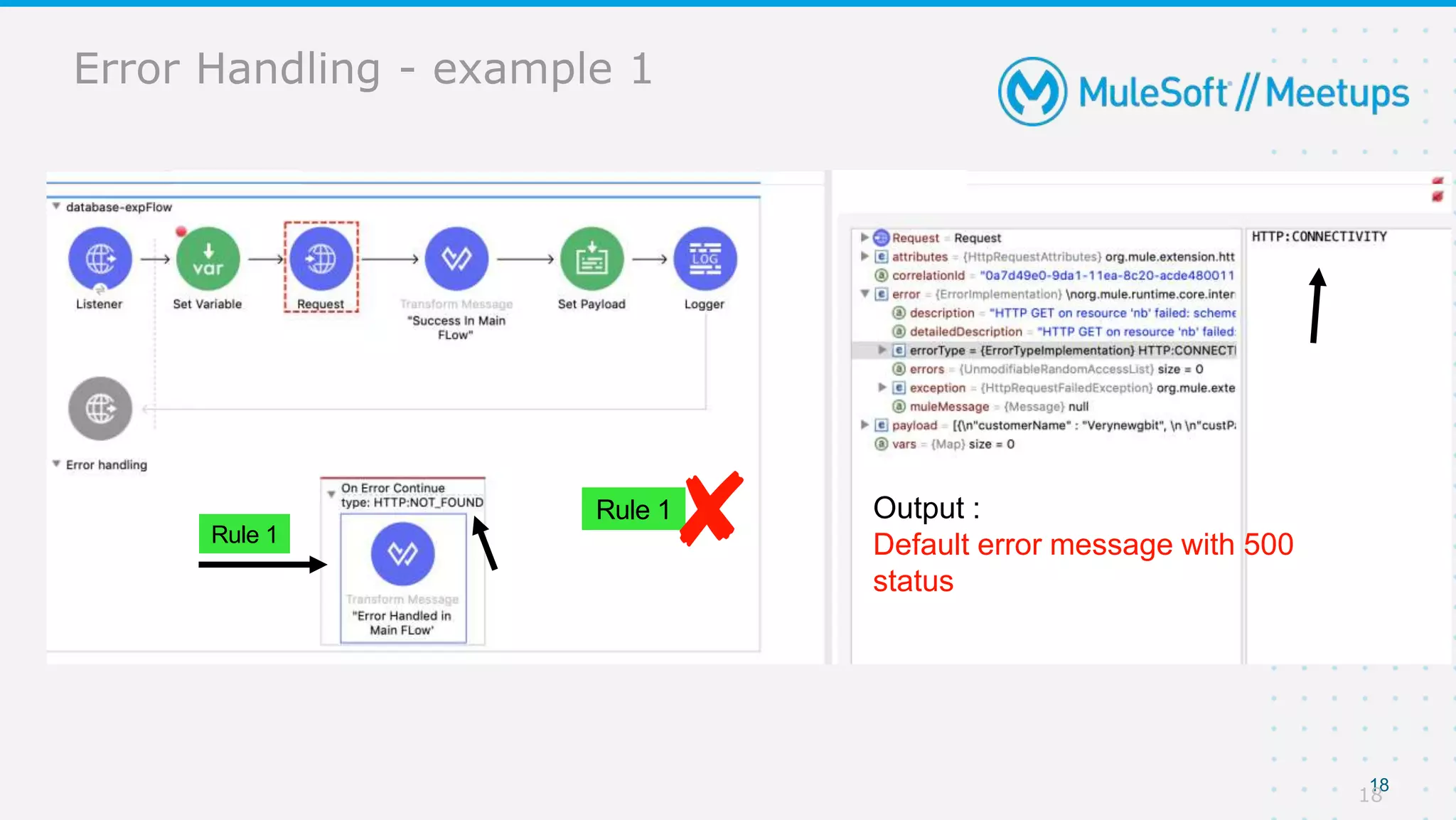
Rule 1
Rule 1 Output :
Default error message with 500
status
Error Handling - example 1
Rule 1
Rule 1 Output :
Default error message with 500
status
18
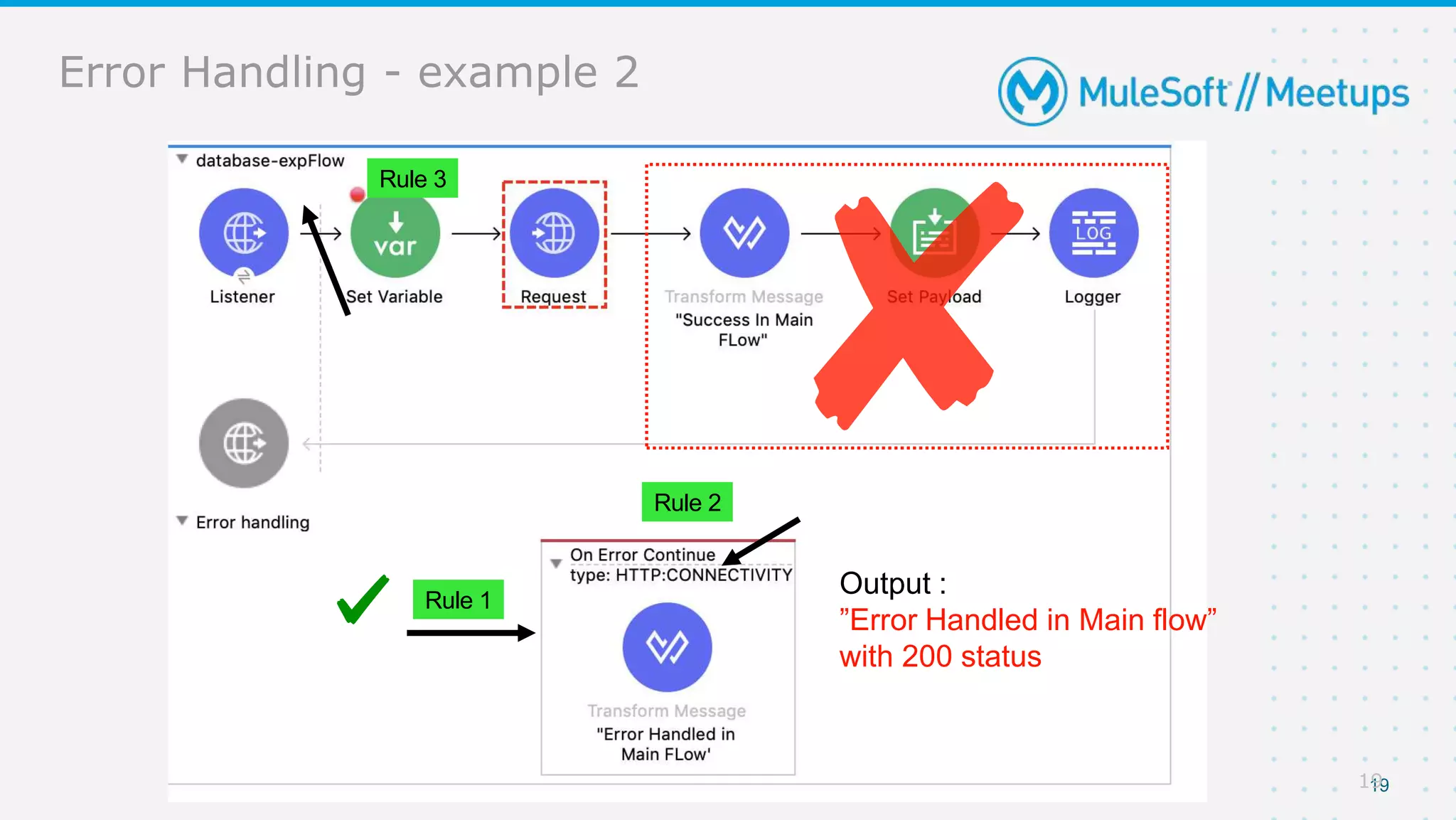
Error Handling - example 2
19
Rule 1
Output :
”Error Handled in Main flow”
with 200 status
Rule 2
Rule 3
19
20
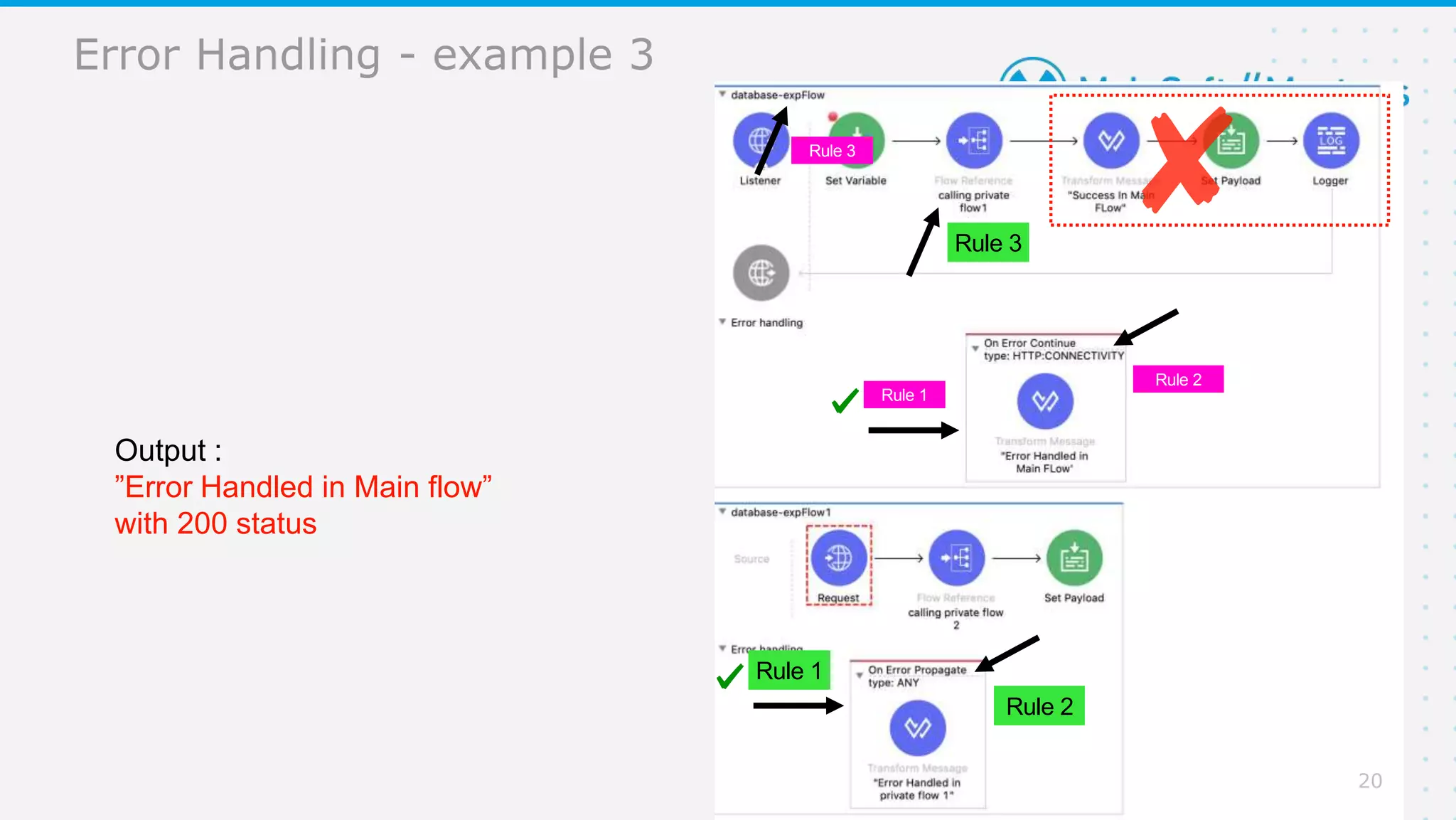
Error Handling - example 3
Rule 1
Output :
”Error Handled in Main flow”
with 200 status
Rule 2
Rule 3
Rule 1
Rule 2
Rule 3
20
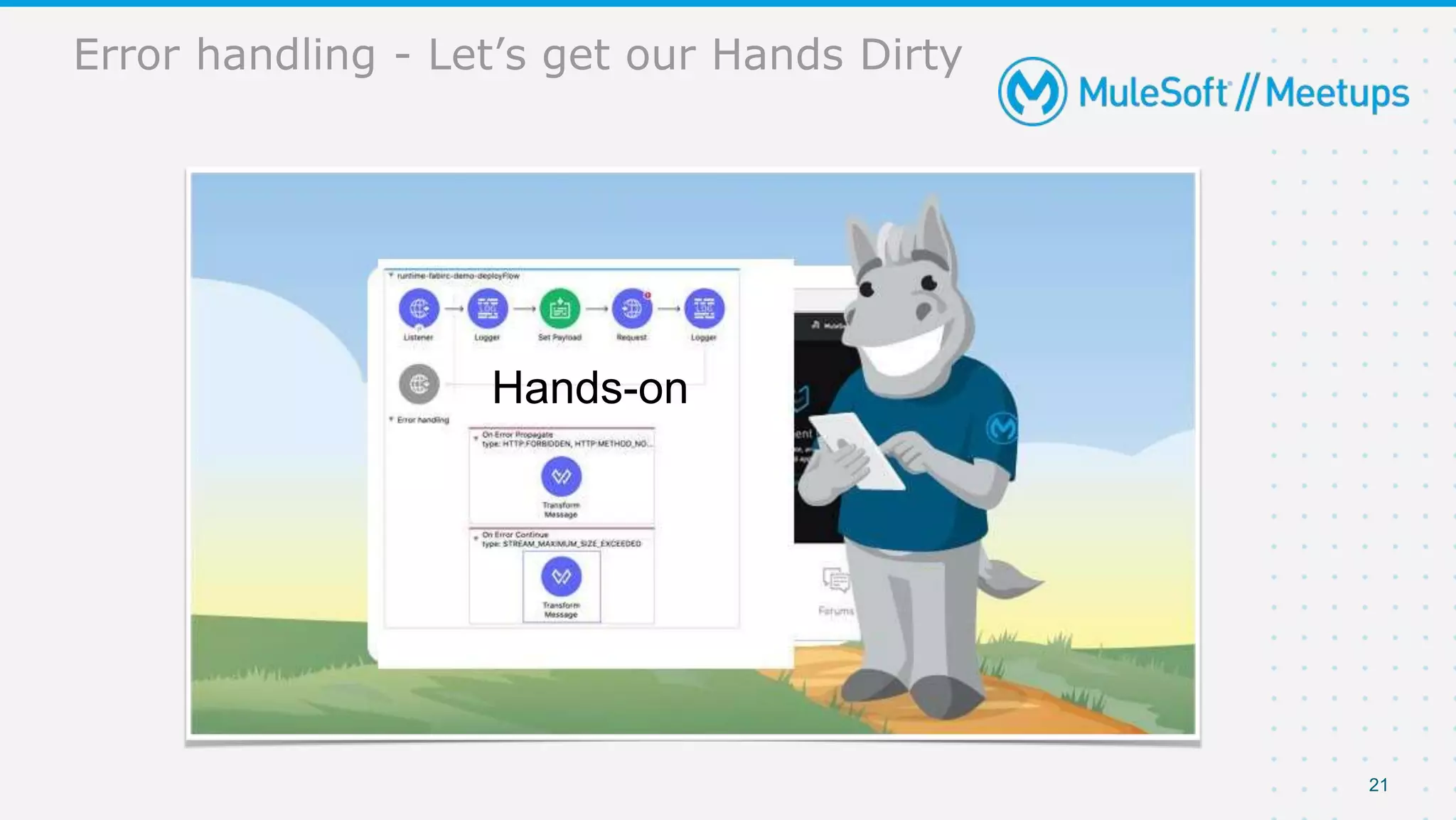
Error handling - Let’s get our Hands Dirty
21
Hands-on
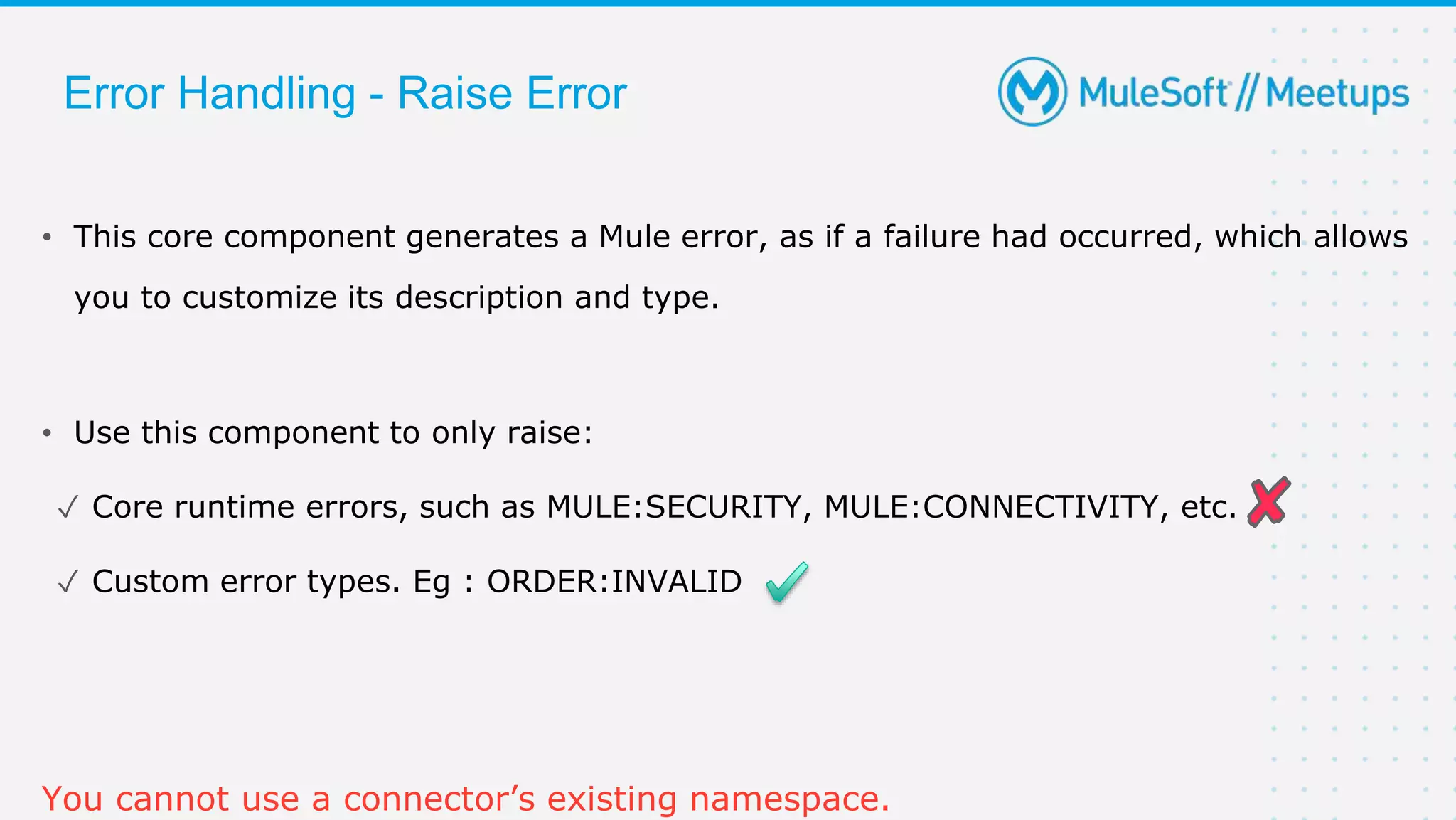
• This core component generates a Mule error, as if a failure had occurred, which allows
you to customize its description and type.
• Use this component to only raise:
✓ Core runtime errors, such as MULE:SECURITY, MULE:CONNECTIVITY, etc.
✓ Custom error types. Eg : ORDER:INVALID
You cannot use a connector’s existing namespace.
Error Handling - Raise Error
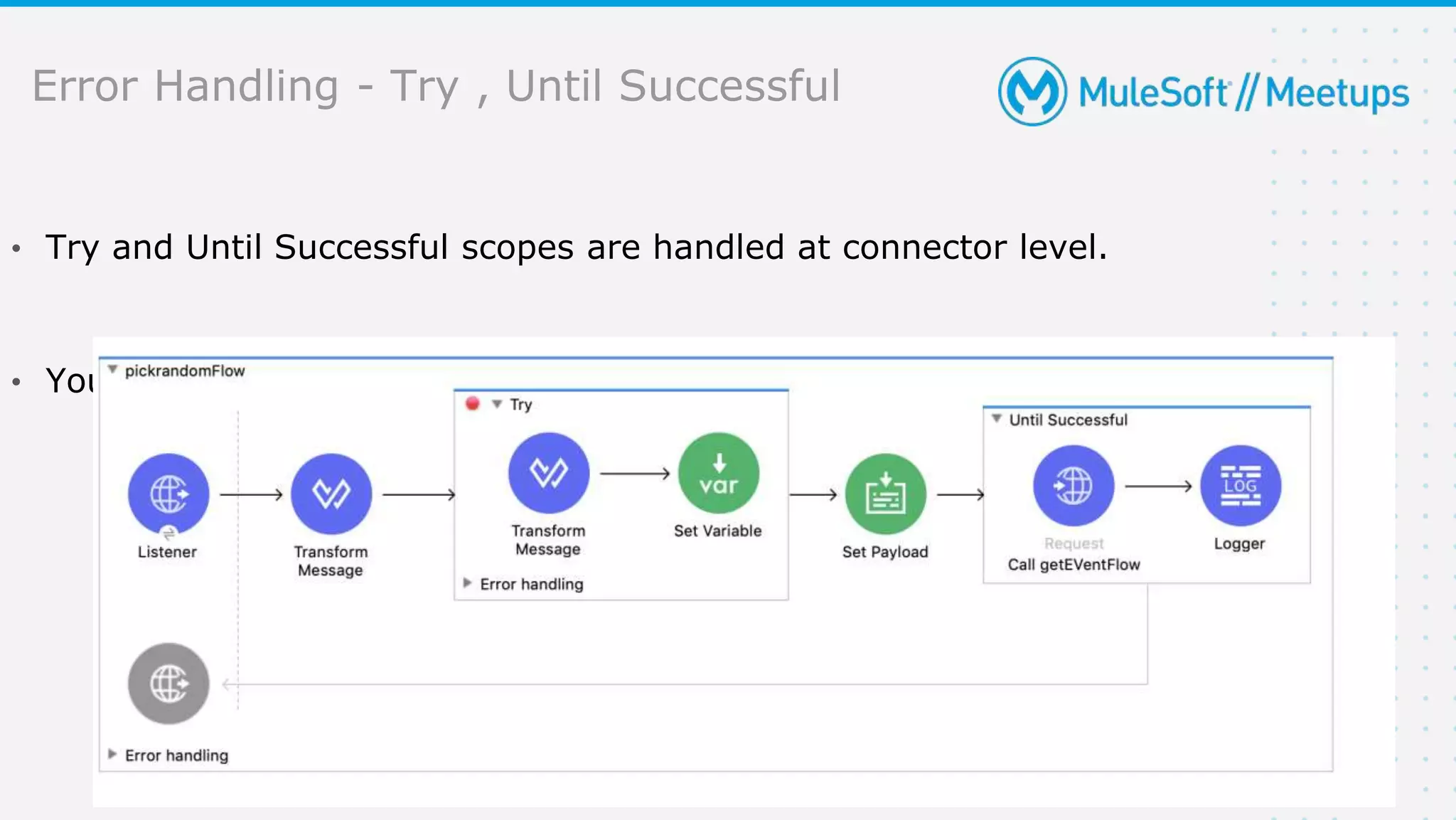
Error Handling - Try , Until Successful
23
• Try and Until Successful scopes are handled at connector level.
• You can wrap one or more connectors within Try or Until Successful
24
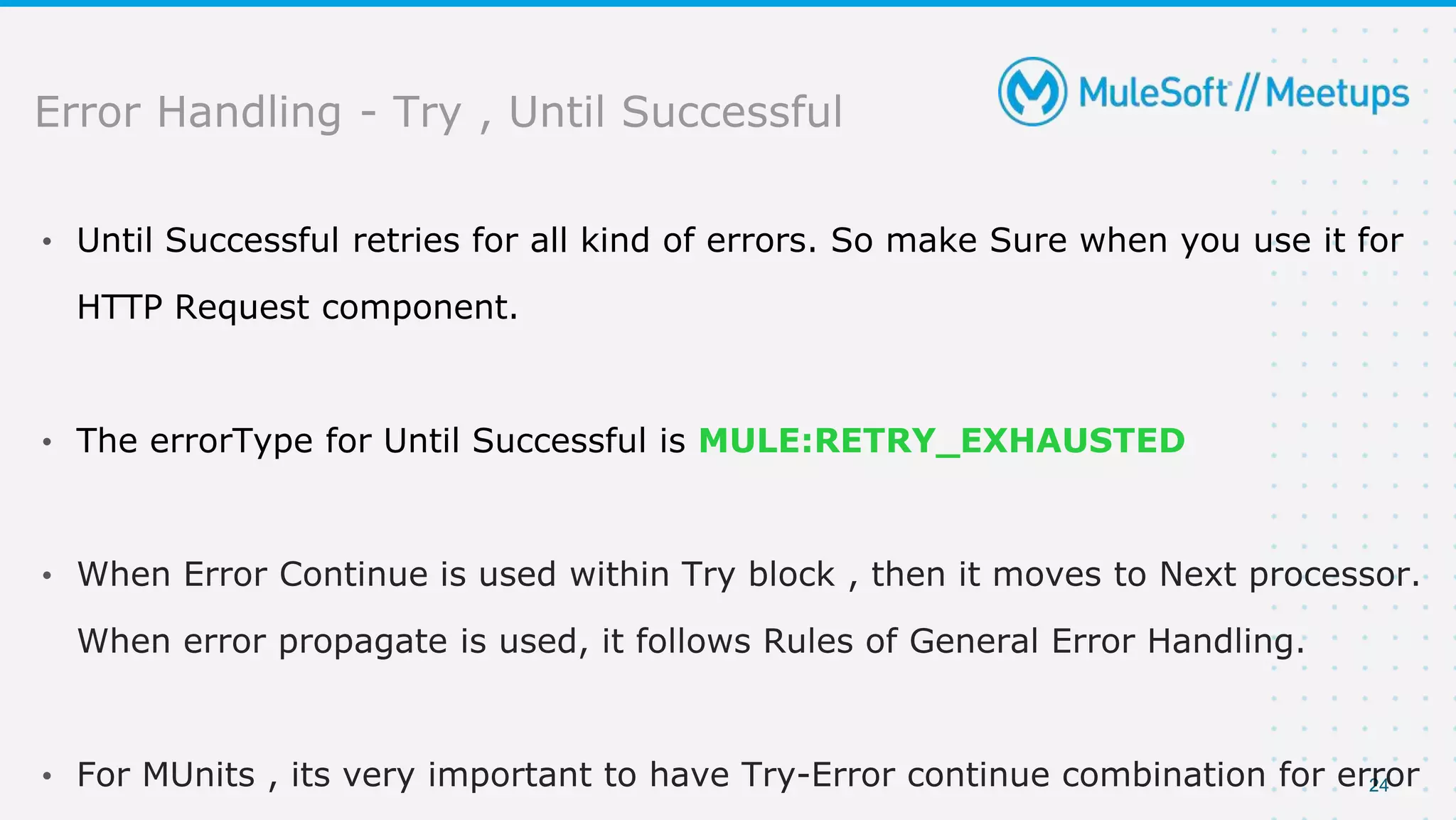
• Until Successful retries for all kind of errors. So make Sure when you use it for
HTTP Request component.
• The errorType for Until Successful is MULE:RETRY_EXHAUSTED
•
•
Error Handling - Try , Until Successful
Error Handling - Priority
25
• The Error handling has its defined Precedence.
• The error that is handled at connector level takes 1st precedence , followed by
flow level and then global level and finally Default level
• Priorities of Error Handling :
✦ 1st priority - Connector Level
✦ 2nd priority - Flow level
Hands-on
Queries?
Trivia Quiz
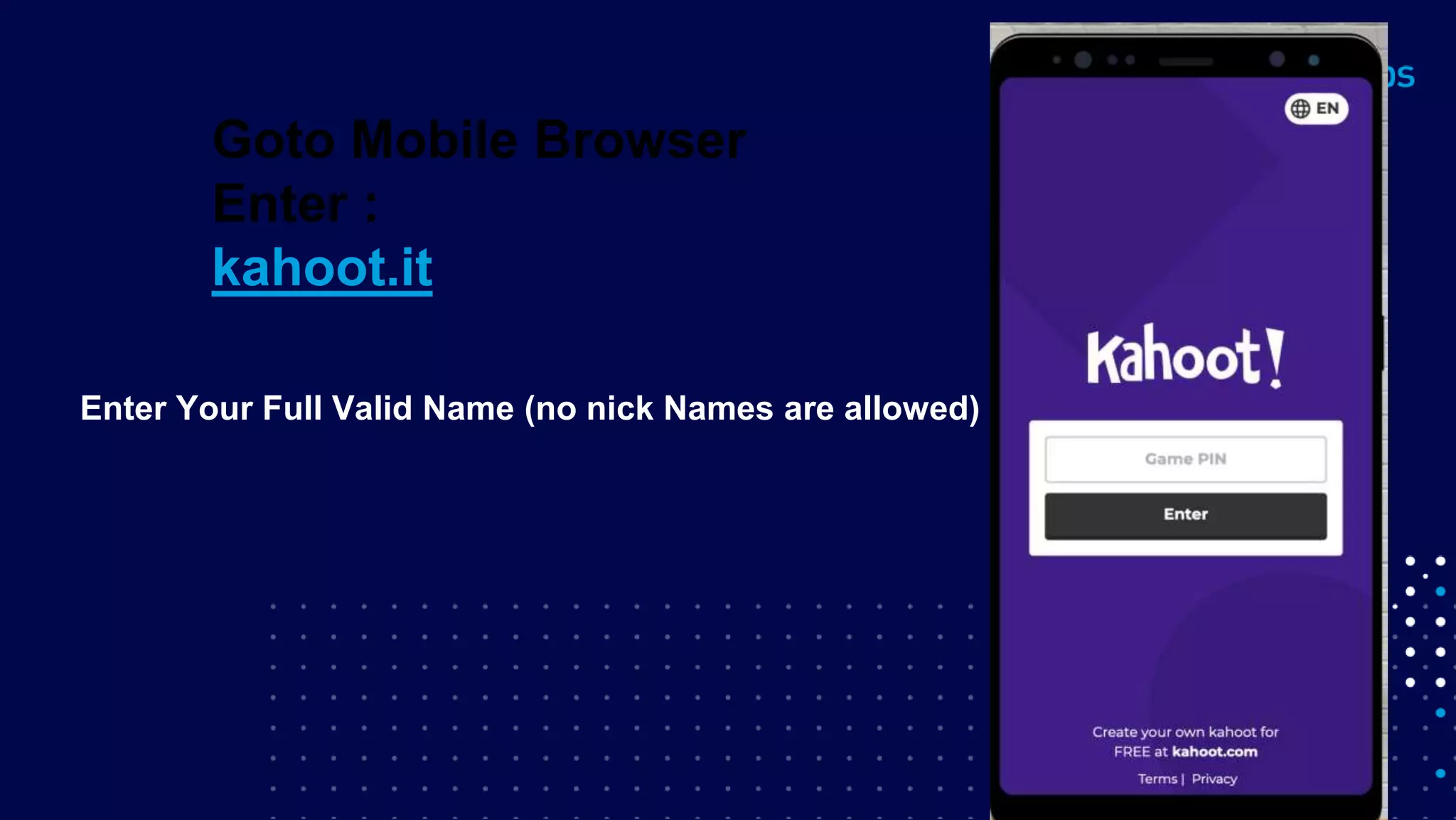
Enter Your Full Valid Name (no nick Names are allowed)
Goto Mobile Browser
Enter :
kahoot.it
Read the options and Tap the colour which
has correct answer.
30
● Share:
○ Tweet using the hashtag #MuleSoftMeetups
○ Invite your network to join: https://meetups.mulesoft.com/coimbatore/
What’s next?
31
● Next Meetups:
● Dynamic Client Registration(DCR) Using Okta Open ID on Sat, May 8, 4:00 PM (IST) by
Jitendra Bafna
○ https://meetups.mulesoft.com/events/details/mulesoft-coimbatore-presents-dynamic-client-
registrationdcr-using-okta-open-id/
● API Complete Life Cycle with API Security on Sat, May 15, 2:00 PM (IST) by Ashish Pardhi
○ https://meetups.mulesoft.com/events/details/mulesoft-coimbatore-presents-api-complete-
life-cycle-with-api-security/
● Power of Salesforce Lightning Web Components and MuleSoft along with Platform Events
on Sat, May 15, 2:00 PM (IST) by Amit Singh
○ https://meetups.mulesoft.com/events/details/mulesoft-coimbatore-presents-power-of-
salesforce-lightning-web-components-and-mulesoft-along-with-platform-events/
What’s next?
32
● Feedback:
○ Fill out the survey feedback and suggest topics for upcoming events
○ Contact MuleSoft at meetups@mulesoft.com for ways to improve the program
What’s next?
Thank you

Coimbatore Second Mule Meetup on Error Handling in Mule 4

  • 1.
    Coimbatore MuleSoft Meetup ErrorHandling in Mule 4 Apr - 24th -2021 , 4pm IST Register now at https://meetups.mulesoft.com/ Sravan Lingam MuleSoft Ambassador
  • 2.
  • 3.
    About the Speaker ●Senior Integration Developer and Architect at Billennium ,Poland ● MuleSoft Ambassador ● MuleSoft Meetup Leader Hyderabad ● Technical Writer/Speaker/Trainer ● Owner of MuleSoft TechZone - YouTube,LinkedIn, FaceBook,Instagram and Twitter ● sravanlingam.com 3 Sravan Lingam MuleSoft Ambassador
  • 4.
    CHEERS..!! We have prizesto give away! 3 Winners a special prize is ready 4 A SHOW OF HANDS: New Members With Us.!!
  • 5.
    • Introduction ofSpeaker • Introduction to Error Handling • 3 Rules to Understand Error Handling • Demo • Try-Until Successful scopes • Error Handling - Priority • Q & A session • Quiz • Networking time
  • 6.
  • 7.
    7 • An exceptionoccurs when an unexpected event happens while processing. • Exception handling is the process of responding to exceptions when a computer program runs. • In Mule we can handle the message exception at different levels. Error Handling
  • 8.
  • 9.
    9 Error Handling • AtProject level using Default error handler • At Project level using Custom Global error handler • At Flow level in exception handling using : On Error Continue On Error Propagate Raise Error • With in Flow or at processor level using try scope
  • 10.
    10 Error Handling • Wheneverthere is an error occurred in a Flow, an error Object is created • It contains many properties . Eg : error.description , error.errorType etc. • Mule identifies based on errorType and then route to respective blocks that are placed in Error Handler. • errorType is combination of Namespace and Identifier : Eg : HTTP:UNAUTHORIZED • namespace = HTTP Identifier = UNAUTHORIZED
  • 11.
    11 Error Handling • Sub-Flowdoesn’t have Error Handling scope . • So its just Flow and a Private flow where you can place On-Error- Propagate and On-Error-Continue inside “Error Handling” block. • Either it is Propagate or Continue, Mule Executes all the components within that block. Remember : The error will route to error-handling only if it identifies that the errorType of that error is handled
  • 12.
    12 Error Handling • Mule4 has one excellent feature of Identifying the types of errors that can occur within that flow by looking at what kind of connectors are placed in that particular flow.
  • 13.
    13 3 Rules toUnderstand Error Handling
  • 14.
    14 Rule 1 :Error handling • See if anything is present in Error-Handling . • Even if there are on-error-propagate and on-error-continue blocks, see that if that particular errorType is handled. • If NOT, then Mule will use default Error Handling . • And if your flow is not called by any other flow , then it will display default value that is set in Error-Response of HTTP Listener and gives status code as 500 bad default if nothing is set manually. • If your flow is called by any other flow, then it will RAISE as an error to the calling flow.
  • 15.
    15 Rule 2 :Error handling • If some Error Handling is present in that particular flow and errorType is handled (YES condition for RULE1) . • Check whether it is On-Error-continue or On-Error-Propagate . • In both the cases, Mule will execute all components within that Error block. • Next follow Rule 3 which is very important !
  • 16.
    16 Rule 3 :Error handling • If the error is handled using On-Error Propagate , it will raise an error back to the calling flow. • If the error is handled using On-Error Continue , it will not raise an error back to the calling flow but continue to next processor of “flow-ref” of calling flow and continues further process as it is. - But it will not continue to other processors in the flow where error is handled (in On-Error Continue Case).
  • 17.
    17 Rule 3 :Error handling (Contd..) • Suppose you have only single flow. Then On-error-propagate and On-error- Continue behaves same way, instead error-continues gives 200 status and error-propagate gives 500 status. • Because as said , even if its error-continue, it will not go to next processor within the same flow where error is Handled. • Remember : This point is very important. On-error-Continue will continue only to next processor of calling flow but not in the same flow
  • 18.
    18 Rule 1 Rule 1Output : Default error message with 500 status Error Handling - example 1 Rule 1 Rule 1 Output : Default error message with 500 status 18
  • 19.
    Error Handling -example 2 19 Rule 1 Output : ”Error Handled in Main flow” with 200 status Rule 2 Rule 3 19
  • 20.
    20 Error Handling -example 3 Rule 1 Output : ”Error Handled in Main flow” with 200 status Rule 2 Rule 3 Rule 1 Rule 2 Rule 3 20
  • 21.
    Error handling -Let’s get our Hands Dirty 21 Hands-on
  • 22.
    • This corecomponent generates a Mule error, as if a failure had occurred, which allows you to customize its description and type. • Use this component to only raise: ✓ Core runtime errors, such as MULE:SECURITY, MULE:CONNECTIVITY, etc. ✓ Custom error types. Eg : ORDER:INVALID You cannot use a connector’s existing namespace. Error Handling - Raise Error
  • 23.
    Error Handling -Try , Until Successful 23 • Try and Until Successful scopes are handled at connector level. • You can wrap one or more connectors within Try or Until Successful
  • 24.
    24 • Until Successfulretries for all kind of errors. So make Sure when you use it for HTTP Request component. • The errorType for Until Successful is MULE:RETRY_EXHAUSTED • • Error Handling - Try , Until Successful
  • 25.
    Error Handling -Priority 25 • The Error handling has its defined Precedence. • The error that is handled at connector level takes 1st precedence , followed by flow level and then global level and finally Default level • Priorities of Error Handling : ✦ 1st priority - Connector Level ✦ 2nd priority - Flow level Hands-on
  • 26.
  • 27.
  • 28.
    Enter Your FullValid Name (no nick Names are allowed) Goto Mobile Browser Enter : kahoot.it
  • 29.
    Read the optionsand Tap the colour which has correct answer.
  • 30.
    30 ● Share: ○ Tweetusing the hashtag #MuleSoftMeetups ○ Invite your network to join: https://meetups.mulesoft.com/coimbatore/ What’s next?
  • 31.
    31 ● Next Meetups: ●Dynamic Client Registration(DCR) Using Okta Open ID on Sat, May 8, 4:00 PM (IST) by Jitendra Bafna ○ https://meetups.mulesoft.com/events/details/mulesoft-coimbatore-presents-dynamic-client- registrationdcr-using-okta-open-id/ ● API Complete Life Cycle with API Security on Sat, May 15, 2:00 PM (IST) by Ashish Pardhi ○ https://meetups.mulesoft.com/events/details/mulesoft-coimbatore-presents-api-complete- life-cycle-with-api-security/ ● Power of Salesforce Lightning Web Components and MuleSoft along with Platform Events on Sat, May 15, 2:00 PM (IST) by Amit Singh ○ https://meetups.mulesoft.com/events/details/mulesoft-coimbatore-presents-power-of- salesforce-lightning-web-components-and-mulesoft-along-with-platform-events/ What’s next?
  • 32.
    32 ● Feedback: ○ Fillout the survey feedback and suggest topics for upcoming events ○ Contact MuleSoft at meetups@mulesoft.com for ways to improve the program What’s next?
  • 33.