and why we should care?
web accessibility
what is
Introduction
https://static.pexels.com/photos/8987/pexels-photo.jpeg
This talk will cover: 

different types of disabilities,
assistive technologies, legal and
ethical responsibilities as well as a
range of terms such as W3C, WAI
and WCAG.
We’ll start by defining the terms
“web accessibility” and
“disability”.
“Web accessibility” is the measure of
how effectively all people, including
those with disabilities, are able to
access and use electronic
information.
A “disability” is any continuing
condition that restricts everyday
activities.
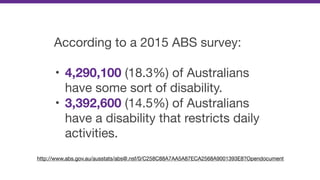
According to a 2015 ABS survey:

• 4,290,100 (18.3%) of Australians
have some sort of disability.

• 3,392,600 (14.5%) of Australians
have a disability that restricts daily
activities.
http://www.abs.gov.au/ausstats/abs@.nsf/0/C258C88A7AA5A87ECA2568A9001393E8?Opendocument
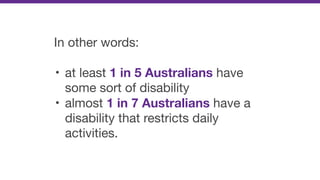
In other words:

• at least 1 in 5 Australians have
some sort of disability

• almost 1 in 7 Australians have a
disability that restricts daily
activities.
These ratios also increase with age.

• Around 2 in 5 Australians, 65
years or older, has some sort of
disability.
Types of disability
https://www.flickr.com/photos/hans-westbeek/3104818007
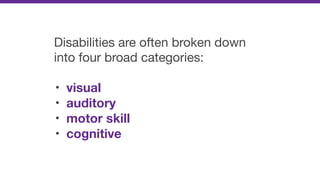
Disabilities are often broken down
into four broad categories: 

• visual
• auditory
• motor skill
• cognitive
1. Visual
Vision disabilities include:
Low Vision (vision loss that cannot
be corrected with glasses)

• Macular degeneration

• Glaucoma

• Diabetic retinopathy

• Cataract
Colour-blindness
• Protanopia (red deficiencies)

• Deuteranopia (green deficiencies)

• Tritanopia (blue deficiencies)

• Rod monochromacy (no colour)
Blindness

Which includes very little to no
vision.
2. Auditory
Auditory disabilities include:
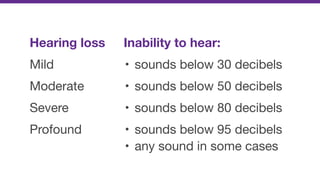
Inability to hear:
• sounds below 30 decibels

• sounds below 50 decibels

• sounds below 80 decibels

• sounds below 95 decibels

• any sound in some cases
Hearing loss
Mild

Moderate

Severe

Profound
For people with mild hearing loss,
speech can be difficult to
understand, especially if
background noises are present.
For people with moderate hearing
loss, a hearing aid may be
required.
For people with severe hearing or
profound loss, communication may
be done through sign language;
others rely on lip-reading techniques.
3. Motor skill
Motor-skill disabilities include:
Traumatic Injuries
• Spinal cord injury

• Loss or permanent damage to
limb(s)
Diseases & Congenital Conditions
• Cerebral palsy

• Muscular dystrophy

• Multiple sclerosis

• Spina bifida

• ALS (Lou Gehrig’s Disease)

• Arthritis

• Parkinson’s disease
4. Cognitive
Cognitive disabilities include
various intellectual or cognitive
deficits.
In simple terms, a person who has a
cognitive disability has trouble
performing mental tasks that the
average person would be able to do.
This category includes:
• intellectual disability

• developmental delay

• developmental disability

• learning disabilities such as
Dyslexia and ADHD.
It can also include conditions that
cause cognitive impairment:

• acquired brain injuries

• genetic disability such as Down
syndrome, Autism, and Dementia
Assistive technologies
https://www.flickr.com/photos/bjkelly/17256224282
Assistive technologies are
products, equipment and systems
that enhance activities for people
with disabilities.
For digital accessibility, Assistive
Technologies are often broken down
into two categories:

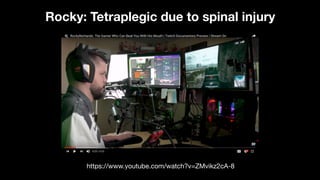
• Input devices
• Output devices
Input devices
Input devices aid people when
interacting with websites and
applications.
An example would be where a user
has to fill in a form.
However, it also includes simple
activities such as using keyboard
functions to navigate around a web
page or web application.
Input devices include:
Accessible keyboards, Track pads,
Head wands, Mouth pieces, Puffers,
Switches, Touch screens, Eye-
trackers, Voice activation software,
etc.
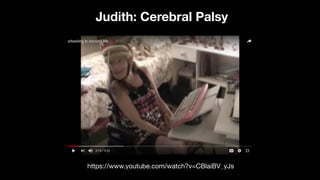
https://www.youtube.com/watch?v=CBlaiBV_yJs
Judith: Cerebral Palsy
https://www.youtube.com/watch?v=ZMvikz2cA-8
Rocky: Tetraplegic due to spinal injury
Output devices
Output devices aid people when
presenting information from
websites and applications.
Output devices include:
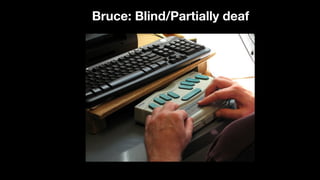
Magnifiers, Screen Readers,
Refreshable Braille Devices etc.
Bruce: Blind/Partially deaf
Other barriers
https://www.flickr.com/photos/kakissel/5484265811
As well as long-term disabilities,
people can experience situational or
short-term barriers that affect their
ability to interact with websites and
web content.
Vision barriers could include eye
fatigue, blurred vision or even trying
to look at a mobile screen in bright
sunlight.
Auditory barriers could include
hearing issues while in a room with
loud music, or short-term hearing
loss from exposure to loud noise.
Motor-skill barriers could include
trying to perform a task while holding
a baby, or with a broken arm
Cognitive barriers could including
suffering from concussion or
recovering from short-term memory
loss.
More severe barriers
Other barriers that are not technically
disabilities but can have a major
impact on peoples lives include
literacy and language.
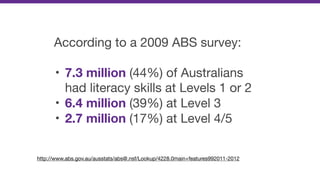
According to a 2009 ABS survey:

• 7.3 million (44%) of Australians
had literacy skills at Levels 1 or 2

• 6.4 million (39%) at Level 3

• 2.7 million (17%) at Level 4/5
http://www.abs.gov.au/ausstats/abs@.nsf/Lookup/4228.0main+features992011-2012
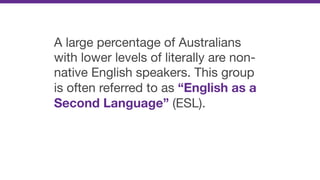
A large percentage of Australians
with lower levels of literally are non-
native English speakers. This group
is often referred to as “English as a
Second Language” (ESL).
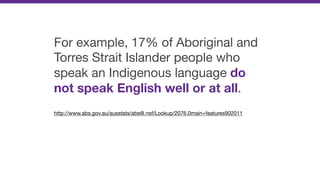
For example, 17% of Aboriginal and
Torres Strait Islander people who
speak an Indigenous language do
not speak English well or at all.

http://www.abs.gov.au/ausstats/abs@.nsf/Lookup/2076.0main+features902011
This is why it is vital for web
content writers to consider reading
levels, keyword density and the
avoidance of technical “jargon”.
These levels can be measured
using algorithms such as Flesch
Kincaid and the Gunning Fox Index.
Anyone involved in writing content
should avoid terms like “dumbing
down” as this is not only insulting, it
is a fundamental misunderstanding
of effective communication.
Why is it important to be
aware of these barriers?
1. We need to be aware of how our
users interact with our products in
all sorts of situations and different
environments.
2. Solving problems for situational
and short-term barriers often
benefits disabled audiences as
well.
3. Some groups, such as ESL, even
though not classed as a disability,
need special attention.
Legal vs ethical responsibility
https://www.pexels.com/photo/animal-dog-cute-french-bulldog-20470/
All Australian websites and mobile
applications must comply with the
World Wide Web Access: Disability
Discrimination Act 1992

https://docs.education.gov.au/system/files/doc/other/dse-fact-sheet-1-dda_0.pdf
The relevant Advisory Note states:
“All existing non-government
websites and web content should
comply with WCAG 2.0 to a
minimum level of AA conformance
by December 31, 2013.”
This means more than just websites
and apps; it means all content that
is presented to users - including
Word files, PDF files and much more.
We’ll look at what “WCAG 2.0”
means soon, but before we do…
It is important that we look beyond
our “legal responsibilities”.
We should aim to make our websites
and content accessible because we
care!
What is WCAG?
https://www.flickr.com/photos/edanley/3246241416
The World Wide Web Consortium
or the W3C is an international
community that develops the open
standards for the Web.
The W3C produces specifications
on a wide range of web-related
topics including HTML, CSS and
Accessibility.
Within the W3C, there is a sub-group
called the Web Accessibility
Initiative (WAI) Working Group.
The WAI Working Group has been
responsible for developing the Web
Content Accessibility Guidelines
(WCAG).
The WCAG guidelines provide a
standard for web content
accessibility.
WCAG 1.0 became a W3C
Recommendation in May 1999.

https://www.w3.org/TR/WAI-WEBCONTENT/
WCAG 2.0 became a W3C
Recommendation in December
2008.

http://www.w3.org/TR/WCAG20/
WCAG 2.1 became a Candidate
Recommendation in January 2018.
It is not yet a W3C Recommendation.

https://www.w3.org/TR/WCAG21/
Website owners should be aware of
changes in this latest version and
prepare for when it becomes a full
recommendation.
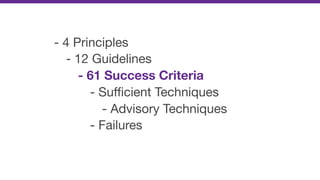
WCAG 2.0 has the following overall
structure.
- 4 Principles

- 12 Guidelines

- 61 Success Criteria
- Sufficient Techniques

- Advisory Techniques

- Failures
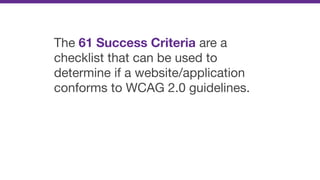
The 61 Success Criteria are a
checklist that can be used to
determine if a website/application
conforms to WCAG 2.0 guidelines.
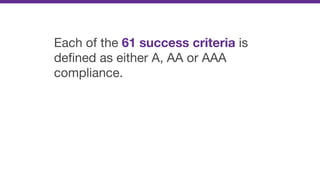
Each of the 61 success criteria is
defined as either A, AA or AAA
compliance.
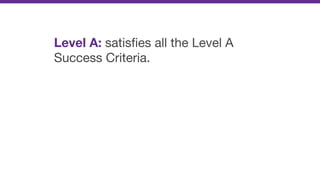
Level A: satisfies all the Level A
Success Criteria.
Level AA: satisfies all the Level A &
Level AA Success Criteria.
Level AAA: satisfies all the Level A,
Level AA & Level AAA Success Criteria.
If we go back to the DDA Advisory
Note mentioned earlier:
“All existing non-government
websites and web content should
comply with WCAG 2.0 to a
minimum level of AA conformance
by December 31, 2013.”
This means that websites should aim
to pass all of the WCAG 2.0 Success
Criteria classified as A and AA.
Accessibility in large organisations
https://www.flickr.com/photos/quandc/16426960180
A lot of people focus on
Accessibility testing tools and
Expert accessibility audits as
solutions.
The problem is that almost all tools
and audits only focus on the end
result - such as the final code. This
is far too late in the process!
It is critical that accessibility
becomes understood, appreciated,
and an integral part of all disciplines
and processes.
This includes (but isn’t limited to)
processes such as:
1. Making inclusive design a core
principle.
2. Including diverse audiences as
part of testing processes wherever
possible.
3. For all public-facing content,
consider reading levels, the use of
technical jargon and keyword density
as mentioned earlier.
4. For front-end teams, include
regular testing processes to emulate
keyboard-only users as well as
running tests using a range of
different screen readers.
Russ Weakley
Twitter: twitter.com/russmaxdesign
Slideshare: slideshare.net/maxdesign

What is accessibility?