Allied Softech Pvt. Ltd.
Website development for Distributors
Click to go forward…
How Website can help a Distributor ?
The primary purpose of any technology in business is to save time &
effort, enhance productivity and hence help business grow. There is no
sense of doing those tasks manually which a website can do for you.
• Send Stock & Sales report to Medical Representative through your website
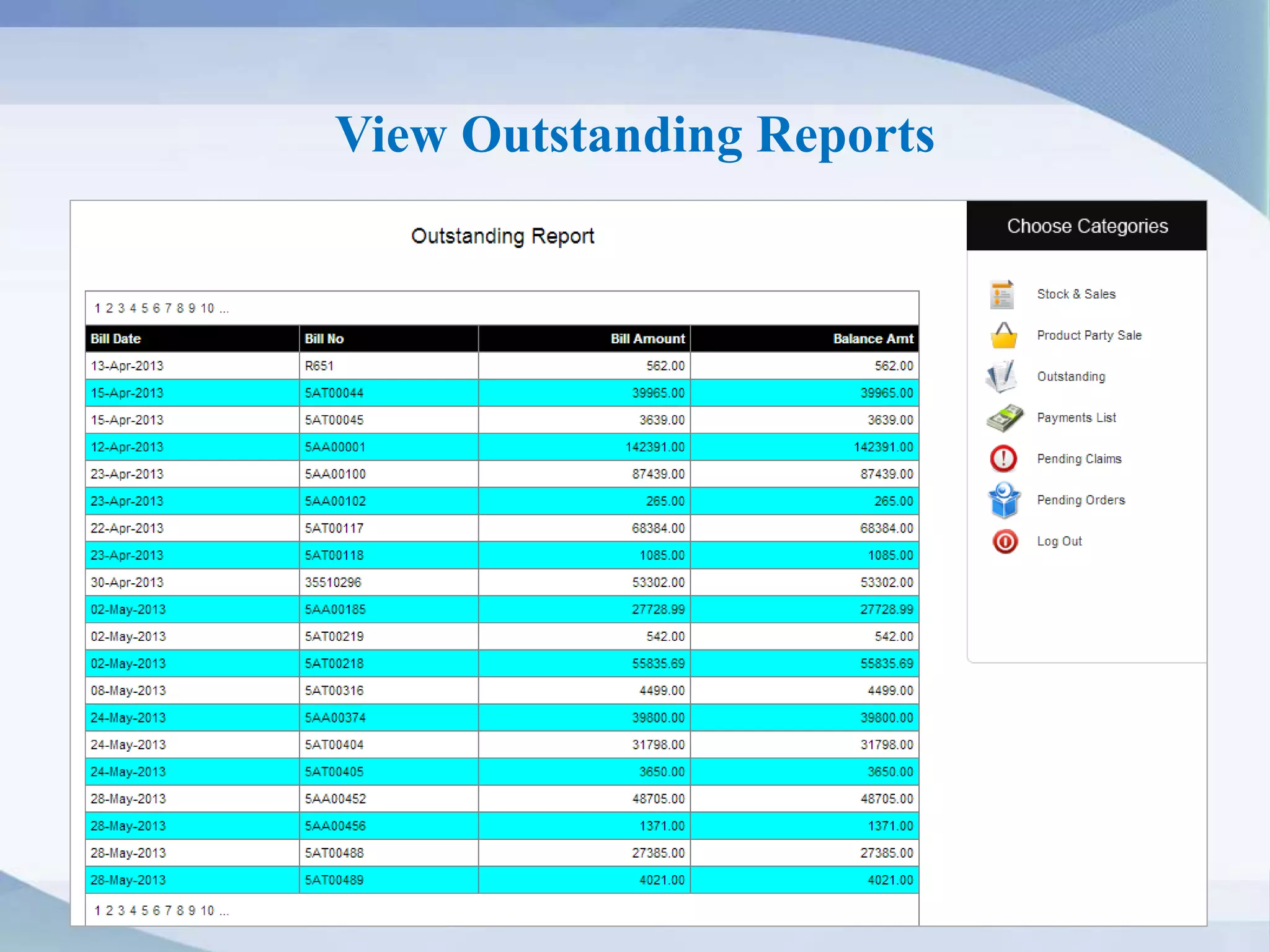
• Show other reports like outstanding, product-party sale, pending orders etc.
• Allow your retailer to order items online directly from your website
• Advertise & showcase your products at a low cost
Grow in a smart way!
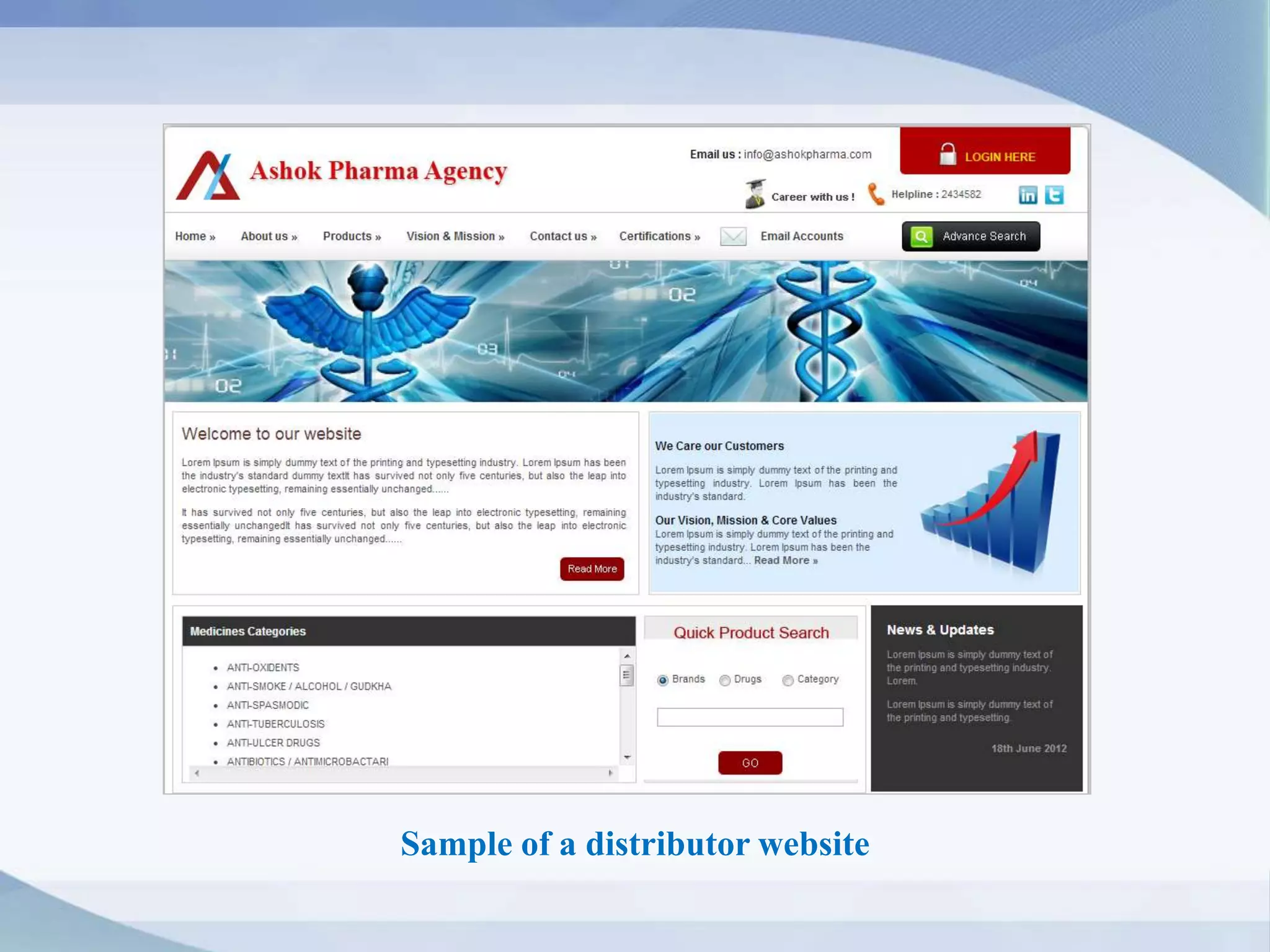
Sample of a distributor website
Aren’t you tired of entertaining
Medical Representatives in your rush hours ?
If You are, then we may offer you a very simple platform where
you can send the reports to medical representatives online. We
design websites for distributors where you can send your stock &
sales reports to Medical representatives, company wise.
MR doesn’t need to visit your shop at all. It saves your much time
and effort.
How it works ?
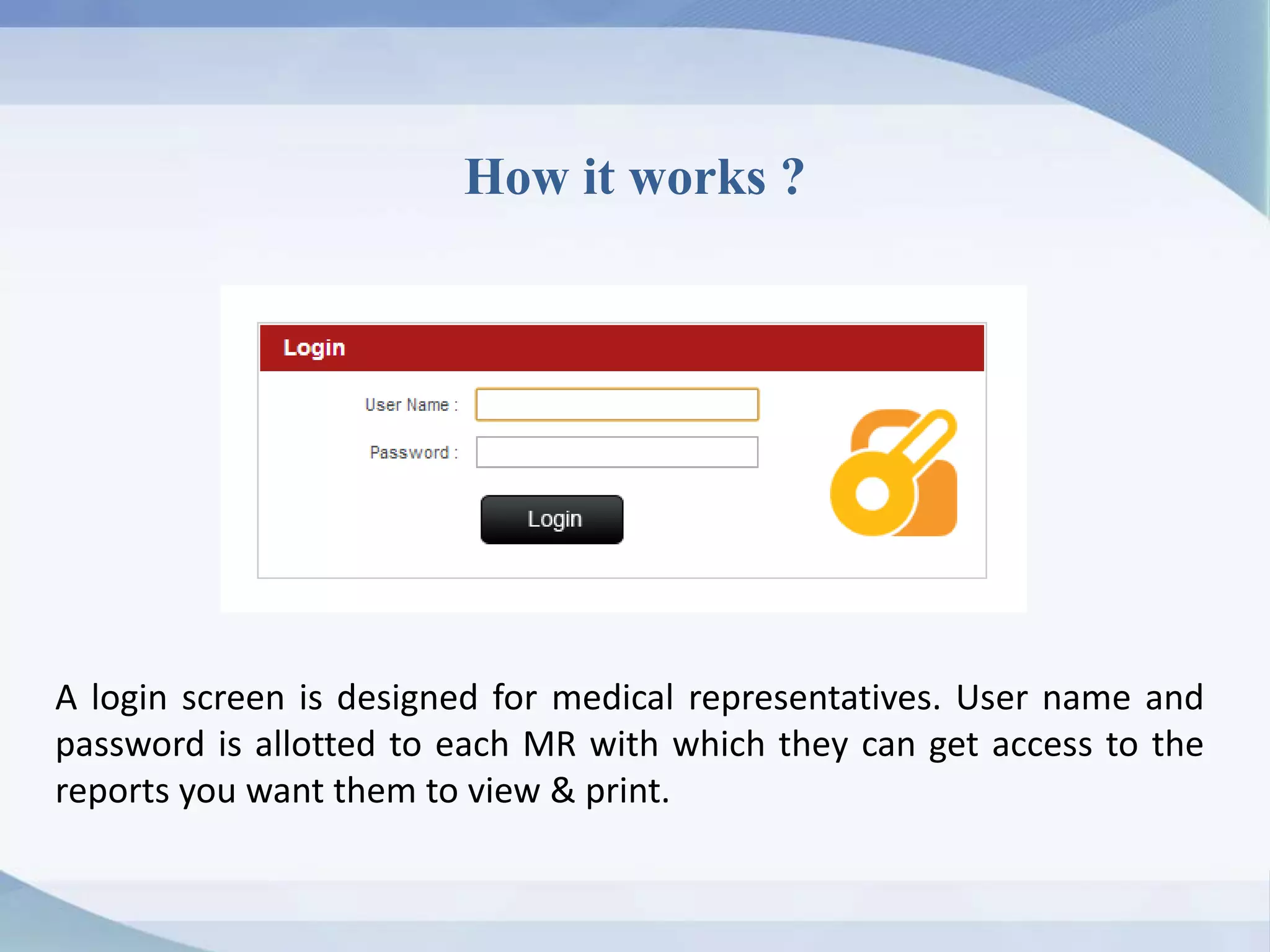
A login screen is designed for medical representatives. User name and
password is allotted to each MR with which they can get access to the
reports you want them to view & print.
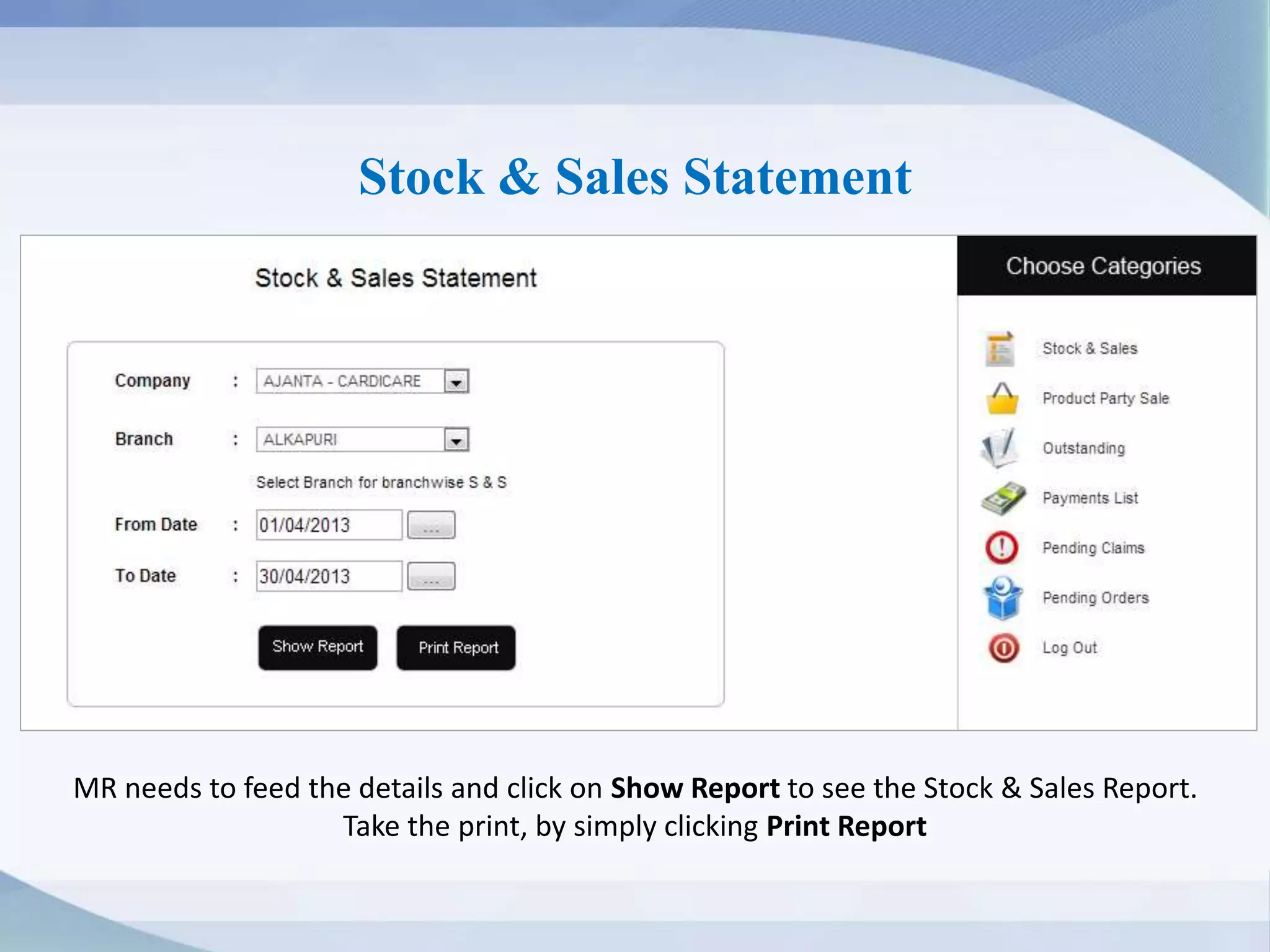
Stock & Sales Statement
MR needs to feed the details and click on Show Report to see the Stock & Sales Report.
Take the print, by simply clicking Print Report
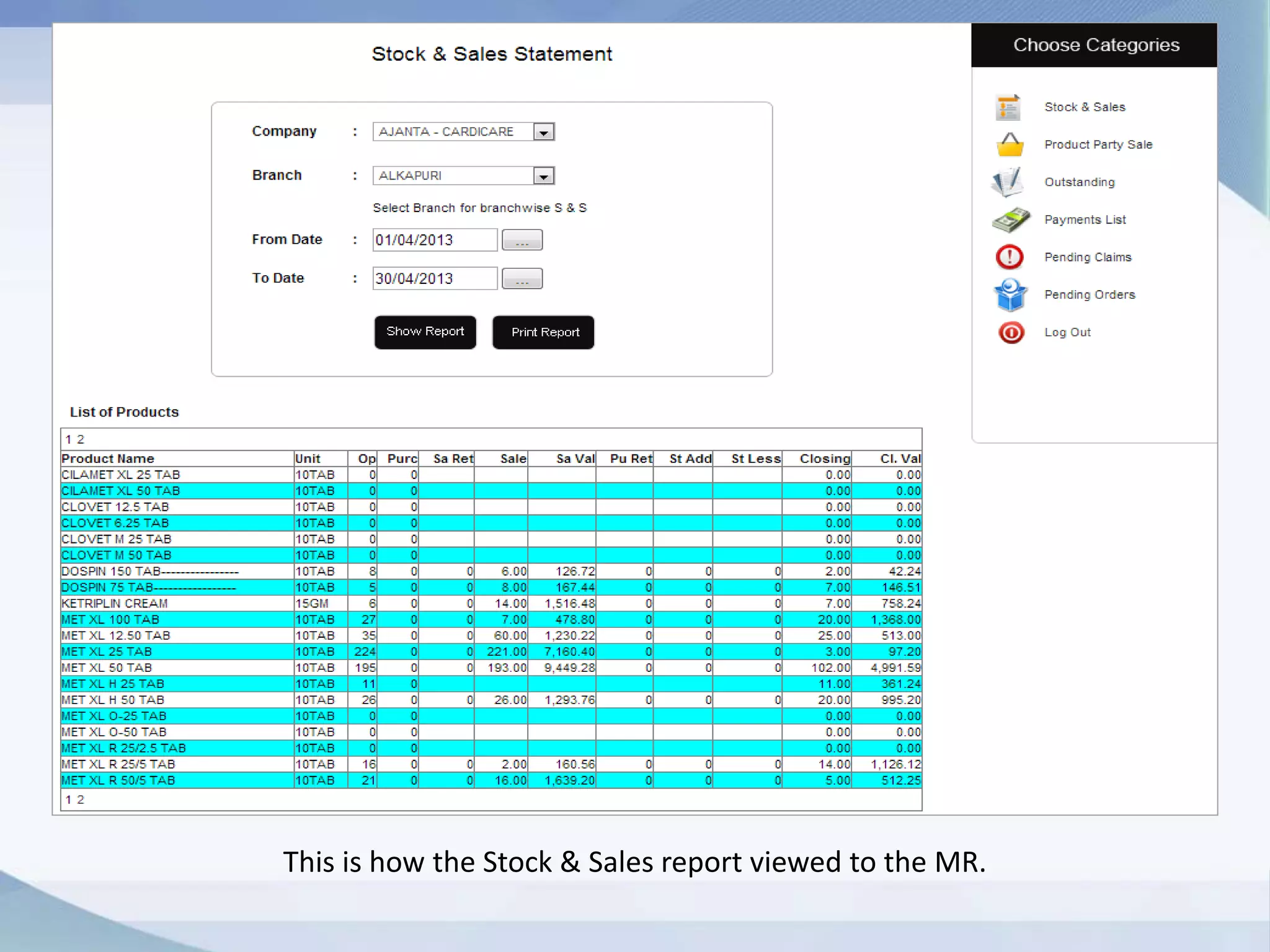
This is how the Stock & Sales report viewed to the MR.
View Outstanding Reports
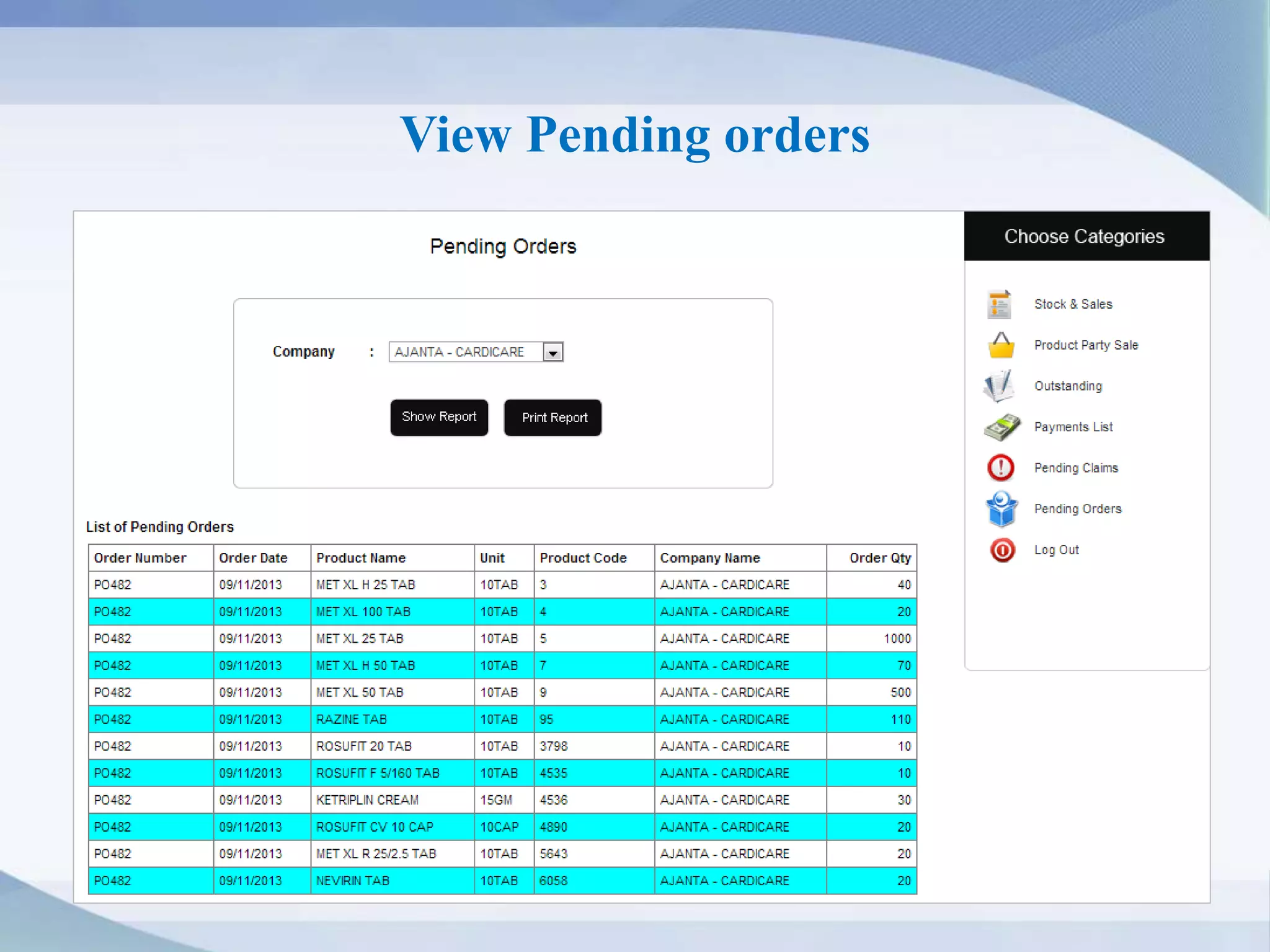
View Pending orders
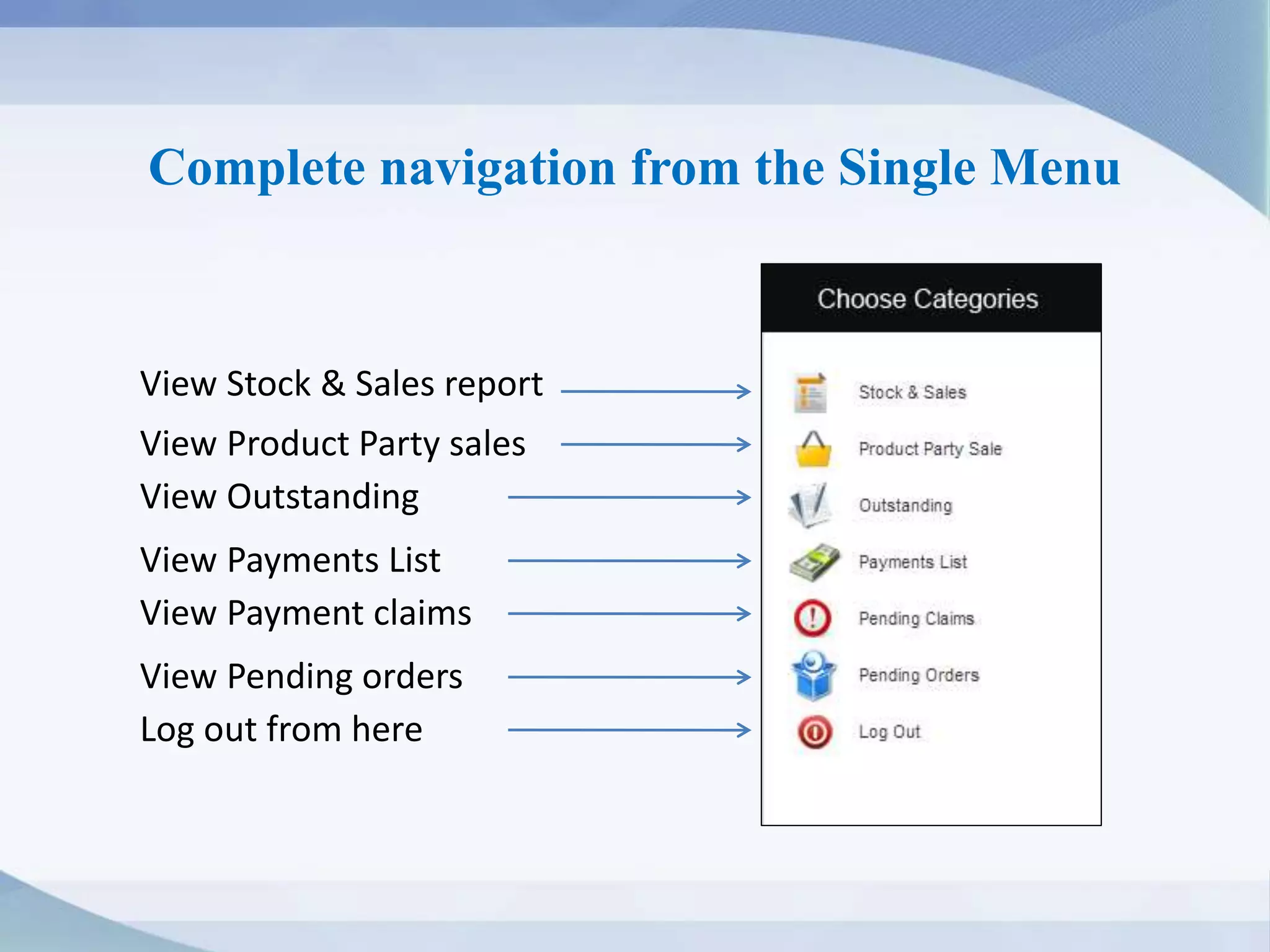
Complete navigation from the Single Menu
View Payment claims
View Product Party sales
View Payments List
View Outstanding
Log out from here
View Pending orders
View Stock & Sales report
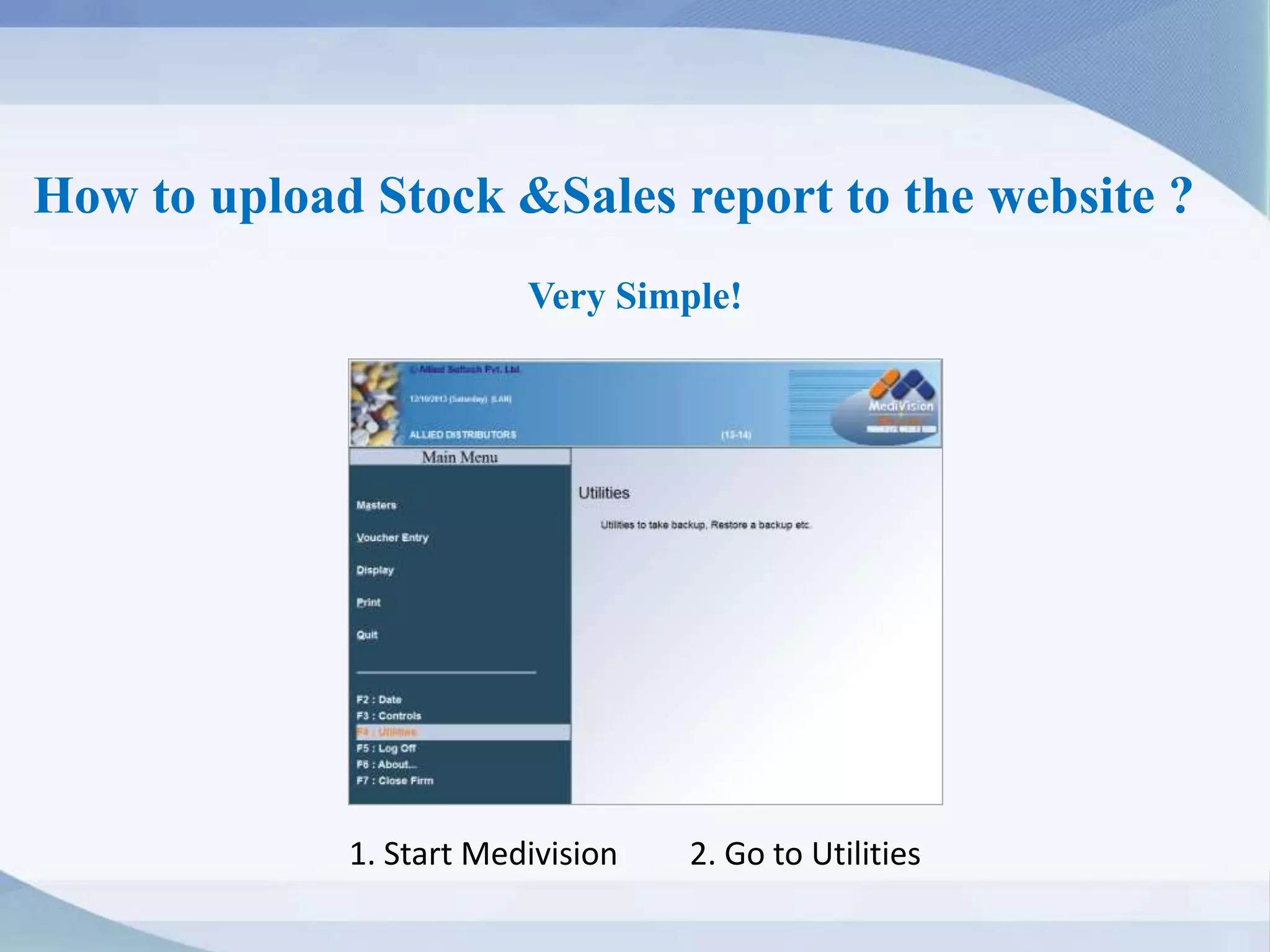
How to upload Stock &Sales report to the website ?
Very Simple!
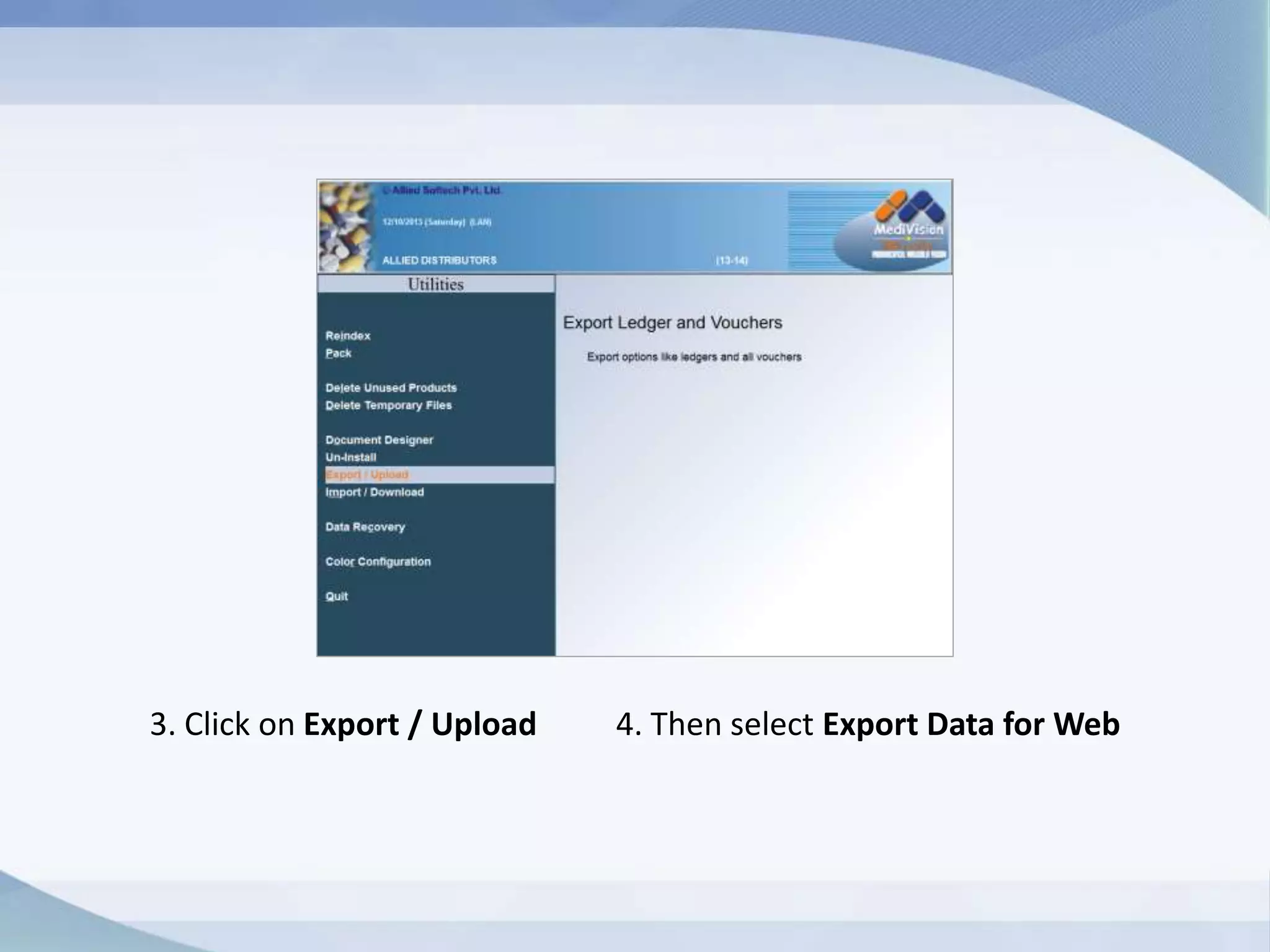
1. Start Medivision 2. Go to Utilities
3. Click on Export / Upload 4. Then select Export Data for Web
You have saved the file in csv format.
Now All you need to do is select the file and upload it to website.
1. Right Click on the Medivision icon on your computer
2. Click on Properties, then click Open file location
2. Find the file named as WEBDATA
3. Upload the file to the website
That’s all you need to do. You can upload report weekly, quarterly or
monthly. Once you upload the file, MR can view it from the website.
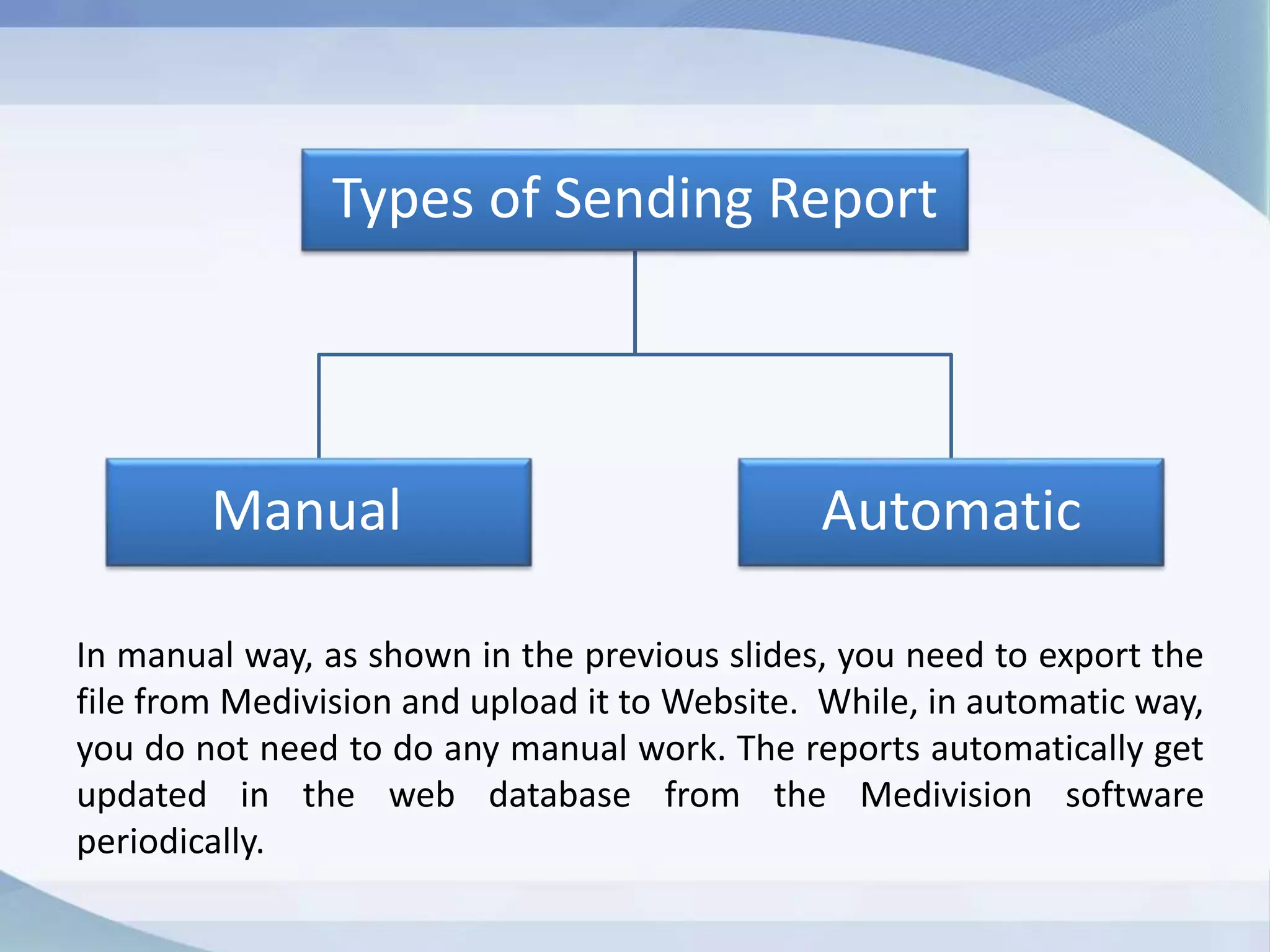
In manual way, as shown in the previous slides, you need to export the
file from Medivision and upload it to Website. While, in automatic
way, you do not need to do any manual work. The reports
automatically get updated in the web database from the Medivision
software periodically.
Now Let me ask you,
Isn’t it easier than attending calls after calls from Medical
representatives for reports and giving them appointments in
between your work?
No More Calls from MR!
No More Unnecessary Appointments!
Call us at 84465 33665 for any assistance
Write to us at sales@alliedsoftech.com
Login to www.alliedsoftech.com to chat with our sales team
Thank you
Looking forward to hear from you soon!

Website for distributors

  • 1.
    Allied Softech Pvt.Ltd. Website development for Distributors Click to go forward…
  • 2.
    How Website canhelp a Distributor ? The primary purpose of any technology in business is to save time & effort, enhance productivity and hence help business grow. There is no sense of doing those tasks manually which a website can do for you. • Send Stock & Sales report to Medical Representative through your website • Show other reports like outstanding, product-party sale, pending orders etc. • Allow your retailer to order items online directly from your website • Advertise & showcase your products at a low cost Grow in a smart way!
  • 3.
    Sample of adistributor website
  • 4.
    Aren’t you tiredof entertaining Medical Representatives in your rush hours ? If You are, then we may offer you a very simple platform where you can send the reports to medical representatives online. We design websites for distributors where you can send your stock & sales reports to Medical representatives, company wise. MR doesn’t need to visit your shop at all. It saves your much time and effort.
  • 5.
    How it works? A login screen is designed for medical representatives. User name and password is allotted to each MR with which they can get access to the reports you want them to view & print.
  • 6.
    Stock & SalesStatement MR needs to feed the details and click on Show Report to see the Stock & Sales Report. Take the print, by simply clicking Print Report
  • 7.
    This is howthe Stock & Sales report viewed to the MR.
  • 8.
  • 9.
  • 10.
    Complete navigation fromthe Single Menu View Payment claims View Product Party sales View Payments List View Outstanding Log out from here View Pending orders View Stock & Sales report
  • 11.
    How to uploadStock &Sales report to the website ? Very Simple! 1. Start Medivision 2. Go to Utilities
  • 12.
    3. Click onExport / Upload 4. Then select Export Data for Web
  • 13.
    You have savedthe file in csv format. Now All you need to do is select the file and upload it to website. 1. Right Click on the Medivision icon on your computer 2. Click on Properties, then click Open file location 2. Find the file named as WEBDATA 3. Upload the file to the website That’s all you need to do. You can upload report weekly, quarterly or monthly. Once you upload the file, MR can view it from the website.
  • 14.
    In manual way,as shown in the previous slides, you need to export the file from Medivision and upload it to Website. While, in automatic way, you do not need to do any manual work. The reports automatically get updated in the web database from the Medivision software periodically.
  • 15.
    Now Let meask you, Isn’t it easier than attending calls after calls from Medical representatives for reports and giving them appointments in between your work? No More Calls from MR! No More Unnecessary Appointments!
  • 16.
    Call us at84465 33665 for any assistance Write to us at sales@alliedsoftech.com Login to www.alliedsoftech.com to chat with our sales team
  • 17.
    Thank you Looking forwardto hear from you soon!