Myaiesec.net
Hussain Dewani
AND HERE IS WHERE YOUR
JOURNEY GET DIGITALIZED
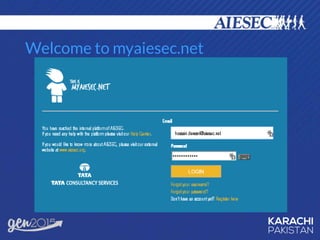
Welcome to myaiesec.net
What can we do on Myaiesec.net?
TMP
• Browse exchanges
• Supply & Demand Management
• Check LC Forms
• Match Monitor
ICX
• Raise TNs
• GIP Sub-Products Map
• Manage Projects
OGX
• Raise EPs
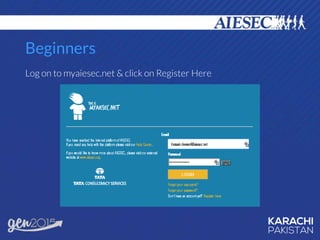
Beginners
Log on to myaiesec.net & click on Register Here
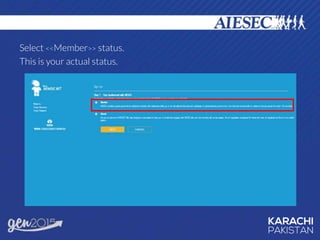
Select <<Member>> status.
This is your actual status.
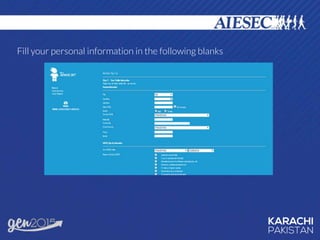
Fill your personal information in the following blanks
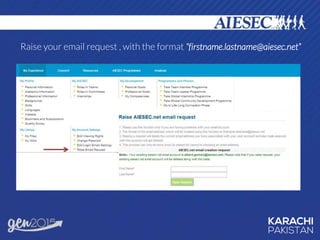
Raise your email request , with the format “firstname.lastname@aiesec.net”
Choose your address as your login email.
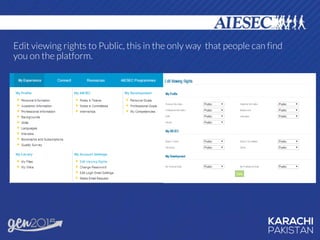
Edit viewing rights to Public, this in the only way that people can find
you on the platform.
EXCHANGES THROUGH MYAIESEC.NET
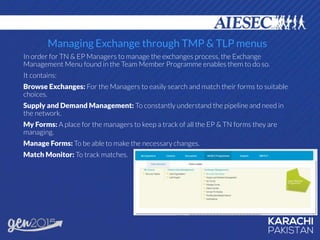
Managing Exchange through TMP & TLP menus
In order for TN & EP Managers to manage the exchanges process, the Exchange
Management Menu found in the Team Member Programme enables them to do so.
It contains:
Browse Exchanges: For the Managers to easily search and match their forms to suitable
choices.
Supply and Demand Management: To constantly understand the pipeline and need in
the network.
My Forms: A place for the managers to keep a track of all the EP & TN forms they are
managing.
Manage Forms: To be able to make the necessary changes.
Match Monitor: To track matches.
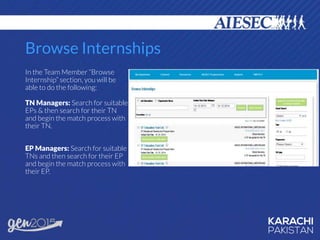
Browse Internships
In the Team Member “Browse
Internship” section, you will be
able to do the following:
TN Managers: Search for suitable
EPs & then search for their TN
and begin the match process with
their TN.
EP Managers: Search for suitable
TNs and then search for their EP
and begin the match process with
their EP.
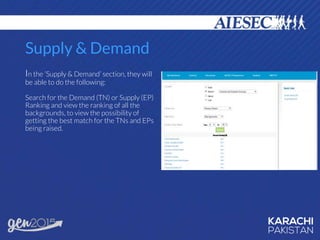
Supply & Demand
In the ‘Supply & Demand’ section, they will
be able to do the following:
Search for the Demand (TN) or Supply (EP)
Ranking and view the ranking of all the
backgrounds, to view the possibility of
getting the best match for the TNs and EPs
being raised.
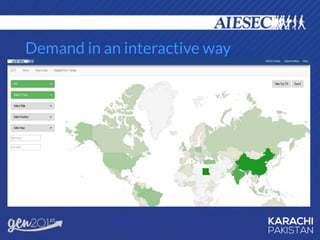
SUB PRODUCTS LIVE MAP
Log on to http://www.live.myaiesec.net/aft/
Demand in an interactive way
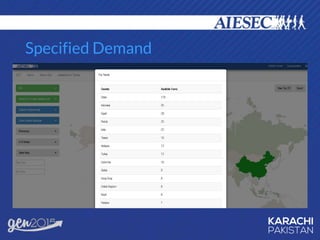
Specified Demand
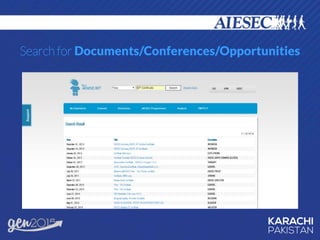
Search for Documents/Conferences/Opportunities
QUESTIONS?

Tutorial - Myaiesec.net

  • 1.
  • 2.
    AND HERE ISWHERE YOUR JOURNEY GET DIGITALIZED
  • 3.
  • 4.
    What can wedo on Myaiesec.net? TMP • Browse exchanges • Supply & Demand Management • Check LC Forms • Match Monitor ICX • Raise TNs • GIP Sub-Products Map • Manage Projects OGX • Raise EPs
  • 5.
    Beginners Log on tomyaiesec.net & click on Register Here
  • 6.
    Select <<Member>> status. Thisis your actual status.
  • 7.
    Fill your personalinformation in the following blanks
  • 8.
    Raise your emailrequest , with the format “firstname.lastname@aiesec.net”
  • 9.
    Choose your addressas your login email.
  • 10.
    Edit viewing rightsto Public, this in the only way that people can find you on the platform.
  • 11.
  • 12.
    Managing Exchange throughTMP & TLP menus In order for TN & EP Managers to manage the exchanges process, the Exchange Management Menu found in the Team Member Programme enables them to do so. It contains: Browse Exchanges: For the Managers to easily search and match their forms to suitable choices. Supply and Demand Management: To constantly understand the pipeline and need in the network. My Forms: A place for the managers to keep a track of all the EP & TN forms they are managing. Manage Forms: To be able to make the necessary changes. Match Monitor: To track matches.
  • 13.
    Browse Internships In theTeam Member “Browse Internship” section, you will be able to do the following: TN Managers: Search for suitable EPs & then search for their TN and begin the match process with their TN. EP Managers: Search for suitable TNs and then search for their EP and begin the match process with their EP.
  • 14.
    Supply & Demand Inthe ‘Supply & Demand’ section, they will be able to do the following: Search for the Demand (TN) or Supply (EP) Ranking and view the ranking of all the backgrounds, to view the possibility of getting the best match for the TNs and EPs being raised.
  • 15.
  • 16.
    Log on tohttp://www.live.myaiesec.net/aft/
  • 17.
    Demand in aninteractive way
  • 18.
  • 19.
  • 20.