WEBSITE DESIGN ISSUESBYRAKU BORDEWRYDEPARTMENT OF MANAGEMENT STUDIESPONDICHERRY UNIVERSITY
    Entire books are available that address the issues of how to design effective web sites.     My presentation presents the basic concepts and some generally accepted rules of thumb for designing good web sites.     Sites  with different objectives will obviously have different needs.     Moreover, individuality and uniqueness of web sites are also valued features.     With that in mind, those guidelines are offered as a starting point for developing good web design skills, not as formula that should be followed point by point.
PAGE LOADING EFFICENCYThe temptation to overload a page with graphics should be resisted.A few well-chosen graphics are fine, but too much on a page and the visitor may become frustrated with the required time to load a page, and “click, click” they are off to another site.Frames also increase the loading time, and if the site sells or exchanges advertising space in which banners will appear, these items will also slow down the load time.
SIMPLICITYAvoid clutter on web pages.If the business has a lot of information to convey, organize it well and spread it out over multiple pages.A guideline is to use about 60 characters per line.Also, avoid long pages that required a lot of scrolling.Again, organizing the material well can preclude excessive scrolling from being necessary.
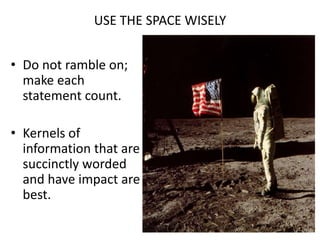
USE THE SPACE WISELYDo not ramble on; make each statement count.Kernels of information that are succinctly worded and have impact are best.
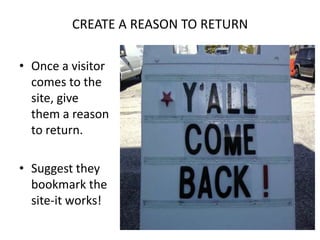
CREATE A REASON TO RETURNOnce a visitor comes to the site, give them a reason to return.Suggest they bookmark the site-it works!
CONTD..Some suggestions for items that may cause the visitor to return:Daily or weekly specials;Daily or weekly updates to the site that are clearly labeled, such as editorials, current events, projects, recipes, etc.;Frequent buyer programs;Contests; andEvents, such as hosting a chat session with a guest celebrity or public figure.
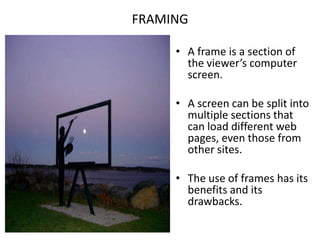
FRAMINGA frame is a section of the viewer’s computer screen.A screen can be split into multiple sections that can load different web pages, even those from other sites.The use of frames has its benefits and its drawbacks.
TABLES AND FRONTSTable are useful for providing structure to text that will not be lost due to the size of the visitor’s screen and the size of viewing window, which is affected by viewer’s web browser.Whenever possible, avoid using all uppercase letters as they are more difficult for the eye to follow.The TIMES and HELVETICA fronts for readability on websites.
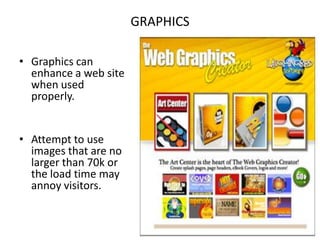
GRAPHICSGraphics can enhance a web site when used properly.Attempt to use images that are no larger than 70k or the load time may annoy visitors.
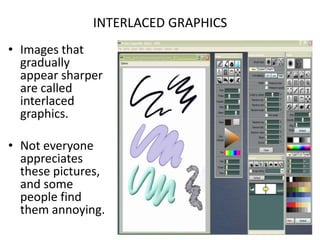
INTERLACED GRAPHICSImages that gradually appear sharper are called interlaced graphics.Not everyone appreciates these pictures, and some people find them annoying.
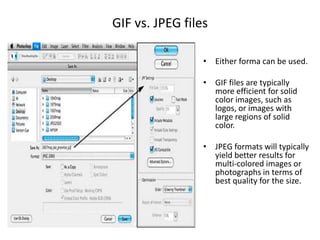
GIF vs. JPEG filesEither forma can be used.GIF files are typically more efficient for solid  color images, such as logos, or images with large regions of solid color.JPEG formats will typically yield better results for multi-colored images or photographs in terms of best quality for the size.
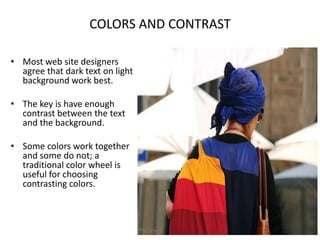
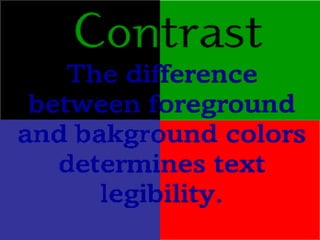
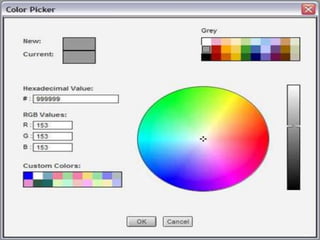
COLORS AND CONTRASTMost web site designers agree that dark text on light background work best.The key is have enough contrast between the text and the background.Some colors work together and some do not; a traditional color wheel is useful for choosing contrasting colors.
PURCHASING INFORMATIONSites that sell their products/services on-line should clearly post policies in an easily found place regarding these items:Tax rates;Shipping rates;Shipping schedules;Return policy;Privacy of transaction; andSecurity of data that is transmitted.
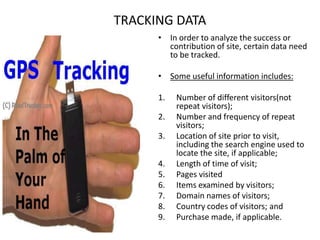
TRACKING DATAIn order to analyze the success or contribution of site, certain data need to be tracked.Some useful information includes:Number of different visitors(not repeat visitors);Number and frequency of repeat visitors;Location of site prior to visit, including the search engine used to locate the site, if applicable;Length of time of visit;Pages visitedItems examined by visitors;Domain names of visitors;Country codes of visitors; and Purchase made, if applicable.
REFERENCESMARILYN GREENSTEIN, TODD M FEINMAN “ELECTRONIC COMMERCE.” ed. 2000
LOOKING FORWARD FOR YOUR INPUTS OR COMMENTS.
Website Design Issues

Website Design Issues

  • 1.
    WEBSITE DESIGN ISSUESBYRAKUBORDEWRYDEPARTMENT OF MANAGEMENT STUDIESPONDICHERRY UNIVERSITY
  • 2.
    Entire books are available that address the issues of how to design effective web sites. My presentation presents the basic concepts and some generally accepted rules of thumb for designing good web sites. Sites with different objectives will obviously have different needs. Moreover, individuality and uniqueness of web sites are also valued features. With that in mind, those guidelines are offered as a starting point for developing good web design skills, not as formula that should be followed point by point.
  • 3.
    PAGE LOADING EFFICENCYThetemptation to overload a page with graphics should be resisted.A few well-chosen graphics are fine, but too much on a page and the visitor may become frustrated with the required time to load a page, and “click, click” they are off to another site.Frames also increase the loading time, and if the site sells or exchanges advertising space in which banners will appear, these items will also slow down the load time.
  • 4.
    SIMPLICITYAvoid clutter onweb pages.If the business has a lot of information to convey, organize it well and spread it out over multiple pages.A guideline is to use about 60 characters per line.Also, avoid long pages that required a lot of scrolling.Again, organizing the material well can preclude excessive scrolling from being necessary.
  • 5.
    USE THE SPACEWISELYDo not ramble on; make each statement count.Kernels of information that are succinctly worded and have impact are best.
  • 6.
    CREATE A REASONTO RETURNOnce a visitor comes to the site, give them a reason to return.Suggest they bookmark the site-it works!
  • 7.
    CONTD..Some suggestions foritems that may cause the visitor to return:Daily or weekly specials;Daily or weekly updates to the site that are clearly labeled, such as editorials, current events, projects, recipes, etc.;Frequent buyer programs;Contests; andEvents, such as hosting a chat session with a guest celebrity or public figure.
  • 8.
    FRAMINGA frame isa section of the viewer’s computer screen.A screen can be split into multiple sections that can load different web pages, even those from other sites.The use of frames has its benefits and its drawbacks.
  • 9.
    TABLES AND FRONTSTableare useful for providing structure to text that will not be lost due to the size of the visitor’s screen and the size of viewing window, which is affected by viewer’s web browser.Whenever possible, avoid using all uppercase letters as they are more difficult for the eye to follow.The TIMES and HELVETICA fronts for readability on websites.
  • 10.
    GRAPHICSGraphics can enhancea web site when used properly.Attempt to use images that are no larger than 70k or the load time may annoy visitors.
  • 12.
    INTERLACED GRAPHICSImages thatgradually appear sharper are called interlaced graphics.Not everyone appreciates these pictures, and some people find them annoying.
  • 14.
    GIF vs. JPEGfilesEither forma can be used.GIF files are typically more efficient for solid color images, such as logos, or images with large regions of solid color.JPEG formats will typically yield better results for multi-colored images or photographs in terms of best quality for the size.
  • 15.
    COLORS AND CONTRASTMostweb site designers agree that dark text on light background work best.The key is have enough contrast between the text and the background.Some colors work together and some do not; a traditional color wheel is useful for choosing contrasting colors.
  • 18.
    PURCHASING INFORMATIONSites thatsell their products/services on-line should clearly post policies in an easily found place regarding these items:Tax rates;Shipping rates;Shipping schedules;Return policy;Privacy of transaction; andSecurity of data that is transmitted.
  • 21.
    TRACKING DATAIn orderto analyze the success or contribution of site, certain data need to be tracked.Some useful information includes:Number of different visitors(not repeat visitors);Number and frequency of repeat visitors;Location of site prior to visit, including the search engine used to locate the site, if applicable;Length of time of visit;Pages visitedItems examined by visitors;Domain names of visitors;Country codes of visitors; and Purchase made, if applicable.
  • 22.
    REFERENCESMARILYN GREENSTEIN, TODDM FEINMAN “ELECTRONIC COMMERCE.” ed. 2000
  • 23.
    LOOKING FORWARD FORYOUR INPUTS OR COMMENTS.