Webinar on Managing References using Zotero
V. Sriram
Chief Librarian
Centre for Development Studies
Thiruvananthapuram, India
E-mail: vsrirams@gmail.com
Kerala State Council for Science Technology and Environment
Thiruvananthapuram.
17th August 2021
Contents
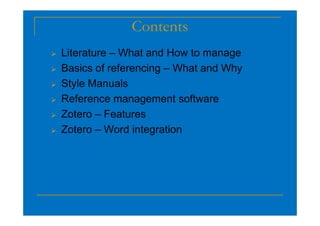
 Literature – What and How to manage
 Basics of referencing – What and Why
 Style Manuals
 Reference management software
 Zotero – Features
 Zotero – Features
 Zotero – Word integration
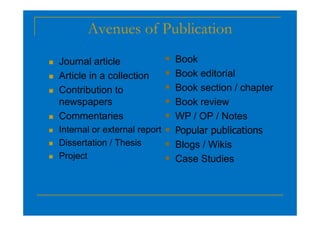
Avenues of Publication
 Journal article
 Article in a collection
 Contribution to
newspapers
Commentaries
 Book
 Book editorial
 Book section / chapter
 Book review
 WP / OP / Notes
 Commentaries
 Internal or external report
 Dissertation / Thesis
 Project
 WP / OP / Notes
 Popular publications
 Blogs / Wikis
 Case Studies
Managing Literature and References
Systematic gathering of sources:
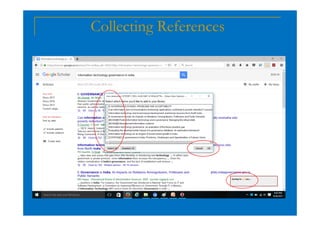
 Using proper tools to gather literature – Google
Scholar, Journal Databases, …
 Creating bibliographic records, summary, notes,
comments, and making it error free
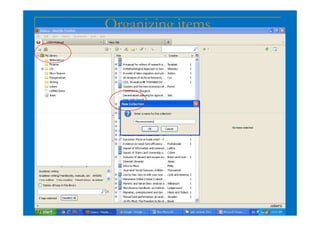
 Organizing by topic, subject, research area…
 Linking the soft copy full text for easy retrieval
 Assigning a unique primary-key for print items.
Referencing
 What is referencing?
It is a method used by the researchers to
demonstrate that they have conducted a
thorough and appropriate literature search,
and reading. To accurately acknowledge
other people's work and ideas when writing
your own work, you need to use a referencing
style. There are many types of referencing
style such as Chicago Style, MLA, APA …
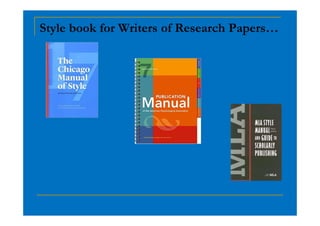
Style book for Writers of Research Papers…
Citation Style
 In text citation
 References
 Bibliography
10127 styles and growing …
http://citationstyles.org/
https://zotero.org/styles
Reference management software - Evolution
 Reference Manager (1984)
 Free : Zotero, Mendeley
 LaTex users: JabRef
Reference management software
Need:
 Enhance the presentation
 Good practice to give due credit
 Avoid plagiarism
Benefits:
 search easily for a particular reference to which
you need to refer back
 print or save lists of references
 insert citations into your document and
automatically produce a bibliography in whatever
style you require
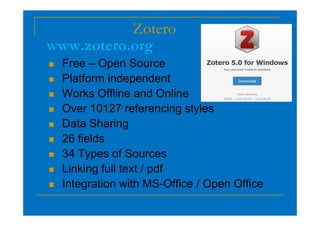
Zotero
 Free – Open Source
 Platform independent
 Works Offline and Online
 Over 10127 referencing styles
www.zotero.org
 Over 10127 referencing styles
 Data Sharing
 26 fields
 34 Types of Sources
 Linking full text / pdf
 Integration with MS-Office / Open Office
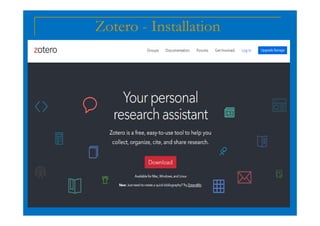
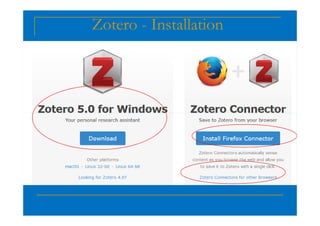
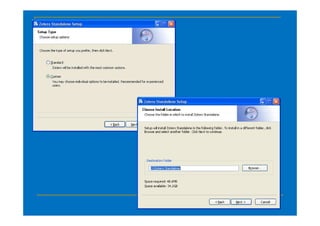
Zotero - Installation
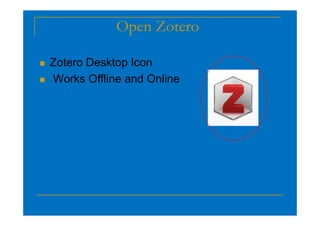
Open Zotero
 Zotero Desktop Icon
 Works Offline and Online
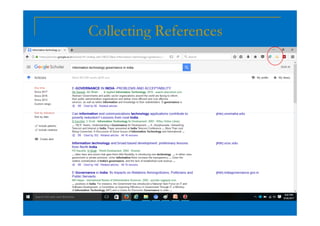
Collecting References
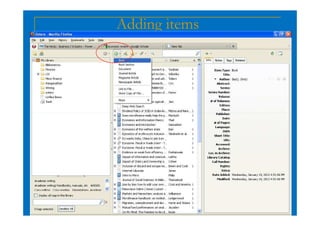
Adding items
Organizing items
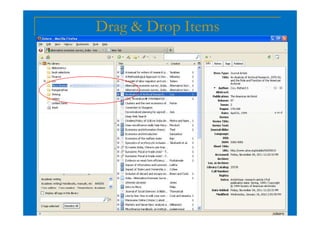
Drag & Drop Items
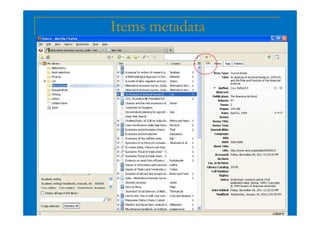
Items metadata
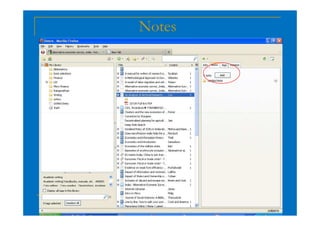
Notes
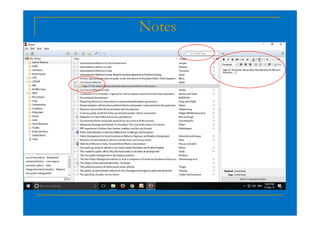
Notes
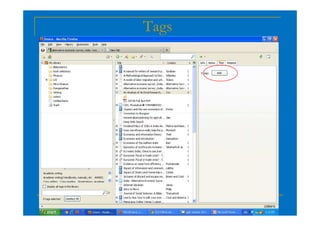
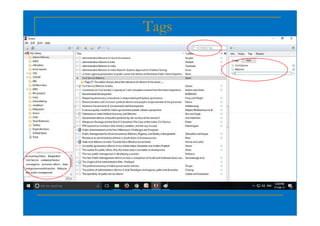
Tags
Tags
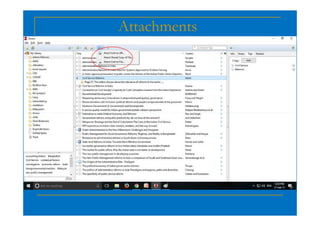
Attachments
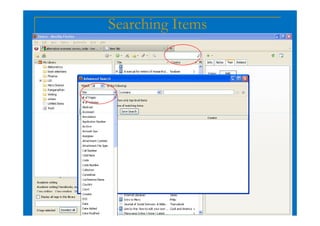
Searching Items
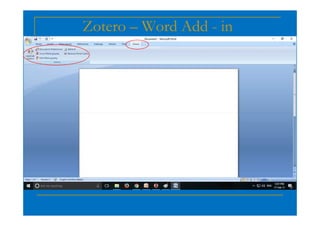
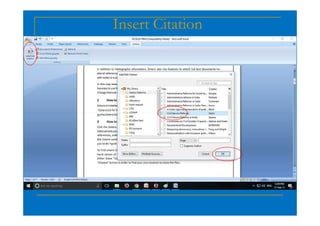
Zotero – Word Add - in
Insert Citation
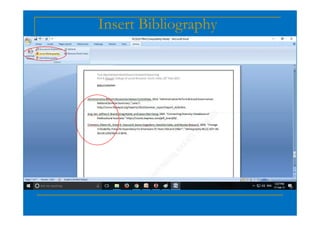
Insert Bibliography
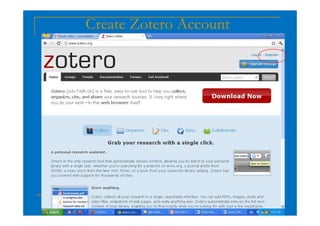
Create Zotero Account
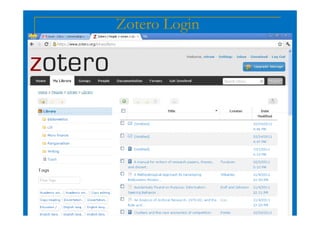
Zotero Login
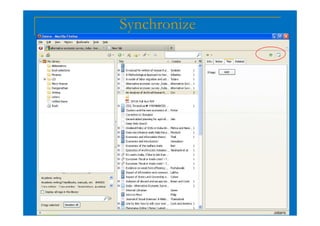
Synchronize
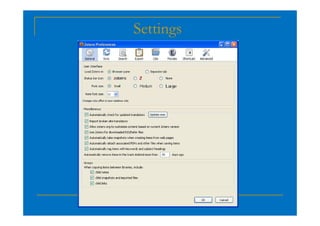
Settings
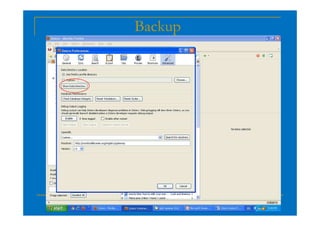
Backup
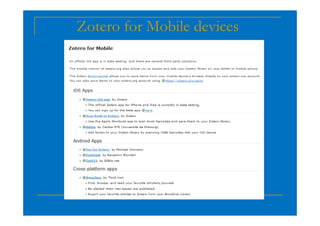
Zotero for Mobile devices
Conclusion
 Organizes your research materials
 Long term storage
 Reduces data entry and formatting
 Helps to develop your research
Thank you!
Thank you!
Thank you!
Thank you!
V. Sriram
Email: vsrirams@gmail.com

Webinar on Managing References using Zotero

  • 1.
    Webinar on ManagingReferences using Zotero V. Sriram Chief Librarian Centre for Development Studies Thiruvananthapuram, India E-mail: vsrirams@gmail.com Kerala State Council for Science Technology and Environment Thiruvananthapuram. 17th August 2021
  • 2.
    Contents  Literature –What and How to manage  Basics of referencing – What and Why  Style Manuals  Reference management software  Zotero – Features  Zotero – Features  Zotero – Word integration
  • 3.
    Avenues of Publication Journal article  Article in a collection  Contribution to newspapers Commentaries  Book  Book editorial  Book section / chapter  Book review  WP / OP / Notes  Commentaries  Internal or external report  Dissertation / Thesis  Project  WP / OP / Notes  Popular publications  Blogs / Wikis  Case Studies
  • 4.
    Managing Literature andReferences Systematic gathering of sources:  Using proper tools to gather literature – Google Scholar, Journal Databases, …  Creating bibliographic records, summary, notes, comments, and making it error free  Organizing by topic, subject, research area…  Linking the soft copy full text for easy retrieval  Assigning a unique primary-key for print items.
  • 5.
    Referencing  What isreferencing? It is a method used by the researchers to demonstrate that they have conducted a thorough and appropriate literature search, and reading. To accurately acknowledge and reading. To accurately acknowledge other people's work and ideas when writing your own work, you need to use a referencing style. There are many types of referencing style such as Chicago Style, MLA, APA …
  • 6.
    Style book forWriters of Research Papers…
  • 7.
    Citation Style  Intext citation  References  Bibliography 10127 styles and growing … http://citationstyles.org/ https://zotero.org/styles
  • 8.
    Reference management software- Evolution  Reference Manager (1984)  Free : Zotero, Mendeley  LaTex users: JabRef  LaTex users: JabRef
  • 9.
    Reference management software Need: Enhance the presentation  Good practice to give due credit  Avoid plagiarism Benefits:  search easily for a particular reference to which you need to refer back  print or save lists of references  insert citations into your document and automatically produce a bibliography in whatever style you require
  • 10.
    Zotero  Free –Open Source  Platform independent  Works Offline and Online  Over 10127 referencing styles www.zotero.org  Over 10127 referencing styles  Data Sharing  26 fields  34 Types of Sources  Linking full text / pdf  Integration with MS-Office / Open Office
  • 11.
  • 12.
  • 14.
    Open Zotero  ZoteroDesktop Icon  Works Offline and Online
  • 15.
  • 16.
  • 17.
  • 18.
  • 19.
  • 20.
  • 21.
  • 22.
  • 23.
  • 24.
  • 25.
  • 26.
  • 27.
  • 28.
  • 29.
  • 30.
  • 31.
  • 32.
  • 33.
  • 34.
  • 35.
  • 36.
    Conclusion  Organizes yourresearch materials  Long term storage  Reduces data entry and formatting  Helps to develop your research  Helps to develop your research
  • 37.
    Thank you! Thank you! Thankyou! Thank you! V. Sriram Email: vsrirams@gmail.com