What is Web Design? 
• Creating content for other users to see on the 
Internet via a browser such as Firefox, IE or 
Safari. Or, put simply, building a website. It 
incorporates many different skills, including 
technical know‐how, writing, graphic design, 
photography, search engine optimization and 
marketing
Why Learn Web Design? 
• Increasingly, media and public relations companies expect 
new hires to know the latest technologies and computer 
skills, including web design. Almost all media outlets have a 
strong web presence these days. Having a website is useful, 
even if you don’t plan to become a journalist. Recent 
surveys shows that many employers now do Internet 
searches on prospective employees. If you build your own 
website, you control what’s on it. So, you can use your 
website as a positive marketing tool. And, if you do work in 
the media, many editors will ask you to e‐mail your 
application with links to your work samples. By posting 
links to your blog and news videos on your website, you’ll 
have your application materials readily accessible in one 
place.
The Process 
• Just as with making a news video, you can’t 
just start making your website. You need to do 
research and plan ahead. It’s a process 
consisting of many steps.
Steps 
• First, come up with an idea for your website. 
Look around the web at other people’s websites. 
• Decide what kind of content you want to include: 
what information, what photos, links, etc. 
• Next draw blueprint; sketch your concept on a 
sheet of paper. 
• Then assemble your content: write your text, 
gather photos, etc. 
• Finally, you’re ready to begin creating your 
website.
What Content to Include? 
• What content should you include on your 
website? First decide whether you want your 
website to be a personal website, a 
professional website or a website for an 
organization you’re involved with.
Types of Websites 
• A personal webpage highlights your interests 
and/or hobbies. 
• A professional webpage focuses on your 
prospective career, be it journalist, dancer, real 
estate broker or something else. If you’re an 
aspiring journalist for example, you might include 
a bio, resume, links to work samples, etc. 
• Your third option is to do a website about an 
organization (such as your fraternity) or activity 
(such as a movie) you’re involved with.
Assignment Requirements 
• Regardless of which option you choose, your 
website should contain at least four separate 
webpages , including a biographical page (with at 
least a 125‐word description of you or the 
organization/activity) and a contact page. Other 
pages could be a photo gallery, a resume, a page 
dedicated to your passion or hobby, a page 
featuring work sample or assignments you did for 
class, etc. Of course, you may have more than 
four webpages. Students who want to earn a 
good grade will do more than the minimum 
required.
The Tools 
• For this assignment, you will need a computer 
with Internet access, of course. You also may 
purchase a domain name, if you want to (this 
is optional and won’t impact your grade). And 
you will use Weebly.com to construct the 
website. You may also require the use of 
PhotoShop or Fireworks to edit photos or 
create graphics/art.
Sample Websites 
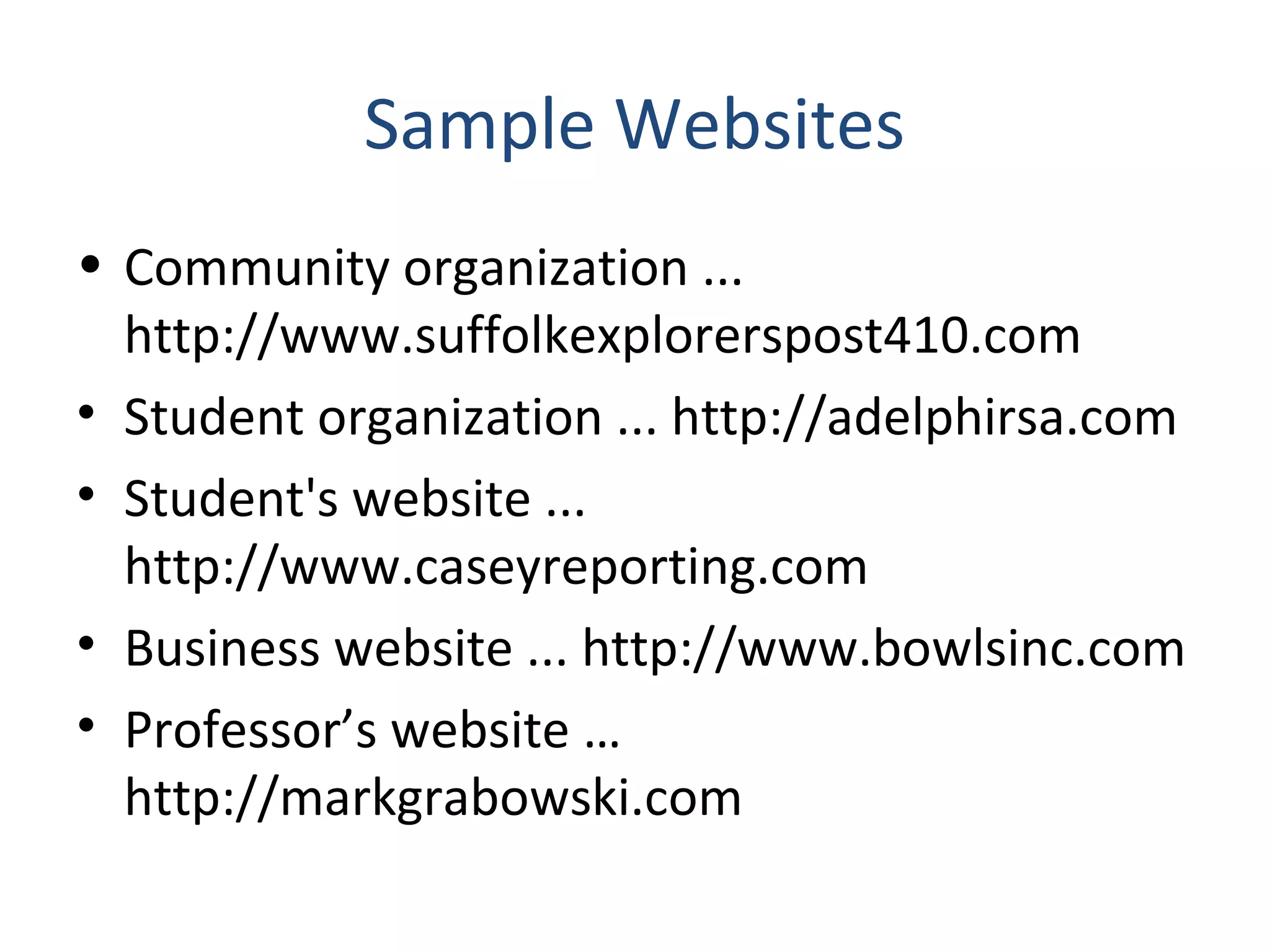
• Community organization ... 
http://www.suffolkexplorerspost410.com 
• Student organization ... http://adelphirsa.com 
• Student's website ... 
http://www.caseyreporting.com 
• Business website ... http://www.bowlsinc.com 
• Professor’s website … 
http://markgrabowski.com
Assignment Requirements 
• First, you must make your website using Weebly. 
Do not use another service or software. 
• Second, your website must have at least four 
separate webpages. 
• Third, meet the deadline: you will present your 
website to your professor and classmates during 
our final exam class. Your website must be up 
and accessible on the World Wide Web by the 
time class begins or you will receive a zero for the 
assignment.
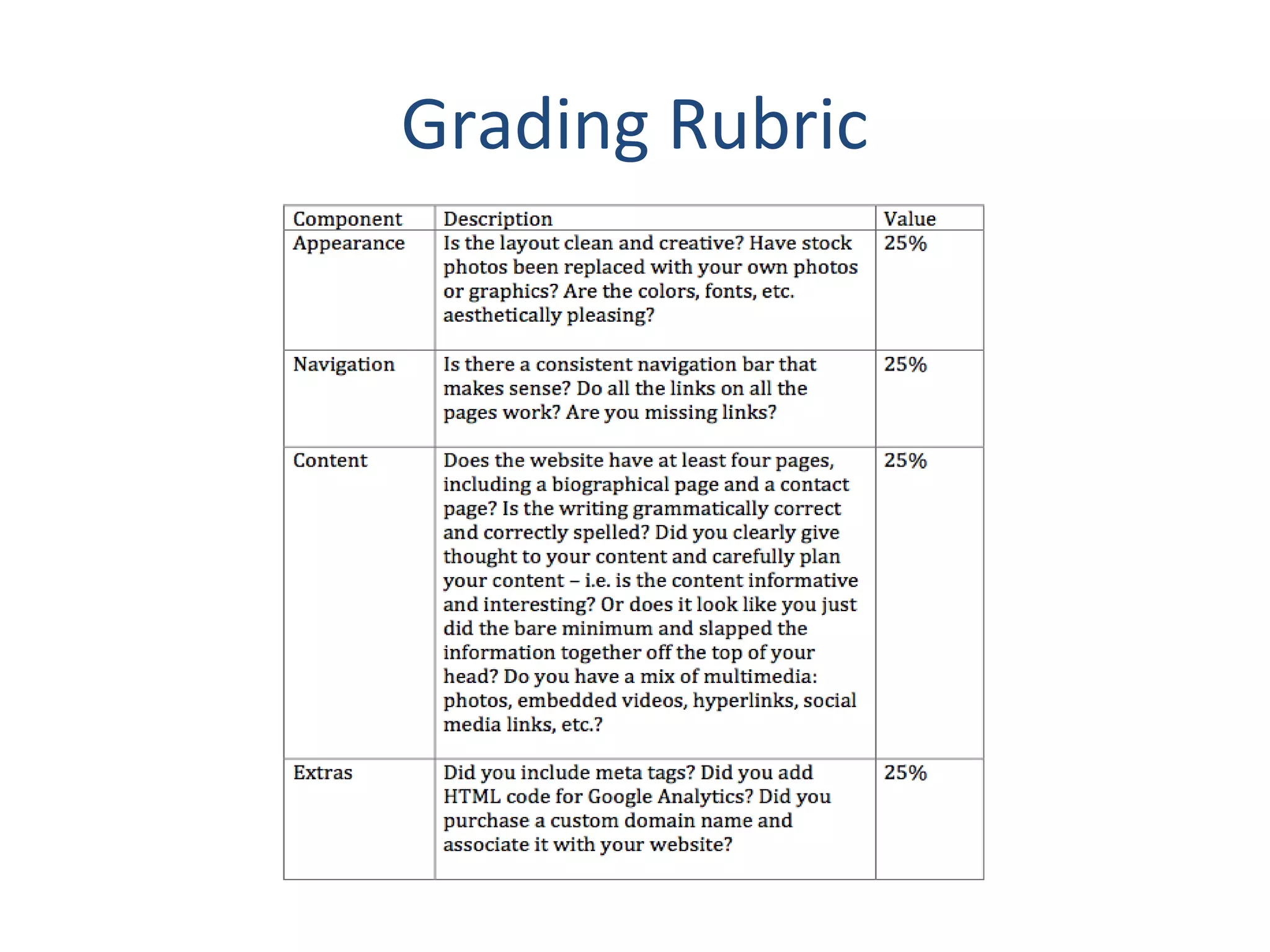
Grading Rubric
Questions? 
• Email Prof. Mark Grabowski at 
grabowsm@stjohns.edu

Web design for journalists

  • 2.
    What is WebDesign? • Creating content for other users to see on the Internet via a browser such as Firefox, IE or Safari. Or, put simply, building a website. It incorporates many different skills, including technical know‐how, writing, graphic design, photography, search engine optimization and marketing
  • 3.
    Why Learn WebDesign? • Increasingly, media and public relations companies expect new hires to know the latest technologies and computer skills, including web design. Almost all media outlets have a strong web presence these days. Having a website is useful, even if you don’t plan to become a journalist. Recent surveys shows that many employers now do Internet searches on prospective employees. If you build your own website, you control what’s on it. So, you can use your website as a positive marketing tool. And, if you do work in the media, many editors will ask you to e‐mail your application with links to your work samples. By posting links to your blog and news videos on your website, you’ll have your application materials readily accessible in one place.
  • 4.
    The Process •Just as with making a news video, you can’t just start making your website. You need to do research and plan ahead. It’s a process consisting of many steps.
  • 5.
    Steps • First,come up with an idea for your website. Look around the web at other people’s websites. • Decide what kind of content you want to include: what information, what photos, links, etc. • Next draw blueprint; sketch your concept on a sheet of paper. • Then assemble your content: write your text, gather photos, etc. • Finally, you’re ready to begin creating your website.
  • 6.
    What Content toInclude? • What content should you include on your website? First decide whether you want your website to be a personal website, a professional website or a website for an organization you’re involved with.
  • 7.
    Types of Websites • A personal webpage highlights your interests and/or hobbies. • A professional webpage focuses on your prospective career, be it journalist, dancer, real estate broker or something else. If you’re an aspiring journalist for example, you might include a bio, resume, links to work samples, etc. • Your third option is to do a website about an organization (such as your fraternity) or activity (such as a movie) you’re involved with.
  • 8.
    Assignment Requirements •Regardless of which option you choose, your website should contain at least four separate webpages , including a biographical page (with at least a 125‐word description of you or the organization/activity) and a contact page. Other pages could be a photo gallery, a resume, a page dedicated to your passion or hobby, a page featuring work sample or assignments you did for class, etc. Of course, you may have more than four webpages. Students who want to earn a good grade will do more than the minimum required.
  • 9.
    The Tools •For this assignment, you will need a computer with Internet access, of course. You also may purchase a domain name, if you want to (this is optional and won’t impact your grade). And you will use Weebly.com to construct the website. You may also require the use of PhotoShop or Fireworks to edit photos or create graphics/art.
  • 10.
    Sample Websites •Community organization ... http://www.suffolkexplorerspost410.com • Student organization ... http://adelphirsa.com • Student's website ... http://www.caseyreporting.com • Business website ... http://www.bowlsinc.com • Professor’s website … http://markgrabowski.com
  • 11.
    Assignment Requirements •First, you must make your website using Weebly. Do not use another service or software. • Second, your website must have at least four separate webpages. • Third, meet the deadline: you will present your website to your professor and classmates during our final exam class. Your website must be up and accessible on the World Wide Web by the time class begins or you will receive a zero for the assignment.
  • 12.
  • 13.
    Questions? • EmailProf. Mark Grabowski at grabowsm@stjohns.edu