Web   2.0  Technologies Gethin Nichols [email_address]
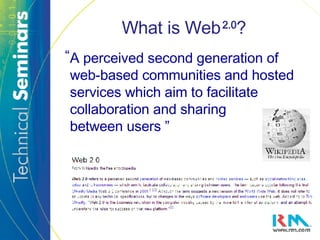
What is Web   2.0 ? A perceived second generation of web-based communities and hosted services which aim to facilitate collaboration and sharing  between users ” “
Change is in the air The Purpose of the Web Who “owns” the Web? Digital Immigrants, Digital Natives
Digital Immigrant Small Number of Information Sources Uniform processing
 
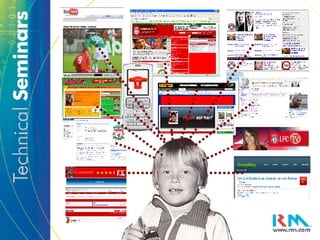
Digital Native Very large number of information sources Parallel processing New type of brain?
 
Importance for Education The next generation of learners are predominantly “Digital Natives” with different expectations: Web-based learning Parallel Processing, multi-tasking Group and peer collaboration Anytime, anywhere access
Web   2.0  Technologies Open Source building blocks XML Javascript Ajax Web-based API’s (application programming interface) Characteristics of Web 2.0  sites User controlled Collaborative on a wide scale
 
RSS Feeds RSS Feeds are a way of automating the flow of information from a chosen array of sources
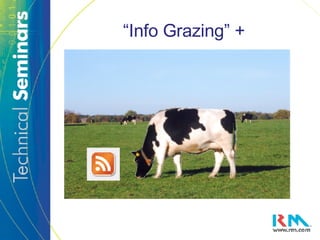
“Info Grazing” +
RSS Feeds Use of Aggregators How Students can utilise RSS Keeps research current Facilitates continued learning Focuses web-use
Blogging Blogs are an incredibly simple way for people to publish their thoughts to the Web Traditionally using words, but more avenues now open for Bloggers
Different Kinds of Blog Vlog Vodcast Moblog Tumblelog Linklog And so on and on and on…. A Video Blog A Video Podcast A Blog done from a mobile phone A Blog containing mixed media A Blog containing links
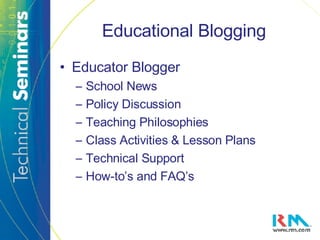
Educational Blogging Educator Blogger School News Policy Discussion Teaching Philosophies Class Activities & Lesson Plans Technical Support How-to’s and FAQ’s
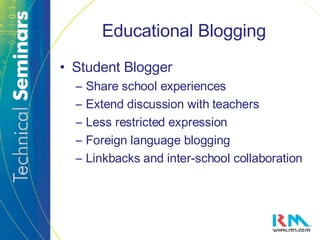
Educational Blogging Student Blogger Share school experiences Extend discussion with teachers Less restricted expression Foreign language blogging Linkbacks and inter-school collaboration
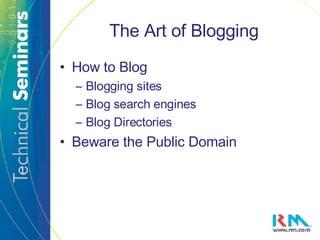
The Art of Blogging How to Blog Blogging sites Blog search engines Blog Directories Beware the Public Domain
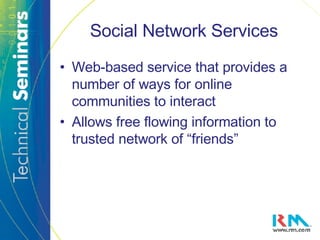
Social Network Services Web-based service that provides a number of ways for online communities to interact  Allows free flowing information to trusted network of “friends”
Harnessing Social Networks for the Benefit of Education Adding teacher involvement Class Structure Utilising “student” technologies Hub for API’s with educational bias Hub for other Web 2.0 applications Beware the public domain (again)
Wikis Wassawiki? A wiki is a free on-line writing space that allows users to add, modify and update its pages Permissions allow selected users to edit the wiki, and then publish the “new” version
Wikis in the Classroom Joint editing of “one” document Easy remote group collaboration Multiple pages for multiple thoughts Teacher involvement Virtual Handouts Part of the collaboration process Open access via the Web
Tools for Web Research Social Bookmarking and Tagging An online system that allows you to store, organise, share and search bookmarked web pages Folksonomies take this to the next level by encouraging collaborative tagging, generating useful searchable meta-data
More Tools for Web Research Marking Up Websites Annotate, highlight and bookmark online text Polling and Voting Booths Opinion gathering from a selected group or wider community Mindmapping Collaborative creation of processes as well as linked data
Tools for Sharing Image sharing sites Worldwide contributors Online gallery of work Easily searched folksonomic tagging Educational possibilities of geotagging Visually instructive annotation Learning “Hot Spots”
Tools for Sharing Video sharing sites Educational categories can bring focus Very easy to post and share Collaborative editing creates “video wiki” Multiple editions track differences Tagged folksonomy
More Tools for Sharing Note Taking and Sharing Save and organise notes online Manage a class timetable Time-managed work schedules Collaborative, open access Revision aids (“Note tree”)
More Tools for Sharing File Sharing and Online storage Sites designed for the storage of larger file-sets, but now have greater Web 2.0 focus Multiple folders which include RSS feeds  Storage and editing on web server Store RSS feeds, podcasts and so on Instant sharing with e-mail notifications
Podcasting Ease and Convenience Creating Podcasts with Audacity Availability of Podcasts
Online Office Applications A raft of online alternatives to office applications are now freely available Suitability For Education? Functionality More Web 2.0ised
Extra Tools to Enhance Web   2.0 Skype Helping schools to communicate Cost effective international links Camtasia Create demonstration and “how-to” videos Voice over and webcam options
Summary Web   2.0   has put users at the forefront of a new approach to the internet Public domain presents new threats which need a degree of management Innovative technologies offer excellent ways to enhance studies Web 2.0isation……
Further Resources Catalogue of websites to visit on my wiki:  http://catalogueofweb2point0.pbwiki.com/ Extended notes on the CD, but also at my blog:  http://www.bloglines.com/blog/GethNichols
What Next? Sign up and see which sites you like – it takes seconds to register Let me know what you think: edit my wiki, pingback my blog

Web 2.0 Tecnologies Presentation

  • 1.
    Web 2.0 Technologies Gethin Nichols [email_address]
  • 2.
    What is Web 2.0 ? A perceived second generation of web-based communities and hosted services which aim to facilitate collaboration and sharing between users ” “
  • 3.
    Change is inthe air The Purpose of the Web Who “owns” the Web? Digital Immigrants, Digital Natives
  • 4.
    Digital Immigrant SmallNumber of Information Sources Uniform processing
  • 5.
  • 6.
    Digital Native Verylarge number of information sources Parallel processing New type of brain?
  • 7.
  • 8.
    Importance for EducationThe next generation of learners are predominantly “Digital Natives” with different expectations: Web-based learning Parallel Processing, multi-tasking Group and peer collaboration Anytime, anywhere access
  • 9.
    Web 2.0 Technologies Open Source building blocks XML Javascript Ajax Web-based API’s (application programming interface) Characteristics of Web 2.0 sites User controlled Collaborative on a wide scale
  • 10.
  • 11.
    RSS Feeds RSSFeeds are a way of automating the flow of information from a chosen array of sources
  • 12.
  • 13.
    RSS Feeds Useof Aggregators How Students can utilise RSS Keeps research current Facilitates continued learning Focuses web-use
  • 14.
    Blogging Blogs arean incredibly simple way for people to publish their thoughts to the Web Traditionally using words, but more avenues now open for Bloggers
  • 15.
    Different Kinds ofBlog Vlog Vodcast Moblog Tumblelog Linklog And so on and on and on…. A Video Blog A Video Podcast A Blog done from a mobile phone A Blog containing mixed media A Blog containing links
  • 16.
    Educational Blogging EducatorBlogger School News Policy Discussion Teaching Philosophies Class Activities & Lesson Plans Technical Support How-to’s and FAQ’s
  • 17.
    Educational Blogging StudentBlogger Share school experiences Extend discussion with teachers Less restricted expression Foreign language blogging Linkbacks and inter-school collaboration
  • 18.
    The Art ofBlogging How to Blog Blogging sites Blog search engines Blog Directories Beware the Public Domain
  • 19.
    Social Network ServicesWeb-based service that provides a number of ways for online communities to interact Allows free flowing information to trusted network of “friends”
  • 20.
    Harnessing Social Networksfor the Benefit of Education Adding teacher involvement Class Structure Utilising “student” technologies Hub for API’s with educational bias Hub for other Web 2.0 applications Beware the public domain (again)
  • 21.
    Wikis Wassawiki? Awiki is a free on-line writing space that allows users to add, modify and update its pages Permissions allow selected users to edit the wiki, and then publish the “new” version
  • 22.
    Wikis in theClassroom Joint editing of “one” document Easy remote group collaboration Multiple pages for multiple thoughts Teacher involvement Virtual Handouts Part of the collaboration process Open access via the Web
  • 23.
    Tools for WebResearch Social Bookmarking and Tagging An online system that allows you to store, organise, share and search bookmarked web pages Folksonomies take this to the next level by encouraging collaborative tagging, generating useful searchable meta-data
  • 24.
    More Tools forWeb Research Marking Up Websites Annotate, highlight and bookmark online text Polling and Voting Booths Opinion gathering from a selected group or wider community Mindmapping Collaborative creation of processes as well as linked data
  • 25.
    Tools for SharingImage sharing sites Worldwide contributors Online gallery of work Easily searched folksonomic tagging Educational possibilities of geotagging Visually instructive annotation Learning “Hot Spots”
  • 26.
    Tools for SharingVideo sharing sites Educational categories can bring focus Very easy to post and share Collaborative editing creates “video wiki” Multiple editions track differences Tagged folksonomy
  • 27.
    More Tools forSharing Note Taking and Sharing Save and organise notes online Manage a class timetable Time-managed work schedules Collaborative, open access Revision aids (“Note tree”)
  • 28.
    More Tools forSharing File Sharing and Online storage Sites designed for the storage of larger file-sets, but now have greater Web 2.0 focus Multiple folders which include RSS feeds Storage and editing on web server Store RSS feeds, podcasts and so on Instant sharing with e-mail notifications
  • 29.
    Podcasting Ease andConvenience Creating Podcasts with Audacity Availability of Podcasts
  • 30.
    Online Office ApplicationsA raft of online alternatives to office applications are now freely available Suitability For Education? Functionality More Web 2.0ised
  • 31.
    Extra Tools toEnhance Web 2.0 Skype Helping schools to communicate Cost effective international links Camtasia Create demonstration and “how-to” videos Voice over and webcam options
  • 32.
    Summary Web 2.0 has put users at the forefront of a new approach to the internet Public domain presents new threats which need a degree of management Innovative technologies offer excellent ways to enhance studies Web 2.0isation……
  • 33.
    Further Resources Catalogueof websites to visit on my wiki: http://catalogueofweb2point0.pbwiki.com/ Extended notes on the CD, but also at my blog: http://www.bloglines.com/blog/GethNichols
  • 34.
    What Next? Signup and see which sites you like – it takes seconds to register Let me know what you think: edit my wiki, pingback my blog