About me Baby boomer Why blog? How did I start? Personal blog Globalteacher blog Backyard blog(globalstudent) – sole administrator Individual student blogs – joint administration
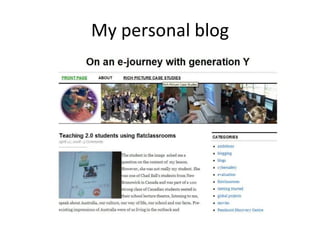
My personal blog
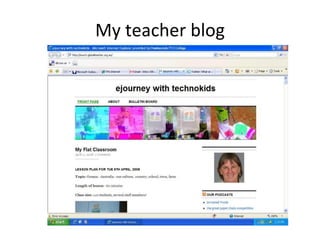
My teacher blog
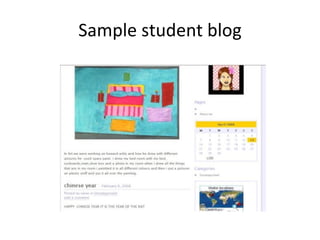
Sample student blog
My blog Posts Pages Categories Tags Widgets – clustr maps, delicious links Blogroll comments
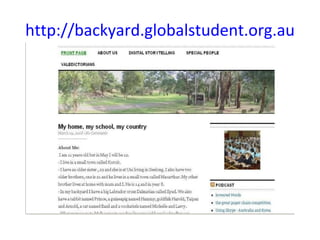
http://backyard.globalstudent.org.au
Uses Online journal Digital portfolios Lesson plans bulletin board Reflections
How to get started! Read blogs Sample blogs  –  sue davis  – mobile technology in TAFE Jess Mcculloch  The rise of reflections Alannahk  moturoa   (from NZ just lots of bits and pieces) Jenny lucca  lucacept Class blogs Grade 5 class in Bangkok  Our online ESL classroom Collaboration nation  a year 8 blog in USA
Global student/teacher Register for a  globalteacher blog Adding in students = easy now Give some thought to username or webtitle (cannot be changed) eg murcha blog title can be changed  Eg ejourneys with technokids –backyard -ros0003 -rose etc Make sure you goto your email and activate the link
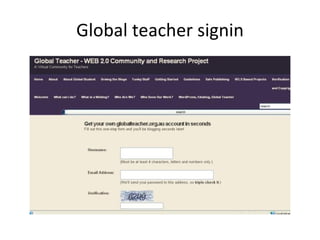
Global teacher signin
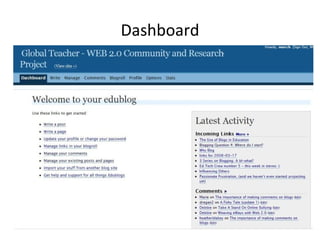
Dashboard
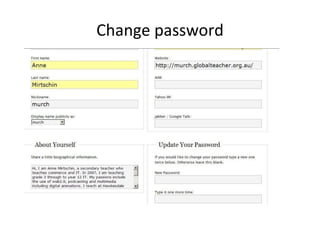
Change password
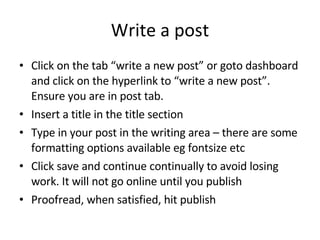
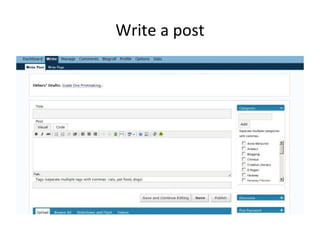
Write a post Click on the tab “write a new post” or goto dashboard and click on the hyperlink to “write a new post”. Ensure you are in post tab. Insert a title in the title section Type in your post in the writing area – there are some formatting options available eg fontsize etc Click save and continue continually to avoid losing work. It will not go online until you publish Proofread, when satisfied, hit publish
Write a post
Insert a Page Posts will scroll in chronological order. Ensure you add an appropriate category for your post Add some tags as to content of post eg reflections, skype, blogging etc A page will be static but viewable all the time on selection. Eg about me, digital stories etc Complete as for posts.
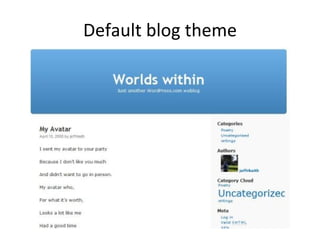
Default blog theme
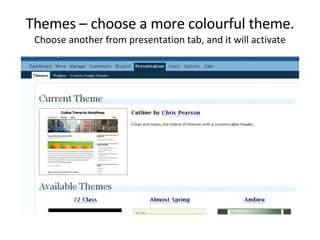
Themes – choose a more colourful theme. Choose another from presentation tab, and it will activate
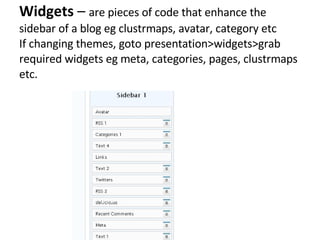
Widgets  –  are pieces of code that enhance the sidebar of a blog eg clustrmaps, avatar, category etc If changing themes, goto presentation>widgets>grab required widgets eg meta, categories, pages, clustrmaps etc.
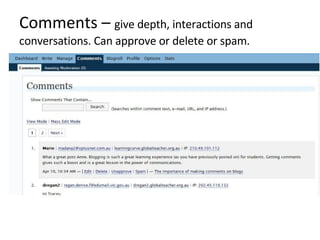
Comments –   give depth, interactions and conversations. Can approve or delete or spam.
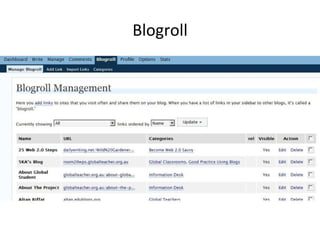
Blogroll
hints Start blogging – it will find a direction over time Blog until you feel comfortable before starting with students Blog regularly Establish a social network (links, comments, trackbacks, teacher lists, nings etc) Do not worry about initial appearance – just start.
Topic of first posts About me/class/school/facilities etc Goals Interests Hobbies Software/hardware trialled and evaluations
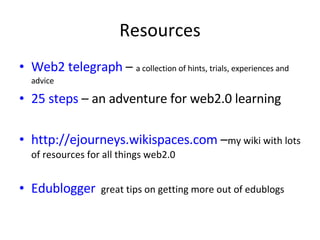
Resources Web2 telegraph  –  a collection of hints, trials, experiences and advice 25 steps  – an adventure for web2.0 learning http://ejourneys.wikispaces.com  – my wiki with lots of resources for all things web2.0 Edublogger   great tips on getting more out of edublogs
Cybersafety Usernames  eg rose, meatballs Avatars No last names/addresses/phone numbers/other identifying details Joint administration rights Other staff(including principal)  regularly comment RSS feeds to student blogs
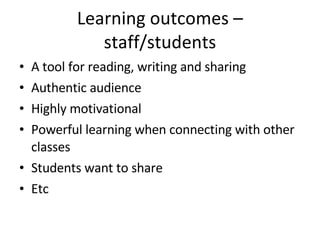
Learning outcomes – staff/students A tool for reading, writing and sharing Authentic audience Highly motivational Powerful learning when connecting with other classes Students want to share Etc
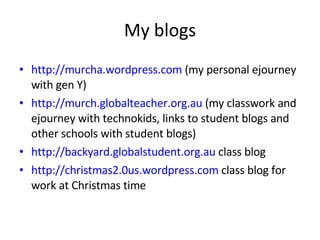
My blogs http://murcha.wordpress.com  (my personal ejourney with gen Y) http://murch.globalteacher.org.au  (my classwork and ejourney with technokids, links to student blogs and other schools with student blogs) http://backyard.globalstudent.org.au  class blog http://christmas2.0us.wordpress.com  class blog for work at Christmas time

We Have A Big Backyard

  • 1.
  • 2.
    About me Babyboomer Why blog? How did I start? Personal blog Globalteacher blog Backyard blog(globalstudent) – sole administrator Individual student blogs – joint administration
  • 3.
  • 4.
  • 5.
  • 6.
    My blog PostsPages Categories Tags Widgets – clustr maps, delicious links Blogroll comments
  • 7.
  • 8.
    Uses Online journalDigital portfolios Lesson plans bulletin board Reflections
  • 9.
    How to getstarted! Read blogs Sample blogs – sue davis – mobile technology in TAFE Jess Mcculloch The rise of reflections Alannahk moturoa (from NZ just lots of bits and pieces) Jenny lucca lucacept Class blogs Grade 5 class in Bangkok Our online ESL classroom Collaboration nation a year 8 blog in USA
  • 10.
    Global student/teacher Registerfor a globalteacher blog Adding in students = easy now Give some thought to username or webtitle (cannot be changed) eg murcha blog title can be changed Eg ejourneys with technokids –backyard -ros0003 -rose etc Make sure you goto your email and activate the link
  • 11.
  • 12.
  • 13.
  • 14.
    Write a postClick on the tab “write a new post” or goto dashboard and click on the hyperlink to “write a new post”. Ensure you are in post tab. Insert a title in the title section Type in your post in the writing area – there are some formatting options available eg fontsize etc Click save and continue continually to avoid losing work. It will not go online until you publish Proofread, when satisfied, hit publish
  • 15.
  • 16.
    Insert a PagePosts will scroll in chronological order. Ensure you add an appropriate category for your post Add some tags as to content of post eg reflections, skype, blogging etc A page will be static but viewable all the time on selection. Eg about me, digital stories etc Complete as for posts.
  • 17.
  • 18.
    Themes – choosea more colourful theme. Choose another from presentation tab, and it will activate
  • 19.
    Widgets – are pieces of code that enhance the sidebar of a blog eg clustrmaps, avatar, category etc If changing themes, goto presentation>widgets>grab required widgets eg meta, categories, pages, clustrmaps etc.
  • 20.
    Comments – give depth, interactions and conversations. Can approve or delete or spam.
  • 21.
  • 22.
    hints Start blogging– it will find a direction over time Blog until you feel comfortable before starting with students Blog regularly Establish a social network (links, comments, trackbacks, teacher lists, nings etc) Do not worry about initial appearance – just start.
  • 23.
    Topic of firstposts About me/class/school/facilities etc Goals Interests Hobbies Software/hardware trialled and evaluations
  • 24.
    Resources Web2 telegraph – a collection of hints, trials, experiences and advice 25 steps – an adventure for web2.0 learning http://ejourneys.wikispaces.com – my wiki with lots of resources for all things web2.0 Edublogger great tips on getting more out of edublogs
  • 25.
    Cybersafety Usernames eg rose, meatballs Avatars No last names/addresses/phone numbers/other identifying details Joint administration rights Other staff(including principal) regularly comment RSS feeds to student blogs
  • 26.
    Learning outcomes –staff/students A tool for reading, writing and sharing Authentic audience Highly motivational Powerful learning when connecting with other classes Students want to share Etc
  • 27.
    My blogs http://murcha.wordpress.com (my personal ejourney with gen Y) http://murch.globalteacher.org.au (my classwork and ejourney with technokids, links to student blogs and other schools with student blogs) http://backyard.globalstudent.org.au class blog http://christmas2.0us.wordpress.com class blog for work at Christmas time